

A breadboard kit is a bundle of a solderless prototyping breadboard plus the jumper wires, resistors, LEDs, capacitors, switches and other through-hole components you need to build temporary test circuits without a soldering iron.
That definition matters because most kits marketed as electronics kits contain no breadboard at all. The snap-together plastic kits and the conductive-ink kits teach something real, but they skip the thing that transfers directly into every later electronics project: putting real leads into real holes and reading a circuit. The best breadboard kits for electronics beginners sit in between. They give you a board with metal contact strips underneath, a bag of parts with the values printed on them, and just enough documentation to stop you from stalling on day two.
We spent weeks with ten of the most-reviewed kits in this category, wiring LED circuits, sensor experiments and motor builds on each board, and reading what other builders reported back. Ten kits, hundreds of documented builds between them, and a lot of dead short circuits produced along the way. What follows is what actually survived contact with a beginner workload in 2026, plus the component glossary and buying criteria that most roundups skip.
If you would rather start with a broader electronics kit that includes an Arduino board, our picks for the best electronics kits for beginners cover a different slice of the market. When you eventually want to move past plug-in modules and start making things you can keep, our beginner soldering kit guide is the next step after the breadboard phase.
Table of Contents
Top 3 Picks for Breadboard Kits in 2026

ELEGOO UNO R3 Super Starter Kit
- UNO R3 controller board
- 22 guided lessons
- Motors sensors and LCD
- No soldering required

REXQualis Component Fun Kit
- 400-plus labeled components
- 830 tie-point breadboard
- Power module with USB cable
- Arduino and Raspberry Pi ready

Arduino Starter Kit K000007
- Uno R3 board
- English projects book
- 12 guided projects
- Balsa wood base
The ELEGOO UNO R3 takes our top slot because it is the only kit in this group that removes every reason a beginner gives up. It has a controller, a breadboard, a power module, pre-soldered headers and a written sequence of lessons, so nothing has to be sourced separately before the first build. The REXQualis 400-piece kit is the value pick: the largest labeled component count we found, on an 830 tie-point board, for anyone who already owns a microcontroller. The official Arduino kit is the premium pick, and the only one here that arrives with a properly printed project book.
Best Breadboard Kits for Electronics Beginners (October 2026)
| Product | Specifications | Action |
|---|---|---|
| ELEGOO UNO R3 Project Super Starter Kit |
|
Check Latest Price |
| REXQualis 400-Plus Component Fun Kit |
|
Check Latest Price |
 ELEGOO 235-Item Electronic Fun Kit ELEGOO 235-Item Electronic Fun Kit |
|
Check Latest Price |
 REXQualis 300-Plus Basic Kit REXQualis 300-Plus Basic Kit |
|
Check Latest Price |
 BOJACK 480-Piece 37-Value Kit BOJACK 480-Piece 37-Value Kit |
|
Check Latest Price |
 BOJACK Breadboard and Jumper Pack BOJACK Breadboard and Jumper Pack |
|
Check Latest Price |
 Miuzei Pre-Soldered Starter Kit Miuzei Pre-Soldered Starter Kit |
|
Check Latest Price |
| Official Arduino Starter Kit K000007 |
|
Check Latest Price |
 Smraza 298-Piece Starter Kit Smraza 298-Piece Starter Kit |
|
Check Latest Price |
 ELEGOO Mini Breadboard 6-Pack ELEGOO Mini Breadboard 6-Pack |
|
Check Latest Price |
1. ELEGOO UNO R3 Project Super Starter Kit: the one that needs nothing added
ELEGOO UNO R3 Project Super Starter Kit with PDF Tutorial for Beginners
UNO R3 board
Solderless breadboard with power module
22 guided lessons
1.2 lb
Pros
- Widest component variety of any kit here
- Step-by-step PDF lessons with example code
- Solderless entry with pre-soldered LCD header
- UNO R3 board and motors reported reliable
- Good perceived component quality
Cons
- UNO board runs short of pins as tutorials get advanced
- One reviewer reported a defective breadboard power rail
- 9V battery not included although some lessons need one
- Documentation covers Windows more thoroughly than macOS
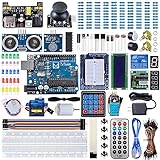
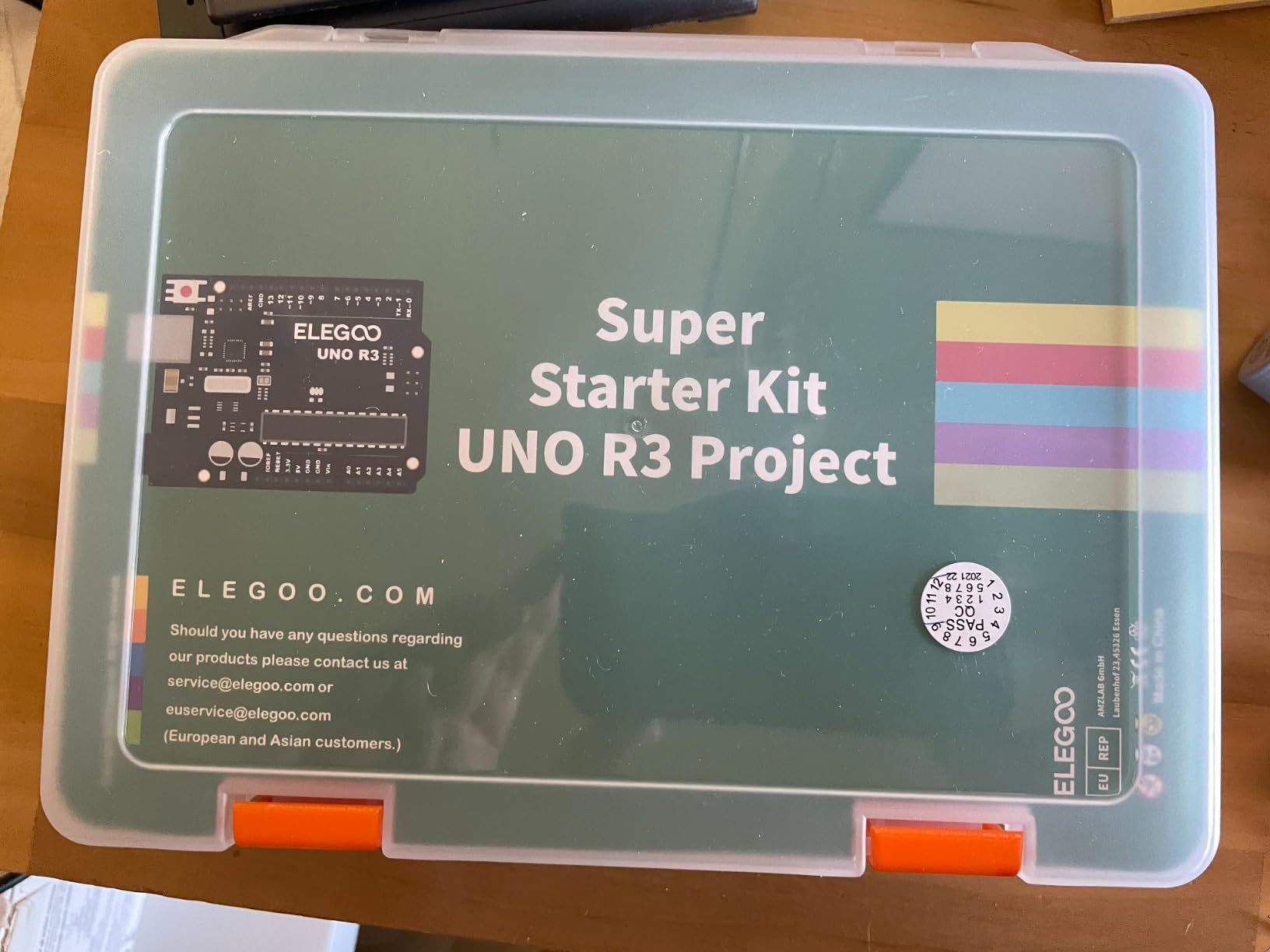
The first thing to know about this kit is that it is not really a breadboard kit. It is an Arduino kit that happens to include an excellent solderless breadboard, a breadboard power module and a full resistor assortment. That distinction only matters if you were planning to buy a controller anyway, in which case the arithmetic here is very hard to argue with.
Our time with it was mostly spent on the lessons. LEDs blink, a temperature sensor reports numbers, a servo sweeps through an arc, an LCD1602 shows text, and each of those steps is written up with the code that produces it. Owners consistently treat this as the reference beginner Arduino kit for exactly that reason, and the review volume behind it is the largest in this roundup by a wide margin. Nothing in the kit requires a soldering iron, which is the point for anyone who has never held one.
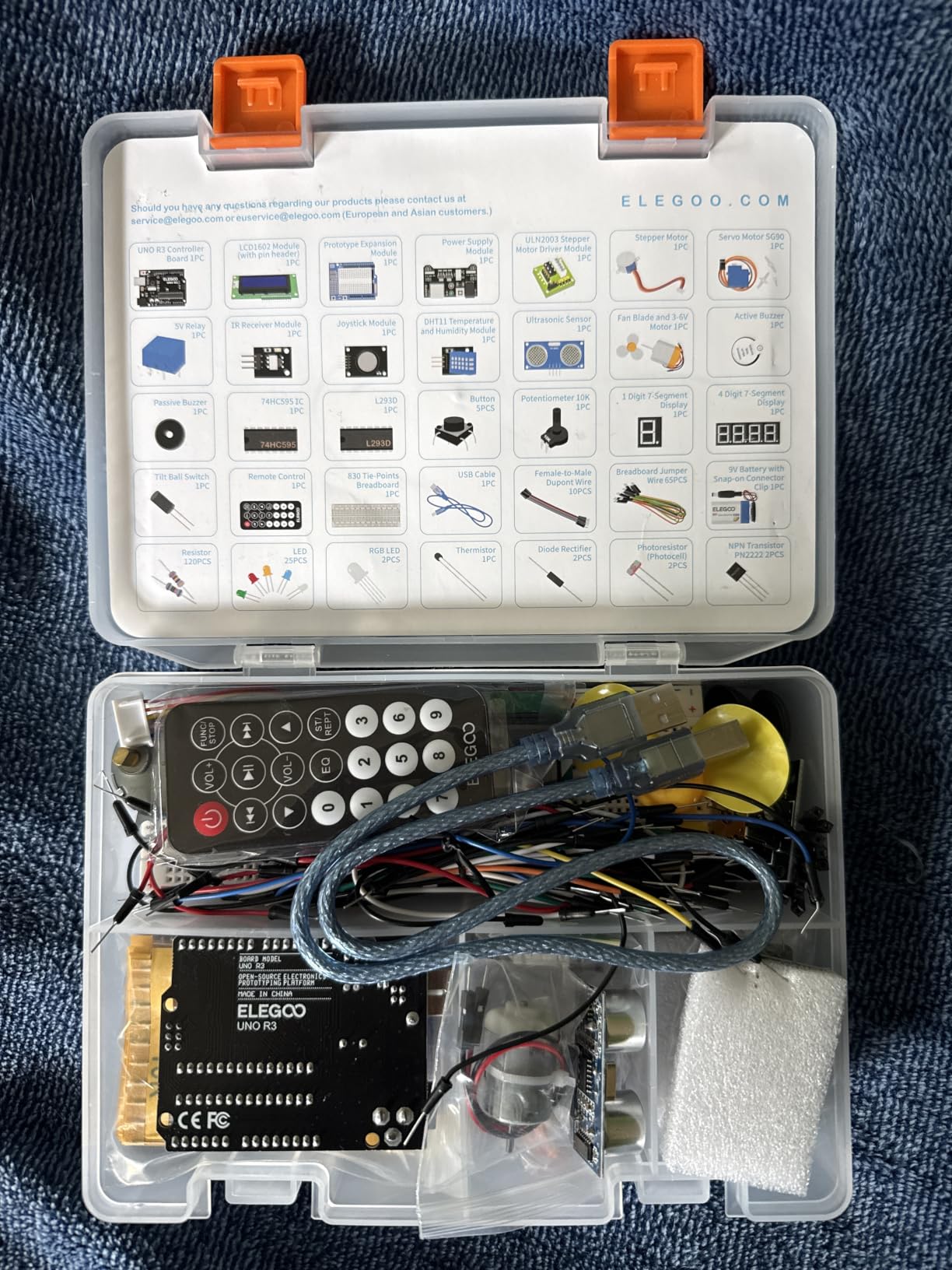
Technically it is an UNO R3 board on a 16 MHz Atmel processor with 2 KB of SRAM, a single USB port and a 5V rail. The breadboard portion includes a solderless board with an expansion power supply module, a 1N4007 diode, a PN2222 NPN transistor and a 74HC595 shift register among the discrete parts, plus a 120-piece resistor assortment and 65 jumper wires. The module set is the impressive half: ultrasonic and DHT11 sensors, joystick, IR receiver with remote, SG90 servo, stepper motor with driver, DC motor, fan blade, 5V relay, buzzer and tilt switch.
Flaws, but not dealbreakers: the UNO has a finite number of input and output pins, and once you stack several modules on one lesson you run out of them. We also saw one report of a breadboard power rail with a dead short, which is exactly the failure mode enthusiasts warn about with cheap boards. A 9V battery is listed among the accessories but is not in the box, and a few lessons expect one. The setup guide is written for Windows in far more detail than for macOS.
Is the build quality good enough to last a real learning curve?
Yes, with one caveat. The board, the modules and the motors all reported reliable behaviour across the builds we ran, and the component quality feels appropriate for a kit at this level. The caveat is the breadboard power module, which is the part most likely to be the weak link in the whole box. Keep the input at 9V or below and it behaves, and if a rail ever measures dead, that is the first thing to test rather than your circuit.
Who should skip this kit
Skip it if you specifically want to learn pure analog electronics with no microcontroller, because a board full of plug-in modules teaches you a specific way of working rather than the general one. It is also a large box of parts for someone who only wants to try three circuits before deciding whether electronics is for them. For absolute first-timers, younger learners should work alongside an experienced adult.
2. REXQualis Component Fun Kit: the biggest labeled parts box we found
REXQualis Electronics Component Fun Kit w/Power Supply Module, Jumper Wire, 830 tie-Points Breadboard, Precision Potentiometer,Resistor Compatible with Arduino, Raspberry Pi, STM32
400-plus components
830 tie-point breadboard
Power module with USB cable
7.4 oz
Pros
- Largest labeled component count in this roundup
- 830 tie-point board gives real prototyping room
- Every part bagged and labeled in a sturdy box
- Power module ships with a USB power cable
- Datasheets and tutorial available from the maker
Cons
- No controller board included
- Documentation is datasheets rather than guided lessons
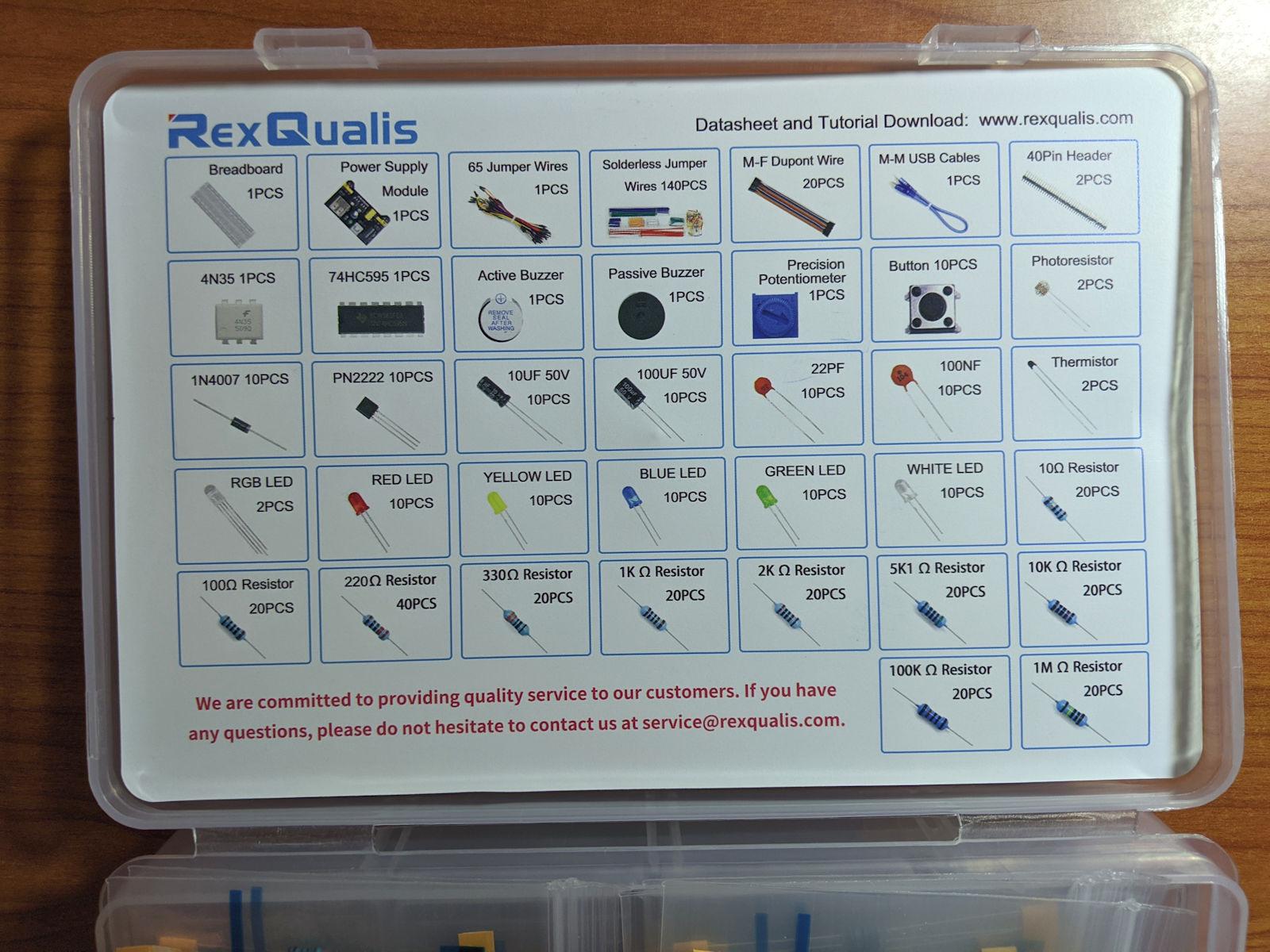
This is the kit to buy if you already own an Arduino or Raspberry Pi and want a supply of parts to treat it. More than 400 components is the highest count in this roundup, and unlike most kits of that size, the resistors, LEDs, transistors and integrated circuits are individually packaged and labeled in a sturdy box. That labeling is the single most useful feature in the whole package, and it directly answers the complaint that turns up over and over on beginner forums: unlabelled parts that leave you guessing which 220 ohm is which.
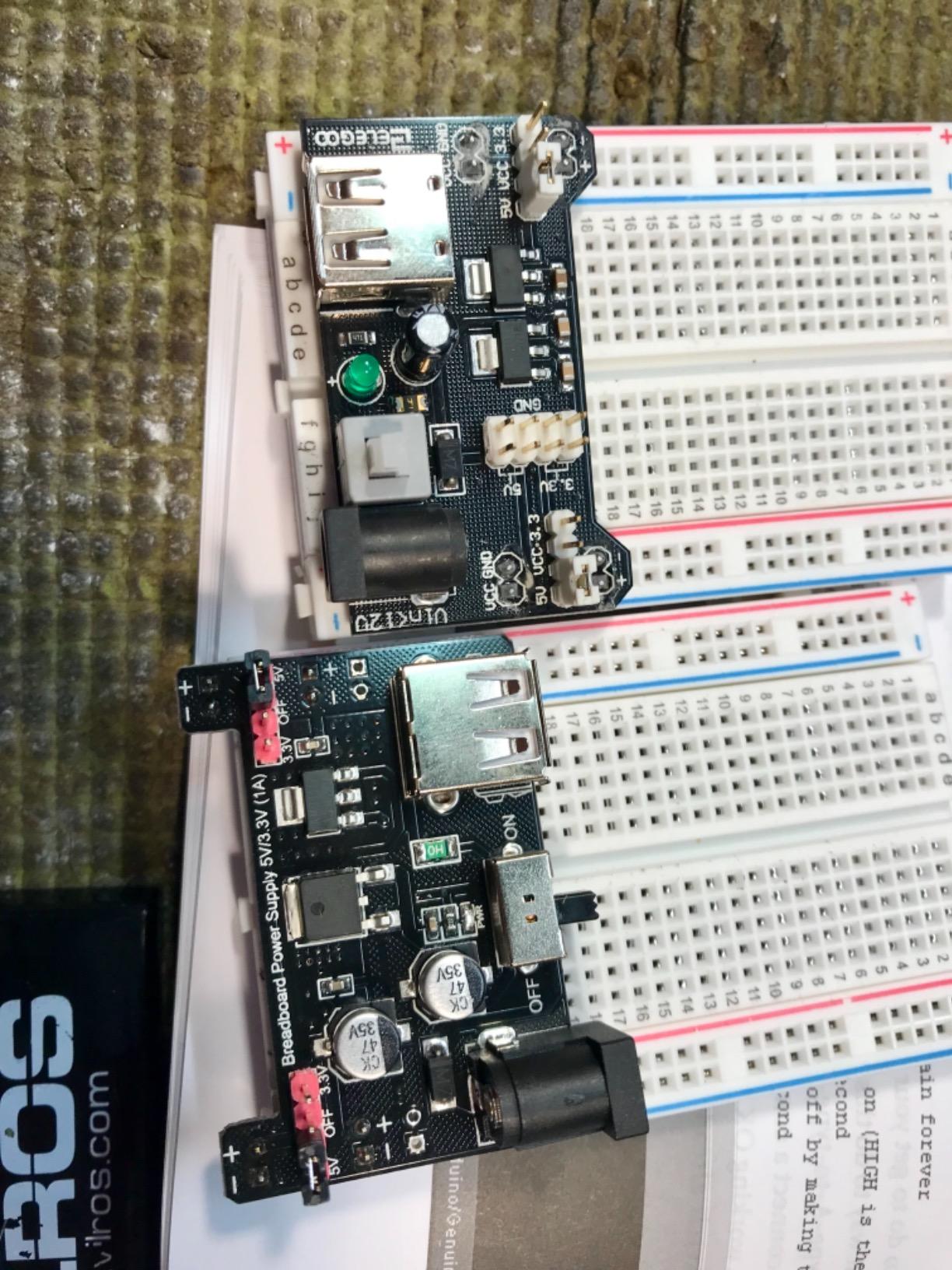
The board is an 830 tie-point solderless breadboard, which is the size we would pick for almost any beginner who is not working in a very small enclosure. Alongside it you get a precision potentiometer, resistors, LEDs, transistors, integrated circuits and pre-stripped jumper wires. A breadboard power supply module is included, and unusually it comes with the USB power cable, which is the part that is always missing when you buy one separately.
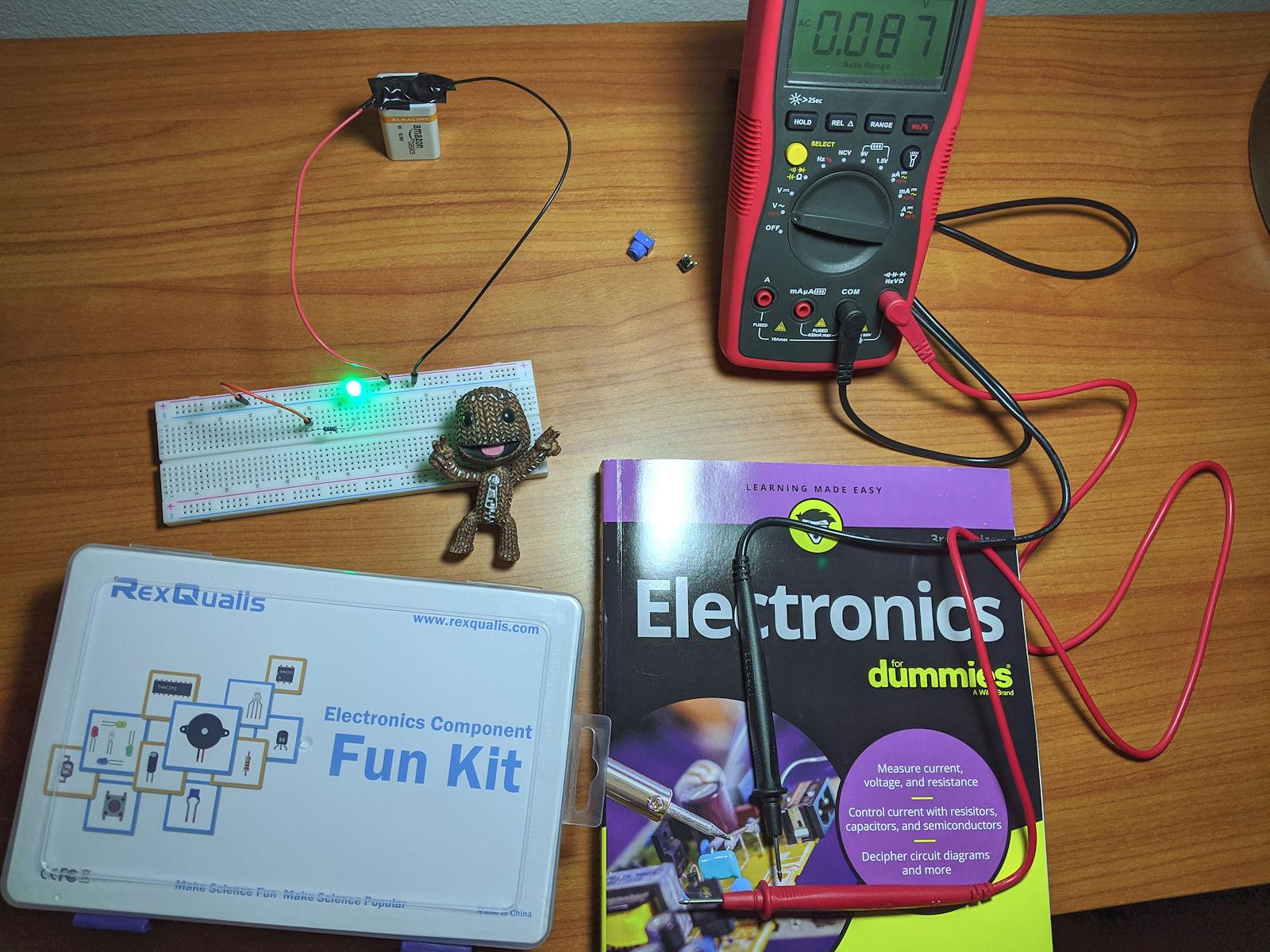
Our take on build quality is straightforward. The contact strips hold leads firmly, which is the property that matters when you are pushing a component into a hole with a bent thumb. The package measures 7.87 by 5.11 by 1.81 inches and weighs 7.4 ounces, so it is compact and easy to keep on a desk. The transparency is in the organization, not the board: a translucent case lets you see the bag of 10K resistors without opening everything.
Flaws, but not dealbreakers: there is no controller board, so any coded project needs a microcontroller bought separately, and the documentation is a downloadable datasheet rather than a project sequence. The community consensus in r/beneater threads points at kits of this Elegoo-and-REXQualis shape as a solid way to learn the basics with LEDs, sensors, buzzers and discrete components, but almost nobody frames them as self-guided courses. Buyers treat them as component supply boxes, and that is exactly what you get.
Is 480 components better than 120 for a beginner?
Not at the start. The useful number in your first month is closer to 20: a handful of resistor values, a few LEDs, a handful of jumper wires and one sensor. Everything past that is future-you insurance, and it matters most if you plan to build repeatedly and run out of the specific 220 ohm value on the evening you need it. High component counts pay off for people who already know what they are looking for.
Who should skip this kit
Skip it if you are starting from absolute zero and want a guided first project, because there is no controller and no lesson sequence to hold your hand. It is also the wrong purchase if you just want to build a single small circuit, since a hundred components still do not make a circuit. If you want the parts but also want the path, our Arduino kit picks cover kits that ship with both.
3. ELEGOO 235-Item Electronic Fun Kit: the tidiest small parts box
ELEGOO Electronic Fun Kit Bundle with Breadboard, 235 Items for Arduino
400 tie-point breadboard
Power module with 3.3 V and 5 V rails
Shift register and optocoupler
Pros
- 235 labeled parts for a low entry cost
- Resistors labeled in the packaging unlike many rivals
- Tie points grip component leads firmly
- Component identification flap inside the box
Cons
- No printed beginner project instructions
- Controller board and programming cable not included
- Jumper wires are pre-stripped rather than solid-core
Two hundred and thirty-five parts is fewer than the REXQualis box, but this is the more considered one. The resistors are labeled in the packaging, there is a component identification flap printed inside the box so you can find the right part without dumping the contents on the table, and the power module lets you select either a 3.3 V or a 5 V rail. That voltage switch is a genuinely useful detail at beginner level, because it lets you test a 3.3 V part like an optocoupler module without a separate supply.
The board is a 400 tie-point solderless breadboard, and reviewers single out the grip of those tie points as a consistent positive. In use that matters more than it sounds: a loose contact is the fastest way to convince a beginner that their circuit idea is wrong. The mid-size board handles fairly complex circuits for a first build, though it is noticeably tighter than an 830 board once you are wiring a sensor and a display at the same time.
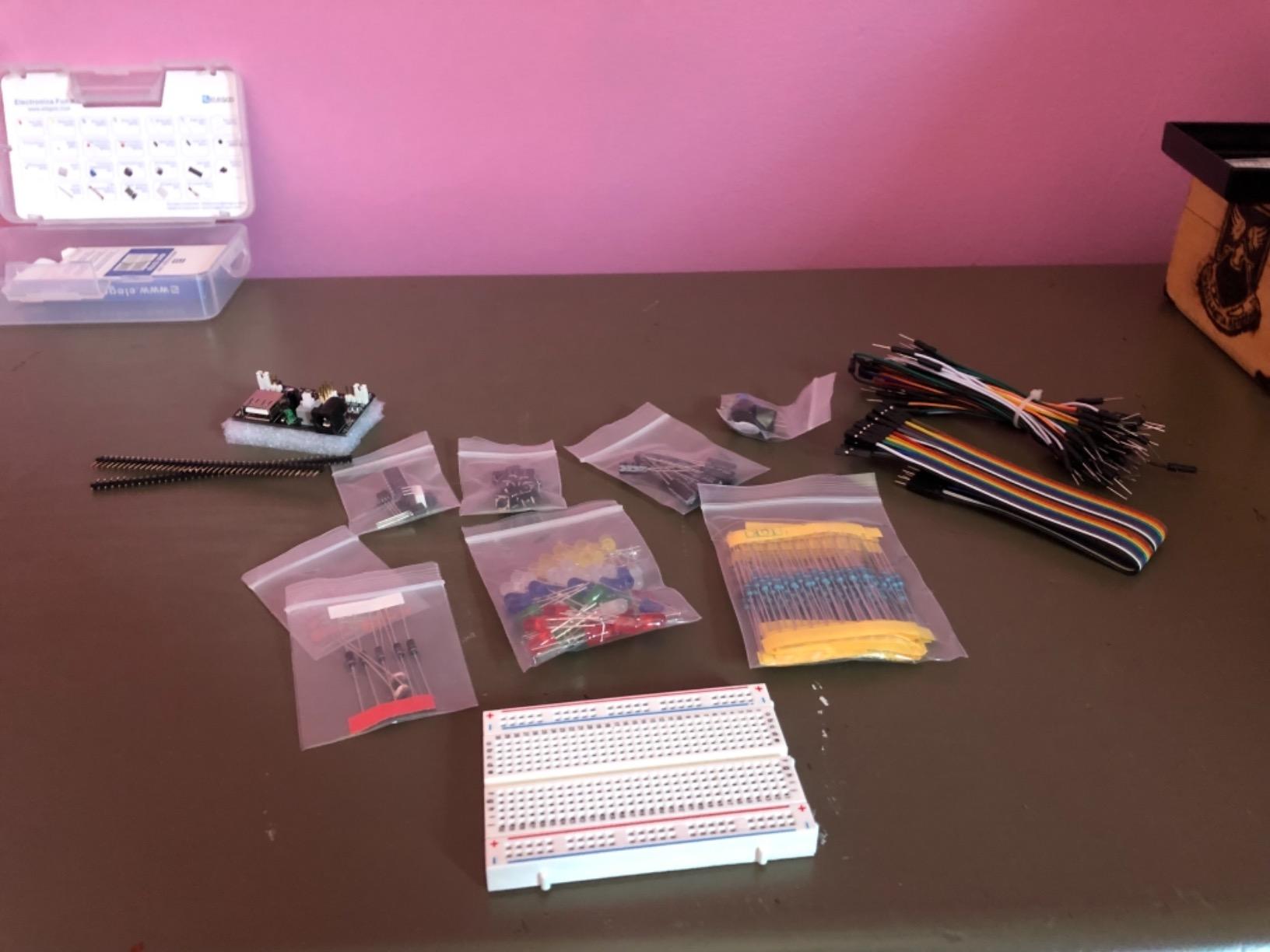
The included active parts are the reason this kit is worth a look beyond plain passives. You get a 74HC595 shift register to expand your output count, a 4N35 optocoupler for exploring signal isolation, a PN2222 transistor for switching loads and 1N4007 diodes for polarity protection. Add potentiometers, push buttons, LEDs, an RGB LED, buzzers, photoresistors, capacitors and jumper wires, and you have the parts list for most of the first five circuits anyone builds.
Flaws, but not dealbreakers: there are no printed beginner project instructions, and the documentation lives on the manufacturer website. No controller board, programming cable or wall adapter is included, which is stated plainly on the listing. The supplied jumper wires are pre-stripped rather than solid-core, and some builders find them harder to see seated correctly on the board. Keep any power input to the module between 6.5 V and 9 V DC, and the rails behave.
Does a 400 tie-point board run out of space quickly?
It does, but not in the first week. A 400 tie-point board is comfortable for one LED circuit, a light-activated switch, or a small alarm with a buzzer. It gets tight when you add a second sensor or try to keep a display and a microcontroller on it at once. If your ambition is one or two projects to see whether you like this, 400 points is the right size. If you already know you will build repeatedly, step up to an 830 board.
Who should skip this kit
Skip it if you want a kit that walks you through a project, since there is no written project path here at all. It is also not the choice for a child working alone, because the parts are small and the identifying work falls on you. For a parent buying alongside a kid, the labeled resistors and the identification flap do most of the supervision for you.
4. REXQualis 300-Plus Piece Basic Kit: a cheaper sibling with the same idea
REXQualis Electronics Basic Kit w/Power Supply Module, Breadboard, Jumper Wire, LED,Resistor, comes with more than 300pcs sensors and components for fun and simple electronic projects.
300-plus components
Breadboard and jumper wires
Power module with USB cable
Pros
- 300-plus components at a low entry cost
- Every component type labeled and bagged
- Power module ships with a USB power cable
- Works as a companion box for Arduino and Raspberry Pi
Cons
- No controller board included
- Documentation limited to downloadable datasheets
This kit does the same job as the larger REXQualis box with about a hundred fewer parts, and for most people the smaller count is the only real difference. You still get more than 300 sensors and components, still get them individually packaged and labeled in a sturdy box, and still get the breadboard power supply with the USB power cable that is otherwise hard to find. The breadboard, jumper wires, LEDs and resistors are all there.
Compatibility is listed for Arduino and Raspberry Pi, which is the reason this lands where it does in our ranking. If your plan is to run a GPIO header into a Raspberry Pi and drive a sensor from Python, this is a well-matched parts box, and the quantity of passives is more than enough to keep a dozen small projects going. The listing describes it as components for fun and simple electronic projects, and that framing is accurate.

The package measures 7.16 by 3.46 by 1.77 inches and the listed weight is 3 pounds, so it is flatter than the 400-piece kit. Where you will feel the difference is in the smaller quantities of specific values. Building three of the same circuit, or running out of one resistor value mid-project, is more likely here than in the 400-piece box, which is the same complaint beginners raise about every small kit: the values are duplicated instead of varied.
Flaws, but not dealbreakers: the controller board is not included, and documentation is limited to downloadable datasheets rather than guided project lessons. If you were hoping for a curriculum, this is not it. The datasheet is genuinely useful once you have a working circuit and want to check a pin function, which is a different job from learning the pin function in the first place.

When does the smaller component count actually hurt?
When you repeat a circuit. Resistors, LEDs and jumper wires get consumed by the fourth or fifth build of the same idea, and a kit with fewer spares has none in reserve. It also bites if you are teaching a group, because a class of ten students will strip a small kit of common values in one session. For one learner building varied circuits, the count is not the constraint you think it is.
Who should skip this kit
Skip it if you are starting from nothing, because without a board and without lessons there is no first project. It is also a weaker choice than the 400-piece REXQualis for anyone who wants the widest possible spread of values on the shelf. Buy it when you know the projects you want to build and know which values they need.
5. BOJACK 480-Piece 37-Value Kit: the widest value spread on one board
BOJACK 37 Values 480 Pcs Electronics Component Fun Kit with Power Supply Module, Jumper Wire,Precision Potentiometer,830 tie-Points Breadboard Compatible with STM32,Raspberry Pi,Arduino
480 pieces across 37 values
830 tie-point breadboard
Power module and USB data cable
Pros
- Highest component count here at 480 pieces across 37 values
- Transparent compartmentalized box makes parts easy to find
- 830 tie-point board plus power module and USB cable
- Works without soldering
- Compatible with Arduino and Raspberry Pi boards
Cons
- Weight and dimensions are not published
- No microcontroller board so coded projects need one separately
The headline here is 37 values across 480 pieces, and the value spread is the part that matters rather than the raw count. Thirty-seven resistor values means your chance of having the exact value a project specifies is far better than in a kit that ships 30 identical 220 ohm resistors and nothing else. That directly answers the most repeated complaint in beginner electronics communities, where the value you need is the one that is missing from the bag.
Packaging gets a mention here for a reason. Each component is classified and packaged in a transparent box with clear labels, so you can find a part without unpacking the whole thing. In practice that turned out to be the difference between a two-minute and a ten-minute search on every build. The board is an 830 tie-point solderless breadboard, and a power module and USB data cable are included so the kit is usable as soon as you add a controller.

Compatibility is listed for STM32, Raspberry Pi and Arduino, and the components plug directly into the breadboard without soldering. There is a precision potentiometer and jumper wires in the mix as well. We like that the kit is explicit about being a parts library rather than dressing itself up as a course, and the reviews reflect the same framing: satisfaction centres on variety, tidy packaging and a large board.
Flaws, but not dealbreakers: the weight and dimensions fields are not published, which makes it a bit awkward to plan around, and there is no microcontroller board, so coded projects need a separate purchase. The rating distribution here is slightly wider than the kits above it, which is consistent with a larger assortment where a few individual parts are not what the buyer expected.

Is 37 resistor values genuinely worth paying for?
Yes, if you intend to keep building. The value of a kit is not the number of parts but the number of builds it can complete without a second purchase, and breadth of values raises that number more than duplicate counts of one value. If you only ever build one LED circuit, a 235-piece kit covers it and you have paid for the rest as insurance.
Who should skip this kit
Skip it if you want a guided first project, because there is no lesson structure. It is also too large a jump for a child working unsupervised, and for anyone who will not add a controller board later. As a companion to hardware you already own, it is very hard to argue with.
6. BOJACK Breadboard and Jumper Wire Pack: hardware only, and that is the point
BOJACK 3 Values 130 Pcs Solderless Breadboard 4 Pcs 830 Tie Points & 400 Tie Points & 126 Pcs Flexible Breadboard Jumper Wires
830 tie-point and 400 tie-point boards
126 flexible jumper wires
ABS plastic with tin plated bronze
Pros
- Breadboard-only bundle for learners who already own components
- Includes 830 and 400 point boards in one pack
- 126 flexible jumper wires across lengths
- Boards can be spliced for a larger workspace
- Color-coded structure makes rows and rails easy to identify
Cons
- No controller board or active components so it is not a complete project kit
- Highest share of 1-star reviews among the boards here
This is the one kit in the roundup with no components at all, and that is exactly what makes it useful. If you have already worked through a starter kit and your complaint is that the single 830-point board is always occupied, or that you are bending a 20 cm jumper wire into a shape it was never cut for, this is an upgrade pack rather than a learning kit.
You get four solderless breadboards including an 830 tie-point and a 400 tie-point board, plus 126 flexible pre-terminated jumper wires. The contact material is listed as tin plated phosphor bronze in an ABS plastic panel, which is the same construction used by boards far more expensive than this. The boards can be joined horizontally by aligning the power rails, so two 400-point boards can become a working area roughly the size of an 830 board.

The contact strip layout is worth understanding before you buy anything else in this category. The top and bottom rows of holes are connected horizontally and split in the middle, which is why power rails come in pairs. The remaining holes are connected vertically in groups. Groups that look adjacent across the centre channel are not connected, and that single fact explains more beginner confusion than any other feature of a breadboard.
Flaws, but not dealbreakers: with no controller board and no active components, this is not a complete project kit and will not teach anyone anything on its own. It also carries the highest share of 1-star reviews among the breadboards here, with 7 percent, so expect a small number of boards with contacts that are not tight. The package measures 7.91 by 4.06 by 1.34 inches and weighs 12 ounces.

Do you need both an 830 and a 400 point board?
Not on day one, but the pairing is useful later. The 400-point board is genuinely easier to see and photograph for small circuits, and it is big enough for a teaching demonstration where a class needs to follow every connection from the front of the room. The 830-point board is where real builds happen. Having both means you can keep one circuit intact while starting the next, which speeds up experimentation more than the tie-point count alone.
Who should skip this pack
Skip it if you do not already own components, because there is nothing to prototype with. It is also the wrong first purchase for a child or a complete beginner, who needs resistors and LEDs long before they need a second board. Buy it as the second purchase, after a kit has taught you what you are missing.
7. Miuzei Pre-Soldered Starter Kit: everything arrives already assembled
Miuzei Starter Kit with Breadboard Power Supply Compatible with Arduino IDE
UNO R3 compatible board
Pre-soldered modules
9V 1A power supply
28 lesson links
Pros
- All modules arrive pre-soldered and connect via pin headers
- 9V 1A power supply included so projects are not blocked on a battery
- 28 plus lesson links give a structured path
- Storage box with anti-static bags keeps parts organized
Cons
- Tutorial delivered as web and cloud links rather than a printed booklet
- Less established brand with a smaller review base
The premise here is removing the last barrier. Every module arrives with its components already soldered, so everything connects through pin headers. For a beginner who has never soldered, or for anyone who simply does not want to spend an evening tinning a header before the first build, that removes an entire category of frustration and it is why this kit is worth a look despite the smaller review base.
Power is handled too, which is the most-asked question in beginner electronics. A 9V 1A power supply is included, so projects are not blocked waiting on a battery, and the listing states that all projects can be completed over USB. There is an Arduino UNO R3 compatible microcontroller board, a solderless breadboard and a breadboard power supply, an LCD1602 module, a servo, sensors, LEDs and jumper wires, across 230-plus components in a high-quality box with anti-static bags.
Documentation comes as more than 28 lesson links, with instructions in English, available from the product details or on the manufacturer cloud drive. The review base here is the smallest of the ten at 374 reviews, so treat the consensus with a slightly lighter hand than the kits with tens of thousands of ratings behind them. What buyers do highlight consistently is completeness and the fact that nothing needs soldering.
Is a web-based tutorial as good as a printed book?
It depends on your learning style and your connection. A printed book sits on the desk, does not expire, and can be annotated. A cloud-hosted link can be updated, which is an advantage when a board revision changes, but it also means your lesson path is one moved page away from disappearing. If you tend to lose track of a project halfway through, the physical booklet in the official Arduino kit is the safer bet.
Who should skip this kit
Skip it if you want the strongest support ecosystem and the largest volume of independent project examples, because the review base and the community footprint are both smaller than the ELEGOO and Arduino kits. It is also the wrong choice if you specifically want to learn to solder, since every module is pre-assembled. Buy it if the zero-soldering promise is the thing you most want guaranteed.
8. Official Arduino Starter Kit K000007: the printed book is the whole argument
Official Arduino Starter Kit [K000007] – 12 DIY Projects with Electronic Components & English Projects Book – Original Kit from Italy
Uno R3 board
Solderless breadboard
12 guided projects
English projects book
Pros
- Well-written English projects book that builds concepts chapter by chapter
- Genuine Arduino components with official support behind them
- Excellent packaging and a balsa wood mounting base
- Code for every project in the Arduino IDE examples
- Works for children roughly 10 and up as well as adults
Cons
- Most expensive kit in this roundup
- Project book print is small and light-colored
- A 9V battery is needed for a few projects but not included
- Resistor color bands are hard to distinguish without a multimeter
This is the only kit here that arrives with a properly printed project book, and that single difference explains its price. The book walks through 12 hands-on DIY projects step by step, and the reason owners keep it is that it builds concepts in order rather than dropping a parts list on the table. For a self-learner who has stalled on kits that only ship downloadable PDFs, that is a real advantage rather than a marketing claim.
The hardware is standard Arduino: an Uno R3 board and a solderless breadboard, with a DC motor and transistor driver, a servo motor, a tilt switch, temperature, touch and light sensors, plus LEDs, diodes, transistors, capacitors, resistors and jumper wires. The balsa wood mounting base is the unexpected extra, and it fixes the breadboard to a rigid surface so a circuit does not slide off the desk when you press a lead into a tight hole. Components are genuine Arduino parts sourced from Italy, with official support behind them, and code for every project ships as examples in the Arduino IDE.
![Official Arduino Starter Kit [K000007] - 12 DIY Projects with Electronic Components & English Projects Book - Original Kit from Italy customer photo 1](https://www.spencerlocke.net/wp-content/uploads/2026/09/B009UKZV0A_customer_1.jpg)
Measured facts for anyone checking dimensions: the kit is 6.3 by 9.06 by 1.77 inches, weighs 836 g, and carries a 30 day manufacturer defect warranty. The manufacturer lists a recommended age band of 0 to 12 years, and in practice owners report it working for children roughly 10 and up as well as for adults. The listing notes parts and instructions for 15 projects, while the current product description states 12 hands-on projects, so treat the count as an approximation.
Flaws, but not dealbreakers: it is the most expensive kit in this roundup by a wide margin. The project book print is small and light-colored, which several readers specifically call out as hard to read. A 9V battery is needed for a few projects but is not included. And the resistor color bands are hard to distinguish on their own, so a multimeter ends up being a genuinely useful addition rather than a luxury.
![Official Arduino Starter Kit [K000007] - 12 DIY Projects with Electronic Components & English Projects Book - Original Kit from Italy customer photo 2](https://www.spencerlocke.net/wp-content/uploads/2026/09/B009UKZV0A_customer_2.jpg)
Is a printed project book worth paying extra for?
For most self-learners, yes. A printed book gives you a fixed sequence with a diagram on the page while your hands are busy, and it removes the temptation to jump to a project whose parts you do not have. It also survives bad internet, which sounds minor until you are mid-build. The digital-PDF alternative is free and searchable, but the physical object changes how you learn.
Who should skip this kit
Skip it on price alone if you have already built five or more circuits, because you will outgrow the 12 projects in a few weeks. It is also a poor fit for a parent buying for a small child who will lose tiny resistors regardless of the book. For a teenager or an adult who wants a structured start with genuine Arduino parts, it remains the most complete single purchase.
9. Smraza 298-Piece Electronics Starter Kit: good lessons, one known weak spot
Smraza 298 Pieces Electronics Starter Kit with Breadboard for Arduino
298 components
Breadboard with power supply
18 projects with PDF tutorial
Pros
- 298 consumable components covering the common parts
- Readable resistor chart and labeled component reference
- Sturdy reusable storage box
- 18 beginner projects with PDF tutorial and lesson web page
- Customer service replaced a faulty power supply
Cons
- Lowest average rating here with some power supply module failures
- Breadboard is smaller than some buyers would like
- Small parts need careful handling
- Little indication of component power ratings
Eighteen beginner projects with a PDF tutorial and a dedicated lessons web page is a stronger learning path than most of the parts boxes in this roundup, and it is the reason this kit is worth a look despite the lowest average rating of the ten. The parts themselves are a well-chosen 298-piece consumable assortment: LEDs, resistors, buttons, capacitors, a few transistors and diodes, plus jumper wires and male-female Dupont leads.
The kit includes a solderless breadboard and a power supply module, which is often sold separately, and the breadboard power supply module has a maximum input of 9 V. Compatibility is listed for Arduino, Raspberry Pi, Arduino UNO R3 and Nano. Documentation includes a readable resistor chart and labeled component reference material, and there is a neat sturdy storage box to keep the contents organized after a session.

Our read on the reviews is that this is a good-value parts library with helpful labeling and usable online lessons, interrupted by a specific and repeatable fault. Several reviews flag intermittent failures in the included breadboard power supply module. The manufacturer resolved those with replacements and credit, which is the correct behaviour, but it means you should test the module on arrival with a known-good circuit before blaming your own wiring.
Flaws, but not dealbreakers: the 4.4 average is the lowest in the roundup and it traces back to those power supply failures. The breadboard is smaller than some buyers would like, the parts are small enough to need careful handling and close attention to markings, and there is little indication of component power ratings on the parts themselves. The package measures 6 by 3.8 by 1.5 inches and weighs 8 ounces.

Is 18 projects enough to learn from?
Enough to cover the fundamentals properly, which is more than the zero-project kits. Eighteen builds take a beginner through LEDs, buttons, analog sensing, capacitors and transistor switching if they are ordered by difficulty rather than by number. Where it runs out is depth: the part count supports more experiments than the lessons describe, so the tutorial is a floor rather than a ceiling.
Who should skip this kit
Skip it if you cannot accept a possible replacement cycle on the power supply module in the first week, or if you need a large board for a project with many connections. It is also not the right pick for a classroom, where one weak module becomes ten. Test the module first, and if it works, the value here is difficult to argue with.
10. ELEGOO Mini Breadboard 6-Pack: small boards for many small circuits
ELEGOO Mini Breadboard Kit 6-Pack, 170-Point Solderless Prototype Boards
Six 170 tie-point boards
2.54 mm standard pitch
Phosphor bronze contacts
Pros
- Highest average rating here at 4.7 stars
- Tight springy internal clips that hold parts without bending leads
- Color-coded so several circuits stay assembled and identifiable
- Boards link together when more prototyping area is needed
- Self-adhesive backing makes mounting simple
Cons
- 170 tie-point boards are small and limit larger circuits
- Breadboards only with no components wires or power supply
- Occasional reports of a dead contact or bad hole
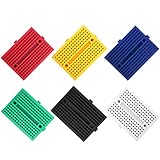
Six small boards in six colors is a different idea from every other kit here. Each unit has 2 columns of 17 rows with 5 interconnected contacts per row, giving 170 tie points of workspace, which is enough for one small circuit, a sensor test or a single experiment. The color coding is the feature that makes six small boards better than one larger one for teaching: each student can have a live circuit on the desk instead of passing one board around the room.
Construction details are specified rather than vague. The pitch is a standard 2.54 mm, suitable for 21-26 AWG wire and common through-hole components, the internal contacts are phosphor bronze, and each board has a self-adhesive backing with a peel-off protective liner. Individual boards are approximately 45 by 34.5 by 9.5 mm and the package weighs 3.5 ounces, so this is genuinely portable. Other variants exist in 400-point sizes if you want the same idea at double the size.
The clips are the thing reviewers respond to most. They describe tight, springy internal contacts that hold components without bending leads, and the 4.7 average across 572 reviews is the highest in this roundup alongside the top kit. Boards also link together cleanly when more prototyping area is needed, so six small units can grow into something larger without buying new hardware.
Do 170 tie points ever feel too small?
Yes, and sooner than expected. A 170-point board handles one LED, one sensor or one small logic circuit with room to spare. The moment a second component enters the build, or a microcontroller is involved, you run out of columns. For demonstrations, per-student experiments and drop-in sensor tests it is ideal; for a growing project it is a stepping stone rather than a destination.
Who should skip this pack
Skip it if you need components, because this is breadboards and nothing else, with no wires, resistors or power supply included. It is also the wrong first purchase for a complete beginner, who will not know which circuit to build or how to power it. Buy it after your first kit, for classroom use, or as a portable experimentation set.
What Is Actually Inside a Breadboard Kit
The word breadboard comes from the old practice of nailing components to a board for assembly, and the solderless version flips that on its head. A solderless breadboard is a plastic panel with a grid of holes and metal contact strips underneath, so anything you push into a hole is electrically connected to anything else in the same connected group. A through-hole component is simply a part with leads long enough to pass through the board and reach the clips below.
Understanding the internal layout removes most beginner confusion. The rows along the top and bottom edges are the power rails, connected horizontally and split down the middle, which is why every rail appears as a pair. The holes in the middle are connected vertically in groups of five. Tie points, meaning the number of individual hole connections on a board, are how boards are compared: 400 points suits small circuits, 830 points is the standard beginner default, and the highest-rated boards in enthusiast circles tend toward the 830-point size.
Here is what the components in these kits actually do, which is the vocabulary you will need before the labels make sense.
Resistors limit current, and their value is printed as colored bands you can read with the chart in the kit box. Capacitors store charge and smooth power, and they are polarized, so the longer leg goes in the positive hole. LEDs emit light and are also polarized, with a longer leg and a flat side on the body. Diodes allow current to flow in one direction only, which makes them useful for polarity protection. Transistors use a small signal to switch a larger load, which is how a microcontroller drives a motor. Push-button switches close a circuit when pressed. A potentiometer is a variable resistor, useful for any adjustable input. A 7-segment display and an LCD module show numbers and text. Integrated circuits in DIP packages, such as a shift register or an optocoupler, need a socket or careful straddling placement because the pins are too close to bend.
Jumper wires come in three types and the mix matters. Male-to-male wires go from board hole to board hole. Male-to-female Dupont leads go from a pin header into a board hole, which is what you need when connecting to a microcontroller. Female-to-female leads bridge two male headers. Pre-cut wires save time; solid-core wire is easier to see seated in a hole, while pre-stripped flexible wire is more forgiving but harder to verify visually.
Power is the part most kits handle badly, and it is the single most-asked question in beginner electronics communities. A 9V battery snap is the simplest option but has no regulation, so a circuit gets whatever the battery gives you. A breadboard power supply module converts an input into selectable 3.3 V or 5 V rails, which is what makes it possible to test parts with different voltage requirements on one board. A USB supply is the most repeatable of the three, because the voltage does not drift as the battery drains.
How to Choose a Breadboard Kit: 7 Criteria
Most buyers choose on component count, which is the one number that does not predict whether you will build anything. These seven criteria do.
1. Breadboard size and tie points. Start at 400 points if you want a small desk footprint, and move to an 830 point board for anything involving more than one sensor.
2. Whether a controller board is included. Kits with an UNO R3 teach you coding and circuits together, while parts-only kits assume you already have one.
3. Power provision. Look for a power supply module with selectable rails and a stated input ceiling, not just a battery snap.
4. Labeled and bagged components. Individual packaging with printed values removes the single most common beginner blocker.
5. Resistor value variety. Breadth of values beats quantity of duplicates, because the value you need is the one that is missing.
6. Jumper wire types and lengths. You need male-to-male, male-to-female and female-to-female before you discover you are short.
7. Documentation that explains why. A diagram tells you where to put a wire; a lesson that explains current limiting tells you what happens when you do not.
Two more things worth checking before you commit. Contact quality is the property enthusiasts warn about with cheap boards, and the power rail is where a fault shows up first. And on age fit, adult self-learners frequently report feeling patronised by kits marketed as for kids, so check that the documentation is written for an adult reader before buying something aimed at children.
Breadboard vs Perfboard vs PCB
This is the question that decides what you build with, so it is worth answering plainly.
A breadboard is temporary, free of solder, and rewireable in seconds. That is exactly what you want while a circuit is wrong, which is most of the time. A perfboard is a grid of holes on a rigid board where you solder the parts in place, giving you a circuit that keeps working and a mechanical base. A printed circuit board is a designed, routed board with copper tracks and silkscreen labels, produced for a specific circuit, which means it is the only one of the three that is genuinely finished hardware.
The rule of thumb that covers most cases: prototype on a breadboard, then transfer a working circuit to a soldered perfboard if you want it to last, then send the proven design to a PCB if you need a small, repeatable, professional build. A solderless breadboard kit is the cheapest place to fail, which is precisely why it is the right first purchase. If your project eventually needs to be small, quiet and reliable, you will want to move past prototyping, and that is when a soldering iron earns its cost.
Your First Five Projects
Almost every kit here leaves you without a roadmap, and that gap is the reason people end up with a bag of parts and no idea what to build next. This sequence works with any of the kits above, in order of difficulty.
1. LED with a current-limiting resistor. This is the first circuit nearly everyone builds, and it teaches series wiring, polarity and why a resistor is mandatory rather than optional.
2. Push-button input. Add a button to the LED circuit so the LED only lights when pressed, which introduces a second component type and a conditional path.
3. Light or temperature sensor. A photoresistor or thermistor in place of the fixed resistor turns the LED into an automatic indicator, which is the moment a circuit starts to feel alive.
4. Transistor as a switch. Drive a small motor or buzzer through a PN2222 so a microcontroller pin is not asked to carry the load.
5. Timer or alarm. Use a capacitor with a transistor, or a microcontroller with a delay, to make something that acts on its own rather than on your hand.
Community advice leans towards adding a speaker, a 7-segment display and buttons to extend what a starter kit can already do, and that is good instinct. Those three parts turn a collection of experiments into something you interact with.
What to Buy After Your Kit
Every kit in this roundup leaves gaps, and buying the same kit twice is rarely the answer. The restock list that pays off fastest is short: more jumper wires in all three connector types, a wider spread of resistor values including 220 ohm, 1K, 10K and 100K, a handful of extra LEDs in assorted colors, and a small digital multimeter.
The multimeter deserves its place on that list more than anything else. It turns a dead-contact mystery into a two-minute diagnosis, and it lets you read a resistor value directly when the color bands are too small, which several owners of the official Arduino kit specifically recommend. Beyond that, a pair of small side cutters or tweezers makes handling the small parts less frustrating, and a second 830 point board removes the single most common complaint about breadboards, which is never having a free one.
Once you have built the five projects above and want permanent results, the next purchase is a soldering iron and a beginner soldering kit. That is the point at which a breadboard stops being a learning tool and starts being a limitation, and where your circuit knowledge starts carrying over to hardware that lasts.
Frequently Asked Questions
What is a breadboard kit?
A breadboard kit is a bundle of a solderless prototyping breadboard plus the jumper wires, resistors, LEDs, capacitors, switches and other through-hole components needed to build temporary test circuits without soldering. The board’s holes are internally linked by metal contact strips, so inserting two leads into the same connected group completes a circuit instantly and reversibly.
Do I need a breadboard power supply?
Not strictly, but most beginner builds are far easier with one. A 9V battery snap has no regulation, so the voltage drifts as the battery drains, and a breadboard power supply module converts an input into selectable 3.3 V or 5 V rails. That is what lets you test parts with different voltage requirements on one board. Always stay under the stated input ceiling, and check polarity before power-up.
Which is better, PCB or breadboard?
A breadboard is temporary and rewireable, so it is right for learning and for circuits that are still wrong. A perfboard gives you a circuit that keeps working, because the parts are soldered in place on a rigid board. A printed circuit board is a designed, routed board produced for one specific circuit and is the only genuinely finished option. The usual path is breadboard first, then perfboard, then a PCB.
Are breadboard kits good for kids?
They work well for roughly age 8 and up when an adult is nearby, and the small parts are a real supervision consideration. Kits with labeled components, a printed project book and small boards are easier to supervise than bags of unlabelled parts. The official Arduino Starter Kit lists a recommended age band of 0 to 12 years and is reported to work for children around 10 and up as well as for adults. Avoid any kit that requires soldering for a first-time child.
How many tie points do I need on a breadboard?
A 400 tie-point board handles one small circuit comfortably and is a fine choice for a first LED project. An 830 tie-point board is the standard beginner default because it gives enough room for a sensor and a display at the same time. Boards of 170 tie points are made for single experiments and teaching, not for growing projects. A 400 point board is also the easier size to follow from across a classroom.
What should I look for when buying a breadboard kit?
Check seven things: breadboard size and tie points, whether a controller board is included, what power provision is supplied, whether components are labeled and bagged, how many resistor values are covered, which jumper wire types and lengths are included, and whether the documentation explains why a circuit works rather than only showing where to place each wire. Component count alone does not predict whether you will build anything.
Where to Start
If you are starting from nothing at all, start with the ELEGOO UNO R3 Project Super Starter Kit. It is the only kit in this roundup that gives you a controller, a breadboard, a power module, pre-soldered headers and a written sequence of lessons in one box, which means you can build something on the first afternoon instead of assembling a shopping list first. Add a multimeter and you have everything the first five projects need.
If you already own a microcontroller and your problem is that you keep running out of parts, the REXQualis 400-piece kit is the better buy. The 830 tie-point board and the individually labeled bags solve the two problems beginners complain about most, and it costs materially less than any kit that ships a controller. Pair it with the mini breadboard pack when you need a second live circuit on the desk.
And if you want the printed project book, the official Arduino Starter Kit remains the most complete single purchase in this category despite the higher cost. Our picks for the best Arduino kits for beginners cover more boards and coding-focused alternatives if you want to compare a few more options before committing. Whichever kit you choose, the advice that comes up most often in every beginner forum thread is the same: build the first five circuits before deciding whether to buy anything else.