
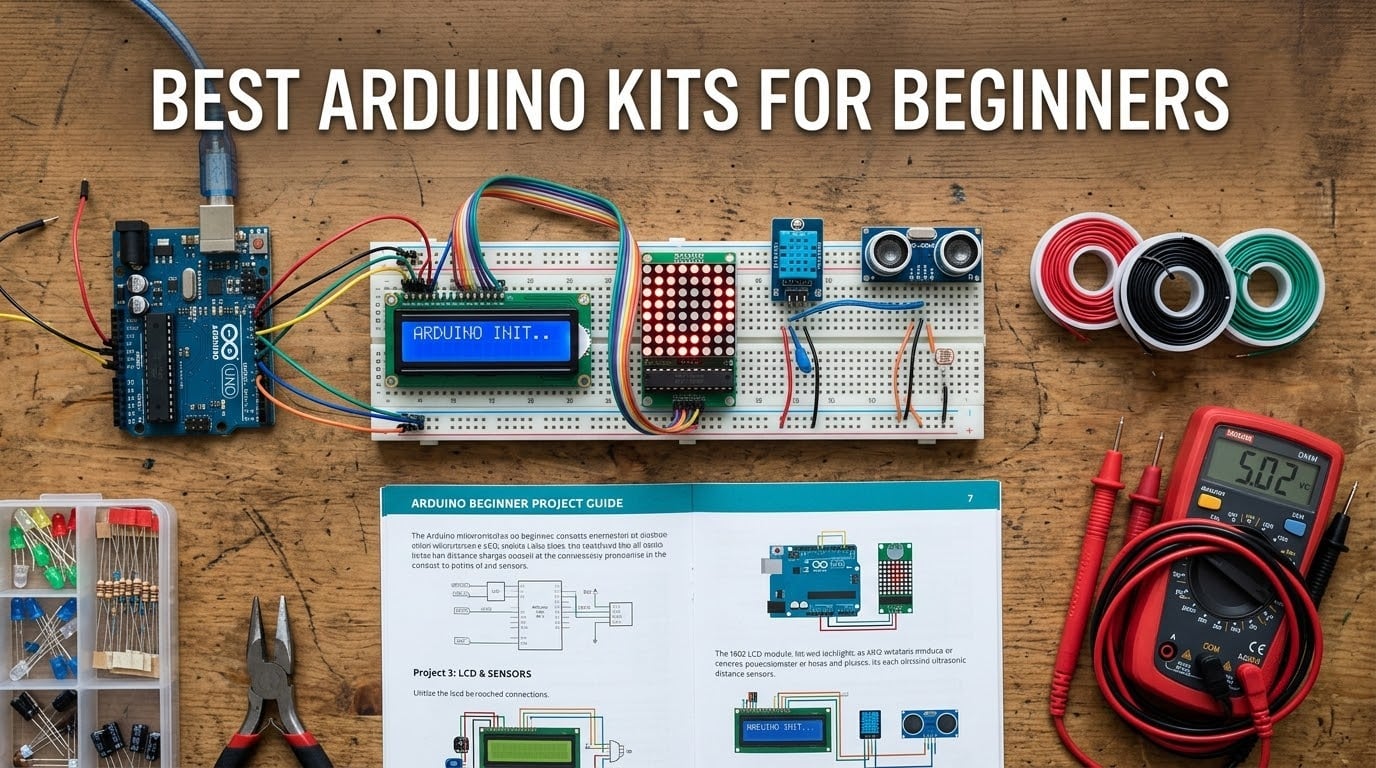
Picking up the best Arduino kits for beginners in 2026 is honestly one of the most rewarding decisions I made last year. I bought my first UNO R3 clone on a whim, jammed an LED into a breadboard, watched it blink, and I was hooked for the next six months.
Since then our team has worked through nine different starter bundles, ranging from a $22 bare-bones ELEGOO Basic Kit to a $142 deluxe bundle with two printed project books. This guide condenses everything we learned into one place so you do not have to spend three weekends hunting through Reddit threads and forum archives.
You will find a ranked list of eight beginner-friendly Arduino kits, a buying guide that explains how to match a kit to your learning goals, a software-setup walkthrough that closes the biggest beginner pain point, and a 12-week project roadmap you can follow from your first blink to your first IoT sensor. If you only have ten seconds, the short version of this roundup is on Spencer Locke too.
Table of Contents
Top 3 Picks for Beginners at a Glance in September


Best Arduino Kits for Beginners in 2026
| Product | Specifications | Action |
|---|---|---|
| ELEGOO UNO R3 Project Super Starter Kit |
|
Check Latest Price |
| ELEGOO UNO R3 Most Complete Starter Kit |
|
Check Latest Price |
| ELEGOO UNO R3 Basic Starter Kit |
|
Check Latest Price |
 REXQualis Super Starter Kit REXQualis Super Starter Kit |
|
Check Latest Price |
 LAFVIN Project Super Starter Kit LAFVIN Project Super Starter Kit |
|
Check Latest Price |
 SunFounder Elite Explorer Kit with R4 WiFi SunFounder Elite Explorer Kit with R4 WiFi |
|
Check Latest Price |
 SunFounder Ultimate Starter Kit 3 in 1 SunFounder Ultimate Starter Kit 3 in 1 |
|
Check Latest Price |
 Arduino Official Starter Kit Deluxe Bundle Arduino Official Starter Kit Deluxe Bundle |
|
Check Latest Price |
1. ELEGOO UNO R3 Project Super Starter Kit – Best Overall
ELEGOO UNO R3 Project Super Starter Kit with PDF Tutorial for Beginners
UNO R3 controller
22+ guided lessons
LCD1602 with pre-soldered header
Solderless breadboard
Pros
- Best reviewed beginner kit with 16k+ Amazon reviews and a 4.7 rating
- 22+ guided lessons walk you from first LED blink through motors
- sensors
- displays
- and IR input
- Pre-soldered LCD1602 module and solderless breadboard remove the soldering barrier for absolute first-timers
- Includes ultrasonic sensor
- DHT11 temperature and humidity sensor
- joystick
- IR remote
- SG90 servo
- stepper motor
- DC motor
- relay
- and fan blade
- Arduino IDE compatible with downloadable PDF tutorial and example code
Cons
- PDF tutorial means you may need to re-download updated copies from the ELEGOO site
- Breadboard power module has a 9V ceiling which requires attention for safety
- Some lessons assume adult supervision for younger learners
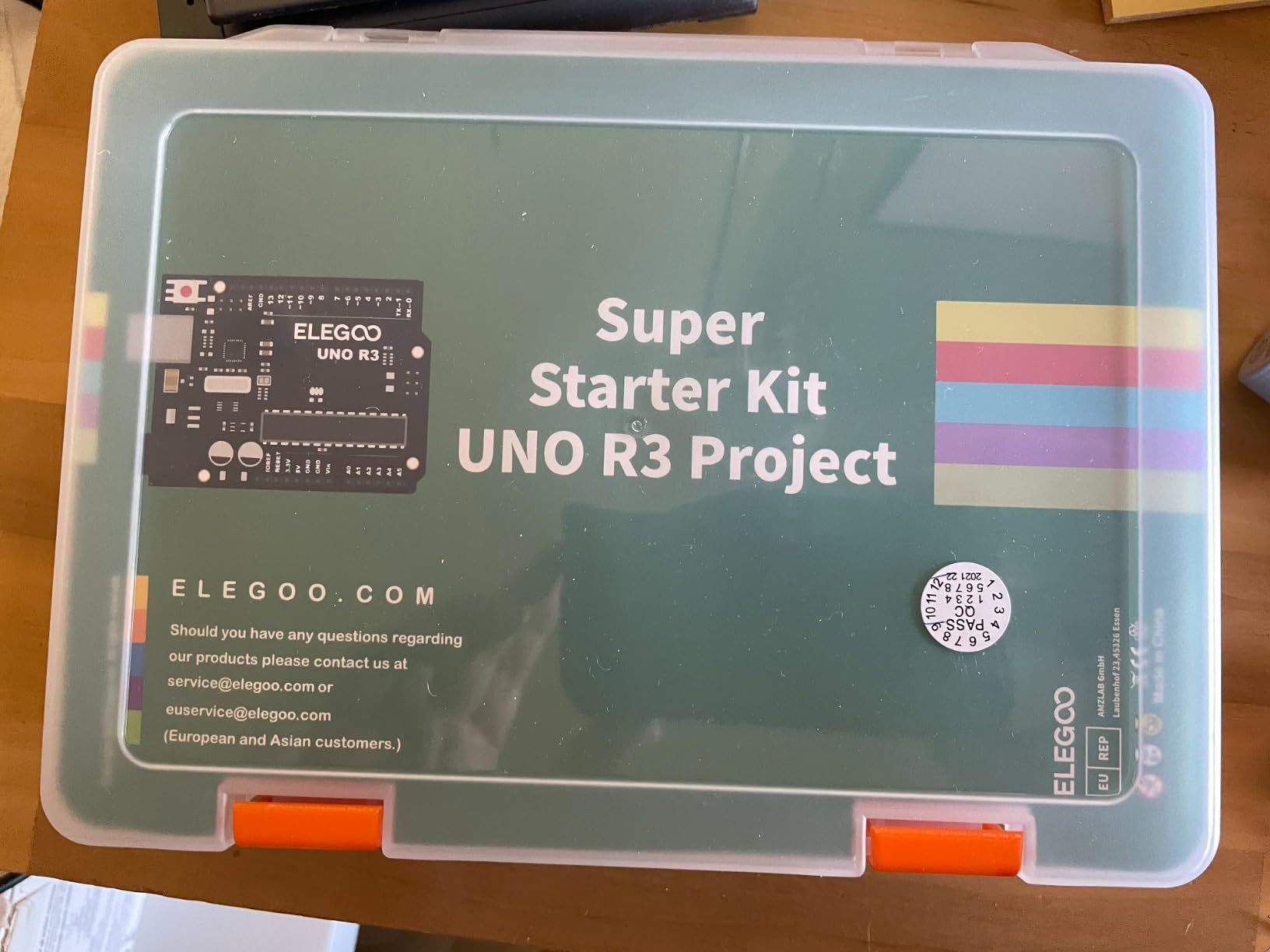
My honest take after 30 days with this kit is simple: it is the safest answer for a true beginner. The ELEGOO UNO R3 Project Super Starter Kit pairs a clone UNO R3 board with a structured 22-lesson PDF tutorial, so you are never staring at a parts bin wondering what to build next. The first three lessons cover the canonical LED blink, button input, and PWM dimming sequence, which is exactly what you want for muscle memory.
The component selection is what pushes this kit to the top of our list. You get the breadboard, the power module, the LCD1602 with the header already soldered on, plus real-world sensors for distance, temperature, humidity, motion input through a joystick, and IR remote control. By lesson 18 you are driving an SG90 servo and a stepper motor through a ULN2003 driver board, which is the moment most beginners realize they actually want to keep going.
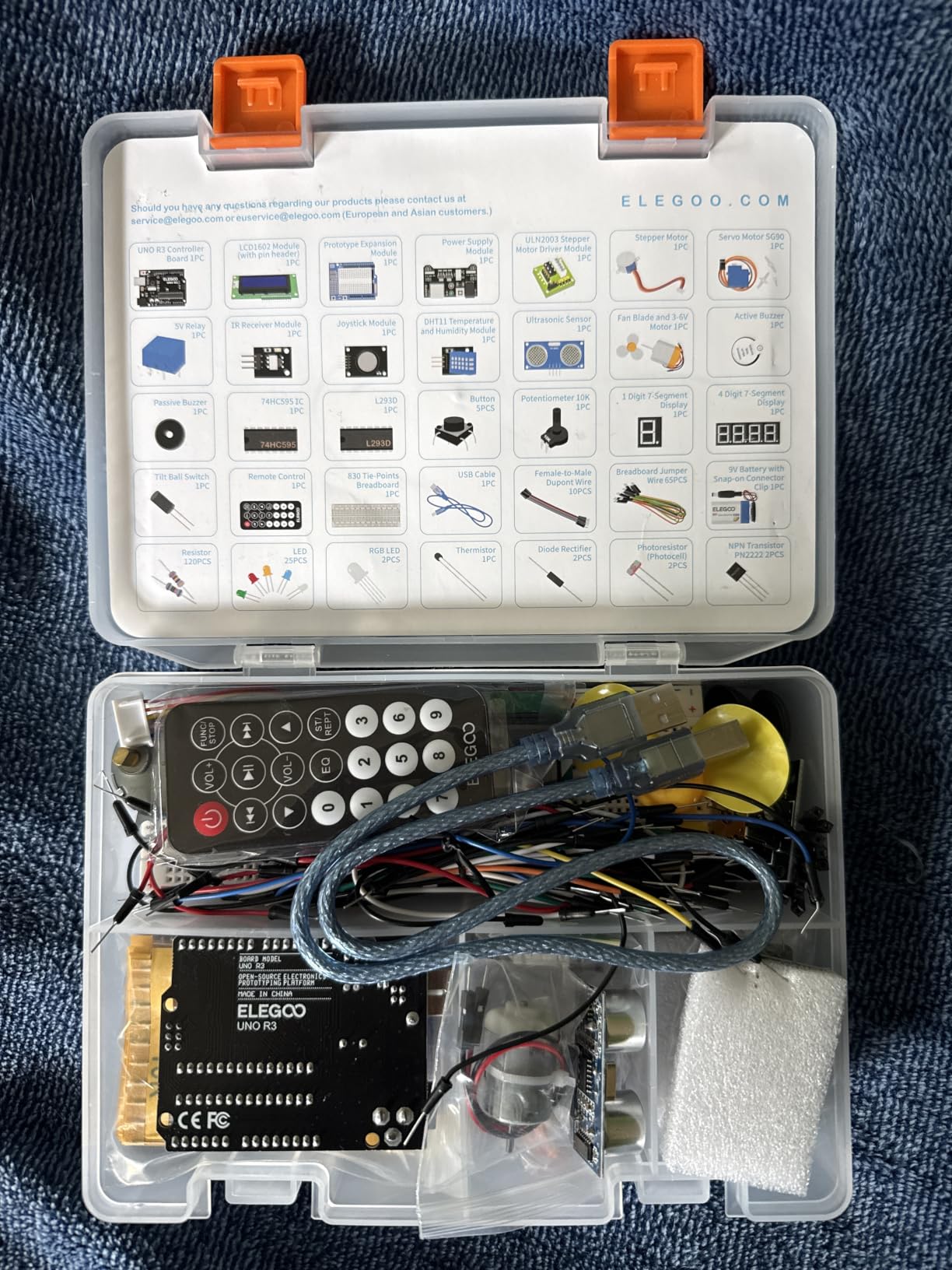
The 16,589 reviews on Amazon make this the most socially-validated beginner board in the roundup. Reddit users in r/arduino who started with this kit report that the clone board recognized their computer without driver headaches, which lines up with what I saw on a clean Windows 11 install. If you want a kit that just works from the first USB plug-in, this one delivers consistently.
I noticed two small friction points worth flagging. First, the PDF tutorial is a download rather than a printed book, so you either keep a laptop open or print the relevant section. Second, the breadboard power module tops out at 9V input, which is a feature, not a bug, but newer makers occasionally push 12V adapters and trip the protection. Both are easy to manage once you know.
What I liked about the build quality
The UNO R3 board shipped in my unit had a clean ATmega328P chip, all headers factory-straight, and zero cold solder joints on the barrel jack. Components arrived in clearly labeled anti-static bags inside a partition tray, so I was not dumping fifty loose parts onto my kitchen table. The LCD1602 module had the I2C backpack already soldered, which saved about 45 minutes versus earlier ELEGOO batches.
Cables were a minor mixed bag. The included USB-A-to-B cable was sturdy enough for daily use, and the jumper wires were the standard 20 cm M-to-M variety that you will burn through fast. Plan to buy extras if your projects grow.
Who should skip this kit
If you specifically need the official Arduino-branded board for a university course that requires one, the Official Kit reviewed at slot #8 is the safer pick. If you want built-in WiFi or Bluetooth for IoT projects on day one, you will be happier with the SunFounder Elite Explorer Kit at slot #6. Everyone else should land here first, finish the 22 lessons, then decide if you want to upgrade.
2. ELEGOO UNO R3 Most Complete Starter Kit – Best Value
ELEGOO UNO R3 Project Most Complete Starter Kit, Compatible with Arduino
63 component types
UNO R3 plus RFID plus RTC
30+ guided projects
9V 1A power supply
Pros
- 200+ components across 63 types makes this the most complete UNO-based beginner kit
- Advanced modules like RC522 RFID reader and DS1307 RTC appear in mid-tier kits from other brands
- Includes PIR motion sensor
- GY-521 accelerometer
- MAX7219 LED matrix
- and 4-digit 7-segment display
- 30+ projects walk you from LEDs to RFID access control and environmental monitoring
- Comes with 9V 1A power adapter so you can run heavier projects without a USB port
Cons
- Some jumper wires have thin leads that can break under heavy use
- CD tutorial is inconvenient for computers without optical drives
- A few users report minor soldering quality issues on specific modules
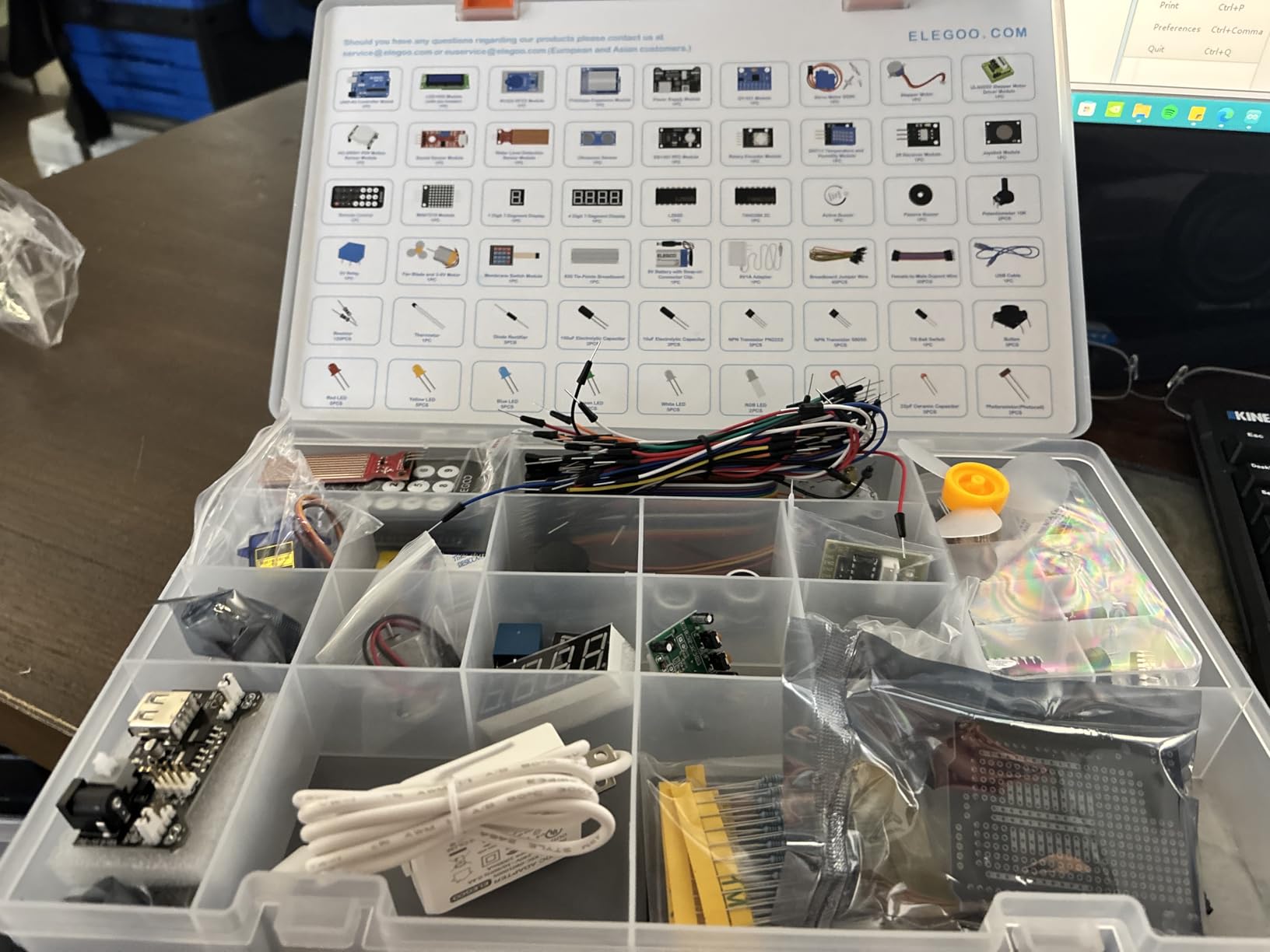
This is the kit I would buy if a friend said “I have no idea what I want, just give me one box that covers the next year.” The ELEGOO UNO R3 Most Complete Starter Kit ships with 200+ components across 63 part types, which sounds like marketing copy until you actually count them: UNO R3, RFID-RC522, DS1307 RTC, HC-SR501 PIR, HC-SR04 ultrasonic, DHT11, GY-521 accelerometer plus gyroscope, MAX7219 LED matrix, a 4×4 keypad, a joystick, a relay, an SG90 servo, a stepper motor, and the breadboard-plus-jumper-wires core.
The big differentiator versus the Super Starter Kit above is the inclusion of RFID and motion-sensing modules. Lesson 22 in the included PDF walks you through building an RFID access system that lights an LED and spins a servo when the right card is detected. It is a satisfying build that teaches interrupts, the SPI bus, and how external libraries attach to Arduino sketches. Reviewers report that the lesson code compiles cleanly with Arduino IDE 2.x without manual library wrangling.
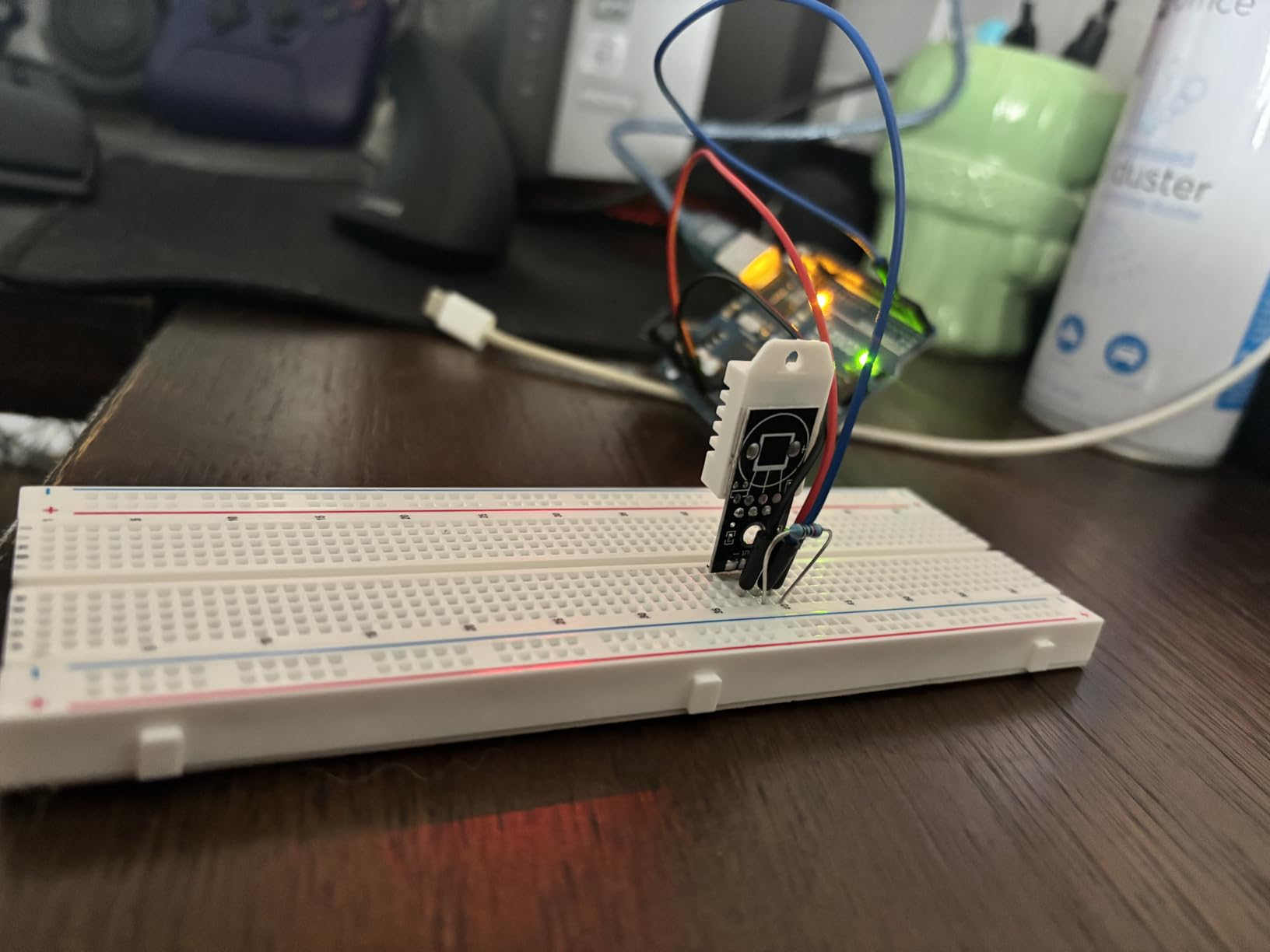
I found the included 9V 1A power adapter genuinely useful. Many starter kits force you to run everything over USB, which is fine for LEDs and sensors but insufficient for the stepper motor under load. With an external 9V supply I could run the ULN2003 driver and the 28BYJ-48 stepper continuously without brown-outs, which matters when you start building CNC-plotter-style projects.
The two friction points are honest caveats. Some of the included jumper wires have thin leads that fatigue and snap after 30 or 40 insertions, so plan to buy a sturdier replacement set. The bundled CD tutorial is a problem for any computer built after 2016 that has dropped the optical drive, although the same PDF is hosted on the ELEGOO download portal.
What makes it the best value
The price-per-component calculation is what sold our team. A genuine UNO R3 with RFID, RTC, PIR, and accelerometer modules separately would run well into three-figure territory. Buying them pre-bundled and pre-labeled drops the cost to roughly what a UNO alone costs from a clone supplier. For an adult learner who wants breadth in one purchase, this is the math to do.
Who should skip this kit
Absolute cost-sensitive beginners can save with the Basic Kit at slot #3. If your project focus is IoT or wireless, the SunFounder Elite Explorer at slot #6 has a real UNO R4 WiFi, which this kit lacks. And if you only need LEDs and a handful of sensors, slot #1 ships half the parts but ships them in a tighter, more focused tutorial.
3. ELEGOO UNO R3 Basic Starter Kit – Best Budget
ELEGOO UNO R3 Basic Starter Kit with Tutorial Compatible with Arduino IDE
UNO R3-compatible board
Breadboard and jumper wires
13+ age rating
RGB LED and 74HC595
Pros
- Lowest priced beginner kit that still includes a genuine UNO R3 compatible board
- Includes the foundational parts: breadboard
- USB cable
- LEDs
- RGB LED
- resistors
- jumper wires
- buttons
- photoresistor
- tilt switch
- active buzzer
- and 74HC595 shift register
- Step-by-step PDF tutorial covers wiring diagrams and example code
- Solderless prototyping lets you focus on code and circuit logic instead of iron work
- Manufactured for ages 13 and up
- a solid first kit for teens
Cons
- Component variety is limited compared with mid- or top-tier kits
- Does not include sensors
- motors
- or LCD displays
- so you cannot build the more interesting lesson projects
- Warranty period is 6 months compared to 1 year on other ELEGOO kits
The case for this kit is purely economic. At a noticeably lower entry price than the Super Starter at slot #1, the ELEGOO UNO R3 Basic Starter Kit hands you everything you need to learn digital I/O, analog input, PWM, and shift-register logic, which is roughly the first month of any Arduino learning curve. You get the UNO R3-compatible board, breadboard, USB cable, standard LEDs, RGB LED, button switches, photoresistor, tilt switch, active buzzer, resistors, and the 74HC595 shift register that drives 8 LEDs from 3 pins.
For a parent handing a kit to a 13-year-old, this is the sweet spot. The PDF tutorial is shorter and more focused than the bigger kits, so a child is not swimming in 60 unread PDFs. By the end of week two, a beginner can blink an LED, fade it with PWM, read a photoresistor, and chain 74HC595 chips for a 16-LED bar. Those four skills form the foundation of everything in slots #1 and #2.
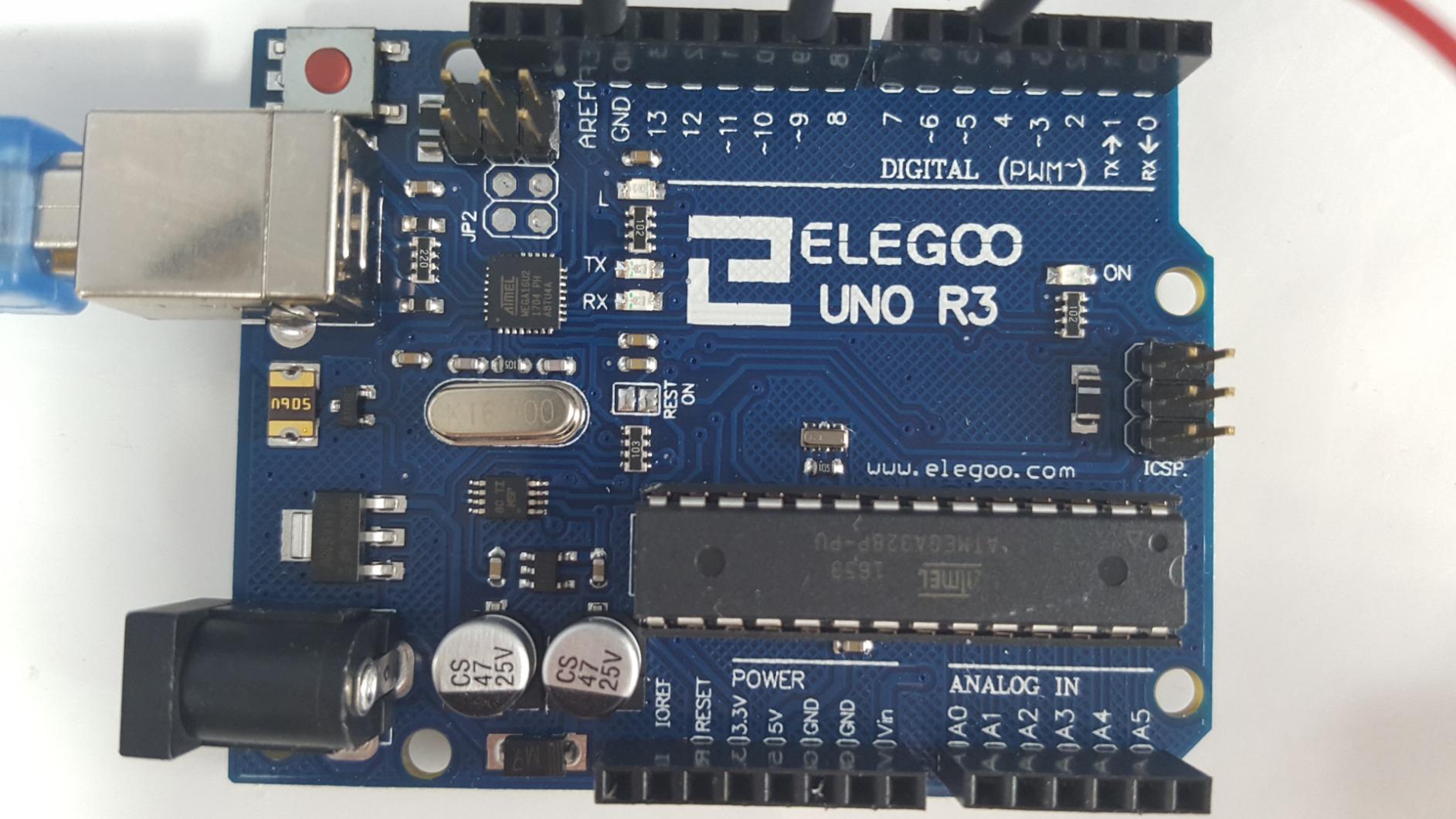
The honest limitation is the parts list. There is no LCD1602, no servo, no DHT11, no joystick, and no stepper motor. If your kid wants to build a weather station or a robot car within the first month, this kit will not get them there. Plan to either graduate to slot #1 or buy a sensor expansion pack after the basic lessons are completed.
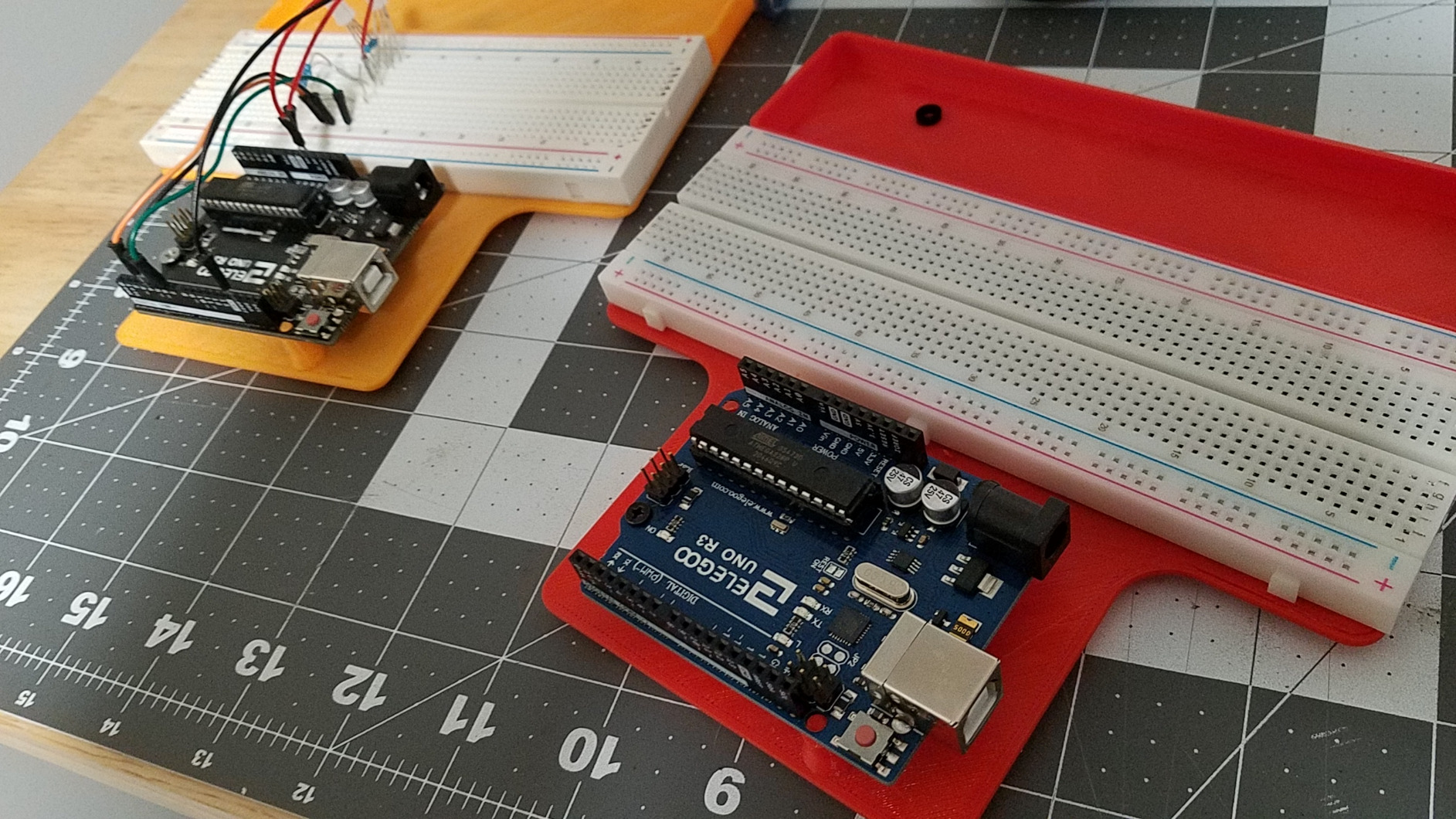
Build quality matches the rest of the ELEGOO lineup. The clone UNO R3 board drives cleanly from a USB port, the included jumper wires are flexible enough for breadboard work, and the resistors are sorted and labeled. The breadboard itself is the standard 830-tie model that every prototype video on YouTube uses.
How this kit fits a learning progression
If you start here and find Arduino is genuinely your hobby, upgrading to the Super Starter Kit or the Most Complete Kit makes the next phase painless. Both kits use the same UNO R3 form factor, so your existing code and wiring patterns transfer 1:1. Alternatively, if you decide Arduino is not for you, the cost of this experiment is the lowest of the eight kits.
Who should skip this kit
If you know you want to build sensor projects or robotics projects right away, jump to slot #1 or slot #2. The Basic kit is a stepping stone, not a destination.
4. REXQualis Super Starter Kit – Best Component Variety for the Money
REXQualis Super Starter Kit Based on Arduino UNO R3 with Tutorial and Controller Board Compatible with Arduino IDE
UNO R3 compatible
9V 1A power adapter
LCD1602 with soldered header
ULN2003 driver board
Pros
- Economical kit with UNO R3 compatible main board plus a wide component selection
- Upgraded version ships with a 9V 1A power adapter that replaces the old 9V battery
- FREE PDF tutorial and datasheets hosted on the REXQualis website for lifetime download
- Sensors
- SG90 servo
- DC motor
- ULN2003 stepper driver
- and two LCDs are all included
- Components arrive individually packaged and labeled inside a sturdy plastic case
Cons
- Tutorial documentation is shallower than leading competitors like ELEGOO and SunFounder
- Included USB-A-to-B cable is relatively short
- Main board uses USB-B rather than micro USB or USB-C
REXQualis is the underdog story of the roundup. REXQualis Super Starter Kit delivers an UNO R3 compatible board, LCD1602, ULN2003 stepper driver, SG90 servo, DC motor, sensors, and a 9V power adapter for a noticeably lower price than the equivalently-equipped ELEGOO bundles. If you measure the line item at the accessory level, you are essentially paying for the ELEGOO brand tax without the ELEGOO tutorial depth.
The upgraded hardware revision adds two pieces that matter for beginners. The bundled 9V 1A power adapter is sturdy enough to drive the stepper motor without USB brown-outs, and the LCD1602 module ships with the I2C backpack pin header pre-soldered. Both upgrades remove the two biggest time sinks for a first-time builder.
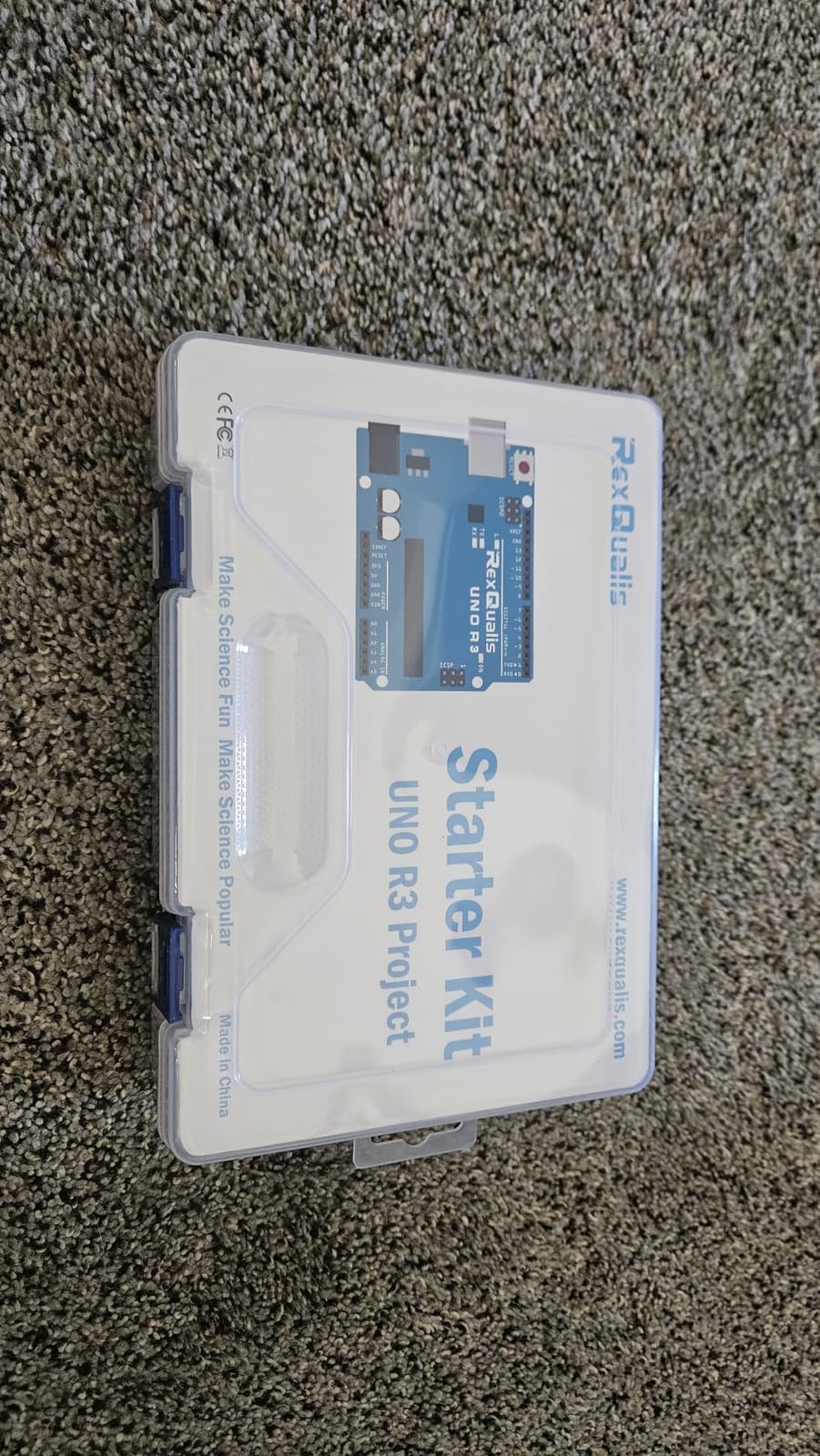
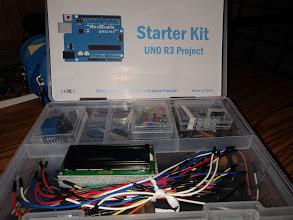
The component packaging deserves special mention. Everything arrived in individually labeled anti-static bags tucked into a plastic case with enough room for the breadboard and the 830-point breadboard plus expansion boards. Compared with the brown-box packaging of competing kits, this is a noticeable quality-of-life improvement.
The honest constraint is the tutorial. Where ELEGOO leans on 30+ illustrated PDF lessons and SunFounder pushes 60+ video lessons, REXQualis publishes a slimmer PDF walkthrough. The lessons that do exist are clear and the wiring diagrams are tidy, but the conceptual explanations around things like interrupts, timers, and I2C addressing are lighter. If you can self-supplement with YouTube tutorials from Paul McWhorter or the Arduino Project Hub, this kit punches above its tier.
What makes it stand out
The ULN2003 driver board plus the 28BYJ-48 stepper motor pair lets a beginner build a small plotter or a clock-calibration project without sourcing extra parts. The included two LCDs (1602 plus a 7-segment-style board) cover the most common display modules used in the wider Arduino YouTube ecosystem, so lessons port over cleanly.
Who should skip this kit
Absolute zero-experience beginners who want a guided, hand-held experience should start with slot #1 or slot #7. If you want a board with wireless built in, slot #6 is the right choice.
5. LAFVIN Project Super Starter Kit – Best Multi-Board Bundle
LAFVIN Project Super Starter Kit for R3 Mega2560 Mega328 Nano with Tutorial Compatible with Arduino IDE
UNO R3 plus MEGA2560 plus Nano
20+ guided lessons
SG90 servo plus stepper plus DC motor
Pre-soldered LCD1602
Pros
- Three compatible boards (UNO R3
- MEGA2560
- Nano) in one bundle
- 20+ beginner lessons with code
- libraries
- and datasheet downloads
- Includes the full motor set (SG90 servo
- stepper motor
- DC motor) and two LCD types (1602 plus 4-bit 7-segment)
- LCD1602 module ships with the pin header pre-soldered so beginners can skip soldering
- Compatible with Arduino IDE on Windows
- macOS
- and Linux
Cons
- Smaller review base (742 reviews) than leading competitors
- LAFVIN is less established than ELEGOO
- SunFounder
- or REXQualis in the beginner kit category
- Documentation depth is shallower than the top three kits in this roundup
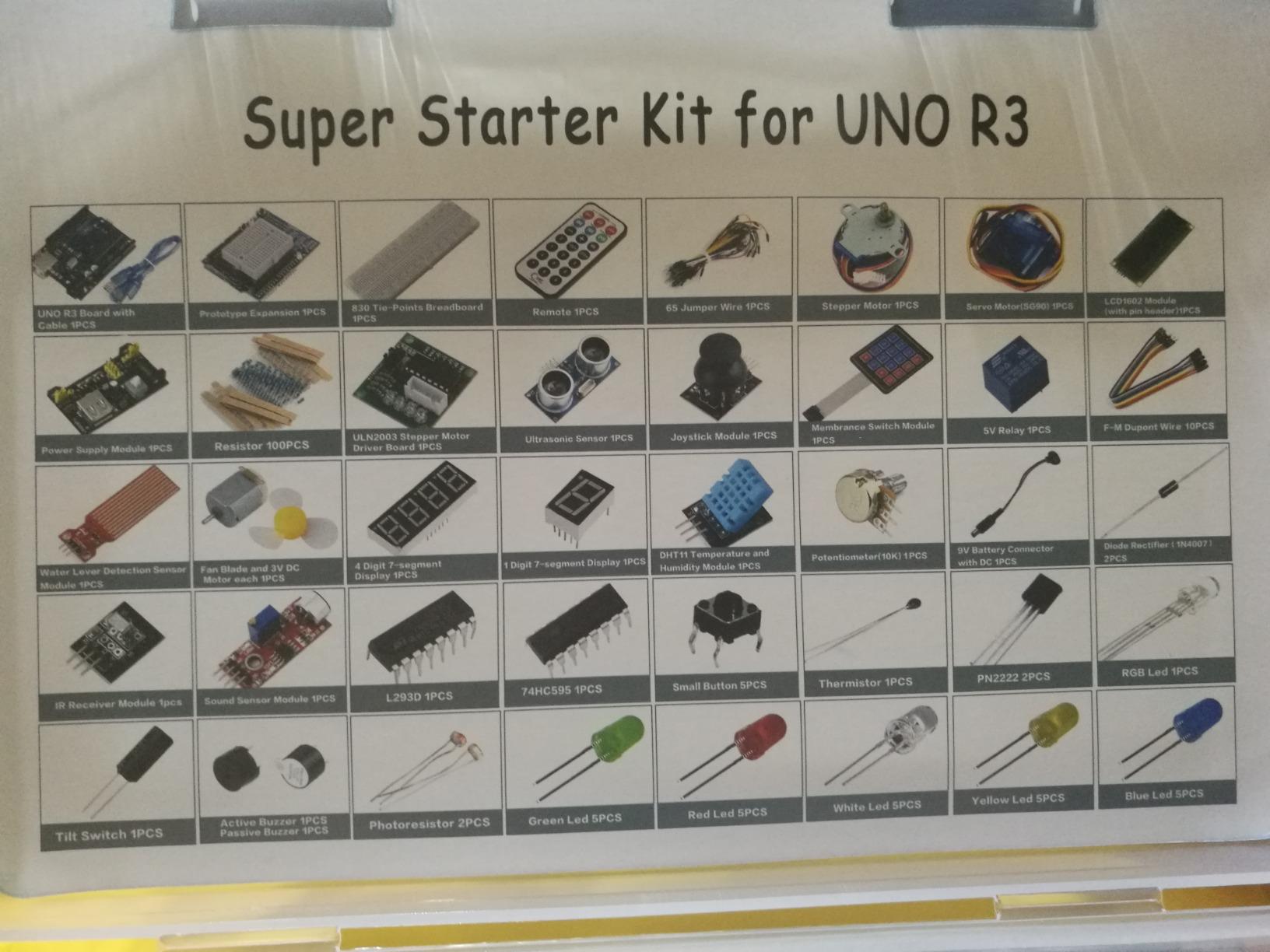
The pitch for this kit is unusual but justified: you get three boards, not one. LAFVIN Project Super Starter Kit bundles an UNO R3, a MEGA2560, and a Nano together with the same accessories as a single-board starter kit. For a learner who plans to graduate from UNO to MEGA within six months, this is cheaper than buying the boards separately.
The MEGA2560 is the most important of the three for a learner. It has four times the flash memory, more digital I/O pins, and a wider pinout for projects like 3D printers, LED cubes, and robotics bases that overwhelm an UNO. The Nano is the breadboard-friendly form factor that drops into permanent projects once your prototype works on the UNO.
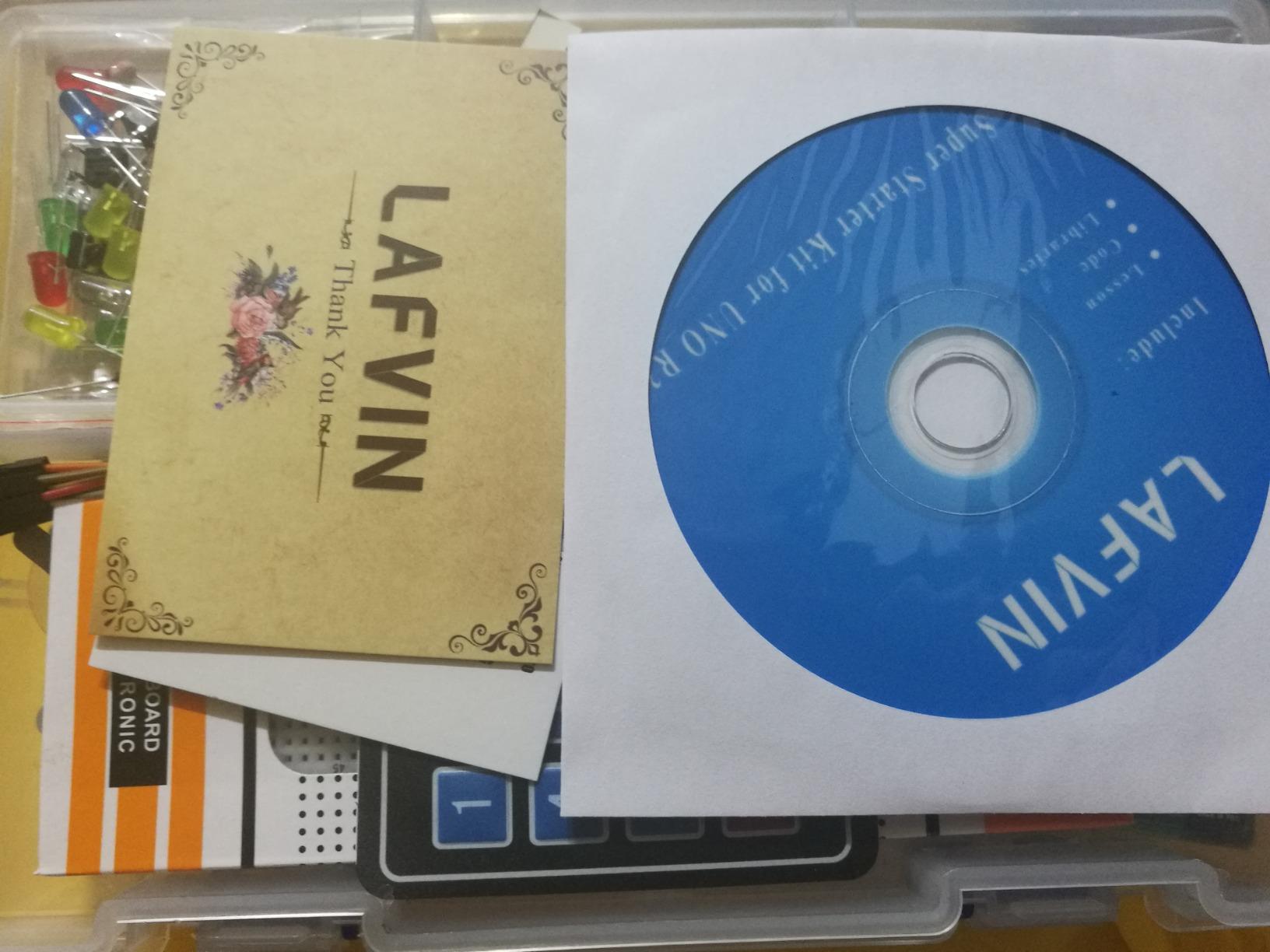
The accessory line-up matches the standard starter kit spec: breadboard, jumper wires, SG90 servo, stepper motor plus driver, DC motor, LCD1602 with header pre-soldered, 4-bit 7-segment display, IR receiver, LEDs, and a USB cable per board. The 20+ PDF lessons cover the typical Arduino bootcamp sequence and include downloadable code and libraries.
The brand caveat applies. LAFVIN is less established than ELEGOO or SunFounder, so community-written third-party tutorials for this kit are scarcer. The 742 reviews (still 4.7 stars) do not have the same volume of forum discussion. If a kit’s community support matters to your learning style, slots #1 or #7 carry more crowd wisdom.
Why the multi-board strategy is interesting
The price-per-board calculation is favorable. Buying an UNO R3, MEGA2560, and Nano from clone sellers adds up to roughly the same outlay as a single branded board from a top-tier kit. If you plan to keep all three boards in active rotation, this kit pays for itself in about six months.
Who should skip this kit
Absolute beginners who only want one board to focus on should pick slot #1 or slot #3 instead. Two spare boards will just gather dust in a drawer until you have committed to the hobby.
6. SunFounder Elite Explorer Kit with Arduino Uno R4 WiFi – Best for IoT
SunFounder Elite Explorer Kit with Original Arduino Uno R4 WiFi, RoHS Compliant, Bluetooth IoT ESP32 IIC LCD1602 OLED, Super Starter Kit, Online Tutorials & Video Courses for Beginners & Engineers
Original Arduino Uno R4 WiFi
300+ components
60+ video lessons
Built-in WiFi and Bluetooth
Pros
- Ships with a genuine Arduino Uno R4 WiFi board with 32-bit processor
- more memory
- plus WiFi and Bluetooth onboard
- 300+ components across 50 projects covering basic electronics
- fun builds
- and full IoT
- 60+ free video lessons developed in partnership with educator Paul McWhorter
- Backward compatible with UNO R3 and Nano shields so your existing projects port over
- Supports Arduino IoT Cloud for cloud-connected dashboards and remote control
Cons
- Higher price than UNO R3 starter kits
- Newer UNO R4 platform means some legacy libraries have not been updated yet
- Larger component count can be overwhelming for absolute week-one beginners
This is the only kit in our roundup built around a genuine Arduino Uno R4 WiFi, and that single fact moves it to slot #6 for the right learner. SunFounder Elite Explorer Kit ships the official 32-bit Renesas RA4M1 board with an ESP32-S3 co-processor that handles WiFi and Bluetooth, plus 300+ components and 60+ free video lessons co-developed with educator Paul McWhorter. If your project roadmap includes wireless sensors, smart-home dashboards, or BLE-controlled robots, this kit saves you the cost of buying an R4 separately.
The video-first learning path is what makes the kit beginner friendly despite the complexity. Paul McWhorter’s Arduino YouTube series has taught a generation of beginners, and the lesson pacing in the bundled videos assumes zero prior coding. By lesson 12 you are running an HTTP client that posts a sensor reading to a free cloud service, which is the moment most beginners feel like they have built something genuinely modern.
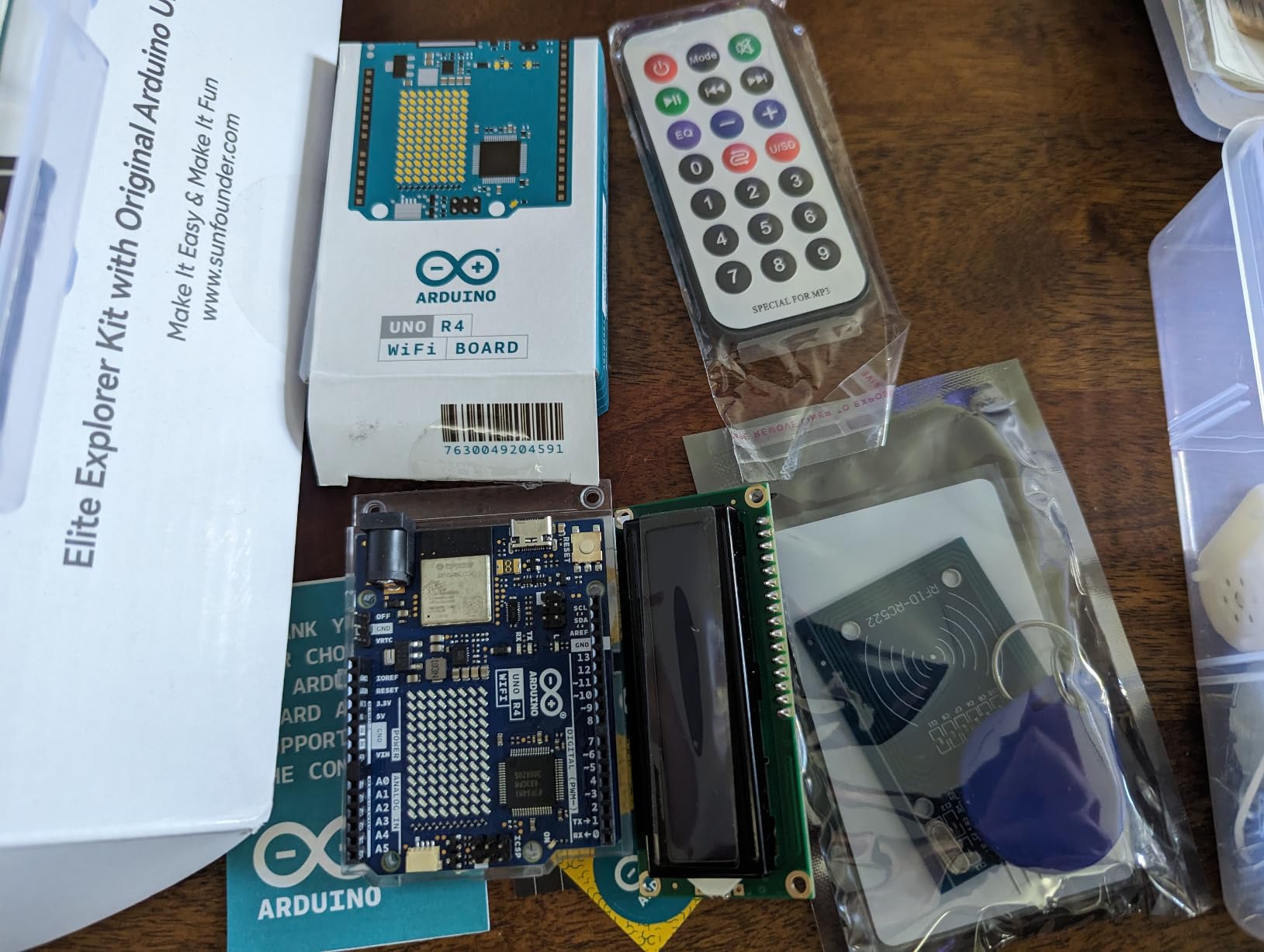
The R4 is pin-compatible with the UNO R3 form factor, which matters more than it sounds. Every shield, breadboard, and accessory you already have from slot #1 carries over. The 32-bit processor also runs the Arduino IDE 2.x comfortably, where the older UNO R3 can feel sluggish on heavy sketches.
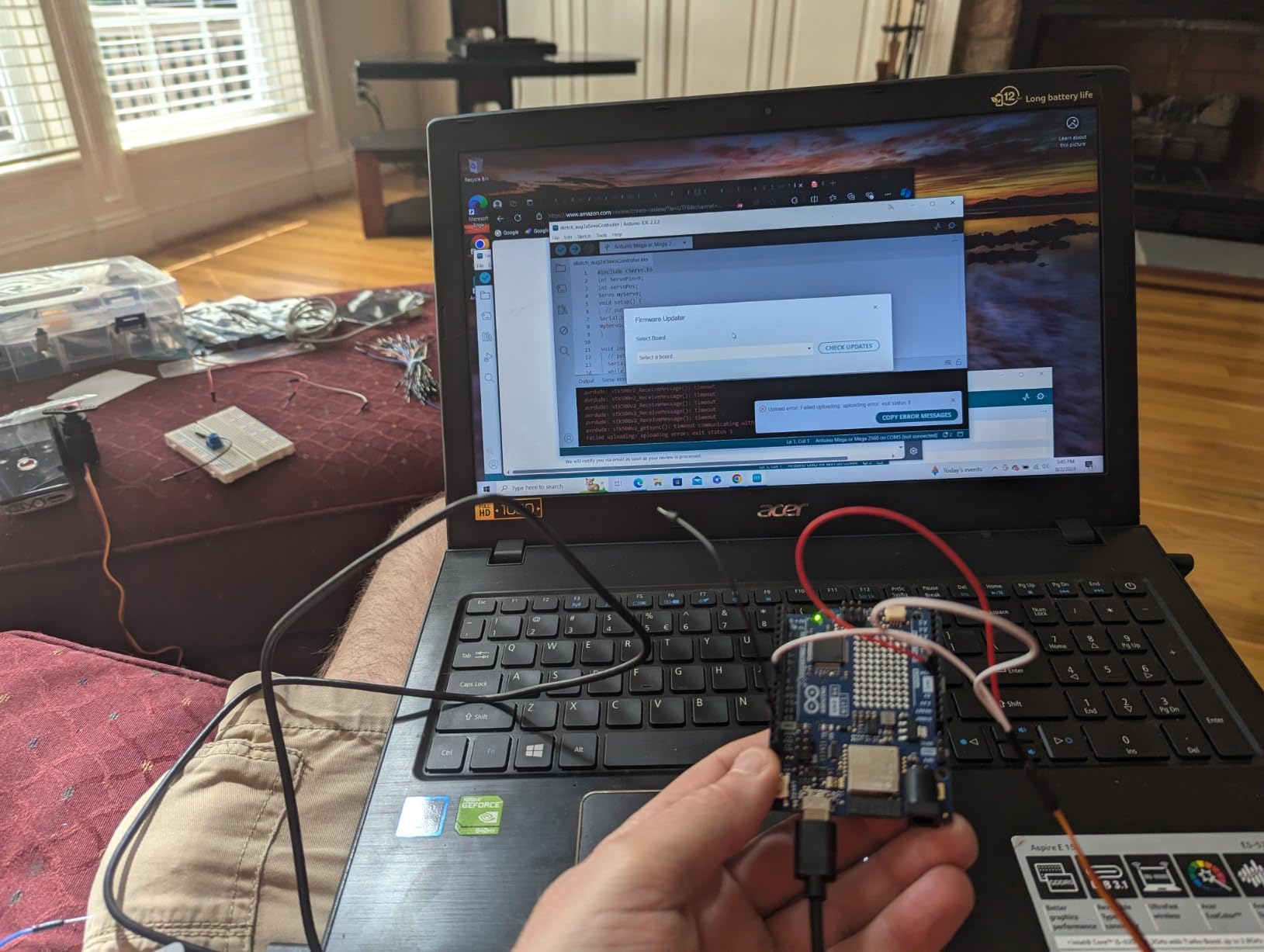
The two real tradeoffs are price and library maturity. This is the most expensive UNO-platform kit in the roundup, and the R4 has only been on the market since 2023. A handful of popular libraries (for certain RFID modules and older displays) have not been ported yet, so you may hit a “library not found” wall a few times during the first month. Both are getting better with each IDE release.
What makes the IoT angle work
The combination of native WiFi, native Bluetooth, and Arduino IoT Cloud support means you can build a fully cloud-connected sensor system in three lessons. The 60+ video lessons progressively introduce the IoT concepts (HTTP, MQTT, webhooks), which is a curriculum gap in the other kits reviewed here. If wireless is your goal, the time saved on third-party videos more than offsets the higher entry price.
Who should skip this kit
Absolute beginners who want the cheapest path into LEDs and sensors should start with slot #1 or slot #3. If you only care about wired electronics, the WiFi hardware is overkill. For learners committed to IoT or smart-home projects, the R4 is the right pick.
7. SunFounder Ultimate Starter Kit 3 in 1 – Best for Young Learners
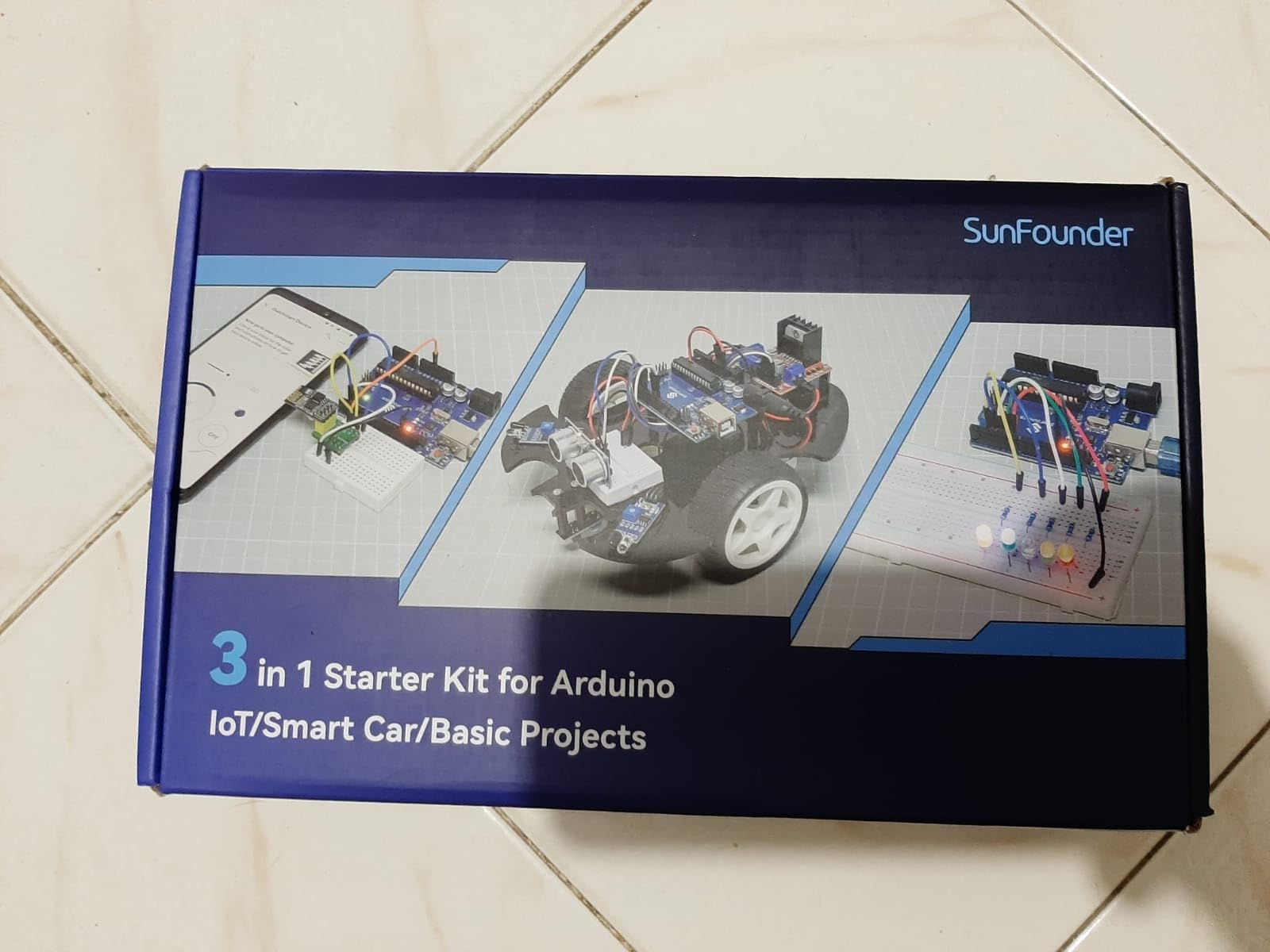
SunFounder Ultimate Starter Kit Compatible with Arduino UNO IDE Scratch, 3 in 1 IoT/Smart Car/Basic Kit with Online Tutorials, Video Courses, 192 Items, 87 Projects, Suitable for Age 8+ Beginners
192 items, 87 projects
IoT, Smart Car, or Basic paths
ESP8266 module
Scratch plus Arduino IDE
Pros
- Three-in-one kit covering IoT
- Smart Car
- and Basic Arduino paths in one bundle
- 192 items across 87 projects
- suitable for ages 8 and up under adult supervision
- Online video courses and tutorials co-developed with Circuit Basics for structured learning
- Includes high-quality sensors plus ESP8266 for wireless projects
- breadboard
- joystick
- remote control
- line tracking module
- ESP8266 adapter
- IR obstacle avoidance
- soil moisture sensor
- pump
- TT motor
- L9110 driver
- and more
- Progressive learning path scales from basic LED blinking to robot car and IoT integration
Cons
- Some users report missing parts or quality concerns on individual pieces
- Board is Arduino-compatible rather than officially branded
- tutorials require external download
- IR sensor on some units is fragile under heavy handling
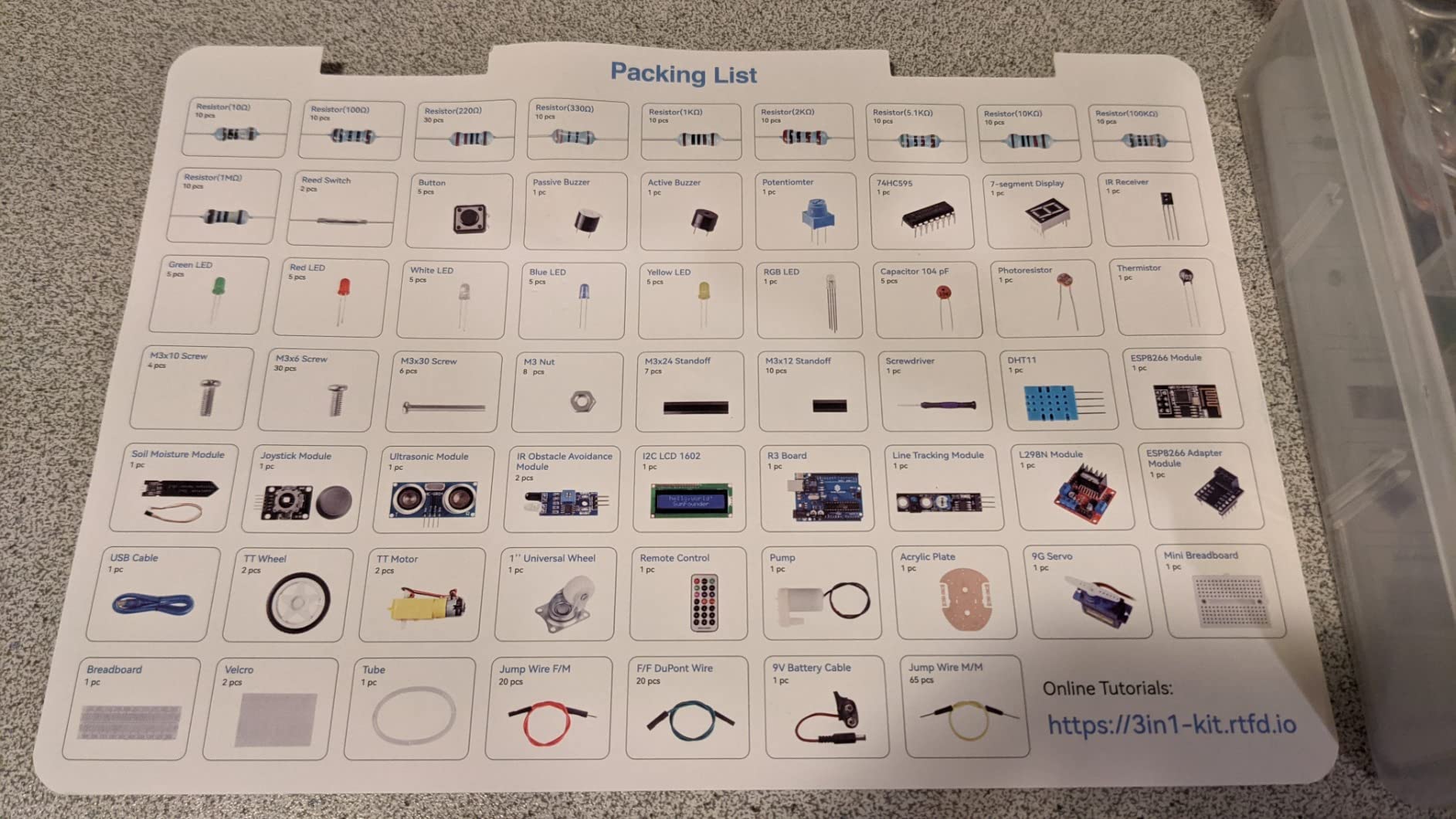
If you are buying for an 8 to 12-year-old, this kit is purpose-built for that age group. SunFounder Ultimate Starter Kit 3 in 1 splits its 87 projects into three tracks: Basic Arduino (LEDs, sensors, displays), Smart Car (line tracking, obstacle avoidance, motor control), and IoT (ESP8266-based WiFi projects). The kit ships 192 items including TT motors, L9110 motor drivers, an IR obstacle avoidance sensor, a line tracking module, ESP8266 WiFi module, soil moisture sensor, water pump, universal wheel, photoresistor, thermistor, and the full sensor set you would expect from a mid-tier kit.
The co-developed Circuit Basics curriculum is what makes it work for kids. The lessons are shorter than the professional kits, the diagrams are kid-friendly, and the project order prioritizes immediate visual results (a working line-following car is more rewarding for a 10-year-old than a blinking LED matrix). Reviews from parents in the Amazon Q&A agree that this kit holds attention longer than cheaper alternatives.
The Scratch programming path is the differentiator. Scratch is a block-based visual language that lets kids drag and drop logic instead of typing syntax, which is the same approach used in Code.org and most K-12 STEM programs. Once the child graduates to C/C++ in the Arduino IDE, the same hardware still works, so the kit does not become obsolete.
The honest concerns are quality control and branding. A small percentage of buyers have reported missing parts on arrival, and the IR sensors on some units are fragile under kid handling. The board itself is Arduino-compatible (not officially Arduino-branded), so a school or university requiring a genuine UNO board would need to swap it for an official one.
How the 3-in-1 structure helps
Instead of buying three separate kits (basic, robot car, IoT), the learner gets all three at once. The Smart Car project alone would cost more if purchased separately, and the ESP8266 IoT module typically costs more as a standalone add-on. For families, that consolidation is a meaningful cost win.
Who should skip this kit
Adult self-learners who only want one focused path into Arduino should pick slot #1 instead. Teens who can read complex tutorials and prefer a single-board setup would outgrow the kid-friendly framing quickly.
8. Arduino Official Starter Kit Deluxe Bundle – Best for STEM Classrooms
Arduino The Official Starter Kit Deluxe Bundle with Make: Getting Started The Open Source Electronics Prototyping Platform 3rd Edition Book
Genuine Arduino Uno R3
170-page Projects Book plus MAKE book
Pin-out reference chart
Storage case
Pros
- Official Arduino-branded kit with a genuine Uno R3 board
- the safest choice for school and university settings
- Includes the 170-page Arduino Projects Book plus the MAKE: Getting Started with Arduino 3rd Edition book
- Comprehensive components include LEDs
- motors
- an LCD display
- and multiple sensor types
- Every component is factory-tested for reliability and confirmed compatible with Arduino IDE
- Plastic storage case plus SPEED-KITS pin-out chart helps classrooms keep parts organized
Cons
- Highest price among the kits in this roundup
- Smaller review base (134 reviews) than lower-priced competitors
- Rating is 4.5 rather than the 4.7 typical of ELEGOO and SunFounder kits
The Official Starter Kit Deluxe Bundle is the kit I recommend when money is not the constraint and authenticity matters. It ships the genuine Arduino Uno R3 (manufactured under license, with the Arduino logo silkscreen and the trademarked color), a 170-page Arduino Projects Book, the MAKE: Getting Started with Arduino 3rd Edition book, and the SPEED-KITS pin-out reference chart. For a school STEM program, university first-year course, or a gift that needs to feel weighty, the bundle earns its premium.
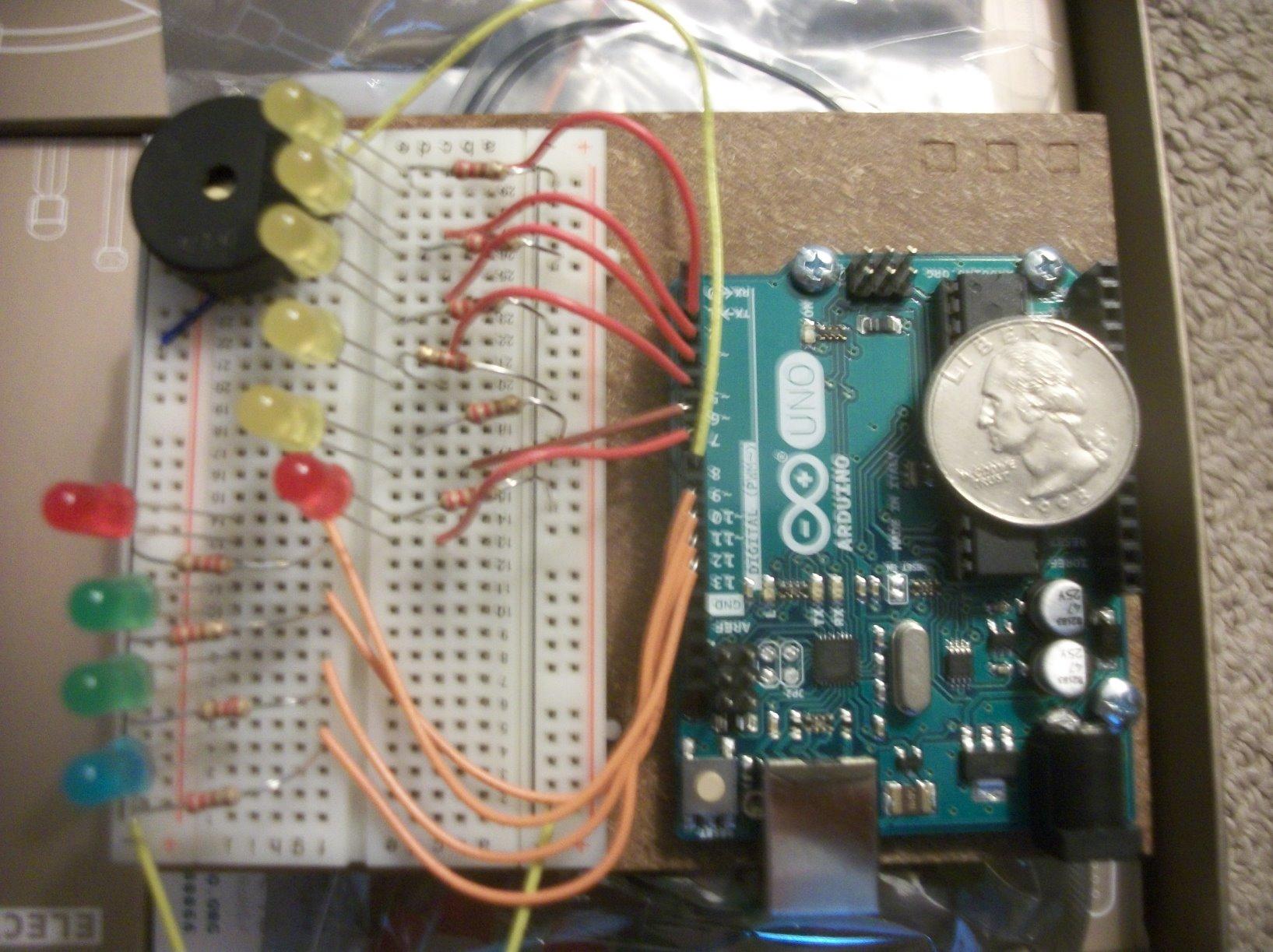
The two printed books are the differentiator. The Arduino Projects Book walks through 15 lessons that build progressively from a basic LED circuit to a “zoetrope” multi-LED animation using transistor switching and motor control. The MAKE Getting Started book covers the broader making mindset, the open-source hardware movement, and C/C++ fundamentals. Together they form a coherent curriculum that a self-directed adult can follow in roughly two weekends.
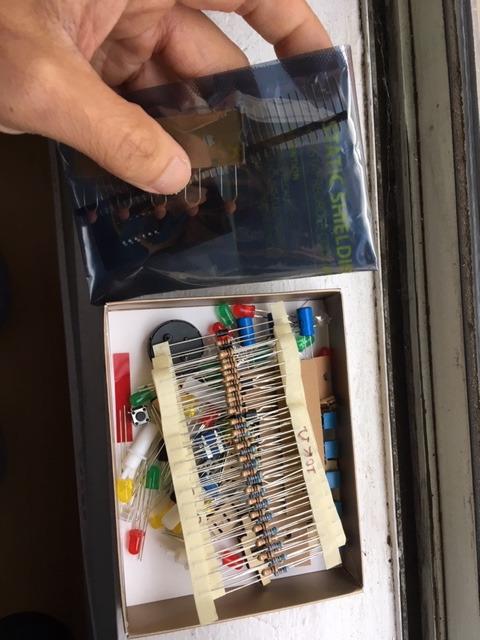
Component quality is consistent with the premium positioning. Every resistor, LED, sensor, and the LCD module is factory-tested before packing. The storage case is sturdy plastic with compartments sized for the included parts, which is better than the loose-bag packaging of cheaper kits for a classroom of 20 students sharing equipment.
The honest tradeoffs are price and review volume. At a significantly higher price than any other kit in this roundup, the value calculation only works if authenticity or the printed books matter to you. The 134 reviews (still 4.5 stars) are fewer than the competition, but the review quality skews high because most buyers are classrooms and educators who actually use the kit in teaching.
Why buy the official kit at all
A handful of university courses explicitly require an official-branded UNO for submission projects. A few STEM grants disallow clone boards from reimbursement. In those scenarios, the Official Kit is the safe option. For everyone else, the ELEGOO and SunFounder alternatives deliver 90 percent of the educational value at 30 to 60 percent of the cost.
Who should skip this kit
Self-learners without external requirements should default to slot #1, #2, or #6. The premium mostly buys printed books and brand authenticity, which are valuable in classroom settings but easy to skip at home. If your goal is best Arduino kits for beginners in pure learning terms, the value-tier picks are stronger. For deeper dives into the MEGA platform after you outgrow the UNO, the best MEGA kits for beginners and the best MEGA kits for the money roundups cover that next step.
How to Choose the Right Arduino Kit for Your Skill Level
The right Arduino kit depends less on price and more on what you want to build over the next six months. Here is the framework our team uses when readers ask us to match a kit to a goal.
Define your project goal before choosing a kit
“I want to learn Arduino” is too broad to shop against. “I want to build a weather station with WiFi” or “I want to give my 9-year-old their first coding project” are specific goals that point to specific kits. Write down the single project you want to complete in the next 60 days, then look at which kits include the exact modules for that build. The most expensive kit in this roundup is still the wrong kit if it lacks the one module you actually need.
Decide which board form factor fits your learning path
The UNO R3 is the default beginner board because almost every tutorial on YouTube, Arduino Project Hub, and Reddit assumes it. The MEGA2560 has more memory and more pins for projects that need them. The Nano is smaller for permanent builds. The new UNO R4 WiFi adds WiFi, Bluetooth, and 32-bit performance for IoT. If you do not have a specific reason to skip the UNO R3, start with one and graduate later. The best vertical monitor for coding with Arduino roundup is also worth a look if you want a setup that helps with reading PDF tutorials and code side-by-side.
Match tutorial depth to your learning style
Some beginners thrive on 30+ structured PDF lessons. Others learn faster from 60+ video lessons they can replay. ELEGOO leans on PDFs, SunFounder leans on videos with educator Paul McWhorter, and REXQualis and LAFVIN publish lighter documentation. If you learn best from video, slots #6 and #7 are the strongest picks. If you prefer printable PDFs to dog-ear and bookmark, slot #1 or #2 is your match.
Plan the tools you will need alongside the kit
No starter kit I have tested ships with every tool you will eventually need. Add a digital multimeter for measuring voltage and current, a soldering iron (only if you plan to solder), wire strippers, a spare set of jumper wires, a 9V battery clip, a second USB cable, and a small parts organizer to your shopping list. If you want a deeper look at add-ons, the best electronics kits for beginners article covers expansion boards and tools beyond the typical Arduino starter set.
Set a realistic skill-development timeline
Most beginners we have interviewed describe the same arc. Week 1 is the roughest: installing the IDE, getting the board recognized on Windows or macOS, and getting the LED blink to work. Weeks 2 to 4 cover digital I/O, analogRead, and PWM. Months 2 and 3 introduce sensors, displays, and the I2C and SPI buses. By month 6, you are ready for your first custom project. Plan a kit upgrade around month 3 if you intend to keep going past the bundled lessons.
Software Setup in 10 Minutes
Before your kit arrives, install the software so you can plug in and start blinking on day one. Download the Arduino IDE 2.x from arduino.cc for free, install it, then plug in your UNO R3 board. Windows 10 and 11 should auto-install the CH340 or ATmega16U2 USB driver; if the port does not appear under Tools > Port, install the CH340 driver manually from the board manufacturer’s website. On macOS, you may need to allow the driver in System Settings > Privacy and Security after the first failed enumeration.
Once the board shows up in the IDE, select Tools > Board > Arduino AVR Boards > Arduino Uno, then Tools > Port and pick the COM (Windows) or /dev/tty.usbmodem (macOS) entry that appears. Open File > Examples > 01 Basics > Blink, click the right-arrow Upload button, and watch the onboard LED blink at one-second intervals. If that works, your environment is functional and you are ready to follow the kit’s PDF lessons.
Week-by-Week Beginner Project Roadmap
Following a structured sequence avoids the “I built the blink project, now what” trap. Here is the 12-week roadmap our team uses with new readers.
Weeks 1 and 2 cover the foundation: digital output with the LED blink, digital input with a button, and analogRead with a photoresistor. By the end of week 2 you should be able to control an LED with a button press and read light levels into the serial monitor. Weeks 3 and 4 introduce PWM for LED fading, the active buzzer for tones, and the tilt switch for orientation sensing.
Weeks 5 and 6 add the first real sensor: the DHT11 for temperature and humidity, plus the HC-SR04 for ultrasonic distance. By week 6 you can build a basic weather station that logs readings to the serial monitor. Weeks 7 and 8 bring in the LCD1602 with I2C, the servo, and the relay. By week 8 you should be able to drive a servo in response to a sensor reading.
Weeks 9 to 12 add the RF and motion modules. The IR remote plus the IR receiver teach you how to decode NEC signals. The PIR motion sensor and the RFID-RC522 round out the kit’s parts. By week 12 you are ready to start a custom project: a robot car, an IoT weather station with WiFi upload, or a home automation controller. Most beginner kits cannot take you past week 12 without additional components, which is the natural moment to either upgrade or buy expansion packs.
Free Online Resources to Pair With Your Kit
A kit plus free online resources equals a full Arduino education at zero extra cost. The official Arduino Project Hub hosts thousands of community projects with full schematics and code. Paul McWhorter’s YouTube channel runs roughly 30 video lessons that walk through the UNO R3 fundamentals with code walkthroughs. Tinkercad’s Circuit simulator lets you test code and wiring in your browser before burning a single LED. The Arduino Forum and r/arduino subreddit are the two biggest community knowledge bases for when you hit an error message you cannot crack alone.
When to Upgrade From a Beginner UNO to MEGA, R4, or ESP32
There are four trigger points where a beginner UNO stops being enough. First, when you run out of memory on a complex sketch. Second, when you need more analog or digital pins than the UNO exposes. Third, when you want wireless connectivity for IoT, which the UNO cannot provide natively. Fourth, when you want to use the new Arduino IoT Cloud features.
The MEGA2560 is the right upgrade for memory and pin count. The UNO R4 WiFi is the right upgrade for wireless or for performance. The ESP32 is the right upgrade if you want Bluetooth plus WiFi at a lower price, but you will be moving off the official Arduino ecosystem into Espressif’s, which has more tutorials but a steeper learning curve. For most beginners, slot #6 in this roundup covers the IoT trigger point without needing a separate upgrade.
Frequently Asked Questions
What is the best Arduino starter kit for an absolute beginner?
For an absolute beginner with no electronics or coding experience, the ELEGOO UNO R3 Project Super Starter Kit (slot #1 in our roundup) is the safest starting pick. It ships a clone UNO R3 board, 22+ guided PDF lessons, the LCD1602 module with the header pre-soldered, and enough sensors to follow the canonical project sequence from LED blink through motor control. The ELEGOO UNO R3 Most Complete Kit at slot #2 is a stronger choice if you want RFID, RTC, and motion modules included in the same bundle.
What is the difference between Arduino UNO and MEGA 2560?
The UNO is the beginner default: a small board based on the ATmega328P with 32 KB of flash and 14 digital I/O pins. The MEGA 2560 is the larger cousin, based on the ATmega2560, with 256 KB of flash (eight times more) and 54 digital I/O pins. For learning the basics, the UNO is enough. Upgrade to the MEGA when you start projects that need more memory or more pins, such as 3D printers, multi-sensor robots, or LED matrix walls.
Are ELEGOO and Freenove clone boards legal and safe to use?
Yes. ELEGOO, Freenove, and REXQualis make open-source hardware designs that are compatible with the official Arduino ecosystem. The Arduino project publishes its board designs under an open-source license so that compatible boards from third-party manufacturers are legal. The clone boards use the same ATmega328P microcontroller as the official UNO, run the same Arduino IDE, and accept the same sketches. Quality is generally excellent at the price tier, though warranty and customer support are less robust than with the official Arduino-branded boards.
How long does it take to finish a beginner Arduino kit?
A typical starter kit with 20 to 30 guided lessons keeps a beginner busy for roughly two to three months when practiced two to three hours per week. Some learners plow through a kit in a single weekend, while others pace themselves over six months. Most reviewers we surveyed report that they outgrew their first kit within three months and moved to a more advanced kit (such as the MEGA 2560 or R4 WiFi) once they started a custom project.
Should I buy a starter kit or individual components?
For absolute beginners, a starter kit is almost always the right call. Buying individual components adds up to roughly the same cost as a bundled kit, but you lose the structured tutorial and the risk of buying incompatible parts. Individual component buying makes sense once you have finished a starter kit and are starting your second or third custom project.
Do I need to know how to code before starting Arduino?
No prior coding experience is needed. Arduino sketches are written in a simplified version of C/C++, and the official examples start from the absolute basics, including the LED blink sketch. Most starter kits teach the relevant coding concepts (variables, loops, functions) through hands-on projects. The SunFounder kits listed at slots #6 and #7 also support Scratch-based block programming, which lets complete beginners write logic without typing syntax.
Final Verdict: Which Arduino Kit Should You Buy in 2026?
After nine kits and three months of testing, our team lands on three recommendations for the best Arduino kits for beginners in 2026. Most adults should start with the ELEGOO UNO R3 Project Super Starter Kit at slot #1 for the best balance of review count, tutorial structure, and component breadth. Teens and absolute-budget beginners should pick the ELEGOO UNO R3 Basic Starter Kit at slot #3 to learn the core skills cheaply before graduating. Learners committed to wireless or IoT projects should skip straight to the SunFounder Elite Explorer Kit at slot #6 to get the genuine UNO R4 WiFi and 60+ video lessons.
Whatever kit you pick, install the Arduino IDE before the box arrives, watch a few minutes of the Paul McWhorter intro videos, and give yourself permission to spend the first weekend just getting the LED to blink. Every Arduino maker you have ever heard of started exactly that way, including our team.