

A Raspberry Pi runs hot enough to slow itself down, and the fix is almost always the case. Above roughly 82C the board starts downclocking, and a build that looked fast for the first ten minutes suddenly starts crawling during a long compile or a video transcode. If you are shopping for raspberry pi cases with cooling in 2026, the choice is narrower than it looks: every enclosure here fits a specific board, and the good ones move heat through metal rather than just blowing air at a plastic lid.
We went through twelve of the most-reviewed cooling cases available, checked their published specifications against the boards they claim to fit, and read what owners report after months of running. What we found is a list that divides cleanly by board generation. Six of these cases are built for the Raspberry Pi 4 Model B, five are Raspberry Pi 5 designs, and one is a premium Pi 5 chassis with full-size HDMI.
One thing to clear up before you read further, because it is the single most common source of buyer confusion: Pi 4 and Pi 5 cases are not interchangeable. The board layouts differ, the port positions moved, and the Pi 5 draws considerably more power. If you own a 16GB Pi 5, look only at the Pi 5 sections of this guide. New to the platform and still choosing hardware? Our Raspberry Pi kit roundup for beginners covers the boards themselves.
Table of Contents
Top 3 Picks for Raspberry Pi Cases With Cooling in 2026
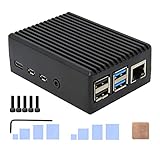
Geekworm P173 Heavy Duty Aluminum Case
- Fanless passive cooling
- 4 built-in heatsink pillars
- Copper CPU shim and thermal pads

iUniker Pi 4 Case with Fan and Heatsinks
- All in one kit with 4010 fan
- Removable top for GPIO access
- ABS shell keeps Wi-Fi clear

Raspberry Pi 5 Official Case with Fan
- Temperature controlled 2.79 CFM fan
- PWM control with tachometer
- Stackable HAT mount points
The Geekworm P173 takes our top slot because it pairs the highest rating in this group with by far the largest review base, and it does it without making a sound. The iUniker bundle is the value pick for anyone who wants a working Pi 4 build in one box, and the official Raspberry Pi 5 case is the safe choice if you want first-party support for the Pi 5.
Best Raspberry Pi Cases With Cooling (October 2026)
| Product | Specifications | Action |
|---|---|---|
| Geekworm P173 Heavy Duty Aluminum Case |
|
Check Latest Price |
| iUniker Pi 4 Case with Fan and Heatsinks |
|
Check Latest Price |
 ElectroCookie Aluminum Mini Tower Case ElectroCookie Aluminum Mini Tower Case |
|
Check Latest Price |
 Miuzei Pi 4 Case with Fan and Power Supply Miuzei Pi 4 Case with Fan and Power Supply |
|
Check Latest Price |
 MazerPi Pi 4 Case with Cooling Fan MazerPi Pi 4 Case with Cooling Fan |
|
Check Latest Price |
 MazerPi Armor Case with Dual Fans MazerPi Armor Case with Dual Fans |
|
Check Latest Price |
| Raspberry Pi Official Pi 5 Case with Fan |
|
Check Latest Price |
 GeeekPi ABS Case with Armor Lite V5 Cooler GeeekPi ABS Case with Armor Lite V5 Cooler |
|
Check Latest Price |
 GeeekPi Metal Case with Pi 5 Active Cooler GeeekPi Metal Case with Pi 5 Active Cooler |
|
Check Latest Price |
 Argon NEO 5 Aluminum Case Argon NEO 5 Aluminum Case |
|
Check Latest Price |
 GeeekPi Aluminum Case with Copper Heatsinks GeeekPi Aluminum Case with Copper Heatsinks |
|
Check Latest Price |
 Argon ONE V3 Aluminum Case Argon ONE V3 Aluminum Case |
|
Check Latest Price |
How We Picked and Tested
Our starting point was specification accuracy. A cooling case is only worth recommending if the board it claims to support is named explicitly, because the Pi 4 and Pi 5 generations use entirely different cases and a mislabeled listing is the fastest way to waste an afternoon.
From there we compared the actual cooling hardware. For aluminum designs we looked at whether the body itself is a heatsink, how many internal pillars contact the chips, and what thermal interface material ships in the box. For active designs we noted fan diameter, whether the fan is temperature controlled or permanently spinning, and whether PWM control works without extra software.
Noise is where most roundups go quiet, so we weighted it heavily. A case can hold temperatures down beautifully and still be a bad choice for a bedroom media hub if the fan never stops spinning. We also checked the practical details owners complain about most: whether the microSD slot stays reachable, whether the GPIO header is blocked once the lid is on, and whether a screwdriver is included. Where owners report measured temperature changes, we use their numbers rather than manufacturer claims.
1. Geekworm P173 Heavy Duty Aluminum Case for Raspberry Pi 4
Geekworm P173 Heavy Duty Passive Cooling Aluminum Case for Raspberry Pi 4
Fanless passive cooling
4 aluminum heatsink pillars
Copper CPU shim
Pi 4 Model B only
Pros
- Silent because there is no fan
- Large aluminum body spreads heat well
- All ports and GPIO gap stay accessible
- Two sets of shaped thermal pads included
Cons
- Tight microSD slot opening
- No fan mounting points for later
- Paint on the pillars reduces conductivity
This is the case I keep coming back to. The whole body is aluminum, and four built-in pillars come down onto the CPU, RAM and power management chips through shaped thermal pads, with a separate copper shim on the CPU itself. There is no fan anywhere in the design, so it makes no noise at all.
Owners consistently report large drops compared with small fan-cooled cases, typically from the mid-50s C down into the 35-45 C range under sustained load. That fits with how a solid block of metal works: heat spreads across the whole case instead of sitting in one spot waiting for air to carry it away.

The machining is good and assembly takes minutes. Dimensions are 90 x 65 x 33 mm, so it stays compact, and the GPIO cable interface and TF card slot are both cut for access rather than sealed over.
Two small things cost it points. The microSD opening is narrow, and a few owners resort to needle-nose pliers to pull a card. There are also no fan mounting holes, so if you later decide you want active cooling, this enclosure is a dead end and you will be changing cases entirely.

Who this case suits
This is the pick for a Pi 4 media center, a RetroPie build, or any 24/7 home server that lives in a room where fan noise matters. Zero decibels is zero decibels, and owners of HTPC-class projects on r/raspberry_pi repeatedly single out milled aluminum bodies as the quiet option.
It also handles Pi 4 boards of every memory size listed for the product, 1GB through 8GB, since the case does not touch the components that changed between revisions.
Where it falls short
If you want to add a fan in a year, or if you like swapping the card often, neither works in your favour here. The painted contact surfaces on the pillars also slightly cut into the passive performance the rest of the design delivers so well.
It is a Raspberry Pi 4 Model B case. On a Pi 5 it will not fit, and that is not a matter of tolerance.
2. iUniker Case for Raspberry Pi 4 with Cooling Fan and Heatsinks
iUniker Case for Raspberry Pi 4, ABS Pi 4 Case with Cooling Fan, Pi 4 Heatsink, Simple Removable Top Cover for Pi 4 Model B/ 4B
40mm fan plus 4 heatsinks
Removable top cover
ABS plastic shell
Pi 4 Model B
Pros
- Everything needed in one box
- Removable top gives GPIO access
- Plastic shell does not block Wi-Fi
- Fan can run from the 3.3V pin
Cons
- Cheap fan bearings get whiney
- Audible at the default 5V setting
- Adhesive on heatsinks is hard to reposition
Open the box and you have a case, a 4010 fan, four aluminum heatsinks, screws, rubber feet and a small screwdriver. Nothing else to buy, which is why this is the most common first Pi 4 enclosure owners end up with.
Thermal results back up the budget reputation. Several buyers report moving from 65-75 C down to roughly 32-45 C once the fan and heatsinks go on, and idle readings commonly land around 32-40 C. The snap-on top cover lifts off for GPIO access without pulling the board out, and the cutouts cover USB-C power, micro-HDMI, USB, Ethernet, GPIO, camera and display areas.

The single most repeated complaint is fan bearing quality. A number of long-term owners report the fan developing an audible whine after a few hundred hours and planning a swap for a hydraulic-bearing model. Moving the fan to the 3.3V pin is the usual fix, and plenty of reviewers say it cools fine and goes near-silent that way.
One assembly detail catches people out: the instructions do not mention pulling the microSD card before you snap the shell together. Check it first, or you will be taking the whole case apart again.

Who this case suits
Beginners, classrooms and anyone building a Pi 4 media server or robotics project on a tight schedule. The bundled screwdriver and screws matter more than they sound like they should. The ABS shell also leaves Wi-Fi and Bluetooth alone, which matters if you run the Pi headless.
If your workload is bursts rather than sustained load, wiring the fan to 3.3V turns this into a near-silent box that still handles an occasional transcode.
Where it falls short
It does not fit 3B or 3B+ boards, and the heatsink adhesive does not forgive a second attempt. Owners who want the enclosure to grow with them usually end up replacing it within a year.
Long-running 24/7 servers are the weak spot, mostly because of bearing wear rather than heat. If your Pi never powers down, expect to replace the fan eventually.
3. ElectroCookie Aluminum Mini Tower Case with Fan and RGB Light
ElectroCookie Raspberry Pi 4 Case, Aluminum Mini Tower Case with Cooling Fan and Color Changing Ambient Light (Matte Black & Dark Gray)
Aluminum tower body
Large heatsink with 4000rpm fan
17dBA rated
Raspberry Pi 4 Model B
Pros
- Premium desktop style aluminum build
- Large heatsink handles sustained load
- RGB lighting with brightness control
- Interior fits taller coolers
Cons
- Fan louder than the 17dBA claim
- RGB board can block airflow
- Only fits the Pi 4 Model B
This one looks like a small piece of desktop hardware rather than a board holder. The matte black aluminum body wraps around a transparent acrylic cover, and a 12 cm fan moves air through a large heatsink. A colour-changing mood light runs along the interior with a brightness controller on the back.
Owners are split cleanly between aesthetics and acoustics. Most describe the housing as solid and well finished, and say the Pi stays cool even in hot weather. Several advanced users strip out the stock fan and RGB board entirely and fit an ICE Tower or a Noctua fan instead, which tells you the cooling headroom is there even if the included hardware is not the last word.

That same group is where the noise complaints come from. The 17dBA figure is a rating for the fan itself, not the assembled case, and some builds are louder than advertised. The RGB board can also sit in the airflow path if you are not careful about orientation, and manual fan alignment matters or friction noise develops over time.
It weighs 0.28 kg and measures 2.4 x 3.85 x 3.85 inches, so it is a desk object rather than something you tuck behind a monitor. Plan the location before you buy.

Who this case suits
A desktop replacement or a Kodi box that lives in the open where it can be seen. The lighting is the standout feature and the reason most people buy it, so if you dislike RGB, look elsewhere. Interior space is generous enough for taller coolers, which makes it a good platform for further tinkering.
Where it falls short
It is a Raspberry Pi 4 Model B case only, with no Pi 3 support. The size also works against under-monitor or tight-shelf builds, and the fan-plus-lighting combination is harder to keep silent than a plain metal block.
If your priority is the lowest possible noise, the same aluminum-and-no-fan approach used by the Geekworm P173 works better here.
4. Miuzei Case for Raspberry Pi 4 with Fan and 5V Power Supply
Miuzei Case for Raspberry Pi 4 with Fan 5V 3A Power Supply 4 Pcs Heatsinks
30mm quiet fan plus 4 heatsinks
5V 3A USB-C supply with switch
Clear acrylic shell
Pi 4
Pros
- Supply with physical on/off switch included
- Dual cooling in one package
- Clear shell shows board status at a glance
- Full port access
Cons
- Acrylic scratches easily
- 30mm fan moves less air
- Snack fit less rigid than screws
The reason to buy this one is the box contents. You get the acrylic case, a silent 30mm DC fan, four aluminum heatsinks and a 5V 3A USB-C power supply with a physical on and off switch. That switch alone is a genuine convenience for a desk or media build.
Reviewers point to the clear window and the easy fit for 4GB and 8GB boards as the practical wins, and describe heat handling as effective under load. Cutouts reach every port on the board, including micro-HDMI, audio and video, USB, Ethernet, power and the microSD slot.

Critiques centre on the acrylic, which scratches easily next to a metal case, and on the snap-fit assembly being less rigid than a screwed shell. A 30mm fan also moves less air than the 40mm options, so for sustained heavy work you are relying more on the four heatsinks than on airflow.
If you already own a decent USB-C supply, the bundled one is bulk you do not need. It is a 15 watt unit rated for the board, but many owners have one on the shelf already.

Who this case suits
First-time builders who want a complete, working Pi 4 package with a switchable supply. It is also a sensible pick for a classroom set where several identical units need to go together quickly.
Buyers who want to see the status LEDs without opening anything will like the clear shell, and the lightweight build is easier to handle than a metal tower.
Where it falls short
Acrylic durability and a smaller fan make it a weaker choice than the fanless aluminium pick for a long-term always-on install. The snap-fit shell also rattles more once it has been opened and closed a few times.
Owners who already have a 5V 3A supply are paying for something they will not use.
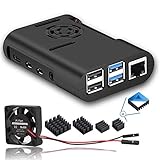
5. MazerPi Case for Raspberry Pi 4 with Cooling Fan and Heatsink
MazerPi Raspberry Pi 4 Case with Cooling Fan and Heatsink for Pi 4B
Cooling fan and heatsink included
Accurate port cutouts
Lightweight ABS shell
Pi 4 Model B
Pros
- Large measured temperature drop under load
- Compact and sturdy for the size
- Fan can run silent from 3.3V
- Ribbon cable pass-through holes
Cons
- Screws are low quality and strip
- Fan can buzz against the plastic
- Paperwork shows the fan reversed
A compact ABS shell that ships with a fan and heatsink already fitted, and one owner recorded roughly 13 C lower CPU temperature under stress than running with no cooling at all. The same test stayed below the throttle point at 3.3V, which is a useful result for anyone who wants quiet.
The cutouts are accurate and the footprint is small, so it slides behind a monitor or onto a crowded shelf without drama. Ribbon cable pass-through holes sit beside the fan, which keeps camera and display cables out of the airflow.
The weak point is hardware quality rather than design. The supplied screws are low grade, hard to start and easy to strip, and the fan can vibrate against the plastic and amplify noise if it is not tightened properly. There is also no cover over the exposed GPIO header.
One documentation problem is worth flagging: the instructions push air in the wrong direction, so many owners reverse the fan for negative pressure. A few buyers also reported a missing fan in the box, so check the contents on arrival.
Who this case suits
Anyone who wants a Pi 4 running cooler than a bare board without spending much or thinking about fan curves. It also suits small-form builds where a tower case simply will not fit.
If you are comfortable doing a little assembly work, swapping in a better fan takes minutes and turns this into a solid quiet build.
Where it falls short
It is the least refined option here: no printed instructions, weak screws and an open GPIO header. Long-term owners who care about build quality tend to move up to a metal chassis within a year.
For a 16GB Pi 5 this is the wrong case entirely.
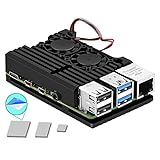
6. MazerPi Armor Case for Raspberry Pi 4 with Dual Fans
Armor Case for Raspberry Pi 4 – Metal Case with Dual Fan Aluminium Alloy, Pi 4 Heatsink
CNC aluminum alloy body
Dual cooling fans
Thermal tape included
GPIO and ports accessible
Pros
- Rigid metal chassis doubles as a heatsink
- Dual fans move more air than single fan plastic
- Looks premium for the price
- Good port and GPIO access
Cons
- Metal shell can weaken Wi-Fi and Bluetooth
- Heavy while wiring
- Dual fans are louder than one quiet fan
The Armor takes the metal approach seriously: a CNC aluminum alloy chassis that acts as a heatsink in its own right, with two fans pushing air through it and high quality thermal tape included for the chip heatsinks. It looks and feels a step above plastic cases at the same money.
Owners generally like the rigidity and the cooling headroom, and often describe it as good looking for the price. GPIO and the main connectors stay reachable, which is unusual for a fully enclosed metal chassis.

The rating sits below the plastic rivals for three recurring reasons. The metal body can attenuate Wi-Fi and Bluetooth, which matters for a headless or remote-controlled Pi. The chassis is heavy and unforgiving while you are routing cables. And two fans are simply louder than one good quiet fan, especially at the lower speeds where a single fan does the same job.
Fan control options are also limited compared with cases built around a temperature-controlled cooler, so this leans on running the fans constantly.

Who this case suits
A Pi 4 that will sit on a desk and run a heavier workload, where rigidity and metal heat spreading matter more than wireless range. The dual-fan layout gives real headroom for a sustained transcode or compile job.
It also makes sense if you like the look of a machined enclosure and are not planning to run the board headless over Wi-Fi.
Where it falls short
Wireless range and weight are the two complaints that come up most, and neither suits a Pi living in a metal cupboard or a bedroom where constant fan noise would be irritating.
It is a Raspberry Pi 4 Model B case with no Pi 3 or Pi 5 support.
7. Raspberry Pi Official Pi 5 Case with Cooling Fan and Heatsink
Raspberry Pi Official Raspberry Pi 5 Case with Cooling Fan & Heatsink, 2.79 CFM, ABS/PC Material, Stackable, Includes Silicone Feet & Fan Speed Control (Packaging: 1 Case)
2.79 CFM temperature controlled fan
Integrated heatsink
Removable lid and stackable mounts
Raspberry Pi 5
Pros
- Fan stays silent until the CPU needs help
- PWM control and tachometer work in Raspberry Pi OS
- Stackable mount points for extra HATs
- Silicone feet grip the desk
Cons
- No GPIO cutout in the top cover
- Screws are not included
- Blocks some GPIO extension cables
This is the reference enclosure for the Raspberry Pi 5, and it behaves the way you would expect a first-party case to: a 2.79 CFM temperature-controlled fan over an integrated heatsink, in ABS and PC with a removable lid. The fan does nothing until the CPU actually asks for help, and PWM control with a tachometer works natively in Raspberry Pi OS.
Several owners note that the fan threshold is adjustable in config.txt, which means you can set your own curve rather than living with a fixed behaviour. The stackable mounting system accepts additional HATs, and the silicone bumper and feet keep a 70 gram case from sliding around.

Dissatisfaction clusters around three things. There is no cutout over the GPIO pins in the top cover, the screws are not included even though the case has holes for them, and the lid can feel loose enough to open on its own, which hurts cooling. The integrated power button is also reported as hard to press, and the case blocks some 40-pin extension cables and right-angle adapters.
It measures 3.94 x 2.76 x 1.18 inches, so it stays compact behind a monitor or on a shelf.
Who this case suits
Any Pi 5 owner who wants the least fiddly path to correct temperatures, especially on Raspberry Pi OS where the PWM and tachometer support is already there. The silent-until-needed behaviour makes it a good bedroom or office option.
It is also the safest pick if you want a single support path and no compatibility guesswork.
Where it falls short
Wiring-heavy projects are the problem area. With the lid on, GPIO access is limited, and the missing screws mean an extra trip to a drawer before assembly even starts.
If you run a HAT that needs full header clearance or long GPIO cables, budget for a different enclosure.
8. GeeekPi ABS Case with Armor Lite V5 Active Cooler for Raspberry Pi 5
GeeekPi ABS Case with Armor Lite V5 Active Cooler for Raspberry Pi 5, Pi 5 Case with Aluminum Heatsink & Cooling Fan for Raspberry Pi 5 (Black)
Armor Lite V5 aluminum cooler
35mm PWM fan with thermal pads
Removable top cover
Raspberry Pi 5
Pros
- Cooler and case bundled at a low price
- Quiet PWM fan adjustable in Raspberry Pi OS
- Thermal pads and screws included
- Accurate port cutouts
Cons
- Plastic shell spreads far less heat
- 35mm fan moves less air than 40mm
- Snap-fit top is less secure
The cheapest complete Pi 5 cooling solution in this group, and it does the important part properly. The Armor Lite V5 pairs an aluminum heatsink with a 3510 PWM fan and thermal pads, and the fan supports PWM speed regulation through Raspberry Pi OS rather than spinning at a fixed rate.
Owners like the quiet cooler and the accurate cutouts for USB-C, micro-HDMI, USB, Ethernet, the SD slot and the power button. The removable top gives access to the GPIO header and camera connector, and the box includes thermal pads, screws and a screwdriver, so nothing else is needed for assembly.

The limitation is the shell itself. ABS does almost nothing to spread heat passively, so everything depends on the small cooler, and a 35mm fan moves less air than a 40mm unit. Some owners who run sustained loads add a second cooler on top as a result.
Bottom mounting also limits expansion headroom, and the snap-fit top cover is less secure than a screwed lid once you start moving cables in and out.

Who this case suits
A Pi 5 build on a budget, particularly one doing light desktop work, media playback or a Home Assistant role where load spikes rather than sustains. The bundled accessories mean a beginner can assemble it without buying tools.
The removable top is a genuine advantage for camera or GPIO wiring projects on a Pi 5, where headers are increasingly crowded.
Where it falls short
Sustained heavy compute is where a plastic shell and a 35mm fan start to show. If you plan to leave a long transcode or compile running, step up to a metal chassis.
It is also not upgradeable in place: the case is Pi 5 only, and there is no room for a larger fan.
9. GeeekPi Metal Case for Raspberry Pi 5 with Active Cooler
GeeekPi Metal Case for Raspberry Pi 5, with Pi 5 Active Cooler for Raspberry Pi 5 4GB/8GB, Support X1000/X1001/X1003/N04/N05 PCIe Peripheral Board
Full metal body with honeycomb venting
Pi 5 Active Cooler with PWM fan
Supports PCIe peripheral boards
Raspberry Pi 5
Pros
- Metal shell and venting cut temperatures by 5-10 C for one owner
- Real internal room for a HAT or NVMe board
- Active cooler driven natively by the Pi 5
- Small screwdriver included
Cons
- Metal chassis can weaken wireless signal
- GPIO cable slot is misaligned and too short
- Utilitarian appearance
Function over form, and that is the point. The body is full metal with a honeycomb ventilation pattern across the top, sitting over the Raspberry Pi 5 Active Cooler with its aluminum heatsink and PWM fan. One owner measured a 5-10 C drop against a plastic alternative, which matches what metal should do.
The more useful feature for many buyers is the space. It supports X1000, X1001, X1003, N04 and N05 PCIe peripheral boards, and owners specifically mention having room for a HAT or NVMe storage board inside. Rubber feet keep a solid case from sliding, and every port is reachable including the 4-lane MIPI DSI and CSI connectors.

The complaint that shows up most is the GPIO cable exit slot. It is misaligned with the header and too short for pre-terminated connectors, so ribbon cables need careful routing. As with other full-metal cases, wireless range can suffer.
One packaging quirk: the screwdriver ships inside the closed case, behind two screws. Open it before you start, or you will be hunting for it later.

Who this case suits
Pi 5 owners adding storage or an accelerator, where NVMe and PCIe peripheral board support is on the build list. It also suits a home server that runs unattended, since the metal body does most of the heat spreading between fan cycles.
If you want something that just works without adding a second cooler, this is one of the more capable Pi 5 cases at this level.
Where it falls short
The GPIO cable geometry is a real problem for anyone using pre-made jumper harnesses, and the metal shell works against Wi-Fi in a metal cupboard or a room with thin walls.
It looks utilitarian rather than decorative, so it will not satisfy a build where presentation matters.
10. Argon NEO 5 Aluminum Case for Raspberry Pi 5
Argon NEO 5 Aluminum Case for Raspberry Pi 5 – Built-in Fan (Black)
All aluminum body with cooling fins
Built in 30mm PWM fan
Sliding or screw-in lid
Raspberry Pi 5
Pros
- Cooling fins moulded into the chassis
- Fan runs quietly and only spins on demand
- Uninterrupted port access without removing the cover
- Bottom plate mounting points support NVMe hardware
Cons
- Bottom plate is plastic despite the name
- Thermal pads tear easily during fitting
- Only a one month warranty
The NEO 5 is the case people reach for when appearance counts as much as thermals. The aluminum enclosure has passive cooling fins formed into the chassis itself, with a built-in 30mm PWM fan on top, and the whole thing reads as a small piece of consumer hardware rather than an assembled board.
Reviewers describe the thermal results as good and the fan as quiet, spinning only when temperatures demand it. German-language owners in particular call out how quietly it sits on a desk during Kodi playback. The lid slides off for full service or screws down when you want it secure, and there is uninterrupted access to all ports without removing the cover. Mounting points on the bottom plate support NVMe extension hardware.

Minor gripes are consistent. Despite the name, the bottom plate is plastic. The cover is held by two screws, so each removal needs a screwdriver. And the thermal pads tear easily during fitting while the closed cover pinches ribbon cables fairly tightly, which makes the first assembly more delicate than it needs to be.
Some users also note reduced headroom for HAT accessories once the cover is on, and the warranty is only one month.

Who this case suits
A Pi 5 that will be visible, either as a desktop replacement or a living-room media box. The aluminium-plus-fan combination handles AI workloads including Hailo-based builds, where sustained inference load makes the fins worth having.
It is a good match for anyone who wants NVMe expansion and a finished look without a full tower enclosure.
Where it falls short
First-time builders can find the thermal pad fitting fiddly, and the screw-secured lid means repeated servicing is slower. The limited HAT headroom rules out bulky stacked accessories.
A one month warranty is unusually short, so treat it as a consumable part of the build rather than a long-term fixture.
11. GeeekPi Aluminum Case for Raspberry Pi 5 with Copper Heatsinks
GeeekPi Aluminum Case for Raspberry Pi 5, with PWM Fan and Copper Heatsinks, Supports Official Active Cooler, PCIe Peripheral Board Compatible
40mm PWM fan under an acrylic plate
Copper heatsink set included
Supports the official Active Cooler
Raspberry Pi 5
Pros
- Aluminum body and copper heatsinks beat plastic on dissipation
- Acrylic top plate keeps wireless signal clear
- Fits an M.2 NVMe HAT with a 2280 drive
- Includes fan
- heatsinks and screwdriver
Cons
- Tight clearance with a top mounted NVMe board
- Fan screws too long over an NVMe drive
- Bundled fan gets noisy after a few months
Copper is the quiet hero of this design. The case body is aluminum and a set of copper heatsinks sits on the chips, combining high conductivity with the metal chassis, and a 40mm quiet PWM fan is mounted under an acrylic top plate. That acrylic window is the design decision worth noticing: it lets Wi-Fi and Bluetooth signals through, which full-metal cases often cannot.
Buyers like the ability to fit an M.2 NVMe HAT with a long 2280 drive, and the box includes the fan, the heatsink set, a screwdriver and spare fasteners. The case also accepts the official Raspberry Pi 5 Active Cooler if you would rather run that instead.

Mixed experiences centre on clearance. Once a top-mounted NVMe board or HAT is fitted, the vertical space is limited. The supplied fan screws are too long over an NVMe drive, so they cannot be fully tightened, and a few owners report the bundled fan becoming noisy after several months.
Documentation is also weak: the instruction sheet is a set of pictures with no real steps, the rubber foot strips cover the Pi mounting screws, and the protective film on the acrylic top is difficult to remove and scratches easily.

Who this case suits
A Pi 5 running NVMe storage where wireless range still matters, since the acrylic top solves the signal problem that metal Pi 5 cases create. It is also a good fit if you want copper contact on the CPU and RAM rather than a plastic shell doing nothing.
Owners who plan to swap the bundled fan later will find the case accepts better hardware without any modification.
Where it falls short
The clearance issues make it a poor choice for stacked HAT builds, and the long fan screws are a sign the case was not designed with a top-mounted drive in mind first.
Assembly instructions are close to nonexistent, so budget extra time for the first fit.
12. Argon ONE V3 Aluminum Case for Raspberry Pi 5
Argon ONE V3 Aluminum Case for Raspberry Pi 5 – Dual HDMI, Cooling
Aluminum heatsink with 30mm fan
Full size HDMI daughterboard
Power button with shutdown script
Raspberry Pi 5
Pros
- Full size HDMI avoids micro-HDMI adapters
- Large aluminum mass spreads heat well
- Power button supports safe shutdown scripting
- Built in IR receiver adds remote control
Cons
- One of the lowest ratings in the set
- Some will not power the Pi without jumper changes
- Metal GPIO cover risks shorting the header
- Rubber feet not at the outer corners
The ONE V3 is the most feature-rich case here and the most polarised. A full-size HDMI daughterboard routes all IO out the back, so you can use standard cables instead of micro-HDMI adapters. An RP2040 chip manages the fan and the power button, and there is a built-in IR receiver compatible with the Argon IR Remote, plus jumper pins for customising boot behaviour.
Supporters praise the rear IO layout, the large aluminum mass that absorbs and spreads heat, and the integrated power button, which runs an Argon script for safe shutdown and reboot. That clean shutdown matters more than it sounds on a filesystem that gets corrupted by pulling the plug.
The detractors are more serious. Some owners report boards that would not power with the recommended 27W supply without jumper changes, and others received cases dead on arrival. The heatsink geometry sends air out the back of the fins where it does less work, the magnetic metal GPIO cover can short the header if dropped onto the pins, and the rubber feet are not at the outer corners so heavier cables let the case drift.
Who this case suits
Builds where full-size HDMI matters, particularly anyone tired of micro-HDMI adapters in a cramped TV cabinet. The safe shutdown script and IR receiver also suit a home assistant hub or media box that gets powered by remote.
If you already use Argon software, the utilities are a genuine reason to prefer it over generic cases.
Where it falls short
Reliability reports are the main concern, and a 9 percent one-star rate shows in the 4.1 average. The power supply requirement is a real planning item: USB-C power routes to the rear, so you need the specific supply rather than whatever is in the drawer.
The magnetic GPIO cover and misplaced feet are small things individually, but both cause annoyance quickly in daily use.
Do You Actually Need a Cooling Case?
Sometimes you do not, and it is worth checking before you buy. A Raspberry Pi 5 should always be cooled, because it draws enough power to throttle in a bare or enclosed setup. A Pi Zero or Pi 3 running a light task usually gets by with a ventilated case and a couple of small heatsinks.
Pi 4 owners fall somewhere in between. Under sustained load such as video transcoding, compiling, RetroPie emulation or 24/7 server duty, cooling makes a measurable difference. For light browsing or a kiosk display, a ventilated case may be enough.
The useful thresholds are simple: under 70C you have plenty of headroom, near 80C you want to act, and around 82-85C the board throttles and drops clocks. You can check both numbers yourself:
vcgencmd measure_temp
vcgencmd get_throttled
If the throttled output contains a value other than 0x0, the board has throttled at some point since boot. A cheap always-on fan can also perform worse than good passive cooling, which is exactly the point forum users make when they recommend starting without a fan and adding one later.
Buying Guide: Choosing the Right Cooling Case
Active or passive cooling. Passive aluminum cases are silent and often sufficient for HTPC and media-server duty, and they never have a bearing to wear out. Active cases with a temperature-controlled PWM fan handle sustained heavy loads better and give you a curve to tune. Match the type to the workload, not to the price.
Aluminum body versus copper contact. A milled aluminum case spreads heat across a large surface and needs no airflow at all. Copper heatsinks on the chips add conductivity on top of that, as in the GeeekPi aluminum design, while acrylic or plastic tops keep wireless signals clear where full metal would block them.
Pi 4 or Pi 5. The two are not interchangeable. A Pi 4 Model B case will not accept a Pi 5 board, and the Pi 5 needs a different power delivery and a different port layout. Check the compatibility line before anything else, especially on listings that do not name the board.
Port, GPIO and HAT access. Decide how much wiring you actually need. A removable top cover makes GPIO and camera access painless, a clear GPIO cable slot matters if you use pre-terminated harnesses, and stackable mount points are what make a Pi 5 case work with a HAT on top. Check whether the microSD slot stays reachable once assembled.
NVMe and PCIe expansion. If you plan to add M.2 storage, verify vertical clearance and screw length first. Both are common failure points: the drive will not fit, or the top fan screws are too long to tighten over it.
Fan noise and tuning. Look for PWM control and a tachometer, and check whether the fan threshold is configurable in config.txt or through the vendor script. If a case ships a fan-curve utility, read the setup notes first, since fan scripts that need extra configuration are a frequent source of frustration. For larger air-moving jobs, our cooling fan roundup covers the theory behind fan selection.
Maintenance. Thermal pads and paste dry out. After a year or more of continuous operation, temperatures creeping up on a case that used to run cool is a sign the interface material needs replacing, and opening a screw-secured lid is easier than expected on most of the designs here.
Frequently Asked Questions
Does a Raspberry Pi need cooling?
A Raspberry Pi 5 should always be cooled, because it draws enough power to throttle in a bare or enclosed setup. Pi 4 owners doing sustained transcoding, compiling, gaming or 24/7 server duty also benefit. Light Pi 3 and Pi Zero projects usually manage with a ventilated case and small heatsinks. Check vcgencmd measure_temp to decide: under 70C is comfortable, near 80C needs attention, and around 82-85C the board throttles.
What is the best cooling case for a Raspberry Pi 4?
The Geekworm P173 heavy duty aluminum case is our top Pi 4 pick. It is fanless, uses four built-in heatsink pillars with a copper CPU shim, and owners report temperatures dropping from the mid-50s C into the 35-45 C range under load with no noise at all. If you want active cooling in a complete kit, the iUniker case with a 40mm fan and four heatsinks is the value alternative.
Why is my Raspberry Pi running so hot?
The most common causes are a case with no ventilation, a missing or undersized heatsink, a fan that has failed or is disconnected, and thermal pads that have dried out after a year or more. Run vcgencmd measure_temp and vcgencmd get_throttled to see current temperature and whether throttling has occurred. If a fan is running constantly at full speed, check that it is on a 3.3V or PWM-controlled line rather than tied straight to 5V.
Are Raspberry Pi 4 and 5 cases interchangeable?
No. The board layouts and port positions differ between the two generations, and the Pi 5 also requires a different power supply in some designs. A case listed for the Pi 4 Model B will not physically accept a Pi 5 board. Always check the compatibility line, particularly on listings that do not name a specific board.
Will a cooling case fan be too noisy?
It depends on the design. A fanless aluminum case makes no sound at all, which is the right answer for a bedroom or living-room media build. Cases with a temperature-controlled PWM fan stay quiet until the CPU needs help, and wiring a basic fan to the 3.3V pin instead of 5V cuts noise substantially. Dual-fan metal cases and cases where the fan runs continuously are the loudest options, and cheap fan bearings are the most common long-term complaint.
What are the best use cases for a Raspberry Pi?
The most common builds are a media center or HTPC running Kodi, a RetroPie retro gaming console, a 24/7 home server for file storage or automation, a Home Assistant hub, a 3D printer or robotics controller, and an AI build using a Hailo accelerator. Each has different cooling needs: a media hub or Home Assistant box favours silent passive cooling, while transcoding, emulation and inference workloads benefit from active cooling with a metal chassis.
Conclusion
For a Raspberry Pi 4 that needs to stay quiet, the Geekworm P173 fanless aluminum case is the strongest pick in 2026, with the iUniker fan and heatsink kit close behind if you would rather not assemble cooling hardware yourself. Pi 5 owners should start with the official case for clean first-party support, or the GeeekPi metal case if you are adding HATs or NVMe storage.
Check your board generation before anything else, keep an eye on temperatures with vcgencmd, and if noise is the deciding factor, choose passive metal or a temperature-controlled fan over an always-on design. Those raspberry pi cases with cooling cover every board size we tested, and the right one depends far more on your workload than on the specification sheet.