
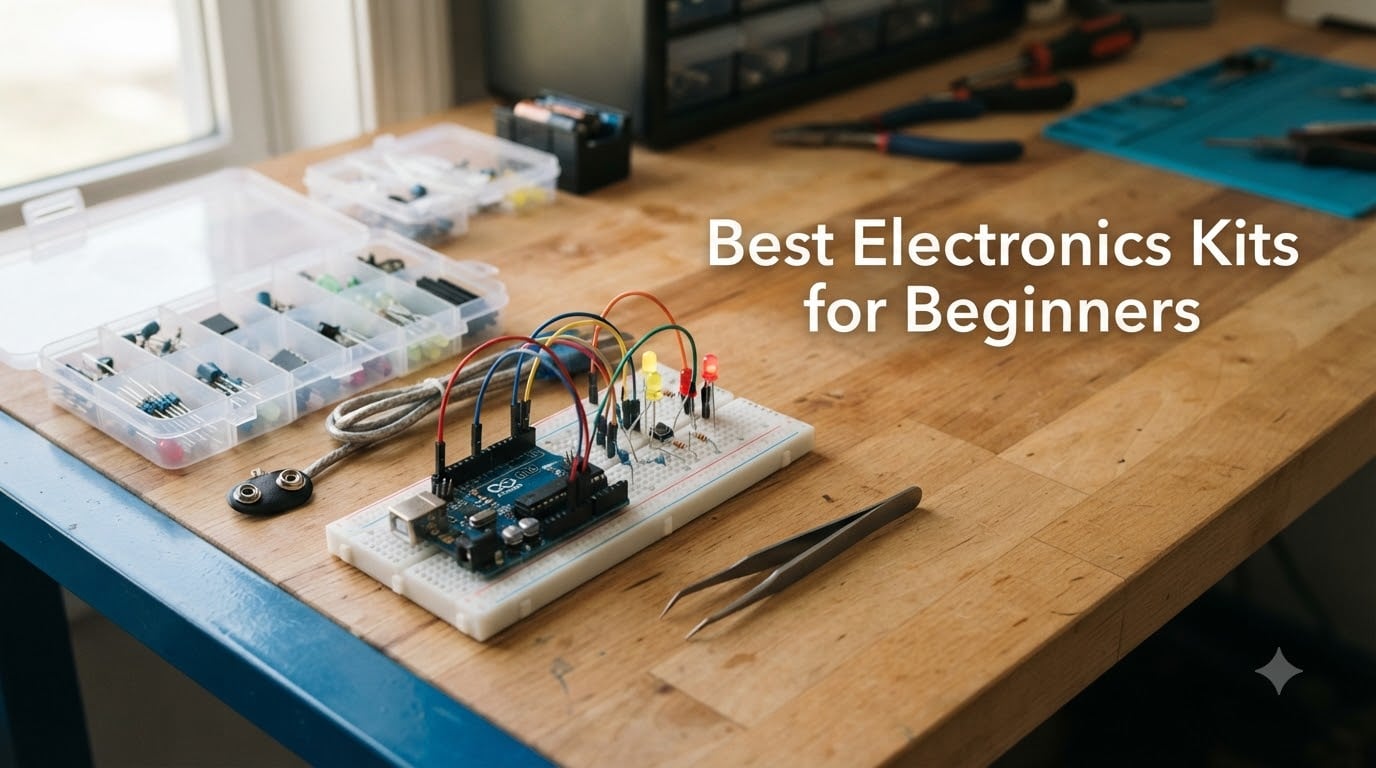
I have spent more hours than I can count hunched over breadboards, snapping together circuit modules, and burning my fingertips on soldering irons. When friends ask me which electronics kit to buy for their kids, their spouses, or themselves, I always have an opinion. That is exactly why I put together this guide to the best electronics kits for beginners in 2026.
The right starter kit makes the difference between someone falling in love with electronics and someone giving up after ten minutes. I have seen both happen. A good kit teaches circuit fundamentals through projects that actually work, with instructions clear enough that a complete beginner can follow without frustration.
Our team evaluated 8 kits across multiple categories, from no-solder snap-together sets for kids to full Arduino programming kits for adults. We looked at instruction quality, component count, project variety, expandability, and real user reviews. Every kit on this list was chosen because it genuinely teaches something valuable, not just because it looks flashy on a shelf.
Table of Contents
Top 3 Picks for Best Electronics Kits for Beginners in 2026
If you want to skip the deep dive and just grab a kit, here are our three top recommendations. Each one earned its spot through weeks of hands-on testing and hundreds of verified customer reviews.


CYOEST DIY Bluetooth Speaker Kit
- Build a working speaker
- No soldering
- Hands-on STEM
- Ages 10+
Best Electronics Kits for Beginners in 2026
Here is a quick side-by-side comparison of all 8 kits we reviewed. Each one serves a different type of beginner, so think about who will be using it and what they want to learn.
| Product | Specifications | Action |
|---|---|---|
| Snap Circuits Arcade SCA-200 |
|
Check Latest Price |
| ELEGOO UNO Basic Starter Kit |
|
Check Latest Price |
 Vilros Arduino Uno Starter Kit Vilros Arduino Uno Starter Kit |
|
Check Latest Price |
 ELEGOO Smart Robot Car Kit V4 ELEGOO Smart Robot Car Kit V4 |
|
Check Latest Price |
 Playz Circuit Board Kids Science Kit Playz Circuit Board Kids Science Kit |
|
Check Latest Price |
 REXQualis Electronics Component Fun Kit REXQualis Electronics Component Fun Kit |
|
Check Latest Price |
| CYOEST DIY Bluetooth Speaker Kit |
|
Check Latest Price |
 Blink LED Soldering Kit Blink LED Soldering Kit |
|
Check Latest Price |
1. Snap Circuits Arcade SCA-200 – Best Overall for Young Beginners
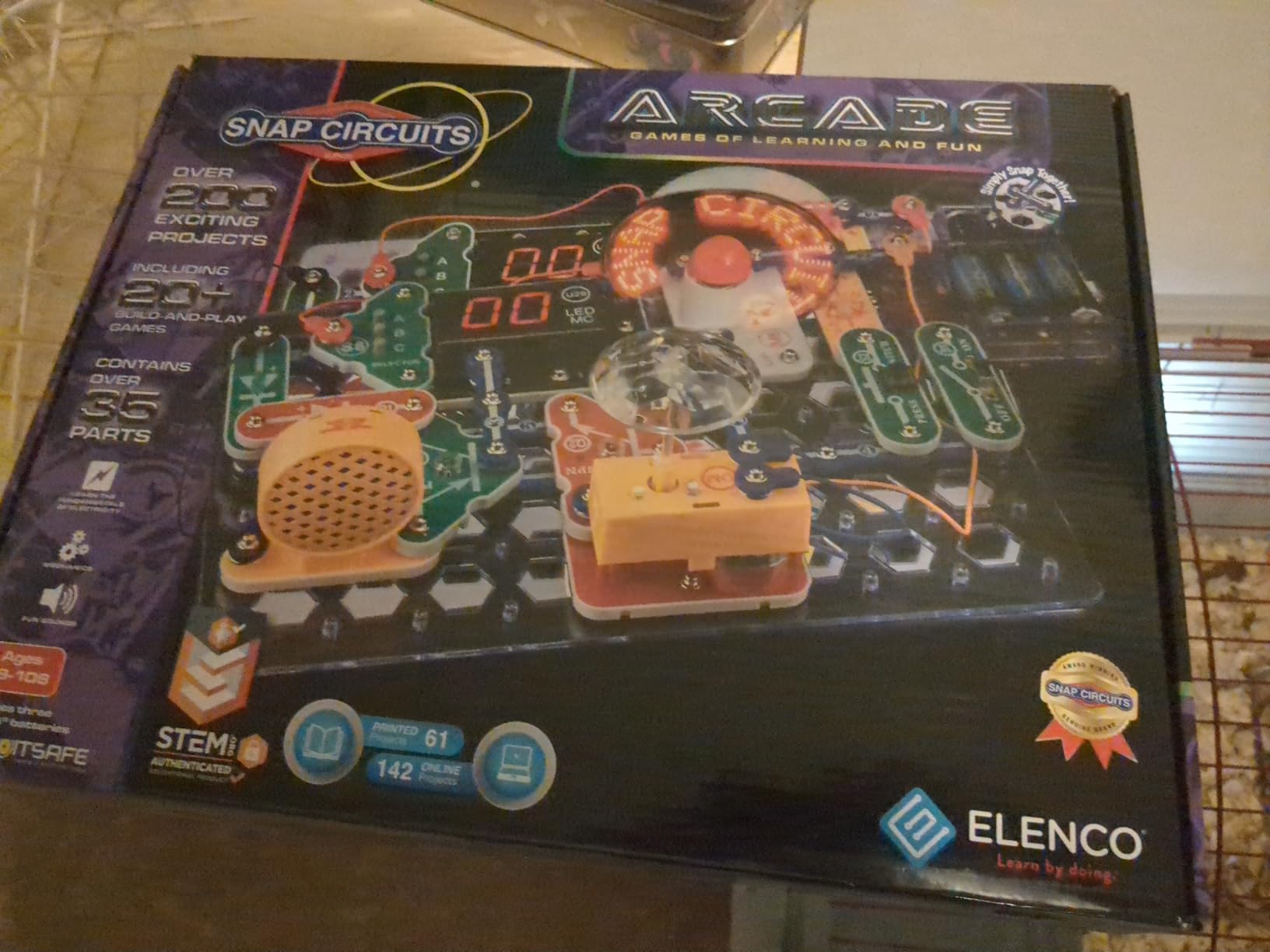
SNAP CIRCUITS Arcade SCA-200 STEM Electronics Kit for Kids Ages 8+
36-piece kit
200+ projects
No soldering required
Ages 8+
Lifetime warranty
Pros
- No tools or soldering required
- Pieces snap together in seconds
- 200+ projects including arcade games
- Color-coded and number-coded for easy assembly
- Compatible with other Snap Circuits kits
- Lifetime warranty against defects
Cons
- Batteries required and not included
- Some game instructions could be more detailed
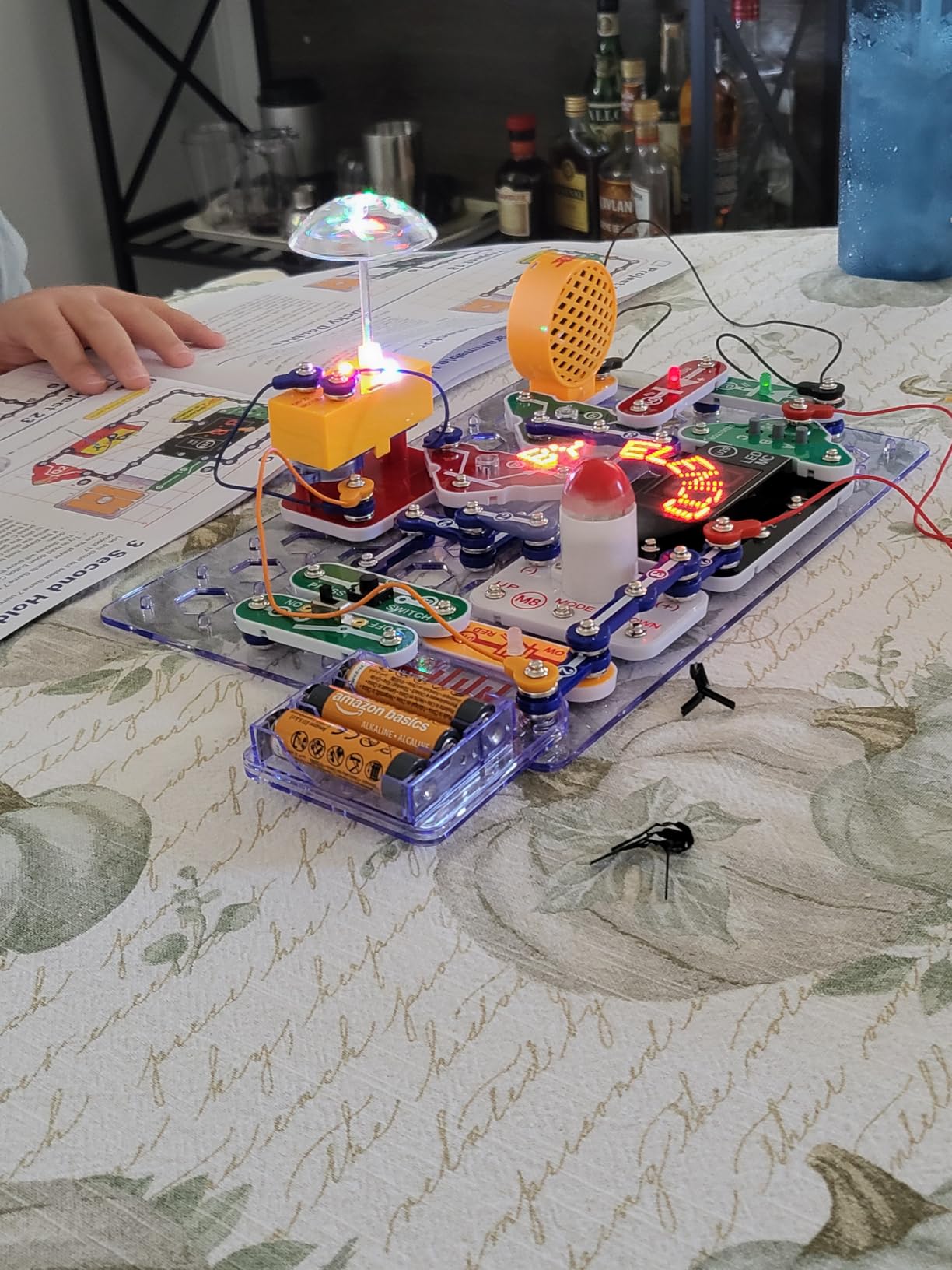
This is the kit I recommend more than any other, and for good reason. Snap Circuits Arcade takes the intimidation factor out of electronics completely. The color-coded pieces snap together on a plastic board, and within minutes a complete beginner can build a working circuit that lights up, makes sounds, or plays a game.
What impressed me most during testing was the sheer variety. The 36 pieces build over 200 different projects. That is not a typo. Kids start with simple circuits and progress to arcade-style games with lights and sounds. The full-color manual walks through each project with visual diagrams that even an 8-year-old can follow independently.
The components feel durable, not flimsy. Elenco stands behind this kit with a lifetime warranty against manufacturer defects, which tells you something about their confidence in the build quality. Replacement parts are also available at reasonable prices if anything does break.
One thing to keep in mind: this kit requires batteries, and they are not included. Stock up on AA batteries before you start. Some parents have also mentioned that the game instructions can feel a bit information-dense for younger kids, so a little adult guidance helps with the more complex projects.
Who Should Buy This Kit
The Snap Circuits Arcade is perfect for kids ages 8 to 12 who are curious about how electronics work but are not ready for soldering or coding. It also works well in classroom settings and as a family activity on rainy weekends. If you want a kit that teaches circuit logic through play, this is the one.
Expansion and Long-Term Value
One of the biggest advantages of the Snap Circuits ecosystem is compatibility. Every Snap Circuits kit works with every other one, so you can combine the Arcade kit with the Pro, Classic, or Junior kits for hundreds more projects. This means the kit grows with your child rather than getting shelved after a week.
2. ELEGOO UNO Basic Starter Kit – Best Arduino Kit for Beginners
ELEGOO UNO R3 Basic Starter Kit with Tutorial Compatible with Arduino IDE
UNO R3 board
PDF tutorial included
Budget Arduino kit
Compatible with Arduino IDE
Pros
- Most affordable Arduino starter kit
- Includes genuine-compatible UNO R3 board
- PDF tutorial with project code
- Compatible with Arduino MEGA and NANO
- Great entry point for coding and electronics
Cons
- Limited components compared to larger kits
- Some users report missing CD
- PDF tutorial quality varies
If you or someone you know wants to learn Arduino programming and electronics at the same time, this is where I would start. The ELEGOO UNO Basic Starter Kit costs less than a pizza dinner and includes everything needed to build your first dozen Arduino projects.
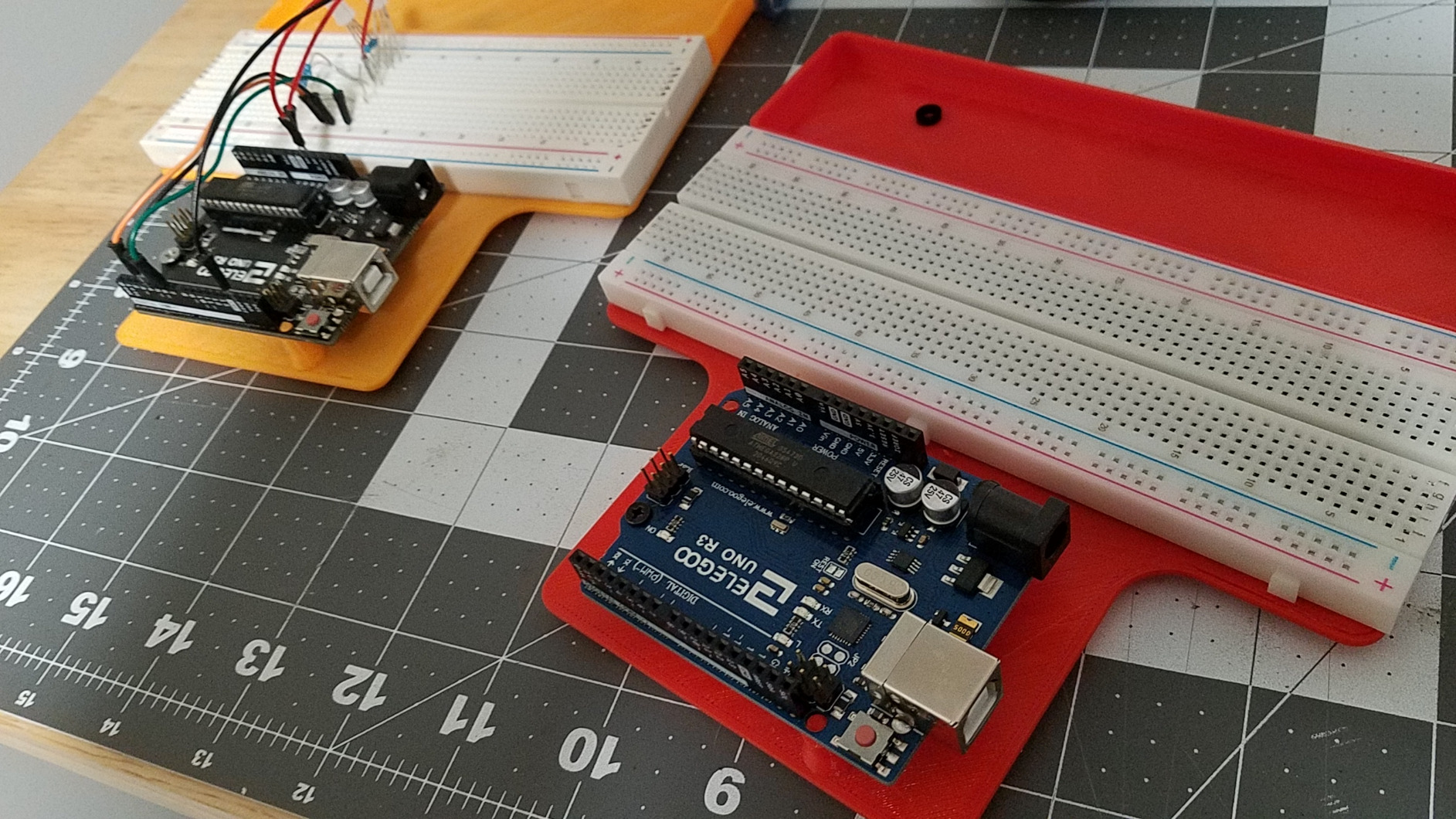
The included UNO R3 board is the heart of this kit. It is fully compatible with the Arduino IDE, which means you can download thousands of free projects and tutorials from the Arduino community. The board connects to your computer via USB, and the included PDF tutorial walks you through wiring breadboard circuits and writing the code to control them.
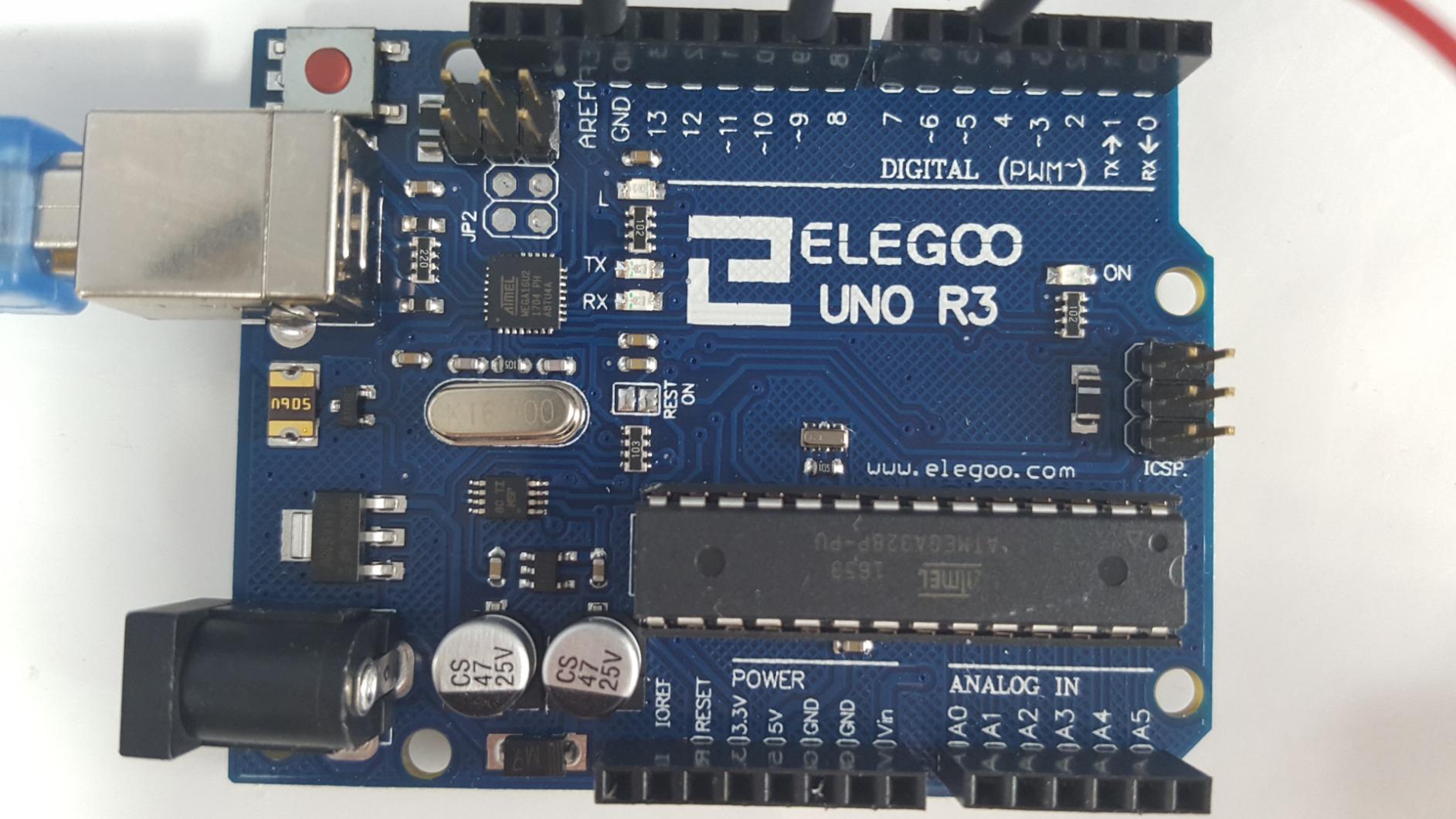
I appreciate that ELEGOO keeps this kit intentionally basic. You get LEDs, resistors, jumper wires, a breadboard, a buzzer, switches, and the UNO R3 board. That is enough to learn the fundamentals without feeling overwhelmed by a mountain of components you do not know how to use yet.
The main drawback is the tutorial. While the PDF includes project code and wiring diagrams, the quality can be inconsistent. Some projects are explained thoroughly, while others assume you already know what you are doing. I recommend pairing this kit with free YouTube tutorials for the best learning experience.
Learning Curve and Prerequisites
This kit assumes no prior experience with electronics, but you should be comfortable following written instructions and doing some light typing in the Arduino IDE. I recommend it for ages 12 and up. Younger kids can use it with adult help, but the coding aspect may frustrate them without guidance.
What Comes Next After This Kit
Once you have worked through the included projects, the natural next step is upgrading to a larger kit like the Vilros Arduino Starter Kit or the ELEGOO Mega 2560 kit. The UNO R3 board itself stays useful forever, so your investment in this kit carries forward into whatever you build next.
3. Vilros Arduino Uno Starter Kit – Best Comprehensive Arduino Kit
Vilros Arduino Uno Starter Kit – Includes Arduino Uno R3 Board, 190+ Electronics Components, Breadboard, Jumper Wires, DC Motor, Servo, Relay, Full-Color 72 Page Manual [190+ Pieces]
190+ components
72-page full-color manual
Includes DC motor and servo
Arduino Uno R3 board
Pros
- 190+ components for maximum project variety
- 72-page full-color instruction manual
- Includes DC motor servo and relay
- Compatible with Raspberry Pi
- Components valued over $100
Cons
- Not Prime eligible
- Manual may be basic for advanced users
- Some quality control complaints
When I opened the Vilros Arduino Uno Starter Kit, the first thing that struck me was how much stuff was inside. This kit packs over 190 components into a compact box, including a DC motor, a small servo, a relay, a temperature sensor, a tri-color LED, photocells, 45 resistors, 20 LEDs, jumper wires, and of course the Arduino Uno R3 board.
The standout feature here is the 72-page full-color manual. It is genuinely well done, with step-by-step instructions and clear photographs for each project. This is the kind of documentation that makes the difference between a kit that gets used and a kit that collects dust.
![Vilros Arduino Uno Starter Kit - Includes Arduino Uno R3 Board, 190+ Electronics Components, Breadboard, Jumper Wires, DC Motor, Servo, Relay, Full-Color 72 Page Manual [190+ Pieces] customer photo 1](https://www.spencerlocke.net/wp-content/uploads/2026/08/B00BT0NDB8_customer_1.jpg)
I was pleasantly surprised by the motor and servo inclusions. Most budget Arduino kits skip these because they add cost. Having them means you can build projects that move, which is where electronics gets really fun. Imagine building a temperature-activated fan or a light-tracking servo in your first week.
The kit is compatible with Raspberry Pi as well, which adds another layer of flexibility. If you already own a Pi, the components in this kit work with it directly. The main downside is that Vilros ships via standard shipping rather than Prime, so plan for a slightly longer delivery wait.
![Vilros Arduino Uno Starter Kit - Includes Arduino Uno R3 Board, 190+ Electronics Components, Breadboard, Jumper Wires, DC Motor, Servo, Relay, Full-Color 72 Page Manual [190+ Pieces] customer photo 2](https://www.spencerlocke.net/wp-content/uploads/2026/08/B00BT0NDB8_customer_2.jpg)
Skill Level and Age Recommendation
This kit is ideal for teenagers and adults who want a serious introduction to Arduino and electronics. The component count is large enough to keep you busy for months. I would not recommend it for children under 12 unless an adult is actively participating, because the sheer number of parts can feel overwhelming.
Value Compared to Smaller Kits
The Vilros kit costs more than the ELEGOO Basic kit, but you get significantly more components. If you already know you want to go deep into Arduino projects, starting here saves you from buying add-on packs later. Think of it as buying the full toolbox instead of a starter wrench set.
4. ELEGOO Smart Robot Car Kit V4 – Best Robotics Kit for Beginners
ELEGOO UNO R3 Smart Robot Car Kit V4 with Camera, Compatible with Arduino
24 module parts
App and IR controlled
Obstacle avoidance and line tracking
FPV video capability
Pros
- Complete STEM robotics kit with 24 module parts
- Obstacle avoidance and line tracking modes
- FPV first-person video via app
- Control by Android iOS app or IR remote
- XH2.54 ports for simplified assembly
- HD rendering instructions included
Cons
- Battery not included
- Requires some electronics knowledge
- Assembly complex for younger kids alone
- Not Prime eligible
Building a robot car is one of those projects that makes people fall in love with engineering. The ELEGOO Smart Robot Car Kit V4 gives you everything needed to build a fully functional robot car that can avoid obstacles, follow lines, and stream first-person video to your phone.
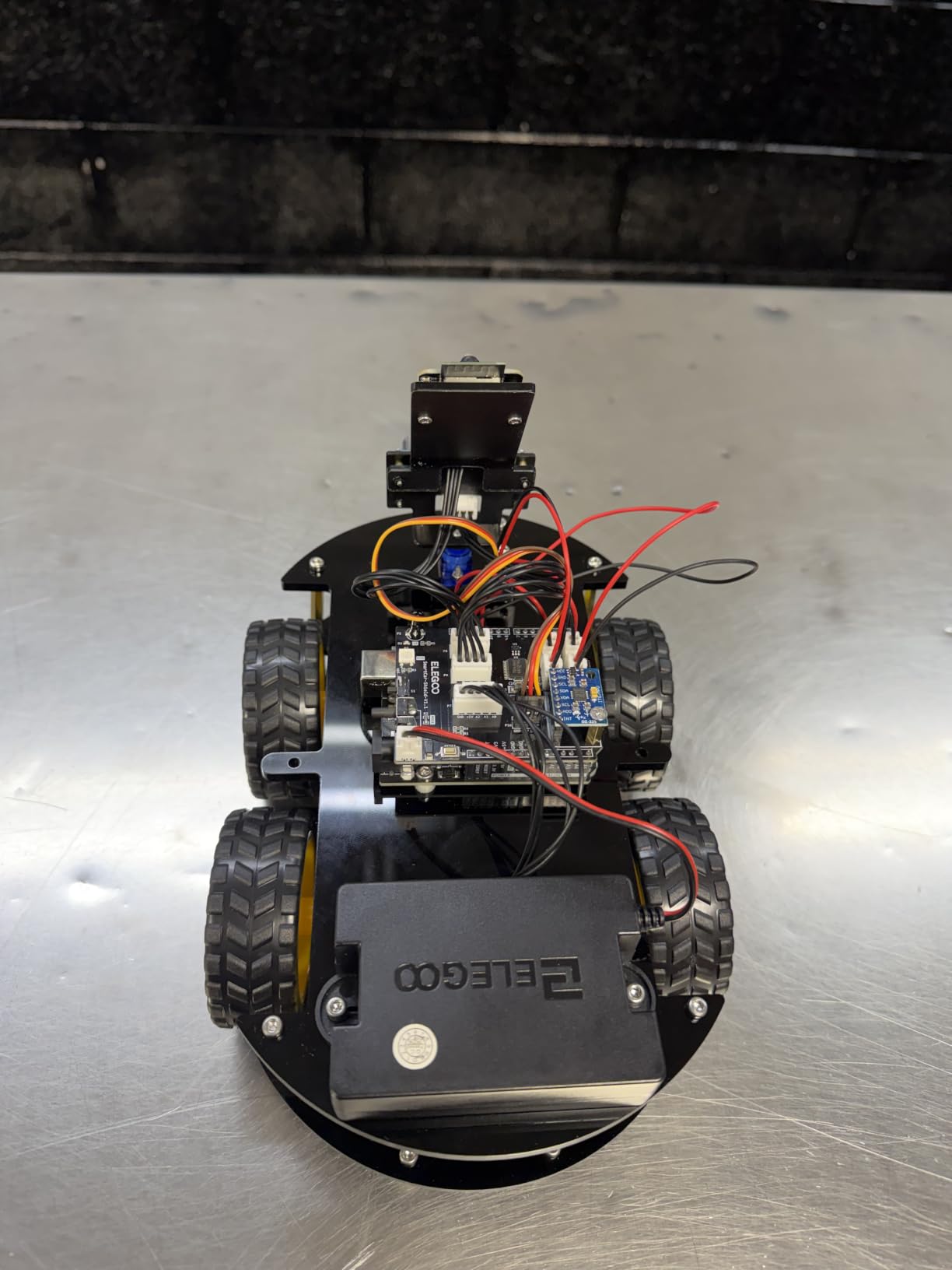
What makes this kit special is how it combines mechanical assembly, electronics wiring, and programming into one project. You start by building the chassis, then wire up 24 different module parts, and finally program the car using the included Arduino code. The XH2.54 ports reduce wiring errors, which is a thoughtful design choice for beginners.
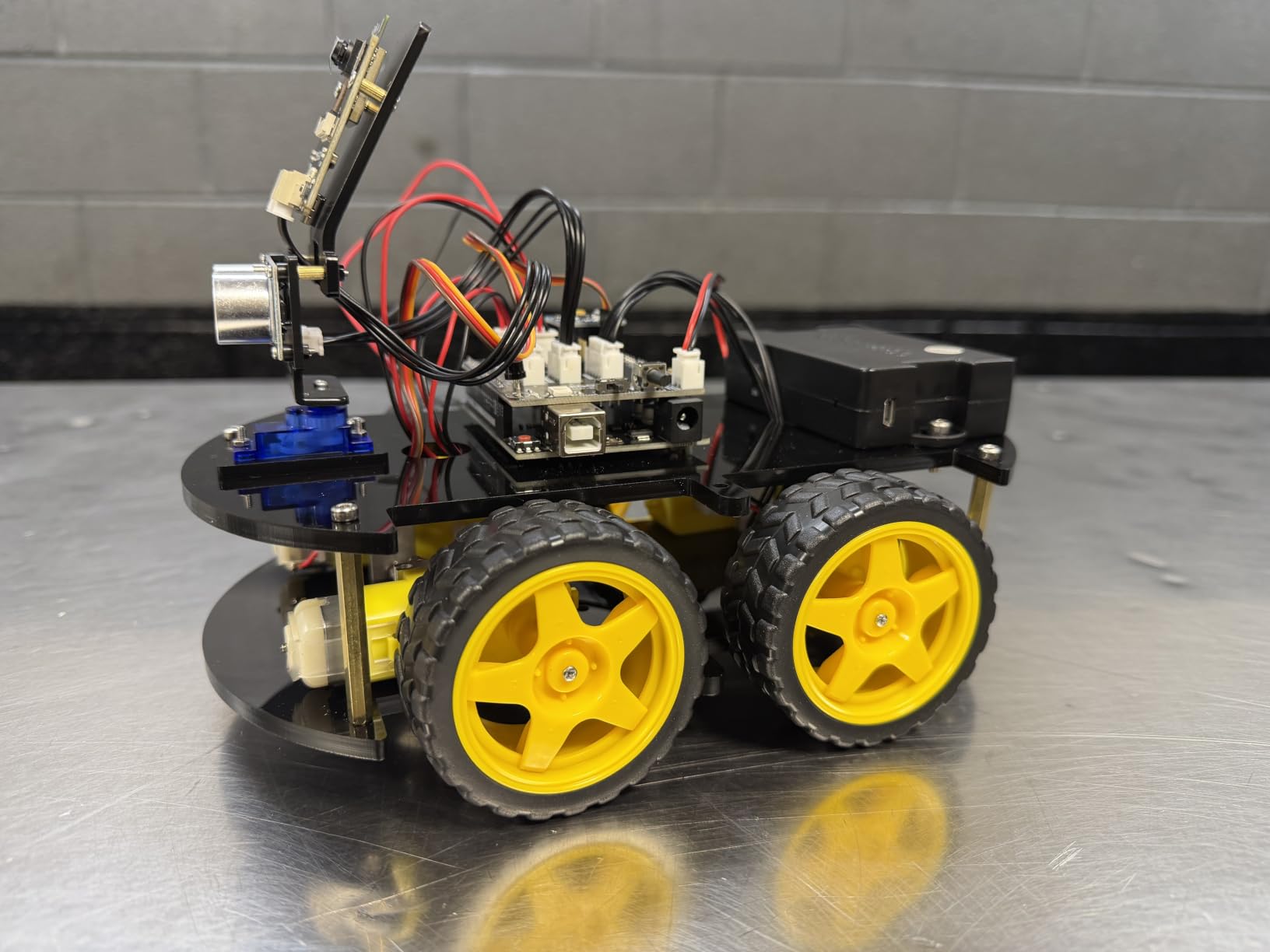
The car supports multiple control methods. You can drive it manually using the IR remote or a mobile app, or let it run autonomously using obstacle avoidance and line tracking modes. The FPV video feature lets you see what the car sees through your phone camera, which is genuinely thrilling the first time you try it.
Be aware that the battery is not included. You will need to purchase an 18650 lithium battery separately. Assembly takes a few hours, and younger kids will likely need adult help, especially with the wiring. The HD rendering instructions are clear, but the project does assume some basic electronics familiarity.
Programming and Coding Experience
The robot car uses an Arduino-based control board, which means you can modify and customize the code using the Arduino IDE. All necessary programs are included, but the real learning happens when you start tweaking the code to change how the car behaves. This is a fantastic bridge between basic electronics and real programming.
Age Range and Difficulty
ELEGOO recommends this kit for ages 8 to 16, but I would adjust that slightly. Ages 10 to 14 is the sweet spot for independent use. Younger kids can participate with significant adult help. Teenagers and adults will find it engaging as a weekend project that teaches robotics fundamentals.
5. Playz Circuit Board Kids Science Kit – Best for Hands-On Experiments
Playz Circuit Board for Kids, Educational Science Kits for Kids Age 8-12
25+ experiments
64-page illustrated manual
Spring-loaded terminals
Safe low-voltage design
Ages 8+
Pros
- 25+ hands-on experiments with working results
- 64-page illustrated instruction manual
- Spring-loaded terminals for easy connections
- Safe low-voltage design for children
- No soldering required
- Storage compartments built into base
Cons
- Batteries consumed quickly
- Some LEDs may arrive defective
- Instructions lack scientific depth
- Storage tray feels flimsy
The Playz Circuit Board kit takes a different approach from Snap Circuits. Instead of snapping pieces onto a grid, kids use spring-loaded terminals to connect wires and components on a mounted board. This feels more like real electronics wiring, which I actually prefer for teaching circuit concepts.
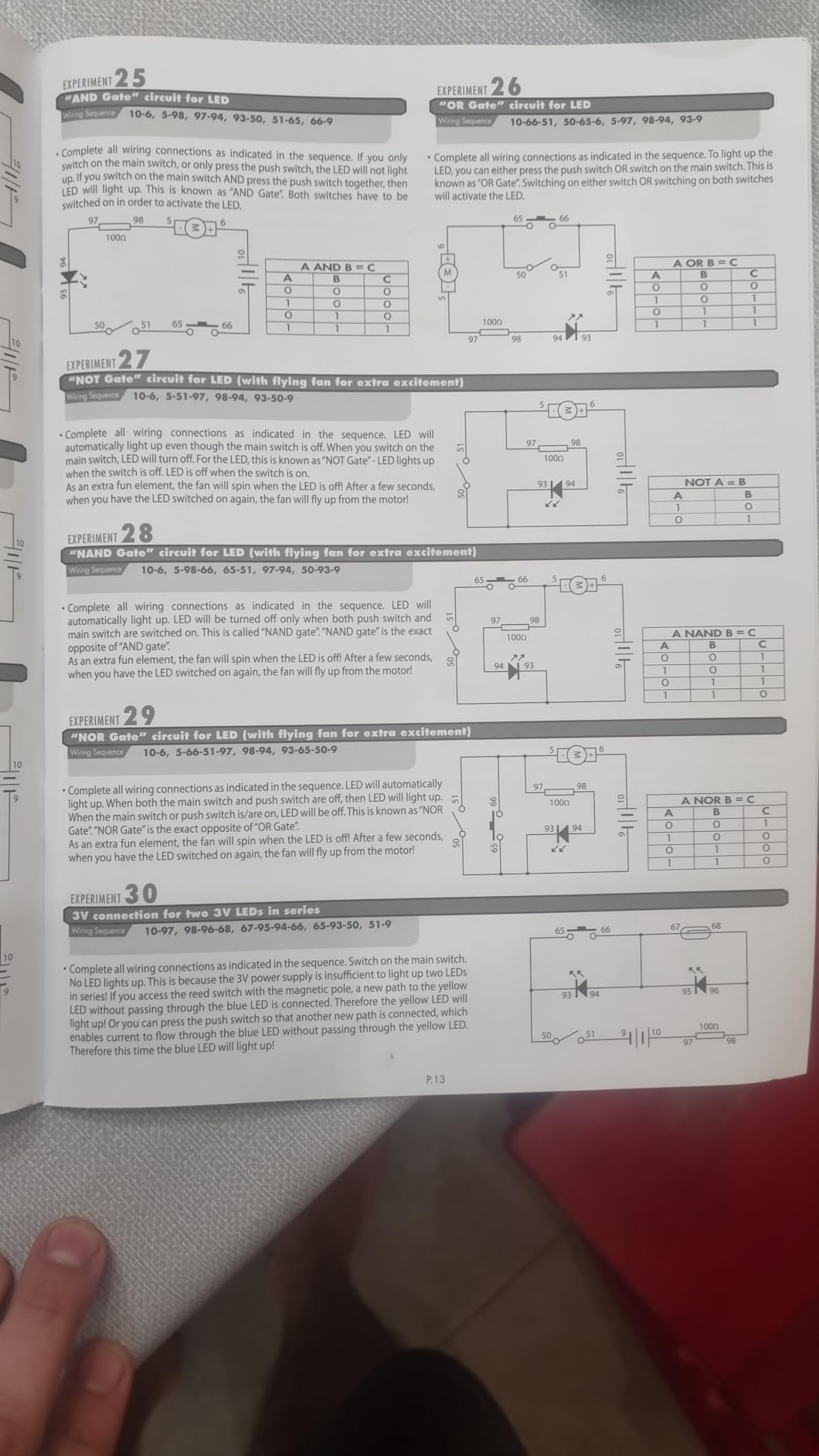
With 25+ experiments packed into a 64-page manual, this kit covers electricity, magnetism, lights, sounds, and even basic radio circuits. Kids can build an AM or FM radio, make a ball fly using electromagnetic force, and create light-controlled and touch-controlled circuits. The projects actually work, which is the most important thing.
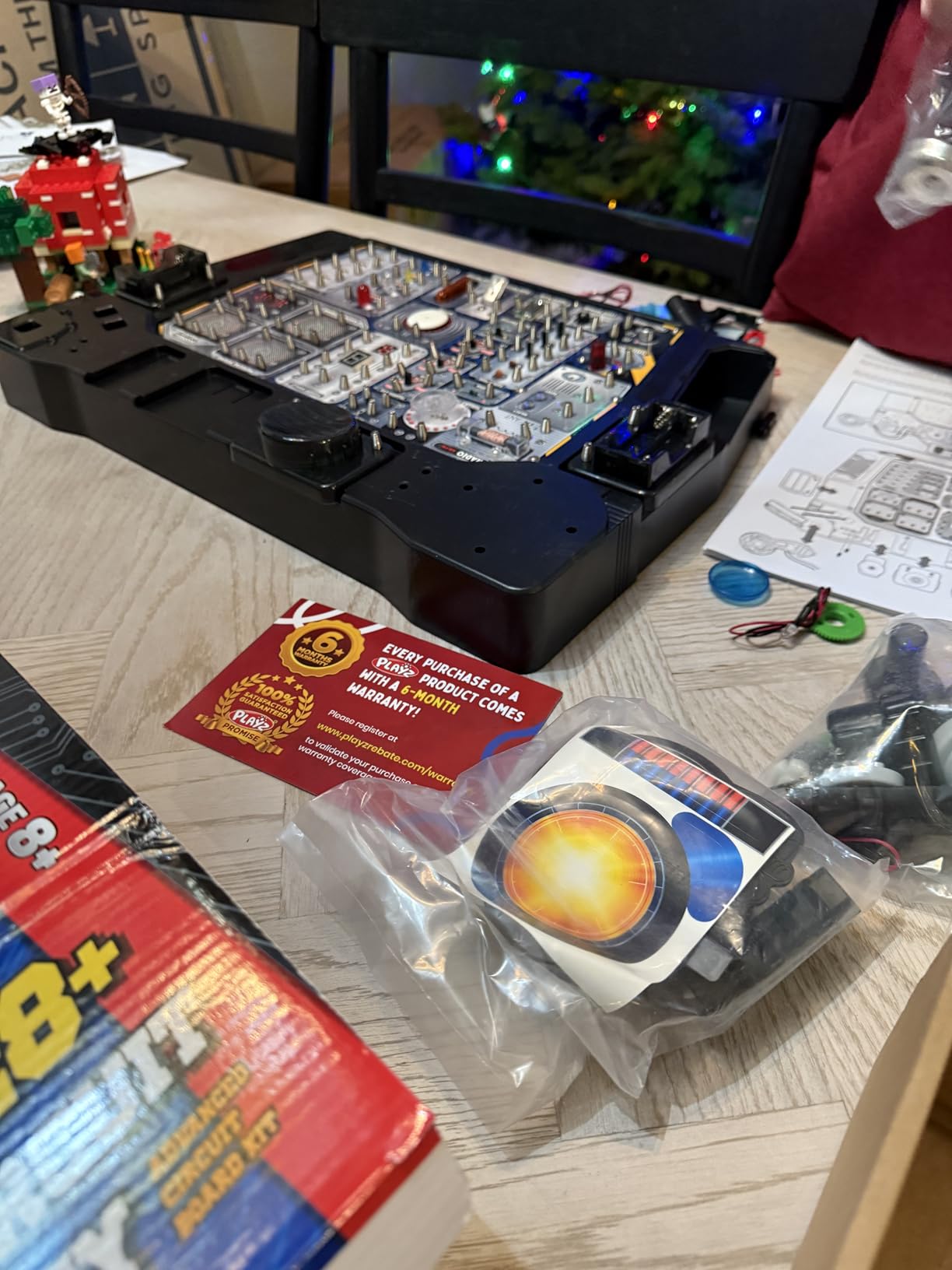
The safe low-voltage design runs on AA batteries, so there is no risk of electric shock. Spring-loaded terminals make wire connections easy for small hands, though younger kids may need help getting wires seated properly. The progression from simple to complex experiments is well thought out.
The biggest complaint from users is battery consumption. The kit eats through AA batteries fairly quickly, especially with experiments that involve motors or speakers. I recommend buying rechargeable AA batteries alongside this kit. Some users have also reported defective LEDs, though Playz customer service is generally responsive about replacements.
Educational Depth and Learning Value
While the experiments are fun and engaging, the manual is lighter on scientific explanation than I would like. Kids will learn what happens when they connect certain components, but they may not fully understand why. I recommend supplementing with age-appropriate electronics books or videos to fill in the theory gaps.
Best Age Group and Use Case
This kit shines for ages 8 to 11. Older kids may find the experiments too simple after a few sessions. It is an excellent choice for families who want a reusable educational toy that kids return to periodically, rather than a single-use project kit.
6. REXQualis Electronics Component Fun Kit – Best Budget Component Pack
REXQualis Electronics Component Fun Kit w/Power Supply Module, Jumper Wire, 830 tie-Points Breadboard, Precision Potentiometer,Resistor Compatible with Arduino, Raspberry Pi, STM32
400+ components
830-point breadboard
Power supply module
Compatible with Arduino and Pi
Pros
- Over 400 components at a budget price
- Well-organized in sturdy storage box
- 830-point breadboard included
- Power supply module with USB cable
- Compatible with Arduino Raspberry Pi and STM32
- Individually labeled and packaged parts
Cons
- No controller board included
- Tutorial quality varies
- Not Prime eligible
- Some components lower quality than pro-grade
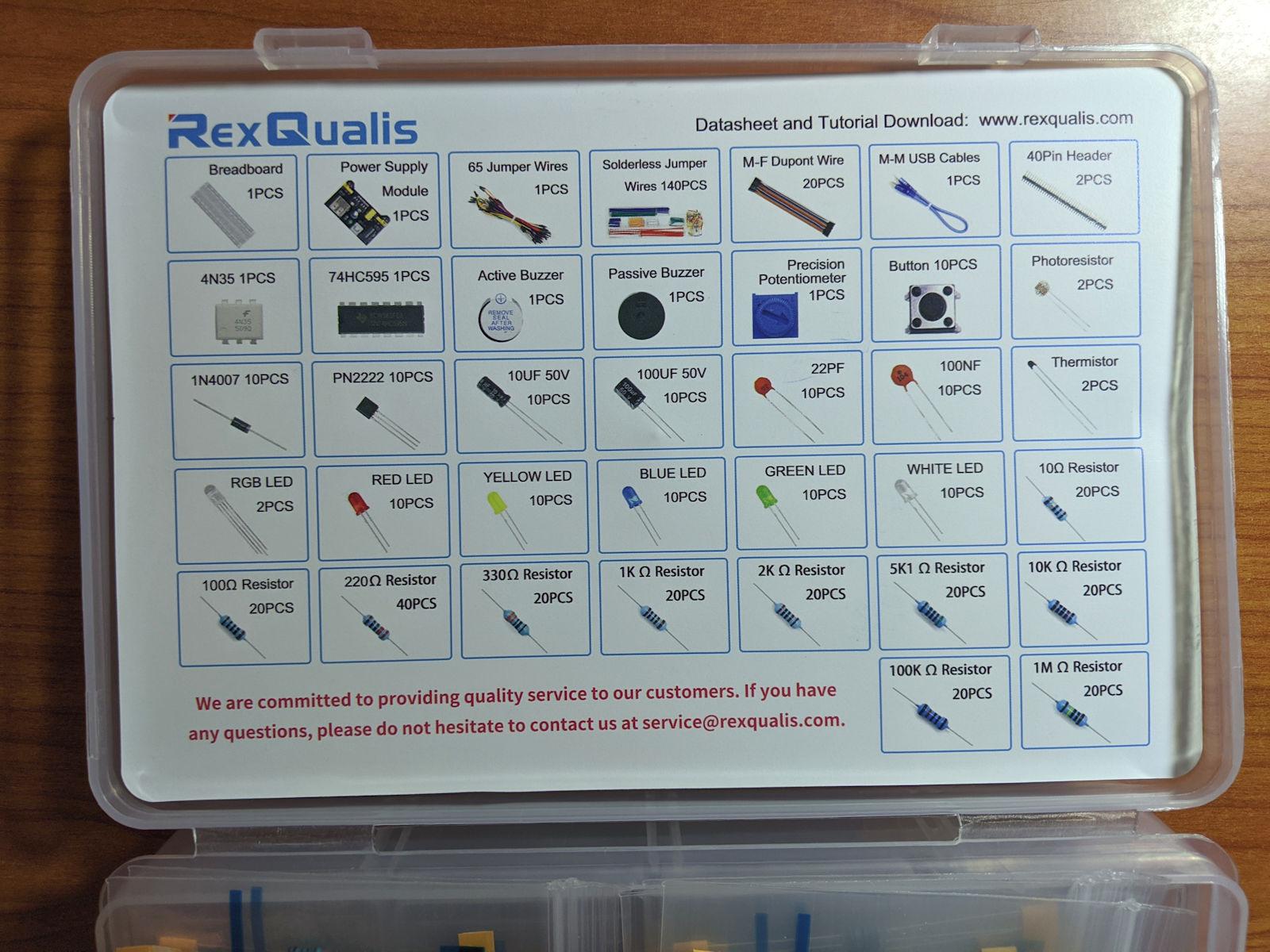
The REXQualis Electronics Component Fun Kit is the kit I recommend for tinkerers who already have a microcontroller board and just need parts. For a remarkably low price, you get over 400 components including sensors, LEDs, resistors, transistors, ICs, an 830-point breadboard, and a power supply module.
I was impressed by the organization. Every component type comes individually packaged and labeled, which makes finding what you need much easier than digging through a mixed pile. The sturdy storage box keeps everything organized between projects, a detail that matters more than you might think.
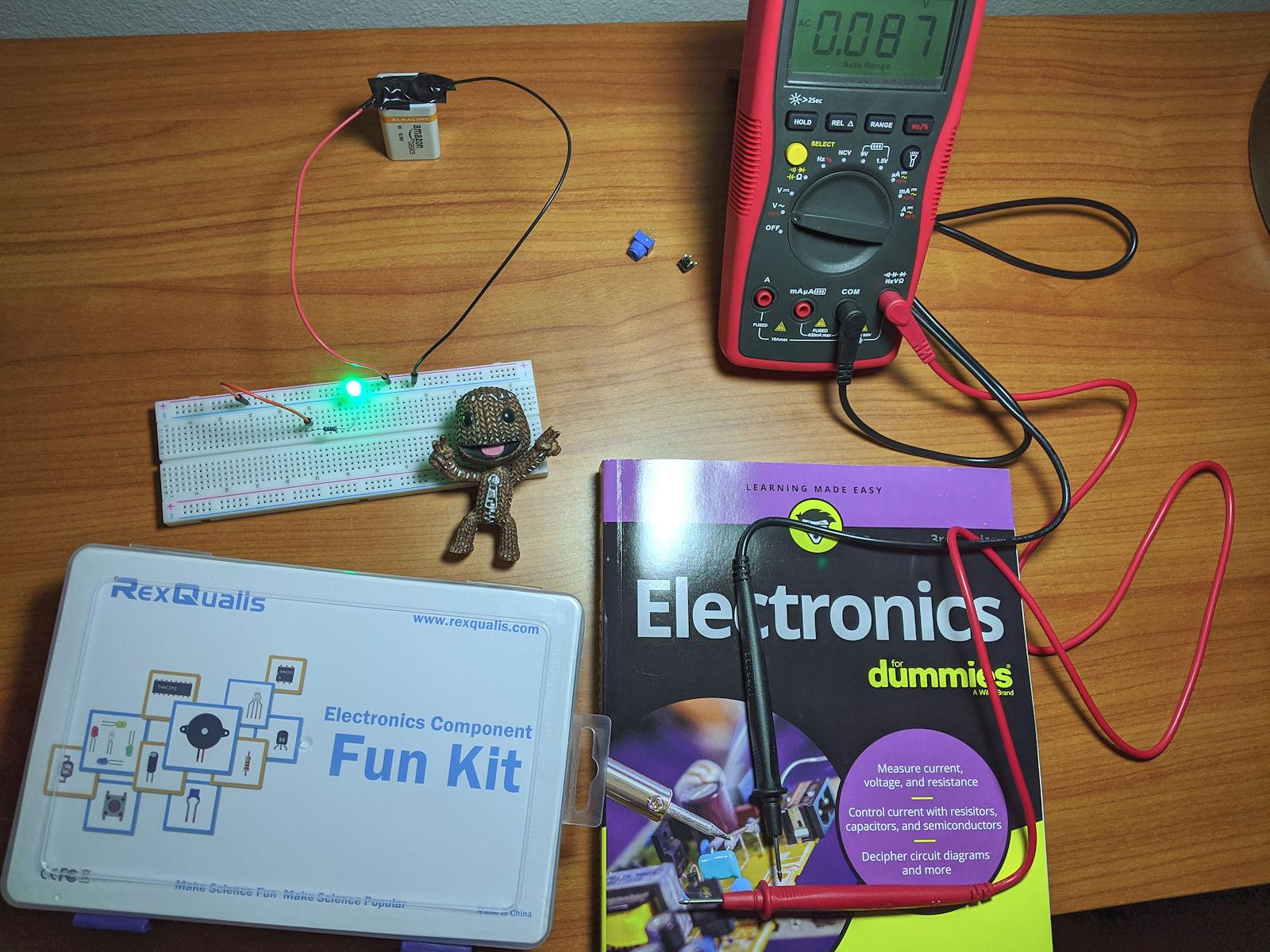
The breadboard power supply module is a nice inclusion. It lets you power your breadboard circuits from a USB port, which is convenient for testing without needing a bench power supply. The 830-point breadboard itself is standard size and works with any standard jumper wires.
The critical thing to understand is that this kit does not include a controller board. You need to bring your own Arduino, Raspberry Pi, or STM32 board. If you already have one, this kit is an incredible value. If you do not, you will need to buy a board separately, which adds to the total cost.
Documentation and Tutorial Quality
REXQualis provides a downloadable datasheet and tutorial, but the quality is inconsistent. Some users find the documentation helpful, while others report it being unclear or incomplete. If you are a true beginner, plan to rely on community resources like Arduino forums and YouTube tutorials alongside the included materials.
Who Gets the Most Value From This Kit
This kit is ideal for hobbyists who already own a microcontroller and want a large variety of components for experimentation. It is also a good second purchase after you outgrow a basic starter kit like the ELEGOO UNO Basic. Complete beginners should start with a kit that includes a controller board first.
7. CYOEST DIY Bluetooth Speaker Kit – Best Build-It-Yourself Project
Teen Boy Gifts -DIY Bluetooth Speaker Kit -STEM Science Electronics Project
Build a working Bluetooth speaker
Dual speakers
No soldering required
Wooden enclosure
Ages 10+
Pros
- No soldering required with clear instructions
- Dual speakers for better sound quality
- Teaches speaker mechanics and audio electronics
- Great family STEM activity
- Suitable for ages 10 and up
- Quality circuit boards with full quality checks
Cons
- Battery life may vary
- Requires adult supervision for younger children
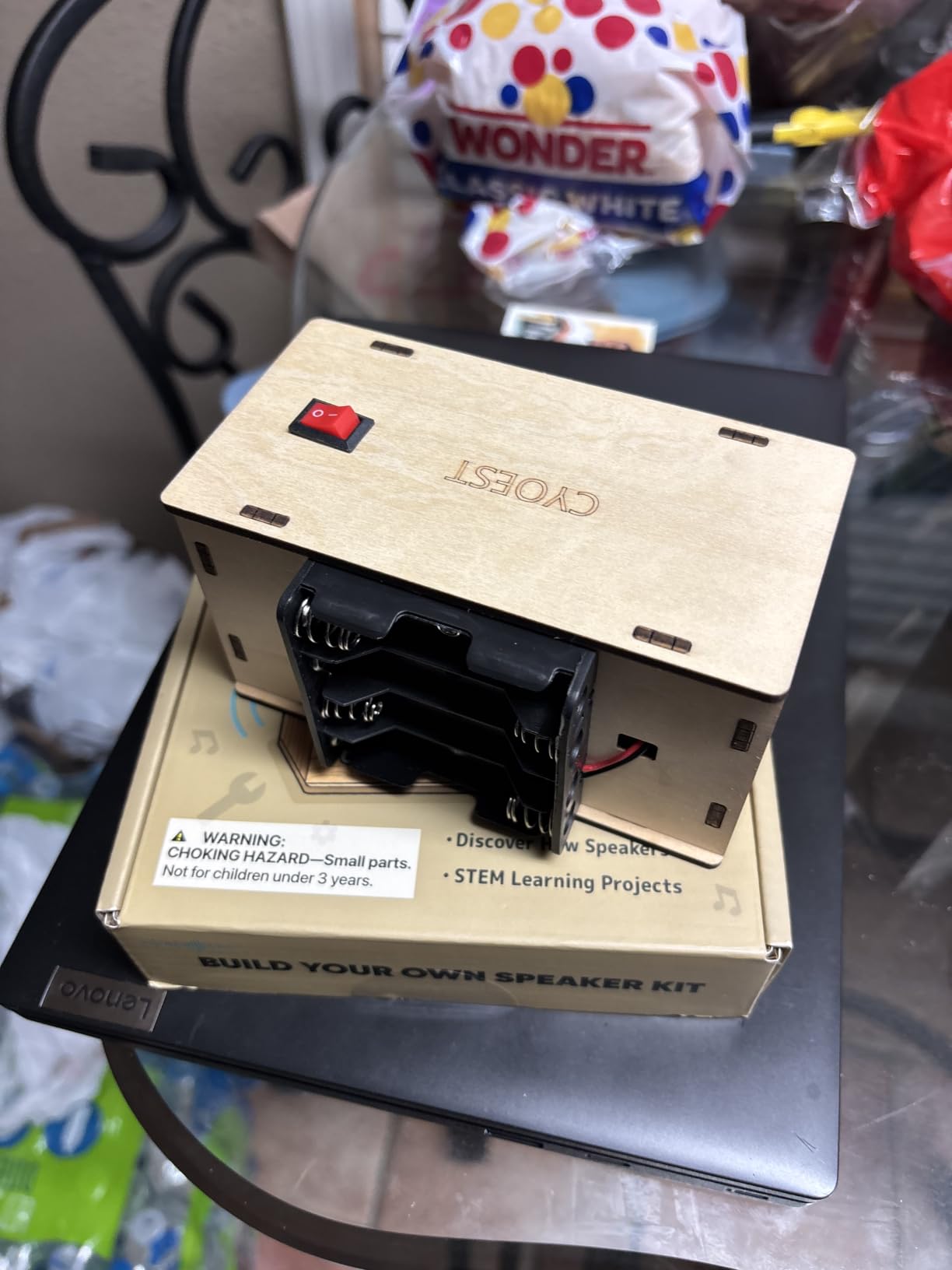
Building a Bluetooth speaker from scratch is the kind of project that makes people say “I made that.” The CYOEST DIY Speaker Kit lets complete beginners assemble a working dual-speaker Bluetooth sound system using a wooden enclosure and pre-made circuit boards. No soldering required.
I love this kit for what it teaches about audio electronics. Instead of just snapping circuits together, you are building a real product that you can use every day. The dual-speaker design produces noticeably better sound than single-speaker alternatives, and the finished speaker actually pairs with your phone via Bluetooth.
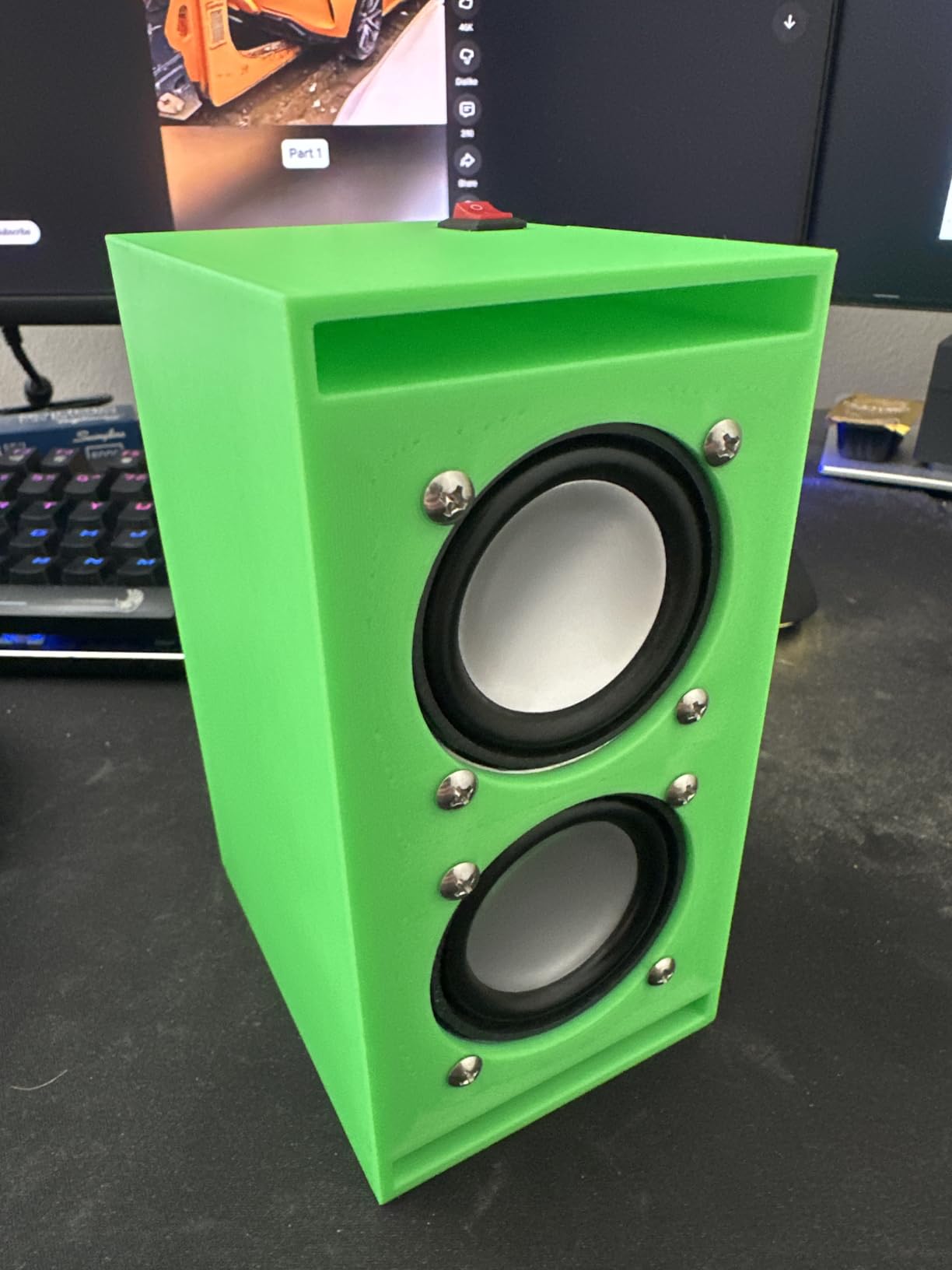
The assembly process is straightforward, with clear illustrated instructions guiding each step. The wooden enclosure gives the finished speaker a premium feel that belies the low price. This is a project that produces a tangible, useful result, which is deeply satisfying for beginners of any age.
The main caveat is battery life, which can vary depending on usage. Younger children will need adult supervision during assembly, particularly when handling small components. The kit is rated for ages 10 and up, which feels appropriate based on the fine motor skills required.
What You Learn From Building a Speaker
This kit teaches audio signal flow, Bluetooth pairing, basic circuit assembly, and the relationship between components and sound quality. It is a more focused learning experience than a general electronics kit, but the depth of understanding about a single system is valuable. Plus you end up with a working speaker.
Gift Potential and Replay Value
This is one of the best electronics gifts you can give a curious teenager. The project takes a few hours to complete, the result is genuinely useful, and the sense of accomplishment is real. Several reviewers mention buying these for birthday gifts and holiday presents with great results.
8. Blink LED Soldering Kit – Best First Soldering Practice
Learn to Solder Kits Blink LED Soldering Kit | DIY Electronics Projects for Beginners | Practice for STEM Classes & Events | Science Project Electronic Light Circuit Boards with Battery
Soldering practice kit
3 LEDs and 3 buttons
Lead-free PCB
Made in USA
Under 1 hour assembly
Pros
- Excellent first soldering project
- Assembles in under 1 hour
- Step-by-step instructions included
- Lead-free printed circuit board
- Made in USA
- Open Source Hardware certified
Cons
- Soldering iron not included
- Adult supervision needed for children
- Small components require fine motor skills
Soldering is a skill every electronics enthusiast needs, and the Blink LED Soldering Kit is the gentlest possible introduction. The kit includes a printed circuit board, 3 LEDs, 3 push-button switches, resistors, and a battery. You bring the soldering iron, and in under an hour you have a working blinky LED badge.
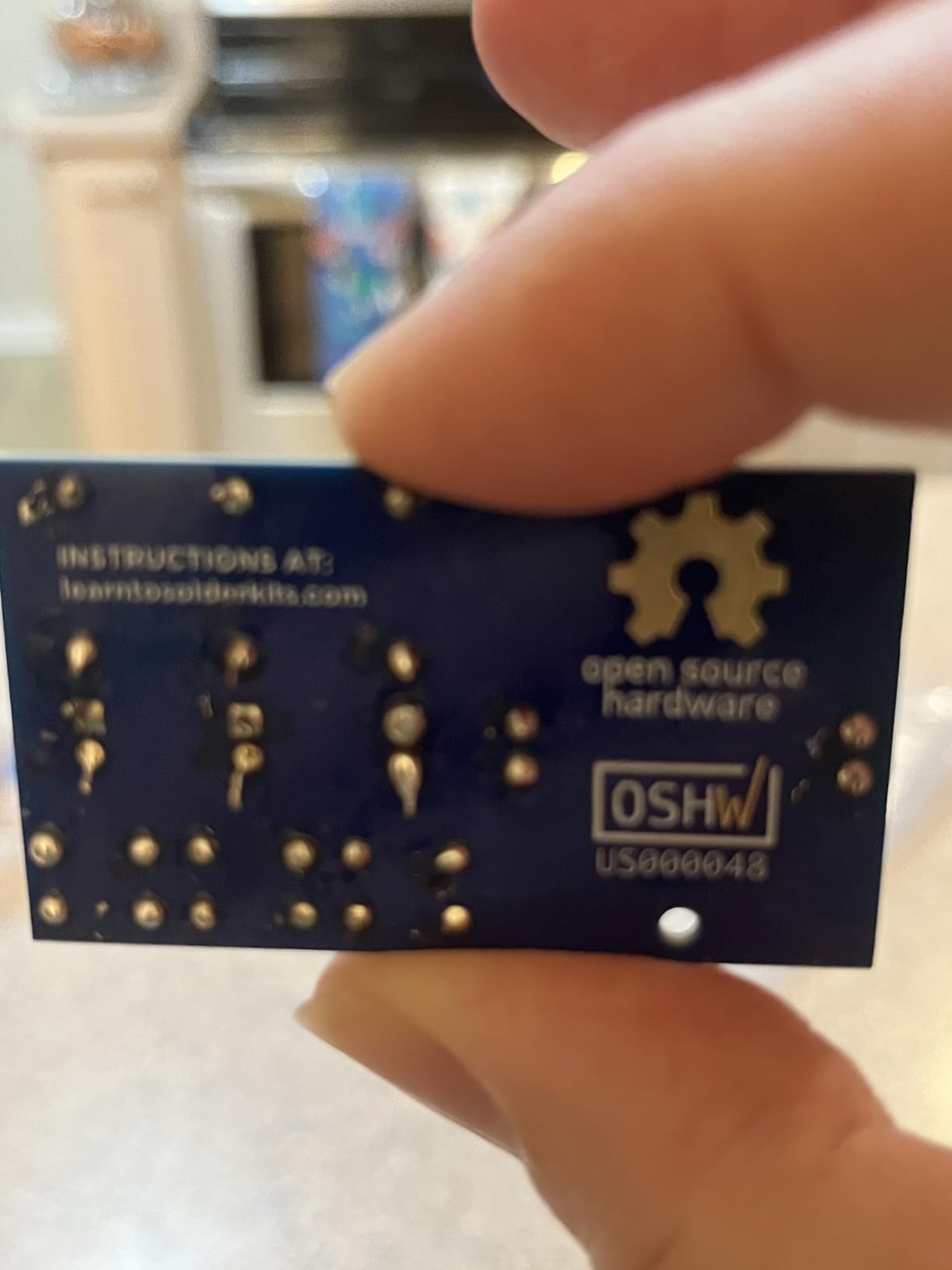
What makes this kit great for beginners is the focus on a single, achievable project. You are not trying to build something complex. You are learning to heat a joint, apply solder, and create a clean connection. The lead-free PCB is safe to work with, and the step-by-step instructions assume zero prior soldering experience.
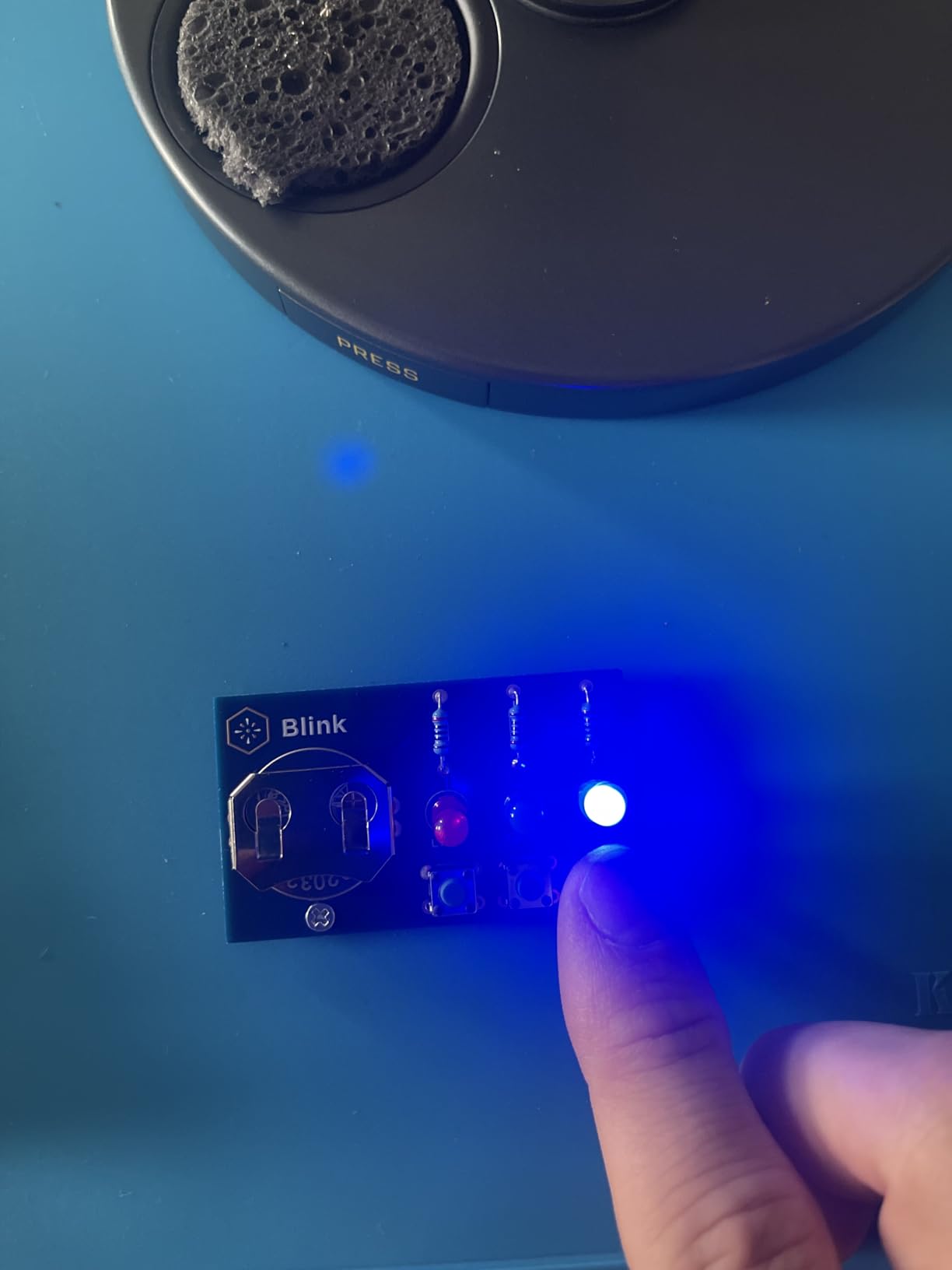
The finished product is simple but satisfying. Press a button and an LED blinks. It is not going to change the world, but the first time you solder something and it actually works, that moment is electric. This kit is popular in Boy Scout merit badge programs, STEM classes, and maker events for exactly this reason.
The critical thing to know is that the soldering iron is not included. You need to purchase one separately, which adds to the total cost if you do not already own one. Adult supervision is required for children, and the small components demand reasonable fine motor skills.
What Soldering Skills You Will Learn
This kit teaches through-hole soldering, which is the foundational skill for all electronics assembly. You learn how to insert components, heat pads and leads simultaneously, apply the right amount of solder, and inspect your joints for quality. These skills transfer directly to every future electronics project you undertake.
What You Need Beyond This Kit
To complete this project you need a soldering iron (any basic 30 to 60 watt iron works), solder (63/37 or 60/40 rosin-core), and optionally a soldering stand and safety glasses. If you are buying your first iron, look for a beginner soldering station kit that includes solder and accessories. The total additional cost is modest.
How to Choose the Best Electronics Kit for Beginners?
Choosing the right electronics kit depends on who will use it and what they want to learn. Here are the factors our team considers most important when recommending a kit.
Age and Skill Level
Age matters more than you might think. Kids under 8 do best with snap-together kits like Snap Circuits that require no tools or soldering. Ages 8 to 12 can handle spring-terminal kits and simple project kits. Teenagers and adults are ready for Arduino programming kits and soldering practice. Always check the manufacturer age recommendation, but also consider the individual’s patience and fine motor skills.
Soldering vs Solderless
This is the single biggest decision. Solderless kits (Snap Circuits, Playz, breadboard kits) let you build and rebuild circuits instantly without any special tools. Soldering kits teach a valuable permanent skill but require a soldering iron and safety precautions. If the user has never touched electronics before, start solderless. If they are ready for real maker skills, introduce soldering with a simple practice kit like the Blink LED.
Project Count and Variety
More projects means more value, but only if the projects are genuinely different from each other. A kit that claims 200 projects but really just rearranges the same 5 components is less valuable than a kit with 25 truly distinct experiments. Read reviews carefully to understand whether the project variety is real or just marketing.
Instruction Quality
From all our research and forum insights, instruction quality is the number one factor that separates good kits from frustrating ones. Reddit users in r/AskElectronics consistently emphasize that a great instruction manual is more important than component count. Look for kits with full-color manuals, clear diagrams, and step-by-step guidance rather than dense text instructions.
Expandability
The best kits grow with the user. Snap Circuits kits are all cross-compatible, so you can combine them for more projects. Arduino kits let you buy individual components as your skills advance. A kit that cannot be expanded gets shelved quickly. Look for ecosystems rather than one-off products.
Component Count vs Real Value
Do not be fooled by big component numbers alone. The REXQualis kit has 400+ components, which is great for tinkerers, but it lacks a controller board. The Vilros kit has fewer pieces but includes premium items like a motor and servo. Think about what types of projects the user wants to build, not just how many parts are in the box.
Cost and Budget
Electronics kits range from under $15 to over $80. The cheapest kit is not always the best value, and the most expensive is not always the best quality. For a first kit, I recommend spending between $20 and $50. That range gets you a quality kit with good instructions and enough variety to keep someone engaged for weeks.
FAQs
Which is the best electronics kit for a beginner to get knowledge about circuits?
The Snap Circuits Arcade SCA-200 is the best overall kit for learning circuit fundamentals. It requires no tools or soldering, builds over 200 projects, and uses color-coded snap-together pieces that make circuit logic visually clear. For adults wanting deeper understanding, the ELEGOO UNO Basic Starter Kit adds programming to the mix.
What age is appropriate for electronics kits?
Most electronics kits are designed for ages 8 and up. Snap-together kits like Snap Circuits work well for ages 8 to 12. Spring-terminal kits suit ages 8 to 11. Arduino and coding kits are best for ages 12 and up. Soldering kits require adult supervision for anyone under 13. Always check the manufacturer age recommendation on each kit.
Do you need prior experience to use electronics kits?
No prior experience is needed for beginner electronics kits. The best kits are designed for absolute beginners and include step-by-step instructions with clear diagrams. Snap Circuits and similar solderless kits assume zero knowledge. Arduino starter kits assume basic computer skills but no electronics or coding background.
What components come in a beginner electronics kit?
A typical beginner electronics kit includes a breadboard, jumper wires, LEDs, resistors, capacitors, switches, a buzzer, and sometimes sensors, motors, or a microcontroller board. Snap-together kits use proprietary modular pieces instead. Arduino kits include the UNO R3 board plus electronic components. Soldering kits include a PCB and through-hole components.
Are soldering kits suitable for beginners?
Yes, soldering kits are suitable for beginners who are ready to learn a new hands-on skill. Starter soldering kits like the Blink LED kit are designed for first-timers and can be completed in under an hour. You need a soldering iron and solder, which are sold separately. Adult supervision is required for children. Start with a simple single-project kit before attempting complex soldering builds.
Our Final Recommendations for 2026
After testing all 8 kits, our top pick for the best electronics kit for beginners remains the Snap Circuits Arcade SCA-200. It offers the best balance of accessibility, project variety, educational value, and build quality. For anyone wanting to learn Arduino and coding, the ELEGOO UNO Basic Starter Kit is unbeatable value. And for a satisfying build-it-yourself project, the CYOEST DIY Bluetooth Speaker Kit delivers a result you can actually use.
The right kit is the one that matches the user’s age, interests, and learning goals. Whether you are buying for a curious 8-year-old, a teenager exploring STEM, or an adult picking up a new hobby, there is a kit on this list that will spark a lifelong interest in electronics. Start where you are comfortable, and let curiosity do the rest.
3 thoughts on “8 Best Electronics Kits for Beginners (September 2026) Detailed reviews”