

The YIHUA 926 III is the best soldering station for beginners under 100 dollars, because it heats fast, holds its set temperature with PID stabilization across a 90C to 480C range, and ships with tips, solder, a desoldering pump and ESD-safe tweezers already in the box. Seven other stations here are worth your money, and each one answers a slightly different beginner problem.
We compared all eight units on the things that decide whether a first station gets abandoned in a closet: how fast it heats, whether it holds temperature, whether the case is grounded, how easy replacement tips are to find, and how many accessories you would otherwise have to buy separately. Every pick in this guide stays inside a 100-dollar all-in budget, which means the station price is only part of the equation. If you have not bought a station yet, our beginner soldering station guide covers the basics in more depth, and our beginner soldering kit roundup is the right read if you want the tools around the iron too.
One thing worth saying up front: most of the advice on this topic online still points at the Hakko FX-888D and the Weller WES51, and forum regulars still recommend them by name. Those two are excellent, and the r/electronics thread that ranks first for this query splits almost evenly between them, which tells you the real answer is preference rather than performance. Both also push past a strict 100-dollar budget once you count tips and consumables. Everything below fits the ceiling, and one of them brings the same digital, closed-loop approach a Hakko gives you for a lot less.
Table of Contents
Top 3 Picks for Beginner Soldering Stations in 2026
The 926 III takes the top slot because a beginner’s first failure is almost never temperature regulation, it is the accessories. Someone who buys a bare station discovers within two weeks that they also need a stand, a brass tip cleaner, solder, flux and a way to hold the work still. The 926 III already includes most of that list, which frees budget for a second tip and better solder.
The X-Tronic 3020-XTS edges ahead on build quality and longevity, with owners reporting four to eight years of service from a single unit and a service record reviewers describe as unusually responsive. The 939D+ takes the precision slot thanks to a built-in transformer that puts contact-safe low voltage on the tip end.
Best Soldering Stations for Beginners Under $100 (October 2026)
| Product | Specifications | Action |
|---|---|---|
 YIHUA 926 III 60W Station Kit YIHUA 926 III 60W Station Kit |
|
Check Latest Price |
 YIHUA 939D+ 75W Digital Station YIHUA 939D+ 75W Digital Station |
|
Check Latest Price |
 YIHUA 8786D I 2-in-1 Hot Air Station YIHUA 8786D I 2-in-1 Hot Air Station |
|
Check Latest Price |
 WEP 927-IV 110W Station Kit WEP 927-IV 110W Station Kit |
|
Check Latest Price |
 X-Tronic 3020-XTS 75W Station Kit X-Tronic 3020-XTS 75W Station Kit |
|
Check Latest Price |
 X-Tronic 3060-PRO 75W Station Kit X-Tronic 3060-PRO 75W Station Kit |
|
Check Latest Price |
 WEP 926LED V3 130W Station Kit WEP 926LED V3 130W Station Kit |
|
Check Latest Price |
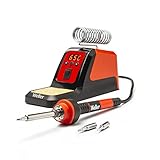 Weller 70W Digital Station Weller 70W Digital Station |
|
Check Latest Price |
Two patterns jump out of that table. First, seven of the eight stations here reach a maximum of 896F, or 480C, which is the standard ceiling for electronics work rather than plumbing. Second, every one of them is a 110V US design, so anyone outside the US needs a step-down transformer before plugging in.
1. YIHUA 926 III – The Best All-Rounder for a First Kit
YIHUA 926 III 60W Digital Display Soldering Iron Station Kit w 2 Helping Hands, 6 Extra Iron Tips, Lead-Free Solder, Solder Sucker, S/S Tweezers, °C/ºF Conversion, Auto Sleep & Calibration Support
60W
PID stabilization
194F-896F (90C-480C)
1.8 lb
7.3 x 4.5 x 2.8 in
Pros
- Heats fast and holds set temperature with PID stabilization
- Wide 90C-480C range with one-knob C/F conversion
- 12-in-1 kit includes 6 tips
- solder
- pump and ESD-safe tweezers
- Compact chassis with integrated iron holder and tip storage
- 12-month US manufacturer coverage
Cons
- 60W output is modest on heavy-gauge joints
- No preset temperature memories
- Plastic housing feels light beside metal units
This is the station I would hand to someone building their first Arduino or ESP32 kit. The base unit is 7.3 by 4.5 by 2.8 inches and weighs 1.8 pounds, so it fits a dorm desk without taking over, and the iron holder is built into the body rather than bolted on.
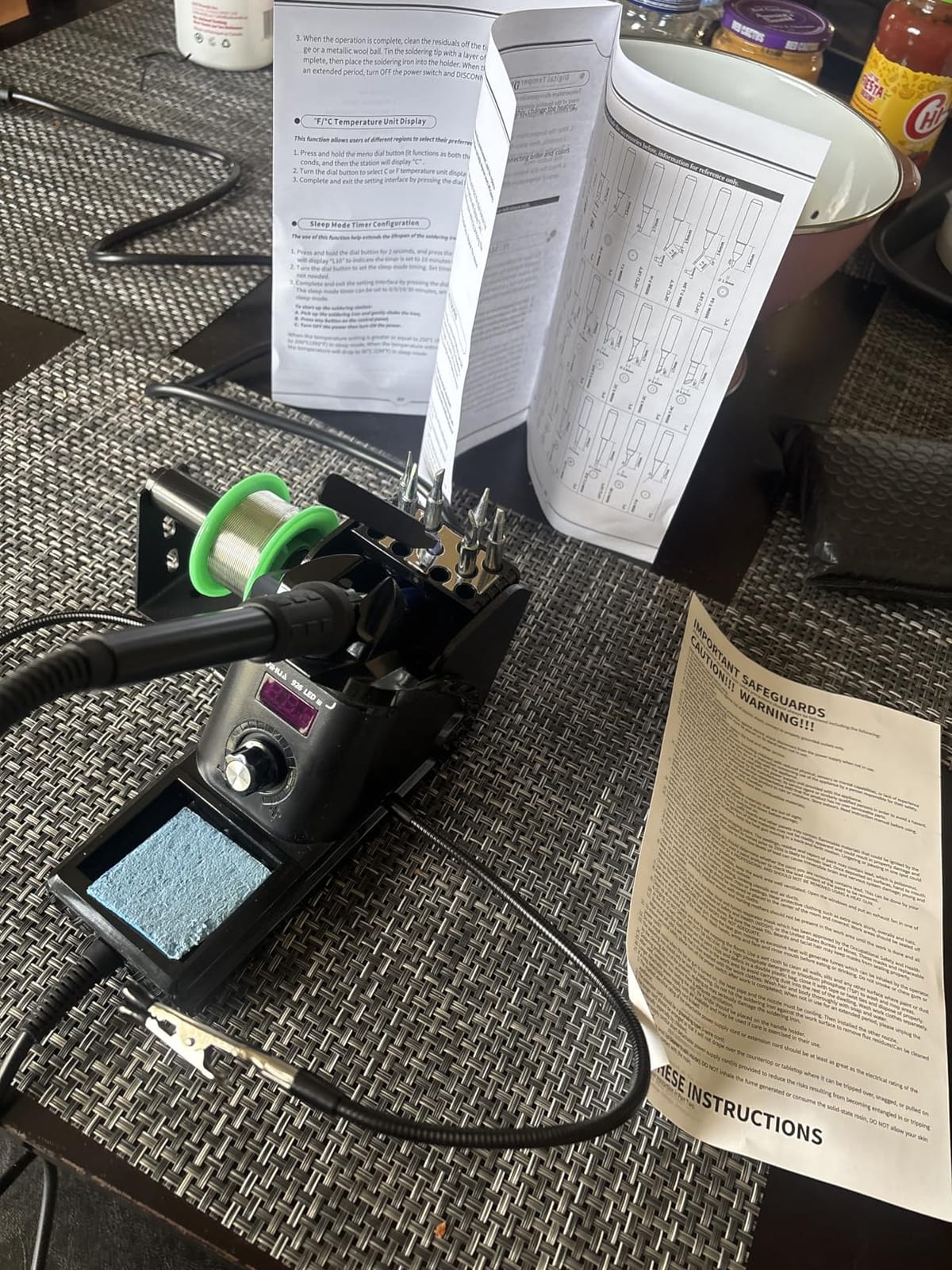
The digital display reads in Celsius or Fahrenheit off the same master knob, and a sleep mode drops the tip to a low idling temperature at 5, 10 or 30 minutes. That last feature does more good than it sounds: an iron left at 480C for an afternoon oxidizes the tip coating and shortens its life noticeably.
What you get in the carton is the reason this one wins. Six extra tips in the YIHUA 1200 and 900M series, a 35g roll of lead-free solder, a desoldering pump, a pair of ESD-safe tweezers, a solder wire dispenser, a cleaning sponge and two helping hands. Most competitors at this level sell you the station and leave the rest to a second order.
With 7182 reviews averaging 4.4 stars, it is also the most-tested unit on this list, which means problems get reported early. Owners consistently single out heat-up speed and temperature stability. A small share of reviews, around 6 percent at one star, mention cracked handles and durability worries.
How it behaves on your first through-hole joints
Sixty watts with PID regulation is more than enough for headers, jumper wires, connectors and small SMD work. The regulator corrects the temperature drop the moment you pull the tip off a joint, so the second joint of a row gets the same heat as the first.
Where sixty watts starts to matter is a large ground pour or a heat-sink tab. There, you are asking the tip to dump heat into a big copper plane, and the recovery takes longer than it does on the 110W and 130W units further down this list.
What your 100-dollar budget still has to cover
The solder included is lead-free, which works, but it needs a hotter tip and more flux than the leaded 63/37 alloy most beginners start with. Setting aside a small spool of leaded solder and a decent flux pen alongside this station is money well spent.
Beyond that, the tips in the kit are the entry shapes. The 900M and 1200 series covers most first projects, but a chisel tip and a fine point are worth adding later once you know which joints you actually build.
2. YIHUA 939D+ – Best for Precision Work and Daily Bench Use
YIHUA 939D+ Digital Soldering Station, 75W Equivalent with Precision Heat Control (392°F to 896°F) and Built-in Transformer. ESD Safe, Lead Free with °C/°F display (Black)
75W equivalent, 120W rating
392F-896F
Stability plus or minus 5C
5.4 x 4.4 x 3.6 in
ESD safe
Pros
- Built-in transformer outputs contact-safe low voltage
- Brushed aluminum control panel resists scorch marks
- Temperature program compensates in 20 milliseconds
- Detachable 907F iron handle
- Standalone metal iron stand included
Cons
- Iron cord is short for larger benches
- Base lacks grippy rubber feet and slides
- Tip storage holes in the stand are too small to retain tips
If you are past the very first tutorial stage and moving into regular work, the 939D+ is the more grown-up instrument. It shares a footprint with the 926 III at 5.4 by 4.4 by 3.6 inches, but the control panel is brushed aluminum instead of plastic, and that panel is the part that survives a decade of soldering-iron proximity.
The technical detail that matters here is the built-in transformer. It steps the mains voltage down before it reaches the iron, so the voltage present at the tip is contact-safe. On a bare station without one, the heater circuit is wired straight to mains and a damaged insulation or a condensation-heavy bench is a real hazard.
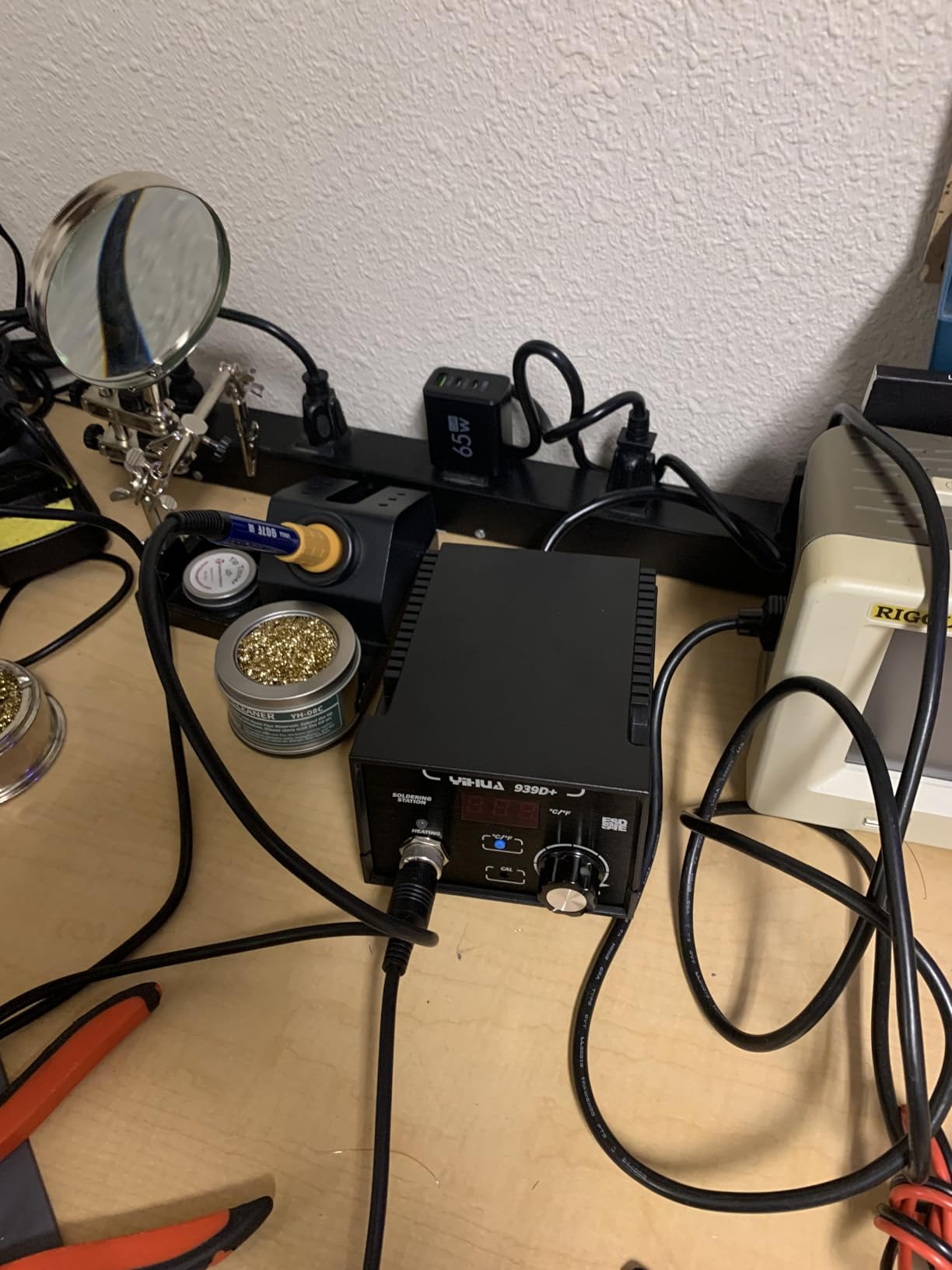
The temperature program is advertised as monitoring and compensating in 20 milliseconds, and the stated stability is plus or minus 5C across a 392F to 896F range. That floor of 392F is higher than some stations here set, which matters if you ever work on temperature-sensitive parts such as some sensors and adhesives.
Owners with long careers in electronics describe the handle plating and factory tip quality as better than expected for the money, and the 907F iron detaches for replacement. That detachable design is worth more than it sounds: if the cord frays at the strain relief, you replace a handle rather than a whole station.
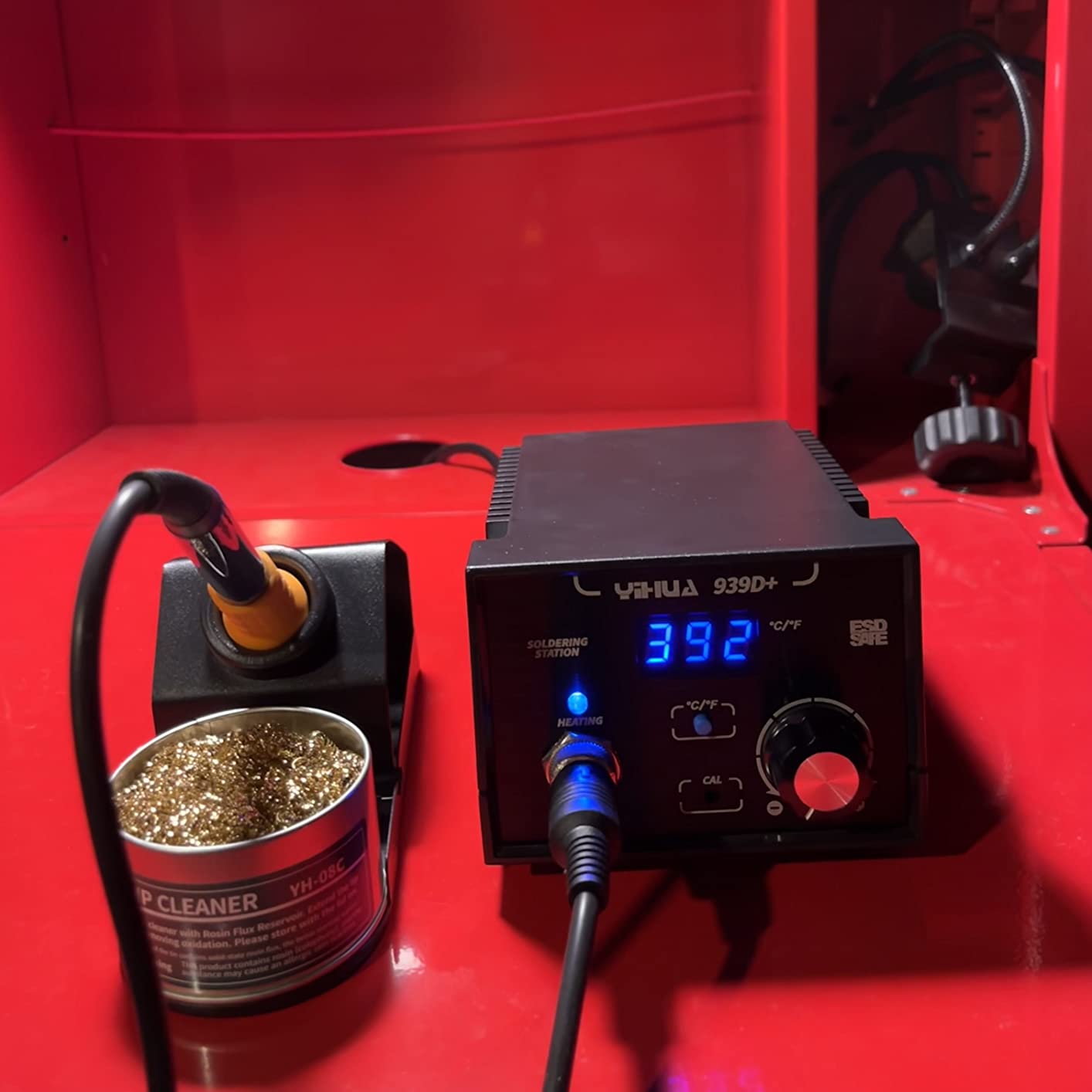
Why the transformer changes how you set up your bench
A contact-safe low-voltage tip end means you can sit the station closer to your body and work with a relaxed posture. It also means the unit is a better fit for a classroom bench where several beginners share one outlet and one cramped workspace.
Automatic handle detection is the other quiet feature. Put the iron in its stand and the base notices, which keeps the element from idling at full temperature between joints.
The complaints that show up again and again
Three things come up in reviews more than anything else: the cord is short, the base slides on a hard surface because it has no rubber feet, and the tip storage holes in the stand are too small to hold a tip securely. None of these stop you soldering, and all three are fixed with a mat and a dab of rubber feet.
One more detail worth knowing before you buy outside the US: this is a 110V design, and reviewers outside the country report it will not run on 230V mains without a transformer.
3. YIHUA 8786D I – Best Station With Hot Air Rework Built In
YIHUA 8786D I 2 in 1 Hot Air Rework and Soldering Iron Station with 10 Solder Iron Tips, 4 Hot Air Nozzles, °F /°C, Cool/Hot Air Conversion and Sleep Function
2-in-1 solder and hot air
740W rated
200C-896F
ESD safe
fail-safe airflow cut-off
Pros
- Soldering and hot air rework in one base unit
- Dual display and dual power switch run each function independently
- Precision PID control with fast temperature compensation
- Fail-safe alarm cuts heating power if airflow stops
- Includes 10 tips
- 4 nozzles
- IC extractor and pump
Cons
- Dual-function design adds a learning curve
- Hot air output is adequate rather than powerful
- Highest rated power draw in the group at 740W
Hot air rework is the feature most beginners discover they want six months in, when they need to remove a surface-mount component without heating the pad underneath it. This station puts a hot air gun and a soldering iron in the same 5.8 by 3.9 by 5.3 inch base, with a separate display and a separate power switch for each function.
That arrangement is the real design win. Dedicated rework stations force you to swap cables and rebalance airflow every time you go back to a normal joint. Here you flip one switch, and the unit is a soldering station again.
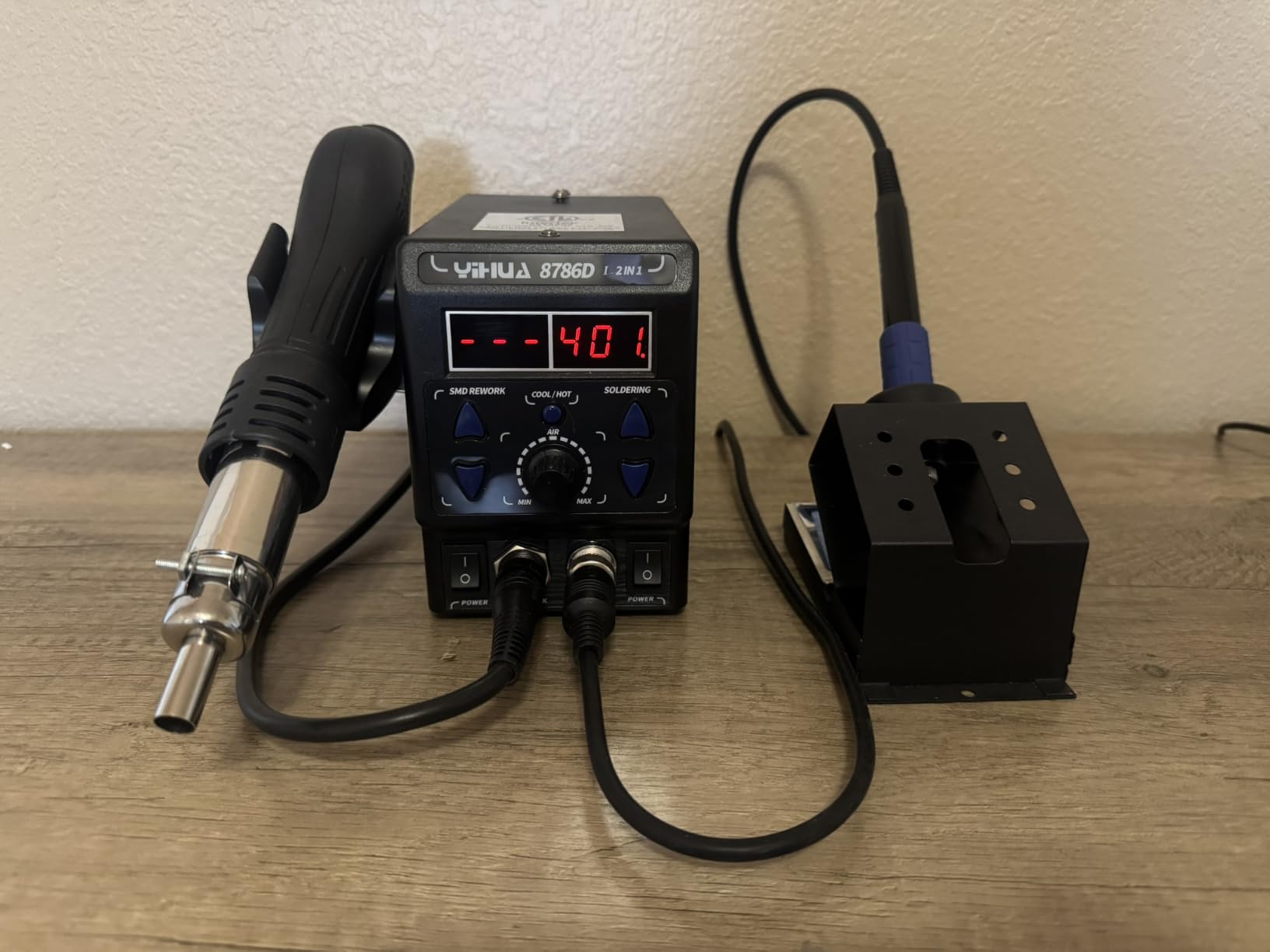
The control is a precision PID program with fast temperature compensation, and the range runs from 200C to 896F. There is a fail-safe worth knowing about: if the hot air gun stops moving air, the unit alarms and cuts power to the heating element, which is exactly the failure that can turn a rework gun into a scorch mark on a board.
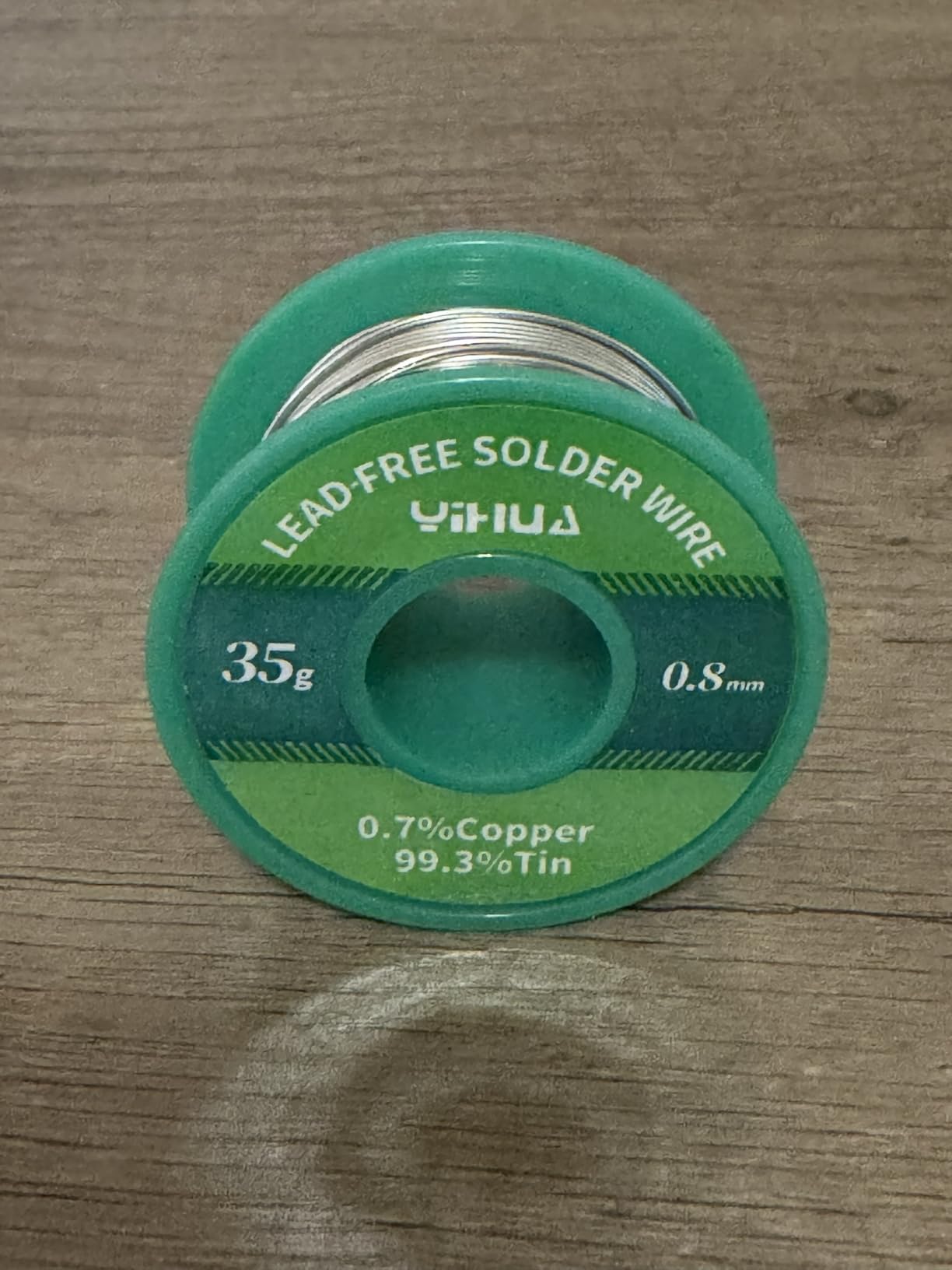
Reviewers highlight that fail-safe and the value of the bundle. You get 10 soldering tips, 4 hot air nozzles, an IC extractor, a desoldering pump and a 35g roll of 0.8mm lead-free solder in the box.
When hot air actually earns its desk space
It pays off on SMD removal, shrinking heat-sink legs, cleaning up flood-fill mistakes and removing epoxy-potted parts. If your first project is a through-hole kit or a wiring harness, you will use the iron half and the gun will sit there.
If you know SMD rework is coming, the stations we tested for SMD work are worth a look before you settle, since airflow and nozzle control matter more there than in this all-in-one unit.
The honest trade-off on a 2-in-1 design
More than one reviewer notes that the dual-function layout is harder to learn than a single-purpose station, and that the airflow is adequate rather than strong. Rated at 740W, this is also the highest power draw of anything in this guide, so it is not a good match for a shared circuit on a lightly loaded extension.
Treat it as a two-function tool rather than the best of either one. If you only need one, the 939D+ concentrates its budget on the iron.
4. WEP 927-IV – Best for Three Preset Temperature Channels
WEP 927-IV Soldering Station Kit High-Power 110W with 3 Preset Channels, Sleep Mode, LED Magnifier, 5 Extra Iron Tips, Tip Cleaner, 2 Helping Hands, Tip Storage Slots, Lead-free Solder Wire, Tweezers
110W heating element
194F-896F (90C-480C)
3 preset channels
Sleep timer 0-99 min
1.02 kg
Pros
- 110W element heats fast and recovers on larger joints
- Three preset channels remove repeated dial-in
- Dual display shows set and actual temperature at once
- Sleep timer adjustable from 0 to 99 minutes
- Integrated magnifier
- helping hands and tip storage
Cons
- Uses WEP 1400 tips
- which limits third-party availability
- LED magnifier adds bulk to an otherwise compact body
- Tip platform is proprietary rather than a universal format
The three preset channels are the feature buyers write about most. You dial in 200C for heat-sensitive parts, 350C for normal through-hole work and 400C for lead-free joints once, store them, and switch jobs without touching the knob for the rest of the session.
Underneath that sits a 110W heating element, well above the 60W to 75W iron output of most of the other kits here, and it recovers quickly on a joint with real thermal mass. The temperature range covers 90C to 480C.
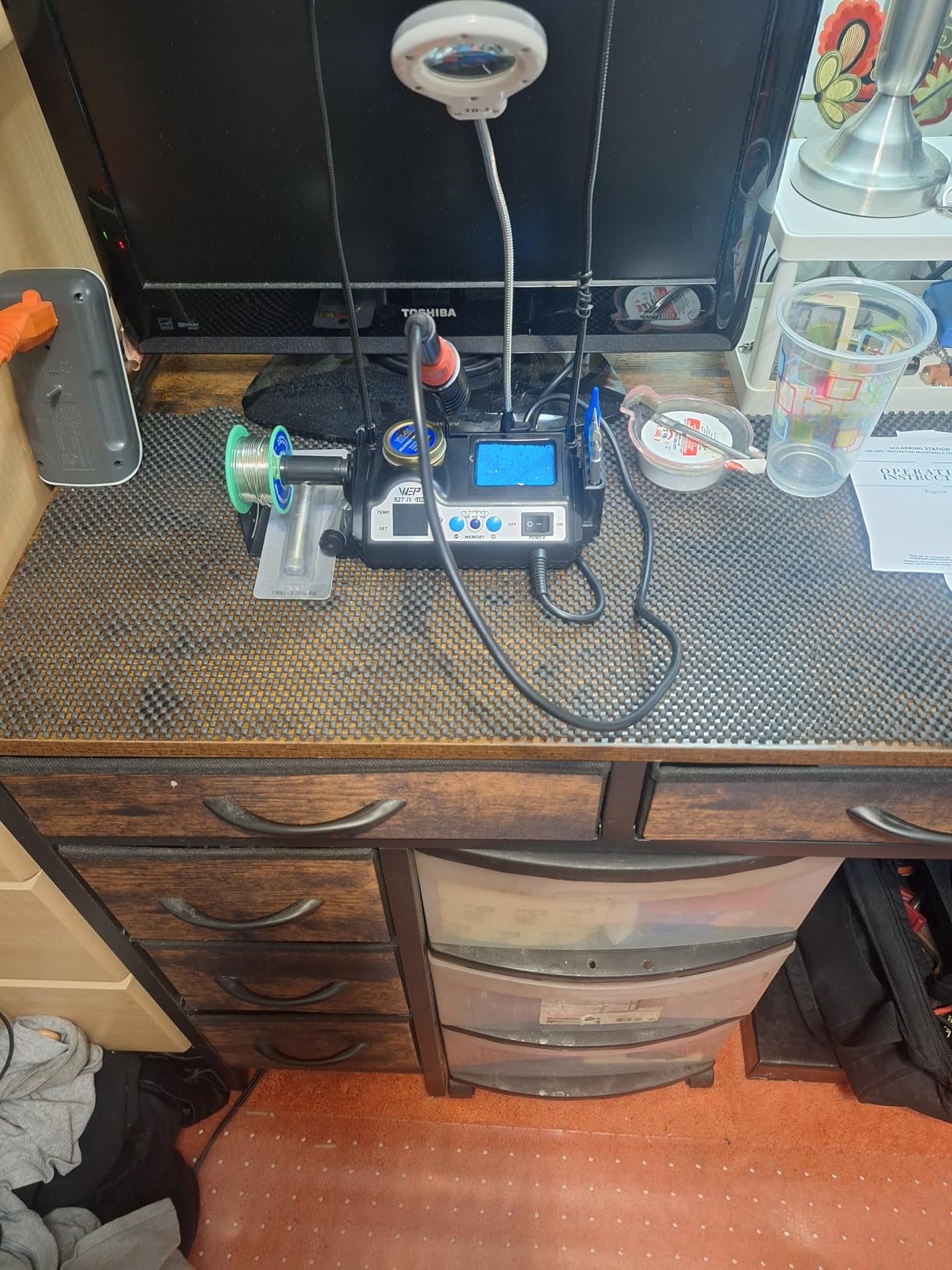
Everything else is designed to shrink a bench. At 3.94 by 5.91 by 1.89 inches and 1.02 kilograms, the base holds the iron, a brass wool tip cleaner, a solder wire dispenser, helping hands, a magnifying glass with LED lights and storage slots for loose tips.
That integration is genuinely useful in a small space, and the double numerical display showing set temperature next to actual temperature is the kind of detail that makes a first-time user feel in control.
How preset channels change a multi-job afternoon
Most beginners overheat. A station that remembers three temperatures lets you keep one setting for the small stuff and another for lead-free work, so the tiny passives on a board never sit at lead-free temperatures for a minute while you search for the right knob.
The adjustable sleep timer, which you can set anywhere from 0 to 99 minutes, adds a second layer of protection for a bench that gets interrupted.
Plan for the WEP 1400 tip platform
This is the one reservation that deserves attention before you buy. The station uses WEP 1400 tips rather than a universal shank, so if you later move to a different station you cannot carry your tips with you, and your replacement options are narrower than on the 900M-based kits.
Reviewers also note the LED magnifier adds bulk to an otherwise compact station, and that the spec sheet lists a single channel despite the three presets. If tip flexibility matters to you more than presets, look at the 926 III instead.
5. X-Tronic 3020-XTS – Best Value for Long-Term Reliability
The Original X-Tronic 3020-XTS • 75W Soldering Iron Station Kit • 2 Helping Hands • Silicone Tool Mat • 5 Extra Tips • 50g Roll of Solder • Brass Sponge • Cleaning Flux • C/F Conversion • Auto Sleep!
75W
200C-480C in under 30 seconds
PID
ESD safe
10-min sleep
3-year warranty
Pros
- Heats 200C to 480C in under 30 seconds
- PID regulation holds temperature within 2C
- 40-inch pliable cord resists kinking and memory
- 3-year warranty with US-based lifetime technical support
- Owners report 4 to 8 years of service from one unit
Cons
- Control knob is very sensitive to light touches
- Lightweight base slides on a hard bench
- Iron is hard-wired
- so a failed element means whole-unit replacement
This is the station with the longest ownership history in the group, and the reviews say so plainly. Owners describe four to eight years of continuous use from the same base, and several compare it favorably to Weller and Hakko units that cost several times more.
Heat-up is the headline: 200C to 480C in under 30 seconds. Temperature stability is stated at 2C, tighter than anything else here, and PID compensation handles the drop when you drag a big joint. Seventy-five watts of output is split as 60W to the iron plus 15W to a small board inside the handle.
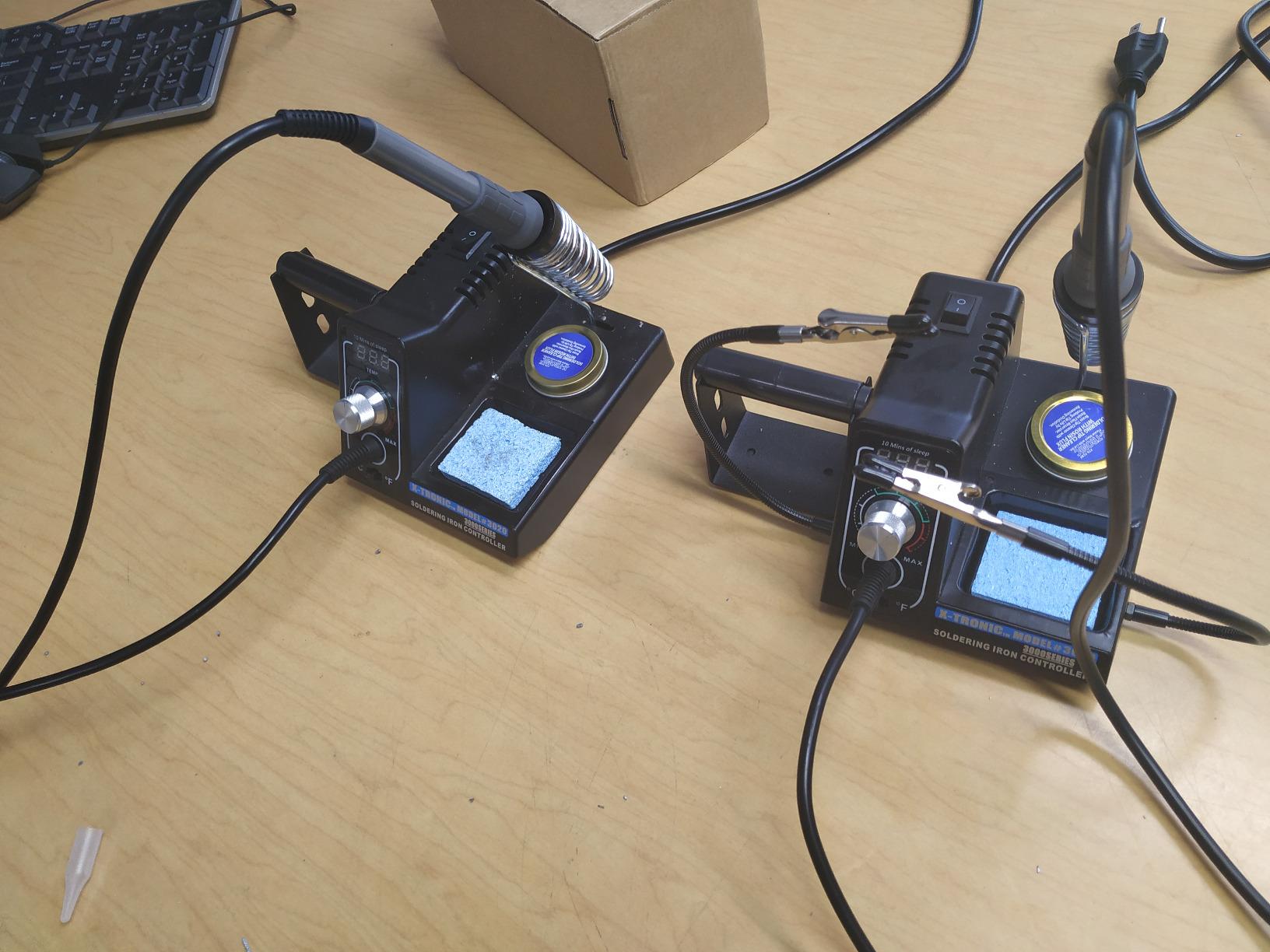
The 40-inch iron cord is genuinely pliable and resists taking a memory, which sounds like trivia until you have used a stiff cord that yanks the base off the bench every time you pull the iron toward you. A 55-inch power cord and a spring-style holder round out the setup.
X-Tronic is a US brand based in Lincoln, Nebraska, and the three-year warranty is backed by technicians rather than a form. Reviewers describe customer service sending full replacement units when a base failed.
Why the cord matters more than the wattage number
Tip temperature is only half the equation. The other half is whether the iron stays put while you work, and a memory-free cord is the single feature reviewers bring up when they explain why this unit outlasts cheaper ones on their bench.
The bundled kit is unusually complete: two helping hands, a silicone tool mat, five extra tips, a side-mount solder roll holder, 50g of lead-free solder, a brass sponge with cleaning flux and a wet sponge.
Know the failure mode before you buy
The iron is permanently wired into the base, with no interchangeable iron jack. If the heating element fails years down the line, you are looking at whole-unit replacement rather than a cheap handle swap, which is the trade you accept for the cord quality.
Two smaller complaints: the temperature knob is very sensitive, so a light touch moves the setting several degrees, and the base is light enough to slide on a hard surface. A rubber mat solves the second one.
6. X-Tronic 3060-PRO – Best Upgrade Kit With Memory Presets
X-Tronic 3060-PRO • 75W Soldering Iron Station Kit • 5 Extra Tips • Mini Mag Lamp • 4 Helping Hands • Solder Sucker • Tweezers • 50g Solder • Brass Sponge w/Flux • Sleep Func, °C/°F, 3 Temp Presets!
75W
194F-896F (90C-480C)
3 memory presets
Stability plus or minus 2C
57-inch silicone cord
Pros
- Three temperature memories plus dual set and actual readouts
- Digital temperature calibration for fine correction
- ESD safe with an included PCB grounding wire
- 57-inch memory-free silicone cord
- Four detachable helping hands and a mini magnifier
Cons
- More controls than a first-time solderer needs
- Sixteen-piece accessory bundle adds setup time
- 110V/60Hz only with no 220V version offered
The 3060-PRO is the 3020 with a bigger accessory box and more memory, and it holds the same 4.6-star average with 78 percent five-star ratings. It is the pick for someone who already knows they will still be soldering in a year and wants the calibration and preset tools now.
Static temperature stability is stated at plus or minus 2C, matching the 3020, and the range runs 90C to 480C. The digital calibration function lets you correct the readout if the station’s sensor drifts from what your tip is actually doing.
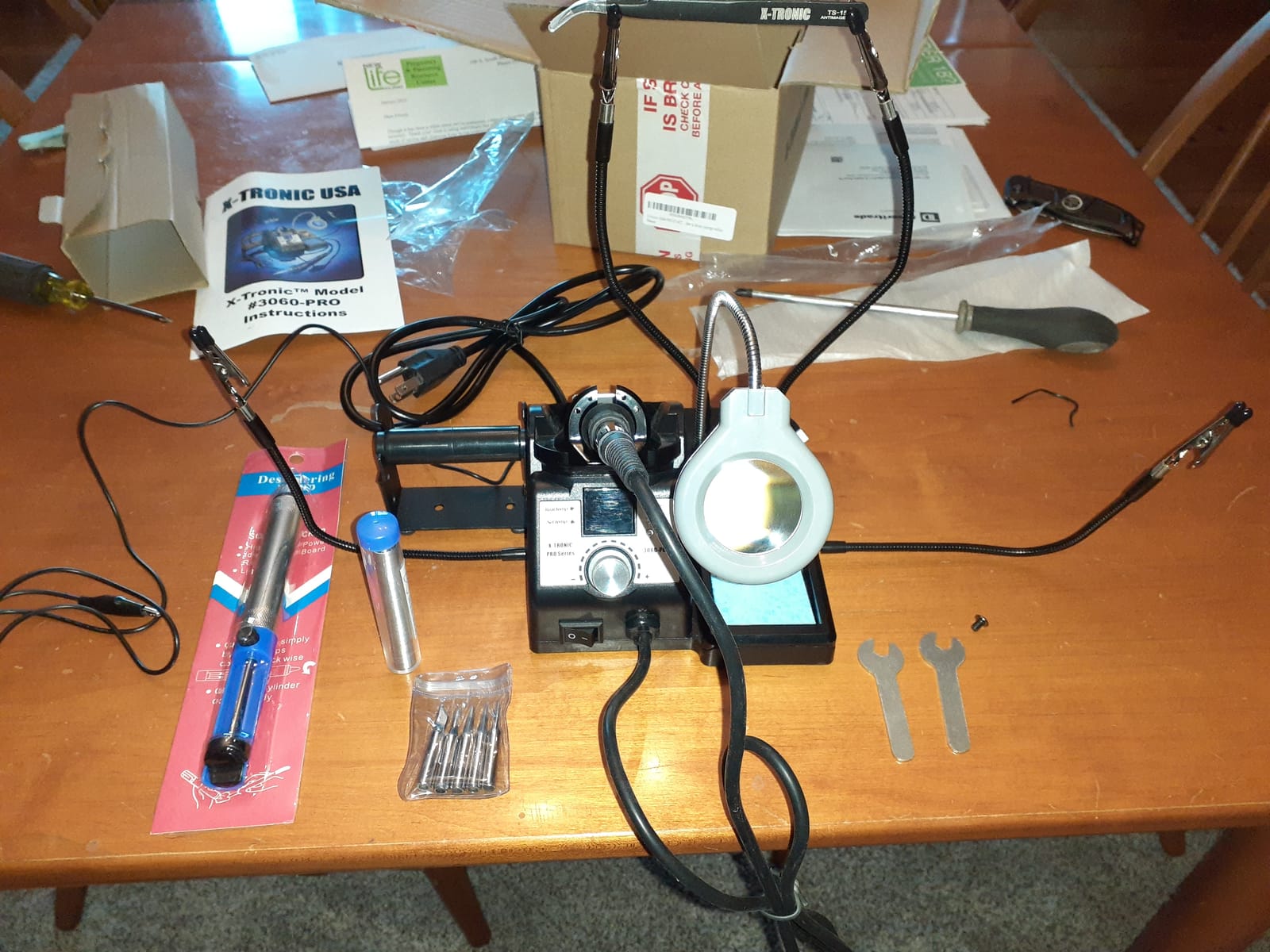
The 57-inch silicone cord is longer than the 40-inch cord on the 3020, and the included anti-static grounding wire for a PCB is a detail most kits at this level skip. Grounding a board matters when you are working around parts that genuinely do not tolerate stray voltage.
The sleep timer is adjustable at 0, 5, 10 and 30 minutes, and the readout is split across dual panels showing set temperature and real temperature side by side.
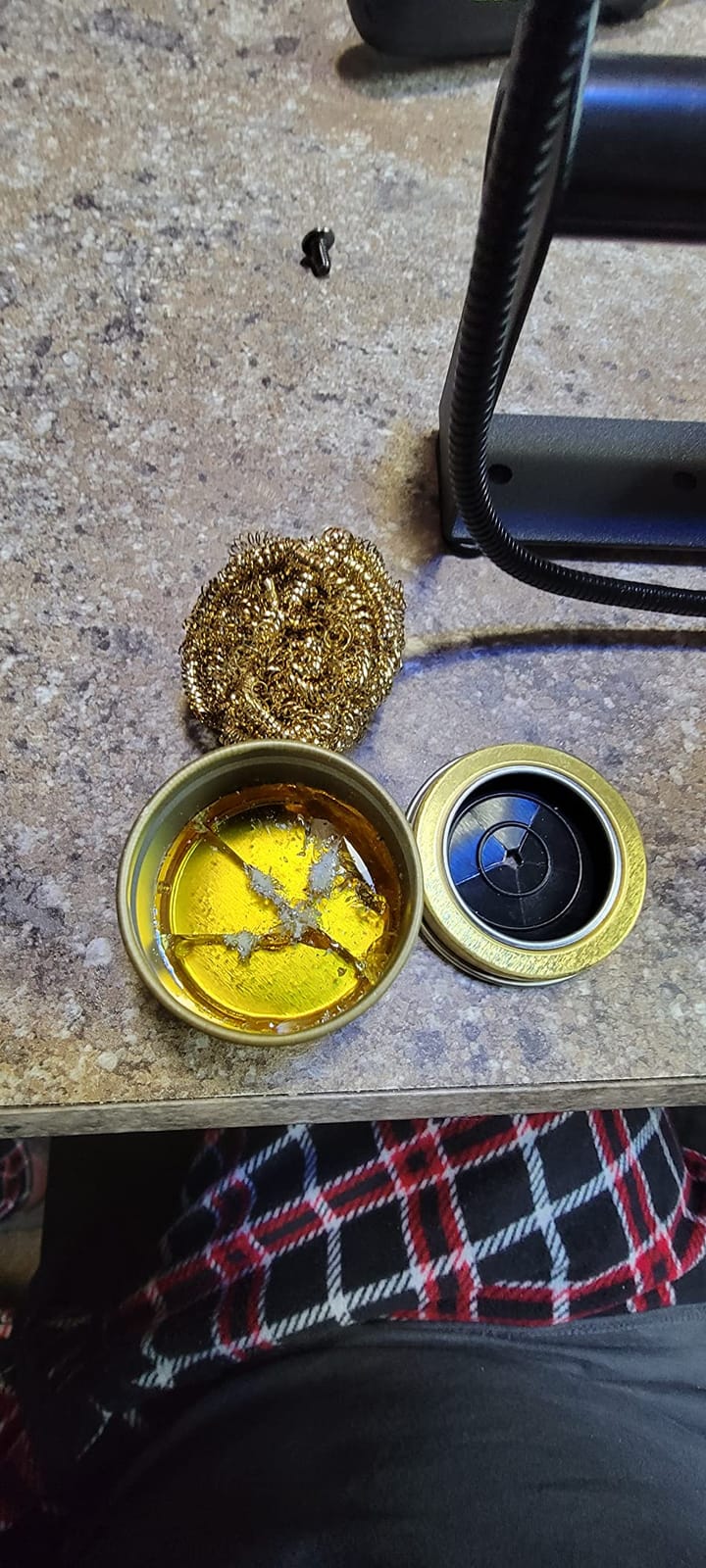
When memory presets and calibration pay off
Calibration matters if you work near the edges of the range, or if you swap tips often, since tip geometry and size change how the sensor reads. A user who moves between fine SMD work and heavy through-hole joints gets more out of a station that remembers both jobs.
The dual panels are the underrated part. Watching actual temperature move toward your set point tells you what the tip is doing in real time, which is a better teacher than a single number.
Sixteen accessories is a lot for one desk
The kit includes four detachable helping hands, a mini magnifying lamp, five tips, a solder sucker, pinpoint tweezers, a roll of solder, a brass sponge with flux, a wet sponge and a grounding wire. That is generous, and it is also more than many beginners have room for.
Reviewers who came up from cheaper irons praise the memories, dual display and calibration as the features that made their work repeatable. The recurring reservation is that the feature set is aimed at advanced users, and the unit is 110V only.
7. WEP 926LED V3 – Budget Pick for a Small Desk
WEP 926LED V3 Soldering Station 130W MAX Soldering Iron Kit with Solder Wire, 5 Soldering Tips, Tweezers, Solder Sucker, Tip Cleaner, Temperature Control, Sleep Mode, C-F Conversion
130W max iron
392F-896F
PID microcontroller
10-min sleep
0.9 kg
Pros
- Bright LED readout with a set-temperature indicator dot
- Built-in PID microcontroller compensates quickly
- Integrated holder
- solder dispenser and tip cleaner
- Long iron cord for working away from the desk
- Includes 5 tips
- tweezers
- solder and a pump
Cons
- Light
- plasticky housing feels cheap in the hand
- 392F floor is high for heat-sensitive work
- Fixed 10-minute sleep timer with no adjustment
If the budget is the tightest constraint in the room, this is the least expensive complete kit among these picks, and the box still arrives with everything a first project needs.
Despite the plastic feel, the control side is respectable. A built-in PID microcontroller handles temperature compensation, the display is a bright LED with a real-time readout, and the adjustment knob covers 392F to 896F.
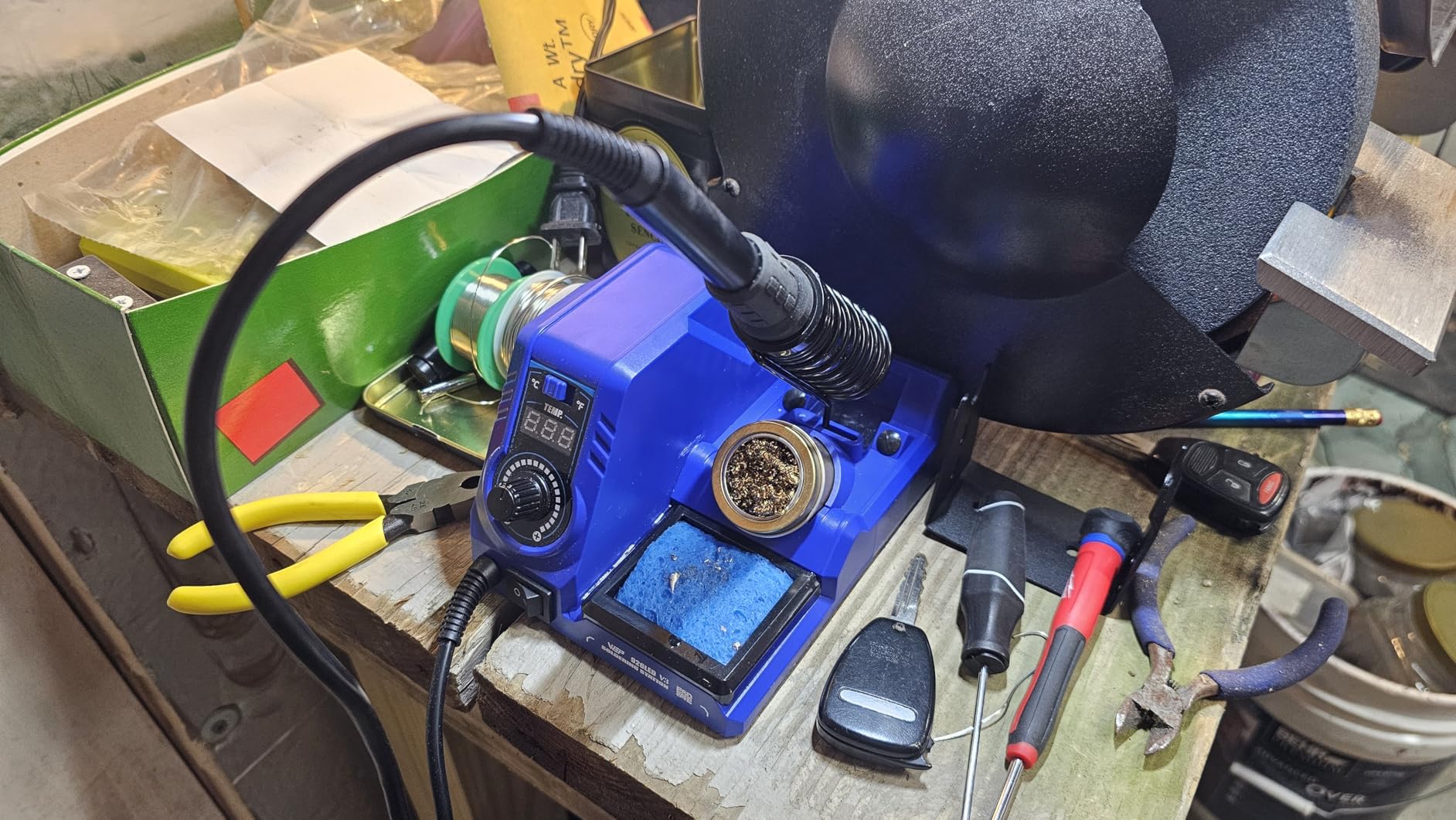
The iron is rated at 130W maximum, so it has plenty of headroom for larger joints, and the long cord lets you work away from the desk without an extension. The metal holder keeps a hot tip from rolling off the bench, which is a small thing that prevents a large problem.
The 926LED V3 is also compact by design, with the iron holder integrated into the station body at 4.84 by 6.3 by 4.45 inches and 0.9 kilograms, so it works in a dorm room or a shared workspace.
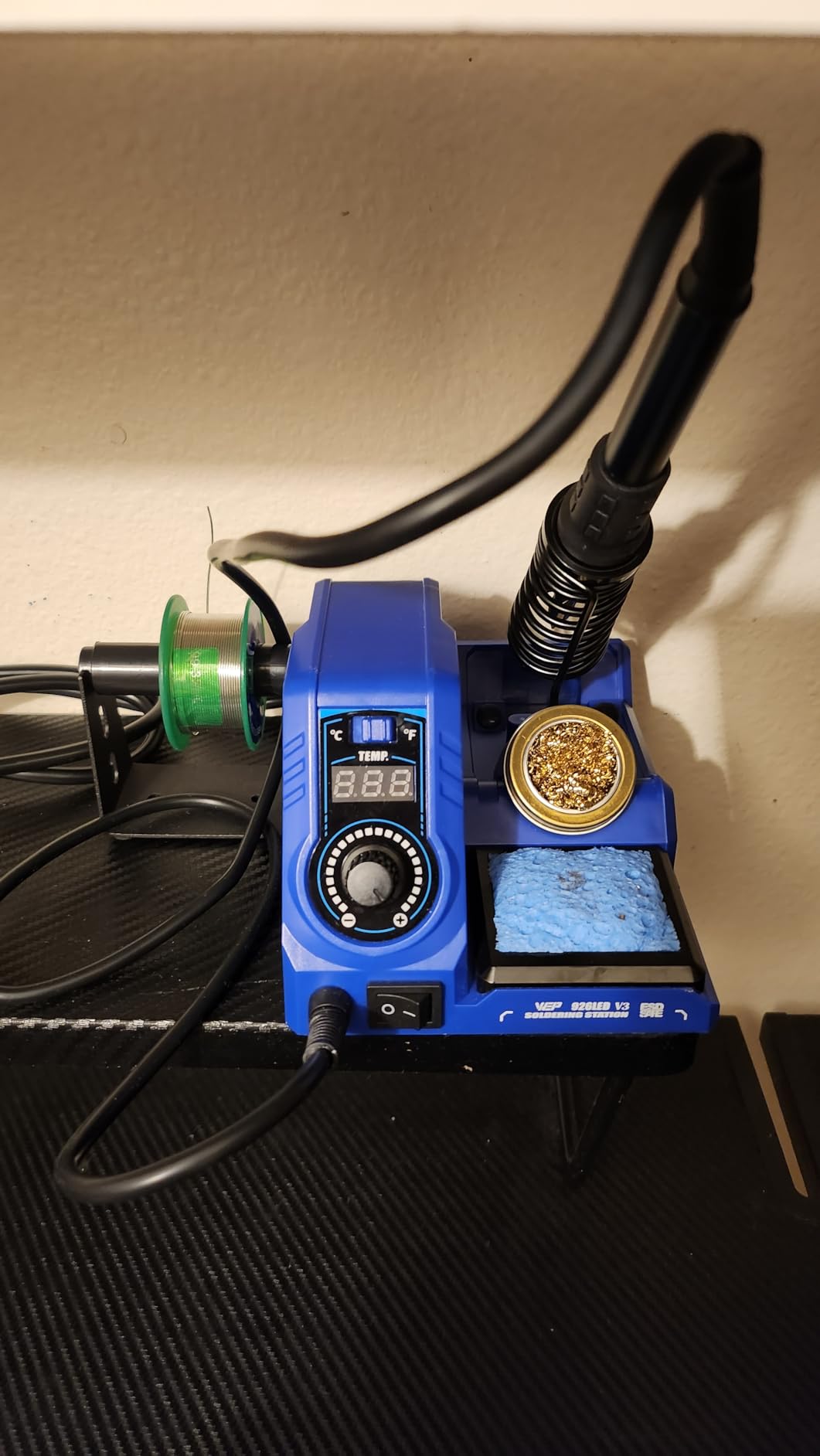
What the display does for a first-time user
There is a small indicator dot on the readout that disappears once the tip reaches the set temperature. That is a genuinely useful beginner affordance, because it removes the guesswork from waiting, and waiting too little is what causes cold joints.
Sleep mode kicks in after 10 minutes of inactivity, dropping the tip to an idling temperature to reduce wear and extend element life.
Two limits worth weighing before you commit
The 392F floor is the one that catches experienced users. If you ever need to work below that, for heat-sensitive glue or a delicate sensor, this station cannot get there.
The housing is light and plasticky, and the sleep timer is fixed rather than adjustable. A small number of reviews report the display throwing an error code after several months of near-daily use, which is part of why the one-star share sits around 5 percent. If that risk bothers you, the X-Tronic 3020 carries a three-year warranty instead.
8. Weller 70W WLSKD7012A – Best Warranty Cover
Weller 70W Digital Soldering Station, 120V| WLSKD7012A
70W
350F-896F
15-second heat-up to 650F
Offset calibration
7-year warranty
Pros
- Reaches 650F from 212F in about 15 seconds
- Holds an even temperature once hot
- Ergonomic molded pencil grip for long sessions
- Temperature offset calibration in the setup menu
- 7-year manufacturer warranty from Apex Tool Group
Cons
- Very light base that slides when the iron moves
- Stiff cord drags the base across the bench
- Replacement tips are pricey and some sizes are hard to source
Weller is the oldest name in this guide, and this digital station brings the brand into the sub-100-dollar range. The heat-up figure is the standout: 212F to 650F in about 15 seconds, with a range of 350F to 896F once it is at temperature.
Two features are worth pointing out. The temperature offset calibration lives in the setup menu, which lets you correct the readout, and the molded pencil grip is the handle reviewers with long careers describe as the most comfortable they have used at this level.

It also ships with three tips in the box, a 2.4mm screwdriver tip, a 1.6mm and a 0.8mm conical, plus an iron holder and helping hands. The integrated safety rest is a molded holder rather than a loose spring clip.
Owners with decades of experience, including people who came from 40W Japanese irons, generally praise the heat-up, the even regulation and the grip. They also note that holding temperature evenly extends tip life compared with unregulated irons, which is the whole argument for a station in the first place.

What the seven-year warranty actually covers for a beginner
It covers the base unit and the electronics, not the consumables. For a first-time buyer, a seven-year warranty means the failure mode you cannot plan around, a dead control board after three years, is absorbed rather than paid for.
The 12 by 3.25 by 7 inch footprint is larger than the YIHUA units, so give it real desk space rather than a corner.
The build complaints experienced solderers keep raising
At 4.2 stars across 355 reviews, this is the most polarizing unit here, with around 10 percent one-star ratings. The critical reviews, several from people who solder professionally, focus on physical construction: a base light enough to slide, a stiff cord that drags it, and a tip seat that can strip if a stuck tip is forced off.
Replacement tips also cost more than the tips on the kits above, and some sizes are harder to find. The 120V plug is also US-only. If you want the Weller name and the warranty, this is the trade; if you want the smoother ownership experience, the X-Tronic 3020 has more owners reporting problem-free years.
How to Choose a Beginner Soldering Station in 2026
Closed-loop temperature control is the real upgrade
A fixed-wattage iron delivers the same power regardless of what it is touching, so it is either too hot for a small pad or too cool for a large one. A station uses a sensor near the tip feeding a PID controller in the base, which adjusts power continuously to hold within a couple of degrees of your setting. That repeatability is what turns a first attempt into a repeatable result.
Look for a real display and a calibration function. The calibration matters more than beginners expect, because a sensor that reads 350C when the tip is actually at 330C will quietly ruin your work every time.
Heat recovery matters more than headline wattage
Wattage tells you how fast the iron heats from cold. What you actually feel is recovery, which is how fast it returns to temperature after you pull it off a joint. On electronics, most of your time is spent on joints, not idle waiting.
A practical range for a first station is 60W to 80W with PID regulation, which covers headers, wires, connectors and small SMD. Move toward 110W and above if you expect large ground pours, heat-sink tabs or repetitive work on thick copper. For general station comparisons across a wider price band, our soldering station roundup for electronics goes deeper on that.
Hakko vs Weller vs the T12 class: choosing a platform
The forum consensus for this question has not moved in years. The r/electronics thread that ranks first for this query puts the Hakko FX888D and the Weller WES51 at the top, with the thread splitting almost evenly between them. TheGearPage users describe the WES51 as stable and easy to dial, with nothing but praise, while EEVblog regulars argue that a T12-platform station gives more performance per dollar because it accepts genuine tips and can run custom firmware.
The practical point is that brand matters less than tip format. The Hakko and Weller ecosystems have the deepest tip availability, which is a real advantage over five years. The T12 class wins on price and firmware flexibility, and r/soldering regulars call a T12 station a great unit while acknowledging the grounded-case caveat can be addressed in about ten minutes.
Inside our 100-dollar ceiling, none of the three big-name platforms appear, so the picks above use 900M, 1200, WEP 1400 and Weller’s own tip series. If your heart is set on a Hakko or a Weller and you have budget beyond this ceiling, the stations under 200 dollars guide covers that tier.
Do you actually need a station?
A 25-dollar fixed-wattage iron is enough to light an LED on a breadboard. It is not enough for anything where the joint size varies, and beginners who learn on one usually end up buying a station within a year anyway. The pain point that shows up in forum threads is consistent: no temperature control means small SMD joints get burned while large joints never fully wet.
Buy a station if you plan more than a handful of through-hole joints, if you will touch surface-mount parts, or if you already know you enjoy the work. If you are unsure, buy the cheapest complete kit on this list and upgrade later; the accessories and techniques transfer even when the hardware does not.
What to buy with the rest of your 100-dollar budget
The station is the easy part. Add a spool of leaded 63/37 solder, which melts at a lower temperature and forgives beginner mistakes better than the lead-free wire most kits include. Add a flux pen, a brass tip cleaner, a proper solder sucker if the kit does not have one, and a pair of helping hands.
Spend the remainder on two extra tips rather than a bigger station: one chisel for joints with real thermal mass and one fine point for dense SMD work. A brass cleaner and a wet sponge are consumables, not luxuries, and a neglected tip is the number-one cause of solder that will not flow.
One safety item is not optional: a small fume fan or an extraction arm. Every station on this list except the 8786D I’s airflow functions generates plume, and beginners work over their work far more often than experienced solderers do.
Frequently Asked Questions
What is the best entry-level soldering station?
The YIHUA 926 III is the strongest entry-level station for a first electronics build. It heats quickly, holds set temperature with PID stabilization across a 90C to 480C range, and arrives with six extra tips, solder, a desoldering pump, ESD-safe tweezers and helping hands already in the box, so most of your starter budget stays free for solder and flux.
What is the best low-budget soldering station?
For the tightest budget, the WEP 926LED V3 is the least expensive complete kit here, with a 130W iron, a PID microcontroller, a real-time LED readout and a ten-minute sleep mode. If you can stretch slightly further, the X-Tronic 3020-XTS heats to 480C in under thirty seconds and carries a three-year warranty.
What type of solder is best for beginners?
Leaded 63/37 solder is the easiest alloy for a first project. It melts at a lower temperature, flows with less heat, and forgives a cold joint more readily than lead-free. The lead-free wire included with most kits works fine, but it needs a hotter tip and more flux, which is harder on a first-time user and on small components.
What is the golden rule of soldering?
Heat the joint, not the solder. Touch the tip to the pad and the component lead together, wait for both to reach melting temperature, then feed solder into the joint so it flows between the two parts. Feeding solder onto a cold tip and then dragging it across a joint produces a cold, unreliable connection.
Which is better, Hakko or Weller?
The forum answer is genuinely split, and the top r/electronics thread on this query divides almost evenly between the two brands, which suggests the difference is preference rather than performance. Both are excellent and both sit near the top of a 100-dollar budget once tips are counted. Inside this ceiling, the Weller 70W digital station adds a seven-year warranty, and the YIHUA units deliver the same closed-loop control for less.
Final Verdict for Beginners in 2026
Buy the YIHUA 926 III. It is the best soldering station for beginners under 100 dollars because it controls temperature properly and hands you nearly everything else you need in the box, which is the combination that keeps a beginner soldering past the third project.
Buy the X-Tronic 3020-XTS instead if you care more about longevity and tip cost than accessories, and the YIHUA 939D+ if you want a transformer-isolated tip and a metal panel. Whatever you choose, keep the remaining budget for leaded solder, flux, a brass cleaner and a fume fan.