
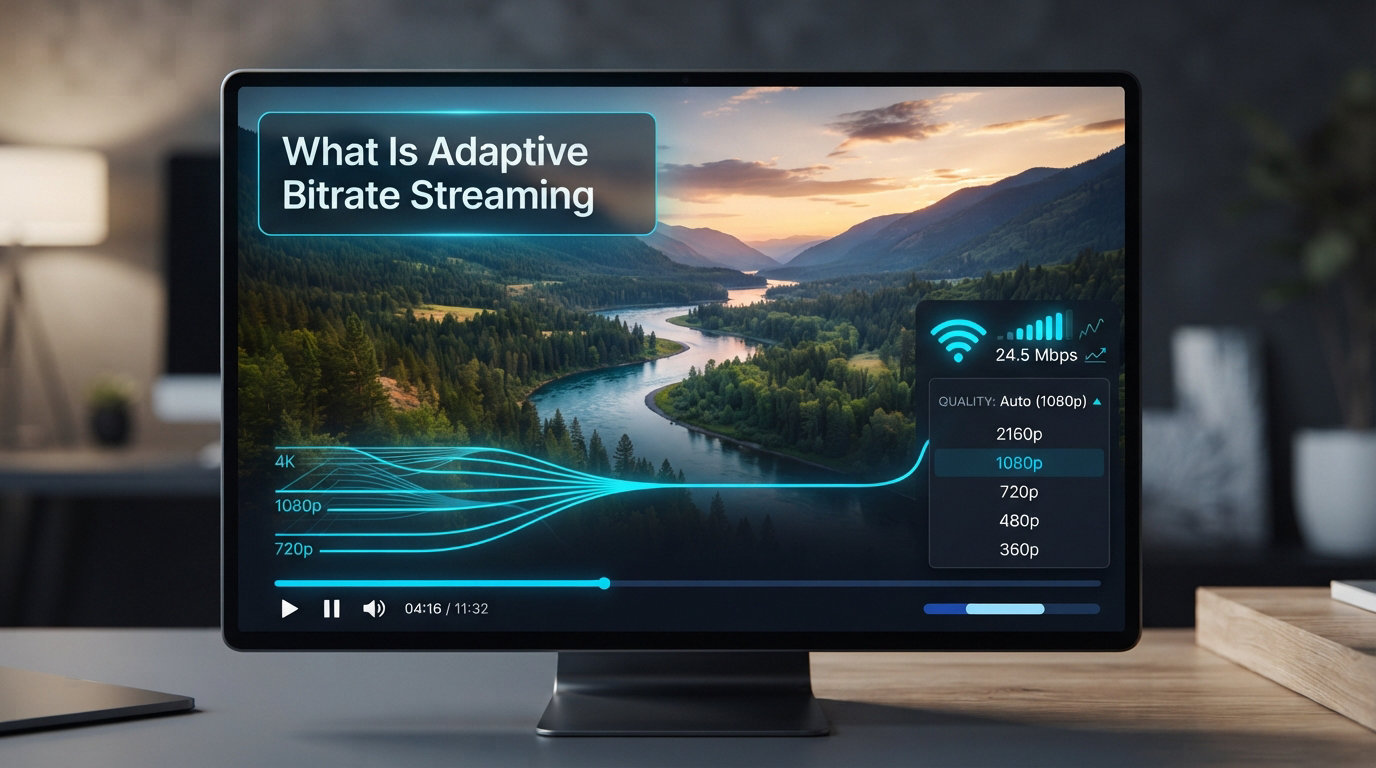
I remember the first time I noticed my Netflix show suddenly drop from sharp HD to blurry blockiness mid-episode. I thought my laptop was dying. Turns out, my Wi-Fi was the culprit, and Netflix had quietly saved me from constant buffering by dropping to a lower quality. That invisible quality switch is adaptive bitrate streaming at work, and most viewers experience it every single day without realizing.
If you’ve ever wondered why YouTube looks fine on your phone but choppy on a train, or how Twitch keeps up with millions of viewers on different networks at the same time, the answer is the same: adaptive bitrate streaming (often shortened to ABR). In this guide, we’ll break down what it actually is, how it works under the hood, the key components that make it possible, and why every major streaming service depends on it in 2026.
We’ll also look at the protocols (HLS and DASH) that power most modern streams, why mobile users especially benefit, and how ABR quietly saves streaming platforms millions of dollars in bandwidth costs. By the end, you’ll know exactly what happens in the few seconds between pressing play and seeing video on your screen.
Table of Contents
What Is Adaptive Bitrate Streaming?
Adaptive bitrate streaming is a video delivery method that automatically adjusts the quality of a video in real time based on your network speed, device capability, and current buffer health. Instead of sending one fixed-quality file to everyone, the server offers multiple versions of the same video at different bitrates and lets the player pick the best one on the fly.
The “bitrate” part refers to how much data the video uses per second of playback. A 1080p stream might run at 5 Mbps while a 480p version uses only 1 Mbps. By offering several “renditions” (the industry term for each quality version), the player can step down during congestion and step back up when bandwidth recovers. The “adaptive” piece is the algorithm inside the player that makes those decisions every few seconds without human input.
We can think of it as a smart thermostat for video. Set it too high on a cold day and your furnace strains; set it too low and you’re freezing. ABR constantly probes your connection and lands on the highest quality the line can sustain without falling behind. In 2026, this is the default delivery method for nearly every major streaming platform including Netflix, YouTube, Disney+, Amazon Prime Video, HBO Max, and Twitch.
Before ABR existed, streaming meant a single fixed-bitrate stream sent to every viewer. If your connection dipped below that rate, the video stalled and you saw the dreaded loading spinner. If your connection had headroom, you wasted bandwidth because you got the same video quality as someone on fiber. ABR was designed specifically to eliminate both problems.
The big shift happened around 2010 when Apple introduced HLS and platforms like Netflix moved from progressive downloads to ABR. Within five years, ABR became the industry standard for video delivery on the open web. Today, it’s hard to find a major streaming service that doesn’t rely on it.
How Adaptive Bitrate Streaming Works Step by Step
The actual ABR process happens so smoothly that most viewers never notice it. Here’s the step-by-step breakdown of what happens between you pressing play and the video playing smoothly, even on shaky Wi-Fi. Each of these steps happens thousands of times during a single viewing session.
Step 1: Source Content Gets Encoded Into Multiple Renditions
Before any video reaches you, the source file is encoded into several versions at different resolutions and bitrates. A typical Netflix-style ladder might include renditions at 240p, 360p, 480p, 720p, 1080p, and 4K. Each rendition uses a slightly different compression profile so the visual quality stays reasonable at lower bitrates.
This stack of versions is called the bitrate ladder. Designing a good ladder is its own art, and modern systems use per-title encoding, where each video gets its own ladder tuned to its content complexity. A talking-head interview needs a much lower bitrate at 1080p than a fast-action sports broadcast because motion-heavy scenes are harder to compress.
Step 2: Each Rendition Gets Split Into Small Chunks
Each rendition is then chopped into small segments, usually 2 to 10 seconds long. These chunks (sometimes called segments) are independent files that can be requested and decoded on their own. If chunk 5 of the 1080p rendition fails to download, the player can simply request chunk 5 of the 720p rendition instead and keep playing without a visible glitch.
Chunk boundaries are aligned across all renditions so that the player can switch quality mid-stream without visual hiccups. This alignment is one of the most important details in ABR engineering, and getting it wrong produces stuttering or green-block artifacts at quality transitions.
Step 3: The Player Downloads a Manifest File
When you hit play, the player first downloads a manifest file. For HLS streams, this file uses the .m3u8 extension; for DASH streams, it’s called an MPD. The manifest lists every available rendition, where each chunk lives, the codec, resolution, and target bitrate. Think of it as the table of contents for the video.
Without the manifest, the player has no idea what versions exist or where to find them. It’s a tiny file (often just a few kilobytes), but it’s the brain of the whole operation. Modern manifests can also carry DRM keys, ad insertion markers, subtitle tracks, and timing metadata for live broadcasts.
Step 4: The Player Measures Available Bandwidth
Now the player begins requesting chunks. As each chunk downloads, the player tracks how long it took relative to the chunk’s playback duration. If a 4-second chunk downloads in less than 4 seconds, the connection is keeping up. If it takes 6 seconds, you’re falling behind and the player needs to react.
The player also monitors the playback buffer, which is how many seconds of video are pre-downloaded ahead of the playhead. A healthy buffer of 20 to 30 seconds means you’re in great shape. A buffer below 5 seconds means trouble is coming and the player should step down to a safer rendition.
Step 5: The Player Picks the Best Rendition in Real Time
Combining bandwidth estimates and buffer health, the player picks the highest rendition it can sustain. If conditions are great, it climbs to 1080p or 4K. If the network gets crowded, it gracefully drops to 720p or 480p. Most modern players make these decisions 2 to 10 times per minute without you ever seeing a loading screen.
This constant probing is what gives ABR its name. It’s not a one-time decision; it’s a continuous loop of measure, request, play, repeat. The loop runs for the entire duration of the video and keeps adjusting as conditions change throughout your viewing session.
Key Components of an Adaptive Bitrate Pipeline
Now that we’ve walked through the process, let’s zoom in on the building blocks that make it possible. Understanding these terms helps you follow any deeper ABR conversation, whether you’re a viewer, a streamer, a developer, or just curious about how streaming works.
Each of the components below has its own ecosystem of tools, open-source projects, and commercial products. A full ABR pipeline usually involves an encoder (to create the renditions), a packager (to chunk them and generate the manifest), a CDN (to distribute the chunks), and a player (to make the ABR decisions). Together, these form the chain that delivers video to your screen.
Renditions
A rendition is one version of a video encoded at a specific resolution and bitrate. A video might have 6 to 12 renditions in its ladder, ranging from a 200 kbps 240p version for shaky cellular connections to a 15 Mbps 4K HDR version for fiber-to-the-home viewers. The number and target bitrates of renditions directly affect both quality and CDN cost.
For mobile-first platforms, a ladder might include as few as four renditions to save on encoding and storage costs. For 4K-focused services like Apple TV Plus, the ladder might stretch all the way to 25 Mbps with HDR and Dolby Vision variants. The right ladder depends entirely on the audience and the content.
Manifest File
The manifest file (the .m3u8 playlist for HLS or the .mpd for DASH) tells the player what renditions exist and where each chunk lives. Without it, the player would be guessing. Modern manifests can also include DRM keys, ad markers, subtitle tracks, and timing metadata for live streams.
For live events, the manifest also acts as a rolling window. The player periodically re-fetches the manifest to discover new chunks as the broadcast continues. If a live stream runs for 3 hours, the player keeps checking the manifest thousands of times to find the latest segments.
Chunks or Segments
Chunks are the atomic units of an ABR stream. They’re independent, decodable pieces of video that the player downloads one at a time. Chunk length is a tradeoff: shorter chunks mean faster quality switches and lower latency, but they create more files and slightly more overhead. Most live streams use 2-second chunks while VOD platforms use 4 to 6 seconds.
Each chunk is a complete, decodable video segment starting at a keyframe. This independence is what lets the player mix and match renditions across the timeline. If you start at 1080p and switch to 720p at chunk 50, the player just keeps requesting the 720p rendition from chunk 51 onward.
Bitrate Ladder
The bitrate ladder is the full set of renditions available for a video. Designing a good ladder used to mean using industry-standard tiers (the so-called “Apple recommended ladder”), but per-title encoding now lets platforms tune ladders per video for better quality and lower cost. This is one of the biggest advances in ABR over the last several years.
A poorly designed ladder either wastes bandwidth on too many tiers or causes quality drops that look obviously bad. A well-designed ladder looks invisible to the viewer because the renditions are spaced so that each step up or down produces a clean visual improvement.
Buffer
The playback buffer is the safety net that hides network hiccups. ABR players don’t just request the next chunk; they request chunks several seconds ahead. If the network briefly drops, the player keeps playing from the buffer instead of stalling. Buffer health is one of the main signals the ABR algorithm uses to decide whether to climb up the ladder or step down.
Most players target a buffer of 20 to 30 seconds for VOD content. Live streams use a smaller buffer (often 5 to 10 seconds) because they prioritize low latency over smoothness. Sports broadcasts sit in between, depending on whether the platform favors latency or reliability.
Player (Client-Side Logic)
Every ABR decision actually happens in the player, not the server. The server is just a dumb pipe serving whatever chunks the player requests. The player’s ABR logic uses bandwidth estimates, buffer health, screen size, and CPU capability to choose the next chunk. Open-source players like hls.js and Shaka Player handle this in browsers, while native players handle it inside apps.
Different players use slightly different ABR algorithms. Some are conservative and prefer to stay on a lower rendition. Others are aggressive and climb the ladder quickly. Most major platforms tune their player logic to match their content and audience, which is why Netflix’s switches feel seamless while YouTube’s can feel choppy on weak networks.
HLS vs DASH: The Protocols Behind ABR
Two protocols dominate ABR delivery today, and you’ll see both names everywhere in streaming documentation. They do almost the same job, but they were built by different groups for slightly different reasons.
HLS (HTTP Live Streaming) was developed by Apple starting in 2009 and is now the most widely deployed ABR protocol. It uses .m3u8 manifests and .ts or .mp4 chunks. HLS is mandatory on iOS and Apple TV, and most browsers support it natively now. Live broadcasts, social platforms, and consumer apps tend to favor HLS.
MPEG-DASH (Dynamic Adaptive Streaming over HTTP) is the ISO-standardized alternative. It uses .mpd manifests and is codec-agnostic, which gives it more flexibility for newer codecs like HEVC, AV1, and HDR formats. DASH is dominant on Android and in many broadcast workflows, including most 4K and HDR streaming on smart TVs.
The two protocols do almost the same job in different ways. Most platforms now support both, and from a viewer perspective you won’t notice the difference. The choice usually comes down to device support and DRM requirements rather than any technical advantage of one over the other.
There’s also a third protocol called MSS (Microsoft Smooth Streaming) that you may run into on older systems, but it’s largely been replaced by HLS and DASH. For practical purposes, you’ll be working with one of those two.
Why Adaptive Bitrate Streaming Matters for Viewers and Streamers
ABR isn’t just a technical curiosity. It’s the reason video on the internet actually works at scale. Here are the concrete benefits it delivers, plus a few caveats worth knowing.
For context, when streaming video first hit the mainstream in the mid-2000s, the average broadband connection was around 1 to 3 Mbps. Most platforms simply could not deliver acceptable video at those speeds without freezing. ABR solved that problem by being honest about what each viewer could handle and adjusting on the fly. A decade later, ABR is so ubiquitous that most engineers take it for granted.
Smoother Playback Across Devices and Networks
ABR removes the binary failure mode of fixed streaming. Before ABR, video either played or it didn’t. With ABR, video almost always plays, even if the quality dips. I’ve personally watched a 4K nature documentary hold up smoothly on a moving train where the connection jumped between LTE and dead zones. Without ABR that video would have been unwatchable.
From a viewer perspective, this means fewer interruptions and less frustration. From a platform perspective, it means fewer abandoned sessions and higher completion rates on long-form content like movies and series. Both sides win.
Better Mobile Streaming
Mobile networks are especially volatile. Signal strength, cell handovers, and competing users all change bandwidth every few seconds. ABR turns those fluctuations into graceful quality changes instead of frustrating pauses. This is why every major short-form video app, including TikTok, Instagram Reels, and YouTube Shorts, depends on ABR.
Mobile viewers also tend to have smaller screens, so dropping to 480p on a 6-inch phone is much less noticeable than dropping to 480p on a 65-inch TV. ABR naturally optimizes for this because the player reads screen size and pixel density as part of its rendition selection.
Reduced Buffering and Faster Start Times
Modern ABR players start playback within a second or two using a low-bitrate rendition, then climb the ladder as your buffer fills. This is called fast start. Combined with ABR’s ability to step down before buffer underrun, users see dramatically less buffering than they did with older fixed-bitrate streams.
The fast start trick is especially important for casual viewers. If a video takes 10 seconds to begin, many users will click away. ABR brings that wait time down to 1 to 2 seconds, which keeps audiences engaged from the very first frame.
CDN Efficiency and Lower Delivery Costs
For streamers and platforms, ABR reduces bandwidth costs. Instead of pushing full HD to everyone (including viewers whose phone screens can barely show 480p), the player picks the cheapest rendition that still looks good. Over millions of viewers, this saves terabytes of egress per day. Platforms also cache chunks aggressively at CDNs because the same chunk serves any viewer requesting that quality level.
This is why almost every major streaming service now publishes bitrate ladders optimized for cost as much as quality. Saving 1 Mbps per stream across millions of viewers adds up to millions of dollars per month in CDN savings across the industry.
Scales to Live Events and Sports
Live broadcasts are where ABR truly shines. During a championship game, bandwidth fluctuates wildly as millions of viewers log on at once and as stadium cell towers saturate. ABR handles these spikes smoothly by dropping the audience to 720p or 480p during congestion and ramping back up as the network recovers. This is why sports streaming in 2026 almost universally uses ABR.
The same logic applies to breaking news events, music festival livestreams, and product launches. Any scenario with a sudden audience spike benefits from ABR’s ability to absorb bandwidth pressure without a total playback failure.
Limitations Worth Knowing
ABR isn’t perfect. Quality drops can be jarring on big screens, especially if they happen during important moments in a movie or sports play. Some viewers find ABR frustrating because it overrides manual quality selection. Buffering still happens on extremely unstable networks. And on very low bandwidth connections, even the lowest rendition may stall. Knowing these limitations helps you set realistic expectations and choose manual quality when needed.
FAQs
Is adaptive bitrate good?
Yes. Adaptive bitrate is the default delivery method for almost every major streaming service and it dramatically reduces buffering compared to fixed-bitrate streams. The main downside is that quality drops during network congestion, but the tradeoff is almost always worth it for smooth playback.
Does Netflix use adaptive bitrate streaming?
Yes. Netflix has used adaptive bitrate streaming since 2010 and is one of the most cited examples in the industry. Netflix pioneered per-title encoding, which gives each video its own custom bitrate ladder tuned to content complexity.
Which bitrate is best for streaming?
The best bitrate depends on your resolution. As a rough guide: 240p needs about 400 kbps, 480p needs 1 Mbps, 720p needs 2.5 Mbps, 1080p needs 5 Mbps, and 4K needs 15 to 25 Mbps. The whole point of adaptive bitrate streaming is that the player picks the best one your connection can handle at any moment.
What does adaptive bitrate do?
Adaptive bitrate automatically changes video quality in real time based on your network speed, device capability, and buffer health. It switches between higher and lower quality versions of the same video so playback stays smooth even when your connection fluctuates.
Final Thoughts
Adaptive bitrate streaming is the invisible plumbing that makes modern video work. From your morning news on a phone to a stadium-scale sports broadcast, ABR is what keeps the picture moving even when the network underneath is a mess.
Next time your stream quietly drops in quality and you don’t see a loading spinner, you’ll know exactly why. And if you ever build or host your own video pipeline, you’ll know the four moving parts that matter: renditions, manifest files, chunks, and the player logic that ties them all together.