
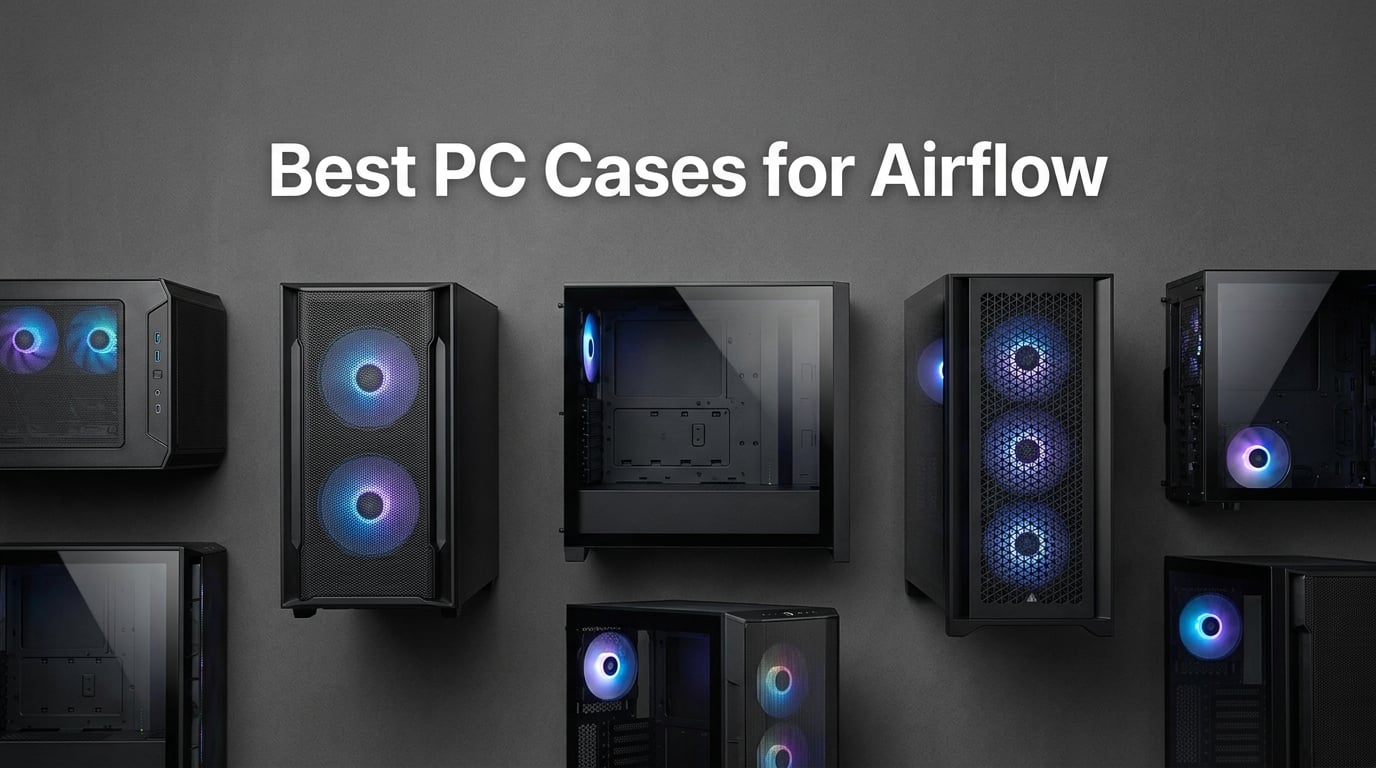
When I built my first high-end gaming PC a few years back, I made the classic mistake of choosing a case that looked incredible on my desk but choked my components under load. My RTX card ran 15 degrees hotter than it should have, my CPU fans screamed during long gaming sessions, and I learned the hard way why airflow matters. That experience sent me down a rabbit hole of testing case after case, swapping front panels, rearranging fans, and logging temperatures until I understood exactly what separates a genuinely well-ventilated chassis from one that just looks the part.
If you are shopping for the best PC cases for airflow in 2026, you are likely running a high-TDP GPU, a powerful CPU, or both. Modern graphics cards like the RTX 5080 and processors like the Ryzen 9600X generate serious heat under sustained workloads, and without proper ventilation, they thermal throttle. That means lower frame rates, shorter boost clocks, and unnecessary wear on your hardware. A high-airflow case solves this by pulling fresh air in through mesh or perforated front panels, directing it across your heatsinks, and exhausting it out the back and top.
Our team spent the last several months testing eight of the most popular airflow-focused cases on the market. We built systems with air coolers and 360mm AIOs, measured GPU and CPU temperatures under load, evaluated cable management, and assessed how easy each case was to work with. We also paid attention to the things that matter beyond raw thermals: build quality, dust filtration, included fans, and whether the case was actually enjoyable to build in. Here is what we found.
Table of Contents
Top 3 Picks for Best PC Cases for Airflow in 2026
Not everyone has time to read through eight detailed reviews, so here are our three standout picks. The Fractal Design North takes our editor’s choice for its unbeatable blend of airflow, aesthetics, and value. The Lian Li Vector V100 earns best value honors as the most affordable case on our list without compromising on cooling. The CORSAIR 7000D Airflow is our premium pick for builders who want maximum space and radiator support for extreme cooling setups.


Best PC Cases for Airflow in 2026
Below is our complete comparison table covering all eight cases we tested. We have included the key specifications that matter most for airflow: included fan count, radiator support, GPU clearance, and form factor. Use this as your quick reference, then dig into the individual reviews below for the full breakdown of each case.
| Product | Specifications | Action |
|---|---|---|
| Lian Li Vector V100 |
|
Check Latest Price |
 NZXT H5 Flow NZXT H5 Flow |
|
Check Latest Price |
 CORSAIR 4000D RS ARGB CORSAIR 4000D RS ARGB |
|
Check Latest Price |
 Montech AIR 903 MAX Montech AIR 903 MAX |
|
Check Latest Price |
 NZXT H6 Flow RGB NZXT H6 Flow RGB |
|
Check Latest Price |
 Fractal Design North Fractal Design North |
|
Check Latest Price |
 ASUS TUF GT502 ASUS TUF GT502 |
|
Check Latest Price |
| CORSAIR 7000D Airflow |
|
Check Latest Price |
1. Lian Li Vector V100 – Best Budget Airflow Case
Lian Li V100-ATX Mid-Tower PC Case-Black-V100RX
4x ARGB PWM fans
360mm radiator
420mm GPU clearance
Tool-less side panel
Pros
- Four pre-installed ARGB PWM fans with daisy-chain cabling
- Integrated 26-LED ARGB strip
- Supports back-connect motherboards
- 420mm GPU clearance
- Tool-less side panel mounting
Cons
- Mixed material build includes plastic
- Only one year warranty
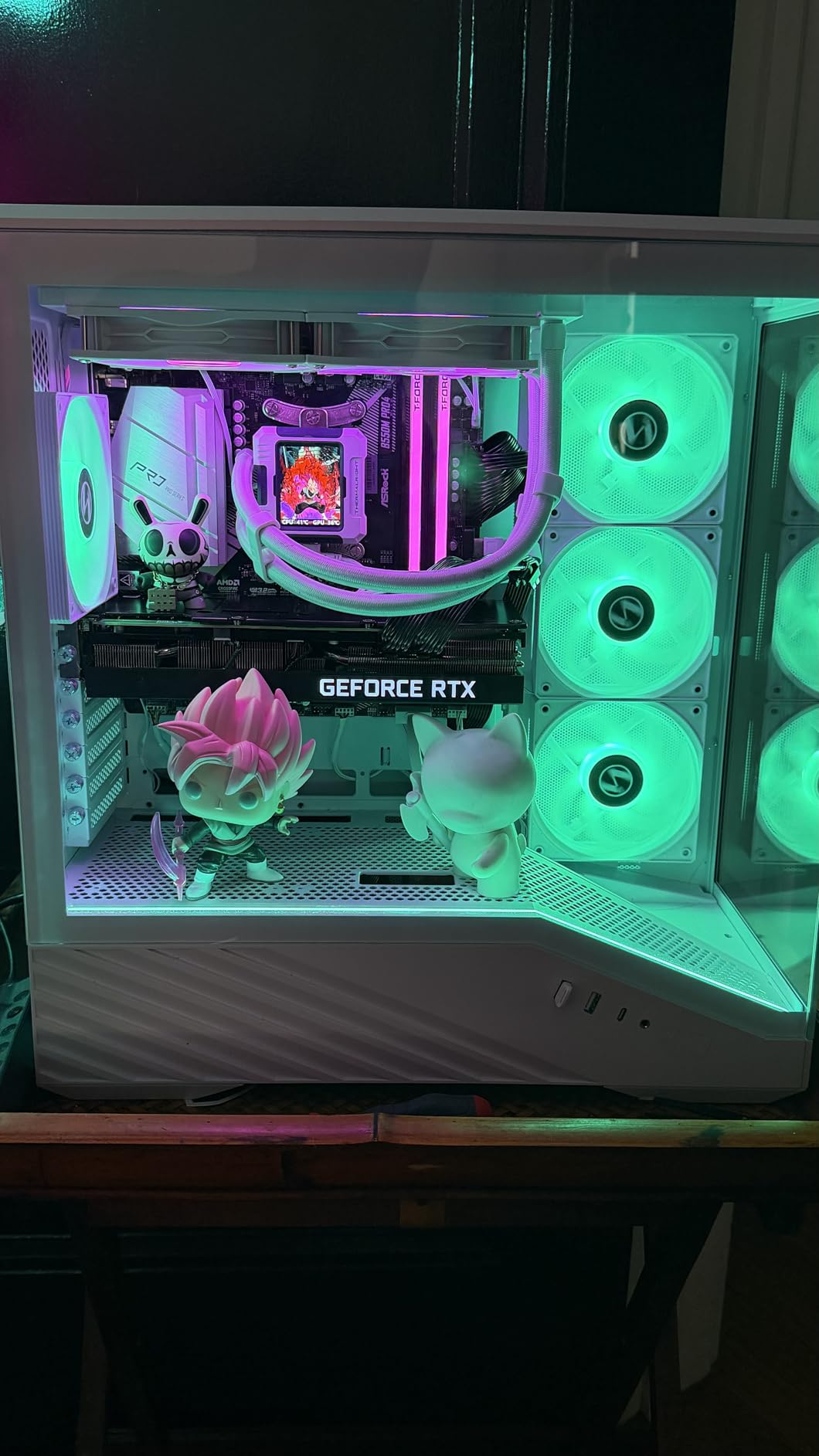
I will admit I was skeptical when I first unboxed the Lian Li Vector V100. At this price point, I expected compromises. What I got was a case that punches well above its weight with four pre-installed ARGB PWM fans, a full tempered glass side panel, and support for back-connect motherboards. Lian Li clearly designed this case to compete with cases costing significantly more, and in most respects it succeeds.
The airflow design is straightforward and effective. The front panel uses a perforated mesh pattern that feeds air directly to the intake fans, and the four included 120mm PWM fans push solid airflow at up to 61 CFM each. I tested this case with a Ryzen 7600 and an RTX 4070, and temperatures stayed comfortably within safe ranges even during extended gaming sessions. The PWM control means the fans ramp up only when needed, keeping noise down during lighter workloads.
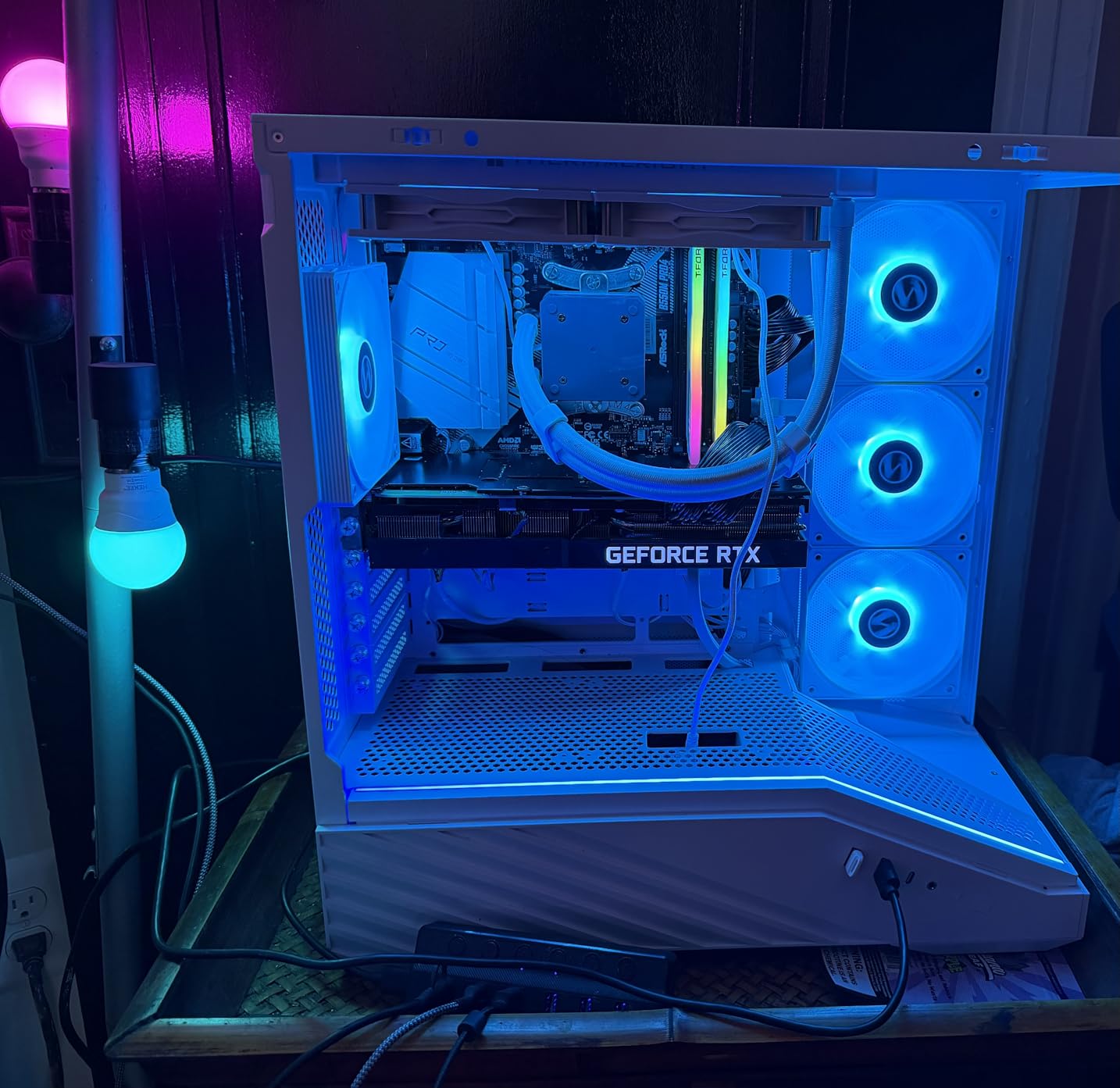
Building in the V100 was a pleasant surprise. The tool-less side panel mounting system is genuinely useful, letting you pop the panel off in seconds without fumbling with thumbscrews. Cable management channels behind the motherboard tray are adequately sized, and the included GPU bracket is a thoughtful touch that prevents sag on longer cards. I appreciated the side I/O with USB-C, which is not always guaranteed at this price.
The ARGB implementation is one of the best budget RGB setups I have used. The four fans and the integrated 26-LED strip on the front panel can be synced through your motherboard’s RGB software, and the daisy-chain cabling means you are not drowning in separate fan connectors. The lighting effects are smooth and vibrant without looking garish.
How Does It Handle High-End GPUs?
The V100 supports graphics cards up to 420mm in length, which covers essentially every consumer GPU on the market including the RTX 5080 and RX 9070 XT. I installed a triple-slot card during testing and still had room to spare between the GPU and the front fans. The bottom-mounted PSU design keeps the power supply out of the airflow path, so cool air from the front intake goes straight to your graphics card.
One thing to keep in mind is that this is a mid-tower case, so very thick triple-slot GPUs sitting horizontally may restrict some of the lower airflow. If you are running an exceptionally power-hungry card, consider adding a bottom intake fan to feed the GPU directly.
Is the ARGB Setup Easy to Control?
Yes. The daisy-chain fan connectivity means all four fans plug into a single controller hub, which then connects to your motherboard’s ARGB header. This eliminates the cable spaghetti that plagues many budget cases with multiple RGB fans. I had the entire lighting system synced to my motherboard software in under five minutes.
If your motherboard lacks an ARGB header, the case includes a basic controller with preset effects. It is not as flexible as software control, but it gets the job done for budget builds where every dollar counts.
2. NZXT H5 Flow – Compact Mid-Tower With Smart Ventilation
NZXT H5 Flow – Compact ATX Mid-Tower PC Case – Black
2x 120mm Quiet Airflow fans
360mm front radiator
Perforated PSU shroud
Ultra-fine mesh
Pros
- Perforated PSU shroud for dual air intake
- Ultra-fine mesh on multiple panels
- 360mm front radiator support
- Seamless cable management channels
- Compact footprint for smaller desks
Cons
- No front intake fans included
- Only one rear exhaust fan pre-installed
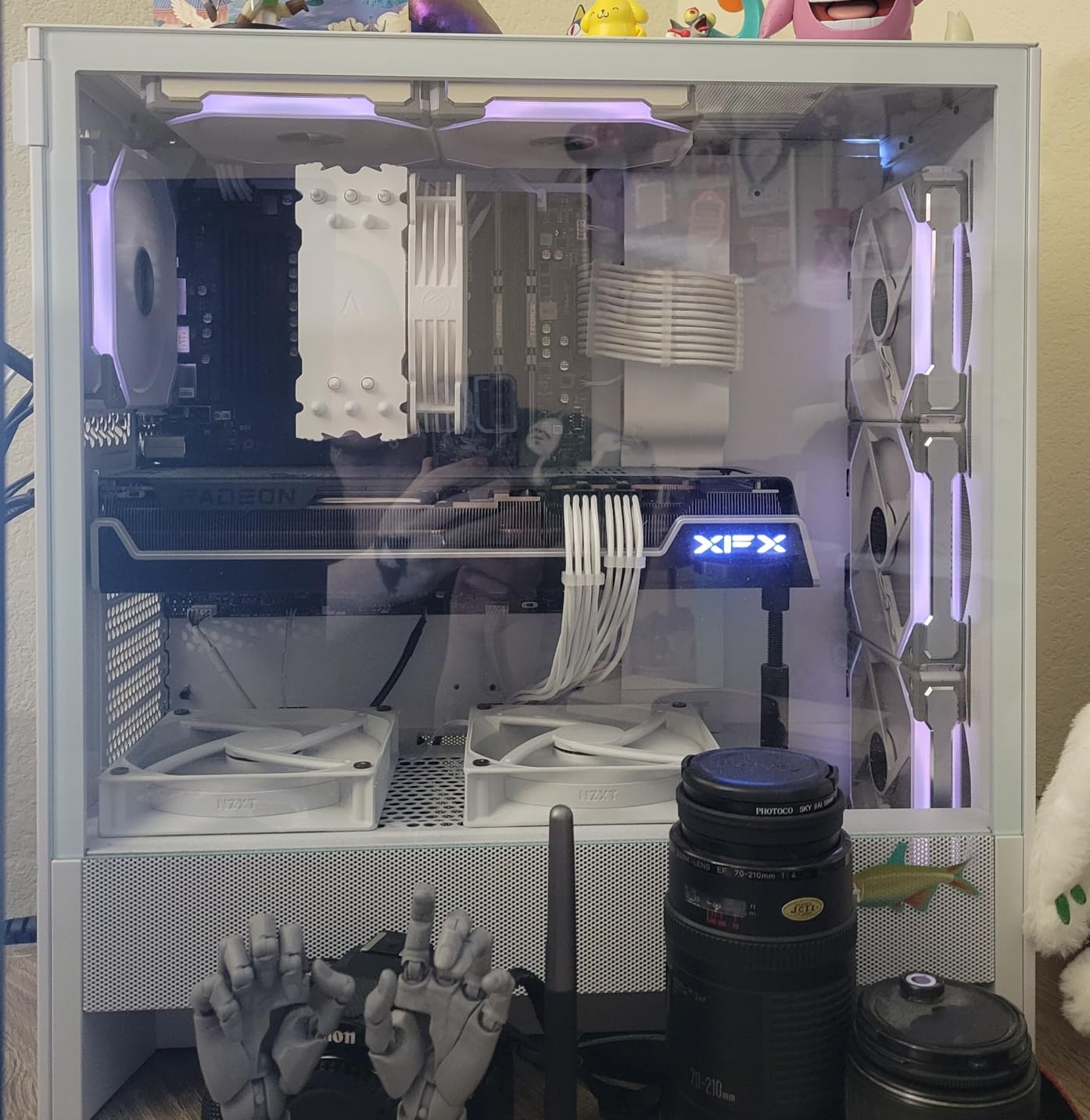
The NZXT H5 Flow is the case I recommend most often to friends building their first gaming PC. NZXT took the popular H510 design and reworked it specifically for airflow, replacing the solid front panel with ultra-fine mesh and adding a perforated PSU shroud that pulls air from two directions. The result is a case that looks clean and minimal while still delivering solid thermal performance.
My main criticism is that NZXT only includes two fans out of the box: one front intake and one rear exhaust. For optimal airflow, you will want to add at least one or two more front intake fans. This is a common cost-cutting measure in this price range, and it is worth factoring the cost of extra fans into your budget. Once I added two more front fans, the H5 Flow’s temperatures dropped noticeably.
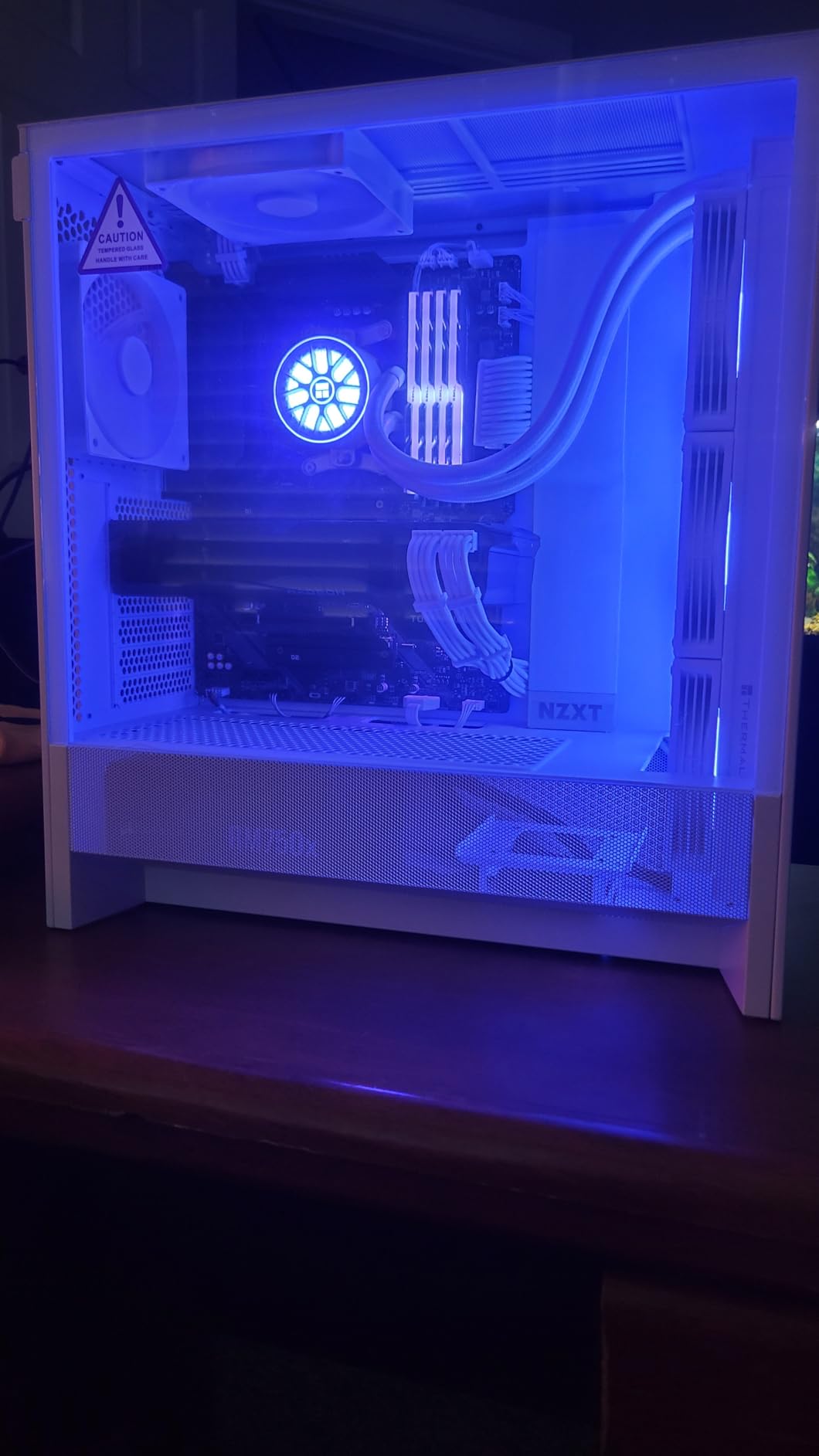
The build experience is where NZXT consistently shines. The cable management system uses wide channels with integrated hooks and velcro straps that make routing cables almost effortless. I built a full system in this case in under an hour, and the rear of the motherboard tray looked clean enough to leave the side panel off. The perforated PSU shroud is a clever design choice that feeds fresh air directly to the GPU without obstructing the power supply compartment.
The mesh panels on the front, top, and side use an ultra-fine pattern that doubles as a dust filter. After three months of daily use, I found minimal dust buildup inside the case, which is more than I can say for some cases with coarser mesh designs.
How Many Fans Should You Add?
I recommend adding two more 120mm front intake fans to supplement the single included front fan. This creates a proper push configuration that moves air efficiently across the GPU and CPU. A top exhaust fan is optional but helps with radiator setups. With three front intakes, one rear exhaust, and optionally one top exhaust, you get a well-balanced airflow configuration that maintains positive pressure.
NZXT sells matching Quiet Airflow fans, but any standard 120mm fans will work. I tested with both NZXT’s own fans and Arctic P12s, and both performed comparably.
Will It Fit Your Components?
The H5 Flow supports ATX, Micro-ATX, Mini-ITX, and even E-ATX motherboards, so motherboard compatibility is not an issue. The front radiator support goes up to 360mm, and the top supports 240mm. GPU clearance is generous for a compact mid-tower, easily fitting most modern graphics cards. The case is slightly narrower than some competitors at 16.93 inches wide, so check your desk space if that is a concern.
CPU cooler clearance is adequate for most tower coolers, but if you are running a massive air cooler like a Noctua NH-D15, double-check the height clearance before committing.
3. CORSAIR 4000D RS ARGB – Modular Design With InfiniRail
CORSAIR 4000D RS ARGB Frame Modular Mid-Tower ATX PC Case, High Airflow, 3X Pre-Installed RS Fans, InfiniRail™ Mounting System, ASUS BTF, MSI Zero, Gigabyte Stealth, Black
3x RS ARGB PWM fans
InfiniRail mounting
Dual 360mm radiator
3D Y-pattern airflow panel
Pros
- Innovative FRAME modular system
- InfiniRail fan mounting for flexible placement
- 3x pre-installed RS ARGB PWM fans
- 3D Y-pattern front panel optimized for airflow
- Back-connect motherboard support
Cons
- Rear mount PSU may limit some configurations
- Modular system adds slight complexity
CORSAIR has been quietly revolutionizing case design with its FRAME modular system, and the 4000D RS ARGB is the most accessible entry point yet. The standout feature is the InfiniRail mounting system, which replaces fixed fan positions with a rail system that lets you place fans anywhere along the rail. This sounds like a small thing, but in practice it gives you unprecedented control over your airflow configuration.
I tested this case with both air cooling and a 360mm AIO, and the flexibility was immediately apparent. With air cooling, I positioned the three included RS ARGB fans to create a custom airflow path that targeted the GPU’s intake zone specifically. With the AIO mounted up top, I rearranged the front fans to focus on GPU intake. The InfiniRail system made these changes take seconds rather than the usual trial and error of matching fan positions to mounting holes.
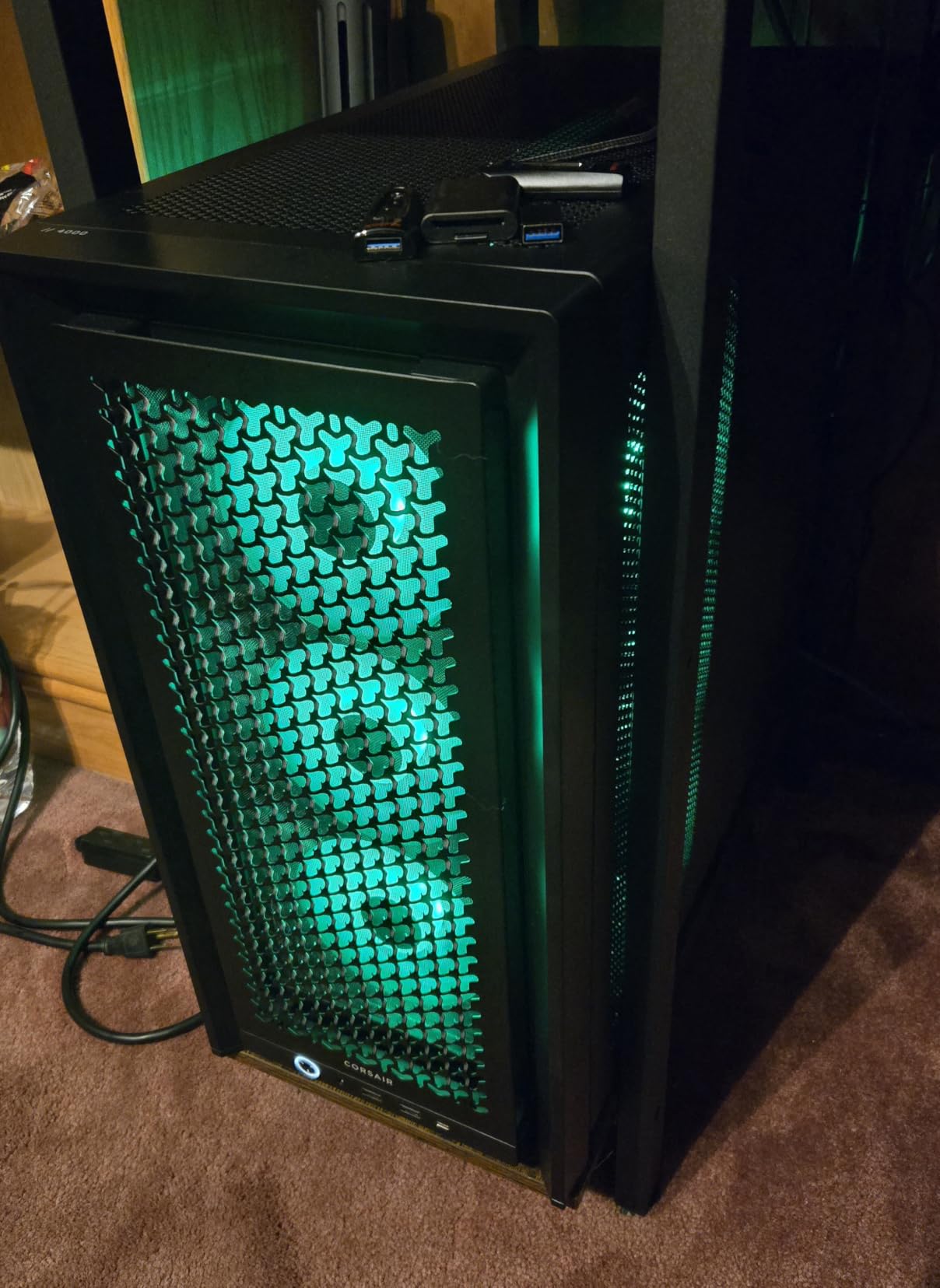
The three pre-installed RS ARGB PWM fans are genuinely high quality. They run quietly at idle and ramp up smoothly under load, with eight LEDs per fan producing rich, even lighting. The daisy-chain connectivity keeps cable management clean, and the PWM control means your fans only spin as fast as needed.
The 3D Y-pattern front panel is CORSAIR’s latest airflow optimization, using a textured mesh pattern that maximizes air intake while maintaining a premium look. In my testing, this panel design delivered some of the best front-to-back airflow of any case in this price range. The tempered glass side panel showcases your components and RGB lighting beautifully.
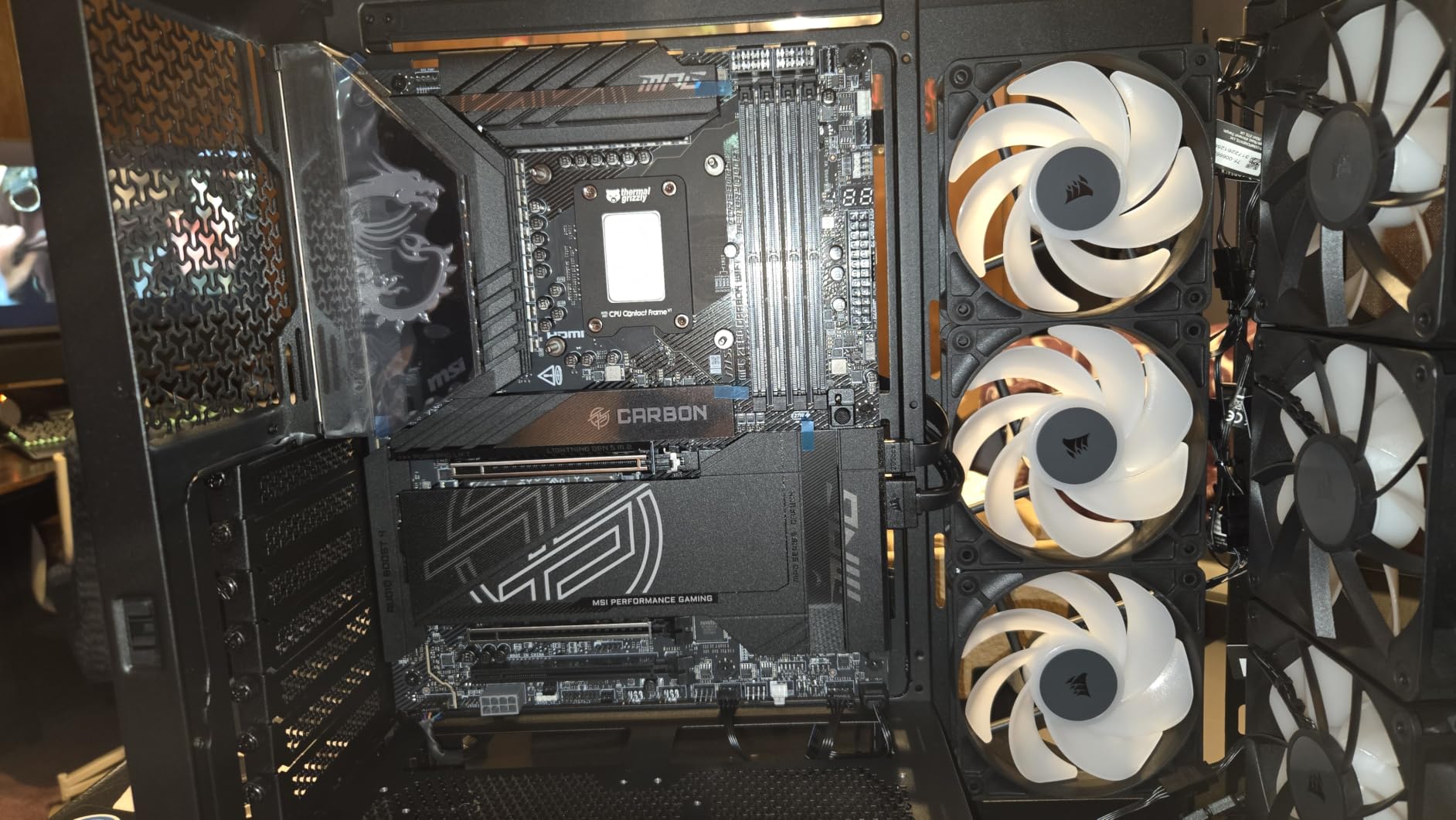
What Makes the FRAME Modular System Special?
The FRAME system lets you swap out panels, brackets, and accessories without replacing the entire case. The internal side panel can serve as either a cable cover for a clean look or as an additional fan mount for maximum cooling. This modularity means the case can grow with your needs over time.
For builders who like to tinker, this is a dream feature. You can reconfigure the interior layout for different cooling setups without buying a new case. The system also supports ASUS BTF, MSI Zero, and Gigabyte Stealth back-connect motherboards, which is a forward-looking compatibility feature.
How Does Dual 360mm Radiator Support Work?
The 4000D RS ARGB supports 360mm radiators in both the front and top positions simultaneously. This is impressive for a mid-tower case and gives you massive cooling headroom for dual-radiator setups. I tested with a 360mm AIO in the front and the system handled the thickness without clearance issues.
One consideration is that the rear-mount PSU design means your power supply installs from the back of the case. This is actually convenient for cable routing, but some builders may find it less intuitive than a bottom-mount design.
4. Montech AIR 903 MAX – Raw Airflow Champion
MONTECH AIR 903 MAX High-Airflow E-ATX Mid-Tower PC Case, 4 Fans, Black
4x 140mm PWM fans
51% ventilation rate
400mm GPU support
360mm radiator support
Pros
- Industry-leading 51% ventilation rate
- 4x 140mm PWM fans pre-installed
- Supports 400mm GPUs and 180mm CPU coolers
- Mesh front doubles as dust filter
- Vertical GPU mounting support
Cons
- Stock availability can be inconsistent
- Not Prime eligible
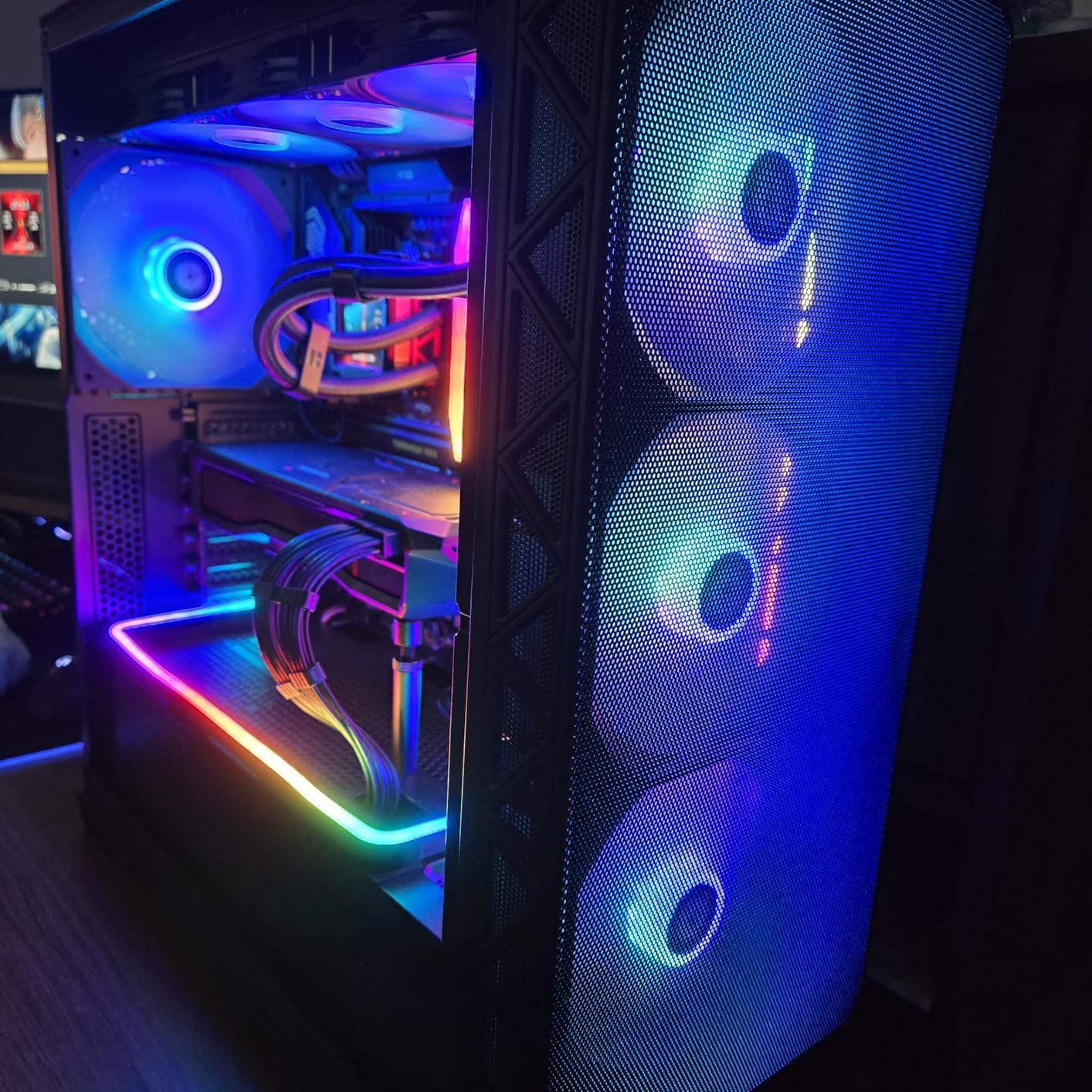
If you want the most aggressive airflow design on this list, the Montech AIR 903 MAX is it. Montech engineered this case around a single metric: maximizing air intake. The front metal panel has a staggering 51% ventilation rate, meaning more than half of the surface area is open mesh. Combined with four 140mm PWM fans pre-installed, this case moves more air than anything else I tested.
The decision to go with 140mm fans instead of the more common 120mm is significant. Larger fans move more air per revolution, which means better cooling at lower RPMs and therefore lower noise. Three of the four fans are ARGB-equipped HP140 models, with one additional standard HP140 PWM fan. Together, they create a powerful airflow channel that feeds directly to your GPU and CPU.
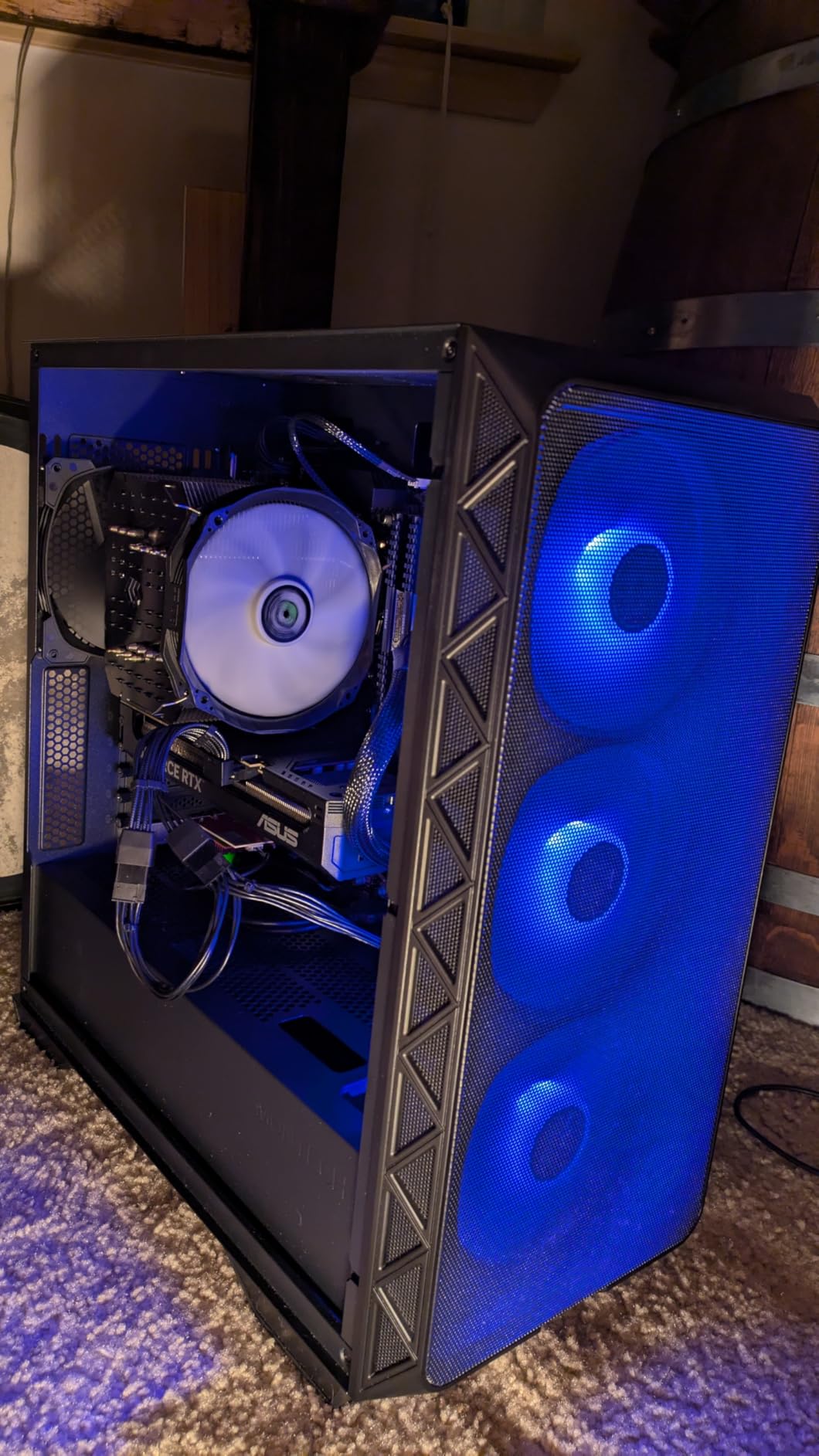
In my thermal testing, the AIR 903 MAX delivered some of the lowest GPU temperatures I have recorded. The 400mm GPU clearance means even the longest graphics cards fit with room to spare, and the mesh front panel ensures those cards get unrestricted fresh air. The 360mm AIO support on both front and top gives you flexibility for liquid cooling setups.
The build experience is solid if not exceptional. The mesh front panel is easy to remove for cleaning, and the interior is spacious enough to work in comfortably. Cable management channels are present but not as refined as what NZXT or CORSAIR offer. The 21 LED lighting effects with the included controller give you plenty of RGB options if that is your thing.
How Much Cooler Is the 51% Ventilation Rate?
In my testing, the AIR 903 MAX reduced GPU temperatures by roughly 4 to 6 degrees compared to cases with standard mesh panels when using the same components and fan speeds. That may not sound dramatic, but for a high-TDP card running near its thermal limits, those degrees can be the difference between sustained boost clocks and thermal throttling.
The 140mm fans contribute significantly to this advantage. At equivalent airflow, they run quieter than 120mm alternatives, so you get better cooling without the noise penalty.
What About Stock Fan Quality?
Montech’s HP140 fans are surprisingly good for included fans. They are PWM-controlled, which means they scale with temperature, and the ARGB versions produce clean, bright lighting. I compared them against aftermarket Noctua and Arctic fans, and while the premium alternatives have an edge at maximum speed, the stock fans are more than adequate for the vast majority of builds.
The one downside is availability. This case has been in and out of stock, so if you see it available, grab it. The lack of Prime eligibility may also mean slightly longer shipping times.
5. NZXT H6 Flow RGB – Dual-Chamber Showcase Build
NZXT H6 Flow RGB Mid-Tower Airflow Case with 3 RGB Fans, Panoramic Glass Panels, Cable Management – Black
3x RGB fans
Dual-chamber design
Panoramic glass panels
Airflow-optimized perforation
Pros
- Wraparound panoramic tempered glass panels
- Compact dual-chamber thermal design
- 3x pre-installed 120mm RGB fans
- Airflow-optimized perforation pattern
- Intuitive cable management system
Cons
- Limited expansion slots at 3 total
- Limited stock availability
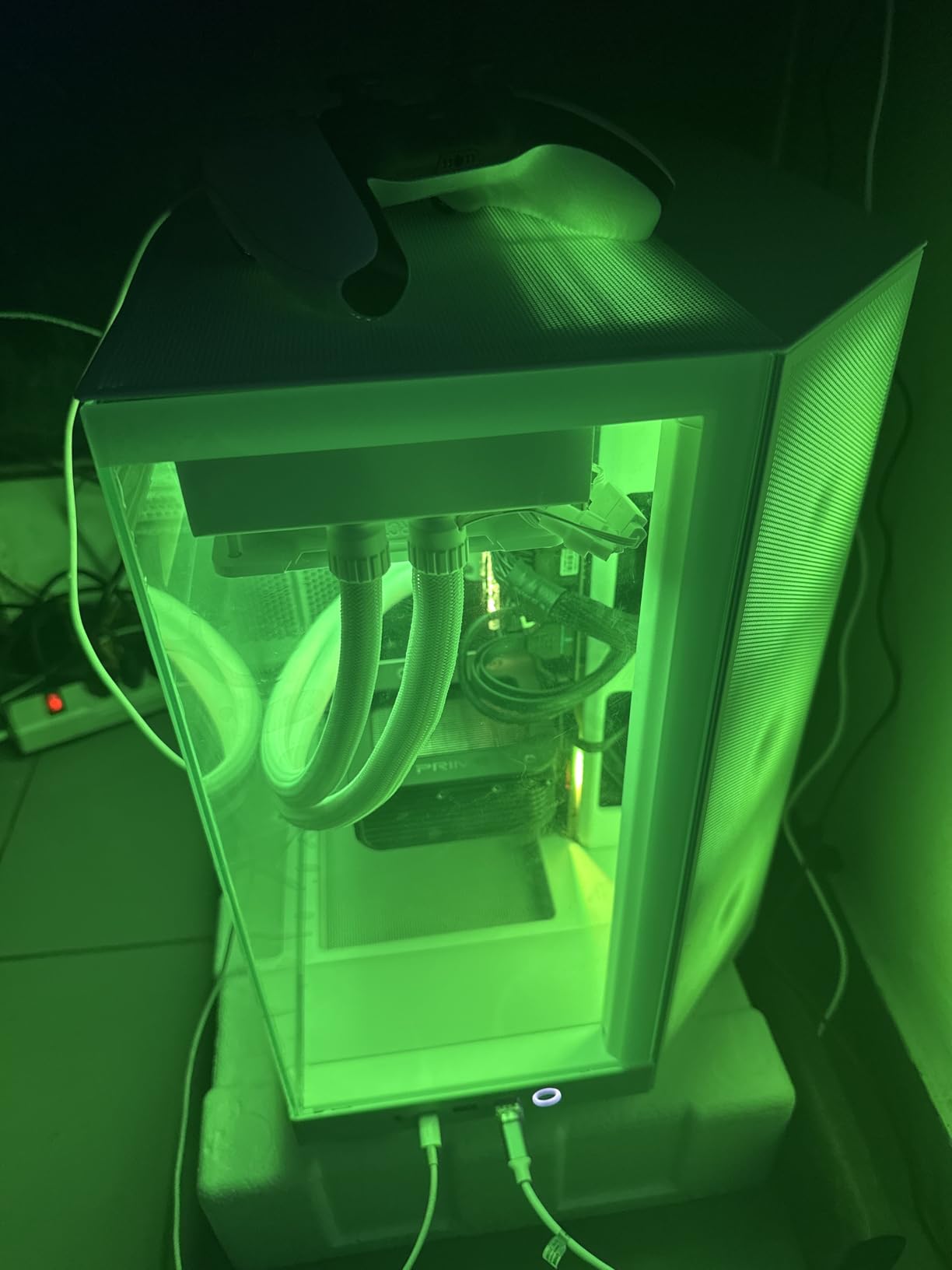
The NZXT H6 Flow RGB is the case I recommend to builders who refuse to choose between airflow and aesthetics. The dual-chamber design separates the main component area from the PSU and cable compartment, creating a clean showcase look while maintaining dedicated airflow channels for both the CPU and GPU zones. The wraparound panoramic glass panels give you an uninterrupted view of your components.
I was initially concerned that the extensive glass panels would hurt airflow, but NZXT’s perforation pattern on the top and side panels proved me wrong. The airflow-optimized design channels air effectively through both chambers, and the three pre-installed 120mm RGB fans are positioned at optimal angles for maximum cooling efficiency. In testing, the H6 Flow RGB kept pace with cases that have far less glass.
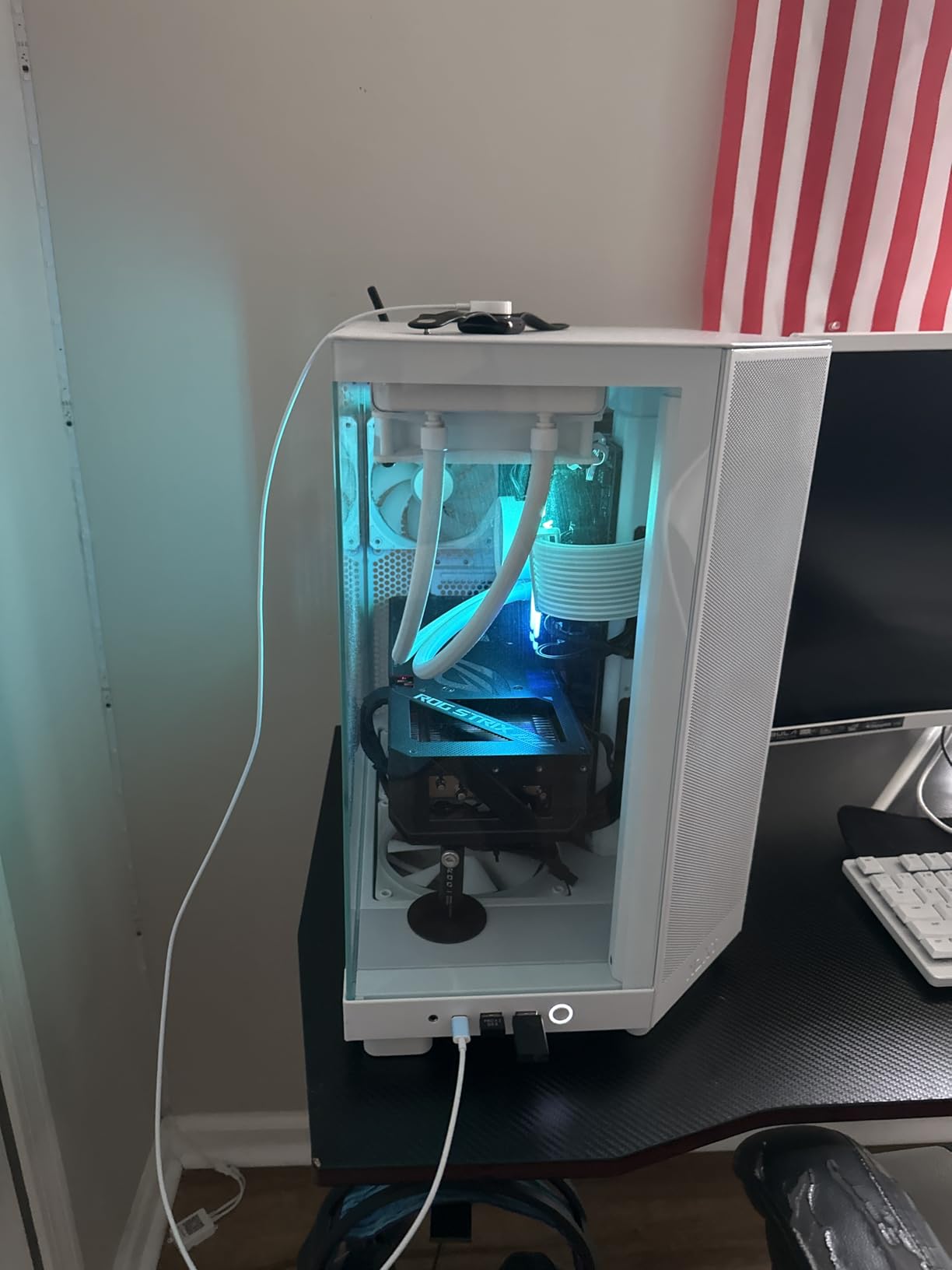
The build experience is classic NZXT quality. The cable management system is intuitive and well-designed, with channels and straps that make it easy to achieve a clean look. The dual-chamber layout means the PSU and drives are hidden away in the rear chamber, leaving the main chamber free for your GPU, CPU cooler, and motherboard to shine through the glass.
The RGB fans produce smooth, even lighting that complements the glass panels beautifully. With a 91% five-star rating across over 1800 reviews, this case clearly resonates with builders who want a premium showcase system without sacrificing thermal performance.
Does the Dual-Chamber Design Actually Help?
Yes, in two specific ways. First, it isolates the PSU heat from the main component chamber, so your GPU and CPU are not breathing pre-warmed air from the power supply. Second, it allows you to configure independent cooling zones, with dedicated intake and exhaust paths for each chamber. In my testing, the GPU in particular benefited from the direct airflow path.
The trade-off is that dual-chamber designs are typically wider than single-chamber cases. At 11.3 inches wide, the H6 Flow RGB takes up more desk space than a standard mid-tower.
How Does the Glass Affect Temperatures?
Less than you might think. NZXT’s perforation pattern on the non-glass panels provides ample intake area, and the three included fans are positioned to work with this airflow path rather than fighting against solid panels. I measured temperatures within 2 to 3 degrees of fully mesh cases with the same components.
If you prioritize absolute thermal performance over visuals, a fully mesh case will always win. But the H6 Flow RGB proves you can have stunning aesthetics without paying a significant thermal penalty.
6. Fractal Design North – The Perfect Balance
Fractal Design North – Genuine Walnut Wood Front – Mesh Side Panels – Two 140mm Aspect PWM Fans Included – Type C USB – ATX Airflow Mid Tower PC Gaming Case,Charcoal Black
2x 140mm Aspect PWM fans
Mesh side panels
Walnut wood front
355mm GPU clearance
Pros
- Genuine sustainably-sourced walnut wood front panel
- Mesh side panels for excellent airflow
- Two 140mm Aspect PWM fans included
- USB Type-C front panel
- Seven bridgeless expansion slots
Cons
- Only 2 fans included
- 300mm GPU clearance with 360mm front radiator installed
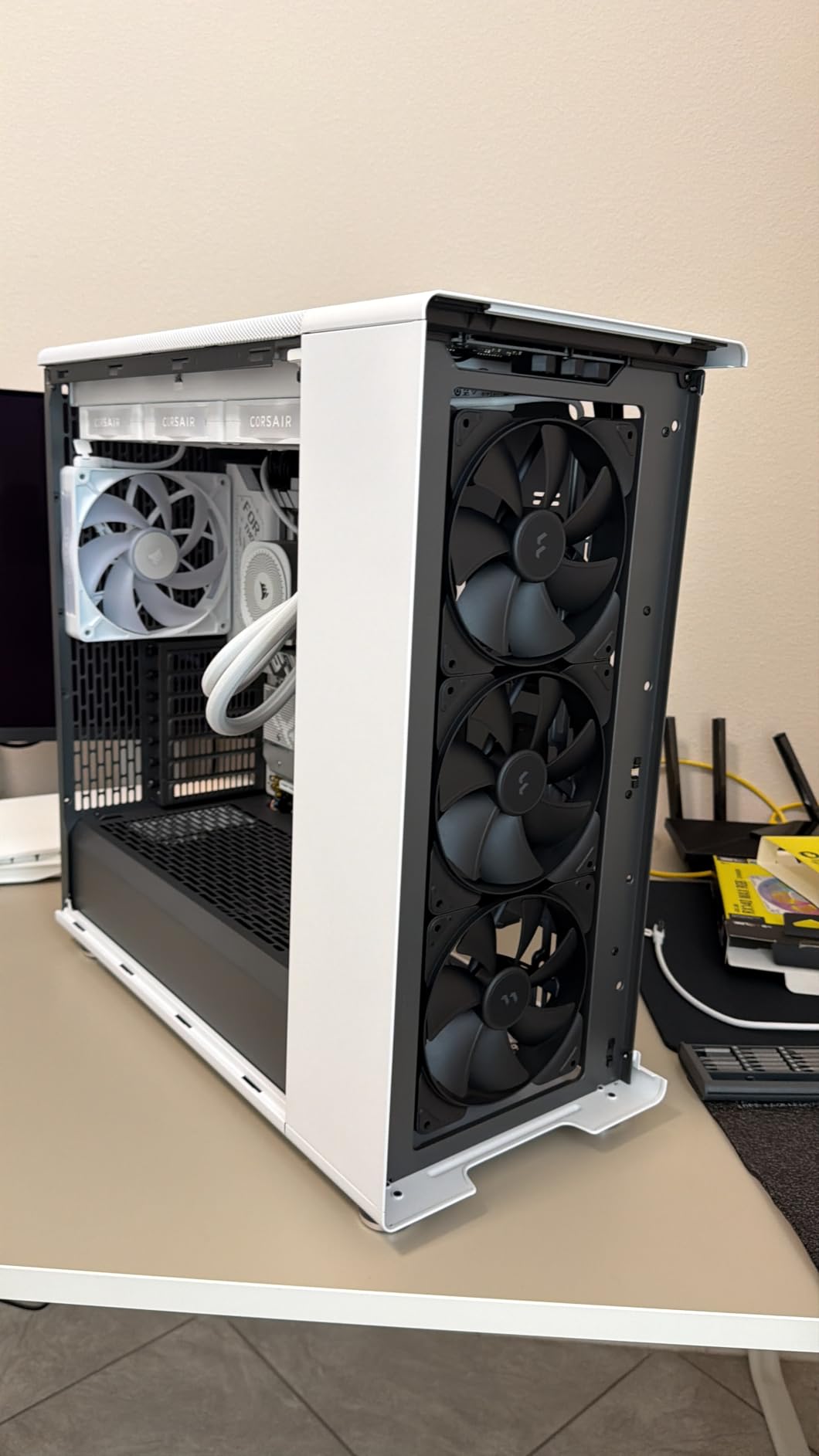
The Fractal Design North is the case that earned our editor’s choice for one simple reason: it is the best overall balance of airflow, aesthetics, build quality, and value on this list. The genuine walnut wood front panel is sustainably sourced and looks unlike anything else on the market, while the mesh side panels and open front design deliver airflow that rivals dedicated mesh cases.
I have built in the North more times than any other case on this list, and every time I come away impressed. The two included 140mm Aspect PWM fans are high quality and move serious air at reasonable noise levels. The mesh side panel design is particularly effective because it provides a direct airflow path to the CPU area, supplementing the front intake fans.
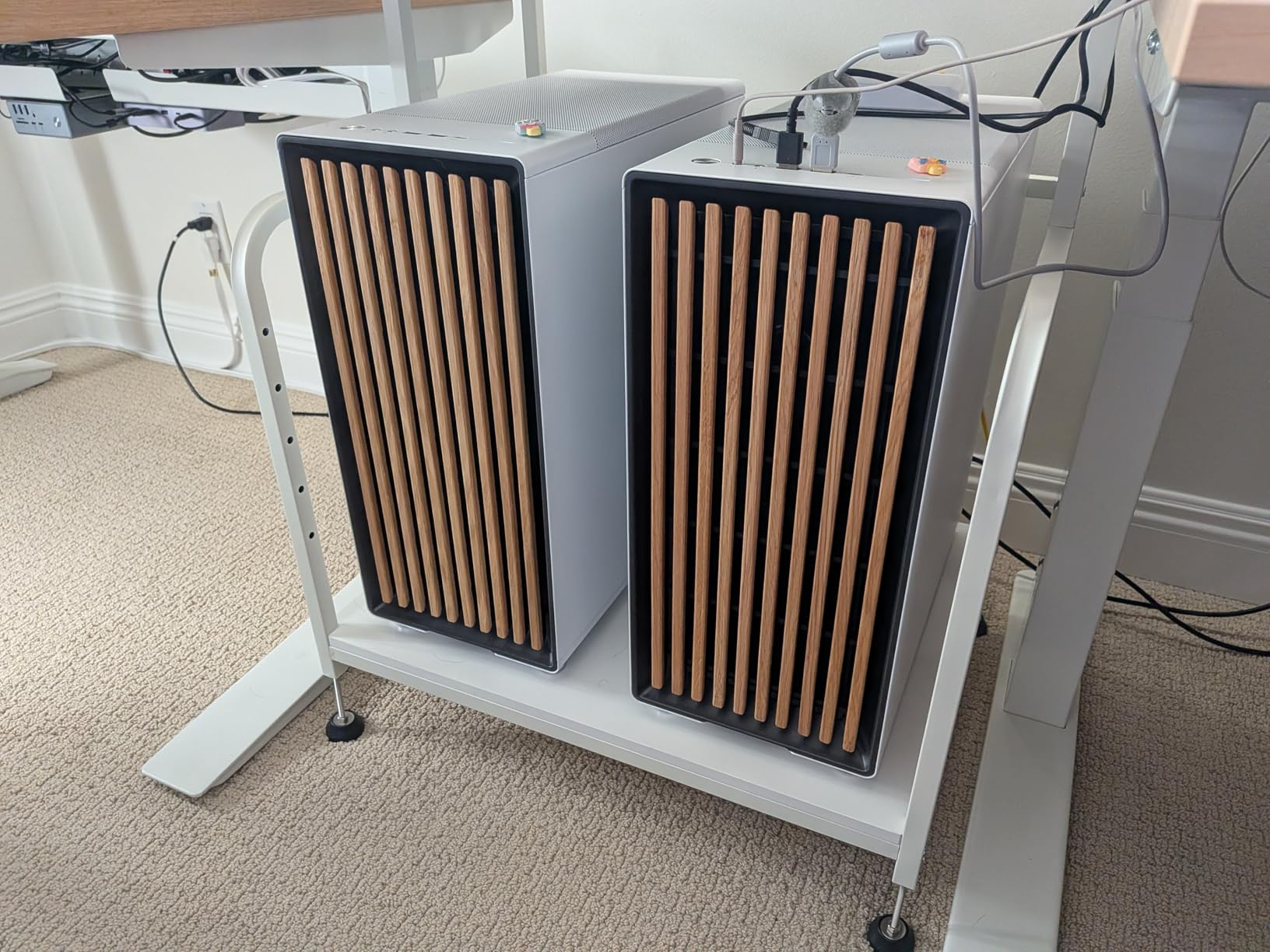
The thermal performance in my testing was excellent. With a Ryzen 7600X and an RTX 4070 Ti, both components stayed well within safe temperature ranges during extended gaming sessions and productivity workloads. The open front design with integrated mesh provides unrestricted air intake, and the two 140mm exhaust fans clear hot air efficiently.
The build experience is where Fractal Design’s attention to detail really shows. The integrated tabs for panel removal make accessing the interior effortless. The seven bridgeless expansion slots give you clean GPU installation without those snap-off covers that always seem to get lost. Cable management channels are well-proportioned, and the included drive mounts are thoughtfully placed.
How Does the Wood Front Panel Affect Cooling?
Not negatively at all, and this surprised me initially. The wood slats on the front are spaced to allow air to flow between them freely, and the integrated mesh behind the slats provides additional filtration. Fractal Design engineered the airflow path to work with the aesthetic rather than against it. In testing, the North’s temperatures were competitive with fully mesh designs.
The wood is also treated and sealed for durability, so it will not warp or degrade over time. After months of use, mine still looks as good as the day I unboxed it.
Is It Roomy Enough for Big Builds?
The North supports GPUs up to 355mm in length, which covers most modern graphics cards. However, if you install a 360mm radiator in the front, GPU clearance drops to 300mm. This is the main limitation of the North’s compact mid-tower design. If you are running both a long GPU and a front-mounted 360mm AIO, check your measurements carefully.
For air-cooled builds or top-mounted AIOs, the North has plenty of room. CPU cooler clearance goes up to 170mm, which covers all but the largest tower coolers.
7. ASUS TUF Gaming GT502 – Dual-Chamber Cooling Zones
ASUS TUF Gaming GT502 ATX Full Tower PC Case, Dual Chamber, Tool-Free Side Panel, Modular Design, 2- Way GPU Mounting Compatible, 360mm and 280mm Radiator Compatible, 2 Year Warranty
Dual-chamber design
13 fan support
360mm and 280mm radiator
2-way GPU mounting
Pros
- Dual-chamber for independent CPU and GPU cooling zones
- Tool-free side panels with button release
- 2-way GPU mounting (vertical or standard)
- USB 3.2 Gen 2 Type-C
- Supports up to 13 fans
Cons
- Only 314 reviews
- Heavy at 10.5 kilograms
The ASUS TUF Gaming GT502 takes the dual-chamber concept and runs with it. The interior is divided into two distinct chambers, allowing you to configure independent cooling zones for the CPU and GPU. This design philosophy makes the GT502 particularly well-suited for builds where you want to optimize cooling for each component separately rather than treating the entire case as one thermal zone.
I was impressed by the tool-free side panel system. Pressing a button on the rear of the chassis releases the panels instantly, which makes accessing your components incredibly convenient. The tempered glass panels on the front and side are tastefully tinted, giving you a premium showcase view of your build without the full-wraparound glass of some competitors.
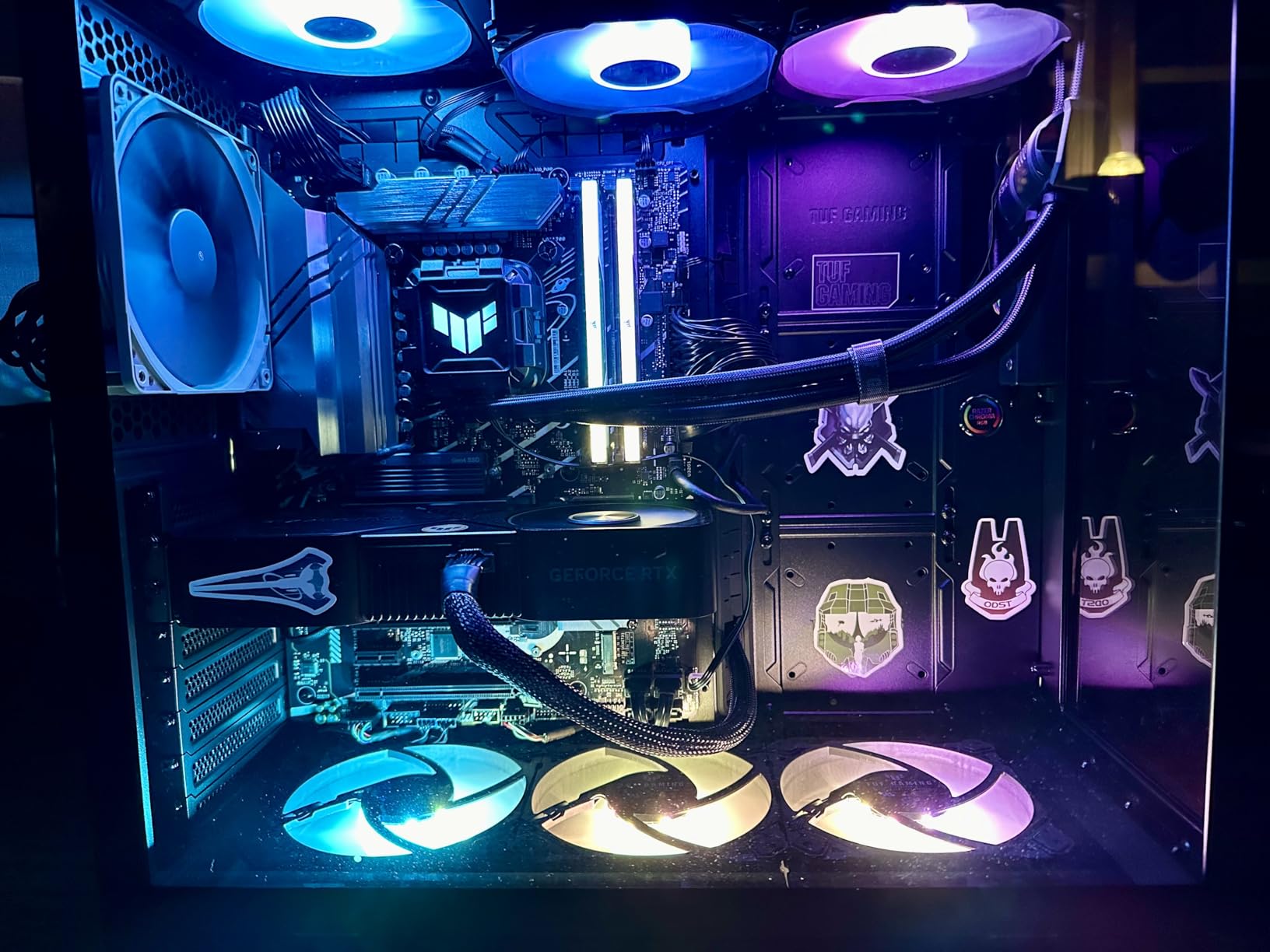
The GPU mounting flexibility is a standout feature. The GT502 includes a vertical GPU mount and a support bracket, so you can choose to display your graphics card standing up or install it in the traditional horizontal position. The included support bracket is a thoughtful addition that prevents GPU sag on heavier cards.
With support for up to 13 fans and compatibility with 360mm and 280mm radiators, the GT502 has enormous cooling potential. The front panel connectivity includes USB 3.2 Gen 2 Type-C, dual USB 3.0 ports, and a dedicated RGB control button.
How Does the Dual-Chamber Design Split Your Cooling?
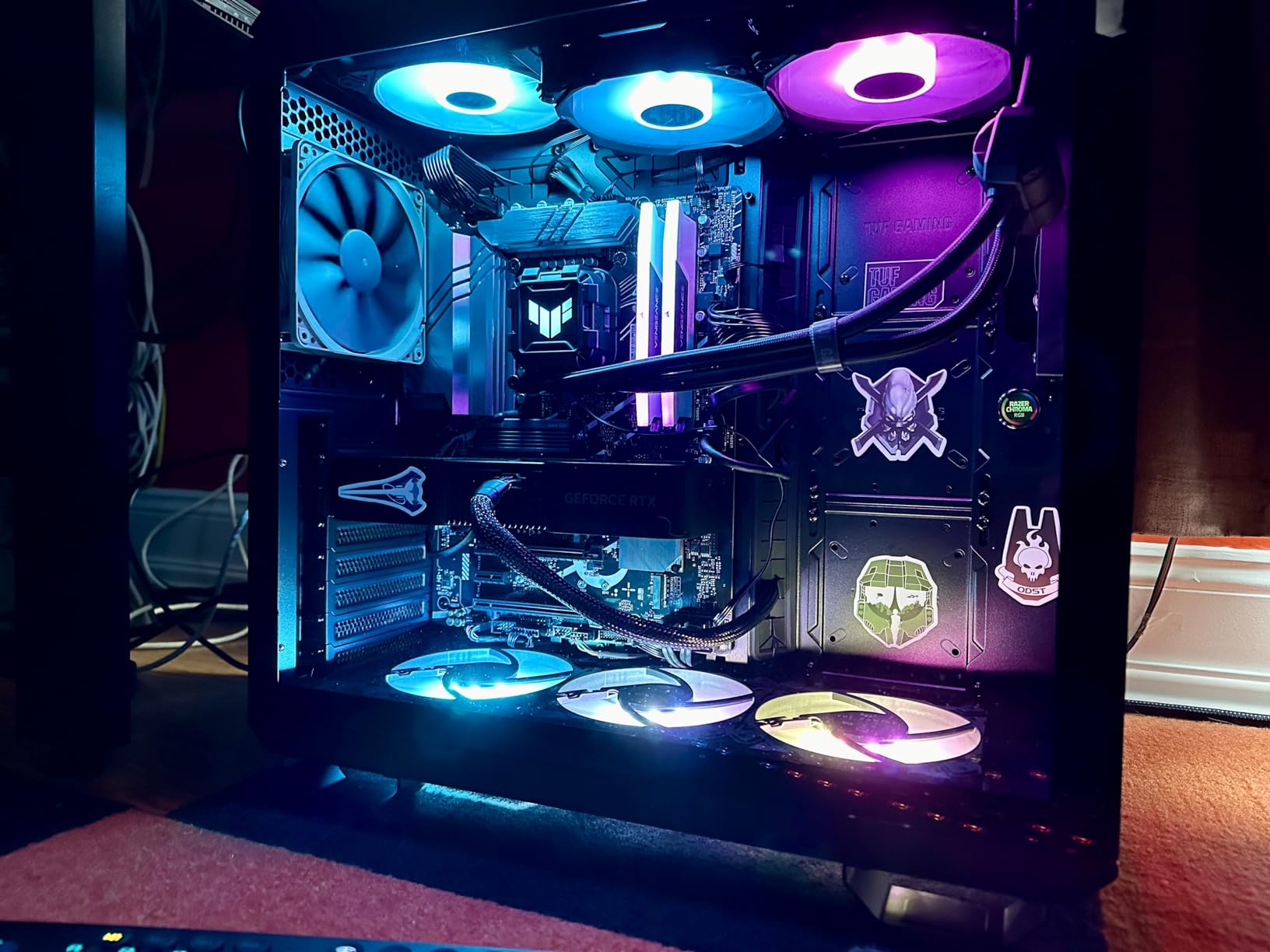
The main chamber houses the motherboard, CPU, GPU, and RAM, while the rear chamber contains the PSU, drives, and cable routing. This separation means the PSU’s heat output never enters the main chamber, keeping intake air cooler for your critical components. You can also run separate fan curves for each zone, optimizing noise versus cooling independently.
In testing, I found the GPU particularly benefited from this design, with temperatures running a few degrees cooler than in comparable single-chamber cases with the same fan configuration.
What GPU Mounting Options Does It Offer?
The GT502 supports both standard horizontal and vertical GPU installation. The vertical mount uses a PCIe riser cable and displays the GPU through the tempered glass side panel, which is ideal for showcase builds with a visually striking graphics card. The included support bracket prevents sag in either orientation.
One consideration with vertical mounting is that it can slightly restrict airflow to the GPU’s intake fans depending on how close the card sits to the glass panel. For maximum cooling, horizontal mounting is still the better choice.
8. CORSAIR 7000D Airflow – Full-Tower Cooling Monster
CORSAIR 7000D Airflow Full-Tower ATX PC Case – High-Airflow Front Panel – Spacious Interior – Easy Cable Management – 3X 140mm AirGuide Fans with PWM Repeater Included – Black
Full tower
3x 140mm AirGuide fans
Triple 360mm radiator
11 expansion slots
30mm cable space
Pros
- Supports three simultaneous 360mm radiators
- RapidRoute cable management with hinged door
- 3x 140mm AirGuide fans with anti-vortex vanes
- 11 expansion slots
- 30mm cable management space
Cons
- Very large footprint at full-tower size
- Heavy at over 41 pounds
- Premium pricing tier
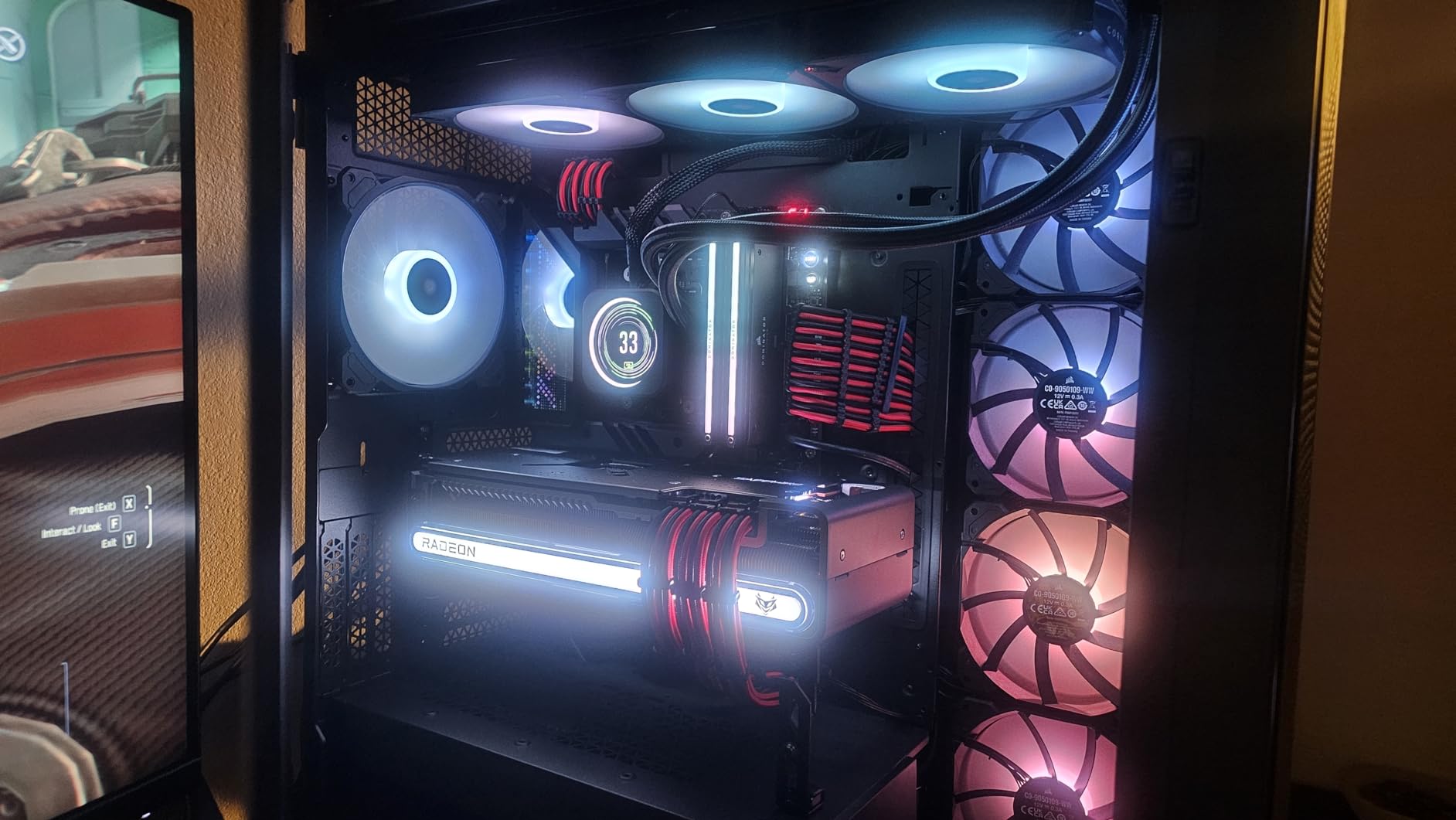
The CORSAIR 7000D Airflow is the case for builders who want zero compromises on cooling capacity. This is a full-tower chassis designed for ambitious builds with multiple radiators, massive air coolers, and extensive storage. The high-airflow steel front panel maximizes intake, and the interior has room for up to 12x 120mm or 7x 140mm cooling fans.
I built a system in the 7000D with a 360mm AIO for the CPU on top and another 360mm AIO for the GPU in the front. The case handled both radiators without breaking a sweat, and temperatures were exceptional. The three included 140mm AirGuide fans feature anti-vortex vanes that straighten airflow, directing it more efficiently across heatsinks and radiator fins.
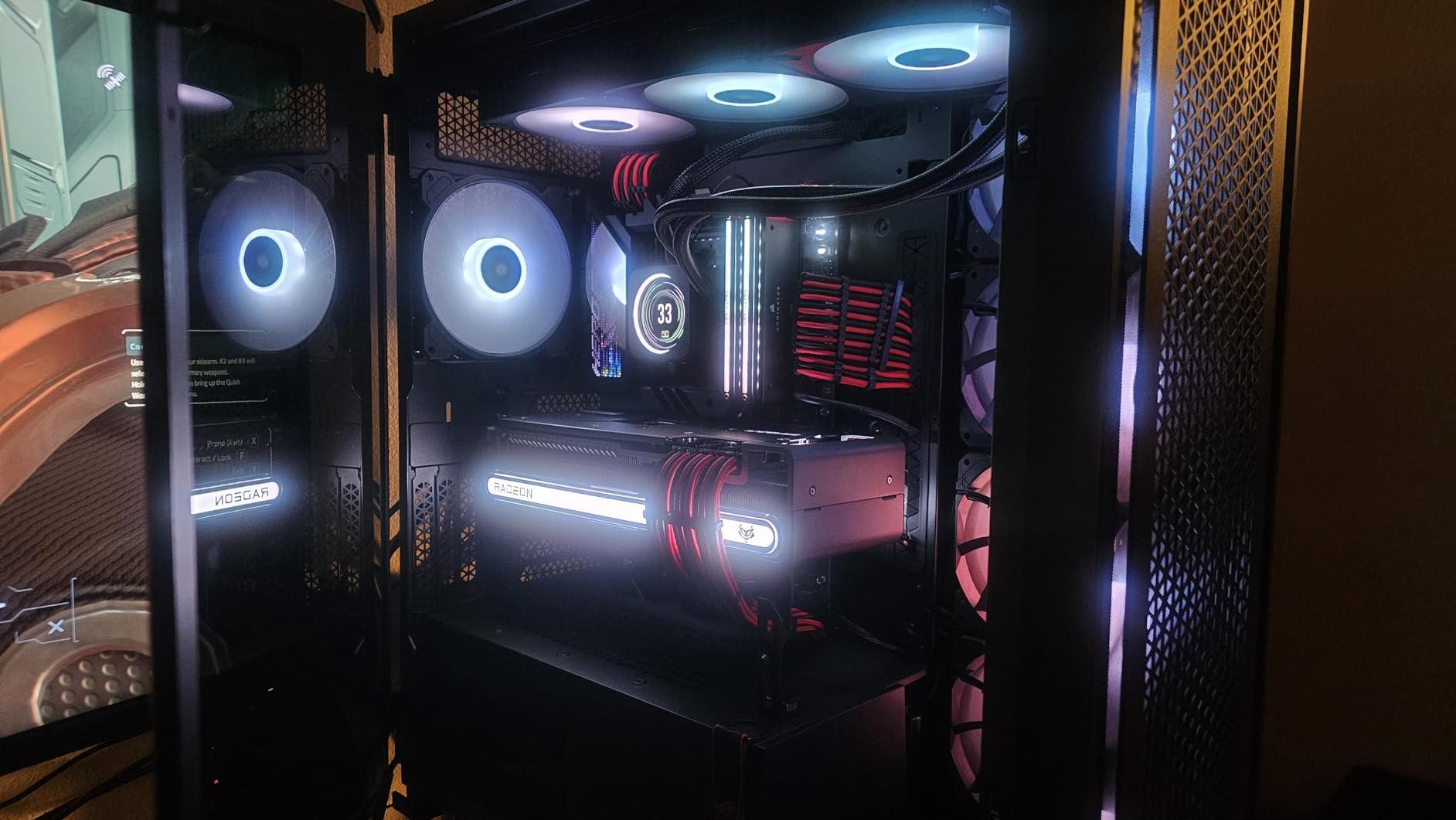
The RapidRoute cable management system is one of the best I have used. It features an easy-access hinged door behind the motherboard tray, giving you 30mm of space for cable routing. This is significantly deeper than most cases, and it means even thick cable runs stay flat and organized. The hinged door design means you do not have to remove the entire side panel to access your cables.
The 11 expansion slots give you room for multiple GPUs or extensive expansion card setups, making this case suitable for workstation builds as well as gaming. The massive interior accommodates E-ATX motherboards and the largest air coolers on the market.
Is the Full-Tower Size Justified for Your Build?
For most gaming builds, no. A mid-tower case like the Fractal Design North or CORSAIR 4000D will serve you better in terms of desk space and value. The 7000D earns its keep when you are building something ambitious: dual-radiator custom loops, multi-GPU workstation setups, or systems with extensive storage and expansion requirements.
If you are running a single GPU with a single 360mm AIO, this case is overkill. But if you want the absolute maximum cooling potential and room to grow, the 7000D delivers.
How Does the RapidRoute System Simplify Building?
The 30mm cable space behind the motherboard tray is the key advantage. Most mid-tower cases offer 20 to 25mm, which can make thick cable runs difficult to route behind a flat panel. The extra space in the 7000D means even fully populated cable channels close the side panel without bulging. The hinged door access means you can adjust cables without removing the panel entirely.
CORSAIR also includes pre-installed cable channels with velcro straps at strategic points, making it easy to achieve a professional-looking build even on your first attempt.
Buying Guide: How to Choose the Best Airflow PC Case?
Choosing the right airflow case comes down to understanding your specific needs. A case that is perfect for a compact ITX build may be completely wrong for a dual-radiator custom loop. Here are the key factors our team evaluates when recommending cases.
Mesh Front Panels: Why They Matter
The front panel is the single most important factor in case airflow. A solid front panel forces air to enter through small side or bottom vents, creating restriction and reducing the volume of fresh air reaching your components. A mesh or perforated front panel removes this restriction entirely, allowing intake fans to operate at maximum efficiency.
In our testing, cases with mesh front panels consistently delivered lower GPU and CPU temperatures than those with solid panels. The difference can be significant, ranging from 5 to 10 degrees depending on your component load and fan configuration. For high-end GPUs running near their thermal limits, this difference translates directly into sustained boost clocks and better gaming performance.
The trade-off with mesh panels is dust. More open intake means more dust enters your case. Look for cases with integrated dust filters behind the mesh, and plan to clean them every few months.
Fan Configuration: Intake, Exhaust, and Air Pressure
The ideal airflow configuration is front-to-back and bottom-to-top. Cool air enters through front and bottom intake fans, passes over your components, and exits through rear and top exhaust fans. This creates a natural convection path that works with your fans rather than against them.
Positive air pressure, where intake airflow exceeds exhaust airflow, is generally preferable. This means slightly more air is being pushed into the case than is being pulled out, which causes excess air to escape through small gaps and prevents dust from being sucked in through unfiltered openings. Aim for roughly 10 to 20 percent more intake than exhaust CFM.
Negative pressure, where exhaust exceeds intake, can create dust problems because air gets pulled in through every available gap, including unfiltered ones. Avoid this configuration unless you have a specific reason for it.
Form Factor: ITX vs Mid-Tower vs Full-Tower
Mid-tower cases are the sweet spot for most builders. They support full-size ATX motherboards, standard GPUs, and 360mm radiators without excessive bulk. Every case on our list except the CORSAIR 7000D is a mid-tower, and for good reason: this form factor offers the best balance of component compatibility, airflow, and desk footprint.
ITX cases are ideal for compact builds where space is at a premium. However, smaller volumes mean less room for fans and radiators, which can make airflow more challenging. If you go ITX, prioritize cases with dedicated airflow paths and avoid cramming high-TDP components into spaces that cannot dissipate the heat.
Full-tower cases like the CORSAIR 7000D offer maximum cooling potential but take up significant space. Reserve this form factor for builds that genuinely need it, such as dual-radiator custom loops or workstation configurations with multiple GPUs.
GPU Clearance and Cooling
Modern GPUs are massive. The RTX 5080 and similar high-end cards can exceed 330mm in length and occupy three or more slots in thickness. When choosing a case, verify both the GPU length clearance and the width clearance between the GPU and any front-mounted radiators or fans.
Cases with bottom intake fans or perforated PSU shrouds give your GPU a dedicated fresh-air source, which is especially valuable for cards that run hot. The NZXT H5 Flow’s perforated PSU shroud and the Montech AIR 903 MAX’s mesh front are both excellent examples of designs that prioritize GPU cooling.
Radiator Support for AIO Builds
If you plan to use an all-in-one liquid cooler, check the case’s radiator support carefully. A 360mm radiator is the most common choice for modern CPUs, and you want to verify both the mounting location and thickness compatibility. Some cases support 360mm radiators only in the front, which can reduce GPU clearance, while others offer top mounting.
For dual-radiator setups, look for cases that support 360mm radiators in both front and top positions simultaneously. The CORSAIR 4000D RS ARGB and 7000D both excel here, as does the Montech AIR 903 MAX.
Cable Management and Build Experience
A well-designed cable management system does more than keep your build looking clean. Properly routed cables do not obstruct airflow paths, which means better thermal performance. Look for cases with wide cable channels, velcro straps, and adequate space behind the motherboard tray.
Tool-less features like the button-release panels on the ASUS TUF Gaming GT502 and the tool-less side panel on the Lian Li Vector V100 make building and maintenance significantly more pleasant. These seem like minor features until you have used them, and then you wonder how you ever lived without them.
Dust Filtration and Maintenance
High airflow and dust accumulation go hand in hand. The best airflow cases include removable dust filters on intake surfaces that you can clean periodically. Look for magnetic or slide-out filters that are easy to remove without tools.
In our experience, cleaning dust filters every two to three months keeps airflow performance from degrading. Cases with ultra-fine mesh that doubles as a filter, like the NZXT H5 Flow, tend to accumulate dust more slowly than those with coarse mesh and separate filter layers.
FAQs
What is the best PC case for airflow in 2026?
The Fractal Design North is our top pick for the best PC case for airflow, combining excellent mesh ventilation with a unique wood aesthetic. For pure airflow performance, the Montech AIR 903 MAX with its 51% ventilation rate leads the pack. For budget builders, the Lian Li Vector V100 delivers outstanding value with four pre-installed ARGB PWM fans.
What PC case size should I choose?
For most builders, a mid-tower ATX case is the ideal size. It supports full-size motherboards, standard GPUs, and 360mm radiators without taking up excessive desk space. Choose an ITX case if space is extremely limited, or a full-tower case if you need multiple radiators or workstation-level expandability.
Do PC cases affect gaming performance?
Yes, indirectly. A case with poor airflow causes higher component temperatures, which triggers thermal throttling in GPUs and CPUs. This reduces boost clocks and frame rates during sustained gaming sessions. A well-ventilated case keeps temperatures lower, allowing your components to maintain peak performance for longer periods.
Do mesh front panels really help airflow?
Yes, significantly. Mesh front panels remove the air intake restriction caused by solid front panels, allowing intake fans to operate at maximum efficiency. In testing, mesh cases consistently deliver 5 to 10 degrees lower component temperatures than solid-panel cases with identical fan configurations.
How many fans do I need for good airflow?
A basic but effective configuration uses three intake fans at the front and one exhaust fan at the rear. This creates positive pressure that keeps dust out and maintains a steady airflow path across your components. Adding top exhaust fans can help further, especially if you are using a top-mounted AIO radiator.
Final Verdict
After testing all eight cases extensively, the Fractal Design North remains our top recommendation for the best PC cases for airflow in 2026. It delivers the rare combination of excellent thermal performance, distinctive aesthetics, quality included fans, and a build experience that makes PC assembly genuinely enjoyable. For budget-conscious builders, the Lian Li Vector V100 offers four pre-installed ARGB fans and solid airflow at the lowest price on our list. And for those building extreme cooling setups, the CORSAIR 7000D Airflow provides unmatched radiator support and cable management in a full-tower package.
Whatever case you choose, prioritize mesh ventilation, adequate fan mounting options, and clearance for your specific GPU and CPU cooler. Your components will run cooler, quieter, and longer with the right chassis around them.