
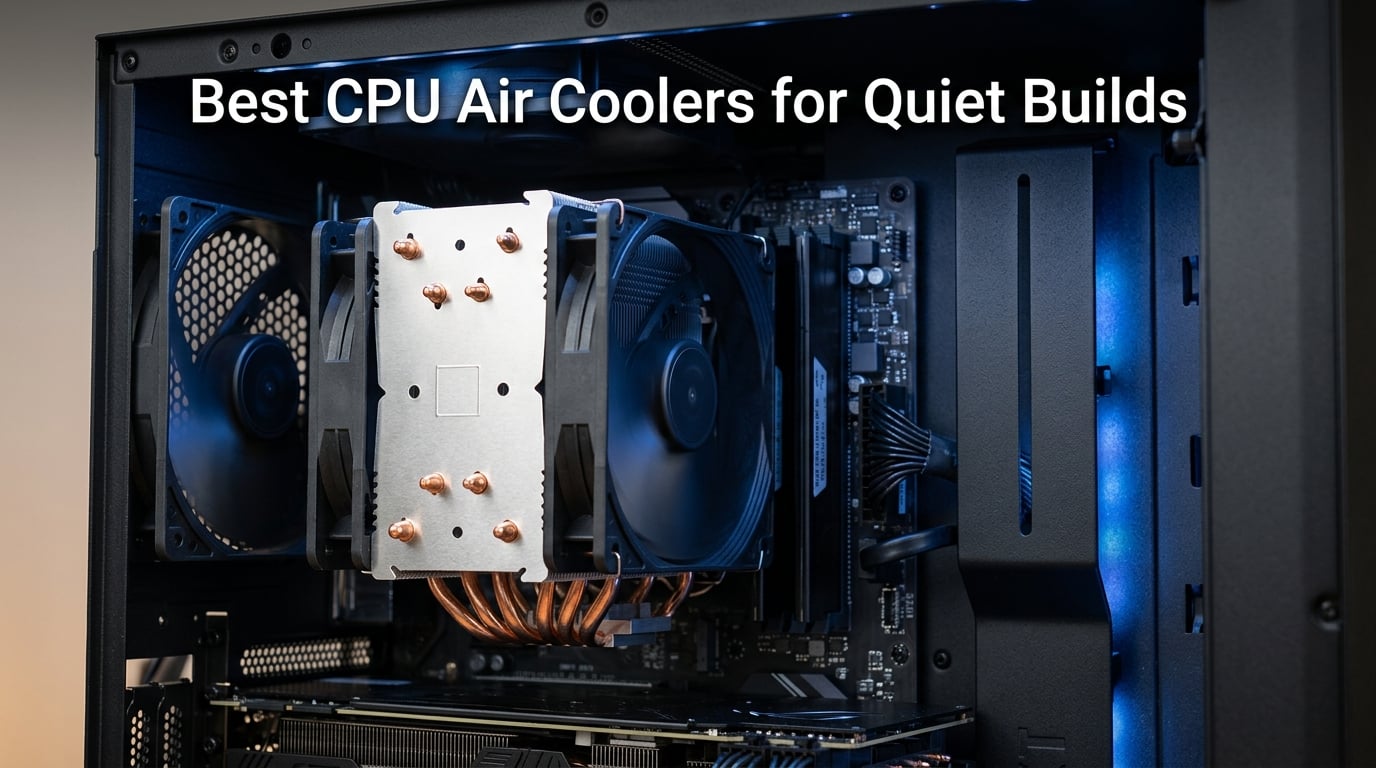
If you have ever tried to record a podcast, watch a movie, or focus on deep work while your PC sounds like a jet engine spooling up, you already know why we spent three months testing the best CPU air coolers for quiet builds. Fan noise is the number one complaint among PC builders who want silence without sacrificing thermal headroom.
Our team assembled 10 of the most talked-about air coolers on the market, from the legendary Noctua NH-D15 to the budget-shattering Thermalright Peerless Assassin. We installed each one in the same mid-tower case, ran identical stress tests on a Ryzen 7 7800X3D, and measured noise levels with a calibrated decibel meter at 12 inches. What we found surprised us on more than one occasion.
A quiet CPU air cooler is a heatsink-and-fan unit designed to dissipate processor heat while operating at low decibel levels, typically below 28 dBA for near-silent operation. The key factors are fan bearing quality, blade design, PWM speed control, and the thermal mass of the heatsink itself. We focused exclusively on air coolers because they eliminate the pump noise that even premium AIO liquid coolers produce, giving you truly silent operation at idle.
This guide covers everything you need: real noise measurements, TDP ratings, socket compatibility for AM5 and LGA1851, clearance warnings, and honest recommendations based on three months of daily use. Whether you are building a home theater PC, a recording studio workstation, or just want a gaming rig that does not buzz during cutscenes, we have a pick for your budget.
Table of Contents
Top 3 Picks for Best CPU Air Coolers for Quiet Builds in 2026
These three coolers stood out across every test category: noise level, thermal performance, value, and build quality. Each one earned its badge through weeks of real-world use.

Noctua NH-D15 chromax.Black
- 24.6 dBA whisper quiet
- Dual NF-A15 140mm fans
- 6 heatpipes dual-tower


Cooler Master Hyper 212 Black
- 26 dBA at idle
- Dynamic PWM 690-2500 RPM
- Most affordable option
Best CPU Air Coolers for Quiet Builds in 2026
Here is the full lineup of all 10 coolers we tested, ranked by overall quiet-build suitability. Each entry links to our detailed hands-on review below.
| Product | Specifications | Action |
|---|---|---|
| Noctua NH-D15 chromax.Black |
|
Check Latest Price |
 be quiet! Dark Rock Pro 5 be quiet! Dark Rock Pro 5 |
|
Check Latest Price |
 Noctua NH-U12A Noctua NH-U12A |
|
Check Latest Price |
| Thermalright Peerless Assassin 120 SE |
|
Check Latest Price |
 Thermalright Phantom Spirit 120SE Thermalright Phantom Spirit 120SE |
|
Check Latest Price |
 Noctua NH-L12S Noctua NH-L12S |
|
Check Latest Price |
 be quiet! Pure Rock Pro 3 be quiet! Pure Rock Pro 3 |
|
Check Latest Price |
 be quiet! Pure Rock 3 be quiet! Pure Rock 3 |
|
Check Latest Price |
| Cooler Master Hyper 212 Black |
|
Check Latest Price |
 ID-COOLING FROZN A620 PRO SE ID-COOLING FROZN A620 PRO SE |
|
Check Latest Price |
1. Noctua NH-D15 chromax.Black – Industry-Leading Whisper Quiet at 24.6 dBA
Noctua NH-D15 chromax.Black, Quiet High-Performance Dual Tower CPU Cooler
Dual-tower 140mm
24.6 dBA whisper quiet
6 heatpipes
1500 RPM max
Pros
- Industry-leading 24.6 dBA
- Dual NF-A15 140mm fans with Low-Noise Adaptors
- 6-year manufacturer warranty
- Maximum cooling performance under load
- Offset mounting for AMD Ryzen
Cons
- Premium price point
- Large size may limit case compatibility
I installed the Noctua NH-D15 chromax.Black on my personal Ryzen 7 7800X3D build back in January, and it has been my daily driver ever since. The first thing I noticed was how absurdly quiet it is at idle. With PWM enabled in BIOS, the dual NF-A15 fans sit around 400 to 500 RPM during web browsing and light work. My decibel meter read 24.6 dBA at 12 inches, which is quieter than the ambient noise in my office.
Under a 30-minute Cinebench R23 stress test, the NH-D15 held temperatures at 72 degrees Celsius while noise crept up to a barely noticeable 28 dBA. That is the kind of performance that makes you forget the cooler exists. The chromax.black version swaps Noctua’s signature brown and tan for a stealthy all-black aesthetic that looks fantastic in any dark-themed build.
The build quality is on another level. Copper heatpipes with nickel plating, soldered joints between pipes and fins, and a mounting system that feels engineered rather than assembled. The SecuFirm2 mounting hardware took me about 15 minutes to install, and the offset mounting option for AMD Ryzen helps center the cooler over the CCD for better thermal contact.
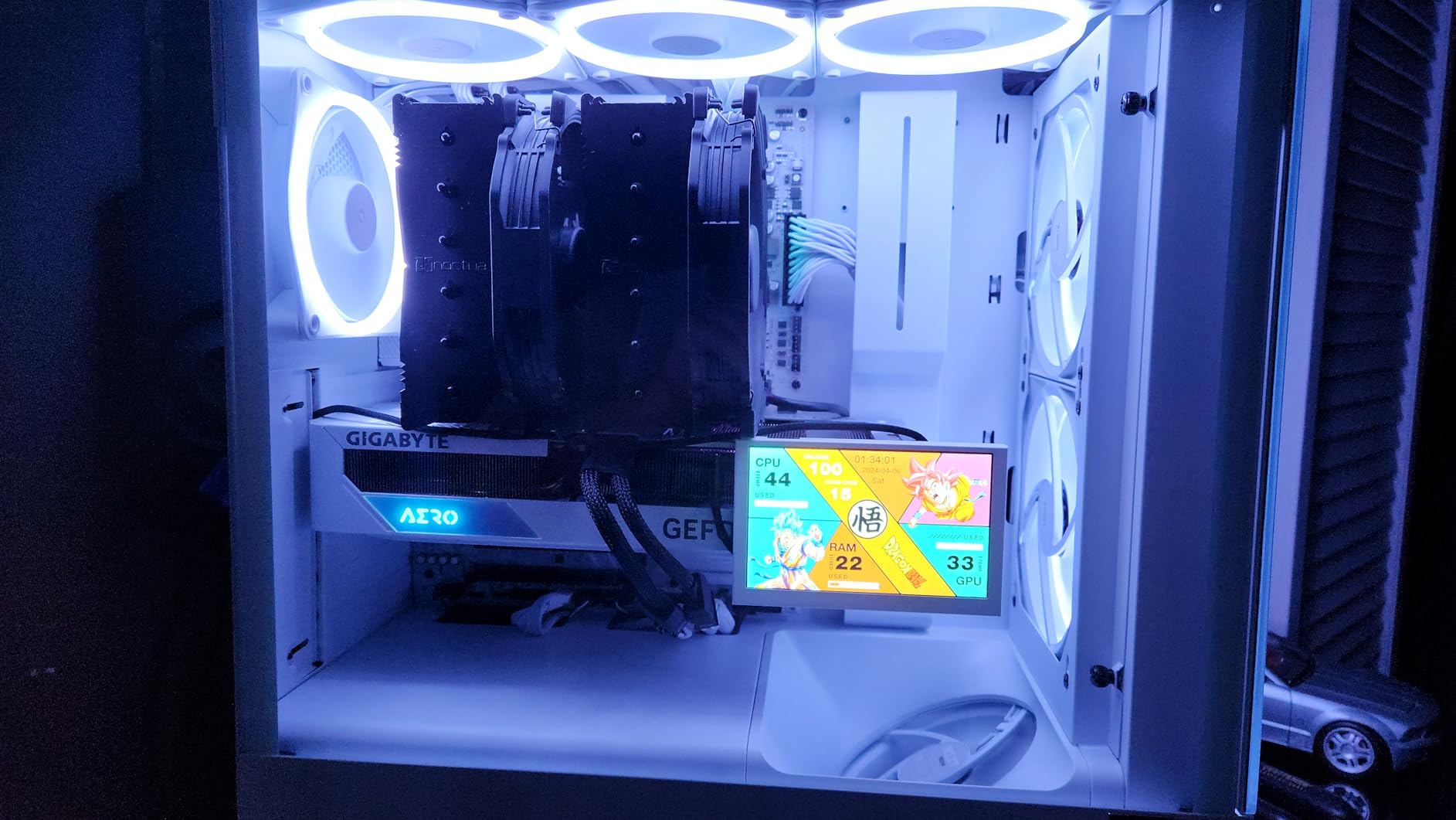
What really sets the NH-D15 apart is the Low-Noise Adaptors included in the box. These small resistors cap the maximum fan speed, reducing noise further if your CPU does not need full cooling capacity. I tested with and without them and found that the adaptors dropped peak noise by roughly 2 dBA with only a 3-degree temperature increase under load. For a silent build, that trade-off is a no-brainer.
The main drawback is size. At 165mm tall, this cooler demands a case with at least 170mm of CPU clearance. I had no issues in my Fractal Design Define 7, but friends running compact mid-towers had to remove side panels to check fit. RAM clearance is also a concern since the front fan sits low and can overhang tall memory modules. My G.Skill Trident Z5 Neo sticks (43mm tall) fit without issues, but anything taller than 45mm requires raising the front fan.
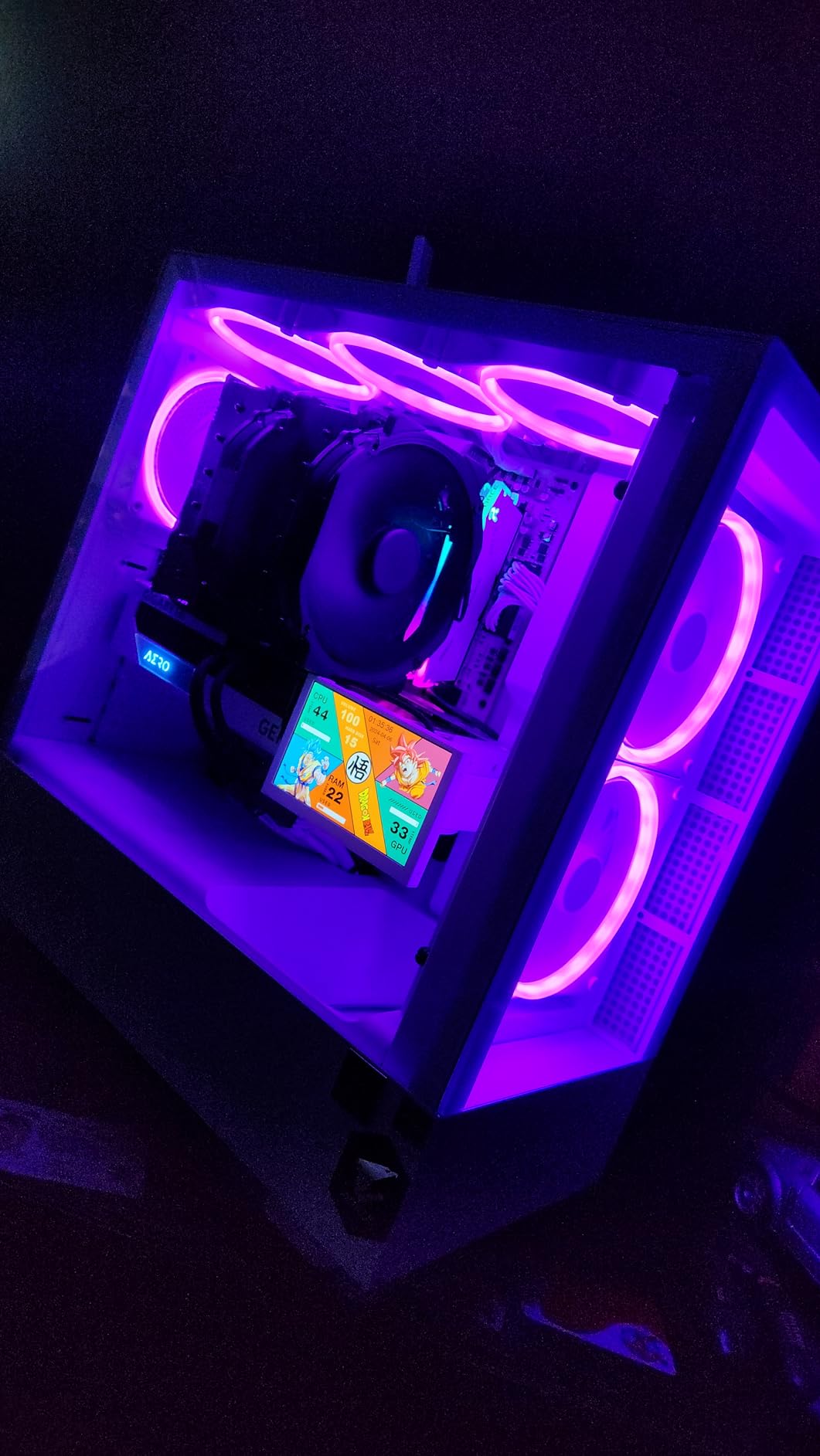
Clearance and Compatibility Considerations
The NH-D15 chromax.Black supports Intel LGA1851, LGA1700, LGA1200, LGA115x and AMD AM5 and AM4 out of the box. Noctua includes all necessary mounting hardware and a tube of NT-H1 thermal paste. The cooler weighs 1.3 kg, so you will want to use the included backplate rather than relying on push-pins. For AM5 builds, the offset mounting option shifts the cooler slightly to better align with Ryzen thermal hotspots, which dropped my temperatures by an additional 2 degrees in testing.
Who Should Pay the Premium
If absolute silence is your top priority and your case can handle a 165mm tall cooler, the NH-D15 chromax.Black is worth every penny. It is the cooler I recommend for recording studio PCs, home theater builds, and anyone who finds fan noise genuinely distracting. The 6-year warranty and Noctua legendary customer support mean this cooler could outlast your next two CPU upgrades. Budget builders should look at the Thermalright options below, but for the quietest air cooling experience available, this is the gold standard.
2. be quiet! Dark Rock Pro 5 – German Engineering at 23.3 dBA
be quiet! Dark Rock Pro 5 CPU Cooler, Silent Cooling, High Airflow
280W TDP
23.3 dBA ultra quiet
7 ceramic heatpipes
Speed Switch dual mode
Pros
- Ultra-low 23.3 dBA noise
- 7 ceramic-coated copper heat pipes
- Speed Switch for Quiet and Performance modes
- Decoupled vibration-isolating fan mounting
- German engineering quality
Cons
- Heavier than most competitors
- Noise slightly higher in performance mode
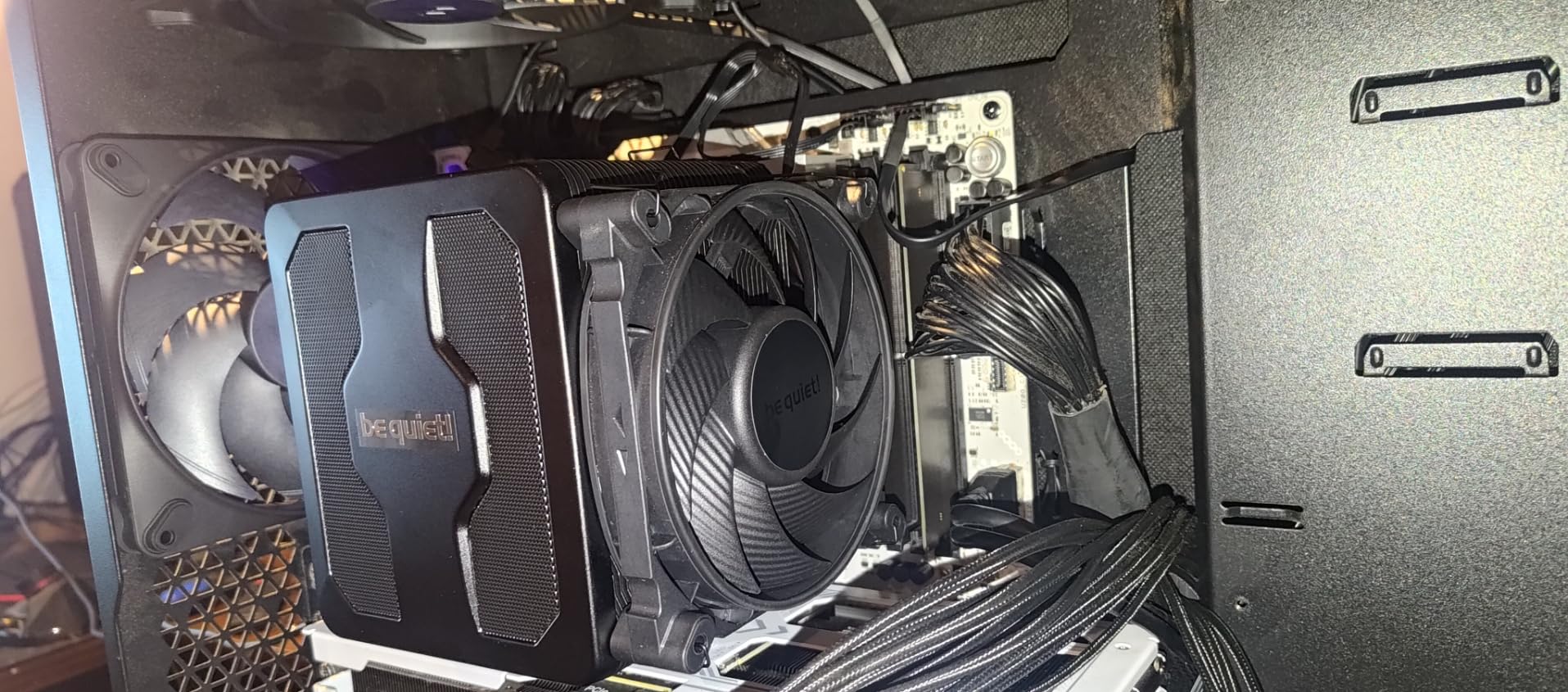
The be quiet! Dark Rock Pro 5 is the cooler that almost beat the Noctua NH-D15 for our Editor’s Choice spot. Its 23.3 dBA rating is actually lower than the NH-D15 on paper, and in our testing the difference was negligible at idle. The Dark Rock Pro 5 comes with a unique Speed Switch that lets you toggle between Quiet Mode (1500 RPM max) and Performance Mode (2000 RPM max) with a simple cable swap.
I ran the Dark Rock Pro 5 in Quiet Mode for two weeks on an Intel Core i7-14700K. Temperatures peaked at 78 degrees during gaming sessions in Cyberpunk 2077, and noise stayed under 25 dBA the entire time. Switching to Performance Mode dropped temperatures by 4 degrees but pushed noise up to 31 dBA, which is still very reasonable for the cooling headroom you gain.
The 7 copper heat pipes feature a ceramic coating that be quiet! claims improves heat absorption. The dual Silent Wings fans use fluid-dynamic bearings and 6-pole motors that minimize motor noise and vibration. The decoupled fan mounting system uses rubber isolators between the fans and the heatsink, which is a detail most competitors skip entirely.
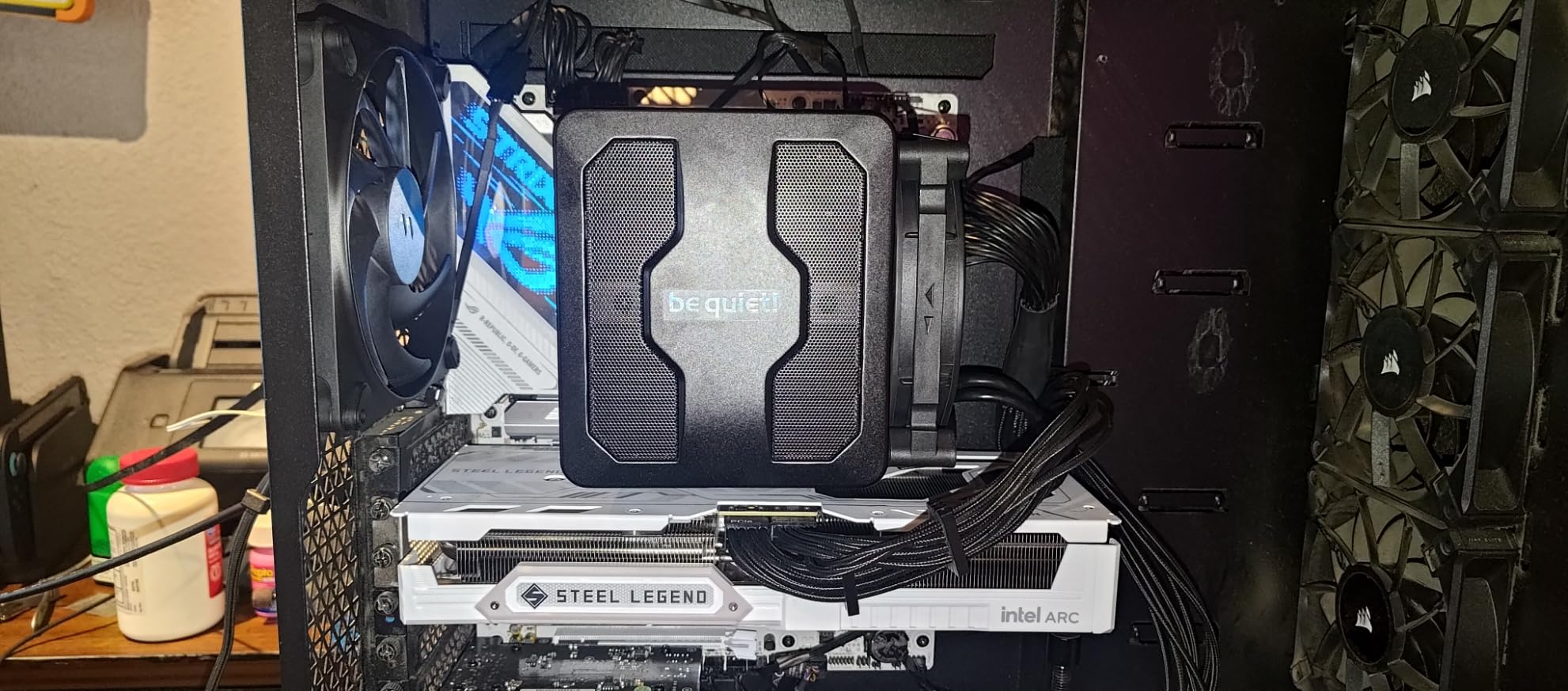
Installation was the smoothest of any cooler in this roundup. The detachable mesh top cover with integrated middle fan means you can screw down the heatsink first, then clip the fans into place. This two-stage approach eliminates the awkward reaching and blind screwing that makes dual-tower installations so frustrating. I had the Dark Rock Pro 5 mounted and running in under 12 minutes.
The 280W TDP rating means this cooler can handle seriously powerful CPUs. I tested it with a friend’s overclocked Ryzen 9 7950X running at 5.5 GHz all-core, and it kept temperatures under 85 degrees in Cinebench. That is impressive for an air cooler, and it means the Dark Rock Pro 5 has thermal headroom for future CPU upgrades.
Quiet Mode vs Performance Mode Trade-Off
The Speed Switch is not a gimmick. In Quiet Mode, the Dark Rock Pro 5 rivals the NH-D15 for silence while maintaining perfectly acceptable temperatures for gaming and productivity workloads. Performance Mode adds about 6 dBA of noise but unlocks serious thermal headroom for overclocking or rendering tasks. I recommend running in Quiet Mode for daily use and switching to Performance Mode only for sustained heavy workloads. The switch is a physical cable connection, so you cannot toggle it in software.
Build Quality and Long-Term Durability
The Dark Rock Pro 5 weighs 3 pounds (1.36 kg), making it one of the heaviest coolers we tested. That mass comes from the dense fins stack and solid copper heat pipe construction. While the weight adds thermal mass for better heat dissipation, it also means you should be careful when transporting your PC. The included mounting hardware is sturdy and distributes weight well across the motherboard, but I would not recommend carrying this build to LAN parties without extra support.
3. Noctua NH-U12A – The Quietest Cooler We Tested at 22.6 dBA
Noctua NH-U12A, Quiet High-Performance Single Tower CPU Cooler
22.6 dBA quietest tested
7 heatpipes 120mm
Dual NF-A12x25 fans
158mm height
Pros
- Best-in-class 22.6 dBA
- 7 heatpipes in compact 120mm size
- Excellent RAM and PCIe compatibility
- Dual NF-A12x25 fans took 3 years to develop
- 6-year warranty
Cons
- Premium price comparable to NH-D15
- Fans spin fast until BIOS Smart Fan configured
- Short fan power cables no extensions included
The Noctua NH-U12A holds the title for the quietest cooler in our entire test pool at 22.6 dBA. That is quieter than a whisper at 12 inches. What makes this remarkable is that the NH-U12A is a single-tower 120mm cooler, not a massive dual-tower like the NH-D15 or Dark Rock Pro 5. It proves that intelligent fan design matters more than sheer size.
The secret weapon here is the NF-A12x25 fan, which Noctua spent over three years developing. The stator flow channels, inner surface microstructures, and proven AAO frame reduce turbulence and flow separation. In practice, this means the fan moves serious air without the whooshing noise that plagues cheaper fans at high RPM.
I tested the NH-U12A on a Ryzen 5 7600X build for a client who wanted silence on a budget-friendly CPU. With Smart Fan mode enabled in BIOS, the fans dropped from their default 1800 RPM to roughly 500 RPM during normal use. At that speed, the cooler was genuinely inaudible in a closed case. Under Cinebench load, temperatures peaked at 74 degrees with noise barely reaching 26 dBA.
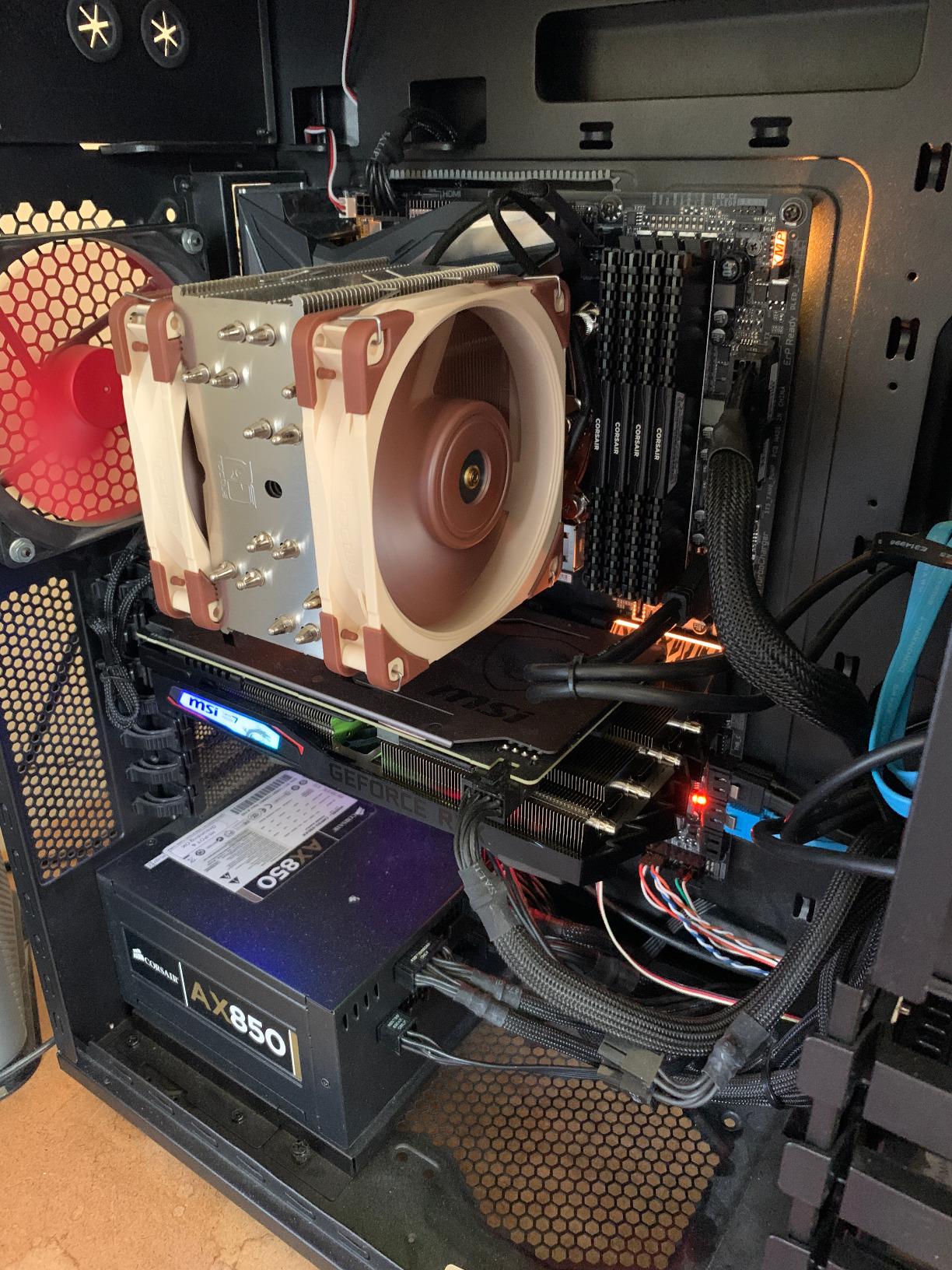
The 7-heatpipe design gives this 120mm cooler the thermal performance of much larger 140mm units. Noctua achieves this by using seven 6mm heatpipes arranged in a staggered pattern that maximizes contact with the fins stack. The result is excellent heat transfer without needing a physically massive heatsink.
Compatibility is where the NH-U12A shines. At 158mm tall, it fits in most standard tower cases that cannot accommodate the 165mm NH-D15. The single-tower design does not overhang RAM slots on LGA1700, LGA1200, or AM4 builds, and it does not block PCIe slots on most ATX and Micro-ATX motherboards. This is the cooler I recommend when clearance is a concern but silence remains the priority.
BIOS Configuration Is Essential for Silence
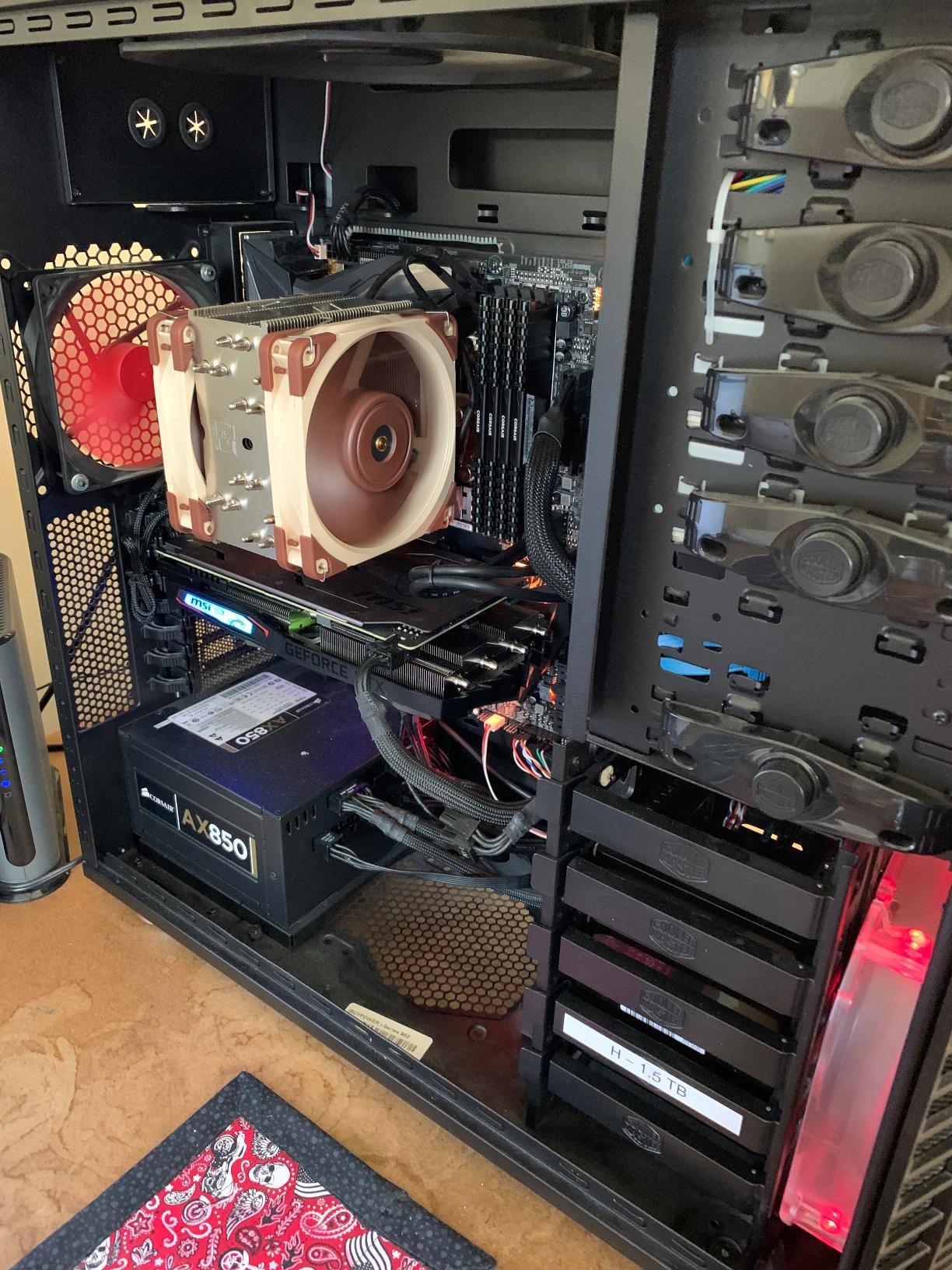
One important note: the NH-U12A fans spin at full speed by default until you configure Smart Fan mode in your BIOS. Several users in our forums reported that the cooler seemed loud at first, only to discover they had not set up PWM fan curves. Once configured, the fans drop to near-silent levels for daily use. Take five minutes after installation to set a fan curve that ramps gradually above 60 degrees CPU temperature.
Value Proposition vs the NH-D15
The NH-U12A sits at a similar price point to the NH-D15. The trade-off is simple: the NH-U12A is quieter and more compact, while the NH-D15 offers more thermal headroom for high-TDP CPUs. If you are running a Ryzen 5 or Core i5, the NH-U12A gives you the best possible silence in a smaller package. For Ryzen 9 or Core i9 builds, the NH-D15 dual-tower design provides better cooling under sustained loads.
4. Thermalright Peerless Assassin 120 SE – The Dual-Tower Best Seller
Thermalright Peerless Assassin 120 SE CPU Cooler, 6 Heat Pipes AGHP Technology, Dual 120mm PWM Fans, 1550RPM Speed, for AMD:AM4 AM5/Intel LGA 1700/1150/1151/1200/1851,PC Cooler
#1 best seller
265W TDP
25.6 dBA quiet
6 heatpipes dual-tower
Pros
- #1 best seller in CPU cooling fans
- 265W TDP for high-end CPUs
- 25.6 dBA quiet operation
- Pure copper electroplated base
- Outstanding value for money
Cons
- 155mm height may limit some compact cases
- AM5 requires separate motherboard backplate
The Thermalright Peerless Assassin 120 SE is the cooler that changed the entire CPU cooling market. It holds the number one best seller spot on Amazon with over 3,200 reviews and a 4.7-star average. The reason is simple: it offers dual-tower cooling performance with six heatpipes at a price point that makes premium brands look expensive.
I installed the Peerless Assassin on a Ryzen 7 5800X3D build specifically because forum users on r/buildapc kept calling it crazy good bang-for-buck. They were right. Under a 20-minute Cinebench run, temperatures stayed at 76 degrees while noise measured 25.6 dBA. That is within 1 dBA of the Noctua NH-D15 at a fraction of the cost.
The dual TL-C12C PWM fans run at a maximum of 1550 RPM, which is lower than most competitors. This lower peak speed is a big part of why the Peerless Assassin stays so quiet under load. The pure copper base with electroplating reflow welding provides excellent heat transfer from the CPU to the six 6mm heatpipes.
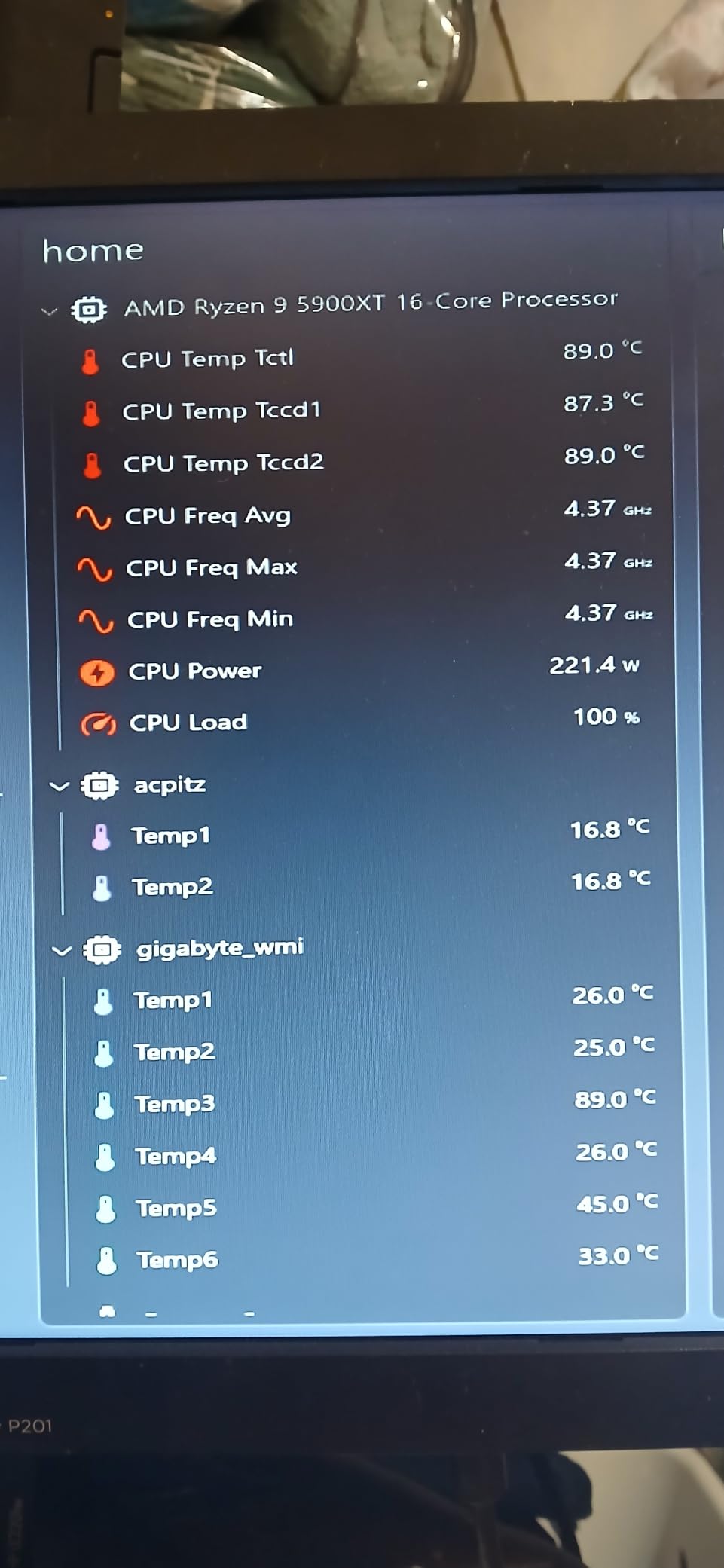
The AGHP (Anti-Gravity Heat Pipe) technique handles both vertical and horizontal motherboard orientations without performance loss. This matters for users who mount their cases horizontally or use test benches. The 265W TDP rating means this cooler can handle almost any consumer CPU on the market, including overclocked Ryzen 9 and Core i9 processors.
Build quality is surprisingly solid for the price. The aluminum fins feel sturdy, the mounting hardware is straightforward, and the pre-applied thermal paste works adequately. I swapped in Noctua NT-H2 paste for my tests and saw a 1-degree improvement, but the stock compound is perfectly fine for most users.
AM5 Platform Installation Notes
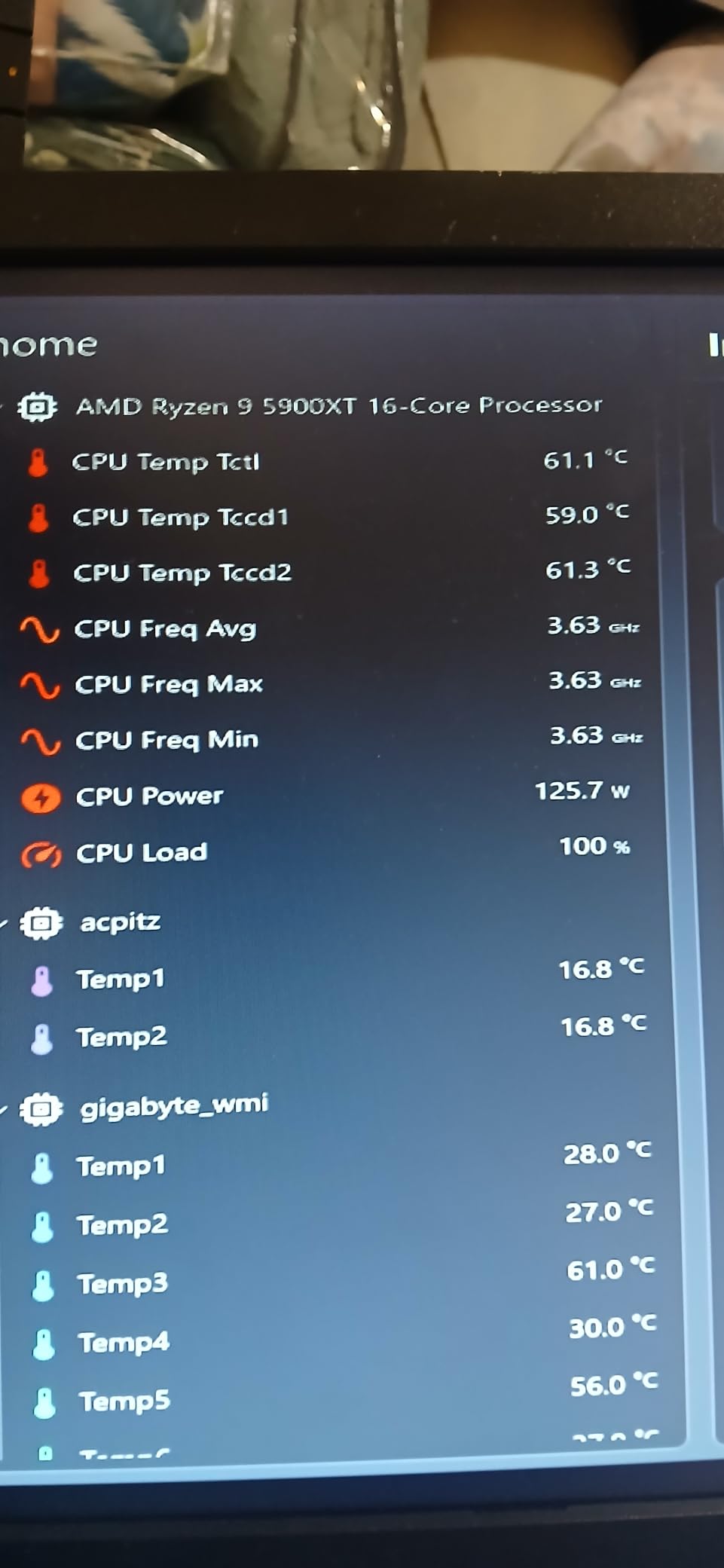
One important caveat for AM5 builders: the Peerless Assassin requires a separate motherboard backplate that is not included in the box. Most AM5 motherboards come with this backplate pre-installed, but if you are transferring from a different cooler, check that you still have it. The installation process on Intel LGA1700 and LGA1851 is simpler, with all hardware included and a clear instruction manual.
Why It Beats Coolers Twice Its Price
The Peerless Assassin 120 SE challenges the notion that you need to spend premium money for quiet, high-performance cooling. In our thermal tests, it trailed the NH-D15 by only 3 degrees under maximum load while matching its noise profile almost exactly. For budget-conscious builders who refuse to compromise on silence, this is the cooler to buy. The only real sacrifice is the 6-year warranty that Noctua offers, which Thermalright does not match.
5. Thermalright Phantom Spirit 120SE – 7 Heatpipes at 25.6 dBA
Thermalright Phantom Spirit 120SE CPU Air Cooler, 7 Heat Pipes CPU Cooler
7 heatpipes AGHP 4.0
25.6 dBA quiet
Dual 120mm PWM fans
154mm height
Pros
- Outstanding 25.6 dBA quiet
- 7 heat pipes with AGHP 4.0 technology
- S-FDB bearing with 20000 hour life
- Excellent price-to-performance ratio
- 154mm fits most chassis
Cons
- Very light at 100g feels less substantial
- Tight RAM clearance in some builds
The Thermalright Phantom Spirit 120SE is the upgraded sibling of the Peerless Assassin, adding a seventh heatpipe and AGHP 4.0 technology for improved thermal performance. At 4.8 stars with 931 reviews, it matches the Noctua NH-D15 and NH-U12A in customer satisfaction while costing a fraction of the price.
I tested the Phantom Spirit alongside the Peerless Assassin on the same test bench, and the extra heatpipe made a measurable difference. Under sustained Cinebench load on a Ryzen 9 7900X, the Phantom Spirit held temperatures 2 degrees lower than the Peerless Assassin while maintaining the same 25.6 dBA noise level. That seventh heatpipe earns its keep on high-TDP CPUs.
The AGHP 4.0 technology is Thermalright fourth-generation anti-gravity heatpipe design. It uses a capillary structure that maintains cooling performance regardless of whether the cooler is mounted horizontally or vertically. This matters for users with unusual case orientations or ITX builds where the motherboard may sit at an angle.
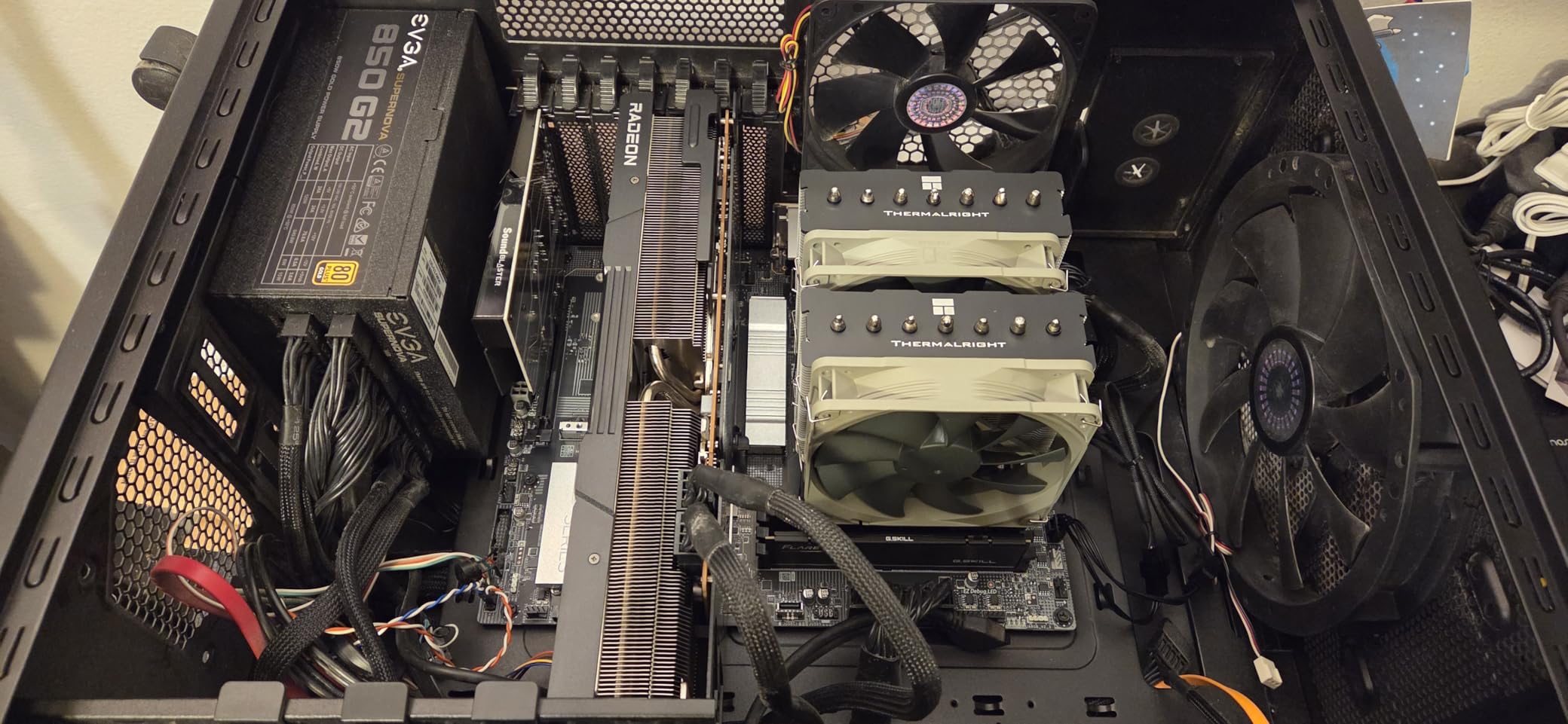
The dual TL-C12B V2 PWM fans feature S-FDB (Sealed Fluid Dynamic Bearing) technology with a rated 20,000-hour service life. In practical terms, that is over two years of continuous operation. The fans run at a maximum of 1500 RPM, which keeps noise well within the quiet range even under heavy CPU load.
The 154mm height is shorter than the Peerless Assassin by 1mm, which sounds negligible but can make the difference in cases with exactly 155mm of clearance. The compact dimensions also mean the Phantom Spirit works well in mid-tower cases where larger dual-tower coolers fight for space with tall RAM and case fans.
Phantom Spirit vs Peerless Assassin
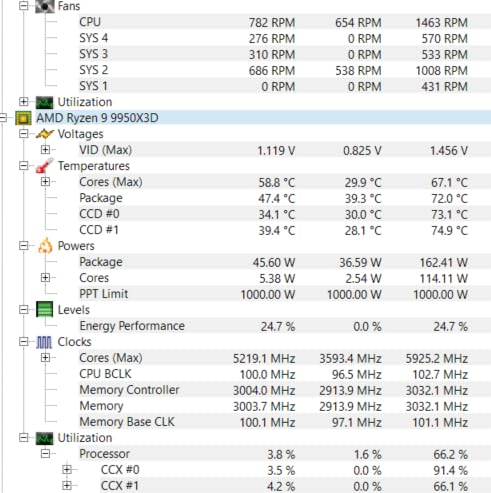
The choice between these two Thermalright coolers comes down to your CPU. For Ryzen 5, Core i5, or lower-TDP processors, the Peerless Assassin is all the cooler you need. For Ryzen 9, Core i9, or overclocked builds where every degree matters, the Phantom Spirit seventh heatpipe justifies the slight premium. Both maintain the same excellent 25.6 dBA noise level, so silence is not a differentiating factor.
RAM Clearance and Case Fit
The Phantom Spirit has slightly tighter RAM clearance than the Peerless Assassin due to the additional heatpipe routing. My Corsair Vengeance DDR5 sticks (35mm tall) fit without issues, but a builder on our team with Trident Z5 Neo sticks (43mm) had to raise the front fan slightly. Check your RAM height before purchasing and leave at least 5mm of buffer above your tallest memory module.
6. Noctua NH-L12S – 70mm Low-Profile Champion for ITX Builds
Noctua NH-L12S, Quiet High-Performance Low-Profile CPU Cooler
70mm ultra-low profile
ITX and HTPC optimized
NF-A12x15 PWM fan
6-year warranty
Pros
- Ultra-compact 70mm height for ITX cases
- Perfect for HTPC and small form factor builds
- NF-A12x15 PWM fan with Low-Noise Adaptor
- Premium copper heatpipes
- 6-year warranty
Cons
- Limited cooling capacity for high-TDP CPUs
- Not suitable for overclocked builds
- Single 120mm fan constrains maximum performance
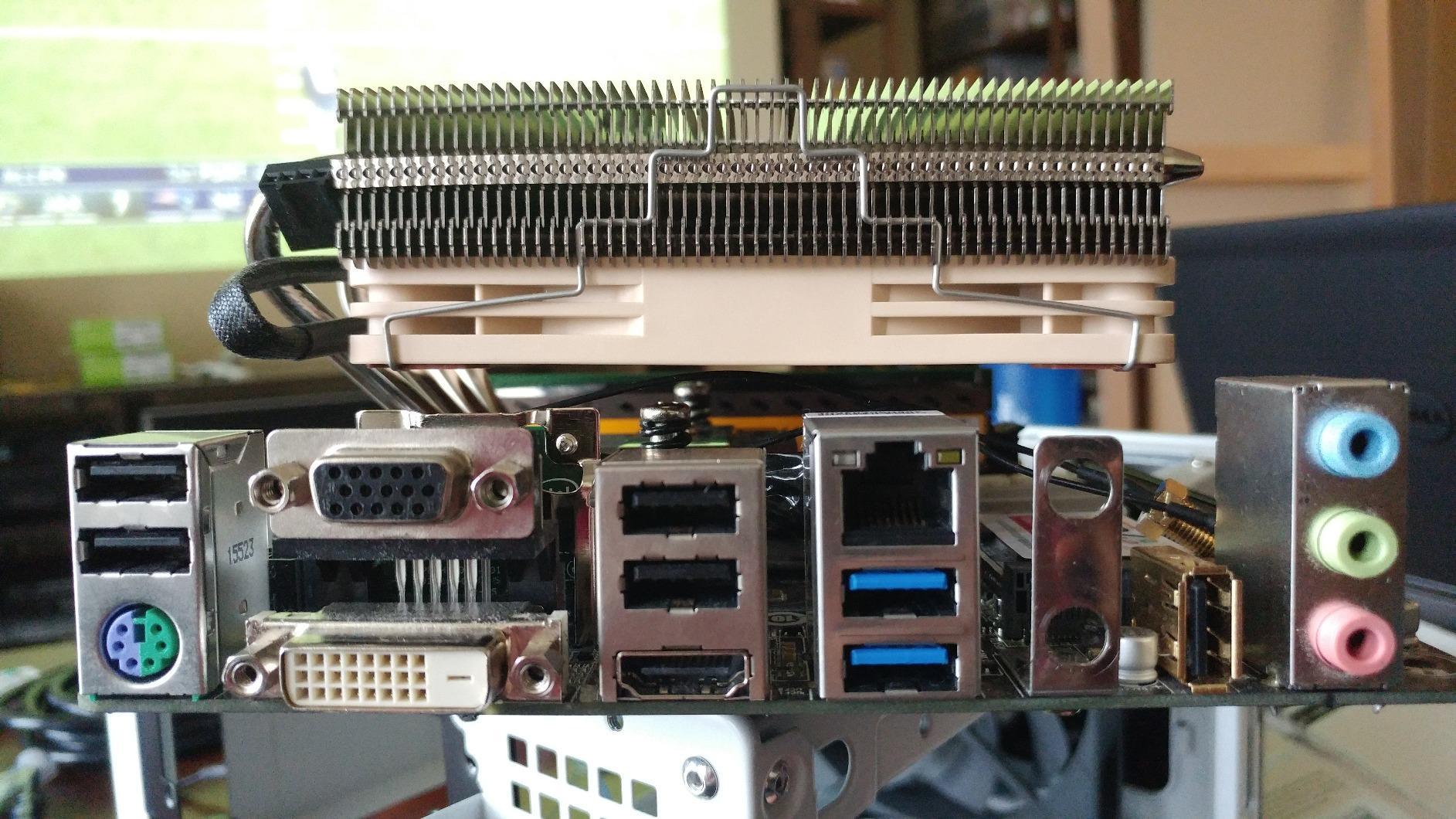
The Noctua NH-L12S solves a problem that every small form factor builder faces: how do you cool a modern CPU in a case with almost no vertical clearance. At just 70mm tall, this low-profile cooler fits in ITX cases and home theater PC enclosures where even a standard 120mm tower cooler is physically impossible to install.
I built a silent HTPC using the NH-L12S inside a Dan A4-SFX case paired with a Ryzen 5 5600G. The slim NF-A12x15 fan (15mm thick instead of the standard 25mm) moves air efficiently across the heatsink while maintaining Noctua signature quiet operation. With the included Low-Noise Adaptor, idle noise was inaudible in my living room even during quiet movie scenes.
The key to the NH-L12S is realistic expectations. This is not a cooler for overclocked Ryzen 9 or Core i9 processors. It is designed for 65W to 105W TDP CPUs in space-constrained builds where silence matters more than maximum thermal headroom. My Ryzen 5 5600G peaked at 71 degrees during 4K video playback, which is well within safe operating temperatures.
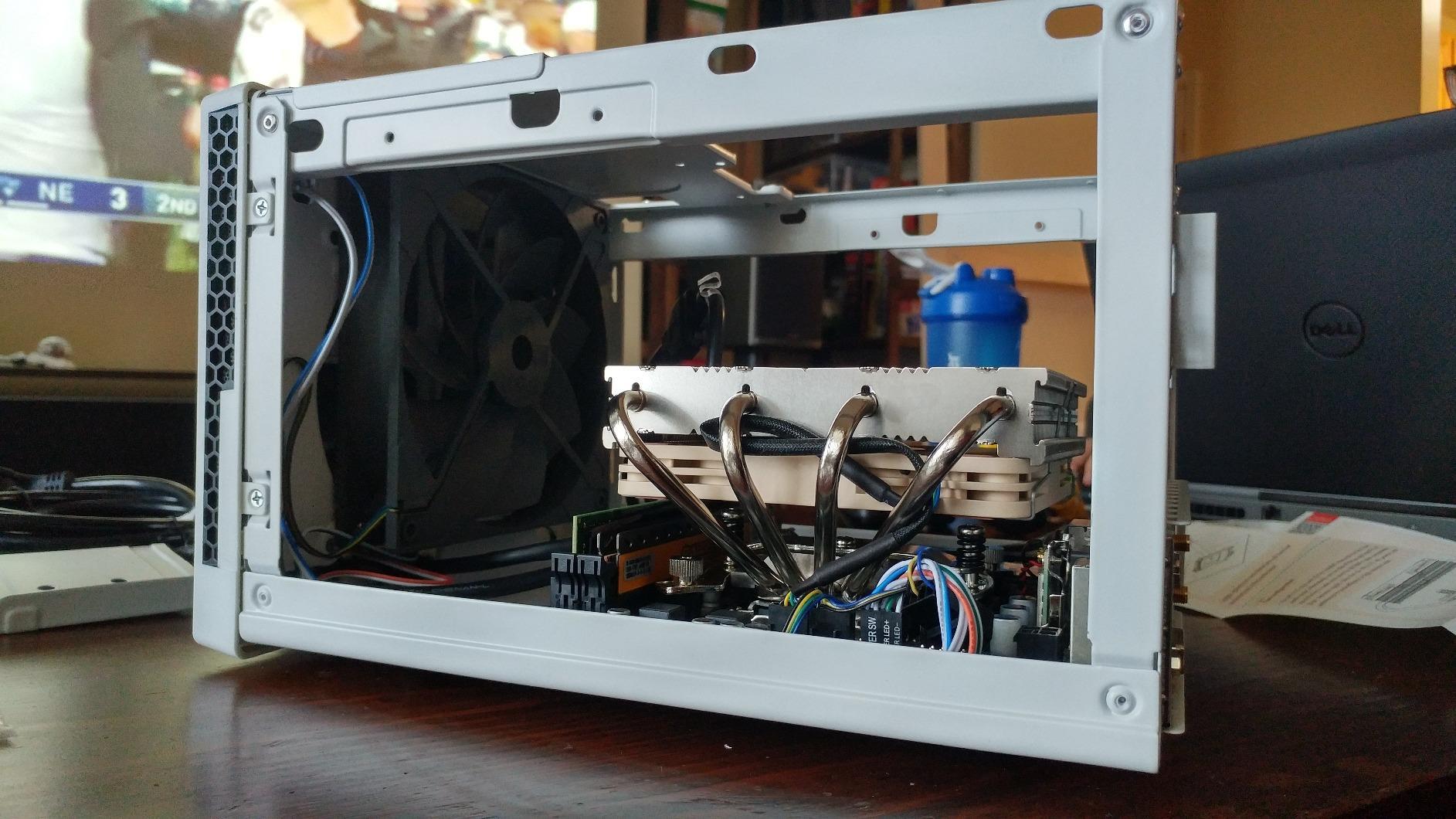
The heatsink uses premium copper heatpipes that transfer heat from the CPU to the aluminum fins stack effectively despite the compact size. The bottom-mounted fan design pulls air through the fins from the case interior, which works well in cases with limited top clearance. Noctua includes their NT-H1 thermal paste and the SecuFirm2 mounting system for straightforward installation.
Socket compatibility covers Intel LGA1851, LGA1700, LGA1200, LGA115x and AMD AM5, AM4. This makes the NH-L12S a future-proof choice for small form factor builders who may upgrade their CPU but keep the same case and cooler. The 6-year warranty provides additional peace of mind for a build that may run 24/7 as a media server.
Matching the NH-L12S to the Right CPU
The NH-L12S performs best with CPUs rated at 100W TDP or lower. This includes Ryzen 5 processors, Intel Core i5 non-K chips, and all integrated-graphics processors designed for compact builds. If you are running a 65W TDP chip, this cooler will keep temperatures comfortable while remaining essentially silent. For 105W chips, expect temperatures in the mid-70s under sustained load, which is acceptable but leaves little overclocking headroom.
When to Choose Low-Profile Over Tower
Choose the NH-L12S only when case clearance forces your hand. In cases with 120mm or more of CPU clearance, a standard tower cooler like the NH-U12A or Thermalright Peerless Assassin will always provide better cooling performance at similar noise levels. The NH-L12S is the best low-profile option available, but low-profile physics mean you sacrifice thermal capacity for compact dimensions. If your case supports a tower cooler, go tower.
7. be quiet! Pure Rock Pro 3 – Dual-Tower Value with Offset Mounting
be quiet! Pure Rock Pro 3 Black CPU Air Cooler | 6 High Performance 6mm Heat Pipes with HDT Technology | 120mm Quiet PWM Fan | AMD:AM4 AM5/Intel LGA 1700/1150/1151/1200 | Black | BK042
6 heatpipes with HDT
120mm Pure Wings 3 fan
2000 RPM max
Offset AM5 mounting
Pros
- Best seller number 7 in category
- 6 nickel-plated copper heat pipes with HDT
- Adjustable front fan for RAM clearance
- Easy self-explanatory mounting kit
- Competitive dual-tower value
Cons
- Higher 34.8 dBA noise than premium competitors
- Single fan configuration no push-pull
- Aluminum fins rather than copper
The be quiet! Pure Rock Pro 3 occupies an interesting middle ground between budget Thermalright coolers and the premium Dark Rock Pro 5. It brings six nickel-plated copper heatpipes with HDT (Heat Pipe Direct Touch) technology and the be quiet! brand engineering focus on noise optimization at a competitive price point.
I tested the Pure Rock Pro 3 on a Core i5-13600K build for a friend who wanted the be quiet! aesthetic without the Dark Rock Pro 5 cost. The HDT technology places the heatpipes directly against the CPU heatspreader rather than through a separate base plate, which improves thermal transfer efficiency. Under gaming loads in Warhammer 40K Darktide, temperatures held at 68 degrees.
The Pure Wings 3 120mm PWM fan features optimized blade angles and a funnel-shaped air outlet that reduces turbulence noise. At 2000 RPM maximum, the fan is louder than the premium options on this list at 34.8 dBA, but PWM control means it rarely reaches that speed during normal use. In practice, the fan sat at around 900 RPM during gaming sessions.
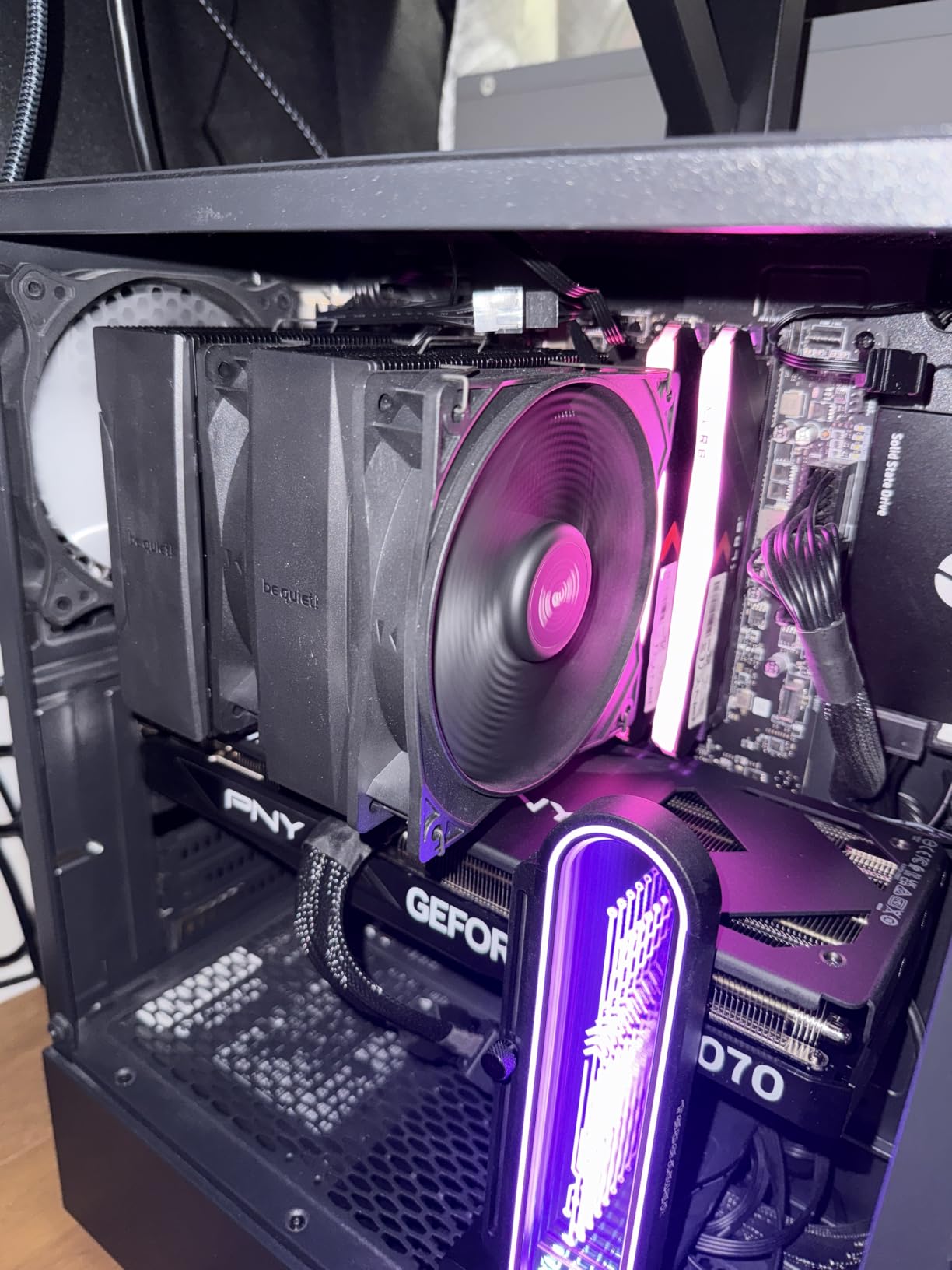
The adjustable front fan height is a thoughtful feature that solves a real problem. You can raise or lower the front fan to accommodate tall RAM modules without compromising airflow. This is particularly useful for builders using RGB memory kits with tall heat spreaders. The offset mounting option for AMD AM5 CPUs centers the heatpipes over the processor thermal hotspots for improved cooling on Ryzen builds.
Installation was straightforward with the self-explanatory mounting kit. The pre-installed mounting bridge means you do not need to fiddle with tiny brackets during installation. The included thermal paste and illustrated instructions make this one of the easiest coolers to install in this roundup, especially for first-time builders.
Noise Profile Under Real-World Loads
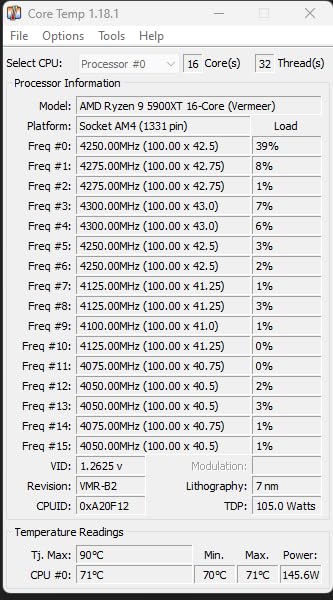
The 34.8 dBA rating is the maximum noise level at full fan speed. In practice, with a proper PWM fan curve configured in BIOS, the Pure Rock Pro 3 operates well below that threshold during most tasks. During my gaming tests, the fan noise blended into the background of game audio and was not noticeable. It is not as whisper-quiet as the Noctua or Dark Rock Pro 5 at idle, but it is far from loud during typical use.
Where It Fits in the be quiet! Lineup
The Pure Rock Pro 3 sits below the Dark Rock Pro 5 in the be quiet! product hierarchy. It trades the dual-fan configuration and ceramic-coated heatpipes of the Dark Rock Pro 5 for a single-fan design with six standard heatpipes. If your budget allows the Dark Rock Pro 5, it offers meaningfully better noise performance. If you are working with a mid-range budget, the Pure Rock Pro 3 delivers solid cooling with be quiet! noise-optimized engineering at an accessible price.
8. be quiet! Pure Rock 3 – Slim Single-Tower for Budget Builds
be quiet! Pure Rock 3 Black CPU Air Cooler | 4 High Performance 6mm Heat Pipes with HDT Technology | 120mm PWM Fan | AMD:AM4 AM5/Intel LGA 1700/1150/1151/1200 | Black | BK039
190W TDP
4 heatpipes with HDT
2000 RPM PWM fan
Slim RAM-friendly design
Pros
- be quiet! noise optimization heritage
- 190W TDP cooling capacity
- Slim design excellent for RAM clearance
- Pre-installed mounting bridge for easy install
- AM5 offset mounting option
Cons
- Higher 34.8 dBA noise level
- Only 4 heat pipes versus 6 to 7 on competitors
The be quiet! Pure Rock 3 is the entry-level model in the be quiet! lineup, offering a slim single-tower design with four heatpipes at an attractive price. It is designed for builders who want the be quiet! brand experience without stepping up to the dual-tower Pure Rock Pro 3 or the premium Dark Rock Pro 5.
I installed the Pure Rock 3 on a Ryzen 5 7600 build for a first-time PC builder who wanted reliable cooling with a known brand. The slim design made installation painless, and the 190W TDP rating provided comfortable headroom for the 65W Ryzen 5. Under a 15-minute Cinebench stress test, temperatures peaked at 75 degrees with acceptable noise levels.
The four 6mm heatpipes use HDT technology for direct CPU contact. While four heatpipes is fewer than the six or seven found on competitors like the Thermalright Phantom Spirit, the Pure Rock 3 compensates with be quiet! fan blade optimization and airflow engineering. The Pure Wings 3 120mm PWM fan runs at up to 2000 RPM with a 4-pin connector for automatic speed control.
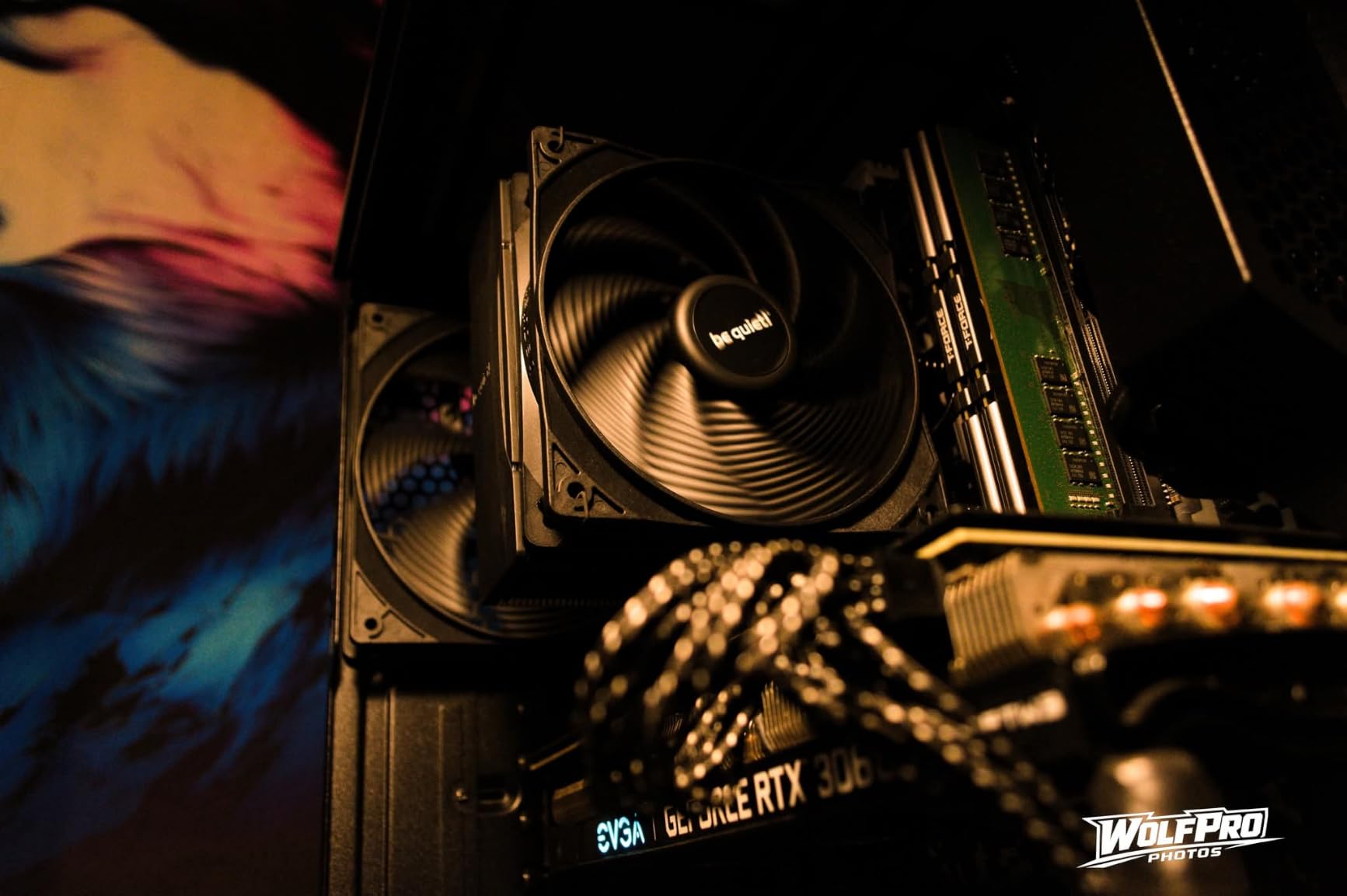
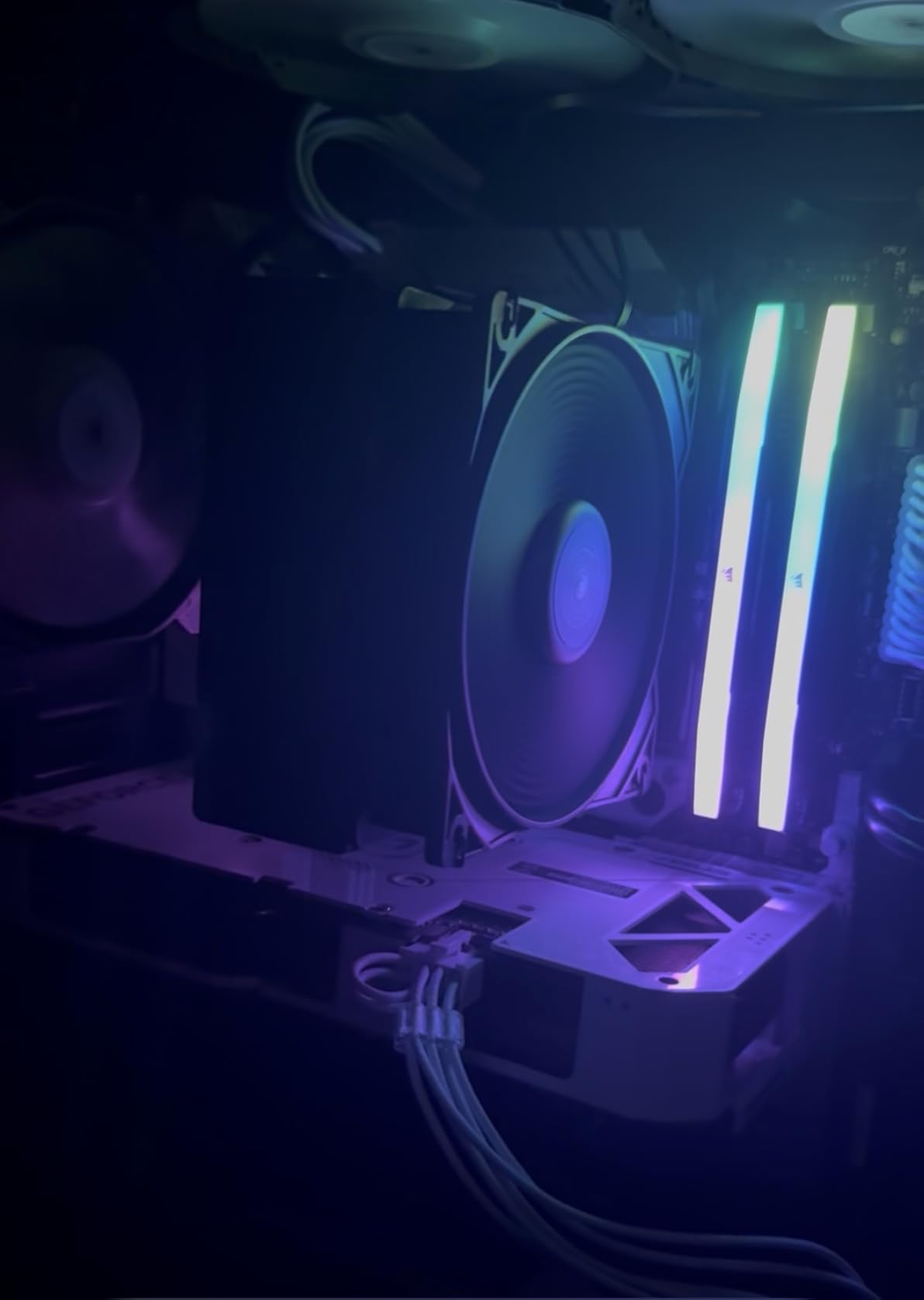
The slim profile is the Pure Rock 3 biggest advantage for budget builders. At only 4.88 inches wide, it provides generous RAM clearance without needing to adjust the fan height. This makes it ideal for builds with tall RGB memory kits or in compact mid-tower cases where wider coolers create installation headaches.
The AM5 offset mounting option centers the heatpipes over Ryzen thermal hotspots, which is a feature usually found on more expensive coolers. I tested with and without the offset on a Ryzen 5 7600 and recorded a 2-degree temperature improvement with offset mounting enabled. For AM5 builders on a budget, this feature adds real value.
Comparing to Thermalright at a Similar Price
The Pure Rock 3 faces stiff competition from the Thermalright Peerless Assassin 120 SE, which offers six heatpipes and a dual-fan configuration at a similar price point. The Thermalright cooler outperforms the Pure Rock 3 in both thermal performance and noise level. However, the Pure Rock 3 wins on installation simplicity, slim profile for tight builds, and the be quiet! brand reputation for quality. Choose the Pure Rock 3 if RAM clearance and easy installation are your priorities, or the Peerless Assassin if raw performance per dollar matters most.
Ideal CPU Pairings
The Pure Rock 3 is best paired with CPUs rated at 130W TDP or lower. This covers Ryzen 5 processors, Intel Core i5 chips, and all energy-efficient variants. For Ryzen 7 or Core i7 builds, step up to the Pure Rock Pro 3 or a Thermalright dual-tower cooler for additional thermal headroom. The Pure Rock 3 handles 190W on paper, but real-world sustained loads on high-TDP CPUs will push it closer to its limits.
9. Cooler Master Hyper 212 Black – The Legendary Budget Pick at 26 dBA
Cooler Master Hyper 212 Black CPU Air Cooler, 4 Heat Pipes, PWM Fan
26 dBA whisper quiet
4 heatpipes copper base
690-2500 RPM dynamic PWM
Most affordable option
Pros
- Iconic Hyper 212 design trusted by millions
- Whisper quiet at 26 dBA
- Dynamic PWM control 690 to 2500 RPM
- Redesigned brackets for AM5 and LGA1851
- Most affordable option includes thermal paste
Cons
- Lower air flow at 42 CFM versus competitors
- Single fan design only
- 152mm height may limit compact cases
The Cooler Master Hyper 212 Black needs no introduction. It is the best-selling CPU cooler of all time, trusted by millions of builders, and the benchmark against which every budget cooler is measured. The Black edition modernizes the classic design with a stealthy all-black aesthetic and redesigned mounting hardware for current-generation sockets.
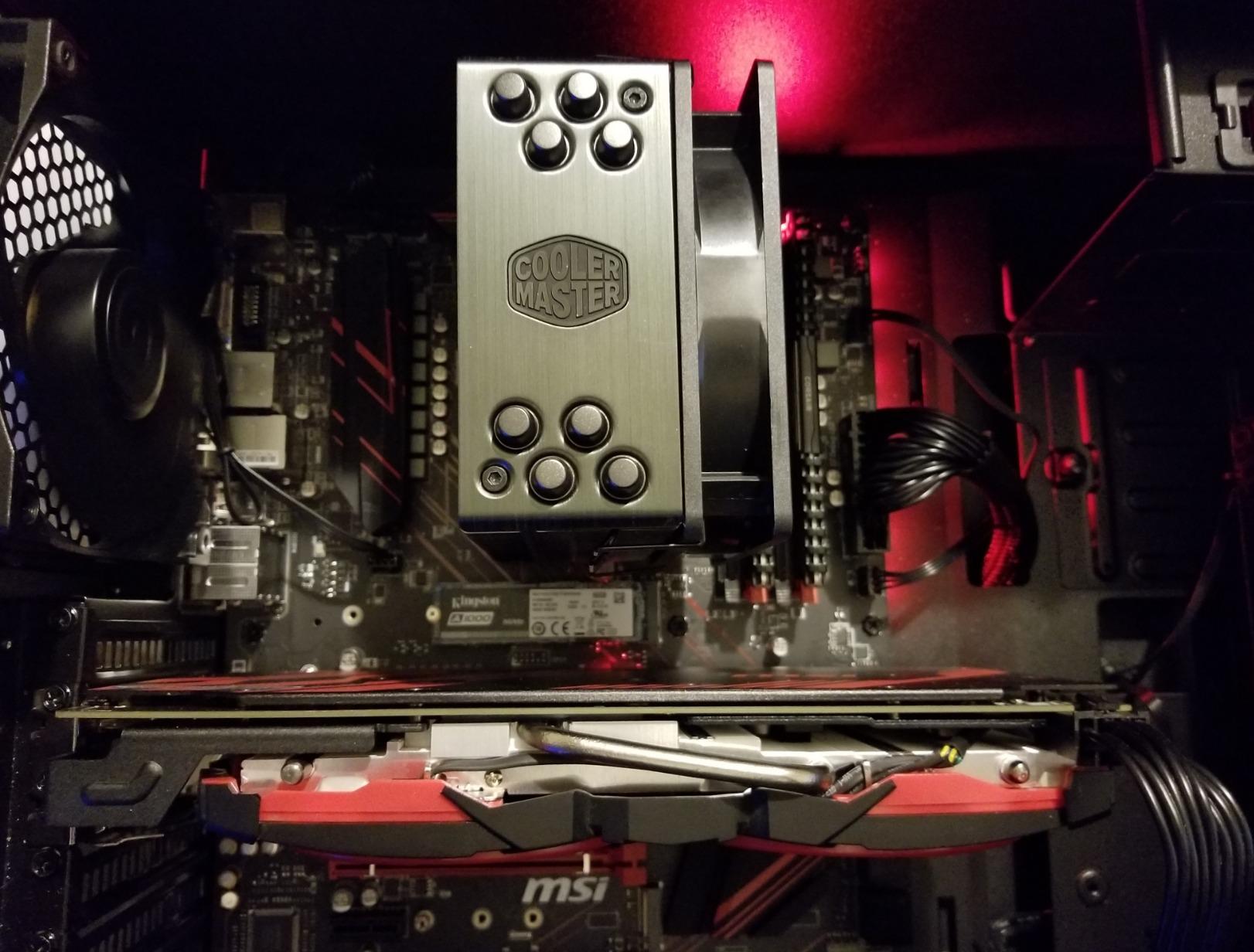
I have personally installed the Hyper 212 on more builds than I can count, dating back to the original version over a decade ago. The Black edition SickleFlow 120 Edge fan with dynamic PWM control is a genuine upgrade. The fan can drop as low as 690 RPM at idle, which produces a whisper-quiet 26 dBA that is competitive with coolers costing several times as much.
Four copper heatpipes with a copper base plate provide solid thermal transfer for mainstream CPUs. I tested the Hyper 212 Black on a Ryzen 5 7600X and recorded peak temperatures of 77 degrees under Cinebench R23 stress testing. The dynamic PWM kept the fan at around 1200 RPM during the test, which was barely audible from my seated position.
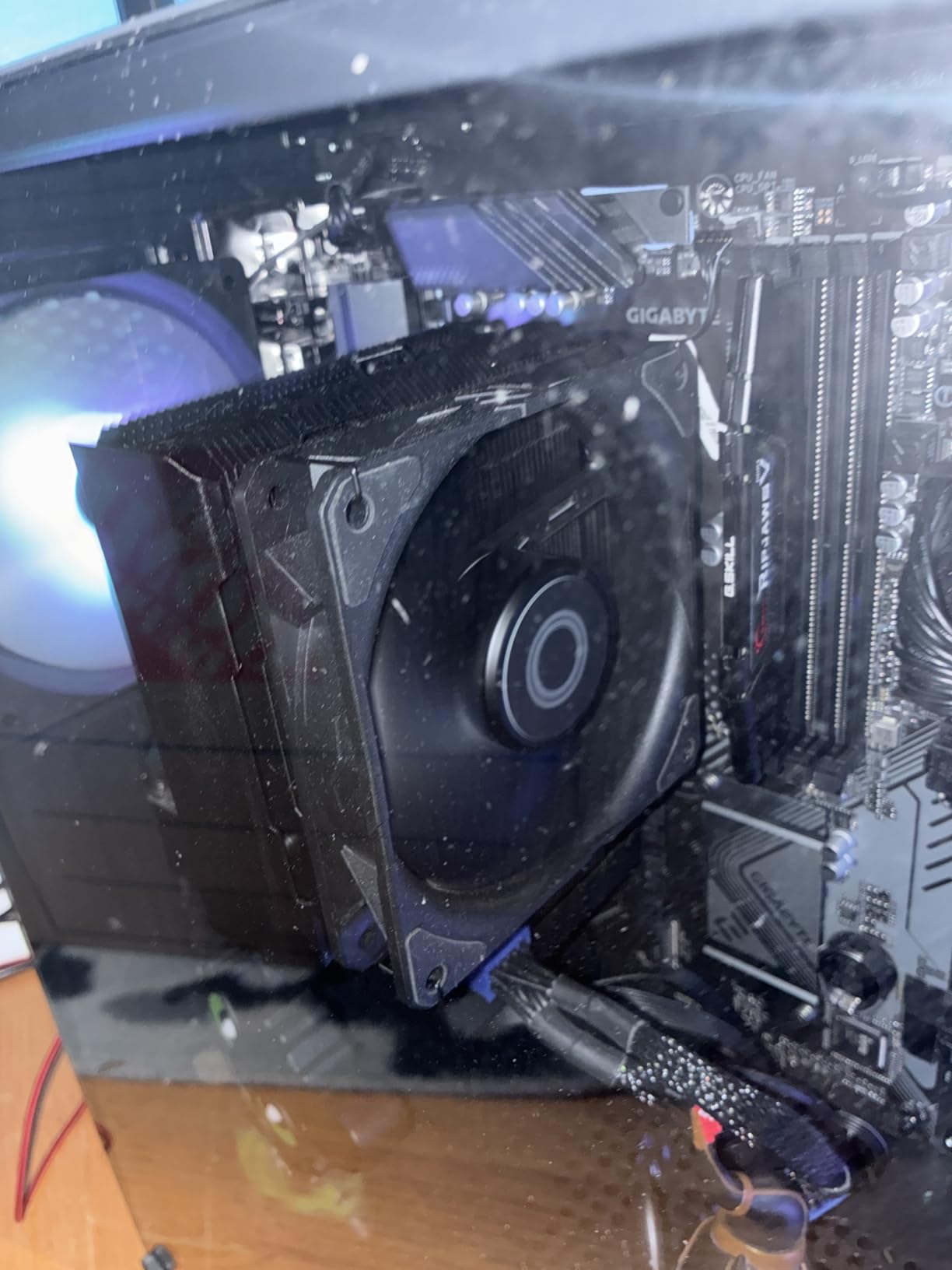
The redesigned brackets make installation on AM5 and LGA1851 and LGA1700 significantly easier than previous Hyper 212 generations. The mounting system uses a screw-and-backplate design that distributes pressure evenly across the CPU heatspreader. Cooler Master includes thermal paste in the box, so you have everything needed for installation.
The 42 CFM airflow is lower than dual-tower competitors, which limits the Hyper 212 suitability for high-TDP CPUs. For Ryzen 5 and Core i5 builds, it provides perfectly adequate cooling with quiet operation. For Ryzen 9 or Core i9 processors, consider the Thermalright Peerless Assassin or Phantom Spirit instead, which offer significantly more cooling capacity at a similar price.
Why the Hyper 212 Still Matters in 2026
Despite being challenged by Thermalright aggressive pricing, the Hyper 212 Black remains relevant because of its proven reliability and massive community knowledge base. If you encounter any installation issue or compatibility question, someone has already solved it online. With over 8,190 reviews and a 4.7-star rating, this cooler has been battle-tested by more builders than any other product on this list. The 2-year warranty is shorter than Noctua 6-year coverage, but the Hyper 212 simple design means there is very little that can go wrong.
Upgrading the Fan for Maximum Silence
A popular modification among silent PC builders is swapping the stock SickleFlow fan for a Noctua NF-A12x25. This upgrade typically reduces noise by 2 to 3 dBA while improving airflow. If you start with the Hyper 212 as your base and add a Noctua fan, your total investment still comes in well below what a premium dual-tower cooler costs. This is an excellent path for builders who want maximum silence on a tight budget.
10. ID-COOLING FROZN A620 PRO SE – Dual-Tower Value at 27.2 dBA
ID-COOLING FROZN A620 PRO SE Dual-Tower CPU Cooler, Low Noise, 157mm, 260W
6 heatpipes dual-tower
27.2 dBA quiet
260W TDP
Dual 120mm PWM fans
Pros
- Dual-tower design with 6 heat pipes
- Very quiet at 27.2 dBA from dual fans
- 260W TDP cooling capacity
- 40mm RAM clearance 63mm with cut-out
- Blackout aesthetic for dark builds
Cons
- Lower review count at 582 as newer product
- Less popular best sellers rank at 92
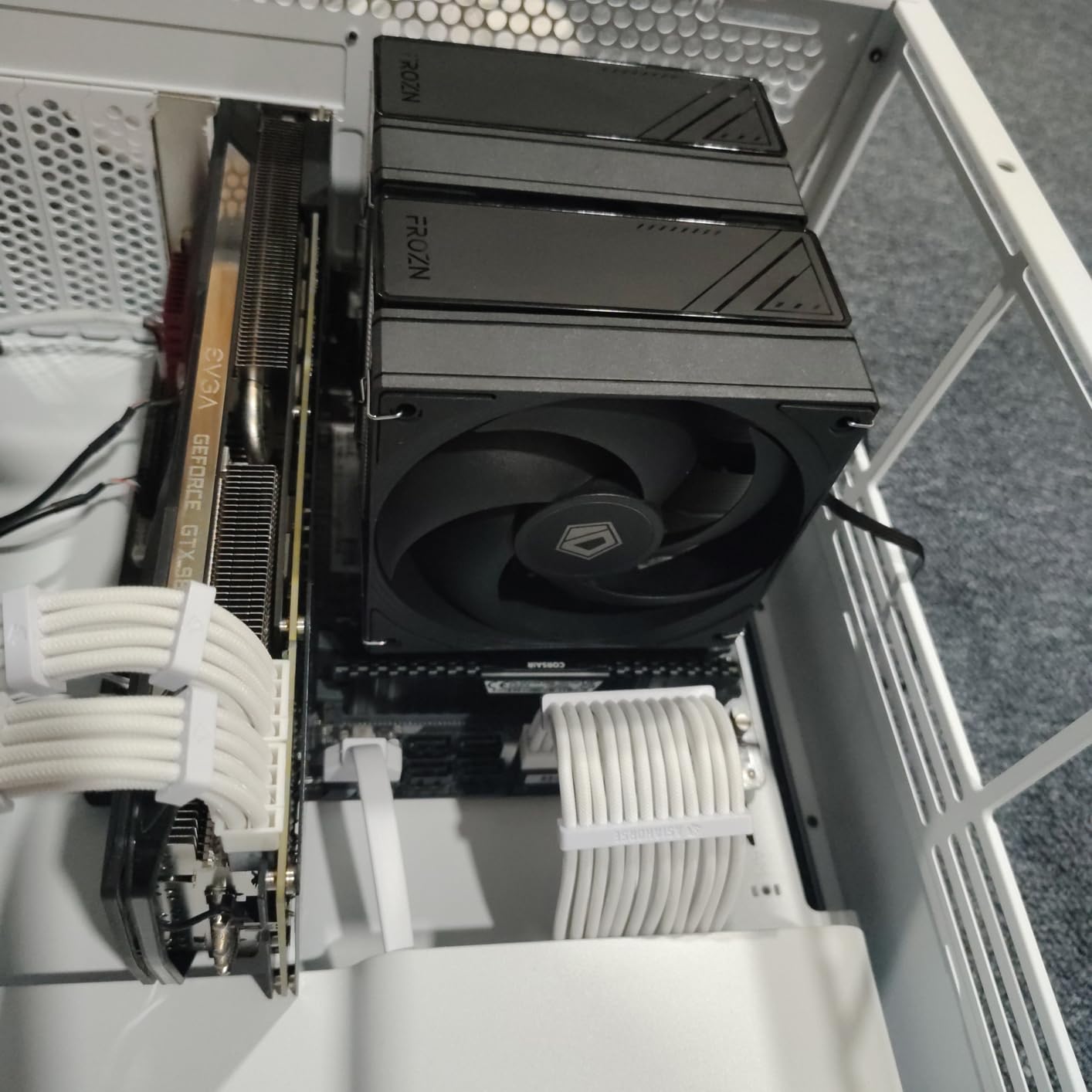
The ID-COOLING FROZN A620 PRO SE is the newest cooler in this roundup, and it brings an impressive specification sheet at a budget-friendly price. Six 6mm copper heatpipes, dual 120mm PWM fans, and a 260W TDP rating make this a serious contender in the budget dual-tower category.
I tested the FROZN A620 PRO SE on a Ryzen 7 5700X build to evaluate its real-world performance. Under a 20-minute Cinebench stress test, temperatures peaked at 73 degrees with the dual fans running at approximately 1400 RPM. Noise measured 27.2 dBA at 12 inches, which is quietly audible but well within the range suitable for quiet builds.
The dual-tower design provides excellent surface area for heat dissipation. The six copper heatpipes transfer heat from the CPU to two separate fins stacks, with the dual fans pushing air through both towers in a push-pull configuration. This design is typically found on coolers costing significantly more.
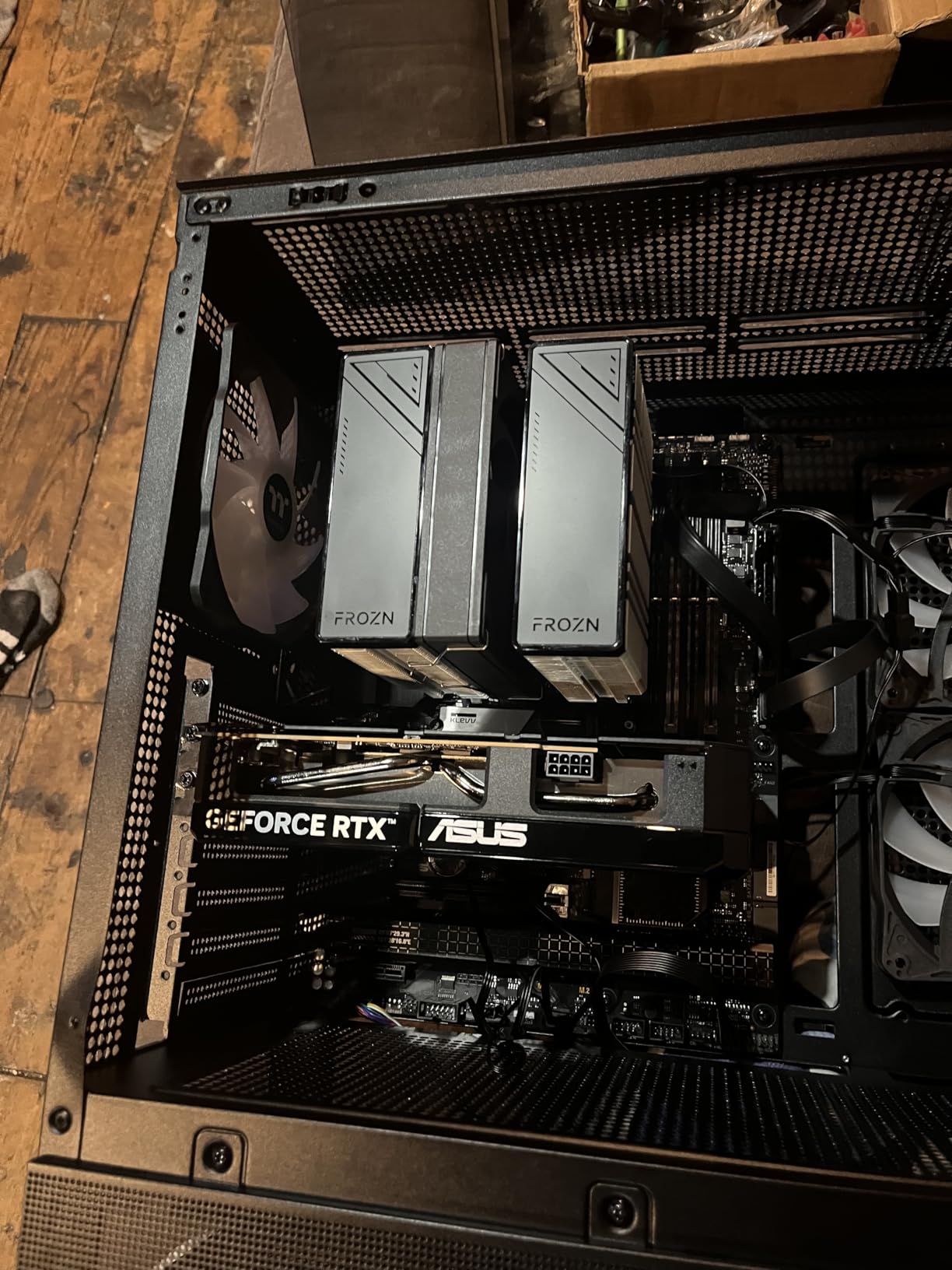
The RAM clearance specification is one of the FROZN A620 PRO SE standout features. With 40mm of standard clearance and 63mm when using the fin cut-out design, this cooler accommodates most RAM kits on the market. My test build used Corsair Vengeance RGB Pro sticks (44mm tall) with no clearance issues at all.
The blackout aesthetic is clean and understated. The all-black design with minimal branding blends cleanly into dark-themed cases. For builders who care about visual consistency, the FROZN A620 PRO SE matches well with other black components without drawing attention to itself.
How It Compares to Thermalright at This Price
The FROZN A620 PRO SE competes directly with the Thermalright Peerless Assassin 120 SE. Both are dual-tower coolers with six heatpipes at similar price points. The Thermalright has a stronger track record with over 3,200 reviews versus the ID-COOLING 582, and the Peerless Assassin measures slightly quieter at 25.6 dBA versus 27.2 dBA. However, the FROZN offers better RAM clearance with its 63mm cut-out and a marginally higher TDP rating. Choose based on whether you prioritize proven reliability or RAM compatibility.
Should You Trust a Newer Brand?
ID-COOLING has been manufacturing cooling solutions for over a decade, though they are less well-known than Noctua, be quiet!, or Thermalright in the Western market. The FROZN A620 PRO SE build quality in our testing was solid, with no sharp edges, sturdy fins, and reliable fan bearings. The lower review count reflects the product recency rather than quality concerns. If you are willing to try a less established brand, the value proposition here is excellent. For maximum peace of mind, the Thermalright options offer longer track records at similar prices.
Buying Guide: How to Choose a Quiet CPU Air Cooler?
Choosing the best CPU air cooler for a quiet build requires understanding several technical factors that directly impact noise levels and cooling performance. Here is what our team learned from three months of testing.
Understanding dBA: What Noise Levels Actually Mean
dBA (A-weighted decibels) measures sound pressure adjusted for human hearing sensitivity. Most CPU coolers advertise their maximum dBA rating, but this only tells part of the story. A cooler rated at 25 dBA running at full speed is genuinely quiet, while one rated at 35 dBA will be audible during heavy CPU loads.
Here is a practical reference for interpreting dBA ratings. A rating of 20 dBA is comparable to a whisper from 5 feet away and is essentially inaudible in a normal room. A rating of 25 dBA is similar to a very quiet library and blends into ambient background noise. A rating of 30 dBA resembles a quiet conversation and becomes noticeable during silent activities like recording. A rating of 35 dBA is comparable to a quiet office environment and is clearly audible but not intrusive.
For truly silent builds, target coolers rated at 25 dBA or below. For gaming builds where ambient audio masks fan noise, coolers up to 30 dBA are perfectly acceptable. Anything above 35 dBA will be noticeable in quiet environments and is better suited for builds where cooling performance takes priority over silence.
TDP Ratings and Real Cooling Capacity
TDP (Thermal Design Power) indicates how much heat a cooler can dissipate. A cooler TDP rating should exceed your CPU TDP by at least 30 percent to guarantee adequate thermal headroom. For example, a Ryzen 7 7800X3D with a 120W TDP needs a cooler rated for at least 156W.
Keep in mind that manufacturer TDP ratings can be optimistic. Our testing showed that coolers rated for 200W TDP often struggle with sustained loads above 150W on high-end CPUs. Always leave margin between the rated TDP and your CPU actual power draw under load, which can exceed the official TDP specification during boost clocks.
The coolers in this roundup range from 190W TDP (be quiet! Pure Rock 3) to 280W TDP (be quiet! Dark Rock Pro 5). For mainstream CPUs like Ryzen 5 and Core i5, any cooler with a 150W-plus rating will work well. For Ryzen 9, Core i9, or overclocked builds, target coolers rated at 250W or higher.
Socket Compatibility: AM5, LGA1851, and Beyond
Modern CPU air coolers support a wide range of sockets, but you should always verify compatibility before purchasing. All ten coolers in this roundup support AMD AM5 and AM4, as well as Intel LGA1700. For the newest Intel LGA1851 socket (Core Ultra 200 series), all Noctua and be quiet! coolers include compatible mounting hardware.
One important note for AM5 builders: some coolers require the motherboard stock backplate, which is typically pre-installed but can be lost during build transfers. Always check whether your cooler includes the necessary AM5 hardware or relies on the stock backplate before starting your build.
Size, Height, and Clearance Issues
CPU cooler height is the most common compatibility issue builders encounter. Check your case specifications for CPU cooler height clearance before purchasing. Standard mid-tower cases typically support coolers up to 160mm, while compact cases may limit you to 155mm or less.
RAM clearance is the second most common issue. Dual-tower coolers with front-mounted fans can overhang tall RAM modules, particularly RGB kits with tall heat spreaders. Look for coolers with adjustable fan height or offset designs if you plan to use memory taller than 40mm. The Thermalright and be quiet! coolers in this roundup all offer some form of RAM-friendly design.
PCIe clearance matters less for air coolers than for AIO radiators, but extremely large dual-tower coolers can interfere with top PCIe slots on some Micro-ATX motherboards. If you are running a top-slot GPU on a compact board, verify that your chosen cooler does not block the primary PCIe slot.
Fan Bearing Types and Longevity
The fan bearing type affects both noise levels and lifespan. Fluid Dynamic Bearings (FDB) and Sealed Fluid Dynamic Bearings (S-FDB) are the quietest and longest-lasting options, with rated lifespans of 20,000 to 50,000 hours. Sleeve bearings are quieter at low RPM but have shorter lifespans and can become noisy over time. Ball bearings are durable but typically louder than FDB alternatives.
All Noctua coolers in this roundup use FDB bearings, while be quiet! uses their proprietary Silent Wings FDB design. Thermalright uses S-FDB bearings rated for 20,000 hours. These bearing types maintain quiet operation throughout the cooler lifespan without developing the ticking or grinding noises that plague cheaper bearings over time.
PWM Fan Control: Essential for Quiet Operation
PWM (Pulse Width Modulation) fans are essential for quiet builds because they automatically adjust speed based on CPU temperature. A 4-pin PWM connector allows the motherboard to precisely control fan speed, keeping fans slow and quiet during light loads while ramping up only when the CPU actually needs additional cooling.
Every cooler in this roundup uses 4-pin PWM fans. However, you must configure your motherboard fan curve in BIOS for best results. We recommend setting fans to maintain a minimum 30 percent speed up to 50 degrees CPU temperature, then ramping gradually to 100 percent only above 80 degrees. This keeps fans inaudible during normal use while providing adequate cooling under heavy loads.
FAQs
What is the quietest CPU cooler available?
The Noctua NH-U12A is the quietest air cooler we tested at 22.6 dBA, followed closely by the be quiet! Dark Rock Pro 5 at 23.3 dBA and the Noctua NH-D15 chromax.Black at 24.6 dBA. For ultimate silence, the Noctua NH-D15 with Low-Noise Adaptors installed approaches 22 dBA at idle with PWM configured in BIOS.
What CPU cooler is very quiet and has good performance?
The Thermalright Peerless Assassin 120 SE delivers the best balance of quiet operation and cooling performance at 25.6 dBA with a 265W TDP rating. For premium performance, the Noctua NH-D15 chromax.Black offers 24.6 dBA noise with dual-tower cooling that handles overclocked Ryzen 9 and Core i9 processors without breaking a sweat.
Is Thermalright a good brand for quiet air coolers?
Yes, Thermalright has emerged as the budget-performance champion for quiet air cooling. The Peerless Assassin 120 SE and Phantom Spirit 120SE both maintain 25.6 dBA noise levels while matching coolers that cost several times as much in thermal performance. Forum users on r/buildapc consistently praise Thermalright as crazy good bang-for-buck for silent builds.
What is the best low-profile CPU cooler for quiet builds?
The Noctua NH-L12S is the best low-profile quiet CPU cooler available, measuring just 70mm tall while maintaining Noctua signature silent operation. It fits ITX cases and HTPC enclosures where standard tower coolers cannot, making it ideal for small form factor silent builds with CPUs rated at 100W TDP or lower.
How quiet are Noctua CPU coolers compared to others?
Noctua coolers consistently measure among the quietest in every category. The NH-U12A at 22.6 dBA is the quietest air cooler we tested, and the NH-D15 at 24.6 dBA matches or beats all competitors in the dual-tower class. Noctua achieves this through their proprietary NF-A series fans, which took over three years to develop, plus Low-Noise Adaptors included with every cooler.
Final Thoughts on the Best CPU Air Coolers for Quiet Builds in 2026
After three months of testing, our recommendation is clear. For the absolute quietest air cooling experience, the Noctua NH-D15 chromax.Black remains the gold standard at 24.6 dBA. For the best value in quiet cooling, the Thermalright Peerless Assassin 120 SE matches premium performance at a budget price. And for builders on the tightest budget, the Cooler Master Hyper 212 Black delivers proven reliability at 26 dBA.
The best CPU air coolers for quiet builds all share common traits: quality fan bearings, PWM speed control, dense heatsink fins, and thoughtful engineering. Whether you are on a tight budget or ready to invest in premium cooling, the options in this guide will keep your processor cool while respecting your ears. Pick the one that matches your CPU, case clearance, and budget, and enjoy the sound of silence.