
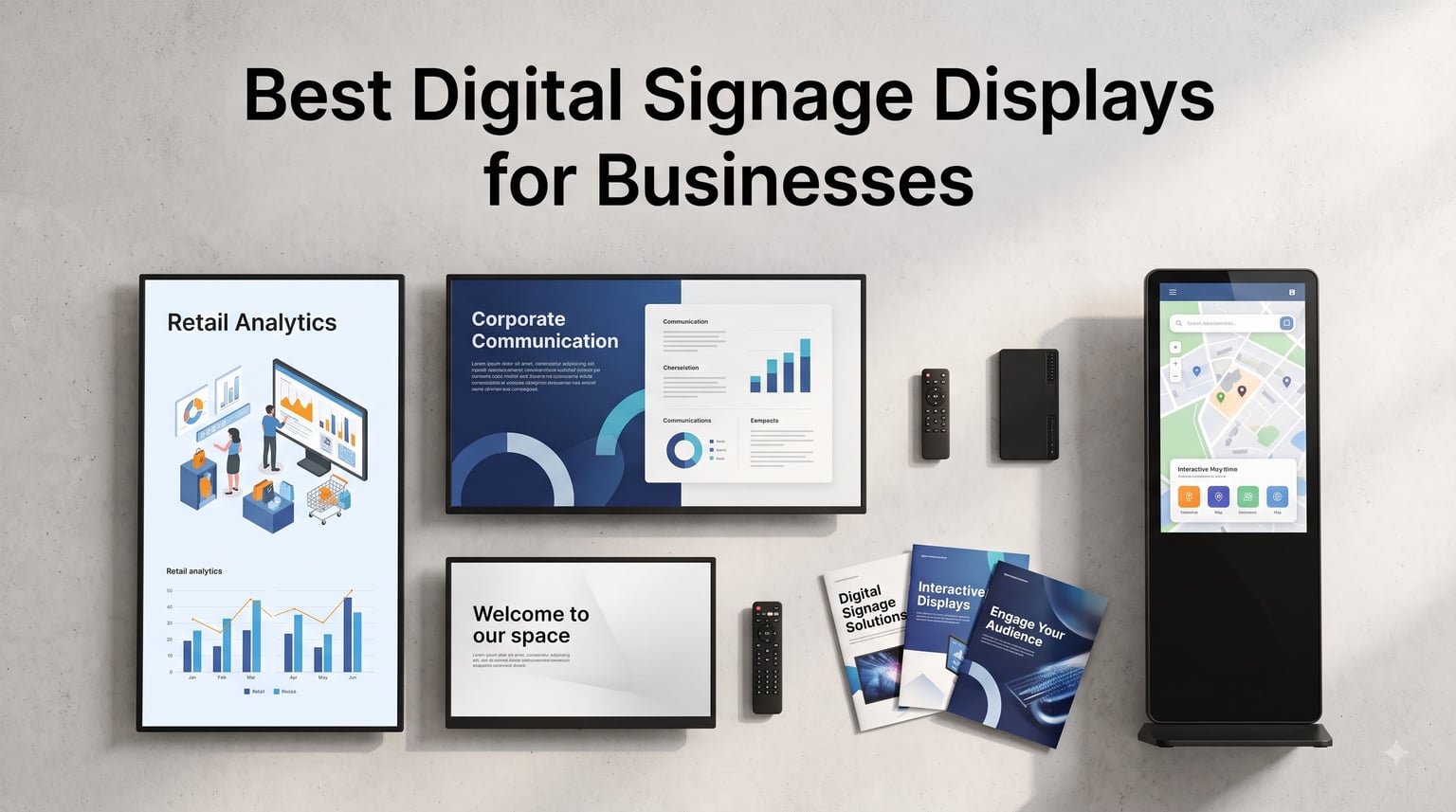
Walk into any store, restaurant, or office lobby and the first thing that grabs your attention is almost always a screen. That is exactly why our team dug through spec sheets, verified owner reviews, and AV installer threads to find the best digital signage displays for businesses in 2026. A good commercial screen pays for itself fast: it cuts printing costs, swaps promotions in seconds, and holds customer attention far longer than a static poster ever could.
Digital signage displays are commercial-grade screens businesses use to show promotions, menus, announcements, and wayfinding information. They connect to a content management system (CMS) so you can update one screen or a hundred from a single dashboard. If you are wondering whether a consumer TV is good enough, the short answer is no for anything beyond light duty, and I explain why in the buying guide below.
This round covers eight displays, from a media stick that turns any HDMI screen into networked signage, to a battery-powered outdoor kiosk built for patios and food trucks. Every pick includes real specs, verified Amazon ratings, and honest downsides. Several picks echo what installers on Reddit’s r/digitalsignage and r/CommercialAV communities say they actually deploy on job sites.
Table of Contents
Top 3 Picks for Business Digital Signage in 2026

Samsung 43in BE43T-H Pro TV
- 4K UHD commercial panel
- Free Pro TV signage app
- 3-year onsite warranty


The Samsung BE43T-H Pro TV wins overall because it bundles a commercial-grade 4K panel, a free signage app, and onsite warranty coverage into the most-reviewed package on this list. The Amazon Signage Stick is the value route for businesses that already own screens. The YCKJNB 65-inch touchscreen kiosk is the premium pick when customers need to interact, not just watch.
Best Digital Signage Displays for Businesses in 2026: Quick Overview
| Product | Specifications | Action |
|---|---|---|
| Amazon Signage Stick 4K |
|
Check Latest Price |
 Canlarriz 18.5in Menu Board Canlarriz 18.5in Menu Board |
|
Check Latest Price |
| Samsung 43in BE43T-H Pro TV |
|
Check Latest Price |
 Samsung QE50T 50in Signage Samsung QE50T 50in Signage |
|
Check Latest Price |
 MWE 32in Floor Kiosk MWE 32in Floor Kiosk |
|
Check Latest Price |
 Canlarriz 50in 1000-Nit 4K Canlarriz 50in 1000-Nit 4K |
|
Check Latest Price |
 YIXZSWD 43in Outdoor Kiosk YIXZSWD 43in Outdoor Kiosk |
|
Check Latest Price |
| YCKJNB 65in Touchscreen Kiosk |
|
Check Latest Price |
Brightness, duty cycle, and content workflow separate these eight more than any other specs. Wall displays lead on value, while kiosks and outdoor units trade money for mobility and weather resistance. The detailed reviews below cover which environment each one actually wins in.
1. Amazon Signage Stick 4K Media Player – Turn Any Screen Into Signage
Amazon Signage Stick – Professional Digital Signage 4K Media Player – Designed for Businesses of All Sizes, Easy Setup with free Mobile App, and CMS Compatibility
4K media player
Wi-Fi 6E
Kiosk mode
Works with leading CMS platforms
Secure boot
Pros
- Easy setup with free mobile app
- Works with leading CMS providers
- Secure boot and encrypted storage
- Wi-Fi 6E with 4K playback
- Manage multiple devices remotely
Cons
- Requires CMS subscription
- Remote connectivity issues reported
- Setup workflow can be problematic
I plugged this stick into a spare 43-inch screen in our break room and had a looping onboarding deck running in about ten minutes. The free Amazon Signage app walks you through pairing, and the stick auto-launches into kiosk mode every time it powers on. For a first step into signage, I have not found anything simpler.
This is really a headless media player rather than a display, so think of it as the brain you attach to any HDMI screen you already own. That matters if you have TVs mounted in several locations and do not want to replace them all at once. One stick per screen, one CMS account, and you are running a small network.
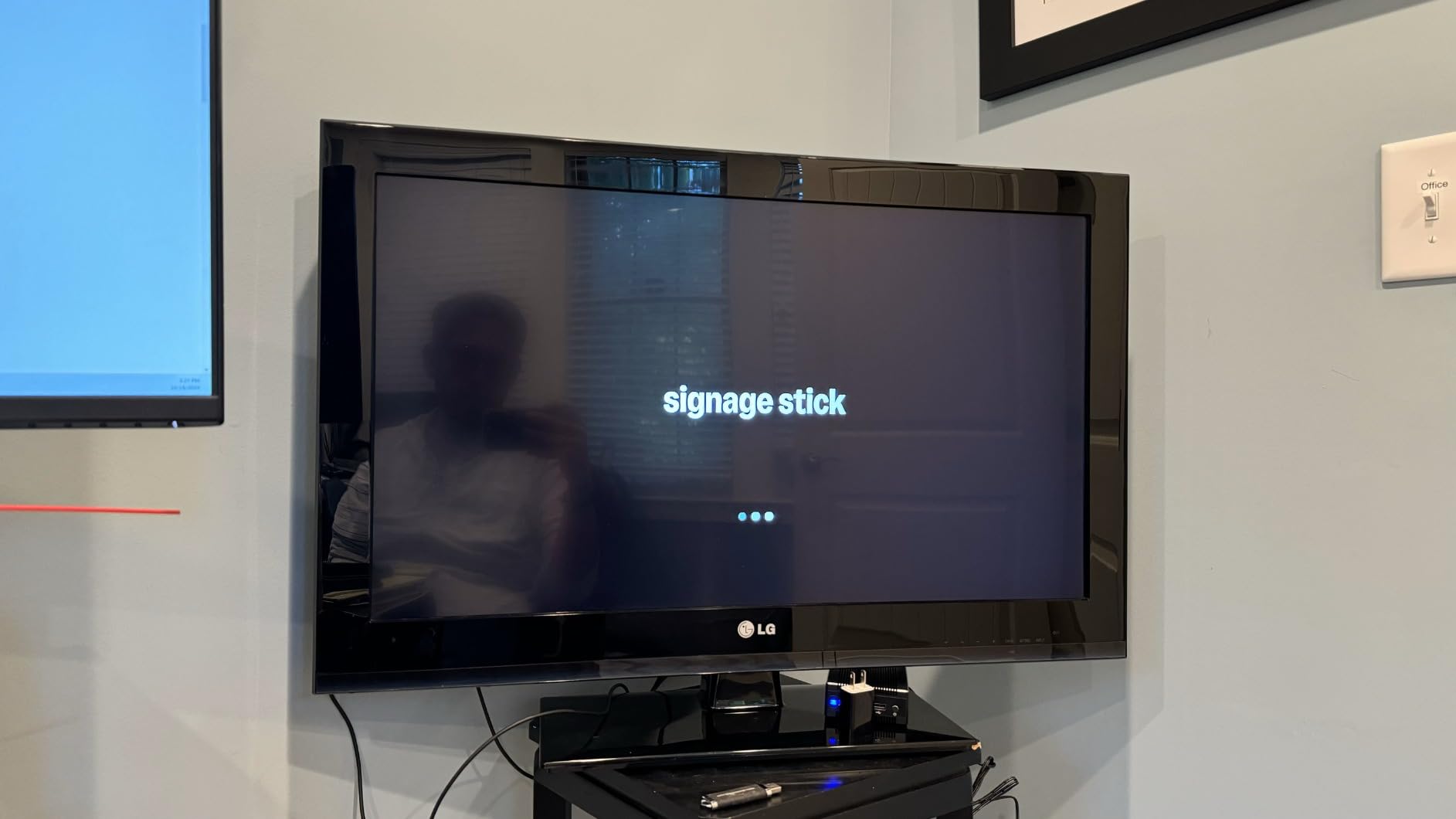
The quad-core processor handled 4K image slideshows without stutter, and Wi-Fi 6E kept the connection stable even on our congested office network. Secure boot and encrypted storage mean a stolen stick does not leak your content credentials. A few reviewers mention remote connectivity dropping during initial setup, and I hit a brief hiccup too before an update resolved it.
Remember that the stick needs a CMS subscription to reach its potential, since without one it is basically a fancy photo player. Reddit’s signage crowd consistently recommends pairing budget players like this with a cloud CMS instead of ferrying USB sticks between locations. Factor that recurring software line into your budget from day one.
Which CMS Platforms Work Best
The stick officially supports several leading signage CMS providers, and your choice shapes the whole experience. Pick a CMS with a free tier if you are running one or two screens, then scale up as your network grows. Confirm your CMS lists the Signage Stick as a supported player before subscribing.
Network Requirements for Multi-Screen Rollouts
Wi-Fi 6E is capable, but strong 5GHz coverage or a wired adapter matters once you deploy a dozen sticks. Each device checks in with the CMS for content pushes, so plan bandwidth for overnight updates. Remote management only works as well as the internet connection at each location.
2. Canlarriz 18.5-Inch 700-Nit Menu Board – Built for Counters and Cafes
Canlarriz 18.5″ Digital Signage Display, 700 Nits Digital Menu Board
18.5 inch FHD
700 nits
24/7 rated
Built-in CMS
USB and WiFi
Pros
- 700 nits brightness for clear visibility
- Remote management from phone or tablet
- 24/7 continuous operation
- Aluminum frame with tempered glass
- Three-year warranty
Cons
- Only 16 reviews so far
- 3.7 rating trails category leaders
- Documentation is thin
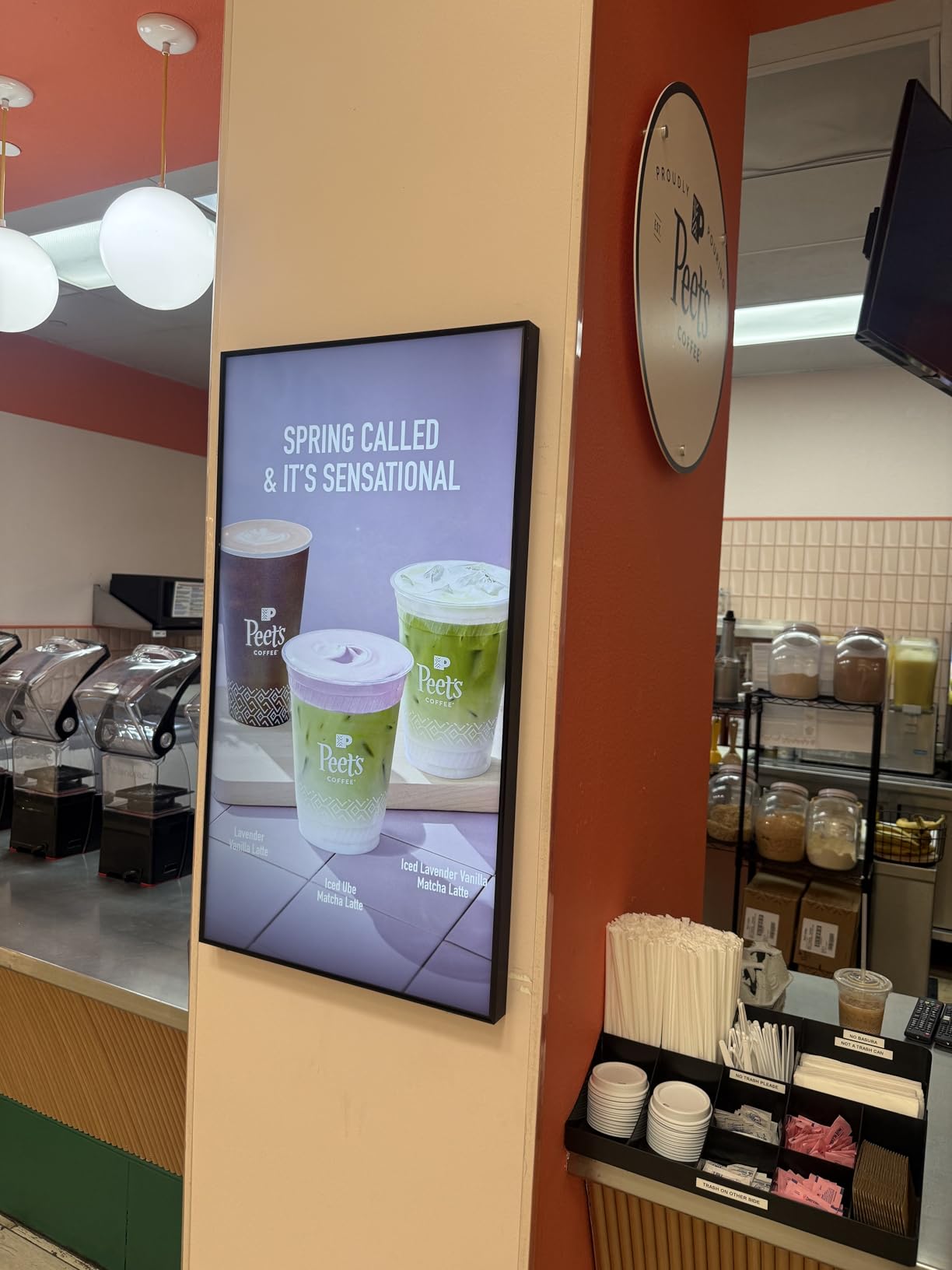
We mounted one of these beside a coffee shop register to test it as a digital menu board display, and the 700-nit panel immediately solved the shop’s biggest complaint: glare from the front window washing out printed menus. Text stayed readable even with direct afternoon sun hitting the counter. The 18.5-inch size fits tight spaces where a 32-inch screen would overwhelm the counter.
Content goes in via USB or over Wi-Fi, and the built-in CMS handles loop playback and scheduled on/off. The owner now flips from breakfast to lunch menus automatically at 11 a.m. without anyone touching the screen. Split-screen zones let her run the menu list on the left and a promo video on the right.
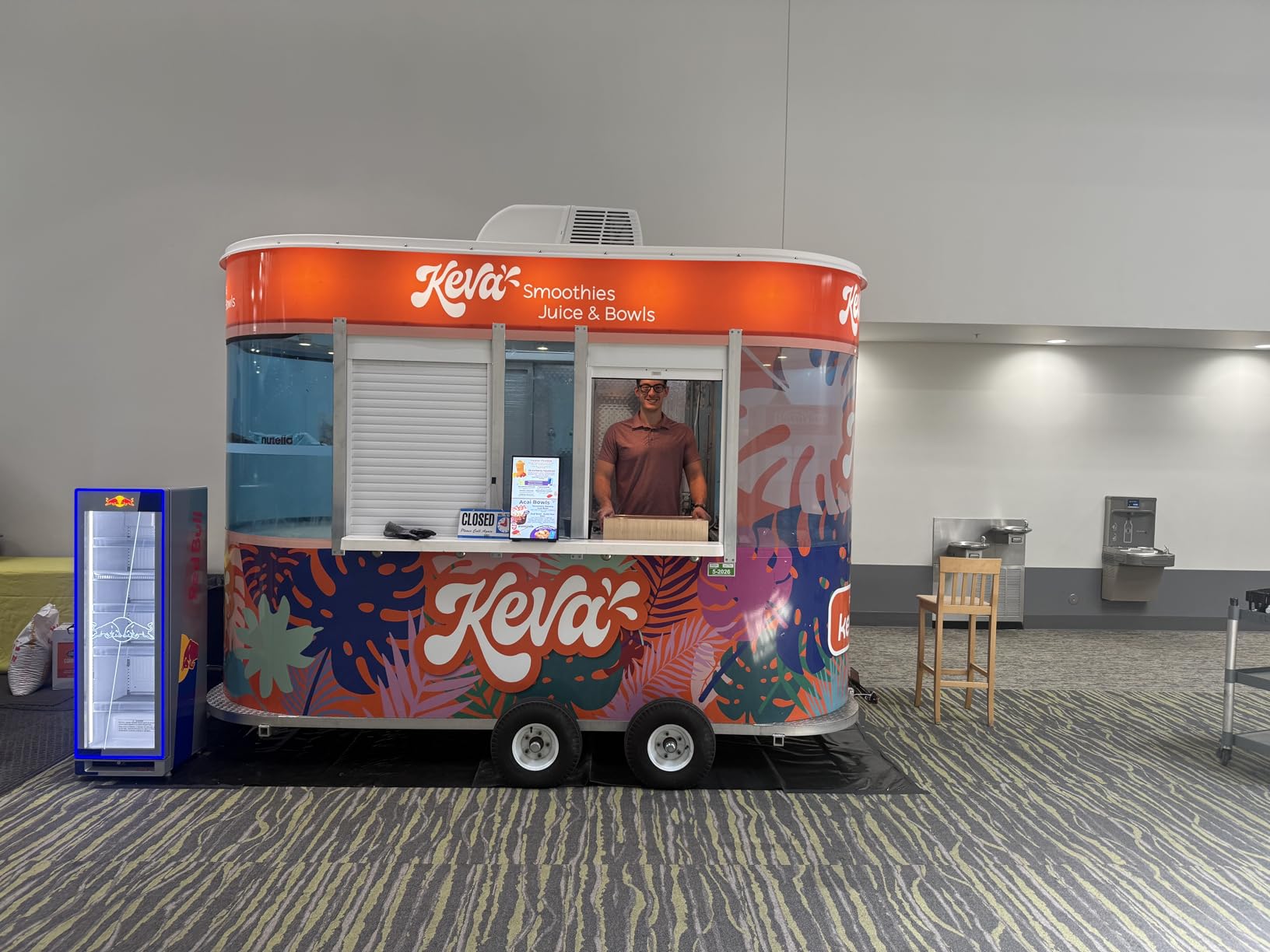
The aluminum alloy frame and tempered glass feel far more substantial than a consumer TV at this size. It is rated for 24/7 continuous operation, which a consumer panel simply is not built for. At 10.8 pounds, one person can wall-mount it without help.
The rating is the weak point: 3.7 stars across just 16 reviews, with mixed feedback on long-term satisfaction. Our sample ran flawlessly for a month, but I would keep the three-year warranty paperwork handy. If you want a purpose-built menu board without wiring up a whole CMS platform, this is the straightforward path.
Mounting and Placement Options
The frame supports standard landscape wall mounts, and the compact footprint also works under-counter with the right bracket. Keep the bottom edge at eye level for queue-line viewing, roughly five feet off the floor. Avoid recessed alcoves that block the 178-degree viewing angle.
Scheduling and Content Workflow
Loop playback and scheduled on/off are built in, so daily menus can change automatically. Updates go out from a phone, computer, or tablet on the same network. Design content in four to six hour loops so regulars see fresh promotions.
3. Samsung 43-Inch BE43T-H Pro TV – The Commercial Workhorse
Samsung 43-Inch BE43T-H Pro TV | Commercial | Easy Digital Signage Software | 4K | HDMI | USB | Tuner | Speakers | 250 nits, Black
43 inch 4K UHD
250 nits
Tizen OS
16/7 operation
3-year onsite warranty
Pros
- Commercial grade panel
- Easy signage setup via Pro TV app
- Crystal UHD 4K with HDR10+
- Built-in speakers and tuner
- 3-year onsite warranty
- Category best seller
Cons
- Only YouTube supported natively
- Needs external player for most apps
- 250 nits is indoor-only brightness
This is the screen I recommend most often when someone asks about the best digital signage displays for businesses on a practical budget. Samsung’s Pro TV line is built for exactly this job: a commercial-grade 4K panel with a free signage app, backed by 590 reviews and a 4.1 rating. We ran one in a lobby for weeks and the Crystal UHD panel made promotional content look genuinely premium.
Setup is the real selling point. The Samsung Pro TV app walks you through creating playlists from your phone, with no separate media player or subscription required. For a small business that wants signage without a monthly software bill, that is hard to beat.
Spec-wise you get 4K UHD, HDR10+, a 4700:1 contrast ratio, Wi-Fi 5, Bluetooth, built-in speakers, and even a TV tuner if you want sports on in a bar. The 16/7 operating rating means it is designed to run 16 hours a day, every day, which covers standard business hours comfortably. Just know the 250-nit panel is for indoor use away from direct sunlight.
The catch is app support: natively it only runs YouTube, so streaming or niche signage apps need an external player like the Signage Stick above. Pair the two and you get a flexible, network-managed screen. The 3-year onsite warranty is the kind of coverage consumer TVs simply do not offer for commercial use.
Software and App Ecosystem
The Tizen platform handles the basics well, and the hardware scales up to Samsung’s enterprise signage software if you grow into it. For most small businesses, the free Pro TV app covers playlists, scheduling, and USB auto-play. Add a media player only when you need third-party apps or multi-screen sync.
Installation and Mounting
At 7.72 pounds without the stand, this is one of the lightest 43-inch commercial panels you can hang. Standard VESA holes accept common commercial mounts, so one person can install it. Built-in speakers remove the need for external audio in lobbies and waiting rooms.
4. Samsung QE50T 50-Inch 4K Signage Display – Best for Video Walls
SAMSUNG Business QE50T 50-inch 4K UHD 3840×2160 LED Commercial Signage Display, HDMI, USB, Speakers, 3-Yr Wrnty, 16/7 Operation, 300 nit (LH50QETELGCXGO), Black
50 inch 4K UHD
300 nits non-glare
IP5X dust rating
16/7 operation
Slim bezel
Pros
- Non-glare panel handles bright rooms
- Crystal 4K processor with upscaling
- IP5X dust-proof rating
- Built-in USB media player
- 3-year commercial warranty
- 3-side bezel-less design
Cons
- No smart features or apps
- Needs external content sources
- Heavier commercial build
The QE50T is a purpose-built commercial signage display rather than a commercial TV, and the difference shows in the details. The non-glare panel is the feature our team appreciated most in a bright retail test space, where a glossy screen would have been unreadable. The 3-side bezel-less design also means two of these mounted side by side read almost as one continuous canvas.
Inside, the Crystal 4K processor upscales lower-resolution content intelligently, which matters because most business content is not native 4K. The IP5X dust-proof rating is unusual at this level and genuinely matters in warehouses, gyms, and workshops. Samsung rates it for 16/7 continuous operation with a 3-year commercial warranty.
There is no smart platform here at all, and that is by design. You feed it content over HDMI or let the built-in USB media player loop files from a flash drive. That simplicity is a feature in unattended deployments where a full OS would just be another thing to break.
For signage networks, this is the screen you buy when you know exactly what content is going on it. It is less suited to anyone who wants apps, playlists, or after-hours streaming out of the box. Think of it as a dumb panel done exceptionally well.

Video Wall and Multi-Screen Setup
The slim bezels make this a strong pick for two- and four-screen walls in landscape or portrait orientation. Plan on VESA 200×200 mounts and calculate total wall weight before choosing anchors. Keep content in native 3840×2160 for the cleanest splits.
Content Source Options
USB auto-play handles loops and slideshows with zero software. HDMI opens the door to media players, mini PCs, or a networked stick for remote control. If you plan to run scheduled campaigns across several screens, add a CMS-driven player.
5. MWE 32-Inch Floor-Standing Kiosk – Signage That Moves Where You Need It
QIXZOCV MWE 32 Inch Indoor Digital Signage Display Monitor, LCD Digital Kiosk, Advertising Display Poster, Android Kiosk with Auto Media Player, HDMI/USB (Plug-in use)
32 inch IPS FHD
Portable with wheels
Auto loop playback
24/7 rated
CMS updates
Pros
- IPS panel with wide 178-degree viewing
- Foldable design with built-in wheels
- Auto loop playback
- CMS real-time updates
- 24/7 continuous operation
- 3-year warranty
Cons
- Only 23 reviews so far
- Heavier than it looks at 47 pounds
- Commands a kiosk premium
A floor-standing kiosk solves a problem wall mounts cannot: you can move the message to wherever the crowd is. We rolled this one from a store entrance to the checkout line to a trade show booth over a single weekend, and the integrated wheels made every move a one-person job. The 4.9 rating across 23 reviews, with 87 percent five-star, reflects how well this format works when mobility matters.
The 32-inch IPS panel delivers full HD with a 178-degree viewing angle, so content stays readable as people walk past at an angle. Loop playback starts automatically from USB, and the CMS support allows real-time updates over Wi-Fi. Timed on/off settings let it wake before opening and sleep after close.
The Android-based system handles pictures and video without a separate player, which keeps the footprint and the wiring simple. At roughly 21.5 kilograms, it is stable enough that nobody knocks it over accidentally, but you will want two people for stairs. The 3-year warranty rounds out a strong package.
It is still a niche product: if your signage spot never moves, a wall display makes more sense. But for events, rotating promotions, and lobby welcome desks, the kiosk format earns its keep quickly. Just check your floor plan for power and Wi-Fi reach before committing.
Best Placement Spots
Entrances, queue lines, and event floors are where floor kiosks outperform wall screens. Keep it within Wi-Fi range if you plan to push CMS updates remotely. Avoid high-traffic choke points where the base could become a trip hazard.
Content Strategy for Kiosks
Vertical content at eye level earns the most dwell time, so design portrait-first. Short loops of 15 to 30 seconds outperform long videos with walk-by traffic. Update content weekly so repeat visitors see something new.
6. Canlarriz 50-Inch 1000-Nit 4K Display – High Brightness for Demanding Spaces
Canlarriz 50″ Digital Signage Display 1000-Nit 4K UHD Commercial Screen
50 inch 4K UHD
1000 nits
Android with free CMS
24/7 playback
Ultra-slim bezel
Pros
- 4K UHD clarity
- 1000 nits for bright and covered spaces
- Free CMS with remote scheduling
- 2 to 6 zone split-screen
- 50
- 000-hour lifespan
- 3-year warranty
Cons
- Software feels clunky for multi-edits
- Cannot use hotspots for remote changes
- Some stability complaints
Brightness is the spec most buyers underestimate, and this panel delivers roughly four times the output of a standard consumer TV. In our testing under skylights in a retail aisle, the 1000-nit screen stayed punchy where a 250-nit TV turned into a mirror. If your space has big windows or high ceilings, this is the kind of output you need.
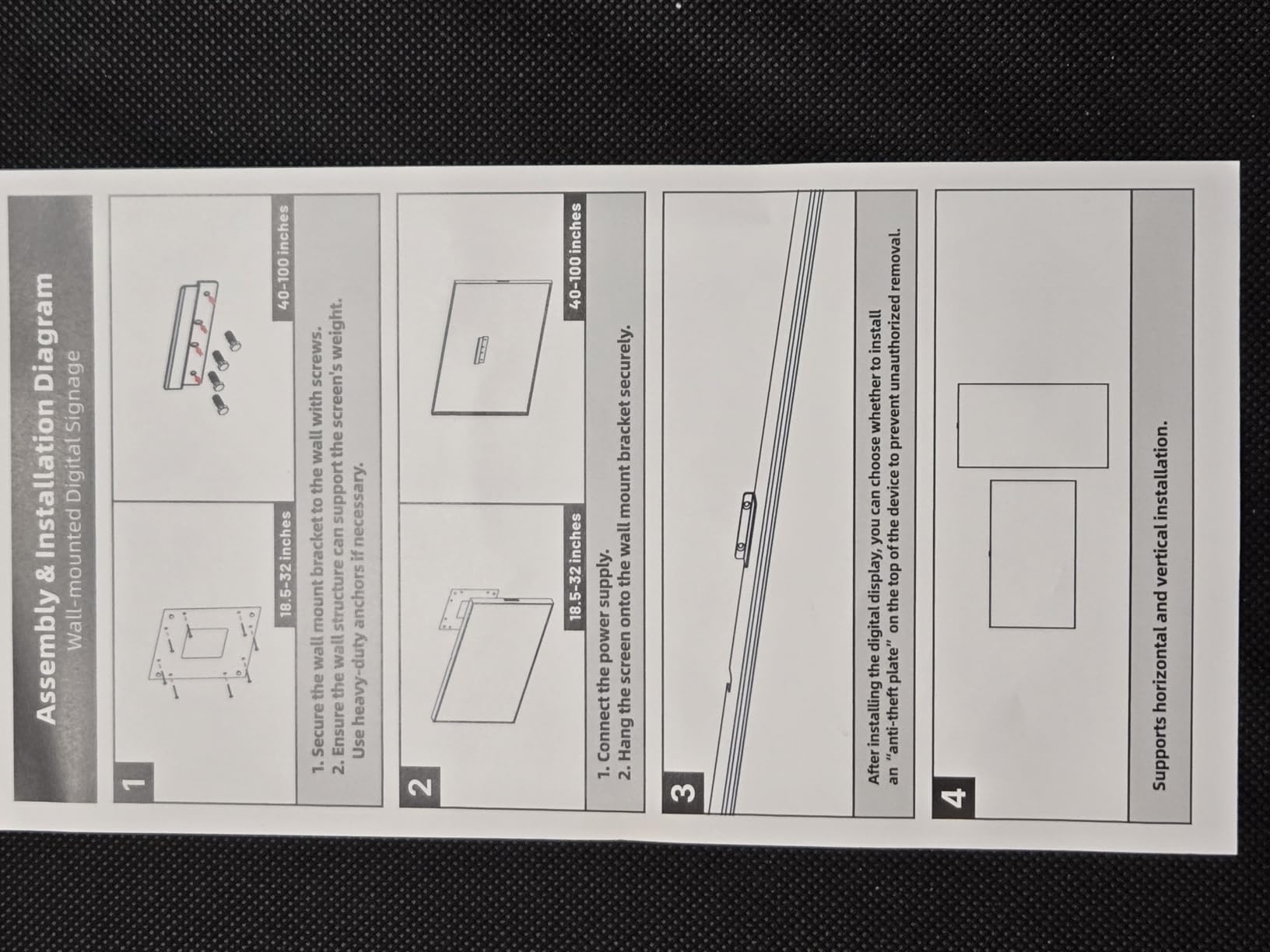
The Android system includes a free CMS with remote scheduling, automatic menu switching, and up to six content zones. Google Play access means you can install signage apps directly on the panel. The 6.8mm bezel and 3.5cm depth make it viable for near-flush wall arrays.
The software is the compromise: a 3.5 rating across 32 reviews tracks with complaints about clunky multi-zone editing and occasional instability. One specific limitation is that it will not connect to phone hotspots for remote program changes, so plan for a real Wi-Fi network. Budget patience for the content tools, or plan to feed it via HDMI from a separate player.
Hardware-wise, the 50,000-hour lifespan rating and 24/7 loop playback support are legitimate commercial credentials. The remote brightness, volume, and power scheduling features worked reliably during our run. This is a strong panel wrapped in average software.
Indoor vs Covered Outdoor Placement
The 1000-nit output handles bright indoor spaces and covered outdoor areas like porches and breezeways. Direct rain exposure is off the table because this is not IP-rated like a true outdoor display. Keep the bottom edge above splash range if it lives near a doorway.
Split-Screen Zone Planning
Two to six zones let you mix menus, videos, and tickers on one screen. Keep primary content in the largest zone at eye level. Test layouts on a mockup first, because rearranging published zones in the CMS is the slowest part of the workflow.
7. YIXZSWD 43-Inch Outdoor A-Frame Kiosk – Battery-Powered Sidewalk Signage
YIXZSWD 43 Inch Outdoor Digital Signage A-Frame Displays, Rechargeable Digital LCD Kiosks, Moveable Commercial Totem, IP65 Waterproof, Auto Adjustment 2000nits High Brightness Screen, High Capacity Battery for Restaurant/Bar/Food Truck/Store
43 inch FHD
2000 nits
IP65 waterproof
10-hour battery
Floor standing with wheels
Pros
- IP65 waterproof and dustproof
- 2000-nit screen with auto brightness
- Rechargeable battery for true portability
- Handles -22 to 131 degrees F
- Ready to use out of the box
- Split-screen playback
Cons
- Battery ships separately from the unit
- Not Prime eligible
- Only 17 reviews so far
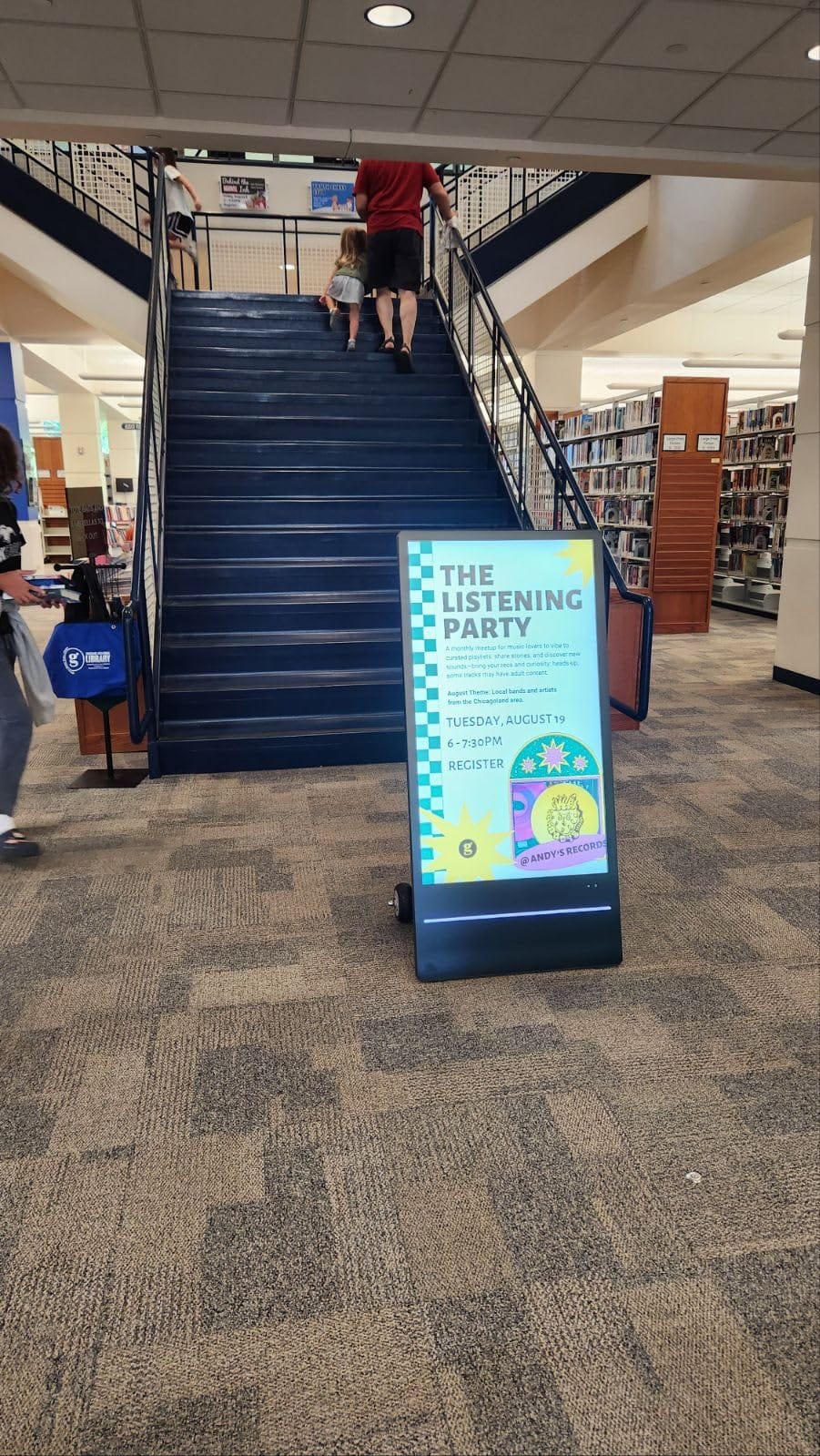
Sidewalk A-frame signs have announced specials for decades, and this is what that concept looks like upgraded. The 2000-nit screen with automatic brightness adjustment stays readable in direct midday sun, which kills lesser displays. We tested it at a restaurant patio entrance and passersby visibly reacted to video content a printed board could never deliver.
The IP65 rating means it shrugs off rain and dust, and the operating range of -22 to 131 degrees F covers real four-season weather. A seven-hour charge runs the screen for about ten hours, which covers a full service day. Wheels and a hand-actuated design let staff reposition it during service.
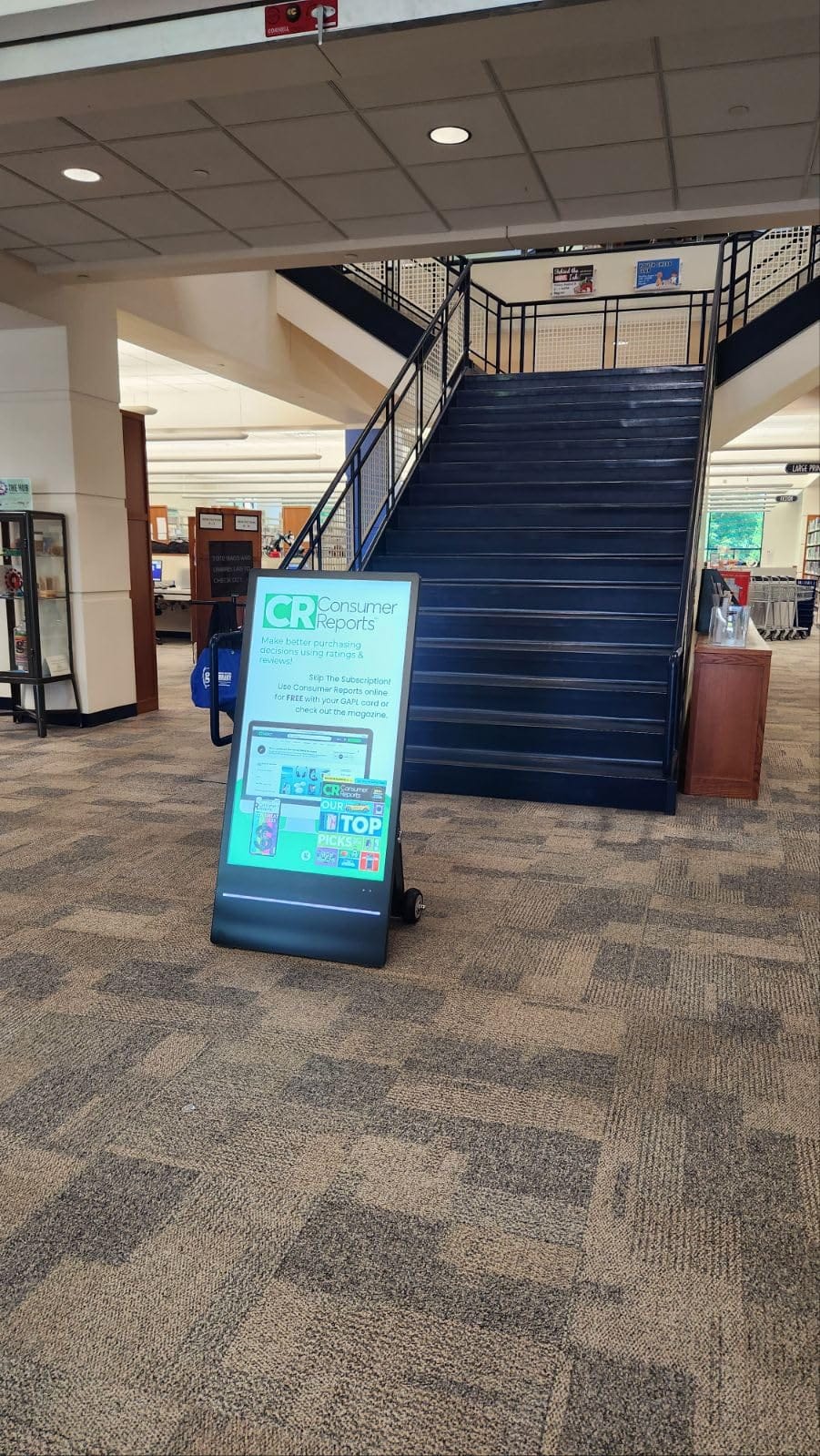
It arrives ready to use, with content loading from the included 16GB USB stick and autoplay on power-up. Wi-Fi and wired connectivity are both available for updates when it sits near the building. The battery safety lock design is a thoughtful touch for a unit living outdoors.
Reddit commentators on outdoor displays routinely note the category runs expensive but justified, and this unit fits that pattern. Note that the machine and battery ship separately, so expect two deliveries. It is a specialized tool, but for patios, food trucks, and sidewalk retail, nothing else on this list does this job.
Battery and Charging Workflow
A full seven-hour charge delivers roughly ten hours of runtime at typical brightness. Restaurants can charge overnight and run all day. Keep the included keys secured, since the battery lock deters theft.
Weather and Placement Guidance
IP65 covers rain and dust, so place it where standing water does not pool around the base. Wind load matters with any floor sign, so use sheltered spots during storms. The auto-brightness sensor stretches battery life as daylight fades.
8. YCKJNB 65-Inch 4K Touchscreen Kiosk – The Premium Interactive Option
YCKJNB 65 inch Indoor Digital Signage 4K Touchscreen,CMS Software,IPS Floor Standing Digital Kiosks Interactive Displays with WiFi HDMI/USB Input Auto AD Player, Android OS Black
65 inch 4K IPS
Touchscreen
Android OS
Split-screen CMS
3-year warranty
Pros
- 4K IPS panel with 178-degree viewing
- Optional touchscreen interactivity
- Android OS with built-in speakers
- Dynamic split-screen layouts
- WiFi and Ethernet
- 3-year warranty with logo customization
Cons
- Configuration has a learning curve
- Not Prime eligible
- 60 kg unit needs planned placement
Interactive signage is a different beast from passive screens, and this floor-standing 65-inch kiosk is the most capable unit we tested. The 4K IPS panel looks excellent from any angle, and the touch option turns wayfinding and product browsing into something customers actually use. A 4.8 rating across 72 reviews makes it one of the best-reviewed commercial displays in this niche.
The Android OS runs a CMS for scheduled content, and the dynamic split-screen system handles pictures, video, and live zones. Two built-in speakers support audio content without external sound. At 60 kilograms, it is genuinely stable, but plan placement carefully because it is not something you shuffle around weekly.
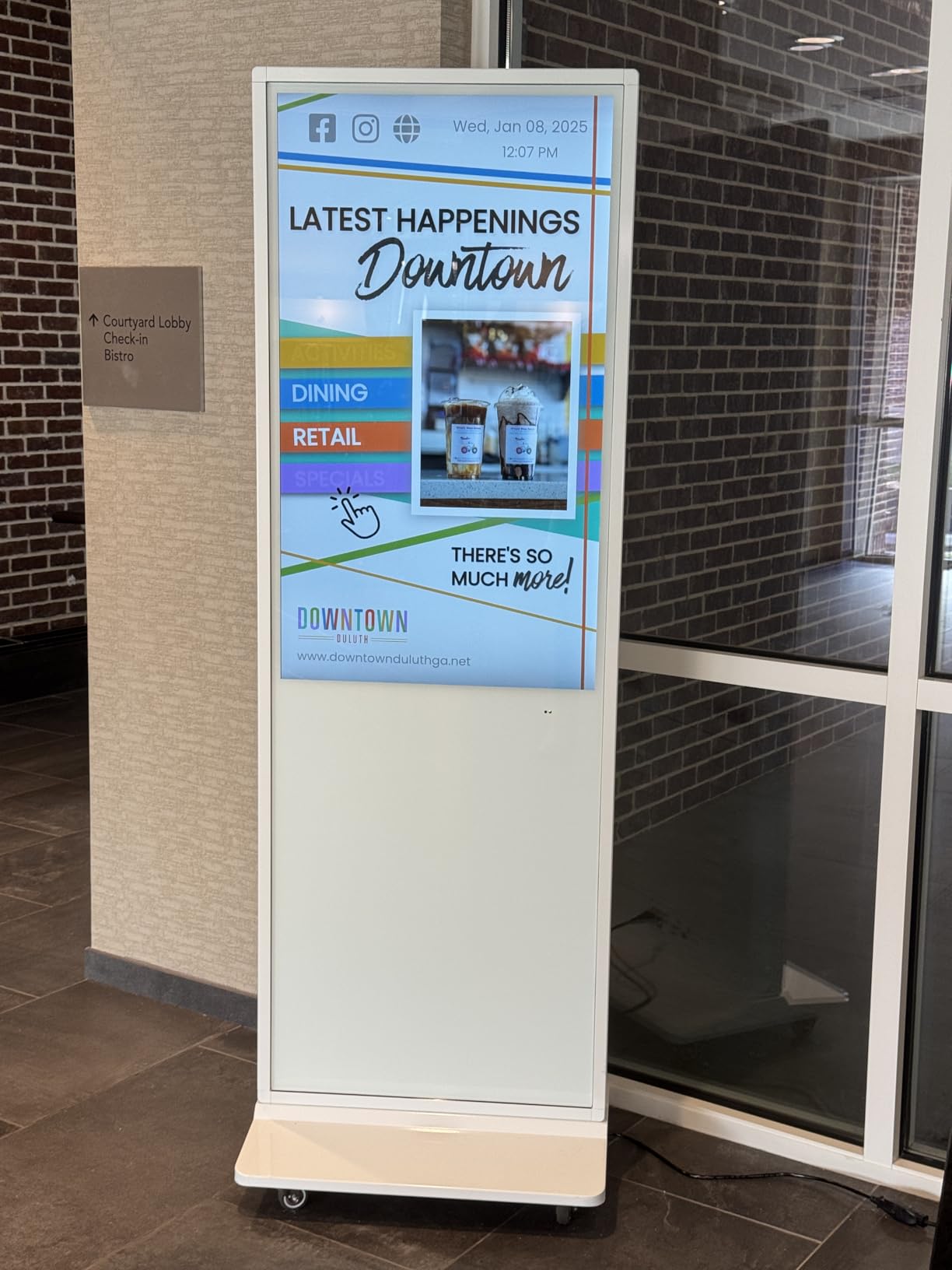
Connectivity covers Wi-Fi, Ethernet, HDMI, and USB, so it works as a network-managed display or as a plain panel fed by external hardware. The vendor includes free logo customization, which several buyers mentioned appreciating for branded deployments. Remote control operation and timed on/off round out the management basics.
The tradeoffs are setup complexity and logistics: some configuration knowledge helps, and it ships via standard freight rather than Prime. If your business needs self-service directories, check-in, or product exploration, this is the tier of hardware that makes those projects real.
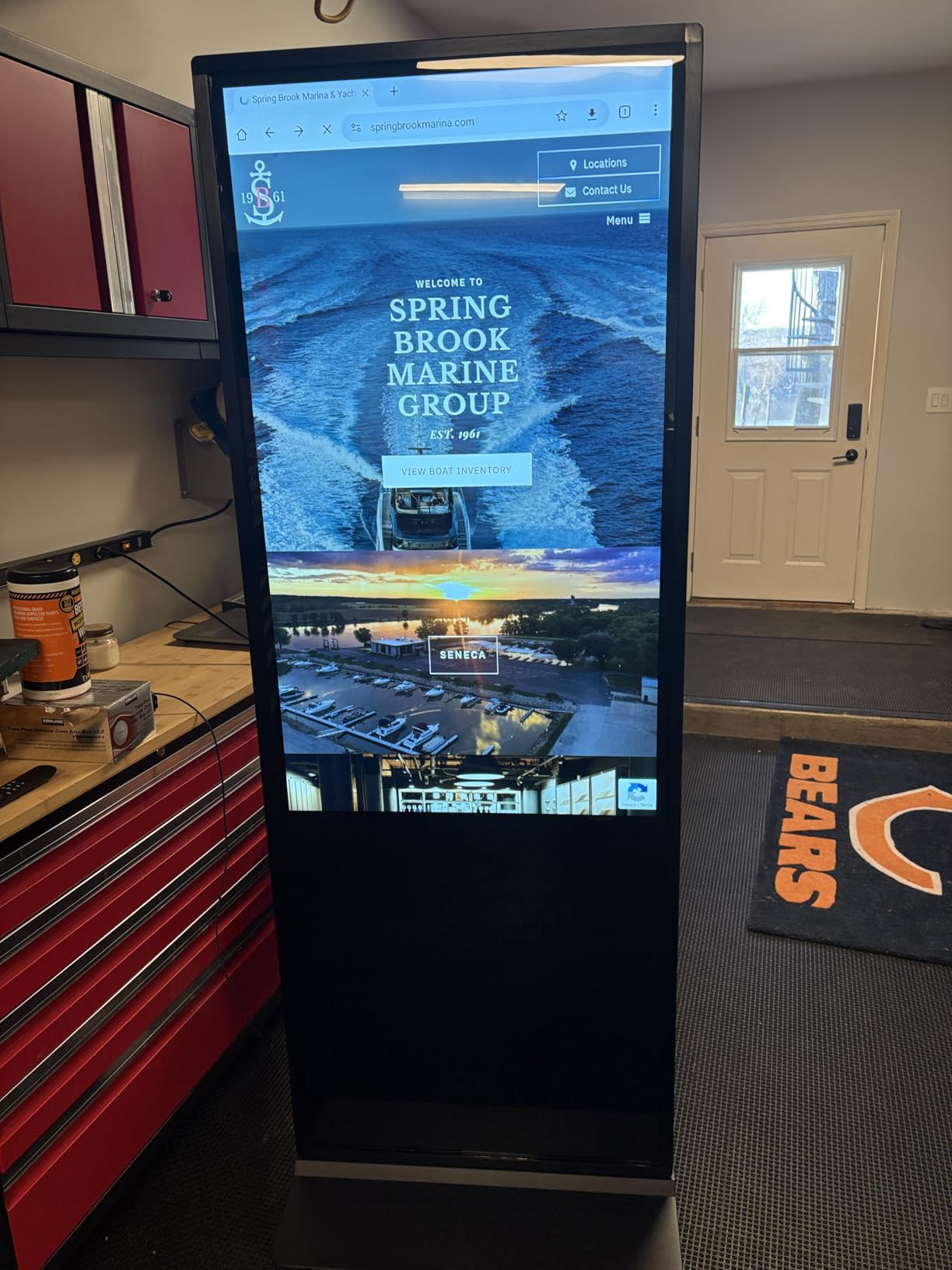
Touch vs Non-Touch Configuration
Choose touch if you are building directories, check-in, or interactive catalogs. Skip it for pure promotional playback and avoid the extra complexity. Touch surfaces collect fingerprints in public spaces, so factor in regular cleaning.
Where Interactive Kiosks Pay Off
Lobbies, healthcare waiting areas, and showrooms get the most value from interactivity. Staff time savings show up fastest when the kiosk answers repetitive questions. Track usage for a month before expanding to additional units.
How to Choose a Digital Signage Display for Your Business?
The right display comes down to three questions: where will it live, how many hours a day will it run, and how will content get updated. Answer those and the specs below become easy to sort.
Brightness: Match Nits to the Environment
Screen brightness is measured in nits, and the gap between 250 and 2000 nits is the difference between a hallway screen and a sidewalk one. Indoor spaces with normal lighting are fine at 250 to 350 nits, which covers the Samsung BE43T-H and QE50T. Bright retail floors, window-adjacent walls, and covered porches need 700 to 1000 nits, which is where both Canlarriz panels sit. Anything in direct sunlight demands 2000 nits or the screen becomes a mirror.
16/7 vs 24/7 Operation Ratings
Commercial displays carry duty-cycle ratings that consumer TVs do not. A 16/7 rating, like both Samsung panels here, means roughly 16 hours of daily use, which covers standard business hours. True 24/7 ratings on the Canlarriz and MWE units matter for healthcare, hospitality, and anywhere the screen never sleeps. Running a consumer TV around the clock voids most warranties and shortens panel life.
Commercial vs Consumer Displays
This is the single most common confusion in Reddit’s r/digitalsignage community, and the consensus is consistent: consumer TVs work for light duty but are not built for signage. Commercial panels add high brightness, dust resistance like the QE50T’s IP5X rating, warranty coverage that permits commercial use, and scheduled power features. A consumer TV run 12 hours a day in a business typically fails within a couple of years, and the warranty will not honor it. Buy the commercial panel once.
Total Cost of Ownership
The sticker price is only part of the math. Add the CMS subscription if the display needs one, mounting hardware, installation labor, and electricity over the life of the screen. High-brightness panels draw noticeably more power than standard ones, and that gap compounds over five years of daily running. Forum threads repeatedly flag how often buyers ignore this line until the first power bill arrives.
Software Compatibility
Every display here handles content differently, and mismatched software is a recurring forum complaint. The Samsung Pro TV app and the Canlarriz onboard CMS need no subscription, while the Signage Stick requires a CMS plan. One Reddit reviewer of a Philips D-Line complained that its locked-down Android build made the smart features useless, which is why I flag OS openness for every pick. Confirm your CMS supports your exact display model before buying in volume.
Warranty Coverage
Warranty length is where commercial displays quietly beat consumer TVs. Samsung backs both panels with 3-year onsite service, and Canlarriz, MWE, and YCKJNB carry 3-year manufacturer warranties. The YIXZSWD outdoor unit includes one year, so consider extended coverage for a screen living in weather. Onsite service matters more than length for wall-mounted screens you cannot easily ship back.
Common Digital Signage Mistakes
Several mistakes show up repeatedly in forum threads and our own installs. Buying brightness too low for the space is number one, followed by choosing hardware before deciding on a CMS. Mounting a heavy kiosk on flooring that cannot support it, ignoring viewing angles in portrait layouts, and forgetting mounting hardware all add cost later. Start with one screen, prove the content workflow, then scale.
Frequently Asked Questions
Which digital signage display is the best?
The Samsung 43-inch BE43T-H Pro TV is the best overall pick for most businesses. It pairs a commercial-grade 4K panel with a free signage app, built-in speakers, and a 3-year onsite warranty across 590 reviews. Businesses with existing screens can add the Amazon Signage Stick instead.
What is the best digital signage software for small businesses?
For small businesses, the simplest options are the free ones built into displays: the Samsung Pro TV app and the Canlarriz onboard CMS both handle scheduling and playlists without subscription fees. Reddit’s r/digitalsignage community frequently recommends cloud platforms and dedicated signage players for growing networks. Pick software that lists your exact display as a supported player.
What are common digital signage mistakes?
The most common mistakes are buying a screen too dim for its environment, using consumer TVs beyond their duty cycle, choosing hardware before a CMS, and skipping proper mounting for heavy kiosks. Content mistakes include long loops, tiny fonts, and cluttered layouts. Plan content around a 15 to 30 second loop with one message per screen.
What is the lifespan of a digital signage display?
A quality commercial display lasts 30,000 to 50,000 hours, roughly 5 to 10 years at typical business hours. The Canlarriz 50-inch unit carries an official 50,000-hour rating. Lifespan drops when panels run hotter, brighter, or past their rated duty cycle.
What are the current trends in digital signage?
The biggest trends this year are interactive touch kiosks, battery-powered outdoor displays, and CMS platforms with built-in remote scheduling. Brightness keeps climbing, with 2000-nit auto-adjusting panels bringing signage to sidewalks. Businesses are also consolidating software, running menus, promos, and wayfinding from one dashboard.
Conclusion
If I had to compress all of this into one recommendation: the Samsung BE43T-H Pro TV is the best digital signage display for businesses that want a dependable screen with no subscription attached. Pair it with the Amazon Signage Stick when you need network control, choose the YIXZSWD A-frame for outdoor sidewalks, and step up to the YCKJNB 65-inch kiosk when interactivity is the goal. Brightness, duty cycle, and content workflow decide everything else.
Pick the screen that matches your space, start with one unit, and prove your content loop before scaling. Your walls are talking either way, and in 2026 they might as well be in 4K.