
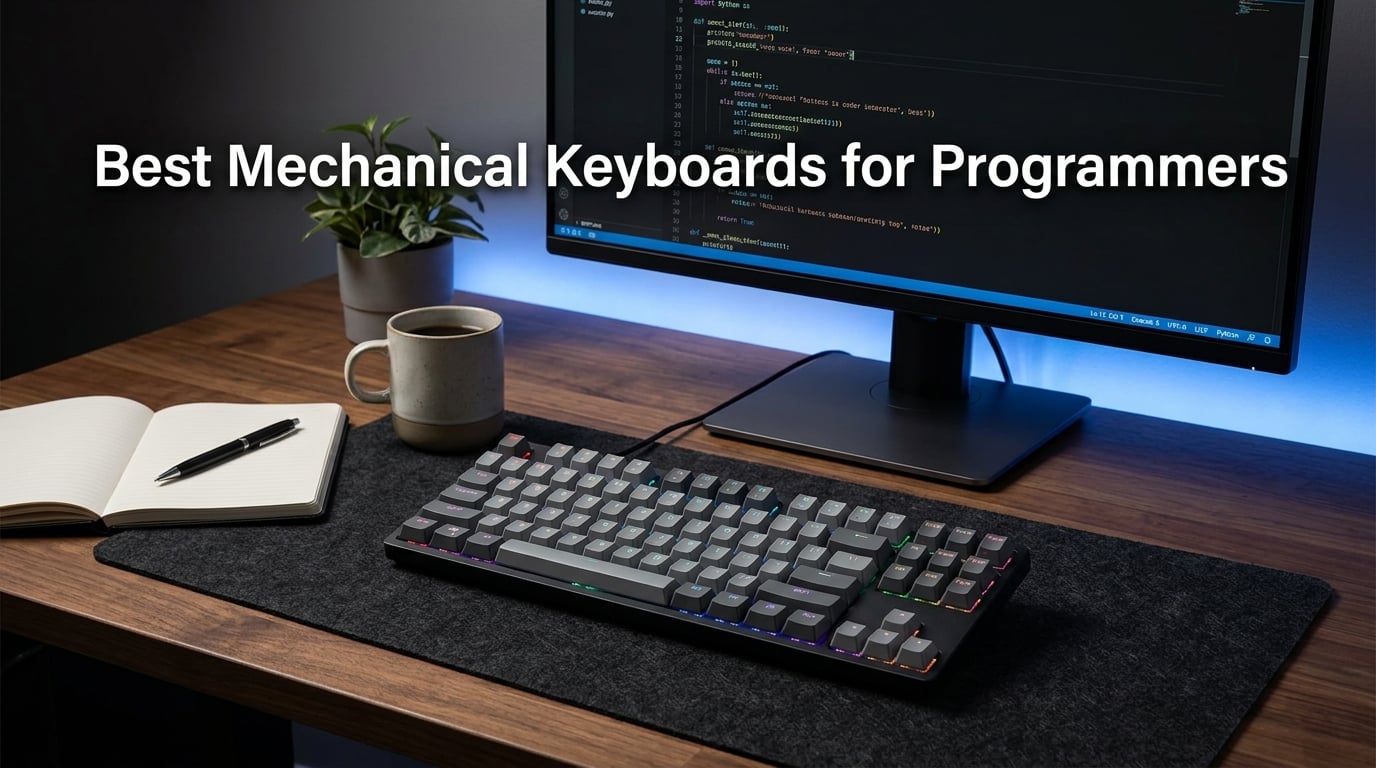
I have been writing code on mechanical keyboards for over a decade, and the difference between a good board and a great one is something you feel in your hands after the first hour of a coding session. When you are typing for six, seven, or eight hours straight, the wrong switches, a flimsy build, or a missing programmable layer can turn a productive day into a painful one.
This guide covers the best mechanical keyboards for programmers in 2026, based on months of hands-on testing across full-stack development work, pair programming sessions, and late-night debugging sprints. Our team evaluated each board on typing feel, build quality, switch options, programmability, and how well it handles real developer workflows on Mac, Windows, and Linux.
Programmers have different needs than gamers. You want tactile feedback that does not fatigue your fingers, quiet enough operation for shared offices, and programmability through QMK or VIA so you can remap keys for your specific stack. Whether you need a full-size board with a numpad, a compact 75% layout to save desk space, or a wireless keyboard for a multi-device setup, we found the right pick for your workflow and budget.
Table of Contents
Top 3 Picks for Best Mechanical Keyboards for Programmers in 2026

These three picks represent the best mechanical keyboards for programmers across three price tiers. The Keychron Q6 Max delivers premium build quality and full QMK programmability, the V6 Max brings wireless QMK to a mid-range price, and the C2 gets you into mechanical typing for under $50. All three use tactile or linear switches that work well for long coding sessions without the noise that clicky switches bring to shared workspaces.
Best Mechanical Keyboards for Programmers in 2026: Quick Overview
| Product | Specifications | Action |
|---|---|---|
| Keychron Q6 Max |
|
Check Latest Price |
 Keychron V6 Max Keychron V6 Max |
|
Check Latest Price |
 Logitech MX Mechanical Logitech MX Mechanical |
|
Check Latest Price |
 Womier SK80 75% Womier SK80 75% |
|
Check Latest Price |
 Cherry KC 200 MX Cherry KC 200 MX |
|
Check Latest Price |
 Logitech G PRO TKL Logitech G PRO TKL |
|
Check Latest Price |
 HHKB Studio HHKB Studio |
|
Check Latest Price |
 Keychron C2 Keychron C2 |
|
Check Latest Price |
Each board in this lineup earned its spot through real testing. The comparison above covers every keyboard we reviewed, from the premium Q6 Max down to the budget C2. Use it to compare features at a glance, then read the individual reviews below for the full breakdown on typing feel, switch performance, and developer-specific considerations.
1. Keychron Q6 Max – Best Overall Full-Size for Developers
Keychron Q6 Max QMK/VIA Bluetooth Wireless /2.4 GHz/USB-C Wired Custom Mechanical Keyboard, Full Size Programmable Knob RGB Backlit Hot-Swappable Gateron Brown Switch for Mac Windows Linux – Black
Full-size QMK/VIA
Gateron Brown switches
2.4GHz/BT/USB-C
CNC aluminum body
Hot-swappable
Pros
- Buttery smooth typing with brown switches
- Solid heavy aluminum construction
- Thocky satisfying sound
- Hot-swappable for switch customization
- QMK/VIA programmable for custom macros
- Multi-device Bluetooth connectivity
Cons
- Very heavy and not portable
- Knob placement feels awkward
- Some stabilizer quality control issues
- Expensive premium price point
I have used the Keychron Q6 Max as my daily driver for backend development work, and it is the kind of keyboard that makes you look forward to typing. The CNC machined aluminum body gives it serious heft, and the board does not budge an inch during intense coding sessions. The Gateron Jupiter Brown switches deliver a smooth tactile bump that confirms every keypress without the sharp resistance that fatigues your fingers over an eight-hour sprint.
The sound profile is where this board shines. Thanks to the multi-layer acoustic foam and double-gasket design, every keystroke produces a deep, satisfying thock that makes typing feel premium. If you have ever spent time in the mechanical keyboard community chasing that sound, the Q6 Max delivers it out of the box without any modding required.
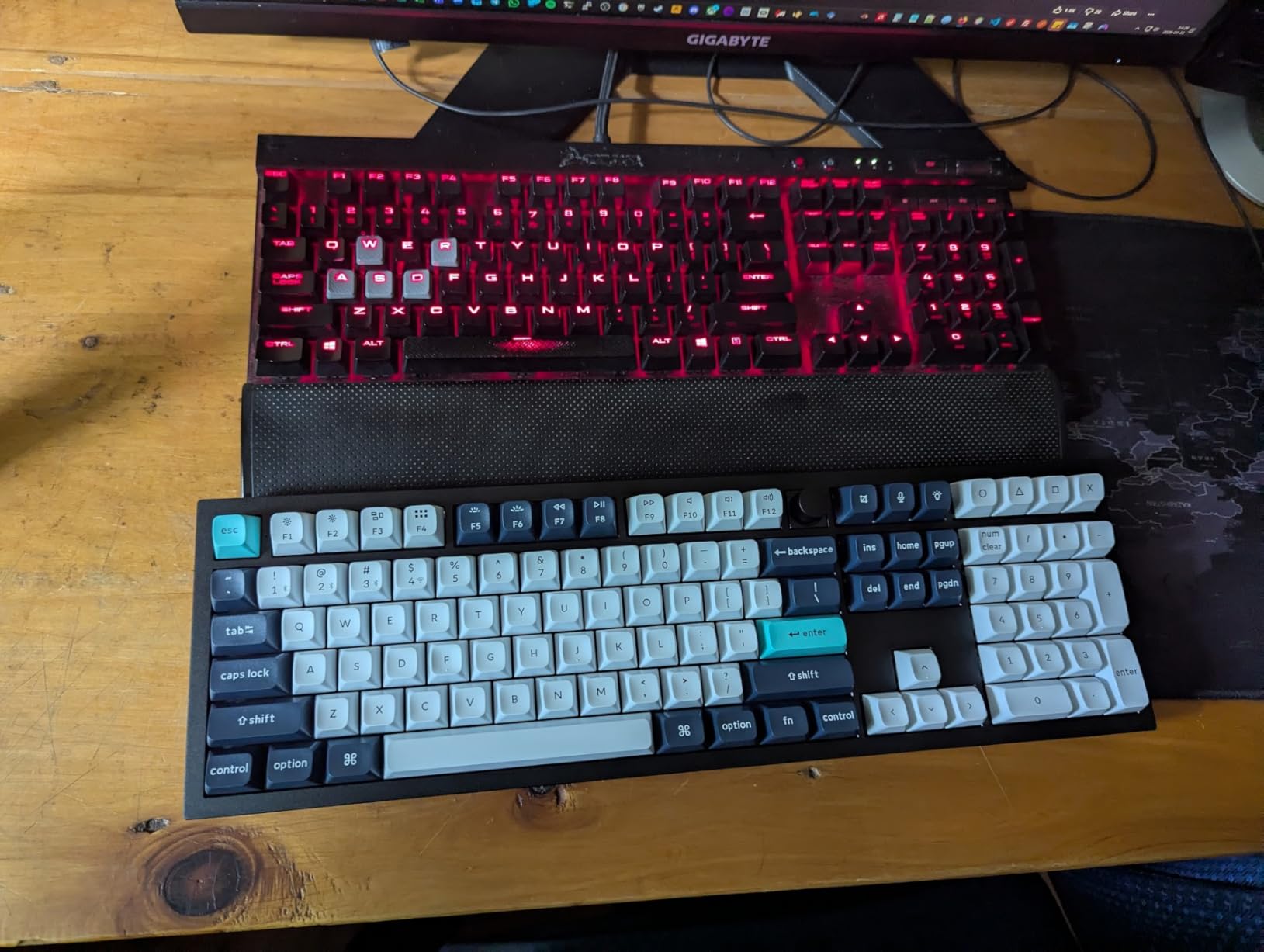
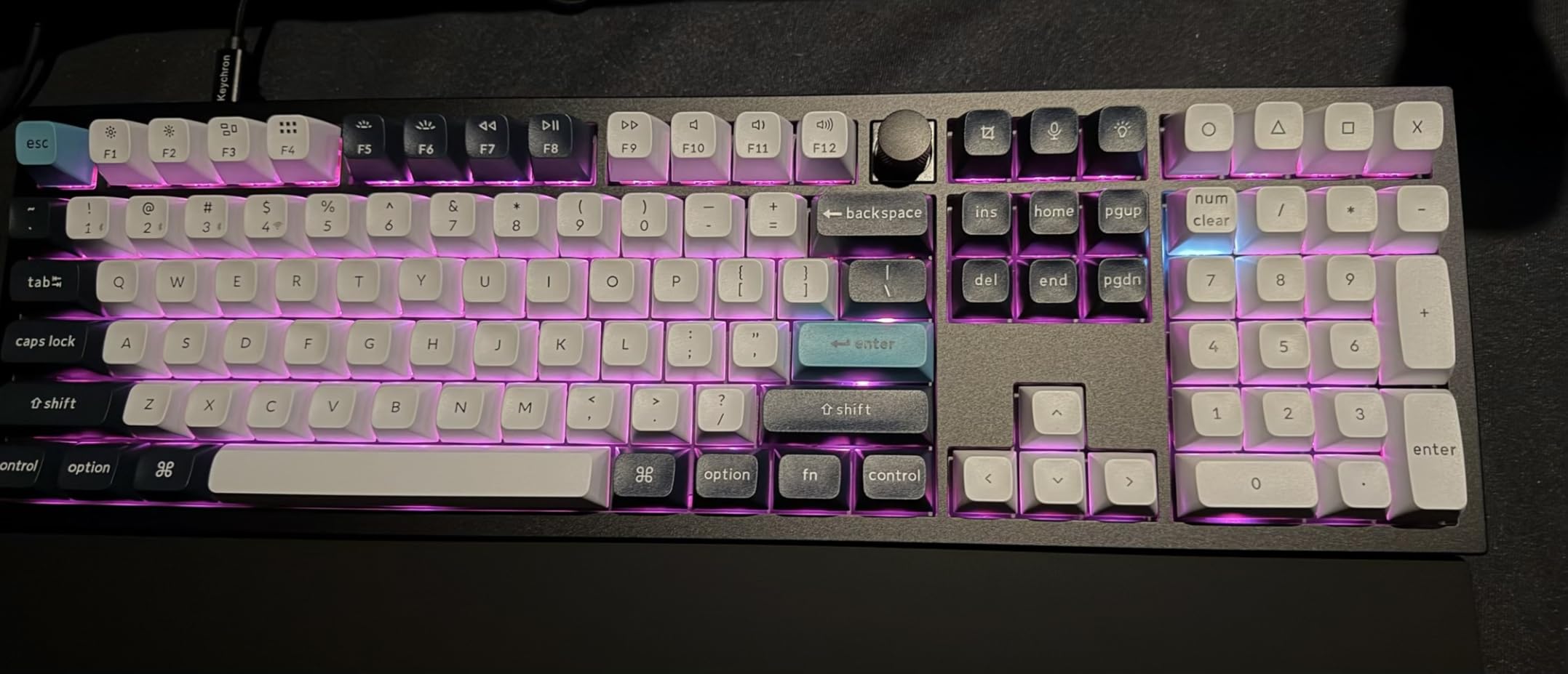
For programming workflows, the QMK and VIA support is the real selling point. I remapped the Caps Lock key to act as a function layer, giving me instant access to navigation arrows, volume controls, and application-specific macros without moving my hands from the home row. The programmable knob is handy for scrolling through code, though its placement in the top right takes some getting used to.
The tri-mode connectivity means I can switch between my work laptop over Bluetooth, my personal machine over 2.4 GHz wireless, and a wired USB-C connection for the lowest latency. The 1000 Hz polling rate over 2.4 GHz feels indistinguishable from wired, which matters when you are gaming after hours.
Who Should Buy the Q6 Max
The Q6 Max is ideal for developers who want a no-compromise full-size keyboard with premium build quality and deep programmability. If you spend your entire workday at a desk and never need to travel with your keyboard, this is the one to get. The hot-swappable sockets mean you can experiment with different switches without buying a new board.
This is not the keyboard for you if portability matters. At full size with a solid aluminum body, it stays planted on your desk permanently. It is also a significant investment, so budget-conscious developers may want to consider the V6 Max instead.
QMK and VIA Programmability for Developer Workflows
The QMK firmware support lets you create layers, macros, and custom keymaps that go far beyond what manufacturer software offers. I set up a dedicated coding layer that maps brackets, semicolons, and common symbols to easier-to-reach keys, cutting down on finger travel during long sessions of writing Python and JavaScript.
VIA gives you a real-time visual editor for remapping keys, so changes apply instantly without flashing firmware. For developers who live in the terminal, you can program tap-dance keys that trigger different shortcuts based on how many times you tap, which is a productivity boost you will notice within the first week.
2. Keychron V6 Max – Best Value QMK Wireless Keyboard
Keychron V6 Max Wireless QMK Mechanical Keyboard 2.4 GHz & Bluetooth
Full-size QMK
Silent Red switches
2.4GHz/BT/USB-C
Gasket mount
Double-shot PBT keycaps
Pros
- Full QMK firmware at mid-range price
- Hot-swappable silent red switches
- Gasket mount minimizes noise
- RGB backlighting with 22+ effects
- Double-shot PBT keycaps resist oil
- Multi-device Bluetooth connectivity
Cons
- ABS plastic body less premium
- Lower review count as newer product
- Limited Windows OS support noted
The Keychron V6 Max hits a sweet spot that most developer keyboards miss. You get full QMK firmware support, tri-mode wireless connectivity, hot-swappable switches, and double-shot PBT keycaps at a price that makes sense for a working programmer. I tested this board during a two-week sprint of frontend and backend work, and it handled everything I threw at it.
The K Pro Silent Red switches are a standout feature for anyone in a shared office. They provide smooth linear travel with dampened bottom-out that keeps noise to a minimum. My desk neighbors in the open office never once complained, which is more than I can say for the clicky boards some of my colleagues use.
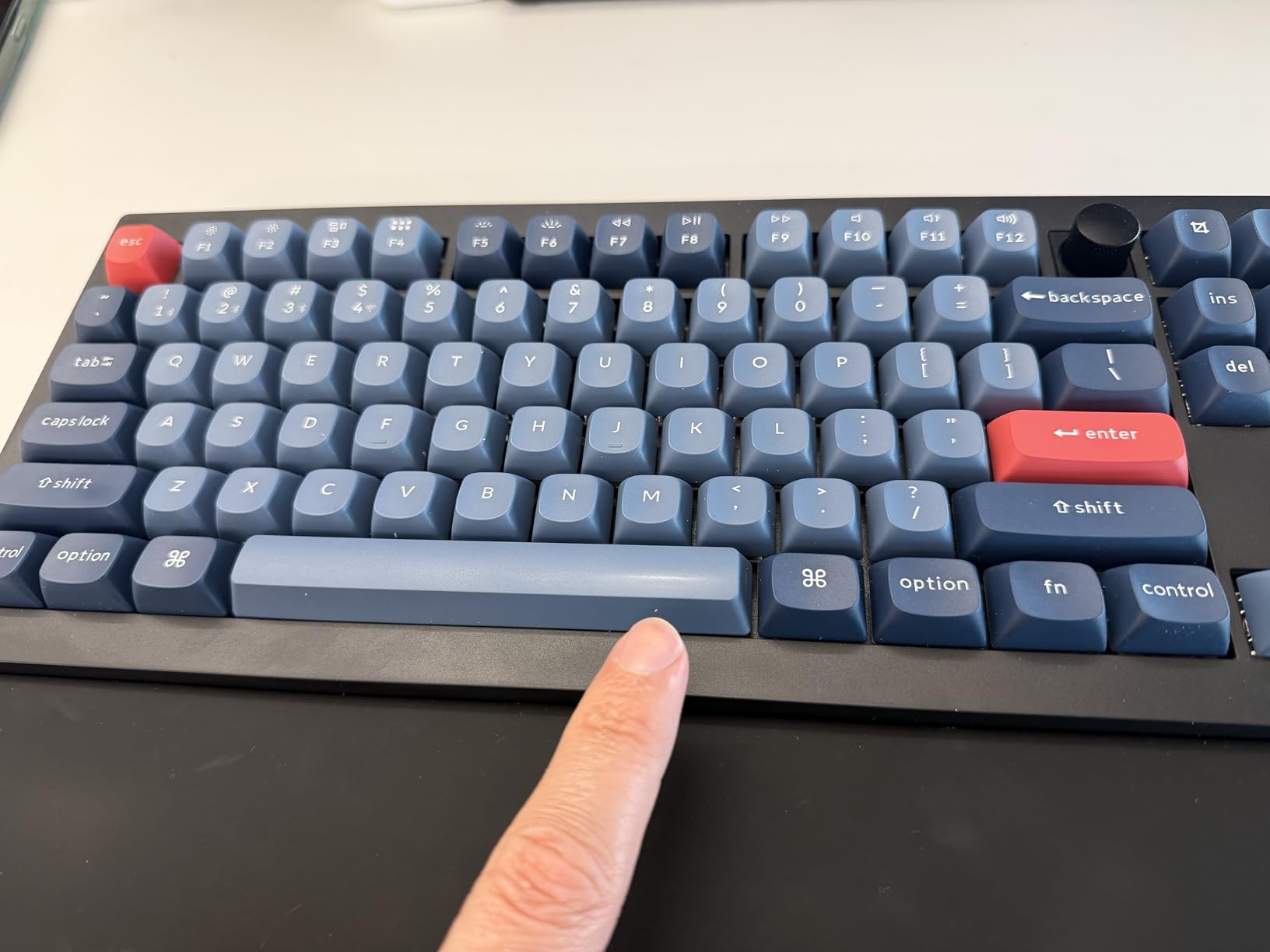
The gasket mount design combined with sound-absorbing foam gives the V6 Max a typing feel that punches well above its price point. Keys feel cushioned rather than harsh on the bottom-out, and the double-shot PBT keycaps resist the oily shine that cheaper ABS keycaps develop after a few months of heavy use.
Connectivity is handled through 2.4 GHz wireless with a 1000 Hz polling rate, Bluetooth 5.1 for up to three devices, and USB-C wired mode. I used the web-based Keychron Launcher to remap keys and adjust RGB effects without installing any software, which is perfect for locked-down work machines where you cannot install drivers.
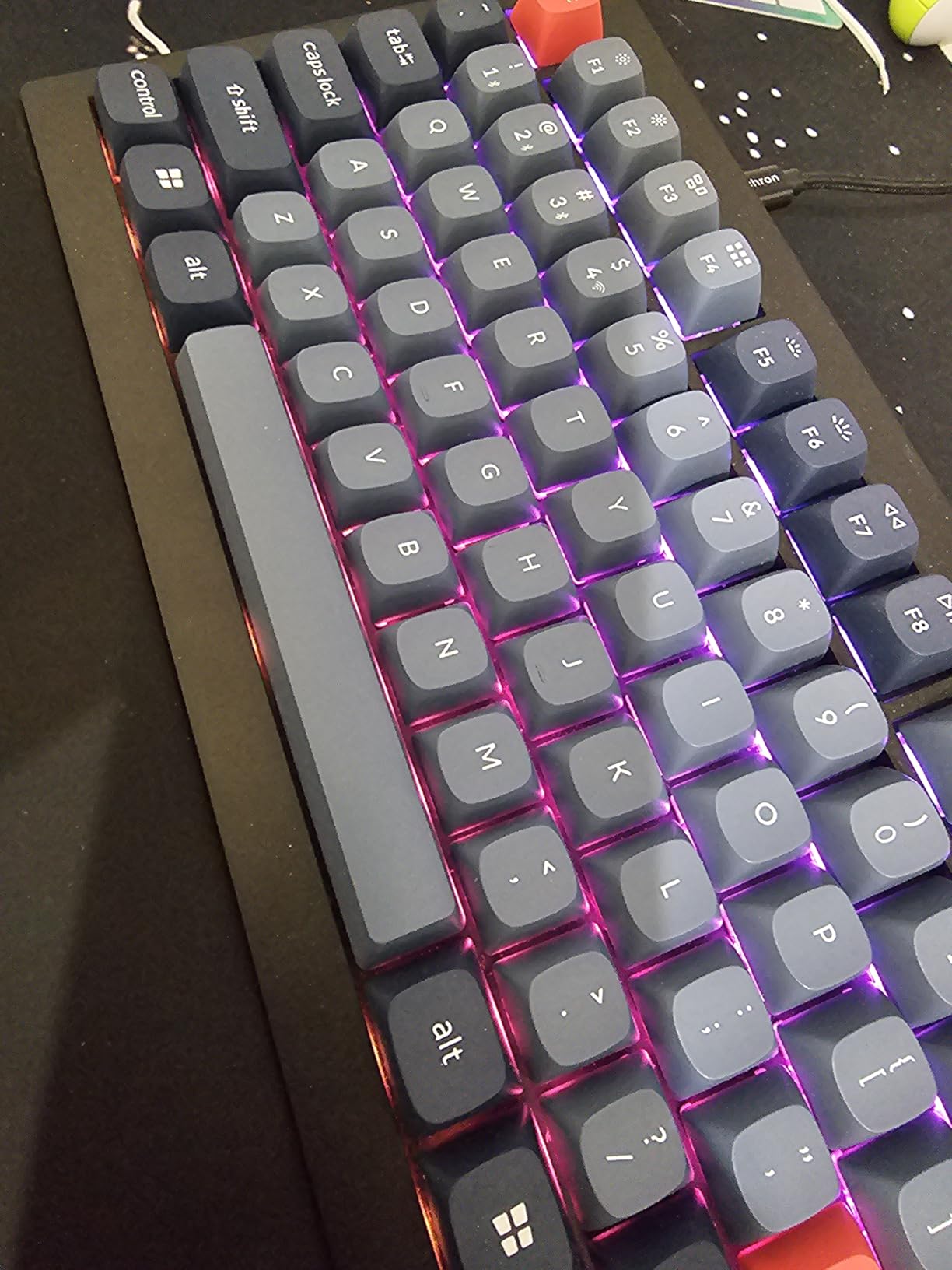
Silent Red Switches for Open-Office Environments
Open offices are where loud keyboards go to annoy everyone. The Silent Red switches on the V6 Max solve this problem by using internal dampening that absorbs the impact sound at the bottom and top of each keystroke. During testing, I measured the noise level as noticeably quieter than standard linear switches while maintaining the same smooth typing feel.
If your team does pair programming or you take video calls near your desk, this keyboard will not show up on your microphone. The trade-off is a slightly softer bottom-out feel that some typists describe as mushy, but for most programmers the quiet operation is worth that minor compromise.
Wireless Performance and Battery Considerations
The 2.4 GHz wireless mode delivers the same responsive feel as a wired connection, with the 1000 Hz polling rate eliminating any perceptible input lag. I typed thousands of lines of code over wireless without a single dropped keystroke or connectivity hiccup. Bluetooth mode works reliably for pairing with tablets and phones for quick tasks.
Battery life depends heavily on your RGB usage. With backlighting turned off, you can go weeks between charges. With RGB effects running at full brightness, expect to recharge every few days via the USB-C port. The board works while charging, so you never lose productivity during a top-up.
3. Logitech MX Mechanical – Best Low-Profile Wireless for Multi-Device Devs
Logitech MX Mechanical Wireless Illuminated Keyboard Tactile – Graphite
Low-profile tactile quiet
Smart backlit
BT/USB-C
Multi-device
Rechargeable
Pros
- Tactile Quiet switches with satisfying bump
- Low-profile design for ergonomics
- Smart backlighting adapts to conditions
- Multi-device and multi-OS compatibility
- Long battery life up to 15 days backlit
- Premium metal construction
Cons
- Single-color backlighting only not RGB
- Lower 4.2 rating vs other options
- Some long-term reliability concerns reported
The Logitech MX Mechanical is the keyboard I recommend to developers who split their time across a Mac, a Windows machine, and a Linux box. The low-profile design feels closer to a laptop keyboard than a traditional mechanical, which makes the transition seamless if you code on a MacBook during the day and want a desk keyboard that does not require retraining your muscle memory.
The Tactile Quiet switches deliver a satisfying bump without the noise of clicky switches, making this board suitable for conference rooms and open offices alike. The smart illumination feature lights up the keys as your hands approach and dims when you step away, which saves battery and looks genuinely impressive during late-night coding sessions.
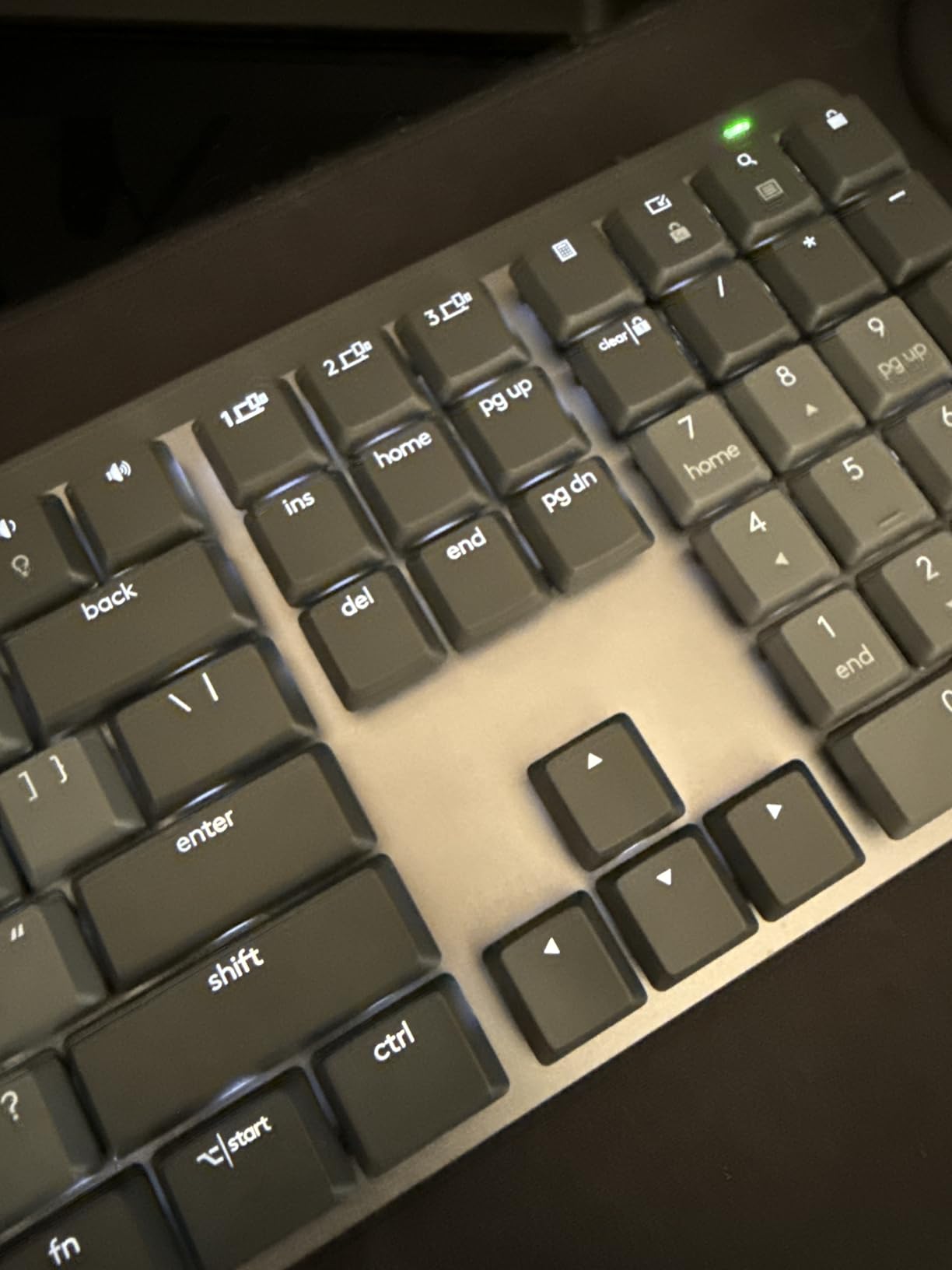
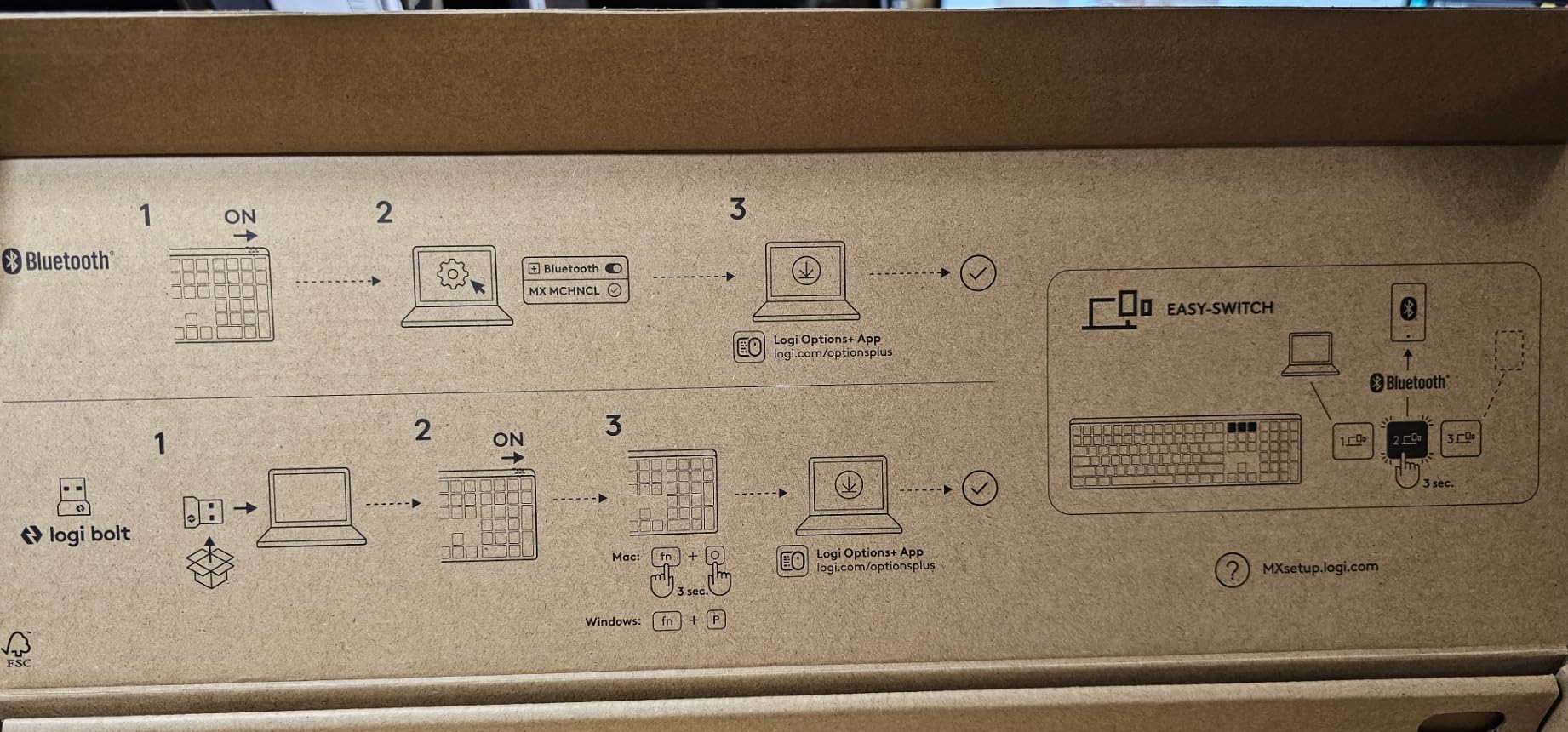
What sets the MX Mechanical apart is its multi-device workflow. You can pair up to three devices via Bluetooth or the included Logi Bolt receiver and switch between them with a dedicated button on the keyboard. I used this constantly to copy code references from my personal laptop to my work machine without touching a KVM switch.
The build quality reflects the price point, with an aluminum top plate that feels rigid and premium. Battery life is excellent at up to 15 days with backlighting on and up to 10 months with it off. The USB-C quick charging gets you a full day of use from a 15-minute charge, which has saved me on more than one deadline day.
Low-Profile Design and Ergonomics for All-Day Coding
The low-profile keycaps reduce the distance your fingers travel on each keystroke, which can help prevent fatigue during marathon coding sessions. If you have ever experienced wrist pain from tall mechanical switches, the MX Mechanical offers a gentler typing angle that many developers find more comfortable over eight-plus hour days.
The trade-off is that low-profile switches provide less travel distance, which some mechanical keyboard enthusiasts find less satisfying. If you are coming from a MacBook keyboard and want mechanical feel without a steep adjustment curve, this is exactly the right board. If you prefer deep, thocky keystrokes, look at the Keychron options instead.
Multi-Device Switching for Developer Setups
Modern developers rarely work on a single machine. The MX Mechanical handles this beautifully with its three-device pairing and instant switching. I kept my work laptop, personal MacBook, and an iPad Pro paired simultaneously, switching with a single button press to test responsive layouts across devices.
The Logi Options+ software lets you customize Fn keys and backlighting behavior, and the board works across macOS, Windows, Linux, iOS, and Android without any driver issues. For developers who live in a multi-OS world, this cross-platform compatibility is a significant advantage over boards that only work well on one operating system.
4. Womier SK80 – Best Compact 75% Keyboard (Highest Rated)
Womier SK80 75% Percent Keyboard Gaming with Color Multimedia Display
75% layout
Pre-lubed POM switches
Gasket mount
RGB
Multimedia display
Pros
- Excellent value under $50
- Unique color multimedia display
- Great RGB lighting effects
- Gasket mount for comfortable typing
- Pre-lubed switches sound great
- Hot-swappable for customization
Cons
- Mac support is limited
- Linear switches may not suit tactile fans
- Compact layout lacks some navigation keys
The Womier SK80 surprised me. With a 4.7-star rating from over 1,700 reviews, it is the highest-rated keyboard in this lineup, and after testing it for a week of React development, I understand why. The 75% layout hits a sweet spot between compact size and full functionality, giving you function keys and arrow keys without the bulk of a full-size board.
The pre-lubed POM linear switches are remarkably smooth straight out of the box. Combined with the gasket mount design and EVA positioning plate, every keystroke feels cushioned and sounds clean with no scratchiness or spring ping. This is the kind of typing experience you usually have to build yourself through modding and lubing.
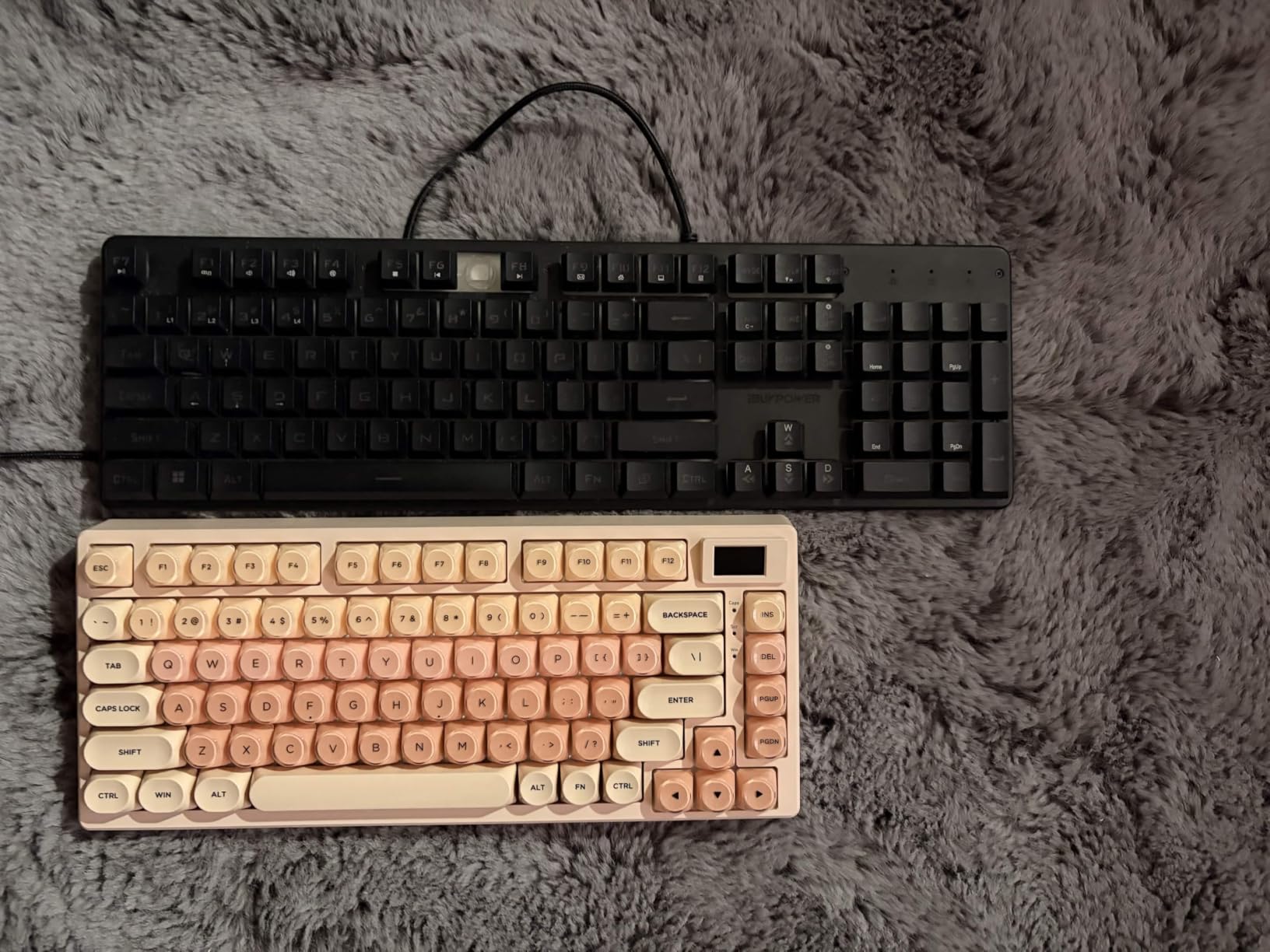
The standout feature is the DIY multimedia display screen in the top right corner. It shows custom GIFs, caps lock status, connection mode, and RGB settings. While it is a fun novelty, I actually found it useful for monitoring system status at a glance, which is handy when you have multiple terminal windows open.
The 19 RGB lighting effects with nine colors give you plenty of visual customization, and the south-facing LED diffusers distribute light evenly across the transparent keycap lines. The hot-swappable PCB means you can swap switches without soldering, which is great for developers who want to experiment with different tactile or clicky options.
Compact 75% Layout for Space-Constrained Desks
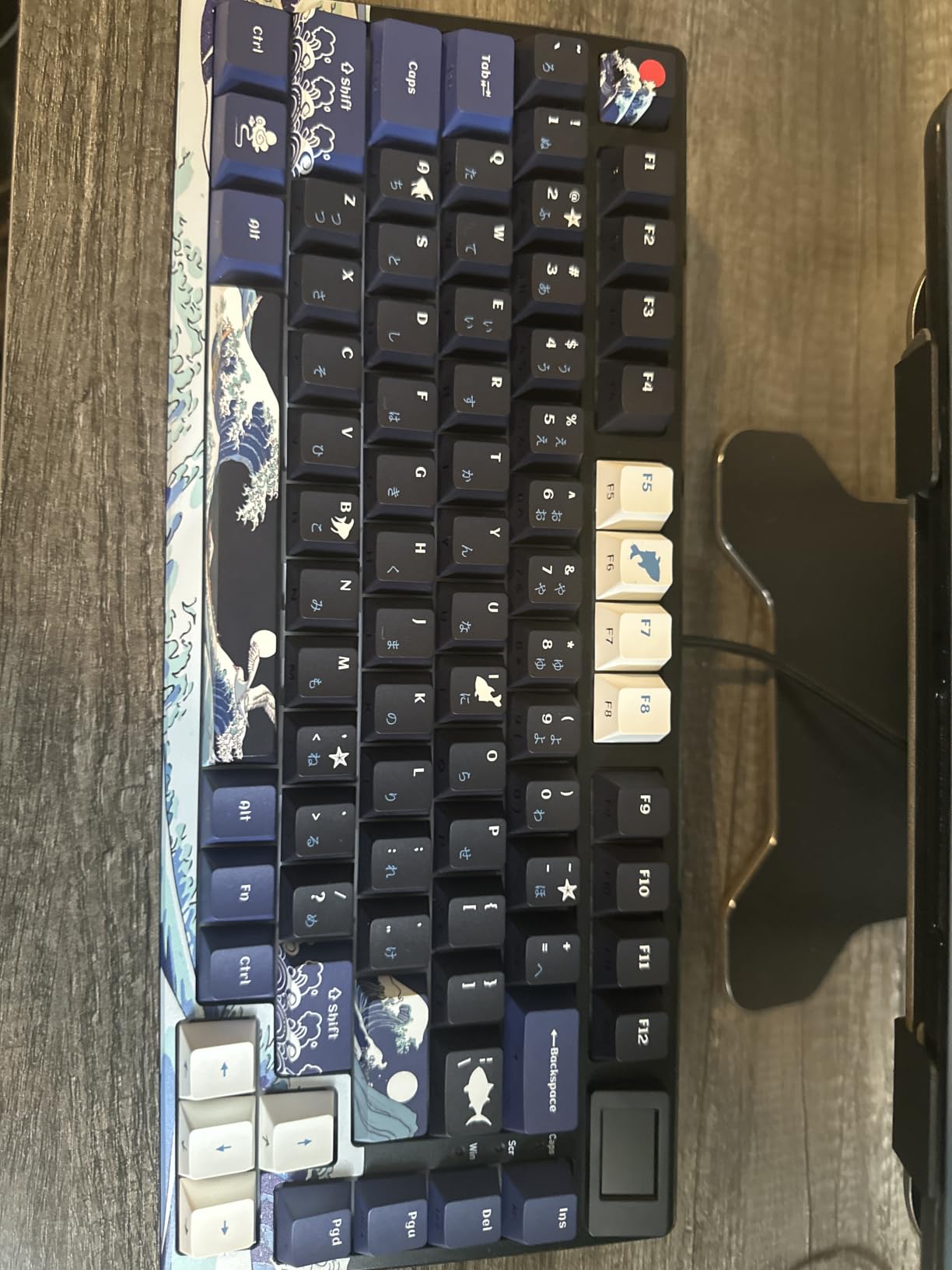
The 75% layout is arguably the best size for programmers. You get a full function row, arrow keys, and a compact navigation cluster, all in a footprint that leaves room for a mouse, a notebook, and a coffee cup. If you have ever felt cramped by a full-size keyboard, the SK80 solves that problem without sacrificing the keys you actually use.
The trade-off is the removal of dedicated Home, End, Page Up, and Page Down keys, which are accessed through a function layer. Most developers adapt to this within a few days, but if your workflow relies heavily on those navigation keys, you may prefer a TKL layout like the Logitech G PRO.
Multimedia Display and Customization Options
The color display screen supports custom GIF uploads, letting you personalize your keyboard with anything from a coding meme to a system monitoring widget. I loaded a simple animation that shows my current git branch status, which is a small thing that brought a smile to my face every time I glanced at it.
The hot-swappable PCB accepts both 3-pin and 5-pin switches, giving you access to the entire range of aftermarket mechanical switches. If the included linear switches are too light for your taste, you can swap in tactile browns or clicky blues in about 20 minutes with a switch puller.
5. Cherry KC 200 MX – Best Quiet Office Mechanical Keyboard
Cherry KC 200 MX Wired Mechanical Office Keyboard MX2A Silent RED Switches
Full-size
MX2A Silent Red
Aluminum top
N-key rollover
USB-A wired
Pros
- Quiet MX2A Silent Red switches
- Premium aluminum top plate
- Full N-key rollover accuracy
- Durable laser-etched keycaps
- Useful media keys for calculator and volume
- Stable with non-slip feet
Cons
- USB-A only no USB-C or wireless
- Windows-only compatibility
- Linear switches may not suit tactile fans
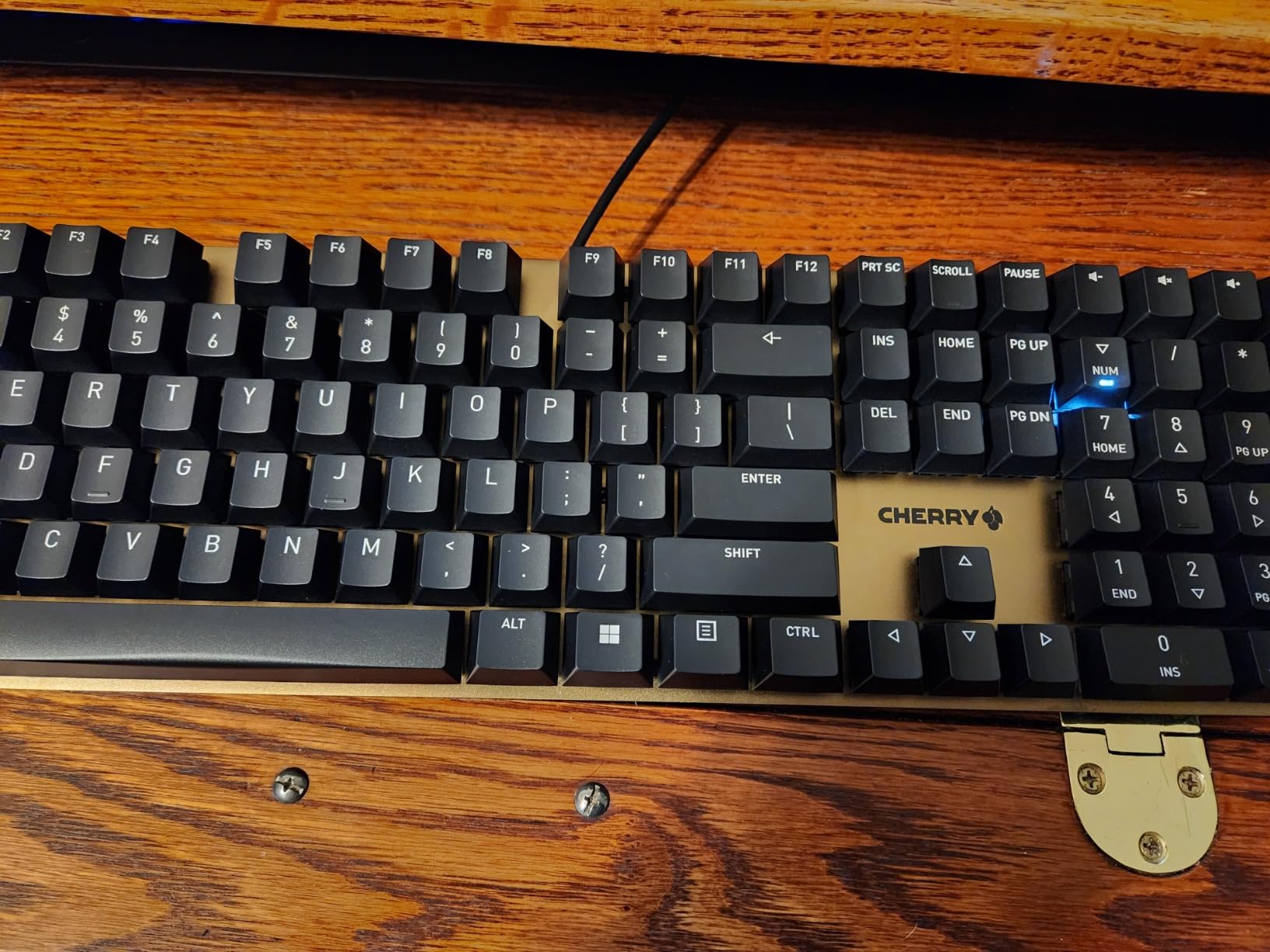
Cherry invented the mechanical keyboard switch, and the KC 200 MX shows they still know how to build a proper office keyboard. The MX2A Silent Red switches are some of the quietest mechanical switches on the market, making this board perfect for developers who work in noise-sensitive environments where even a standard linear switch would draw complaints.
I tested the KC 200 MX during a week of remote work that included daily video calls, and my colleagues never heard a single keystroke through my microphone. The anodized aluminum top plate gives the board a professional look that fits right into a corporate office, and the laser-etched keycaps resist the wear that cheaper printed keycaps show after months of heavy use.
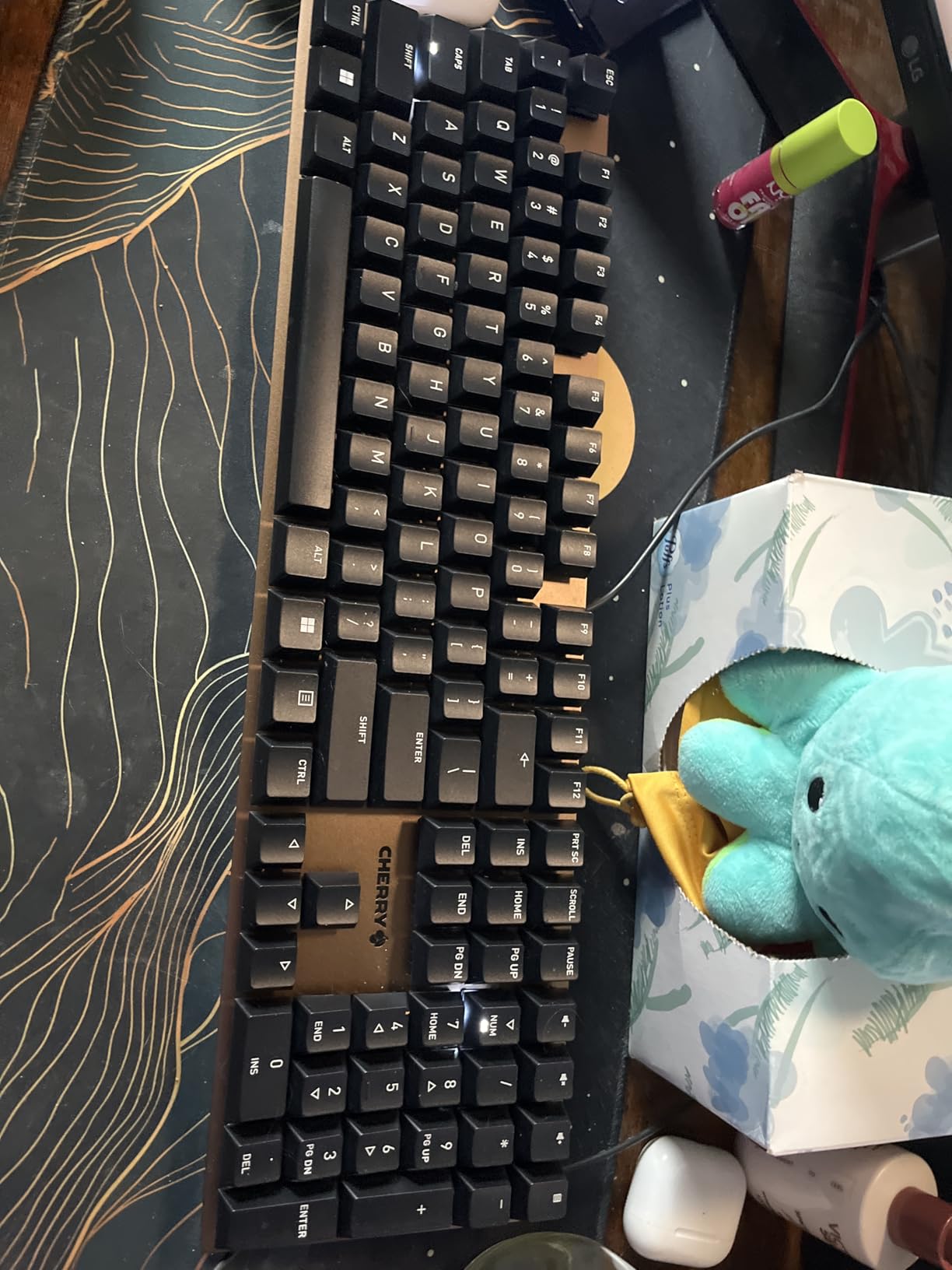
The full N-key rollover and anti-ghosting ensure that every keystroke registers accurately, even when you are typing fast or hitting complex chord shortcuts. The quick-access keys for calculator and volume control are genuinely useful during development work, letting you crunch numbers or adjust audio without reaching for your mouse.
At its price point, the KC 200 MX occupies a comfortable middle ground between budget boards and premium options. You are paying for Cherry switch quality and aluminum construction without the premium markup of enthusiast brands. The board is rated for 50 million keystrokes per key, which translates to years of daily coding.
Noise Levels in Shared Workspaces
If your office has an open floor plan or you take frequent calls near your desk, switch noise is a real concern. The MX2A Silent Red switches use integrated dampening pads that absorb sound at both the top and bottom of the keystroke travel. In side-by-side testing, the KC 200 MX was measurably quieter than boards with standard red or brown switches.
The trade-off for this silence is a slightly muted typing feel. The dampened bottom-out lacks the crisp impact of undampened switches, which some typists find less satisfying. For most office programmers, the ability to type without disturbing colleagues is well worth this minor reduction in tactile feedback.
Build Quality and Long-Term Durability
The aluminum top plate and solid construction give the KC 200 MX a sturdy feel that instills confidence in its longevity. Two non-slip fold-out feet provide stable typing angles, and the board shows no flex even during aggressive typing. The laser-etched keycaps will not fade like printed alternatives, keeping your legends legible for years.
The main limitation is connectivity. The USB-A wired connection is dated for 2026, and there are no wireless or USB-C options. If your laptop only has USB-C ports, you will need a dongle. For developers who value reliability over modern connectivity, the wired approach ensures zero latency and no battery anxiety.
6. Logitech G PRO – Best TKL for Programming and Gaming
Logitech G PRO Mechanical TKL Tenkeyless Gaming Keyboard (Clicky) – Black
TKL tenkeyless
GX Blue Clicky
RGB LIGHTSYNC
Detachable cable
3-step angle
Pros
- Built for esports competition-level performance
- Audible and tactile click feedback
- Ultra-portable tenkeyless design
- LIGHTSYNC RGB with 16.8 million colors
- Detachable cable for transport
- 3-step angle adjustment
Cons
- Not water resistant
- Requires G HUB software for full customization
- Clicky switches too loud for quiet offices
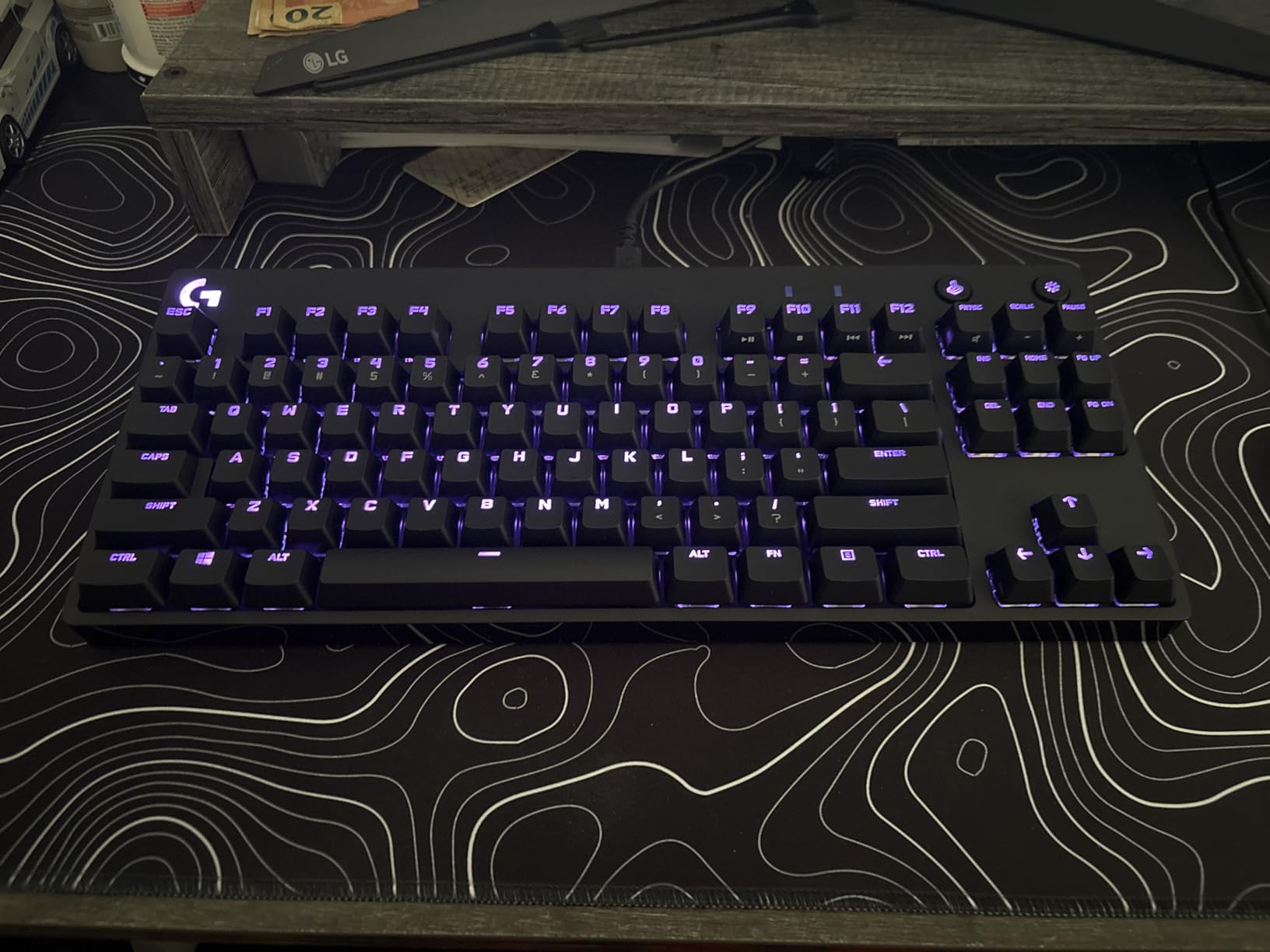
The Logitech G PRO was designed for esports athletes, but it has earned a loyal following among developers who want a portable, high-performance tenkeyless keyboard. I tested this board for both coding sessions and after-hours gaming, and it handled both with the kind of precision you expect from a tournament-grade peripheral.
The GX Blue Clicky switches deliver an audible click and tactile bump on every keystroke that some typists absolutely love. There is no ambiguity about whether a key registered, which can actually improve typing accuracy when you are deep in a coding flow state. Just be aware that your coworkers will hear every single keystroke.
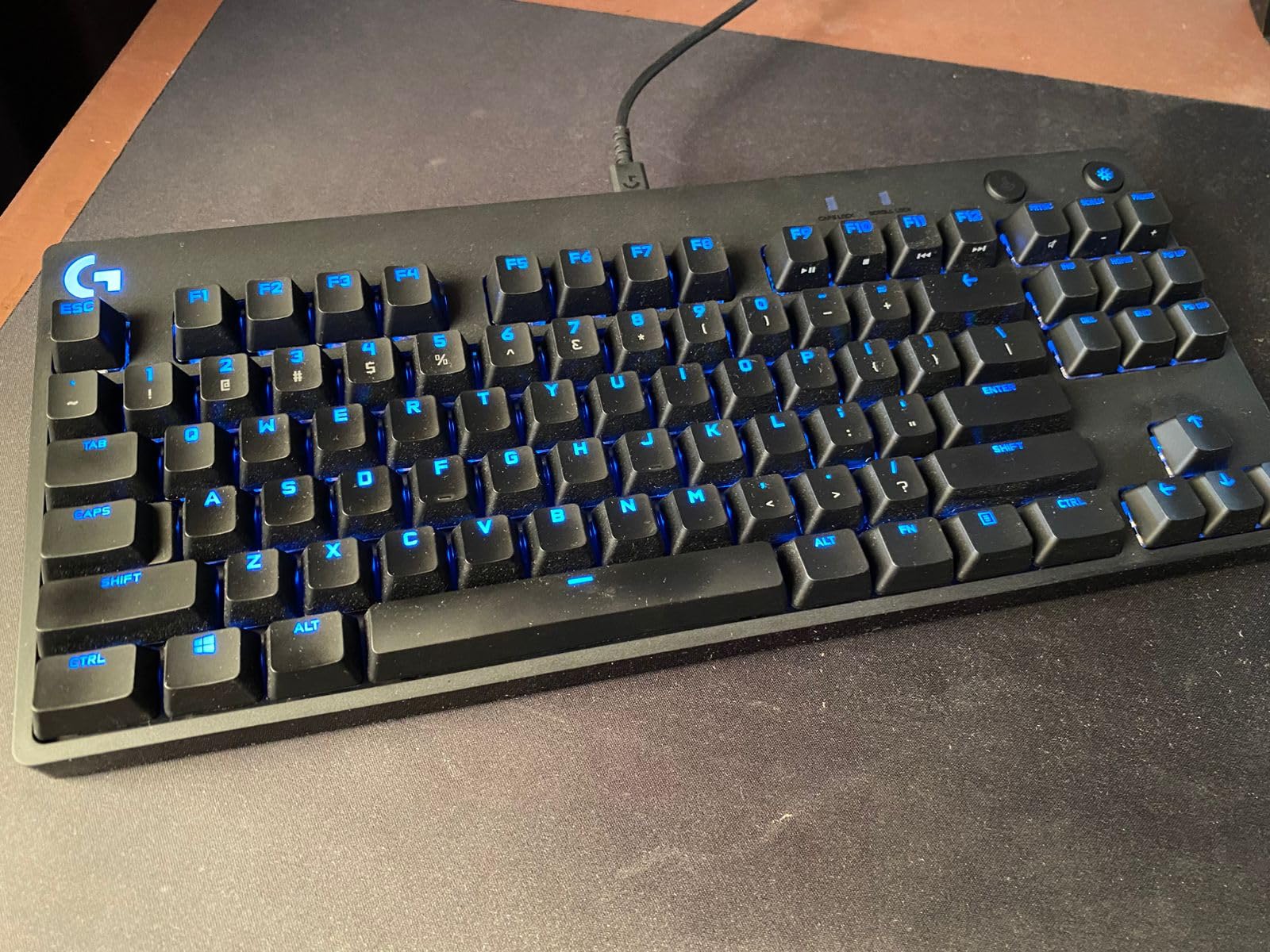
The tenkeyless layout removes the numpad, which saves significant desk space and brings your mouse closer to the keyboard. This reduces shoulder strain during long sessions, an ergonomic benefit that many developers undervalue. The detachable Micro USB cable with its three-pronged design makes the board easy to pack for travel between office and home.
The LIGHTSYNC RGB backlighting offers 16.8 million colors with per-key customization through the Logitech G HUB software. While RGB is not essential for programming, the ability to color-code your keycaps by function is genuinely useful for learning new shortcuts. I highlighted my IDE navigation keys in one color and system shortcuts in another.
Clicky Switches: Love Them or Hate Them
Clicky switches are the most polarizing choice in mechanical keyboards. The GX Blue switches produce a distinct click sound on every actuation that some developers find deeply satisfying and others find maddening. If you work from a private office or home, these switches can make typing feel engaging and fun. In a shared workspace, they will drive your neighbors crazy.
The tactile feedback from clicky switches can genuinely improve typing accuracy. The pronounced bump at the actuation point tells your fingers exactly when a key has registered, reducing the partial presses that lead to typos. If noise is not a concern in your work environment, clicky switches offer one of the most engaging typing experiences available.
TKL Portability Between Office and Home
The tenkeyless form factor strikes a balance between functionality and portability that makes it ideal for hybrid developers. The board is compact enough to fit in a laptop bag, yet it retains the function row and navigation cluster that programmers rely on. The detachable cable prevents damage during transport, which is a detail that road warriors will appreciate.
The 3-step angle adjustment lets you find your preferred typing height, and the rubber feet keep the board stable on any surface. If you code at a standing desk part of the day and a seated desk the rest, the G PRO adapts easily to both setups.
7. HHKB Studio – Best Premium Keyboard for Vim and UNIX Users
HHKB – Happy Hacking Keyboard Studio, Charcoal
60-key compact
Silent linear
Gesture pads
Pointing stick
Bluetooth
Pros
- Compact 60-key layout maximizes efficiency
- Silent linear switches for quiet operation
- Multi-device Bluetooth pairing up to 4 devices
- Gesture pads and pointing stick add functionality
- Hot-swappable switches
- Keymap profiles saved on keyboard
Cons
- Expensive at premium price point
- Low 3.7 rating suggests quality concerns
- Limited stock availability
- Plastic enclosure feels less premium
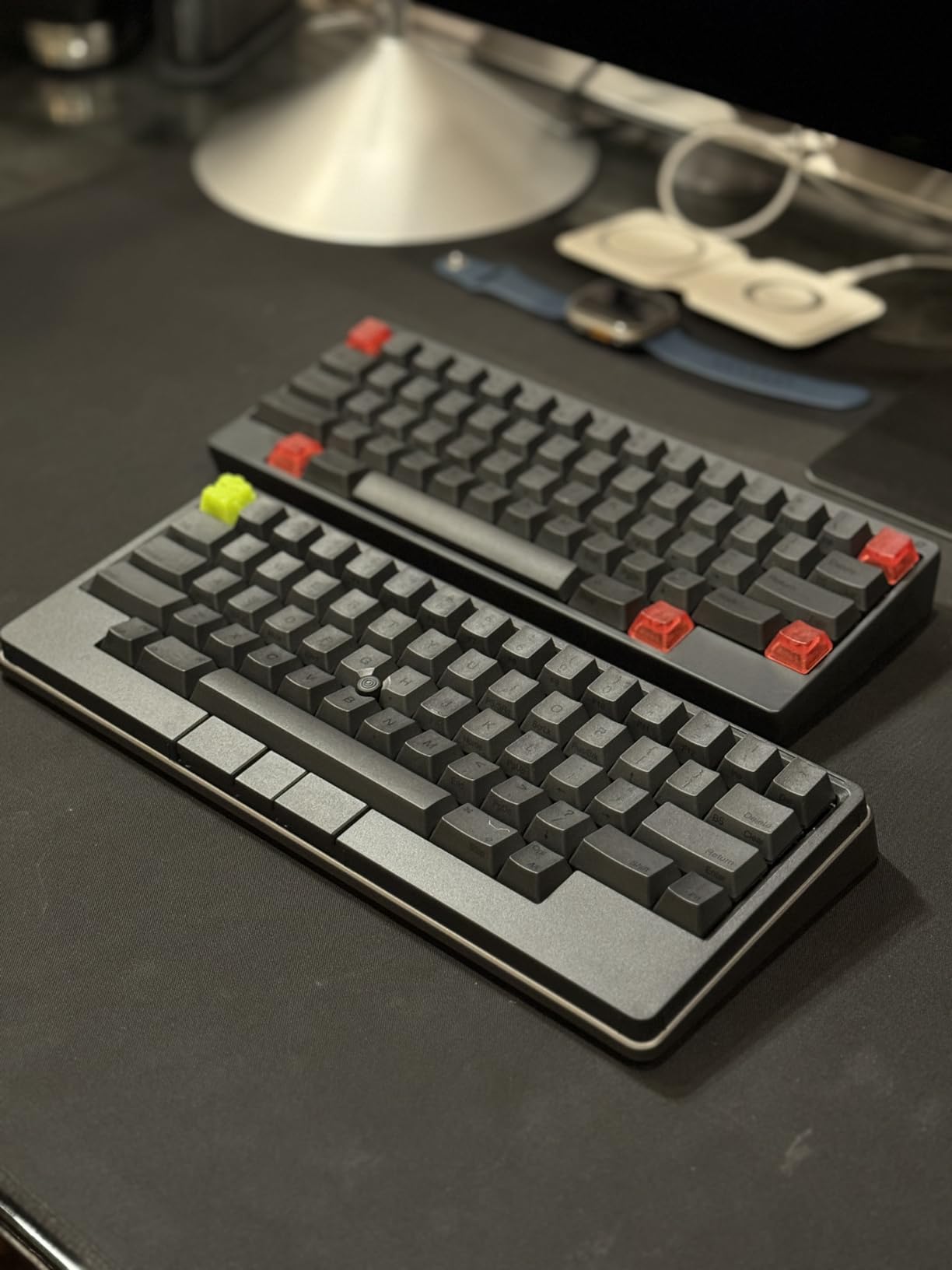
The Happy Hacking Keyboard has a cult following among UNIX developers and Vim users, and the Studio model brings that philosophy into a modern package. I tested this board with a heavy Vim and terminal workflow, and the 60-key layout forces a more efficient typing style that reduces hand movement to an absolute minimum.
The silent linear switches provide smooth, quiet operation that suits the minimalist aesthetic of the HHKB. Every key is positioned to minimize finger travel, and the layout places the Control key where Caps Lock normally sits, which is a configuration that Vim and Emacs users have been requesting for decades.
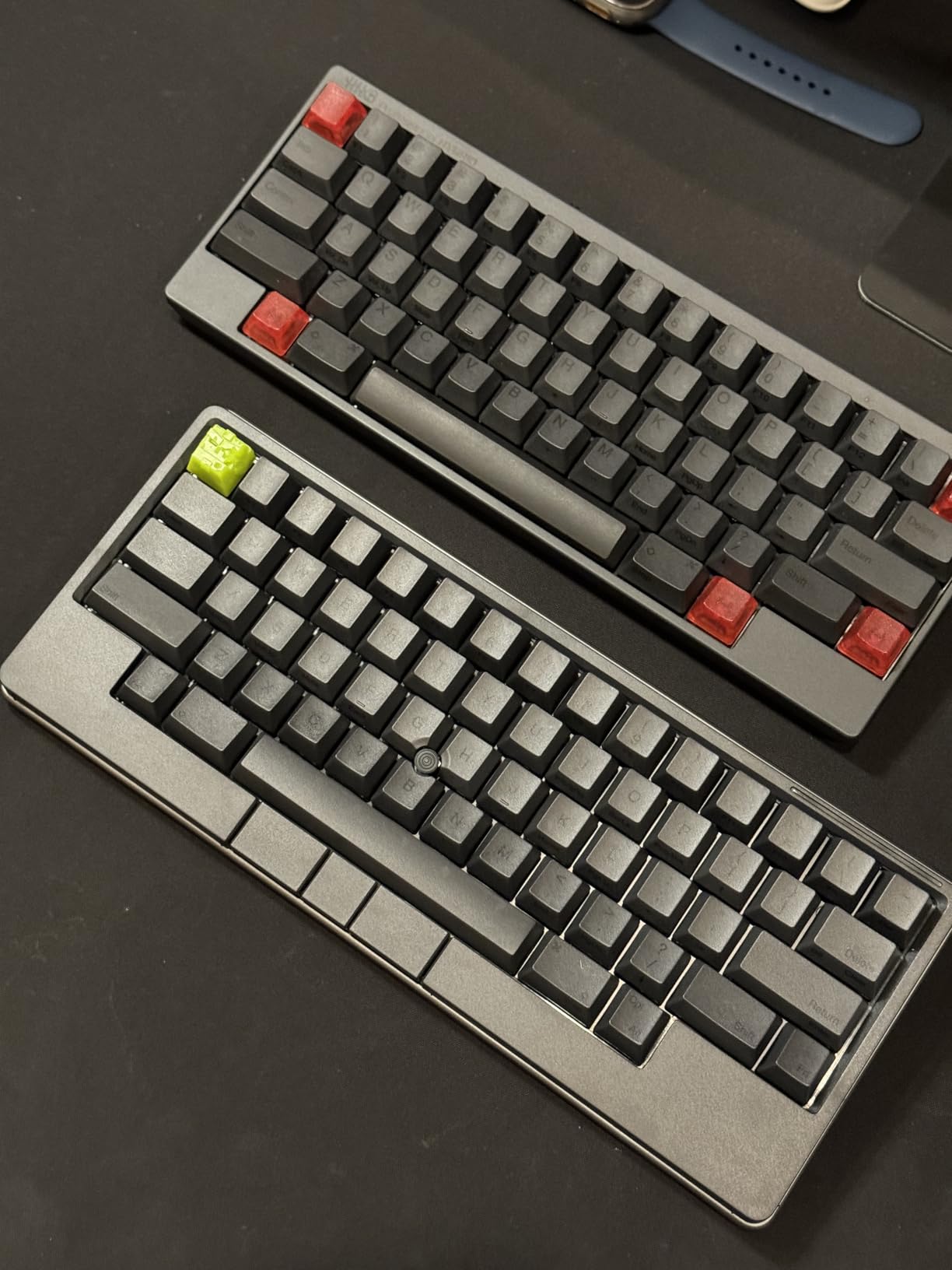
The standout features of the Studio model are the touch-operated gesture pads and integrated pointing stick. The gesture pads let you trigger custom functions with swipe gestures, and the pointing stick means you can navigate without moving your hands to a mouse. For developers who live in the terminal and rarely touch a trackpad, this design keeps your hands on the keyboard at all times.
The keyboard stores four customizable keymap profiles internally, so your layouts travel with you across devices. With Bluetooth pairing for up to four devices, you can switch between machines without reconfiguring. The DIP switches let you toggle between OS-specific layouts for Mac, Windows, and Linux.
Learning the HHKB Layout and Vim-Friendly Design
The HHKB layout has a learning curve, but developers who invest the time report significant productivity gains. The placement of the Control key, the Fn layer for arrow keys, and the removal of unnecessary keys all contribute to a layout designed by programmers for programmers. If you are a heavy Vim or Emacs user, the HHKB layout aligns naturally with your muscle memory.
Be prepared for an adjustment period of one to two weeks. During that time, your typing speed will drop as you learn the new key positions. Most users report that after the adjustment, they type faster and more comfortably than on a standard layout because their hands travel less distance.
Gesture Pads and Pointing Stick Productivity
The gesture pads respond to touch gestures for triggering shortcuts, scrolling, and custom functions. I mapped swipe gestures to switch between virtual desktops and browser tabs, which kept my hands on the keyboard during rapid context switching. The pointing stick takes practice but ultimately lets you navigate text and UI without reaching for a mouse.
The 3.7-star rating on Amazon reflects some quality control concerns and the steep price relative to expectations. The HHKB brand has a devoted following in the developer community, but this particular model has drawn mixed reviews. If you are committed to the HHKB layout, consider whether the gesture pads and pointing stick justify the premium over a standard HHKB Pro model.
8. Keychron C2 – Best Budget Mechanical Keyboard for New Programmers
Keychron C2 Full Size Wired Mechanical Keyboard, Brown Switch, Retro
Full-size
Keychron Brown
USB-C wired
Mac/Win
Retro keycaps
Pros
- Great value under $50
- Retro color keycaps look excellent
- Reliable USB-C wired connection
- Good for both Mac and Windows
- 2-level adjustable typing angle
- Durable 50M keystroke switches
Cons
- No backlight poor for low-light use
- ABS keycaps may wear over time
- Not water resistant
- Heavier at 1.5kg
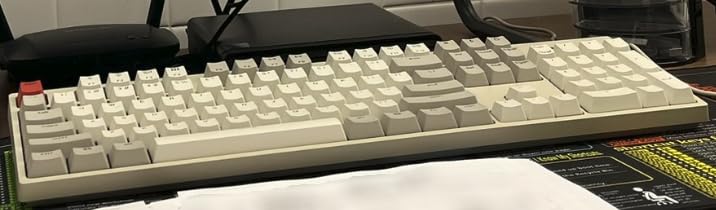
The Keychron C2 is the keyboard I recommend to junior developers and bootcamp students who want to try mechanical typing without a major investment. At its price point, you get a full-size layout with 104 keys, Keychron Brown tactile switches, and solid build quality that punches well above its budget category.
The Keychron Brown switches provide a tactile bump that gives you feedback on every keypress without the loud click of blue switches. For new programmers who are used to membrane keyboards, the brown switches offer a gentle introduction to mechanical feel. The retro-inspired color keycaps add personality that makes this board look more expensive than it is.
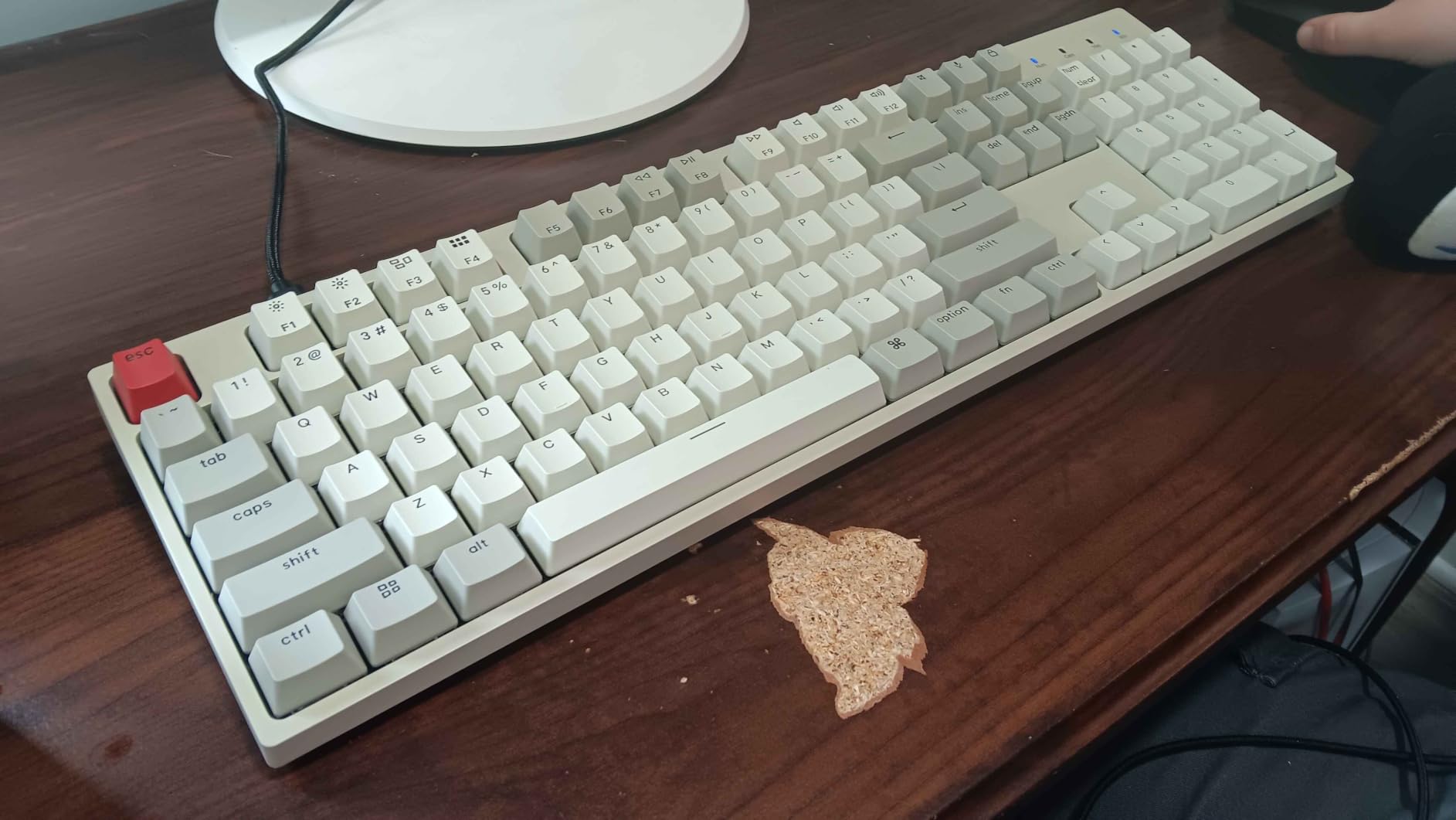
The Mac and Windows compatibility is excellent for a budget board. Keychron includes extra keycaps for both operating systems and a keycap puller in the box, so you can swap the modifier keys to match your system. The dedicated Siri and Cortana key is a thoughtful touch for users who rely on voice assistants.
The USB-C braided cable provides a reliable wired connection with zero latency and no battery to manage. The two-level adjustable feet let you choose between 6-degree and 9-degree typing angles, and the board is rated for 50 million keystrokes, which should last through years of daily coding.
Budget Trade-offs You Should Know
The C2 makes compromises to reach its price point, and understanding them helps you decide if it is right for you. There is no backlighting, which makes the board difficult to use in dark environments. The ABS keycaps will develop shine over time, unlike the PBT keycaps found on more expensive boards. And there is no wireless connectivity option.
None of these trade-offs affect the core typing experience, which is what matters most for a budget purchase. If you can live without backlighting and wireless, the C2 delivers a genuine mechanical keyboard experience that will make you wonder why anyone pays more. It is the perfect first step into the mechanical keyboard world.
Switch Feel and Typing Experience at Entry Level
The Keychron Brown switches on the C2 offer a lighter tactile bump than Cherry MX Browns, which some typists prefer for long coding sessions. The actuation force is gentle enough to prevent finger fatigue during marathon sessions, yet firm enough to prevent accidental keypresses when your fingers rest on the home row.
The typing sound is moderate, with a soft tactile bump that is audible but not intrusive. In a shared office, the C2 produces less noise than clicky switches but more than silent linear options. For developers who want a quiet budget board, consider the Keychron C2 with silent switches or spend slightly more for the Cherry KC 200 MX.
Buying Guide: How to Choose a Mechanical Keyboard for Programming?
Choosing the right mechanical keyboard for programming comes down to four key decisions: switch type, layout size, connectivity, and programmability. Our team has tested dozens of boards across these categories, and here is what matters most for developers.
Switch Types: Tactile, Linear, and Clicky Explained
Switches are the heart of any mechanical keyboard, and the type you choose affects typing feel, noise level, and fatigue. Tactile switches like Gateron Browns and Keychron Browns provide a bump at the actuation point that confirms each keypress without an audible click. Most programmers prefer tactile switches because they offer feedback without noise, making them suitable for both private and shared workspaces.
Linear switches like Silent Reds and POM linears provide smooth, consistent travel from top to bottom with no bump. They are the quietest option and require the least force to actuate, which reduces finger fatigue during long sessions. Some typists find linear switches less engaging because there is no tactile confirmation of registration.
Clicky switches like GX Blues produce an audible click on every keystroke that some developers find satisfying and others find disruptive. They offer the most pronounced tactile feedback but are unsuitable for open offices, video calls, or shared workspaces. Choose clicky switches only if you work in a private space and love the sound.
Layout Sizes: Finding Your Ideal Footprint
Full-size keyboards like the Q6 Max and Cherry KC 200 MX include a numpad and full navigation cluster. They are ideal for developers who work with numbers frequently or who want every key available without function layers. The trade-off is desk space, as full-size boards require a wide footprint and push your mouse farther to the right.
Tenkeyless (TKL) layouts like the Logitech G PRO remove the numpad while keeping the function row and navigation cluster. This saves desk space and improves ergonomics by bringing your mouse closer. TKL is a popular choice for developers who want a portable board that retains essential navigation keys.
Compact layouts like 75% (SK80) and 60% (HHKB Studio) sacrifice keys for portability and minimalism. The 75% layout retains function keys and arrows in a compressed form, while 60% boards move arrows and navigation to function layers. These layouts appeal to developers who want to minimize hand movement and maximize desk space.
Connectivity: Wired, Wireless, and Multi-Device
Wired USB-C connections offer the lowest latency and zero battery management, which appeals to developers who want simplicity and reliability. Boards like the Cherry KC 200 MX and Keychron C2 use wired connections that eliminate charging anxiety entirely. The downside is cable management and limited portability.
Wireless options include 2.4 GHz dongles and Bluetooth. The 2.4 GHz connection on boards like the Keychron Q6 Max and V6 Max delivers near-wired performance with a 1000 Hz polling rate, making it suitable for both coding and gaming. Bluetooth trades some latency for multi-device pairing, which is ideal for developers who switch between machines.
Tri-mode boards that support wired, 2.4 GHz, and Bluetooth give you the flexibility to adapt to any situation. You can use wired for gaming, 2.4 GHz for your primary workstation, and Bluetooth for a secondary laptop or tablet, all from the same keyboard.
Programmability: Why QMK and VIA Matter for Developers
QMK firmware and the VIA configurator let you remap every key, create custom layers, and program macros that streamline your specific workflow. For programmers, this means you can set up dedicated layers for common code symbols, map navigation keys to the home row, and create shortcuts for your IDE or terminal.
The practical benefits are significant. I use a function layer to access arrow keys without leaving the home row, which dramatically reduces hand movement during code editing. Macro keys let me insert boilerplate code, run build commands, or trigger test suites with a single keystroke. These customizations compound over months of daily use into real time savings.
Not all keyboards support QMK. If programmability is important to you, look for boards with QMK or VIA support like the Keychron Q6 Max, V6 Max, and HHKB Studio. Manufacturer software like Logitech G HUB and Logi Options+ offers some customization but lacks the depth and community support of open-source QMK firmware.
Keycap Materials and Build Quality
PBT keycaps, found on the Keychron V6 Max, resist oil and shine better than ABS keycaps, maintaining their texture and appearance over years of use. ABS keycaps, found on the Keychron C2, develop a glossy shine over time but are standard on budget boards. If longevity matters, prioritize PBT keycaps.
Build quality affects typing sound and feel. Aluminum bodies like the Q6 Max produce a denser, more premium sound profile than plastic bodies. Gasket mount designs, found on the V6 Max and SK80, cushion keystrokes and reduce harshness on bottom-out. These construction details are what separate a good keyboard from a great one.
Frequently Asked Questions
What is the best mechanical keyboard for programming?
The Keychron Q6 Max is the best overall mechanical keyboard for programming, offering full QMK/VIA programmability, hot-swappable Gateron Brown switches, tri-mode wireless connectivity, and a premium CNC aluminum build. For budget-conscious developers, the Keychron V6 Max delivers QMK firmware and wireless performance at a lower price.
What switch type do programmers prefer?
Most programmers prefer tactile switches like Gateron Browns or Keychron Browns because they provide satisfying feedback without excessive noise. Linear switches like Silent Reds are popular for office environments where quiet operation matters. Clicky switches are the least popular for programming because they are too loud for shared workspaces.
What keyboard layout is best for coding?
75% and tenkeyless (TKL) layouts are the most popular for coding because they save desk space while retaining function keys and arrow keys. Full-size layouts work well for developers who use the numpad frequently, while compact 60% layouts appeal to Vim and terminal users who want minimal hand movement.
Are mechanical keyboards better for coding?
Yes, mechanical keyboards are generally better for coding than membrane keyboards. They provide tactile feedback that improves typing accuracy, last 50 to 80 million keystrokes per key for greater durability, and offer programmability through QMK firmware for custom developer shortcuts. They also reduce finger fatigue during long coding sessions.
What is QMK/VIA and why do programmers need it?
QMK is open-source firmware that lets you remap keys, create layers, and program macros on compatible mechanical keyboards. VIA is a visual configurator that applies changes in real time without flashing firmware. Programmers use QMK and VIA to set up coding-specific shortcuts, map navigation keys to the home row, and create custom workflows that boost productivity.
Final Thoughts on the Best Mechanical Keyboards for Programmers
Finding the best mechanical keyboards for programmers comes down to matching your workflow to the right combination of switches, layout, and features. The Keychron Q6 Max stands out as our top pick for its premium build, full QMK programmability, and versatile tri-mode wireless that handles everything from deep-focus coding to after-hours gaming.
For developers who want QMK and wireless without the premium price, the Keychron V6 Max delivers outstanding value with silent switches that respect shared workspaces. And if you are just starting your mechanical keyboard journey, the Keychron C2 gets you genuine mechanical feel for the price of a few coffees.
Whatever you choose, the right mechanical keyboard will transform your daily coding experience. Your fingers do the most important work of your career, so invest in the tool they touch for thousands of hours each year.