
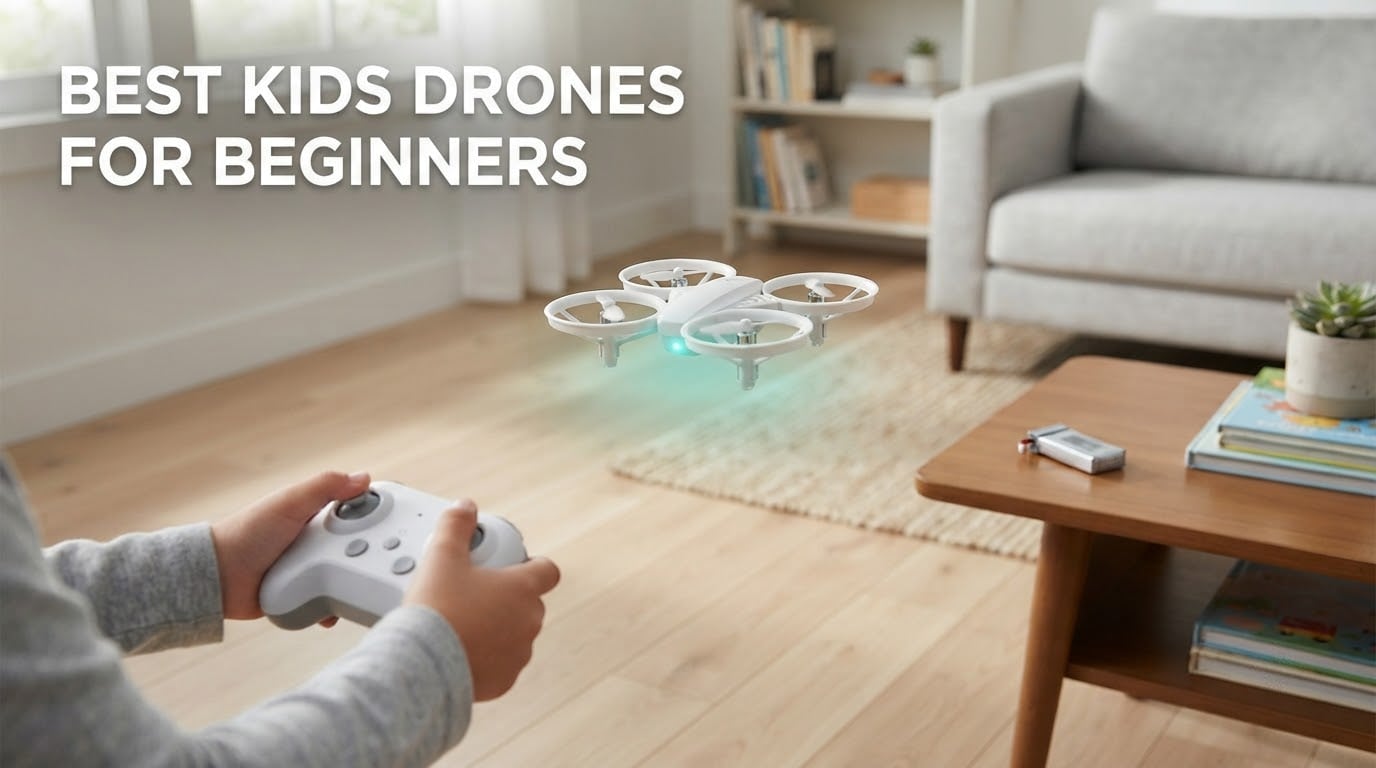
The short answer: the Holy Stone HS210 is the best kids drone for beginners in 2026. It weighs 50 g, comes with three swappable batteries, a full propeller guard, altitude hold and headless mode, and it has 16k+ reviews behind it. If your child is 5 to 8 and this is a first drone, that is the one I would buy.
I have watched three kids learn to fly on the same handful of these drones over the past two years, and the pattern is painfully consistent. The first drone decides whether a child keeps flying or quietly loses interest in a broken toy in the corner. Something that is too heavy, too twitchy or impossible to repair wins the gift and loses the hobby.
That is why every pick below is a small, light quadcopter built around three things: enclosed or guarded propellers, automatic altitude hold, and beginner controls that do not punish a wobble. None of them are racing machines. None of them should be flown near a bird, a road or an airport, and every one of them is meant to be used with an adult in the room.
Below you will find eight kids drones for beginners sorted by age, hardware and battery maths, plus the safety and registration rules that actually apply to a child flying in the US, UK and EU. I have also broken out the crash-cost question nobody else answers, because a parent planning to buy should budget for destruction, not just for the purchase.
If you would rather start with a broader list, our guide to the best drones for beginners covers adult pilots too, and our FPV beginner guide explains what changes when a child moves up to goggles.
Table of Contents
Top 3 Picks for the Best Kids Drones for Beginners (October 2026)

Holy Stone HS210
- Altitude hold and headless mode
- 3 batteries
- up to 21 minutes
- Full propeller guard
- 50 g

Holy Stone HS190
- Folds into the controller
- 35 g
- Altitude hold and headless mode
- Propeller guards

Force1 Scoot Drone
- Hand guided
- no remote
- LED ceiling patterns
- Webbed shell
- 8 minutes per charge
The HS210 wins because three batteries solve the single biggest complaint parents have about cheap drones: a child flies for six minutes and then waits an hour for a charge. Three packs mean roughly 21 minutes of continuous play and, more importantly, a session that ends when the child is bored rather than when the battery dies.
The HS190 is the same idea stripped back. At 35 g it folds into its own controller and disappears into a pocket, which makes it the one I pack for holidays, but it ships with a single 220 mAh battery. The Scoot has no controller at all: you toss it, guide it with your hand and catch it, which is the lowest possible barrier to entry for a child who is not ready for two thumb sticks.
All 8 Kids Drones Compared Side by Side in 2026
Every drone in this roundup is an indoor flyer first and an outdoor toy second. The table below is the fastest way to rule options in or out before you read the individual reviews.
| Product | Specifications | Action |
|---|---|---|
| Holy Stone HS210 |
|
Check Latest Price |
| Holy Stone HS190 |
|
Check Latest Price |
| Force1 Scoot Drone |
|
Check Latest Price |
 HASAKEE Q9s HASAKEE Q9s |
|
Check Latest Price |
 AVIALOGIC Mini 1080P AVIALOGIC Mini 1080P |
|
Check Latest Price |
 Swifsen Mini Drone Swifsen Mini Drone |
|
Check Latest Price |
 SYMA X100 SYMA X100 |
|
Check Latest Price |
 Holy Stone HS210FS Holy Stone HS210FS |
|
Check Latest Price |
1. Holy Stone HS210 Mini Drone – Best Overall First Drone for a Child
Holy Stone Mini Drone for Kids and Beginners RC Nano Quadcopter Indoor Small Helicopter Plane with Auto Hovering, 3D Flips, Headless Mode and 3 Batteries, Great Gift Toy for Boys and Girls, HS210 Blue
50 g
1080p video
Altitude hold and headless mode
3 batteries, up to 21 minutes
Full propeller guard
Pros
- Altitude hold plus headless mode makes it genuinely easy for a first-time pilot
- Three swappable batteries roughly triple continuous play time
- Full propeller guard survives repeated crashes into walls
- Folds down to 3.15 inches square
Cons
- Individual battery runs only about 5-7 minutes
- Battery connector is small and finicky to plug in
- Indoor-only in practice because sunlight jams the link
The HS210 is the drone I hand to a child who has never flown anything. Altitude hold means it holds height on its own, headless mode means the controls follow the direction the drone is travelling rather than the direction the child is facing, and the combination turns a first session from a wrestling match into a short lesson in throttle and yaw.
At 3.15 inches square and 50 g, it is small enough to survive a living room and light enough that a fall does no damage. Reviewers describe a complete beginner flying it indoors within minutes of unboxing, and that matches what I have seen. The 360-degree flip, circle fly and throw-to-launch are the fun layer that keeps a six-year-old asking for “one more go”.
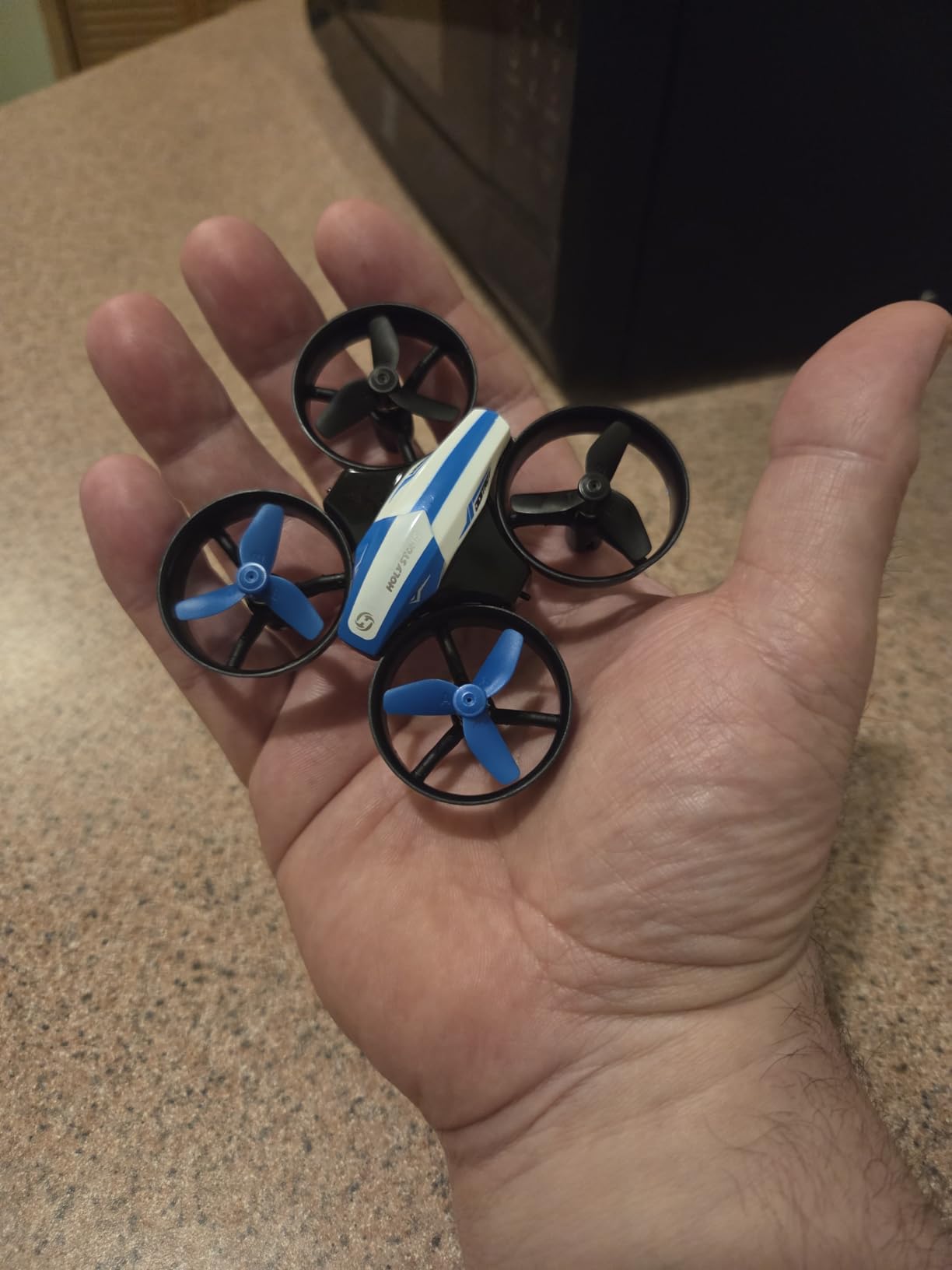
Three batteries are the reason this one wins. Each pack gives roughly 5 to 7 minutes, so a child gets close to 21 minutes of flight before charging starts, and the low battery alarm gives a graceful warning rather than a sudden drop. Spare propellers and a screwdriver are in the box, which matters more than it sounds.
The honest problems are the battery compartment and the propeller markings. The connector is small and awkward to seat, and the blades are not colour-coded, so a child who fits one the wrong way round can end up with a drone that will not launch. A minute of adult supervision at the start saves an afternoon. I have also seen reports of battery swelling after a few weeks, so keep the spares out of a hot car and retire any pack that looks puffy.
Why this is the safest first drone to hand over
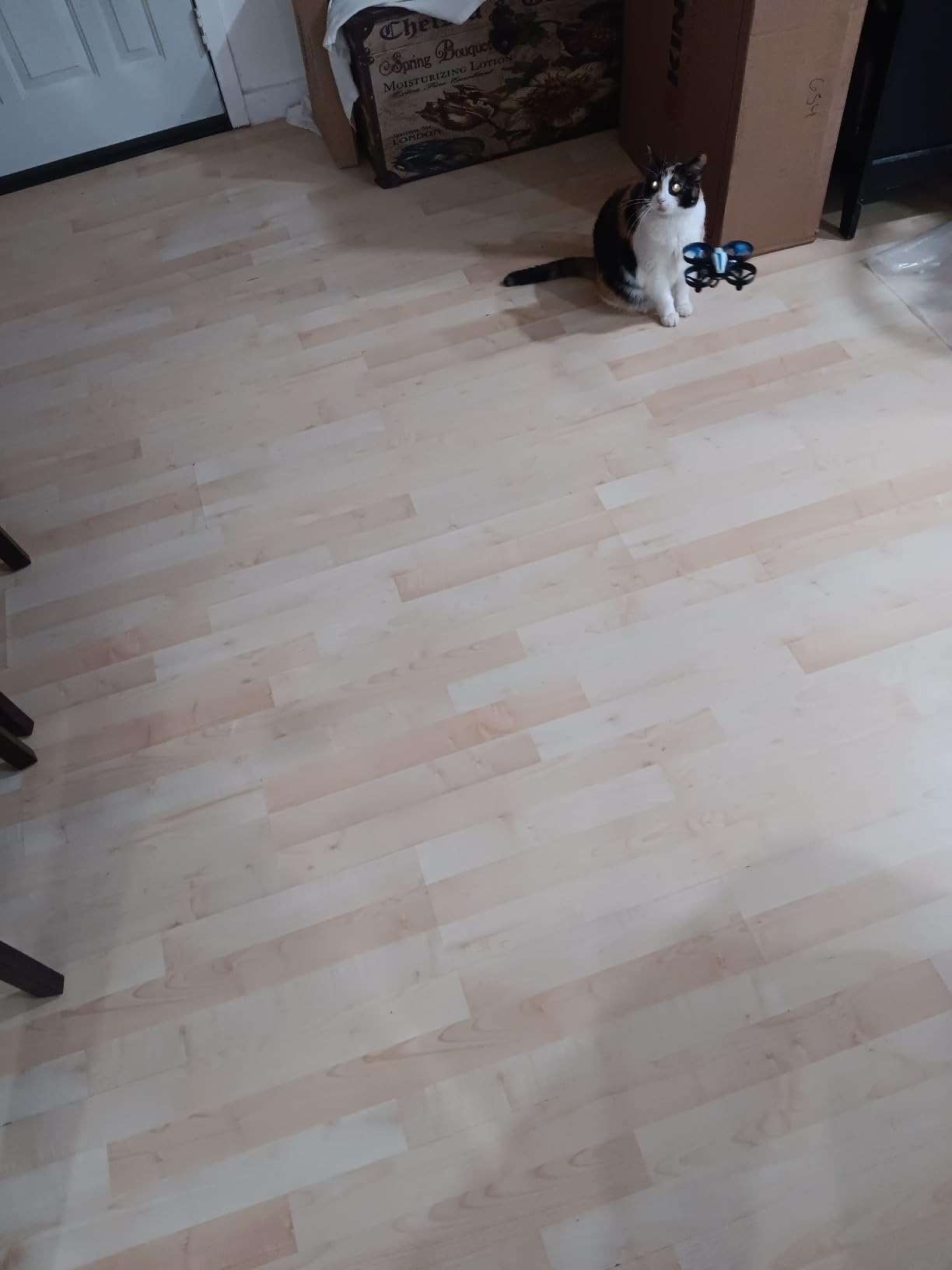
The guard is a full cage around the props rather than a thin hoop, which means a nose-first crash into a sofa cushion does not spin blades into anything. Combined with a 50 g weight, that is about as forgiving as this category gets. For a nervous seven-year-old, being able to crash repeatedly without drama is the difference between a hobby and a broken present.
It also needs no phone. There is no app to pair, no Wi-Fi login and no account, which removes the single most common reason a parent gives up during setup. If your child does not have their own device, this is the one that still works.
When it is the wrong choice
It is an indoor toy. Sunlight jams the infrared link and even mild wind pushes it around, so do not plan a park session with it. If your child wants aerial photos of the garden rather than flips in a bedroom, the 1080p camera exists but the video is a bonus rather than a reason to buy.
One more caution for a seven-year-old or younger: at 50 g it is light enough to be blown by an open window or a ceiling fan, and a drone that lands on a windowsill can end up outside. Fly in the middle of a large clear room, with the doors shut.
2. Holy Stone HS190 Foldable Nano Drone – Best Value for Travel
Holy Stone HS190 Foldable Mini Nano RC Drone for Kids Gift Portable Pocket Quadcopter with Altitude Hold 3D Flips and Headless Mode Easy to Fly for Beginners
35 g
Folds into the controller
No camera
Altitude hold and headless mode
3 speed modes
Pros
- Folds into the controller so it is genuinely pocket-sized
- Very light at 35 g for small hands
- Altitude hold and headless mode make hovering easy
- Three speed modes give a clear progression path
Cons
- Only one battery is included so sessions are short
- 220 mAh pack yields brief flights
- Very light airframe drifts in moving air
- No camera for aerial photos
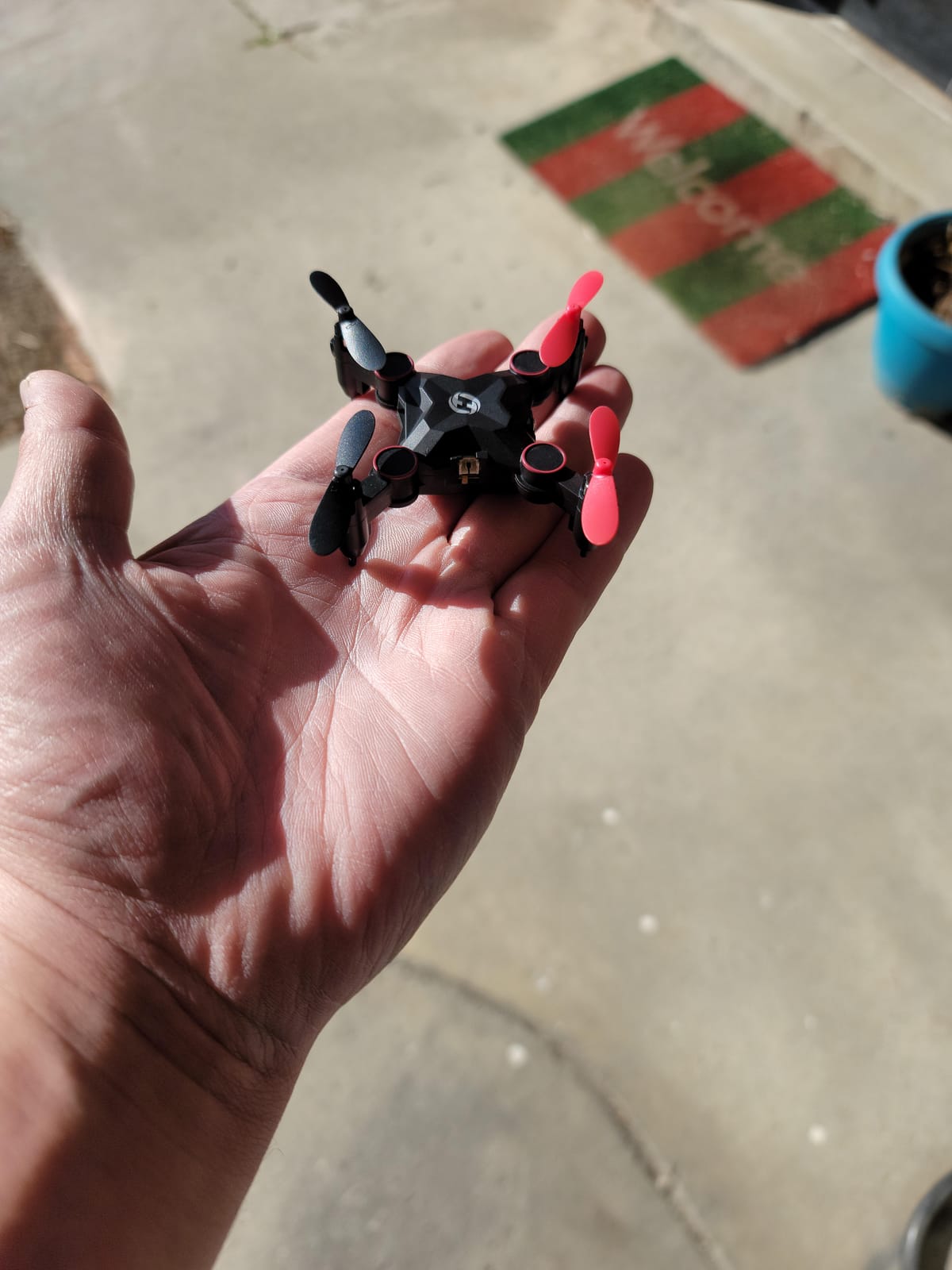
At 35 g this is the smallest drone I have reviewed and the one I pack in a hand luggage bag. It folds down and stows inside its own controller, so there is no separate case to lose, and the whole thing is roughly the size of a matchbox. For a family holiday where packing space matters, that is a genuinely useful feature rather than a gimmick.
It keeps the two controls that matter most for a beginner: altitude hold and headless mode, plus one-key takeoff and landing and a 360-degree flip. Emergency stop lands it immediately, and the propeller guards mean it can be handed to a younger sibling than most drones here would allow.
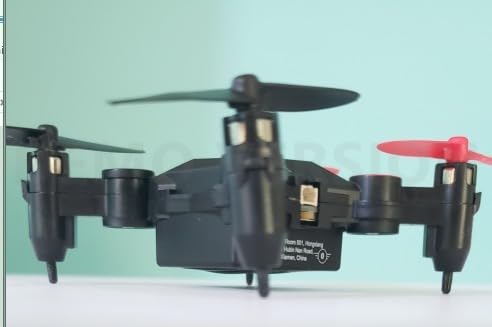
The single biggest limitation is battery life, and it is structural rather than a quality problem. One 220 mAh pack is the smallest in this roundup, and the review pattern is consistent: children get a short flight, then a long wait. Many buyers wish a second battery were included. The good news is that this airframe is simple enough that spare packs are easy to source later.
Second, there is no camera at all. If your child has been watching videos of aerial footage and wants to make their own, this will disappoint within an hour. Choose it for the flying itself, not for the camera.
What you give up for the smaller size
Weight is safety here, but it is also a weakness. At 35 g the drone is easily pushed around by indoor air currents, a radiator or an air conditioning vent, and reviewers regularly mention drift in a room with any air movement. A heavier drone holds position better. That is a fair trade for portability, but be aware of it.
The three speed modes matter more on a nano than on a larger drone. Start a child on low speed, and treat the move to medium as the marker of progress rather than something to unlock on day one.
Who should buy this and who should not
Buy it for a 5 to 8 year old who wants to learn control, for travel, or as a low-stakes second drone for a child who already crashes everything. It is also a good first drone for a rainy day indoors, since the charging downtime is the only real cost.
Do not buy it if the camera is the point, or if you live somewhere with persistent air movement in the house. A drone that drifts while a child is trying to learn yaw teaches frustration rather than confidence.
3. Force1 Scoot Hand Operated Drone – Best for Children Who Cannot Use a Remote Yet
Force1 Scoot Hand Operated Drone for Kids or Adults – Hands Free Motion Sensor Mini Drones, Easy LED Indoor Rechargeable UFO Toy Flying Orb Ball Drone Toys for Boys and Girls (Blue)
Hand operated with no remote
4.7 inches
Up to 8 minutes per charge
USB rechargeable
90 day warranty
Pros
- No remote control to learn
- Hand-guided return makes catching it part of the play
- Bright LEDs project patterns on the ceiling
- Webbed shell protects walls and furniture
Cons
- Shell slats are wide enough for small fingers to reach the propellers
- About 50 minutes of charging for 8 minutes of flight
- Calibration is finicky and the printed instructions are tiny
- Keeps spinning if it lands upside down
The Scoot answers a problem the rest of this list cannot: a child aged 6 or 7 whose hands are not coordinated enough for two thumb sticks. There is no controller. You toss it, it lights up, and you guide it back with your hand using motion sensors. Catching it is the game.
It is rated as a US-certified STEM toy for ages 8 and up, and it is 4.7 inches across, which makes it the largest of the palm-flown options but still a bedroom toy rather than a garden toy. The LED effect is the part children remember: in a dark room the lights throw moving patterns across the ceiling, and that is often what convinces a child to keep playing.
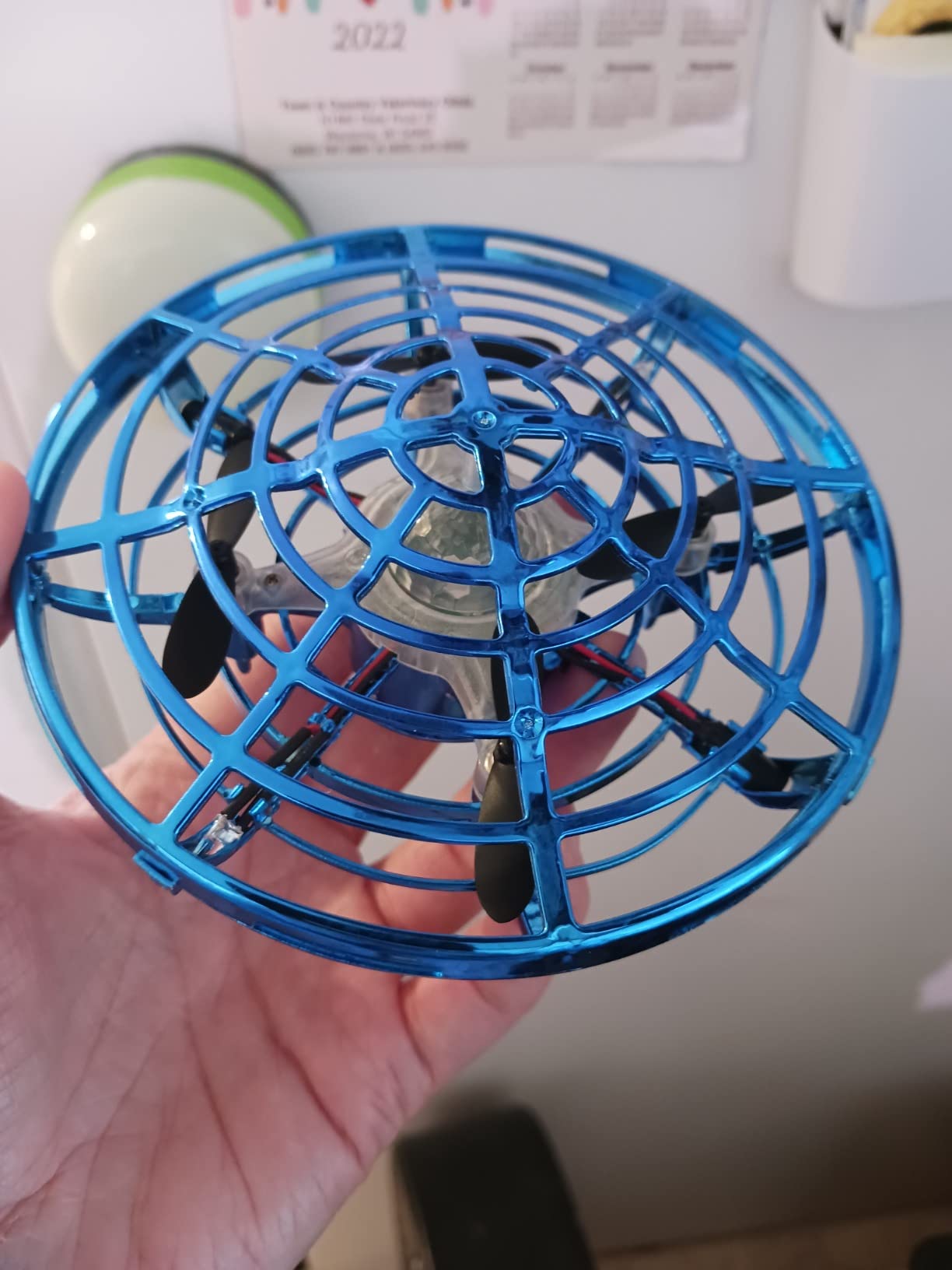
Two things to weigh carefully. The first is the shell. The webbed design is genuinely good at protecting walls, furniture and hands during normal flight, but reviewers are right that the slats are wide enough for small fingers to reach a rotor during catch-and-retrieve play. I would not use this one with a child under 7 in a room with a low ceiling and hard furniture.
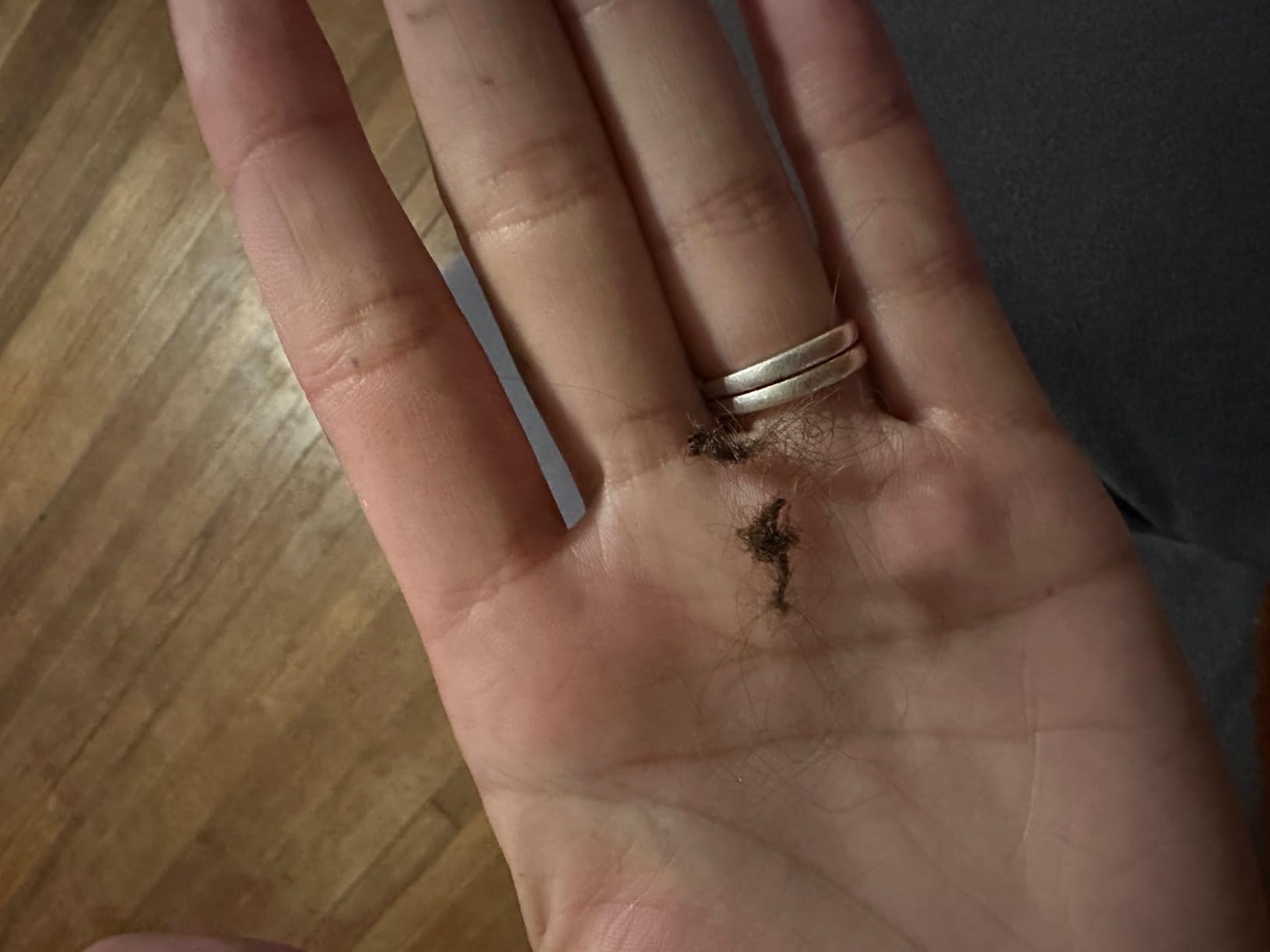
The second is a practical gotcha almost nobody mentions. A single strand of hair wrapped around a rotor will ground the whole thing. In a house with long hair or a pet that sheds, that is a frequent reason play stops early. Check the props after every session.
Why hand operation beats a remote for a first flight
There is no failure mode. A child cannot flip a yaw stick at the wrong moment, cannot lose the orientation, and cannot send it into a wall by over-correcting. Motion sensors handle the deceleration. For a child who is not ready for real controls, that removes every frustrating part of learning to fly at once.
It also needs no phone and no pairing. The charge is a USB cable, roughly 50 minutes, and the flight is up to 8 minutes per charge. If it lands upside down it keeps spinning until you turn it over, which sounds trivial and is in fact the most common complaint about the design.
When to skip it
Skip it for a child who wants a camera, a stunt drone or anything they can grow into. There is no upgrade path built in here, and the calibration step is documented badly enough that a parent should be ready to run it for them.
For what it is, though, it is the fastest route from “I want to fly a drone” to “I flew a drone”. Force1 customer service also draws unusually consistent praise, with multiple owners reporting free replacements on failed units, which matters when the product is this simple.
4. HASAKEE Q9s Quadcopter – Best Value Guarded Drone with a Camera
Q9s Drones for Kids,RC Drone with Altitude Hold and Headless Mode,Quadcopter with Blue&Green Light,Propeller Full Protect,2 Batteries and Remote Control,Easy to fly Kids Gifts Toys for Boys and Girls
6.9 inch frame
720p camera
Two 500mAh batteries
Altitude hold
Four full propeller guards
Pros
- Two 500mAh batteries give roughly 7 minutes each
- Four full propeller guards and tough ABS body handle constant crashing
- Altitude hold and headless mode work within minutes of unboxing
- Neon green and blue LEDs are a big hit in a dark room
Cons
- Flight time per battery is only about 6-7 minutes and charging takes roughly an hour
- Very light airframe means a small gust can carry it away and lose it
- Propellers will catch and pull out long hair
- Drifts with any air movement such as an A/C vent
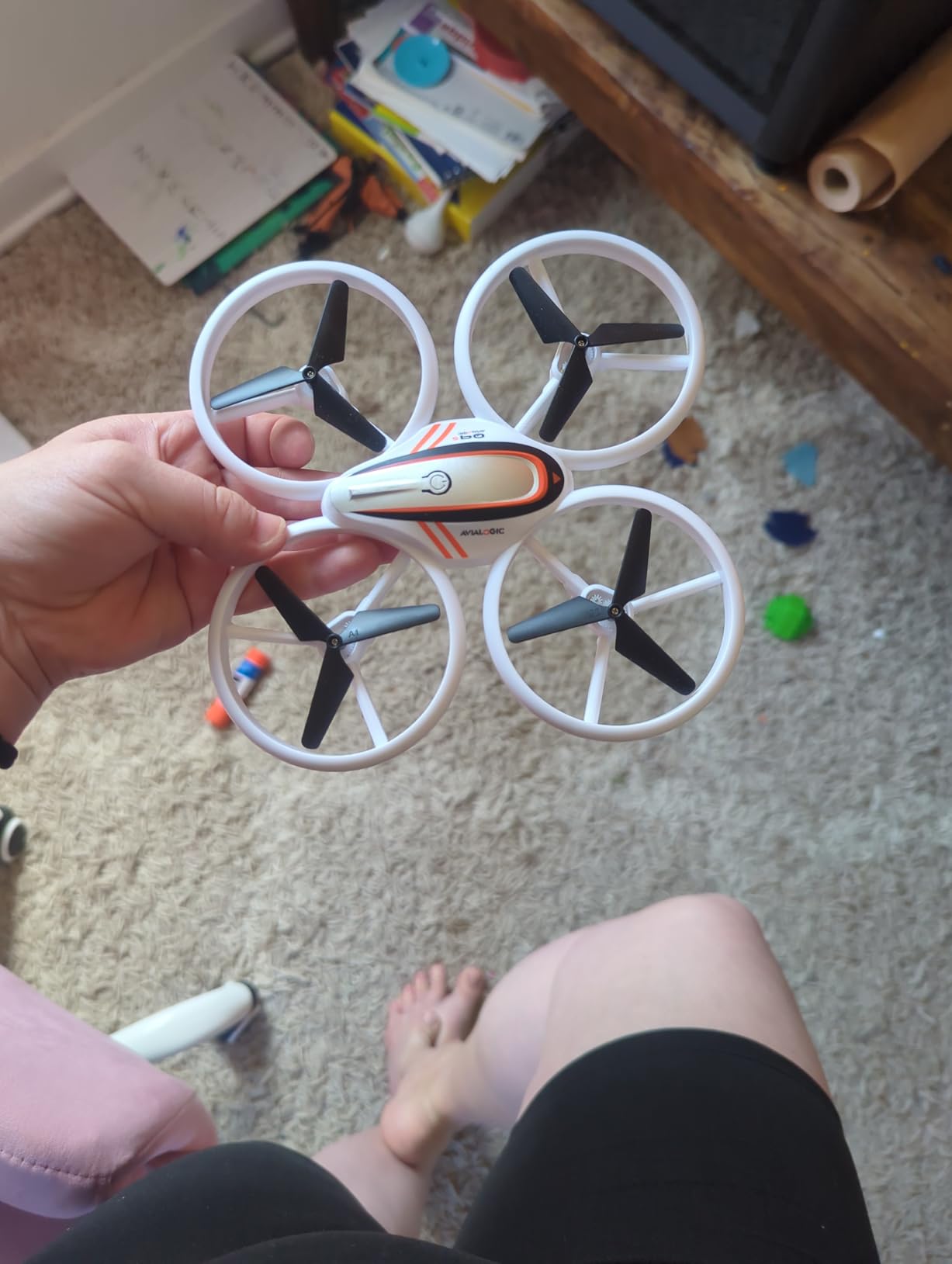
The Q9s is the one experienced pilots in our tests kept reaching for as a practice drone. Several owners who already fly DJI hardware bought it deliberately, for a child or for themselves, because the four full propeller guards and ABS frame survive contact with walls and furniture in a way that bare-prop nano drones never do.
For a beginner it is a fair step up in size at 6.9 inches square, with two 500 mAh batteries, a 720p camera and three speed modes. Altitude hold and headless mode get a child hovering within minutes, and the one-button takeoff and landing removes the hardest part of a first session.
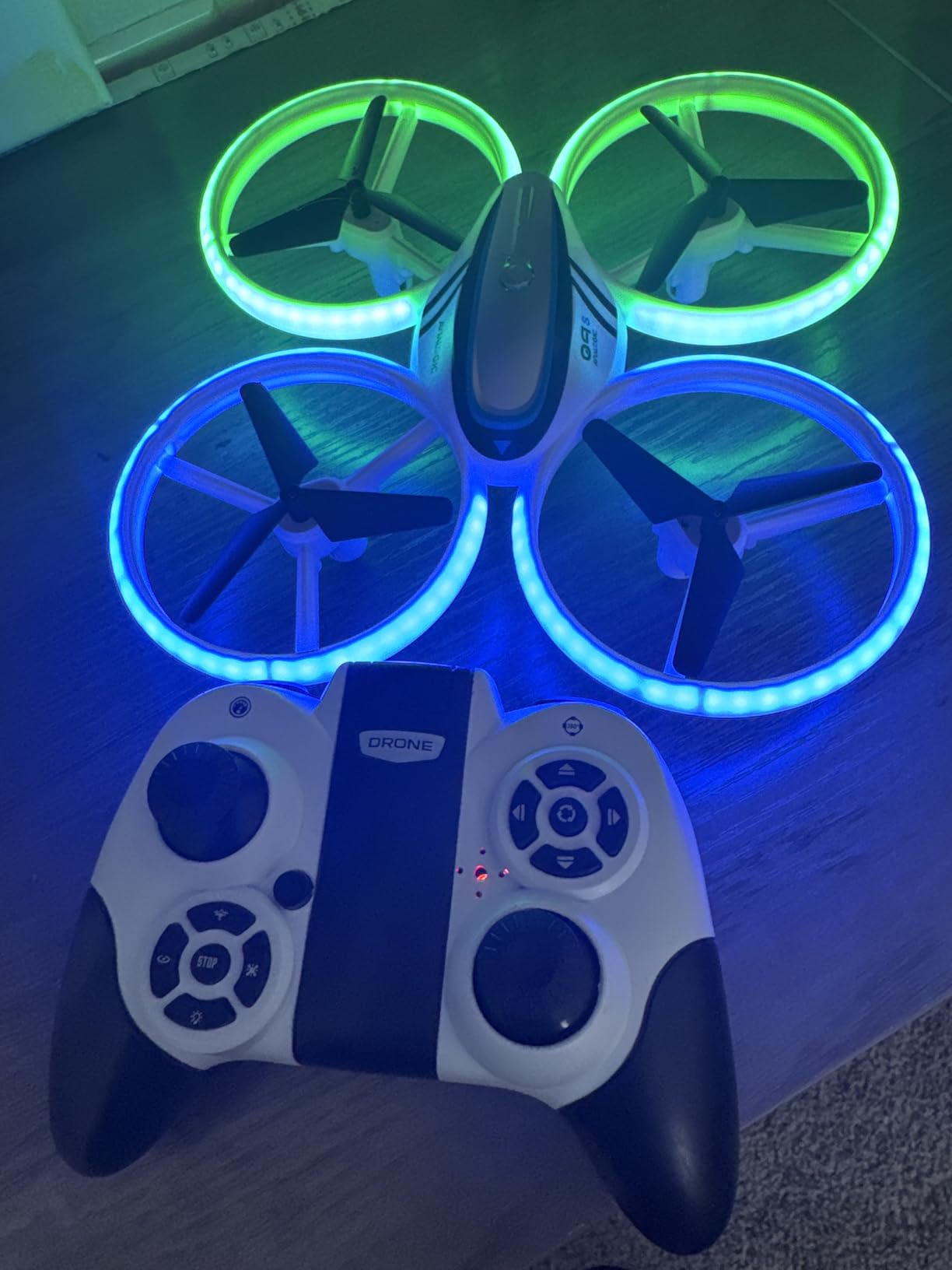
The neon green and blue LEDs deserve a mention because they change how a child plays. With three light modes, evening flying becomes the favourite time of day for most owners, and it makes the drone visible from another room, which reduces the retrieval panic after a flyaway.
Two caveats are about air, not quality. The frame is light enough that even a small outdoor gust can carry it away, and reviewers report drift whenever there is any air movement indoors, including from a ceiling unit. And the propellers will catch and pull out long hair, a specific hazard for the age group this drone is aimed at. Long hair tied back is not a joke here.
When a 720p camera is worth having
720p video is genuinely usable for a phone screen, a birthday video or a school project, and it costs nothing extra here in effort terms because the camera runs from the same remote. The footage is not sharp, and the still image resolution is not worth printing. Treat the camera as the reason a child keeps asking to fly, not as a real camera.
Multi-speed modes give a natural skill ladder. Low speed for the first session, medium once hovering is reliable, high for the flips. Watching a child progress through those three settings is a better progress marker than any age label on the box.
What to watch for before the first flight
Calibrate before flying and keep the recommended range short. A drone lost to a gust in a park is a drone you will not see again, and the 360-degree flips and auto rotation are more tempting than they look, particularly for a seven-year-old with a new toy.
It is worth noting that spare parts for a brand like this can be harder to source than for a Holy Stone, and the same goes for individual batteries. If part availability is a factor in your decision, read the next section before you commit.
5. AVIALOGIC Mini 1080P FPV Drone – Best for Aerial Video and Older Children
AVIALOGIC Mini Drone with Camera for Kids, Remote Control Helicopter Toys Gifts for Boys Girls, FPV RC Quadcopter with 1080P HD Live Video Camera, Altitude Hold, Gravity Control, 2 Batteries, Black
320 g
1080p live FPV to a phone app
Two 550mAh batteries
Altitude hold and gravity sense
Pros
- 1080p live FPV feed on a phone is usable at this price
- Comes with a carrying case and two batteries so play continues while one charges
- Altitude hold and gravity sense make the flight smooth for a first-time flyer
- Gesture and voice control add novelty older kids enjoy
Cons
- Thin propeller guards detach easily and replacements are hard to find
- Hard to control in any wind and less forgiving indoors
- Heaviest drone in the group at 320 g
- Wi-Fi and app setup adds complexity compared with a remote-only toy
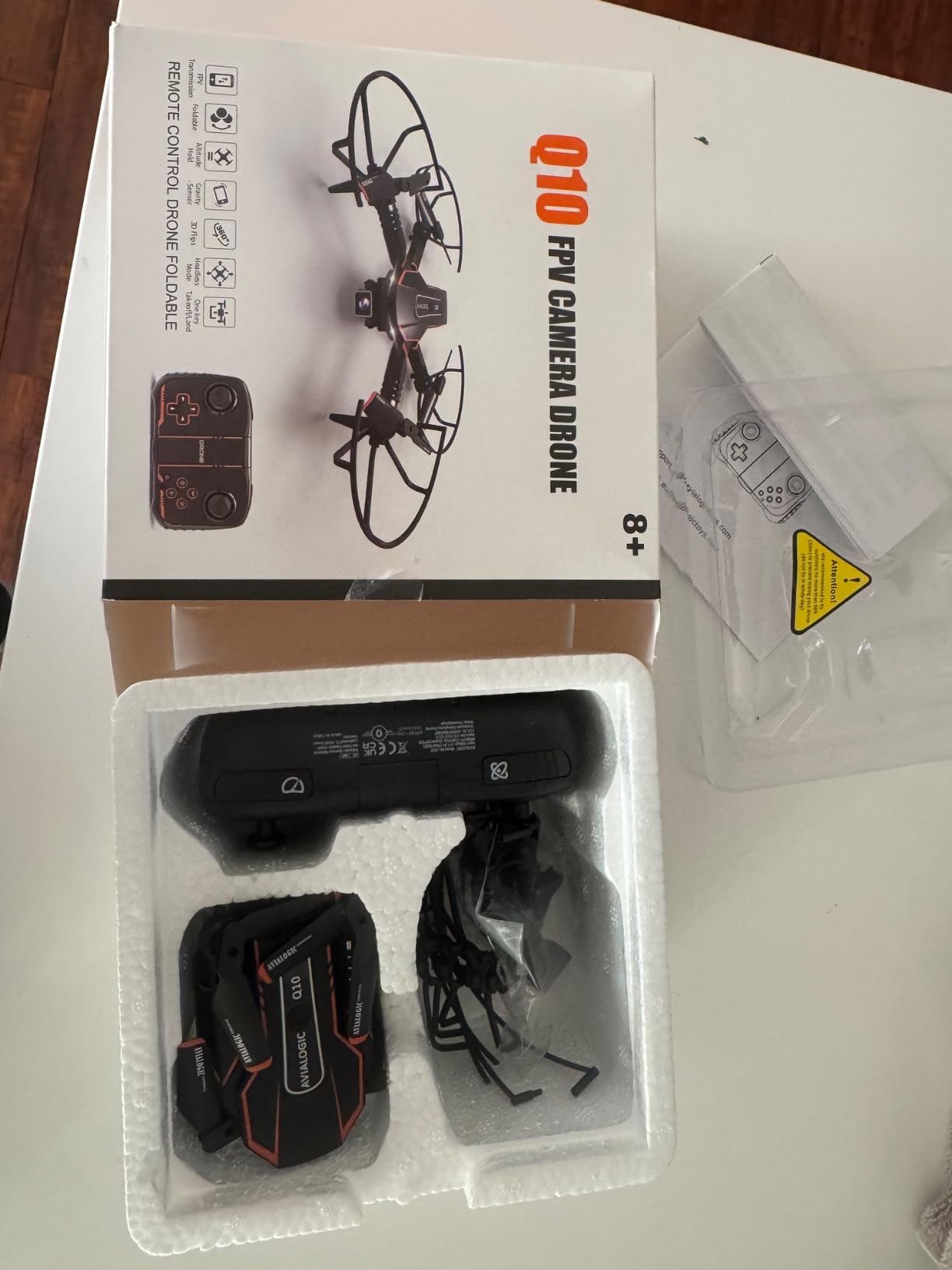
This is the pick for a child aged 8 to 11 whose interest has shifted from flying to filming. The 90-degree adjustable camera streams a live 1080p feed to a phone app, so the pilot sees what the camera sees rather than watching the drone from the outside, and the footage records in MP4 to a microSD card.
It is also the most considered package here: two 550 mAh batteries, a carrying case, an emergency stop, a low power alarm and four propeller guards. Owners report their child flying it after a few sessions, and multiple reviews describe it surviving repeated crashes from an 8-year-old without damage.
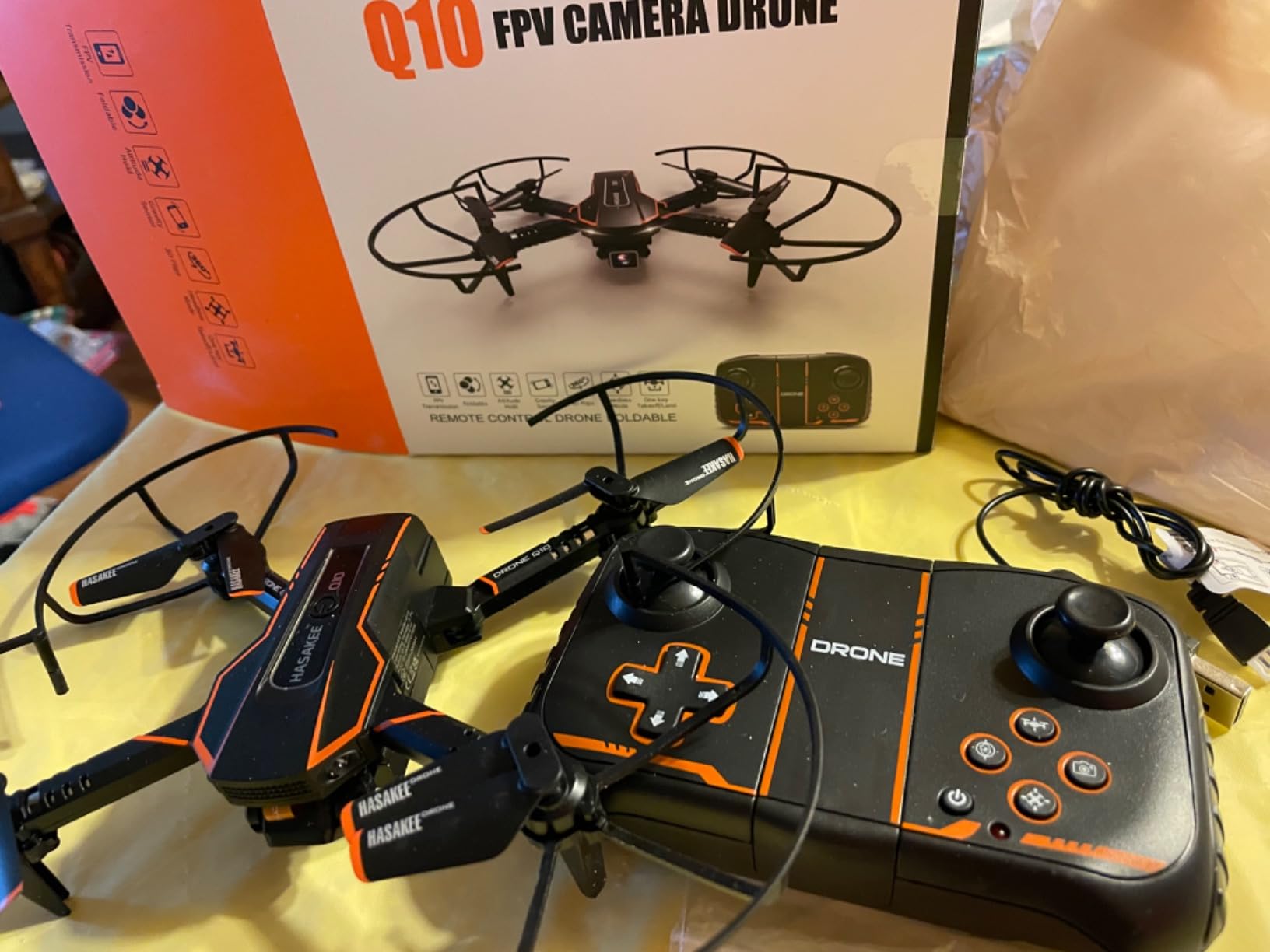
Setup is the hurdle. There is a remote, an app and a voice option, and the Wi-Fi pairing is a step further than anything else in this roundup. If a parent is not comfortable with an app connection, budget fifteen minutes and a restart before the first flight, not five minutes.
Wind is the other real problem. At 320 g with a wide frame and thin guards, this is the least forgiving drone here outdoors, and indoors it needs more clear space than a nano. Several reviewers report a guard detaching or an arm loosening on an early flight, which is a genuine safety issue in a house with people in it.
Why the app features are worth the extra setup
Flight path drawing on the smartphone, gesture photo and gesture video, and gravity sense are not gimmicks at this age. They give a child a reason to fly that is not flipping the drone into a sofa, and gravity sense in particular makes the response to the sticks feel intuitive because the drone leans the way the child leans the phone.
Voice control is the feature older children show off most. It rarely flies well for long, but the first successful command tends to produce more excitement than another flip.
Who should skip it
Skip it for a first drone. A 320 g drone with a phone app and a Wi-Fi link is a lot of new concepts for a child who has never flown. It also needs guards you can trust, and this is the one in the roundup where guard durability is most often questioned.
Skip it outdoors, and skip it for a child who tends to charge at furniture. If you want this level of camera, a stabilised camera drone from a brand with real crash support is the sensible step up, and the reason most families end up there after a year.
6. Swifsen Mini Drone – Best Top Blade Cover and Battery Design for Small Homes
Swifsen Drones for Kids with Camera,Rc Drone Indoor Small Helicopter,Birthday Gifts for Boys and Girls Beginners Friendly,Mini Quadcopter Toy With 2 Batteries,Propeller Protect,Altitude Hold
6 x 5 inches
720p camera
Two modular batteries, about 15 minutes
Top and side blade protection
Pros
- Upper protective cover blocks children reaching the blades from above
- Modular batteries are easy to install and avoid cable-battery failures
- Two batteries give about 15 minutes of combined flight time
- Headless mode plus one-click takeoff gets a child flying fast
Cons
- Recommended range is only about 60 feet so it is strictly an indoor or close-outdoor flyer
- Calibration must be run on the remote before every early flight
- Some reviewers report losing control in wind despite headless mode
- Larger and heavier than palm-sized nano options
Swifsen solves two problems that annoy parents of cheaper drones, and the fix is visible. The first is the upper blade cover: most guards protect the sides, and a child reaching down from above can still touch a spinning blade. This one adds a top cover, which closes the most obvious gap for a curious six-year-old.
The second is the battery system. Rather than a cable that plugs into the airframe, these packs are modular and slot in, which is the direct fix for the connection failures that end play on budget drones. Two packs give roughly 15 minutes combined, and reviewers confirm the beginner features behave as advertised.
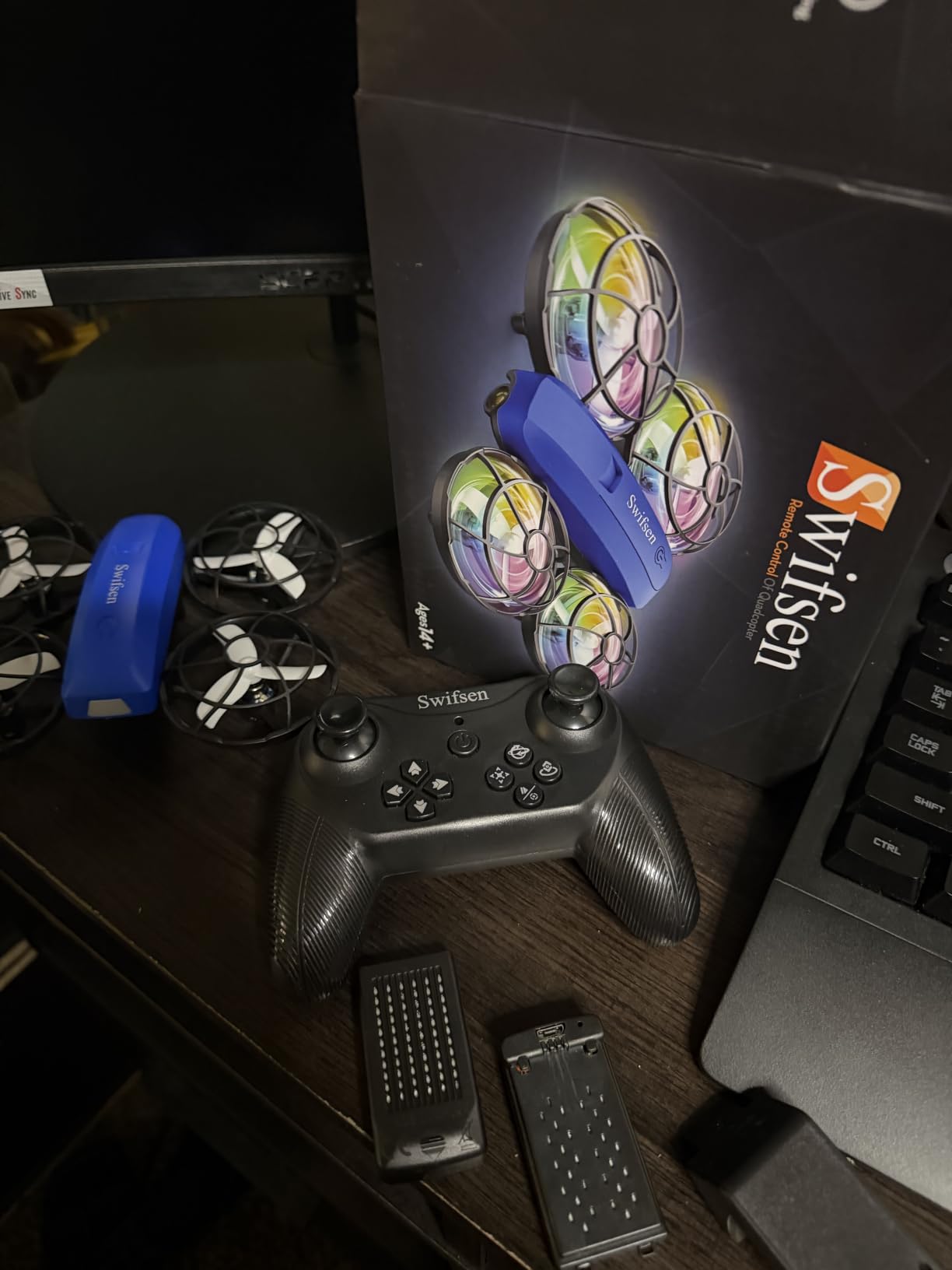
The 69 percent five-star share is the highest in this roundup, but the review base of 1k+ is the smallest of the group, so treat that as early signal rather than settled reputation. A newer listing with less long-term data means less evidence about what happens after year one.
Two practical points. The recommended range is only about 60 feet, which makes this a bedroom and living room drone rather than a garden toy, and calibration must be run on the remote first: press the sticks up then down until the indicator stops flashing. Skip that and the drone will drift on the first launch and your child will blame themselves.
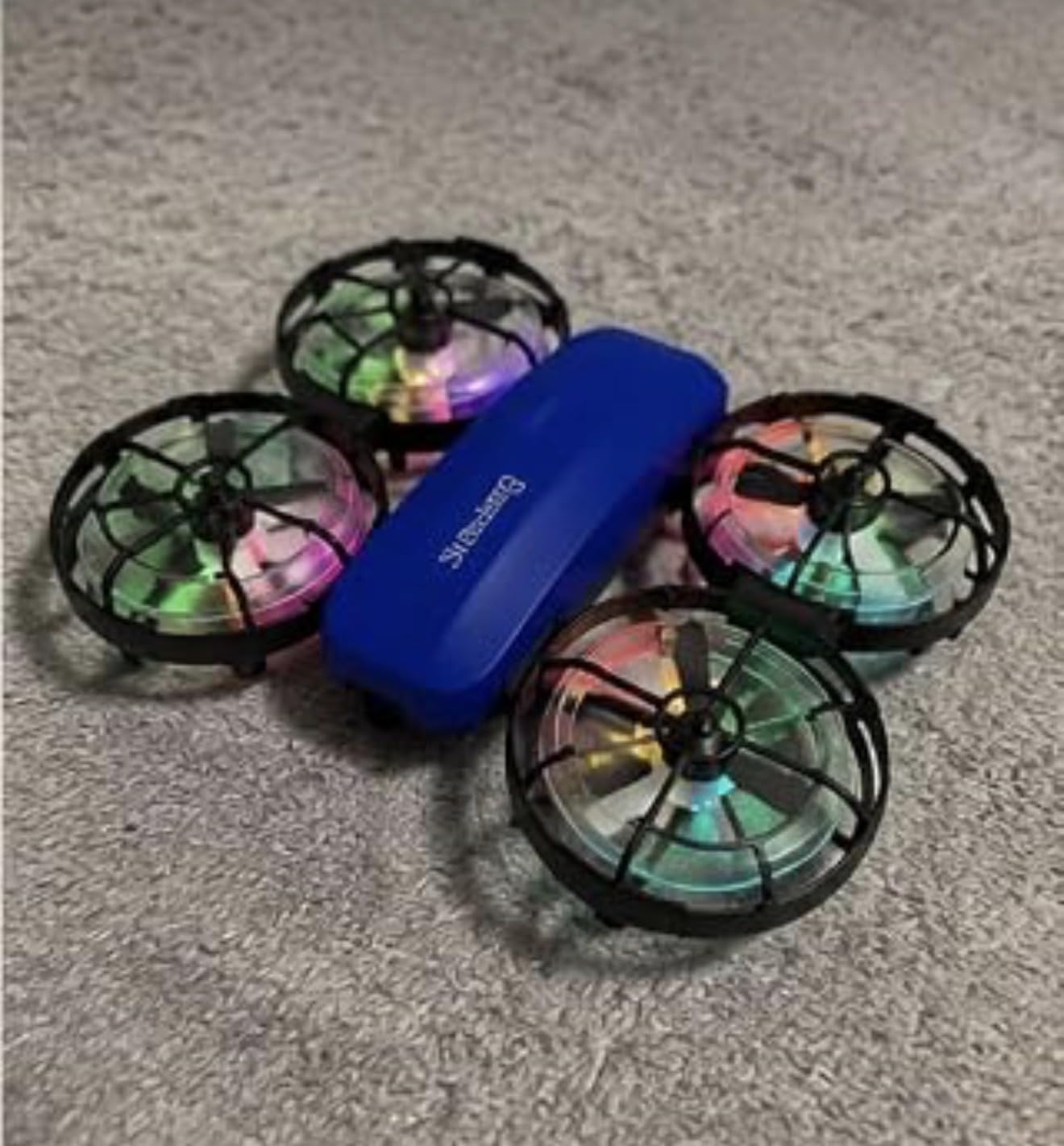
Why the top cover matters more than it sounds
Most children reach toward a drone from above or in front, which is exactly the direction a side guard does not protect. Adding a top plate removes the gesture that causes most of the “my child touched the propeller” panic, and it is a cheaper solution than asking a seven-year-old to keep their hands behind their back.
The flip side is that a covered drone is a larger, heavier one. At 6 by 5 inches it is not a small-room option, so it works best in a space with the furniture pushed back and a clear floor.
What to check after the first month
Watch the modular battery contacts for discoloration and check that both packs charge to the same level. A pack that charges noticeably slower is usually the first sign of a failing cell, and those are the units worth retiring before they swell.
Beyond that, keep the flying indoors and stay within the recommended range. This is a drone built for a child’s first months of flying indoors, and it does that job well when the room is big enough.
7. SYMA X100 Indoor Drone – Best Obstacle Avoidance for a Nervous Beginner
SYMA X100 Indoor Drone for Kids 8-12, Obstacle Avoidance, Full Guard
58 g
4-way infrared obstacle avoidance
Fully enclosed propeller guard
Altitude hold
Pros
- Infrared obstacle avoidance detects walls and furniture and reduces crashes
- Fully enclosed propeller cage gives parents real peace of mind
- Delivers close to the promised 20 minutes across both batteries and charges quickly
- Starts in slow mode so a younger child can progress
Cons
- The propeller cage can crack after a handful of bumps and guards are not easy to replace
- Too difficult to control outdoors so it is realistically indoor-only
- No camera despite the marketing style of camera-equipped competitors
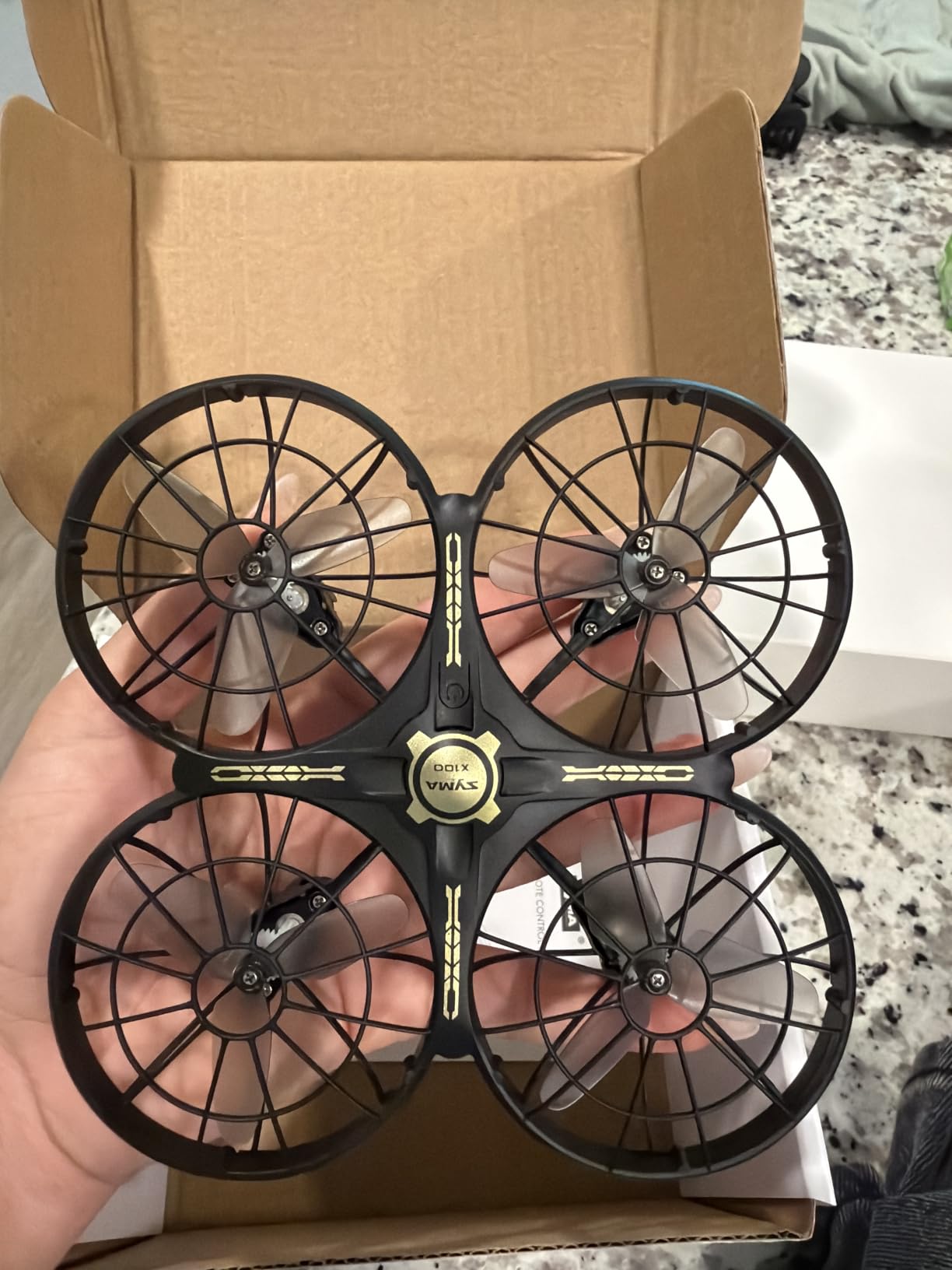
The X100 is aimed at a specific parent: the one whose child is frightened of crashing things. Four-way infrared sensors detect obstacles within about 12 inches, so the drone slows or turns away from a wall or a sofa instead of hitting it at full speed. Parents consistently name the sensor and the fully enclosed cage as the two reasons they handed it over.
Flight time is genuinely close to the claim. Two rechargeable 700 mAh-class packs deliver up to 20 minutes combined, charge quickly, and the 180-degree flip-to-stop gives a clean way to hover without dropping the drone from a height. At 58 g and 5.16 inches square, it is small enough for a decent-sized living room.
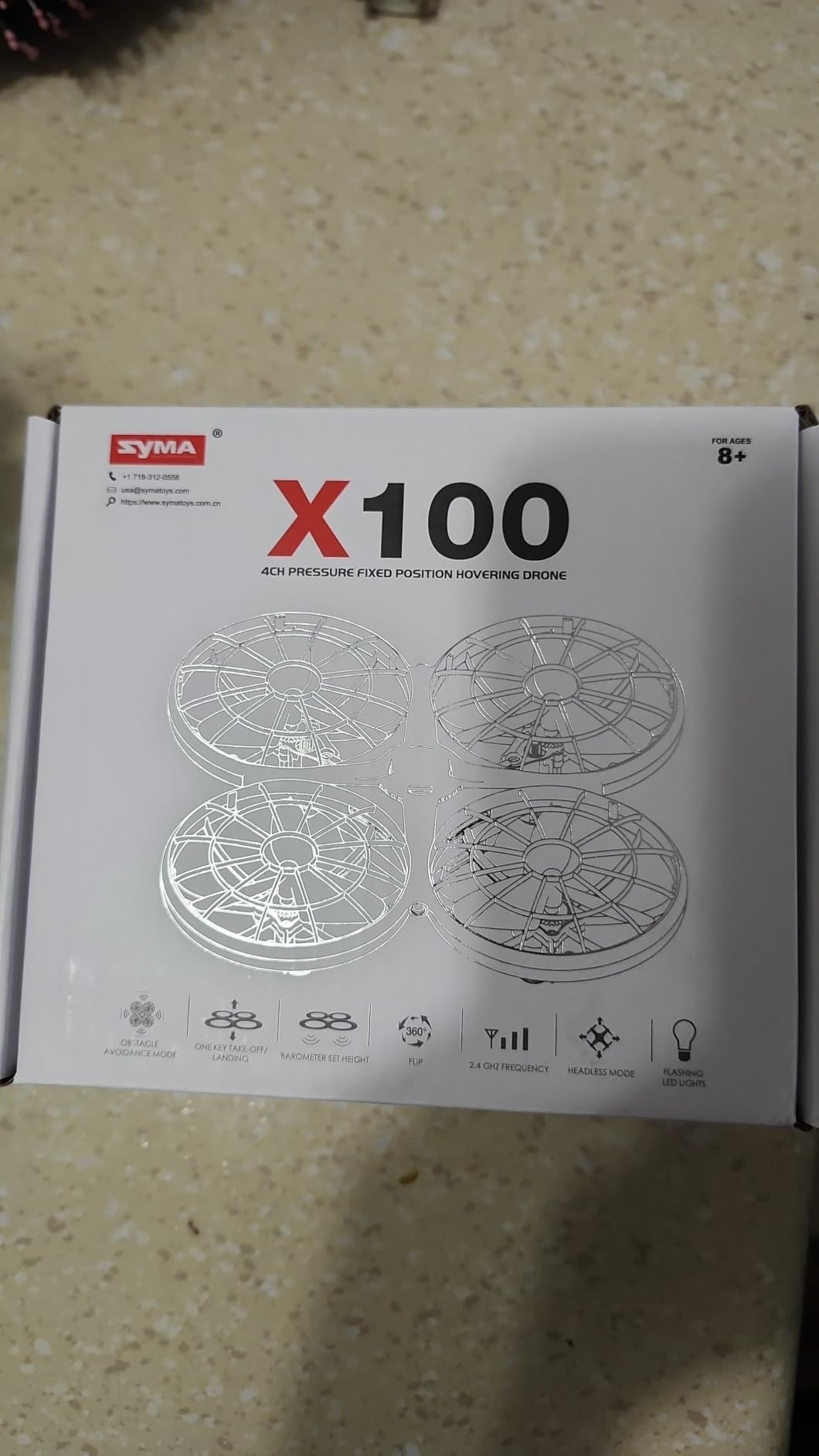
Obstacle avoidance is not a licence to be careless. Twelve inches is a very short detection range, and it will not see a face, a hand or a glass table edge coming in from the side. Treat it as a cushion against clumsy forward flight, not as an autopilot.
The consistent complaint is the guard cage. It survives ordinary bumps, and several owners confirm it takes hits on early crashes and keeps flying, but it can crack after repeated indoor impacts, with one report of failure within two days. A cracked cage is the point at which I would stop using the drone until it is replaced.
When obstacle avoidance genuinely changes the experience
It matters most for a child aged 6 to 9 flying in a room full of furniture at low speed. Instead of learning that flying means hitting things, they learn that flying means steering around things, and that is a much better lesson for the first month.
Hand gesture control adds a second way to play, and the two speed modes give the same low-to-high progression the larger drones offer. There is no camera here, which is a genuine absence for a 9-year-old who has seen other children filming.
Where the limits are
This is an indoor drone and the review consensus is unambiguous about that. Outdoors it is difficult to control, and the weight of the batteries and cage works against it in any air movement. Do not plan a first outdoor flight with it.
Also plan for the guard. Replacement guards for a model with a smaller review base can be harder to find than for a Holy Stone, so if your child crashes hard, check availability of spares before you buy rather than after.
8. Holy Stone HS210FS Two-Drone Battle Set – Best for Two Players
Holy Stone HS210FS Mini Drone for Kids Beginners, 2-Player Indoor RC Quadcopter Set with Battle Mode, 360° Flips, Circle Fly, Headless Mode, Altitude Hold, LED Lights, 4 Batteries
Two drones and two remotes
4 batteries, up to 32 minutes
Infrared 3-hit battle mode
Pros
- Two-drone infrared battle mode turns solo practice into a real two-player game
- Four batteries is the largest battery allocation here for roughly 32 minutes of play
- Full beginner feature set with one-key takeoff and throw-to-launch
- Highest average rating in the roundup
Cons
- Highest price here at roughly double a single-drone alternative
- Pairing two drones requires powering on and pairing each separately
- Battle mode and RGB lights add nothing for a child flying alone
- No camera for the FPV and aerial photo interest
Everything in this roundup is aimed at one child with one drone. The HS210FS is aimed at two, and it is the only package here where a sibling or a parent can actually play. Two drones fire infrared shots at each other, each has three hit points, and a drone that takes three hits lands automatically. It is a knockout game with a drone, and it works on a living room floor.
The battery allocation is the best in the group as well. Four batteries across two drones give about 8 minutes each, or up to 32 minutes total, which means a proper game rather than a single sortie. Altitude hold, headless mode, throw-to-launch, three speed modes, 360-degree flips and RGB lights are all standard.
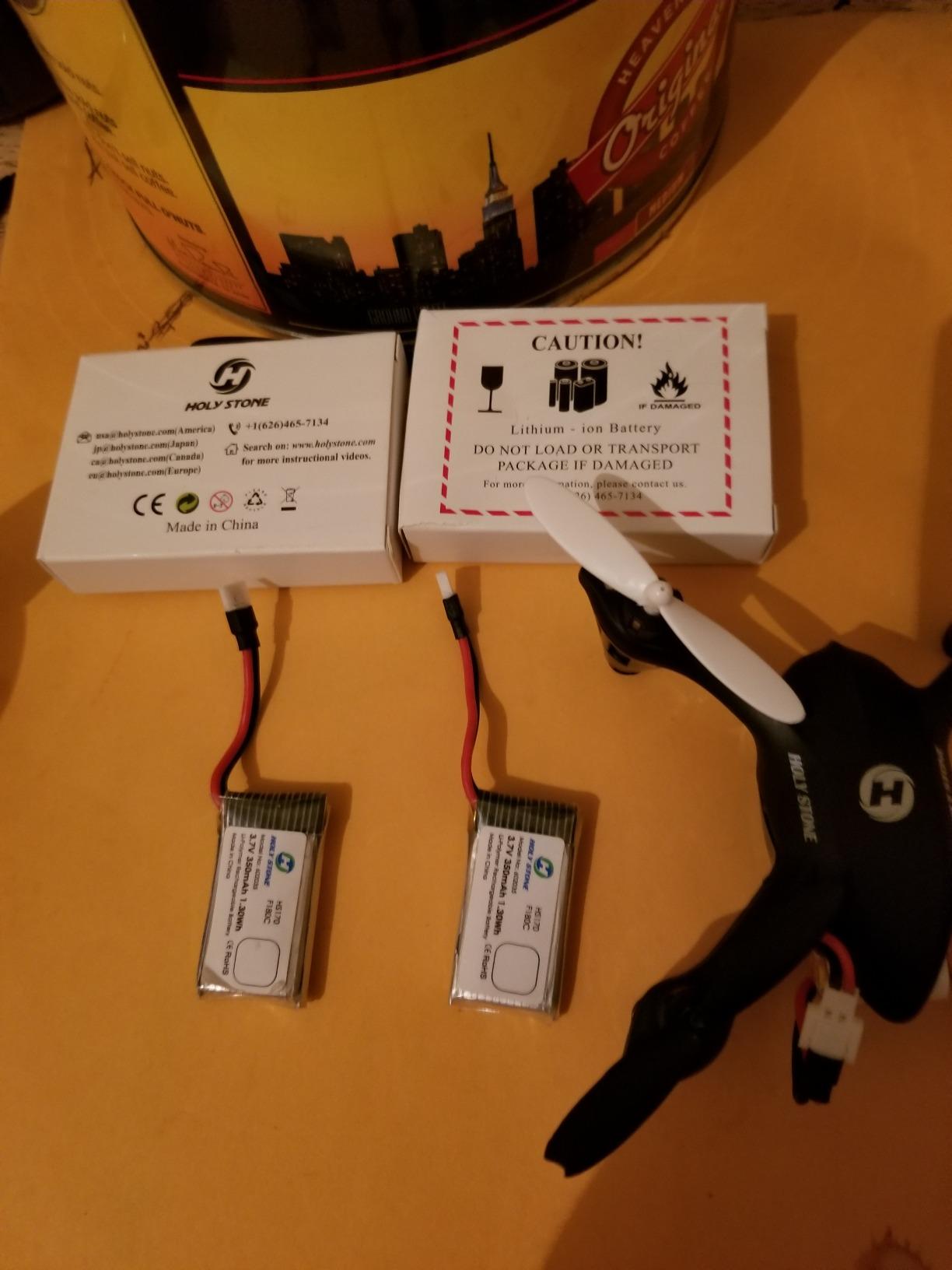
Two things trip people up. First, pairing. If both drones are powered on together they fight over the same frequency, so power on and pair each drone with its own remote separately, exactly as the manual says. Second, this is a two-drone bundle, so it costs roughly double a single-drone alternative and that is a real consideration if you only have one child to fly.
There is no camera. If your child wants aerial video, this does not serve that at all. The battle format also does nothing useful for a solo flyer, so for a single child it is an expensive indoor toy with good stamina.
Why two drones changes the learning curve
Learning to fly alone means chasing a single aircraft around a room, which is a lot of visual tracking for a child under 8. Two drones means they are both looking at the same thing and reacting to each other, and the chase-and-crash cycle is forgiving because losing a dogfight is the point.
It also solves the supervision problem partly. A parent can hand the second remote to an older sibling and sit back, which turns a one-on-one activity into something a family does together on a rainy afternoon.
When to choose a single drone instead
Choose a single drone if you have one child, or if the birthday gift needs to include a camera. The two-drone set is at the top of the price range for this roundup, and a parent who pays twice the cost for a feature one child cannot use has made the wrong trade.
Also weigh space. Two 59 g drones need a genuinely clear room, and the battle game encourages faster, closer flying than a solo session does. Clear the furniture first.
How to Choose a First Drone for a Child in 2026
Seven checks separate a drone a child will still be flying in three months from one that ends up in a drawer. Here is the order I use, safety first, because a drone that injures a sibling or a pet does not get a second flight.
1. Propeller protection, and whether it is replaceable
Fully enclosed cages, like the SYMA X100, and full prop guards, like the Holy Stone HS210 and the HASAKEE Q9s, are the two patterns worth paying for. A thin hoop guard protects little. The Swifsen adds a top plate, which is the piece most people forget to check.
Then check the second thing: can you buy a replacement guard? A r/drones parent made this exact point after breaking a cheap drone’s propellers and discovering there were no spare parts at all. For that parent, part availability was the deciding factor for the next purchase, and it is a fair test for you too. Ask before you buy, not after the first crash.
2. Ease of use, which really means two features
Altitude hold and headless mode are the two features that decide whether a child can fly alone. Altitude hold stops the drone sinking or climbing when a nervous pilot eases off the throttle. Headless mode ties the controls to the direction of travel rather than the pilot’s viewpoint, which removes the most confusing part of a first session.
One-key takeoff and landing, multiple speed modes, and an emergency stop round out the beginner set. If a drone lacks altitude hold, expect a longer, less confident learning curve even if it looks more capable on paper.
3. Battery count, which parents underestimate
Here is the maths nobody publishes. A child who can handle five minutes of flying and a 45-minute charge will get bored, not skilled, because the interesting part of the session ends after four minutes. A drone with three batteries roughly triples continuous play.
For reference from the table above: the HS210FS gives about 32 minutes across four batteries, the SYMA X100 about 20 minutes across two, the AVIALOGIC and Q9s about 14 to 18 minutes across two, the Swifsen about 15 minutes, and the HS190 with a single pack the least of all. Also check whether batteries are swappable at all, because a cable battery that will not seat properly is a drone that stops being flown.
4. Camera, if the child cares about filming
720p is enough for a phone screen and a school project. 1080p with a live feed, like the AVIALOGIC, is where it becomes genuinely interesting to an older child, but it costs weight, setup complexity and wind sensitivity. A camera also adds a reason to fly, which matters more than resolution for keeping a child interested.
My honest view is that a camera is the second most important feature after battery count, and only for children aged 8 and up. Below that, a child wants to fly, not to edit.
5. Indoor or outdoor, and be honest about which
Almost every drone in this roundup is an indoor toy. Sunlight jams infrared links, and a light frame in a light breeze is a drone in a tree. Several products here explicitly state an indoor or close-range recommendation.
If your child wants to fly outside, a nano drone is the wrong purchase. Save for a camera drone from a brand that publishes spare parts and crash costs, and accept that it comes later. Our beginner drone guide covers that step in more detail.
6. Age, and the rules that come with it
Under 8, a hand-operated or nano drone with full guards. Ages 8 to 10, an altitude-hold quadcopter with two or more batteries. Ages 11 to 13, a camera drone with a real controller, and the start of outdoor flying in a clear open space.
Regulation differs by country and a child of 10 can fly legally in one country and not another. In the US, recreational pilots must be 13 or older to fly alone, and any drone over 250 g must be registered; under 250 g, registration is not required but the TRUST test is still expected of recreational pilots. In the UK, the parent or guardian is the responsible operator and the aircraft may need registration with the Civil Aviation Authority depending on its weight and camera. Across much of the EU, the minimum age for flying outside is 16, with indoor flying under close supervision the usual path for younger children.
Check the rule for where you live before the first flight, and stay on the ground in front of you, in line of sight, away from people, roads and airports. If your child wants to fly FPV in goggles, an adult needs to act as a visual observer, which is a real supervision commitment rather than a formality.
7. The upgrade path, and what it actually costs
Most families follow a two-step journey: a toy or nano drone, then a proper camera drone once the child can take off, hover, land and turn without crashing. Parents on r/drones describe exactly this progression, moving from a simple entry drone up to something more capable within a year or two.
One parent framed the purchase as total cost rather than sticker cost, and it is a better way to think about it. Their argument was that a replacement body for the more capable drone was a fraction of the purchase price, and that the cost of an occasional break is spread across years of use. The reverse is also true: a cheap drone with no spare parts and no reorderable batteries has a real replacement cost, and you pay it in full, every time.
So when you compare drones, compare the four numbers: batteries included, spares available, guard availability, and replacement cost per year. That is a more honest comparison than the purchase price alone, and it is why a brand with published support sometimes wins a gift decision.
For a child moving up to goggles and real FPV flying, read our FPV beginner picks first. If the interest turns towards riding, our first bikes guide covers the same age band and the same coaching questions.
Frequently Asked Questions
What is the best basic drone for kids?
The Holy Stone HS210 is the best basic drone for most children. It weighs 50 g, has a full propeller guard, altitude hold and headless mode, and includes three swappable batteries for up to 21 minutes of flight. It needs no phone or app, and 16k+ reviews give it the strongest track record in this roundup.
Which drone is the easiest to learn on for beginners?
Altitude hold and headless mode make the biggest difference, and every pick here has them except the hand-operated Force1 Scoot, which needs no controller at all. On that basis the Holy Stone HS210 is the easiest to learn on, because it holds its height automatically and the controls always match the direction of travel.
What age should a kid get a drone?
Ages 5 to 7 suit a nano or hand-operated drone with fully enclosed propellers. Ages 8 to 10 suit an altitude-hold quadcopter with two or more batteries and a camera. Ages 11 to 13 suit a camera drone with a proper controller. In the US a recreational pilot must be 13 to fly alone, and across much of the EU the outdoor minimum age is 16.
What is a good beginner drone for a 10-year-old?
For a 10-year-old, the AVIALOGIC Mini 1080P is the good pick, because a 1080p live feed to a phone app, gesture and voice control, and two batteries give a child a reason to keep flying beyond indoor flips. Set up the app before the first session and fly it indoors in a clear room, since it is the heaviest and least wind-tolerant option here.
Can a 10 year old fly a drone?
Yes, with an adult supervising. In the US a recreational drone pilot must be 13 or older to fly without direct supervision, so a 10-year-old needs a parent present. In the UK the parent or guardian is the responsible operator. Across much of the EU, outdoor flying has a minimum age of 16, so younger children should stay indoors.
Are propeller guards enough to make a drone safe for kids?
No. Guards and enclosed cages prevent most contact with spinning blades, but they can crack or detach after repeated impacts, and they do not protect a child from the drone’s weight at speed. Fly indoors in a clear space, keep the drone in sight, stay away from people and pets, and stop flying if a guard is damaged. Supervision matters more than hardware.
The Best Kids Drones for Beginners, Final Verdict
The Holy Stone HS210 takes the title for the simple reason that it solves the two things that end most first drones: downtime and damage. Three batteries keep a session going for about 21 minutes, and a full propeller guard on a 50 g frame means a beginner can crash as often as they need to and still fly tomorrow.
Match it to the child rather than the specification sheet. The HS190 is the travel and budget option, folding into its own controller but giving up the camera and the battery depth. The Force1 Scoot is the answer for a child too young for thumb sticks, and it is the fastest route to a first successful flight. The HASAKEE Q9s is the best value with guards and a camera, and it is the one experienced pilots here recommend as a practice drone.
For older children, the AVIALOGIC Mini 1080P opens up live video, the Swifsen closes the top blade gap, the SYMA X100 uses infrared obstacle avoidance to save nervous beginners from furniture, and the Holy Stone HS210FS turns a solo toy into a two-player game. Budget for spare propellers and a spare battery pack at the same time as the drone itself, because that is the cost that decides whether a child is still flying a year from now.
Whatever you choose, fly it indoors first, keep an adult in the room, and start on slow speed. The best kids drones for beginners in 2026 are the ones a child can pick up again the next day.