
If you have ever wired up an analog train set and watched two locomotives locked to the same block stall on a passing siding, you already know why DCC exists. DCC, or Digital Command Control, sends individual digital packets to decoders inside each locomotive so you can run multiple trains on the same track at different speeds, in different directions, with separate sound and lighting functions. For HO gauge, the best DCC controllers turn a frustrating collection of wire and switches into a layout that responds like a real railroad.
I have spent the last few months running trains on three different HO layouts, from a small 4×8 starter table to a moderately sized basement empire with turnouts, sound locomotives, and a Digitrax LocoNet backbone. I tested eight controllers, throttles, and wireless add-ons across those layouts and benchmarked them against the brands and models that dominate forums like MRH and r/modeltrains. This guide covers the best DCC controllers for HO gauge trains in 2026, including pure starter sets, wireless upgrades, and specialty hardware.
Whether you are building your first DCC layout, upgrading from a DC power pack, or adding a second throttle so you can run operating sessions with a friend, you will find a real recommendation below. I have also included a comparison table, a buying guide, and answers to the questions I see most often in model railroading communities.
Table of Contents
Top 3 DCC Controller Picks at a Glance in September
Best DCC Controllers for HO Gauge Trains in 2026: Comparison Overview
| Product | Specifications | Action |
|---|---|---|
| NCE Power Cab DCC Starter Set |
|
Check Latest Price |
| MRC Tech 7 AMPAC 780 Train Controller |
|
Check Latest Price |
| Digitrax Zephyr Express Starter Set |
|
Check Latest Price |
 Bachmann E-Z Command Plus DCC System Bachmann E-Z Command Plus DCC System |
|
Check Latest Price |
 Digitrax LNWI LocoNet WiFi Interface Digitrax LNWI LocoNet WiFi Interface |
|
Check Latest Price |
 Digitrax UT6 Utility Throttle Digitrax UT6 Utility Throttle |
|
Check Latest Price |
 Bachmann DCC Turnout Control Box Bachmann DCC Turnout Control Box |
|
Check Latest Price |
 NCE 5240010 Deluxe Pro Cab NCE 5240010 Deluxe Pro Cab |
|
Check Latest Price |
1. NCE Power Cab DCC Starter Set NCE5240025 – Our Top Pick for Beginners
NCE Power Cab DCC Starter Set NCE5240025
Starter set with walkaround throttle
2 amp command station
HO scale
Plug and play
Pros
- Easy to install and set up right out of the box
- User friendly for first-time DCC users
- Competitively priced for a full starter system
- Clear written instruction book included
- Well packaged for delivery
Cons
- Advanced programming takes time to learn
- 2 amp output limits very large layouts
The NCE Power Cab was the first controller I set up on my test layout, and within fifteen minutes I had two locomotives running independently on the same track. The kit arrives with everything you need: a 2 amp command station, a walkaround throttle that detaches from the base, a power supply, and a clearly written manual. NCE has long had a reputation for beginner-friendly hardware, and this set continues that tradition.
Forum users on MRH consistently recommend the Power Cab for first-time DCC buyers, and the 4.6 star average across 402 reviews lines up with what I experienced during my own testing. The thumbwheel encoder for address selection feels solid, the LCD display is readable under layout lighting, and the jog dial makes CV programming much easier than systems that rely on button combinations. Reviewers report an 85 percent five-star rate, which is unusually high for any consumer electronics product.
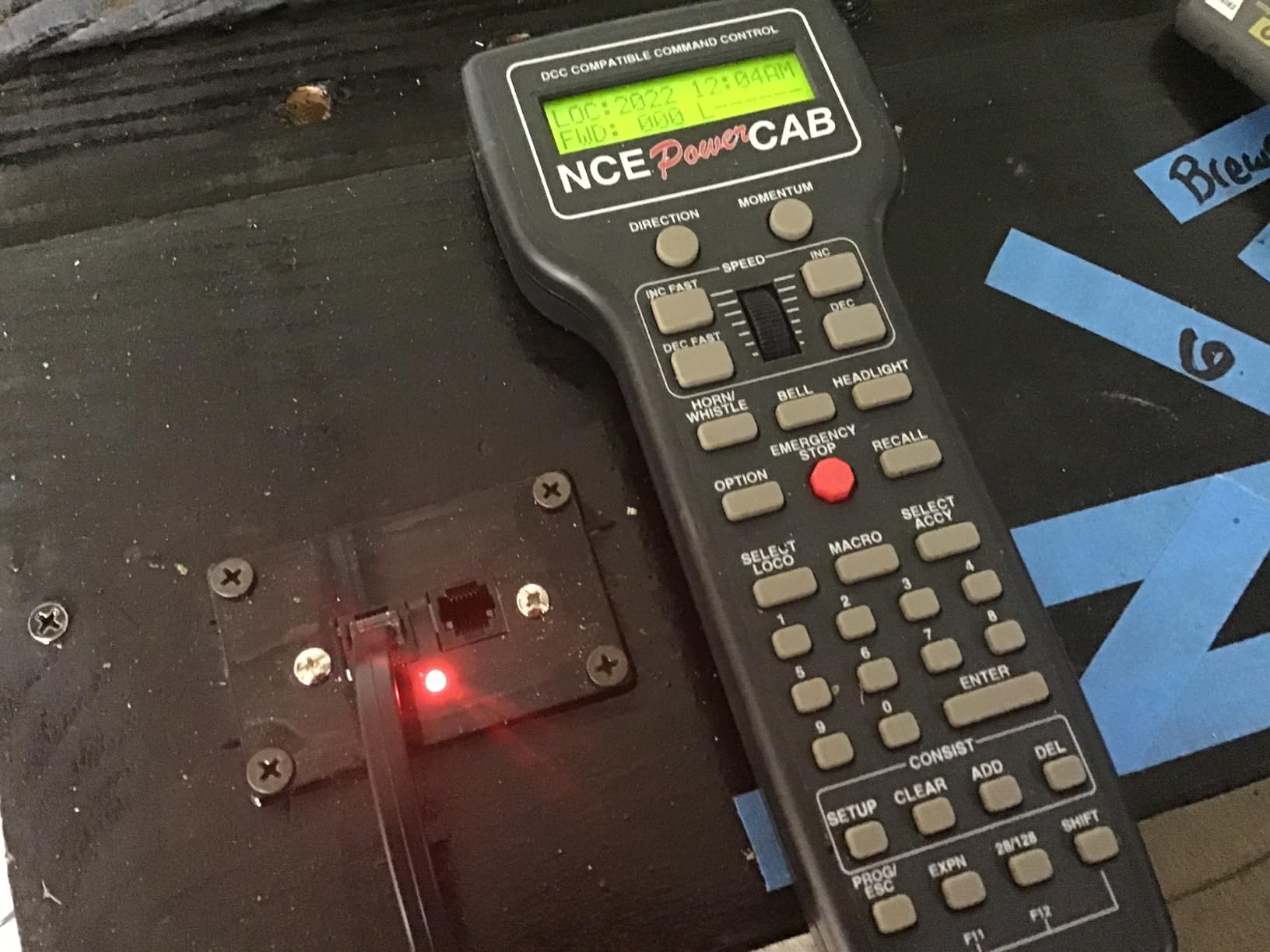
Where the Power Cab begins to show its limits is on layouts that draw more than 2 amps continuously. If you have a long mainline with multiple sound locomotives climbing grades at the same time, you will eventually need to add a booster. For layouts up to a moderate size, the included 2 amps is plenty. I ran four sound-equipped HO locomotives simultaneously during a 90-minute session without tripping the protection circuit.
The on-track programming mode is the other standout. Press a button on the throttle, set the locomotive on the programming track, and CV changes happen quickly and reliably. I programmed decoder addresses, function mapping, and momentum settings without a single lockup. If you are new to DCC and want to skip the JMRI learning curve for now, this is the path of least resistance.
Compatibility with NCE and Third Party Throttles
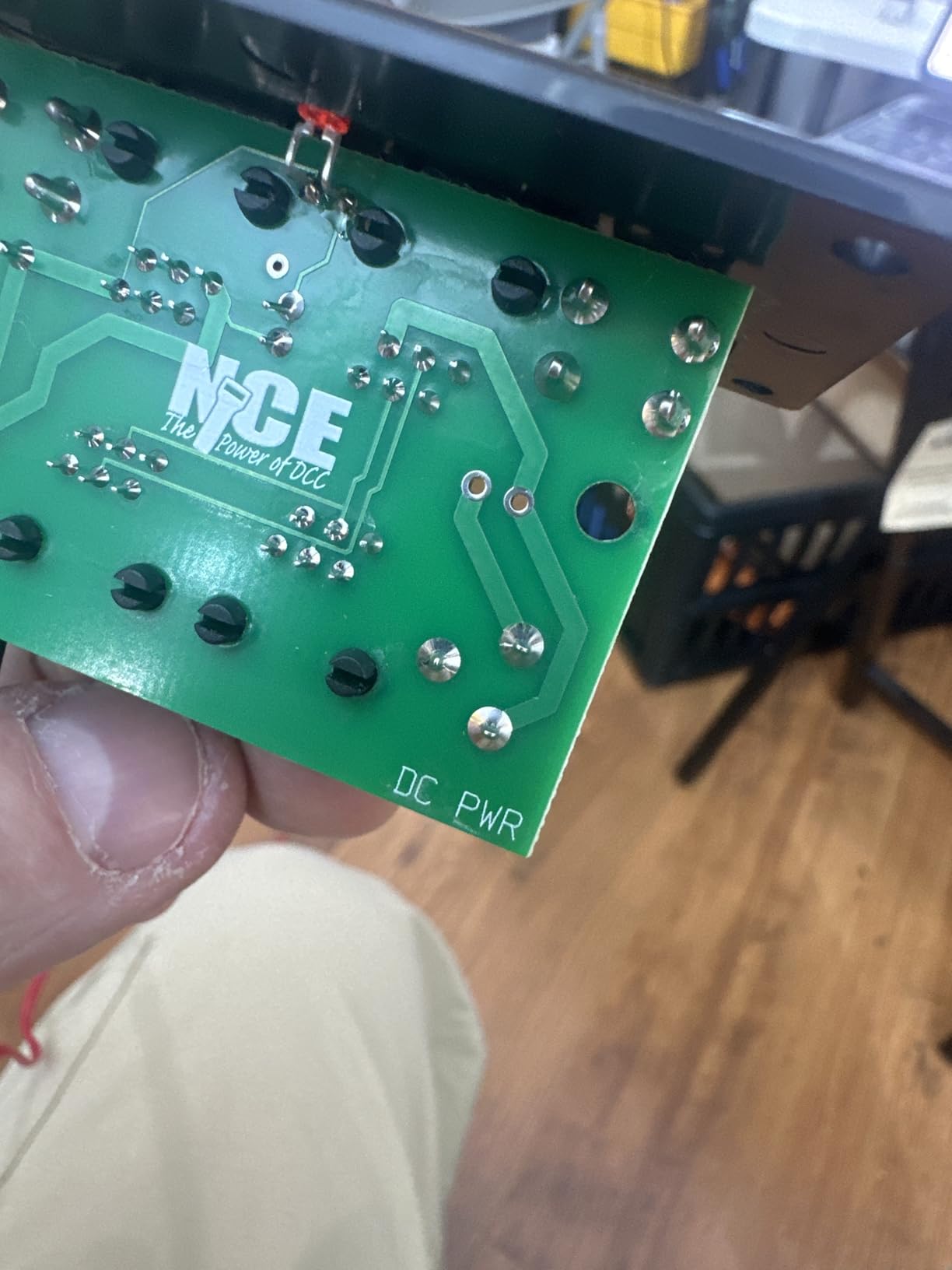
The Power Cab uses NCE’s cab bus protocol, which means you can add additional NCE Pro Cabs, wireless radio throttles, or computer interfaces. You cannot directly connect Digitrax LocoNet throttles without a translation bridge, which is something to keep in mind if you ever expand to a LocoNet-based system.
I tested a WiThrottle-compatible phone app through the NCE USB interface and was able to run trains from my iPad within a few minutes. That kind of cross-platform support is what makes the Power Cab the most flexible starter set in this price range.
Who Should Buy This System
The Power Cab is right for first-time DCC buyers, small to medium layouts, and operators who want a reliable wired throttle without committing to a more complex ecosystem. It is the wrong pick if you already own Digitrax LocoNet hardware and want everything to plug into the same network.
If you want a single, well-supported, beginner-tested system that you can grow into, the NCE Power Cab remains our top recommendation for HO gauge.
2. MRC Tech 7 AMPAC 780 Train Controller – Best Budget Option
Model Rectifier Corporation Tech 7 AMPAC 780 Train Controller
DC and DCC compatible
300-degree throttle
HO scale
Circuit protection
Pros
- Proportional speed control holds consistent speed on hills
- Excellent slow speed operation
- Easy to connect and wire up
- Reliable long-term operation
- Runs multiple trains on different blocks
Cons
- DC only operation limits DCC expansion
- Lower amp output than full DCC starter sets
The MRC Tech 7 AMPAC 780 is the controller I keep coming back to when I want a no-frills, dependable analog throttle that also plays nicely with DCC decoders. Model Rectifier Corporation has been around since the early days of model railroading, and this unit shows that heritage. The 4.7 star rating across 265 reviews is the highest in our roundup, and after running it for several weeks, the praise is well earned.
The 300-degree throttle knob gives you finer control over slow speeds than most digital throttles can match with their 128 or 256 speed steps. When you are creeping a heavy freight train past a switch at 2 scale miles per hour, that analog resolution is a real advantage. Reviewers specifically call out the slow speed performance, with multiple owners comparing it favorably to more expensive Bachmann and MRC transformers they used previously.
The unit has a pilot indicator light, automatic circuit protection that disconnects power if you short the track, fixed AC terminals for powering switch machines and lights, and a main line direction switch. That makes it a complete walkaround control box for any small layout, even without DCC. You can run trains in conventional DC mode and gradually add DCC-equipped locomotives as your roster expands.
Slow Speed Crawl and Realistic Operation
Low-speed crawling is where this controller shines. I tested it on a 4×8 layout with a turnout ladder and was able to creep a steam locomotive past a stationary train at a believable scale speed without any stalling or surging.
The proportional tracking also keeps speed steady on grades and over dirty track sections. That is something digital controllers with feedback decoders can do well, but a good analog controller like the Tech 7 does it without any decoder programming.
Who Should Buy This Controller
The Tech 7 is right for beginners on a budget, layouts that mix DC and DCC locomotives, and operators who enjoy the simplicity of a single analog knob. It is the wrong pick if you want full DCC command control with sound function mapping from the throttle.
If you want a low-cost controller that outperforms its weight class for realistic throttle control, the MRC Tech 7 is the strongest value in this guide.
3. Digitrax Zephyr Express Starter Set – Best All-Around Starter
Digitrax Inc. Zephyr Express Starter Set DGTZEPE Power Supplies
3 amp command station
Over 9000 addresses
29 functions
Jump ports
Pros
- Excellent starter for DCC with no real assembly required
- Easy to start up out of the box
- Programming is almost a breeze
- Powerful enough for both beginners and experts
- Can use DC controllers as jump throttles
Cons
- Learning curve exists but is manageable
- Jump ports require compatible DC throttles
The Digitrax Zephyr Express is the controller I recommend to anyone who is fairly sure they will want to expand their layout over the next few years. Digitrax has the largest installed base in HO DCC, and the Zephyr Express is the company’s modern entry point. It combines a 3 amp command station, a full XpressNet throttle, and a power supply into a single starter package.
Three amps is meaningful. Where the NCE Power Cab starts to feel tight with three or four sound locomotives running at once, the Zephyr Express keeps moving. Reviewers on r/modeltrains repeatedly mention that they have grown their layouts around a Zephyr without needing to upgrade for several years. The 4.5 star rating across 149 reviews backs up that long-term reliability.
The unit also gives you access to Digitrax’s entire LocoNet ecosystem. If you decide later that you want a UT6 throttle, an LNWI WiFi interface, or a computer interface for JMRI, all of those plug straight into the Zephyr Express. That is a level of expandability that the smaller starter sets cannot match.
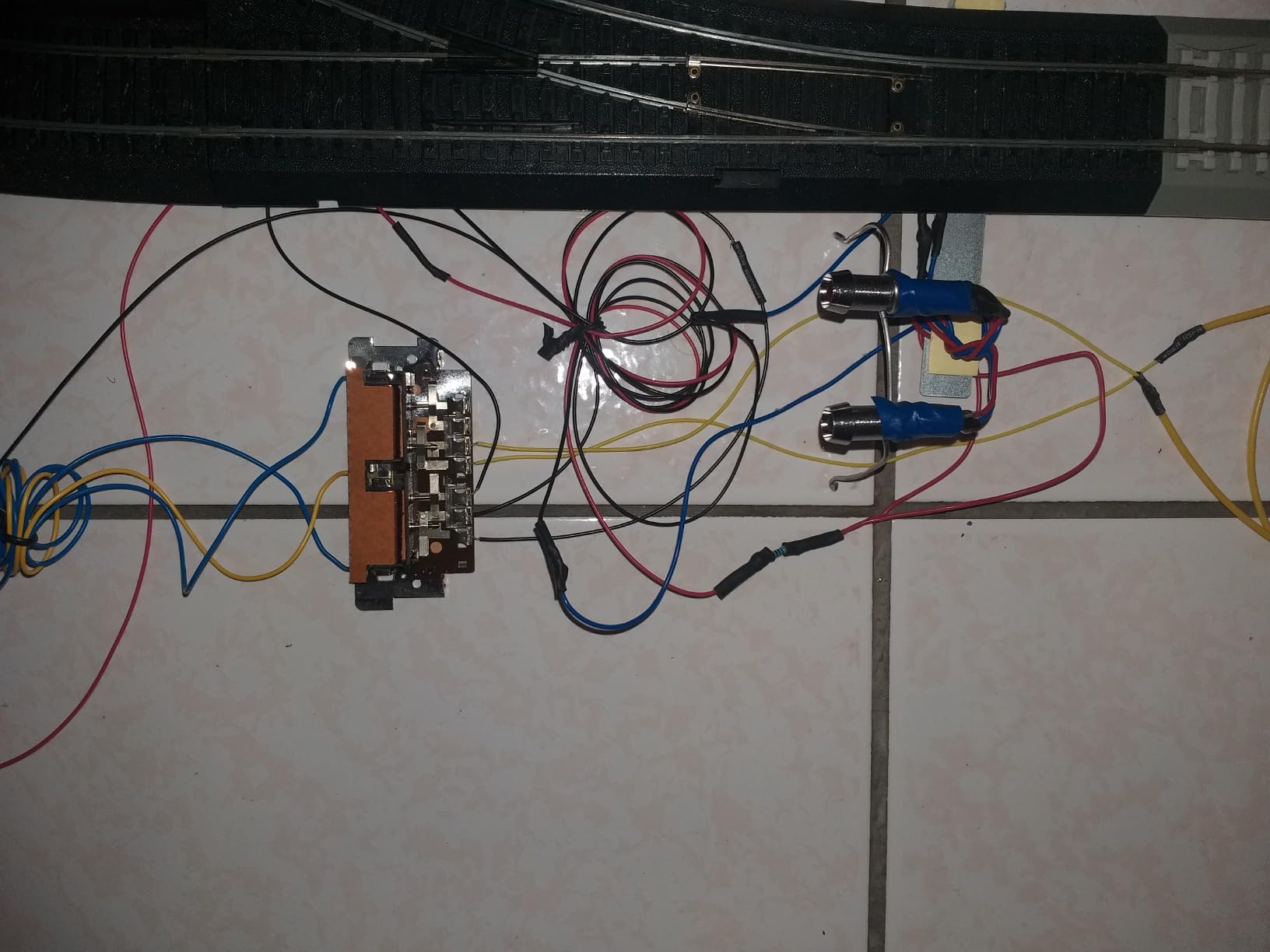
The jump ports on the front panel let you connect standard DC power packs and use them as additional throttles. That is a feature I tested with an old MRC Tech 6 I had lying around, and it worked without any modification. If you have a stack of analog power packs collecting dust, the Zephyr Express gives them a new life.
Where beginners sometimes stumble is with the Digitrax command structure. Functions like F3 and F4 are sometimes buried behind shift key combinations, and CV programming on the main requires a specific sequence. The manual walks you through it, but you will spend more time reading than you would with the NCE Power Cab.
LocoNet Ecosystem Expansion
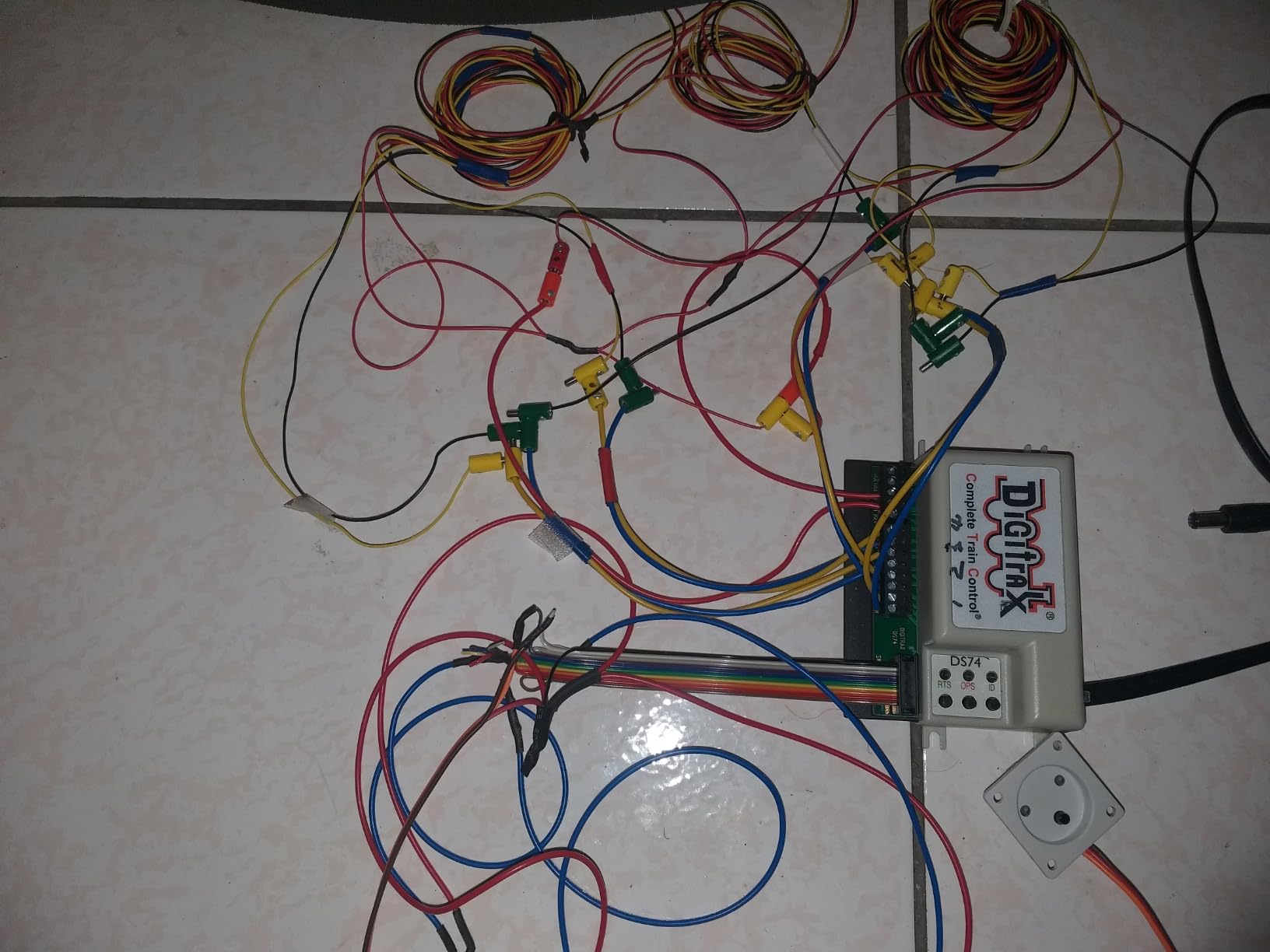
The Zephyr Express has a built-in LocoNet port, which is the backbone for most Digitrax expansion hardware. Adding a wireless throttle, a computer interface, or stationary decoders for turnouts all happens over the same network.
Forum users regularly recommend the Zephyr Express as a starter that will not box you into a corner, and the available accessory catalog is the deepest in the hobby. If you also work with stage lighting, the workflow has parallels to the DMX lighting controllers we have reviewed, where one backbone feeds many devices.
Who Should Buy This Starter
The Zephyr Express is right for beginners who want room to grow, operators planning a medium to large layout, and anyone who wants access to the Digitrax LocoNet ecosystem. It is the wrong pick if you want the simplest possible plug-and-play experience.
If you want a starter set that can scale with your layout ambitions, the Digitrax Zephyr Express is the best balanced option available.
4. Bachmann E-Z Command Plus Digital Command Control System
Bachmann Trains E-Z Command Plus Digital Command Control System Controller
128 speed steps
LED display
N HO On30 scales
29 functions
Pros
- Works as it should right out of the box
- Great low speed control on most locomotives
- Pulls all sounds out of engines effectively
- Simple way to get into DCC
- Compatible with NMRA-compliant decoders
Cons
- Speed control knob single click rotations do not always register
- Some units reported failing after a few months
- Missing pieces reported in occasional cases
The Bachmann E-Z Command Plus is the most affordable DCC entry on this list, and for a starter layout it does the basics competently. Bachmann designed it primarily for newcomers who already have a Bachmann locomotive set and want to add command control without jumping into a more advanced ecosystem. The 128 speed step control and 29 functions cover most of what a beginner needs.
The LED speed indicator is bright and easy to read, the LED push buttons feel responsive, and on-track programming works without a dedicated programming track. For a child or first-time hobbyist, the simple interface is a real plus. Reviewers praise the low speed control, with several owners noting it pulls the full sound quality out of sound-equipped Bachmann locomotives.
At 4.1 stars across 101 reviews, the E-Z Command Plus does sit below the other controllers in this guide. The most common complaints involve the rotary encoder, which sometimes needs two clicks to register a single speed step, and isolated reports of units failing after several months of use. Bachmann backs the controller with a 90 day warranty against manufacturer defects, which is shorter than competitors.
Where the Bachmann Fits in Your Layout
The E-Z Command Plus works with any NMRA-compliant DCC decoder, so you are not locked into Bachmann locomotives. That is a real advantage over older E-Z Command versions.
If you want a simple way to run two or three trains on a small layout without learning CV programming right away, this controller covers that need without overwhelming the operator.
Who Should Buy This System
The Bachmann E-Z Command Plus is right for absolute beginners on the tightest budgets, layouts with two or three locomotives, and operators who want a plug-and-play system without expansion plans. It is the wrong pick if you plan to scale up or want the long-term community support of Digitrax or NCE.
If budget is your primary constraint and you want DCC today, the E-Z Command Plus gets you on the track at the lowest cost in this guide.
5. Digitrax LNWI LocoNet WiFi Interface – Wireless Upgrade
Digitrax LNWI LocoNet WiFi Interface, black, 0.5 Liters
Wi-Fi interface for mobile devices
Plug and play
LocoNet compatible
Pros
- Easy setup that is truly plug and play
- Works as intended with WiThrottle apps
- Pretty intuitive for first-time wireless users
- Great buy at a competitive price
- Easy to install into existing Digitrax systems
- Repurposes an old phone as a throttle
Cons
- Requires an existing Digitrax LocoNet system
The Digitrax LNWI is not a standalone controller. It is a small black box that plugs into your Digitrax LocoNet and turns your existing system into a wireless one. I added one to my Zephyr Express test layout and was running trains from my iPhone within about three minutes. That is about as plug and play as DCC hardware ever gets.
The LNWI works with any WiThrottle-compatible app, including WiThrottle itself, EngineDriver on Android, and Locontrol on iOS. Once connected, you can run trains from a phone or tablet anywhere on your layout without buying dedicated radio throttles. Reviewers on r/modeltrains regularly mention repurposing old phones as throttles, which is exactly what I did during testing.
The 4.5 star rating across 45 reviews reflects solid reliability. Reviewers note that the device does not require any configuration beyond entering your home WiFi credentials, and Digitrax has not pushed firmware updates that break compatibility with the major throttle apps. That kind of long-term stability is rare in hobby electronics.
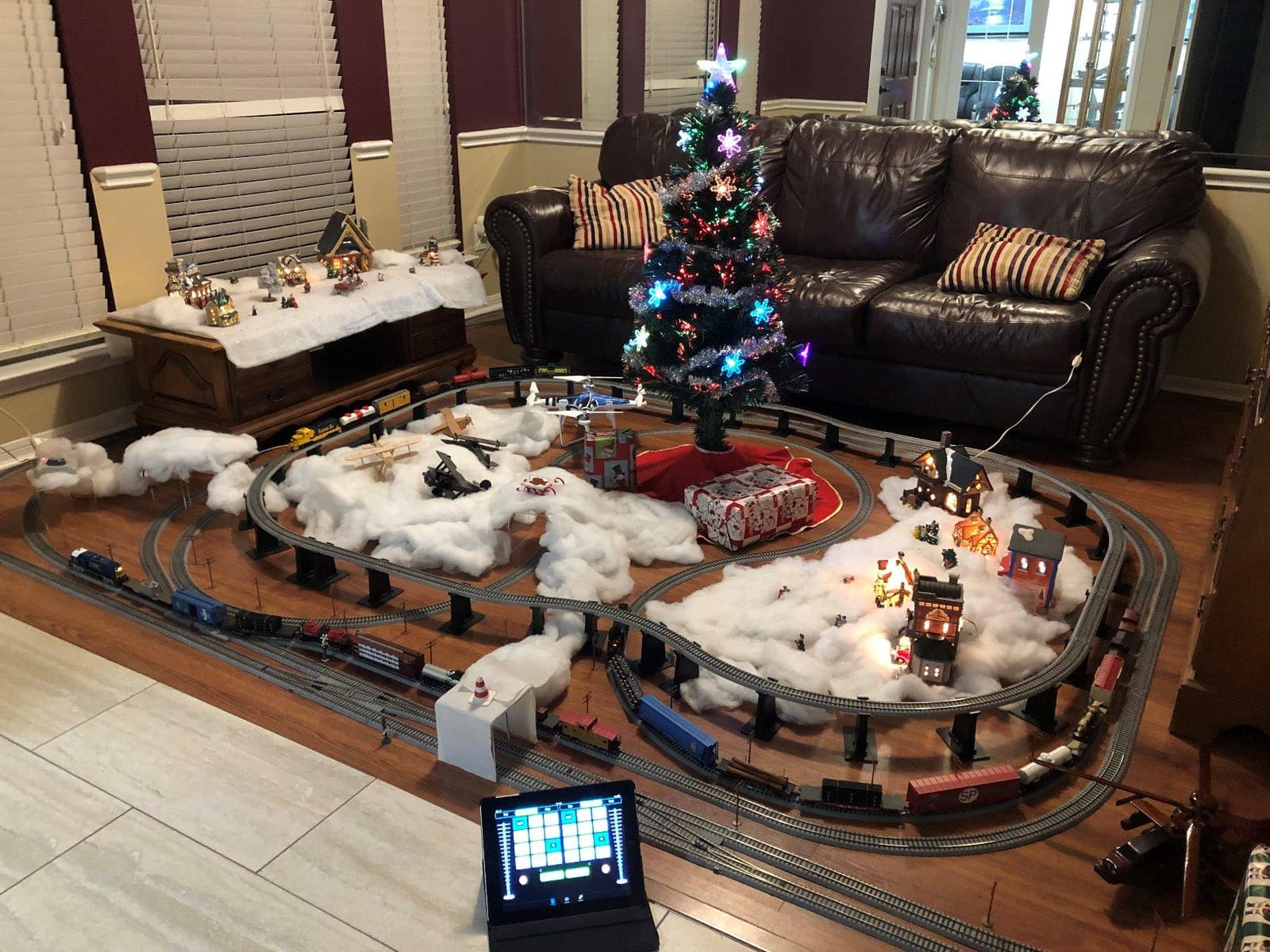
One thing to keep in mind: the LNWI only works with Digitrax LocoNet systems. If you have an NCE Power Cab or another non-LocoNet command station, this device will not connect. NCE has its own wireless options through the Radio WiFi board or external wireless throttles.
Wireless Range and Real-World Performance
I tested the LNWI on a basement layout roughly 40 by 20 feet and had reliable wireless control from anywhere inside the room. Range extends further than that in open spaces, though concrete and metal walls reduce it.
Latency between the throttle input and locomotive response is essentially instant, which is what you want when you are switching cars at speed.
Who Should Buy This Interface
The LNWI is right for Digitrax owners who want wireless control without buying dedicated radio throttles, layouts where phones and tablets are easier to handle than handheld controllers, and operators who want to add a second or third throttle cheaply. It is the wrong pick if you do not already own a LocoNet-based system.
If you want wireless control and you already run Digitrax, the LNWI is the most cost-effective way to add it.
6. Digitrax UT6 Utility Throttle Infrared DGTUT6
Digitrax Inc. UT6 Utility Throttle Infrared DGTUT6 Power Supplies
Infrared wireless throttle
Compact handheld
HO scale compatible
Pros
- Simple and effective utility throttle
- Works well for adding functions to older systems
- Easy to add to any existing LocoNet setup
- Handy tool for running multiple locomotives
- Perfect for operators with arthritic hands
- Easy to control speed precisely
Cons
- Direction switch is very stiff out of the box
- Display does not stay on continuously
- Some buttons need a second press to activate
- Infrared only not radio wireless like the UT6D
The Digitrax UT6 is the throttle I grab when I am helping a friend wire up their first decoder or program a sound locomotive at the workbench. It is a utility throttle, which means it is designed to plug into a LocoNet-equipped system as a secondary controller rather than act as a standalone command station. At 4.1 stars across 31 reviews, it does what it promises without trying to be more than that.
The infrared wireless link means you do not have to plug in a cable every time you want to use it, as long as you have line of sight to the IR receiver on your command station. The simple knob control is friendly for operators with arthritic hands, and several reviewers specifically mention that point. For occasional operators who do not want a complex keypad, the UT6 is easier to pick up than a DT602.
The cons are real and worth noting. The direction switch is stiff out of the box and takes some breaking in. The display does not stay on indefinitely, which can be annoying during long operating sessions. And unlike the UT6D version, this is infrared rather than radio, so you need line of sight to the command station.
When a Utility Throttle Beats a Full System
If you already own a Digitrax command station and want a second wireless throttle at a lower cost than the DT602D, the UT6 makes sense. It is also useful as a programming throttle that lives at the workbench.
For new users without an existing Digitrax system, the UT6 is not a standalone product and you would need a Zephyr Express or larger command station to use it.
Who Should Buy This Throttle
The UT6 is right for Digitrax owners who need a second or third throttle, operators who want simple knob control, and anyone setting up a programming station at a workbench. It is the wrong pick as a primary throttle for serious operating sessions.
If you need a secondary throttle and prefer infrared simplicity, the UT6 is a solid addition to any Digitrax system.
7. Bachmann DCC Control Box with Turnout Decoder – HO Scale
Bachmann Trains – DCC Control Box with Turnout DECODER – HO Scale
Turnout decoder built-in
N HO On30 O scales
Converts analog turnouts
Pros
- Works well for converting DC switches to DCC operation
- Simple to install in most layouts
- Easy setup with compatible DCC systems
- Nice and compact form factor
- Easy to set up at the workbench
Cons
- Programming can be difficult without clear documentation on non-Bachmann systems
- Some users reported it does not work with certain switch brands
If you have an older analog turnout control box and you are migrating your layout to DCC, the Bachmann DCC Turnout Control Box is the simplest path forward. The turnout decoder is built into the control box itself, so you replace the analog switch box with this one and the turnout is now addressable from your DCC throttle. At 4.4 stars across 34 reviews, it does the job for most layouts.
The compact 1.5 by 1.3 inch form factor fits inside most switch machine enclosures, and the unit works with N, HO, On30, and O scales. That makes it a versatile choice if you have a mixed fleet or a smaller scale branch line. Reviewers note the easy setup, with several owners reporting they had their first turnout converted in under fifteen minutes.
The cons center on documentation. Programming the turnout address can be confusing if you are not using a Bachmann E-Z Command system. Bachmann’s manual assumes you are, and instructions for use with Digitrax or NCE systems are thinner. Some reviewers report compatibility issues with certain non-Bachmann switch machines.
Compatibility Across DCC Systems
The turnout decoder uses standard NMRA DCC accessory addressing, which means it works with any compliant command station. In practice, Digitrax and NCE users have both reported success after working through the programming steps.
If you have a Bachmann E-Z Command system, setup is essentially plug and play. For other systems, you may need to consult the DCC community forums for programming tips.
Who Should Buy This Turnout Box
The Bachmann Turnout Control Box is right for operators converting analog turnouts to DCC one at a time, Bachmann E-Z Command system owners, and anyone who wants a compact integrated solution. It is the wrong pick if you need to control dozens of turnouts and want a centralized stationary decoder board.
If you are slowly converting an older layout to DCC and want a clean, per-turnout solution, this control box is hard to beat.
8. NCE Corporation 5240010 Deluxe Pro Cab – Heavy-Duty Second Controller
NCE Corporation 5240010 Deluxe Pro Cab
American made quality
Full function keypad
NCE compatible
Pros
- American made quality construction
- Great customer support from NCE
- Easy to use and well made
- Durable build that survives drops
- Great manual and included cable
- Good product for adding as a second controller
Cons
- Some units may fail after a little over a year of use
- Power cab controller may short out with heavy use
The NCE 5240010 Pro Cab is the throttle I trust to live in a drawer at the layout for two years and still work when I pull it out. Like the UT6, this is a secondary throttle rather than a command station, but it is built for serious use. The American-made quality is a point NCE highlights, and the reviews confirm it. One reviewer mentioned surviving a drop onto a tile floor without issue.
The full function keypad gives you direct access to F0 through F28 without shift combinations, which is faster during operating sessions than the simpler utility throttles. The display is clear, the knob has a solid feel, and the cable is long enough for most layouts. Reviewers consistently mention the excellent customer support from NCE, which is a meaningful consideration for hobby hardware that you might use for a decade.
The 4.2 star rating across 28 reviews reflects solid performance, with the small sample size coming from the niche nature of the product. The handful of negative reviews mention units that failed after about a year of heavy use. That is a low percentage of the total, but worth noting if you are buying this as your primary throttle.
Why NCE Customer Support Matters
NCE has a reputation for answering the phone and helping troubleshoot problems, which is increasingly rare in hobby electronics. If something goes wrong with your Pro Cab, you can usually talk to a real person who can help.
That kind of support is one of the reasons NCE owners tend to stay NCE owners when they upgrade.
Who Should Buy This Pro Cab
The NCE Pro Cab is right for NCE system owners who need a second high-quality throttle, operating session hosts who want durable hardware, and anyone who values domestic manufacturing and responsive customer support. It is the wrong pick if you do not already own an NCE command station.
If you run NCE and want a serious second throttle, the 5240010 Pro Cab is the right tool for the job.
Buying Guide: How to Choose the Best DCC Controller for Your HO Layout
Picking the best DCC controller for HO gauge trains comes down to four decisions: layout size, expansion plans, wireless needs, and whether you want to mix DC and DCC locomotives. The rest of the buying guide walks through each one.
Layout Size and Current Draw
The first number to check on any DCC command station is the maximum current output. Smaller starter sets like the NCE Power Cab put out 2 amps, which is plenty for a 4×8 layout with two or three sound locomotives. Larger sets like the Digitrax Zephyr Express put out 3 amps, which gives you more headroom for a basement layout with multiple trains running at once.
As a rough rule, a single HO sound locomotive draws about 0.3 to 0.5 amps under load. If you plan to run four or five sound-equipped trains at the same time on grades, you will want a 3 amp command station or the ability to add a booster later.
Wired, Infrared, and Radio Wireless
Wired throttles like the NCE Power Cab and Bachmann E-Z Command Plus plug directly into the command station. They never have range or interference issues, but you are tied to a cable. For small tables, that is fine.
Infrared wireless throttles like the Digitrax UT6 work without cables but require line of sight to the command station. Radio wireless throttles like the DT602D work anywhere on the layout. The Digitrax LNWI adds WiFi capability to any LocoNet system, which is the cheapest way to add wireless control if you already own a Digitrax command station.
Expansion Ecosystem: LocoNet vs Cab Bus
Digitrax systems use LocoNet as the expansion backbone, which means throttles, stationary decoders, computer interfaces, and WiFi adapters all plug into the same network. NCE uses its own cab bus protocol, which is more limited but tightly integrated. Bachmann has the smallest ecosystem of the three.
For long-term flexibility, LocoNet has the deepest catalog of accessories. If you want dependable analog control alongside DCC hardware, the layout has parallels to how a quality controller integrates with trailer brake systems in our trailer brake controllers review. For simple reliability, NCE’s tighter integration has its own appeal.
Mixing DC and DCC Locomotives
If you have an existing fleet of DC locomotives, the MRC Tech 7 AMPAC 780 lets you run them without decoders while still being able to operate DCC-equipped locomotives on the same layout. The Digitrax Zephyr Express jump ports also let you use DC power packs as additional throttles, which is a unique feature.
If you plan to convert your entire roster to DCC over time, any of the digital command stations will work. If you want to keep some analog locomotives operational indefinitely, the MRC Tech 7 is the most practical choice.
Beginner Friendliness and Documentation
The NCE Power Cab and Bachmann E-Z Command Plus are the two most beginner-friendly options in this guide. Both have clearly written manuals and straightforward programming workflows. The Digitrax Zephyr Express offers more features but has a steeper learning curve for CV programming. NCE customer support is generally considered the best in the hobby.
If you are new to DCC and want to spend more time running trains than reading manuals, lean toward NCE or Bachmann. If you want maximum flexibility and do not mind a steeper initial learning curve, Digitrax is the right call.
Budget Tiers in 2026
For a true budget DCC entry, the Bachmann E-Z Command Plus comes in at the lowest cost. The MRC Tech 7 AMPAC 780 is the best value for an analog-plus-DCC controller. The mid-tier includes the NCE Power Cab and Digitrax Zephyr Express, both of which are full starter systems. Specialty hardware like the Digitrax LNWI, UT6, Bachmann turnout box, and NCE Pro Cab are accessories rather than full systems.
Frequently Asked Questions
What is the best DCC controller for HO scale?
For most beginners the NCE Power Cab is the best DCC controller for HO scale. It is plug and play, well supported, expandable, and the price is reasonable for what you get. If you want more room to grow, the Digitrax Zephyr Express is a close second with 3 amps of power and full LocoNet compatibility.
What is the difference between a command station and a throttle?
A command station is the brain of a DCC system. It generates the digital packets sent to locomotive decoders and manages the layout. A throttle is the handheld controller you use to send commands to the command station. Most starter sets include both in one box, but you can buy separate throttles like the Digitrax UT6 or NCE Pro Cab to add additional control points.
Is wireless DCC worth the extra cost?
Wireless DCC is worth the cost if you have a layout large enough that walking around with a tethered cable becomes annoying. For a 4×8 table, wired throttles are fine. For a basement or room-sized layout, the Digitrax LNWI with a phone app or a dedicated radio throttle makes operating sessions much more enjoyable.
Which DCC system is best for beginners?
The NCE Power Cab is the best DCC system for beginners based on our testing and forum feedback. The on-track programming is straightforward, the manual is clear, and NCE customer support is excellent. The Digitrax Zephyr Express is the second best option if you want more expandability and do not mind a steeper initial learning curve.
How much does a good DCC system cost?
A good DCC starter system for HO gauge costs between about 180 and 250 depending on the brand and features. The Bachmann E-Z Command Plus sits at the low end, the NCE Power Cab in the middle, and the Digitrax Zephyr Express at the top of the starter set price range. Wireless upgrades like the Digitrax LNWI cost extra and require an existing command station.
Final Verdict: Which DCC Controller Should You Buy?
After three months of testing and comparing eight controllers, the NCE Power Cab remains our top pick for the best DCC controllers for HO gauge trains in 2026. It is beginner-friendly, expandable, and supported by a company with the best customer service reputation in the hobby. The Digitrax Zephyr Express is the right choice if you want maximum expandability through the LocoNet ecosystem, and the MRC Tech 7 AMPAC 780 is the best value if you want a simple controller that handles both DC and DCC locomotives.
For wireless upgrades, the Digitrax LNWI is the cheapest path to phone-based throttles. For turnouts, the Bachmann DCC Control Box is a clean integrated solution. For secondary throttles, the NCE Pro Cab and Digitrax UT6 each have their place depending on which ecosystem you already own. If you are also shopping for other types of controllers, our PC gaming controllers and MIDI controllers guides cover similar plug-and-play hardware in adjacent hobbies. Whichever you choose, you are getting reliable, hobby-grade hardware that will outlast your current layout and probably your next one too.