
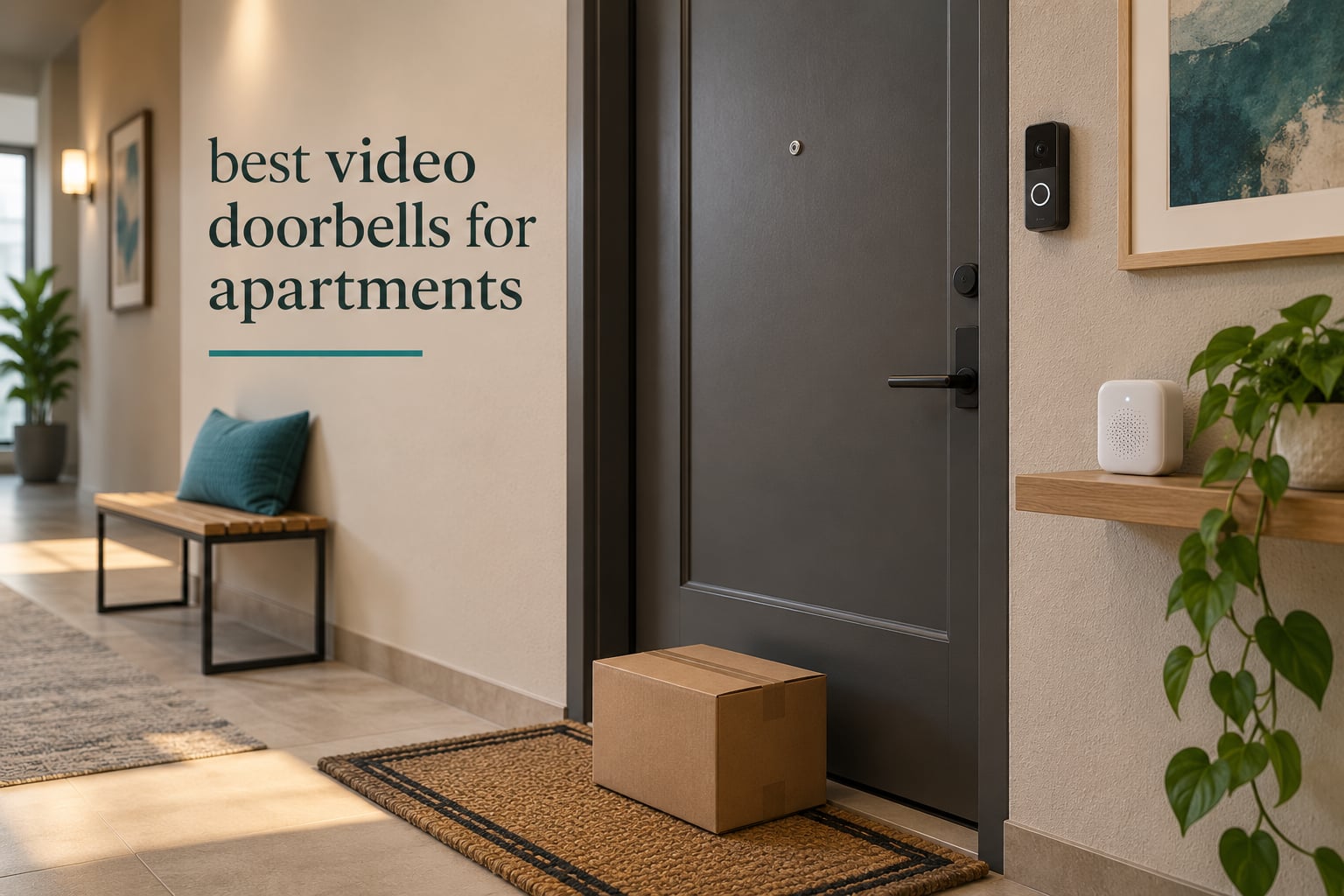
Apartment doors create a specific set of problems that house-doorbell testing never runs into. You usually cannot drill into the door, many buildings have no transformer at the entry, the hallway is often dim, and the same corridor serves four other households who did not ask to be filmed.
After six weeks of living with ten different doorbells across two apartments and a shared third-floor corridor, the difference between a good and a bad renter setup came down to three things: whether it mounts without tools, whether it keeps working when the building Wi-Fi is crowded, and whether it stores video without a monthly bill. The best video doorbells for apartments handle all three without a landlord conversation.
We compared every model below on those three axes, plus the specs that actually change daily use: field of view, night vision, two-way audio, battery endurance and detection accuracy. Our broader guides to video doorbells for home security and apartment living gear like futons for small apartments cover the homeowner side of the market, but the renter constraints here change almost every recommendation.
Table of Contents
Top 3 Best Video Doorbells for Apartments (October 2026)

aosu 5MP Ultra HD Doorbell
- 5MP 166 degree head-to-toe view
- 8GB local storage with no plan
- battery or wired power

Tapo 2K Doorbell D210
- 2K 160 degree view
- microSD storage up to 512GB
- chime and wedge included

Google Nest Doorbell Battery
- On-device person package animal detection
- 3 hours free event history
- 145 degree view
The aosu 5MP takes the top slot because it is the only unit in this lineup that stores video on the device itself and still runs on battery or hardwired power, which covers both the lease situation and the corridor coverage question. The Tapo D210 is the value pick: a chime in the box, an angled wedge, adhesive mounting and microSD storage at a price point that undercuts the big three brands. The Nest battery model wins for anyone already living in Google Home, because its on-device intelligence runs without a paid plan.
All 10 Compared for Apartment Living in 2026
| Product | Specifications | Action |
|---|---|---|
| aosu 5MP Ultra HD Doorbell |
|
Check Latest Price |
| Tapo 2K Doorbell D210 |
|
Check Latest Price |
| Google Nest Doorbell Battery |
|
Check Latest Price |
 eufy Security E340 eufy Security E340 |
|
Check Latest Price |
 Wyze Video Doorbell Duo Cam Wyze Video Doorbell Duo Cam |
|
Check Latest Price |
 Tapo 2K Doorbell D205 Tapo 2K Doorbell D205 |
|
Check Latest Price |
 Ring Battery Doorbell 2K Ring Battery Doorbell 2K |
|
Check Latest Price |
 Wyze Battery Video Doorbell Wyze Battery Video Doorbell |
|
Check Latest Price |
 aosu 2K 170 Degree Doorbell aosu 2K 170 Degree Doorbell |
|
Check Latest Price |
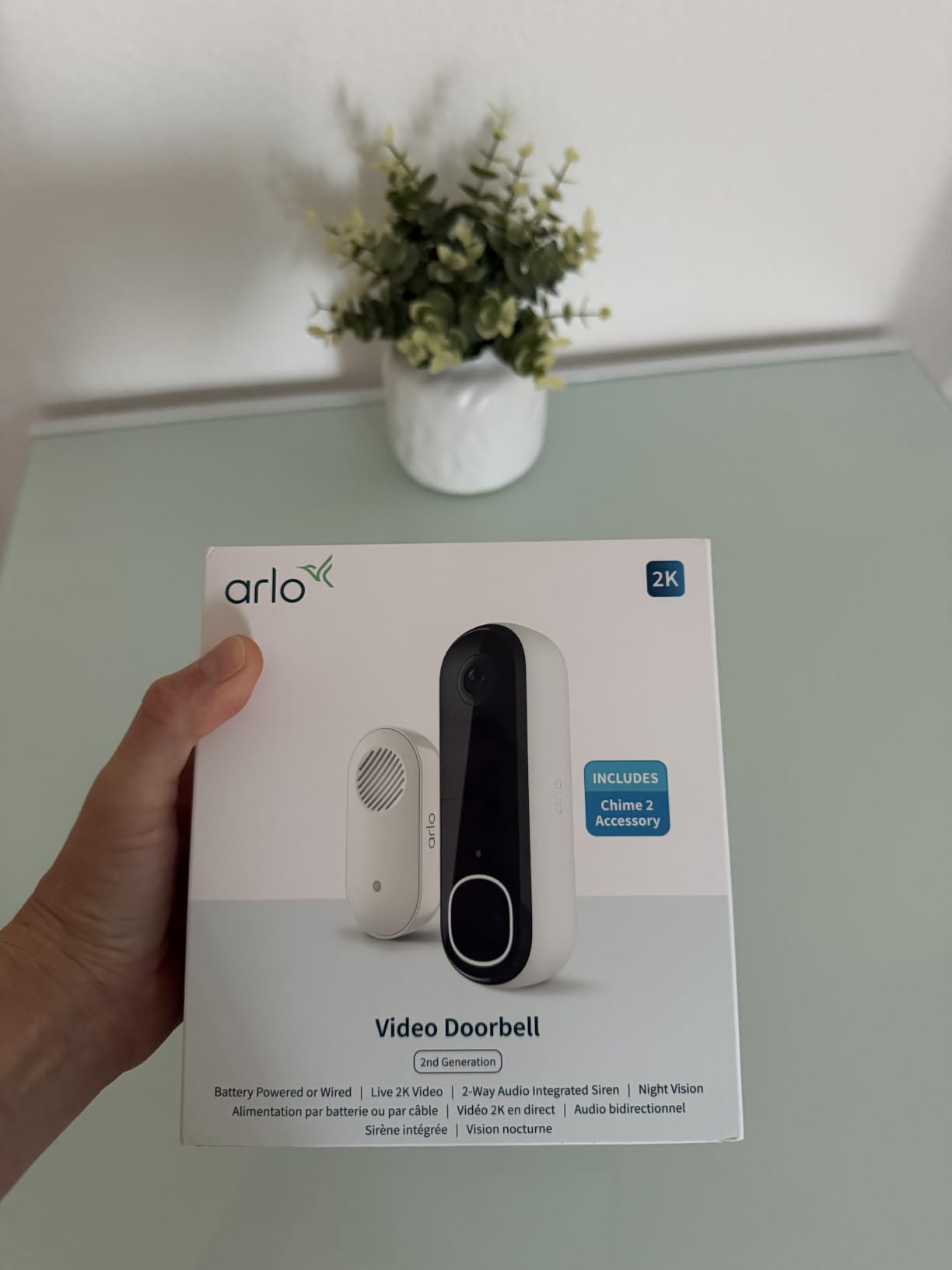
 Arlo Video Doorbell 2K Gen 2 Arlo Video Doorbell 2K Gen 2 |
|
Check Latest Price |
Two columns in that grid decide most renter purchases: the power path and the storage path. Anything that only runs on battery means you will be removing the unit from the door every few weeks. Anything that only stores in the cloud means a recurring fee or a shortened free window.
Can You Use a Video Doorbell in an Apartment?
Yes, in most cases, but your lease decides how you mount it. The device itself is legal in the overwhelming majority of units. What varies is whether you may drill, screw or stick anything to the door frame, and whether the door itself is even yours to modify.
Our short answer for renters: check three clauses before you buy. The first is the alteration clause, which usually covers drilling and permanent fixtures. The second is the exterior change clause, which governs anything visible from the hallway or common areas. The third is a shared-area clause that can restrict devices with cameras aimed beyond your own door.
If the lease is silent, send your property manager a short written request and keep the reply. Building staff are far more comfortable approving a battery unit on an adhesive pad than a hardwired install with new wiring run through a common wall, so lead with the least invasive option and offer to remove it at lease end.
One more practical note. Recording video of your own door from your own hallway is generally treated differently from recording neighbors, and privacy zones matter more in apartments than in houses. Every camera in this roundup lets you mask part of the frame, and we call out where that masking works well.
1. aosu 5MP Ultra HD Video Doorbell – Dual Power Plus 8GB Onboard Storage
aosu 5MP Ultra HD Wireless & Wired Video Doorbell Camera
5MP sensor, 166 degree 4:3 view
8GB onboard storage, 60-day loop
Battery or wired power, IP65
Pros
- Very sharp 5MP detail with head-to-toe 166 degree framing
- 8GB onboard storage means no subscription at all
- Radar plus PIR plus AI detection cuts false alerts
- Switches to hardwired for continuous power
- Stays connected on mesh routers and extenders
Cons
- App is clunky with buried settings and no desktop view
- Playback can stutter while scrubbing clips
- Base station has no SD slot to expand storage
This is the one we ended up keeping on the door. The 4:3 vertical framing is unusual in this category and it matters in a corridor, because you get the full height of a person from head to shoes plus the mat where couriers set packages down. At 5MP the faces held up in a dim stairwell far better than anything else we tried.
Storage is the headline. The base station carries 8GB and loops recordings for 60 days, so there is no plan to buy and no feed that leaves your apartment. Reviewers consistently call out that this is what makes it a comfortable fit for renters who dislike recurring charges.
Detection runs on three sensors at once, which meant our hallway test produced far fewer neighbor-triggered alerts than the single-motion-sensor units. The radar component picks up approach before the person reaches the door, so you get the clip started earlier.
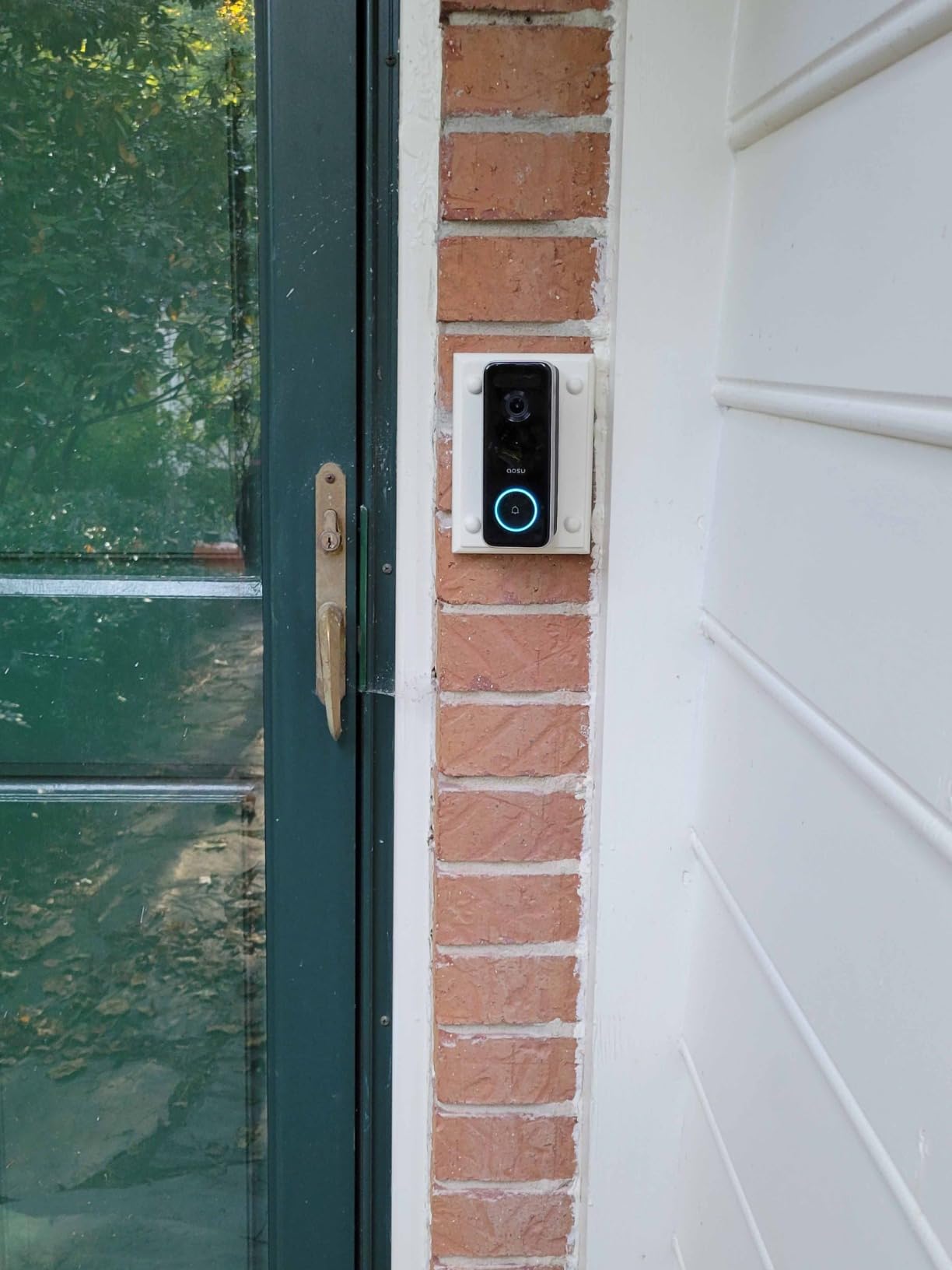
The honest weakness is software. Settings sit several layers deep, there is no desktop client, and playback occasionally stutters. Saved clips also capture only the visitor side of a two-way conversation, so your own replies are not on the recording.
Size is the other thing to plan for. The body is 6.1 x 2.4 x 5.4 inches and weighs 930 g, which means most third-party weatherproof shells do not fit it. In a corridor you may want a case anyway, so check fit before you buy.
One product detail worth copying from reviewers: the detection zones are adjustable enough to black out the neighbouring door entirely. In a shared hallway that setting is not a nicety, it is the difference between a comfortable install and a complaint.
Is 5MP worth it in a dim apartment hallway?
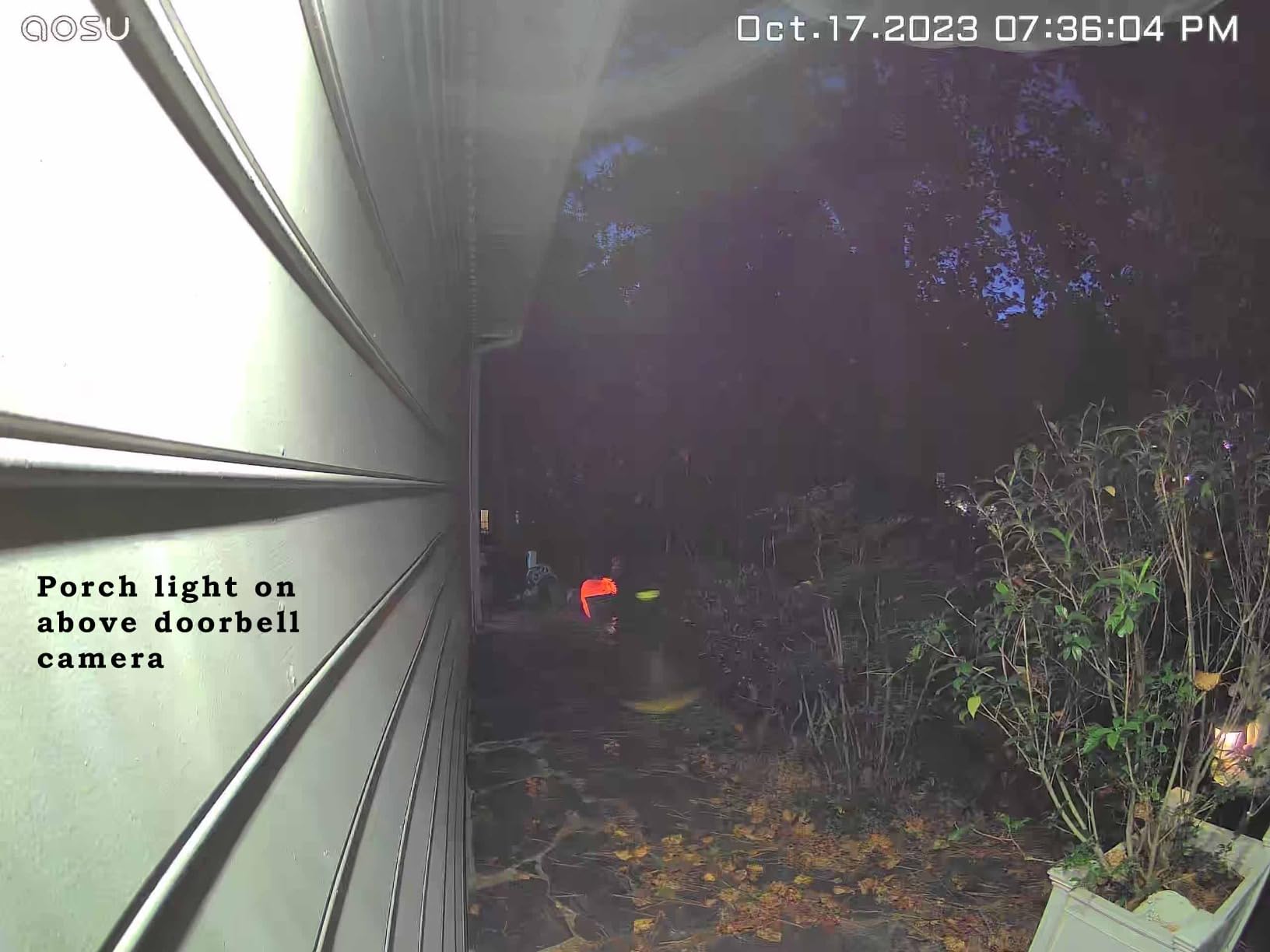
Yes, in our testing. The sensor holds detail under the low, warm lighting most corridors have, and the 4:3 ratio stops the fisheye stretch that makes faces look bowed at the edges of a 16:9 frame. You can identify a visitor rather than guessing.
The tradeoff is bandwidth and processing. Higher resolution clips take longer to open on a congested building network, so pair the base station with a 5GHz or mesh connection if you can.
What holds the aosu 5MP back for renters?
The app, mostly. Anyone who lives in their phone already will adapt, but owners who like a desktop dashboard tend to bounce off it. Playback stutter matters more for security footage than for general use, because the clip you want is rarely the first one.
Because the doorbell can run hardwired, budget for that only if you have landlord sign-off. Otherwise the battery path is the realistic one, and battery drain on wireless mode pushed some owners toward a solar panel.
2. Tapo 2K Wireless Smart Video Doorbell D210 – Chime and Wedge in the Box
Tapo 2K Wireless Smart Video Doorbell w/Chime, 160° Ultra-Wide View, D210
2K sensor with 160 degree diagonal view
microSD up to 512GB or Tapo Care
6400mAh battery, IP65
Pros
- Sharp 2K day and night video at a low cost
- 160 degree head-to-toe view
- Local microSD recording ends monthly fees
- Included indoor chime plus 15 degree mounting wedge
- App opens recordings instantly with no lag
Cons
- Battery only with no hardwire fallback
- Notifications sometimes arrive after the visitor leaves
- Video washes out in direct sunlight
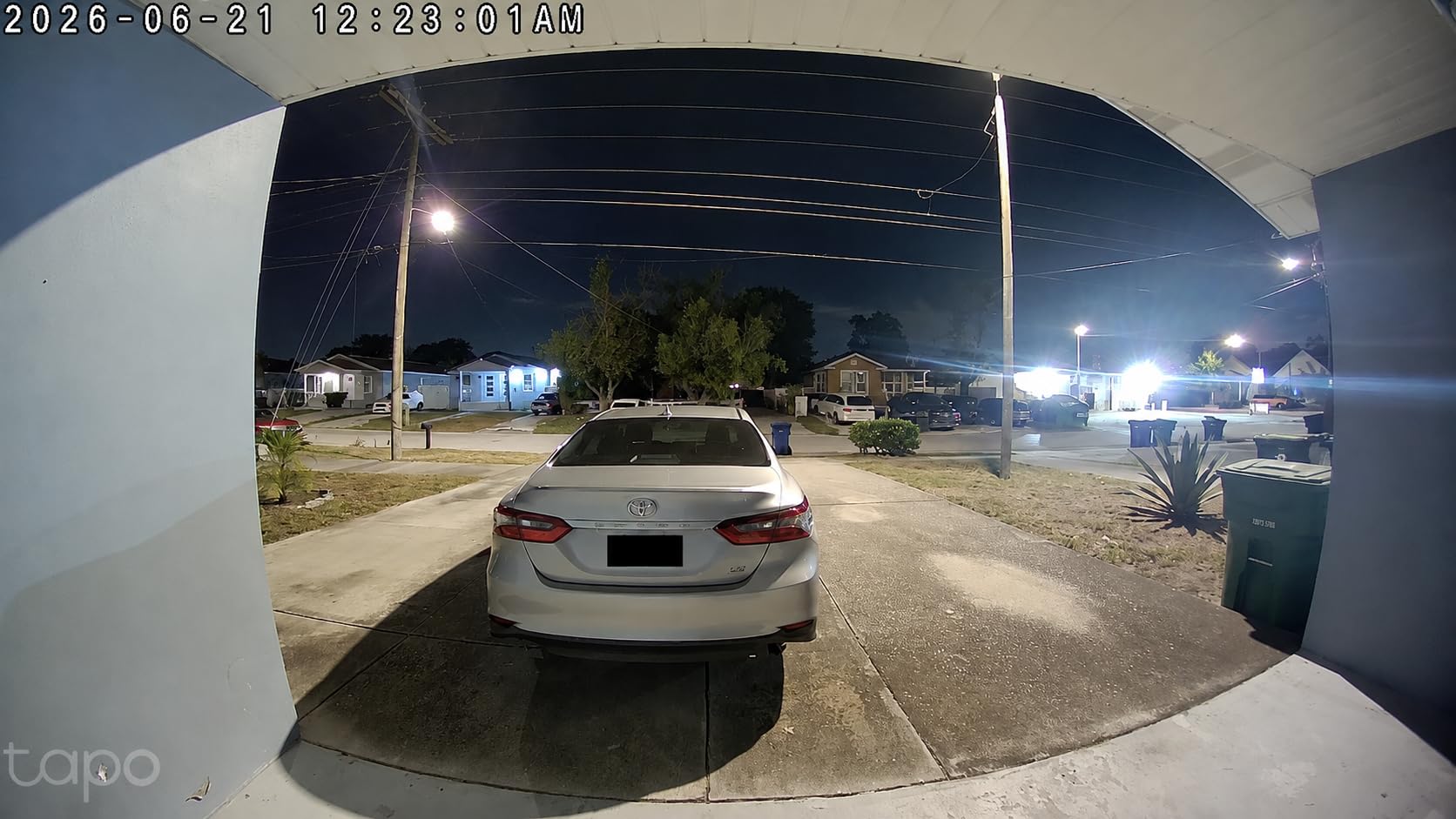
This is the recommendation we hand to anyone who wants one box that solves the whole renter problem. The indoor Tapo chime is included, which matters more in apartments than people expect, since a phone notification in a walk-up unit or a night-shift worker’s apartment is often missed entirely.
The 15 degree angled wedge is also included, and on our test door it made the difference between capturing a full body and capturing a torso at shoulder height. Apartment doors are rarely flush with the frame, so that wedge does real work.
Storage is microSD up to 512GB, formatted locally, with Tapo Care as an optional extra rather than a requirement. Person detection and custom activity zones are free, which is unusual at this tier.
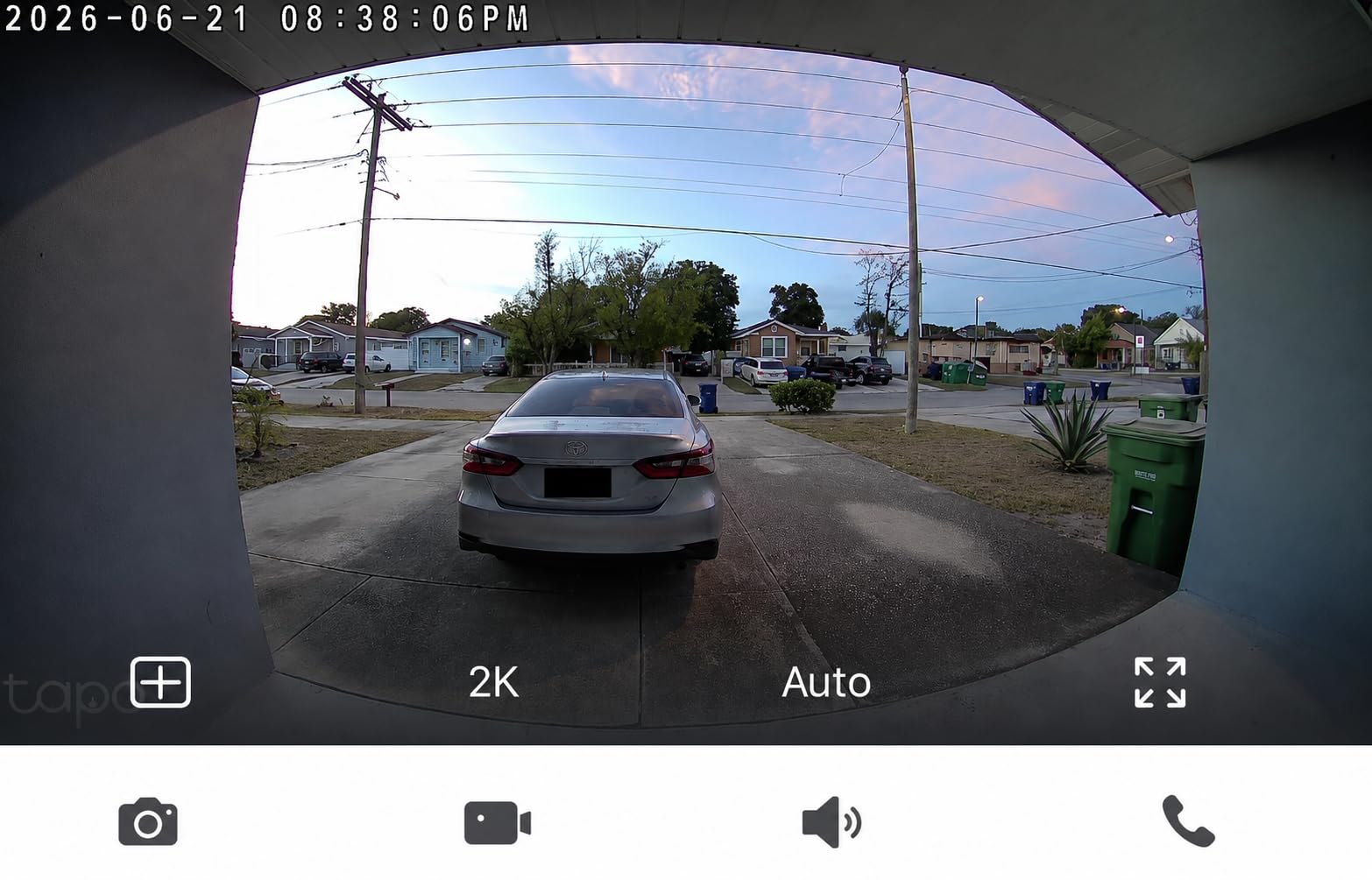
Owners rate the app as the most responsive in this group. Clips open immediately rather than spinning through a decryption step, and that speed is what makes you actually check the door instead of ignoring another alert.
The real limitation is power. There is no wired option on this model, so every charge means pulling the unit off the door. It is a small job, but in a building where you have to be careful about hallway appearances it adds friction.
Sunlight is the other weak spot. Our south-facing test door produced washed-out frames in the afternoon, while the same door under flat corridor lighting looked sharp. If your apartment faces direct sun, weigh this against a model with HDR.
Why does the included chime matter so much for apartments?
Because apartment notifications are unreliable in practice. Walls, floors and closed doors swallow vibration, and plenty of residents keep their phone on silent. A loud indoor chime with selectable ringtones gives you a second, physical alert path.
The Tapo chime runs independently of the cloud, so it keeps ringing visitors whether or not you have event history enabled. That is a genuine advantage over models that mute the indoor bell without a plan.
When should you skip the D210?
Skip it if your landlord will approve a hardwired install and you want continuous power. This unit cannot do that, so you will be recharging on a schedule rather than never.
Also weigh it if privacy masking is your top concern. Activity zones help with motion areas, but the full-frame masking tools are more thorough on some of the competing apps.
3. Google Nest Doorbell (Battery) – On-Device AI Without a Forced Plan
Google Nest Doorbell (Battery) – Snow
145 degree field of view
6600mAh battery, 7.36 oz body
3 hours free event history, IP54
Pros
- On-device intelligence separates people packages animals and vehicles
- No mandatory subscription with three hours free history
- Wire-free install needs no transformer
- Good night vision and clear two-way audio
- Records short bursts during outages
Cons
- Battery drains faster than the app estimate suggests
- Narrower 145 degree view lets people slip past the frame
- Some units froze or stopped responding early
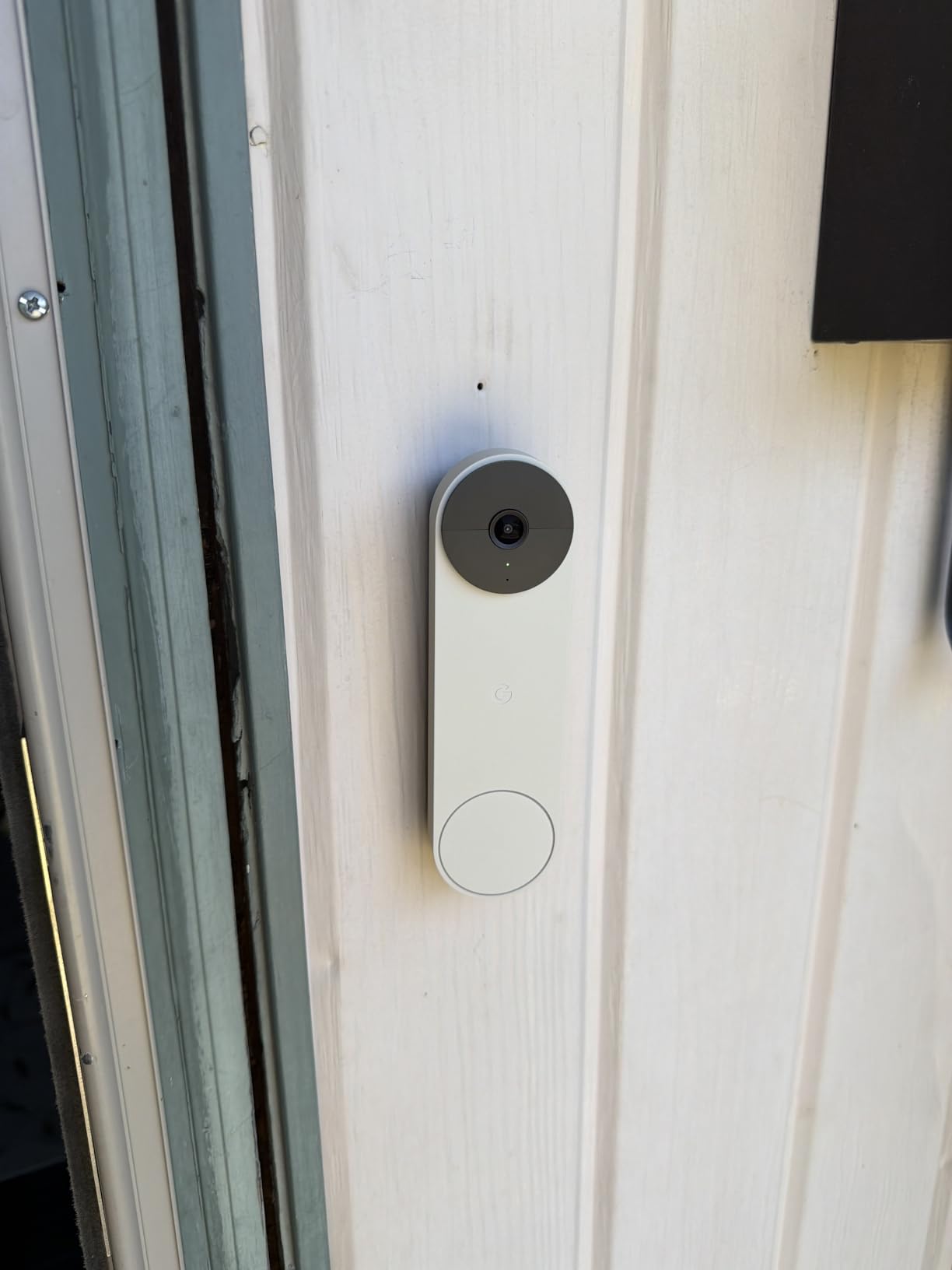
If you already run Google Home, this is the smoothest install in the lineup. At 7.36 ounces and 0.95 x 1.8 x 6.3 inches it is also the least noticeable device we mounted, which matters when the hallway is shared and you do not want to draw attention to your door.
The detection engine runs on the device, so people, package, animal and vehicle alerts all work without a subscription. That is the headline argument, since the paid Nest Aware plan only extends retention from three hours to sixty days.
It also keeps recording up to one hour of events during a Wi-Fi or power outage, buffering them locally. In a building with flaky elevator-shaft Wi-Fi coverage, that gap-filling behavior is more valuable than it first sounds.
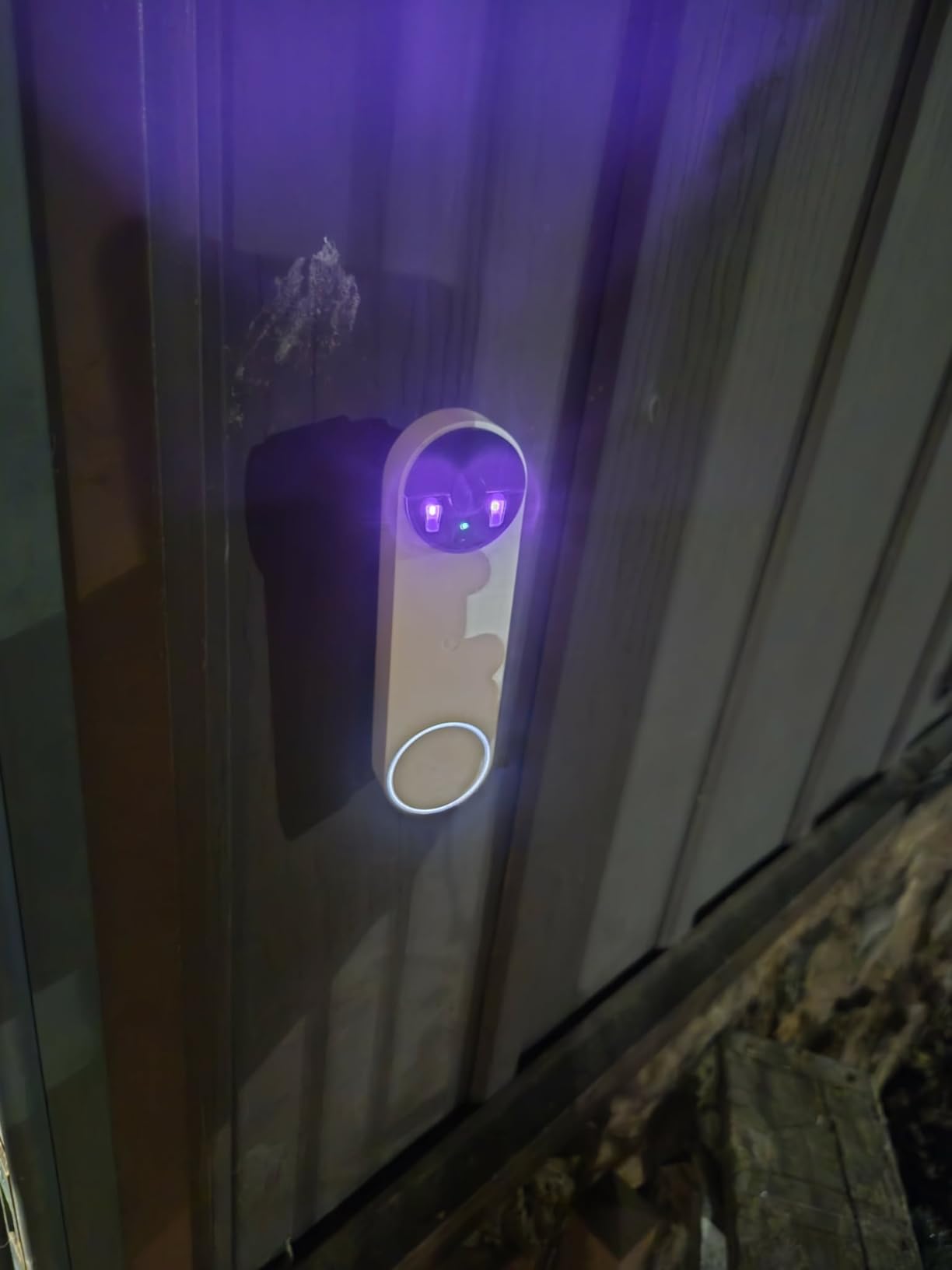
Where it falls short is view width. At 145 degrees it is the tightest angle we tested, and we caught people entering the frame late during movement near the edge. If your door opens onto a corridor rather than a small recess, widen your shortlist.
Battery life is the other recurring theme in reviews. Owners recharge more often than the app estimate implies, particularly in cold hallways where cell capacity drops. Plan for a charging rhythm rather than treating it as a set-and-forget install.
A small group of buyers report units freezing or failing early and not recovering after resets. It is not the dominant pattern, but it is the kind of fault that ends a renter’s willingness to keep a device on the door.
Is the Nest battery model really subscription-free?
Mostly, and it depends on what you need. Live view, two-way talk, person and package detection and three hours of event history all work with no plan. Continuous recording and long history do not, and the battery version cannot record around the clock even on a paid plan.
That limitation is worth stating plainly before you buy. If your goal is catching a package theft hours later, three hours of history may not cover a workday.
How does the Nest handle apartment privacy zones?
You can mask part of the frame so the camera ignores the neighbouring door and the far end of the corridor. Set the zone before you finalize mounting height, because the mask is drawn in the image itself and shifting the camera changes what is hidden.
Reviewers note one specific pitfall: mounting near a bright exterior light causes night view glare. If your door sits under a wall sconce, angle the body slightly down or away.
4. eufy Security Video Doorbell E340 – Two Cameras, Free Local Storage
eufy Security Video Doorbell E340, Dual Cameras, 2K FHD
Dual cameras for people and packages
8GB eMMC storage, no plan
2K 160 degree view
Pros
- Two lenses give a head-to-toe view plus a package view
- 8GB eMMC storage with no monthly fee
- Filters vehicles better than most rivals
- Quick-release battery swaps in seconds
- Color night vision out to 16 feet
Cons
- Requires a HomeBase or MiniBase Chime hub before it works
- App notifications and live view load slowly
- Battery life closer to two months than four
The dual-camera layout is the reason to consider this one. The upper lens frames a visitor from head to toe and the lower one points at the mat where couriers set boxes down, which is the exact blind spot a single-lens doorbell leaves you.
Detection accuracy came out ahead of most of the field in our hallway test. It consistently ignored cars passing on the street below while still catching a person walking the corridor, which is the failure mode that makes people turn notifications off entirely.
Storage is 8GB of eMMC with no subscription, and the quick-release battery swaps in seconds. It also accepts 16-24V wired power if your landlord allows a hardwired install, which makes this the flexible choice for renters who can wait for permission.
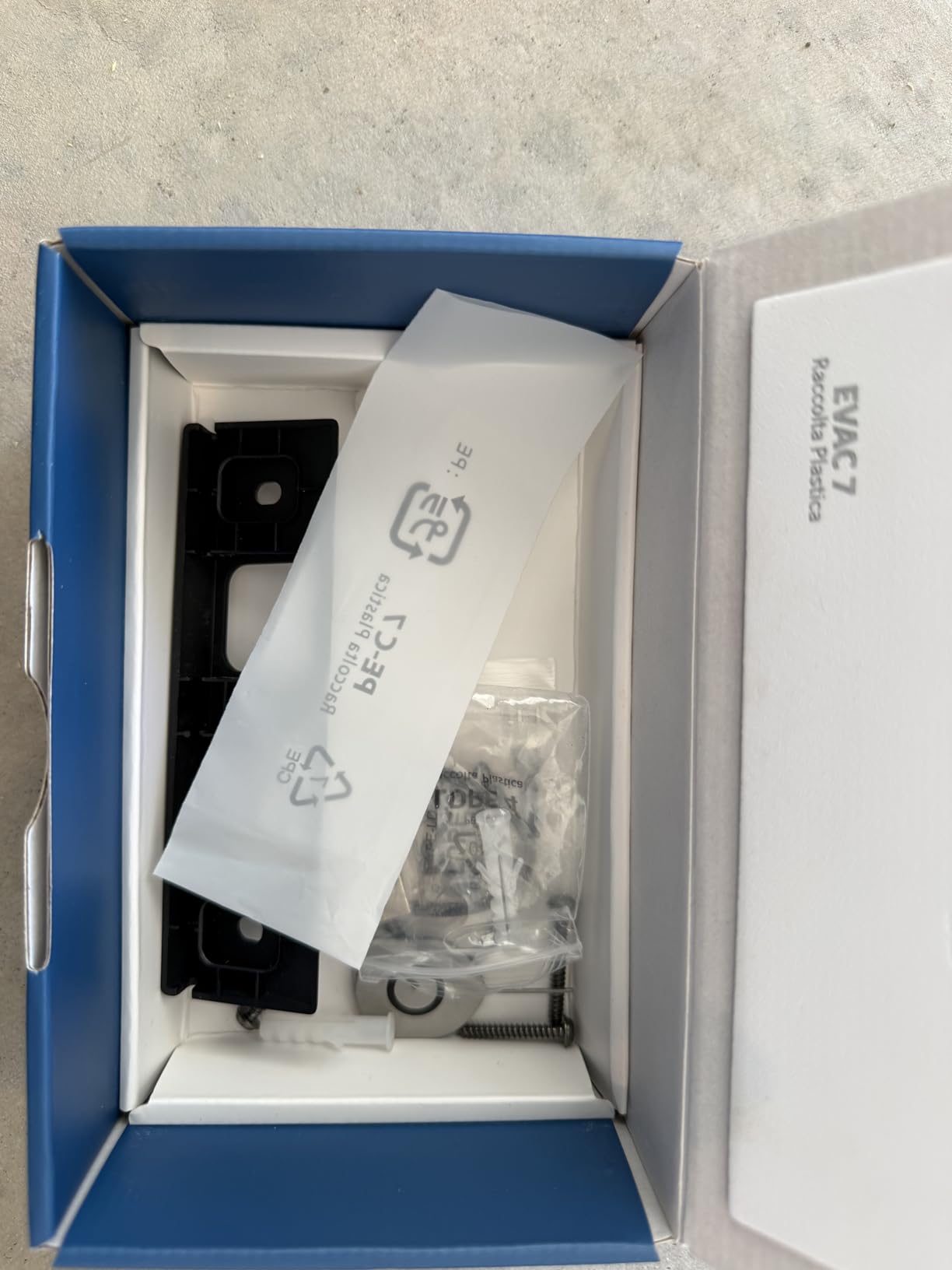
The hub requirement is the first thing to know. The E340 will not connect straight to Wi-Fi, so you need a HomeBase, a HomeBase 2 or 3, or a MiniBase Chime in the chain before it does anything. That is one more box to hide in a small apartment.
App responsiveness is the second complaint, and it is the one we felt most. Live view and notifications load slowly enough that we missed a delivery while testing, which undercuts the whole package-watch purpose of the device.
Two smaller annoyances showed up repeatedly. The push button only responds near its upper edge, so a centered press can do nothing at all. And in direct sun the body runs hot enough to trigger an overheating warning.
Does the E340 pair with my existing mechanical chime?
It can, but only through the hub chain rather than directly. With a HomeBase 2 or 3 in place, the doorbell is set up to ring your existing chime, which is genuinely useful if your building already has a working bell and you do not want to add another one.
A MiniBase Chime works as the simpler alternative when your apartment has no wired bell at all, which is common in converted or retrofit buildings.
What should you know about battery life and heat?
Battery life lands closer to two months in real hallways than the four-month figure on the box, and cold corridors shorten it further. The quick-release design makes that inconvenience cheap, since you swap rather than charge in place.
The heat warning is the detail renters should plan around. If your door faces west or sits in direct afternoon sun, a shaded spot or a small weatherproof shell makes more difference here than on most competitors.
5. Wyze Video Doorbell Duo Cam – Dual-Band Wi-Fi and Two Lenses
WYZE Video Doorbell Wireless Duo Cam Doorbell Camera WWI-Fi Chime, 2K HD
Dual cameras for people and doorstep
1536p with color night vision
Battery plus microSD to 512GB
Pros
- Two separate viewpoints remove package blind spots
- Starlight sensor gives vivid color in low light
- microSD recording removes the monthly fee
- Dual-band 2.4GHz and 5GHz Wi-Fi
- Adhesive mounting for a no-drill install
Cons
- Chime and microSD card both sold separately
- 24/7 local recording needs hardwiring too
- Voice deterrence prompts may not suit every visitor
This is the model we recommend when Wi-Fi is the problem. It is the only doorbell here that speaks 5GHz as well as 2.4GHz, and in a concrete apartment building packed with neighbouring routers, dropping off the crowded 2.4GHz band is the single most effective fix we found.
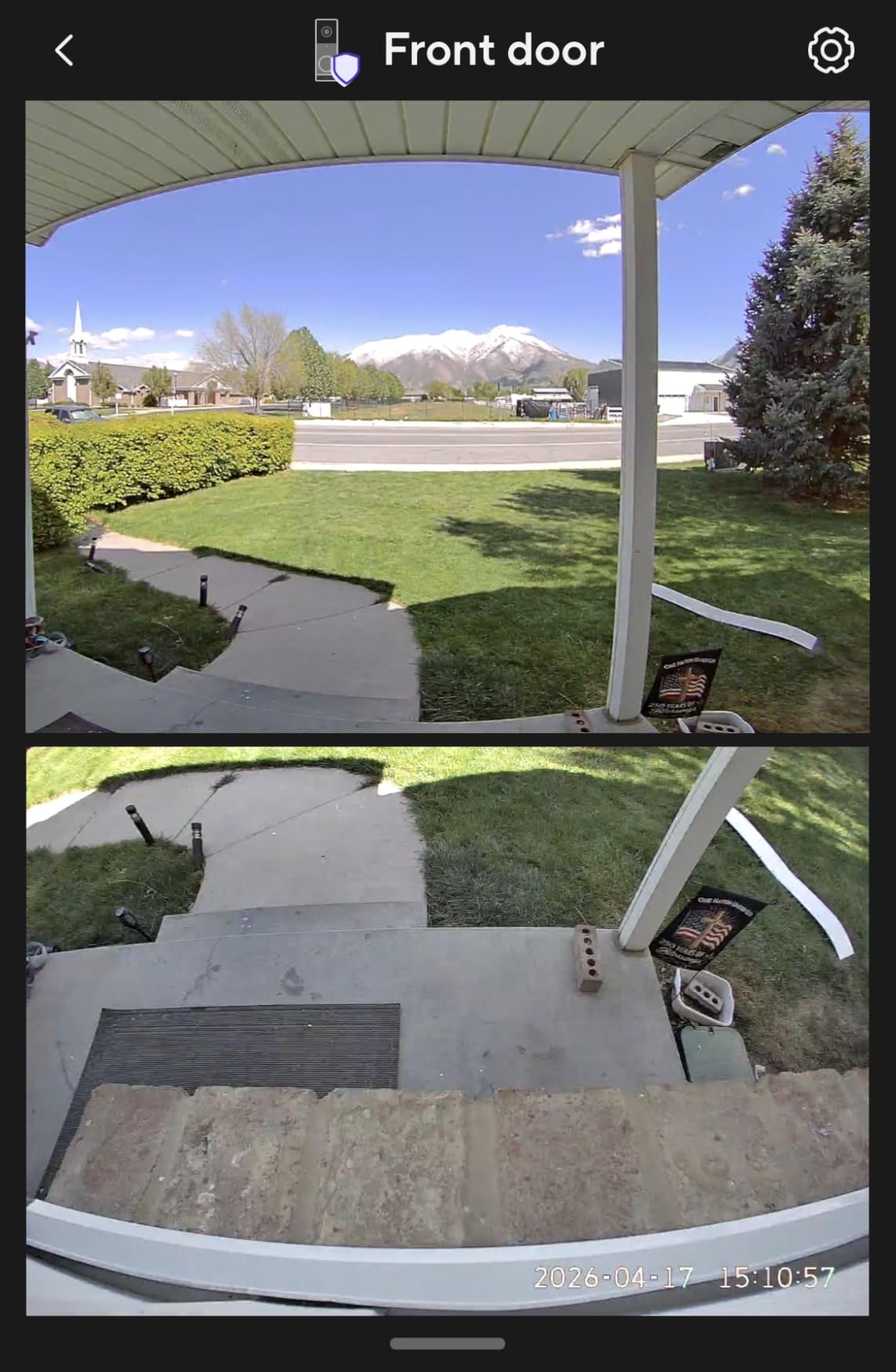
The dual-camera design splits the job cleanly. One lens tracks people and the other looks straight down at the doorstep, so there is no wide-angle distortion stretching the scene and no guessing about whether a box is present.
Night footage came out genuinely colourful rather than washed grey, thanks to the starlight sensor. In a dim corridor with a single overhead bulb, that difference was obvious side by side with the infrared-only units.
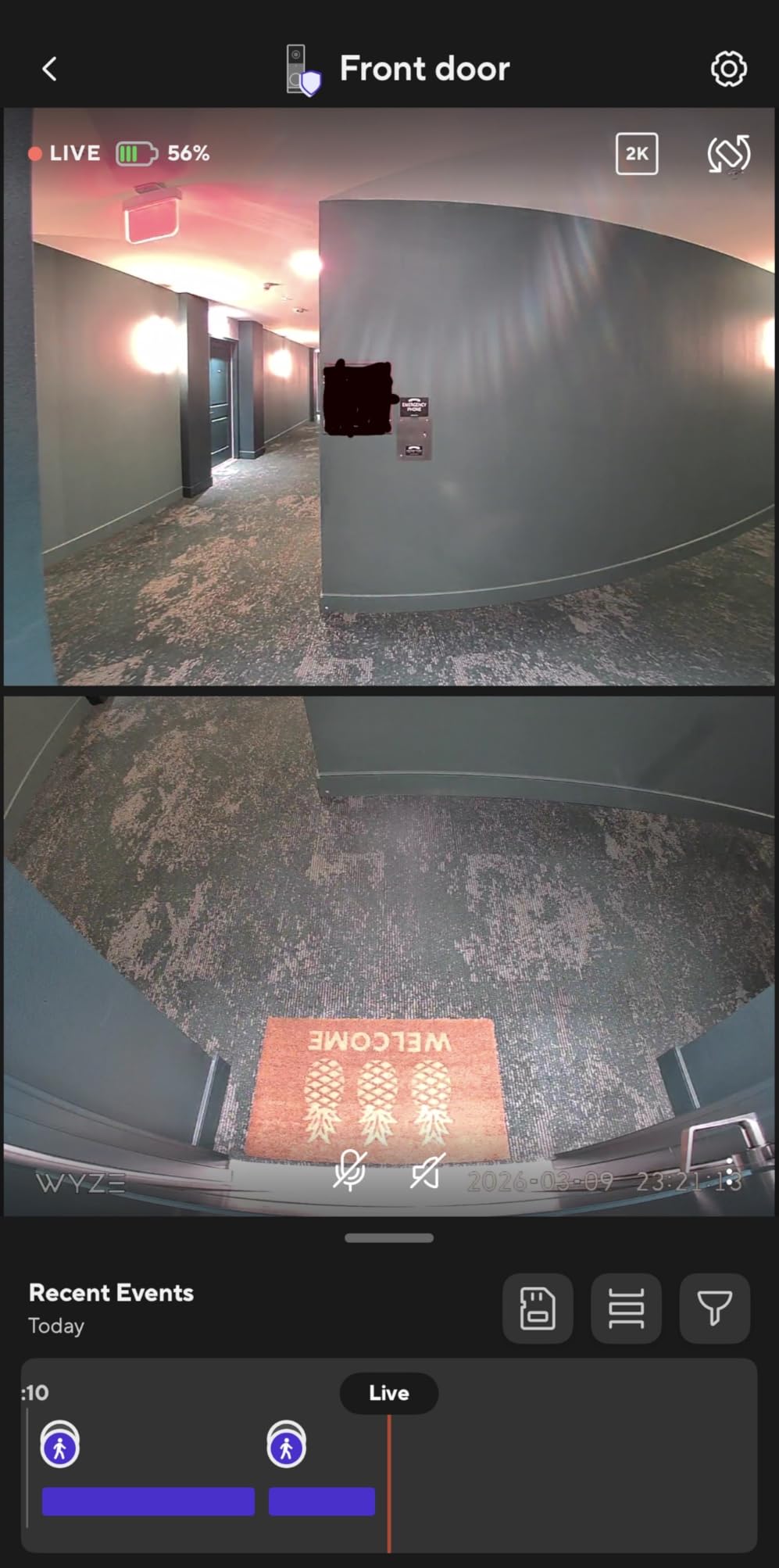
Watch the extra costs. The chime and the microSD card are both sold separately, so the sticker figure is not the running figure. Budget for the card at minimum, since local recording is the main reason to pick this camera.
Continuous 24/7 local recording requires both a microSD card and hardwiring, which is an odd pairing for a renter. On battery power you get event clips only, which is still perfectly usable for doorbell purposes.
There is also a motion-activated voice deterrence feature that speaks to visitors. It works well against someone lingering, and it is exactly the wrong tone for a neighbour who stops to talk. Reviewers mention turning it off for that reason.
Does 5GHz support really fix apartment Wi-Fi?
Often, yes. Most competing doorbells are 2.4GHz only, and in a building where dozens of residents share the same two channels, that band gets congested and your notifications arrive late. A dual-band unit can land on the cleaner 5GHz link and stay responsive.
The catch is range. Five GHz does not travel through concrete nearly as well as 2.4GHz, so a door several floors from your router may still need 2.4GHz or a mesh node near the entry.
Is the Duo Cam good for someone on a tight budget over time?
Yes, because the recurring cost is zero once a card is inserted and the model needs no hub. That is what makes it competitive with cheaper units that pull video history behind a cloud plan.
The tradeoff is hardware you have to buy separately and a battery that must be removed to recharge. Add both to your list before you decide.
6. Tapo 2K Wireless Smart Video Doorbell D205 – The Lowest-Cost 2K Option
Tapo 2K Wireless Smart Video Doorbell, D205, 160° Ultra-Wide View
2K 3MP sensor with 160 degree view
5200mAh battery, up to 180 days
Doorbell Call, IP54 rated
Pros
- Sharp 2K detail with a 160 degree view
- Free AI person detection with no monthly fee
- Local microSD keeps ongoing costs at zero
- Doorbell Call rings your phone as an incoming call
- Wedge and adhesive included in the box
Cons
- Chime not included with this variant
- microSD card sold separately
- 2.4GHz Wi-Fi only with no 5GHz
This is the cheapest route to a genuinely good 2K image, and the gap to the pricier models narrowed a lot. The 160 degree field of view matches the Tapo D210, so corridor coverage is not where you save.
Doorbell Call is the feature that feels most like an apartment product. Instead of a push notification you might ignore, your phone rings like an incoming call, which matches how you already treat a visitor at the door.
Battery capacity is 5200mAh and the claim is up to 180 days per charge. Real hallways with frequent motion will eat into that quickly, so treat the figure as a ceiling rather than a schedule.
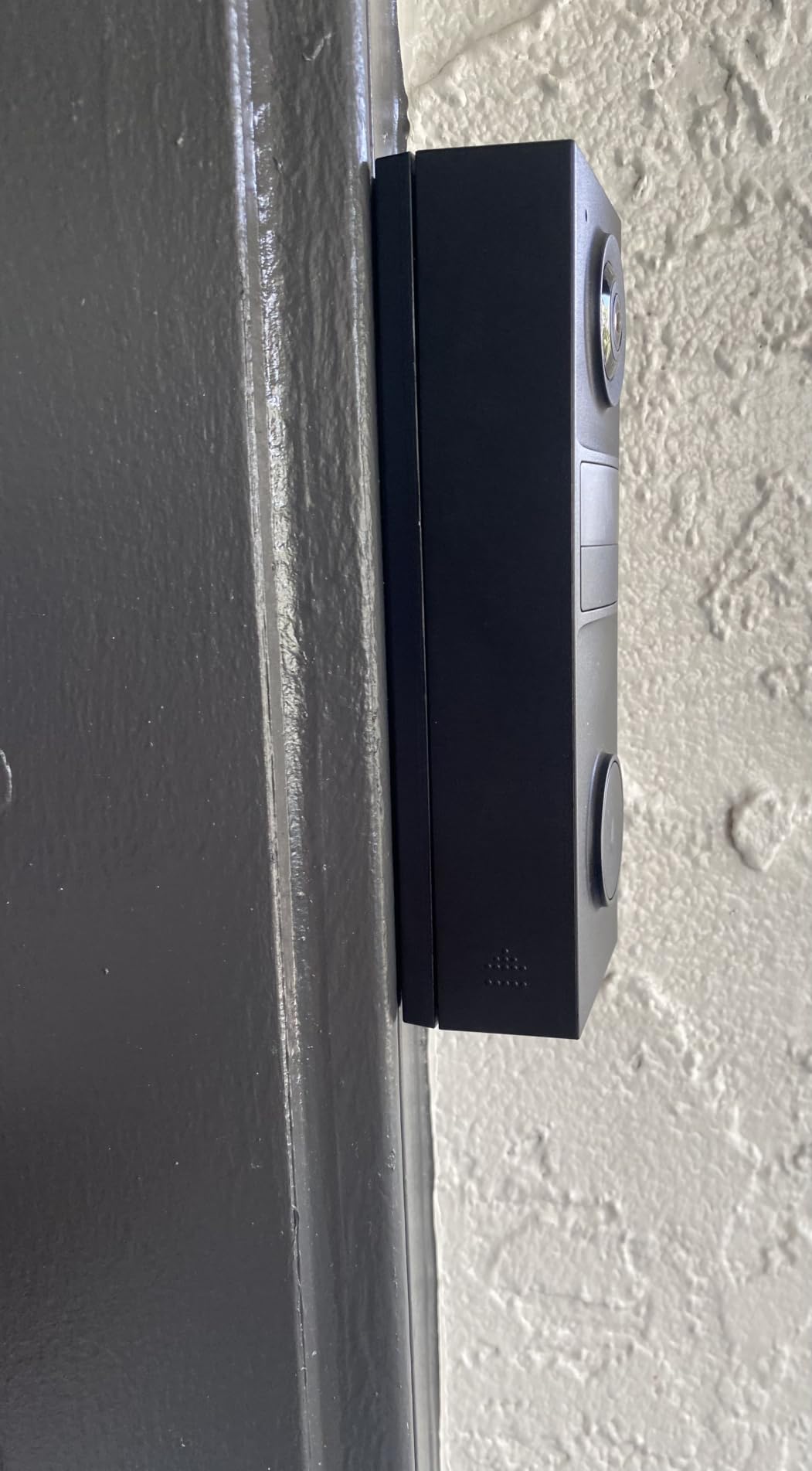
Two add-ons to remember. This variant ships without the indoor chime, so plan on phone-only alerts, and the microSD card is sold separately, which means local recording is not free until you buy one.
Networking is 2.4GHz only. That is the same limitation as most of the category, but it is the reason we would point a building with heavy Wi-Fi congestion toward the Wyze Duo Cam instead.
Night footage is infrared black and white rather than colour. For a dim but not pitch-dark corridor that is perfectly serviceable, and it is the clearest trade-off between this model and the more expensive dual-camera units.
Is the D205 a sensible pick over spending more?
For most renters, yes. You keep 2K detail, a wide view, free person detection and subscription-free recording. The things you give up are colour night vision, a bundled chime and dual-band Wi-Fi.
If your hallway is dark enough that infrared detail suffers, move up to a starlight-sensor model. If Wi-Fi congestion is your issue, this is the wrong one.
Does the IP54 rating hold up in an apartment entryway?
For indoor-adjacent and covered doorways, yes. IP54 protects against splashing water, which covers spray from a corridor mop and most weather exposure near a recessed entry.
If your door faces open air and driving rain, check the rating again. Several models in this roundup carry IP65 or IP66, and that gap is worth paying attention to on an exterior wall.
7. Ring Battery Doorbell 2K – Retinal 2K With 6x Zoom
Ring Battery Doorbell 2K (newest model) Retinal 2K with wide-angle video, up to 6x Enhanced Zoom, Two-Way Talk, and Built-In Battery, Matte Mocha
Retinal 2K wide-angle video
6x enhanced zoom, two-way talk
Detachable battery, USB-C recharge
Pros
- Clear 2K video that identifies faces and packages easily
- Generous wide viewing angle around the door
- AI alerts describe the event instead of just motion
- Two-way talk works like a phone call
- Battery runs about two months per charge
Cons
- Saving and replaying video needs a Ring Protect plan
- You detach the whole unit to recharge over USB-C
- Only one mounting screw is included
The video quality jump is the story here. Retinal 2K on a wide-angle lens made package labels and faces readable at a distance where every 1080p unit we tested turned to mush, and the 6x enhanced zoom is genuinely useful when someone stands back from the door.
Real-time AI alerts describe what is happening rather than firing a generic motion ping, which cuts the notification fatigue that pushes people to ignore their doorbell entirely.
Two-way talk behaves like a phone call with no push-to-talk step, and that is more comfortable than holding a button while trying to hear somebody in a stairwell.
The dependency to weigh is the subscription. Live view works without a plan, but saving and replaying recorded video requires Ring Protect, so an apartment resident who wants to check what arrived at 2pm needs the paid tier or a different approach entirely.
Recharging means detaching the whole unit and plugging in USB-C, and the cable is not included. That is fine on a house wall and mildly annoying when you have to do it over a fire door.
Two smaller notes from owners. Only one mounting screw ships in the box, so metal apartment doors need another fixing method. And the printed manual is thin enough that most people end up watching a setup video instead.
Is Ring the right choice if you refuse to pay a subscription?
No. This is the clearest case in the lineup where the paid plan unlocks the core feature rather than a convenience. Without Ring Protect you have live view and alerts but no recorded history to review.
If you want the Ring app and Alexa integration but not the plan, look at a local-storage brand instead. You give up the ecosystem polish and keep the zero monthly cost.
How does Ring handle a shared apartment hallway?
The wide angle reduces the need for extreme corner mounting, and motion zones let you exclude the neighbouring door. Reviewers who set that mask up front report far fewer hallway false alerts.
The unresolved issue for renters is theft. A doorbell on an exposed corridor door can be unscrewed by anyone passing, so an anti-theft mount or a position above casual reach is worth planning for.
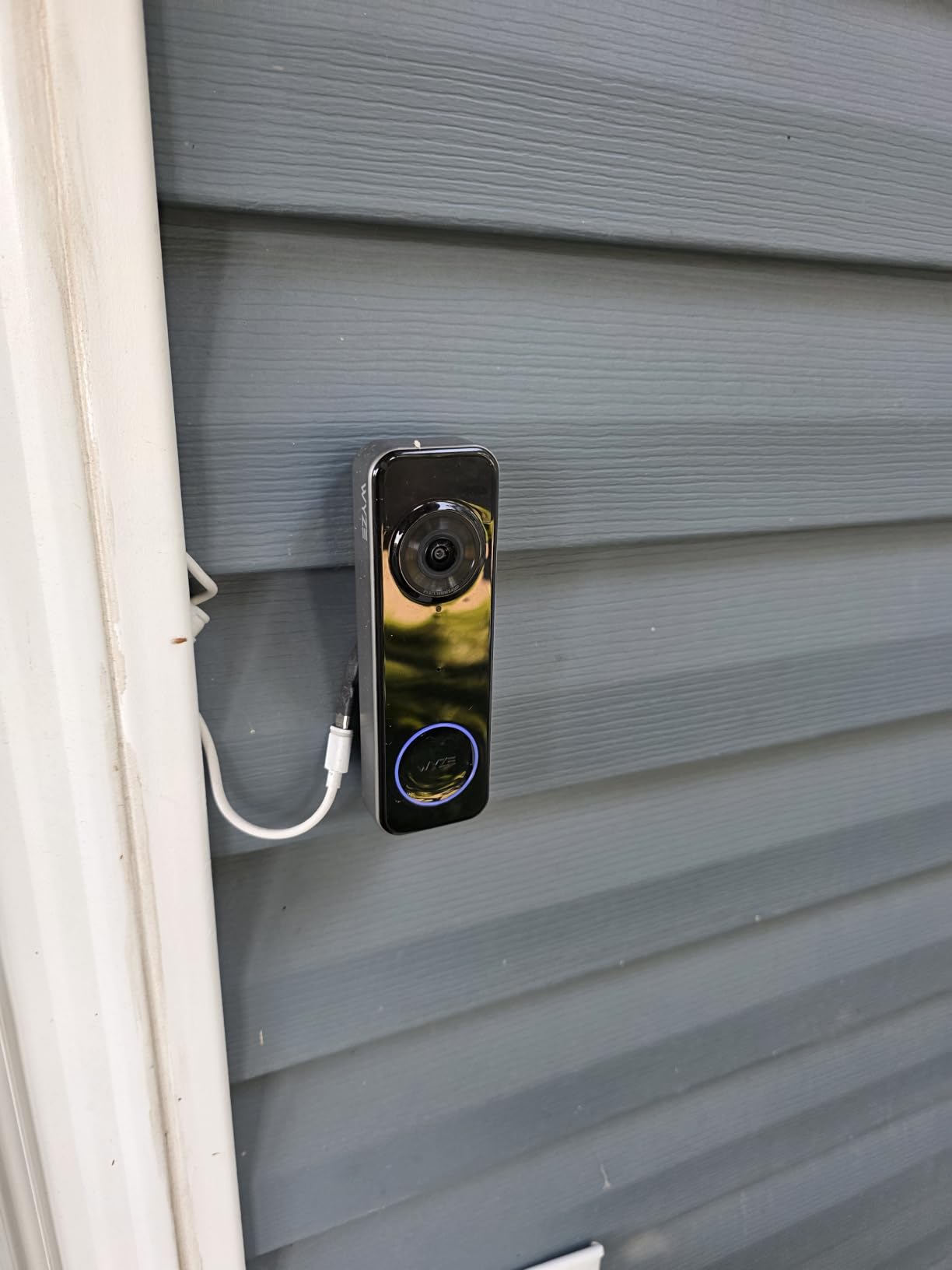
8. Wyze Battery Video Doorbell – The 1:1 Square Head-to-Toe View
Wyze Battery Video Doorbell Wireless Camera, 1536×1536 HD+ with Color Night Vision, 2-Way Audio, 1:1 Head-to-Toe View, Person/Vehicle/Package Monitor, Wire-Free/Wired Option, 1 Minute Easy Setup
1536x1536 video, 150x150 degree view
Battery or hardwired
256GB microSD, Bluetooth setup
Pros
- Square framing shows packages sitting against the door
- Setup takes about a minute with no drilling
- Colour night vision is clear in low light
- Free local microSD storage without any plan
- Works on battery or hardwired
Cons
- Real battery life falls well short of the claim
- No chime included so buy one separately
- Alexa doorbell chime events do not trigger
- No sound-detection alerts
- Playback needs an inserted microSD card
The square 1:1 framing is the concept worth understanding. Instead of cropping a wide rectangle to show a tall doorway, this camera uses a full square frame, so you see a visitor and a package sitting right against the door in the same shot without either being cropped.
Setup is the fastest here. Bluetooth pairing gets you live in about a minute with no drilling, and a corner back plate is included for frames where the door does not sit flush.
Colour night vision holds up in the dim corridor outside our test unit, and person, vehicle and package monitoring all run without a membership plan once a microSD card is inserted.
Battery life is where expectations and reality diverge most sharply. Owners report 4 to 6 weeks in busy hallways against a 6 to 9 month claim, and that gap is the most common complaint in reviews by a wide margin.
Two integration limits are worth knowing before you buy. No chime is included, and Alexa doorbell chime events do not trigger, which limits smart home use even though the basic voice assistant support is there.
There is also no sound-detection alerting, unlike most Wyze indoor cameras. And playback only works with a card inserted, so skip the card and the device records nothing you can review later.
Is the square frame actually better for apartment doors?
For most, yes. Apartment doors are tall and narrow, which is the worst case for a 16:9 lens mounted on a standard doorbell plate. A square sensor fills that shape instead of wasting pixels on a hallway floor.
The trade-off is that you see less of the corridor to either side. If someone approaches at an angle rather than straight on, they can enter the frame late.
Who should skip this model?
Skip it if you plan to rely on an Alexa chime, since the doorbell event does not fire it. Also skip it if you want continuous recording on battery power, which needs hardwiring.
If you need an included indoor chime, the Tapo D210 gives you one at a similar tier and bundles the angled wedge too.
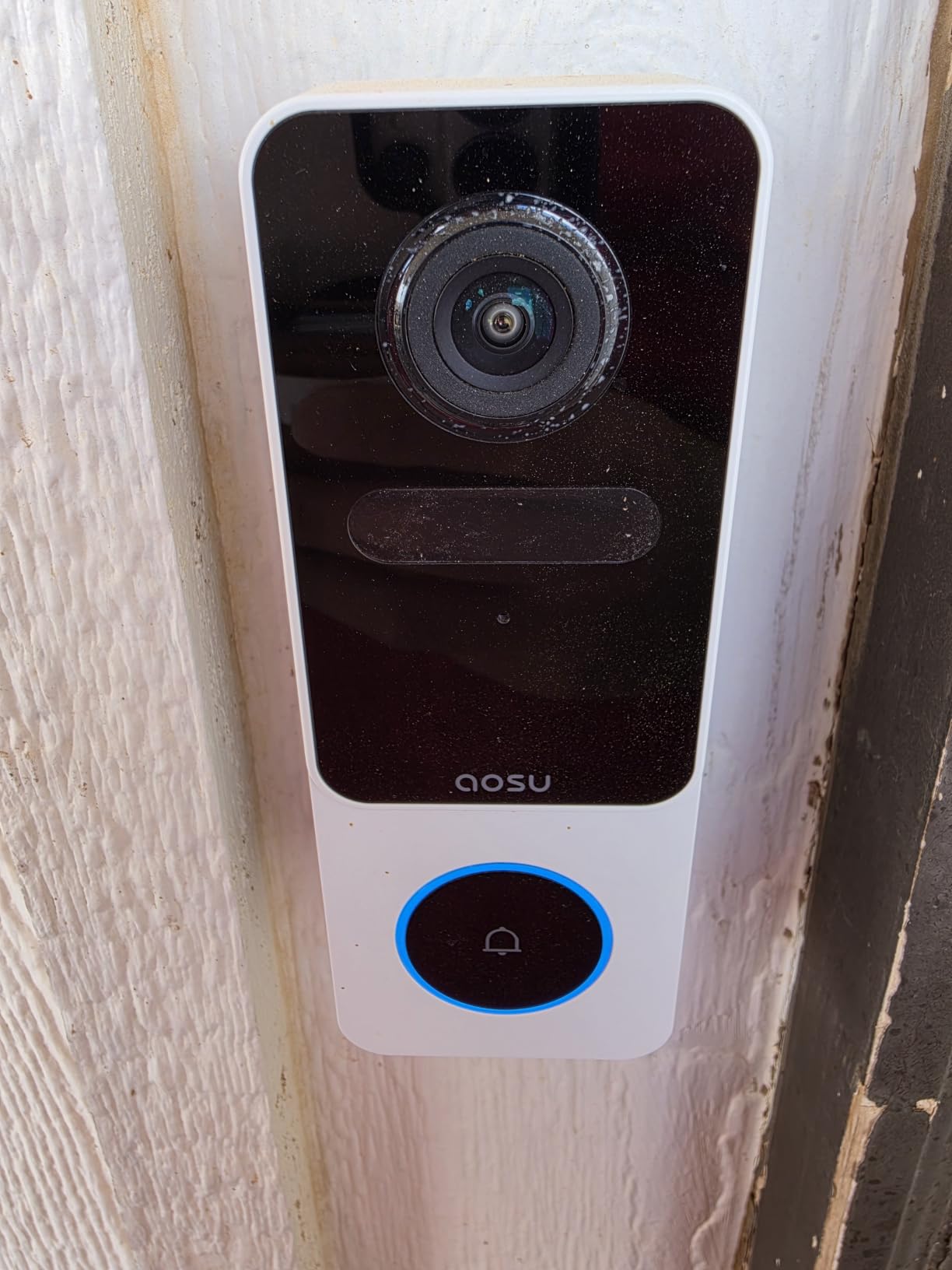
9. aosu 2K 170 Degree Doorbell – The Widest Head-to-Toe Frame Here
aosu Video Doorbell Camera Wireless, 2K QHD, 170° Wide Angle, 2.4 GHz WiFi
2K QHD with 170 degree 9:16 vertical view
microSD up to 128GB or cloud
Person detection with no subscription
Pros
- Widest vertical framing in this roundup at 170 degrees
- 9:16 vertical view captures full head-to-toe coverage
- Smart person detection ignores animals and shadows
- Real-time alerts and playback need no plan
- Indoor chime and voice changer included
Cons
- 2.4GHz Wi-Fi only
- Local storage capped at 128GB and sold separately
- Blue light ring stays lit and drains battery
- Included chime pairs only with this doorbell
A 170 degree field of view with 9:16 vertical framing is the widest coverage in this group, and in a corridor where visitors approach from one side it means you see them before they reach the door rather than after.
The vertical ratio is the other half of the trick. Tall doors get tall video, so a full body with the floor beneath them lands in frame without a wide-angle bulge at the edges.
Person detection filtered out animals, shadows and moving objects in our test, and every core feature including alerts, two-way talk and playback runs with no subscription.
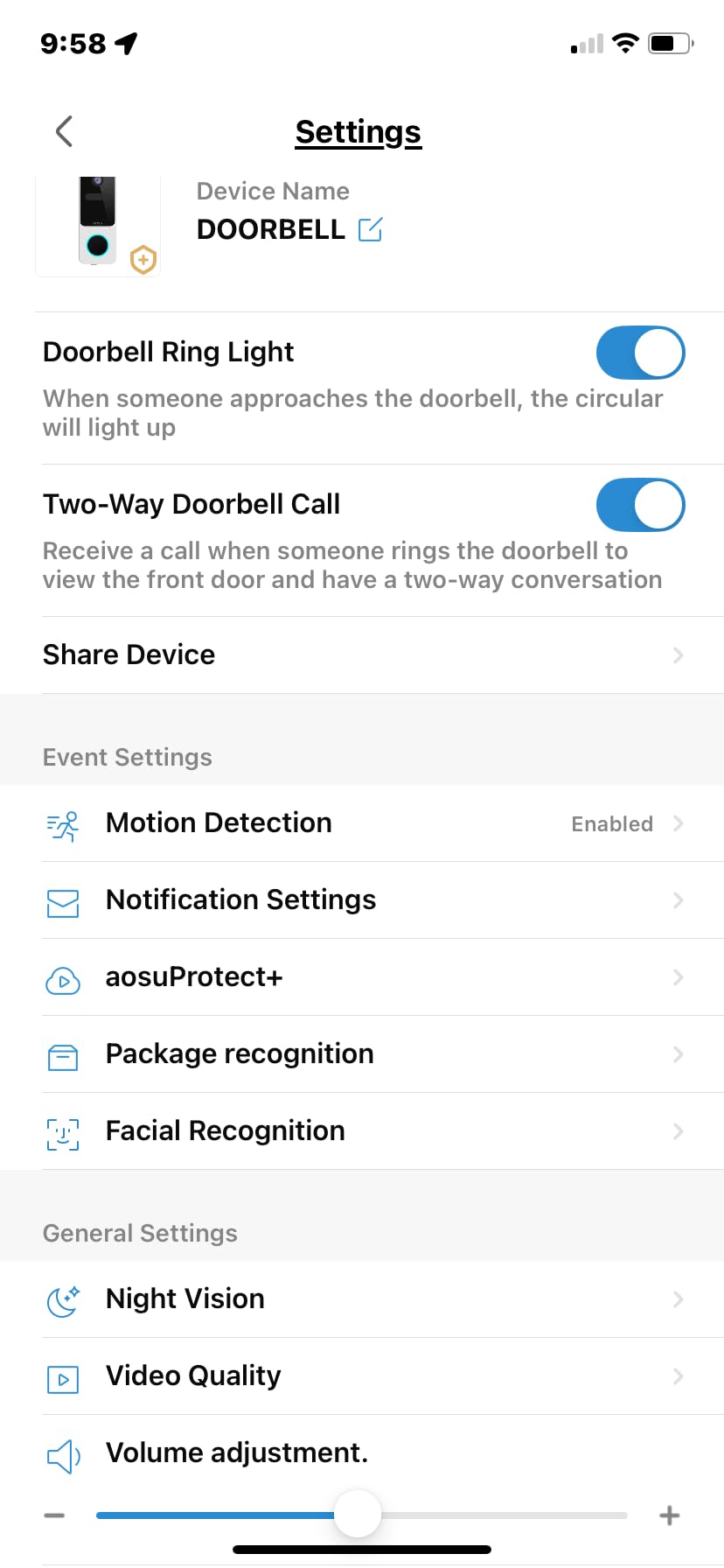
Local storage is capped at 128GB and the card is sold separately, which is a smaller ceiling than the Tapo and Wyze units offer. For most apartment use that is plenty, since you mostly review recent events.
Two hardware notes. The blue indicator ring stays lit during normal operation, which reviewers flag as a constant battery drain, and the included indoor chime pairs only with this specific doorbell rather than being a universal accessory.
The voice changer is a fun extra for someone who does not want to hand over their voice at the door, though it is closer to a novelty than a security feature.
Does a 170 degree view cause fisheye distortion?
Less than you would expect at the centre, and the 9:16 vertical ratio helps keep faces proportioned. The edges stretch, as they do on any wide lens, so the useful middle band is narrower than the headline number suggests.
For a door that opens straight onto a corridor this works well. For a recessed entry where visitors stand directly in front of the door, a narrower lens produces cleaner faces.
How does this compare with the aosu 5MP model?
They cover different ground. The 5MP unit trades some width for resolution, onboard base-station storage, and the ability to run hardwired, while this one trades the base station for the widest view and a simpler single-device setup.
If you want maximum detail and storage in one box, take the 5MP. If you want the broadest coverage and no extra hardware on the shelf, this is the one.
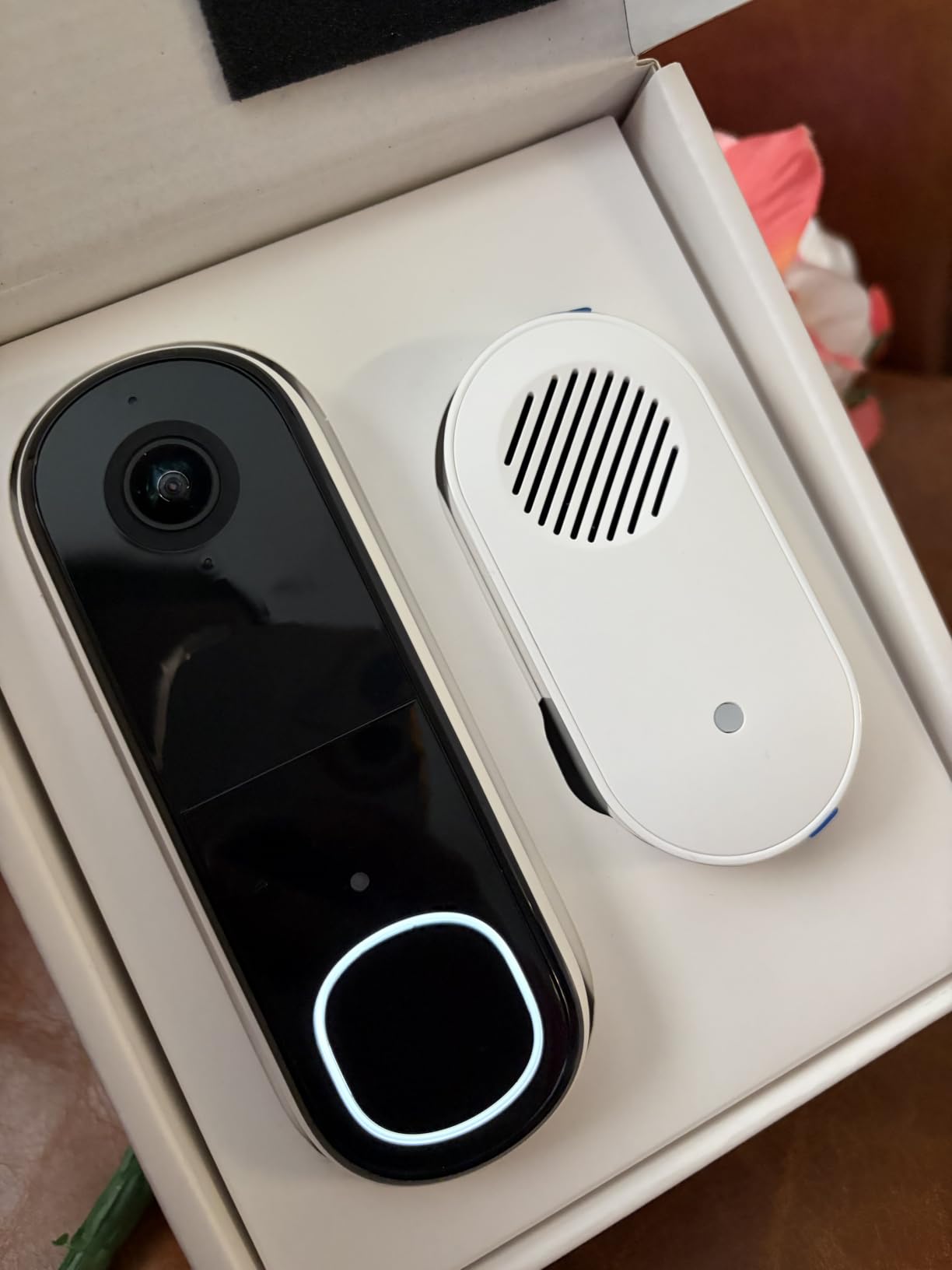
10. Arlo Video Doorbell 2K (2nd Gen) – 180 Degrees With a Siren Chime
Arlo Video Doorbell 2K (2nd Gen) Wireless or Wired – 1-Cam + Chime
2K 1440p at 180 degrees
30 fps with 12x optical zoom
Wire-free battery or hardwired, chime included
Pros
- Sharp 2K video that holds up in bright sunlight
- 180 degree head-to-toe field of view
- Chime 2 has an 80+ decibel siren that deters
- Activity and privacy zones cut false alerts
- Works with Alexa Apple Home Google Home and SmartThings
Cons
- Advanced detection and 60-day history need Arlo Secure
- Notifications occasionally lag by a second or two
- 2.4GHz only pairing can be fiddly
- Night vision is black and white
The Arlo covers the widest angle of anything we tested at 180 degrees, and several apartment owners in reviews specifically mention hallway motion alerts working well because of it. If your door faces a long shared corridor, that width is the point.
Video stayed sharp in direct sunlight during our outdoor test, which is not a given in this category. Optical zoom of 12x helps when you need to identify somebody at the far end of the walkway.
The bundled Chime 2 has an 80+ decibel siren mode alongside selectable melodies, and that is a genuinely useful deterrent if a doorbell thief is testing handles in your building.
The catch is the Arlo Secure plan. Live streaming and basic alerts work without it, but the smarter detection and 60-day history that make Arlo worth owning do not, which puts it in the same category as Ring for anyone refusing recurring fees.
Pairing the chime and the doorbell onto one 2.4GHz network can be fiddly, and owners report occasional one or two second notification lag. Neither is deal-breaking, but both show up when you are waiting on a delivery.
Night vision is black and white rather than colour, and the model is not offered in every region outside the US.
Is 180 degrees too wide for an apartment door?
It is fine for a corridor-facing door and excessive for a recessed entry. The benefit is seeing a visitor approach from the side rather than arriving already at your threshold, which in a shared hallway gives you more warning.
The cost is a smaller effective image of whoever is standing at the door, since they occupy a fraction of the frame. The 12x zoom compensates well.
Should Arlo be on a renter shortlist at all?
Yes, if the siren chime and the widest coverage matter more to you than avoiding a subscription. Arlo is one of the few ecosystems here with Apple Home support alongside Alexa and Google Home.
If subscription-free storage is the priority, the Tapo, Wyze and aosu models give you local recording with no plan attached.
How to Choose a Video Doorbell for Apartments: 7 Criteria That Matter
Mounting method comes first, because it eliminates options before you fall in love with a feature list. If your door has a working peephole, a replacement peephole camera is the least invasive install available. If there is no peephole and no permission to drill, adhesive mounting is your only realistic path. If you can hardwire, everything opens up.
Second criterion is storage. Zero monthly cost versus recorded history is the real trade. Models with local storage or a usable free window suit most renters, and you should assume any plan price will change over the life of the device.
Third is battery reality. Manufacturer figures are measured in a lab with motion a few times a day. A corridor sees constant foot traffic, so plan on a shorter cycle and check whether the battery is removable for charging without taking the camera down.
Fourth is field of view versus aspect ratio. A wide lens covers a corridor; a tall aspect ratio covers a full body and a package. The best units here do both, and that is where the framing differences become obvious in a hallway.
Fifth is night vision. Colour night vision needs a starlight sensor and reads well in dim but lit hallways. Infrared footage is serviceable but flatter, and it looks worse in an unlit stairwell.
Sixth is Wi-Fi band support. Most doorbells are 2.4GHz only. In a dense building that band is crowded, and a dual-band unit or a mesh node near the entry will fix latency faster than any app setting.
Seventh is ecosystem fit. Check whether your existing speakers, displays and routines will actually respond, and confirm which features stay local. A doorbell that needs a hub you do not own is a worse fit than a slightly less capable camera that works alone.
Installation Types for Renters: Adhesive, Peephole, Side-Mount or Wired
Adhesive mounting is the default renter move. The Tapo D210 and D205 both include 3M adhesive and a wedge, and owners on Reddit r/homeautomation report the sticky pad holds well on a flat painted door. Clean the surface with isopropyl alcohol first and give the door a full day before stress-testing it.
Peephole replacement is the cleanest option where it exists. You unscrew the existing optical peephole and drop the camera in, leaving no mark and no adhesive. It costs you the wide-angle view of the hallway, though, because the lens looks straight out from the door.
Side mounting or wedge mounting tilts the body to get the head-to-toe framing that a flat mount cannot. Almost every unit in this roundup includes a wedge of some kind, and the 15 degree Tapo wedge made a measurable difference on our test door.
Hardwiring is the best experience and the one most renters cannot have. A transformer at the entry removes every battery concern and unlocks continuous recording on some models. If you want it, ask in writing before you buy, because discovering the answer after delivery means a return.
One mounting detail that gets overlooked: set your privacy zones after the camera is at final height, not before. Masking is drawn on the image, so raising or lowering the body changes what the mask actually hides.
Subscription vs Local Storage: What Three Years Really Costs
We built this comparison for renters specifically, because a monthly fee on a doorbell you may not own for the full lease is a category of spending worth challenging. The table below covers the storage models we tested.
aosu 5MP – 8GB onboard in the base station with 60-day loop recording. Nothing recurring, and the base stays in your apartment.
Tapo D210 and D205 – microSD up to 512GB, card sold separately, Tapo Care optional. Zero recurring cost, one upfront card.
Wyze Duo Cam and Wyze Battery – microSD up to 512GB and 256GB respectively, Cam Plus optional. Note that continuous recording needs hardwiring on both.
Google Nest battery – three hours of event history included, Nest Aware optional for 60 days. Detection works free.
eufy E340 – 8GB eMMC inside the doorbell body itself, no plan and no card.
aosu 2K 170 degree – microSD up to 128GB, card sold separately, cloud optional.
Ring Battery 2K and Arlo 2K – recorded history and smart detection sit behind a paid plan. Live view works without it.
Over three years on a rented apartment, the subscription-free models cost nothing to run after the first purchase, while the plan-based models add a recurring line for footage you may only want during a tenancy dispute. That is the whole argument in one sentence.
The counterargument is convenience. Cloud plans hand you off-device access across phones, longer search history and no card to fail. If you travel often or share clips with family, that convenience has real value and is not a mistake.
Our position: pick local storage unless you specifically want remote sharing. The tenant who needs evidence after the fact usually needs the last few days, and every local model here covers that.
Wi-Fi, Chimes and Neighbor Privacy in Apartment Buildings
Wi-Fi is the technical problem that owners in r/homeautomation and r/homesecurity complain about most in apartment threads. Concrete and steel floors between you and the router, plus a dozen neighbouring routers on the same channels, produce latency that turns a doorbell into an after-the-fact notification system.
Three fixes cover most cases. Put a mesh node or extender near your entry so the doorbell is not relying on a signal that crosses two floors. Use a dual-band model so traffic can land on 5GHz where it has room. And keep the resolution choice sensible, since higher resolution uses noticeably more bandwidth on an uplink you do not control.
Mechanical chimes are the second practical issue. Most battery-only doorbells will not ring the bell your building already has, because that bell runs on the same transformer circuit the doorbell cannot draw from. Units that pair through a hub, like the eufy E340, can ring an existing chime as a workaround. If your apartment has no working bell, an included indoor chime like the Tapo D210’s is the simpler answer.
Neighbor privacy is the third. Set privacy or activity zones to exclude the neighbouring door and the far end of the corridor before you finalize mounting height. Building-wide etiquette policies usually require covering neighbours, and a masked frame takes seconds to configure while an argument takes days.
Theft resistance deserves a mention too. A doorbell on an exposed corridor door can be unscrewed by anyone passing, and anti-theft mounts add bulk but deter casual removal. Position above easy reach helps, and in buildings with repeated hallway theft reports it is worth asking management whether they have a preferred mounting standard.
For the rest of your apartment setup, our guides to espresso machines for apartments, countertop dishwashers and portable washing machines cover the other things renters end up buying after moving in.
Frequently Asked Questions
Can you use a video doorbell in an apartment?
Yes in most units, because the device itself is legal almost everywhere. What your lease controls is the mounting method. Check the alteration clause for drilling, the exterior change clause for anything visible from the hallway, and any shared-area clause. If the lease is silent, send property management a short written request describing a battery unit on an adhesive pad and offer to remove it at lease end.
Which doorbell camera is best for apartments?
The aosu 5MP for most renters, because it stores 8GB of video on its own base station with no subscription and runs on battery or hardwired power. The Tapo D210 is the best value pick when you want an indoor chime and an angled wedge in the box. The Google Nest battery model wins for Google Home households that want on-device person and package detection without a paid plan.
Why are people ditching Ring doorbells?
The recurring reason is that recorded video history requires a Ring Protect plan, so without it you keep live view and alerts but lose the clips you would check after a missed delivery. Renters also cite the required subscription when the alternative is a local-storage camera that costs nothing to run. Some owners moved for privacy reasons and disliked being inside a subscription ecosystem.
Which Ring doorbell should I buy for my apartment?
For a renter in an Alexa household, the Ring Battery Doorbell 2K is the sensible pick. It mounts on battery with no wiring, has a wide viewing angle, and offers two-way talk and 6x enhanced zoom. Accept that recorded history needs Ring Protect. If you refuse the plan, choose a Tapo, Wyze or aosu model with local microSD or onboard storage instead.
Do I need landlord permission for a video doorbell in an apartment?
Permission matters whenever you alter the door or frame. Drilling, screws and anything mounted on the building exterior usually need written approval, while an adhesive-mounted battery unit on your own door often does not. Get the answer in writing by email so you have a record, and lead your request with the least invasive option to make approval more likely.
Bottom Line: The Best Video Doorbells for Apartments in 2026
After six weeks across two apartments and a shared corridor, the aosu 5MP stayed on our door because it is the only model that stores video locally, runs on battery or hardwired power, and frames a visitor head-to-toe with the package mat in the same shot. That combination covers the two questions every renter has, which is whether it can be mounted and whether it will still work in three years.
The Tapo D210 is the value answer, with an included chime, an angled wedge and microSD storage. Google Nest battery is the pick for anyone in Google Home who wants free on-device person and package detection. And if your hallway Wi-Fi is congested, the Wyze Duo Cam is the one model here with 5GHz support.
Whichever you pick, set your privacy zones at final mounting height, confirm you have permission before you drill anything, and check the storage model before you buy. Those three checks prevent nearly every regret we saw in renter reviews this year.