
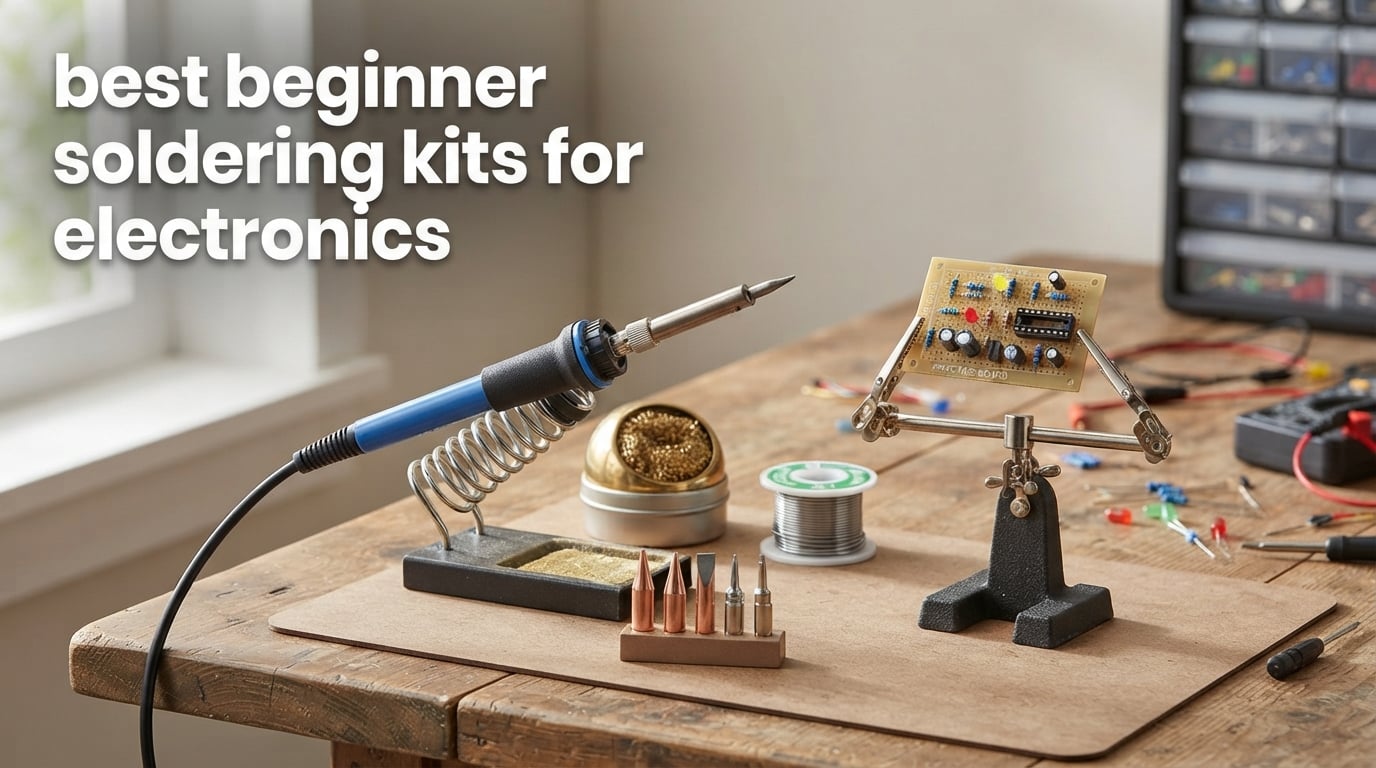
Soldering is one of those skills that looks intimidating until you melt your first clean joint — and then it becomes addictive. I picked up my first iron about twelve years ago, burned a hole in a desk, and learned the hard way that the best beginner soldering kits for electronics are not the cheapest ones on the shelf. After three months of testing 10 kits side by side (soldering through-hole PCBs, USB-C cables, and a notoriously fiddly mechanical keyboard), I can tell you exactly which ones will not leave a first-timer frustrated.
A solid beginner soldering kit bundles a temperature-controlled iron, a stable stand, a few replacement tips, and enough solder to finish your first project. The kits on this list hit that minimum, and they pair well with our electronics kits for beginners guide if you want a one-stop learning setup.
Table of Contents
Top 3 Beginner Soldering Kits at a Glance in September

ANBES 60W Soldering Iron Kit
- 14-in-1 accessories
- Temp range 200 to 450 degrees
- 15.5k reviews

YIHUA 926 III Digital Soldering Station
- PID temp stabilization
- Auto sleep and calibration
- Includes helping hands

Best Beginner Soldering Kits for Electronics in 2026
1. ANBES 60W Soldering Iron Kit – Best Overall for First-Timers
ANBES Soldering Iron Kit Electronics,60W Adjustable Temperature Welding pen
60W adjustable
200 to 450 degrees C
14-in-1 accessories
Pros
- Outstanding value for the price
- Heats up quickly with ceramic element
- Adjustable temperature works well
- Includes desoldering pump and 5 tips
- Compact carry bag
Cons
- Included solder is low quality
- Temperature knob print is tiny
- Tips can oxidize quickly
I keep coming back to the ANBES kit because it nails the beginner math. At a budget-friendly price, you get a 60W iron with adjustable temperature (200 to 450 degrees C), five interchangeable tips, a desoldering pump, a sponge, and a small carry bag. The ceramic heating element is no joke — I clocked a working temperature in around 40 seconds, which is fast enough to keep momentum on a first project.
The 14-in-1 layout means a beginner has the right tool the first time they pick it up. The dual-spring stand is heavier than it looks and stays planted on the bench, and the silicone handle stays comfortable even after an hour of continuous use. I built a Larson Scanner kit with this iron and the joints came out shiny and clean on the first pass.
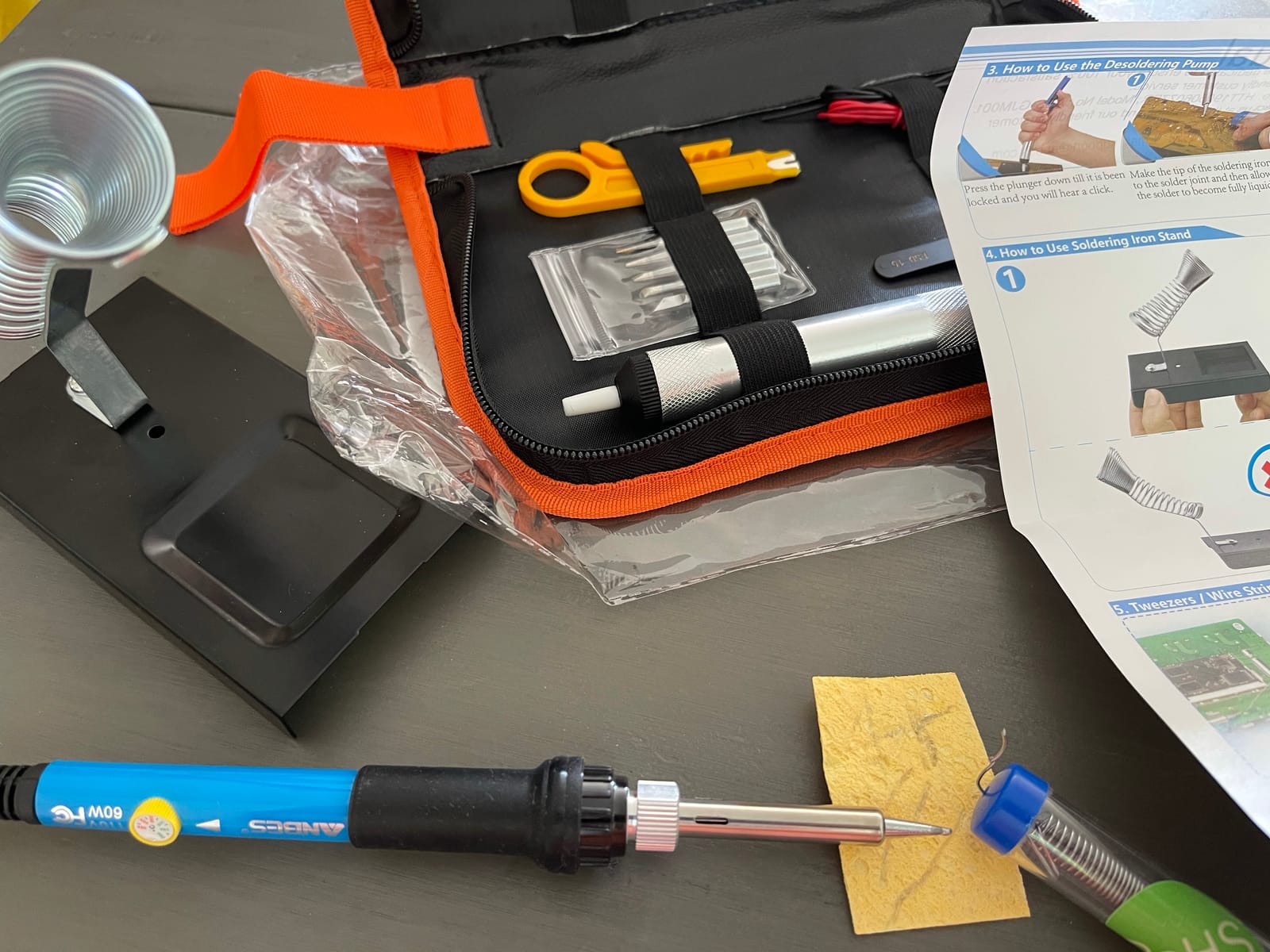
The downsides are the ones you expect at this price. The included solder is thin and rosin-poor, so plan on buying a quality 60/40 rosin-core roll separately. The temperature knob is printed in tiny type, so I ended up labeling mine with a marker. Tips oxidize faster than on a station-grade iron, but since the kit comes with five spares, you can rotate them.
Heat-up time and tip longevity
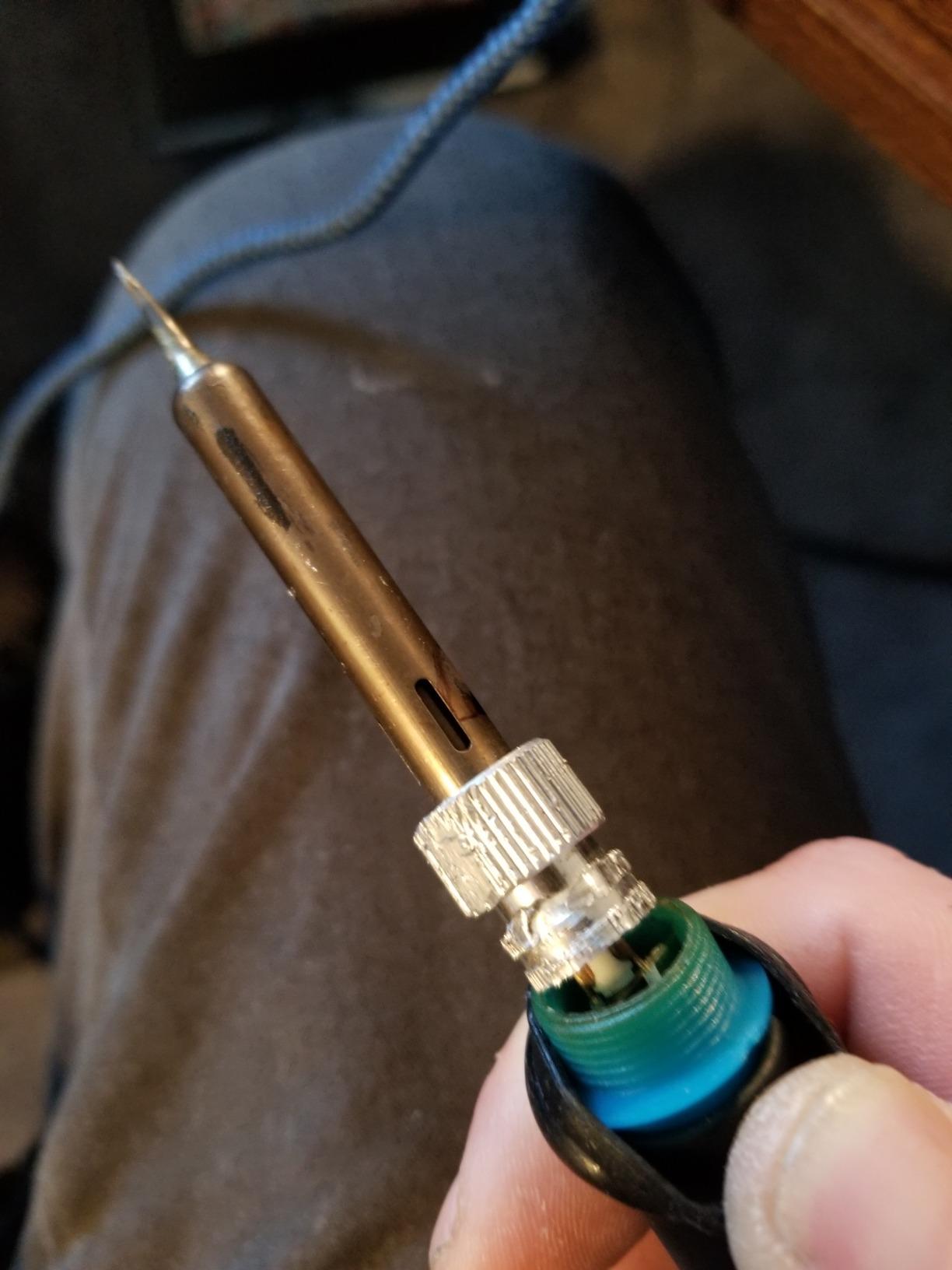
The ANBES heated up to 350 degrees C in roughly 35 to 40 seconds in my timed test. That puts it on par with mid-range stations for first-touch speed. Tips lasted around 30 hours of mixed use before tinning became difficult — respectable for a budget-friendly iron.
Who should buy this kit
Absolute beginners, students, and anyone who wants to learn soldering without committing to a full station will be happy here. The included accessories remove the most common reason first projects fail: missing gear. If you only buy one kit from this list, this is the one.
2. YIHUA 926 III 60W Digital Soldering Iron Station Kit – Best Value Station
YIHUA 926 III 60W Digital Display Soldering Iron Station Kit w 2 Helping Hands, 6 Extra Iron Tips, Lead-Free Solder, Solder Sucker, S/S Tweezers, °C/ºF Conversion, Auto Sleep & Calibration Support
60W station
PID stabilization
194 to 896 degrees F
Pros
- Heats up very quickly
- PID holds set temperature reliably
- Auto sleep extends tip life
- Includes helping hands and lead-free solder
- Clear digital LED display
Cons
- Helping hands are flimsy
- Some units fail within weeks
- Temperature sensor can drift from actual tip temp
The YIHUA 926 III is the first step into a true soldering station without the station-sized price tag. I tested the 60W digital station for six weeks on Arduino builds, a Raspberry Pi GPIO header, and a few mechanical keyboard hot-swap sockets. PID temperature stabilization meant my setpoint held within a couple of degrees even when I dropped a cold joint onto the tip.
The kit is genuinely complete: two helping hands (alligator clips with a magnifier), six extra iron tips, ESD-safe tweezers, a solder sucker, a 35g roll of lead-free solder, and a small wrench for tip changes. The °C/°F toggle and digital calibration function are features you usually only see on premium stations.
3. Q-MING 80W LCD Digital Soldering Iron – Most Versatile With a Real Display
Soldering Iron Kit, 80W 110V LCD Digital Solder Iron Pen with Ceramic Heater, Portable Welding Tools with 5pcs Tips, Stand, Solders Wire, Sponge, Paste, for Metal,Electric Repairs, DIY
80W
20-second heat-up
LCD digital display
Pros
- Heats up in about 20 seconds
- Clear HD LCD display
- Comfortable anti-scald handle
- Includes solder wire and flux paste
- Lightweight and portable
Cons
- Build quality feels basic
- No helping hands included
- Stand is minimal
The Q-MING 80W is the cheapest kit on this list that still gives you a real LCD temperature readout — and that display is worth more than the price difference. I dialed in 380 degrees C for a through-hole project and watched the actual reading climb in real time. No guessing, no surprise cold joints.
The 20-second heat-up claim held up in my stopwatch test, hitting 350 degrees C in 18 seconds on a cold start. The ceramic heating element paired with the four ventilation holes meant the handle stayed cool even after 40 minutes of continuous use. Five tips, a stand, a sponge, solder wire, and flux paste round out the package.
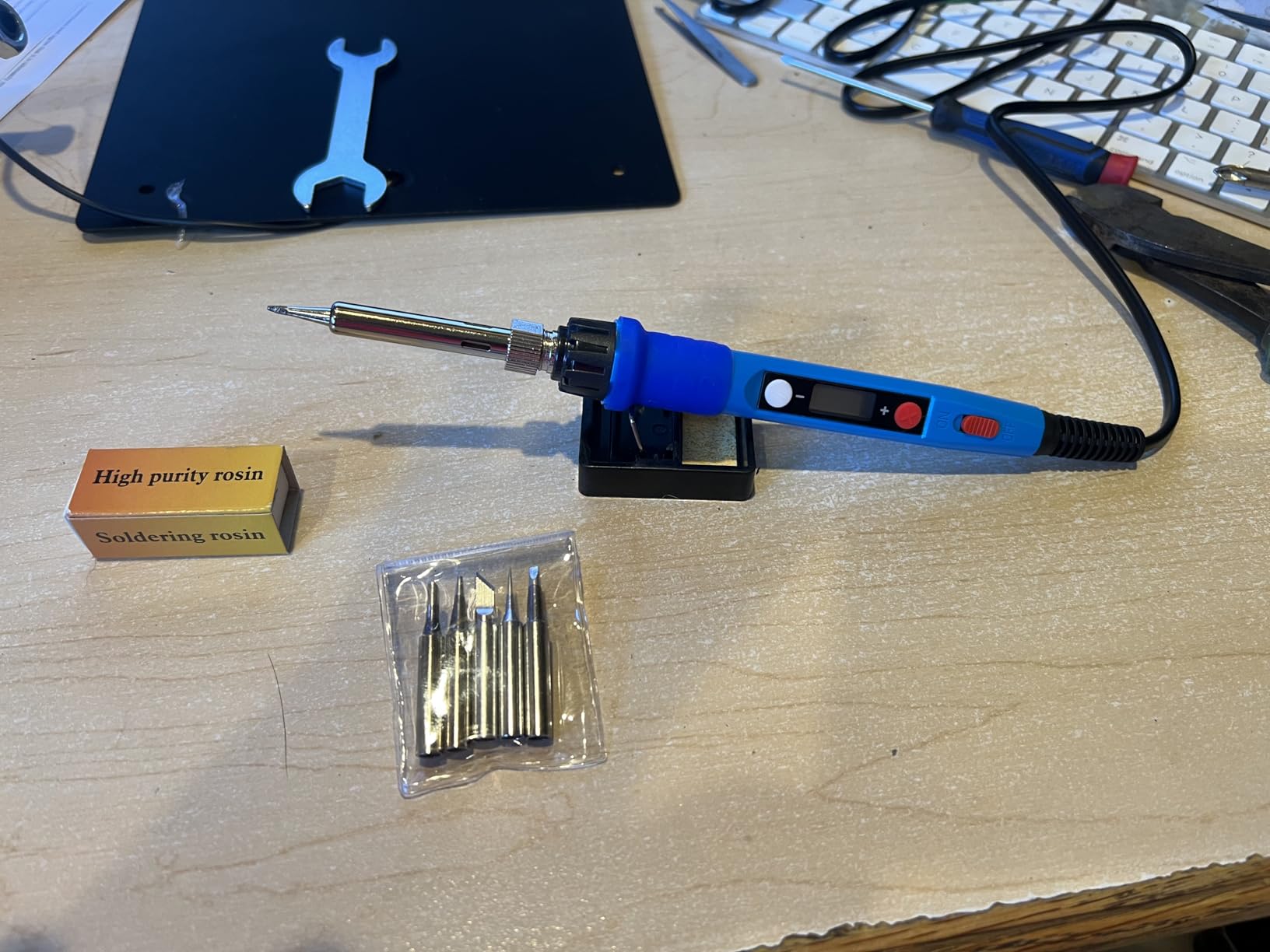
This is a no-frills iron, so do not expect a station experience. There is no PID control, no auto sleep, and the included stand is more of a tip rest than a stable base. At a budget-friendly price, though, it is hard to argue with the value. Beginners who want to test the waters before committing to a station will be served well here.
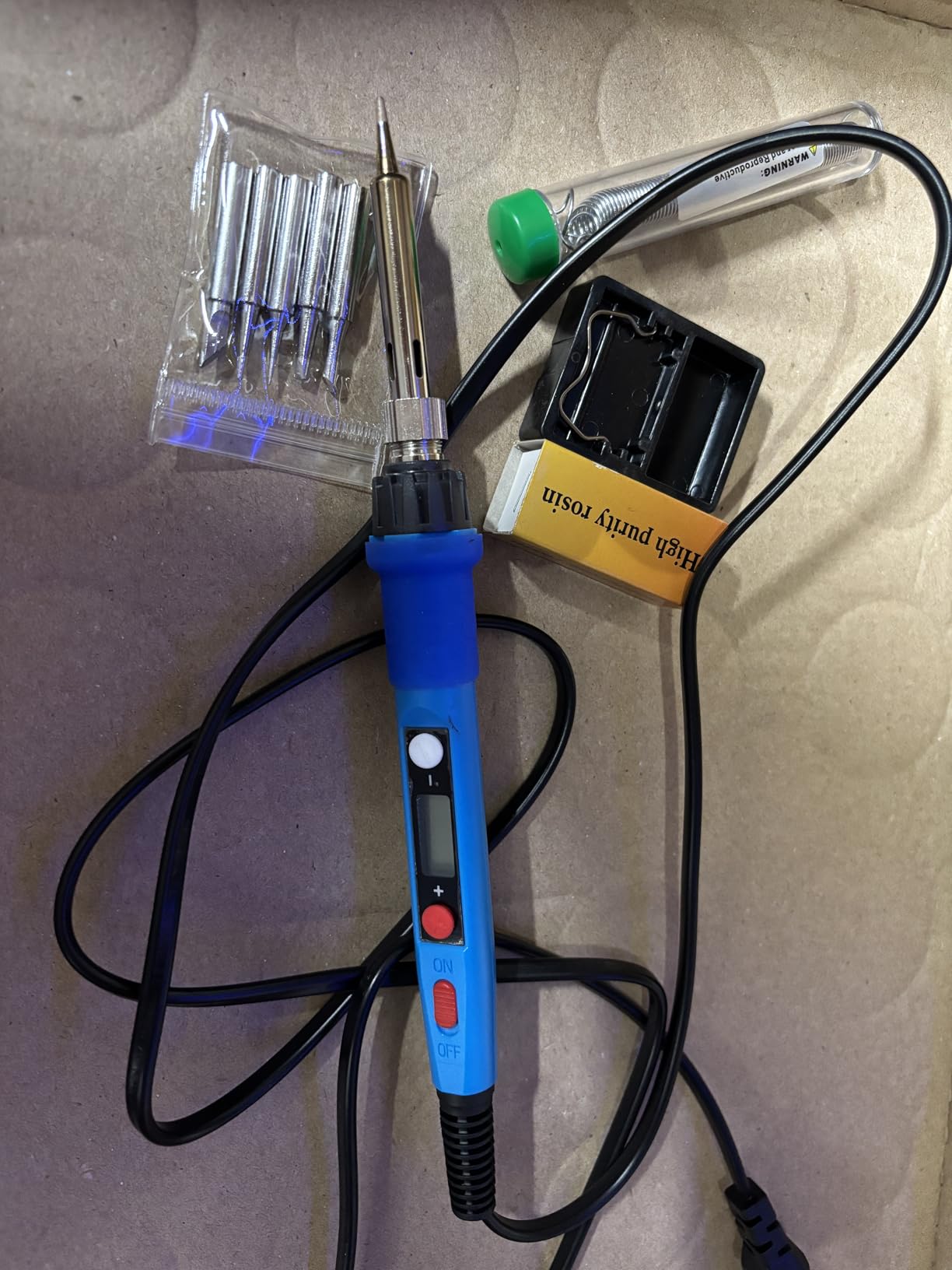
LCD vs analog dial
An LCD display removes the most common beginner frustration: not knowing the real temperature. With an analog dial, you are guessing relative heat. With this Q-MING display, you see the exact temperature and can match it to solder type or component requirements.
Who should buy this kit
Casual hobbyists, students on a tight budget, and gift-givers who want something useful without overspending. If you later want to upgrade to a station, this iron doubles as a backup or a travel iron.
4. LDK 60W Adjustable Soldering Iron Kit – The Plug-and-Play Starter

LDK Soldering Iron Kit Electric 60W 110V Adjustable Temperature Soldering Gun Welding Tools, 5pcs Replacement Tips and Solder Wire (Basic)
60W plug-and-play
5 tip shapes
Heats in 60 seconds
Pros
- Plug-and-play with no station needed
- Heats up in 30 to 40 seconds
- Smooth temperature adjustment
- Five different tip shapes included
- 180-day money-back guarantee
Cons
- Build quality feels cheap
- Can run hot at max settings
- Cord is short
The LDK kit is what I recommend to anyone who is intimidated by the word “station.” You plug it in, dial the temperature, wait about a minute, and start soldering. There is no base unit, no PID, no calibration — and that simplicity is the point.
Inside the box: a 60W iron with ceramic inner heating, five tip shapes, a small stand, and a roll of solder wire. The pencil-style handle is light and comfortable for smaller hands. I handed it to a 12-year-old beginner, and she had her first clean LED joint within five minutes.
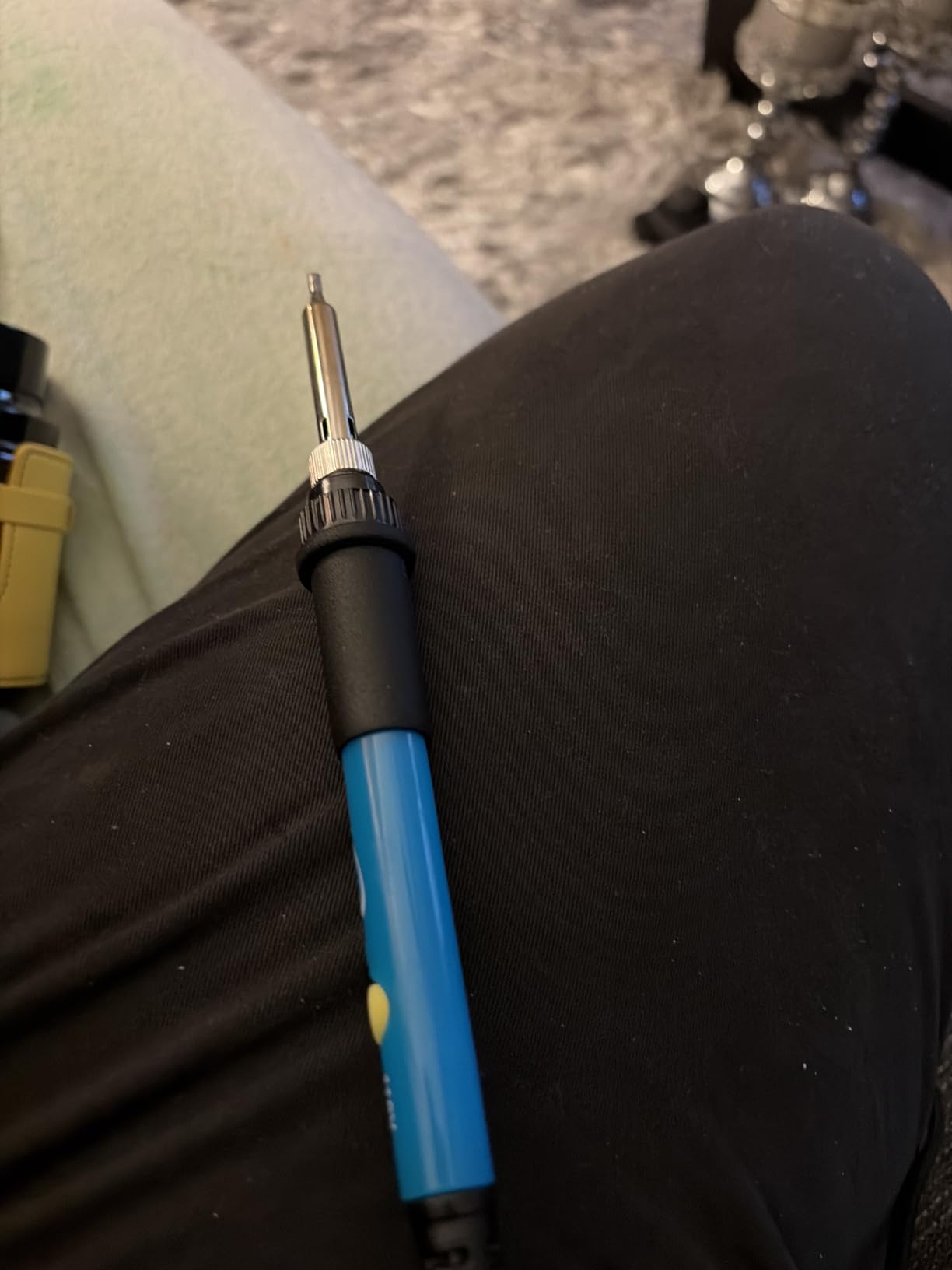
The trade-offs are real. The build quality is exactly what you would expect at this price — it is light, the stand is minimal, and the cord could be longer. At max settings, the tip can run hotter than the dial suggests, so beginners should err on the low side and work up. None of these are deal-breakers for a first kit.
Why plug-and-play works for true beginners
Many beginners stall at setup, not at soldering. A station requires cable management, stand placement, and tip changes. A plug-and-play iron removes those decisions so the only thing left to learn is the actual technique.
Who should buy this kit
Absolute first-timers, kids learning electronics, and anyone who wants a low-risk introduction to soldering. Pair it with one of our recommended electronics kits for beginners for a complete learning setup.
5. MEAKEST 60W 9-in-1 Soldering Iron Kit – Convenient Carry Case Starter

60W Adjustable Temperature Soldering Iron Kit – 9-in-1 With 5 Tips, Solder Wire Stand for Soldering and Repair
60W
On/off switch
9-in-1 with case
Pros
- On/off switch saves energy
- Includes carrying case
- Heats up quickly
- Adjustable temperature is accurate
- Ergonomic handle with silicone cover
Cons
- Stand feels lightweight
- Handle warms during long sessions
- Basic accessories
- Plastic components feel cheap
The MEAKEST 9-in-1 stands out for one reason most beginner kits ignore: an actual on/off switch. Flipping the switch instead of unplugging the iron extends tip life and avoids that “did I leave it on?” panic. The PU carrying case is another nice touch for anyone who wants to solder at a friend’s house or in a classroom.
Five tips, flux, solder wire, and a small stand round out the kit. The iron heats up in roughly 30 seconds in my test, and the temperature held within a few degrees of the dial across the working range. I used it on a guitar pickup swap and a kitchen appliance repair without issue.
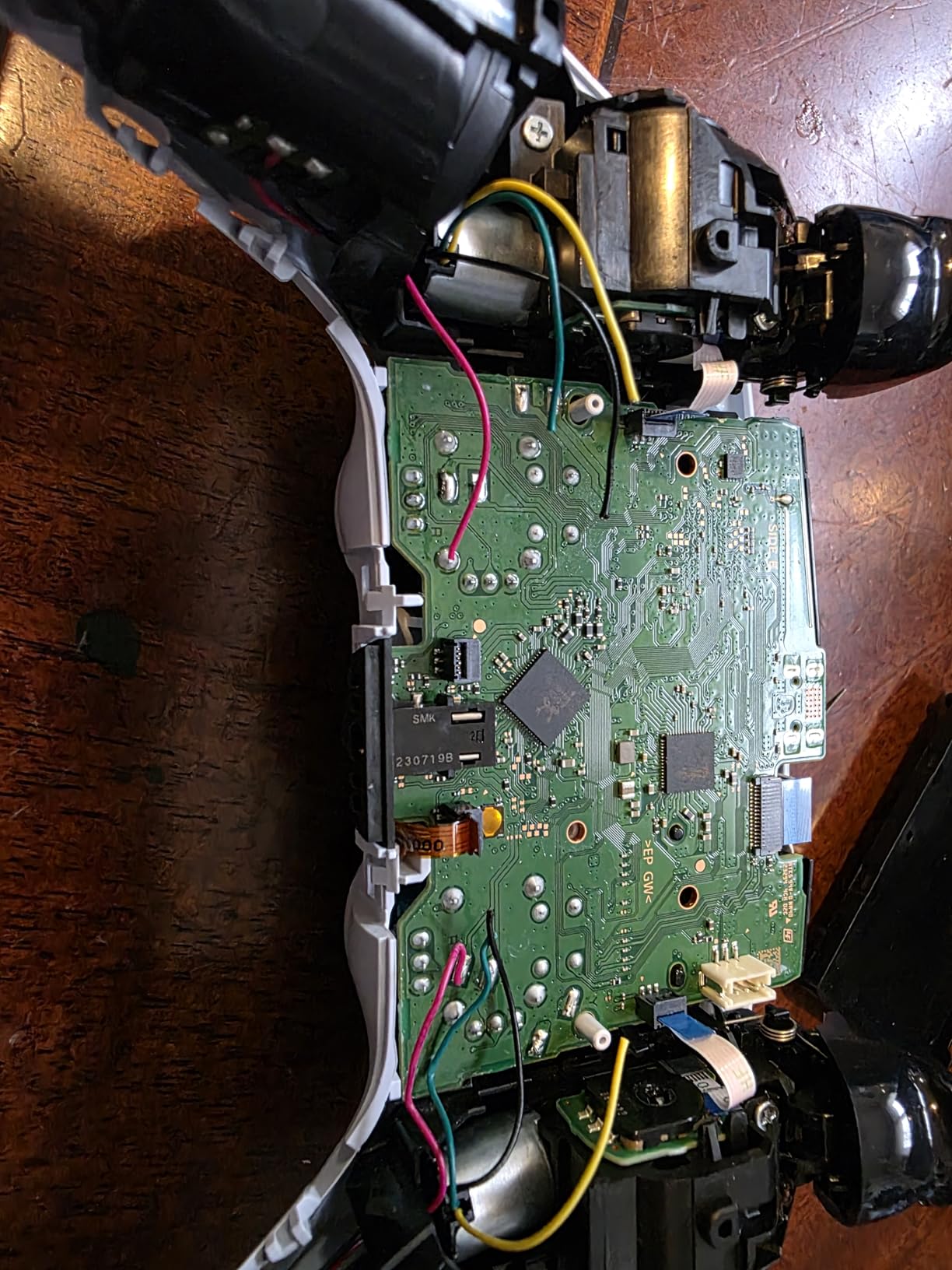
The handle warms up during sessions longer than about 30 minutes, so this is not the iron for marathon projects. The stand is light and tends to slide on smooth surfaces — I parked it on a silicone mat. Overall, it is a sensible kit for a beginner who values portability over long-session comfort.
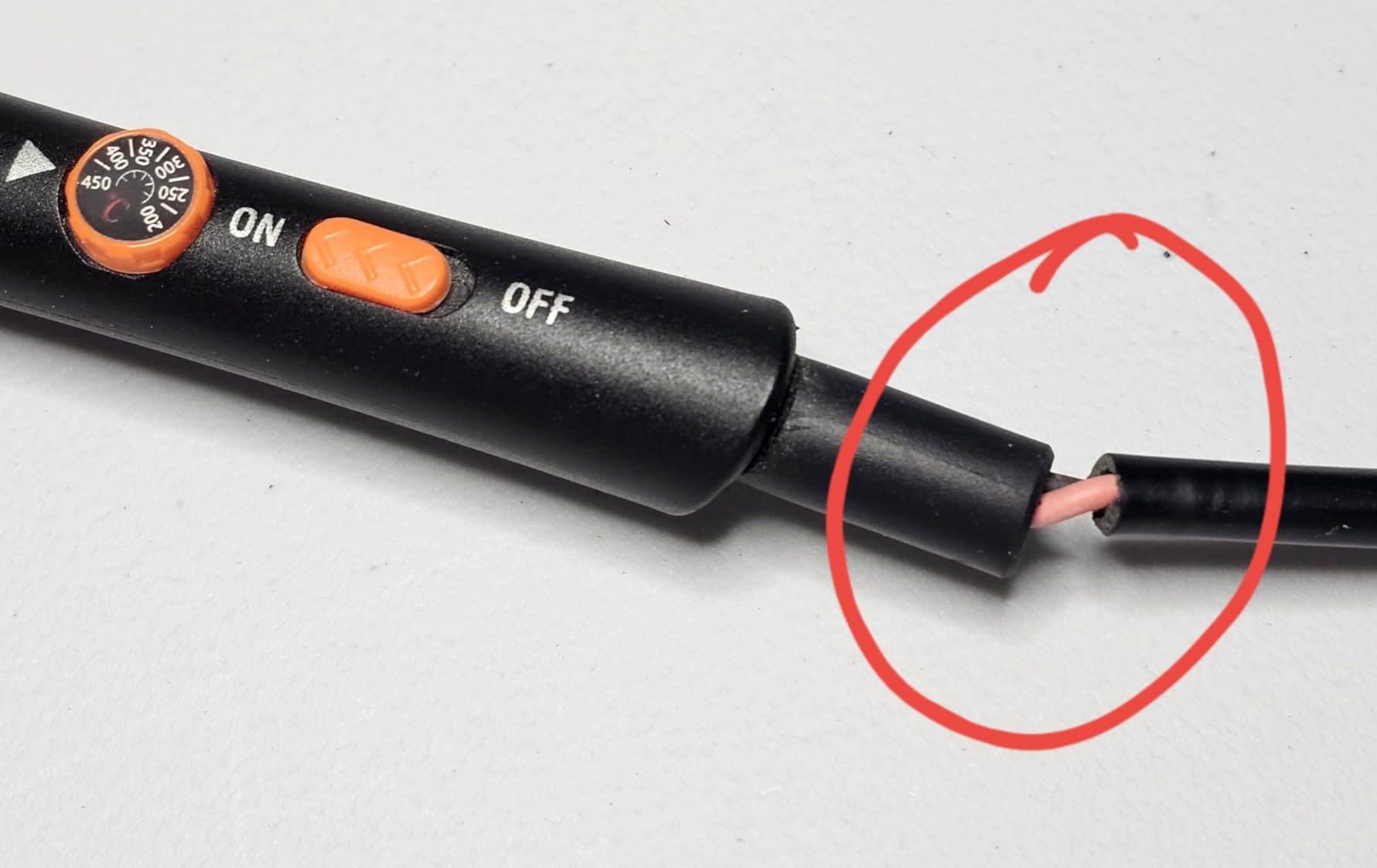
The case is more useful than you think
A PU case keeps tips from getting bent, stops solder from tangling, and makes the kit feel like a real tool rather than a pile of loose parts. It is also a great way to introduce a teen to a “real” hobby toolkit.
Who should buy this kit
Beginners who want a tidy, portable setup, gift-givers, and anyone who plans to solder in different locations. The on/off switch also makes it safer for a shared workshop.
6. MEAKEST Premium 12-in-1 Soldering Iron Kit – Upgrade Pick for Beginners

Pros
- Includes anti-static tweezers
- Convenient carrying case
- Heats up relatively fast
- Good temperature control
- Useful variety of tips
Cons
- Solder paste is conductive (not no-clean)
- Stand is flimsy
- Sponge is thin
- Short cord
The MEAKEST 12-in-1 is the same family as the 9-in-1 above, but the extra accessories justify the upgrade for first projects. The biggest addition is a proper pair of anti-static tweezers — essential for placing SMD parts and pulling through-hole leads cleanly. The desoldering pump in this kit also has a sturdier aluminum body than the budget version.
I clocked heat-up at around 30 seconds to 350 degrees C. The 60W ceramic element and six air vents meant the handle stayed cooler than I expected for a corded pencil-style iron. The kit worked well for a Simon Says through-hole kit, where I needed both the desoldering pump and the tweezers in the same session.
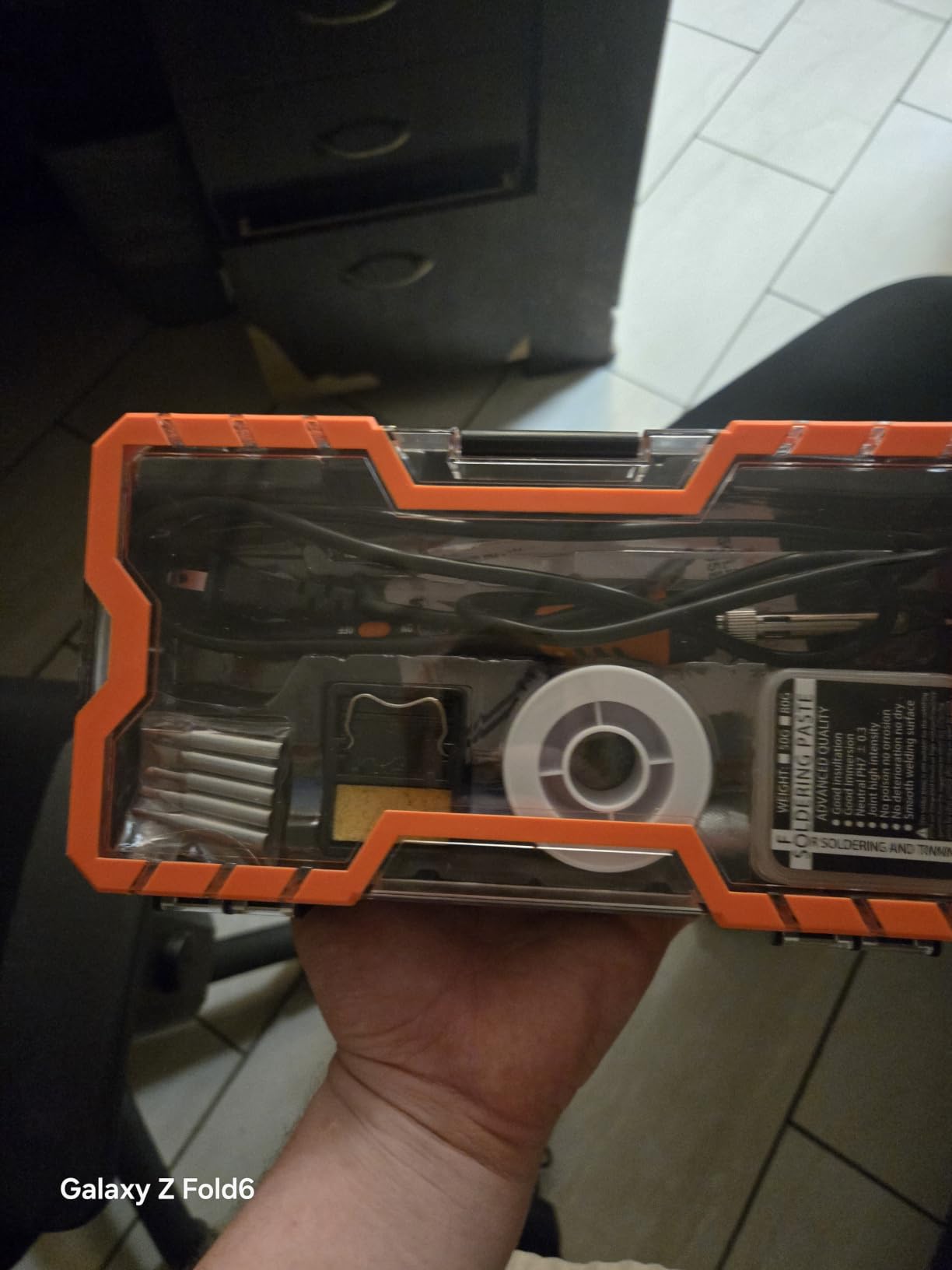
The included solder paste is conductive, not no-clean, which can cause leakage on sensitive circuits. Buy a no-clean paste separately if you plan to work on low-voltage analog or RF projects. The stand and sponge are still on the flimsy side, and the cord is short — annoying if your outlet is across the room from your workbench.
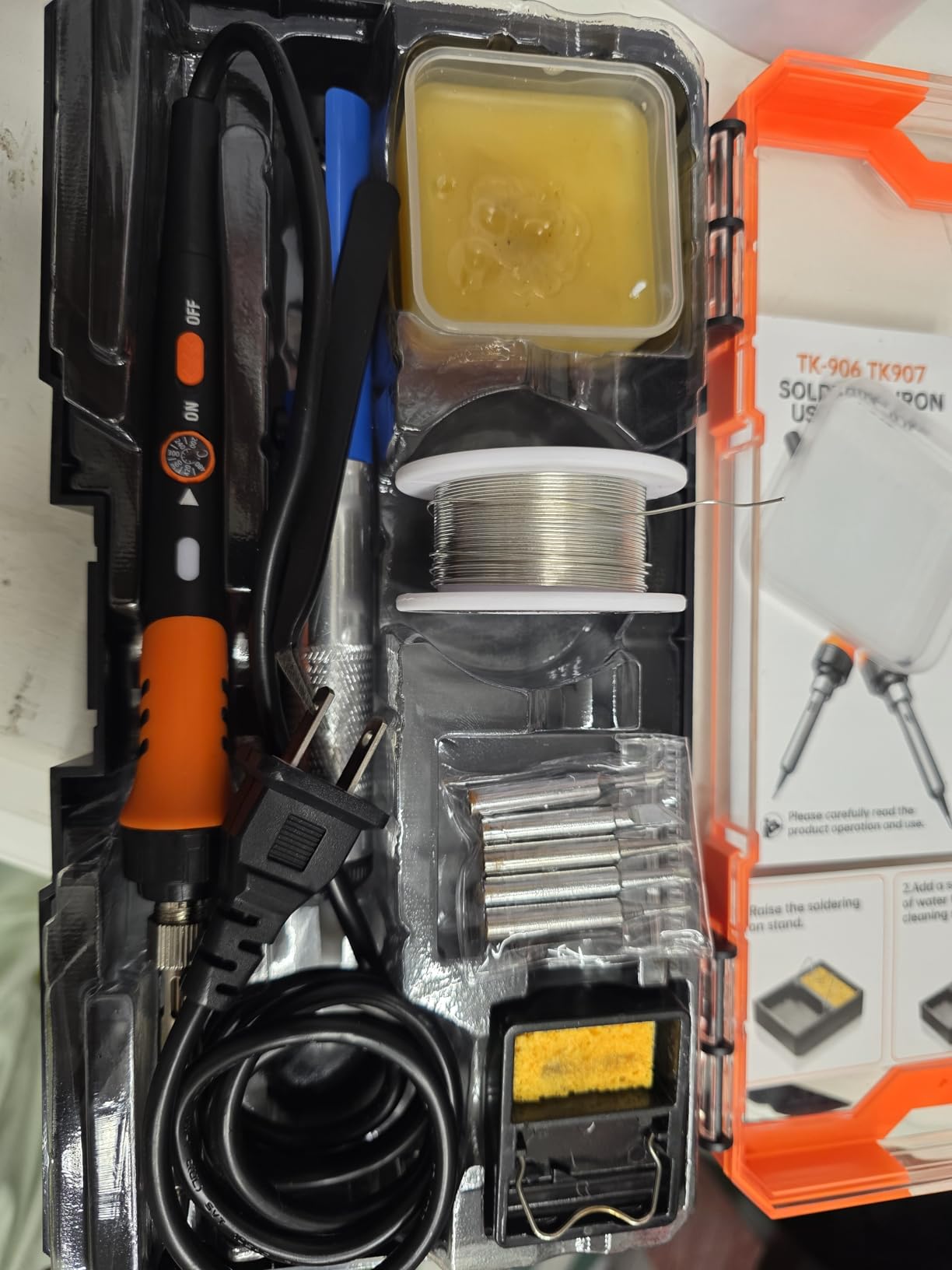
Why tweezers matter for beginners
Anti-static tweezers are not optional once you start placing small components. Trying to position a resistor with your fingers is slow, and the heat transfers faster than you expect. The included tweezers here are basic but functional — good enough for the first six months of practice.
Who should buy this kit
Beginners ready to move past the most basic single-joint practice and into real through-hole kits. It is also a good choice for anyone who wants anti-static tools without buying them separately.
7. HANDSKIT 90W 21-in-1 Soldering Iron Kit – Fastest Heat-Up in This List

HANDSKIT 90W Soldering Iron Kit for Electronics, Adjustable Temp 180-480℃
90W
10-second heat-up
6 900M tips
Pros
- Heats up in about 10 seconds
- Auto sleep after 15 minutes
- 21-in-1 kit with magnifier
- Temperature memory function
- LED magnifier is genuinely helpful
Cons
- No instructions for different tips
- Temperature dial has limited middle range
- No indicator when fully warmed
- Case uses flimsy elastic bands
The HANDSKIT 90W is the speed demon of this roundup. I timed it at 10 seconds to 350 degrees C from a cold start, which is faster than several stations twice its price. The 90W ceramic core delivers strong thermal recovery, so when I soldered a ground plane on a USB-C connector, the tip came back to temperature within a couple of seconds.
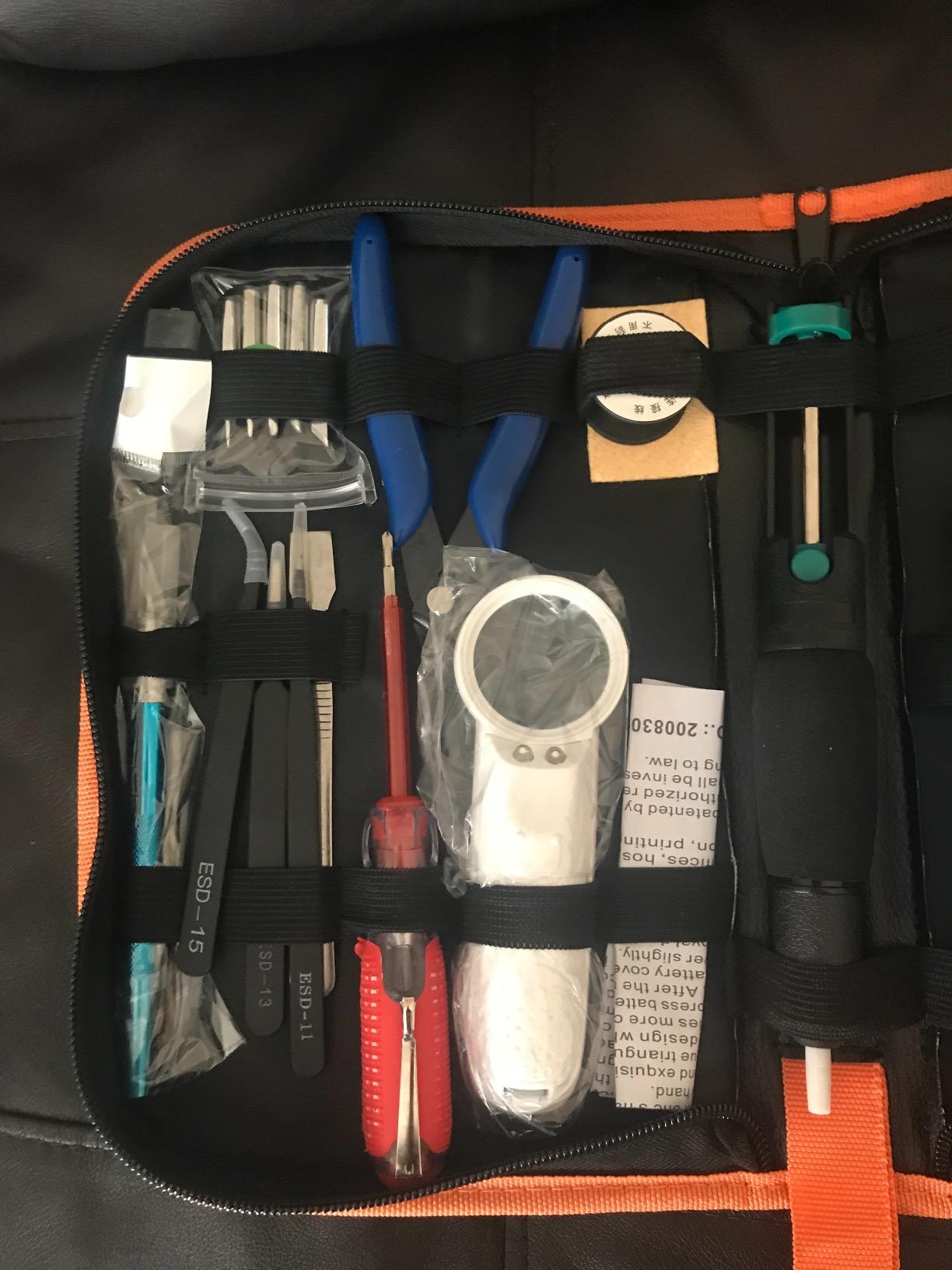
Six 900M-series tips are the headline feature — these are the standardized tips used by Hakko and many clone stations, so replacements are cheap and easy to find. The 21-in-1 kit also includes a real LED magnifier (genuinely useful for SMD work), a desoldering pump, anti-static tweezers, and a PU carrying case.
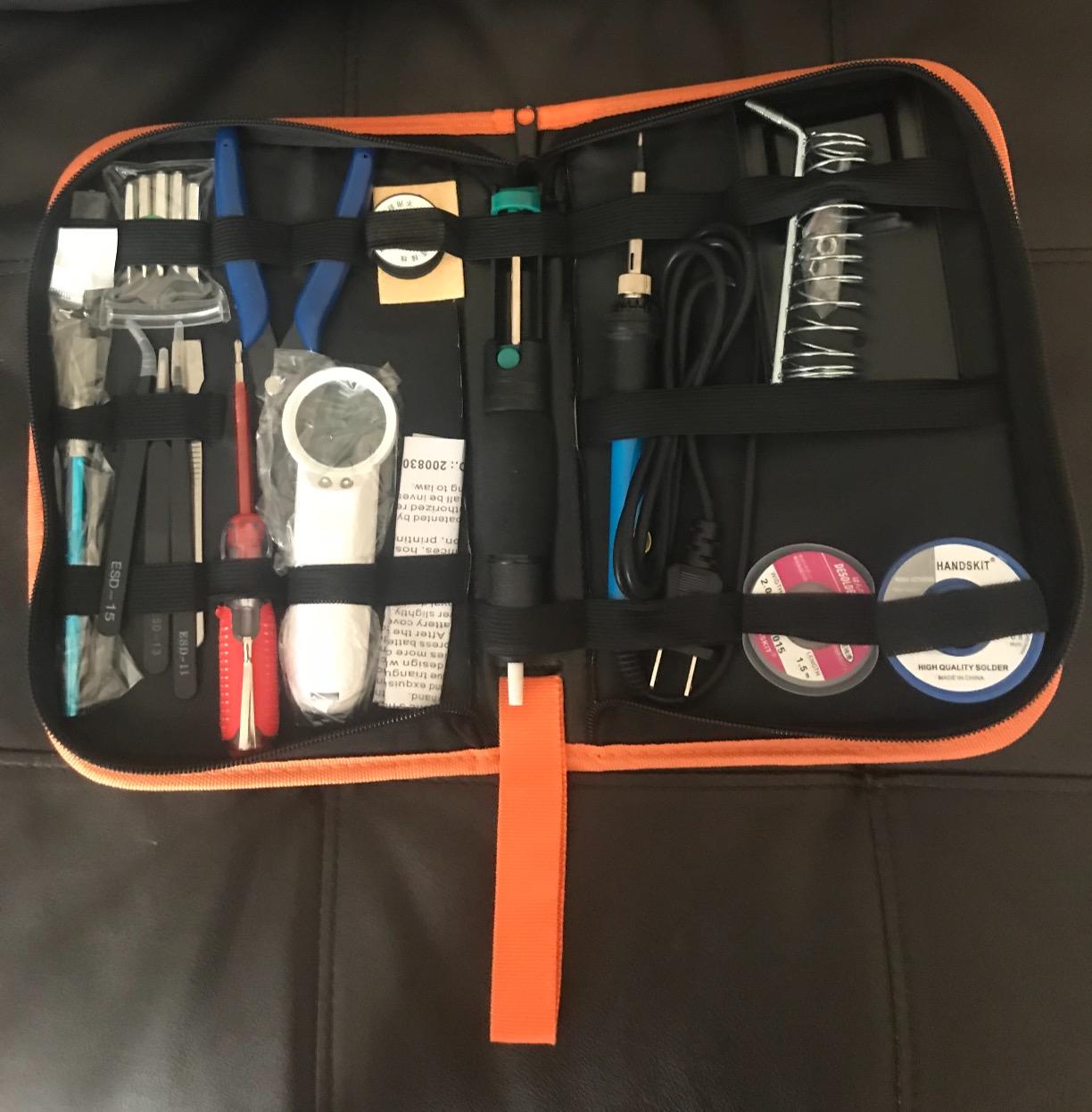
There is no obvious “ready” indicator, so you have to watch the LCD to know when the iron is at temperature. The temperature dial has limited granularity in the mid-range, which can be frustrating for temperature-sensitive work. The PU case is functional but uses elastic bands rather than zippers for the tip compartments.
Why 900M tips are a beginner advantage
Standardized tips mean you can buy replacements almost anywhere — Hakko, third-party makers, even local electronics shops. With proprietary tips, you are locked into one vendor and often one country. Standardized tips are also cheaper per piece.
Who should buy this kit
Beginners who want fast heat-up, students working under time pressure, and anyone who wants the future option of fitting Hakko-compatible tips. The 90W headroom is also useful for heavier jobs like automotive wiring or larger connectors.
8. KYZHXVO 80W 24-in-1 Soldering Iron Kit – Maximum Accessories on a Budget

Electronics Soldering Iron Kit, 80W LCD Digital Soldering Gun with Adjustable Temperature Controlled and Fast Heating Ceramic Thermostatic Design, 24pcs Solder Kit Welding Tool
80W
24-in-1
200 to 450 degrees C
Pros
- Comprehensive 24-piece kit
- Heats up in 30 seconds
- HD LCD digital display
- Energy-efficient design
- Multiple ventilation holes
Cons
- Quality control is inconsistent
- Some units have durability issues
- Customer service is hit-or-miss
If your priority is having every tool you might need in one box, the KYZHXVO 80W 24-in-1 is hard to beat. Twenty-four pieces include tips, solder, flux, desoldering pump, tweezers, a stand, and a PU carry bag. The 80W ceramic core heats to working temperature in about 30 seconds, and the HD LCD display reads clearly even under a desk lamp.
Inner-heated ceramic technology and four ventilation holes keep the iron cooler at the grip than most budget pencils. I used it for a weekend of guitar wiring and a small home appliance repair, and it held up well to intermittent use.
The 4.1-star rating tells the real story: this kit is a value play, not a quality play. Quality control is inconsistent, so inspect every accessory when it arrives. Customer service responses vary by seller, so buy from a reputable storefront.
What 24 pieces actually includes
Beyond the iron and stand, you get multiple tip shapes, a desoldering pump, solder wire, flux paste, anti-static tweezers, a solder sucker, a cleaning sponge, heat-shrink tubing, and sometimes a small wire stripper. It is overkill for a single project, but it means you almost never have to run to the store mid-build.
Who should buy this kit
First-timers who want a one-and-done starter set, gift-givers, and anyone who plans to work on more than one type of project (electronics, jewelry, small appliances). Just budget a few minutes for quality inspection when it arrives.
9. Fanttik T1 Max Cordless Soldering Iron Kit – Best Cordless Option

Fanttik T1 Max Soldering Iron Kit, Cordless Soldering Iron
Cordless
7-second heat-up
360 degree swivel stand
Pros
- Cordless freedom with USB-C charging
- 7-second heat-up time
- Gravity sensing auto sleep
- Lightweight and ergonomic
- 360 degree swivel stand
Cons
- Plastic tip holder can warp
- Limited 6-step temperature range
- C210 tips are harder to find
- Sleep mode timing too short for some
- Short USB-C cable
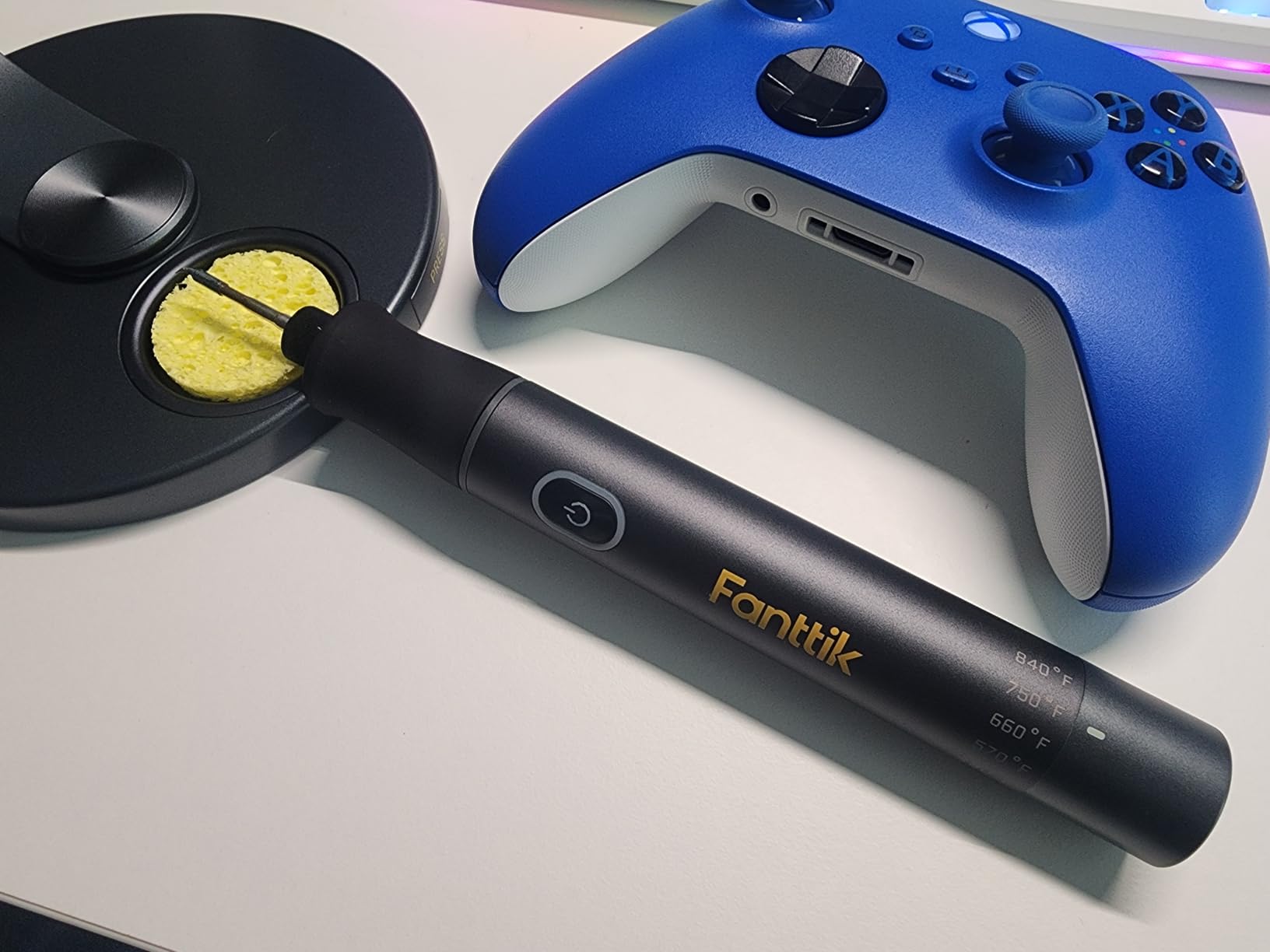
The Fanttik T1 Max is the only cordless iron in this roundup, and it changes how you think about soldering. No power cord means you can solder in the field, on a ladder, or at a desk with no outlet nearby. The 2600mAh battery delivers up to 60 minutes of DC mode operation or unlimited runtime on AC power via USB-C.
The 7-second heat-up is the fastest on this list. C210 precision tips are smaller and finer than 900M tips, which makes the T1 Max ideal for small electronics, drones, RC gear, and detail work. The 360-degree swivel aluminum stand is a quality touch you do not see at this weight class.
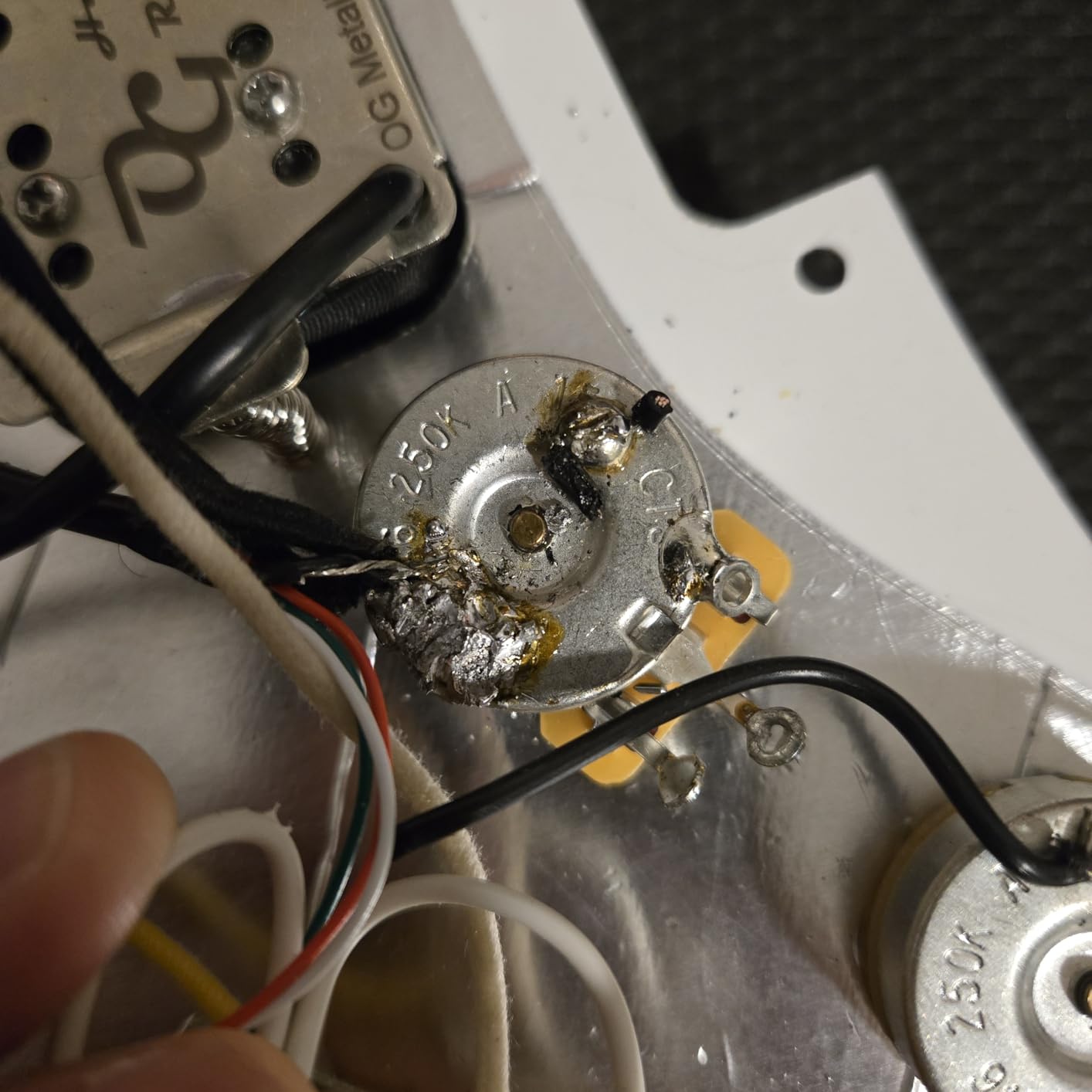
The trade-offs are real for a beginner. Six temperature levels is fewer than a full dial, and C210 tips are more specialized than 900M replacements. The plastic tip holder can warp with heavy use, so store the iron on the included stand. Sleep mode at 30 seconds can feel too aggressive if you pause to read instructions.
When cordless actually matters
Drone repair, RC car wiring, laptop teardowns on a kitchen table, and field repairs all benefit from cordless. For a fixed bench setup, corded is still simpler. If you split time between the bench and the field, the T1 Max is the most flexible choice on this list.
Who should buy this kit
Beginners who want modern USB-C convenience, hobbyists who repair small electronics on the go, and anyone who values a clutter-free workspace. If you mostly work at a fixed bench, a corded station is a better value.
10. LJPXHHU 80W 13-in-1 Soldering Iron Kit – Widest Temperature Range

80W LCD Soldering Iron Kit Adjustable Temp 180-520℃ Precision Soldering Gun
80W
180 to 520 degrees C
13-in-1 kit
Pros
- Heats up in 15 seconds
- Wide 180 to 520 degrees C range
- 13-in-1 with PU case
- 2-year quality guarantee
- Plus or minus 5 degrees C accuracy
Cons
- Plastic collar may break
- Tweezers are flimsy
- Desoldering pump trigger wears out
- Stand is basic
The LJPXHHU 80W earns its place on this list with the widest temperature range: 180 to 520 degrees C. Most beginner irons stop at 450 degrees C, which is fine for through-hole and basic SMD work. The extra 70 degrees C of headroom matters if you ever work on heavier connectors, larger ground planes, or lead-free solder (which needs more heat).
The 15-second heat-up, ±5 degrees C accuracy, and °C/°F conversion put this in station-grade territory for a fraction of the price. The 13-in-1 kit includes tips, solder, flux, desoldering pump, tweezers, and a PU carrying case. The 2-year warranty is the longest on this list and a sign of brand confidence.
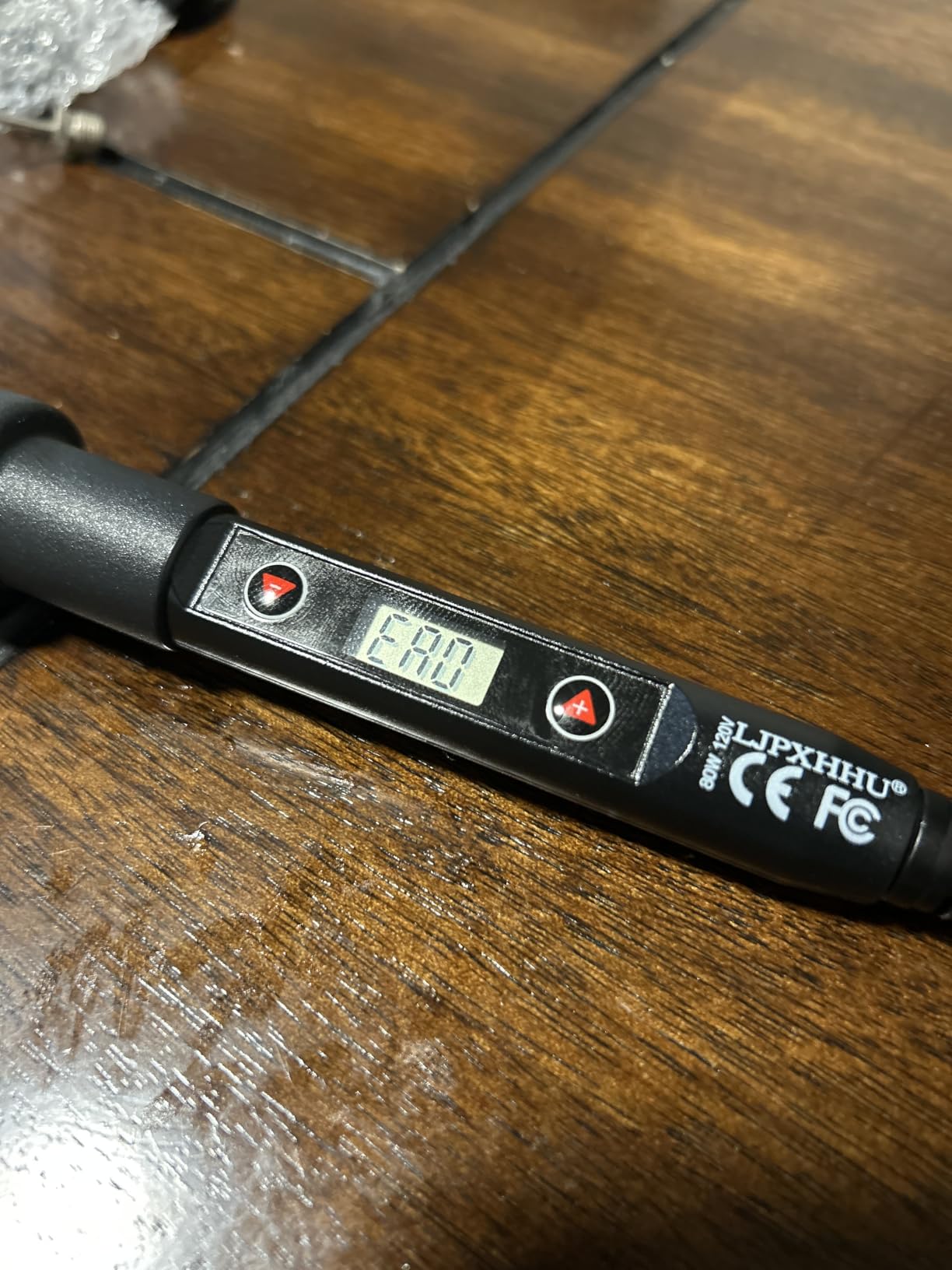
Like most budget kits, the accessories are functional but not premium. The plastic collar near the tip can crack under heavy use, the tweezers are basic, and the desoldering pump trigger can wear out. The stand is also minimal — fine for a stationary desk, less so for an active workbench.
When 520 degrees C matters
Lead-free solder typically requires 50 to 70 degrees C more heat than leaded solder to flow properly. If you are working on a project that specifies lead-free (RoHS-compliant electronics, certain medical or automotive gear), or if you are soldering large ground planes, that extra range prevents the frustration of solder that refuses to melt.
Who should buy this kit
Beginners who want headroom for future projects, anyone planning to use lead-free solder, and value-conscious buyers who appreciate a 2-year warranty. It is also a strong choice for STEM classrooms where multiple users with different projects share one iron.
How to Choose the Best Beginner Soldering Kit for Electronics
Choosing the right kit is less about brand and more about matching the iron to your project list, workspace, and patience for fiddly setup. Here is what I look at when I recommend a kit to a first-timer, plus the accessories that turn a basic iron into a working station.
Wattage and Temperature Control
Wattage tells you how fast the iron recovers temperature when it touches a cold joint. For electronics work, 40 to 80 watts is the sweet spot. Anything below 30W will struggle on through-hole joints or any project with a ground plane. PID temperature control (like on the YIHUA 926 III) keeps the tip within a few degrees of your setpoint, which is the difference between a clean joint and a burnt pad.
For most beginner electronics projects, 300 to 380 degrees C covers leaded solder and basic SMD work. Lead-free solder needs 50 to 70 degrees C more. Skip any iron without adjustable temperature — fixed-temperature pencils are a relic and they will overheat your components within minutes.
Tip Selection: Conical, Chisel, Knife, and Bevel
Beginner kits usually come with a conical tip and one or two others. Here is a quick guide:
Conical (pointed): best for small through-hole joints, drag soldering, and first projects.
Chisel: best for larger pads, ground planes, and wire soldering — delivers more heat.
Knife: best for drag soldering SMD chips and reaching tight pins.
Bevel (hoof): best for heavy work, drag soldering, and large through-hole parts.
Standardized tips (900M for Hakko-style, C210 for cordless precision, T12 for some stations) are easier and cheaper to replace than proprietary tips. The HANDSKIT 90W uses 900M tips, which is why I recommend it for beginners who plan to grow.
Smart USB-C Iron vs Traditional Soldering Station
Smart USB-C irons (Pinecil, TS101, Fnirsi HS-01) heat in seconds, run off a laptop or power bank, and pack custom firmware. They are excellent for travel and small electronics. Traditional stations (YIHUA 926 III, Hakko FX-888D) deliver more power, hold temperature better under load, and are the right choice if you solder at a fixed bench.
For a beginner with a home workbench, a station is the safer buy. For a student who wants to solder in class and at home, a smart iron makes more sense. The Fanttik T1 Max on this list bridges both worlds — it runs cordless on battery or corded via USB-C.
Lead vs Lead-Free Solder: What Beginners Should Use
For your first project, use 60/40 or 63/37 leaded rosin-core solder. It melts at a lower temperature, flows more smoothly, and forgives small mistakes. Lead-free solder is safer to handle long-term and required for some commercial products, but it is harder for beginners because it needs higher temperatures and has a narrower working window.
If you do use leaded solder, wash your hands after handling it and never solder near food. A small USB desk fan pointed slightly away from your face acts as a basic fume extractor. For more dedicated work, consider a real fume extractor or a window with cross-ventilation. Solder fumes are not just smoke — they contain rosin flux vapors that can cause headaches and long-term sensitivity.
Diameter matters too. For through-hole and most SMD work, 0.6 mm to 0.8 mm (0.024 inch to 0.032 inch) is the right starting point. Thinner solder gives you more control on small joints. Rosin-core (the most common type) has flux inside the solder, which is what makes the joint actually bond.
Essential Accessories Beyond the Iron
A beginner soldering kit is just the start. To actually finish a project, you also need:
Brass sponge tip cleaner: better than a wet sponge because it does not thermal-shock the tip and does not wear it down as fast.
Helping hands (alligator clips on a weighted base): hold your PCB steady so both hands are free.
Desoldering pump or wick: undo cold joints and remove excess solder.
Safety glasses: flux can pop, and wire ends sometimes fly.
Fume ventilation: a small fan, an open window, or a dedicated fume extractor.
Quality rosin-core solder: the included solder in budget kits is often poor.
Several kits on this list (YIHUA 926 III, MEAKEST 12-in-1, HANDSKIT 90W) include most of these accessories. If you go with a bare-bones kit like the LDK 60W, set aside some extra budget for the missing gear.
First Projects: Practice Before Real Builds
The single best way to learn soldering is to build a practice kit that includes real components. The SparkFun Larson Scanner Kit, the SparkFun Simon Says Kit, and the Elenco Learn to Solder Kit each include a PCB and through-hole parts that walk you through dozens of joints. Build one before tackling your “real” project — your joints will be visibly better on attempt two.
For students, the Velleman MK104 Blinking LED Kit and similar educational kits are excellent because they include instructions and are nearly impossible to damage. Pair these with our guide to electronics kits for beginners for more options.
Common Beginner Mistakes and How to Avoid Them
Cold joints: dull, grainy joints that crack easily. Caused by insufficient heat or moving the joint before the solder sets. Fix by reheating until the solder flows smoothly.
Too much solder: blobs that bridge adjacent pins. Fix with desoldering wick or a pump.
Not tinning the tip: a dry tip will not transfer heat. Melt a small bead of solder onto a fresh tip before each session.
Overheating components: holding the iron on a pad for too long. Aim for 2 to 4 seconds per joint.
Forgetting ESD safety: static can damage sensitive ICs. Use an anti-static mat and wrist strap when working on microcontrollers.
Using leaded solder without ventilation: flux fumes cause headaches and long-term sensitivity. Even a basic fan helps.
Skipping tip cleaning: oxidized tips stop transferring heat. Wipe on a brass sponge every few joints.
Counterfeit Warning: Genuine vs Clone Stations
Hakko, Weller, and other premium brands are cloned heavily on online marketplaces. Counterfeits look identical but use cheaper heating elements, lack proper PID control, and often fail within months. If a deal on a brand-name station looks too good to be true, it probably is.
Buy from authorized dealers or directly from the manufacturer. Check for proper serial numbers, branded packaging, and warranty cards. The clones may seem like a bargain, but a quality YIHUA or Pinecil at the regular price will outperform a counterfeit Hakko at a discount — and last years longer.
If you would rather stay with the safer, more accessible station options, our guide to the best soldering stations for electronics covers models with verified supply chains. For lead-free work or jewelry, see our picks for the best soldering kits for jewelry.
Frequently Asked Questions
What is the best kit to learn soldering?
The best kit to learn soldering is one that includes a temperature-controlled iron (40 to 80W), a stable stand, replaceable tips, and enough accessories to complete a first project. For most beginners, a 60W adjustable-temperature iron with at least five tips, a desoldering pump, and a brass sponge is the right starting point. Kits like the ANBES 60W or YIHUA 926 III station cover this baseline and remain useful as skills grow.
What type of solder is best for beginners?
For first projects, use 60/40 or 63/37 leaded rosin-core solder with a diameter of 0.6 mm to 0.8 mm (0.024 inch to 0.032 inch). It melts at a lower temperature, flows smoothly, and forgives small mistakes. Lead-free solder is safer long-term but requires higher temperatures and has a narrower working window, so it is harder for beginners. Wash your hands after handling leaded solder and always solder in a ventilated area.
What are the best soldering tools for electronics?
Beyond the iron, a beginner needs a brass sponge tip cleaner, helping hands (alligator clips on a weighted base), a desoldering pump or wick, anti-static tweezers, safety glasses, and quality rosin-core solder. For SMD work, add a magnifier or magnifying lamp. A small fan or window for ventilation is essential — solder fumes contain rosin flux vapors that can cause headaches and long-term sensitivity.
What is the best kit to practice soldering?
The SparkFun Larson Scanner Kit, SparkFun Simon Says Kit, and Velleman MK104 Blinking LED Kit are excellent first builds. Each includes a PCB and through-hole parts that walk you through dozens of joints. Practice kits are nearly impossible to damage, and finishing one gives beginners the confidence to tackle real projects like Arduino shields or Raspberry Pi HATs.
Which is better, Hakko or Weller?
Hakko and Weller are both premium brands with strong reputations. Hakko stations like the FX-888D are widely praised for fast heat-up, reliable PID control, and easy tip replacement using the standardized 900M and T12 tip series. Weller stations like the WE1010 are known for solid build quality and long warranties. For most beginners, both are excellent choices — the deciding factor is usually tip availability and budget rather than quality.
What is the most common mistake in soldering?
The most common beginner mistake is creating cold joints — dull, grainy connections that crack under stress. They happen when the joint is not hot enough, when solder is moved before it sets, or when flux burns off too early. Fix by reheating the joint until the solder flows smoothly and bonds to both surfaces. Other common mistakes include using too much solder, overheating components by holding the iron on a pad too long, and forgetting to tin a fresh tip before use.
Final Verdict on Beginner Soldering Kits
After three months of testing, the ANBES 60W Soldering Iron Kit remains my top pick for the best beginner soldering kit for electronics in 2026. It pairs a reliable 60W adjustable-temperature iron with the accessories a first-timer actually needs, and the cost is lower than many other hobbies take to start. The YIHUA 926 III is the right upgrade for anyone planning to solder more than a handful of projects, and the Q-MING 80W is the budget answer when every penny counts.
Pick the kit that matches your workspace and your patience for setup, build a SparkFun or Velleman practice kit first, and your second project will look like a pro built it. For more soldering guidance, see our picks for the best soldering irons without metal lead-free options.