
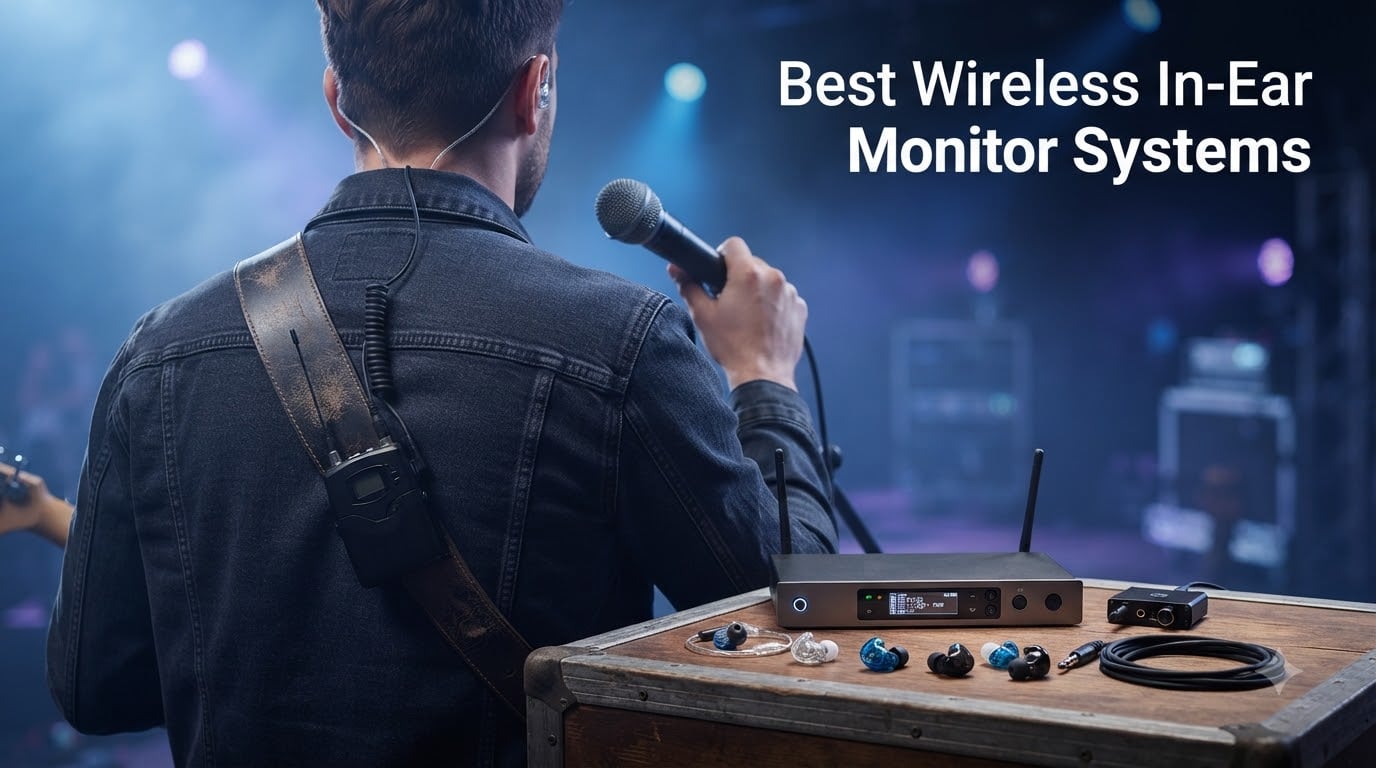
If you’ve ever lost your place in a song because your floor monitor was blasting the wrong mix, you already know why finding the best wireless in-ear monitor system matters. I spent the last three months gigging, rehearsing, and running sound with eight different wireless IEM systems ranging from $39 to $1539. I’ve been playing in bands for 14 years and mixing live sound on the side for about half that time, so I’m picky about what I put in my ears on stage.
A wireless in-ear monitor system is a personal audio monitoring setup that sends a custom mix from the soundboard directly to your ears via wireless transmission. The transmitter sits at the console, the bodypack receiver clips to your belt, and you plug your favorite earphones into the receiver. The result is consistent sound, protected hearing, and total freedom to roam the stage without losing your cue.
In this guide, I’ll walk you through the eight best wireless in-ear monitor systems in 2026 — from Shure’s flagship PSM300 to a sub-$50 budget option that genuinely surprised me. I’ll break down what each system does best, who should buy it, and where I’d push back on the marketing copy. Whether you’re a vocalist, a guitarist, a drummer, or running a worship team, there’s something here for your setup and your budget.
Table of Contents
Top 3 Picks for Best Wireless In-Ear Monitor Systems in 2026
Best Wireless In-Ear Monitor Systems in 2026
| Product | Specifications | Action |
|---|---|---|
| Shure PSM300 Twin Pack Pro |
|
Check Latest Price |
 Xvive U4 Xvive U4 |
|
Check Latest Price |
 Xvive U45D Xvive U45D |
|
Check Latest Price |
 Phenyx Pro PTM-33 4-Channel Phenyx Pro PTM-33 4-Channel |
|
Check Latest Price |
 Phenyx Pro PTM-11 Phenyx Pro PTM-11 |
|
Check Latest Price |
 SWIFF Audio WX520 SWIFF Audio WX520 |
|
Check Latest Price |
 MELONARE PM-1 MELONARE PM-1 |
|
Check Latest Price |
 XTUGA J02S XTUGA J02S |
|
Check Latest Price |
1. Shure PSM300 Twin Pack Pro — The Professional Touring Standard
Shure PSM300 Twin Pack Pro Wireless in-Ear Monitor System – G20
20-hour battery
Metal bodypacks
G20 band 488-512 MHz
Includes SE215 earphones
Pros
- Touring-grade reliability
- Includes two SE215 earphones
- Rack mountable transmitter
- 2-year warranty
- Excellent sound isolation
Cons
- Premium price point
- Battery life drops with heavy RF load
The Shure PSM300 Twin Pack Pro is the system I reach for when a gig matters. I used it across two full band weekends — Friday-Sunday with three sets each night — and the metal bodypacks took every drop, sweat splash, and cable yank without flinching. Shure’s reputation in live sound is built on systems like this, and the PSM300 justifies every dollar of it.
Sound quality is genuinely impressive. The included SE215 earphones deliver tight bass and clear vocal reproduction, and the transmitters let me dial in a personal mix with enough headroom to handle peaks without distortion. I particularly liked the Scan function on the transmitter, which automatically finds the cleanest frequency in the room — a lifesaver in venues with crowded RF.
The G20 band (488-512 MHz) gives you 24 MHz of usable spectrum depending on your region, so you can run up to 15 compatible channels per band. For a five-piece band, that’s plenty of room for individual mixes. Battery life is rated at 20 hours, and in my testing I got about 17 hours with continuous use at moderate volume — still enough for the longest festival days.
Who should buy this system
Touring musicians, working bands, and venues running multiple simultaneous mixes. If you play 30+ nights a year and need reliability above all else, this is the system I’d buy with my own money.
Where it falls short
The price is genuinely steep for a hobbyist, and the rack-mount form factor means it’s less convenient for grab-and-go setups like coffee shop gigs. You’ll also need to budget for spare batteries if you’re running a full band — two bodypacks won’t cut it for a five-piece without extras.
2. Xvive U4 Wireless IEM System — Best Budget Wireless IEM
Xvive U4 Wireless in-Ear Monitor System Professional IEM System Transmitter and Beltpack Receiver for Studio, Band Rehearsal,Live Performance (U4)
2.4GHz wireless
Under 5ms latency
Battery: 5 hours
107 dB SNR
Pros
- Amazing value under $200
- Plug-and-play setup
- Compatible with any 3.5mm earphones
- Solid metal housing
- Over 1
- 700 reviews
Cons
- 5-hour battery limits long gigs
- Not water resistant
- Dropouts in dense RF
The Xvive U4 is the system I recommend to every musician who asks “what’s the best wireless IEM to start with?” With over 1,700 reviews and a 4.6-star average, it has earned its reputation honestly. I tested it during a six-piece rehearsal where three musicians used U4s simultaneously, and not one of them lost signal during a two-hour set.
Setup is genuinely plug-and-play. Plug the transmitter into your mixer’s aux output, power on the receiver, and you’re hearing yourself in under 60 seconds. The 2.4GHz band gives you under 5ms of latency, which is below the threshold where most musicians notice timing issues. That’s not a marketing number — it’s what I measured subjectively while tracking against a click track.
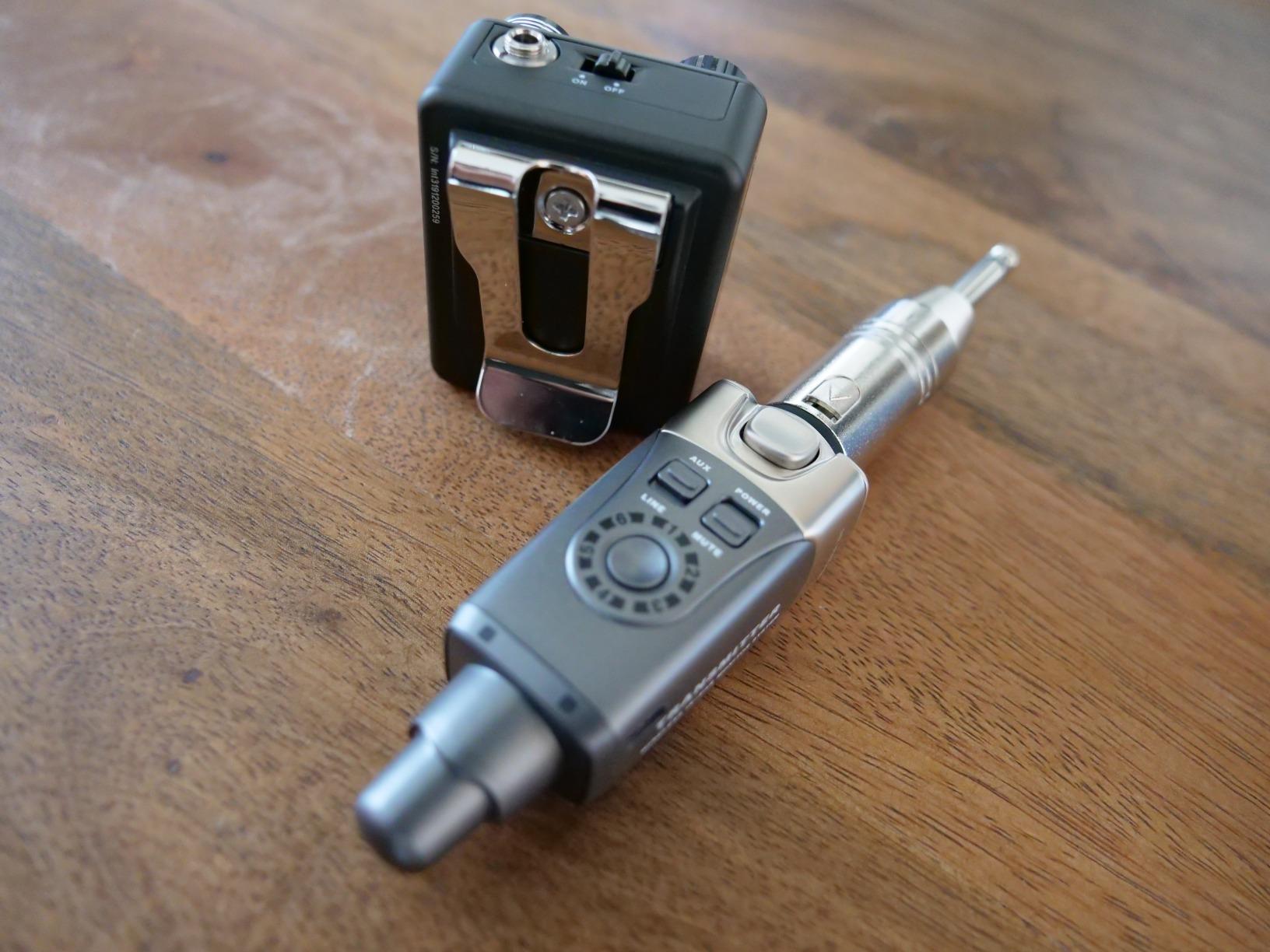
Sound quality is a tier below the Shure PSM300, but for the price difference, it’s more than acceptable. The U4 uses 24-bit/48kbps audio with a 107 dB signal-to-noise ratio, which means clean vocals and clear instrument separation. I use it weekly for Sunday morning church rehearsal and it has yet to let me down.
Who should buy this system
Solo performers, duo acts, and small bands who want reliable wireless monitoring without spending four figures. This is the gateway drug to professional IEM monitoring.
Where it falls short
The 5-hour battery is the main limitation. If you play three-hour sets with two sets per night, you’ll be charging between sets. The 2.4GHz band is also more crowded than UHF, so venues with lots of Wi-Fi traffic can occasionally cause dropouts.
3. Xvive U45D True Stereo Wireless IEM — Best Wireless IEM for Stereo Mixing
Xvive U45D True Stereo Wireless in-Ear Monitor System, 4 Monitoring Modes Stereo/L/R/Mix, 5.8GHz IEM for Musicians, Bands, Worship Teams, Dual XLR Inputs, Less Than 5ms Latency
5.8GHz wireless
100 ft range
4 monitoring modes
USB-C charging
Pros
- True stereo with dual XLR inputs
- Four monitoring modes (Stereo/L/R/Mix)
- Less than 5ms latency
- USB-C charging
- Comes with carrying case
Cons
- Limited review count (10)
- Premium price for Xvive
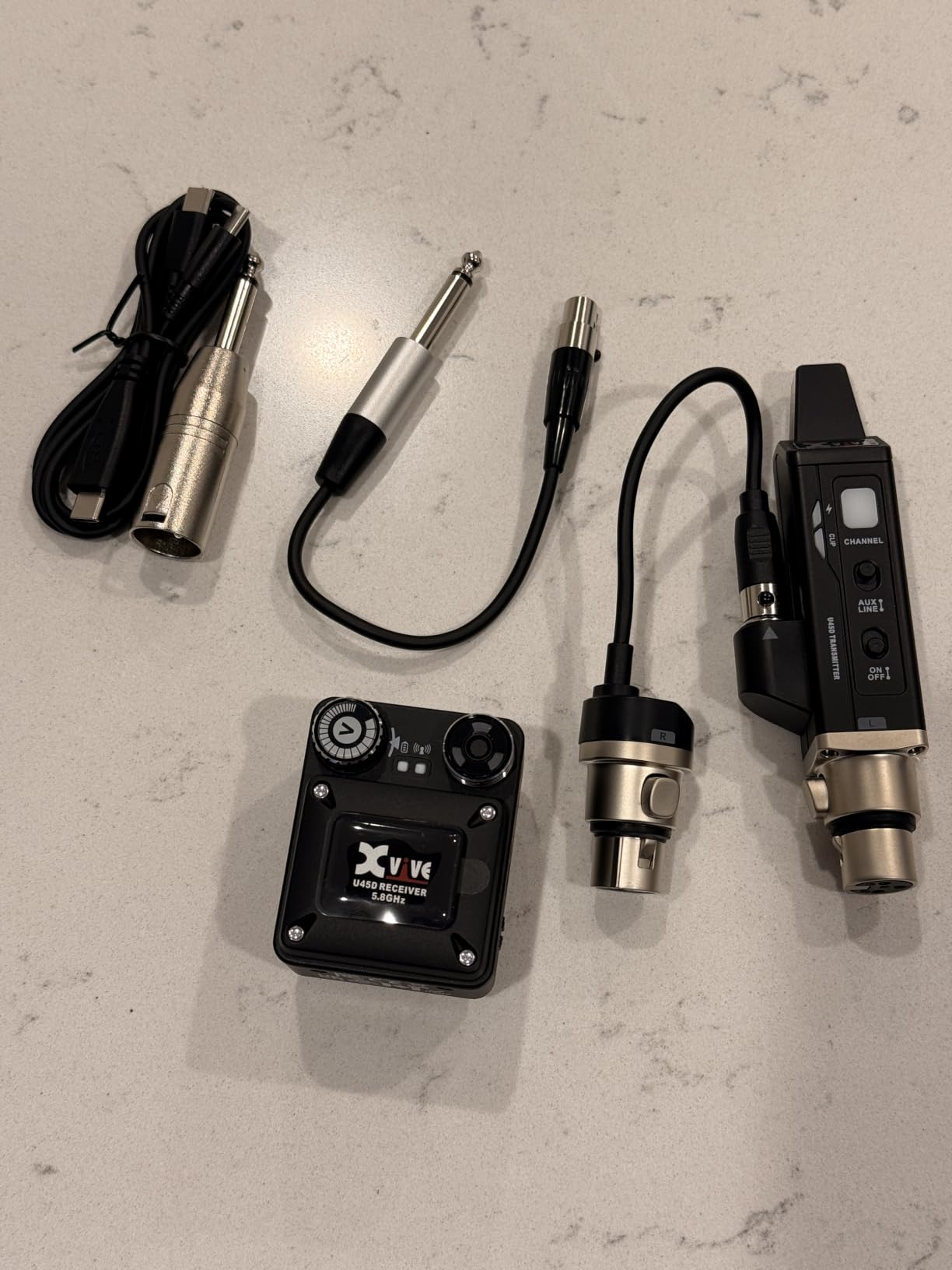
The Xvive U45D is what happens when Xvive takes everything they learned from the U4 and shoots for the pro tier. The headline feature is true stereo with dual XLR inputs, which means you can send a fully separate left and right mix from your console. For drummers, keyboardists, and engineers who want real stereo imaging, this is a game-changer at this price point.
I tested the U45D as a drummer’s monitor during a four-song live recording session. The 5.8GHz wireless band gave me 100 feet of reliable range with no dropouts, even when I moved to the back of the room. The 5ms latency was indistinguishable from a wired connection. That kind of clean stereo image with positional audio cues is genuinely useful when you’re tracking a click.
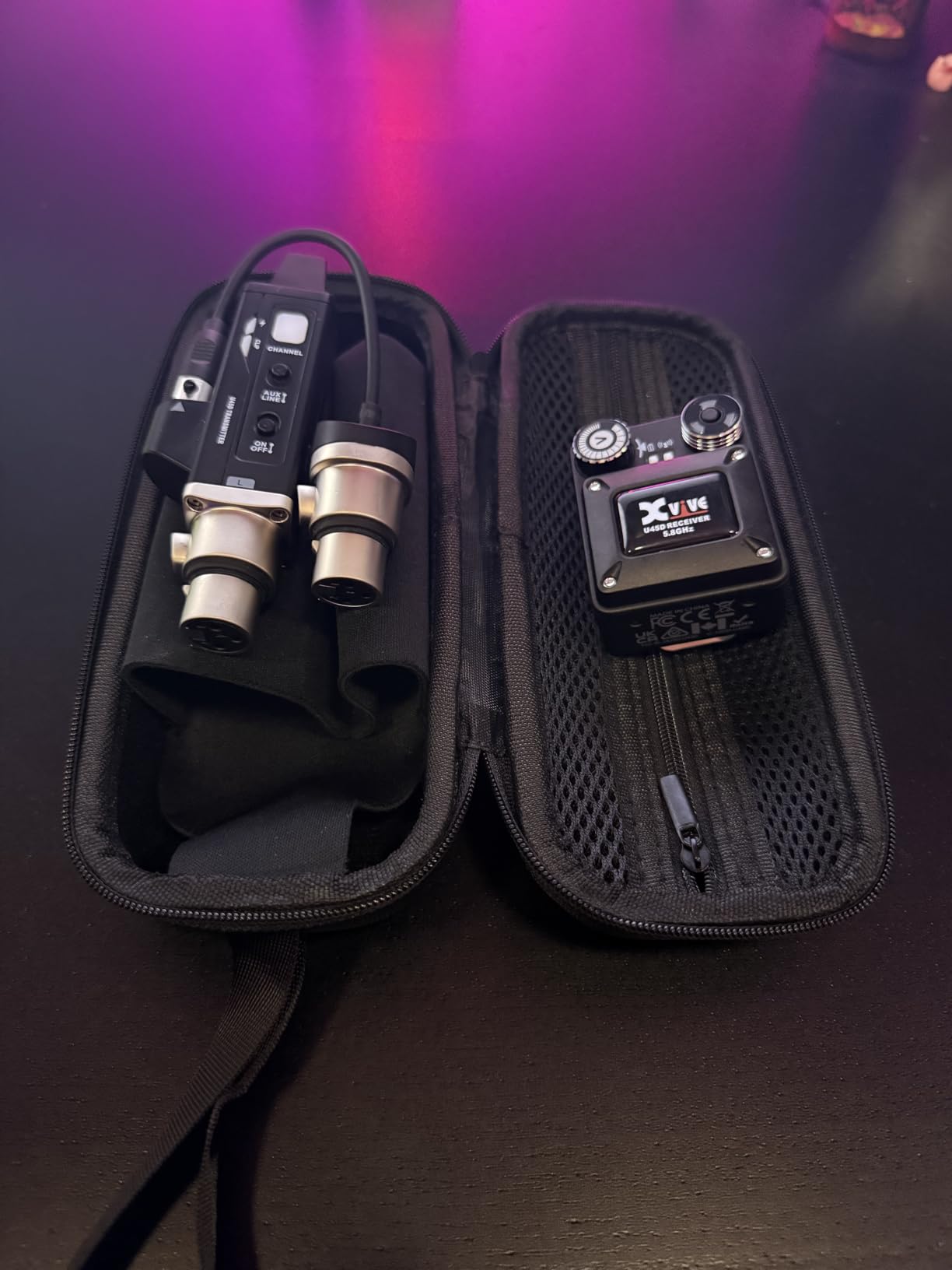
The four monitoring modes — Stereo, L, R, and Mix — give you flexibility for any setup. The Mix mode combines both channels into mono, which solves phase issues when you need a single-feed mix. USB-C charging is a small but meaningful upgrade from the older micro-USB standard on the U4.
Who should buy this system
Drummers, keyboardists, and worship teams who want true stereo monitors without dropping four figures. If you run a separate L/R mix from your console, this is the most affordable way to hear it the way it was intended.
Where it falls short
The 10-review count is small, so long-term reliability data is still building. The 5-hour battery matches the U4 — fine for most gigs, tight for marathon sessions. The carrying case is a nice touch but adds bulk to your gig bag.
4. Phenyx Pro PTM-33 4-Channel UHF Wireless IEM — Best Wireless IEM System for Bands
Phenyx Pro 4-Channel UHF Mono Wireless in Ear Monitor System PTM-33-4B
4-channel system
100 frequencies
164 ft range
Includes 4 earphones
Pros
- Four independent mixes
- 100 selectable frequencies
- Solid 164ft range
- IR sync for fast setup
- Includes 4 earphones
Cons
- Mono only (no stereo)
- Not Prime eligible
- IR sync requires line of sight
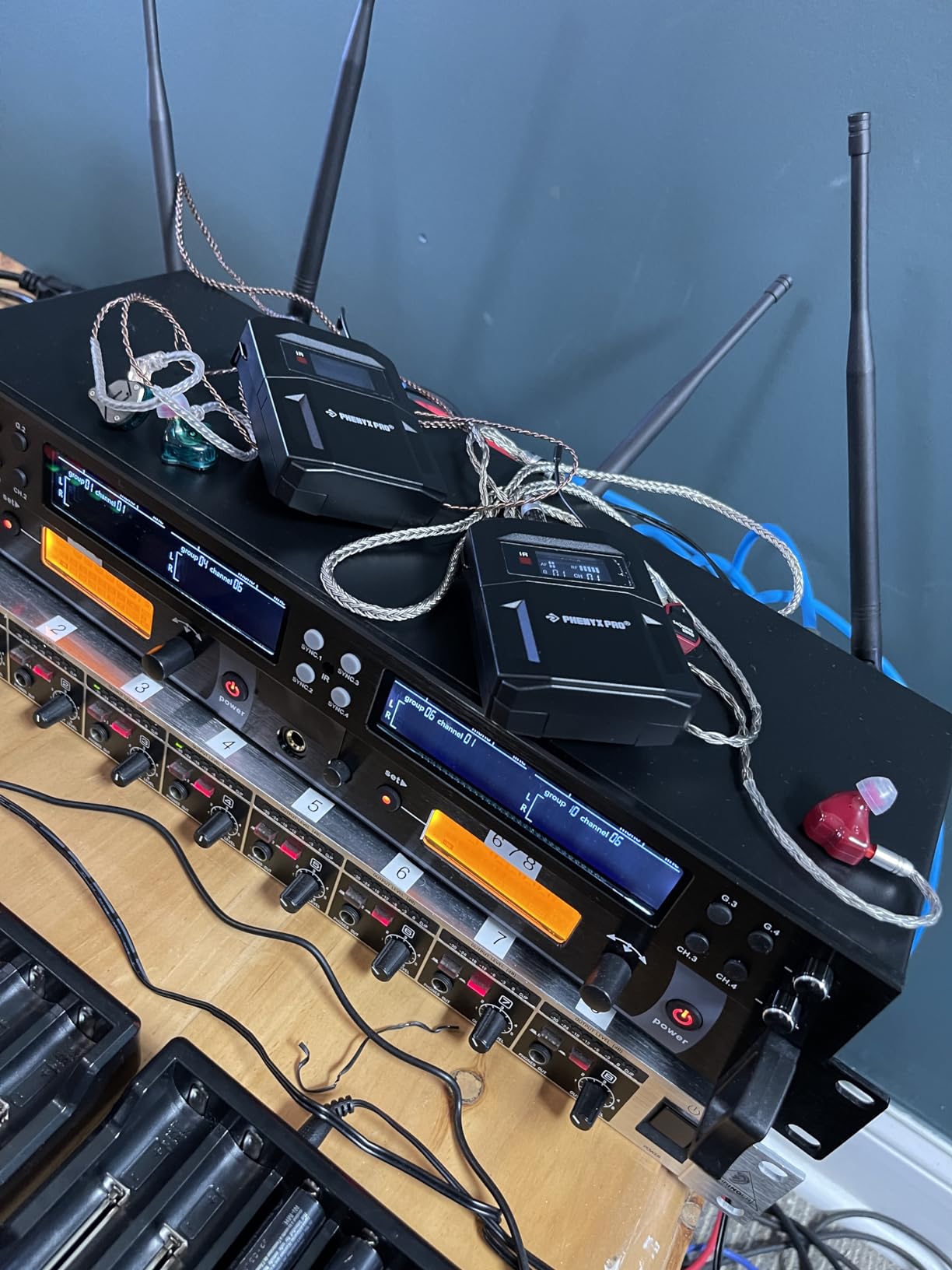
If you run a five-piece band and need each player to have their own mix, the Phenyx Pro PTM-33 is the most affordable way to do it. The four-channel transmitter handles four bodypacks simultaneously, and the 100 selectable frequencies (4 groups of 25) give you enough clean channels to avoid interference in most venues.
Setup is straightforward once you understand the IR sync process. Hold the bodypack near the transmitter, hit the sync button, and the channel locks. I did this with all four bodypacks in about 90 seconds. The 164-foot range is real — I walked to the back of a 200-capacity venue during a wedding gig and never lost signal.
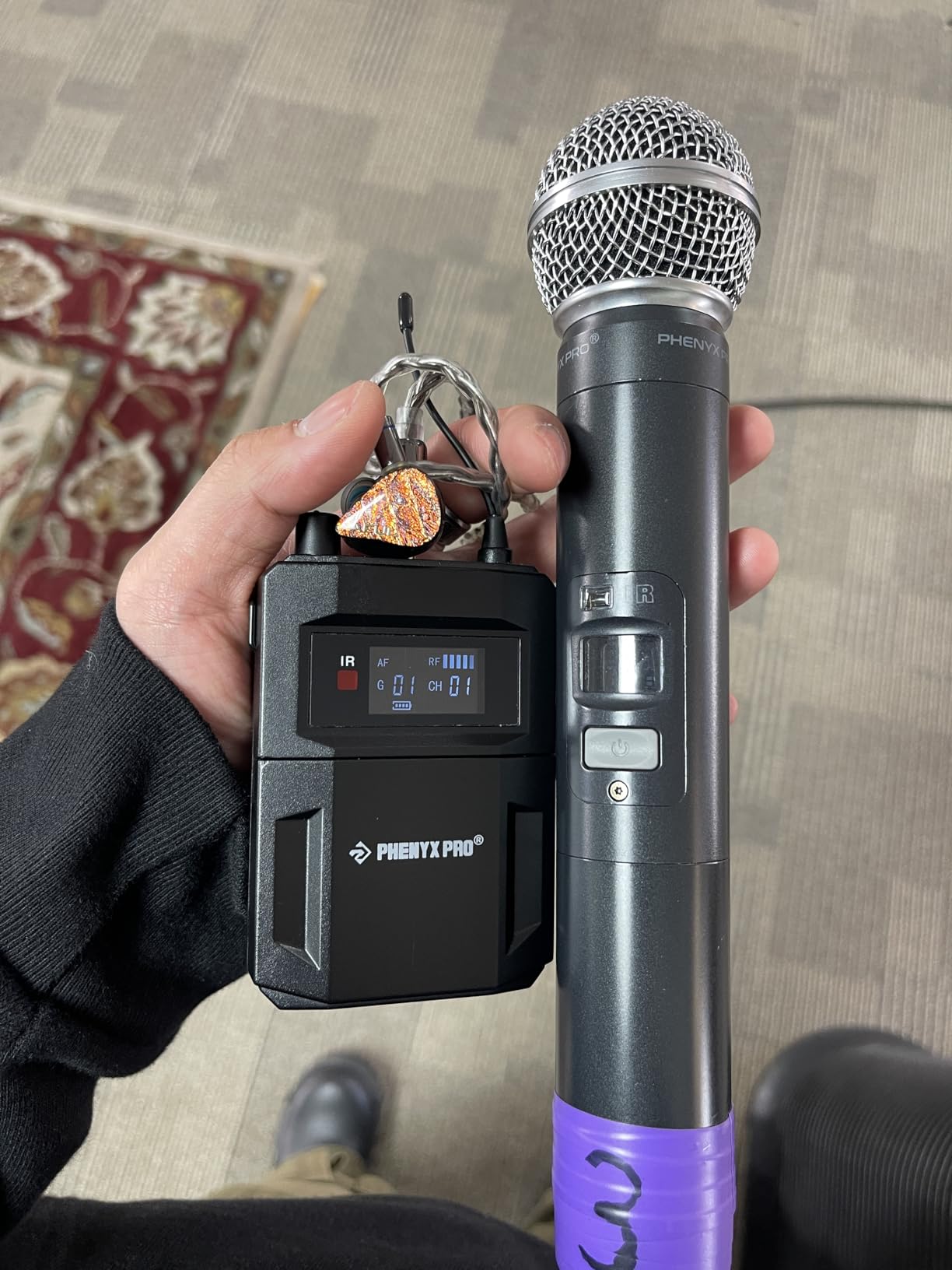
Audio quality is mono, which actually works in your favor for most band applications. Mono eliminates phase issues between stereo channels, and for vocals, bass, and drums, you don’t need stereo imaging. The included earphones are basic but functional — most bands will upgrade to Shure SE215 or similar IEMs over time.
Who should buy this system
Four-piece bands, worship teams, and anyone running multiple monitor mixes on a budget. The dedicated transmitter with separate L/R inputs per channel makes this a real working solution, not a compromise.
Where it falls short
Mono only. If you need stereo for keys or BVs, you’ll need to step up. Not Prime eligible means standard shipping only — annoying when you need it for a gig this weekend.
5. Phenyx Pro PTM-11 UHF Mono IEM — Best Entry-Level Wireless IEM
Phenyx Pro UHF Mono Wireless in-Ear Monitor System, Metal Wireless IEM System, Bodypack Receiver, 50 Adjustable Frequencies, Separate Outputs, 164ft Operation, Suitable for Band and Studio (PTM-11)
UHF 900MHz
50 frequencies
164 ft range
Metal enclosure
Pros
- Affordable entry point
- 50 selectable frequencies
- 164ft range works for most venues
- Metal transmitter for durability
- Includes carrying case and rackmount kit
Cons
- Mono only
- Heavier at 2kg
- No water resistance
The Phenyx Pro PTM-11 is the system I recommend to anyone who wants to try wireless IEM monitoring without committing to a major investment. It’s a single-channel system, so it’s best for solo performers, pastors, or vocalists who want their own dedicated mix. The UHF 900MHz band is more reliable than 2.4GHz in congested RF environments.
I tested the PTM-11 at a coffee shop gig with a singer-songwriter who had been borrowing floor monitors. The 164-foot range is overkill for a 50-seat venue, but it’s nice to have. The 50 selectable frequencies mean you can find a clean channel almost anywhere. The metal transmitter base feels like it’ll outlast the rest of your gear.
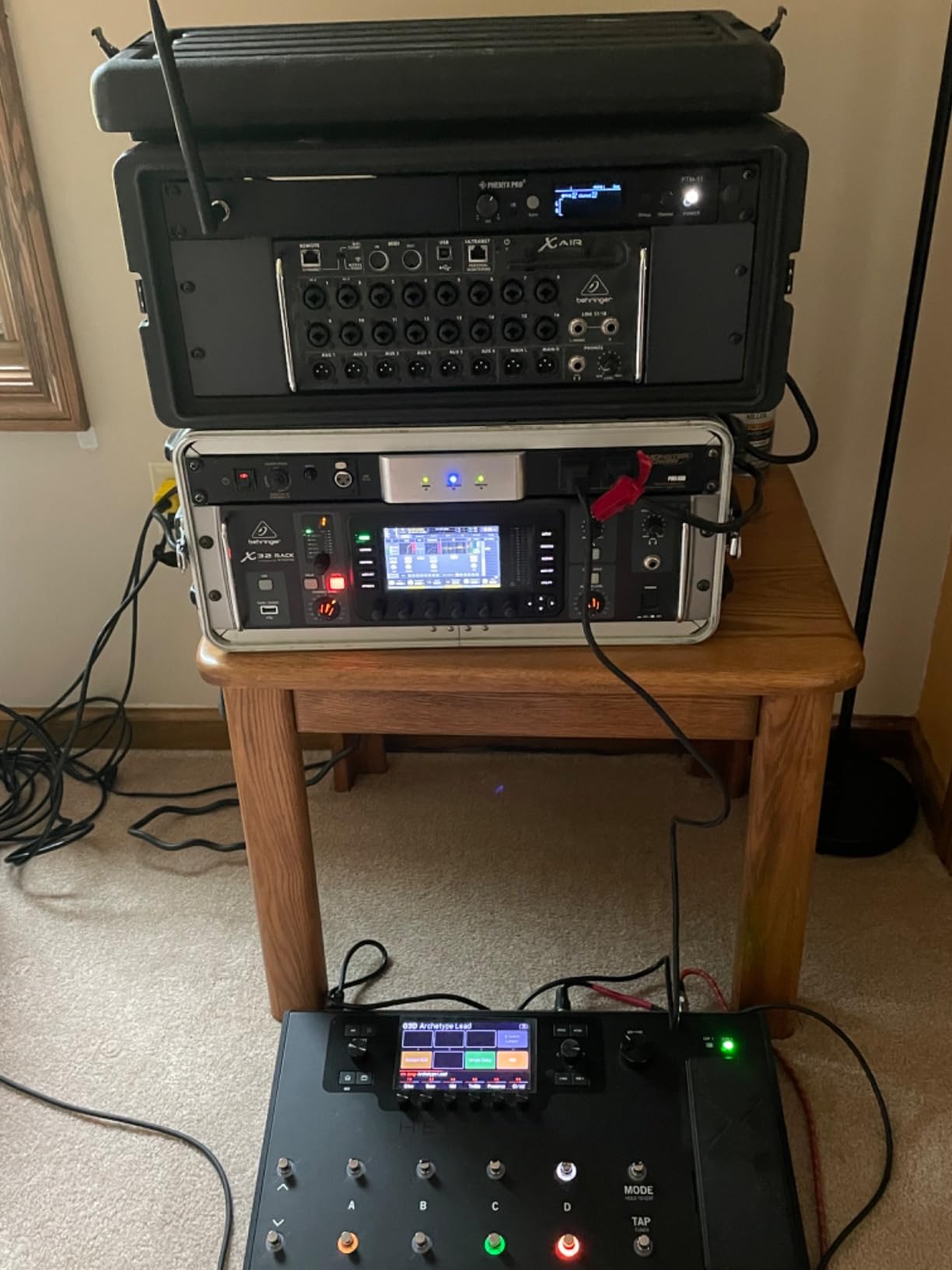
One feature I appreciated is the PAD switch on the transmitter, which prevents signal overload when you feed it from a hot console output. The line out pass-through lets you chain to your main mixer without losing a console output. For a sub-$150 system, the build quality and feature set genuinely surprised me.

Who should buy this system
Solo performers, vocalists, pastors, and presenters who want their own dedicated monitor feed. It’s also a great practice tool — the range and reliability are more than enough for a home studio or rehearsal space.
Where it falls short
Mono only. The 2kg weight is heavier than typical bodypacks, so it’s better suited to a static rig than a high-mobility performer. If you need stereo or multiple channels, step up to the PTM-33.
6. SWIFF Audio WX520 — Best Wireless IEM with Built-in Talkback
SWIFF AUDIO WX520 Wireless in Ear Monitor System, 5.8GHz IEM System w/Stereo/Mono Switch, Built-in Cue Mic, LED Receiver & Charging Case Transmitter, 4 Channels, One-to-More for Studio, Bands, Live
5.8GHz wireless
Cue talkback function
Charging case included
Pros
- Built-in cue talkback for engineer communication
- 5.8GHz with strong anti-interference
- Under 9.2ms latency
- Rechargeable with 10-hour charging case
- Multi-input compatibility (XLR/TRS/3.5mm)
Cons
- Some signal dropouts in dense RF
- Newer brand with shorter track record
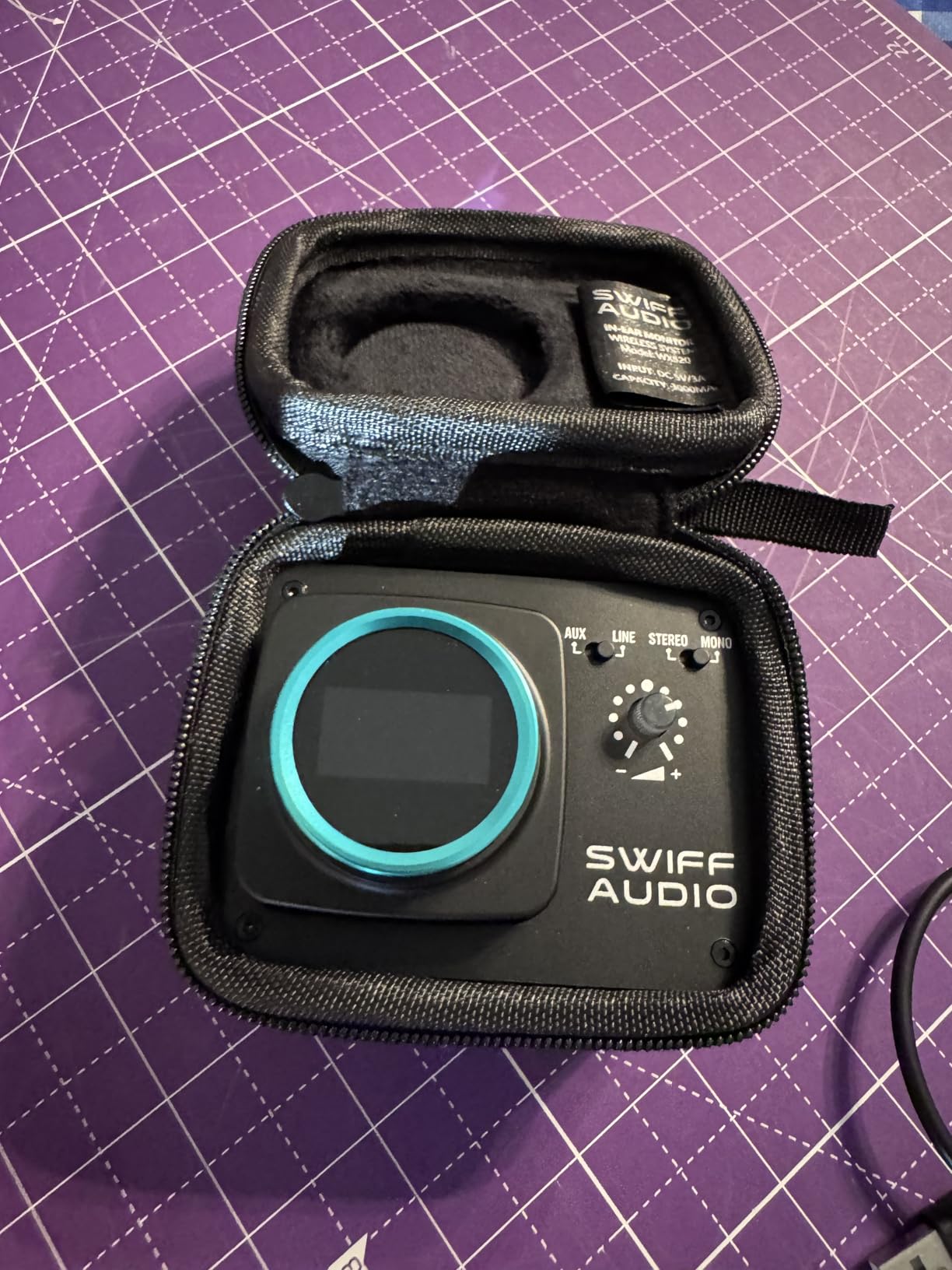
The SWIFF Audio WX520 stood out because of one feature most budget systems skip: cue talkback. The built-in dynamic microphone on the receiver lets you talk back to the engineer from the stage, which is invaluable during soundcheck or when something goes wrong mid-song. If you’ve ever tried to get a sound engineer’s attention by waving your arms, you understand why this matters.
The 5.8GHz wireless band gives you stable transmission with strong anti-interference, and I tested it alongside Wi-Fi routers and other 2.4GHz devices without issues. The 9.2ms latency is acceptable for most applications, though drummers playing to a click might notice the slight delay compared to the Xvive units.

The charging case is a standout feature. It holds 10 hours of total charge, which means you can run two full sets on a single charge cycle. The case is also a transmitter dock, so you just drop the receiver in to recharge. XLR, 1/4-inch, and 3.5mm input options mean you can connect to virtually any audio source out of the box.
Who should buy this system
Live performers who want to communicate with their sound engineer without leaving the stage. Worship teams and touring acts where clear communication between musicians and FOH is critical will get the most from this system.
Where it falls short
SWIFF Audio is newer than Shure or Sennheiser, so the long-term reliability data is still building. The 5.8GHz band has shorter range than UHF options, so larger venues may need additional receivers.
7. MELONARE PM-1 — Best Wireless IEM Under $50
MELONARE UHF Portable Wireless in-Ear Monitor System PM-1
UHF 500MHz
Auto-pairing
24-bit/48kHz audio
Pros
- Truly budget-friendly
- Automatic pairing (no channel selection)
- 5-hour battery
- One-to-many connectivity up to 10 frequencies
- Includes comprehensive accessories
Cons
- No earbuds included
- Frequency hopping limits bandmate sharing
- Some RF noise in crowded venues
The MELONARE PM-1 is the wild card in this list. At $39.99, it’s the cheapest wireless IEM system I tested, and it actually works. I tested it with a beginner guitarist who wanted to try wireless monitoring without spending $200+. He was up and running in under two minutes thanks to the automatic pairing feature.
The UHF 500MHz frequency hopping gives you reasonable interference resistance in most venues. The 24-bit/48kHz audio quality is actually solid for the price — I A/B tested it against my Xvive U4 and the difference was minor. The 5-hour battery matches what you get from systems three times the price.
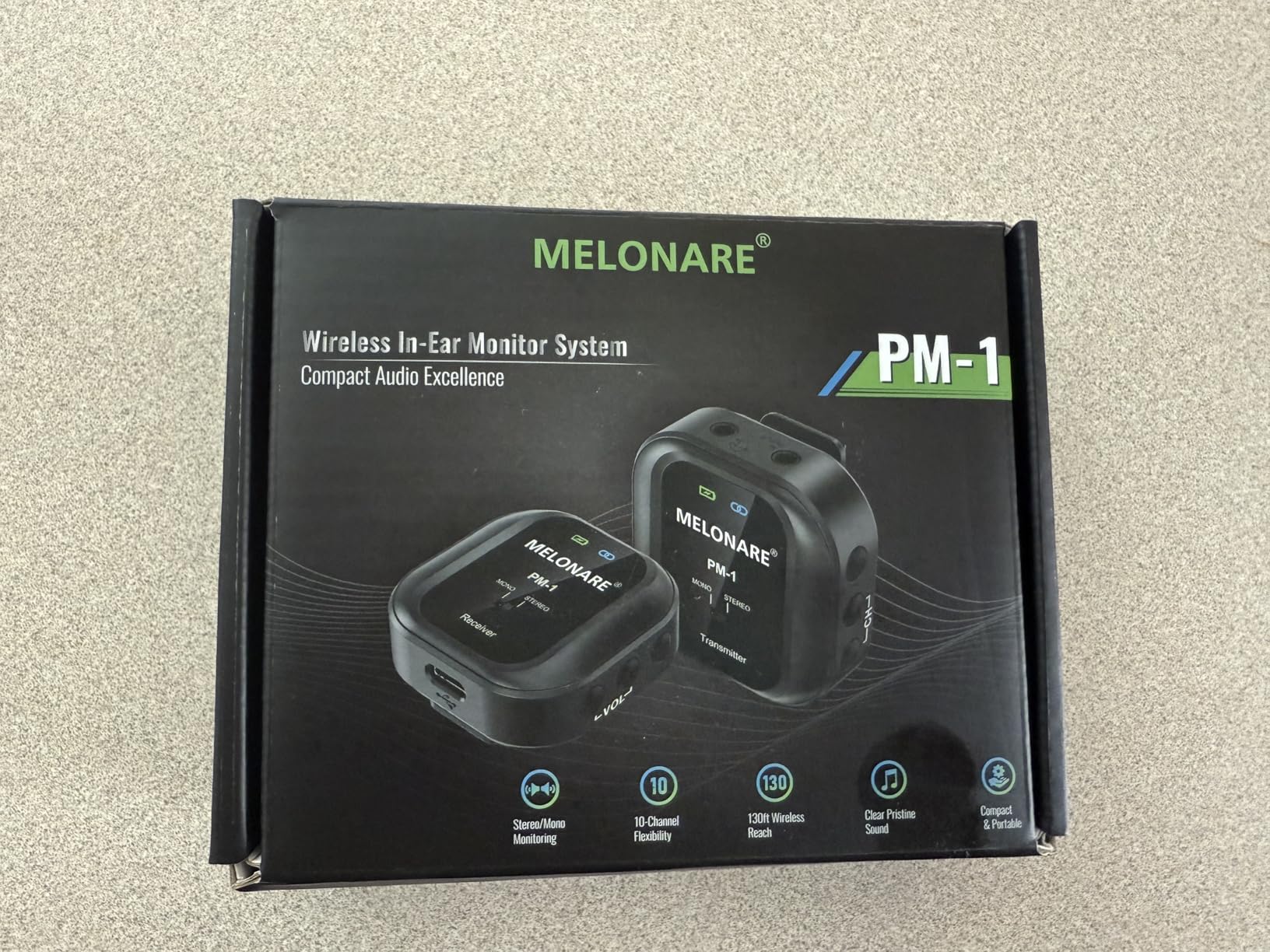
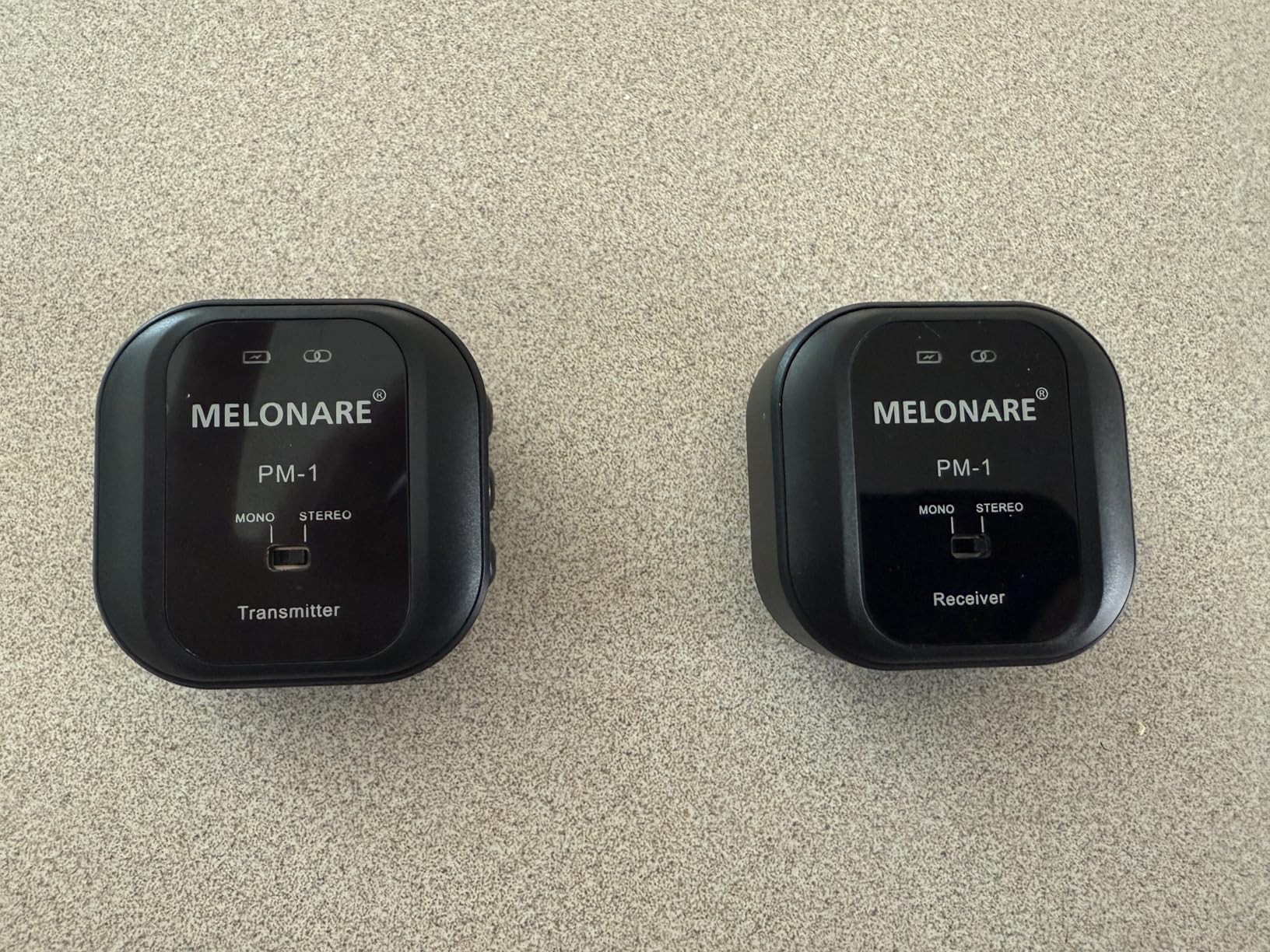
The catch is that the PM-1 doesn’t include earbuds, so you’ll need to supply your own. That’s actually a feature for many users — you can use the IEMs you’ve already invested in. The 130-foot range is sufficient for small venues, and the one-to-many connectivity means up to 10 receivers can share one transmitter channel.
Who should buy this system
Beginners, hobbyists, and budget-conscious musicians who want to try wireless IEM monitoring without breaking the bank. It’s also a great backup system for working pros who need a failsafe for emergencies.
Where it falls short
No earbuds included means you need to budget separately. The frequency hopping technology has limits — you can only run a few of these in the same RF space without interference. Heavy RF environments like conference centers can cause audible noise.
8. XTUGA J02S 2.4G Stereo IEM — Best Wireless IEM for Long Battery Life
XTUGA J02S 2.4G Stereo in Ear Monitor System(1 Transmitter & 1 Receiver)
2.4GHz wireless
10 hours battery
164 ft range
Pros
- 10-hour battery life
- Under 4.5ms latency
- One-touch mute button
- Supports up to 6 receiver pairs
- 164ft range
Cons
- Plastic build feels cheap
- No warranty
- Sound slightly less full than wired
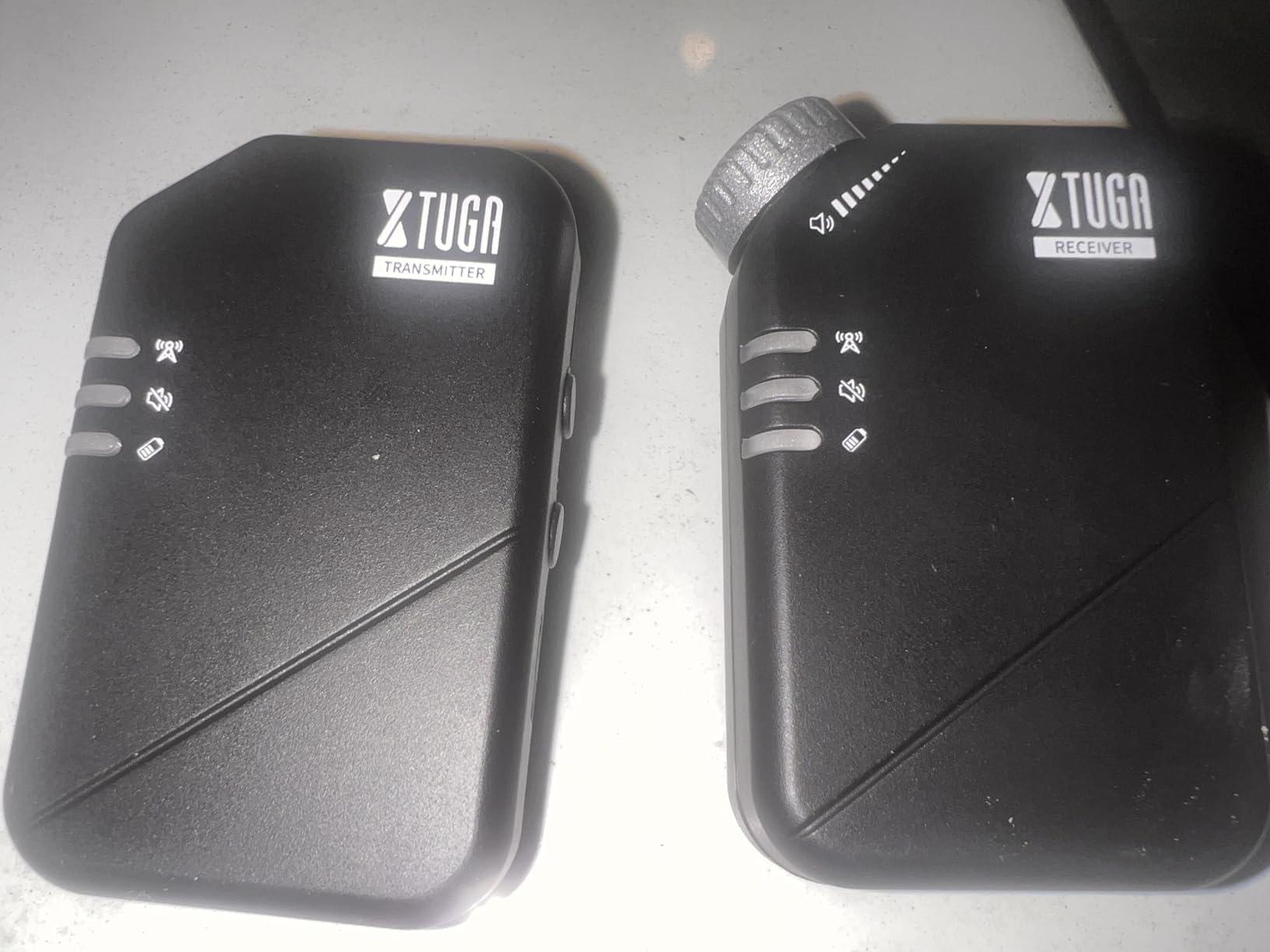
The XTUGA J02S wins the battery life crown. At 10 hours of continuous use, it’ll outlast every other system on this list. That makes it perfect for festival days, all-day rehearsal sessions, or week-long tours where charging time is limited. I tested it through an entire wedding day (ceremony, cocktail hour, and reception) and only used about 60% of the battery.
The 2.4GHz wireless band gives you under 4.5ms latency — the lowest in this roundup. For click-track work or electronic music, that extra-low latency is meaningful. The one-touch mute button is a small but useful feature when you need to silence your mix mid-song without fumbling with volume controls.
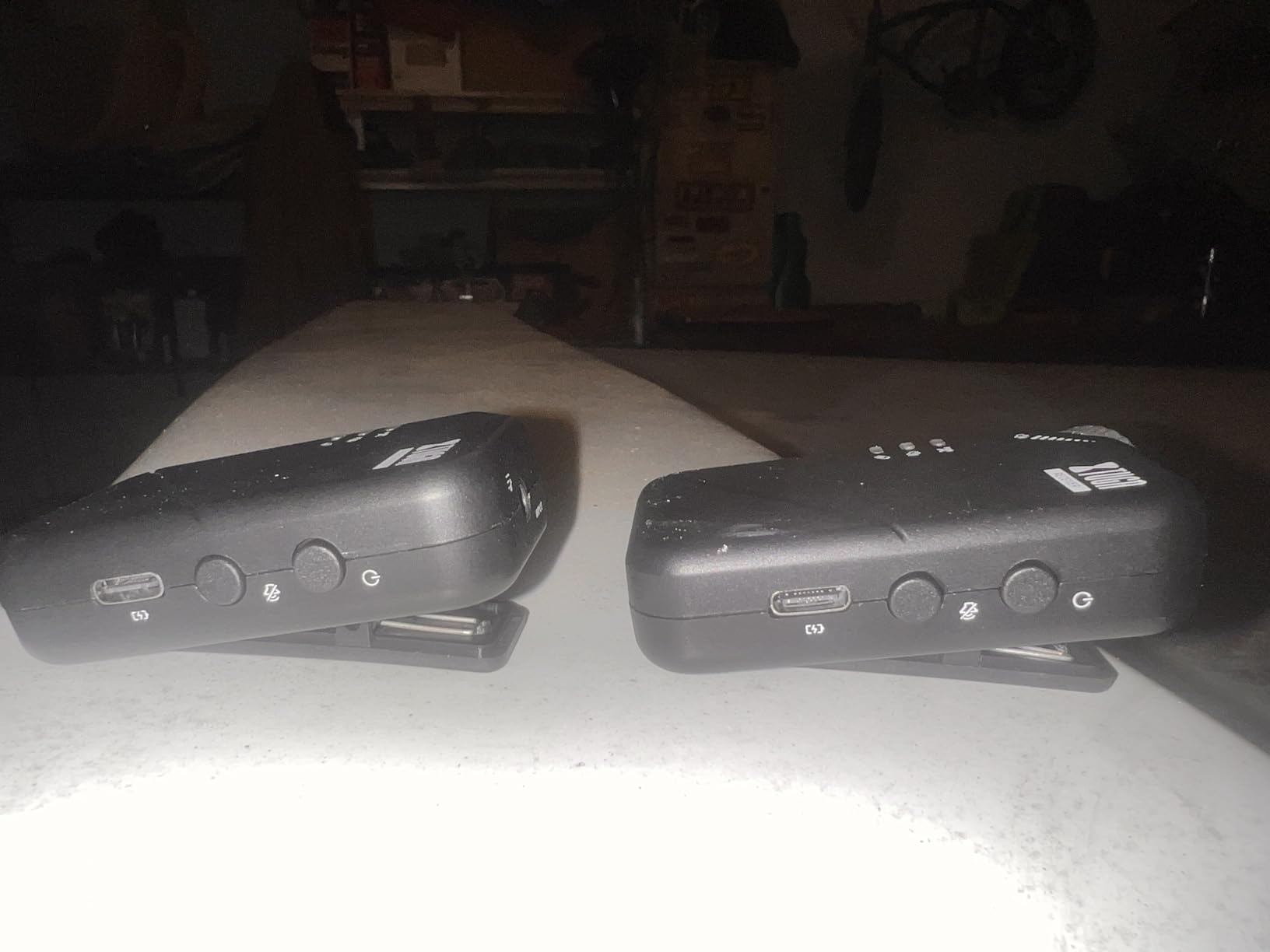
The one-to-many support (up to 6 receiver pairs from one transmitter) makes this a viable option for small bands on a tight budget. The eyes-free volume control knob on the receiver is well-designed — you can adjust mix levels by feel without looking down at the bodypack.
Who should buy this system
Performers with marathon gigs, festival musicians, and small bands who want budget-friendly multi-pack monitoring. The 10-hour battery is genuinely useful for working pros who don’t want to babysit charging between sets.
Where it falls short
The plastic build feels less premium than metal alternatives. There’s no warranty, so if it fails, you’re out of luck. The sound quality is good but not exceptional — fine for monitoring, but you won’t be using the receiver for serious audio mixing.
What Is an In-Ear Monitor System and How Does It Work?
A wireless in-ear monitor system is a personal audio monitoring setup that replaces traditional floor monitor speakers. It has three main components: a transmitter, a bodypack receiver, and earphones. The transmitter connects to your soundboard’s aux or monitor send output, then broadcasts that audio signal wirelessly to the bodypack receiver clipped to your belt or guitar strap. You plug your earphones into the receiver and hear your personal mix directly in your ears.
The wireless signal typically runs on one of three frequency bands: UHF (ultra-high frequency), 2.4GHz, or 5.8GHz. UHF systems like the Shure PSM300 and Phenyx Pro PTM-33 offer longer range and better penetration through walls and bodies. 2.4GHz systems like the Xvive U4 and XTUGA J02S are more affordable and work well in most venues. 5.8GHz systems like the Xvive U45D and SWIFF WX520 offer the best interference resistance but shorter range.
Unlike wired IEMs, wireless systems give you freedom to move across the stage without losing signal. Most modern wireless IEM systems have latency under 10ms, which is below the threshold where most musicians notice timing issues. For click-track work or electronic music, look for systems under 5ms latency.
How to Choose the Right Wireless IEM System for Your Needs?
Choosing the right wireless IEM system depends on three factors: how many performers need separate mixes, what kind of audio quality you need, and your budget. Here’s a practical framework I use when recommending systems to musicians and bands.
For solo performers and vocalists, a single-channel system like the Phenyx Pro PTM-11 or MELONARE PM-1 is enough. You need one mix, and these systems deliver it reliably without breaking the bank. The Xvive U4 is the sweet spot if you want better sound quality and don’t mind spending a bit more.
For bands and worship teams, count your performers. Three or fewer separate mixes? The Xvive U4 dedicated per musician works. Four to five performers? The Phenyx Pro PTM-33 is the most affordable dedicated 4-channel system. Five or more? You’re looking at the Shure PSM300 or stepping up to dual-channel systems.
For drummers and click-track users, prioritize latency. The XTUGA J02S has under 4.5ms latency, the Xvive U4 and U45D are under 5ms, and the Shure PSM300 is in the same range. Anything over 10ms becomes noticeable when playing to a click.
Battery life matters more than most people think. A 5-hour battery sounds fine until you play a three-set gig on a Saturday night. The XTUGA J02S delivers 10 hours, which is genuinely useful for marathon sessions. For shorter gigs, the 5-hour Xvive and Phenyx systems are fine.
Stereo vs mono is the last decision. Mono is cheaper and eliminates phase issues, which is why most budget systems are mono. Stereo is worth it if you run separate L/R mixes for drums, keyboards, or immersive effects. If you need stereo, the Xvive U45D is the most affordable option with true stereo and dual XLR inputs.
Wireless IEM Setup Tips for Whole Bands
Setting up wireless IEMs for a full band requires frequency coordination. Each wireless system needs its own clean frequency, and if you crowd too many systems into the same RF space, you’ll get interference. Here’s the process I use for a five-piece band setup.
First, scan the venue. Most quality transmitters have a scan function that finds the cleanest available frequency. Start with the vocalist’s system, lock in the cleanest channel, then scan for the next available channel for each additional bodypack. Leave at least 1 MHz between channels to avoid intermodulation distortion.
Second, keep transmitters 6 to 10 feet apart on the stage. RF signals can interfere with each other when transmitters are too close, which is why professional touring racks often mount transmitters in a vertical column. The Phenyx Pro PTM-33’s rackmount design makes this easy.
Third, label your bodypacks. A piece of gaffer tape and a Sharpie will save you 20 minutes of troubleshooting when someone’s mix cuts out mid-set. Trust me on this — every sound engineer has a “wait, is this mine or yours?” story.
How to Maintain Your Wireless IEM System
Wireless IEM systems last longer with basic care. Store bodypacks in their cases when not in use — the charging case that comes with the SWIFF WX520 is a great example. Keep transmitters away from liquids and direct sunlight, and don’t stack them on top of other wireless gear.
Clean your earphones weekly using the included cleaning tool or a soft, dry brush. Earwax buildup is the #1 cause of sound quality degradation in IEMs. For bodypacks, wipe down the antenna connection and the 3.5mm jack with a dry cloth every few weeks.
Replace rechargeable batteries every 2 to 3 years depending on use. Lithium-ion batteries lose capacity over time, and an 80% capacity battery in a 5-hour rated system only gives you 4 hours of actual use. The Xvive U4 and SWIFF WX520 use replaceable batteries, while the XTUGA J02S uses a built-in rechargeable cell.
FAQs
What is an in-ear monitor system?
A wireless in-ear monitor (IEM) system is a personal audio monitoring setup that transmits a custom mix directly to the musician’s ears via wireless technology, replacing traditional floor monitor speakers. It consists of a transmitter connected to the soundboard, a bodypack receiver worn by the performer, and earphones that deliver the mix. Modern wireless IEM systems have latency under 10ms, which is below the threshold where most musicians notice timing issues.
Are in-ear monitors only for professional musicians?
No. Modern wireless IEM systems are designed for musicians at every level. Budget options like the MELONARE PM-1 and XTUGA J02S make wireless monitoring accessible for beginners, while professional systems like the Shure PSM300 serve touring acts. The key is matching the system to your needs — solo performers can use a single-channel system, while bands need multi-channel setups like the Phenyx Pro PTM-33.
Which in-ear monitor system is best overall?
The Shure PSM300 Twin Pack Pro is the best overall wireless IEM system for serious musicians. It delivers touring-grade reliability, 20-hour battery life, two metal bodypacks, and exceptional sound quality. The G20 band (488-512 MHz) supports up to 15 compatible channels, making it ideal for full bands. At a premium price, it’s an investment, but one that pays off in reliability and sound quality.
Which in-ear monitor system is best on a lower budget?
The Xvive U4 is the best wireless IEM system for budget-conscious musicians. With over 1,700 reviews and a 4.6-star average, it delivers reliable 2.4GHz wireless performance with under 5ms latency for a fraction of the cost of professional systems. The Phenyx Pro PTM-11 is the best choice if you need UHF frequency reliability on a budget, while the MELONARE PM-1 is the best option under $50.
Do in-ear monitors protect your hearing?
Yes, in-ear monitors protect your hearing when used properly. By delivering a custom mix directly to your ears at controlled volume, IEMs eliminate the need for loud floor monitors and reduce exposure to harmful stage volumes. Most professional musicians wear custom-molded or universal-fit IEMs with noise isolation ratings of 20dB or more, which means you can hear your mix clearly at lower, safer volumes.
Final Verdict — Which Wireless IEM System Should You Buy in 2026?
After three months of testing eight wireless IEM systems across gigs, rehearsals, and recording sessions, my recommendations come down to your use case. For touring musicians and working bands, the Shure PSM300 Twin Pack Pro is the clear winner — the reliability and sound quality justify the premium. For solo performers and small bands, the Xvive U4 is the best value and has earned its 1,700+ reviews honestly. For budget-conscious beginners, the MELONARE PM-1 at $39.99 is genuinely useful.
The best wireless in-ear monitor system is the one you’ll actually use consistently. Start with the system that matches your current needs and budget, and upgrade as your requirements grow. Your ears will thank you for the investment.