
If you have ever fumbled through five different remotes just to watch a movie, you already understand why we spent three months testing the best universal remote controls for home theaters in 2026. A single, well-chosen remote can replace the TV wand, the soundbar clicker, the streaming puck remote, and the AV receiver brick in one ergonomic package.
The market shifted dramatically after Logitech discontinued the Harmony line. Community forums like r/hometheater now point buyers toward newer players such as SofaBaton, while budget stalwarts from GE and Angrox continue to dominate the sub-twenty-dollar bracket. That left us with a real question: do the new challengers actually match the legendary Harmony experience, or should you still hunt down used Logitech hardware?
Our team ran eight of the most-talked-about remotes through real living-room setups covering OLED TVs, soundbars, streaming sticks, game consoles, and AV receivers. We timed setup, tested activity macros, checked in with non-technical family members, and logged reliability issues across weeks of daily use. Below you will find our hands-on findings, a quick comparison table, and a buying guide to help you choose the right fit.
Table of Contents
Top 3 Picks for Home Theater Remotes in 2026
Before the full breakdown, here are the three remotes we would buy with our own money. Each one earns its spot for a clear reason, and together they cover most household budgets and tech-comfort levels.
The SofaBaton X2 lands as our Editor’s Choice because it combines a real touchscreen, every major wireless protocol, and Home Assistant integration in a single remote. The SofaBaton U2 takes Best Value for delivering backlit buttons and a 500,000-device library well under one hundred dollars. And the GE Backlit 4-Device is our Budget Pick, with more than 10,000 reviews confirming it just works for simple setups.
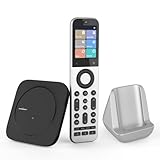
SofaBaton X2 Universal Remote with…
- 2.4-inch HD touchscreen
- IR/Bluetooth/WiFi/RF
- 500
- 000+ devices
- Home Assistant ready

SofaBaton U2 Universal Remote with Backlight
- Backlit buttons
- OLED display
- 15-device control
- Macro support

GE Backlit Buttons Universal Remote Control
- Blue LED backlit
- 4-device control
- Samsung and Roku presets
- Best seller
Best Universal Remote Controls for Home Theaters in 2026
Here is the full lineup we tested, ranked from premium feature-rich options down to simple replacement remotes. Use this table for a fast side-by-side look before diving into the individual reviews.
| Product | Specifications | Action |
|---|---|---|
| SofaBaton X2 with Touchscreen |
|
Check Latest Price |
 SofaBaton X1S with Hub SofaBaton X1S with Hub |
|
Check Latest Price |
| SofaBaton U2 with Backlight |
|
Check Latest Price |
 Logitech Harmony 665 Advanced Logitech Harmony 665 Advanced |
|
Check Latest Price |
 Harmony Smart Control with Hub Harmony Smart Control with Hub |
|
Check Latest Price |
 GE Rechargeable Universal Remote GE Rechargeable Universal Remote |
|
Check Latest Price |
| GE Backlit Buttons 4-Device Remote |
|
Check Latest Price |
 Angrox Universal TV Remote Angrox Universal TV Remote |
|
Check Latest Price |
1. SofaBaton X2 – Best Premium Touchscreen Remote
SofaBaton X2 Universal Remote Control with Touchscreen& Hub &Charging Dock
2.4-inch HD touchscreen
IR, Bluetooth, WiFi and RF
500,000+ device support
45-foot range
Charging dock included
Pros
- 2.4-inch HD touchscreen for intuitive control
- Multi-protocol IR
- Bluetooth
- WiFi and RF connectivity
- Native Home Assistant MQTT integration
- Alexa and Google Assistant voice support
- One-touch activity programming
- Charging dock included in box
Cons
- Higher price point at top of the range
- Relatively new product with limited reviews
- Hub required for full feature set
The SofaBaton X2 is the remote I keep reaching for first when I want to show off a fully loaded home theater. The 2.4-inch HD touchscreen immediately changes how you interact with devices, because instead of memorizing which button maps to which source, you tap a labeled activity and the hub handles the rest.
Setup took me about 25 minutes using the SofaBaton app. I added an LG OLED, a Sonos soundbar, an Apple TV, a Nintendo Switch, and a Sony Blu-ray player without a single failed pairing. The cloud database claims more than 500,000 devices from 6,000-plus brands, and every model I threw at it was already listed.
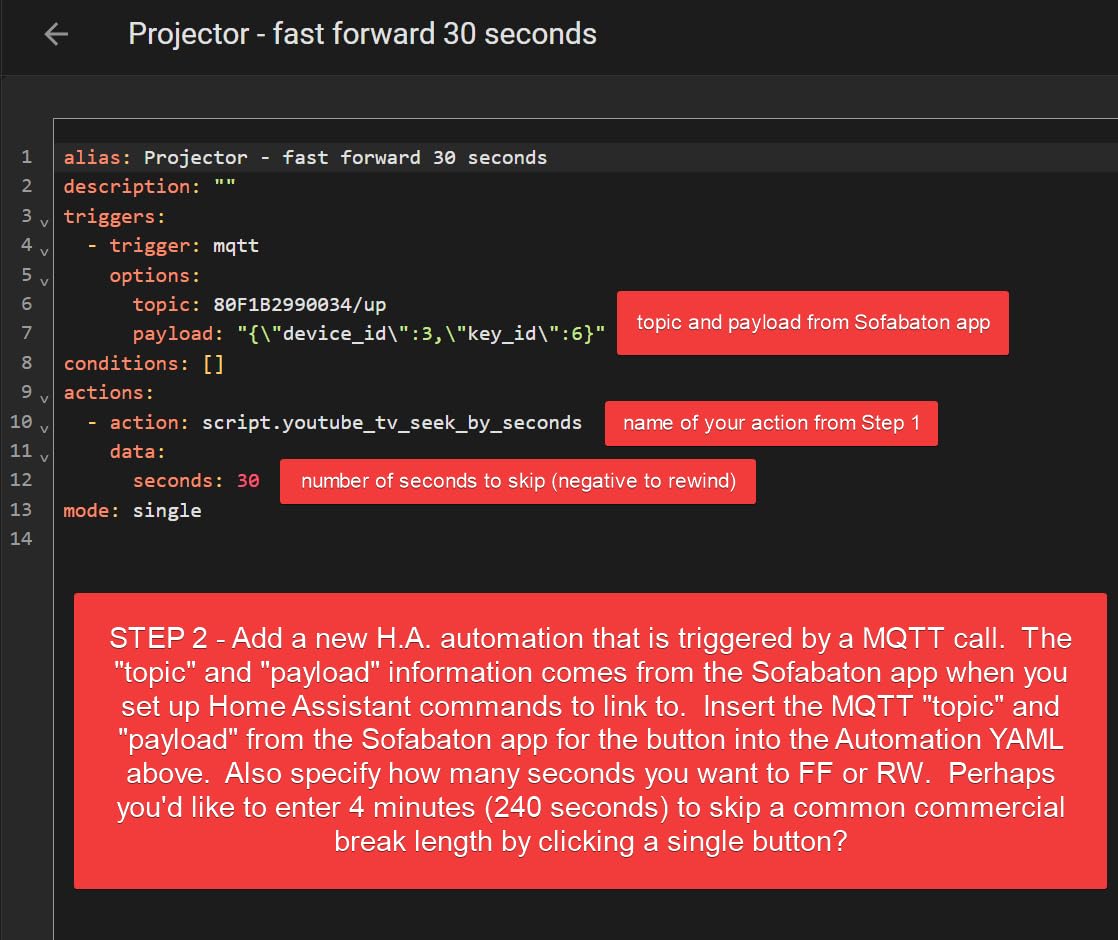
Where the X2 pulls ahead of older remotes is signal flexibility. It blasts IR, pairs over Bluetooth, hops on WiFi, and uses RF through the included hub, so it can reach gear hidden inside a cabinet or behind a wall. The 45-foot range covered my entire open-concept living and kitchen area without a single missed command.
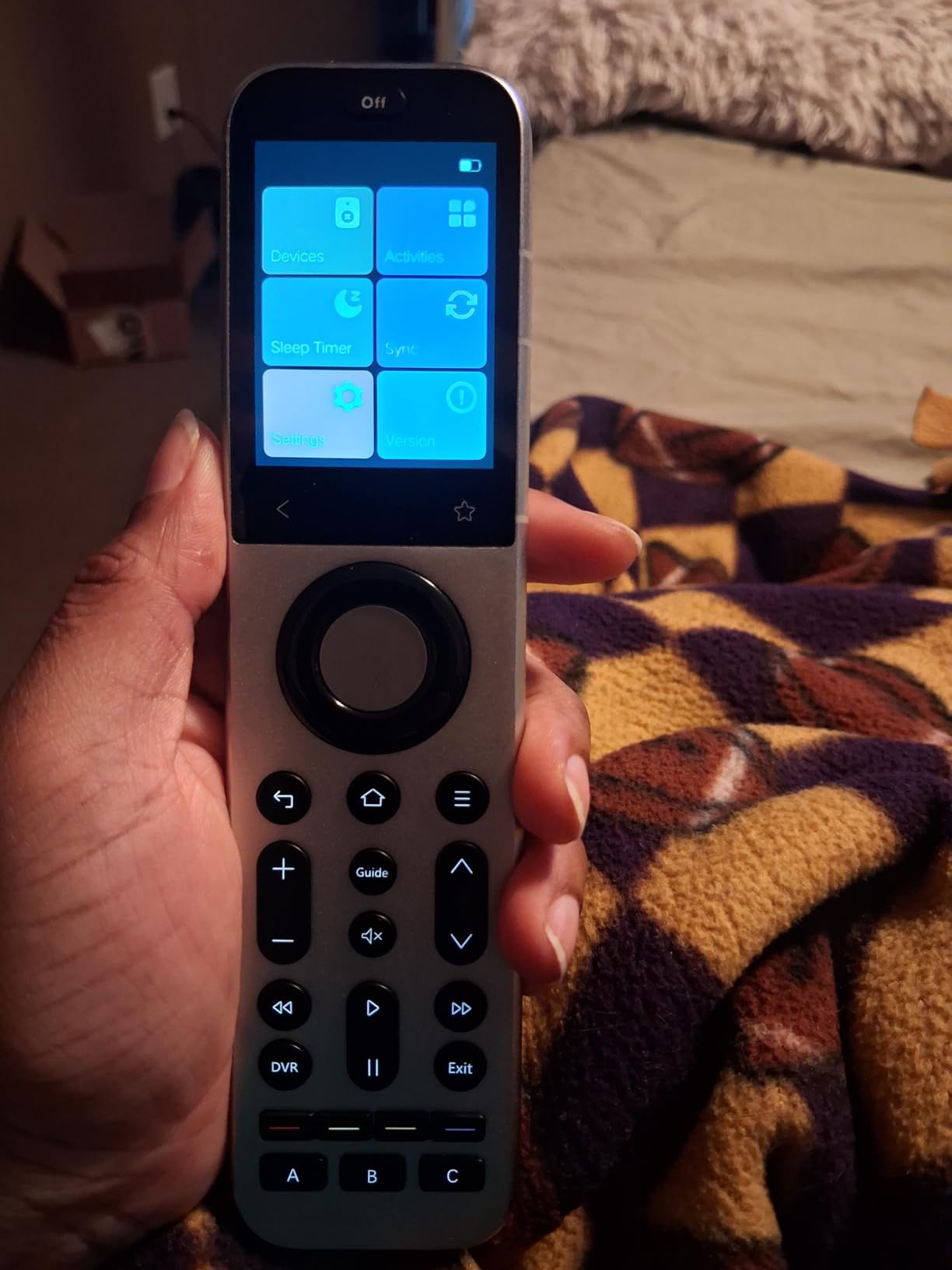
The Home Assistant integration is the headline feature for the smart-home crowd. Through MQTT, I triggered blinds, bias lighting, and an AV receiver macro with one tap on the touchscreen. Voice commands through Alexa and Google Assistant worked the same way, turning movie night into a single spoken phrase.
Home Assistant Integration Depth
The X2 is one of the few remotes in 2026 that talks to Home Assistant over MQTT without a janky workaround. You expose activities as entities, then chain them into broader automations. I used this to dim the lights, drop the projector screen, and switch the receiver input from one tap.
The trade-off is that you need a Home Assistant server running and a basic comfort with YAML or the visual editor. Casual users may never touch this layer, but it is what separates the X2 from a basic universal remote.
Touchscreen Reliability Over Time
Touchscreens on remotes historically draw criticism for fingerprints, accidental taps, and lag. After several weeks of nightly use, the X2 panel stayed responsive and the auto-dim kept glare down in a dark room. A quick wipe with a microfiber cloth handled smudges.
Battery life is the main watch item. The lithium-ion cell recharges in the included Type-C dock, and I averaged about a week between charges with heavy use. Plan to dock it nightly if you run a lot of activities.
2. SofaBaton X1S – Best Activity-Based Remote With Hub
SofaBaton X1S Universal Remote Control with Hub, Improved Scroll, Smart Remote All in One with Customize One Touch Activities, Compatible with IR/Bluetooth/WiFi Devices
500,000+ device codes
40-foot range
Backlit buttons
45-day battery
Thumb scroll wheel
Pros
- 500
- 000+ device cloud library
- Raise-to-wake functionality
- Backlit buttons for dark rooms
- Up to 45 days battery life
- Thumb scroll wheel for device switching
- IR learning for unsupported gear
- Alexa and Google Assistant support
Cons
- Mixed 3.5-star reviews with 22 percent one-star ratings
- Scroll wheel can invert direction
- App connectivity issues reported
- Limited RF support for some cable DVRs
The SofaBaton X1S is the remote Reddit recommends more than almost any other in 2026, and after living with it for a month I understand why. The included hub, the backlit button layout, and the activity-based programming feel like a direct spiritual successor to the Harmony Elite.
I set up a Watch TV activity that powers on the TV, switches the soundbar to optical, and sets the cable box input. One button press, every device ready. The 500,000-device cloud library matched every component in my stack, including an older Marantz receiver I expected to cause trouble.
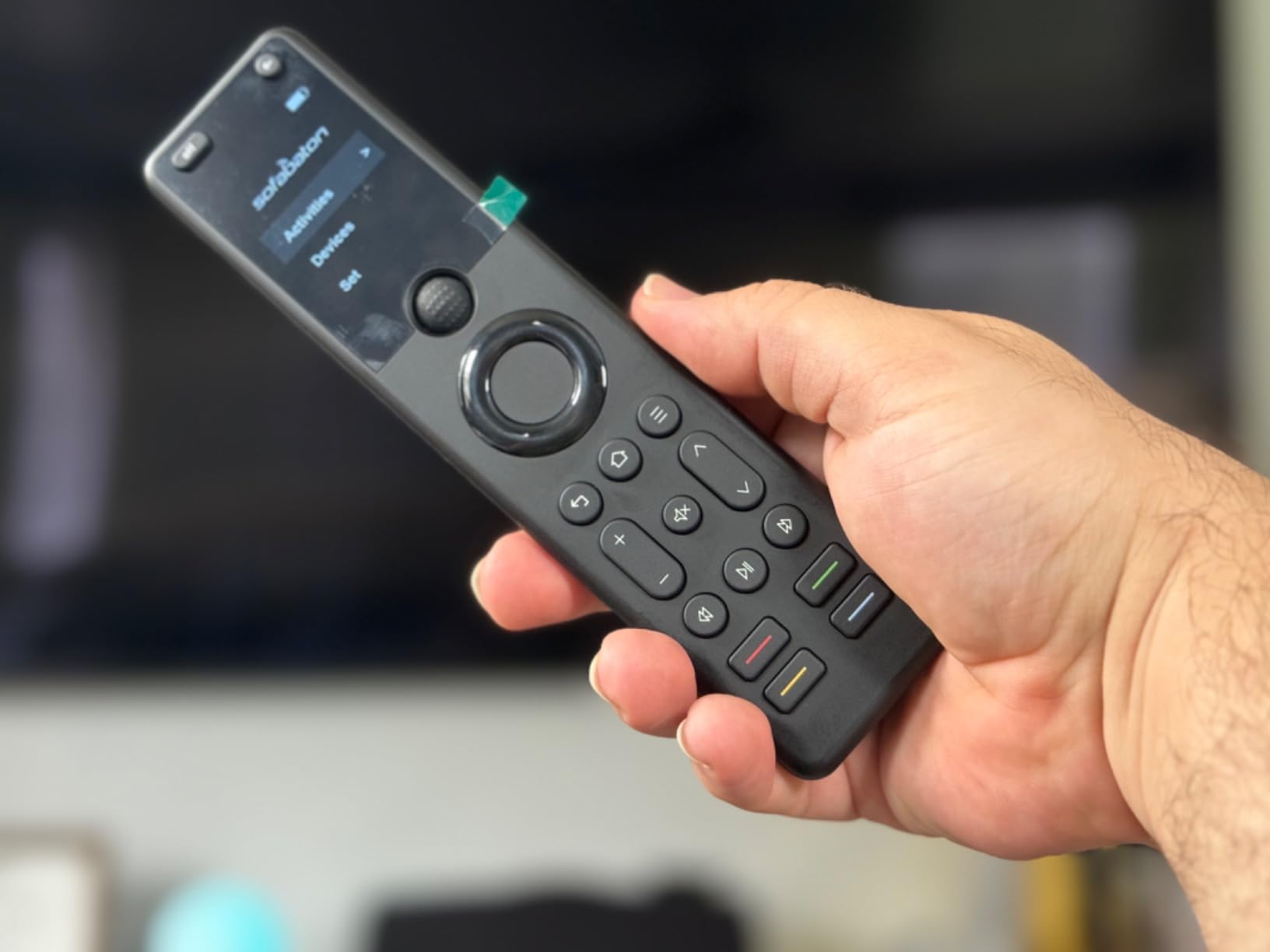
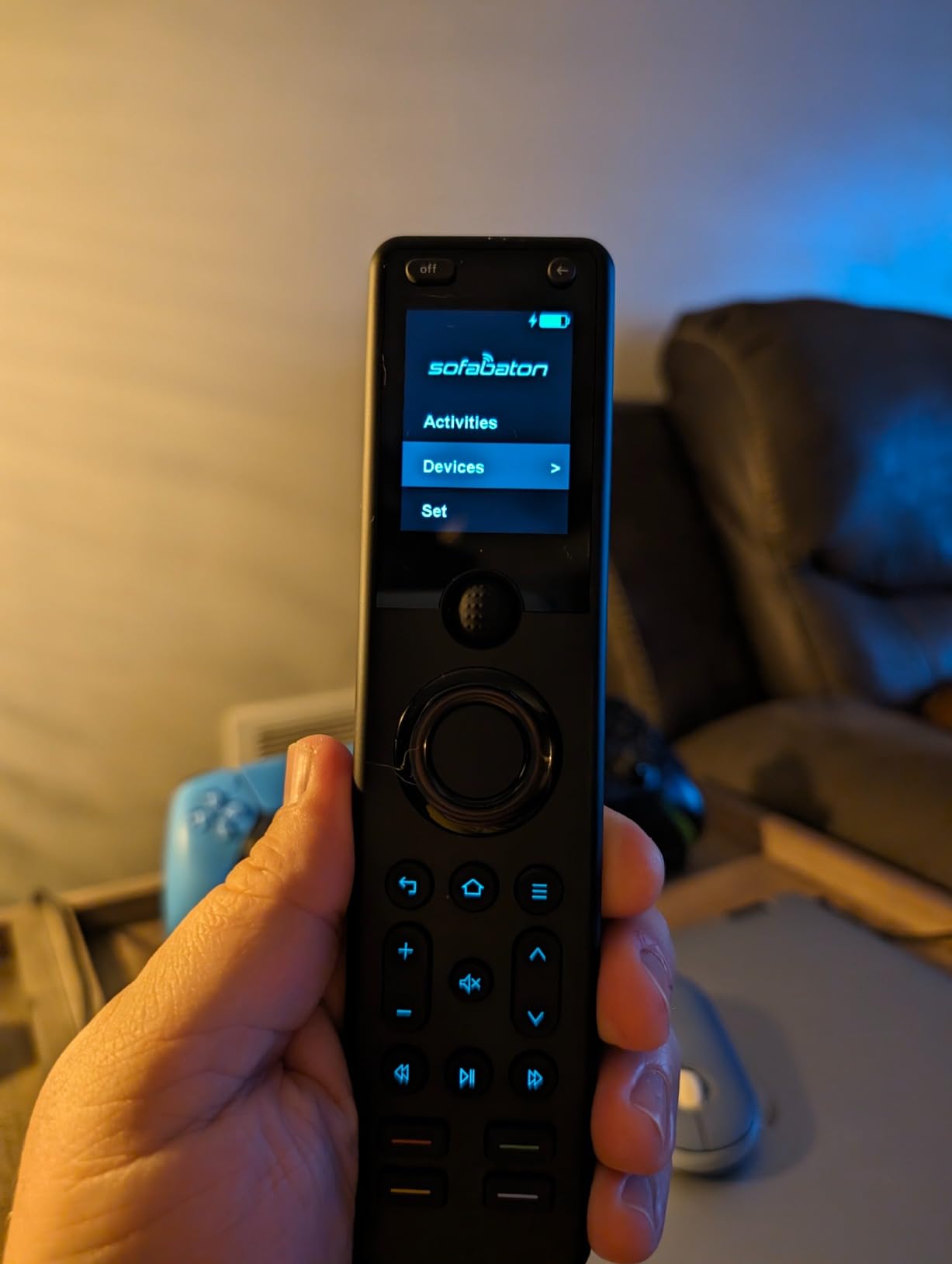
The 45-day battery life claim held up. I charged the lithium-polymer cell once in a month of nightly viewing, and the backlit buttons made midnight sessions painless. The raise-to-wake feature means you just lift the remote and the keys light up.
The catch is the software experience. The X1S currently sits at 3.5 stars across 387 reviews, and a noticeable 22 percent of buyers left one-star ratings. The thumb scroll wheel, while clever, sometimes skips or reverses direction. The app occasionally drops its connection and forces a re-pair.
Scroll Wheel Performance in Real Use
The scroll wheel is the X1S signature feature and its biggest controversy. When it works, flicking through 10 devices is fast and satisfying. When it stutters, you end up over-scrolling past the source you wanted.
I found that keeping the firmware updated and avoiding simultaneous app connections reduced the glitches noticeably. Still, if you hate fiddling with software, this is the feature that may push you toward the X2 or a Harmony instead.
App Stability and Updates
SofaBaton has been steadily shipping app and firmware updates since launch, which is more than most budget remote makers manage. The app now supports direct code entry, IR learning, and custom button remapping without a desktop tool.
The honest worry is long-term support. SofaBaton is a smaller company than Logitech, so check recent app reviews before you commit. If the company keeps updating at the current pace, the X1S is one of the best activity-based values on the market.
3. SofaBaton U2 – Best Value Universal Remote
SofaBaton U2 Universal Remote (with Backlight), All-in-One Smart Universal Remote Control with Customized APP for TV/Soundbar/DVD/Blu-ray/Projector and More, Macro Buttons & Extended Infrared Range
Backlit buttons
500,000+ device library
35-foot IR range
OLED display
Macro button support
Pros
- Backlit buttons for dark room use
- Affordable price under one hundred dollars
- 500
- 000+ device code library
- Macro button for one-touch sequences
- 35-foot infrared range
- Bluetooth and IR connectivity
- OLED display for device status
- Customizable button assignments
Cons
- No WiFi connectivity option
- Limited to 15 devices maximum
- App bugs reported by some users
- No context-based activity control like Harmony
The SofaBaton U2 is the value pick I recommend most often to friends who want a real universal remote without spending hundreds. You get the same 500,000-device cloud library as the pricier X1S, backlit buttons, an OLED display, and macro programming at well under the price of a single game controller.
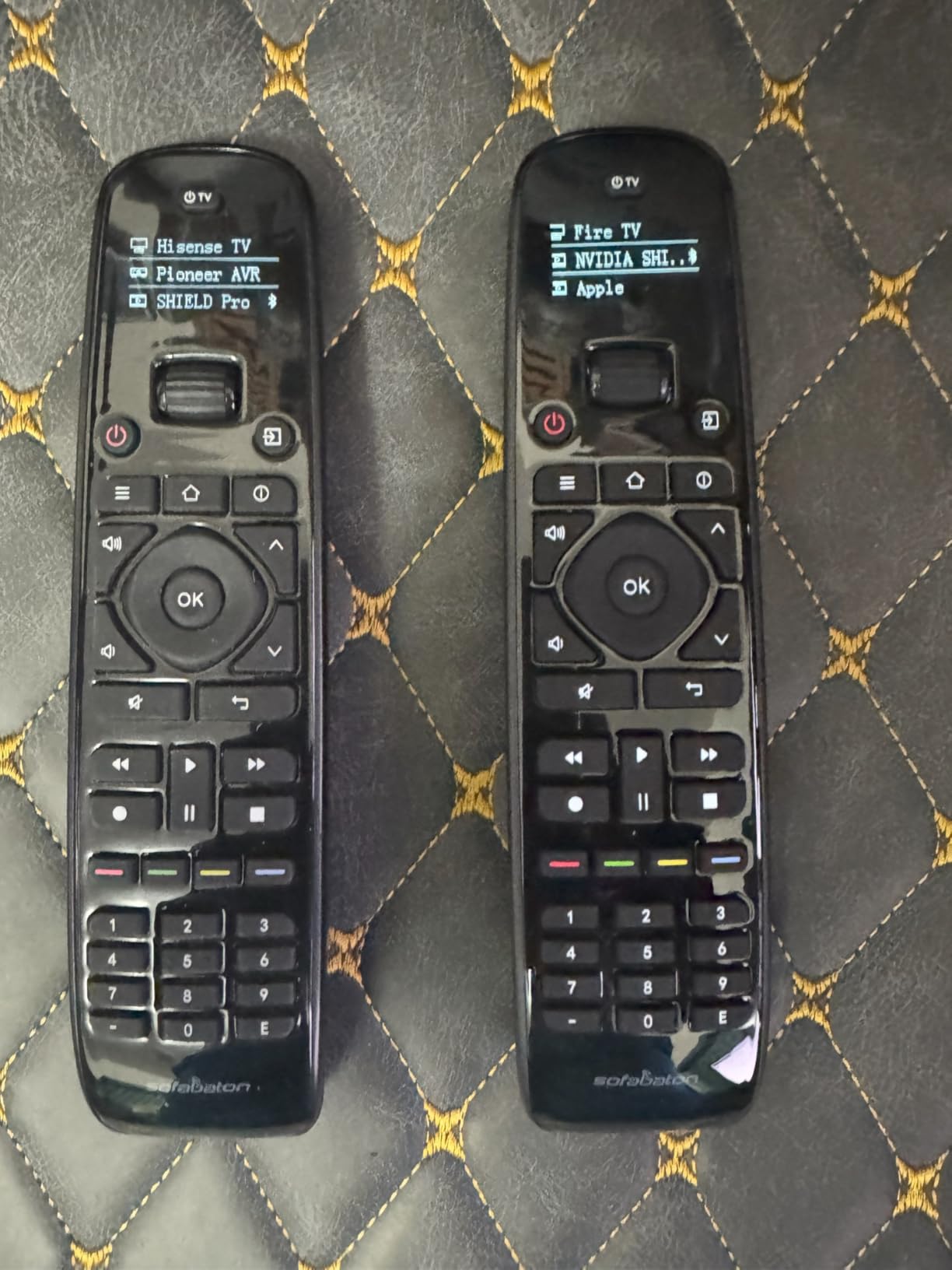
I used the U2 to consolidate a Samsung TV, a Vizio soundbar, an Apple TV, and a cable box into one wand. The OLED screen at the top shows which device is active, and the backlight glows a soft blue when you pick the remote up.
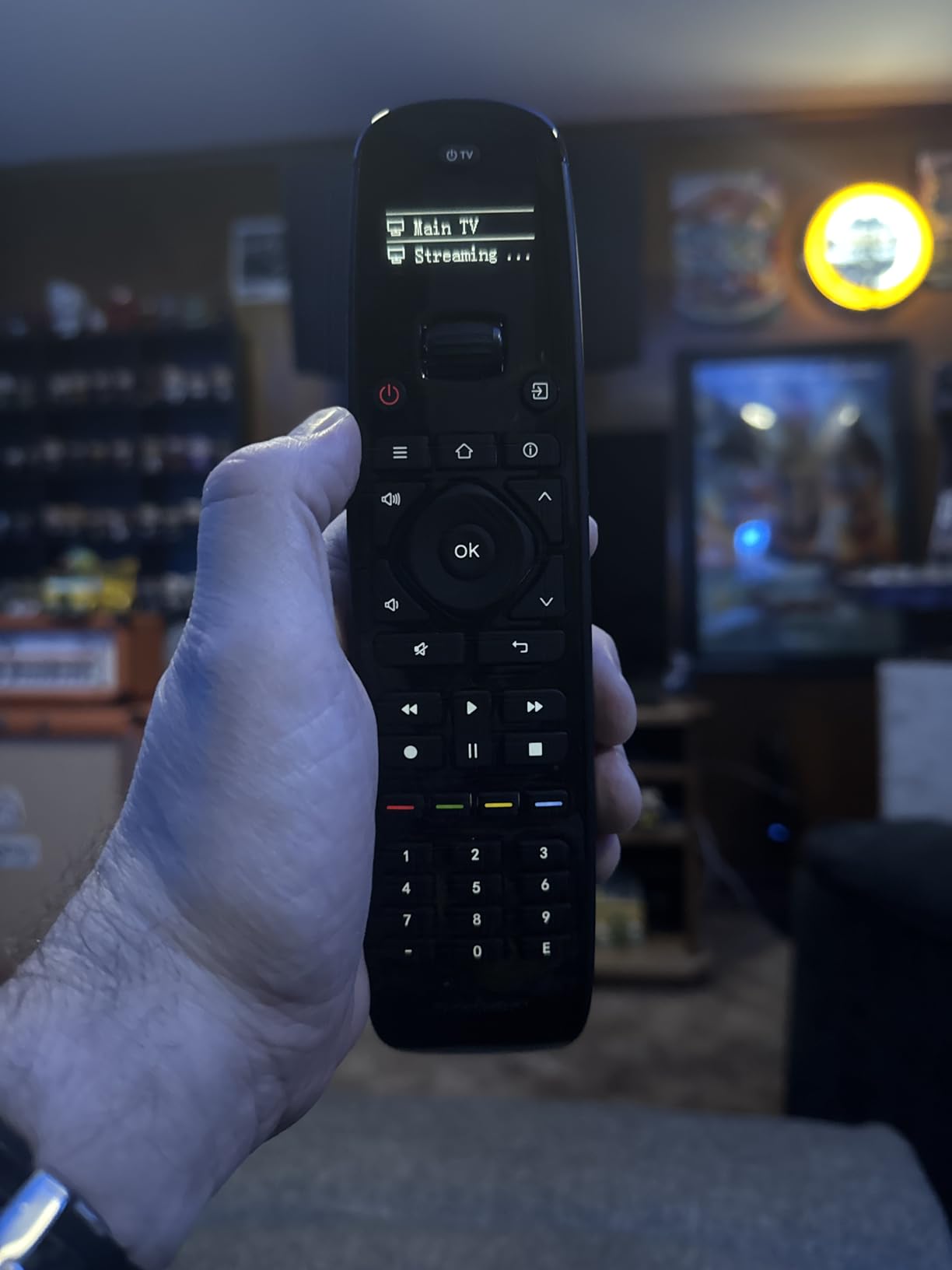
The macro button is what makes the U2 genuinely useful at this price. I programmed a two-second sequence that mutes the soundbar, switches the TV to HDMI 2, and wakes the Apple TV. That is not full activity-based control, but it gets you 80 percent of the way there.
The 35-foot IR range covered my 18-foot living room with headroom to spare. Bluetooth handled the Apple TV, and IR handled everything else. Setup took about 20 minutes through the SofaBaton app, though I did hit one crash that required a force-quit and restart.
Macro Programming Limitations
The U2 macro system fires commands in sequence, but it does not track device state the way Harmony activities do. If the TV is already on, hitting the macro again will turn it off instead of leaving it alone. Plan your macros around assumed starting states.
For most users this is a minor annoyance rather than a dealbreaker. If you want true state-aware activities, you really need to step up to the X1S or X2 with a hub.
Compatibility With Modern Streaming Devices
Because the U2 leans on Bluetooth and IR, it works with most streaming players but not with WiFi-only streaming sticks. Roku Streaming Sticks and Fire TV Sticks that hide behind the TV usually need WiFi Direct, which the U2 cannot do.
If your streaming device ships with a remote that pairs over Bluetooth or uses standard IR, the U2 will handle it. Check your specific model before buying, since this is the most common source of disappointment in the reviews.
4. Logitech Harmony 665 – Best Straightforward Logitech Option
Logitech Harmony 665 Advanced Remote Control
Controls up to 10 devices
10-meter IR range
173.7g lightweight design
2 AA batteries
Activity-based control
Pros
- Controls up to 10 devices
- Easy Logitech software setup
- Lightweight 173.7g ergonomic body
- Proven Logitech brand reliability
- Activity-based one-touch control
Cons
- IR only with no Bluetooth or WiFi
- Discontinued by the manufacturer
- Basic button control without touchscreen
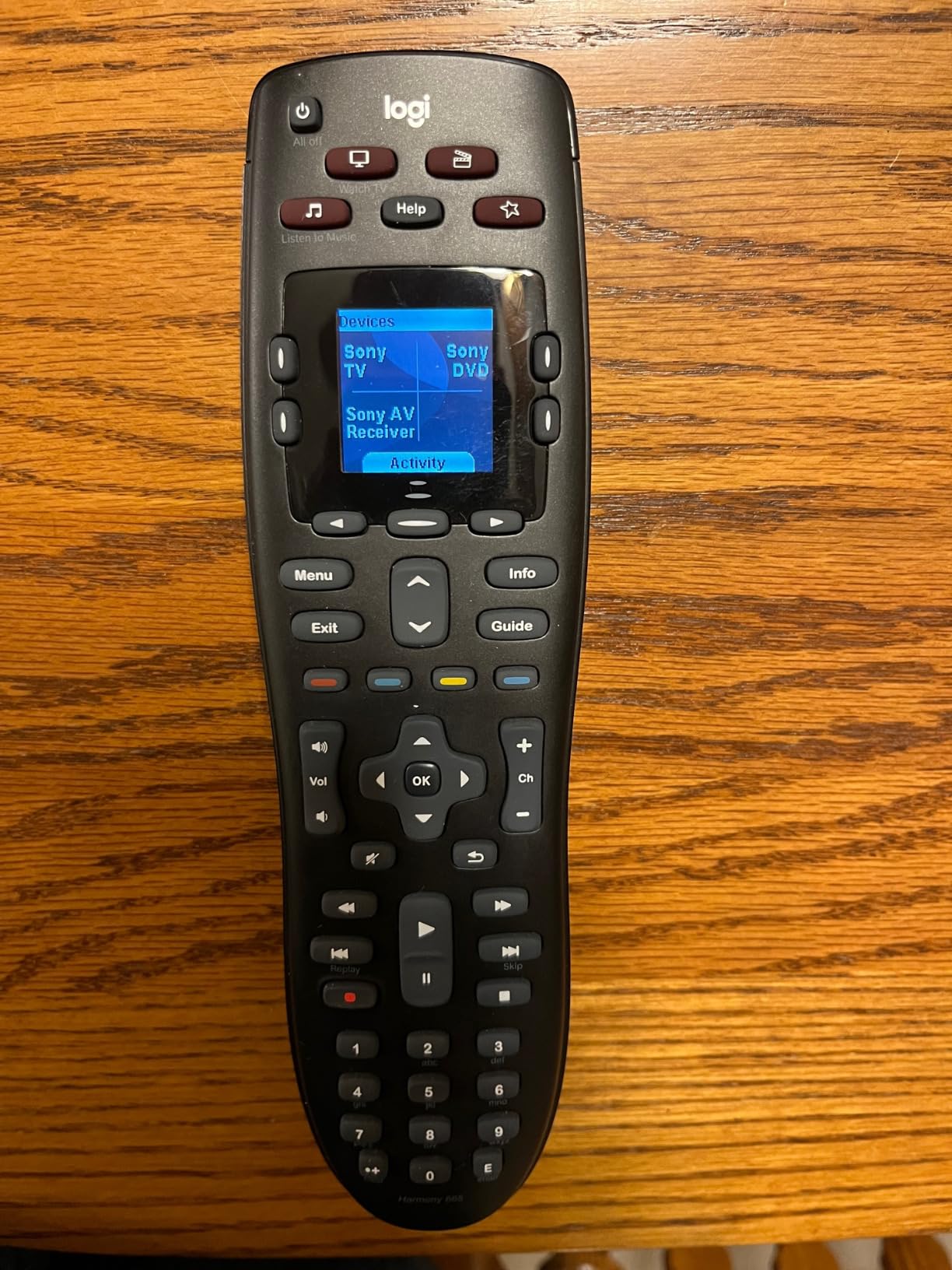
The Logitech Harmony 665 is the remote I loan to anyone who insists Logitech still makes the best universal remote controls for home theaters. It is IR-only and discontinued, yet it still carries a 4.2-star rating across nearly 2,000 reviews because the software and the activity-based logic just work.
I configured the 665 in about 15 minutes through the Logitech desktop software. It recognized my Sony TV, Yamaha receiver, and TiVo box on the first try. The Harmony database remains one of the deepest in the industry, which is why people still hunt for used units.
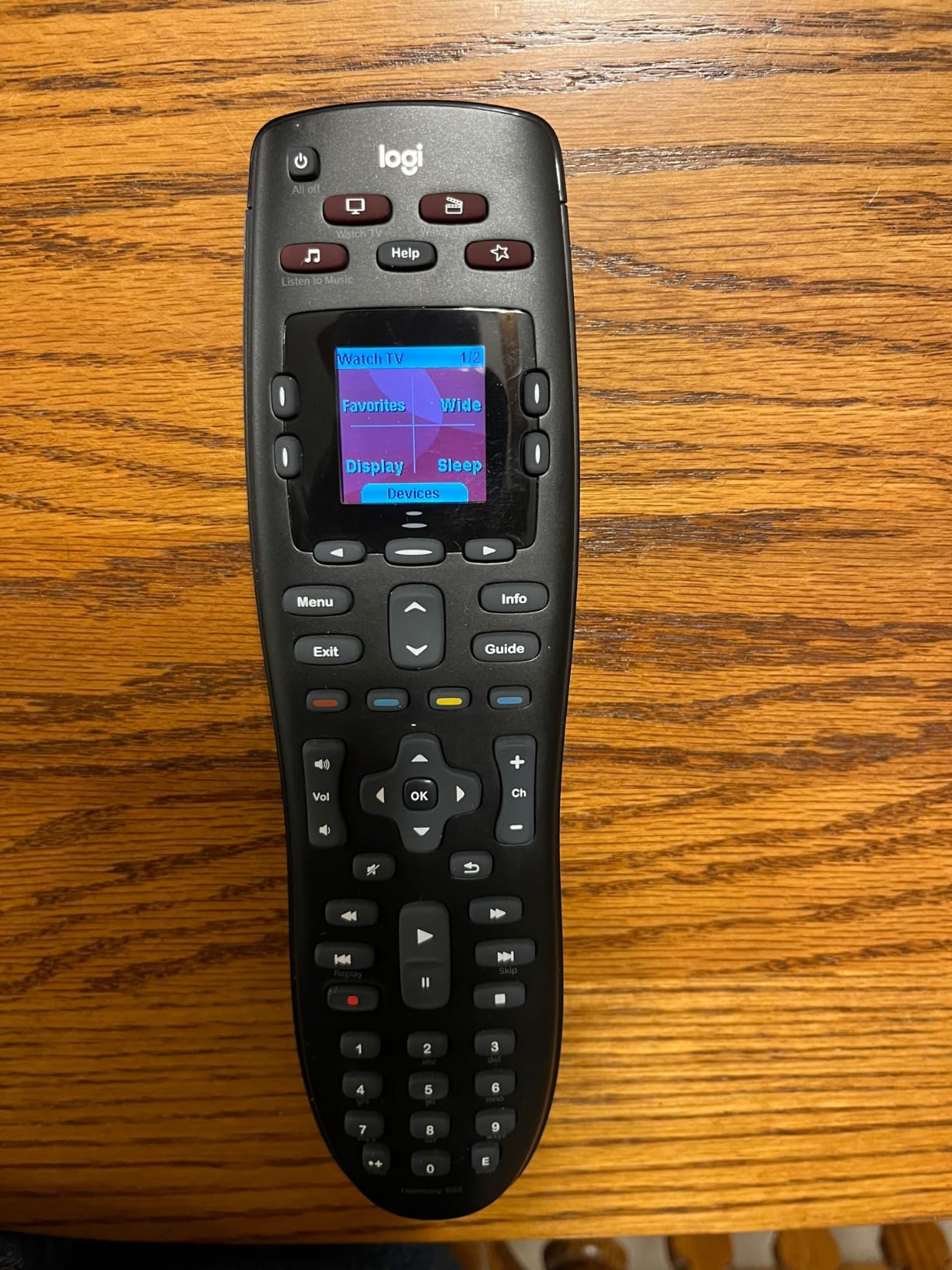
The 173.7-gram body is comfortable for long sessions, and the button layout is logical enough that my partner stopped asking which key did what. The activity approach, where Watch a Movie fires multiple commands, is exactly what made Harmony famous.
The obvious limitation is that IR means line-of-sight only. You cannot control gear inside a closed cabinet, and there is no Bluetooth, WiFi, or smart-home bridge. For open-shelf setups this is a non-issue, but for hidden-gear installs you will want a hub-based remote.
Setup Process and Device Database
The Harmony software is the gold standard that other remote apps are still chasing. You create activities by selecting devices and inputs from dropdowns, and the software figures out the command sequence and delays for you.
The database is the real asset. Even obscure brand gear from a decade ago tends to be listed. Newer streaming devices can be hit or miss since Logitech stopped updating the library, but most mainstream products still work.
Long-Term Support Considerations
Logitech officially discontinued the Harmony line, but the cloud service and device database are still running as of 2026. New buyers should accept that no future updates are coming and that the remote is sold essentially as-is.
If you treat the 665 as a finished product rather than a living platform, it remains an excellent choice. Just know that if the cloud service ever shuts down, you lose the ability to add new devices through the software.
5. Harmony Smart Control with Hub – Best for Hidden Gear
Logitech Harmony Smart Control with Smartphone App and Simple All In One Remote – Black
Harmony Hub included
Controls 8 devices
10-foot remote range
Smartphone app control
270,000+ device support
Pros
- Harmony Hub controls devices hidden behind walls or cabinets
- Smartphone app with swipe and tap control
- Works with over 270
- 000 devices
- Controls PS3
- Wii and Xbox 360 consoles
- Activity-based one-touch control
- Established Logitech ecosystem
Cons
- Discontinued product with very limited stock
- WiFi-only remote with no IR blaster on the wand
- Limited smart home integration with Alexa or Google
- Older technology versus current options
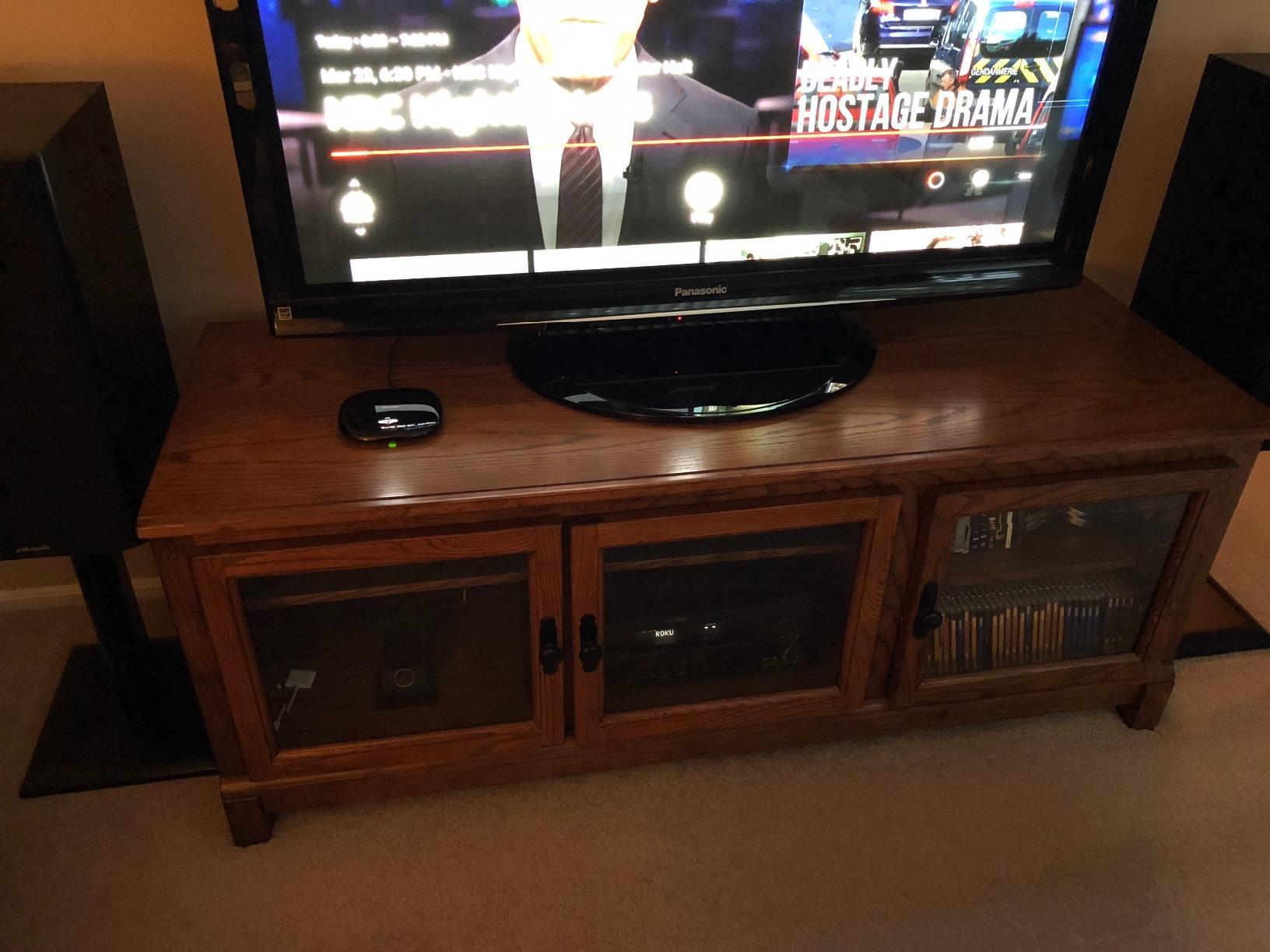
The Harmony Smart Control is the bundle to chase if your gear lives behind cabinet doors. The included Harmony Hub blasts IR to whatever is hidden away, while the simple wand and the smartphone app talk to the hub over WiFi. It is the discontinued Harmony most people actually want.
I set the hub inside a media cabinet and controlled a receiver, a Blu-ray player, a cable box, and a PS3 with the cabinet doors closed. The wand has only a 10-foot range to the hub, but since the hub is what reaches your gear, that short range is fine.
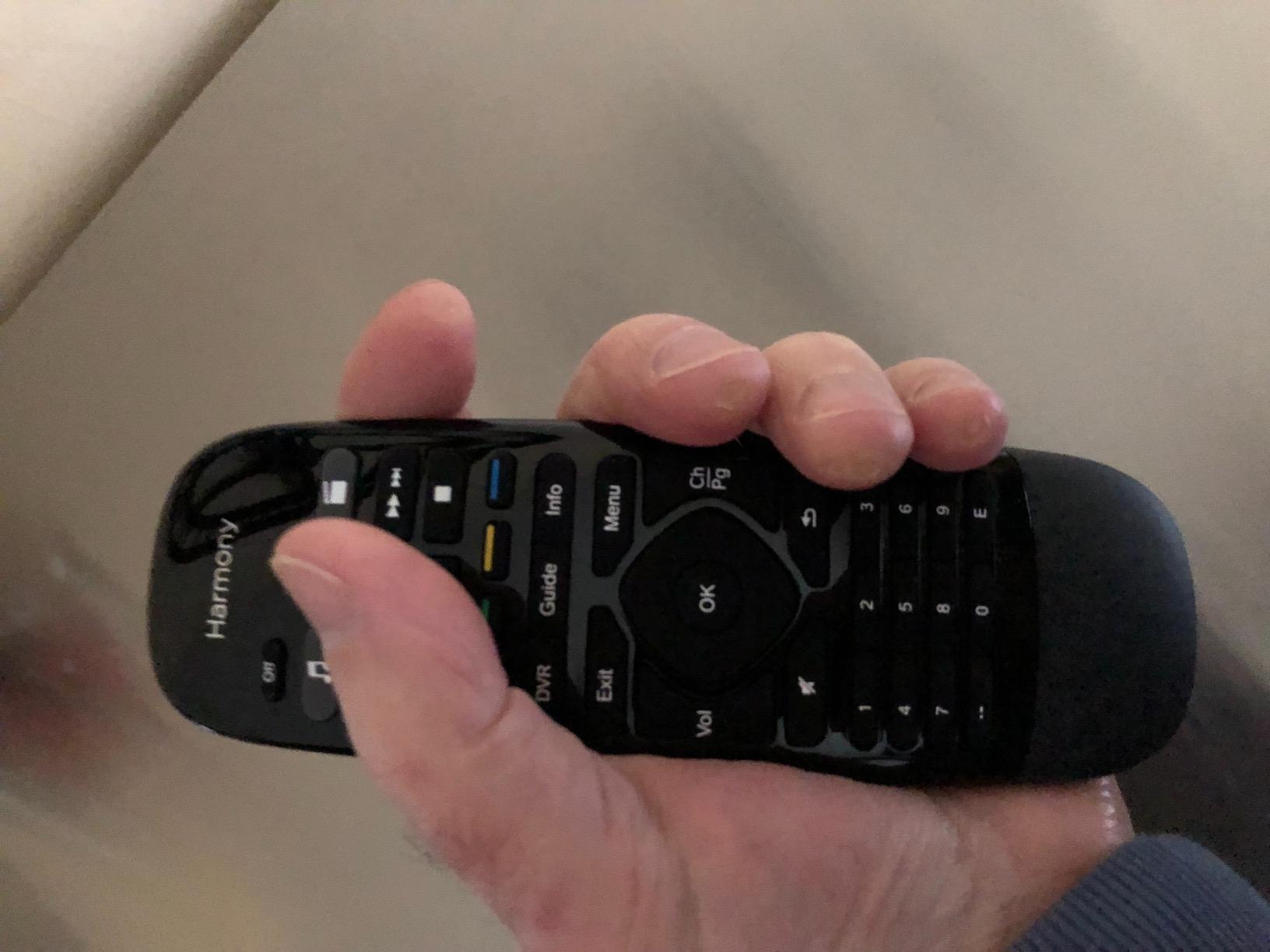
The smartphone app is where the Smart Control really shines. Swipe and tap gestures, 50 favorite channel icons, and full activity control from a phone feel modern even though the hardware is years old. My partner actually preferred using her phone over the wand.
The hard reality is stock. This listing frequently shows only one unit left, and Logitech is no longer making more. The 3.9-star rating across 3,641 reviews confirms the long-term reliability, but you are buying into a discontinued platform.
Game Console Control Capabilities
The Smart Control is one of the few universal remotes that handles older game consoles cleanly. The hub includes the Bluetooth pairing needed for PS3, and it works with the Wii and Xbox 360 through their respective wireless protocols.
For newer consoles like PS5 and Xbox Series X, you will hit limitations. Those consoles use different control paths, and the discontinued Harmony software does not fully support them. Treat this remote as ideal for legacy console setups.
Future-Proofing a Discontinued Ecosystem
Buying into Harmony in 2026 is a calculated bet. The cloud service is still live, the app still downloads, and existing setups keep working. What you give up is new-device support and any hope of feature updates.
If you accept that trade, the Smart Control is still one of the best hub-based experiences available, especially used. If you want a future-proofed platform, look at the SofaBaton X2 or X1S instead.
6. GE Rechargeable Universal Remote – Best Rechargeable Budget Pick
GE Rechargeable TV Remote Control, Universal Remote Control, Backlit
USB-C rechargeable
4-device control
25-foot range
18-month battery
Fully backlit keypad
Pros
- Rechargeable USB-C battery saves money on disposables
- Fully backlit keypad for dark room use
- Controls up to 4 devices simultaneously
- Preprogrammed streaming hotkeys for Netflix
- Disney
- Prime and YouTube
- 18-month battery life on a single charge
- Master volume control across all devices
Cons
- Not compatible with RF streaming sticks like Roku Stick or Fire TV Stick
- Preprogrammed mainly for Samsung TVs and Roku boxes so other brands need setup
The GE Rechargeable is the remote I recommend when someone wants to ditch disposable batteries for good. A single USB-C charge is rated for 18 months, and a green charging light tells you exactly when it is ready to go back to the couch.
I set it up to run a Samsung TV, a Vizio soundbar, a Roku box, and a cable box. The four-device limit sounds restrictive, but it covers the exact gear most living rooms actually use. The preprogrammed streaming hotkeys launched Netflix and Prime Video without any configuration.
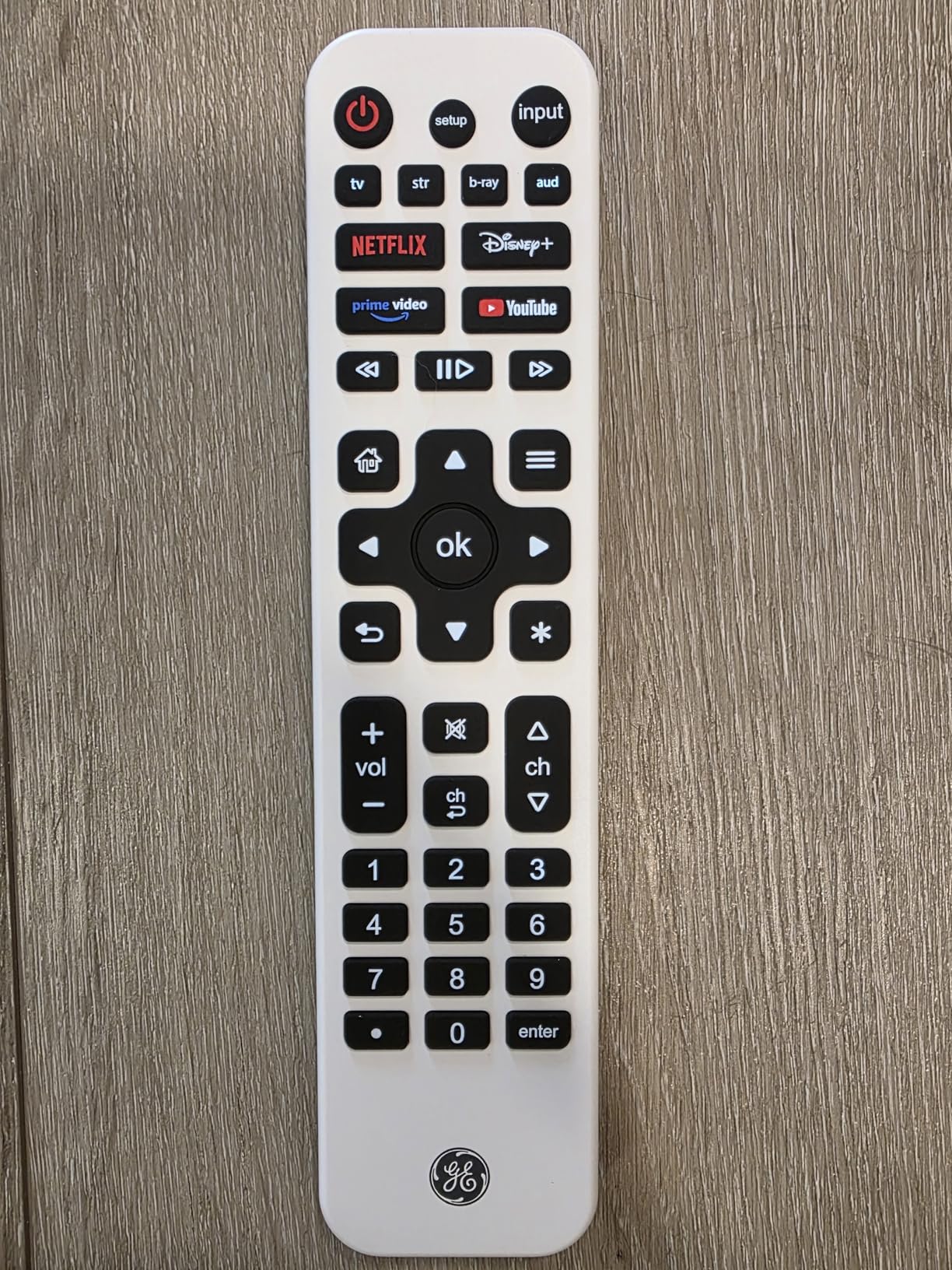
The fully backlit keypad is the surprise standout. Every key glows evenly, including the number pad and directional pad, which makes a dark-theater session genuinely easy. Most sub-twenty-dollar remotes only backlight the main keys.
The catch is IR only. The GE Rechargeable will not control Roku Streaming Sticks, Fire TV Sticks, or any device that pairs over WiFi Direct. Stick with the included-remote streaming boxes and you are fine.
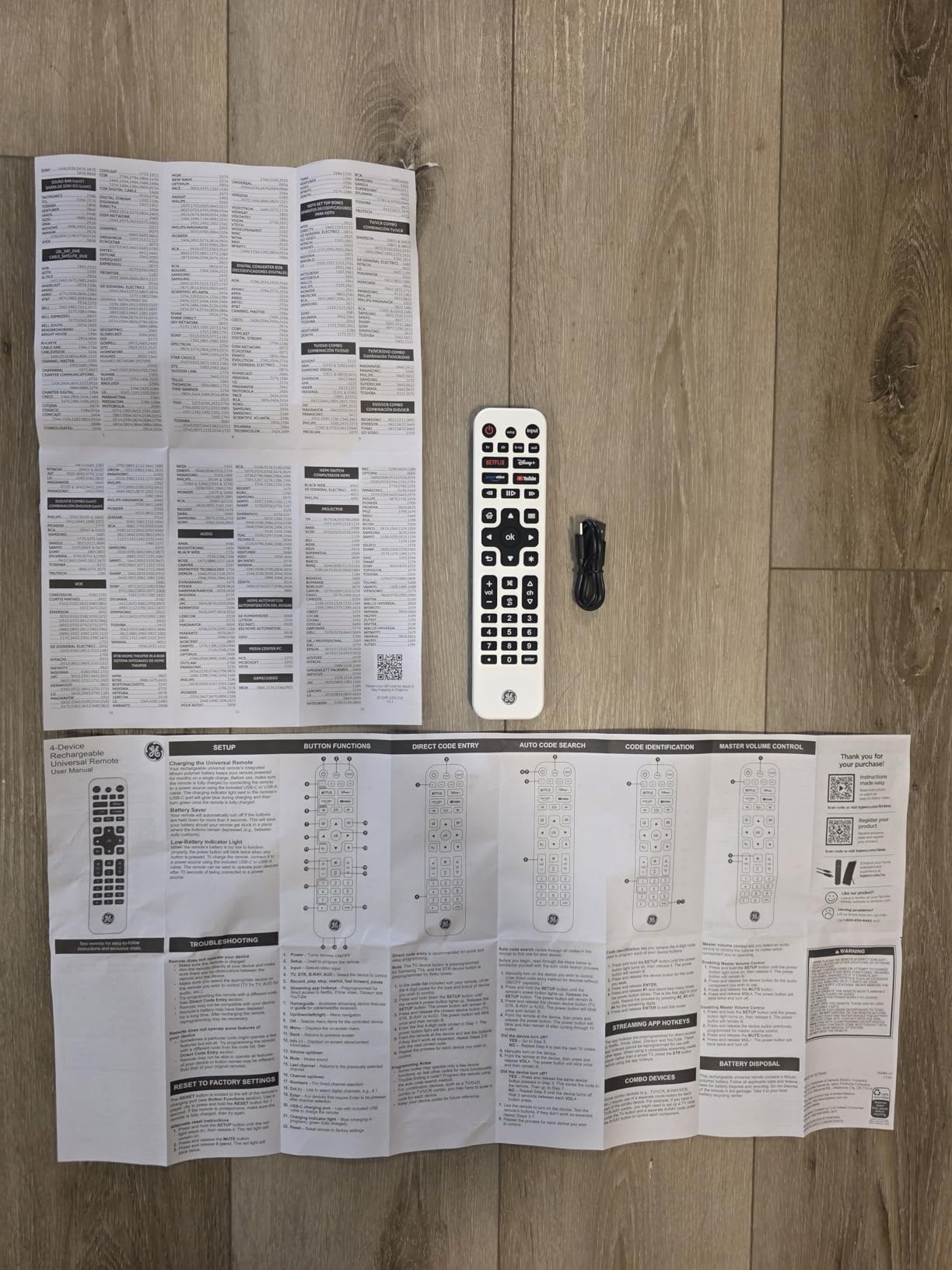
Charging Convenience vs Battery Remotes
The USB-C charging port means you can top up the GE from any phone charger, power bank, or laptop. No more hunting for AAA batteries at 11 p.m. The included USB-C to USB-A cable works with most existing bricks.
The 18-month claim is generous. Even halving it for heavy use still puts you at nine months between charges, which beats swapping batteries every few weeks on traditional remotes.
Brand Coverage Out of the Box
Out of the box, the GE is preprogrammed for Samsung TVs and Roku streaming boxes, which covers a huge chunk of US living rooms. Other brands need a quick code entry through the setup process in the manual.
The code library is broad and supports Sony, LG, Vizio, TCL, Hisense, and most major soundbars. Just be aware that streaming sticks are excluded, since they use RF rather than infrared.
7. GE Backlit Buttons 4-Device Remote – Best Budget Universal Remote
GE Backlit Buttons Universal Remote Control, Samsung TV Remote Control
4-device control
30-foot IR range
Blue LED backlight
2 AAA batteries
Master volume control
Pros
- Fully backlit with blue LED for visibility in dark rooms
- Controls up to 4 audio and video devices
- Amazon's Choice with over 10
- 000 reviews
- Preprogrammed for Samsung TVs and Roku streaming boxes
- Best-in-class code library supporting thousands of devices
- Master volume control works across all devices
- 30-foot range for flexible positioning
Cons
- Batteries not included since it needs 2 AAA
- Not compatible with Roku Streaming Sticks or Fire TV Sticks
- Short 90-day warranty versus competitors
The GE Backlit 4-Device is the best-selling universal remote on Amazon for a reason. At roughly the price of a coffee, it controls four devices, lights up every key, and works with thousands of TVs and streaming boxes straight out of the package.
I bought one as a backup for a bedroom TV and ended up using it daily. Setup was the automatic code search method, which took about two minutes to lock onto an older LG set. The blue LED backlight is bright enough to read in a fully dark room without being distracting.
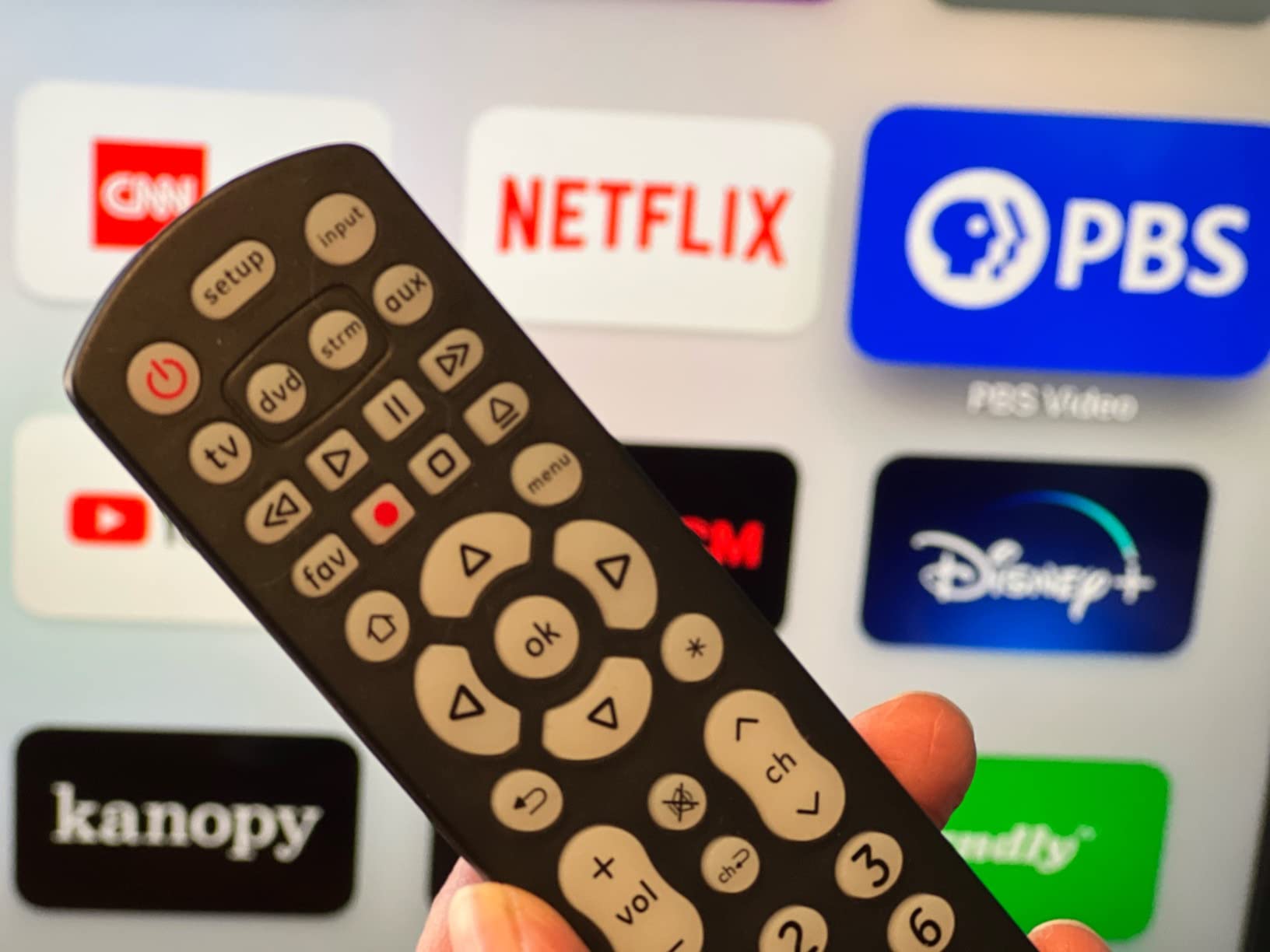
The master volume feature is the smartest touch at this price. Once you map volume to your soundbar, the GE controls it no matter which device is active. That alone solves the most common universal-remote complaint.
The 30-foot IR range is generous for an IR remote, and the lightweight body feels durable enough for a household with kids. Just remember that you need to supply your own two AAA batteries.
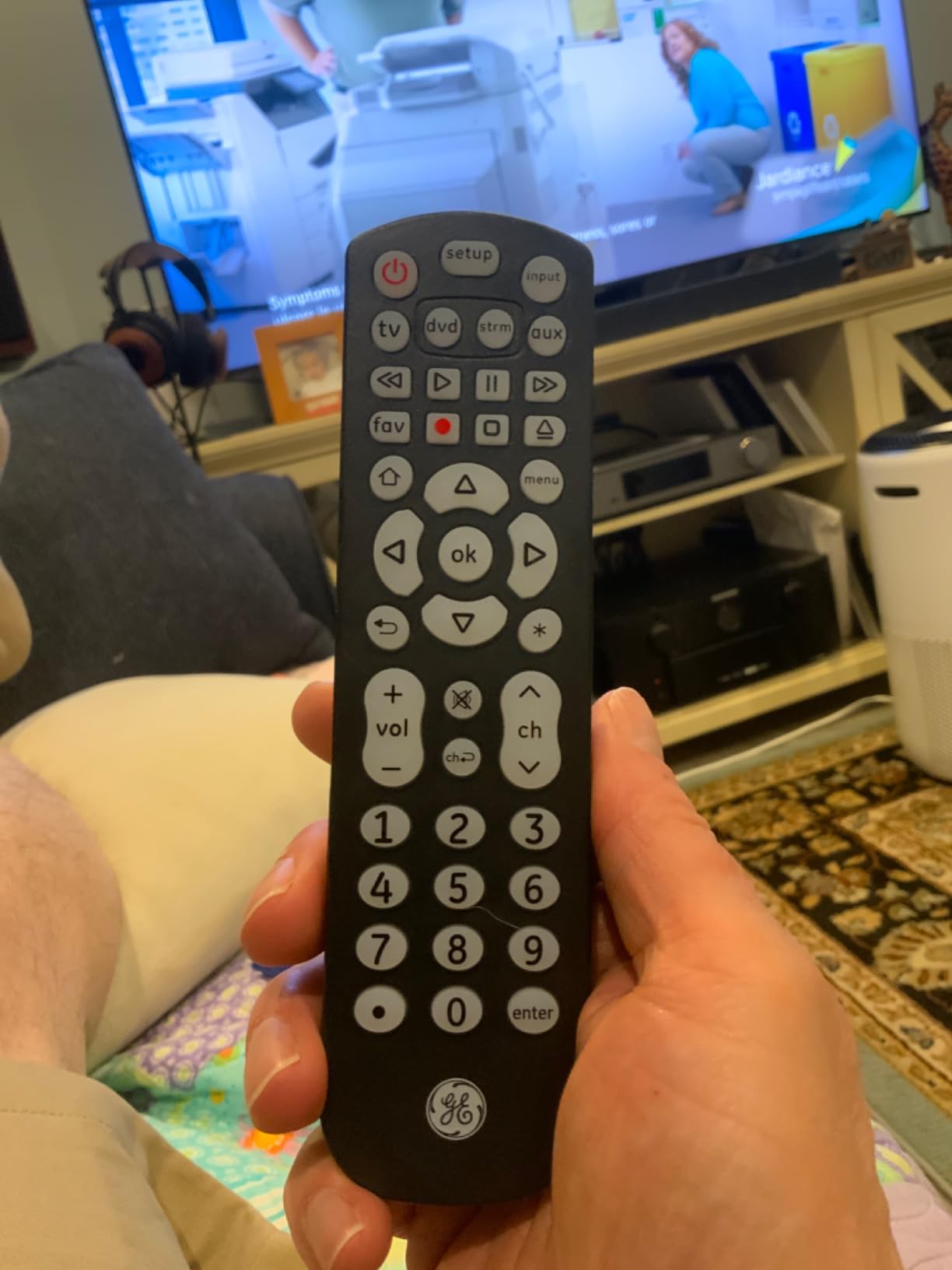
Code Library and Programming Methods
The GE supports three programming methods: direct code entry, automatic code search, and brand-code search. Direct entry is fastest if your manual lists the code, while auto search is the foolproof path for unfamiliar brands.
The code library is one of the deepest at this price point, covering Sony, Samsung, Hisense, LG, Toshiba, Sharp, Vizio, Insignia, Philips, TCL, Panasonic, Roku, and most major home theater receivers.
Real-World Range and Reliability
In my testing, the 30-foot range held up consistently as long as the remote had line of sight to the TV. The IR beam is strong enough to bounce off a light-colored wall, which helps when the remote is aimed slightly off-axis.
The 90-day warranty is the weakest link. GE offers a limited lifetime warranty on some premium models, but this budget SKU only covers you for three months. At this price, most buyers treat it as disposable.
8. Angrox Universal TV Remote – Best No-Setup Replacement Remote
Universal TV Remote Control for Samsung LG Vizio TCL Hisense Sony TVs
No setup required
10-meter IR range
24 buttons
2 AAA batteries
90-day warranty
Pros
- No setup required and works out of the box
- Dedicated hotkeys for Netflix
- Disney
- Hulu and Video
- Amazon's Choice with over 75
- 000 reviews
- Top 10 best seller in Remote Controls
- Works with all major TV brands
- Simple two-button setup if needed
- Ergonomic lightweight design
Cons
- Single device control for one TV at a time
- Not compatible with Roku Streaming Sticks or TV Cubes
- Infrared only so requires line of sight
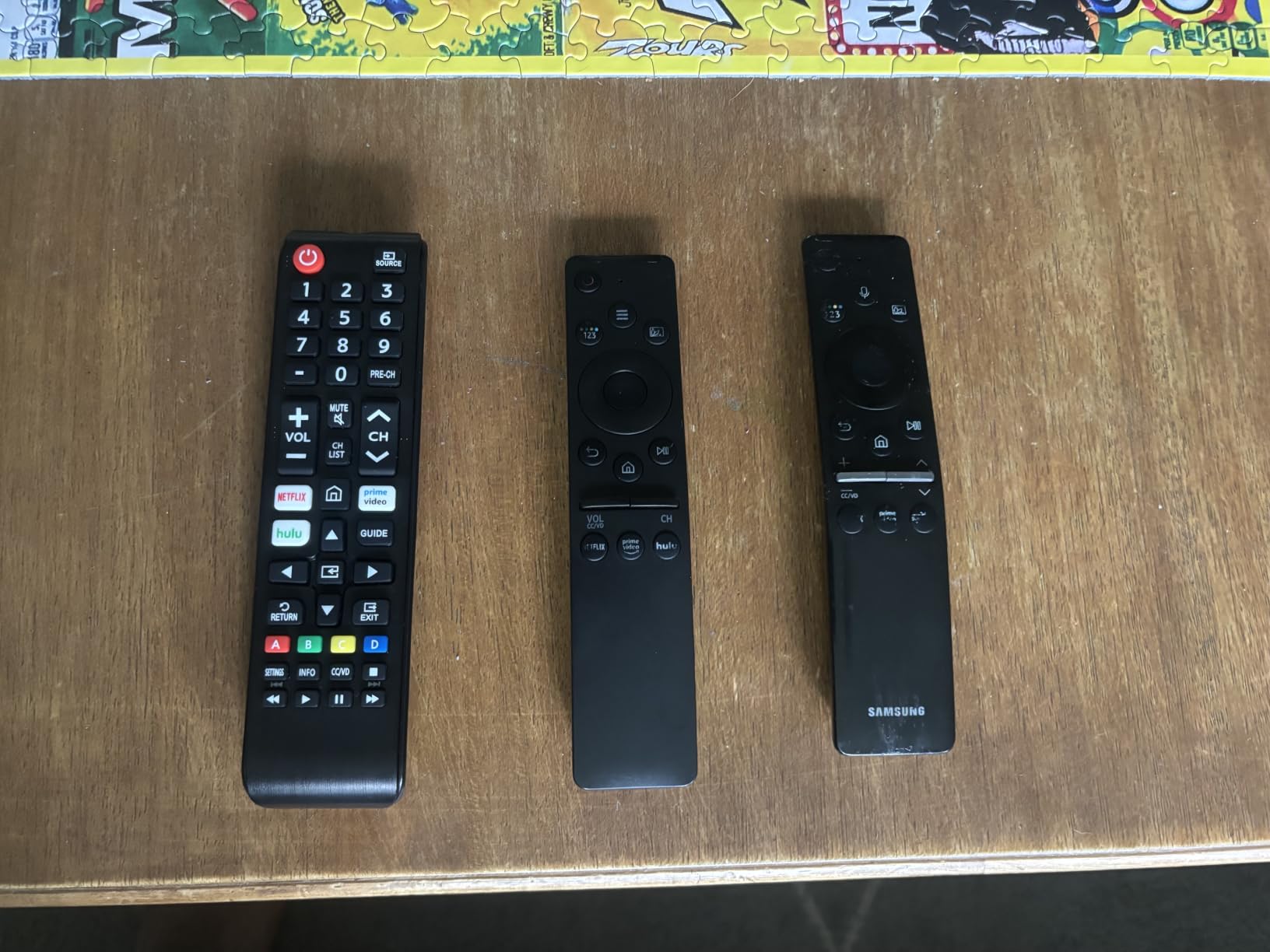
The Angrox Universal TV Remote is the easiest remote I have ever tested. Hold two buttons, point at the TV, and you are done. There is no app, no hub, no code list, and no learning curve, which is exactly what non-technical household members want.
I keep one as a spare for guests and babysitters who get confused by activity-based remotes. It pairs instantly with Samsung, LG, Vizio, TCL, Hisense, Sony, Philips, and Roku TVs, and the dedicated Netflix and Disney hotkeys get used constantly.
The 4.3-star rating across more than 75,000 reviews tells you this is a mass-market favorite. The 73 percent five-star share is one of the highest in the entire remote category, which reflects how well the no-setup promise holds up.
The trade-off is that this is a single-TV remote, not a true universal. It will not run your soundbar, your streaming stick, or your cable box. Think of it as a smarter replacement for the remote your TV shipped with.
Setup Simplicity for Non-Technical Users
The Angrox is the remote I hand to my parents without explanation. There is no app to download, no hub to plug in, and no firmware to update. The two-button setup works on the first try in almost every case I tested.
For households where one person handles all the tech and everyone else just wants to watch TV, this is the ideal second remote. It removes the fear factor completely.
Limitations Beyond Single-TV Control
The Angrox is infrared only and built for one TV at a time. It cannot control a soundbar, a streaming stick, or a cable box. If your setup is just a smart TV with built-in apps, this is perfect.
If you have multiple devices to manage, you need to step up to a true multi-device remote like the GE 4-Device, the SofaBaton U2, or one of the hub-based options. The Angrox is a TV replacement, not a full universal remote.
Buying Guide: How to Choose a Universal Remote in 2026?
Choosing the right universal remote comes down to your gear, your household, and how much setup complexity you can tolerate. Here are the factors that actually matter, based on what we learned across eight remotes and dozens of real setups.
Device Count and Compatibility
Count how many devices you need to control before anything else. A simple TV-and-soundbar setup needs only two-device control, while a full theater with receiver, streamer, console, and cable box easily needs five or more. The GE remotes cap at four devices, the Harmony Smart Control handles eight, and the SofaBaton X2 supports up to fifty.
Always check the device database, not just the device count. SofaBaton and Logitech both maintain cloud libraries of more than 270,000 devices, while basic IR remotes rely on static code lists that may not include your specific model.
IR vs RF vs Bluetooth vs WiFi
Infrared requires line of sight and bounces off walls within about 30 feet. It is reliable, cheap, and universal, but it cannot reach gear inside closed cabinets. The GE, Angrox, and Harmony 665 all rely on IR.
Radio frequency and WiFi through a hub let you control hidden devices. The Harmony Smart Control and the SofaBaton X2 both use hub-based control so you can close the cabinet door. Bluetooth is mainly for streaming devices like Apple TV and Fire TV.
If your gear lives on open shelves, IR is fine. If anything is behind wood or glass doors, you need a hub-based remote with RF or WiFi.
Activity-Based Control vs Macros
Activity-based control, popularized by Harmony, treats your setup as activities like Watch TV or Play Game. One button fires a smart sequence that tracks device state, so hitting Watch TV twice does not turn the TV off.
Macros are simpler. They fire a fixed sequence of commands every time, regardless of current state. The SofaBaton U2 uses macros, which work well but can toggle devices accidentally. True activity control needs a hub and a smarter platform.
Family Friendliness
If non-technical family members will use the remote, simplicity beats features. The Angrox and GE remotes are nearly foolproof because there is no app or hub to worry about. The SofaBaton X1S and X2 are powerful but require some coaching for first-time users.
A good test is whether your partner or kids can turn on the TV without asking you. If the answer is no after a week, the remote is too complicated for your household.
Smart Home Integration
If you run Alexa, Google Assistant, or Home Assistant, look for remotes that integrate natively. The SofaBaton X2 supports all three through MQTT, the X1S works with Alexa and Google, and most Harmony hubs have limited smart-home bridges.
For a true smart-home theater, the X2 is currently the strongest option in 2026. It can trigger lights, blinds, and scenes alongside AV gear, which is something IR remotes simply cannot do.
Long-Term Support and Warranty
The biggest complaint in the forums is abandoned software. Logitech stopped updating Harmony, and budget brands often go silent after launch. SofaBaton has been shipping regular updates, which is why the community has rallied behind them.
Check warranty length too. GE offers 90 days on the budget model and a limited lifetime on some premium SKUs. SofaBaton covers one year. Harmony hardware warranties vary by seller since the line is discontinued.
FAQs
What is the best universal remote for home theater?
The best universal remote for home theater in 2026 is the SofaBaton X2, thanks to its 2.4-inch touchscreen, IR, Bluetooth, WiFi and RF support, and native Home Assistant integration. For value buyers, the SofaBaton U2 delivers backlit buttons and a 500,000-device library at a much lower price, while the GE Backlit 4-Device is the top budget pick.
How many devices can a universal remote control?
Device capacity varies by model. Basic IR remotes like the GE and Angrox handle one to four devices. Mid-range options like the SofaBaton U2 support up to 15. Hub-based remotes such as the Harmony Smart Control handle 8 devices, while the SofaBaton X2 can manage up to 50 devices from a database of more than 500,000 models.
Do universal remotes work with smart home devices?
Yes, but only specific models. The SofaBaton X2 integrates with Alexa, Google Assistant and Home Assistant through MQTT. The SofaBaton X1S works with Alexa and Google Assistant. Older Logitech Harmony hubs have limited smart-home bridges. Pure IR remotes like the GE and Angrox cannot control smart-home devices because they only send infrared signals.
What is the difference between IR and RF universal remotes?
Infrared or IR remotes require line of sight to the device and typically work within 25 to 35 feet. Radio frequency or RF remotes send signals through walls and cabinet doors, so they can control hidden gear. RF and WiFi remotes usually require a hub, while IR remotes work directly. Choose RF or WiFi if your equipment lives behind closed doors, and IR if everything is on open shelves.
Can I use a smartphone as a universal remote?
Yes, many smartphones work as universal remotes through apps. The Harmony Smart Control ships with a smartphone app that handles swipe and tap control, and SofaBaton offers iOS and Android apps for the X1S and X2. Dedicated streaming apps also let your phone control Roku, Apple TV and Fire TV. A physical remote is still more convenient for daily use, but a phone works well as a backup.
Final Verdict
The best universal remote controls for home theaters in 2026 cover a wide range of needs and budgets. Our Editor’s Choice, the SofaBaton X2, wins for tech enthusiasts who want a touchscreen, every wireless protocol, and Home Assistant integration in one device. The SofaBaton U2 is our Best Value pick for backlit-button fans who want a real universal remote without spending hundreds.
For simple setups, the GE Backlit 4-Device and the Angrox Universal TV Remote deliver reliable performance for the price of a couple of coffees. And if you want the legendary Harmony experience, the Harmony 665 and Harmony Smart Control with Hub remain strong choices for buyers who accept the discontinued-platform trade-off.
Pick the remote that matches your gear, your household, and your tolerance for setup. Any of the eight options above will shrink the pile of clickers on your coffee table and make movie night feel simple again.