
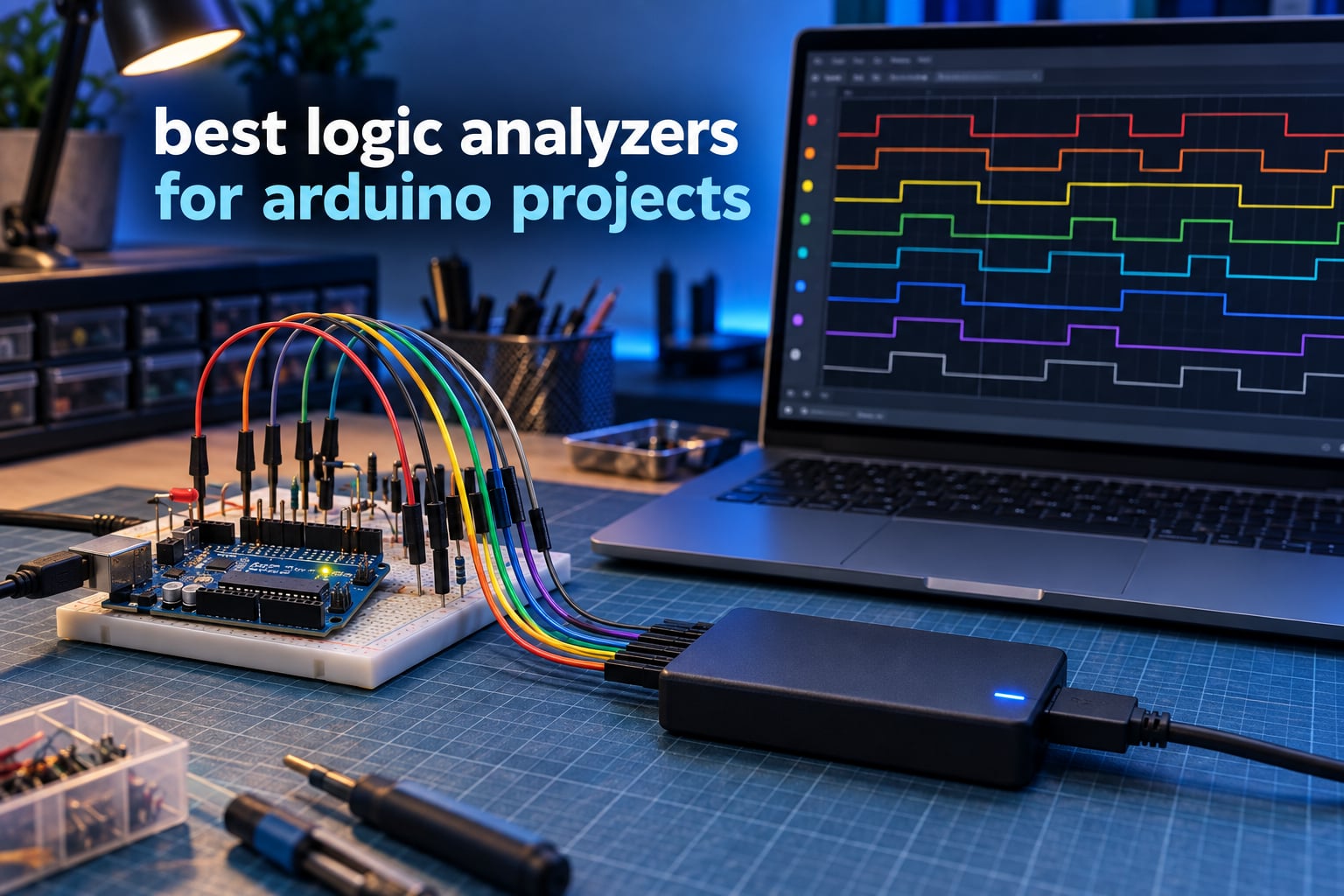
Serial.println tells you what your sketch believes it sent. A logic analyzer shows you what actually happened on the wire, sample by sample, with I2C, SPI and UART transactions decoded into readable text. That difference is why the best logic analyzers for Arduino projects have become the single most useful tool in a hobbyist bench drawer.
We spent weeks putting ten USB logic analyzers through real Arduino workloads: an I2C OLED that refused to light up, an SPI SD card module that failed mid-transfer, and a UART GPS module that dropped characters over a long data burst. This guide covers every one of them, from the ubiquitous 24 MHz 8-channel sticks to 500 MS/s mixed-signal units.
Table of Contents
Top 3 picks Best Logic Analyzers for Arduino Projects in (October 2026)
The three picks below cover the range most Arduino builders actually need. The HiLetgo wins on overall value for beginners, the innomaker LA1010 is the step up when you need more channels and faster sampling, and the DSLogic Plus is the one to buy when USB streaming cannot keep up.

HiLetgo 24MHz 8-Channel Analyzer
- 24 MHz per channel
- 8 digital channels
- Works with PulseView and DSView
- Handles 5V and 3.3V logic

innomaker LA1010 16-Channel Analyzer
- 16 channels at 100 MHz
- Decodes 30+ protocols
- KingstVIS software
- Windows macOS and Linux

DSLogic Plus 16-Channel Analyzer
- 400 MHz in buffer mode
- 256Mbits on-board SDRAM
- Adjustable 0.1V threshold
- DSView with nearly 100 decoders
All 10 Logic Analyzers for Arduino Compared in 2026
Sampling rate, channel count and buffer type decide what you can capture. Everything below runs on a USB port and decodes at least I2C, SPI and UART, so the real question is how much headroom you need.
| Product | Specifications | Action |
|---|---|---|
| HiLetgo 24MHz 8-Channel USB Logic Analyzer |
|
Check Latest Price |
 Comidox 24MHz 8-Channel USB Logic Analyzer Comidox 24MHz 8-Channel USB Logic Analyzer |
|
Check Latest Price |
 KeeYees 24MHz 8-Channel Analyzer with Test Hooks KeeYees 24MHz 8-Channel Analyzer with Test Hooks |
|
Check Latest Price |
 LONELY BINARY 8-Channel 24MHz Analyzer Kit LONELY BINARY 8-Channel 24MHz Analyzer Kit |
|
Check Latest Price |
| innomaker LA1010 16-Channel 100MHz Analyzer |
|
Check Latest Price |
| DSLogic Plus 16-Channel 400MHz Analyzer |
|
Check Latest Price |
 Saleae Logic 8 Mixed-Signal Analyzer Saleae Logic 8 Mixed-Signal Analyzer |
|
Check Latest Price |
| Saleae Logic Pro 8 |
|
Check Latest Price |
 Hantek 6022BL Scope and Logic Analyzer Combo Hantek 6022BL Scope and Logic Analyzer Combo |
|
Check Latest Price |
 Saleae Logic Pro 16 Saleae Logic Pro 16 |
|
Check Latest Price |
1. HiLetgo 24MHz 8-Channel USB Logic Analyzer — Best Overall Pick
HiLetgo USB Logic Analyzer Device with EMI Ferrite Ring USB Cable 24MHz 8CH 24MHz 8 Channel UART IIC SPI Debug
24 MHz per channel
8 digital channels
-0.5V to 5.25V input
0.07 kg, USB Type A
Pros
- Detects as a Saleae Logic clone so free PulseView and Saleae software work
- 8 channels at 24 MHz cover Arduino I2C SPI and UART work
- Handles 5V 3.3V 2.5V and 2.0V logic levels
- Ferrite-beaded USB cable reduces noise during captures
Cons
- No on-board buffer so full 8-channel 24 MHz captures can overwhelm the USB host
- No documentation or software in the box so Zadig driver setup is required
- Input protection limited to -0.5V to 5.25V with series resistors only
This is the analyzer we recommend to almost everyone starting out. It enumerates as a Saleae Logic clone, which means free sigrok PulseView picks it up on the first try and the older Saleae Logic software works too. For Arduino work at 100 kHz I2C and 400 kHz I2C it never missed a bit in our captures.
Sample rates are selectable from 24 MHz down to 25 kHz, and the input window covers -0.5 V to 5.25 V with a 2.0 V logic HIGH threshold. That threshold handles 5 V Arduino pins and 3.3 V sensors without a level shifter, which is why we rate it as the safest first purchase.
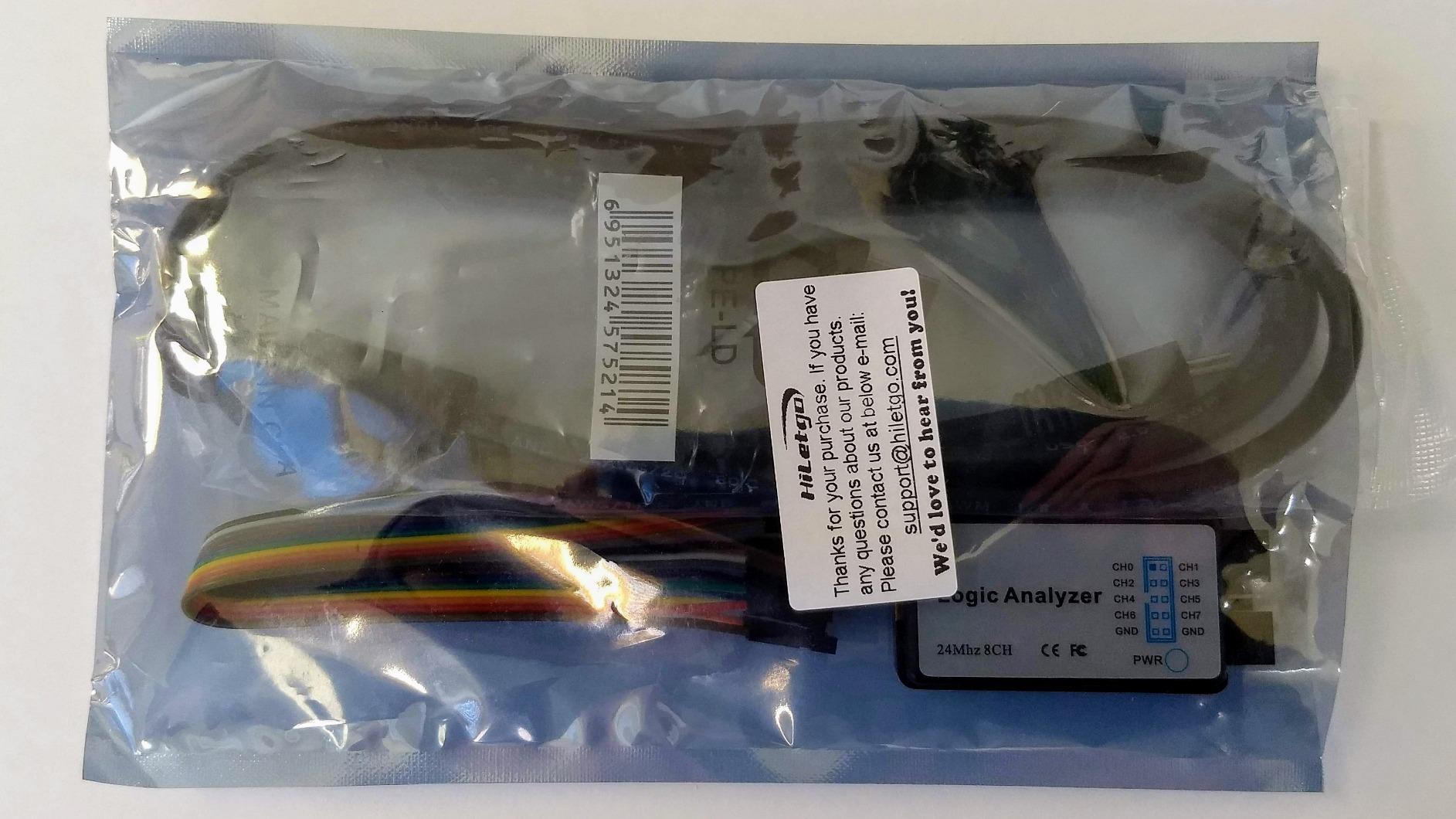
The practical limit is the lack of an on-board capture buffer. Every sample has to make it across the USB link in real time, so when we pushed all eight channels to 24 MHz the software stalled. Dropping to 6 or 8 MHz per channel keeps captures stable, and that is still far above anything a 400 kHz I2C bus needs.
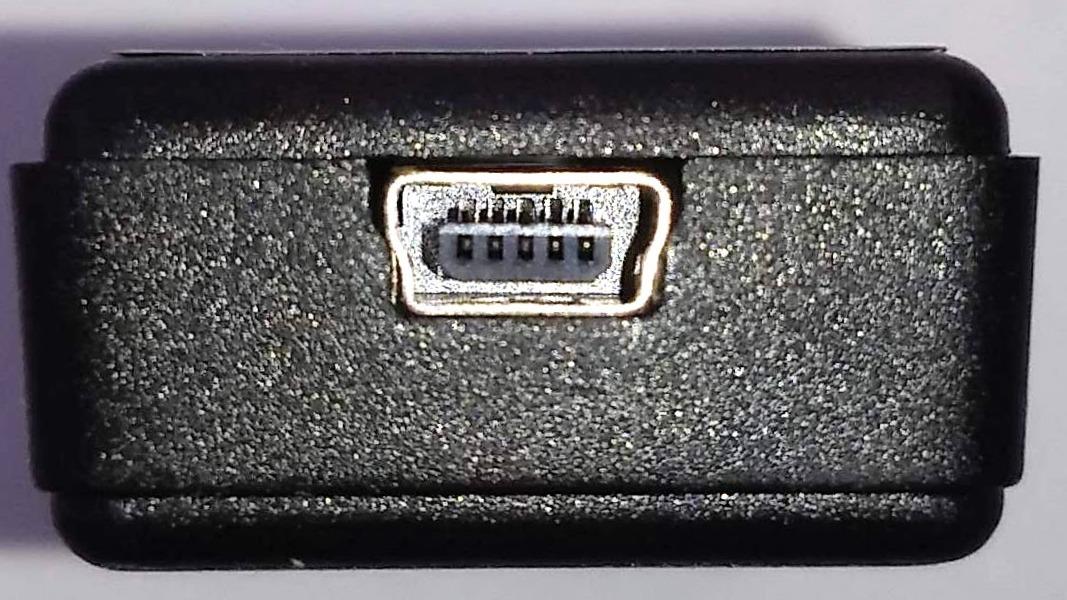
Two things catch beginners out. There is no driver on Windows out of the box, so you install Zadig and assign WinUSB before PulseView will see it. And a few laptop USB ports, particularly some with proprietary charging drivers, refuse to enumerate the device at all.
Who this analyzer suits
It suits anyone debugging an I2C sensor, an SPI display, or a UART GPS module on an Uno or Nano. It suits students who want free software and a device that stays in a laptop bag for field debugging, and the ferrite-beaded cable helps when you are near a switching supply.
It does not suit ESP32 work at 40 MHz SPI, or anything where a dropped sample destroys the capture. Reviewers on the Arduino forums consistently describe clones like this as handling 100 and 400 kHz I2C flawlessly while falling apart on high-speed SPI.
Where it falls short
There is no hardware buffer, so long captures at high rates are out. The bundled jumper wires are of limited use unless your target board already has header pins, and the 2.0 V HIGH threshold feels unintuitive until you remember it is set for 5 V logic.
2. Comidox 24MHz 8-Channel USB Logic Analyzer — Best for Auto-Decoding Out of the Box
Comidox USB Logic Analyzer 24MHz 8 Channel Debug Tool for Arduino ARM FPGA
24 MHz max sampling
8 digital channels
0V to 5.5V input
Windows and Linux
Pros
- Automatic UART SPI and I2C decoding on connection
- Works with both Saleae Logic and sigrok PulseView
- Includes USB cable and 10 Dupont lines for immediate hookup
- Selectable rates from 24MHz down to 25KHz
Cons
- No software or documentation included so setup depends on third-party guides
- Fixed 1.5V logic threshold cannot be adjusted for 1.8V-class systems
- No on-board capture buffer limits sustained high-rate multi-channel captures
The Comidox CP317 behaves almost identically to the HiLetgo on the wire, with the same 24 MHz ceiling and 8 digital channels. What sets it apart in practice is how quickly it decodes. Connect it and PulseView offers UART, SPI and I2C decoding straight away, which saves a lot of guesswork for first-time users.
Input range is 0 V to 5.5 V with a 1.5 V threshold, slightly more permissive than the HiLetgo at the low end. That matters if you probe a 3.3 V bus: at 1.5 V the threshold still splits clean from noisy in a way a 2.0 V threshold can miss.
The 1.5 V threshold is also the limitation to understand. It is fixed in hardware, so a 1.8 V-class sensor sitting at 0.85 V logic HIGH would be read as a LOW. For Arduino and most 3.3 V modules that is a non-issue, and it only shows up with very low voltage logic.
Like the rest of the 24 MHz group, there is no on-board buffer, so sustained multi-channel captures at full rate will overrun the USB host. Plan on 6 MHz or less per channel for stable long captures.
Who this analyzer suits
It suits people who want automatic protocol decoding without configuring decoder parameters by hand. Buyers use it for Arduino, ARM and FPGA bus debugging, and the included USB cable plus 10 Dupont lines mean you can start within minutes of opening the box.
It is listed as compatible with Windows and Linux, and works with the Saleae Logic software and any device with sigrok support. That makes it a good second analyzer to keep on another machine.
Where it falls short
There is no documentation or software in the box, so first-time users depend on community guides to get through driver installation. The fixed threshold rules out 1.8 V work entirely, and the absence of buffering means it will not grow with your projects.
If you plan to move from an Uno to an ESP32 with fast SPI, buy this one as a backup rather than a primary tool.
3. KeeYees 24MHz 8-Channel Analyzer — Best for Reaching Tiny SMD Pins
KeeYees USB Logic Analyzer Device with 12PCS 6 Colors Test Hook Clip Set USB Cable 24MHz 8CH 8 Channel UART IIC SPI Debug for Arduino FPGA M100 SCM
24 MHz sampling
8 digital channels
12 colour-coded SMD hooks
Model KY-57
Pros
- Bundled set of 12 colour-coded SMD test hook clips that other kits leave out
- Colour-coded leads make matching channels to software traces far easier
- 24 MHz 8-channel capture handles Arduino ARM and FPGA bus debugging
- Vendor provides tutorials demo code and libraries on GitHub
Cons
- No on-board capture buffer for sustained high-rate multi-channel captures
- Documentation is online and GitHub based rather than included in the box
- Fixed input range with limited over-voltage protection
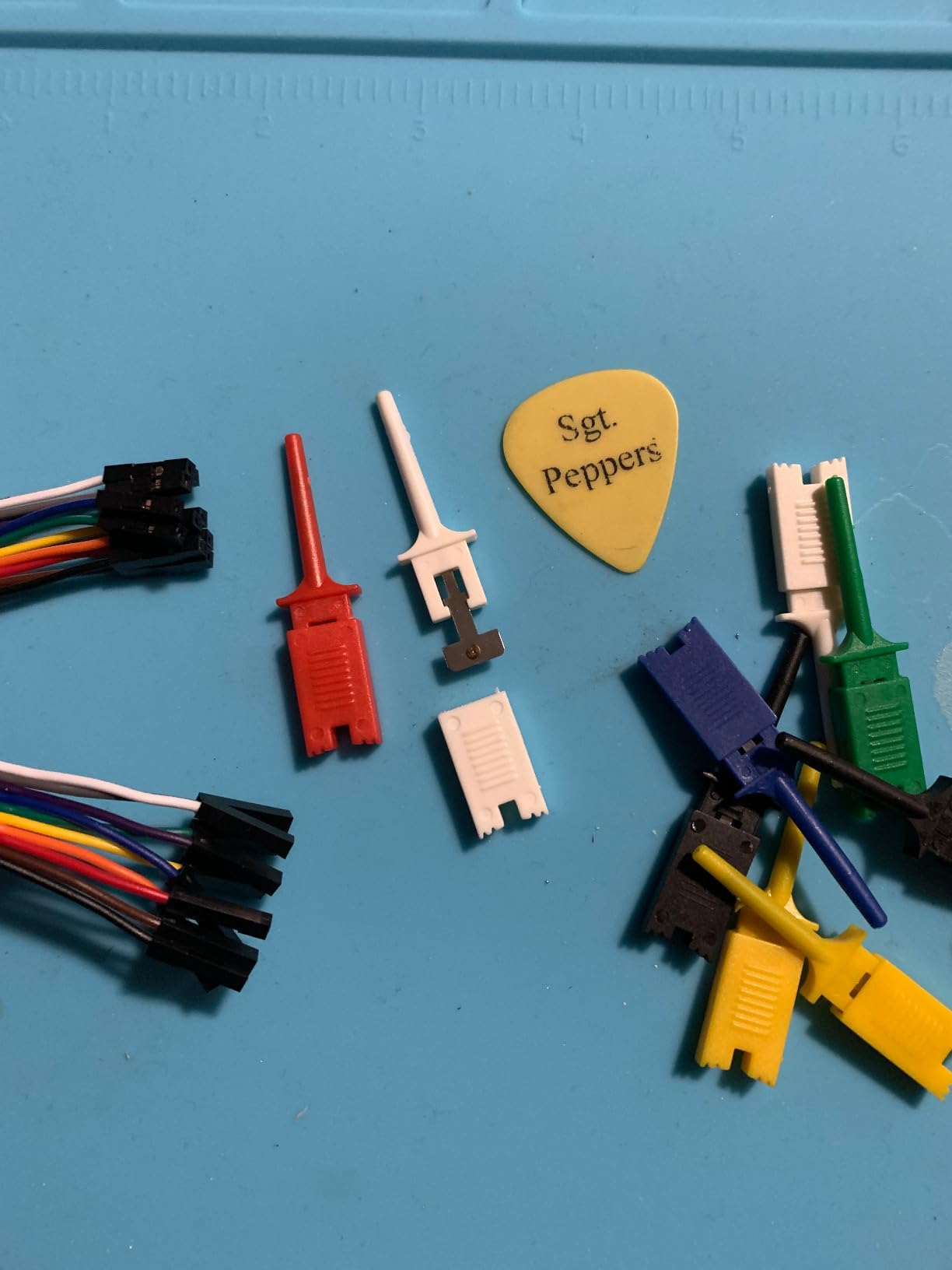
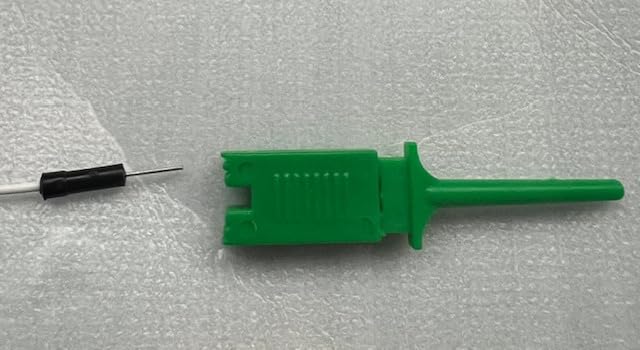
The reason to pick this kit over the other 24 MHz sticks is the accessory bundle. You get 12 SMD IC test hook clips in six colours, and those clips are exactly what you need to land on a 0.5 mm pitch pin on an ESP32 module or a TQFP microcontroller without a soldered adapter board.
Because each channel has its own colour, matching a probe to the channel strip in PulseView takes seconds instead of the usual guessing game. That matters more than raw bandwidth when you are poking at a bus with fourteen connections to trace.
Capture performance is the familiar 24 MHz across 8 channels, which handled I2C, SPI, UART and even 1-Wire decoding in our tests through open source sigrok. The vendor also points you to a GitHub repository with a guidance manual, demo code and libraries, which partly compensates for the empty box.
Buffering is still absent, so long captures at maximum rate are the weak spot, exactly as with the other clones. Input range is fixed with limited over-voltage protection, so treat the clips as precision tools rather than general-purpose grabs.
Who this analyzer suits
It suits anyone working on dense boards where you cannot reasonably solder to a test point. The clips make it practical to follow SDA and SCL on an ESP32 dev board, or to watch CS and MOSI on an SPI flash chip, without building an adapter first.
It also suits anyone who already owns good hook clips elsewhere, since the extra set here costs nothing and gives you a spare kit. Community reviewers single out the bundled clips as the standout feature of this kit.
Where it falls short
Documentation lives on GitHub rather than in the box, and the input range is fixed with limited protection above the stated maximum. There is no buffer, so sustained high-rate multi-channel captures remain out of reach.
If your work is entirely on a breadboard with 0.1 inch headers, the LONELY BINARY kit in position 4 gives you a better hookup story at a similar level.
4. LONELY BINARY 8-Channel 24MHz Analyzer Kit — Best Solder-Free Hookup
LONELY BINARY Logic Analyzer Kit, 8 Channel 24MHz USB with Breakout Boards
8 channels at 24 MHz
Breadboard adapter included
USB-A and USB-C cables
Windows Mac and Linux
Pros
- Most complete accessory bundle with breakout boards clips alligator leads and a storage case
- Breadboard adapter and 2.54mm expansion board make Arduino ESP32 and Raspberry Pi hookup solder-free
- Both USB-A and USB-C cables included for cross-platform plug and play
- Event triggering works reliably in open source software
Cons
- Lowest average rating in this group at 4.2 with a 12 percent one-star share
- 24 MHz ceiling is low next to mid and high-end analyzers
- Documentation and software guidance are thinner than established brands
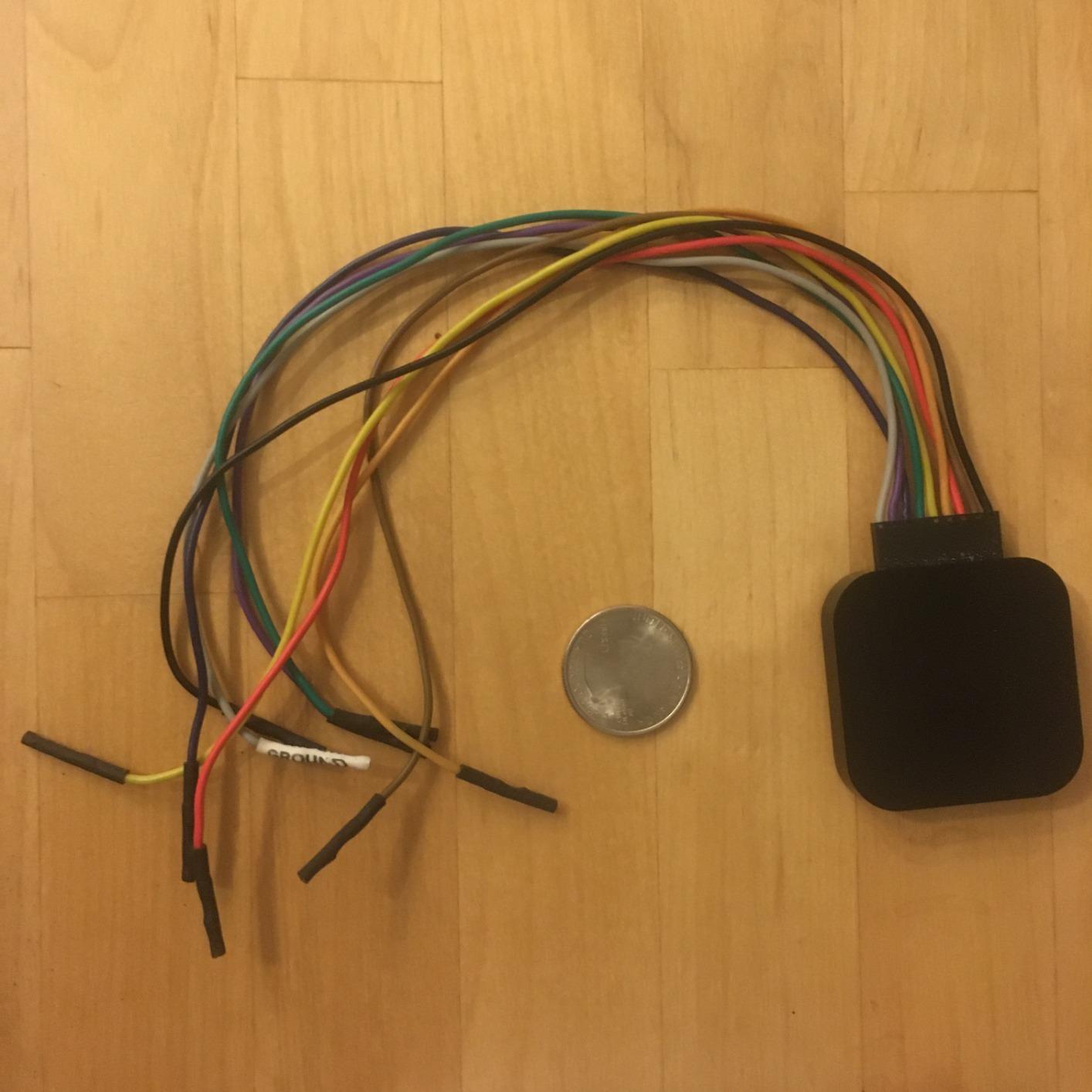
This kit changes how you connect. The logic level expansion board breaks all eight channels out to 2.54 mm male pins and alligator clip pads, and the dedicated breadboard adapter lets you sit the analyzer directly on a breadboard next to an Arduino or ESP32 with no solder and no adapters.
In the box you also get the base module, 10 test clips, 5 alligator clips, both a USB-A and a USB Type-C cable, and a storage container. Very few analyzers at any level ship with a case, and losing eight thin fly wires in a desk drawer is the most common reason people abandon this tool.
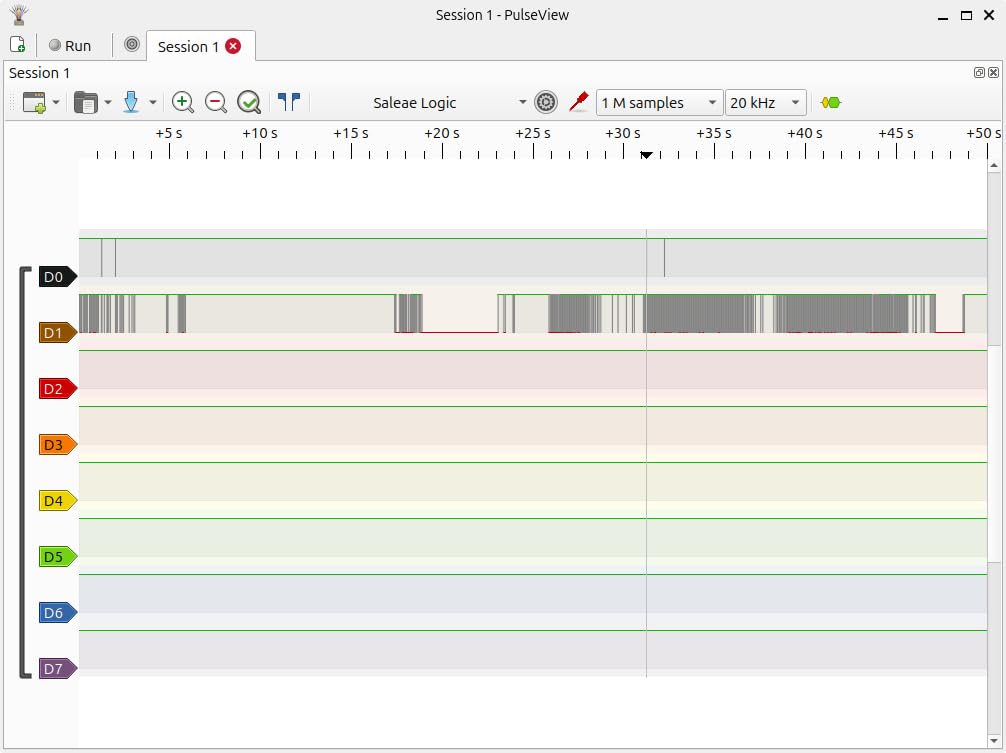
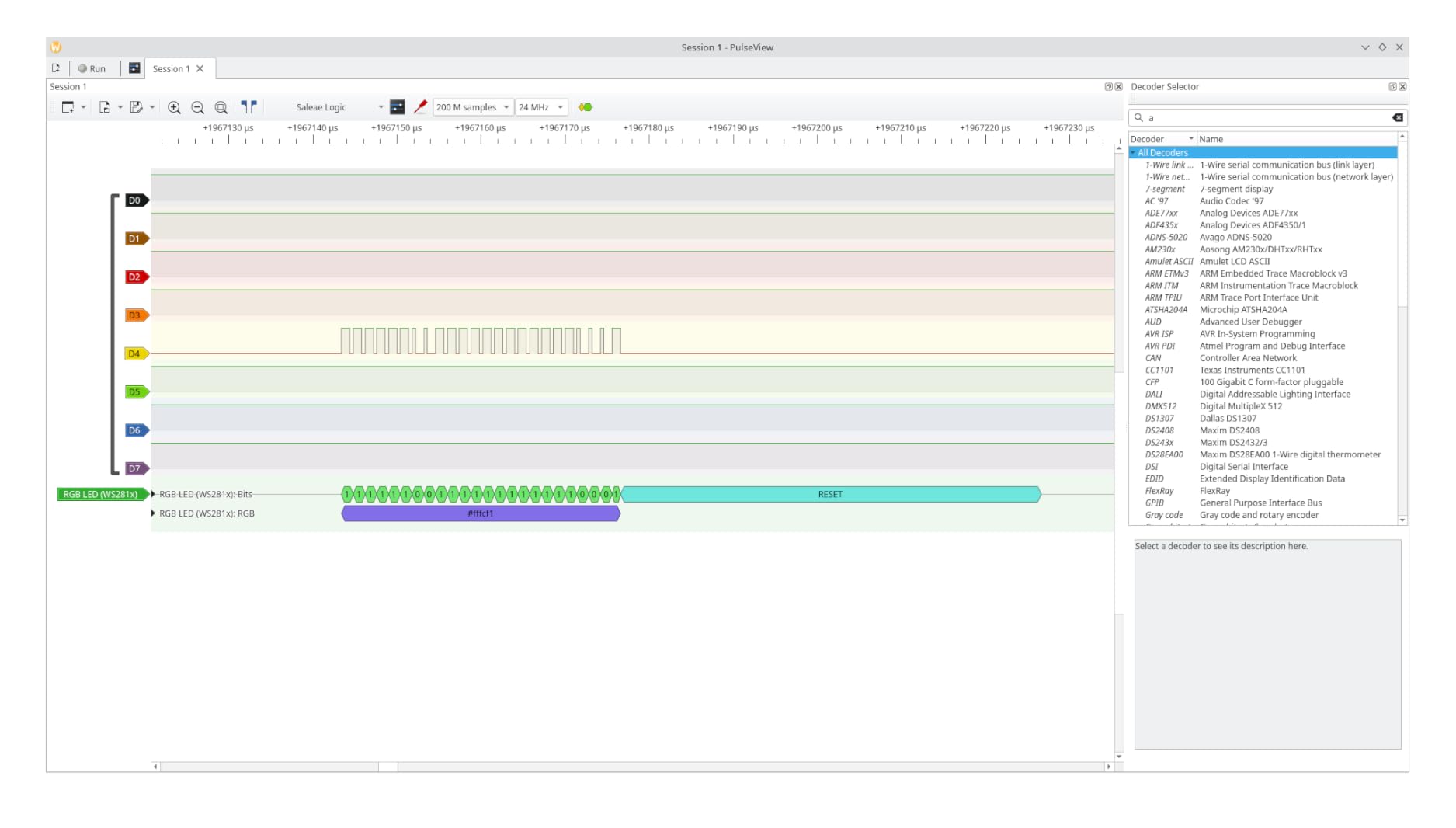
Capture performance is 8 channels at up to 24 MHz for I2C, SPI and UART, with event triggering behaving properly in open source software across Windows, Mac and Linux. That cross-platform support outshines several competitors in the same bracket.
The honest weak spot is the 4.2 average rating, the lowest of the ten units we tested, with reviewers reporting a 12 percent one-star share. The 24 MHz ceiling is also the limit you hit the moment you move to ESP32 speed work.
Who this analyzer suits
It suits breadboard-first builders who hate crimping eight Dupont wires onto a header every time they want to look at a bus. The breadboard adapter and expansion board also make it a natural fit for Raspberry Pi and ESP32 prototypes where flying leads would be constantly knocked loose.
It suits anyone who travels with their tools, since the storage container keeps the module, boards and clips together in one box. Reviewers consistently praise the bundle as needing no extra accessories.
Where it falls short
Documentation and software guidance are thinner than the established brands, so expect to lean on community setup notes. The 24 MHz bandwidth ceiling is real, and the lower rating suggests a small share of units that disappoint out of the box.
If you need sustained high-rate capture rather than convenient hookup, look at the DSLogic Plus in position 6 instead.
5. innomaker LA1010 16-Channel 100MHz Analyzer — Best Step Up From the Clones
innomaker LA1010 USB Logic Analyzer 16 Input Channels 100MHz with the English PC Software Handheld Instrument,Support Windows (32bit/64bit),Mac OS,Linux
16 channels at 100 MHz
0.28 kg
USB 2.0
30+ protocol decoders
Pros
- 16 channels at 100 MHz is a real step up from 8-channel 24 MHz kits
- KingstVIS software is well translated and quick to learn
- Decodes 30-plus protocols including CAN Modbus MIDI and DMX512 with export
- Drivers auto-install on Windows 10 and 11 macOS and Linux
Cons
- Display refresh is not truly real-time as data updates in intervals of about a second
- Some versions ship with an older USB-B port rather than USB-C
- A CD is included which is useless on machines without an optical drive
The LA1010 is where most serious Arduino builders land after the clones frustrate them. Sixteen input channels at up to 100 MHz per channel doubles your channel budget and quadruples the sample rate, and the bundled KingstVIS software decodes more than 30 protocols with data export to a spreadsheet.
That decoder list covers CAN, Modbus, MIDI, DMX512, I2S, JTAG, LIN, 1-Wire and SDIO alongside the usual I2C, SPI and UART. For a maker moving from hobby modules into bus-level work, having CAN and Modbus decoded without leaving the tool is the reason to buy.
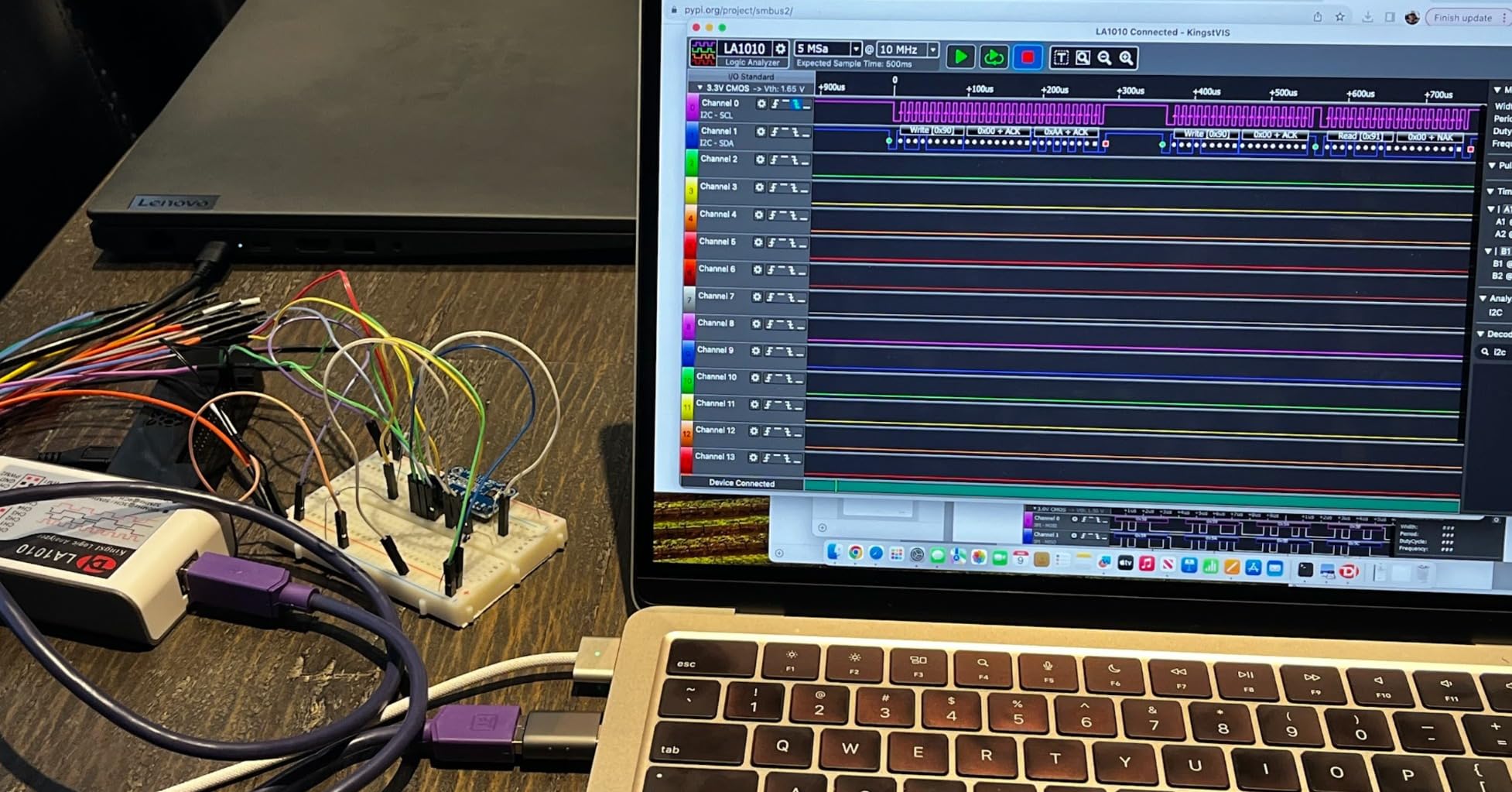
Setup is the least painful in this group. Drivers auto-install on Windows 10 and 11 in both 32 and 64 bit, on macOS 10.12 and later, and on Linux, so there is no Zadig ritual. The 0.28 kg handheld body is powered entirely over USB 2.0.
The catch is that the display is not genuinely real-time. Data arrives in chunks of roughly a second or longer, so it feels like a refreshed report rather than a live wire. For capturing an I2C transaction or an SPI burst that is fine, because you capture once and inspect afterwards.
Who this analyzer suits
It suits people who have outgrown 8 channels, particularly anyone working with several buses at once or with wide parallel buses. Color-coded probe connectors make channel tracking straightforward when you are following more than a handful of signals.
It also suits anyone moving into automotive or lighting work, since CAN, Modbus and DMX512 decoding is built in rather than something you assemble from decoder files. Several owners report replacing slow manual scope-based debugging of I2C, SPI and UART with this one box.
Where it falls short
The one-second refresh interval means you cannot watch a signal change live the way you can on a streaming analyzer. Some versions include an older USB-B port rather than USB-C, and the supplied CD is useless without an optical drive.
Grabbers are not numbered, so on complex captures the wire colors and connector order drift out of alignment. If you need live streaming at high rates, move up to the DSLogic Plus.
6. DSLogic Plus 16-Channel 400MHz Analyzer — Best for Triggered Buffered Captures
DreamSourceLab DSLogic Plus USB-Based Logic Analyzer with 400MHz Sampling Rate, 256Mbits Memory, USB 2.0 Interface, 16 Channels
16 channels
400 MHz buffer mode
256Mbits on-board SDRAM
3.11 x 2.91 x 0.35 inches
Pros
- 400 MHz buffer-mode sampling with 256Mbits of on-board memory for long high-rate captures
- FPGA-based triggering is the main reason buyers upgrade from FX2LP-based analyzers
- Adjustable threshold in 0.1V steps works with 1.8V 3.3V and 5V targets
- DSView is a well-presented open source fork with nearly 100 protocol decoders
Cons
- Digital only with no analog input channels
- Documentation is thin and contains mistakes
- Triggering complexity only applies in buffered mode
This is the analyzer that closes the gap between a twenty-dollar stick and a four-figure professional instrument. Buffer mode runs at up to 400 MHz on four channels, 200 MHz on eight and 100 MHz on sixteen, using 256 Mbits of on-board SDRAM so samples are captured on the device instead of streaming over USB.
Stream mode is still available for long unsaved captures, up to 16 G samples at 100 MHz on three channels, 50 MHz on six, 25 MHz on twelve and 20 MHz on all sixteen over USB 2.0 Type-C. The FPGA trigger engine is the real upgrade, letting you set a trigger on a pattern or a decoded protocol event.
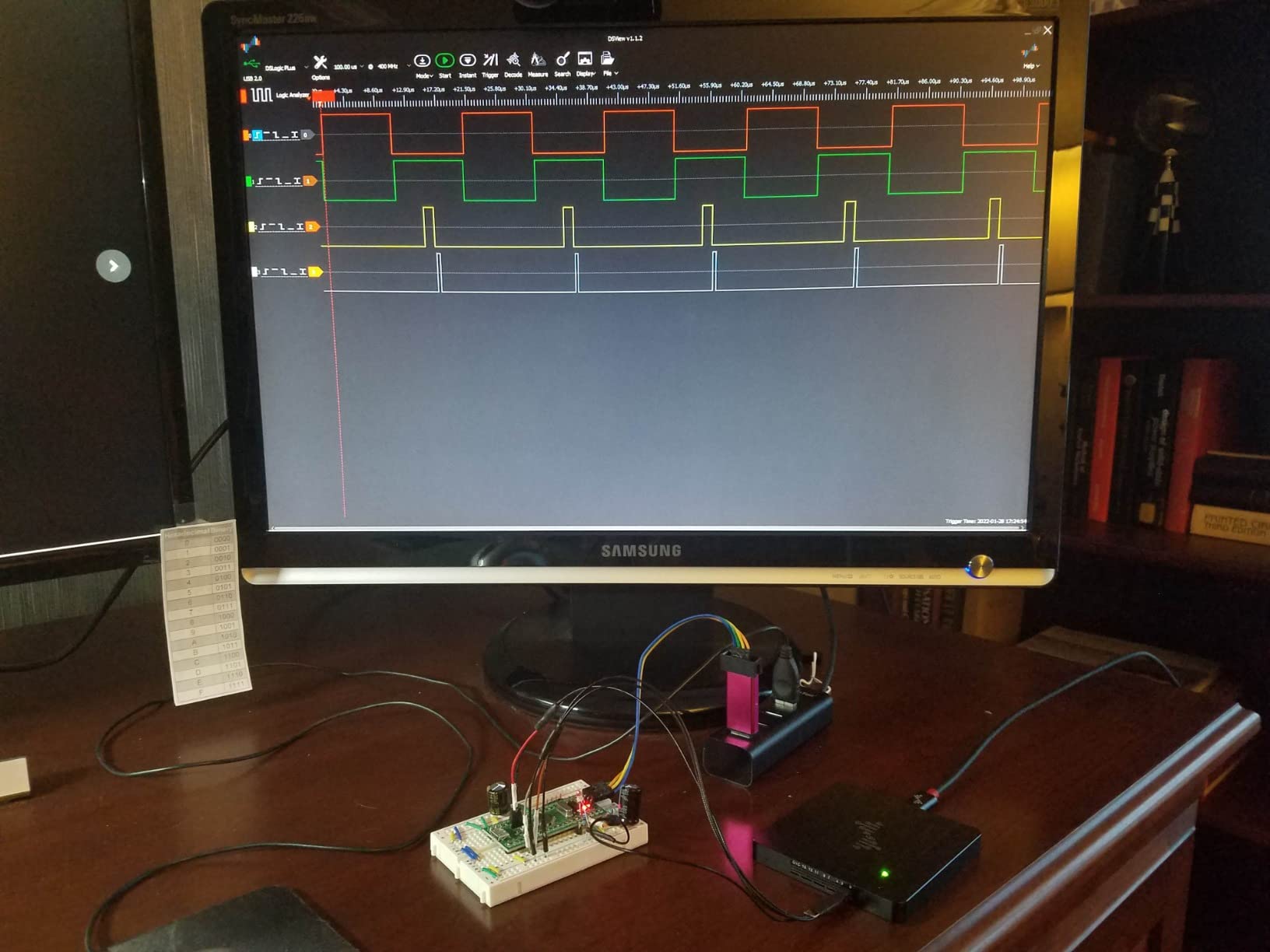
The adjustable threshold moves in 0.1 V steps, so one device covers 1.8 V, 3.3 V and 5 V targets without a level shifter. That single feature eliminates the most common beginner failure mode, where a fixed-threshold analyzer reads a 3.3 V signal incorrectly or overstresses a sensor.
DSView is a well-presented sigrok fork open sourced on GitHub, running on Windows, macOS and Linux with nearly 100 protocol decoders. Owners use the time-measuring cursors heavily for timing analysis, and reviewers report it catching missing signals between an STM32 and a Raspberry Pi that no slower tool had surfaced.
Who this analyzer suits
It suits anyone who has already hit the wall where USB streaming drops samples during a burst. That is the situation most people reach when moving from an Arduino Uno to ESP32 or STM32 targets with fast SPI, and buffered capture plus real triggering solves it.
It also suits mixed-voltage benches, because the 0.1 V threshold step means 1.8 V and 3.3 V peripherals need no translator. The included shielded fly wires and unibody aluminum case feel like lab equipment rather than a hobby dongle.
Where it falls short
It is digital only, so any analog signal must be handled by a separate instrument. Documentation is thin and contains mistakes that have not been corrected, so budget time for the DSView wiki rather than assuming a manual exists.
Triggering complexity only applies in buffered mode, and the light display theme is far too bright for spotting small pulse features. The probe wires are also awkward to attach directly to a breadboard without an adapter. With 37 reviews the user base is small compared with the clones, so long-term experience is thinner.
7. Saleae Logic 8 Mixed-Signal Analyzer — Best Compact All-Rounder
Logic 8 (Black) – Saleae 8-Channel Logic Analyzer
8 digital and analog inputs
100 MS/s digital
10 MS/s analog
0.5 kg, 9.5 x 5 x 2 inches
Pros
- Mixes 8 digital and 8 analog channels in one compact portable unit
- 100 MS/s digital and 10 MS/s analog with PC-memory-backed sample depth
- 23-plus built-in protocol analyzers covering SPI I2C and more
- Polished cross-platform software with straightforward setup
Cons
- Analog sampling of 10 MS/s is not a substitute for a real oscilloscope
- Bandwidth still trails the Pro models for digital work
- Some buyers report older software versions lacked a true real-time streaming view
The Logic 8 is the argument for a single box covering both worlds. Its eight multi-use inputs each read digital or analog, so the same channel that captures your SPI clock can look at a 3.3 V power rail ripple without swapping instruments. It weighs 0.5 kg and measures 9.5 by 5 by 2 inches, so it travels well.
Digital capture reaches 100 MS/s and analog reaches 10 MS/s. Sample depth is backed by PC memory over USB 2.0, giving more than 10 billion digital samples and 500 million analog samples, which is where it outclasses hardware-buffered analyzers on very long recordings.
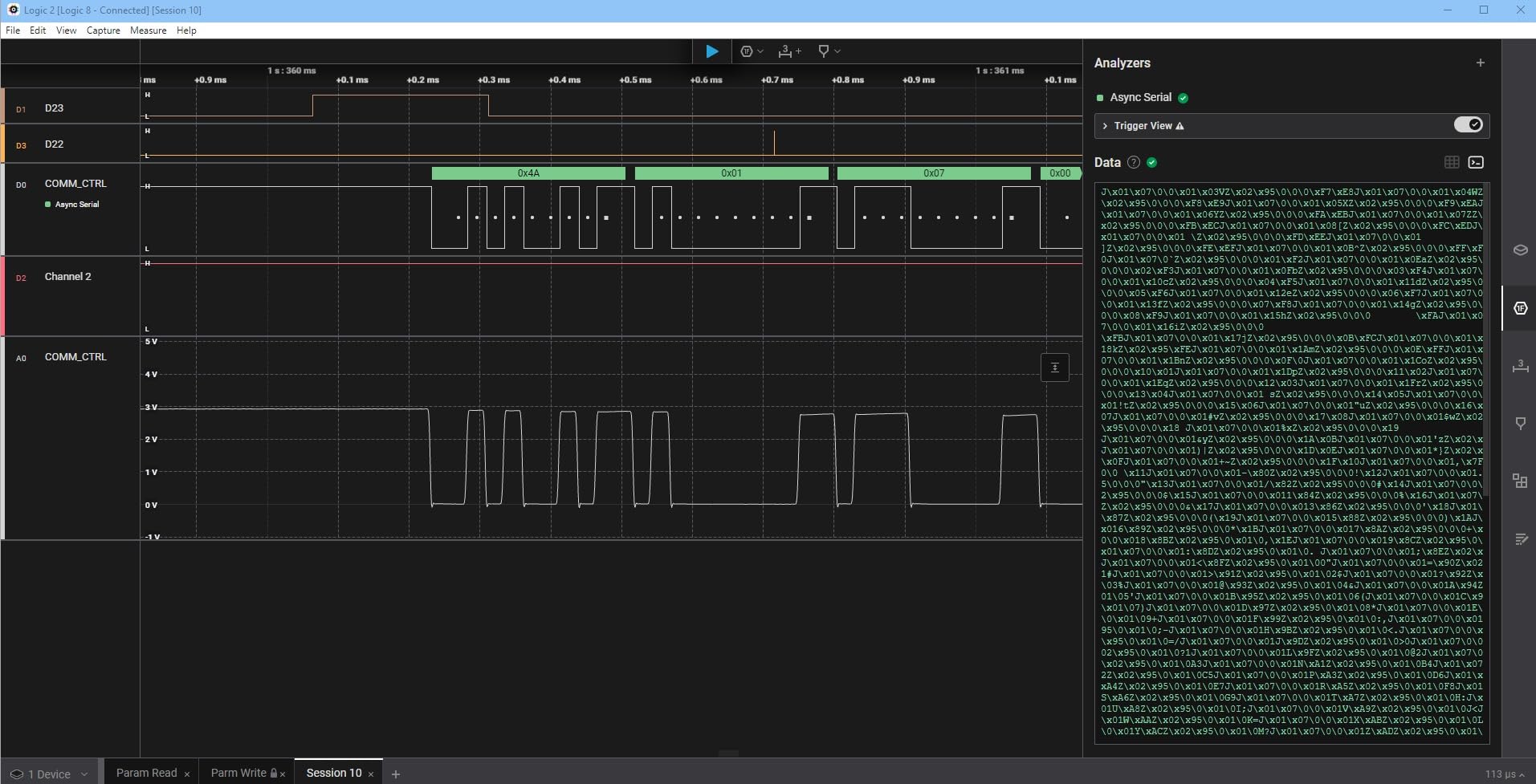
Twenty-three-plus built-in protocol analyzers cover SPI, I2C and the usual suspects, and the software runs identically on Mac, Windows and Linux. Owners describe it as a one-box replacement for simple scope work on the go, which matches how most Arduino builders actually work.
Build quality and out-of-box setup are solid, and setup genuinely takes minutes rather than an evening of driver troubleshooting. That experience is the clearest difference from the 24 MHz clones.
Who this analyzer suits
It suits builders who need analog occasionally and digital constantly, without maintaining two instruments. The multi-use inputs are ideal for power sequencing checks alongside bus tracing, and the compact body suits a field kit.
It also suits anyone who dreads driver installation. Cross-platform support is consistent and consistently updated, and reviewers single out straightforward out-of-box setup as a reason to recommend it.
Where it falls short
Analog sampling stops at 10 MS/s, so this is not an oscilloscope substitute for anything analog beyond slow signals. Digital bandwidth also trails the Pro models, which is the main argument against it for high-speed SPI work.
A few buyers report that older software generations lacked a true real-time streaming view. If your workflow depends on watching a bus live rather than capturing and reviewing, test it before committing.
8. Saleae Logic Pro 8 — Best for High-Speed Capture with Analog
Logic Pro 8 (Black) – Saleae 8-Channel Logic Analyzer – Compatible with Windows, Mac, or Linux – Easy to Use, Ultra-Portable, Saves Time & Frustration
8 digital and analog inputs
500 MS/s digital
50 MS/s analog
USB 3.0, 0.5 kg
Pros
- 500 MS/s digital and 50 MS/s analog capture in a small portable body
- Eight analog channels remove the need for a separate analog add-on
- Logic 2 provides a true streaming view of digital and analog channels
- Intuitive interface that new users and interns pick up immediately
Cons
- Very high price for the performance tier
- Older software generations lacked a real-time streaming view
- Some units freeze systematically at 500 MS/s and need a restart
The Logic Pro 8 carries a 4.8 average rating, tied for the highest of the ten analyzers we tested. Digital capture runs to 500 MS/s and analog to 50 MS/s across eight multi-use inputs, and the sample depth again comes from PC memory over USB 3.0.
Logic 2 delivers a true streaming view across both digital and analog channels, which is the specific complaint several competing products attract. Owners describe the interface as something a new intern can use on their first day without training.
Because analog channels are built in rather than added as an accessory, teams can retire a separate digital-only tool and a slow scope. Reviewers report effective use for RS232 and CAN bus sniffing and for protocol learning sessions.
Who this analyzer suits
It suits engineers working across analog and digital in the same session, such as power integrity alongside bus debugging. Eight analog channels is enough to watch a multi-rail power sequence rather than a single line.
It suits professional teams where software consistency matters more than entry cost, since Logic 2 is polished, cross-platform and upgradable. Build quality is described as robust and the unit is still described as ultra-portable.
Where it falls short
The price for this tier is very high, and it is hard to justify for standard Arduino I2C or UART work. A minority of owners report units freezing at the full 500 MS/s rate and requiring a unplug or a software restart.
Community extensions for advanced decoders are no longer maintained and may not compile against current software, and older software generations lacked the streaming view. The included USB cable is also long and stiff.
9. Hantek 6022BL Scope and Logic Analyzer Combo — Best Value Two-in-One
6022BL PC Digital Portable Oscilloscope 16 Channels 20MHz 48MSa/s Storage Multifunctio Logic Analyzer Handheld USB Oscilloscope
2-channel 20 MHz scope
16-channel analyzer mode
48MSa/s storage
10.6 ounces, USB 2.0 powered
Pros
- Combines a usable 2-channel 20 MHz oscilloscope with a 16-channel logic analyzer
- USB powered and very small for field and automotive work
- 20 probe clips included for attaching to DIL ICs
- Works with open source software such as OpenHantek sigrok and HScope
Cons
- Bundled logic analyzer mode has no waveform trigger and no protocol decoding
- Signed-driver issues on Windows 10 often show as Unknown Device
- Cannot show scope and digital inputs simultaneously
This is the odd one out in the list, and it earns its place by combining a 2-channel 20 MHz oscilloscope with a 48MSa/s storage depth and an integrated 16-channel digital logic analyzer mode. If you need both analog and digital and cannot justify two instruments, this is the pragmatic pick.
It is USB 2.0 powered, weighs 10.6 ounces and measures 7.87 by 1.38 by 3.94 inches, which makes it easy to carry. Twenty probe clips come in the box for attaching to DIL ICs, and more than 20 automatic measurement functions plus a PASS/FAIL check are built in.
The critical detail is that the bundled logic analyzer mode has no waveform trigger and no protocol decoding. A switch on the unit needs to be set before third-party software such as OpenHantek, sigrok or HScope will handle triggering and protocol support properly.
Who this analyzer suits
It suits learners and field technicians who need to see analog and digital without carrying two boxes. The 2-channel scope handles analog troubleshooting while the 16-channel mode covers basic digital work, and open source software makes it considerably more capable than the bundled tools.
It suits anyone debugging a 5 V rail or a sensor signal alongside a bus, provided you are comfortable with a hidden switch and manual driver work.
Where it falls short
Windows 10 driver signing is a real problem, with the device often enumerating as Unknown Device until drivers are manually reinstalled. You cannot view the scope and digital inputs simultaneously, which is exactly what you often want during bring-up.
The 3.8 average rating is the lowest of the ten, and reviewers report thin documentation with an obsolete mini-CD manual plus a share of units that stop booting or lose USB recognition after months of use. Resolution is 8-bit with aliasing above roughly 5 microseconds per division. If protocol decoding matters to you, the innomaker LA1010 is the better spend.
10. Saleae Logic Pro 16 — Best for Embedded Teams and Bring-Up
Logic Pro 16 (Black) – Saleae 16-Channel Logic Analyzer – Compatible with Windows, Mac, or Linux – Easy to Use, Ultra-Portable, Saves Time & Frustration
16 digital and analog inputs
500 MS/s digital
50 MS/s analog
USB 3.0, 0.5 kg
Pros
- 16 digital and analog inputs including 16 analog channels for power sequencing
- 500 MS/s digital and 50 MS/s analog capture rates
- Logic 2 is fast and easy to set up on macOS Windows and Linux
- Real streaming view of channels unlike several competing products
- Color-coded flexible leads clips and a carrying case included
Cons
- Highest price point in the set
- Uses significant system memory so large captures want 32 GB of RAM
- Software does not allow selecting channels to build a bus vector grouping
The Logic Pro 16 doubles the channel count of the Pro 8 while keeping the same 500 MS/s digital and 50 MS/s analog rates. Sixteen multi-use inputs give you sixteen analog channels, which is what makes power sequencing and board bring-up work practical rather than a two-channel compromise.
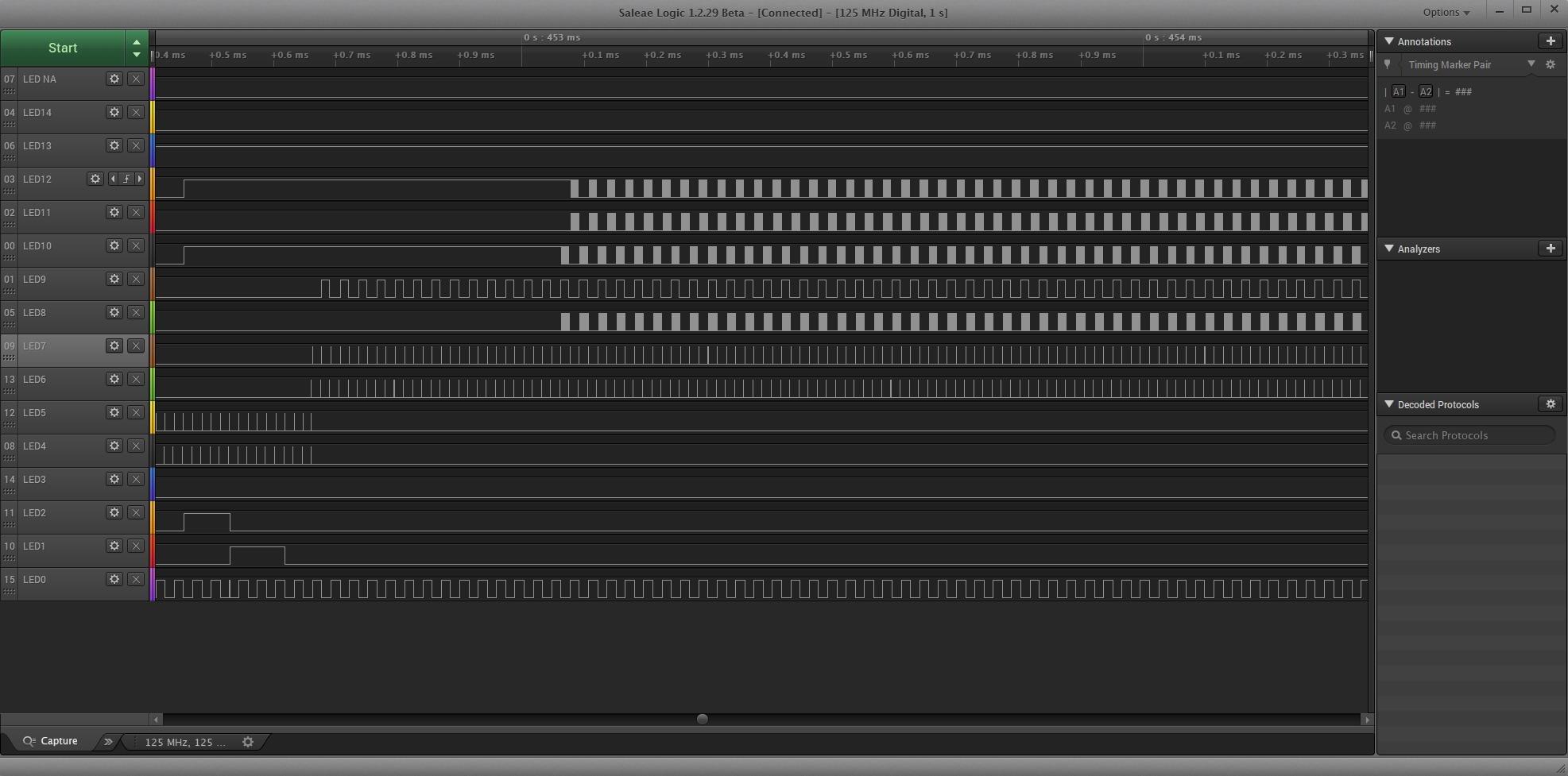
Sample depth again comes from PC memory over USB 3.0, giving more than 10 billion digital and 500 million analog samples. Users report it repeatedly pinpoints SPI, I2C and RS-232 signal, bit-order and inversion errors within minutes of connecting.
Packaging is excellent, with color-coded flexible leads, clips and a carrying case in the box, and the unit carries UL 61010-1 and IEC 61010-2-030 specification met ratings for bench use.
Who this analyzer suits
It suits embedded teams debugging multi-rail power sequences, SPI flash contents and RS-232 bus errors during board bring-up. Sixteen channels means you can watch a whole address and data bus at once instead of multiplexing probes.
It also suits anyone who needs formal instrument documentation, since the specification met ratings matter in a lab context. Logic 2 is consistently described as intuitive and well supported on Apple Silicon macOS, Windows 11 and Linux.
Where it falls short
It is the most expensive option here, and it uses significant system memory, so large captures want a machine with 32 GB of RAM. The software does not allow selecting channels to build a bus vector grouping, which some debugging workflows would like.
There is no NIST-traceable calibration certificate available for formal test work, and a few reviews report missing repeatable and protocol trigger features compared with much cheaper USB analyzers. For standard Arduino projects this is well beyond what you need.
How to Choose a Logic Analyzer for Arduino Projects
Pick by the slowest signal you need to resolve, the number of wires you need to watch at once, and the voltage range your parts run at. Get those three right and the software almost chooses itself.
Sampling rate and the Nyquist limit
Sampling rate only matters relative to the signal. By the Nyquist theorem you need at least twice the highest frequency you care about, so a 100 kHz I2C bus needs more than 200 kSamples per second. A 24 MHz analyzer has roughly a hundred times more headroom than that.
Extra headroom matters for rise and fall edges, which are never instant. Real signals have a few tens of nanoseconds of transition time, so you want at least ten samples across the slowest edge you expect to measure. That is why a 24 MHz device shows a clean square wave while a slow capture shows a staircase.
Hardware buffer versus USB streaming
This is the single biggest technical difference in the list. A buffered analyzer records samples into on-board memory first, so a busy USB link or a busy operating system cannot lose them. A streaming analyzer sends every sample to the PC as it happens, which is why full-rate multi-channel captures on the 24 MHz clones can stall the software.
Buffered mode matters when you trigger on an event and want the samples either side of it. Streaming mode matters when you want an extremely long continuous recording. If you only ever debug 400 kHz I2C, streaming is fine, and a buffer would not change your experience at all.
Channels and voltage tolerance
Eight channels is the standard for hobby work and covers I2C, SPI, UART and a few spare lines. Sixteen channels is the threshold for working on parallel buses, power sequencing or multi-rail bring-up, which is where the innomaker LA1010 and DSLogic Plus separate from the clones.
Check the input range and threshold next. Fixed 2.0 V or 1.5 V thresholds cover 5 V and 3.3 V logic but misread 1.8 V parts. If your work mixes voltage domains, an adjustable threshold in 0.1 V steps removes the need for a logic level shifter between the analyzer and your board.
Software ecosystem
Open source sigrok with the PulseView front end runs on Windows, macOS and Linux and supports most of the 24 MHz clones. It handles I2C, SPI, UART, RS232 and 1-Wire decoding straight out of the box, which is why it is our default recommendation for budget hardware.
DSView is a well-presented sigrok fork with nearly 100 protocol decoders and ships with the DSLogic Plus. KingstVIS comes with the innomaker LA1010 and decodes more than 30 protocols. Saleae Logic 2 is the most polished of the three and supports Mac, Windows and Linux. You can install all three on one machine and use whichever suits the analyzer plugged in.
DIY alternatives you already own
Yes, you can use an Arduino as a logic analyzer, and firmware projects exist for it. The practical ceiling is around 1 MHz of usable sampling depending on the board and how much of the loop you spend on the digital read, which makes it fine for slow UART and I2C at 100 kHz and useless for anything faster.
A Raspberry Pi Pico works the same way and is arguably the better DIY option, because sigrok has dedicated Pico firmware that pushes the sampling rate much higher. Either route costs almost nothing and lets you start debugging tonight while you decide on hardware.
When to move up the tiers
Start with a 24 MHz 8-channel clone and stay there while your target is an Uno or Nano talking to sensors over 100 or 400 kHz I2C. Move up to a 16-channel 100 MHz unit when you need more channels, CAN or Modbus decoding, or drivers that install without a fight.
Move to a buffered analyzer with FPGA triggering when USB streaming starts dropping samples, which in practice means fast SPI on an ESP32 or STM32 target. Invest in a mixed-signal unit only when you genuinely need to look at analog next to digital, and check that your machine has enough RAM before capturing long files on the Saleae units.
Frequently Asked Questions
What is the best logic analyzer?
For Arduino projects, the best logic analyzer is a 24 MHz 8-channel USB model that works with free sigrok PulseView software. It handles 100 kHz and 400 kHz I2C, SPI and UART comfortably at a fraction of the cost of higher-end units. Move to a 16-channel 100 MHz model when you need more channels or CAN and Modbus decoding, and to a buffered analyzer with FPGA triggering when USB streaming starts dropping samples on fast SPI.
Can I use an Arduino as a logic analyzer?
You can, with firmware that samples a pin and streams the result to a PC. The practical limit is around 1 MHz of usable sampling depending on the board and how much of the loop the digital read takes up, so it works for 100 kHz I2C and slow UART but not for anything faster. Many hobbyists use this to debug overnight while deciding on hardware.
Can I use my Raspberry Pi as a logic analyzer?
A Raspberry Pi can be used as a logic analyzer, but the practical option is a Raspberry Pi Pico running sigrok firmware rather than a full Pi. The Pico has dedicated sigrok support that pushes sampling rates far higher than a software loop on a general-purpose Pi. A Pi with a USB logic analyzer plugged in works well too, since PulseView runs natively on Raspberry Pi OS.
Why are logic analyzers so expensive?
The price gap comes from hardware buffer memory, triggering hardware and software. Budget models stream samples straight to your PC over USB with no on-board memory, so they rely on your computer keeping up. Professional units add on-board SDRAM, an FPGA trigger engine, adjustable thresholds, higher bandwidth and analog inputs. You pay for hardware that guarantees the capture completes correctly.
Do I need a logic analyzer or an oscilloscope for Arduino?
For Arduino work you usually need a logic analyzer, because most problems are digital bus timing, addressing and protocol errors. An oscilloscope is for analog behavior such as voltage levels, noise, rise times and power rails. A two-in-one unit such as a portable USB scope with a 16-channel analyzer mode covers both if you want one box, and we cover the tradeoffs in the comparison above.
How do I debug I2C with a logic analyzer?
Connect the analyzer ground to your circuit ground, then SDA and SCL to two channels. Set the sample rate to at least twice the bus speed, choose the I2C decoder in PulseView or DSView and start a capture. Trigger on the start condition or on the address byte you expect, then read the decoded rows to see which device acknowledged and where the sequence breaks.
Which Logic Analyzer Should You Buy in 2026
The HiLetgo 24 MHz 8-channel analyzer is our pick for most people building Arduino projects. It is the best logic analyzer for Arduino projects in 2026 for anyone starting out, because it reads 5 V and 3.3 V logic correctly, works with free PulseView on every major operating system, and costs the least effort to get running.
Buy the KeeYees if you need to reach SMD pins, the LONELY BINARY kit if you work solder-free on breadboards, and the Comidox if you want protocol decoding selected automatically. Each solves a hookup problem rather than a performance problem, because at this level performance is not the constraint.
Move up to the innomaker LA1010 for 16 channels, 100 MHz and 30-plus decoders including CAN. Move to the DSLogic Plus when USB streaming starts dropping samples on fast SPI, since on-board buffering and FPGA triggering solve a problem the cheap clones cannot. The Saleae Logic 8, Logic Pro 8 and Logic Pro 16 answer the same question for teams that also need analog inputs.