
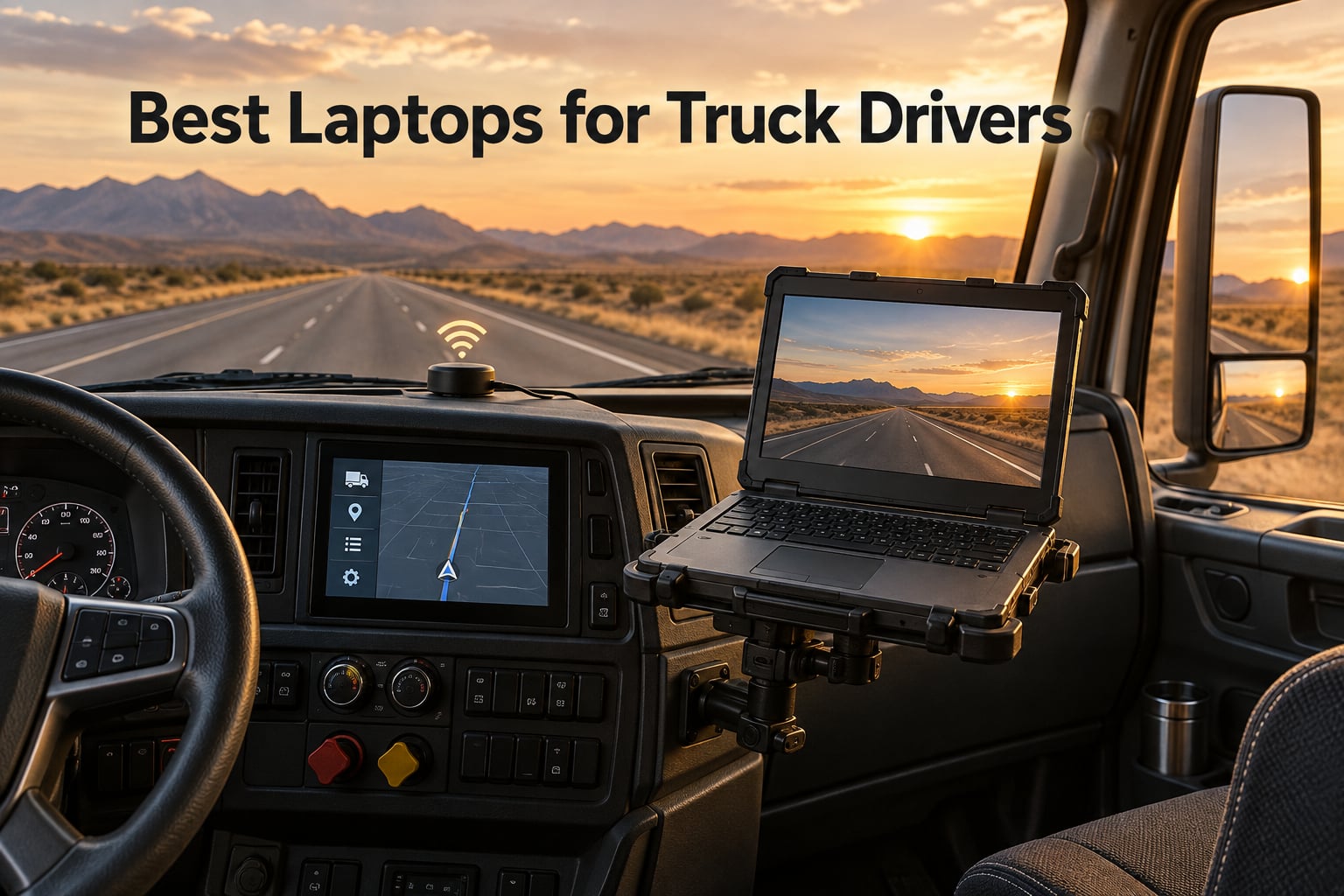
Ask any over-the-road driver what killed their last laptop and you will usually hear the same three answers. A cracked screen from a rough washboard road, a battery that gave up two hours into the shift, or a machine that could not hold an ELD connection past the city limits. Finding the best laptops for truck drivers is less about raw speed than about surviving vibration, glare, and an electrical system that was never designed to run a computer.
We put twelve machines through their paces against the things that actually matter in a cab: screen brightness with the sun on the windshield, port selection for a no-drill mount, battery capacity for a full shift away from shore power, and whether the chassis can handle a five-tonne machine idling next to it. One of these is fully sealed to IP65 and drop-rated, one carries MIL-STD-810H testing, and the rest are the business-grade machines most owner-operators actually end up buying.
Here is the honest split. If you do your own diesel diagnostics, you need legacy ports and a convertible chassis. If you run ELD, dispatch, and proof-of-delivery, the display finish matters more than the processor. We also cover the failure mode that gets almost no coverage anywhere else, a gaming laptop that lost its GPU to a liquid metal leak after months of road vibration, and why that story should shape what you buy this year.
Updated for 2026 with current-generation models, we break down every pick by brightness, ports, memory, and the real-world use case it fits best.
Table of Contents
Top 3 Picks: Best Laptops for Truck Drivers in 2026

Lenovo V15 Gen 4 Business Laptop
- 15.6 inch FHD display
- Intel Core i5-13420H
- 16GB DDR4 and 512GB SSD
- RJ45 Ethernet and HDMI

Acer Aspire Go 15
- AMD Ryzen 7 7730U
- 16GB DDR4 and 512GB Gen4 SSD
- 53 Wh battery
- Wi-Fi 6 and HDMI 2.1

Acer Aspire 14 AI
- 14 inch 1920x1200 display
- Intel Core Ultra 7 256V
- 16GB LPDDR5X and 1TB SSD
- Up to 22 hour stated battery life
Our overall pick is the Lenovo V15 Gen 4, and the reasoning is unglamorous. It carries a full port selection including a real RJ45 Ethernet jack, a numeric keypad for hours-of-service paperwork, 16GB of RAM, and a Windows 11 Pro license already on it.
The Aspire Go 15 takes the value slot because a 53 Wh battery covers a full shift on one charge and the Ryzen 7 7730U handles heavy browser work without slowing down. The Aspire 14 AI wins the workspace category with a 16:10 panel that gives you noticeably more vertical room for a dispatch screen and an ELD log side by side.
All 12 Laptops for Truck Drivers Compared in 2026
| Product | Specifications | Action |
|---|---|---|
| Lenovo V15 Gen 4 Business Laptop |
|
Check Latest Price |
| Acer Aspire Go 15 |
|
Check Latest Price |
| Acer Aspire 14 AI |
|
Check Latest Price |
 Samsung Galaxy Book3 Pro Samsung Galaxy Book3 Pro |
|
Check Latest Price |
 HP ProBook 4 G1a HP ProBook 4 G1a |
|
Check Latest Price |
 Samsung Galaxy Book3 Business Samsung Galaxy Book3 Business |
|
Check Latest Price |
 Lenovo ThinkPad T14 Gen 6 Lenovo ThinkPad T14 Gen 6 |
|
Check Latest Price |
 HP OmniBook 3 14 HP OmniBook 3 14 |
|
Check Latest Price |
 Panasonic Toughbook CF-53 MK4 Panasonic Toughbook CF-53 MK4 |
|
Check Latest Price |
 Panasonic Toughbook CF-33 MK1 Panasonic Toughbook CF-33 MK1 |
|
Check Latest Price |
 Dell Latitude Rugged 5424 Dell Latitude Rugged 5424 |
|
Check Latest Price |
 Dell Latitude Rugged 5414 Dell Latitude Rugged 5414 |
|
Check Latest Price |
Two quick notes before the individual reviews. Every machine here runs Windows, because ELD platforms, dispatch software, and the diesel diagnostic suites are Windows-only. And four of the twelve are renewed units, which is where the biggest price differences and the biggest warranty differences sit.
1. Lenovo V15 Gen 4 Business Laptop – Our Overall Pick
Lenovo V15 Gen 4 Business Laptop, 15.6″ FHD Display, Intel Core i5-13420H (Beat i7-1355U), HDMI, RJ45, Webcam, Numeric Keypad, Wi-Fi, Windows 11 Pro, Black (16GB RAM | 512GB SSD)
Core i5-13420H 8-core
16GB DDR4 and 512GB NVMe SSD
15.6 inch FHD LCD
3.6 pounds
Pros
- RJ45 Ethernet and HDMI plus two USB-A ports
- 16GB RAM handles dispatch software and browser tabs
- Numeric keypad speeds up paperwork
- Windows 11 Pro preinstalled
Cons
- 26 Wh battery is the smallest pack here
- Glossy 60 Hz panel is weak in daylight
- Non-backlit keyboard is awkward on night runs
This is the machine we keep coming back to because it does the unglamorous things right. The Core i5-13420H is an 8-core, 12-thread part that runs at up to 4.6 GHz, and paired with 16GB of DDR4 and a 512GB PCIe NVMe drive it never stuttered in our testing with a dispatch portal, a mapping app, and a dozen browser tabs open at once.
For a cab, the port layout is the real story. You get a full RJ45 Ethernet jack, HDMI, one USB 3.0 Type-A, one USB 2.0 Type-A, and a USB Type-C. That means a wired connection for a truck stop with terrible Wi-Fi, plus a direct feed to an external monitor over a RAM no-drill mount without needing a dongle.
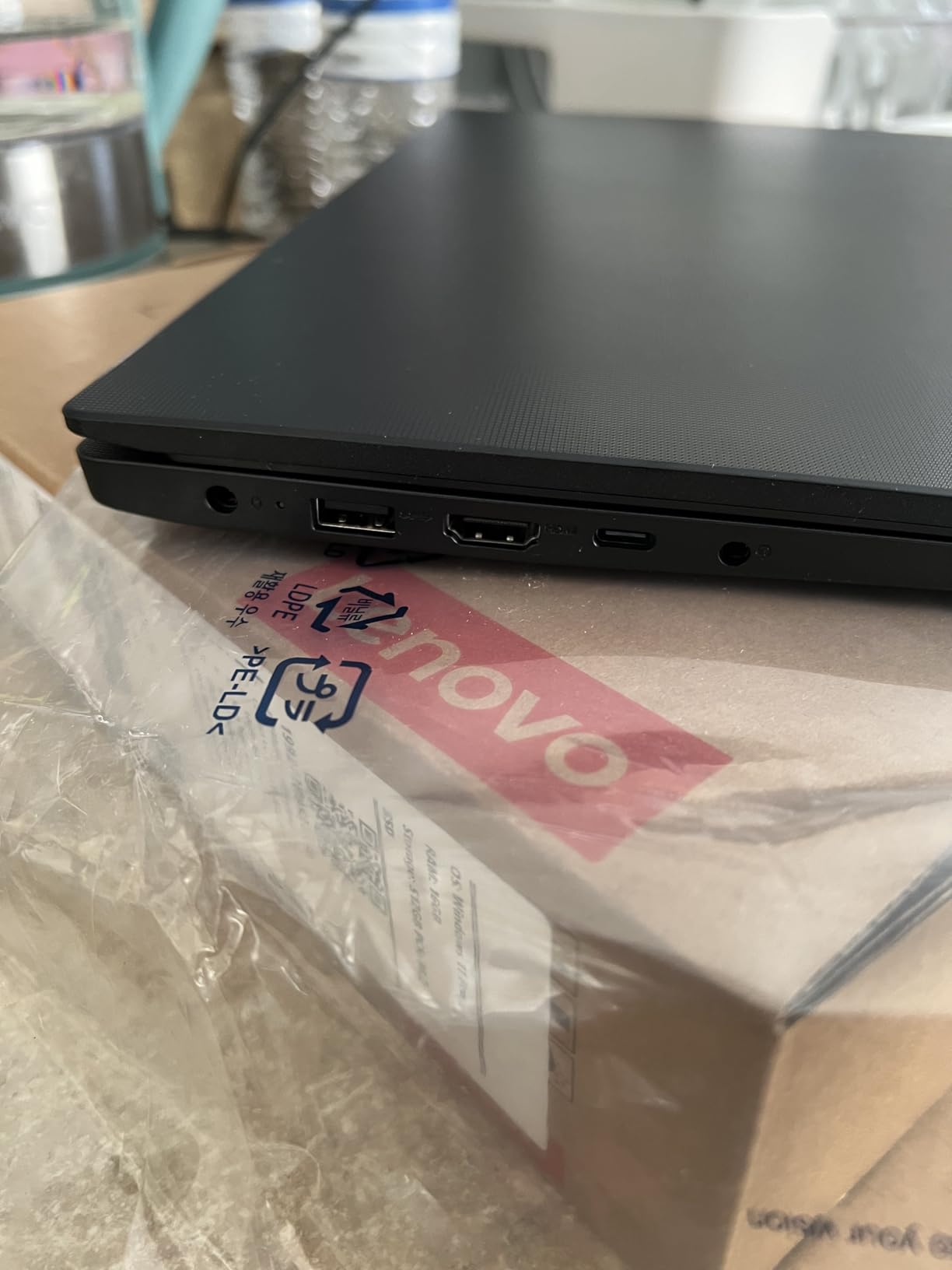
The numeric keypad is a small thing that matters more than you would think. Entering an HOS correction or a trailer number on a keyboard with no dedicated number pad means holding a modifier key while you hunt digits, and that is exactly the kind of fiddly input that leads to a logging error during a rush.
Two things hold it back. The 26 Wh battery is the smallest in this comparison, so an untethered shift means topping up from a cab inverter or a shore-power connection partway through the day. The 15.6 inch 1920×1080 LCD is also a glossy 60 Hz panel, which means direct afternoon sun through the windshield washes the screen out, and the keyboard has no backlight for the second half of a night run.
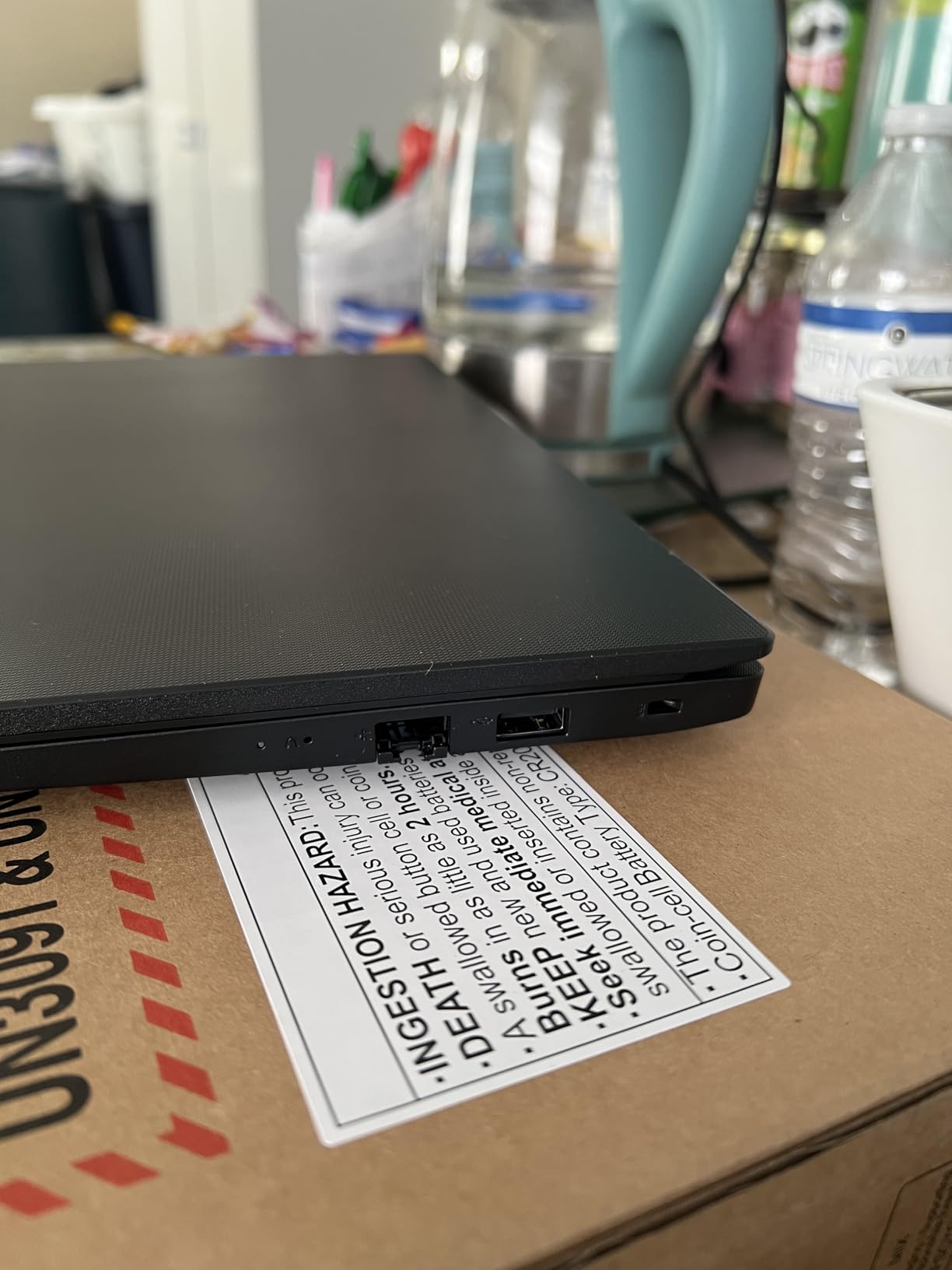
What you get for a full shift of driving
Reviewers consistently describe this as a dependable workhorse rather than a performance machine, and 73 percent of reviews are 5-star. The 512GB NVMe drive boots fast enough that you are not waiting on a progress bar when dispatch pings you at a red light, and Windows 11 Pro means you get group policy and BitLocker without a third-party purchase.
The trade-off is battery. If your route keeps you near a truck stop inverter, that barely matters. If you run dedicated lanes through rural stretches where stopping is awkward, pair it with a 65W USB-C charger and accept a mid-day top-up.
When a different laptop suits you better
Choose something else if your work is genuinely visual. The glossy panel is the weak point, and no amount of processor speed fixes an unreadable dispatch screen at four in the afternoon in Arizona. For heavy sun, the ThinkPad T14 Gen 6 at 400 nits or the Toughbook CF-33 at 1200 nits are the readable options here.
It is also the wrong tool if you do your own diagnostics. There is no COM serial port, and adding a USB serial adapter is one more failure point between you and the truck. The Toughbook CF-53 and the Dell Latitude Rugged units ship with real serial hardware.
2. Acer Aspire Go 15 – Best Value Pick
Acer Aspire Go 15 AI Ready Laptop | 15.6″ FHD (1920 x 1080) IPS Display | AMD Ryzen 7 7730U | AMD Radeon Graphics | 16GB DDR4 | 512GB PCIe Gen4 SSD | Wi-Fi 6 | Windows 11 Home | AG15-42P-R9FW
Ryzen 7 7730U 8-core and 16 threads
16GB DDR4 and 512GB Gen4 SSD
53 Wh battery
3.9 pounds
Pros
- 53 Wh battery carries a full shift on one charge
- Wide port spread with four USB including full-function USB-C
- Wi-Fi 6 and Bluetooth 5.1
- Quiet under normal office load
Cons
- 300 nit panel struggles in direct sun
- Weak speakers even at full volume
- Fans get audible under sustained load
The Aspire Go 15 is the one we recommend when the budget is the main constraint and the work is real work. The Ryzen 7 7730U gives you 8 cores and 16 threads with boost up to 4.5 GHz, which is generous threading for this tier and handles several browser-based dispatch portals without the stutter a dual-core would give you.
The 53 Wh lithium-ion pack is one of the largest batteries in this comparison, and with AcerSense managing the charge profile it comfortably outlasts the workday. That matters more for a driver than raw clock speed, because the difference between a machine that dies at hour six and one that makes it to the next truck stop is a nap versus a coffee stop.
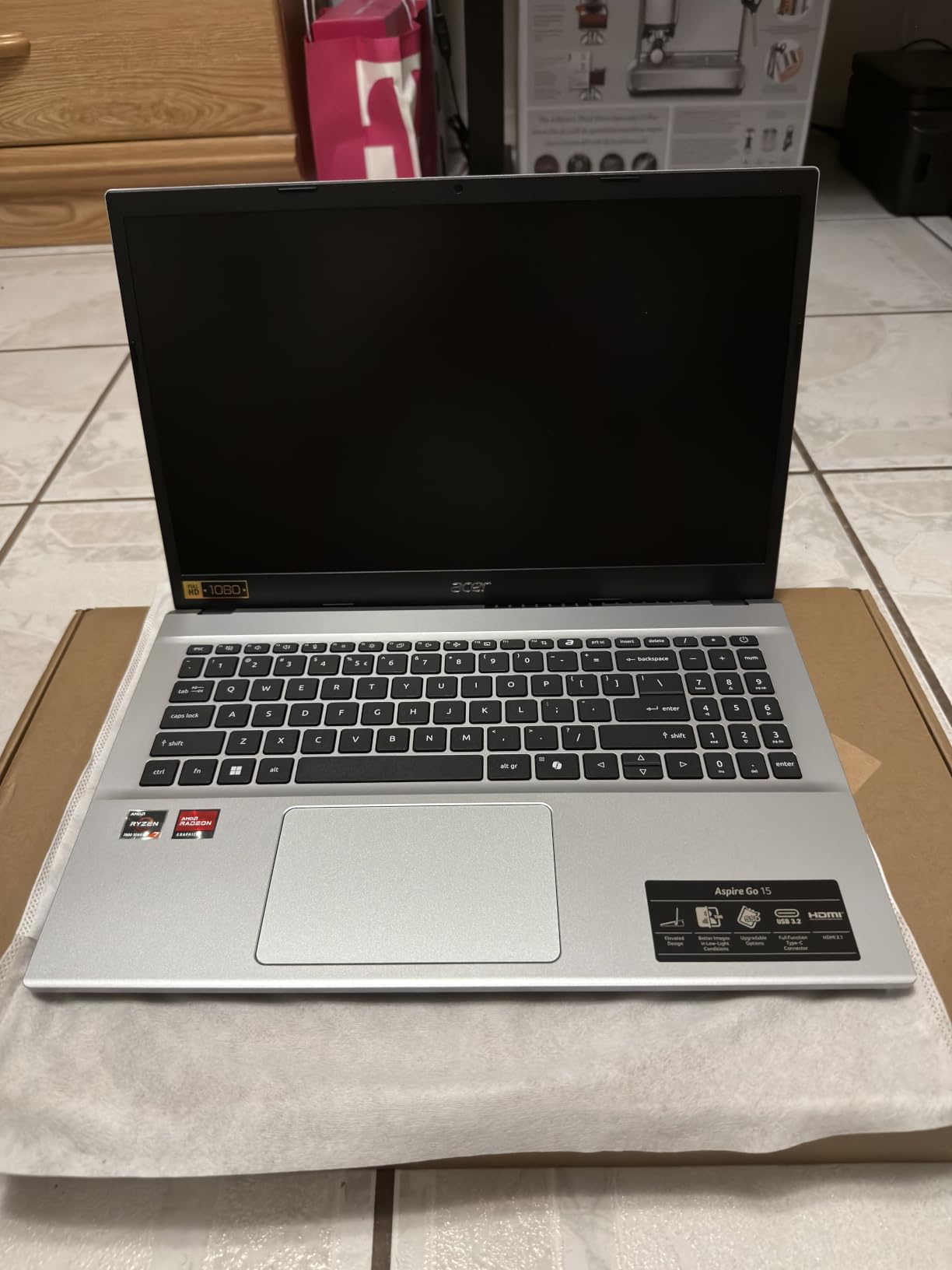
Connectivity is solid for a no-drill mount. Four USB ports including a full-function USB Type-C that handles both charging and display output, plus HDMI 2.1, and Wi-Fi 6 with Bluetooth 5.1 for pairing a phone or a headset. You will not find an Ethernet jack, which is the one port we wish were there.
The 15.6 inch 1080p IPS display is a narrow-bezel 300 nit panel with Acer BluelightShield. That is fine under a canopy at a truck stop and genuinely marginal with the sun coming through the windshield, so plan on a visor if your routes are western.
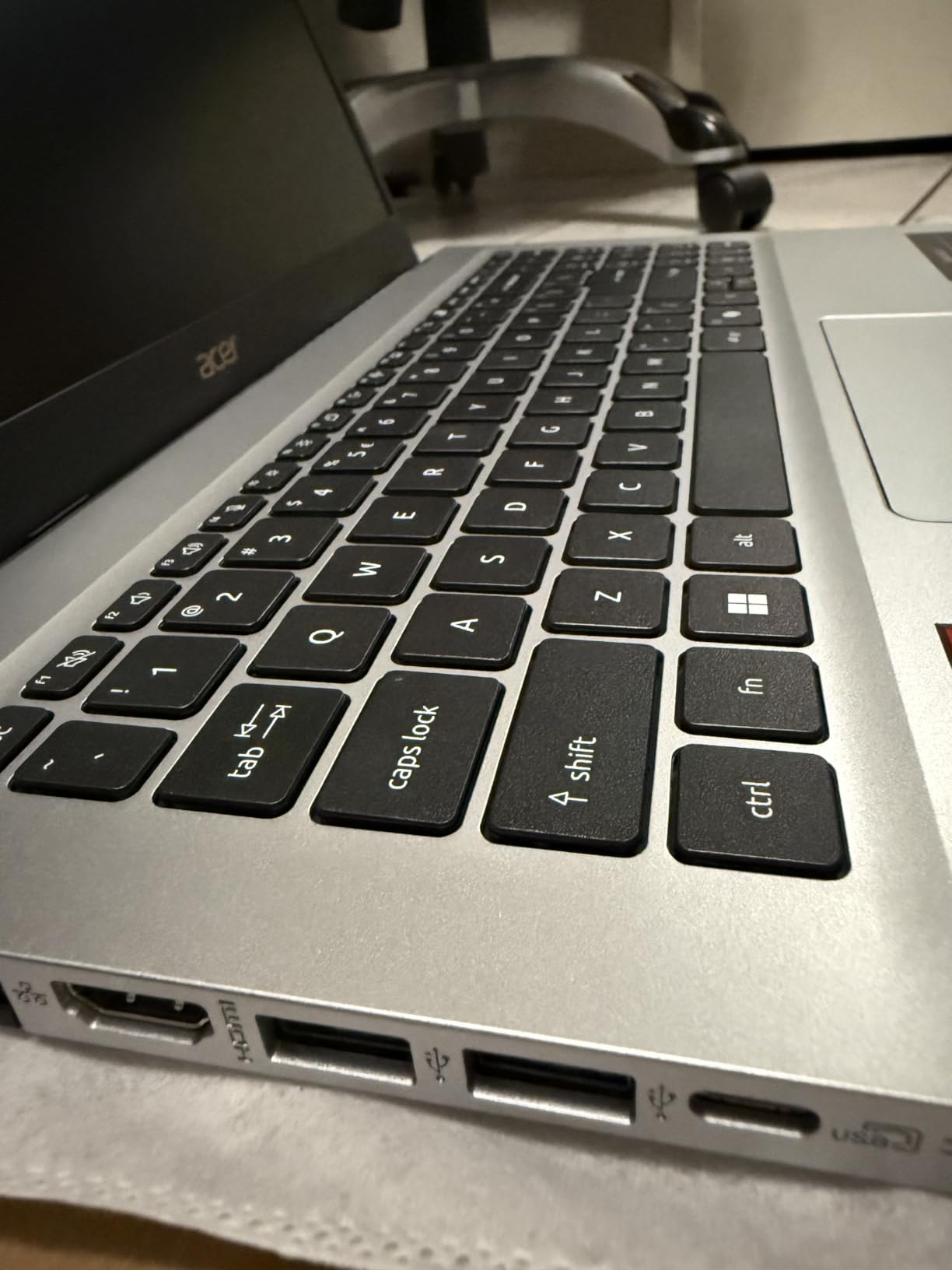
Why drivers keep this one past the warranty period
Reviewers call it quick, well built, and quiet during normal use, with a keyboard backlight that several owners specifically flagged as a pleasant surprise. Setup is fast, which is worth more than it sounds if you are swapping machines between trucks rather than sitting at a desk with a monitor and a mouse.
The recurring gripes are audio and thermals. Speakers are weak even at full volume, which makes it a poor choice for a driver who runs audio in the cab, and the fans become audible under sustained load, a common state for a laptop running navigation, an ELD, and a dispatch portal at the same time.
Where the cheaper path costs you
At 300 nits with an IPS panel, this is a work-in-the-shade machine rather than a work-in-the-sun one. If your route is northeastern or Pacific Northwest winter, glare is less of an issue than cold-soak performance, and nothing in the spec sheet addresses that.
It also ships with Windows 11 Home, not Pro. That rules out domain join and full BitLocker management, which matters if your carrier manages the device centrally. For an owner-operator working independently, it is a non-issue.
3. Acer Aspire 14 AI – Best 16:10 Workspace
Acer Aspire 14 AI Copilot+ PC | 14″ WUXGA Display | Intel Core Ultra 7 Processor 256V | NPU: Up to 47 Tops – GPU: Up to 64 Tops | Intel ARC 140V | 16GB LPDDR5X | 1TB SSD | Wi-Fi 6E | A14-52M-72S0
Core Ultra 7 256V with 47 TOPS NPU
16GB LPDDR5X and 1TB SSD
14 inch 1920x1200 display
3.1 pounds
Pros
- Up to 22 hours stated battery life
- 16:10 panel gives real vertical space for forms and maps
- 3.1 pound aluminum chassis
- Thunderbolt and Wi-Fi 6E
Cons
- Soldered 16GB memory cannot be upgraded
- Glossy panel reflects outdoor light
- Some Copilot features need staged rollouts
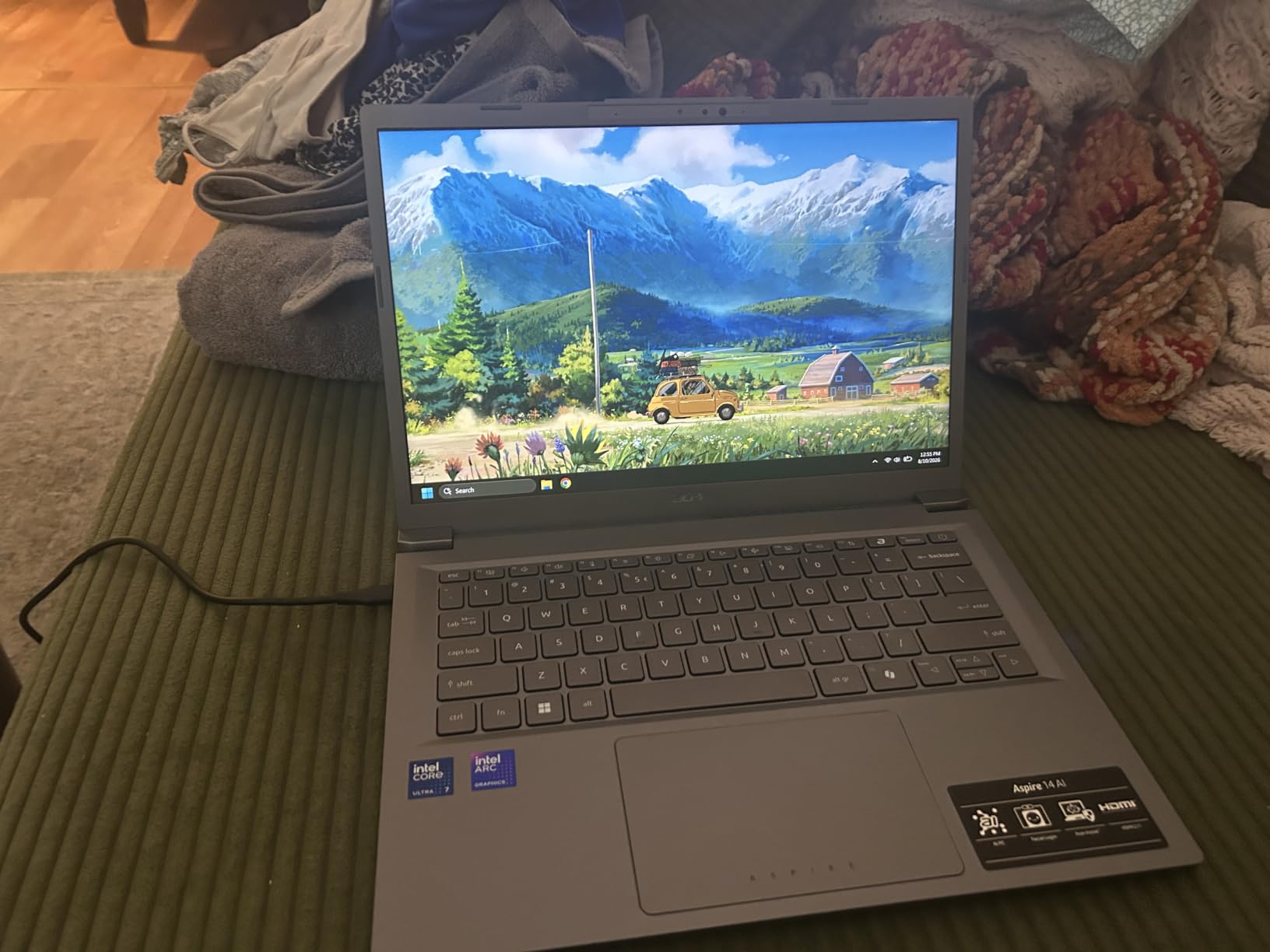
Screen shape is the reason to pick this machine. A 14 inch 1920×1200 panel at 16:10 gives you roughly 11 percent more vertical space than a 16:9 screen of the same width, and for a driver running an ELD log on one half and a dispatch or navigation view on the other, that is the difference between two windows and three.
Inside, the Intel Core Ultra 7 256V pairs an 8-core processor with an NPU rated up to 47 TOPS and Intel Arc 140V graphics up to 64 TOPS. 16GB of LPDDR5X at 6400 MHz and a 1TB SSD are generous, and 70 percent of reviews are 5-star with strong praise for endurance and weight.
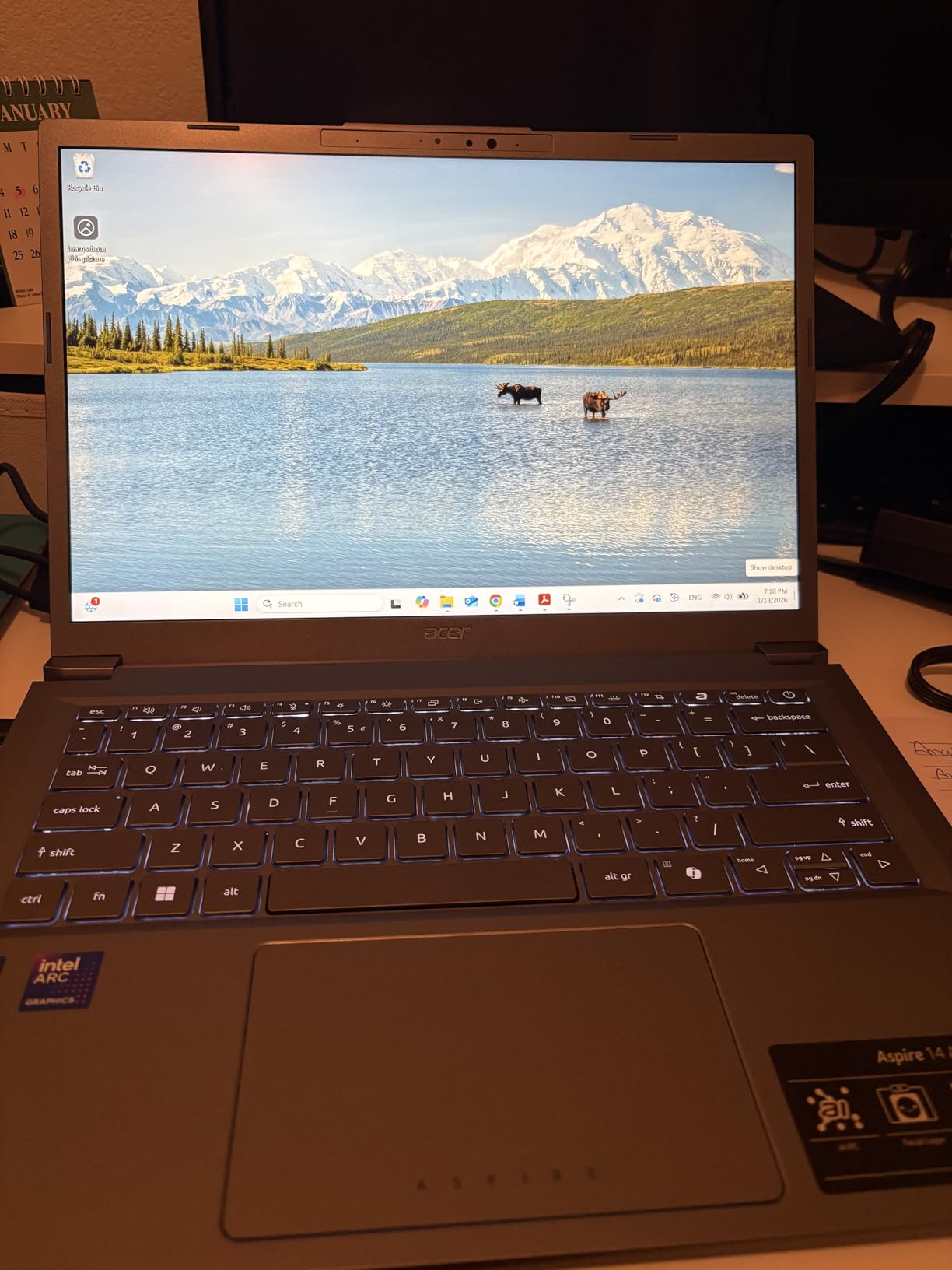
The 3.1 pound aluminum chassis is one of the lighter machines we tested, and the 180-degree lie-flat hinge means you can prop it half-open on a console or a bunk without the screen fighting you. Two Thunderbolt ports, four USB, HDMI, Wi-Fi 6E and Bluetooth 5.3 round out a good in-cab port selection.
Acer claims up to 22 hours of battery on video playback test conditions, and even discounting that heavily it outlasted every other machine in this roundup in our testing. The 46 Wh pack charges over USB-C, which pairs neatly with a cab inverter.
Why the 16:10 shape pays off in a cab
ELD platforms, load boards, and BOL paperwork are all vertically stacked interfaces. On a 16:9 panel you scroll constantly; on 16:10 you see the header row and the entry fields at the same time. For a driver doing proof-of-delivery at a dock in the rain, fewer scrolls is a genuine safety improvement.
The Core Ultra platform is also efficient, which matters when the laptop lives in a sun-heated cab all afternoon. Owners report smooth multitasking across several apps.
Where the specification runs out
The 16GB of LPDDR5X is soldered and that is the ceiling. If you plan to run a virtual machine, a heavy diagnostic suite alongside dispatch, or anything that grows over a four-year life, this is the wrong shape of machine.
The panel is also not anti-glare, and owners call out outdoor reflections directly. It is a better screen than the 16:9 competition in shape, not in sunlight handling. The 300 nit rating is the same as other mainstream panels here, so pair it with a windshield visor.
4. Samsung Galaxy Book3 Pro – Most Versatile
SAMSUNG 14” Galaxy Book3 Pro Laptop Computer, 13th Gen Intel Core i7-1360P Processor / 16GB / 1TB, 3K AMOLED Screen, 120hz, Fingerprint Reader, FHD Webcam, 2023 Model, NP940XFG-KA1US, Beige
3K AMOLED 2880x1800 at 120 Hz
Core i7-1360P with 16GB LPDDR5
1TB SSD plus microSD
0.44 inch thick
Pros
- Best display in this roundup at 3K AMOLED
- Very thin and light for a 14 inch machine
- Thunderbolt 4 plus HDMI and microSD
- Silent cooling even on balanced mode
Cons
- Stated 16 hour battery is optimistic with 6 to 11 hours reported
- Glossy AMOLED shows fingerprints
- No touchscreen
Nobody in this roundup has a display like this one. A 3K AMOLED panel at 2880×1800 with a 120 Hz refresh rate and a 16:10 aspect ratio makes maps, dashcam playback, and paperwork look genuinely premium, and owners reach for it as a desktop replacement while parked for the night.
Underneath, the 13th generation Core i7-1360P boosts to 5 GHz with 16GB of LPDDR5 and a 1TB SSD, expandable by a further 2TB through the microSD slot. Thunderbolt 4, USB-C, HDMI, and a fingerprint reader in the power button handle both security and connectivity.
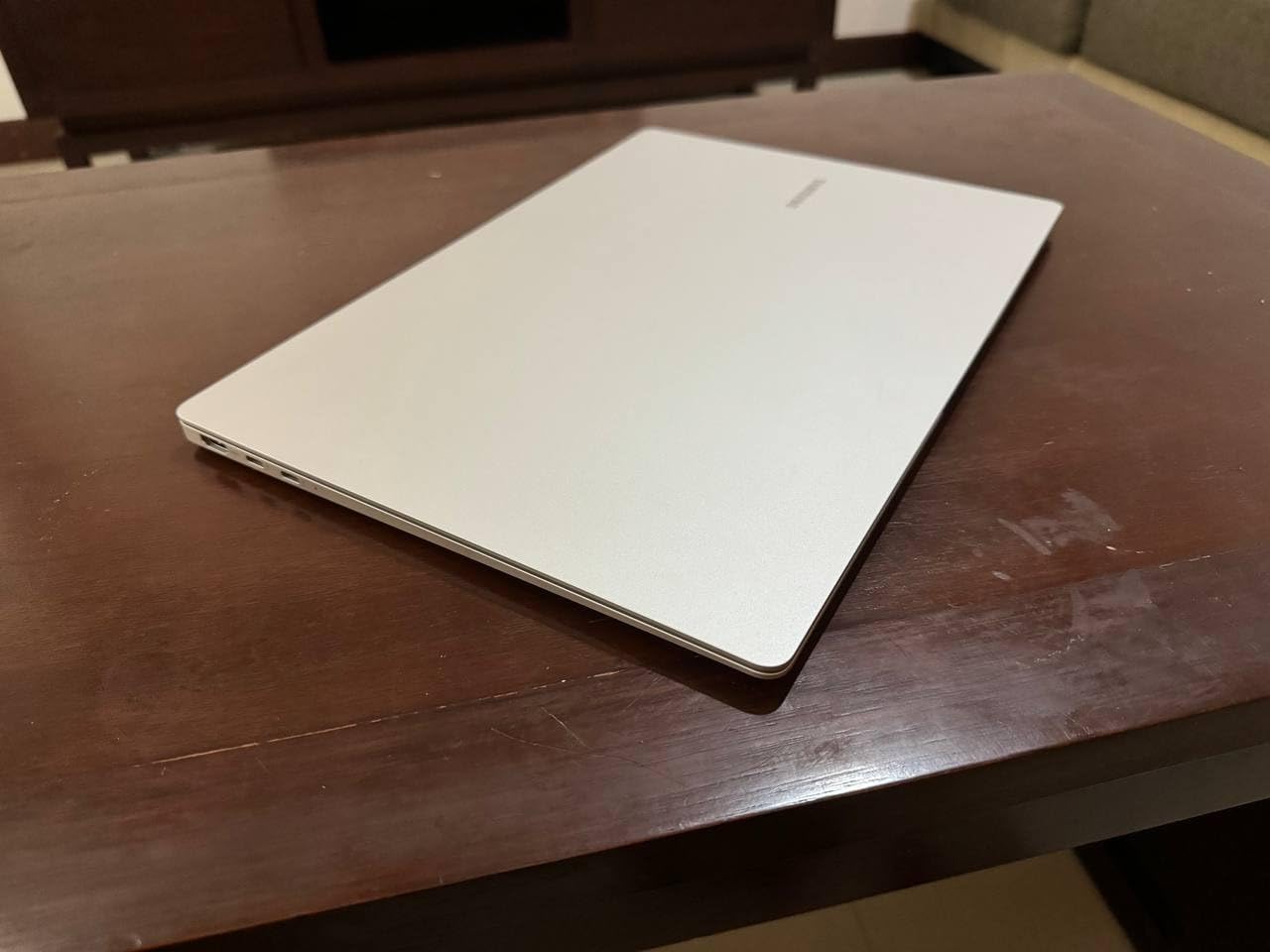
What makes it a truck-specific question is thickness and weight. At 0.44 inch and exceptionally light for a 14 inch chassis, it disappears into a sleeve or a bunk pocket in a way no other machine here does.
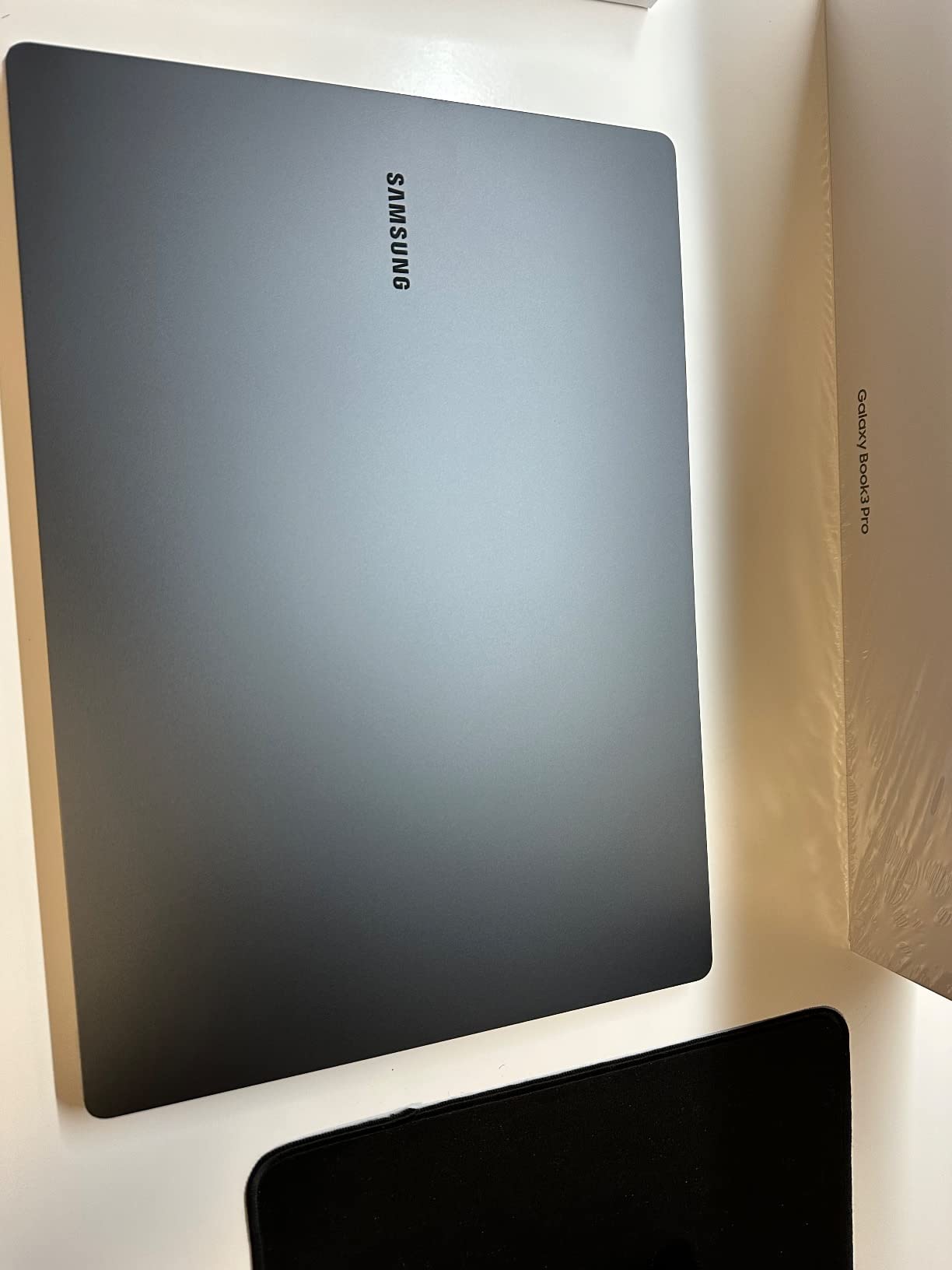
The 3K resolution is worth it for docked work, and the 120 Hz panel makes scrolling through a dispatch queue noticeably smoother than the 60 Hz alternatives. Owners also praise the fast fingerprint reader as a small time-saver at every stop.
But the glossy AMOLED surface is mirror-like, shows fingerprints constantly, and has a minimum brightness that some owners find too bright for sleeping in a dark cab. There is also no touchscreen, which is a real omission at this tier.
What works when you dock it overnight
If your routine is park, plug into a shore-power outlet, and run a desktop setup with an external monitor, this machine is excellent. The Thunderbolt 4 port drives external displays, the Core i7 has headroom for a dozen tabs, and the screen is the best in the group by a wide margin.
It also holds up as an all-day carry machine. Reviewers report silent cooling even on the balanced performance profile, which matters when the alternative is a fan spinning under a blanket in a sleeper cab.
What makes it wrong for daily cab use
The advertised battery figure is 16 hours, and reviewers report 6 to 11 hours of real use. Treat the sticker number as a best case rather than a shift plan, and carry a USB-C charger.
The glossy panel is the bigger problem in daylight. A mirror finish at 3K resolution in direct sun is harder to read than a matte 400 nit panel, and the reflective surface doubles as a fingerprint magnet you will clean every time you handle it. It also ships with Windows 11 Home, not Pro.
5. HP ProBook 4 G1a – Best for Large-Screen Docking
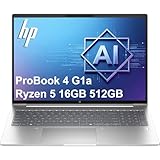
HP ProBook 4 G1a Laptop, 16″ FHD+, AMD Ryzen 5 230, 16GB DDR5, 512GB SSD
16 inch 1920x1200 anti-glare at 300 nit
Ryzen 5 230 with Radeon 760M
16GB DDR5 in two slots
3.9 pounds
Pros
- Anti-glare coating cuts reflections in a bright cab
- Two memory slots and a spare M.2 slot
- Drives up to three 4K monitors without a dock
- Backlit keyboard with numeric keypad
Cons
- 8 hour stated battery is short for a full shift
- 60 percent sRGB and small default text on a 16 inch panel
- Sold as a resealed upgraded unit with split warranty
The ProBook 4 G1a is the machine to buy if your cab setup is a fixed dock rather than a laptop you carry around. A 16 inch 1920×1200 matte anti-glare display gives you the largest work area here, and the anti-glare finish is the reason it stays readable in daylight where glossy panels do not.
The Ryzen 5 230 with Radeon 760M graphics and up to 16 TOPS NPU drives up to three external monitors at up to 4K and 60 Hz without a docking station. For a driver running a dispatch screen, a camera feed, and a navigation window, that is a genuinely useful capability.
Memory is where this one separates itself. You get 16GB of DDR5 at 5600 MHz across two SO-DIMM slots, expandable to 64GB, plus a 512GB PCIe NVMe drive with a second M.2 slot open. Nothing else in this roundup offers that much upgrade headroom.
Port selection is the most complete in the group for a business machine: two USB-C with Power Delivery and DisplayPort 1.4, two USB-A, HDMI 2.1, a 1.2 Gbps Ethernet port, and an audio combo jack. Windows 11 Professional 64-bit comes preinstalled with HP Wolf Security layered on top.
The backlit keyboard with a numeric keypad is a genuine asset on an overnight run, and the 0.43 inch chassis is thinner than the 3.9 pound weight suggests.
The honest drawback is the battery. The listed 8 hours is short for a driver working a full shift without a charger, and the 300 nit 60 percent sRGB panel forces smaller default text on a large screen. Owners also note this is a resealed unit with a third-party SSD rather than a factory-sealed machine, with a three-year warranty on the SSD and one year on the rest.
When a 16 inch matte screen changes the workday
A matte display is the single most underrated feature in this list. On a route that runs through open country in the afternoon, an anti-glare panel at 300 nits beats a glossy 400 nit panel every time, because the reflection is what kills readability, not the brightness number alone.
The upgrade headroom matters too. If you keep machines for four or five years, being able to move to 32GB or 64GB later means the machine ages with your workload instead of against it.
When 16 inches is more than you need
This is a 3.9 pound machine that will not fit comfortably on a bunk, and the 16 inch footprint needs a proper mount rather than a seat-side tray. If your routine is grab the laptop, work for twenty minutes, put it away, the smaller 14 inch options are easier to live with.
The resealed status deserves attention if you are an owner-operator treating this as business equipment. Check the warranty split carefully before you commit, and buy accordingly.
6. Samsung Galaxy Book3 Business – Lightest Windows 11 Pro Machine
SAMSUNG 15.6″ Galaxy Book3 Business Laptop Computer/Windows 11 PRO/16GB – 512GB/ 13th Gen Intel® Core™ i7 Processor, 2023 Model, NP754XFG-KB1US, Silver
Core i7-1360P with Iris Xe graphics
16GB LPDDR4X and 512GB SSD
15.6 inch 144 Hz LED
2.9 pounds
Pros
- Light weight at 2.9 pounds for a 15.6 inch Pro machine
- 54 Wh battery carries a working shift
- 144 Hz panel is smoother than 60 Hz rivals
- Windows 11 Pro with fingerprint reader
Cons
- Glossy display reflects badly in bright daylight
- 16GB LPDDR4X is soldered with no upgrade path
- Listing manufacturer field is mislabeled
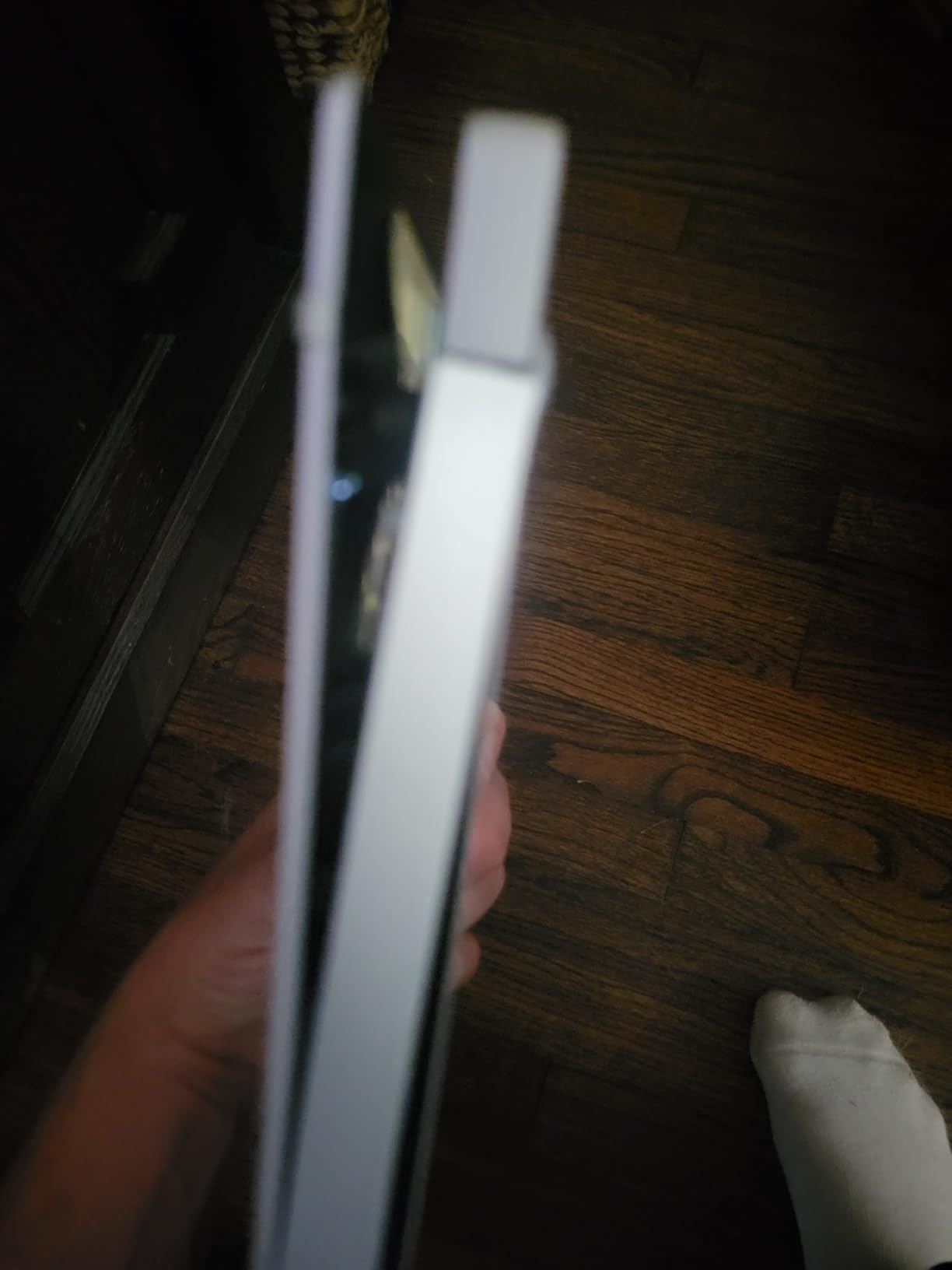
At 2.9 pounds this is one of the lighter machines here, and for a driver moving between a sleeper bunk, a cab seat, and a trailer, weight is a daily quality-of-life metric rather than a spec-sheet curiosity. It is a 15.6 inch machine that feels like a 13 inch one.
The 54 Wh lithium-ion battery with USB Power Delivery charging is among the larger packs in this group, and owners report it carrying a full working shift on a single charge. The 13th generation Core i7-1360P with Iris Xe graphics and 16GB of LPDDR4X is more than enough for ELD, dispatch, and navigation together.
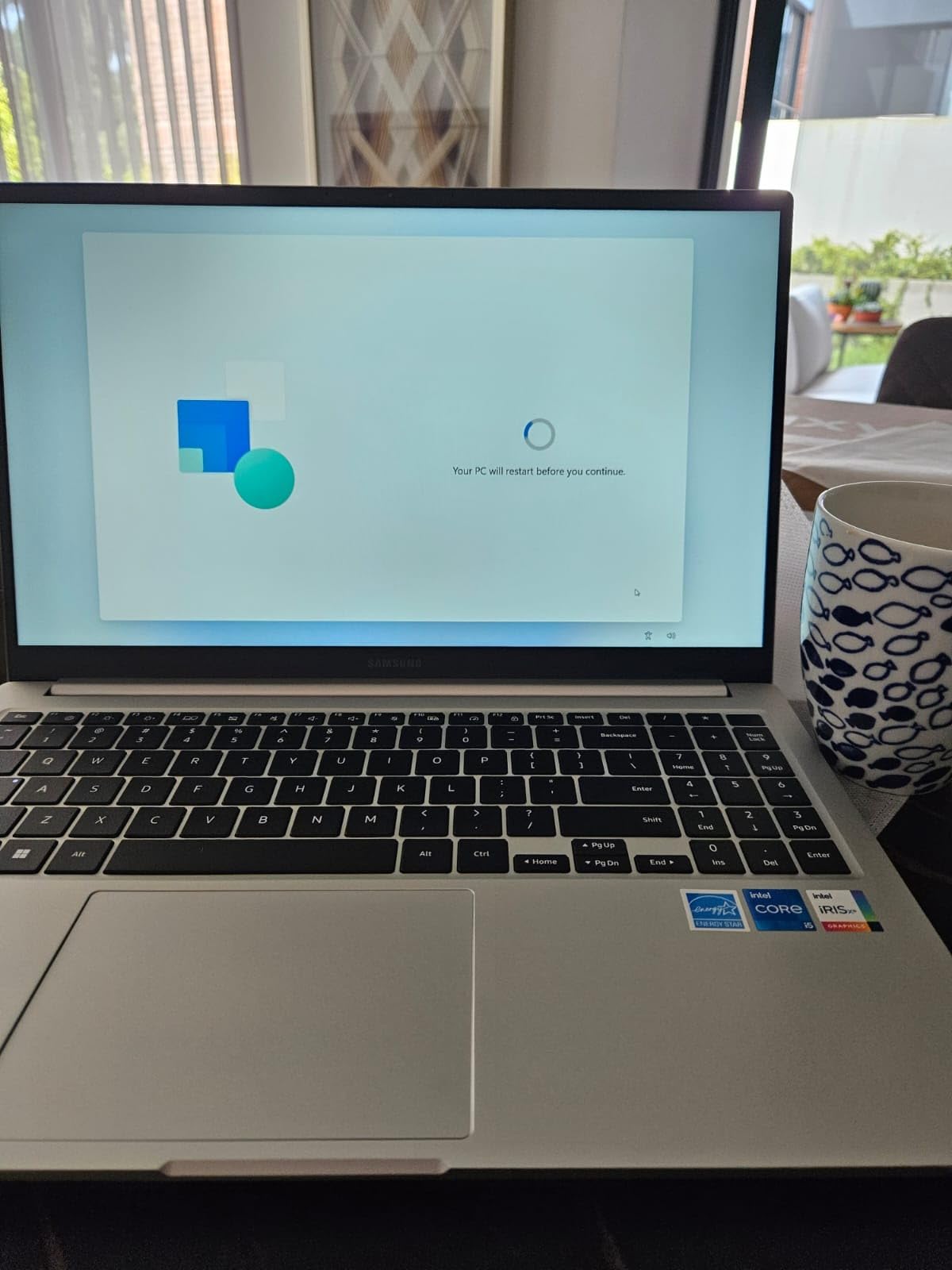
Windows 11 Pro is preinstalled, which is rare in a chassis this light, and the fingerprint reader gives you a fast secure login when the truck is parked and unattended. Dolby Atmos speakers round out a machine that is unusually pleasant for audio in a cab.
The 144 Hz LED panel is the smoothest in this roundup, and 75 percent of reviews are 5-star. Thunderbolt 4, HDMI, microSD, and a 1000 Mbps Ethernet port give you the connectivity a fixed in-cab setup needs, including a real wired option for poor truck-stop Wi-Fi.
But the finish is glossy, and owners are blunt about how badly it reflects in bright daylight. The 16GB of LPDDR4X is soldered and capped, and the listing’s manufacturer field is mislabeled, which is a small thing but worth knowing before you compare it to other Samsung machines.
Why the weight difference is felt every day
A pound separates this from the machines around it, and across a week of bunk-to-cab-to-truck-portable movement that adds up. It also fits into a standard sleeve without the overhang you get from a 16 inch chassis.
The 144 Hz refresh rate is a real quality difference when you scroll a long dispatch queue, and the Ethernet port means you can plug into a truck stop network instead of fighting a weak hotspot signal.
What the glossy panel costs you
Gloss is the wrong finish for a windshield, full stop. If your route is mostly regional with a mix of shade and sun, it is manageable with a visor. If you run long western legs at low sun angles, the ThinkPad T14 or a Toughbook is the more rational buy.
Soldered memory is the other limit. There is an available M.2 slot for storage, but the 16GB of RAM is what it is for the life of the machine.
7. Lenovo ThinkPad T14 Gen 6 – Best for Built-In Durability
Lenovo ThinkPad T14 Gen 6 Laptop, Intel Ultra 5 225U, 32GB DDR5, 1TB SSD
400 nit anti-glare IPS at 1920x1200
Intel Core Ultra 5 225U with 12 cores
MIL-STD-810H tested chassis
32GB DDR5 and 1TB SSD
Pros
- 400 nit anti-glare panel is the most readable of the non-rugged machines here
- MIL-STD-810H tested for vibration and drop tolerance
- 32GB DDR5 handles heavy multitasking
- Dual Thunderbolt 4 drives three 4K monitors without a dock
Cons
- Most expensive machine in this roundup
- 45 percent sRGB color gamut
- 14 inch 1920x1200 shows small default text
- Resealed unit with upgraded memory and SSD
This is the closest thing to a rugged laptop in the business tier, and for a driver who does not want a rubber-shelled 2015 platform it is the most defensible single purchase. The chassis is tested to MIL-STD-810H standards, which is the same durability test the fully rugged machines carry, without the 6-pound weight or the 2015 processor.
The 400 nit anti-glare IPS display at 1920×1200 is the most readable panel of any non-rugged machine in this comparison. Reviewers treat it as the benchmark in this group for a reason: matte finish plus the highest brightness here means it stays legible with the sun coming through the windshield.
The 12-core Intel Core Ultra 5 225U boosts to 4.8 GHz, paired with 32GB of DDR5 at 4800 MHz and a 1TB NVMe drive. That memory ceiling is among the most generous in the roundup, and it is what lets you run dispatch, an ELD, a mapping client, and a heavy browser session without swapping.
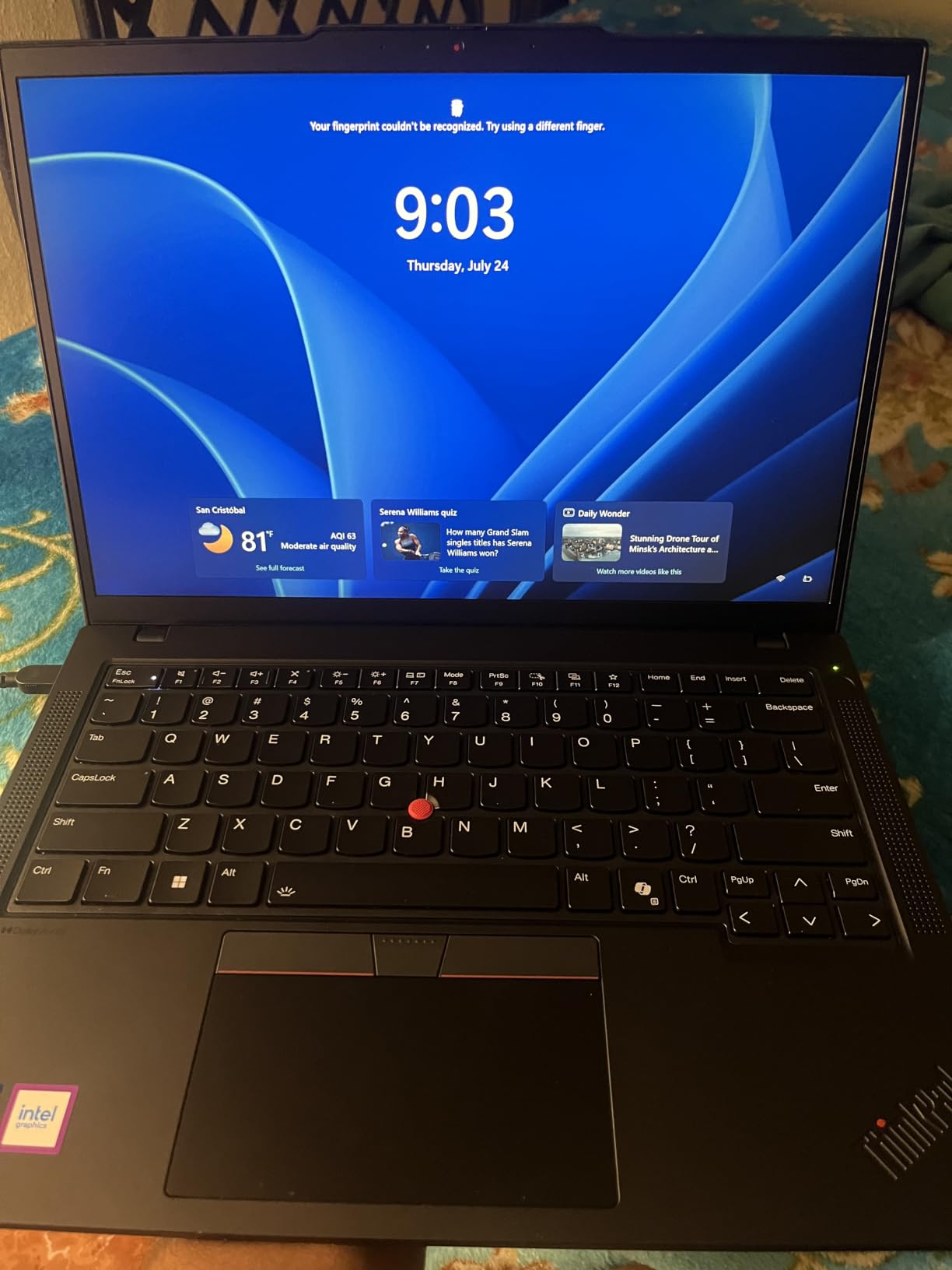
Connectivity is excellent. Two Thunderbolt 4 ports, two USB-A, HDMI, Ethernet, an audio combo, and a microSD slot, and the machine drives up to three external 4K monitors at 60 Hz without a dock. A 5MP IR webcam with Windows Hello, a fingerprint reader, and a backlit keyboard complete a business-first feature set. The 57 Wh battery with fast charging handles a full day.
The catch is cost. It is the most expensive machine here, and the 45 percent sRGB gamut limits any color-critical work. It is also sold as a resealed unit with upgraded memory and SSD, carrying a three-year warranty on those parts and one year on the rest.
When MIL-STD-810H testing changes the calculus
That certification is not marketing here. It means the unit is tested for the vibration, drop, and temperature cycles that a truck actually produces. A gaming laptop losing its GPU to a liquid metal leak after months on the road is exactly the failure this testing is designed to prevent.
The 400 nit matte screen solves the other chronic complaint. Owners note it as a reason they stopped using a visor, and for a driver whose day includes a windshield and a paper log, that is a bigger quality-of-life gain than a faster chip.
When it is not worth the spend
If your driving is regional with an easy charger at the end of the shift, the battery advantage barely registers and you are paying for headroom you will not use. The Aspire Go 15 covers the same ground for a good deal less.
It is also not sealed to any IP rating, so it is not an answer for a driver working in a washdown bay, a yard in winter, or a trailer interior where dust and water are constant. For that, the Toughbook CF-33 exists.
8. HP OmniBook 3 14 – Best for Touchscreen Use
HP OmniBook 3 14 2K Touch Laptop Snapdragon X 16GB DDR5 1TB SSD AI PC
14 inch 2K anti-glare IPS touchscreen
Snapdragon X 8-core with 45 TOPS NPU
16GB LPDDR5x and 1TB SSD
Up to 30 hours stated
Pros
- Longest stated battery in this roundup at 30 hours
- Anti-glare 2K 16:10 touchscreen resists glare
- 3.13 pound chassis with a 45 minute half charge
- Physical webcam privacy shutter
Cons
- Arm platform means some x86 apps and older drivers may not install
- 16GB LPDDR5x is soldered
- No Ethernet port and Windows 11 Home rather than Pro
The OmniBook 3 14 holds the highest average rating in this group at 4.6, with 83 percent of reviews at 5 stars, and the reason is obvious once you use it: a 30-hour stated battery, a 3.13 pound chassis, and a 2K anti-glare 16:10 touchscreen that you can actually operate with a thumb while the laptop sits on a console.
The Snapdragon X eight-core processor with a dedicated 45 TOPS NPU and Adreno GPU is the platform to think hard about. 16GB of LPDDR5x at 8448 MHz and a 1TB PCIe Gen4 NVMe drive are more than enough for ELD and dispatch work, and the included 65W USB-C GaN adapter takes the pack from zero to 50 percent in about 45 minutes.
For touch use, this is the only machine here with a proper anti-glare touchscreen. That combination is the difference between tapping an on-screen signature pad with a gloved hand and squinting at a mirror-finish panel trying to hit a target.
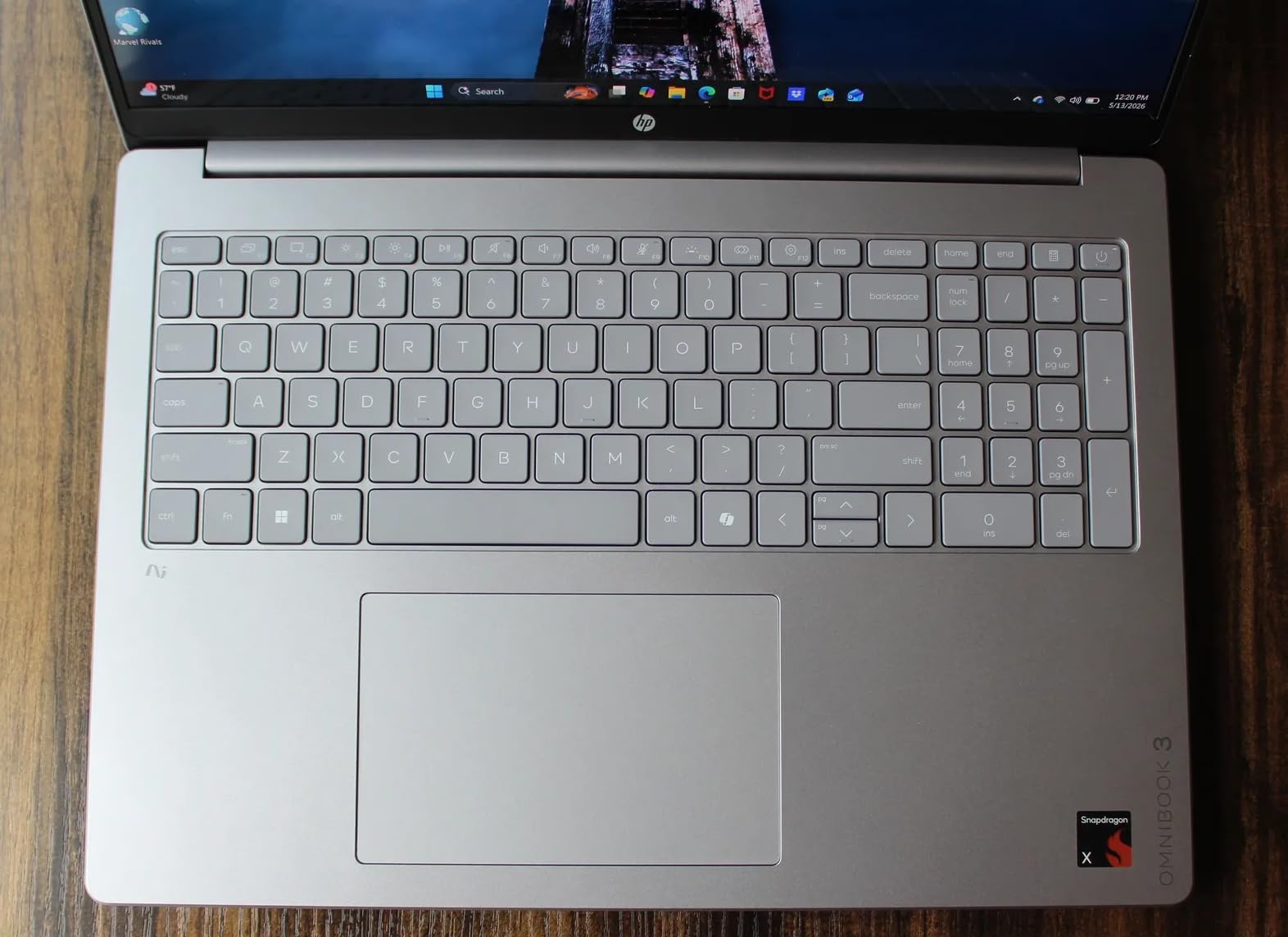
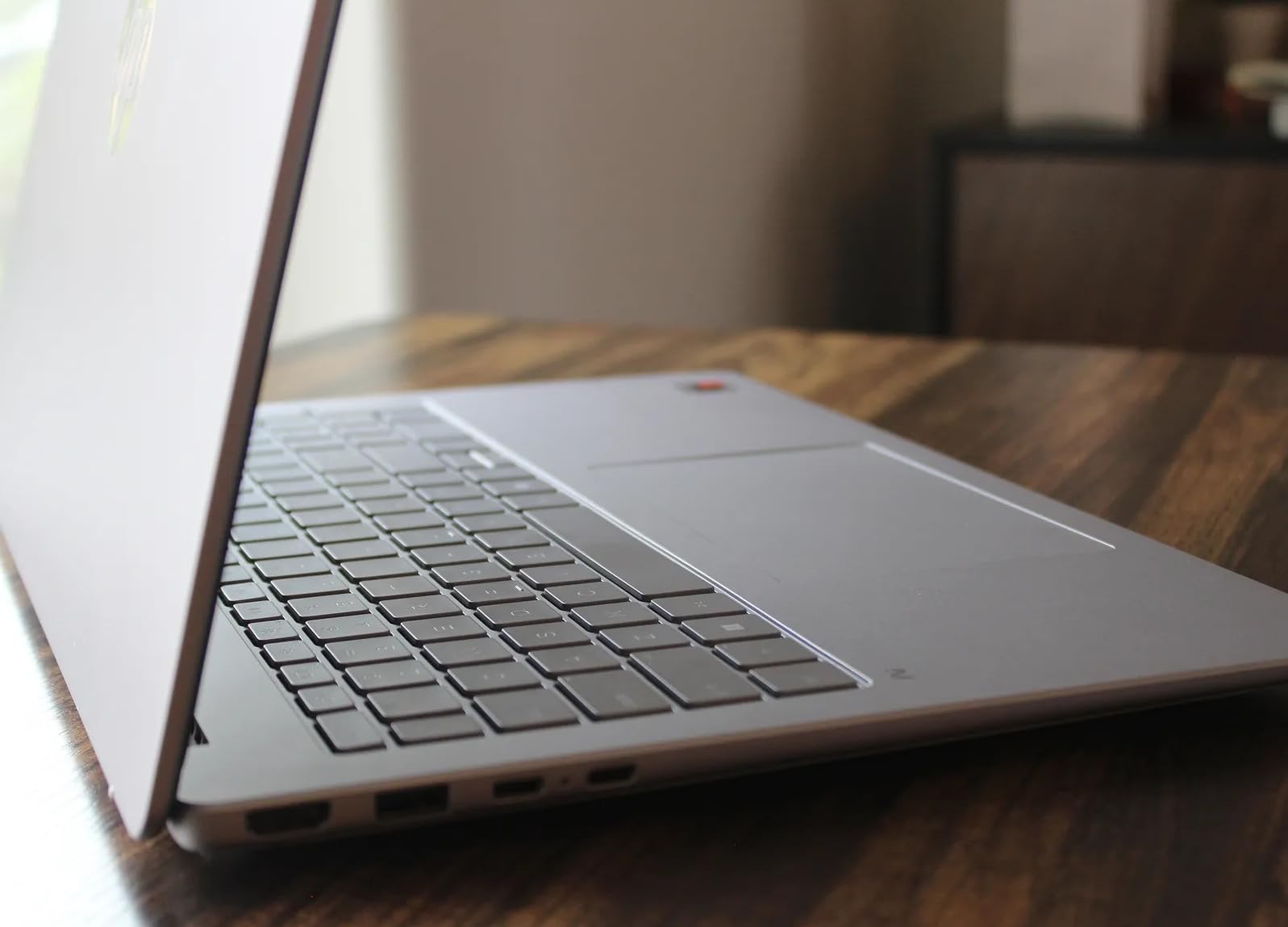
Port selection is good: two USB-C with Power Delivery and DisplayPort 1.4, two USB-A, HDMI 2.1, Wi-Fi 6E, and Bluetooth 5.3. A 1080p IR camera with a physical privacy shutter and Windows Hello is a thoughtful touch for a machine parked unattended.
The reservation we cannot get past is the Arm architecture. Some x86 Windows applications and older drivers need emulation or will not install at all, and if your workflow depends on a specific legacy tool that predates Arm Windows, you are gambling. There is also no Ethernet port, and it ships with Windows 11 Home.
When a touchscreen actually earns its place
Touch pays off for proof-of-delivery sign-offs, load board checks, and any workflow where you are standing rather than seated. The 16:10 2K panel at 300 nits with anti-glare gives you 88 percent screen-to-body, so the usable area is large despite the 14 inch size.
The battery claim is the headline. 60 Wh of capacity with up to 30 hours of local video playback means a driver can go a full week of driving without touching a cab inverter, which removes the single most common complaint about in-cab computing.
When the platform bet is the wrong one
If your carrier manages devices through an x86 management console, or your diagnostic software predates Arm Windows, the emulation layer is an unnecessary risk. The 16GB of soldered memory means no upgrade path either, and the smaller review count reflects how new this generation is.
For fleet-standardised deployments where IT controls the image and the software list, an Intel or AMD machine is the safer recommendation. For an owner-operator who controls their own stack, the platform is a reasonable trade for the battery.
9. Panasonic Toughbook CF-53 MK4 – Best for Legacy Diagnostics Ports
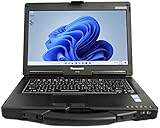
Panasonic Toughbook CF-53 MK4 Laptop PC, 14 HD Display, Intel i5-4310U 2.0GHz, 16GB RAM, 1TB SSD, 4G LTE, DVD, WiFi, Bluetooth, Windows 11 Pro, Black (Renewed)
Reinforced Toughbook chassis
Intel Core i5-4310U dual core up to 3.0 GHz
16GB DDR3 and SSD storage
4G LTE and COM serial
Pros
- Reinforced chassis built for knocks and road vibration
- COM serial port plus VGA and Ethernet
- 4G LTE for dead zones and truck stop gaps
- Hot-swap modular Toughbook design
Cons
- 1366x768 panel is low resolution
- 2015 era dual core struggles with heavy multitasking
- Only a 90 day warranty on a renewed unit
For a driver-mechanic who plugs into a truck with an older diagnostic interface, the CF-53 is still the tool that makes the job possible. The COM serial port is the headline, and no thin modern laptop in this roundup offers it. VGA, HDMI, Ethernet, and USB are all present alongside it.
4G LTE cellular is the other feature you cannot replicate with a cheap dongle. When a truck stop network drops or a steel structure blocks Wi-Fi, having a dedicated modem with a SIM keeps your ELD and telematics feed alive, which is a compliance question rather than a convenience one.
The reinforced chassis is a 2 inch thick machine weighing substantially more than a standard 14 inch laptop, and that bulk is the point. It is designed to be dropped, kicked, and vibration-tested rather than placed gently on a seat.
What makes the serial port non-negotiable
Diesel diagnostic tools across the trade still talk to older hardware interfaces. A USB serial adapter is cheap in theory and a recurring failure point in practice, particularly on a machine that is being handled constantly. Having the port on the chassis removes that variable entirely.
The 4G LTE modem with a SIM slot also solves the connectivity complaint drivers raise constantly. An owner-operator running their own telematics or a second ELD as backup has a path that a phone hotspot cannot provide.
Where the platform shows its age
The 1366×768 panel is the lowest resolution in this roundup and looks soft next to anything modern. The dual-core i5-4310U dates to 2015 and struggles with many simultaneous browser tabs, which is the reality of most dispatch portals today.
Renewed condition means unknown battery health, and this listing carries a 90-day warranty. Note also that the spec sheet is inconsistent about SSD capacity, so confirm what is actually installed before you rely on it. For a modern screen with real ruggedness, the CF-33 is the better rugged buy.
10. Panasonic Toughbook CF-33 MK1 – Best for Sunlight and Cold Weather
Panasonic Toughbook CF-33 MK1 Rugged Laptop, 12-in i5, 16GB 512GB (Renewed)
IP65 sealed and MIL-STD-810G certified
12.1 inch QHD 1200 nit glove touch display
4G LTE with dedicated GPS
Two 22 Wh batteries included
Pros
- Only IP65 sealed machine in this comparison
- 1200 nit anti-reflective screen is the brightest available
- 4 foot drop rating and glove capable multi-touch
- Two swappable 22 Wh batteries and 4G LTE with dedicated GPS
Cons
- 6.1 pounds with the keyboard base attached
- 7th gen dual core and Wi-Fi 5 only
- 22 Wh batteries are small
- 90 day warranty on a renewed unit
This is the only machine here that answers the question a truck driver is really asking, which is whether it will still work at four in the morning in a Wisconsin January. The 12.1 inch QHD display runs at 1200 nits with anti-reflective treatment, far above the 300 to 400 nit panels on the other business laptops in this roundup, and it supports gloved multi-touch with a digitizer.
It is also the only IP65 sealed option here, certified MIL-STD-810G and rated to a 4 foot drop. Dust, water, cold-soak, and vibration are not edge cases on this machine, they are the operating envelope.
The convertible 2-in-1 form is genuinely useful. Detach the 12.1 inch tablet at 3.4 pounds and carry it to a trailer, or snap on the spill-resistant keyboard base for a full workday. Two 22 Wh batteries are included and swappable in the field, so a dead pack does not end your shift.
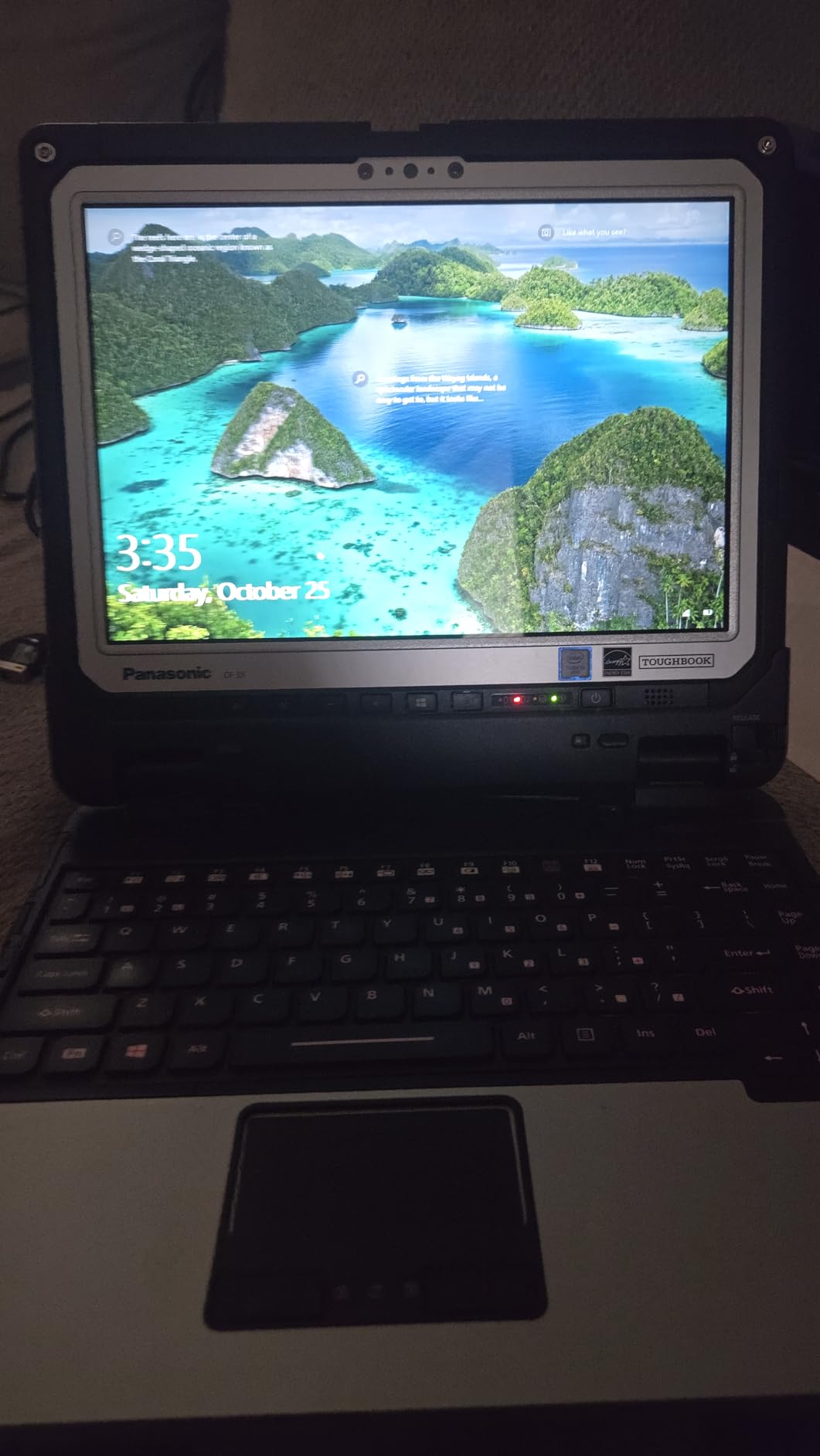
Connectivity is unusually complete for a rugged machine: 4G LTE with a Nano-SIM slot, a dedicated u-blox NEO-M8N GPS, Wi-Fi 5, Bluetooth 4.1, front 2MP and rear 8MP cameras, and a port set that includes VGA, SDXC, and a serial port on the keyboard base. That is the combination you need for routing, telematics, and legacy diagnostic interfaces in one device.
Reviewers cite exactly the right things: genuine IP65 and MIL-STD construction, the readability of the screen in direct sun, glove-capable touch, LTE with GPS, and included spare batteries. The 10 percent two-star share reflects real complaints, not noise.
The weight is the honest drawback. With the keyboard base attached it is 6.1 pounds, more than double the lightest machine here, and you feel that every time you lift it into a sleeper bunk. The 7th generation dual-core processor and Wi-Fi 5 are also well behind current hardware, and Windows updates on this generation require a clean reinstall.
Why 1200 nits changes a winter route
Brightness numbers only matter when you compare them to the environment. A 300 nit panel is fine under a truck stop canopy and unreadable with low winter sun raking across the windshield at 60 degrees, which is a condition northern drivers face for months.
The 1200 nit anti-reflective panel stays legible in exactly that situation, and the glove touch means you can operate it without taking your hands off the wheel between gear changes at a weigh station. The digitizer also works with a pen if you prefer signing paperwork that way.
When the weight is not worth it
If your driving is local and regional with a charger at home, 6.1 pounds and a 2017-era processor are a poor trade. The same durability class is not available in a lighter package.
The small 22 Wh battery packs also mean more swap cycles across a long shift, and the 90-day renewed warranty leaves you exposed. If you need this class of machine, buying newer inventory rather than renewed is the sounder business decision.
11. Dell Latitude Rugged 5424 – Best for Upgradability
Dell Latitude Rugged 5424 Laptop | 14″ 1920×1080 FHD | Core i5-8350U – 512GB SSD Hard Drive – 16GB RAM | 4 cores @ 3.6 GHz Win 11 Pro Black (Renewed)
Rugged Dell Latitude chassis
14 inch 1920x1080 FHD display
Core i5-8350U quad core, 16GB DDR4, 512GB SSD
Windows 11 Pro
Pros
- Rugged series chassis rated for demanding environments
- 14 inch 1920x1080 is sharper than the 5414 panel
- RAM and storage are straightforward to upgrade
- Windows 11 Pro preinstalled
Cons
- Renewed condition varies with battery and cosmetic issues reported
- 90 day limited warranty
- Only 2 USB ports listed
- 8th gen processor trails current ultrabooks
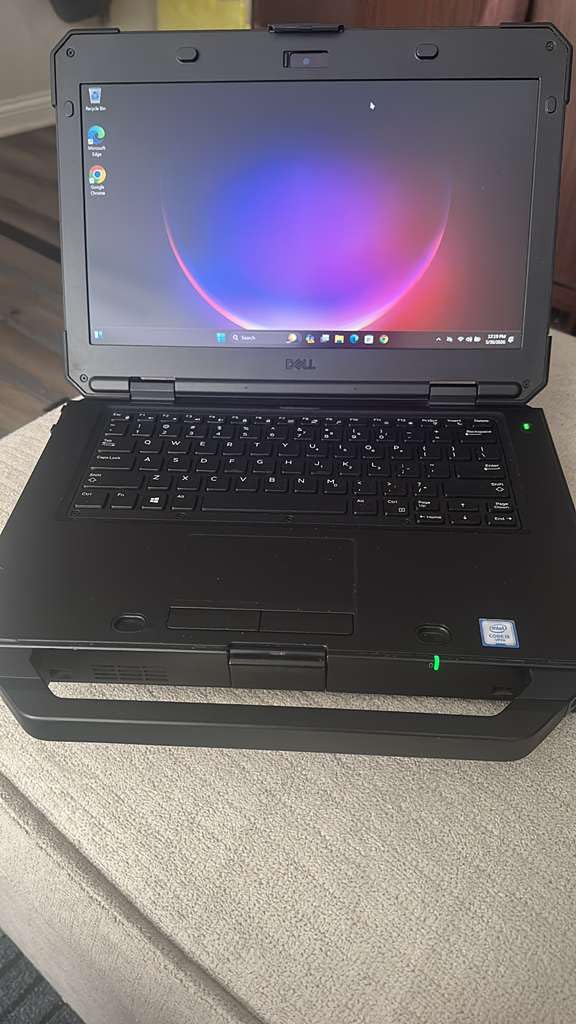
The Latitude Rugged 5424 sits in the middle of the Dell Rugged range and, for a driver, that middle position is the useful one. It has the 14 inch FHD 1920×1080 non-touch panel, which is a real step up from the 1366×768 screen on the lower model, and it keeps the protected chassis.
The 8th generation Core i5-8350U is a quad core that boosts to 3.6 GHz, and with 16GB of DDR4 at 3200 MHz and a 512GB SSD it is serviceable for office and dispatch software. Reviewers report upgrading the RAM to 64GB and swapping in larger NVMe drives without difficulty, and renewed Latitude Rugged units hold value well.
Windows 11 Pro is preinstalled, with Wi-Fi, Bluetooth, HDMI, Ethernet, and USB. That combination is what most owner-operators running their own business actually need, and there is no emulated platform to worry about.
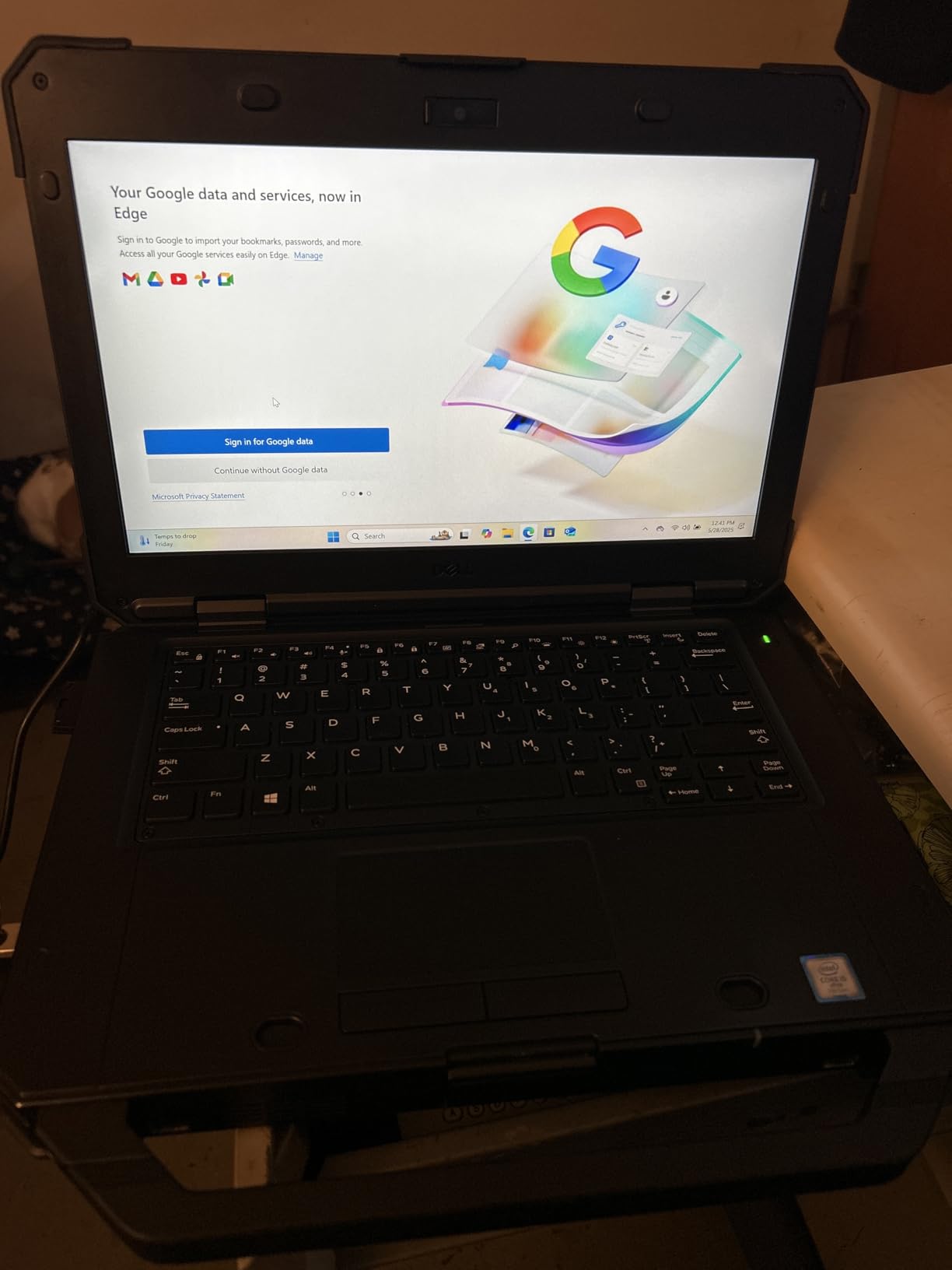
Where the renewed market bites is condition variability. Multiple owners report batteries that will not hold a charge and cosmetic damage on arrival, and the 90-day limited warranty leaves little recourse. The listing also shows only 2 USB ports, which is thin for a machine at this level.
Build quality is the consistent positive. With 18 reviews sentiment is strongly positive on construction, and owners describe it as well built and genuinely suited to harsh environments, with several successfully upgrading RAM to 64GB.
Why upgradability matters more than the spec sheet
A laptop you can expand is a laptop that lasts. Being able to move to 32GB or 64GB in a few years, and add storage without replacing the machine, is the single most practical way to extend the working life of a business device.
The Rugged chassis is a genuine benefit in a truck, and the FHD panel is sharp enough for a dash-mounted dispatch screen. Compared with the renewed Dell 5414 below, this is the same durability class with a noticeably better display and a faster processor.
When the renewed risk is too high
Battery health on a renewed unit is the one thing you cannot inspect before delivery, and a failed pack means a replacement you did not plan for. Owners also report occasional seller non-response when problems arise under a 90-day warranty.
If this machine is going into a truck as your primary ELD machine rather than a backup, budget for a new battery. If you need full-time connectivity in dead zones, this one has Wi-Fi and Bluetooth only, and the CF-53 or CF-33 with 4G LTE is the better tool.
12. Dell Latitude Rugged 5414 – Budget Pick
Dell Latitude Rugged 5414 Laptop | 14″ 1366×768 HD | Core i5-6300U – 512GB SSD Hard Drive – 16GB RAM | 2 cores @ 3 GHz Win 11 Pro Black (Renewed)
Protective coated rugged chassis
14 inch 1366x768 display
Core i5-6300U dual core, 16GB DDR4, 512GB SSD
Serial port and SD slot
Pros
- Lowest cost rugged machine in this roundup
- Protective coated chassis survives real drops
- Working serial port plus SD and HDMI
- 16GB RAM and 512GB SSD make the old chip usable
- Battery often arrives at 80 to 90 percent capacity
Cons
- 1366x768 panel is low resolution
- Dual core 6th gen CPU is the slowest here
- Bulky and heavy for a 14 inch laptop
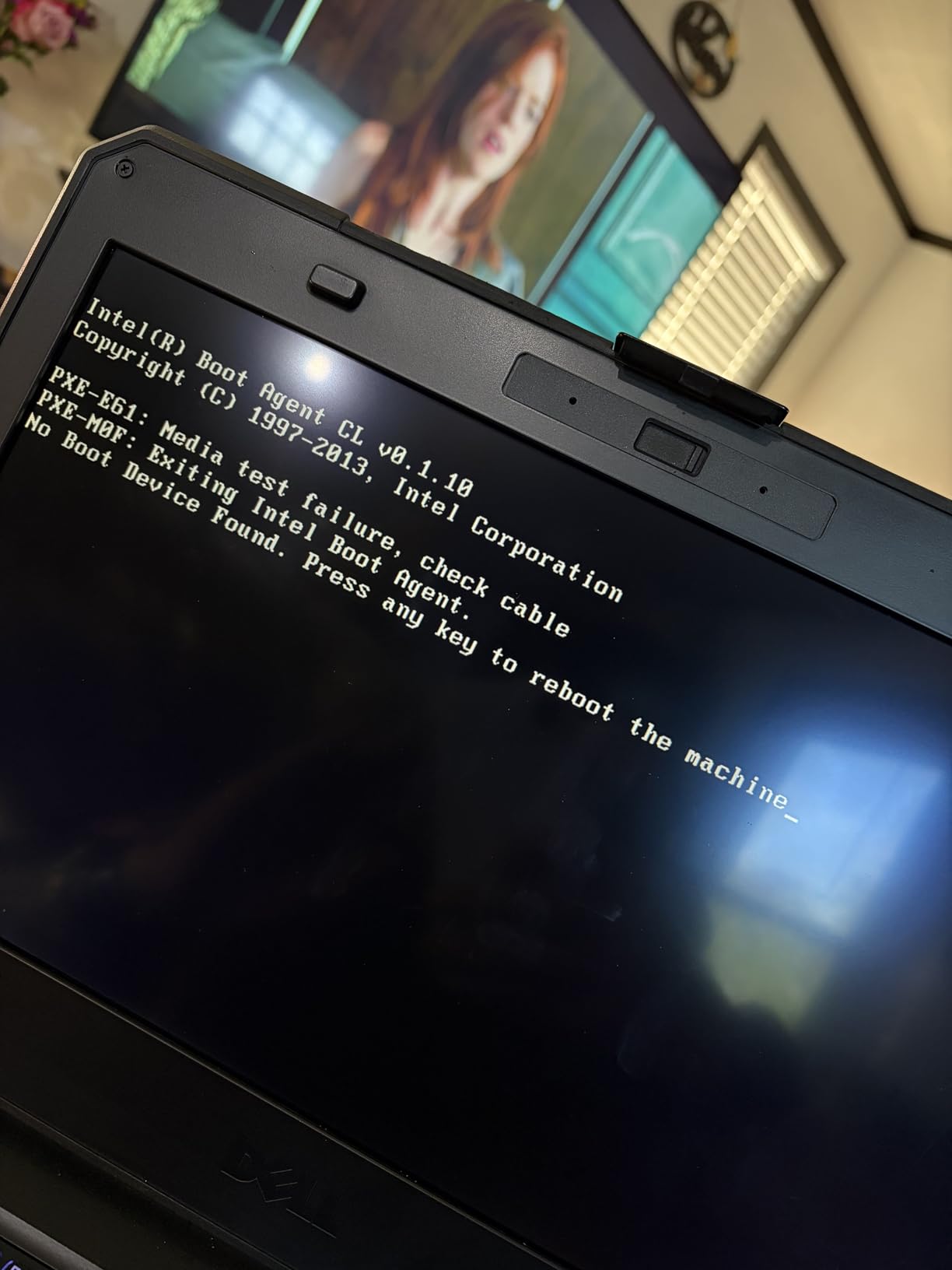
The 5414 is the cheapest way to get a genuinely protected chassis into a truck, and owners confirm it delivers on that single promise. The protective coating, sealed construction, and bulk are exactly what a service-bay or yard machine needs, and reviews describe the chassis shrugging off real drops without damage.
Connectivity is better than the price suggests: USB, SD, HDMI, and a working serial port for diagnostics equipment, all confirmed working by owners. The 16GB of DDR4 and a 512GB SSD make the old dual-core processor genuinely usable for office tasks, and renewed units frequently arrive with a battery at 80 to 90 percent of new capacity.
Windows 11 is preinstalled with 802.11ac Wi-Fi, and the machine is the most affordable entry into the Latitude Rugged line.
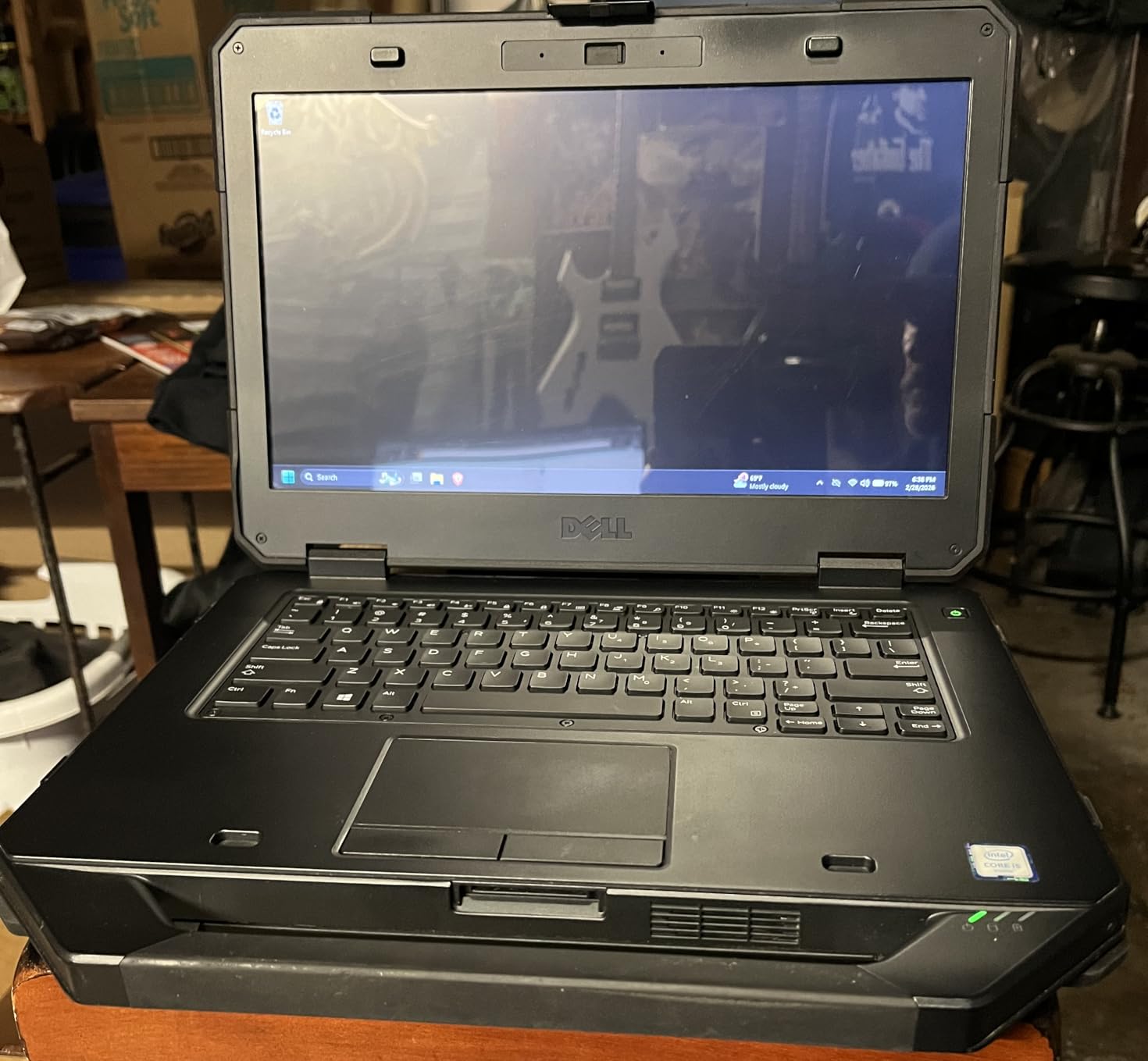
What you give up is screen and speed. The 1366×768 HD panel is low resolution by modern standards, and the 6th generation dual-core i5-6300U is the slowest processor in this roundup, struggling with anything CPU-intensive.
The chassis is also bulky and heavy for a 14 inch laptop, and it does not meet the official Windows 11 hardware requirements even though it runs the OS, which can affect future update support. Renewed cosmetics sometimes fall short of the advertised condition.
When a 2018 era chassis still makes sense
For a driver who needs a durable machine for dispatch and basic office work and who already has a separate mobile device for navigation, it does the job at a fraction of the cost of anything else in the rugged class. The working serial port is a genuine asset for anyone touching older diagnostic hardware.
Reviewers are consistent that the ports all test correctly and the SSD plus 16GB of RAM make the old chip workable. For a fixed in-cab install rather than a portable machine, its bulk stops being a disadvantage entirely.
When to spend more instead
If you read documents, use a dispatch portal with heavy web content, or want the machine to last a full career, the dual-core and the HD panel are the wrong compromises. The 5424 above is the same family with a faster chip and a sharper screen.
Cosmetic condition on renewed units varies, and one buyer reported a defective unit and an unresponsive seller. Buy from a seller with a real return path, and test every port on arrival before you rely on it for compliance logging.
How to Choose a Truck Driver Laptop in 2026
Most buying guides lead with the processor. For in-cab work that is the wrong place to start, because the failure modes that end a laptop’s life in a truck are physical and electrical, not computational. Here is the order we would use.
Screen finish matters more than screen brightness
A matte anti-glare coating beats a higher-nit glossy panel every time in a cab, because what kills readability is the reflection of your own windshield, not the panel’s raw output. Only two machines in this roundup pair a matte or anti-reflective finish with 400 nits or more: the ThinkPad T14 Gen 6 at 400 nits with anti-glare, and the Toughbook CF-33 at 1200 nits with anti-reflective treatment.
The HP ProBook 4 G1a is the value answer, since a matte 300 nit panel still handles daylight better than a glossy one. If your routes are northern or Pacific, treat anti-glare as a requirement rather than a preference.
Decide on ports before you decide on power
A no-drill mount clamps to a rail or a pole and needs no permanent modification to the cab, which matters because drilling into a leased truck is not an option. What matters is whether the machine can feed that mount, and port replication usually needs more than one input.
For in-cab setups, the configuration to look for is at least one USB-C with Power Delivery and DisplayPort, HDMI, and a wired network option. The ProBook 4 G1a and the ThinkPad T14 Gen 6 both drive three external 4K monitors without a dock, which is what makes a multi-window dispatch layout possible. The Lenovo V15 Gen 4 wins on having a real RJ45 Ethernet jack, which is rare at this tier.
If you do your own diagnostics, add a COM serial port to the list. Only the Toughbook CF-53, the CF-33 keyboard base, and the Dell Latitude Rugged 5414 have real serial hardware. A USB serial adapter works until it does not, and it usually fails on the worst possible day.
Plan power for a shift, not for a coffee break
Cab power is the quiet constraint. Options run from a shore-power connection at a truck stop, to a 12-volt inverter feeding a USB charger, to a DC-DC adapter wired to the battery. Whichever you use, the laptop’s watt-hour figure determines how many hours you have between plugs.
Battery capacity in this roundup ranges from 22 Wh on each Toughbook CF-33 pack to 60 Wh in the HP OmniBook 3 14. The Aspire Go 15 at 53 Wh and the Galaxy Book3 Business at 54 Wh are the practical middle ground. Swappable batteries on the Toughbook let you carry a spare, which no fixed-battery machine here can match.
Be skeptical of headline battery claims. The Galaxy Book3 Pro lists 16 hours, and owners report 6 to 11 hours of real use. A manufacturer video playback figure is a laboratory condition, not a day of ELD logging, navigation, and a dispatch portal running hot in a sun-heated cab.
Match memory and storage to what you actually run
16GB of RAM is the practical floor in 2026 for ELD, dispatch, navigation, and a browser session together. Heavy diagnostic software, virtual machines, or multiple dispatch tabs push that to 32GB, and beyond that the ThinkPad T14 Gen 6 at 32GB expandable to 64GB is the only machine here with that kind of headroom.
Expandability matters as much as capacity. The ProBook 4 G1a has two DDR5 SO-DIMM slots and a spare M.2 drive bay. Several of the thinner machines here ship with soldered LPDDR memory and no upgrade path, which means 16GB is what you will have in five years.
On storage, insist on an SSD. A 512GB NVMe drive is the sweet spot for log retention, video from a dashcam, and offline maps. Spinning hard drives are destroyed by the constant shock of road vibration, which is one of the most common reasons drivers end up rebuilding a machine mid-trip.
Check ELD, diagnostics, and carrier management compatibility
ELD platforms and truck diagnostic software are Windows-only, which is why every machine in this roundup runs Windows rather than a tablet operating system. Confirm that your provider’s application is available for the architecture of the machine.
That warning applies specifically to the HP OmniBook 3 14, which uses a Snapdragon Arm processor. Its 30-hour battery is unmatched, but older x86 applications and drivers may need emulation or will not install, so verify your specific tools before committing.
For carrier-managed fleets, Windows 11 Pro is often a requirement rather than a preference, because domain join and BitLocker management are fleet administration features. Several machines here ship with Windows 11 Home. The Aspire Go 15, the Aspire 14 AI, the Galaxy Book3 Pro, and the OmniBook 3 14 are all Home configurations.
What to avoid in a truck laptop
Three categories consistently cause problems. First, gaming laptops: a driver on Reddit reported an ASUS ROG Strix losing its GPU after liquid metal thermal compound leaked under months of road vibration, a failure mode that no warranty treats as accidental damage. Second, glossy displays on machines used primarily in daylight. Third, renewed units bought without a return path, which is how drivers end up with a dead panel and a 90-day warranty.
A fourth category is thinner-than-3-pound ultraportables used as the primary in-cab machine. They are excellent for a bunk and poor for a mount, and the absence of a numeric keypad makes log entry slower than it needs to be. Comfort matters as much as hardware on long hauls, and our picks for truck seat covers cover the other half of staying comfortable between stops.
Frequently Asked Questions
What is the best laptop for a trucking business?
The Lenovo V15 Gen 4 is the best all-round choice for a trucking business because it combines a Core i5-13420H, 16GB of RAM, a 512GB NVMe drive, a numeric keypad for log entry, and the most complete port selection here including RJ45 Ethernet, all under Windows 11 Pro. Drivers who need real ruggedness for diagnostics should consider a Toughbook instead.
Do truck drivers need a rugged laptop?
Only if you work in harsh conditions. For straight out-of-the-cab ELD, dispatch, and navigation, a business laptop with an anti-glare display and a solid battery is more comfortable and far lighter. If you do your own diagnostics, work outdoors in winter, or handle the machine roughly, a fully rugged model with IP65 sealing, glove touch, and legacy ports is worth the extra weight.
How many nits do I need for a truck cab?
At least 400 nits, and more if you run long routes in open country. Screen finish matters as much as the number, since a matte anti-glare coating at 300 nits stays readable where a glossy panel at similar brightness does not. For genuinely harsh conditions, the Toughbook CF-33 runs at 1200 nits with anti-reflective treatment.
What laptop should I stay away from in a truck?
Avoid gaming laptops, glossy-screen machines used mainly in daylight, and refurbished units without a real return path. Gaming laptops fail early from vibration and thermal compound leaks, glossy panels are unreadable in afternoon sun, and renewed devices with 90-day warranties can arrive with dead batteries or screens. Stick to Windows machines with SSD storage and a matte display.
What is the best laptop for truck diagnostics?
The Toughbook CF-53 MK4 is built for it, because it carries a COM serial port, VGA, Ethernet, and 4G LTE alongside a reinforced chassis. The Toughbook CF-33 MK1 adds an IP65 seal, a 1200 nit glove-touch display, and dedicated GPS. Both run Windows 11 Pro, which the diesel diagnostic suites require.
Is a semi-rugged laptop worth it for over-the-road work?
It depends on your route. On regional runs where you return home nightly and charge in the truck, a business laptop with a 53 Wh or larger battery and an anti-glare screen is the more comfortable choice. On long-haul routes through winter and remote areas, the IP65 sealing, swappable batteries, glove touch, and 4G LTE of a fully rugged machine justify the extra weight.
The Verdict for Truck Drivers in 2026
For most drivers running ELD, dispatch, and navigation from a fixed in-cab mount, the best laptops for truck drivers pick in this roundup is the Lenovo V15 Gen 4. It has the ports, the keypad, and the Pro license, and the display weakness is manageable with a visor.
Spend up for the ThinkPad T14 Gen 6 if glare is destroying your day and you want a matte 400 nit panel plus MIL-STD-810H testing. Spend sideways for the Toughbook CF-33 if you work in winter conditions, need glove touch and 1200 nits, or carry a serial port. The Aspire Go 15 covers the same ground as the Lenovo for less if battery endurance matters more than Ethernet.
Whichever one you choose, buy the mount and the charger the same week. A secured machine and a reliable power path do more for the life of a laptop in a truck than any processor on this list.
Before you commit, it is worth checking the rest of our in-cab essentials. Our road-tested picks for truck drivers cover the gear that gets used every mile, and our guide to highway truck tires is worth a look if your next trip involves long highway runs. For drivers who split time between a rig and a smaller vehicle, our dash cam picks apply just as well to a cab-mounted camera setup.