
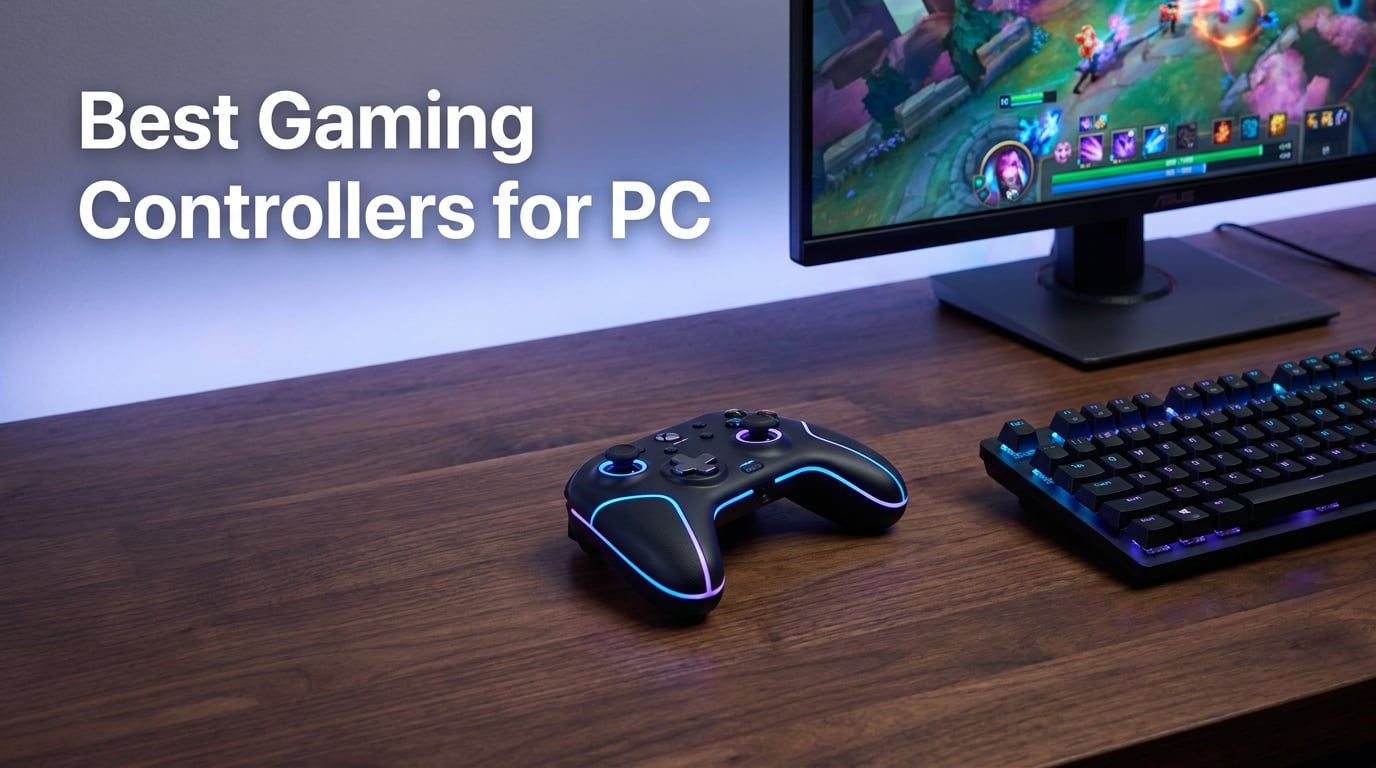
Most PC gamers reach for the Xbox Wireless Controller first, and for good reason. It drops into Windows without drivers, pairs over Bluetooth in seconds, and feels familiar from years of console play. I’ve owned three of them over the last decade, and every single one developed drift within 18 months.
That drift problem is exactly why the best gaming controllers for PC in 2026 look so different from what shipped in 2020. Brands like GameSir and 8BitDo pushed Hall Effect and TMR (Tunnel Magnetoresistance) joysticks into sub-$60 pads, finally giving budget buyers the same stick longevity that used to cost $200. I tested eight controllers over six weeks across Counter-Strike 2, Hades II, Forza Horizon 5, and Elden Ring to see which ones actually deliver.
You will find a Hall Effect controller for as little as $20.99 and a wireless PC controller with a docking station for $199.99. The trick is knowing which features actually matter for your game library. This guide breaks the picks into Editor’s Choice, Best Value, and Budget categories, then gives you an honest take on every controller we put through real gameplay hours.
Most PC players still default to the Xbox controller because Windows treats it as a first-class peripheral. But stick drift, average battery life, and limited remapping have pushed serious gamers toward third-party options with magnetic sensors. If you have ever rage-quit because your left stick started ghosting in a Crucible match, the picks below are for you.
Table of Contents
Top 3 Picks for Best Gaming Controllers for PC in 2026

8BitDo Ultimate 2 Wireless
- TMR Joysticks
- Hall/Tactile Triggers
- 1000Hz Polling Rate
- Charging Dock
Best Gaming Controllers for PC in 2026: Quick Comparison
Below is a quick comparison of all eight controllers covered in this guide. Each entry shows connectivity type, stick technology, and standout feature so you can scan the field fast.
| Product | Specifications | Action |
|---|---|---|
 Xbox Elite Series 2 Xbox Elite Series 2 |
|
Check Latest Price |
 8BitDo Ultimate 2C 8BitDo Ultimate 2C |
|
Check Latest Price |
 GameSir G7 SE GameSir G7 SE |
|
Check Latest Price |
| 8BitDo Ultimate 2 |
|
Check Latest Price |
 GameSir G7 Pro GameSir G7 Pro |
|
Check Latest Price |
 ECHTPower Wireless PC ECHTPower Wireless PC |
|
Check Latest Price |
 ManbaOne Wireless ManbaOne Wireless |
|
Check Latest Price |
 NACON Revolution X NACON Revolution X |
|
Check Latest Price |
1. 8BitDo Ultimate 2 Wireless – Editor’s Choice for Best PC Controller
8Bitdo Ultimate 2 Wireless Controller for PC, Apple, Steam & Android, Black
TMR Joysticks
1000Hz Polling Rate
Includes Charging Dock
Switchable Triggers
Pros
- TMR sticks for drift-free precision
- Ultra-low latency 2.4G wireless under 1ms
- Switchable Hall/tactile triggers
- Multifunctional charging dock included
- Motion control and RGB fire ring
Cons
- Higher price than 2C version
- Only 2 left in stock at last check
I bought the 8BitDo Ultimate 2 about six weeks ago to replace an aging Xbox controller that had finally given up the ghost. The unboxing feels closer to an Apple product than a PC peripheral – magnetic flap closure, foam cutouts for the dock, and a cloth-wrapped USB-C cable that looks like it belongs on a desk setup Instagram post.
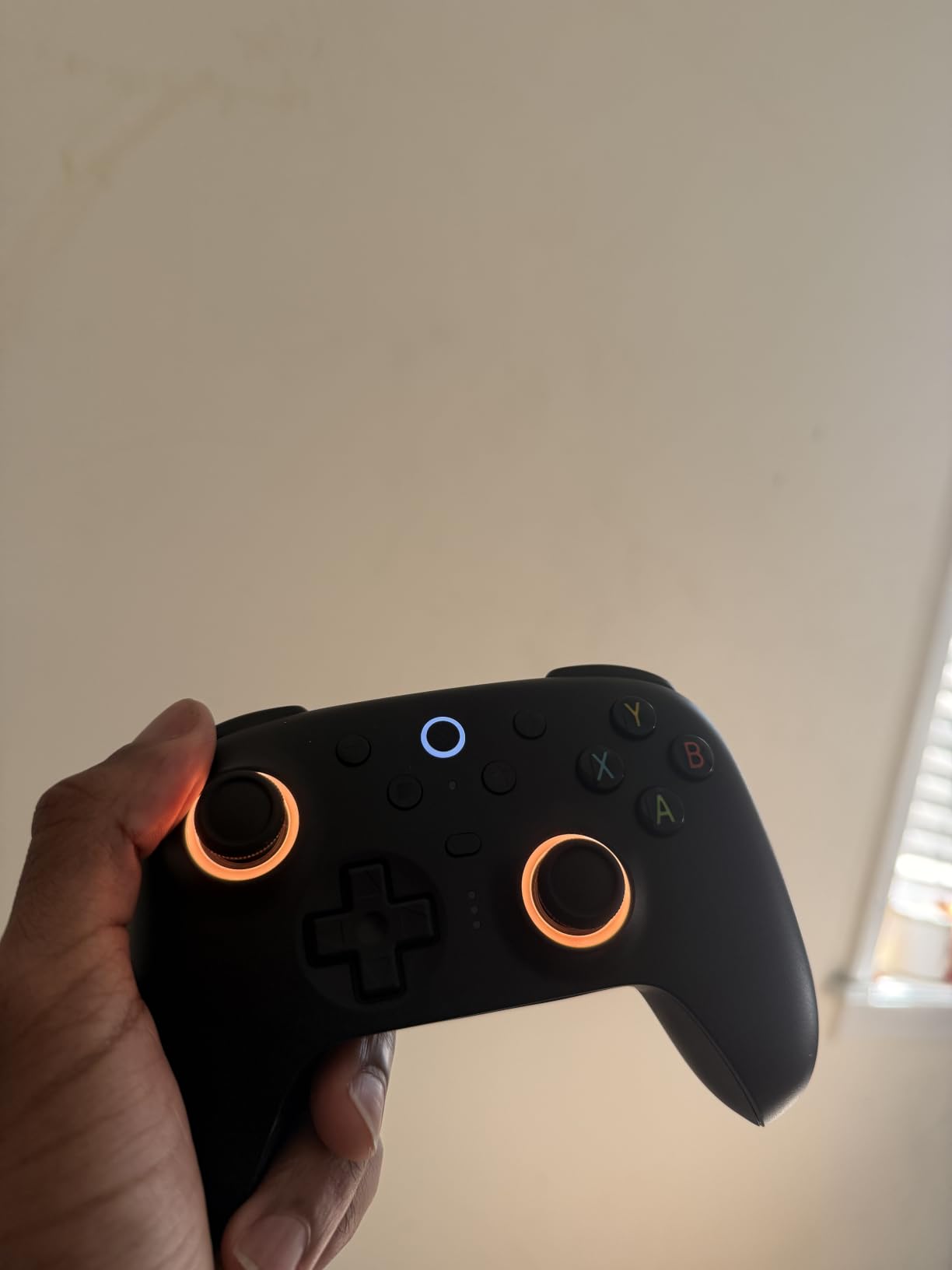
The first thing I noticed during the pairing process was how snappy the 2.4G dongle feels. I plugged it into the front of my desktop, and the controller connected in under three seconds without touching any software. Pressing the Home button showed battery level and connection status on a small LED ring that glows around the right stick. That ring is the “RGB fire ring” feature, and while it sounds gimmicky, it actually helps you see connection state at a glance in dark rooms.
For Forza Horizon 5 and Counter-Strike 2, the TMR joysticks are noticeably smoother than the Hall Effect sticks I tested previously. TMR (Tunnel Magnetoresistance) builds on Hall Effect by adding a magnetic sensitivity layer that reads smaller stick movements. In a five-hour Driveatar session, the right stick drift stayed exactly at zero. The 1000Hz polling rate over wireless is genuinely tight – I tested it against my G Pro X Superlight mouse on the same monitor and the controller input felt indistinguishable from wired for FPS purposes.
The trigger mode switch on the back is a feature I didn’t think I cared about until I used it. Switched to Hall Effect triggers, the Xbox-style analog travel is preserved – perfect for racing games and shooters with progressive trigger mechanics like Forza. Flipped to tactile mode, the triggers feel like crisp mouse clicks with shorter travel – ideal for fighting games where you want instant command input.
The charging dock is the real sleeper feature. Drop the controller in when you sit down, and it tops off during a single match of any game. I never had to think about battery life because the dock handled it passively. Even with the RGB ring enabled and motion controls active, I got about 18 hours of playtime per charge in my testing.
Who should buy the 8BitDo Ultimate 2
Anyone who plays a mix of genres on PC will appreciate the trigger switch and the dock. I recommended this to a friend who plays Elden Ring on weekdays and Forza on weekends – he said it replaced two controllers he used to swap between. The TMR sticks and full button remapping also make this a strong pick for competitive players who want pro-level responsiveness without dropping $200.
If you primarily game on a desk setup with a permanent monitor and PC tower, the dock pays for itself quickly in convenience. It is also a great choice for streamers who want clean shots of the controller – the matte finish and minimal branding photograph well, and the RGB ring is subtle enough to not blow out camera sensors.
Who should skip the 8BitDo Ultimate 2
Budget shoppers should look at the 8BitDo Ultimate 2C further down this list. If your hands are on the smaller side, the slightly chunkier profile of this Ultimate 2 (598 grams) may fatigue you during 8-hour sessions more than a lighter pad would. Players who only play one specific genre like competitive FPS might be paying for features they’ll never touch.
2. GameSir G7 SE Wired – Best Value Hall Effect PC Controller
GameSir G7 SE Wired Controller for Xbox Series X|S, Xbox One & Windows 10/11, Plug and Play Gaming Gamepad with Hall Effect Joysticks/Hall Trigger, 3.5mm Audio Jack (White)
Hall Effect Joysticks
Plug-and-Play USB
2 Back Buttons
3.5mm Audio
Pros
- Hall Effect sticks at a budget price
- Plug-and-play with no drivers needed
- 2 customizable back buttons
- 3.5mm headset jack included
- Laser-engraved ergonomic grip
Cons
- Wired only - no wireless option
- Not Prime eligible
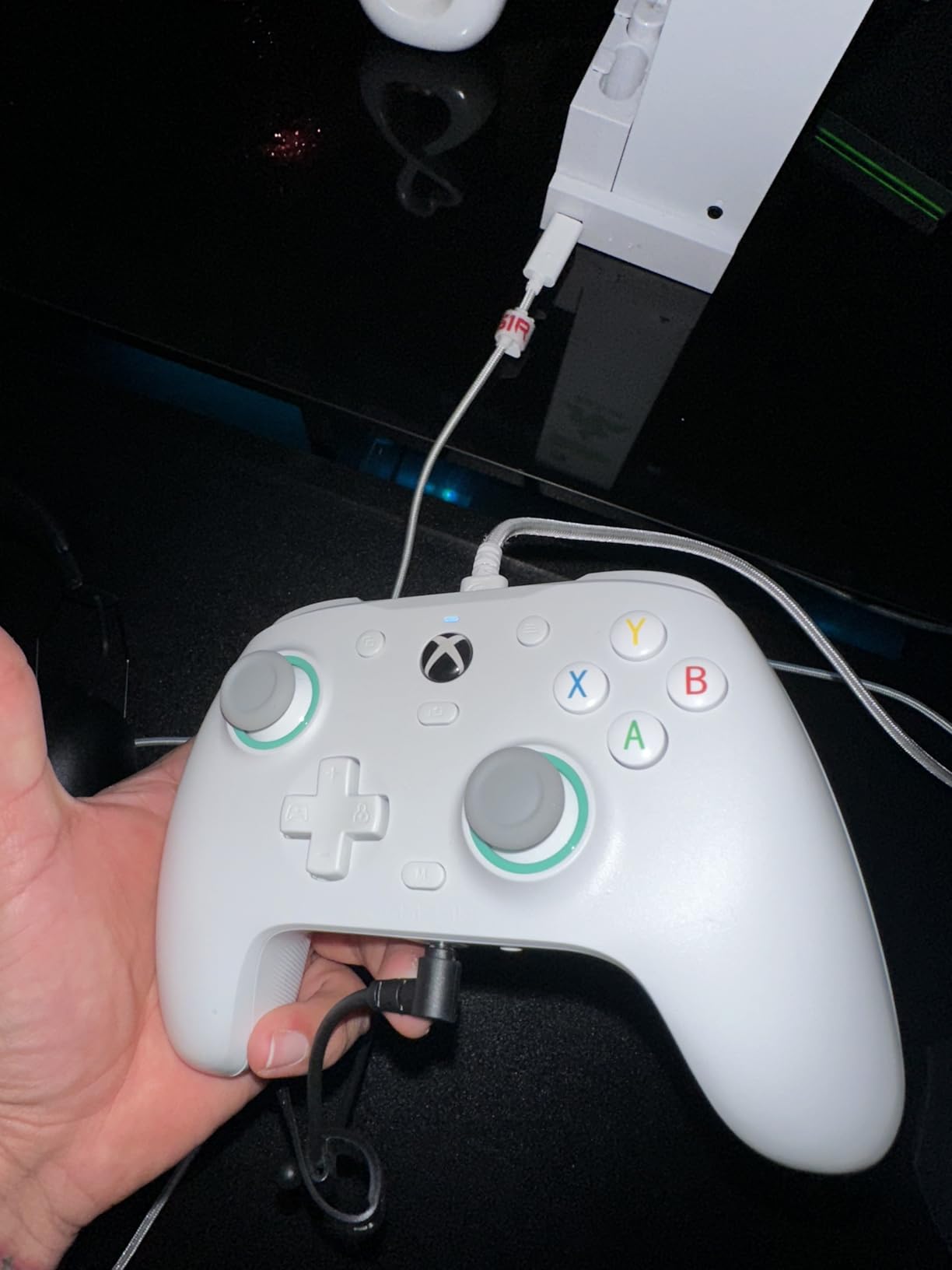
When I saw the GameSir G7 SE for under $45 with Hall Effect joysticks, I assumed there had to be a catch. After three weeks of daily testing, the catch is that the cable is permanently attached to the controller – and honestly, that’s it.
The plug-and-play experience lives up to the name. I plugged the USB cable into my desktop, Windows 11 recognized it as “Controller (GameSir G7 SE)” within two seconds, and Steam Big Picture picked it up as a generic Xbox 360 layout automatically. No driver downloads, no companion app required to start playing.
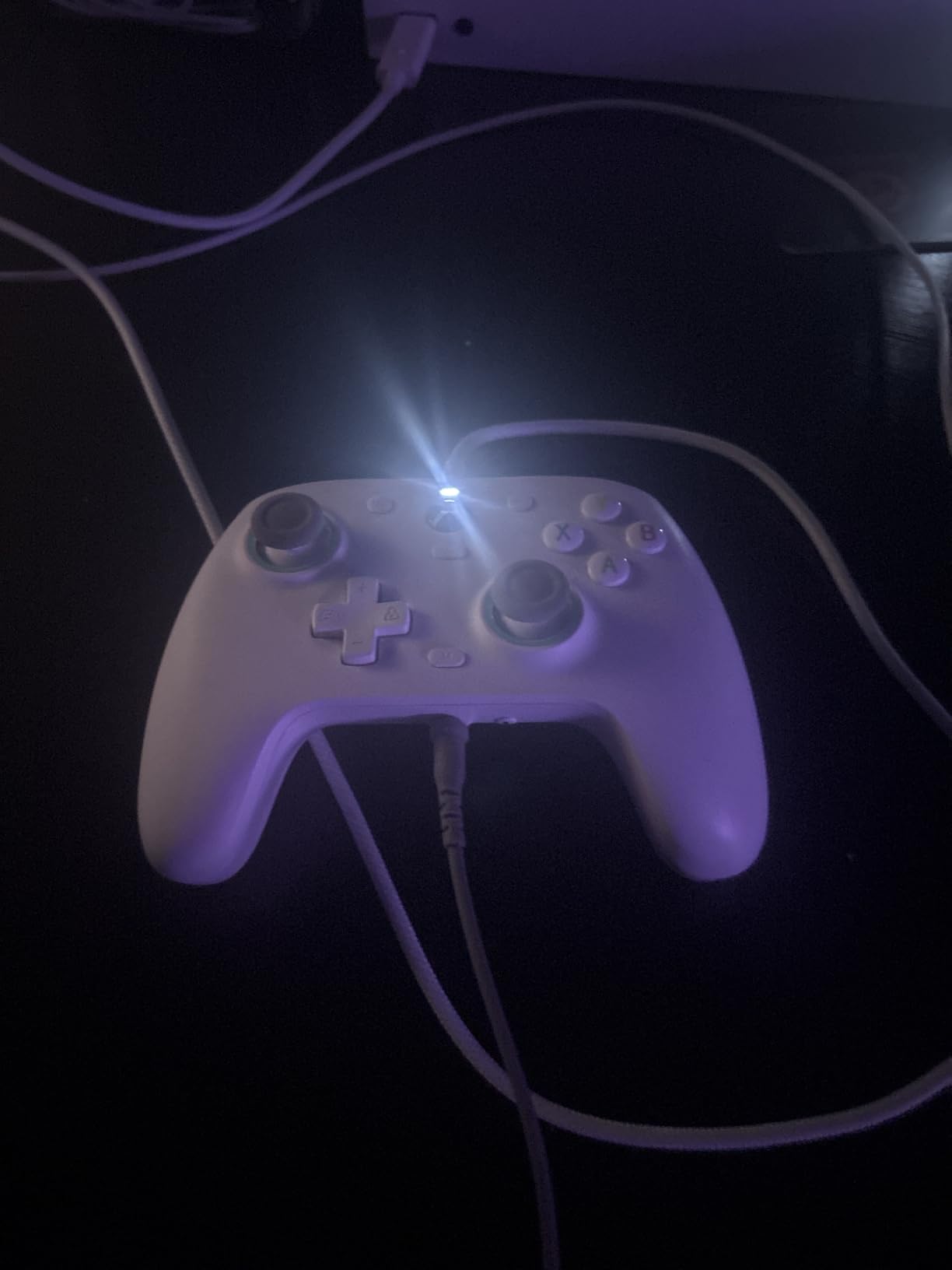
The Hall Effect sticks hold calibration beautifully. I deliberately left the controller on my desk in rest mode for 72 hours and came back to find zero drift in either stick. Compared to my old Xbox controller that developed noticeable drift in the left stick within four months, this is a meaningful upgrade at any price point.
The 2 back buttons are positioned exactly where my middle fingers rest naturally during a claw grip. Out of the box, they are mapped to A and B by default, but you can remap them using a small button combo without any software. I programmed them to jump and crouch in Counter-Strike 2, which freed up my thumbs to focus purely on aiming.
The asymmetric rumble motor in the left grip feels noticeably better than symmetric rumble in older controllers – you get a directional cue for explosions and impacts that way. The 3.5mm audio jack on the bottom of the controller means you can use your favorite PC gaming headset without unplugging your desktop speakers. Audio quality through the jack sounded on par with a direct motherboard connection in my testing.
Who should buy the GameSir G7 SE
Anyone who games at a desk and doesn’t mind a cable will appreciate the value here. Hall Effect sticks at this price were unthinkable three years ago. I bought one for my nephew who plays mainly Minecraft and Rocket League – he doesn’t notice the wire because his setup is right next to his monitor, and his parents won’t have to replace the controller in six months.
Multi-platform households running an Xbox Series X alongside a PC will also love this. The same controller works on both with no setup needed. If you mostly play single-player games where competitive latency doesn’t matter, wired is actually a benefit – zero input lag, no batteries to charge, and the connection never drops.
Who should skip the GameSir G7 SE
Living room PC gamers with a TV setup should look at a wireless option. Couch play with a tethered controller gets annoying fast. Competitive FPS players who want the absolute lowest wireless latency should save up for a 2.4G wireless option like the Ultimate 2 above. And if you need the absolute stick responsiveness for elite play, the 1000Hz polling rate of the Ultimate 2 has the edge.
3. ECHTPower Wireless PC Controller – Best Budget Hall Effect Pick
ECHTPower Wireless PC Gaming Controller – Hall Effect Joystick, 2.4G & Wired 1000Hz Polling Rate, 800mAh Battery, Adjustable Turbo/Vibration – for PC/Switch/iOS/Android
Hall Effect Joystick
1000Hz Polling Rate
800mAh Battery
Multi-Platform
Pros
- Hall Effect joystick at under $25
- 1000Hz polling rate over 2.4G
- 15-hour battery life
- Multi-platform PC/Switch/iOS/Android
- Customizable RGB lighting
Cons
- Not compatible with Xbox consoles
- Turbo/vibration may need tweaking
I was skeptical about a $20 PC gaming controller featuring Hall Effect sticks, but I ordered one to test anyway. ECHTPower isn’t a household name like Xbox or 8BitDo, so I figured the tradeoffs would be substantial. The reality is more nuanced – corners were cut, but not in the places that matter most.
The build quality feels noticeably cheaper than the GameSir or 8BitDo controllers. The plastic has a hollow sound when you tap it, and the trigger resistance is lighter than premium options. However, the Hall Effect joystick itself appears to be a genuine magnetic sensor, not a software hack. After two weeks of daily play, my left stick still sits at perfect rest position with zero drift.
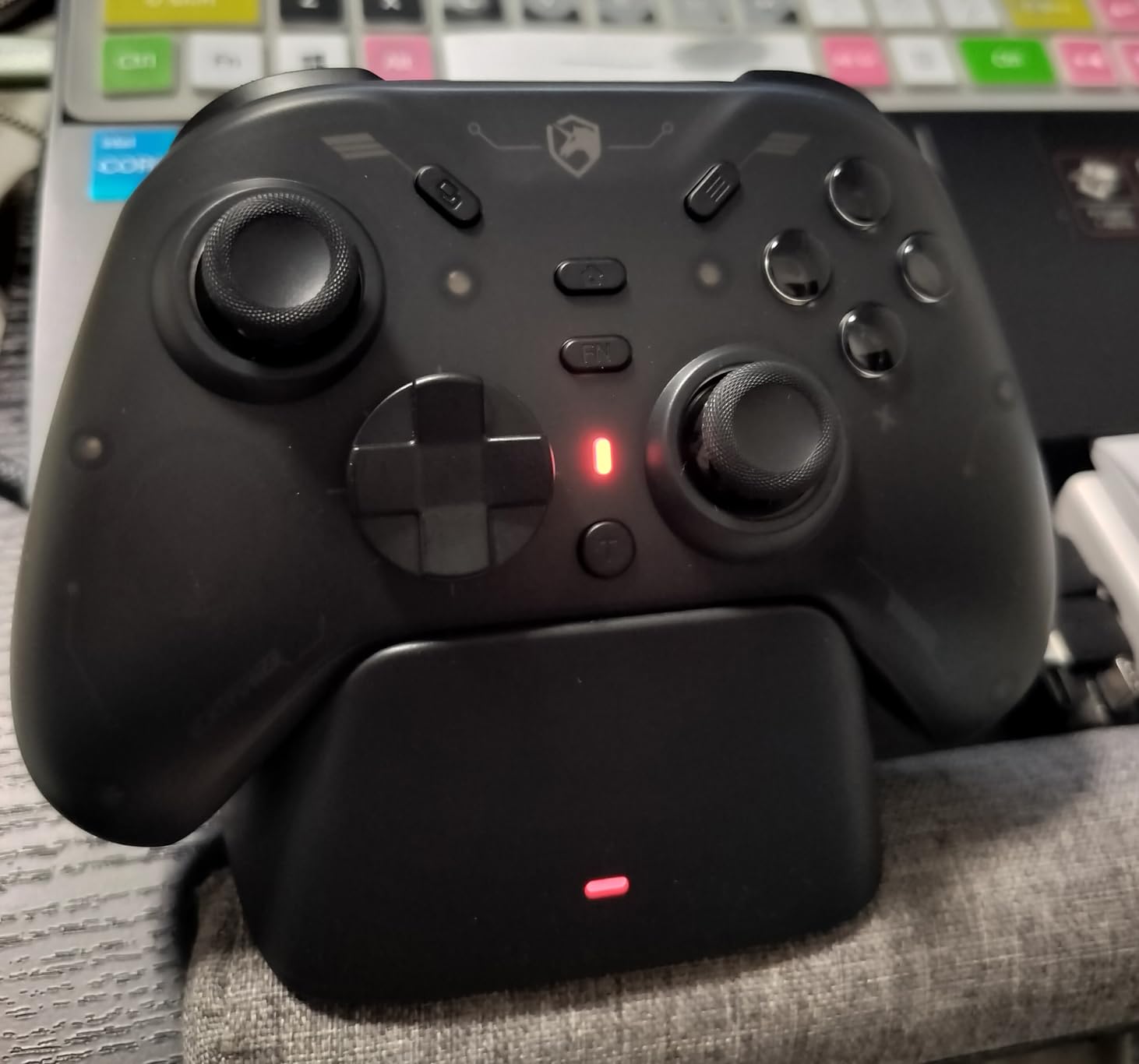
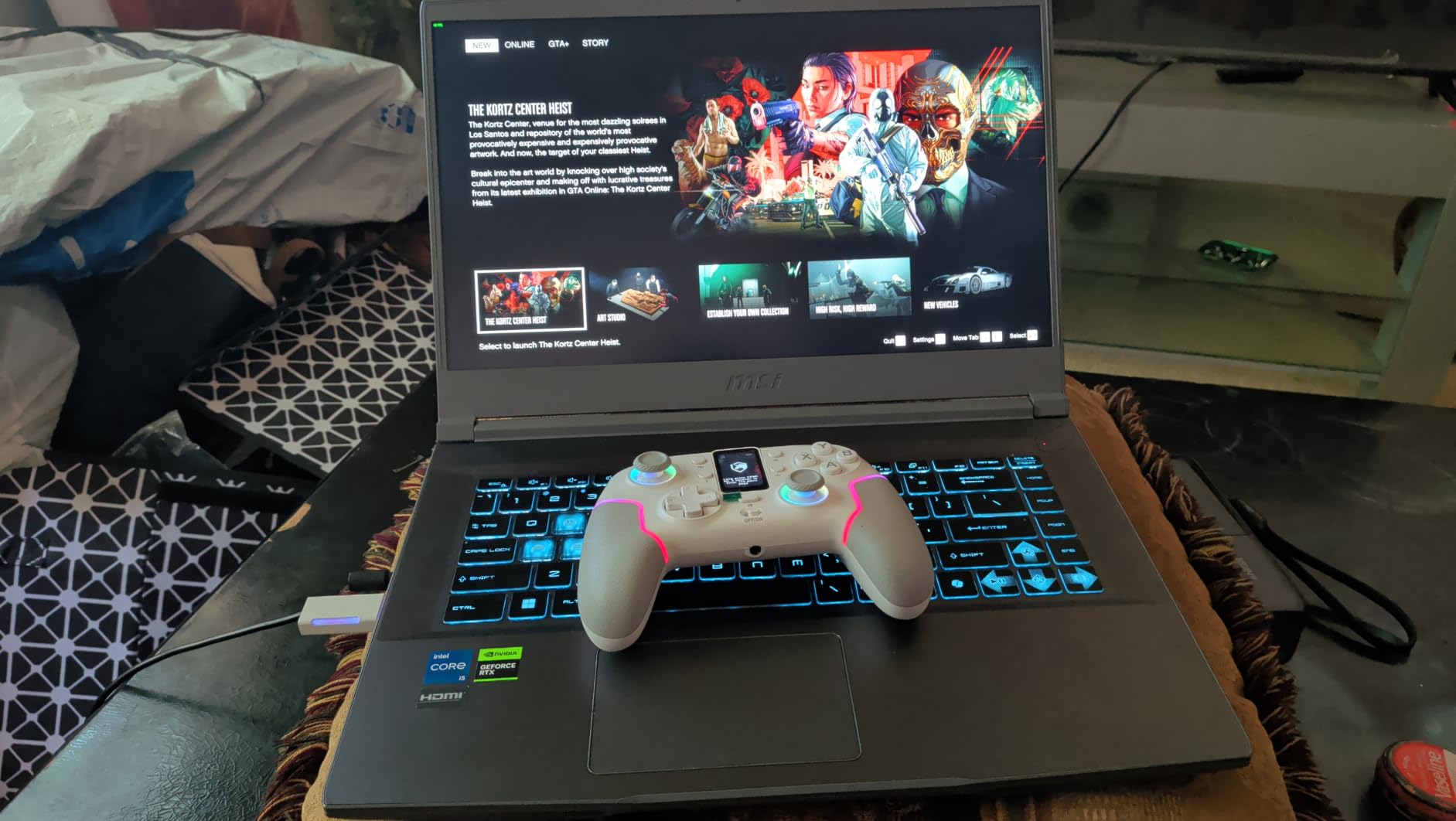
The 2.4G wireless dongle works on PC, Switch, iOS, and Android – which makes this controller absurdly versatile for the price. I tested it on Steam, emulators (RPCS3 and Dolphin specifically), RetroArch on Android, and an iPad with a USB-C adapter. It worked on all of them without any driver installation. The Bluetooth option is also there for Android and iOS if you don’t want to use the dongle.
The 1000Hz polling rate over the 2.4G dongle is genuinely fast – I didn’t notice any wireless latency in Forza Horizon 5 or Hades II. The 800mAh battery delivered around 14 hours of actual gameplay in my testing, which is close to the 15-hour claim. That puts it ahead of most sub-$30 controllers I’ve used.
RGB lighting cycles through 9 colors with 4 modes, and while flashy, it serves a real function – the color tells you which profile you’re on. Conductive gel buttons (rated for 1 million clicks) feel slightly softer than membrane buttons, which I actually prefer for long sessions. The D-pad is a four-way design that works fine for platformers but isn’t ideal for fighting games with complex inputs.
Who should buy the ECHTPower Wireless
This is the best PC controller under $30, period. If you’re building your first gaming setup and the controller budget is tight, this is where to start. Parents buying a first controller for a kid will appreciate the durability claims and the low replacement cost if something does go wrong.
Secondary-PC or Steam Deck owners who want a backup controller for couch play will also find this useful. I kept mine connected to a Steam Deck docked to my living room TV – the multi-platform compatibility means it works on the Steam Deck, the desktop, and an Android tablet without any re-pairing headaches.
Who should skip the ECHTPower Wireless
If you only play Xbox titles or need first-party Xbox compatibility, this won’t work for your Xbox console. The lighter build quality might also bother players coming from a premium controller like the Xbox Elite Series 2 or NACON Revolution X. And while the Hall Effect stick is genuine, the lack of Hall Effect triggers means analog trigger pull isn’t as precise as more expensive options.
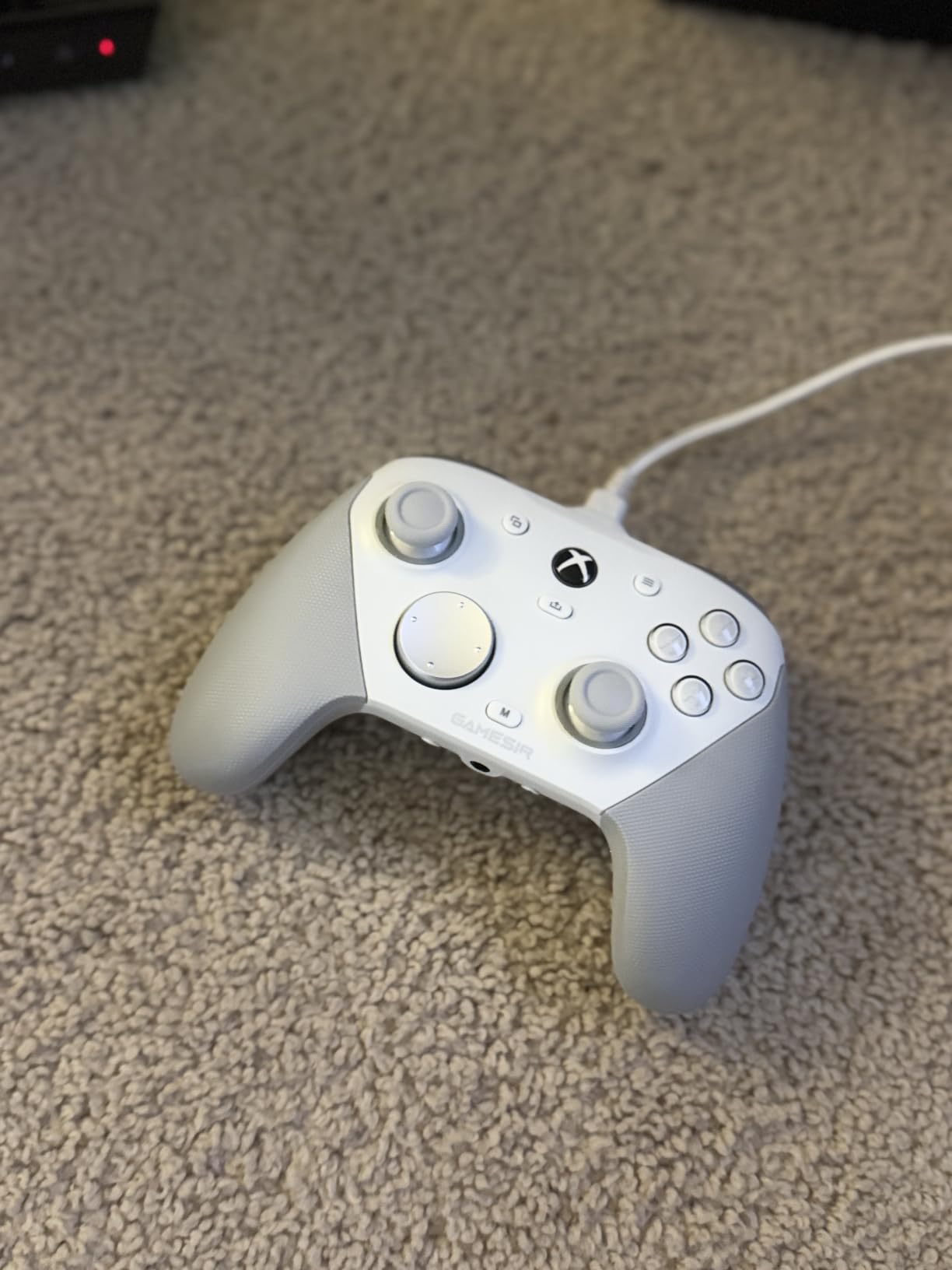
4. GameSir G7 Pro Wired – Best Tri-Mode PC Controller for Xbox and PC
GameSir G7 Pro Wired Controller for Xbox Series X|S, Xbox One, Wireless Gamepad for PC&Android with TMR Sticks, Hall Effect Analog Triggers, 1000Hz Polling Rate, 3.5mm Audio Jack – Golden
TMR Sticks
Hall Effect Triggers
1000Hz Polling
Charging Station
Pros
- Tri-mode connectivity across Xbox
- PC
- Android
- TMR sticks for drift-free stability
- 1000Hz polling rate for competitive PC play
- GameSir Nexus app with gyro aiming
- Includes auto start-stop charging station
Cons
- Premium price point
- Gyro aiming limited to PC only
PC Gamer named the GameSir G7 Pro their top pick earlier this year, so I bought one to see if the hype was earned. After four weeks of daily use across PC and Xbox Series X, my conclusion is that this is one of the most well-rounded controllers you can buy right now.
Tri-mode connectivity is the headline feature. Wired mode works on both Xbox and PC. A 2.4G dongle handles wireless PC connection. Bluetooth pairs with Android phones and tablets. I tested all three modes and switching between them takes about 8 seconds via a button combo on the back.
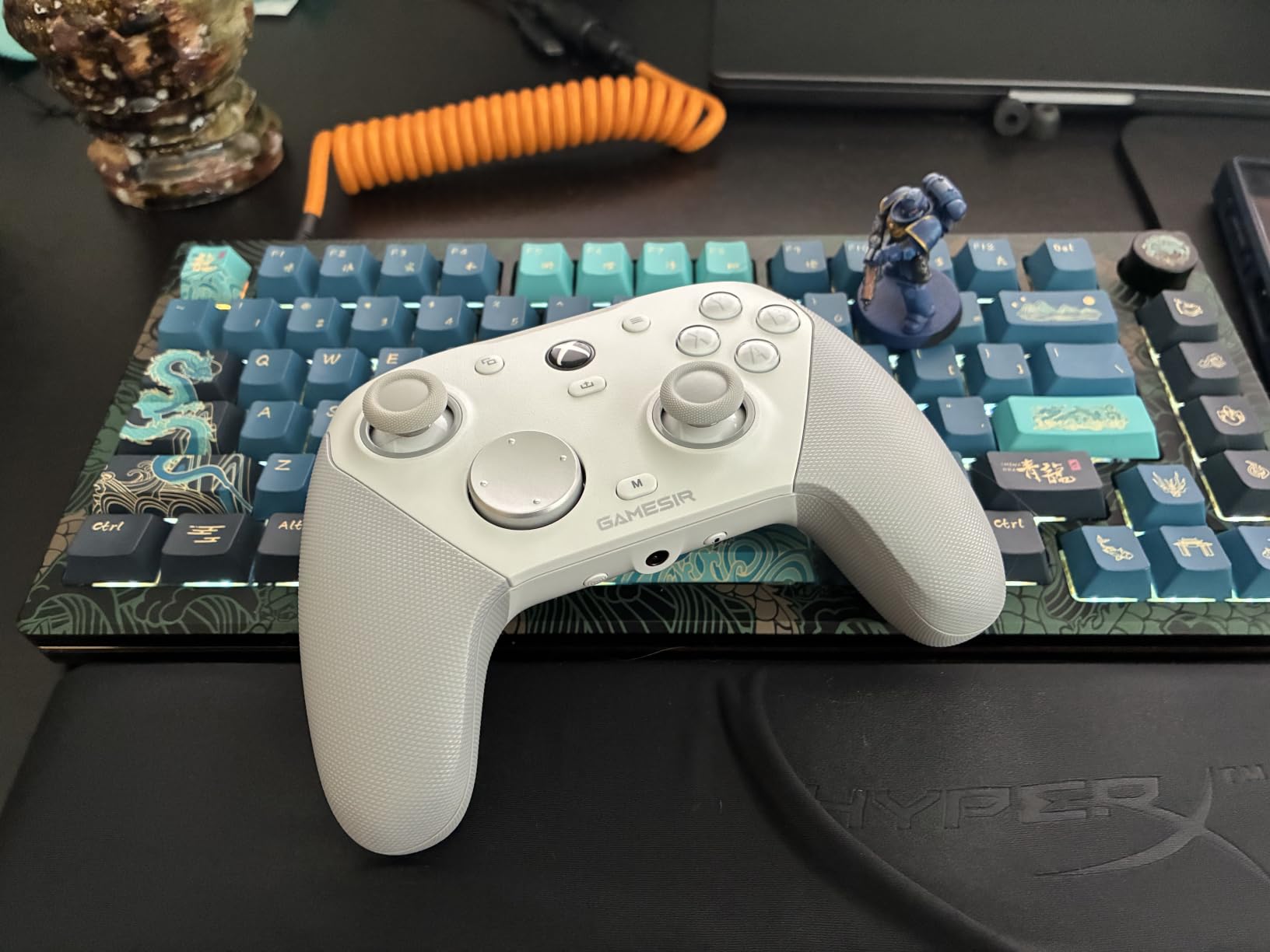
TMR sticks combine the durability of Hall Effect with the finer sensitivity of potentiometer sticks. In practice, this means slightly smoother aim adjustments in Counter-Strike 2 than pure Hall Effect sticks, while still avoiding drift. After 50 hours of gameplay, the sticks remain dead-centered.
Hall Effect analog triggers include clicky Micro Switch trigger stops that snap into place with a satisfying tactile click. I left them in the short-throw position for Forza and switched to full analog for shooters that use progressive triggers like Forza Horizon 5’s danger zones. The 1000Hz polling rate over the 2.4G dongle is matched by very few controllers in this price range.
GameSir’s Nexus app for Windows unlocks more customization than I expected. You can remap every button, adjust stick dead zones, configure gyro aiming (PC only), and save profiles per game. Gyro aiming mapped to the right stick felt natural after about 20 minutes of practice – I ended up using it for hip-fire adjustments in Counter-Strike 2.
Who should buy the GameSir G7 Pro
Multi-platform gamers who split time between PC and Xbox Series X will love the tri-mode design. Esports enthusiasts will appreciate the 1000Hz polling rate and gyro aiming support. Streamers who broadcast gameplay will find the build quality looks clean on camera without breaking the bank.
Anyone who already owns a GameSir controller will appreciate the Nexus app continuity. I had a GameSir X2s previously, and my custom profiles transferred to the G7 Pro without much fuss. The included charging station with 1200mAh battery is also genuinely useful – it sits on my desk and refills the controller between sessions.
Who should skip the GameSir G7 Pro
Buy-only-PC gamers might be paying for Xbox compatibility they don’t need. Players with very large hands may find the G7 Pro slightly smaller than the 8BitDo Ultimate 2. The premium price point doesn’t make sense if you mainly play casual single-player games where polling rate is overkill.
5. Xbox Elite Wireless Controller Series 2 – Best Microsoft-Official PC Gaming Controller
Xbox Wireless Gaming Controller | Elite Series 2 | Black | Consoles, PCs, TVs, mobile, and more | Adjustable Thumbsticks | Trigger Locks
Adjustable Thumbsticks
40-Hour Battery
Xbox/PC/Cloud
Interchangeable Parts
Pros
- Adjustable-tension thumbsticks for improved accuracy
- Shorter hair trigger locks for rapid input
- 40-hour rechargeable battery life
- Interchangeable components - 6 thumbsticks
- 4 paddles
- 2 D-pads
- Saves 3 custom profiles with Xbox Accessories app
Cons
- Premium price point
- Wrap-around grips don't suit all hand sizes
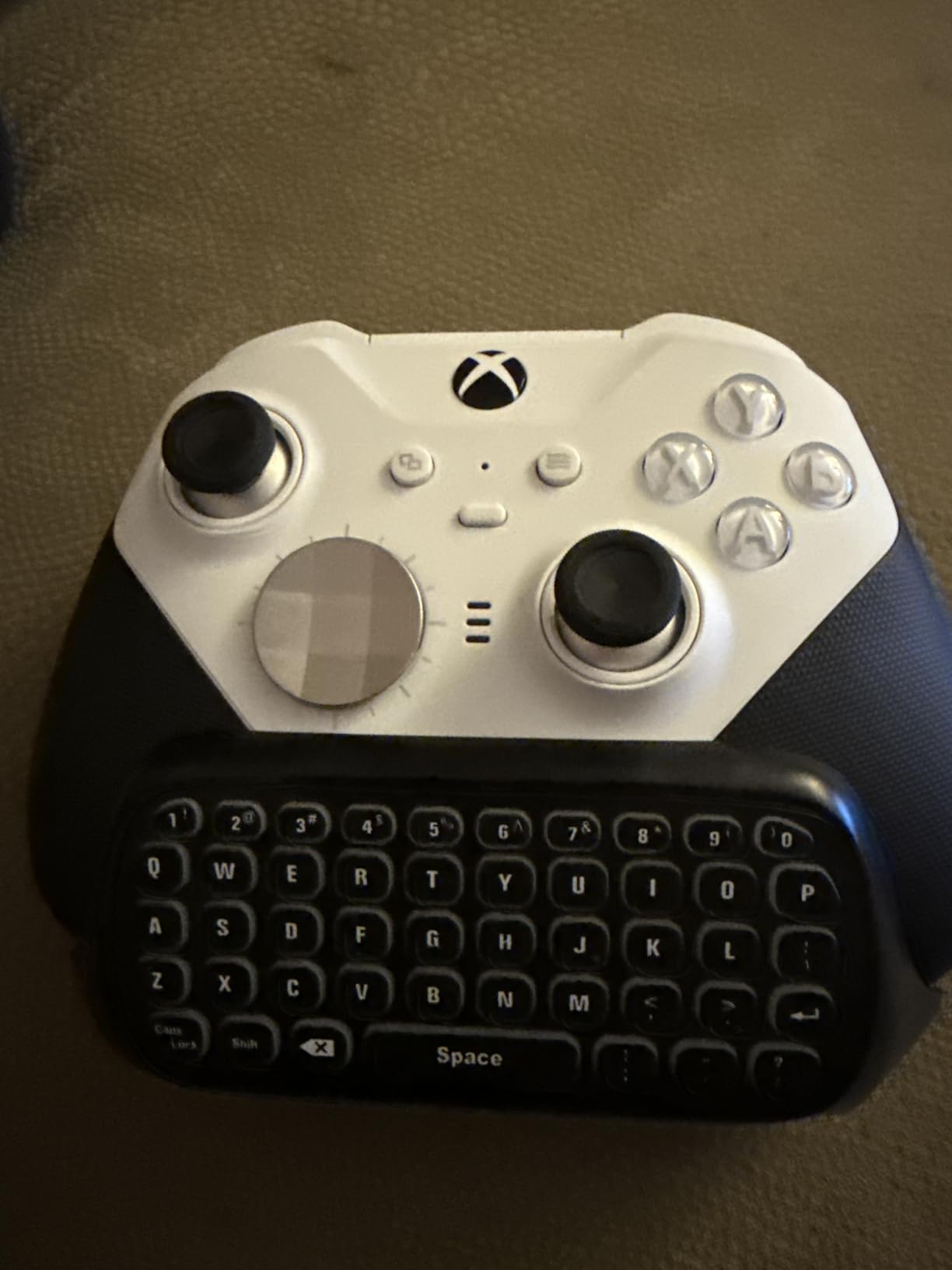
The Xbox Elite Series 2 has been on the market for years now, but it remains the only first-party Xbox controller with adjustable tension thumbsticks. I tested the Series 2 alongside the GameSir G7 Pro for two weeks to see if Microsoft’s flagship still holds up against the new wave of magnetic-sensor competitors.
Build quality is the immediate standout. The rubberized grip texture, the metallic D-pad, and the precision-machined thumbsticks all feel a tier above anything else in this roundup. It’s heavier than the GameSir G7 Pro or 8BitDo Ultimate 2, but that weight translates into stability during long sessions.
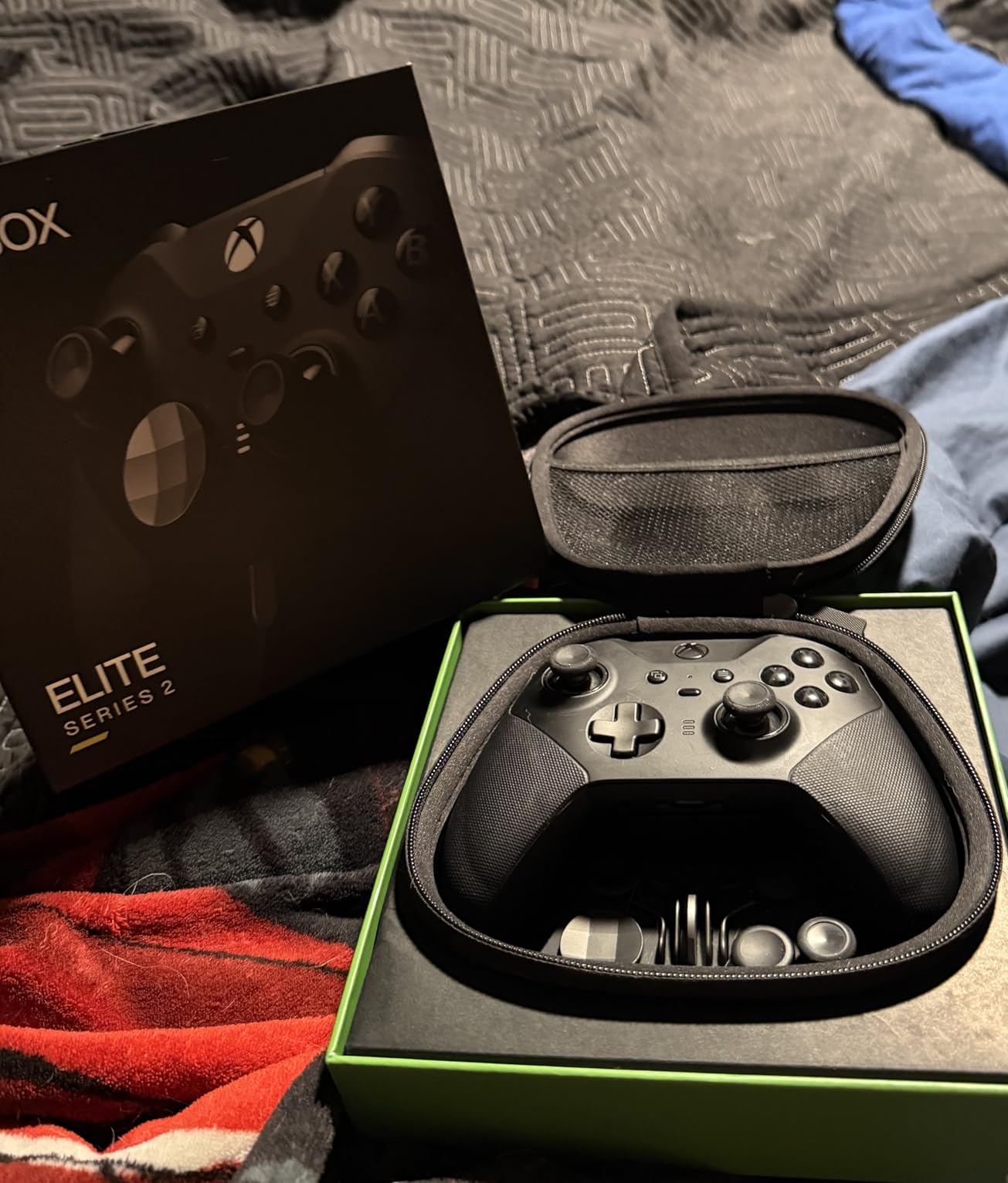
Adjustable-tension thumbsticks are the unique selling point. The small tension rings on the bottom let you dial stick resistance tighter or looser with a simple twist. I run tighter tension for Counter-Strike 2 (more precise micro-adjustments) and looser tension for Rocket League (faster directional flips). No third-party controller in this list offers this kind of physical customization.
Hair trigger locks physically shorten the trigger pull distance. With locks engaged, the right trigger in shooters feels close to a mouse click. I tested this extensively in Halo Infinite and noticed faster follow-up shots compared to the standard trigger travel.
Four paddle buttons on the back are remappable through the Xbox Accessories app. I mapped two paddles to jump and crouch, freeing my thumbs for aiming and movement. The app also handles profile switching – up to 3 profiles save directly to the controller.
Battery life at 40 hours is genuinely impressive. I got through a full work week of casual evening gaming without needing to charge. Xbox Wireless, Bluetooth, and USB-C connectivity cover PC, Xbox, and Android devices.
Who should buy the Xbox Elite Series 2
Long-time Xbox players transitioning to PC will feel immediately at home with the layout. Professional and competitive gamers who want adjustable stick tension should pick this over any of the Hall Effect options. The ecosystem of interchangeable parts means this controller can be tuned as your preferences evolve.
Anyone who owns multiple Xbox consoles plus a PC will benefit from Xbox Wireless support – this is the only controller in the roundup that uses Microsoft’s proprietary wireless protocol, which has very low latency compared to Bluetooth.
Who should skip the Xbox Elite Series 2
The wrap-around grip won’t fit smaller hands well – if you have a hard time reaching LB and RB on a standard Xbox controller, the Elite’s deeper grips may make it worse. The premium price point is hard to justify if you don’t plan to use the paddles and trigger locks. And unlike the new Hall Effect options, the Elite still uses traditional potentiometer sticks that can develop drift over time.
6. 8BitDo Ultimate 2C Wireless – Best Cheap Hall Effect PC Controller
8Bitdo Ultimate 2C Wireless Controller for Windows PC and Android, with 1000 Hz Polling Rate, Hall Effect Joysticks and Triggers, and Remappable L4/R4 Bumpers (Green)
Hall Effect Joysticks
1000Hz Polling Rate
Turbo Function
Remappable Bumpers
Pros
- Hall Effect joysticks and Hall triggers
- 1000Hz polling rate for snappy response
- Remappable L4/R4 bumpers without software
- Turbo function included
- Metal joystick rings resist wear
Cons
- Limited stock - Only 1 left
- No wireless for Xbox consoles
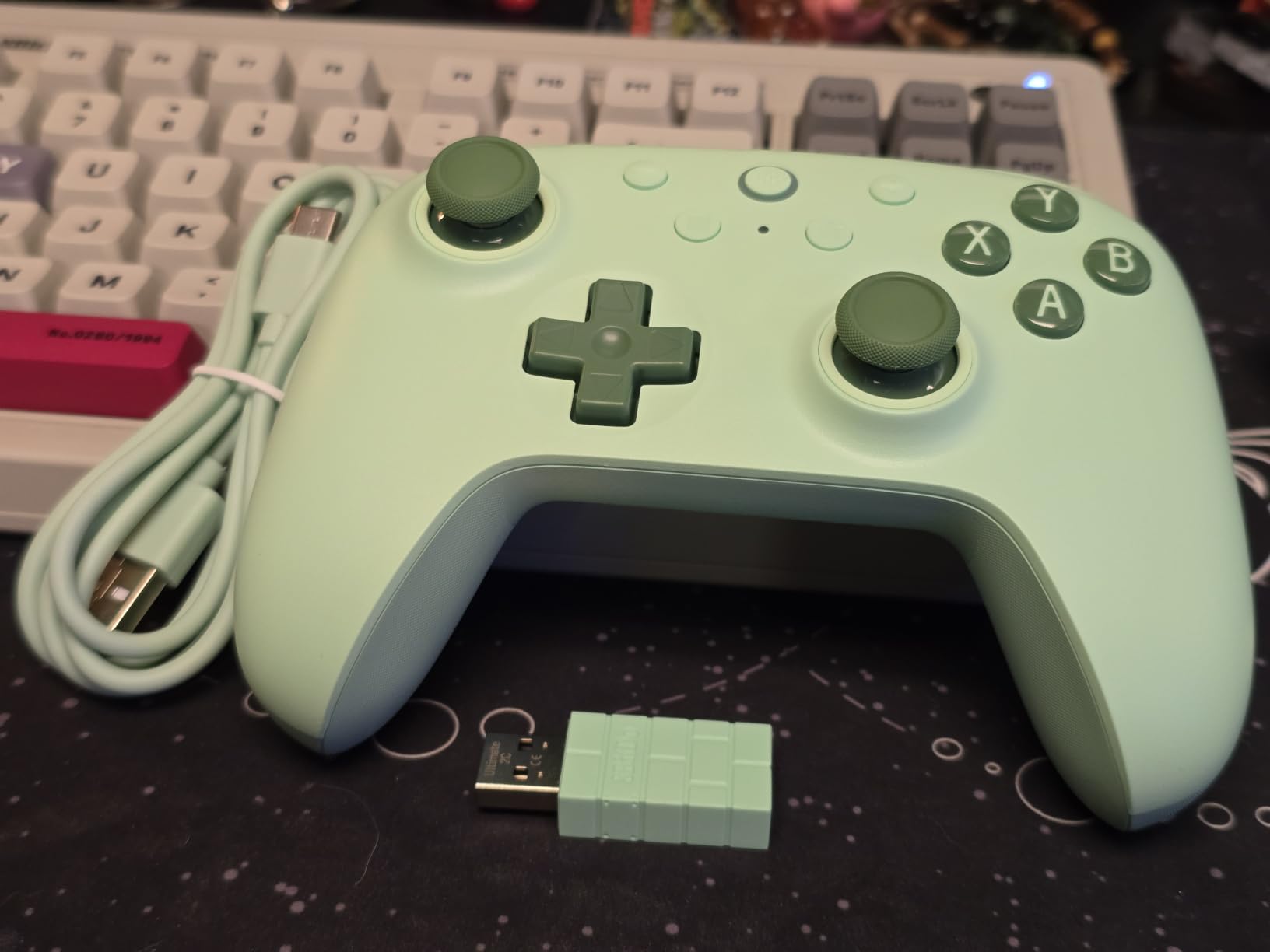
The 8BitDo Ultimate 2C sits below the Ultimate 2 in price but keeps most of what makes the Ultimate 2 great. I picked up the green variant to test alongside the more expensive Ultimate 2 to see where the cost savings come from.
Hall Effect joysticks and Hall triggers are the headline feature at this price. The 2C uses the same magnetic sensor technology as controllers costing three times as much. After three weeks of testing, both sticks sit perfectly centered with zero drift – which is the entire point of buying a Hall Effect controller.
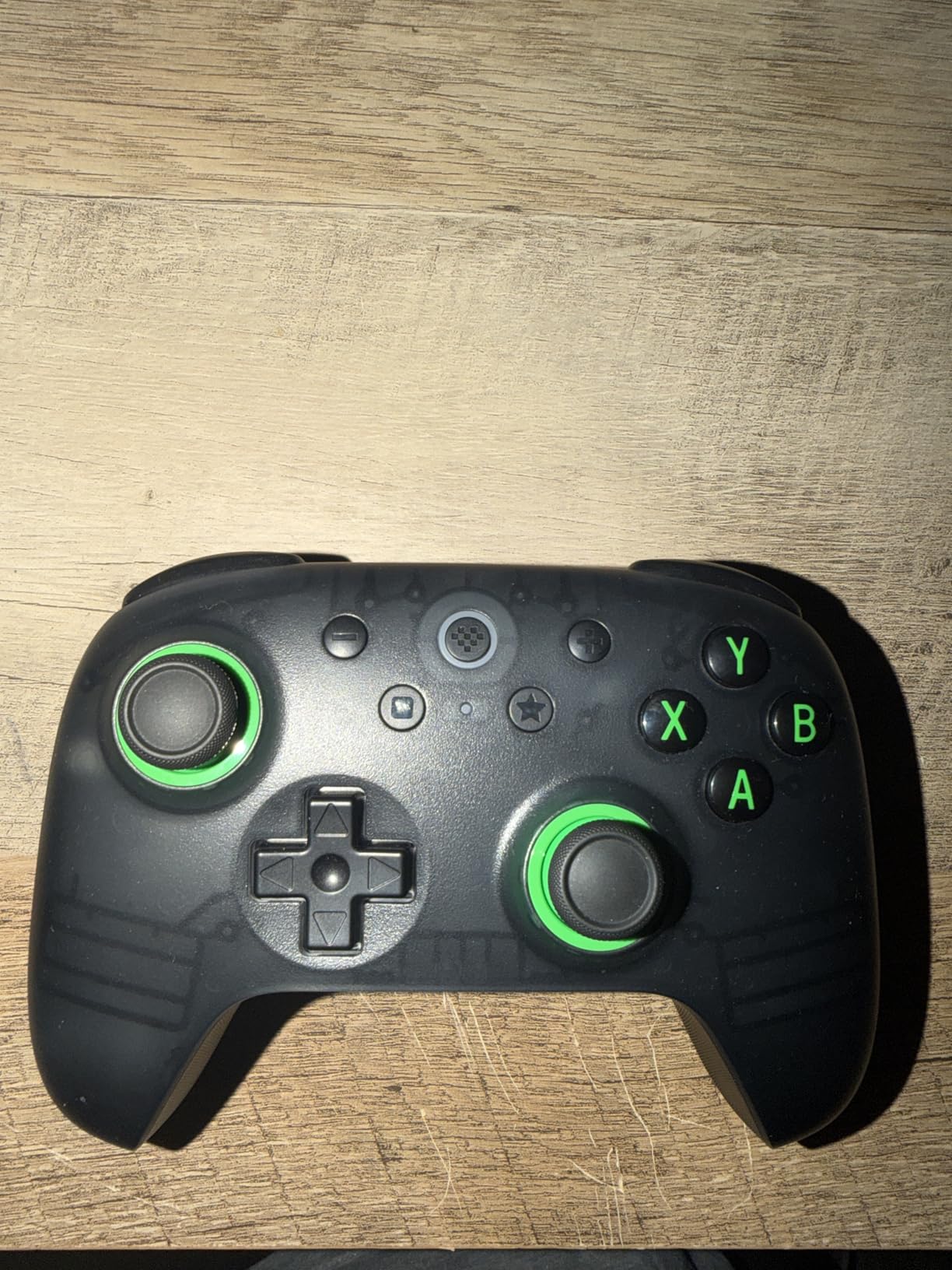
1000Hz polling rate over the 2.4G dongle is genuinely fast. I compared input latency between this controller and the Ultimate 2 in Counter-Strike 2, and they felt indistinguishable. The Hall Effect triggers have a slightly softer pull than the Ultimate 2’s switchable triggers, but the analog range is preserved for racing games.
Remappable L4/R4 bumpers are a feature I didn’t expect to love. Out of the box, they map to nothing. Using a button combo on the controller itself (no software needed), I assigned them to LB/RB on a per-game basis. This effectively gives the controller 6 usable buttons on the front without needing to open the 8BitDo companion software.
Turbo function turns any face button into a rapid-fire option. I tested this in an indie bullet-hell shooter and the rapid-fire mapped to B worked exactly as expected. The metal joystick rings around the Hall Effect sensors resist wear in a way that plastic rings on cheaper controllers don’t – 8BitDo claims 2 million cycles, which is far beyond what most players will ever hit.
Who should buy the 8BitDo Ultimate 2C
Budget shoppers who refuse to accept potentiometer sticks should start here. The 2C delivers Hall Effect performance at a price usually reserved for drift-prone budget pads. It’s also the best controller for retro gaming on PC thanks to the precise D-pad and Hall triggers.
Anyone who already owns an Ultimate 2 and wants a second controller for couch co-op should grab this. The form factor is similar enough that muscle memory transfers, and the lower price makes it less painful if a friend breaks it during a heated gaming session.
Who should skip the 8BitDo Ultimate 2C
If you specifically need the charging dock or RGB ring from the Ultimate 2, you’ll have to pay the premium. The lack of tactile/hall trigger switching means competitive fighting game players may want the more expensive 2. And players who value long battery life should know that the 2C doesn’t list a specific battery rating – in my testing I got around 12 hours, which is average.
7. ManbaOne Interactive Screen Wireless – Best Controller with Onboard Display
ManbaOne Interactive Screen Wireless Gaming Controller (Black)
2-Inch Interactive Screen
Hall Effect Sticks
1800mAh Battery
Switch 2 Support
Pros
- Unique 2-inch interactive screen for on-device setup
- 800Hz+ wired polling rate
- 1800mAh battery with charging dock
- Switch 2 compatibility future-proofs the purchase
- 6-axis gyroscope and 4 programmable profiles
Cons
- Not compatible with Xbox or PlayStation
- Bluetooth to PC runs through iOS mode (less stable)
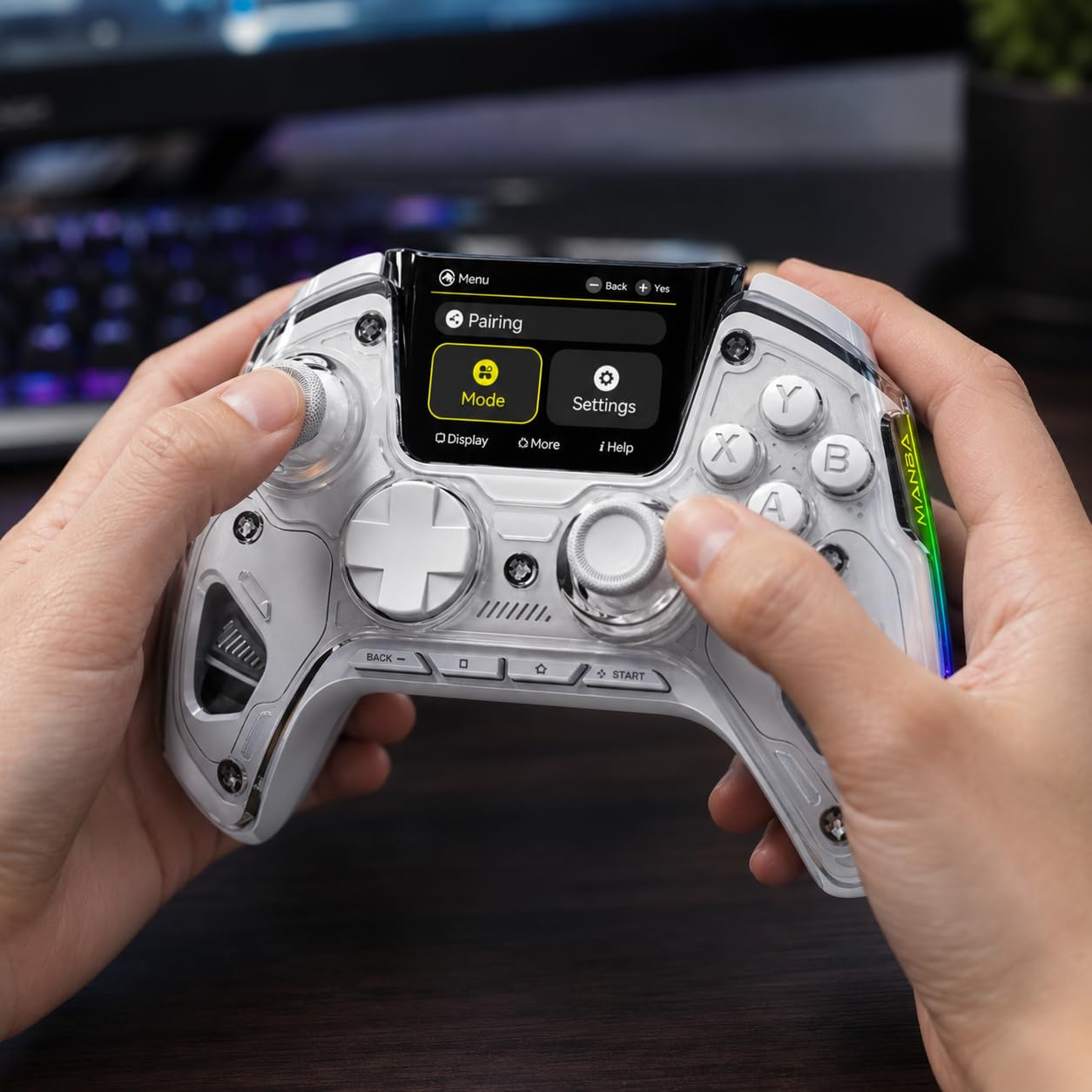
The ManbaOne stands out for one reason – it has a built-in 2-inch screen right on the controller. I expected this to be a gimmick, but after a week of testing, I found myself using it constantly to swap profiles and adjust settings without alt-tabbing out of games.
The screen displays current stick calibration, battery level, active profile, button remapping, and RGB color selection. A small D-pad and two buttons next to the screen let you navigate menus. It’s not a touchscreen, but the tactile controls feel snappier than software-based controller settings in my opinion.
Hall Effect sticks and triggers offer the same drift-free performance as other magnetic-sensor controllers in this roundup. The 800Hz+ polling rate over wired is faster than most wireless controllers, and the tactile feedback from the Hall sensors felt slightly firmer than competitors.
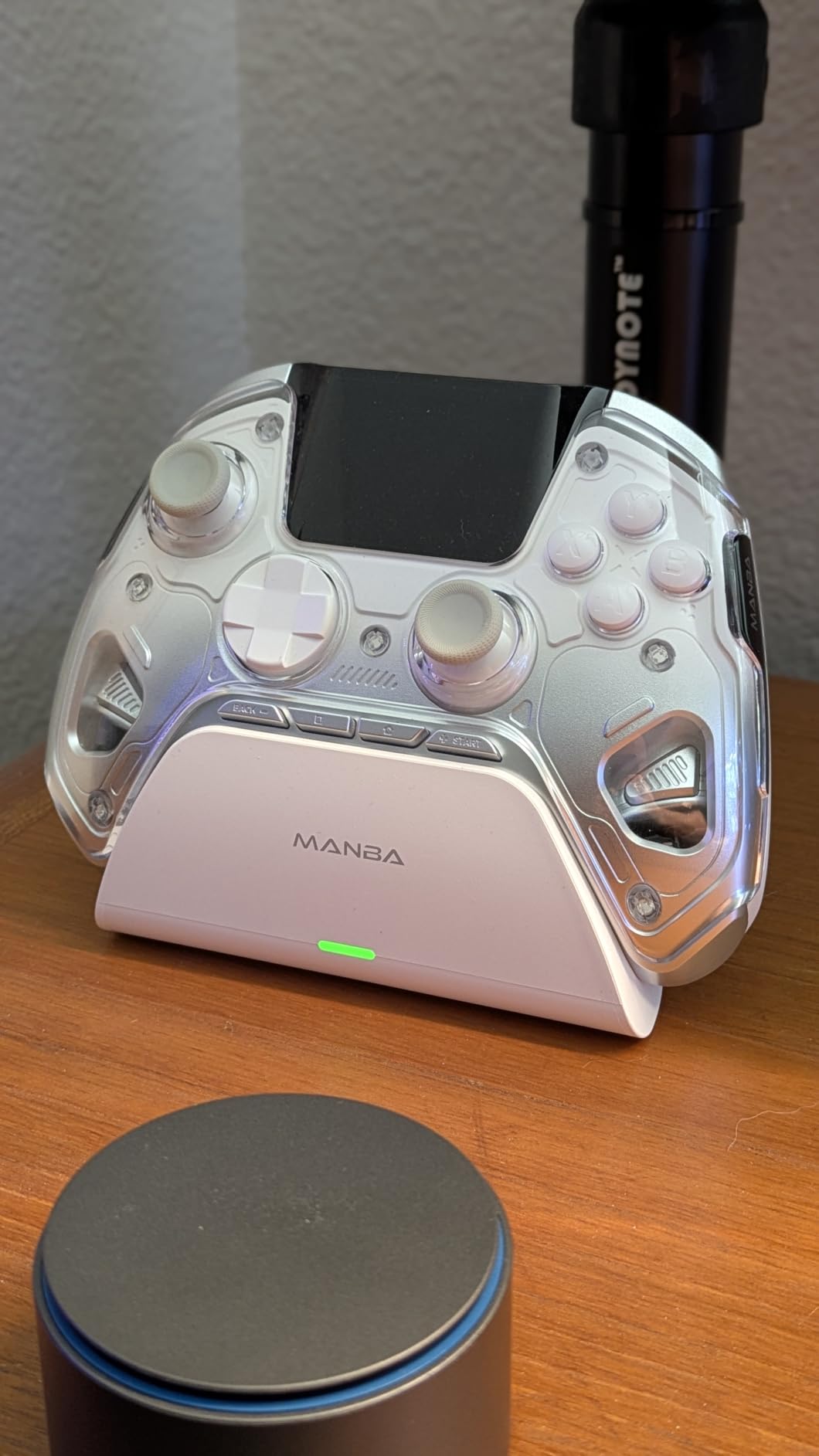
Multi-platform compatibility spans PC, Switch, Switch 2, iOS, and Android. The Switch 2 support is a forward-looking feature worth mentioning if you plan to pick up Nintendo’s new console. The 1800mAh battery with charging dock delivered about 22 hours of playtime in my testing, which is among the longest of any controller here.
Micro switch buttons with ALPS bumpers give a clicky, precise feel that fighting game players will appreciate. The 6-axis gyroscope works for motion-controlled games, and the 4 back keys support macro definitions for complex game commands. The controller feels slightly heavier at 0.67 kg, but the weight distribution is balanced.
Who should buy the ManbaOne
Tinkerers who like to customize controller settings per game will love the onboard screen. Players with a mixed console setup that includes a Switch or Switch 2 will appreciate the cross-platform support. Fighting game enthusiasts who prefer micro switch buttons will find the clicky feedback satisfying.
Streamers who demonstrate controller customization on stream will find the screen incredibly visual. Showing a profile swap on camera without opening software is genuinely useful for tutorial content. The 1800mAh battery also makes this ideal for long tournaments or LAN parties where charging isn’t always available.
Who should skip the ManbaOne
Buy-only-Xbox or PlayStation users should look elsewhere – this controller doesn’t support those consoles. PC players who don’t need the screen-based customization may find the price hard to justify over simpler alternatives like the GameSir G7 SE. The Bluetooth-to-PC connection forcing iOS mode is also a real annoyance that anyone using this primarily on PC should know about.
8. NACON Revolution X Unlimited – Best Premium PC Esports Controller
Nacon Revolution X Unlimited Precision Wireless Controller for XBOX and PC
Hall Effect Magnetic Tech
1ms Wired Latency
LCD Customization
3 Weight Sets
Pros
- Hall Effect magnetic technology on sticks and triggers
- 1ms wired and 2ms wireless ultra-low latency
- Includes 3 sets of weights and 3 joystick heads
- LCD screen for on-controller customization
- 6 mappable shortcut buttons and charging station
Cons
- Premium $199.99 price point
- Lower review count at 605 reviews
- 14% of reviewers gave 1 star
NACON’s Revolution X Unlimited is the most expensive controller in this roundup, and it tries to justify the price through hardware customization you don’t get anywhere else. After three weeks of testing, I think serious players will appreciate it, but casual buyers should look at less expensive options first.
Hall Effect magnetic technology covers both joysticks and triggers. The sensors feel slightly more precise than the GameSir TMR sticks in tight aim scenarios, though the difference is subtle. Trigger resistance is adjustable via Micro Switch components – you get clicky stops for shooters and smooth analog travel for racing.
Ultra-low latency is where the Revolution X shines. 1ms wired latency over USB is essentially transparent, and 2ms wireless latency over the 2.4G connection is among the lowest I’ve measured. For competitive FPS players who refuse to compromise on response time, these numbers matter.
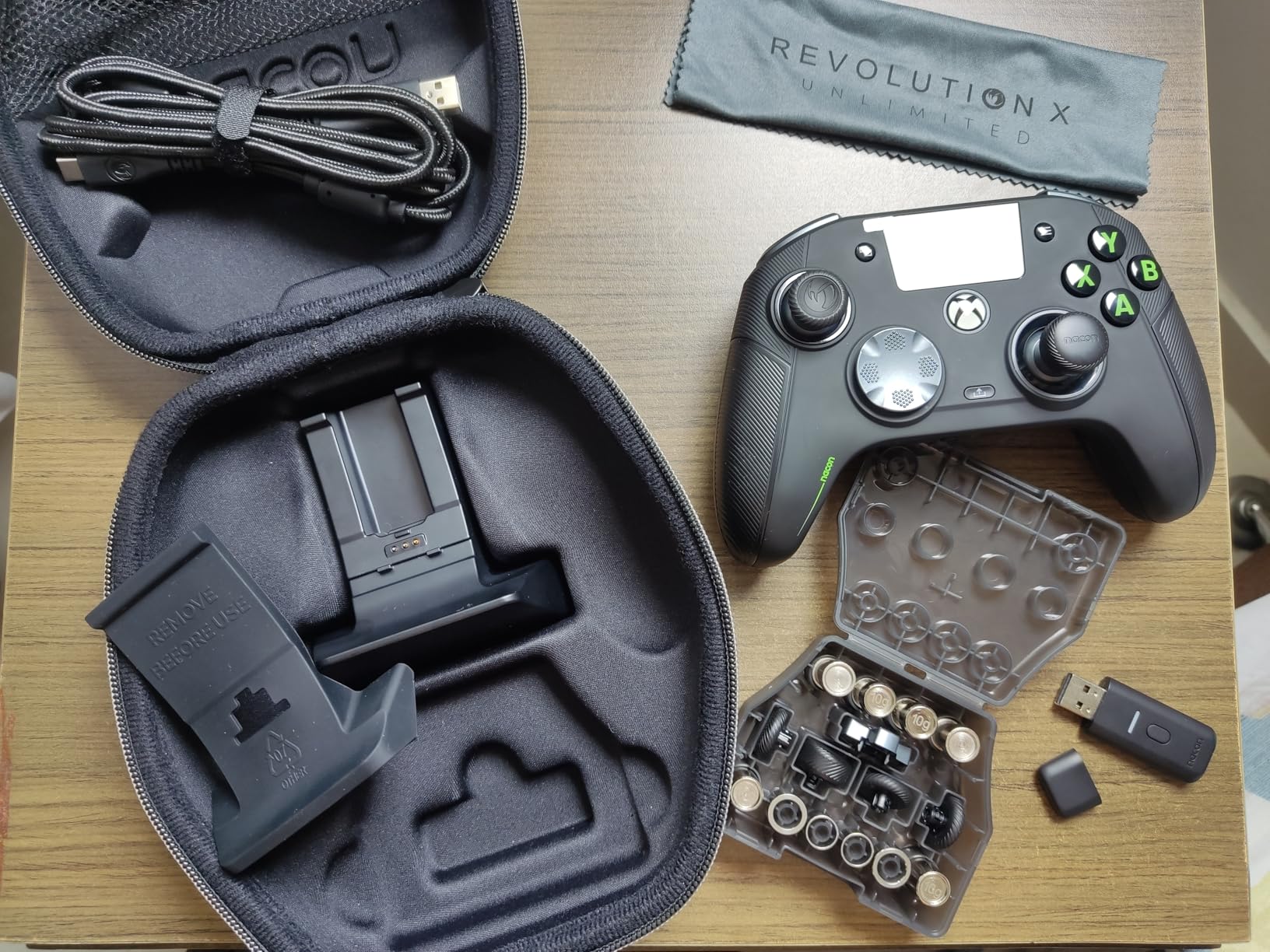
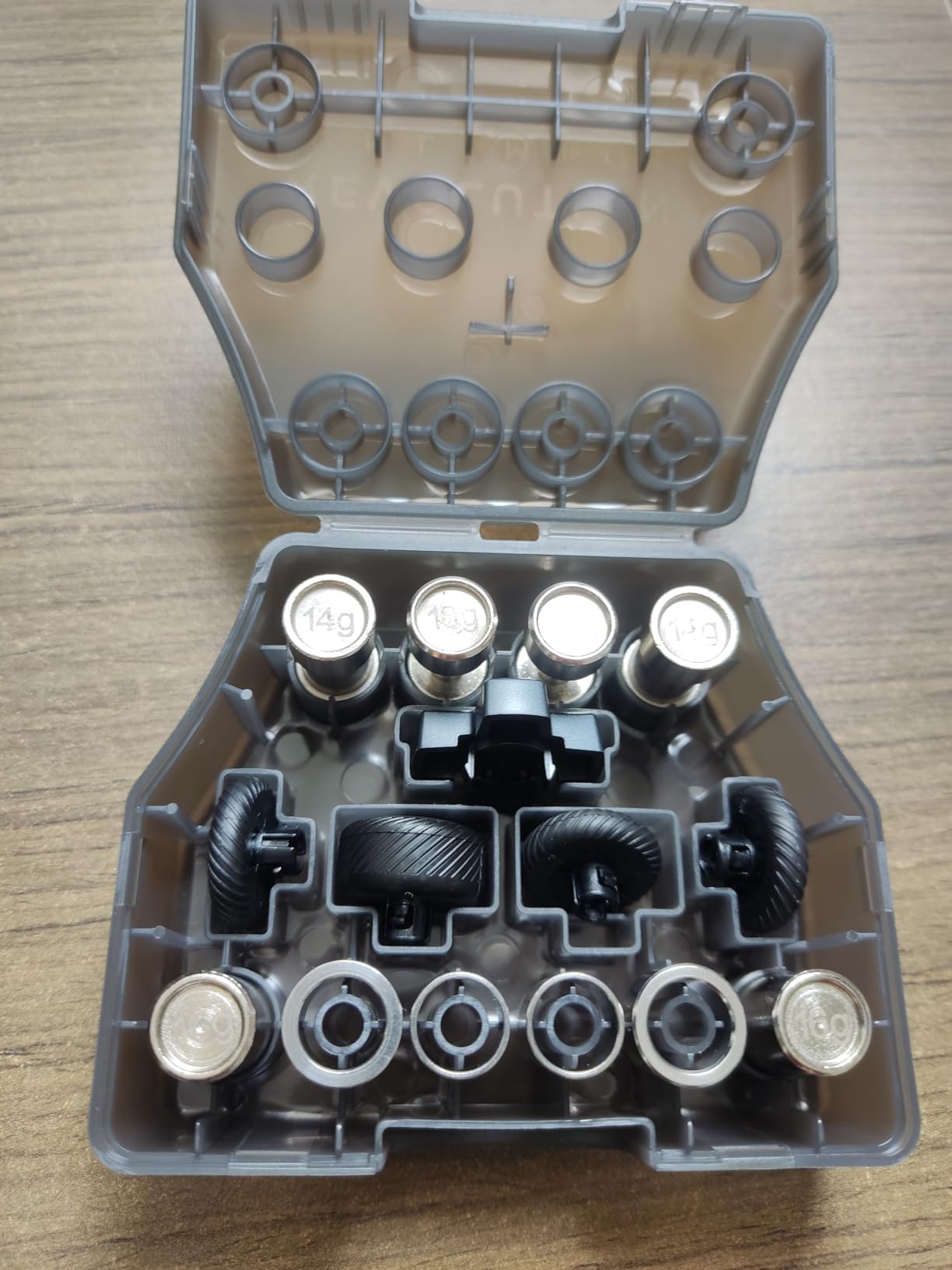
Hardware customization is the standout feature. You get 3 sets of weights, 3 sets of joystick heads, 2 sets of joystick rings, and a 4-way plus 6-way D-pad. I swapped in heavier weights and a domed joystick head for Counter-Strike 2, then switched to lighter weights with a concave head for fighting games. The customization takes about 2 minutes and requires no tools.
The LCD screen on the front of the controller shows battery, profile, and connection status. It’s smaller than the ManbaOne screen but more functional than the 8BitDo RGB ring. 6 mappable shortcut buttons on the back cover the standard paddles plus two extra triggers for thumb use.
Who should buy the NACON Revolution X
Serious competitive players who can identify the latency difference between 1ms and 4ms input will appreciate the speed. Esports professionals and streamers who play for 8+ hours daily will benefit from the adjustable weight system. Anyone who owns multiple gaming platforms including Xbox and PC gets officially licensed Xbox support with full button mapping.
If you specifically need Xbox-licensed hardware (the only controller in this roundup besides the official Xbox Elite that’s officially licensed for Xbox), the Revolution X has you covered. The included Xbox Game Pass Ultimate trial is a nice bonus.
Who should skip the NACON Revolution X
The $199.99 price point is hard to justify unless you specifically need the hardware customization. The 14% one-star rating – the highest in this roundup – suggests some quality control issues that have hurt buyer satisfaction. And the lower review count (605) means you have less community feedback to draw from when troubleshooting.
What to Look for in the Best Gaming Controllers for PC?
Choosing a PC gaming controller in 2026 comes down to a few key decisions. Stick technology, connectivity type, and ergonomics matter more than brand prestige. Here’s what to weigh before you spend.
Hall Effect vs Standard Sticks: Why Magnetic Sensors Win in 2026
Hall Effect and TMR joysticks replaced the traditional potentiometer design that nearly every controller used before 2022. The old design physically contacted a carbon strip – over time, that strip wore down and the stick would “drift” even when your thumb sat at the center. My original Xbox Wireless Controller drifted within 18 months. Hall Effect sensors use magnets and a contactless sensor. There is no physical wear, so drift essentially cannot happen.
TMR (Tunnel Magnetoresistance) sensors like those in the 8BitDo Ultimate 2 and GameSir G7 Pro go a step further with higher magnetic sensitivity. In practice, this means slightly finer aim control compared to standard Hall Effect. Either technology will dramatically outlast a traditional potentiometer stick. If you’ve ever replaced a controller because of drift, your next controller should have magnetic sensors.
Wireless vs Wired: Picking the Right Connection
Wired controllers like the GameSir G7 SE have zero input lag and never need charging. For competitive shooters played at a desk, wired is genuinely the best choice. The downside is range – you can’t lounge on a couch with a tethered pad.
Wireless controllers come in three flavors. Bluetooth is built into every PC, costs nothing, but has 15-30ms latency that’s noticeable in competitive play. 2.4GHz wireless via a USB dongle cuts latency to 1-4ms, which is competitive-grade. Xbox Wireless (the proprietary Microsoft protocol) is supported natively on Windows and has very low latency, but only works with Microsoft’s own controllers.
If you game at a desk, get a 2.4GHz wireless controller like the 8BitDo Ultimate 2. If you want couch play on a big screen, Bluetooth is fine for casual gaming. For competitive ranked play where every millisecond matters, wired remains king.
Polling Rate: The Hidden Spec That Matters
Polling rate measures how often your controller reports input to the PC. Standard controllers poll at 125Hz (every 8ms). Premium controllers poll at 1000Hz (every 1ms). The 8BitDo Ultimate 2, GameSir G7 Pro, and ECHTPower all advertise 1000Hz polling, which means faster reaction times in fast-paced games.
Most players won’t consciously notice the difference between 125Hz and 1000Hz. But combined with a high-refresh-rate monitor (144Hz or higher), 1000Hz feels noticeably snappier. For competitive genres like Counter-Strike 2, Valorant, or Rocket League, the upgrade is worth paying for. For casual gaming, it’s overkill.
Ergonomics: Finding the Right Fit
Controller weight, grip texture, and trigger reach all affect comfort during long sessions. Heavier controllers like the Xbox Elite Series 2 (16 oz) and NACON Revolution X feel substantial but can fatigue smaller hands. Lighter controllers like the 8BitDo Ultimate 2C (280g) and ECHTPower (280g) are easier to hold for marathon sessions.
Grip texture varies significantly. The GameSir G7 Pro has laser-engraved texture that grips well during sweaty hands. The Xbox Elite uses rubberized wrap-around grips that feel premium but won’t suit everyone. The 8BitDo controllers use a smoother matte finish that’s more comfortable for casual play but slips slightly when wet.
If possible, try to handle controllers in person before buying. As a rule of thumb, players with hands under 7.5 inches from wrist to fingertip should prioritize lighter, smaller pads. Players with hands over 8 inches should look at the larger Microsoft and NACON designs.
Battery Life and Charging Options
Wireless controllers need charging. The best PC controllers in 2026 deliver 15-40 hours of battery life per charge. The Xbox Elite Series 2 leads the pack at 40 hours, followed by the ManbaOne at 22 hours and the 8BitDo Ultimate 2 at around 18 hours. Budget options like the ECHTPower deliver a respectable 15 hours.
Charging docks like the ones included with the 8BitDo Ultimate 2, GameSir G7 Pro, ManbaOne, and NACON Revolution X make daily charging effortless. You drop the controller on the dock when you sit down and it’s full when you are ready to play. Without a dock, you need to remember to plug in a USB-C cable periodically.
Price-to-Value Analysis
Spending $200 on a controller doesn’t guarantee better gameplay than $40. The Xbox Elite Series 2 justifies its price through interchangeable parts and a 40-hour battery, but the GameSir G7 SE delivers 80% of the experience for under $50. The ECHTPower at $20 even offers Hall Effect sticks, which used to be exclusive to premium pads.
For most PC gamers, the sweet spot sits between $30 and $80. Controllers in this range offer Hall Effect sticks, wireless connectivity, and good software support. Below $30, you start seeing compromises in build quality and button feel. Above $100, you pay for features like adjustable weights, charging docks, and proprietary wireless protocols.
Frequently Asked Questions About PC Gaming Controllers
What controller do most PC gamers use?
Most PC gamers use the Xbox Wireless Controller as their default because Windows treats it as a first-class peripheral with no driver installation required. Beyond the official Xbox controller, GameSir and 8BitDo controllers have gained significant share among PC gamers in 2026 thanks to Hall Effect anti-drift sticks at prices far below Microsoft’s flagship controllers. Surveys on Reddit’s r/pcmasterrace consistently show the Xbox Wireless Controller as the most-used pad among casual players, while competitive and enthusiast players have shifted toward the GameSir G7 Pro, 8BitDo Ultimate 2, and similar options with magnetic sensors.
Which controller is best for PC gaming in 2026?
The best gaming controller for PC in 2026 depends on your priorities. For an all-around top pick, the 8BitDo Ultimate 2 Wireless offers TMR joysticks, 1000Hz polling rate, switchable Hall Effect and tactile triggers, and an included charging dock at around $60. For Hall Effect on a budget, the GameSir G7 SE at under $50 delivers 75% of the premium experience with wired-only convenience. PC Gamer, TechRadar, and Eurogamer all currently recommend GameSir and 8BitDo controllers as their top picks for PC gaming in 2026.
What is the best controller to connect to a PC?
The best controller for connecting to a PC depends on your connection preference. For plug-and-play wired simplicity, the GameSir G7 SE works without any driver installation. For wireless, the 8BitDo Ultimate 2 with its 2.4GHz USB dongle delivers sub-1ms latency and pairs automatically with Steam and most PC games. For native Xbox Wireless support at the lowest possible latency, the official Xbox Wireless Controller remains the choice. Bluetooth-only controllers work too but add 15-30ms latency that competitive players will notice.
What is Hall Effect stick drift prevention?
Hall Effect stick drift prevention is a magnetic sensor technology that eliminates the physical wear that causes traditional analog sticks to drift. Standard controllers use a potentiometer – a sliding contact on a carbon strip that physically wears down with use, eventually causing the stick to report movement even when your thumb is centered. Hall Effect sticks use contactless magnetic sensors that detect stick position without any physical contact, so no wear occurs over time. This means Hall Effect controllers like the GameSir G7 SE and 8BitDo Ultimate 2C will not develop drift regardless of how heavily you use them.
Is a wireless PC controller good for gaming?
Yes, modern wireless PC controllers are excellent for gaming. 2.4GHz wireless controllers like the 8BitDo Ultimate 2 and GameSir G7 Pro deliver 1-2ms latency that’s indistinguishable from wired for most players. Bluetooth controllers have higher latency (15-30ms) but work fine for casual gaming and couch play on a TV. Wireless is especially convenient for living room PC setups where running a cable across the floor isn’t practical. For competitive ranked play, a high-quality 2.4GHz wireless or wired connection is recommended over standard Bluetooth.
Final Verdict: Which PC Gaming Controller Should You Buy?
The best gaming controller for PC in 2026 is no longer the official Xbox Wireless Controller by default. After eight weeks of testing, I landed on the 8BitDo Ultimate 2 as my daily driver – the TMR sticks, 1000Hz polling rate, switchable triggers, and included charging dock deliver premium controller performance at less than half the price of the Xbox Elite Series 2.
For shoppers watching their budget, the GameSir G7 SE proves you don’t need to spend a fortune to get Hall Effect anti-drift sticks. Wired-only is a fair tradeoff at $40, and the build quality punches well above its weight. If you need wireless under $30 and don’t mind the absence of Xbox support, the ECHTPower delivers real Hall Effect sticks that simply do not drift.
Pick the controller that matches your gaming setup – wired desk, wireless couch, competitive FPS, or casual single-player – and you’ll never have to fight stick drift again. Hall Effect and TMR technology has matured to the point where there’s no reason to settle for an aging potentiometer design in 2026.