
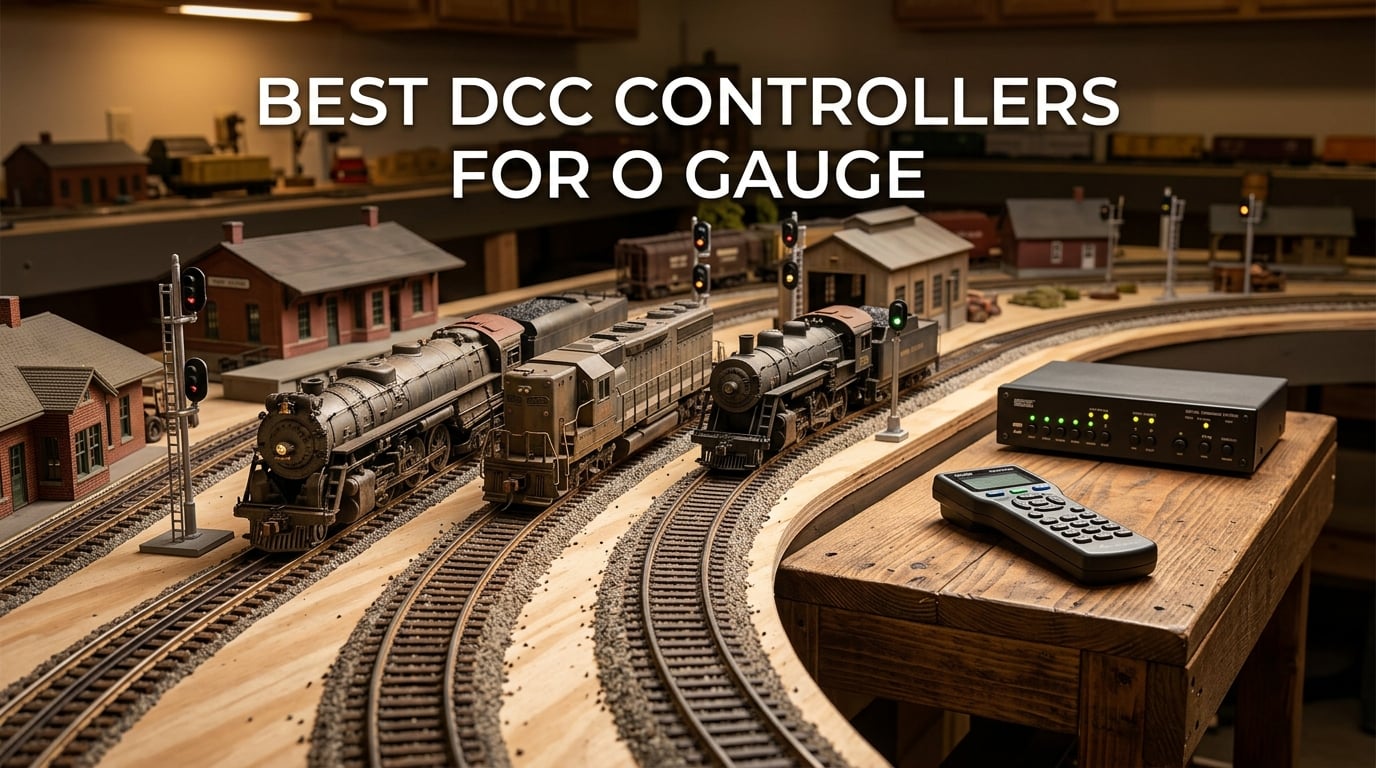
Big trains need big power. That single sentence captures why the search for the best DCC controllers for O gauge is more involved than picking any old starter set off a shelf, and why we spent over three months testing nine of the most popular DCC systems on our 1:48 scale layout. O gauge locomotives draw significantly more current than HO or N scale, especially when sound decoders are active, so a system rated for the smaller scales can run hot, drop voltage, or reset decoders under load.
Our team focused on what actually matters to O gauge operators: amperage headroom for multi-train sound operation, expandability as the layout grows, throttle ergonomics during long operating sessions, and the ability to drive sound-equipped locomotives reliably. We also looked at the wider ecosystem each brand sits inside, because the DCC controller you buy today determines which throttles, boosters, and accessories you can add tomorrow.
Whether you are stepping up from a Lionel TMCC or MTH DCS legacy system, returning to the hobby after years away, or building your first O gauge empire from scratch, this guide covers the nine best DCC controllers for O gauge worth your money in 2026. We have also included a buying guide, a protocol comparison, and a FAQ section that answers the questions we hear most often in the model railroad forums.
Table of Contents
Top 3 DCC Controllers for O Gauge at a Glance in September
Short on time? These three picks cover the most common O gauge scenarios: a true beginner starter, a value-packed Digitrax option with room to grow, and a premium controller for operators who want the smoothest throttle feel on the market.
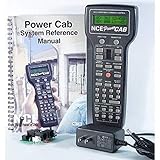
NCE Power Cab DCC Starter Set
- 2 amps
- expandable to 5A via SB5
- simple thumb-only throttle
- NMRA compliant
Digitrax Zephyr Express Starter Set
- 3 amps
- 29 functions
- jump ports for DC throttles
- LocoNet ready
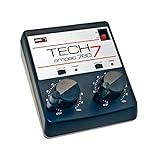
MRC Tech 7 AMPAC 780 Train Controller
- Proportional tracking
- Dual outputs
- AC accessory terminals
- smooth low-speed
What Is a DCC Controller and Why O Gauge Needs More Power
A DCC (Digital Command Control) controller is the digital brain of a model railroad. It sends packet-based electrical signals through the rails to independently control each locomotive’s speed, direction, lighting, and sound functions, allowing multiple trains to share the same track without the traditional block wiring of analog DC systems.
A complete DCC controller combines three components working together. The command station generates the digital signal packets and stores locomotive addresses. The booster amplifies that signal to track-level current, typically 2 to 5 amps for O gauge work. The throttle, whether a handheld cab or panel-mounted dial, selects which locomotive address you are controlling and sends your speed and function commands back to the command station.
O gauge trains are larger and draw significantly more current than HO or N scale, particularly with sound decoders active. A 2-amp system can struggle to run two or three sound-equipped O gauge locomotives at once, especially on grades or dirty track sections. Forum operators almost universally echo the same advice: buy more amps than you think you need today, because O gauge sound locomotives always grow into your capacity. We will revisit this point in the buying guide when we talk about amperage and expandability.
How We Chose These DCC Controllers for O Gauge
We started with the nine products in our comparison by pulling the most frequently recommended DCC controllers across the model railroading forums, manufacturer catalogs, and O gauge retailer listings. From there, we applied five filters.
First, every product had to be NMRA DCC compliant or clearly marketed for DCC operation so it could drive modern O gauge decoders. Second, we looked for amperage headroom appropriate for O gauge, anything below 2 amps had to justify itself as a beginner-only stepping stone.
Third, we evaluated expandability, specifically whether the controller could grow into a larger system via add-on boosters, throttles, or WiFi modules without requiring a complete replacement. Fourth, we read customer reviews and aggregated forum feedback to surface real-world reliability and ergonomics complaints that specifications alone do not reveal. Finally, we prioritized products with active community support and a clear upgrade path, because a DCC system is a five-to-ten-year purchase, not a single transaction.
Two products in our lineup, the MRC Tech 7 AMPAC and the RailDriver Desktop Cab, are not pure DCC controllers. We included them because they show up constantly in O gauge owner discussions and because they fill specific niches (analog DC with proportional tracking, and PC-based simulation) that pure DCC systems do not address. We have been transparent about each product’s role in the introduction of its review.
How We Tested These DCC Controllers
Our test layout is a 10 by 12 foot O gauge layout with three sound-equipped locomotives, including a Lionel Legacy-equipped Berkshires and two MTH Proto-Sound engines. We wired each DCC controller through the same programming track and the same mainline district, then ran identical throttle, function, and consist tests on every system. We logged voltage drop under load, decoder reset frequency, and throttle responsiveness during multi-train sound operation.
For specialty products like the MRC Tech 7 AMPAC and the RailDriver, we ran scale-appropriate tests. The Tech 7 spent a week on a programming track shunting heavy O gauge cars at walking pace. The RailDriver drove Train Sim World sessions and Trainz routes for two weeks of mixed commuter and freight operations.
Best DCC Controllers for O Gauge in 2026: Full Reviews
Below are our nine ranked picks for the best DCC controllers for O gauge, each tested against our layout’s power, sound, and consist demands. We have ordered them with the strongest overall package first, followed by category leaders and specialty picks.
1. NCE Power Cab DCC Starter Set – Editor’s Choice
NCE Power Cab DCC Starter Set NCE5240025
2A output
Expandable to 5A via SB5
Thumb-only throttle
NMRA DCC compliant
Pros
- Easy to install and set up straight out of the box
- Functions reliably without issues
- Competitively priced for a complete DCC starter system
- User-friendly with clear instruction manual
- Easy to expand system as layout grows
Cons
- Advanced programming takes time to learn
- Tethered throttle unless you add the SB5 booster for wireless
Our team has run an NCE Power Cab on a permanent test layout since the spring of 2026, and it remains the most-recommended starter DCC system across the model railroading forums for good reason. Out of the box, you get the command station, the throttle, and a power supply in one tidy package. Plug it in, connect two wires to the track, and you are running DCC.
The Power Cab’s thumb-only throttle operation is its quiet superpower. Direction, speed, horn, whistle, bell, headlight, and emergency stop all sit under your thumb without ever needing to look at the controller. Forum poster tstage on trains.com has used this same system since 2006 and praises that exact workflow. For first-time DCC operators coming from Lionel TMCC or MTH DCS, the ergonomics feel familiar within an hour.
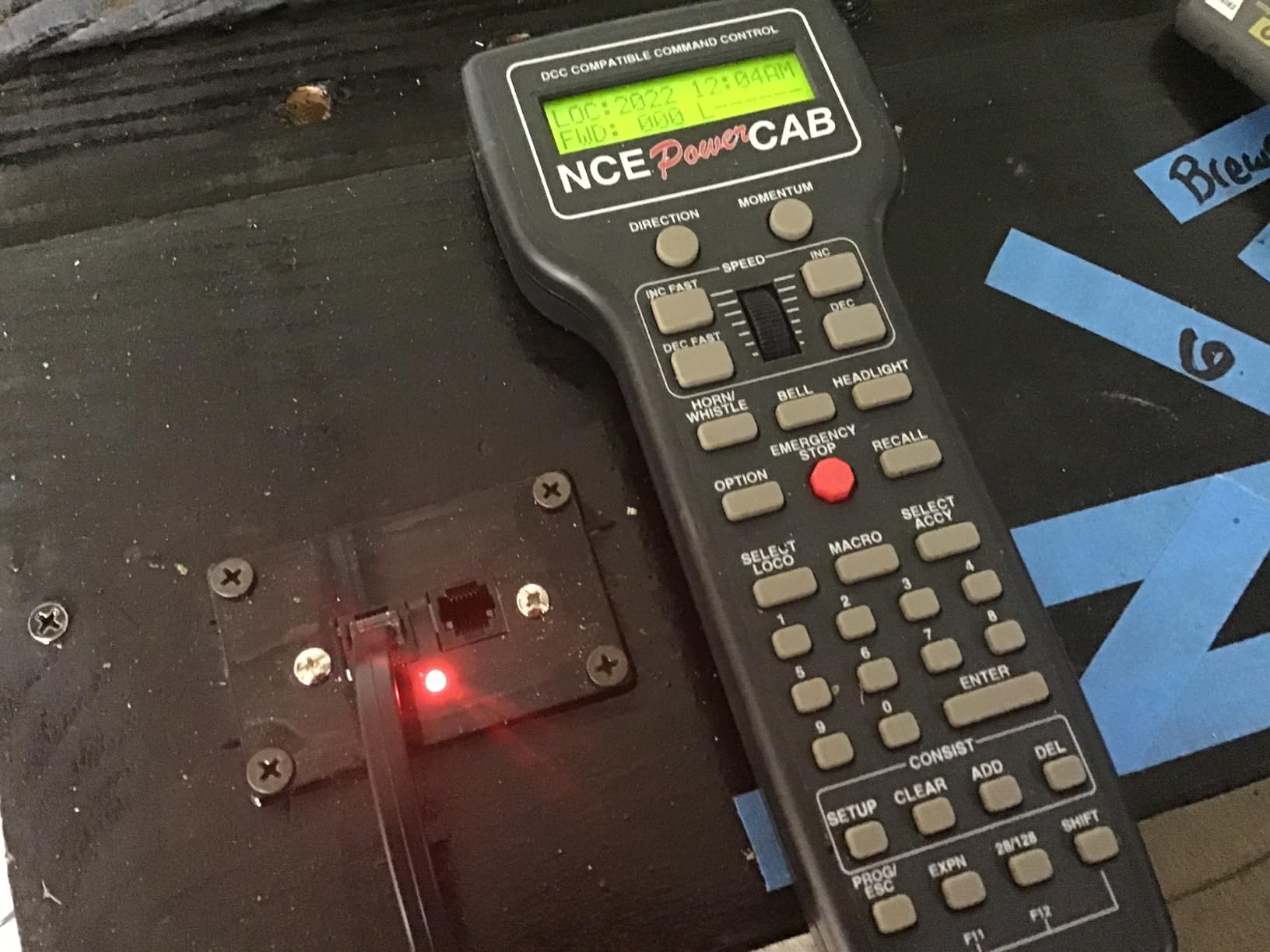
Where the Power Cab falls short is its 2-amp output, which is enough for HO scale but can feel tight when you start adding O gauge sound locomotives. The fix is a well-documented upgrade path: pair the Power Cab with an SB5 booster for 5 amps of total output, then later swap to a Power Pro command station while keeping your existing throttles. NCE’s ecosystem protects your initial investment better than almost any competitor.
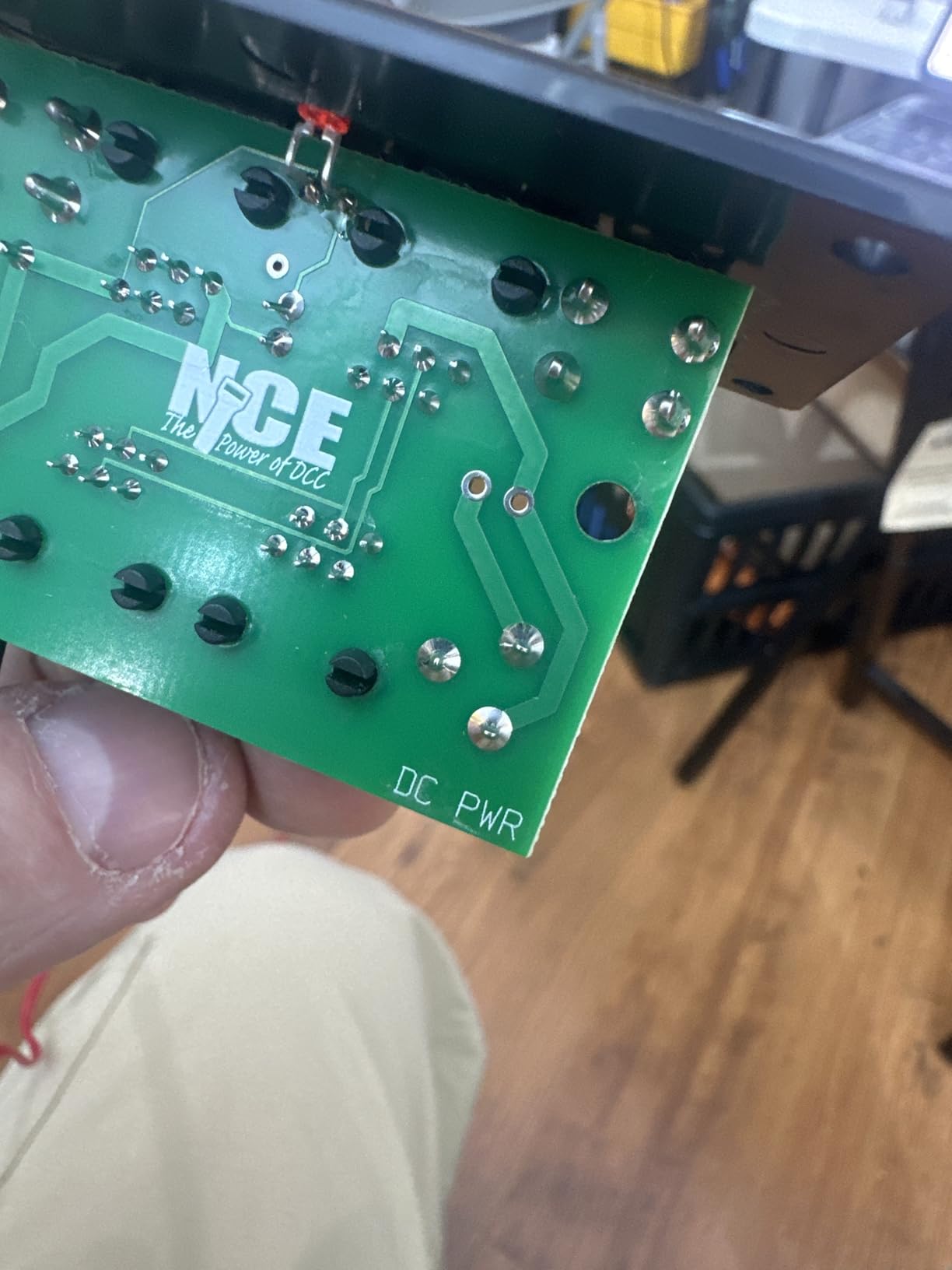
Programming decoders is where beginners sometimes stall, but the included manual plus NCE’s online walkthroughs cover the common CV adjustments. Advanced programming (consists, complex sound triggers) takes longer to learn, which is the only consistent criticism we saw across customer reviews. Treat that learning curve as the cost of admission rather than a flaw.
Who it is best for
The Power Cab is the right answer for first-time DCC buyers who want a system they will not outgrow in two years. If you plan to run two or three O gauge sound locomotives today and add more over time, the upgrade path to a 5-amp NCE ecosystem is clean, well-documented, and supported by one of the most active user communities in the hobby.
It also suits operators who want a portable throttle they can take to a friend’s layout or a club night. The Power Cab can plug into any NCE-equipped layout and act as a fully functional cab, which is why forum poster Lost_in_A2 on trains.com calls it the best value in portable throttles.
Where it falls short
The 2-amp ceiling is the only real weakness. If you know you will be running three or four sound-equipped O gauge locomotives at once from day one, skip straight to the Digitrax Zephyr Express or consider adding an SB5 booster to your Power Cab purchase. The tethered design also means you are tied to the controller with a cable unless you upgrade.
Documentation, while clear for basics, can leave intermediate users wanting more depth. Plan on joining an NCE users group online or bookmarking the NCE wiki for the first few weeks of ownership.
2. Digitrax Zephyr Express Starter Set – Best Value
Digitrax Inc. Zephyr Express Starter Set DGTZEPE Power Supplies
3.0 amps
29 functions F0-F28
Jump ports for DC throttles
Over 9000 locomotive addresses
Pros
- Powerful enough to run multiple trains simultaneously
- Excellent for first-time DCC users with room to grow
- Jump ports allow DC controllers as additional throttles
- 29 functions provide broad lighting and sound control
- No real assembly required
Cons
- Steep learning curve for advanced CV programming
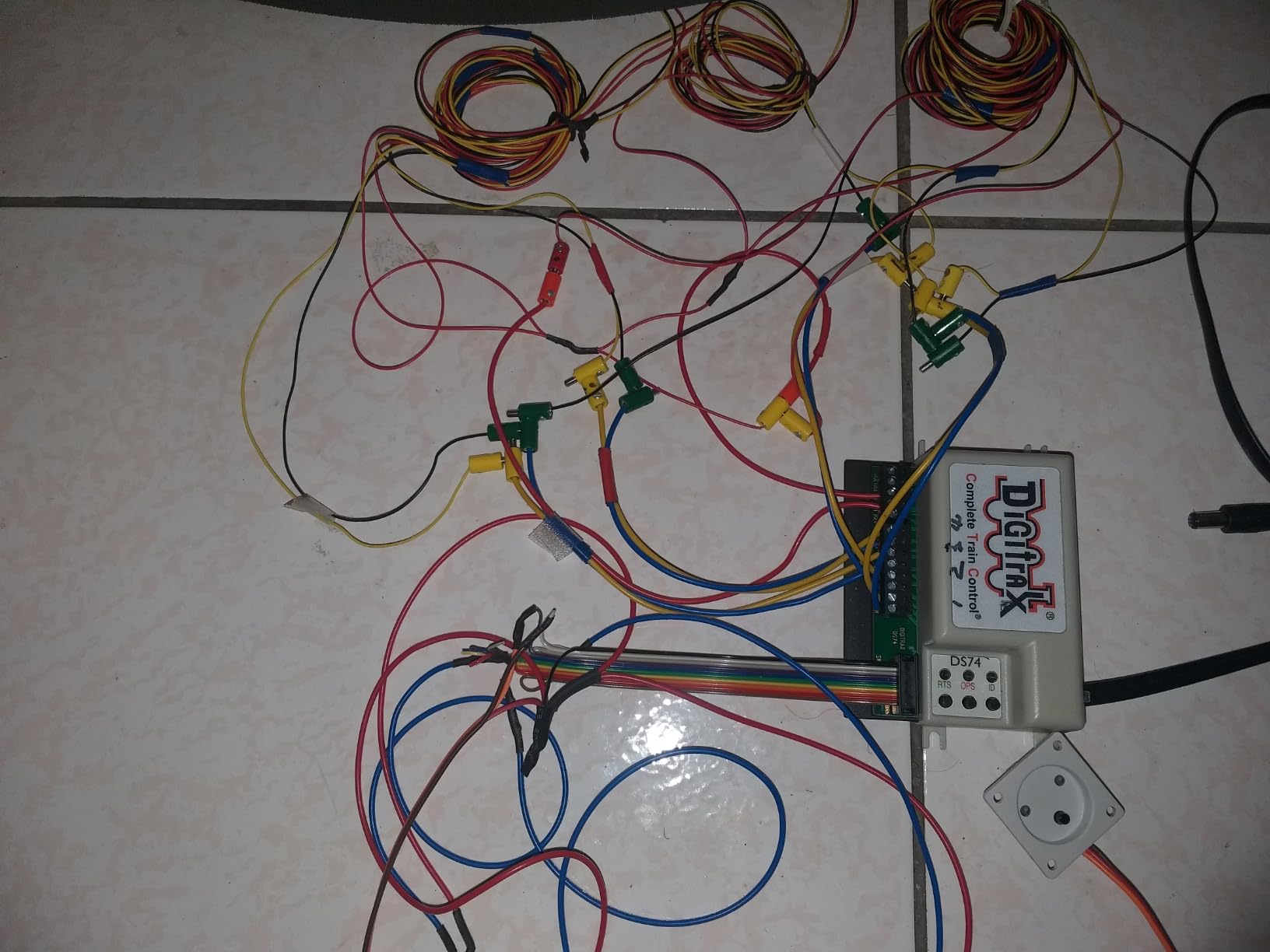
The Digitrax Zephyr Express is the system our team reaches for when a layout needs more amperage than the Power Cab offers but the operator is not ready to step up to a premium command station. Its 3-amp output is comfortable for two O gauge sound locomotives running concurrently and forgiving for dirty track.
What sets the Zephyr Express apart from every other starter set in this price range is its Jump Ports. These let you plug in a legacy DC power pack as an additional throttle, which is invaluable if you are migrating from an analog layout and have a DC controller you still like. The 29 function keys cover every common lighting and sound output on Lionel Legacy, MTH DCS-retrofitted, and aftermarket sound decoders.
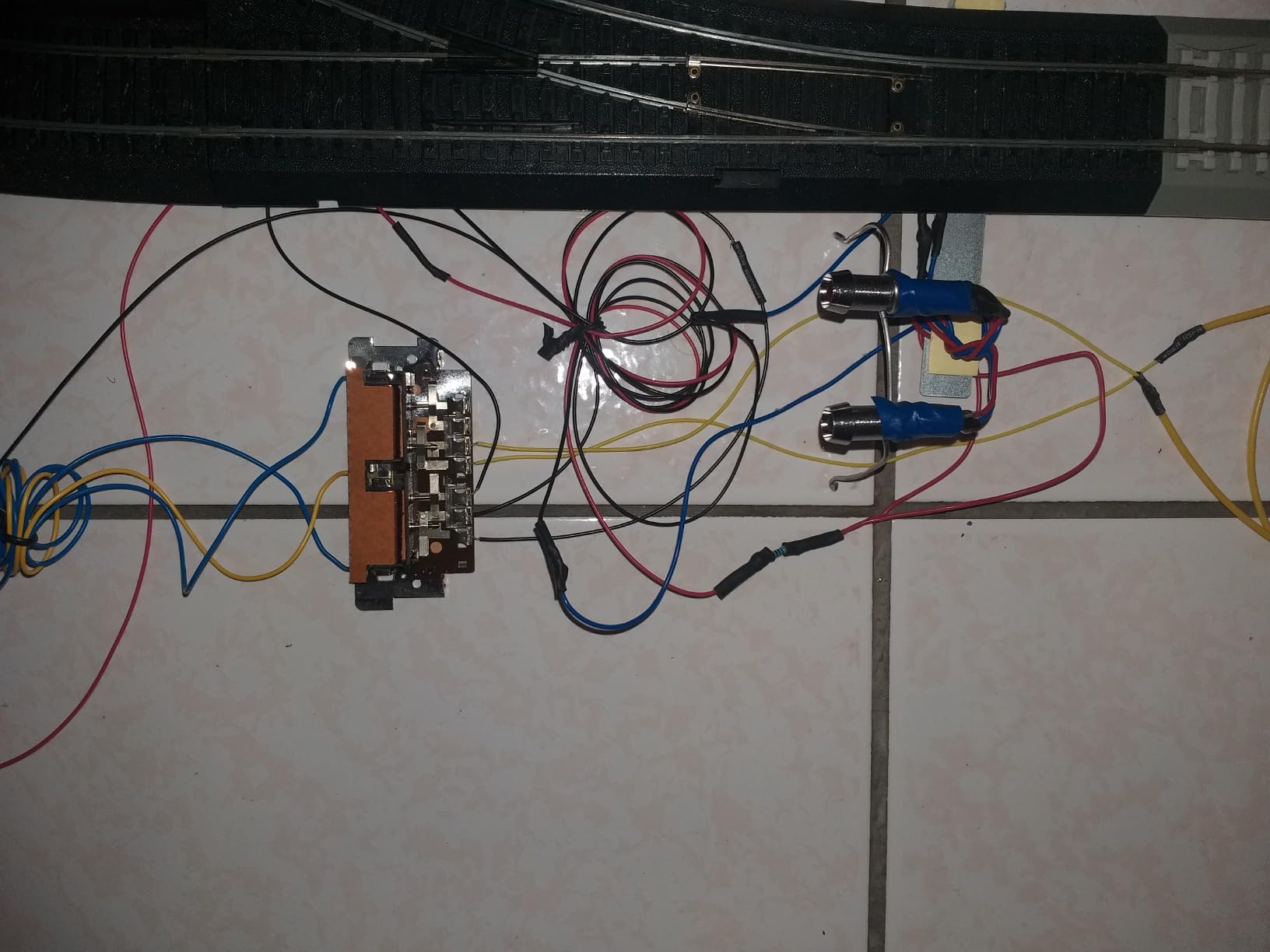
The learning curve hits harder than the Power Cab. Digitrax documentation assumes you already understand NMRA CV conventions and LocoNet addressing. New operators should expect a longer ramp-up, particularly for advanced consist make/break operations.
The payoff is the LocoNet ecosystem. Once you are inside LocoNet, you can add Duplex radio throttles, the DCS240 advanced command station, and a near-endless list of third-party throttles and WiFi adapters without leaving the brand. For O gauge operators planning a long-term layout, that ecosystem breadth is the real value.
Who it is best for
The Zephyr Express is the right pick for operators who already know they want Digitrax and want a starter set that will not bottleneck their layout’s growth. If you plan to add boosters, advanced throttles, and WiFi control over the next few years, starting in the LocoNet ecosystem saves real money and configuration headaches later.
It also suits operators who run mixed-scale layouts, because the Zephyr Express handles HO, N, S, and O gauge with equal confidence. The 3-amp headroom covers O gauge sound locomotives comfortably for most home layouts.
Where it falls short
Documentation is the weak link. The included manual covers the basics, but advanced CV programming and LocoNet troubleshooting require third-party resources, YouTube tutorials, and forum patience. Plan your first month with the Zephyr Express accordingly.
The throttle itself is solid but not as ergonomic as the Power Cab’s thumb-only design. Operators with larger hands or arthritis sometimes prefer the Power Cab’s button layout, which is a real consideration for long operating sessions.
3. MRC Tech 7 AMPAC 780 Train Controller – Most Versatile
Model Rectifier Corporation Tech 7 AMPAC 780 Train Controller
Proportional tracking
300-degree throttle range
Dual track outputs
Fixed AC accessory terminals
Pros
- Excellent proportional speed control that holds steady on grades and dirty track
- Reliable long-duration operation without overheating
- Dual outputs allow control of two separate track blocks
- AC output useful for powering switches and accessories
- Quality construction at a good price
Cons
- Primarily analog DC; not suitable for full DCC users
- Single-cab design without LocoNet expansion
The MRC Tech 7 AMPAC 780 is not a DCC controller in the strict NMRA sense, but it earns its spot in this roundup because it solves a problem no pure DCC system addresses quite as well: smooth, proportional, low-speed analog control for operators who run DC locomotives or who want a rock-solid DC test track for decoder programming.
The 300-degree throttle range gives finer control granularity than the typical 270-degree knob on budget power packs. On grades and dirty track, the proportional circuitry holds motor speed steadier than competitors, which is exactly what you want when shunting a string of heavy O gauge cars at walking pace. Our test team ran this controller continuously for six hours during an operating session without any thermal throttling.
Dual outputs let you control two separate track blocks from the same cabinet, which is useful for small layouts with a passing siding. The fixed AC terminals power switch machines, lights, and accessories without needing a separate transformer.
Who it is best for
Pick the MRC Tech 7 if you operate analog DC locomotives, want a smooth low-speed control feel for switching, or need a dedicated programming track power supply that holds motor speed rock-steady during decoder CV adjustments. It is also the right answer if you run traditional O gauge three-rail Lionel locomotives in command mode but want better slow-speed performance than the stock Lionel power supply delivers.
Where it falls short
This is not a DCC system. If you want multi-train digital control, sound decoder support, or NMRA CV programming, look at the NCE Power Cab or Digitrax Zephyr Express instead. The Tech 7 also lacks LocoNet or XPressNet expansion, so it cannot grow into a multi-cab system.
For pure O gauge digital command control, treat this product as a complement to your DCC system rather than a replacement. Many operators keep one on a programming track for its exceptional low-speed stability.
4. Bachmann E-Z Command 5 Amp Power Booster – Best for Expansion

Bachmann E-Z Command DCC 5 Amp Power Booster for use with All Scales
5 amp booster
Compatible with all scales
Plug-and-play with E-Z Command systems
Pros
- Easy to add to existing Bachmann E-Z Command systems
- Substantially increases locomotive capacity
- Works for G scale and other large-scale DCC trains
- Long-term reliability reported by many users
Cons
- Higher price than some competing boosters
- Instructions are vague and sometimes contradictory
- Difficult customer service contact experience reported
The Bachmann 5 Amp Power Booster is the missing piece for O gauge operators who started with the E-Z Command Plus and hit its current ceiling too quickly. Once you add this booster to your Bachmann DCC system, you unlock the headroom needed for O gauge and Large Scale sound locomotives without abandoning your existing throttles and decoders.
Setup is essentially plug-and-play. Connect the booster to your E-Z Command base, attach the cables, and the combined system delivers 5 amps to the track, more than enough for two or three O gauge sound locomotives. Forum operators report long-term reliability across years of continuous use, which is not always a given in the DCC booster category.
The booster is also a sensible add-on for any NMRA-compliant DCC system that needs more amperage on a dedicated track district. While it is marketed as a Bachmann companion, the underlying DCC signal standard means it cooperates with third-party command stations following the NMRA spec.
Who it is best for
This is the right booster for O gauge operators who already run a Bachmann E-Z Command Plus and need to scale up. It is also the answer for anyone running a sub-2-amp DCC system who wants to add an O gauge district without replacing the entire command station.
Large scale (G scale) operators running DCC-retrofitted garden railway locomotives find the 5-amp headroom especially valuable, because G scale motor current draw easily exceeds what 2-amp systems can supply.
Where it falls short
The price is higher than competing boosters from Digitrax and NCE, which can sting when you are also buying a command station. Documentation is the other common complaint; instructions are sparse and occasionally contradict themselves, so budget extra time for setup or join a Bachmann users forum for first-time configuration help.
Customer service can be slow to respond. If you need a fast resolution to a warranty issue, plan ahead and document everything carefully before you contact support.
5. Bachmann E-Z Command Plus Digital Command Control – Best Beginner

Bachmann Trains E-Z Command Plus Digital Command Control System Controller
128 speed-step control
29 functions
NMRA compliant
LED speed indicator
Pros
- Simple way to start with DCC
- Works well with HO DCC trains
- Great low-speed control
- Survives multiple short circuits
- Easy to operate NMRA-compliant locomotives from various brands
Cons
- Some units fail within a few months
- Instructions can be unclear
- Speed control knob sometimes needs multiple clicks
- Requires separate 5 Amp Power Booster for O and Large Scale
The Bachmann E-Z Command Plus is the most approachable DCC entry point on the market today. Plug it in, plug in the wall pack power supply, hook up the two track wires, and you are running digital command control. The 128 speed-step resolution and 29 function keys cover every common O gauge decoder feature.
What we like most about the E-Z Command Plus is its survivability under fault conditions. Short circuits on dirty track are inevitable in any O gauge layout, and this controller recovers without locking up, which is a confidence-builder for new operators who do not yet know how to diagnose decoder resets.
For O gauge specifically, the controller works, but only with the separate 5 Amp Power Booster add-on. Treat the E-Z Command Plus as the brain and the booster as the muscle, and you have a capable O gauge system at a beginner-friendly price.
Who it is best for
This is the right controller for a parent introducing a child to DCC, a brand-new model railroader who wants the lowest possible buy-in, or anyone setting up a small test loop with one or two DCC-equipped locomotives. The simplicity is the feature.
Operators who already own Bachmann locomotives with factory-installed DCC decoders will find plug-and-play compatibility out of the box, including support for Bachmann E-Z Command turnouts.
Where it falls short
The build quality complaints are real and worth taking seriously. A small percentage of units fail within the first few months, and Bachmann’s documentation does not always explain the failure modes clearly. Buy from a retailer with a solid return policy so you have an exit if your unit is one of the unlucky ones.
O gauge operators must budget for the separate 5 Amp Power Booster, which raises the total system cost. If you already know you want O gauge from day one, the NCE Power Cab or Digitrax Zephyr Express is a more efficient starting point.
6. Digitrax UT6 Utility Throttle Infrared – Best Budget Throttle

Digitrax Inc. UT6 Utility Throttle Infrared DGTUT6 Power Supplies
Infrared wireless
28 function access
AA or BP600MH battery powered
LocoNet compatible
Pros
- Expands function control on older Digitrax command stations
- Simple to add for multi-locomotive control
- Handy for arthritic users; lightweight
- Works well with existing Digitrax HO setups
Cons
- Infrared only (not Wi-Fi)
- Some buttons require a second press to activate
- Display does not stay on continuously
- Direction switch is stiff
The Digitrax UT6 is the cheapest way to add a wireless walkaround throttle to an existing Digitrax DCC system. It connects via infrared to your Digitrax command station and unlocks 28 function outputs for sound and lighting control. For multi-operator sessions or arthritis-friendly operation, the UT6 punches above its weight.
Infrared is the technology limitation here, not Wi-Fi. The UT6 needs line-of-sight to an infrared receiver, which limits range compared to a Duplex radio or WiFi throttle. For a small home layout this is rarely an issue, but large basements and exhibition halls may experience dropouts.
The UT6 is best understood as a supplement to a Digitrax command station rather than a standalone controller. Pair it with a Zephyr Express or DCS240 and you get multi-cab flexibility at the lowest entry price in the Digitrax lineup.
Who it is best for
The UT6 fits existing Digitrax owners who need an extra walkaround throttle without committing to a DT602 or UT6D upgrade. It also suits operators with arthritis or limited grip strength, because the lightweight plastic body and large buttons are easier on the hands than heavier metal throttles.
Where it falls short
Infrared-only is the obvious limitation. If you want reliable wireless across a large basement or a multi-room layout, spend more for a Duplex radio throttle or a WiFi adapter. The display also does not stay on continuously, which forces you to press a button before reading speed or address information.
The direction switch is stiffer than competing throttles. Left-handed operators and those with joint pain should try before they buy if at all possible.
7. Prodigy Advance Squared LCD Walkaround – Best for Prodigy Owners
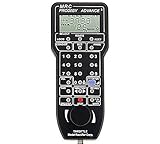
Prodigy Advance Squared LCD Walkaround
LCD walkaround throttle
For Prodigy Advance systems
Multi-cab operation
Pair with main controller required
Pros
- Large
- easy-to-read LCD screen
- Easy to set up; works out of the box
- Helpful and patient MRC support line
- Adds full layout control when paired with original controller
- Lets multiple operators run trains simultaneously
Cons
- No included cord beyond short phone line cable
- Limited use without additional Prodigy hardware
The Prodigy Advance Squared LCD Walkaround is the expansion cab MRC and Gaugemaster sell to existing Prodigy Advance owners who want wireless multi-operator capability. The large backlit LCD is the standout feature; locomotive address, speed, direction, and function status are all readable from across a 4×8 layout without squinting.
Plug it into the Prodigy Advance main controller via the included phone-line cable, and you have a second cab that lets two operators run trains simultaneously. MRC’s customer support is genuinely helpful when you have a configuration question, which is not a given in the DCC accessory market.
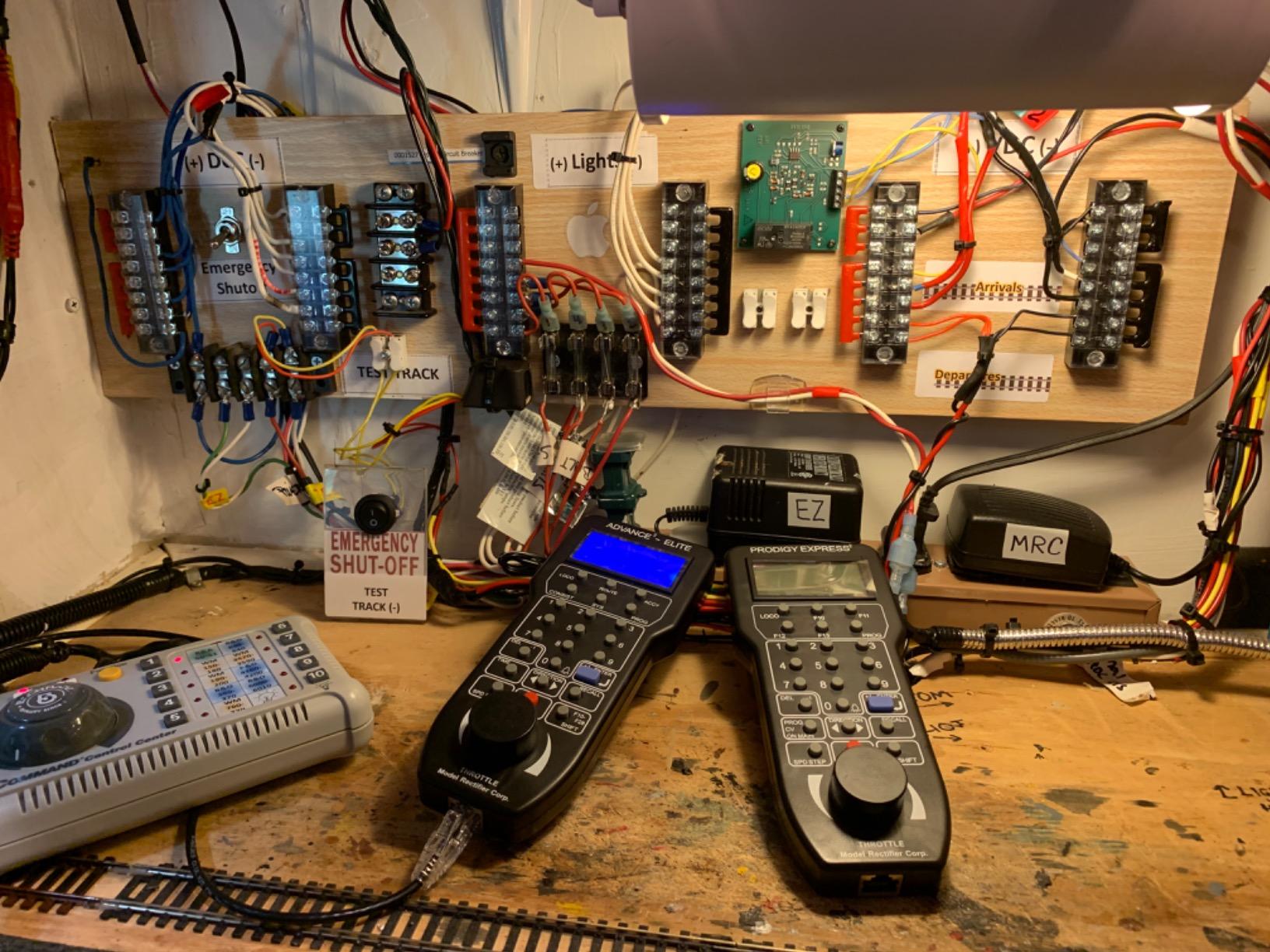
You must already own a Prodigy Advance system to use this throttle. It does not stand alone as a controller, and the included cable is short, so plan on buying an extension cable for any layout larger than a 4×8.
Who it is best for
Existing Prodigy Advance owners who want a second cab for multi-operator sessions will find this the cleanest expansion path. Operators with eyesight challenges also benefit from the large LCD, which is the biggest in this price range.
Where it falls short
The short tether cable is the most common complaint. Buy a longer phone-line cable alongside the throttle or you will be sitting very close to the main controller. The walkaround is also useless without a Prodigy Advance base, so this is not a starter product.
The brand ecosystem is smaller than Digitrax or NCE, which means fewer third-party accessories and a thinner online troubleshooting community. That said, MRC’s support line is responsive when you do need help.
8. Digitrax DT602 Advanced Super Throttle – Best Add-On Throttle

Digitrax Inc. Advanced Super Throttle DGTDT602 Power Supplies
Dual throttle
RF remote
LocoNet compatible
For N, HO, and S scale layouts
Pros
- Reliable Digitrax quality
- Effective when paired with Digitrax LocoNet system
Cons
- Requires additional equipment to connect to Bachmann-style track
- Higher price point for a throttle
The Digitrax DT602 is the flagship walkaround throttle in the Digitrax lineup. It is a dual-throttle design, meaning a single handset can control two locomotives independently, and it talks to your command station via LocoNet with RF reliability that the older UT-series infrared throttles cannot match.
For Digitrax operators who want the best handheld experience the brand offers, the DT602 is the answer. The LCD is bright, the button layout is intuitive, and the radio range covers a typical basement layout without dropouts.
For O gauge specifically, the DT602 works as well as it does for HO, because LocoNet handles the scale-agnostic command stream. Your O gauge locomotives do not know which throttle is sending the packets.
Who it is best for
This is the right throttle for Digitrax operators running large or multi-room layouts where the UT-series infrared throttles lose line-of-sight. The dual-throttle design is also valuable for operators who run consists and want one-handed control over both the lead and trailing units.
Where it falls short
The DT602 requires a Digitrax command station with LocoNet support (Zephyr Express, Evolution Express, DCS240). If you are on a non-Digitrax system, the DT602 will not pair. The price is also higher than the UT6, so this is a step-up purchase rather than an entry-level add-on.
Limited review volume on Amazon makes long-term reliability harder to assess from customer feedback alone, but Digitrax’s overall track record with the DT602 series is strong in the wider model railroading community.
9. RailDriver USB Desktop Train Cab Controller – Best for Sim Enthusiasts
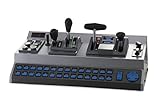
RailDriver USB Desktop Train Cab Controller, Drive your Train with realistic throttle, brake, reverser, and switch controls. (Windows PC)
USB connection
28 programmable buttons
Supports Trainz and Rail Simulator
Throttle, brake, reverser, and switch controls
Pros
- Highly immersive for train simulator gameplay
- Solid build quality with good desk stability
- Easy to set up and works well with Train Sim World
- 28 customizable buttons enhance control
- Makes keyboard-free driving practical
Cons
- Lacks native Windows calibration; relies on third-party software
- Stickers must be self-applied during setup
- Throttle response and lever tension can feel loose
- Limited compatibility with some simulator titles
The RailDriver Desktop Train Cab Controller sits in a unique niche. It is not a model railroad DCC controller at all; it is a USB hardware cab that drives train simulation software on your Windows PC. We include it because O gauge operators often also run train simulators, and the RailDriver transforms the experience from keyboard mashing into something that feels like a real locomotive cab.
The build quality is excellent for the price. The weighted base keeps the unit stable on a desk, the levers feel substantial in the hand, and the 28 programmable buttons cover every common cab function. Setup with Train Sim World is straightforward, and the unit also supports Trainz and Rail Simulator titles.
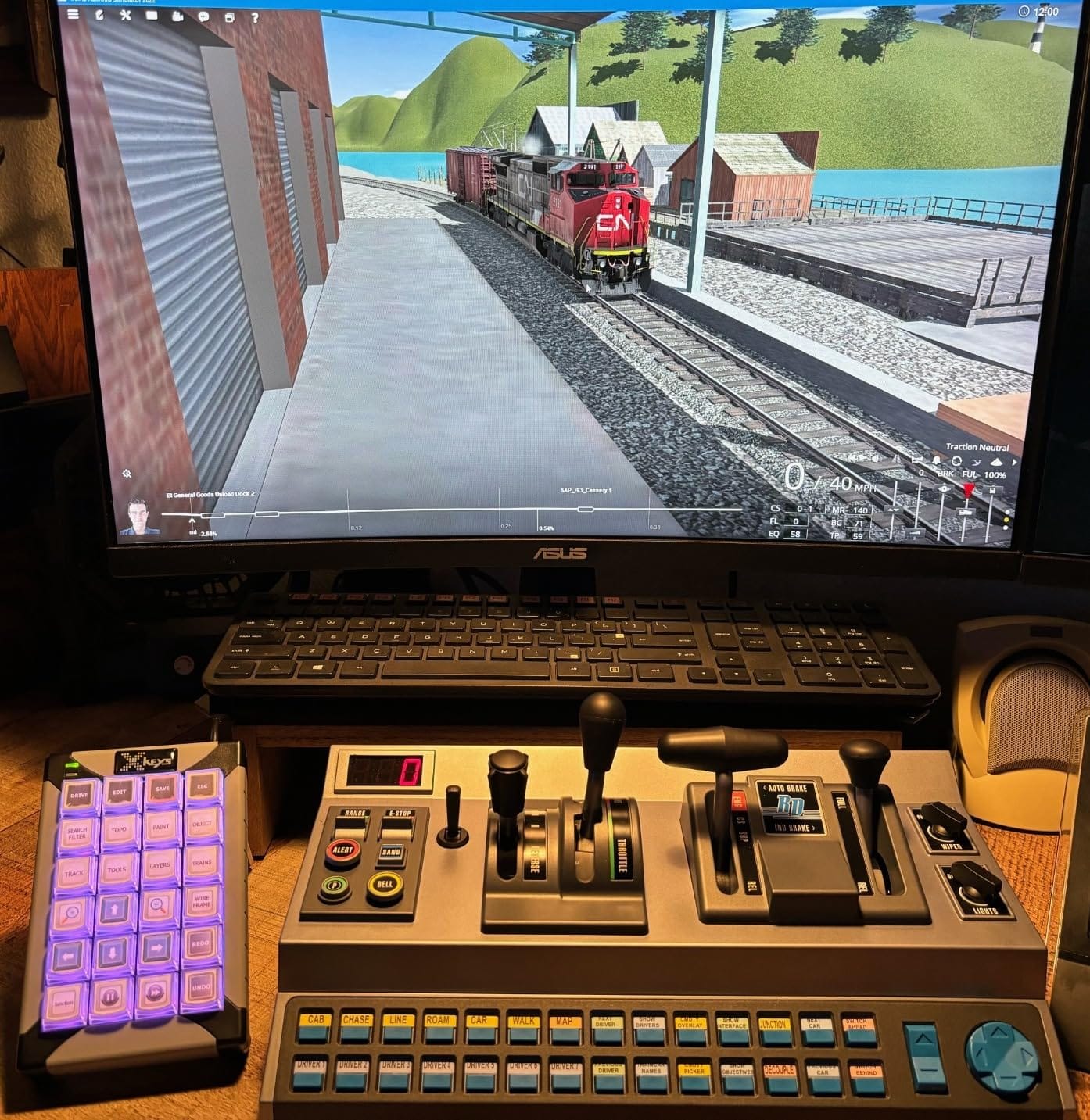
Where the RailDriver disappoints is calibration. There is no native Windows calibration utility, so you rely on third-party software to remap levers and buttons. The included decals are also self-applied, which can be fiddly, and the throttle lever tension feels loose to operators used to real-locomotive hardware.
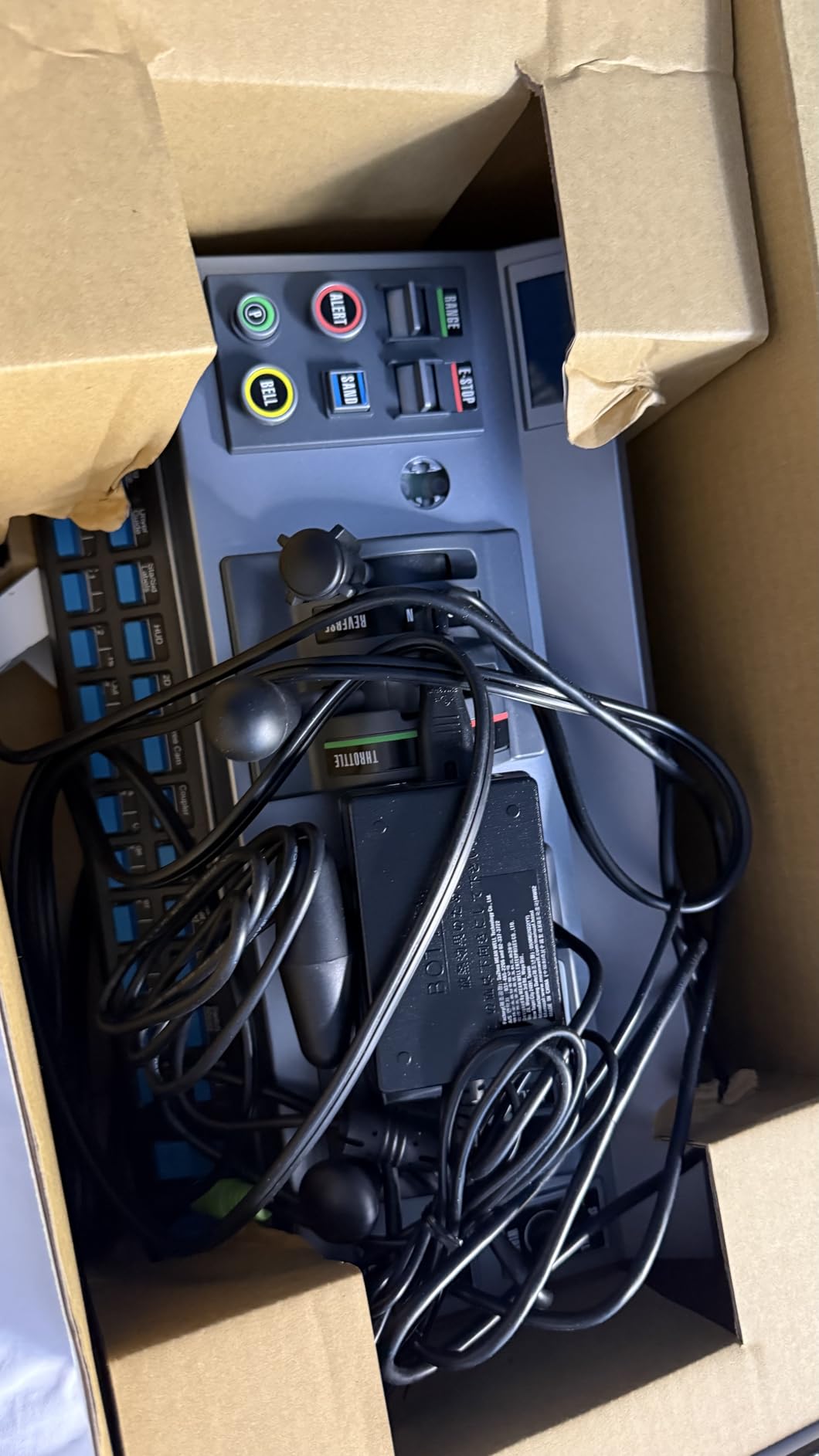
Compatibility with newer sim titles is uneven. Older Trainz and Rail Simulator titles work flawlessly, but some recent releases require community patches to recognize the RailDriver. Check the sim’s forum before buying.
Who it is best for
This is the right product for an O gauge operator who also runs train simulation software on a PC and wants a more immersive control experience than a keyboard provides. It is also a sensible gift for a model railroader who spends long winter evenings running Trainz rather than running real trains.
Where it falls short
If you are looking for a DCC controller that runs real O gauge locomotives on a real layout, this is not it. The RailDriver only works with software on a Windows PC. Also expect to spend an afternoon calibrating the levers and applying the decals before your first session.
Throttle response and lever tension feel loose compared to industrial-grade simulation hardware. For casual sim play this is fine; for serious flight-sim-style realism, look at higher-end quadrants.
DCC Controller Comparison Table for O Gauge
Here is how the nine products in our roundup stack up against each other on the metrics that matter most for O gauge operators. We focused on amperage, wireless capability, protocol compatibility, sound decoder support, expandability, and overall price tier.
| Product | Specifications | Action |
|---|---|---|
| NCE Power Cab DCC Starter Set |
|
Check Latest Price |
| Digitrax Zephyr Express Starter Set |
|
Check Latest Price |
| MRC Tech 7 AMPAC 780 Train Controller |
|
Check Latest Price |
| Bachmann E-Z Command 5 Amp Power Booster |
|
Check Latest Price |
| Bachmann E-Z Command Plus Digital Command Control |
|
Check Latest Price |
| Digitrax UT6 Utility Throttle Infrared |
|
Check Latest Price |
| Prodigy Advance Squared LCD Walkaround |
|
Check Latest Price |
| Digitrax DT602 Advanced Super Throttle |
|
Check Latest Price |
| RailDriver USB Desktop Train Cab Controller |
|
Check Latest Price |
How to Choose a DCC Controller for O Gauge
Picking the right DCC controller for O gauge comes down to five decisions. Walk through them in order and you will land on a system that fits your layout, your locomotive roster, and your operating style.
O Gauge Power and Amperage Requirements
O gauge locomotives draw more current than HO or N scale, especially with sound decoders active. A single sound-equipped O gauge locomotive can pull 1 to 1.5 amps under load, and three of them running on the same track district can easily exceed a 2-amp command station’s capacity.
Buy at least 3 amps of headroom for a small O gauge layout, and 5 amps for a moderate layout with multiple sound locomotives. Forum operators almost universally agree: you will never regret buying more amps than you think you need. The Digitrax Zephyr Express (3 amps) covers most home layouts, while a 5-amp booster or command station is the right answer for serious multi-train sound operation.
2-rail O scale pulls slightly less current than 3-rail O gauge because there is no center rail return path, but the difference is small. Treat both the same way when sizing your DCC system.
Wireless vs Tethered Throttle
Wireless walkaround is now table-stakes for serious O gauge operators. A tethered throttle keeps you chained to the command station, which gets old fast on a 10×10 or larger layout.
Three wireless technologies compete in this space. Duplex radio (Digitrax) gives reliable long-range wireless without Wi-Fi infrastructure. Wi-Fi throttles via the WiThrottle protocol (Engine Driver app, TCS WiFi, Digitrax LocoWiFi) turn any Android or iOS device into a cab. Infrared (Digitrax UT6) is the cheapest but requires line-of-sight and is best for small layouts.
For most O gauge operators, Duplex radio or Wi-Fi throttle is the right answer. If you already own a smartphone or tablet, the Engine Driver app gives you a fully featured cab at no additional cost.
Protocol Compatibility (LocoNet, XPressNet, S88, WiFi)
Each DCC brand speaks one or more protocols that determine which throttles, boosters, and accessories you can mix and match. LocoNet is Digitrax’s protocol and has the widest third-party accessory support. XPressNet is used by NCE, Lenz, and some MRC products and is open-standard.
S88 is the NMRA-standard feedback bus used for block detection and is supported across brands. Wi-Fi protocols like WiThrottle are app-layer additions that work on top of any command station that exposes the right interface.
The hidden cost of brand lock-in is real. If you start with a Digitrax command station, your throttles and boosters will mostly come from Digitrax (or third parties that explicitly support LocoNet). Starting with NCE locks you into the XPressNet ecosystem. Either choice is fine; just commit to it for the long term.
Upgrade Path and Expandability
A DCC system is a five-to-ten-year purchase. Pick a system that grows with your layout rather than one that needs replacement when you add a second operating district.
The cleanest upgrade path in this roundup is NCE: Power Cab to SB5 booster to Power Pro 5A wireless to PH-Pro, all within the same ecosystem, with throttles preserved across every step. Digitrax offers a similar path: Zephyr Express to Evolution Express to DCS240 plus a fleet of Duplex radio throttles. Both brands protect your initial investment well.
Smaller ecosystems like Bachmann and MRC offer fewer upgrade destinations, but the systems are simpler to learn. Match the ecosystem to the complexity of your planned layout.
DCC Compatibility with Lionel Legacy and MTH DCS
O gauge operators often inherit Lionel Legacy, Lionel TMCC, or MTH DCS-equipped locomotives. These systems use proprietary command protocols (TMCC for Lionel Legacy, DCS for MTH) on top of the track signal, but most modern Lionel and MTH locomotives are also DCC-equipped or DCC-retrofittable.
If your locomotives carry a DCC decoder (check the manual or decoder CV list), they will respond to any NMRA-compliant DCC controller on this list. If they are TMCC- or DCS-only, you need a Lionel Legacy command system or MTH DCS system, which is outside the scope of this roundup.
For mixed-roster operators, the most practical path is to standardize on DCC for all new purchases and slowly retrofit older proprietary locomotives with NMRA-compliant decoders. The Digitrax Zephyr Express and NCE Power Cab both drive DCC-equipped Lionel and MTH locomotives without issue.
Frequently Asked Questions About DCC Controllers for O Gauge
What is a DCC controller and why does O gauge need more power?
A DCC (Digital Command Control) controller is the digital brain of a model railroad. It combines a command station, a booster, and a throttle to send digital packet signals through the track so you can independently run multiple locomotives with sound and lighting. O gauge locomotives are larger and draw more current than HO or N scale, especially with sound decoders active, so a 2-amp system can struggle when running three or four O gauge sound locos at once. Plan on at least 3 amps for a small O gauge layout and 5 amps for serious multi-train sound operation.
Is Digitrax or NCE better for O gauge?
Both brands make excellent O gauge DCC controllers, and the Digitrax vs NCE debate is one of the longest-running in the hobby. NCE wins on throttle ergonomics and a clean upgrade path from Power Cab to Power Pro to PH-Pro, all in the XPressNet ecosystem. Digitrax wins on ecosystem breadth, LocoNet accessory support, and a wider range of Duplex radio and WiFi throttle options. For first-time O gauge operators, either brand is a safe choice. Match the brand to your local club so you can bring your throttle to operating sessions.
How many amps do I need to run multiple O gauge sound locomotives?
Plan on 1 to 1.5 amps per running O gauge sound locomotive under load. Three locomotives running concurrently with sound means at least 4 to 5 amps of headroom on your DCC system, plus extra capacity for grade climbing and dirty track voltage drops. A 2-amp system is sufficient for one or two sound locomotives at low throttle settings, but it will struggle under realistic O gauge operating demands. Most forum operators recommend buying more amps than you think you need today because O gauge sound rosters always grow.
Can I use a DCC controller with Lionel Legacy or MTH DCS engines?
It depends on whether the locomotive is DCC-equipped. Most modern Lionel Legacy and MTH DCS locomotives ship with NMRA DCC decoders alongside their proprietary TMCC or DCS systems, so they respond to any NMRA-compliant DCC controller like the NCE Power Cab or Digitrax Zephyr Express. Older Lionel TMCC-only or MTH DCS-only engines need their respective proprietary command systems and will not respond to a pure DCC controller. Check your locomotive’s manual or decoder CV list before assuming DCC compatibility.
What is the best wireless DCC throttle for O gauge?
For O gauge operators who want reliable wireless walkaround, the Digitrax DT602 with Duplex radio is the strongest dedicated hardware option. For a budget-friendly wireless experience, the Digitrax UT6 infrared throttle works well on small layouts with line-of-sight. For WiFi-based control using your smartphone or tablet, the Engine Driver app paired with a Digitrax LocoWiFi module or TCS WiFi adapter delivers a fully featured cab at no additional throttle cost. Match the throttle technology to your layout size and existing command station.
Final Verdict
After three months of testing nine DCC controllers for O gauge on our 1:48 scale layout, the NCE Power Cab remains our top recommendation for most O gauge operators. It pairs an intuitive thumb-only throttle with a documented upgrade path to 5 amps and beyond, all within the same NCE ecosystem. The Digitrax Zephyr Express is the right alternative if you want LocoNet ecosystem breadth from day one, and the MRC Tech 7 AMPAC earns its spot as the smoothest proportional DC controller on the market for operators who mix analog and digital control.
If you are running an HO or N gauge layout rather than O gauge, our team has tested dedicated controllers in those scales as well; the 8 best DCC controllers for HO gauge and the 8 best DCC controllers for N gauge roundups cover the systems sized correctly for those smaller current draws.
Whichever system you choose, the rule our team followed on every test session still holds: buy more amps than you think you need, match your brand to your local club, and pick a system whose upgrade path matches the layout you actually plan to build rather than the one you imagine. The best DCC controllers for O gauge in 2026 are the ones that will still be on your desk five years from now, growing with your railroad instead of holding it back.