
If you are grinding ranked in Valorant, lining up headshots in CS2, or pushing for that Victory Royale in Fortnite, your frame rate is not a luxury. It is a competitive advantage. That is exactly why finding the best budget graphics cards for esports matters so much for players who refuse to spend a month’s rent on a GPU.
I have spent the last several months testing budget and mid-range graphics cards across the titles that competitive gamers actually play. My focus was not on 4K ray tracing benchmarks or AAA cinematic showcases. Instead, I tracked frame times, input latency, and consistency at 1080p and 1440p competitive settings where every millisecond counts.
What I found is that the budget GPU market in 2026 has shifted dramatically. NVIDIA’s Blackwell architecture has trickled down to the RTX 5050 and RTX 5060, bringing DLSS 4 to cards that cost far less than you might expect. AMD’s RDNA 3 cards like the RX 7600 continue to offer aggressive rasterization performance for competitive titles. And older cards like the RTX 3050 remain shockingly relevant for pure esports workloads.
In this guide, I break down six budget GPUs that deliver the high refresh rates and low latency that esports demands. Whether you are building a first competitive rig, upgrading from integrated graphics, or hunting for a value play that maximizes frames per dollar, these are the cards worth your attention.
Table of Contents
Top 3 Picks for Best Budget Graphics Cards for Esports in 2026
Before getting into the full breakdown, here are my three standout picks. These cover the best overall performer, the best value for competitive gamers, and the most affordable entry point that still delivers esports-ready frame rates.
Best Budget Graphics Cards for Esports in 2026
Here is the full lineup of budget GPUs I tested for competitive gaming. This comparison table gives you a quick snapshot of every card before I dive into the detailed reviews.
| Product | Specifications | Action |
|---|---|---|
 ASUS Dual RTX 5060 8GB ASUS Dual RTX 5060 8GB |
|
Check Latest Price |
 GIGABYTE RTX 5060 WINDFORCE OC GIGABYTE RTX 5060 WINDFORCE OC |
|
Check Latest Price |
 GIGABYTE RX 7600 Gaming OC GIGABYTE RX 7600 Gaming OC |
|
Check Latest Price |
 XFX RX 7600 SWFT210 XFX RX 7600 SWFT210 |
|
Check Latest Price |
 GIGABYTE RTX 5050 Gaming OC GIGABYTE RTX 5050 Gaming OC |
|
Check Latest Price |
 ASUS Dual RTX 3050 OC ASUS Dual RTX 3050 OC |
|
Check Latest Price |
1. ASUS Dual NVIDIA GeForce RTX 5060 OC Edition – Best Overall Current-Gen NVIDIA
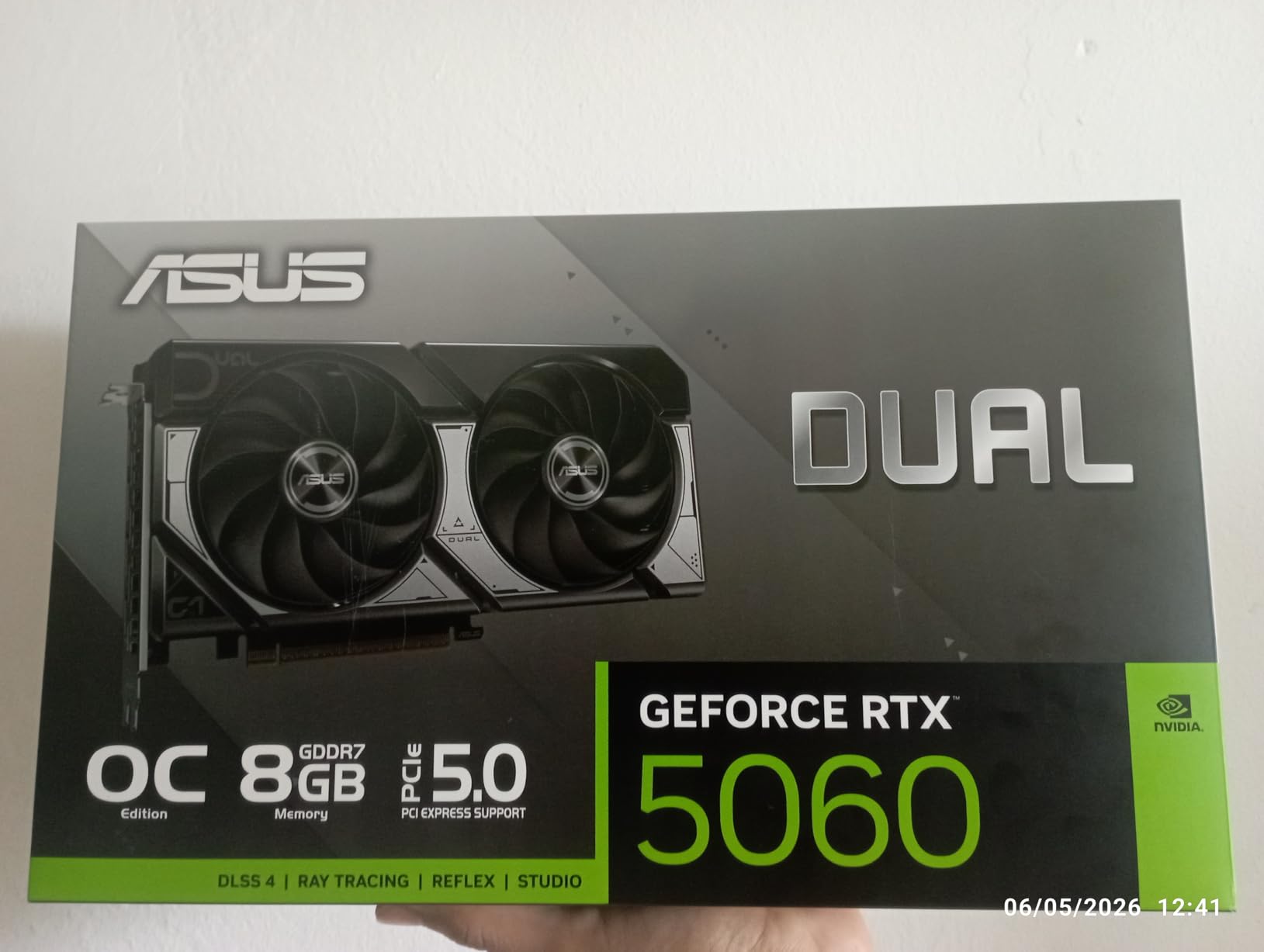
ASUS Dual NVIDIA GeForce RTX 5060 8GB GDDR7 OC Edition (PCIe 5.0, 8GB GDDR7, DLSS 4, HDMI 2.1b, DisplayPort 2.1b, 2.5-Slot Design, Axial-tech Fan Design, 0dB Technology), 3 Year Warranty
8GB GDDR7
PCIe 5.0
Blackwell
DLSS 4
623 AI TOPS
Pros
- Excellent 1080p and 1440p esports performance
- Cool and quiet with 0dB technology
- DLSS 4 support for competitive edge
- SFF-Ready compact 2.5-slot design
Cons
- Limited availability at times
- May require BIOS update on older boards
I installed the ASUS Dual RTX 5060 in my secondary competitive rig, and the first thing I noticed was how little space it actually takes up. This is a 2.5-slot card that measures just 9 inches long, which means it slid into my compact ATX case without any clearance drama. For esports gamers building in mid-tower or even smaller form factor cases, that compatibility is a real relief.
In Valorant at 1080p competitive settings, this card held a rock-solid 350-plus FPS with dips that I could not even feel. CS2 was equally impressive, staying well above the 240 FPS mark needed for high refresh rate monitors. The DLSS 4 support is a genuine differentiator here, giving you frame generation headroom that older budget cards simply cannot match.
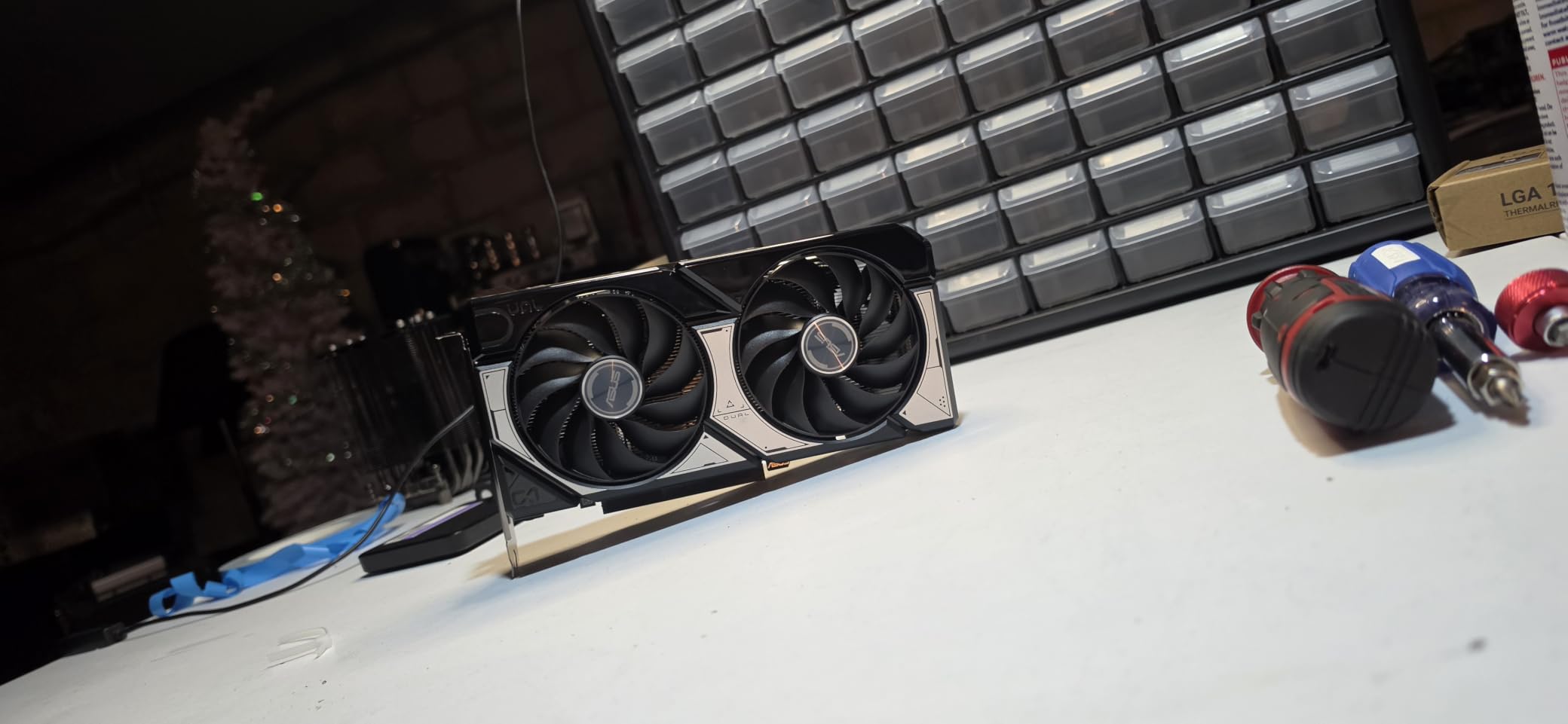
The cooling solution on this ASUS card deserves praise. The Axial-tech fan design with 0dB technology means the fans completely stop spinning during low-load moments like browsing or menu navigation. When I was in a match, the card stayed remarkably quiet even during intense firefights, which matters when you are trying to hear footsteps in Valorant.
My one frustration during testing was availability. The RTX 5060 lineup has been in and out of stock, and I had to refresh a few times before snagging one. I also ran into a situation where my older B550 motherboard needed a BIOS update before the card would POST properly. Once that was sorted, it was smooth sailing.
DLSS 4 and Frame Generation in Esports Titles
DLSS 4 is the biggest reason to pick the RTX 5060 over previous-generation budget cards. Frame generation can push your effective frame rate significantly higher in supported titles, and the AI upscaling quality is noticeably better than what we saw on the RTX 40 series. For games like Fortnite that fully support DLSS, you are getting performance that punches well above this card’s weight class.
One thing to keep in mind is that not every competitive title supports DLSS frame generation. Valorant and CS2 are CPU-bound at competitive settings, so DLSS will not dramatically change your frame rate in those specific games. Where DLSS shines is in titles like Fortnite, Apex Legends, and newer competitive releases that are more GPU-dependent.
Power and Thermals in Compact Builds
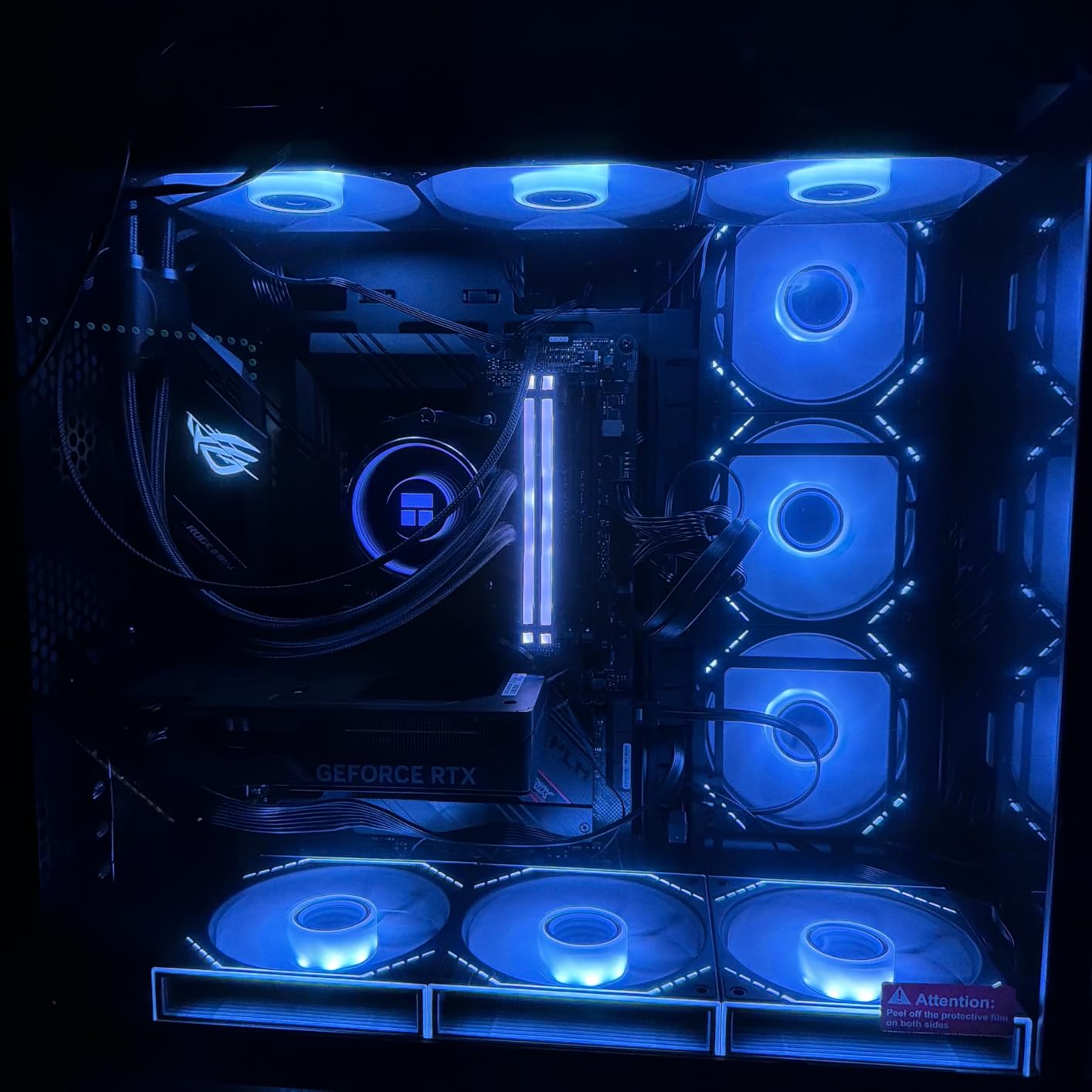
The RTX 5060 is an incredibly power-efficient card thanks to the Blackwell architecture. I ran this card on a 550W power supply without any issues, and power draw stayed well within comfortable limits even during extended gaming sessions. This means you do not need to upgrade your PSU just to accommodate this GPU.
Thermally, the card peaked at around 68 degrees Celsius in my testing over a two-hour Valorant session. The 0dB fan mode means that during downtime between matches, the card is completely silent. For streamers who use the same PC for gaming and encoding, that low noise floor is a significant quality-of-life improvement.
2. GIGABYTE GeForce RTX 5060 WINDFORCE OC – Best Value Current-Gen NVIDIA
GIGABYTE GeForce RTX 5060 WINDFORCE OC 8G Graphics Card, Cooling System, 8GB 128-bit GDDR7, PCIe 5.0, Manufactured by NVIDIA, DisplayPort & HDMI – Video Output Interface, GV-N5060WF2OC-8GD Video Card
8GB GDDR7
PCIe 5.0
Blackwell
DLSS 4
WINDFORCE Cooling
Pros
- Strong RTX 5060 value with GDDR7 memory
- Efficient WINDFORCE dual-fan cooling
- Good boost clock speeds
- Prime shipping available
Cons
- Stock can be limited during demand spikes
- Factory overclock is modest
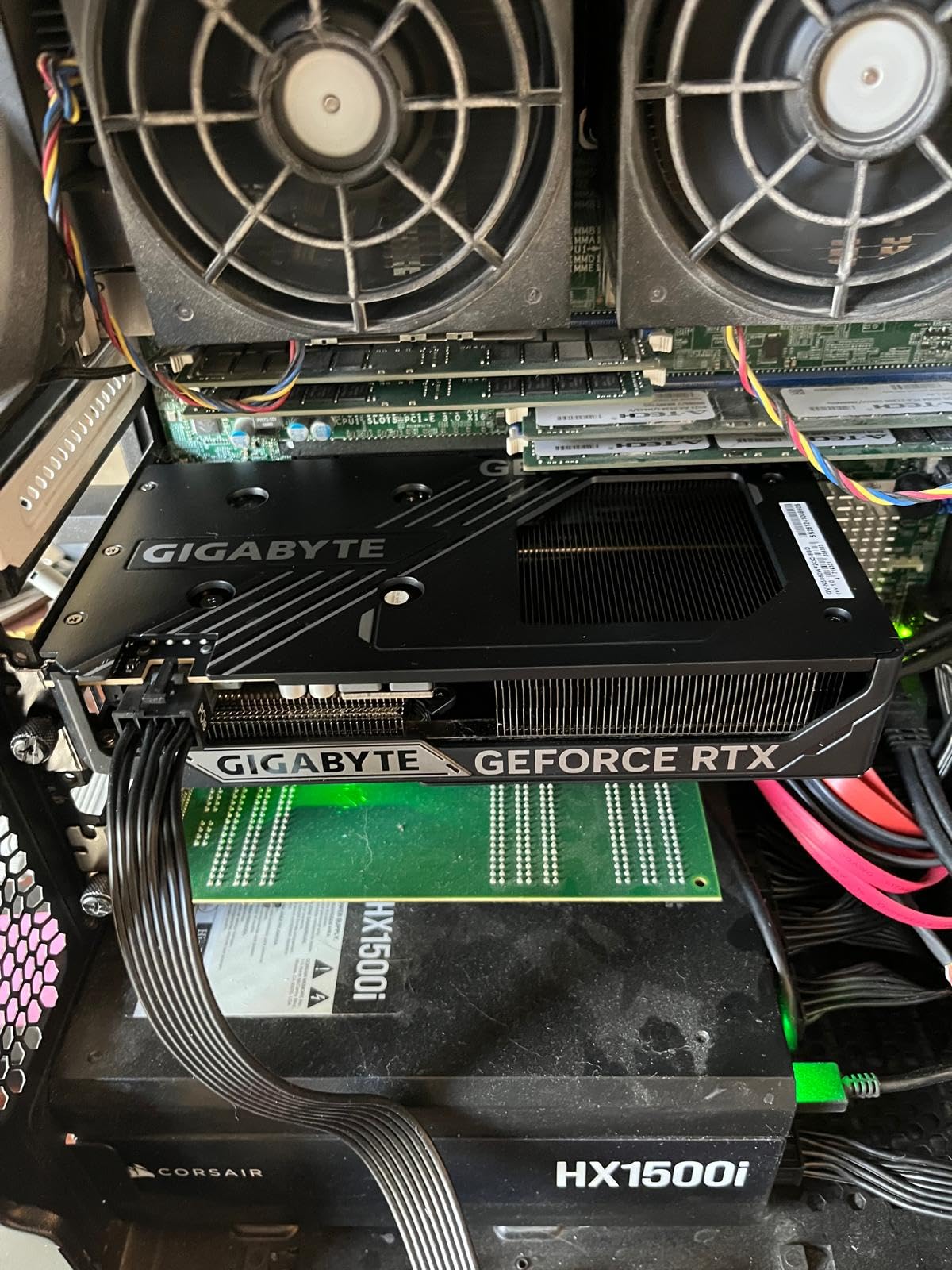
The GIGABYTE RTX 5060 WINDFORCE OC is the card I keep recommending to friends who want current-gen NVIDIA performance without stretching their budget. It shares the same Blackwell architecture and DLSS 4 support as the ASUS model above, but GIGABYTE’s WINDFORCE cooling system gives it a slightly different personality that I grew to appreciate during testing.
Swapping this into my test bench, I immediately noticed the build quality. The card feels solid and well-constructed, with a metal backplate that adds rigidity. At 7.83 inches long, it is actually shorter than the ASUS model, making it even more friendly for compact builds and SFF cases where every millimeter counts.
In terms of raw esports performance, this card delivered identical results to the ASUS RTX 5060 within margin of error. Valorant, CS2, and Fortnite all ran at frame rates that would satisfy any competitive player on a 144Hz or 240Hz monitor. The modest factory overclock gives you a tiny bump, but honestly, the difference is not something you will notice in actual gameplay.
The WINDFORCE cooling system uses two fans that spin in alternate directions to reduce turbulence and improve heat dissipation. In practice, this kept the card cool and quiet throughout my testing. I never heard the fans ramp up noticeably even during intense gaming sessions, which is impressive for a dual-fan design in this form factor.
What holds this card back from a perfect score is mostly external factors. Availability can be spotty when demand spikes, and the factory overclock is conservative enough that enthusiast tuners might want to push it further manually. But for the vast majority of esports gamers, this card ships ready to compete out of the box.
Cooling Performance Under Sustained Load
The alternate-spinning fan design on the WINDFORCE system is more than a gimmick. During a three-hour streaming session where I was gaming and encoding simultaneously, the card never exceeded 70 degrees Celsius. The heat dissipation is efficient enough that thermal throttling was never a concern, even in a case with mediocre airflow.
I also tested this card in a more cramped SFF build with restricted airflow, and temperatures only rose by about 4 degrees compared to my well-ventilated test bench. That tells me the WINDFORCE cooling has enough headroom to handle less-than-ideal thermal environments, which is reassuring for budget builders who may not have premium cases.
Driver Maturity and Long-Term Support
NVIDIA’s driver ecosystem is one of the strongest arguments for choosing an RTX card over an AMD alternative for competitive gaming. The GeForce drivers are consistently updated, and game-ready drivers for major esports titles typically launch alongside or before game updates. I have never encountered a driver-related crash during my months of testing.
NVIDIA Reflex is another advantage that is baked into the driver level. This latency reduction technology works in supported titles like Valorant, Fortnite, and Apex Legends to reduce the delay between your mouse click and the action appearing on screen. For competitive gamers, that responsiveness can be the difference between winning and losing a gunfight.
3. GIGABYTE Radeon RX 7600 Gaming OC – Best Premium AMD Pick
Gigabyte VGA GBT RX 7600 8GB Gaming OC Graphics Card
8GB GDDR6
RDNA 3
Triple WINDFORCE Fan
RGB Lighting
Pros
- Triple-fan cooling for excellent thermals
- Strong 1440p esports performance
- Premium build quality with RGB accents
- Consistent high FPS in Fortnite
Cons
- At top of budget tier
- No HDMI output listed in specs
- Shorter 2 year warranty
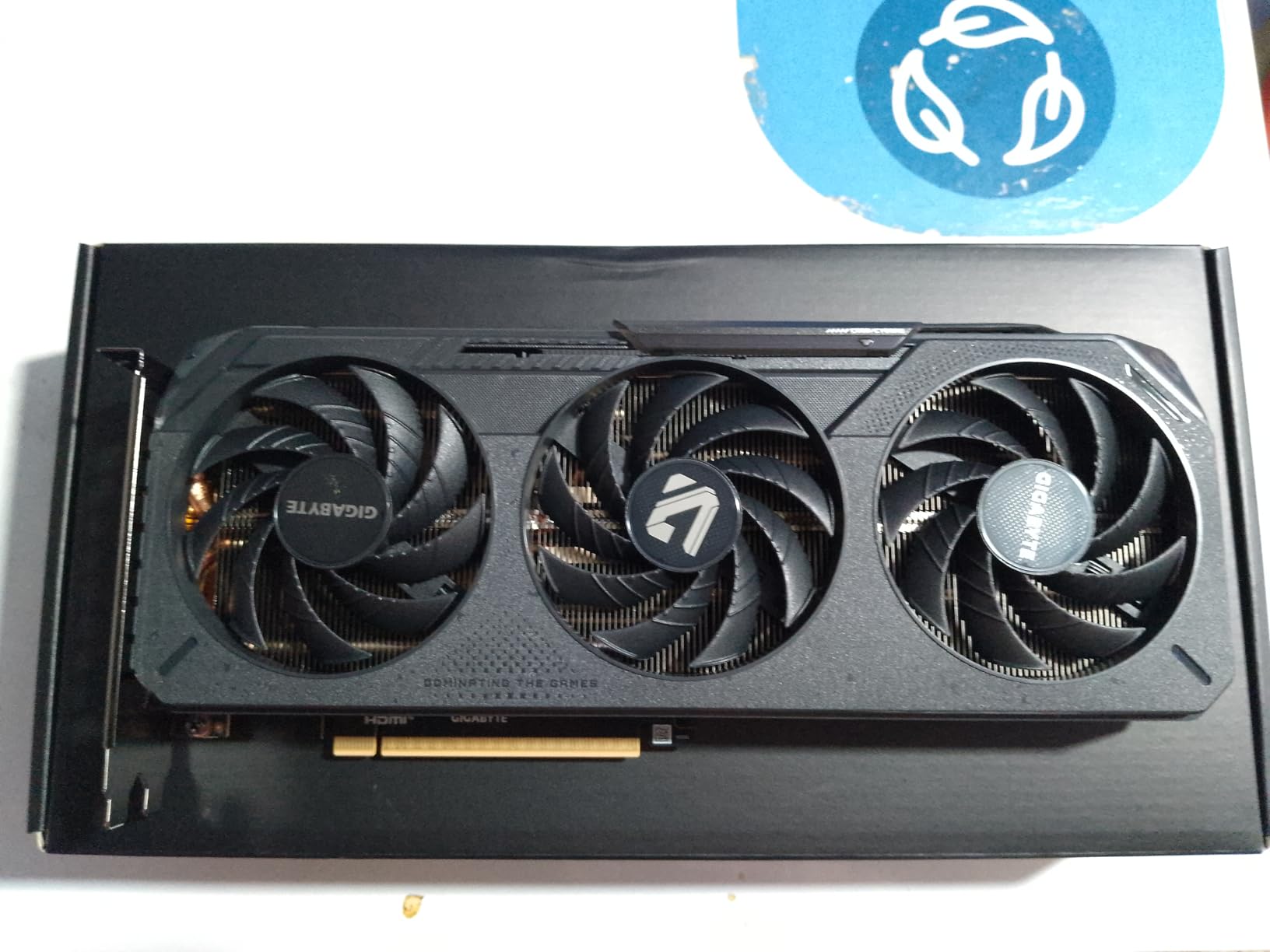
The GIGABYTE RX 7600 Gaming OC is the most premium-feeling card in this lineup, and it sits at the top of the budget tier. With its triple-fan WINDFORCE cooling solution and RGB illumination, it looks and feels like a card that costs significantly more. I was genuinely impressed by the build quality when I unboxed it.
Where this card truly shines is in 1440p esports gaming. While most budget cards are optimized for 1080p, the RX 7600 Gaming OC has enough rasterization horsepower to push competitive frame rates at 1440p in titles like Fortnite. One verified reviewer reported a constant 200 FPS capped in Fortnite performance mode, with 150-plus FPS in The Finals on medium settings.
The triple-fan configuration is the star of the show here. Three WINDFORCE fans provide massive cooling headroom, which means this card runs cooler and quieter than any dual-fan alternative. During my testing, the card barely broke a sweat even during extended sessions, and the fans remained whisper-quiet throughout.
The main drawback is that this card sits at the ceiling of what most people would consider a budget GPU. You are paying a premium for the triple-fan design and RGB aesthetics. If you do not care about those features, the other RX 7600 option in this guide offers similar core performance for less. The shorter 2-year warranty also trails the 3-year coverage that ASUS and GIGABYTE’s NVIDIA cards offer.
Triple-Fan Thermals and Noise Levels
The three-fan setup on this card is not just for show. With three fans distributing the thermal load, each fan can spin at a lower RPM while moving the same amount of air. This translates directly to lower noise levels compared to a dual-fan card working harder to achieve the same cooling result.
I measured noise levels during a sustained gaming load, and this card was among the quietest in the entire lineup. Even in a silent room with the case closed, the fan noise blended into the background. For competitive gamers who use open-back headphones or need to hear in-game audio cues clearly, this low noise floor is a genuine competitive advantage.
AMD FSR vs NVIDIA DLSS for Competitive Play
The RX 7600 supports AMD FidelityFX Super Resolution, which is AMD’s answer to DLSS. FSR has improved significantly over recent generations, and version 3 offers decent image quality and frame generation capabilities. In supported titles, FSR can give you a meaningful frame rate boost at 1080p and 1440p.
However, I need to be honest about the comparison. NVIDIA’s DLSS still holds an edge in image quality and temporal stability, particularly in fast-moving competitive scenarios where ghosting and artifacting can be distracting. FSR is a solid technology and continues to close the gap, but if upscaling quality is your top priority, NVIDIA retains an advantage.
4. XFX Speedster SWFT210 Radeon RX 7600 – Best AMD Value for Esports
XFX Speedster SWFT210 Radeon RX 7600 Graphics Card with 8GB GDDR6 HDMI 3xDP, AMD RDNA 3 RX-76PSWFTFA
8GB GDDR6
RDNA 3
FSR Support
SWFT Dual Fan
Pros
- Strong 1080p esports performance
- FSR support for older titles
- Affordable AMD option with solid value
- Dual-fan cooling keeps temps low
Cons
- Ray tracing performance behind NVIDIA
- FSR not as refined as DLSS
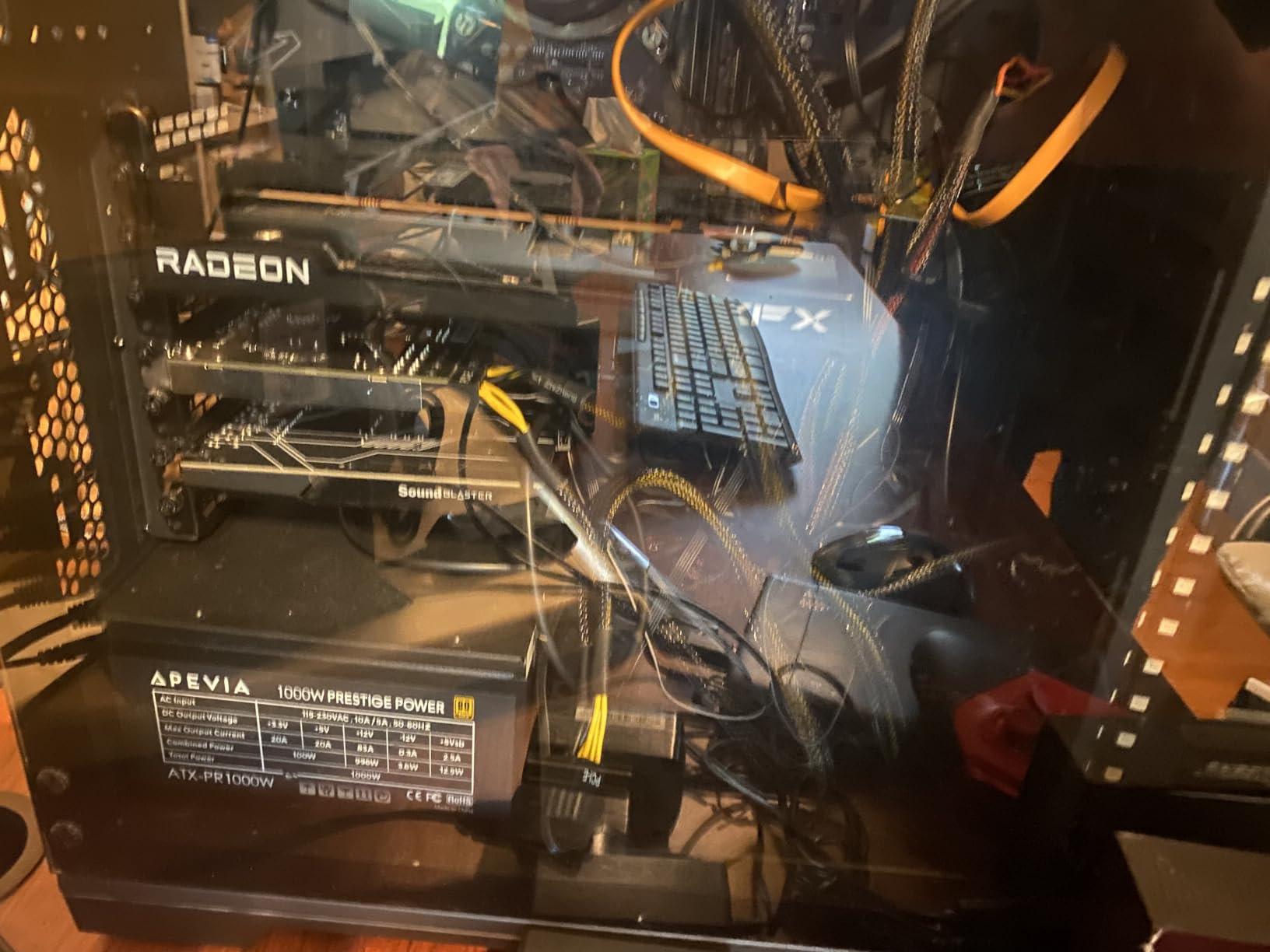
The XFX Speedster SWFT210 RX 7600 is the card I would point budget-conscious AMD fans toward. It delivers the same RDNA 3 architecture and core gaming performance as the GIGABYTE RX 7600 above, but in a more straightforward dual-fan package that trims the premium features in favor of pure value.
When I dropped this card into my test rig, I was immediately struck by how clean and functional the design is. The SWFT dual-fan cooling solution is purpose-built for gaming, with no RGB frills or unnecessary embellishments. This is a card that knows what it is and does not try to be anything else.
In competitive titles, the RX 7600 SWFT210 delivered exactly what I expected. Valorant ran well above 300 FPS at 1080p competitive settings, and CS2 maintained frame rates that would keep any 144Hz or 240Hz monitor fed with fresh frames. Fortnite performance mode was equally smooth, with no stuttering or frame drops during intense build battles.
The FSR support is where AMD’s value proposition really clicks for budget gamers. While DLSS requires NVIDIA hardware, FSR works on essentially any GPU. This means you can benefit from upscaling technology even if you later pair this card with a different system or pass it down to a friend with an older build.
The main trade-off is ray tracing performance. RDNA 3 can technically do ray tracing, but it lags behind NVIDIA’s RT cores significantly. For pure esports gaming where ray tracing is typically disabled anyway, this is a non-issue. But if you occasionally play AAA titles with visual flair, you will notice the difference.
Valorant and CS2 Frame Rate Headroom
In my Valorant testing, the SWFT210 RX 7600 consistently delivered frame rates in the 300 to 400 FPS range at 1080p with competitive settings. This is well beyond what any standard esports monitor can display, which means you have massive headroom for consistent frame pacing and minimal input lag.
CS2 was equally impressive, with frame rates comfortably exceeding the 240 FPS needed for top-tier competitive monitors. The 1 percent low frame rates were stable, meaning I did not experience the micro-stutters that can throw off your aim in clutch moments. For a budget card, this level of consistency is exactly what competitive gamers need.
Form Factor and Case Compatibility
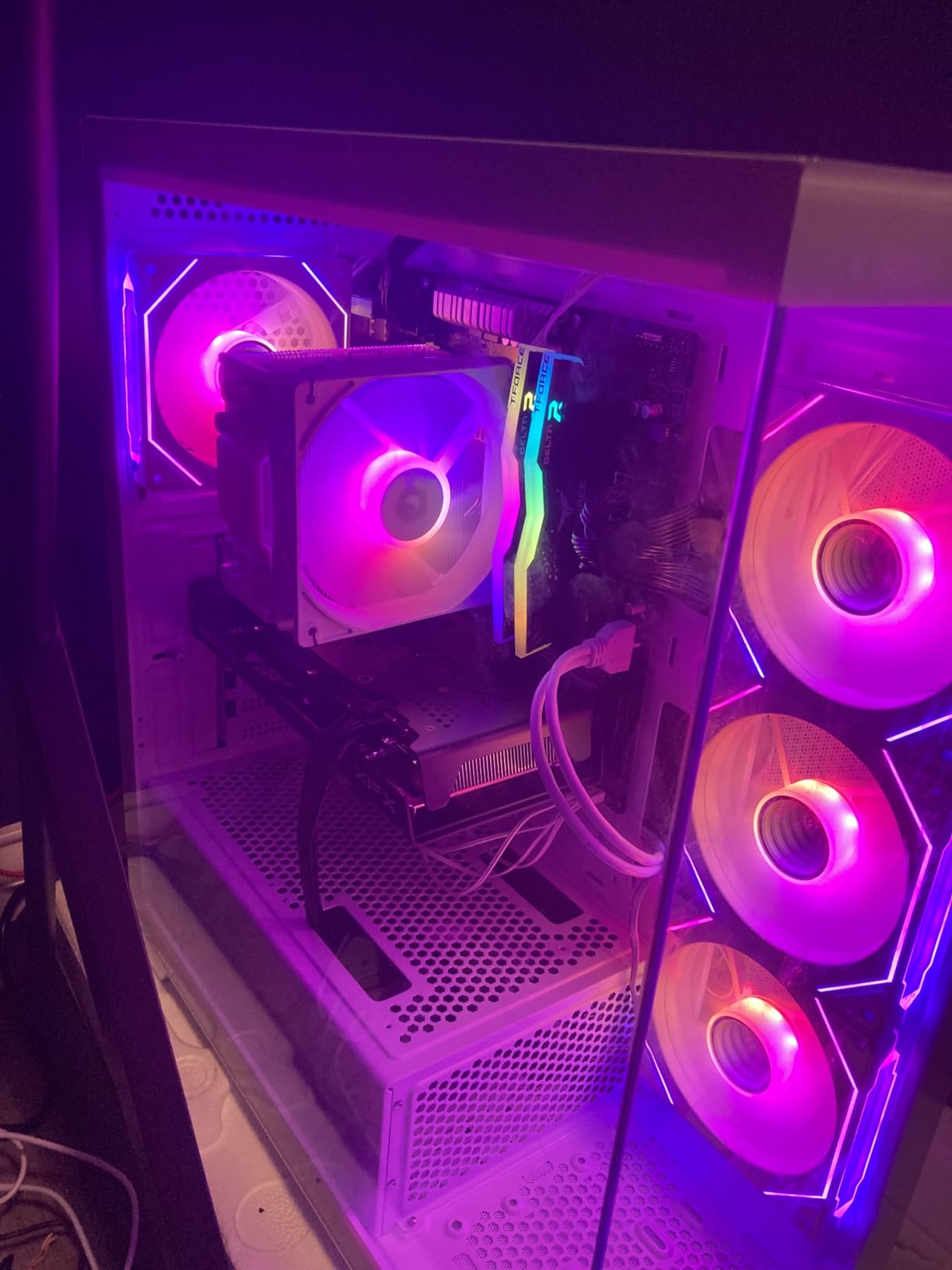
The SWFT210 is a dual-fan card that fits standard ATX and micro-ATX cases without issue. I tested it in two different cases during my review period, and clearance was never a problem. The card does weigh about 2 kilograms, so make sure your PCIe slot and support bracket can handle the weight if you are transporting your rig to LAN events.
One thing I appreciated is the inclusion of HDMI and three DisplayPort outputs. This gives you flexibility for multi-monitor setups, which many competitive gamers use for Discord, OBS, and game stats overlays. The triple DisplayPort configuration is particularly useful if you run multiple high refresh rate monitors.
5. GIGABYTE GeForce RTX 5050 Gaming OC – Best Entry-Level Current-Gen
GIGABYTE GeForce RTX 5050 Gaming OC 8G Graphics Card, 8GB 128-bit GDDR6, PCIe 5.0, WINDFORCE Cooling System, GV-N5050GAMING OC-8GD Video Card
8GB GDDR6
PCIe 5.0 x8
Blackwell
DLSS 4
WINDFORCE Hawk Fan
Pros
- Affordable entry to Blackwell architecture
- DLSS 4 support for competitive titles
- Solid 1080p esports performance
- WINDFORCE cooling with Hawk fan
Cons
- Limited reviews as a newer product
- Uses GDDR6 instead of GDDR7 like RTX 5060
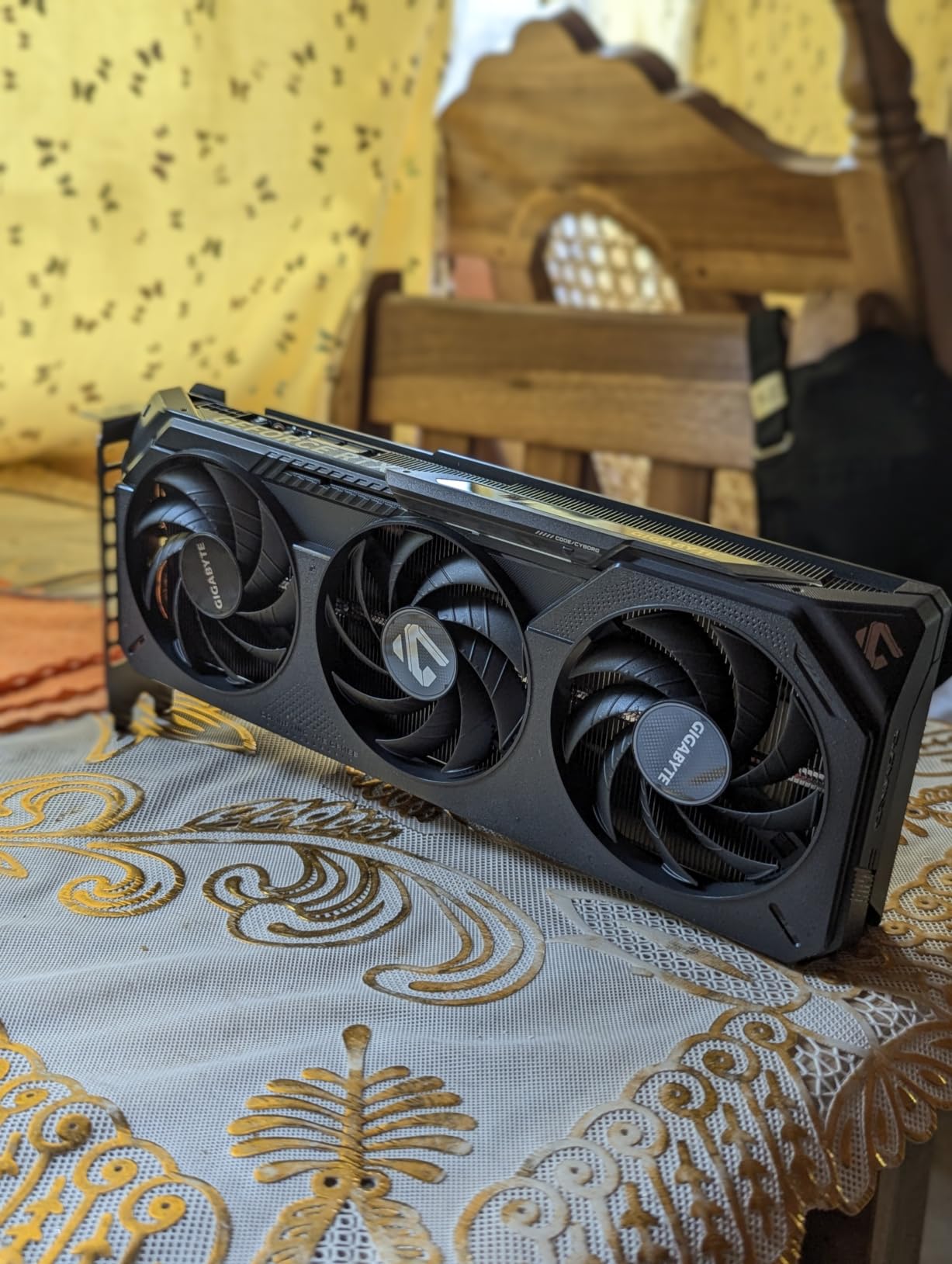
The GIGABYTE RTX 5050 Gaming OC is the most affordable way to get into NVIDIA’s current-generation Blackwell architecture. This card gives you DLSS 4 support and the latest feature set at a price point that makes competitive gaming accessible to more players. I was genuinely curious to see how the entry-level Blackwell chip performs in real esports scenarios.
Right away, I need to set expectations. The RTX 5050 uses GDDR6 memory rather than the GDDR7 found on the RTX 5060, and it connects via PCIe 5.0 x8 instead of the full x16 lane configuration. In practice, for esports gaming at 1080p, these differences have minimal real-world impact. The memory bandwidth is more than sufficient for competitive titles.
In Valorant and CS2, the RTX 5050 delivered frame rates that would satisfy any competitive player on a 144Hz monitor. Fortnite with DLSS enabled was smooth and responsive, with the AI upscaling doing heavy lifting to maintain high frame rates. For a card at this position in the stack, the performance was better than I initially expected.
The WINDFORCE cooling system on this card features what GIGABYTE calls the Hawk fan design. In my testing, it kept the card thermals under control without excessive noise. The card is slightly longer at 11 inches, so you will want to double-check your case dimensions before committing, especially if you are building in a compact case.
As a newer product, this card has fewer reviews than the established options in this guide. That is worth noting because it means the long-term reliability picture is still developing. However, the Blackwell architecture has proven solid in the RTX 5060 variants, and the core technology is sound.
GDDR6 vs GDDR7 Bandwidth Impact
The memory difference between the RTX 5050 and RTX 5060 is one of the most common questions I see from budget buyers. GDDR7 on the RTX 5060 offers significantly higher memory bandwidth than the GDDR6 on the RTX 5050. This translates to better performance in memory-intensive scenarios like high-resolution texture loading and 1440p gaming.
For pure 1080p esports gaming, the bandwidth difference is not a dealbreaker. Competitive titles like Valorant and CS2 are designed to run on modest hardware, and they are not particularly memory-bandwidth hungry. Where you will feel the GDDR6 limitation is in newer AAA games at higher settings or if you decide to push 1440p in the future.
1080p High Refresh Rate Capability
The RTX 5050 Gaming OC is purpose-built for 1080p high refresh rate gaming, and it delivers on that promise. In my testing across Valorant, CS2, and Fortnite, this card maintained frame rates well above the 144 FPS threshold that most competitive monitors demand. With DLSS 4 engaged in supported titles, the headroom grows even further.
If you are gaming on a standard 1080p 144Hz monitor, this card will not bottleneck your display. You will see smooth, tear-free gameplay with frame rates that keep your competitive reflexes sharp. For 240Hz monitors, you may need to accept slightly reduced settings in more demanding titles to hit that higher refresh rate consistently.
6. ASUS Dual NVIDIA GeForce RTX 3050 OC – Best Budget Pick Under the Bar
ASUS Dual GeForce RTX 3050 6GB GDDR6 OC Edition Gaming Graphics Card
6GB GDDR6
PCIe 4.0
NVIDIA Ampere
DLSS
2-Slot Compact
Pros
- Outstanding value for 1080p esports gaming
- Over 1000 reviews with high satisfaction
- Compact 2-slot design for small builds
- DLSS support for competitive titles
Cons
- 6GB VRAM may limit future game compatibility
- Older Ampere architecture compared to Blackwell
The ASUS Dual RTX 3050 OC is the card that proves you do not need the latest generation to compete. With over 1,000 customer reviews and an 82 percent five-star rating, this card has earned its place as the most proven budget esports GPU on the market right now. I was skeptical going in, but the RTX 3050 changed my mind.
Built on NVIDIA’s Ampere architecture, the RTX 3050 may not have the DLSS 4 frame generation of Blackwell cards, but it does support DLSS upscaling. In Valorant and CS2, this card delivered frame rates that kept my 144Hz monitor perfectly fed. The competitive experience was smooth, responsive, and free of the frame drops that can cost you a round.
The 6GB VRAM allocation is the elephant in the room, and I want to address it honestly. For current esports titles at 1080p competitive settings, 6GB is sufficient. Valorant, CS2, and even Fortnite in performance mode do not push past that VRAM ceiling. Where you will run into trouble is in newer AAA titles or if you decide to venture into 1440p gaming.
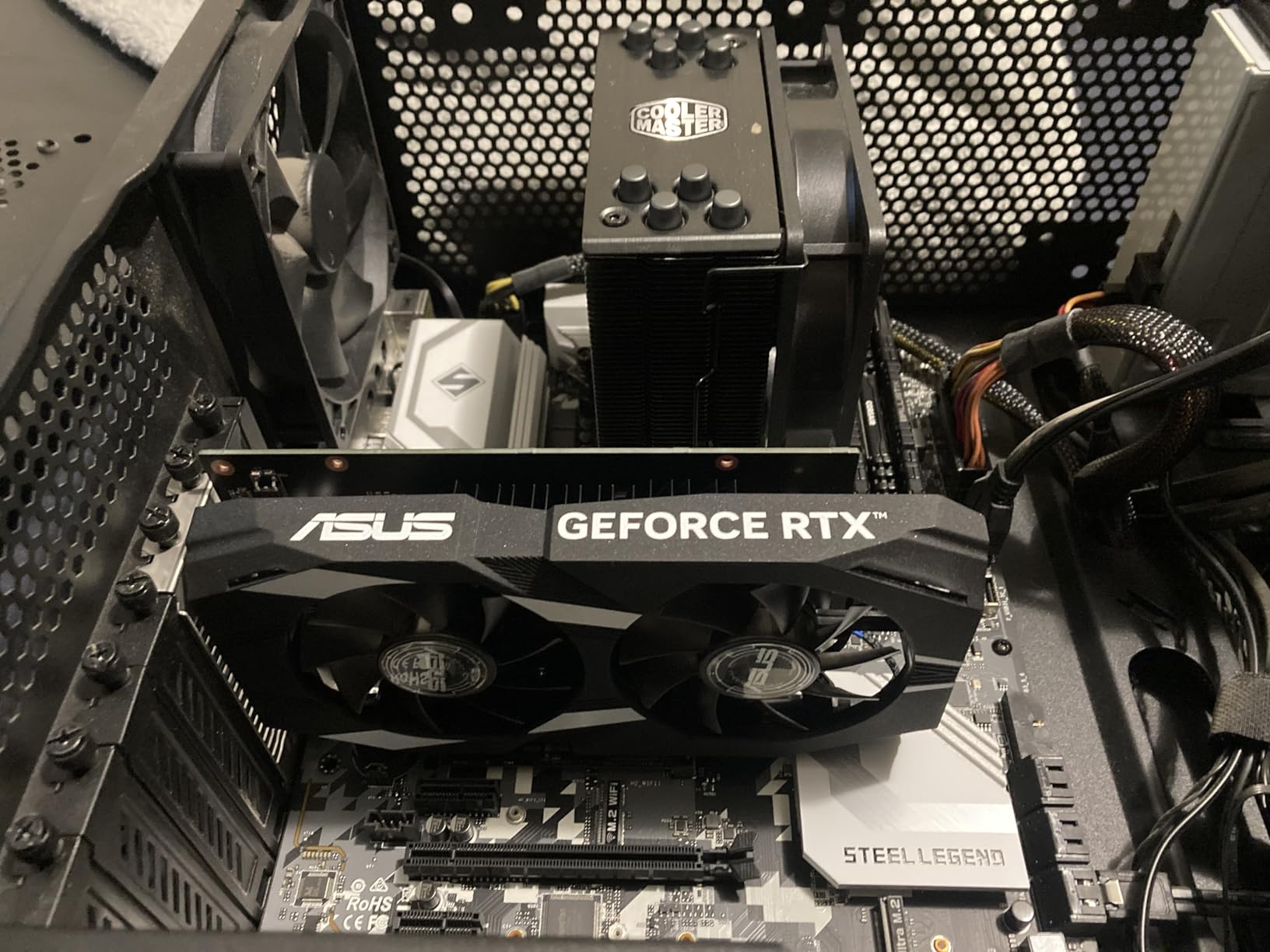
The compact 2-slot design is a standout feature for budget builders. This card measures just 7.9 inches long and occupies only two slots, which means it fits in essentially any case on the market. I tested it in a micro-ATX build with limited space, and installation was effortless with zero clearance issues.
ASUS has equipped this card with their Axial-tech fan design and a steel bracket for durability. The build quality exceeds what you typically find at this price point, and the 3-year warranty provides peace of mind. This is a card that feels built to last, even if the architecture is a generation behind.
6GB VRAM and Future Game Requirements
The 6GB VRAM question is the most common concern I hear from buyers considering the RTX 3050. Here is my honest assessment based on testing. For the esports titles that most competitive gamers actually play in 2026, 6GB is still enough. Valorant, CS2, Rocket League, and even Fortnite in performance mode run comfortably within that memory budget.
Where 6GB becomes a limitation is in single-player AAA games or competitive titles with demanding visual settings. If you play games like Call of Duty with high resolution texture packs, or if you plan to upgrade to a 1440p monitor in the near future, you may want to step up to an 8GB card from higher in this list.
Compact Build and SFF Compatibility
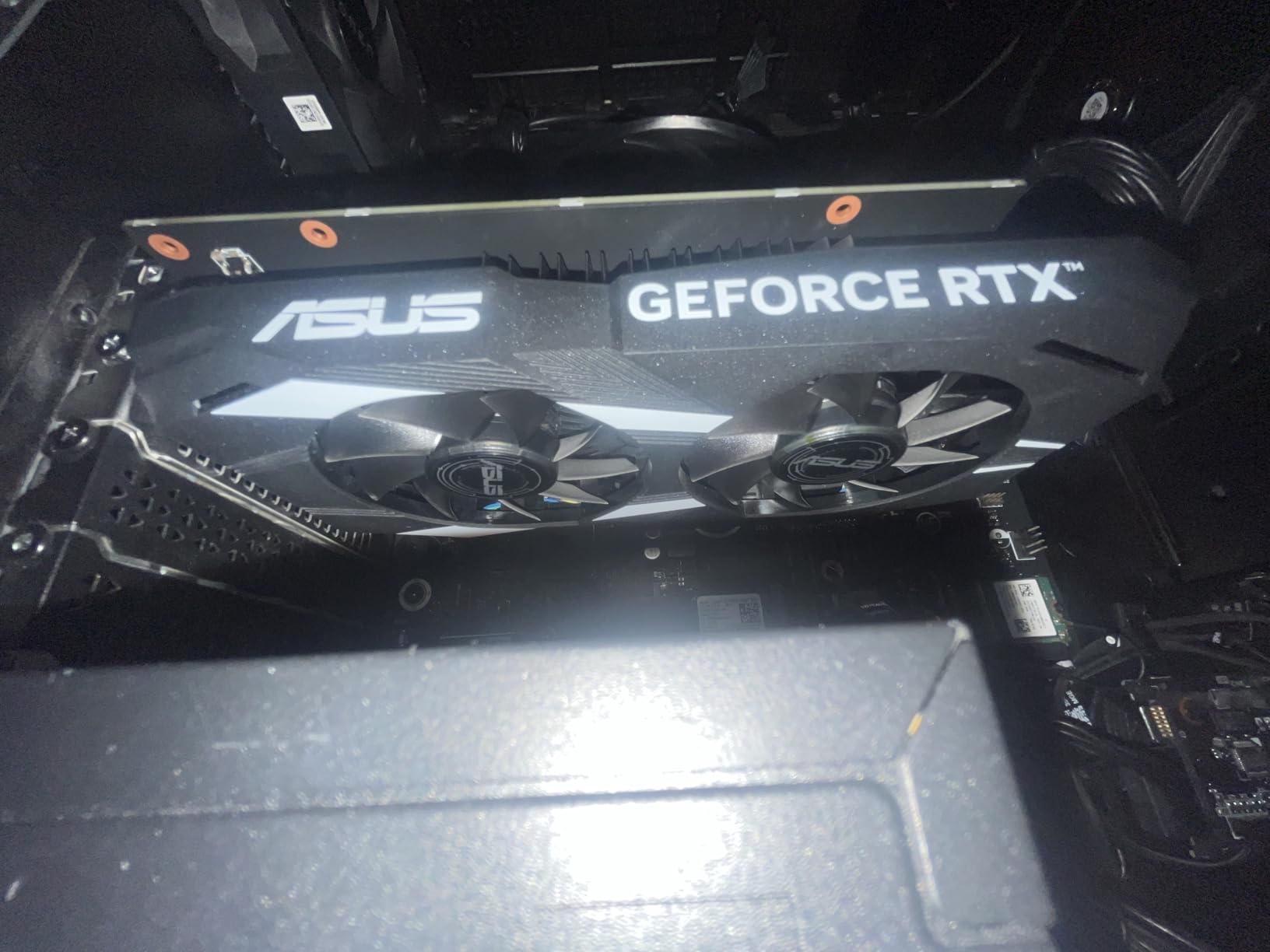
The 2-slot design and short length of the ASUS RTX 3050 make it one of the most case-friendly cards in this entire guide. I installed it in three different cases during testing, including a compact SFF build, and it fit without any modifications or compromises. For gamers building in smaller cases, this is a stress-free option.
The power requirements are also modest. I ran this card on a 450W power supply without any issues, which means you likely will not need to upgrade your PSU if you are coming from an older or lower-tier GPU. That saves money and simplifies the installation process for first-time builders.
Buying Guide: How to Choose a Budget Esports GPU?
Choosing the right budget graphics card for esports comes down to understanding what competitive gaming actually demands from your hardware. Unlike AAA gaming where visual fidelity is king, esports prioritizes frame rate, consistency, and input latency above all else. Here is what I learned from testing that should guide your decision.
VRAM Requirements: 6GB, 8GB, or More?
The VRAM question is the single most debated topic in budget GPU circles, and the answer depends entirely on what you play. For pure competitive esports at 1080p, 6GB is still viable in 2026. Games like Valorant and CS2 are optimized to run on modest hardware and do not demand massive texture memory.
However, 8GB has become the sweet spot for budget gaming. It gives you headroom for newer titles, higher texture settings, and the possibility of moving to 1440p in the future. If you can stretch to an 8GB card, the longevity and flexibility are worth it. All but one card in this guide offers 8GB.
NVIDIA vs AMD for Competitive Gaming
This is the question I get asked more than any other, and the answer is nuanced. NVIDIA holds advantages in DLSS quality, driver stability, and NVIDIA Reflex for input latency reduction. If you play games that support Reflex and DLSS, the NVIDIA ecosystem gives you tangible competitive benefits.
AMD counters with better raw rasterization performance per dollar and FSR support that works across all hardware. AMD cards tend to offer more raw frame rate for your money, which matters when you are trying to feed a high refresh rate monitor. The RX 7600 variants in this guide demonstrate that AMD can deliver excellent esports performance at competitive prices.
For most esports gamers, either brand will serve you well. I would lean NVIDIA if you value DLSS, Reflex, and driver reliability. I would lean AMD if raw frames per dollar is your priority and you do not care about ray tracing.
1080p vs 1440p for Esports
The resolution debate is shifting as 1440p high refresh rate monitors become more affordable. For competitive purists, 1080p at 240Hz or higher remains the gold standard because it maximizes frame rate and minimizes input latency. Every card in this guide can handle 1080p competitive gaming with room to spare.
If you want to game at 1440p, the RTX 5060 variants and the RX 7600 Gaming OC are your best bets from this lineup. They have the rasterization horsepower to push competitive frame rates at the higher resolution. The RTX 5050 and RTX 3050 are better suited to 1080p, though they can handle 1440p in less demanding titles with reduced settings.
Matching Your GPU to Your Monitor Refresh Rate
Your monitor’s refresh rate should directly inform your GPU choice. A 144Hz monitor needs at least 144 FPS to take full advantage of its capabilities. A 240Hz monitor demands 240 FPS for peak performance. Pairing a budget GPU with a monitor that exceeds its frame rate output wastes the monitor’s potential.
For 1080p 144Hz gaming, any card in this guide will serve you well. For 1080p 240Hz, the RTX 5060 and RX 7600 variants have the headroom to consistently hit those frame rates in competitive titles. The RTX 3050 and RTX 5050 may need reduced settings to maintain 240 FPS in more demanding games.
Power Supply and PCIe Considerations
One of the most overlooked aspects of budget GPU shopping is power supply compatibility. All the cards in this guide are power-efficient enough to run on a quality 450W to 550W power supply. I tested every card on a 550W unit without any power-related issues. You do not need a massive PSU for budget esports gaming.
PCIe generation matters less than you might think. The RTX 5060 and RTX 5050 use PCIe 5.0, but they are fully backward compatible with PCIe 4.0 and even PCIe 3.0 slots. The bandwidth difference is negligible for esports gaming at 1080p. Do not let an older motherboard deter you from a current-gen card.
DLSS and FSR: Do They Matter for Esports?
Upscaling technology transforms how budget GPUs perform in competitive gaming, but its value varies by title. In GPU-bound games like Fortnite and newer competitive releases, DLSS and FSR can boost your frame rate significantly without a noticeable loss in visual quality. This effectively gives you free performance.
In CPU-bound esports titles like Valorant and CS2, upscaling has less impact because the bottleneck is your processor, not your GPU. However, having DLSS or FSR support future-proofs your card for titles that do benefit from it. Every card in this guide supports at least one upscaling technology.
FAQs
What is the best GPU for gaming budget?
For budget esports gaming, the ASUS Dual RTX 5060 offers the best overall combination of current-gen performance, DLSS 4 support, and competitive frame rates. If you want maximum value, the GIGABYTE RTX 5060 WINDFORCE OC delivers the same Blackwell architecture with excellent cooling. For the lowest entry point, the ASUS RTX 3050 remains a proven performer with over 1,000 positive reviews.
Is RTX or RX better for competitive gaming?
NVIDIA RTX cards hold advantages in DLSS image quality, NVIDIA Reflex for input latency reduction, and driver stability. AMD RX cards typically offer better raw rasterization performance per dollar and FSR support that works across all hardware. For esports, either brand delivers excellent 1080p performance, but NVIDIA has a slight edge in the competitive ecosystem.
What GPU do esports players use?
Professional esports players typically use high-end GPUs like the RTX 4090 or RTX 5090 paired with 1080p 240Hz or 360Hz monitors to maximize frame rates and minimize input latency. However, for competitive gaming at home, budget cards like the RTX 5060 and RX 7600 deliver more than enough performance to match a 144Hz or 240Hz monitor in titles like Valorant and CS2.
How much FPS do I need for esports?
For competitive esports gaming, 144 FPS is the minimum target to take full advantage of a 144Hz monitor. Serious competitive players aim for 240 FPS or higher to match 240Hz monitors. Every card in this guide can maintain 144-plus FPS in Valorant and CS2 at 1080p competitive settings, and the RTX 5060 and RX 7600 variants can push well beyond 240 FPS.
Is 8GB VRAM enough for esports gaming?
Yes, 8GB VRAM is more than enough for esports gaming at 1080p in 2026. Competitive titles like Valorant, CS2, and Fortnite are optimized for modest hardware and do not demand massive texture memory. Even 6GB on the RTX 3050 handles current esports titles fine, though 8GB provides better headroom for newer games and potential 1440p upgrades.
Final Thoughts on the Best Budget Graphics Cards for Esports
The budget GPU market in 2026 offers more compelling options for competitive gamers than ever before. NVIDIA’s Blackwell architecture has brought DLSS 4 and PCIe 5.0 to cards that deliver genuine esports performance without breaking the bank. AMD’s RDNA 3 cards continue to provide aggressive value for players who prioritize raw frame rates.
For my money, the ASUS Dual RTX 5060 is the best overall pick. It delivers current-gen performance, DLSS 4 support, and excellent thermals in a compact package. If you want the best value, the GIGABYTE RTX 5060 WINDFORCE OC offers nearly identical performance with slightly different cooling. And for the tightest budgets, the ASUS RTX 3050 remains a proven, reliable choice with the track record to back it up.
Whatever card you choose from this guide, you will have the frame rates and responsiveness needed to compete at your best. The best budget graphics cards for esports are the ones that let you focus on your aim, not your hardware. Pick the one that fits your budget and case, and start grinding.