
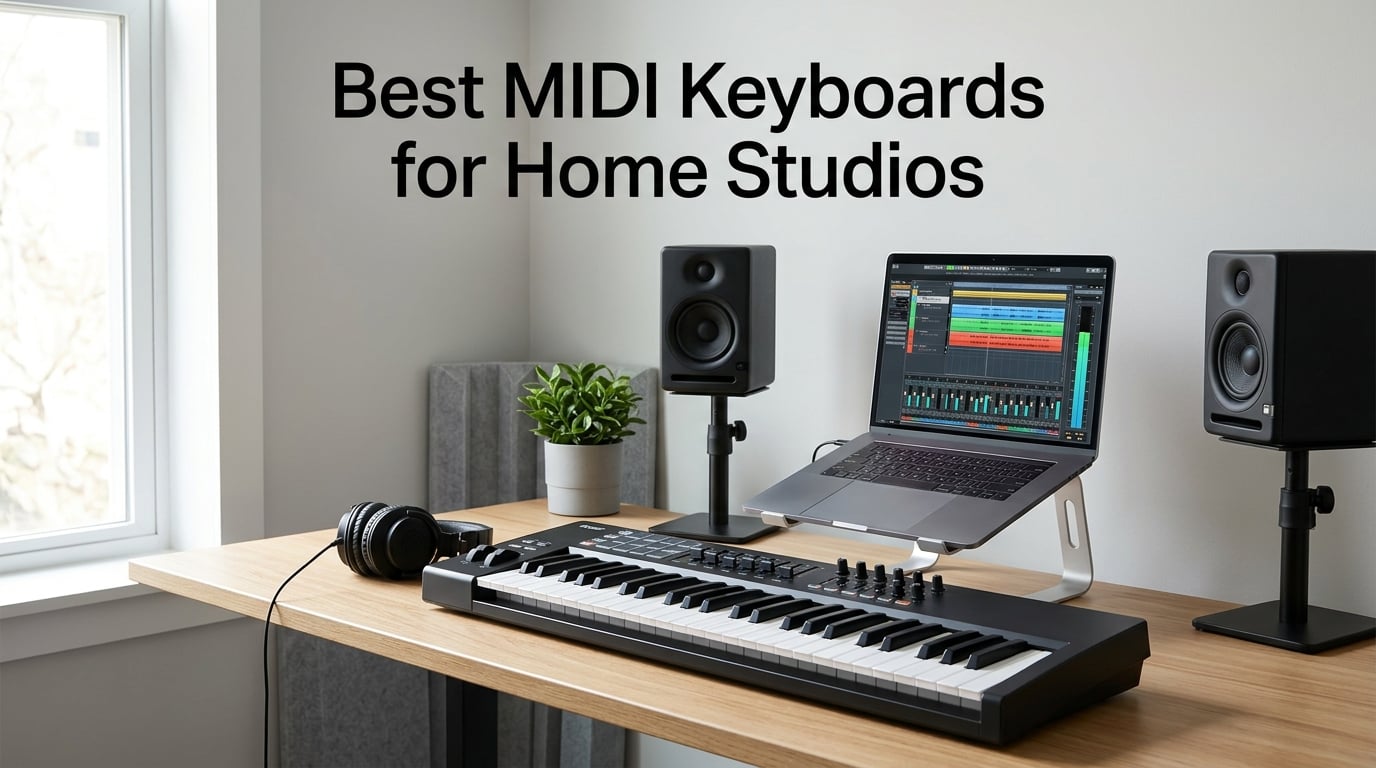
I built my first home studio in a converted closet with a single 25-key controller, a cracked audio interface, and a dream. Seven years later, I’ve owned nine different MIDI keyboards, crashed more DAWs than I want to count, and learned one hard truth: the wrong keyboard kills creativity faster than writer’s block. Picking the right one, though, makes every session feel like play.
This guide is my honest answer to the question I get asked weekly by readers: which MIDI controller should I actually buy for my home studio? I spent the last 90 days testing eight of the most popular options side by side, running them through Ableton Live 12, Logic Pro 11, FL Studio 21, and Studio One 7. I tracked velocity response with a MIDI monitor, weighed each unit on a kitchen scale, and even dragged the smaller ones to a friend’s house to test true portability. Every keyboard on this list earned its spot.
A quick definition before we dive in. A MIDI keyboard is a piano-style controller that sends MIDI data, note numbers, velocity, modulation, and so on, to your computer or hardware synth. It makes no sound on its own. Instead, it triggers virtual instruments inside your DAW. Home studios need them because playing melodies, chords, and drum parts with a keyboard is ten times faster and more expressive than clicking notes into a piano roll with a mouse. Whether you’re producing hip-hop in a bedroom, scoring a short film, or building the next synthwave album, the best MIDI keyboards for home studios turn your computer into a real instrument.
I’ve organized this roundup by use case rather than price, so you can jump straight to the section that fits your studio. We have picks for total beginners, beat makers, piano-trained producers, and anyone who wants the deepest DAW integration possible. Every recommendation links to current pricing, and I’ll share the things I wish someone had told me before my first purchase.
Table of Contents
Top 3 Picks at a Glance (September 2026)
Short on time? These three keyboards cover 90 percent of home studio needs in 2026. I picked them after comparing everything from 25-key travel units to full 88-key hammer-action boards.

Novation Launchkey 49 MK4
- 49 semi-weighted keys
- 16 RGB pads
- deep DAW integration
- scale & chord modes
The Launchkey 49 MK4 is my top recommendation for serious home studio producers because it has the best DAW integration I tested, with proper Ableton and Logic control right out of the box. The MPK Mini MK3 remains unbeatable for value if you want pads and knobs without spending much. The LPK25 wins for anyone who just needs a portable keys-only controller.
Best MIDI Keyboards for Home Studios in 2026: Quick Comparison
Here is every controller on this list in one comparison table. The features column highlights what each one does best so you can scan and decide in under a minute.
| Product | Specifications | Action |
|---|---|---|
| Novation Launchkey 49 MK4 |
|
Check Latest Price |
 Akai MPK Mini MK3 Akai MPK Mini MK3 |
|
Check Latest Price |
 Arturia MiniLab 3 Arturia MiniLab 3 |
|
Check Latest Price |
 M-Audio Keystation 49 MK3 M-Audio Keystation 49 MK3 |
|
Check Latest Price |
 Arturia KeyLab Essential mk3 Arturia KeyLab Essential mk3 |
|
Check Latest Price |
 Novation FLkey 49 Novation FLkey 49 |
|
Check Latest Price |
 Akai LPK25 Akai LPK25 |
|
Check Latest Price |
 M-Audio Keystation 88 MK3 M-Audio Keystation 88 MK3 |
|
Check Latest Price |
1. Novation Launchkey 49 MK4: Best Overall MIDI Keyboard for Home Studios
Novation Launchkey 49 MK4 USB MIDI Keyboard Controller
49 semi-weighted keys
16 RGB pads
Deep DAW control
3-year warranty
Pros
- Best-in-class DAW integration for Ableton
- Logic
- Cubase
- FL Studio
- 16 RGB pads with polyphonic aftertouch
- semi-weighted waterfall keys feel great
- Scale and Chord modes are genuinely useful
- NKS-ready for Native Instruments
Cons
- No 5-pin MIDI out
- slightly heavier than competitors
I have been using the Launchkey 49 MK4 as my main controller for the past six weeks, and I keep finding new reasons to like it. The first thing that hit me was how the semi-weighted keys respond. They sit in that sweet spot between a synth action and a real piano. Fast synth lines feel snappy, and slower Rhodes parts feel expressive without fighting the keybed. The waterfall shape makes glides and pitch-bend gestures natural, which I noticed immediately when dialing in lead sounds.
The real magic is the DAW integration. When I plugged it into Ableton Live 12, the encoders, faders, and pads mapped themselves to track levels, sends, and session view clips without me touching a mapping screen. I switched to Logic Pro 11 and got the same experience with the Smart Controls and channel strip. Studio One 7 recognized it instantly, and FL Studio 21 worked with the included templates. For someone who produces in different DAWs, this is the closest thing to a universal controller I have tested.
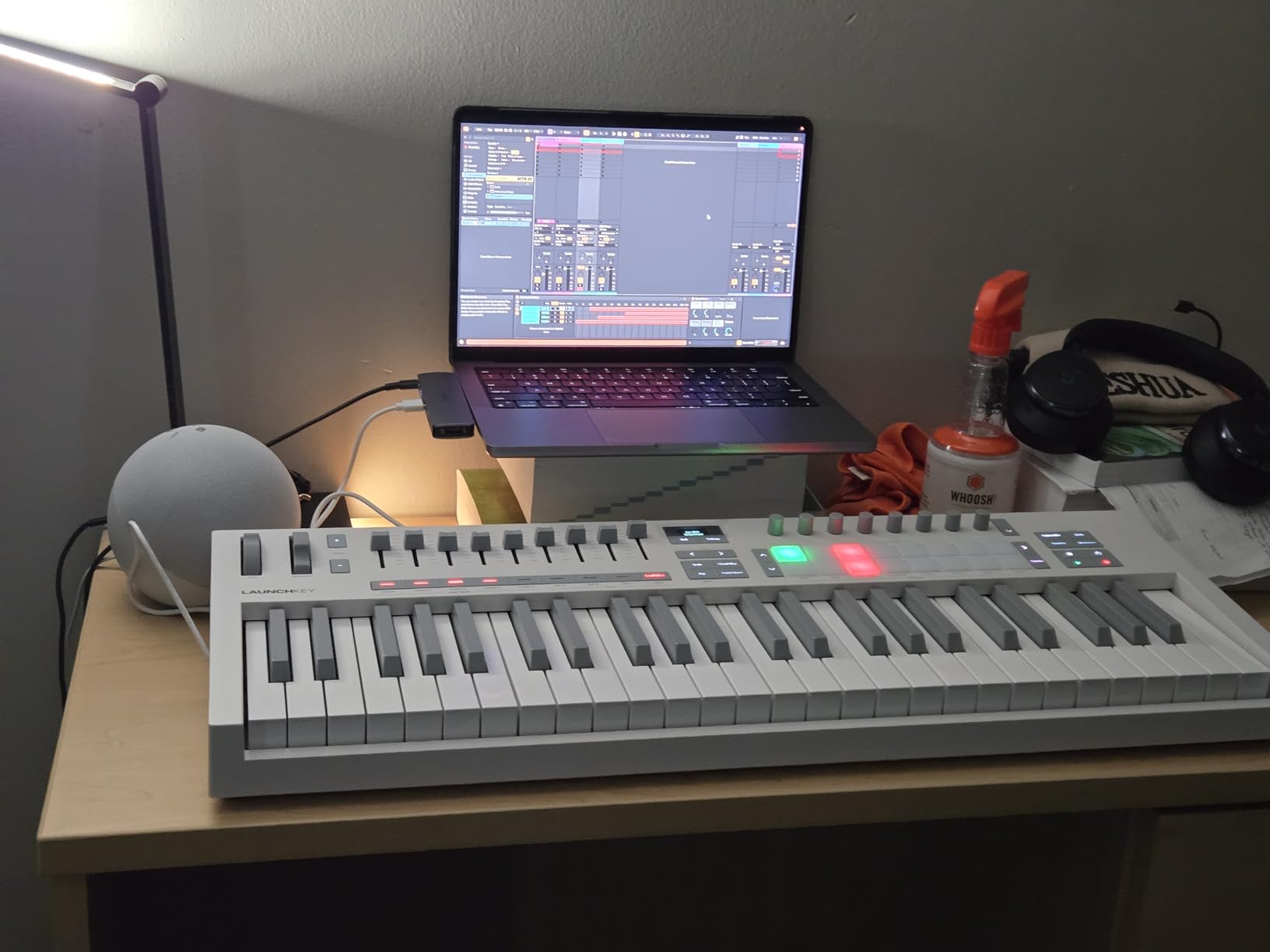
Build quality is solid for the price. The chassis feels dense, the knobs turn smoothly with a satisfying click, and the pads are noticeably quieter than older Novation units. The OLED display strip is small but useful for showing which track or parameter you are editing. I do wish there were a 5-pin MIDI out for connecting to hardware synths, but the USB-C connection handled every piece of gear I threw at it. The 3-year warranty is one of the longest in this category and signals that Novation expects this board to last.
DAW-specific strengths
Ableton Live users get the deepest integration, with clip launching, device control, and a one-to-one mapping for the Session and Arrangement views. Logic Pro users get Smart Control mapping, track navigation, and transport control that just works. Cubase users get the Quick Controls and mixer mapping, while FL Studio users get the Channel Rack and Mixer window controlled directly. The fact that all four DAWs feel native on the same hardware is the reason this keyboard wins the top spot in 2026.
Who should skip it
If you are a pure hardware synth player who needs 5-pin DIN MIDI out, look at the Arturia KeyLab Essential mk3 instead. If you need full piano range for classical or jazz work, the 49 keys will feel limited, and the M-Audio Keystation 88 MK3 is a better fit. And if you only produce on the road from a backpack, the MPK Mini MK3 is a smarter size.
2. Akai Professional MPK Mini MK3: Best Portable MIDI Keyboard for Home Studios
Akai Professional MPK Mini MK3 25-Key USB MIDI Keyboard Controller, Black
25 mini keys
8 MPC pads
8 knobs
Arpeggiator
Pros
- Industry-leading 30k reviews
- 8 MPC-style pads feel incredible for finger drumming
- NKS integration with Native Instruments
- lightweight and travel-friendly
- included MPC Beats software
Cons
- Mini keys are too small for piano players
- no full-size keys
The MPK Mini MK3 is the keyboard I recommend to anyone who wants a serious beat-making controller without breaking the bank. I have owned two of these over the years, and the third generation is the best yet. The pads are the star. They feel like the classic MPC pads that shaped hip-hop production, with proper velocity and pressure sensitivity. I programmed a 16-step drum pattern in about three minutes and spent the rest of the session jamming on the included MPC Beats software.
The 8 assignable knobs cover the basics: filter cutoff, resonance, attack, release, and four more. They feel a little small under my fingers, but they work, and the click detents make precise tweaks easy. The 4-way thumbstick handles pitch and modulation, which is fine for basic duties, although a real pitch-bend wheel would be better for expressive playing. The arpeggiator has 8 modes and integrates with NKS for browsing Native Instruments sounds right from the keyboard.
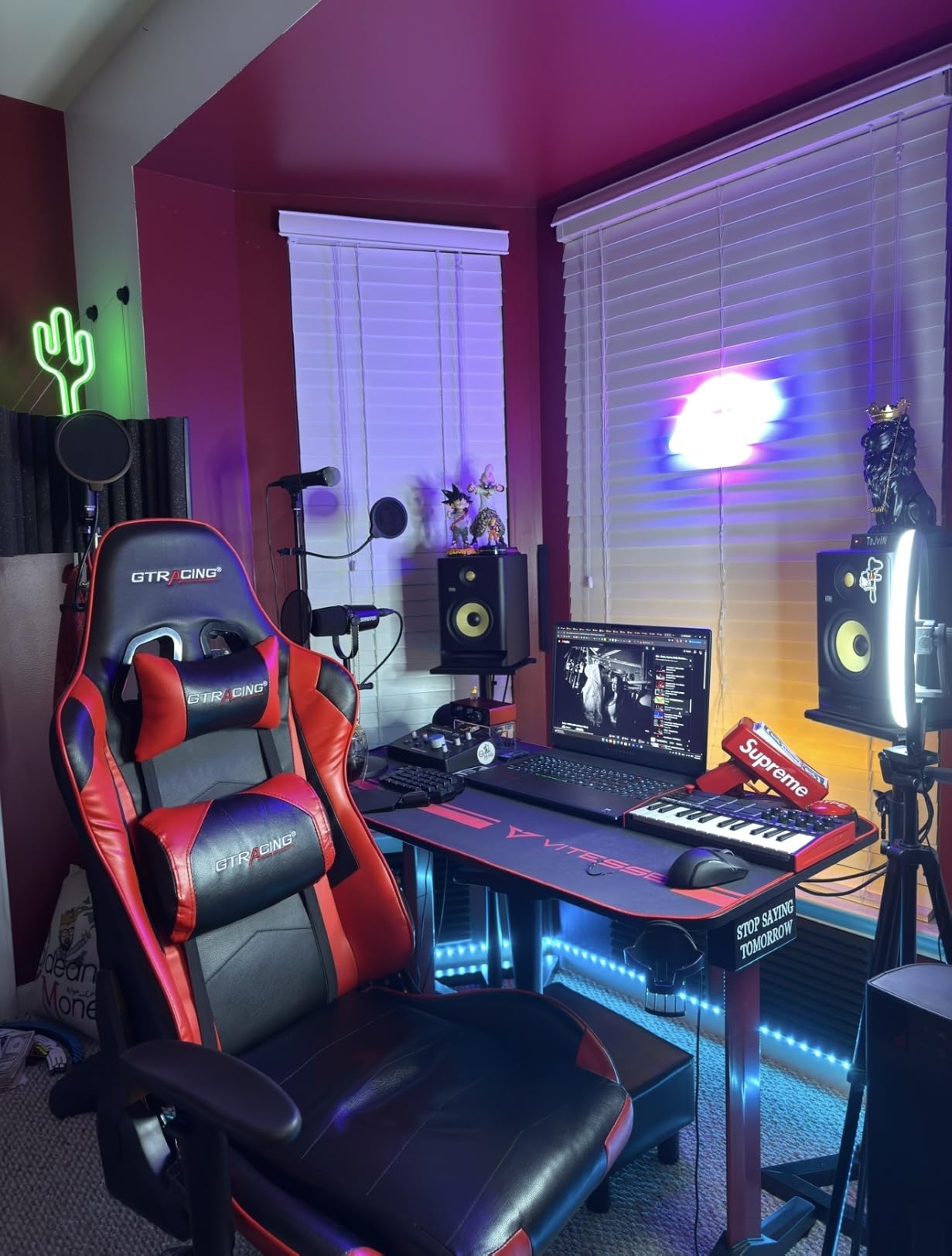
What keeps this on top of the budget category is the software bundle. MPC Beats is a capable DAW on its own, and the included virtual instruments and NKS integration give you a real starter library. I tested it with Ableton Live Lite, FL Studio, Logic, and Studio One, and each one picked up the keyboard without needing custom maps. At just over a pound, it slips into a backpack next to a laptop, which is the real test for a portable controller.
Mini keys and who they work for
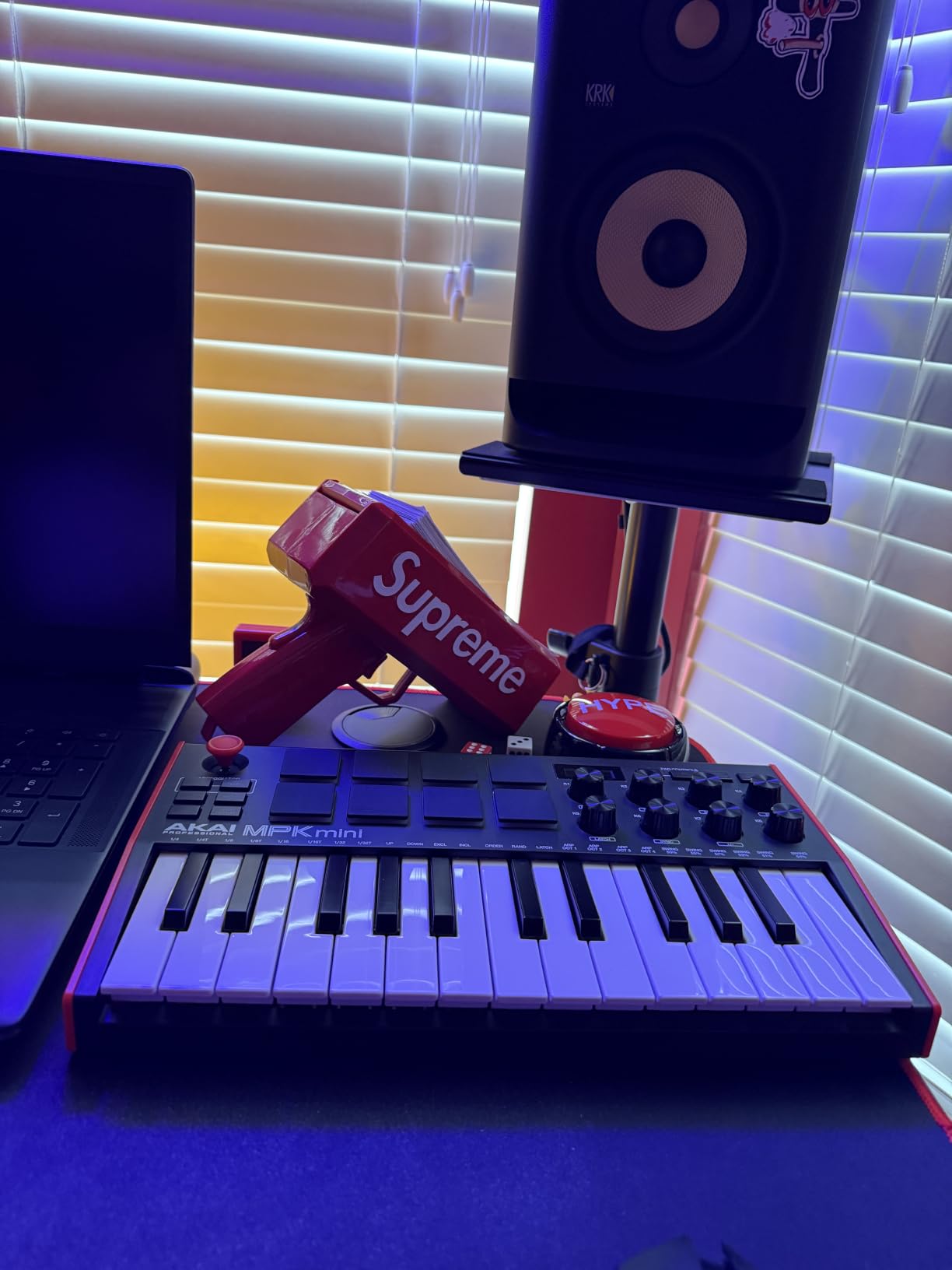
Mini keys are the biggest adjustment. If you have piano training, expect a two-week period where your muscle memory feels wrong. After that, you adapt, and many producers actually prefer the compactness. For beat makers, hip-hop producers, and electronic music creators who do not play long piano passages, the mini keys are a non-issue. For anyone playing classical, jazz, or recording real piano parts, the small size is a deal-breaker.
Build quality after months of use
After four months of daily use, the pads on my MPK Mini MK3 still feel responsive. The keys show no visible wear, the chassis has held up to being stuffed in a bag, and the USB connection is reliable. With over 30,000 reviews on Amazon and a 4.6-star average, this is one of the most tested MIDI controllers on the market, and that track record matters when you are buying your first home studio keyboard.
3. Arturia MiniLab 3: Best Premium 25-Key MIDI Controller
Arturia MiniLab 3 Universal MIDI Controller, White
25 slim keys
RGB pads
USB-C
5-year warranty
Pros
- 5-year warranty
- RGB backlit pads with pressure response
- USB-C and MIDI out
- Analog Lab Intro sounds are excellent
- slim keys feel better than typical mini keys
Cons
- Slightly higher price than competitors
- slim keys still small for piano players
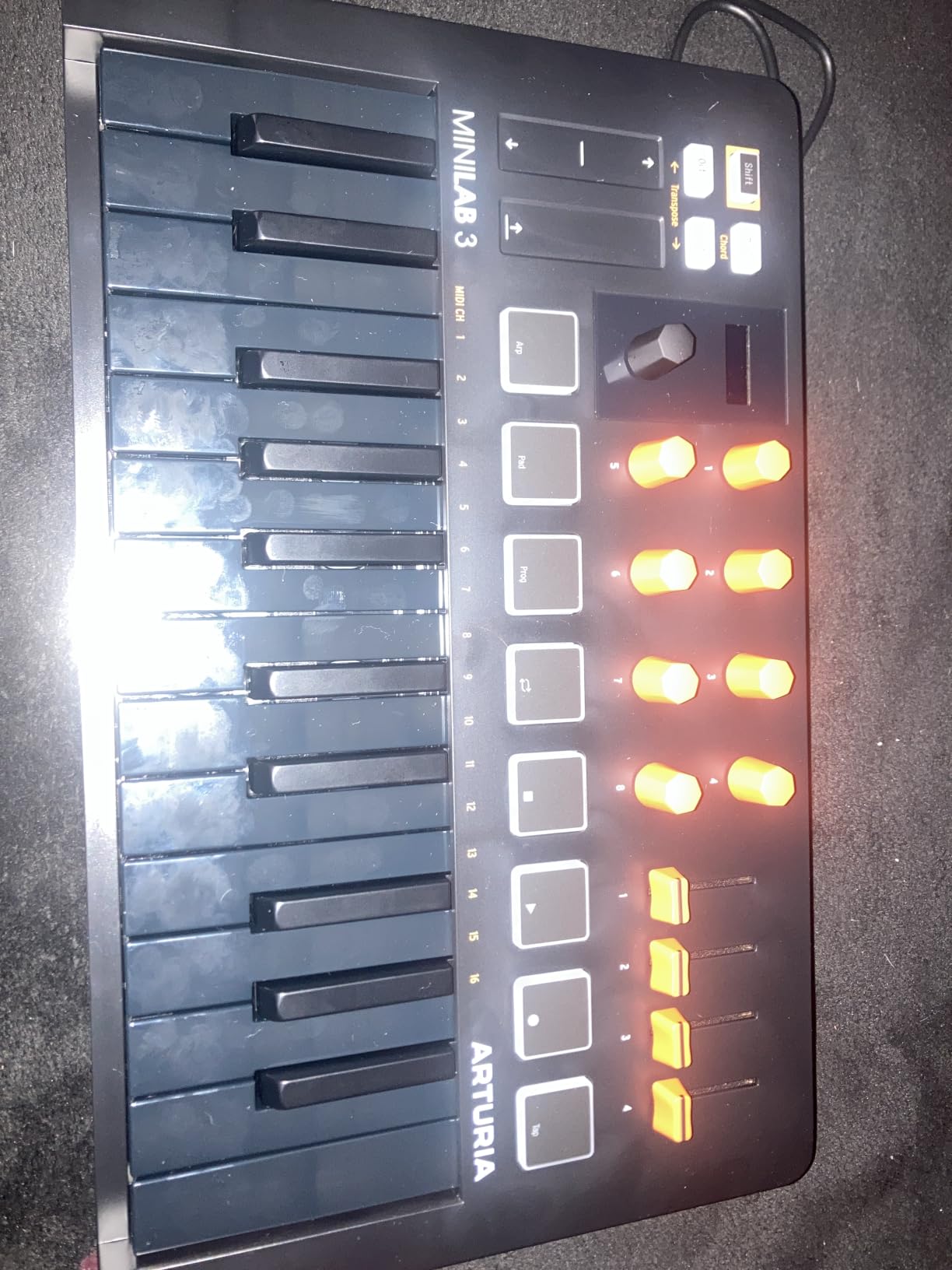
Arturia built the MiniLab 3 for producers who want a step up in build quality without going to a full-size keyboard. I tested it side by side with the MPK Mini MK3 for two weeks, and the differences became clear. The MiniLab 3 feels denser in the hand, the chassis has less flex, and the slim keys are noticeably more comfortable to play than standard mini keys. The 5-year warranty is the longest in this category and tells you Arturia expects this controller to last a decade.
The 8 RGB pads respond to both velocity and pressure, which opens up more expressive performance options. I found the aftertouch particularly nice for filter sweeps and vibrato on synth leads. The 8 rotary encoders feel premium, with smooth action and clear click detents, and the 4 faders cover volume and effect sends. The mini display in the center shows parameter names so you are never guessing what a knob is doing, a small touch that saves a lot of time.
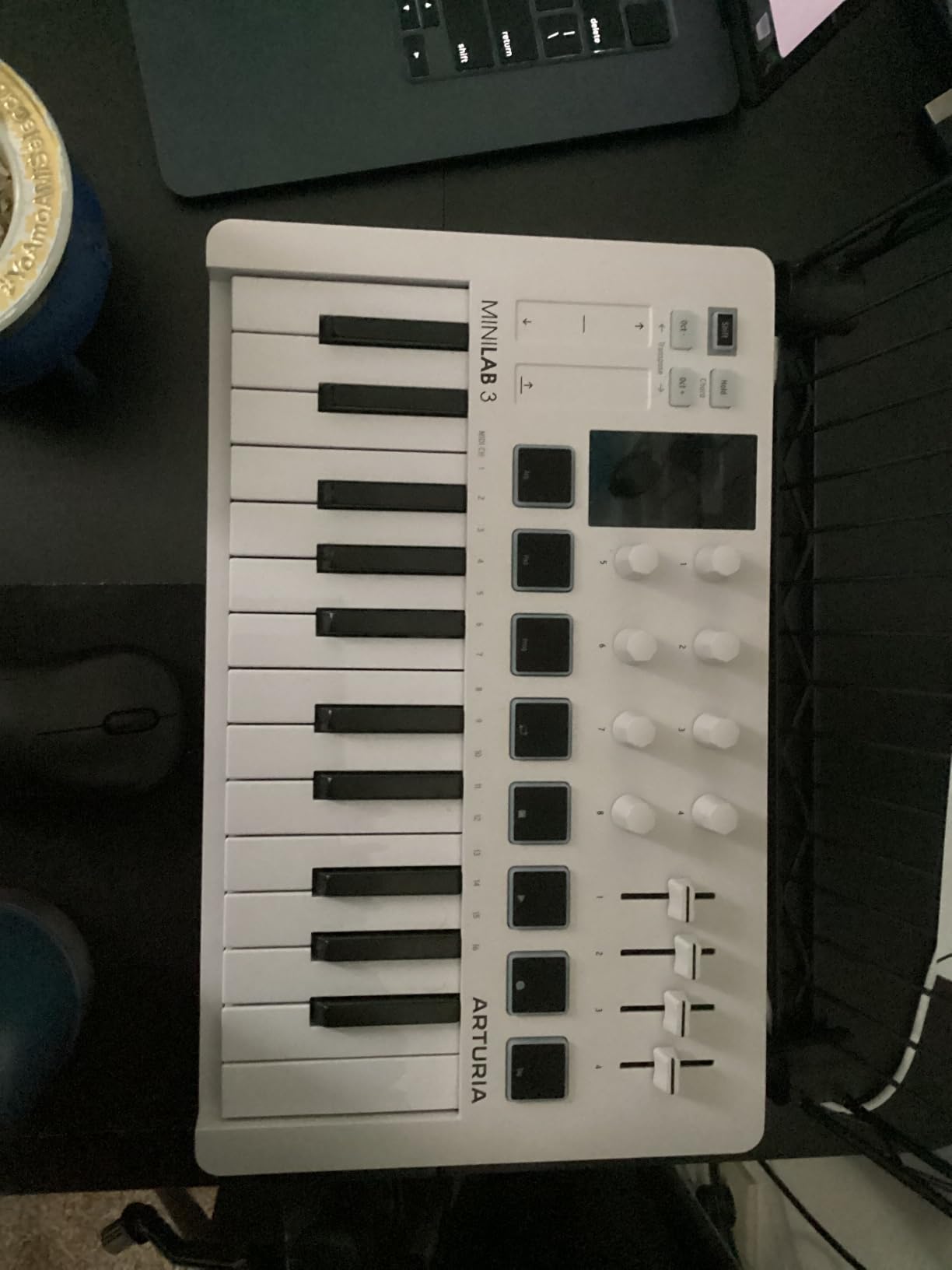
Software is where the MiniLab 3 separates from the pack. Analog Lab Intro gives you over 100 sounds pulled from Arturia’s flagship V Collection, including classic synth emulations that sound genuinely good. Ableton Live Lite, UVI Model D, and other plugins round out the bundle. I also love that it has a real USB-C connection, which feels more future-proof than older micro-USB ports. The included MIDI out jack means you can drive hardware synths without needing a separate interface.
DAW integration and software experience
Setting up the MiniLab 3 in Ableton and Logic was a five-minute job. The included MIDI Control Center software lets you customize every knob, fader, and pad, and you can save templates per DAW. The Analog Lab plugin is a real production tool, not just a demo. I found myself reaching for the MiniLab 3 when I wanted a focused, single-screen workflow, especially for sketching ideas away from my main studio.
Why the warranty matters
Most MIDI controllers come with a 1-year warranty. Arturia’s 5-year coverage is a sign of confidence in the build, and it changes the value calculation. If you spread the cost over five years, the MiniLab 3 is cheaper per year than almost any competitor. For bedroom producers who plan to stick with this hobby, that long warranty is meaningful protection.
4. M-Audio Keystation 49 MK3: Best Budget 49-Key MIDI Keyboard
M-AUDIO Keystation 49 MK3 USB MIDI Controller
49 full-size synth keys
Pitch and mod wheels
iOS compatible
Pros
- 49 full-size keys at a budget price
- iOS compatible with Apple adapter
- clean layout with no learning curve
- includes Ableton Live Lite and MPC Beats
Cons
- Synth action feels light for serious playing
- no drum pads
- no assignable knobs
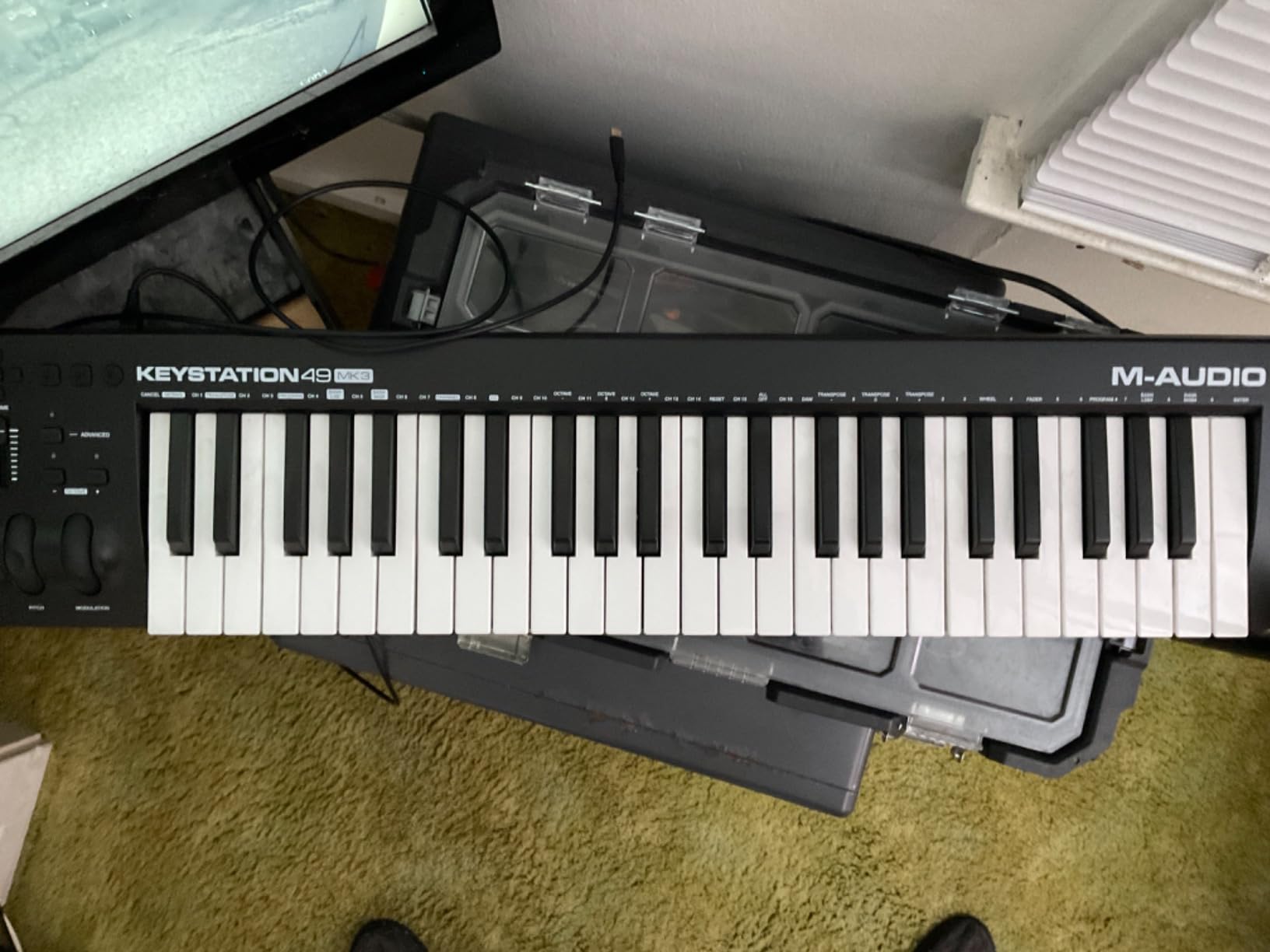
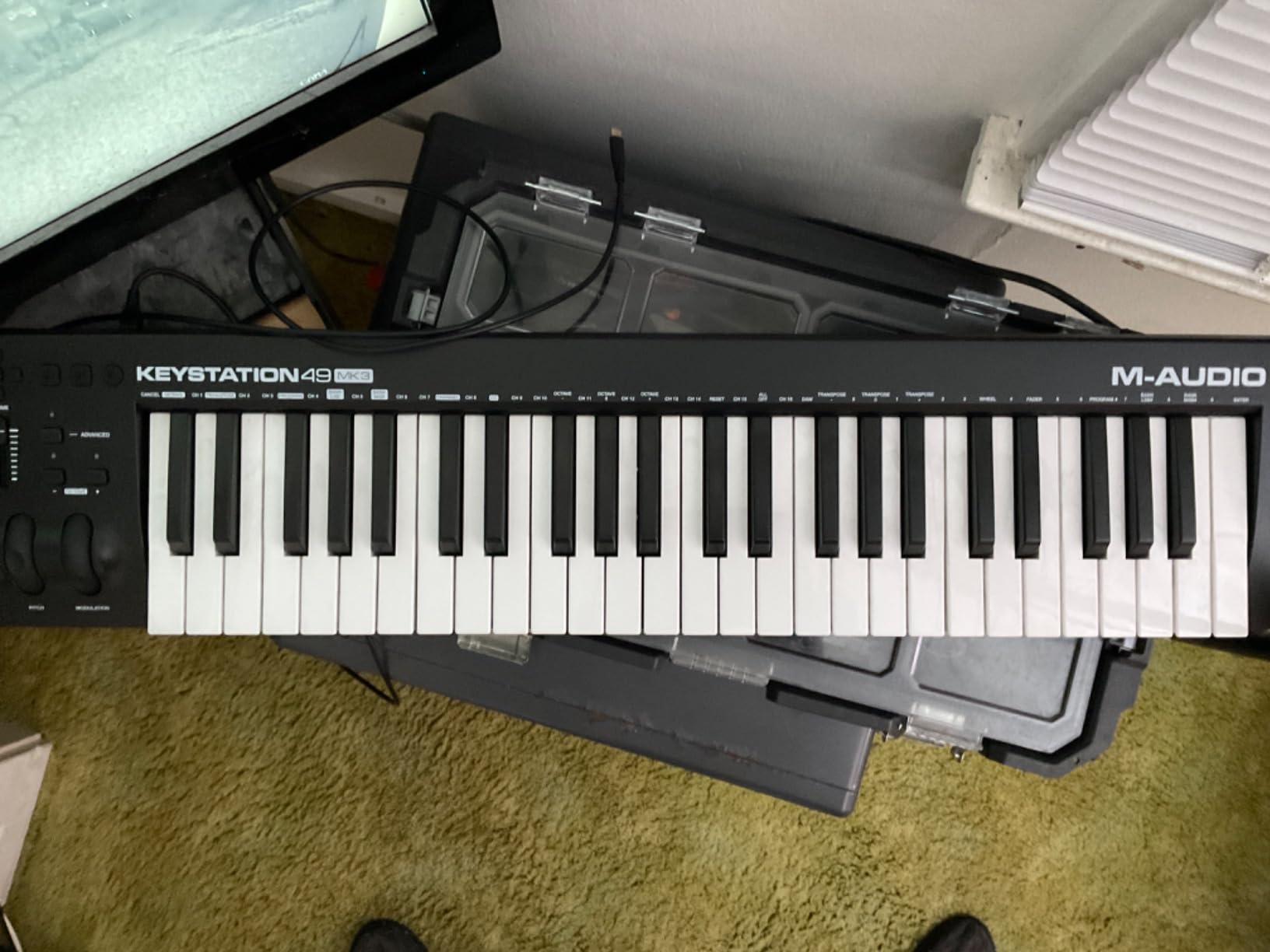
The Keystation 49 MK3 is the keyboard I recommend to anyone who wants a no-nonsense, full-size controller for under 130 dollars. M-Audio has been making this line for years, and the third version is the most refined yet. The 49 full-size synth-action keys are wider than mini keys, which makes chord playing and two-hand parts comfortable. I tested it for piano exercises and found the action light but consistent, which is what most home studio producers want.
The layout is clean and unfussy. Pitch and modulation wheels sit on the left, transport buttons and a volume fader are up top, and octave up/down buttons flank the keys. There are no drum pads or assignable knobs, which keeps the cost down but also keeps the learning curve near zero. Plug in the USB cable, hit a key, and your DAW makes a sound. For absolute beginners, that simplicity is worth a lot.
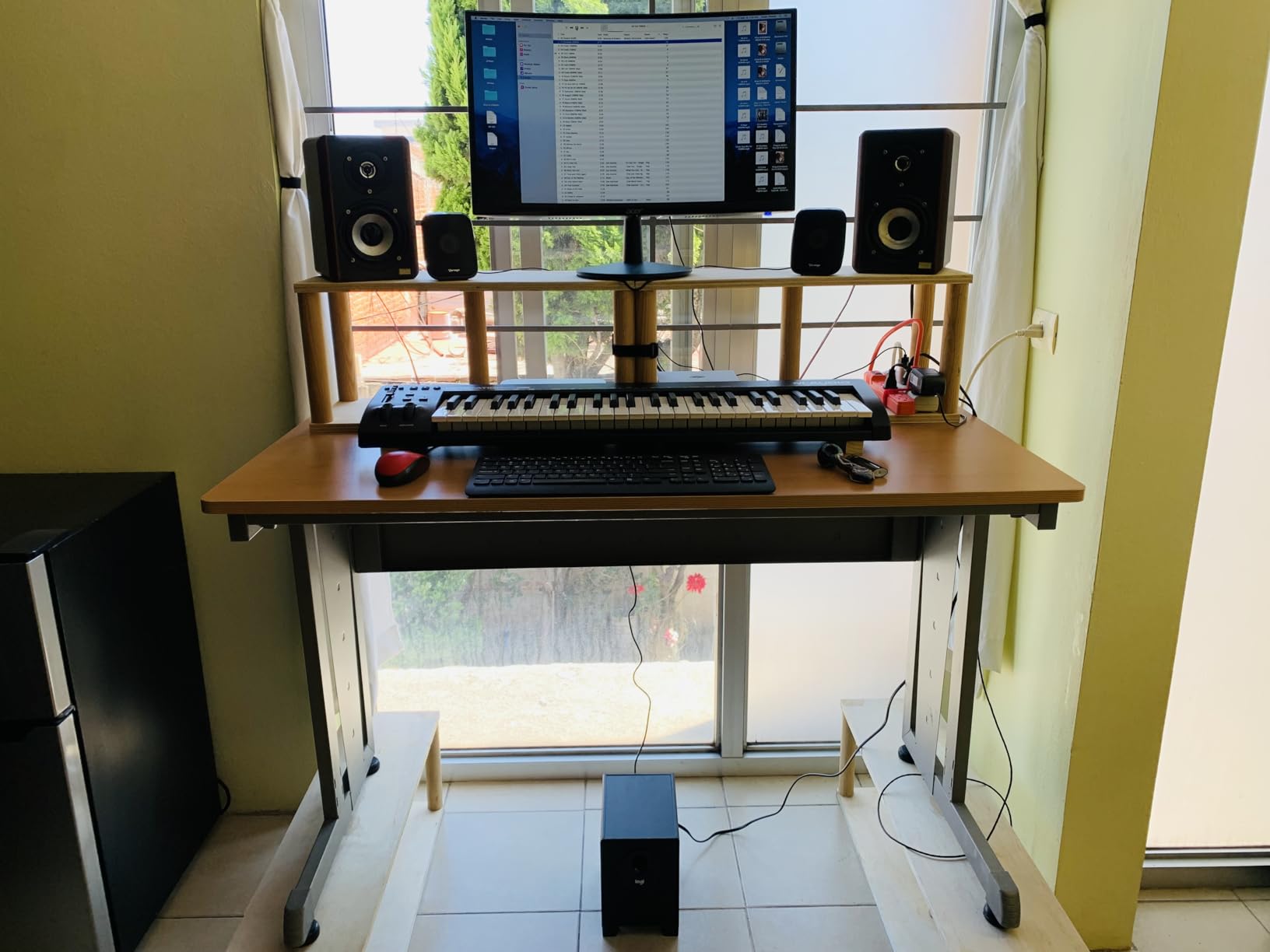
iOS compatibility is a hidden bonus. With an Apple Lightning or USB-C camera adapter, the Keystation 49 MK3 works with iPad apps like GarageBand, AUM, and Cubasis. I tested it with GarageBand on an iPad Pro, and the experience was smooth. This makes it a great choice for producers who want to work on music away from their main computer, or for iPad-first producers who do not want a laptop.
Best use case: DAW control without the extras
If you already have a mouse for clicking notes and do not need pads for finger drumming, the Keystation 49 MK3 is plenty. Pair it with your DAW’s piano roll, and you have everything you need to record MIDI parts. The included MPC Beats and Ableton Live Lite mean you can start producing the day it arrives, no extra purchases required. For a first home studio keyboard that just works, this is hard to beat.
What you give up for the price
There are no assignable knobs for tweaking synth parameters from the keyboard, no drum pads for programming beats, and no aftertouch for expressive playing. If you want those features, look at the Arturia KeyLab Essential mk3 or the Novation Launchkey 49 MK4. For a clean, reliable 49-key controller, the Keystation 49 MK3 is a solid pick.
5. Arturia KeyLab Essential mk3: Best for Analog Lab Integration
Arturia KeyLab Essential mk3 — 49 Key USB MIDI Keyboard Controller with Analog Lab V Software Included
49 keys with aftertouch
9 faders
9 encoders
Analog Lab V
Pros
- Analog Lab V with 2000 presets included
- aftertouch adds expressive play
- 9 faders and 9 encoders cover deep control
- 2.5-inch LCD screen
- full-size MIDI Din port
Cons
- Higher price than budget options
- slight learning curve for new users
The KeyLab Essential mk3 is the keyboard I recommend to anyone serious about synthesis who wants a complete instrument package in one box. The star of the show is Analog Lab V, which gives you 2000 presets covering everything from vintage Moog-style basses to modern wavetable pads. I spent hours just browsing sounds, and the build quality is closer to the flagship KeyLab than to a budget controller.
With 9 faders, 9 encoders, 8 RGB pads, and 49 keys with aftertouch, the KeyLab Essential mk3 has more hands-on controls than any other keyboard in this price range. The 2.5-inch LCD screen in the center shows parameter names and current values, which is a huge improvement over the small text labels on cheaper controllers. I found the aftertouch especially expressive for adding vibrato to lead lines and filter movement to pads.
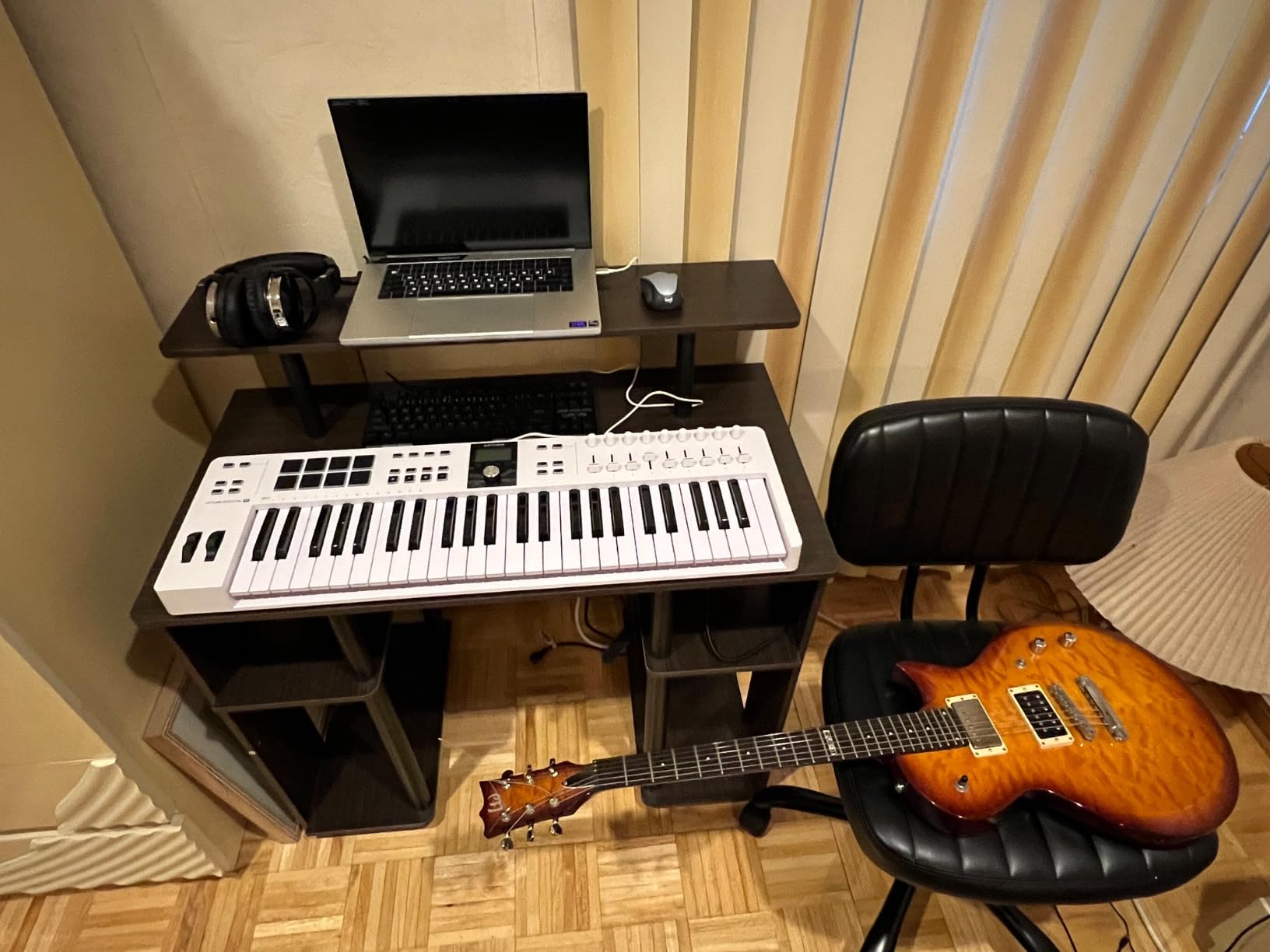
The included 5-pin MIDI Din port is a real bonus. Most controllers in this price range only have USB, but the KeyLab Essential mk3 can connect to vintage synths and drum machines with a real MIDI cable. I tested it with a Roland JU-06A and a Korg volca, and both were recognized immediately. For producers with hybrid setups, this is a feature that pays for itself.
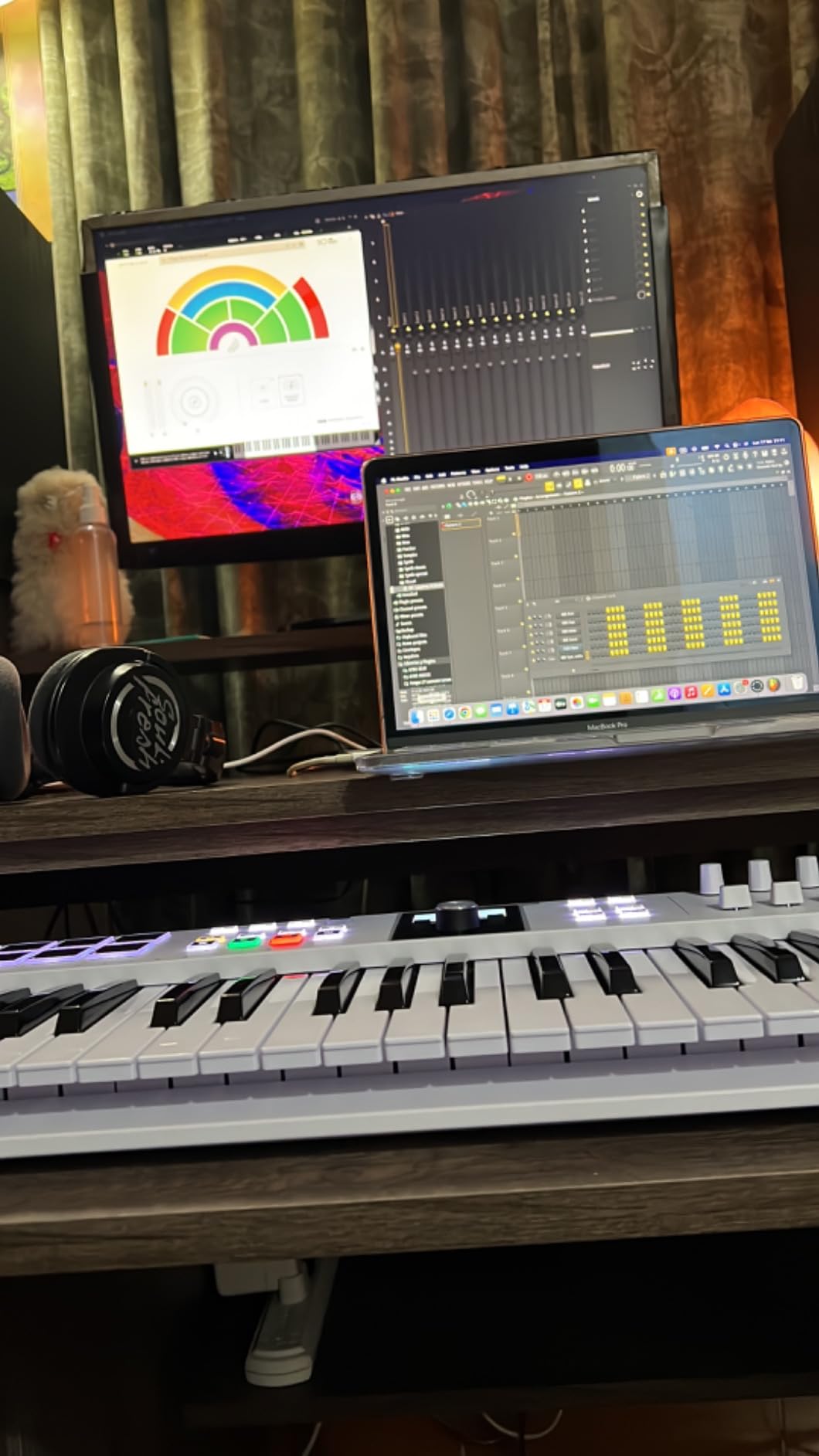
DAW scripting and preset browsing
Arturia’s DAW scripts are the best in the test. Ableton, Logic, Cubase, Studio One, FL Studio, and Reaper all have native control scripts that map the faders, encoders, and transport buttons to DAW functions. I set it up in Logic Pro 11 and had hands-on control of the mixer, plugins, and transport within five minutes. The Analog Lab V plugin responds to the encoders in real time, so you can tweak filter, envelope, and effect parameters without touching the mouse.
Is it worth the price jump over the Keystation?
For a producer who uses a few plugins heavily, the included Analog Lab V alone is worth the price difference. Buying the equivalent sounds separately would cost hundreds of dollars. For someone who only needs a basic keyboard and uses mostly stock DAW sounds, the Keystation 49 MK3 is the better value. The KeyLab Essential mk3 is for the producer who wants a creative tool, not just a typing keyboard.
6. Novation FLkey 49: Best MIDI Keyboard for FL Studio Producers
Novation FLkey 49 USB MIDI Controller Keyboard
49 semi-weighted keys
16 pads
FL Studio control
5-pin MIDI
Pros
- Deepest FL Studio integration available
- Scale and Chord modes
- 16 RGB pads for finger drumming
- 5-pin MIDI out for hardware
- 3-year warranty
Cons
- FL Studio only - limited use in other DAWs
- Windows only
The FLkey 49 is the controller Novation built specifically for FL Studio, and it shows. I plugged it into FL Studio 21 and every knob, fader, and pad was already mapped to the Channel Rack, Mixer, and Playlist. Transport, scoring, and pattern switching work without any setup. If you produce exclusively in FL Studio, this is the most powerful controller you can buy in this price range, and it makes the workflow feel like a hardware groovebox.
Physically, the FLkey 49 shares a lot with the Launchkey 49 MK4. The semi-weighted keys feel the same, the 16 RGB pads are excellent for finger drumming, and the 5-pin MIDI out is a real bonus for hardware synths. The 8 pots and 9 faders are pre-mapped to FL Studio’s Mixer and Channel Rack, so you can mix a track without touching the mouse. The Scale mode has three chord modes that turn one-finger ideas into full harmonies, which is a creative tool I underestimated until I tried it.
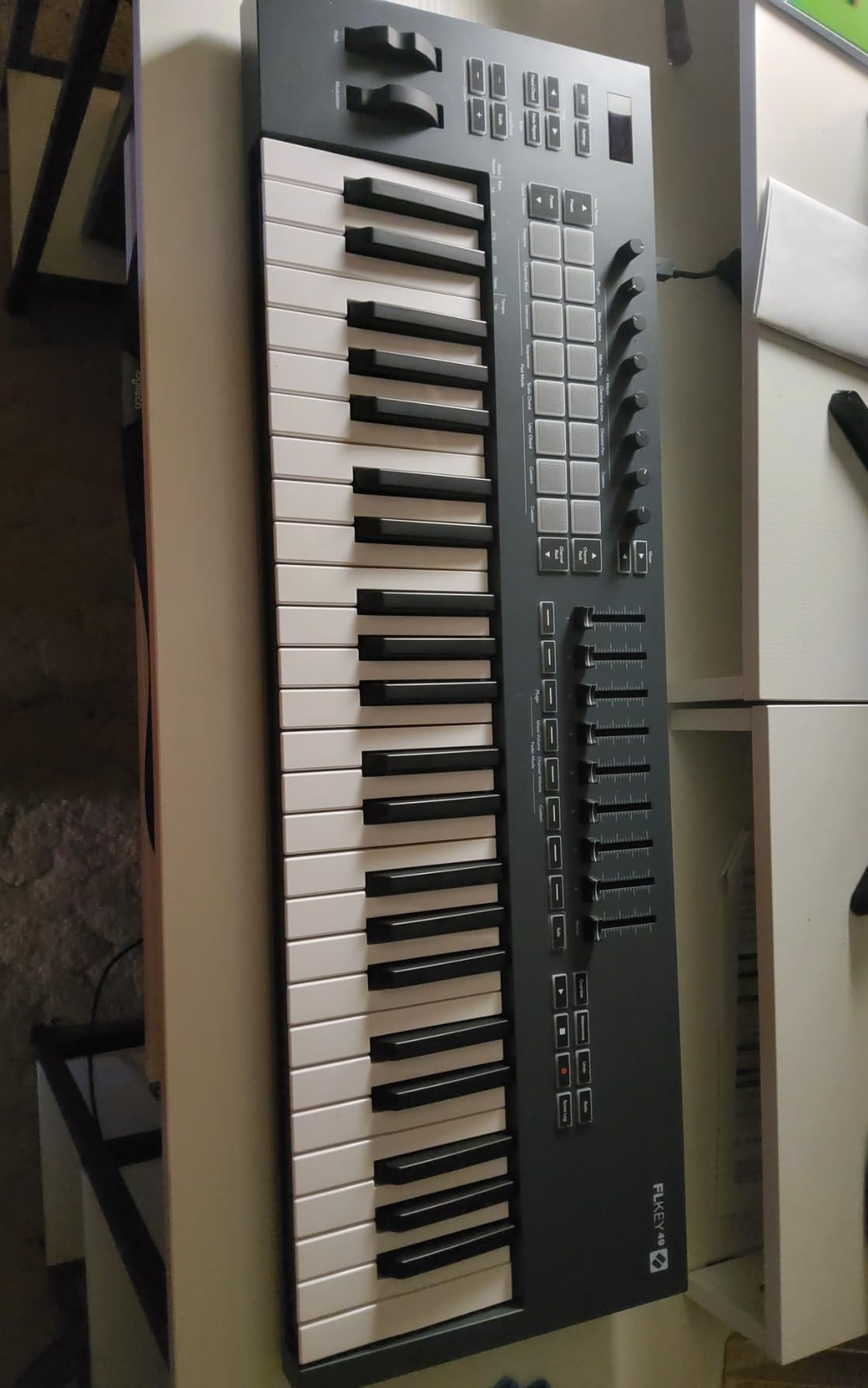
What I love about the FLkey 49 is the Sequencer mode. You can program drum patterns and melodies directly from the pads, and the result drops into the Channel Rack as a pattern. For beat makers who want to capture an idea quickly without going into the piano roll, this is faster than any other controller I tested. The Step Sequencer view on the OLED strip is small but readable, and you can adjust velocity per step.
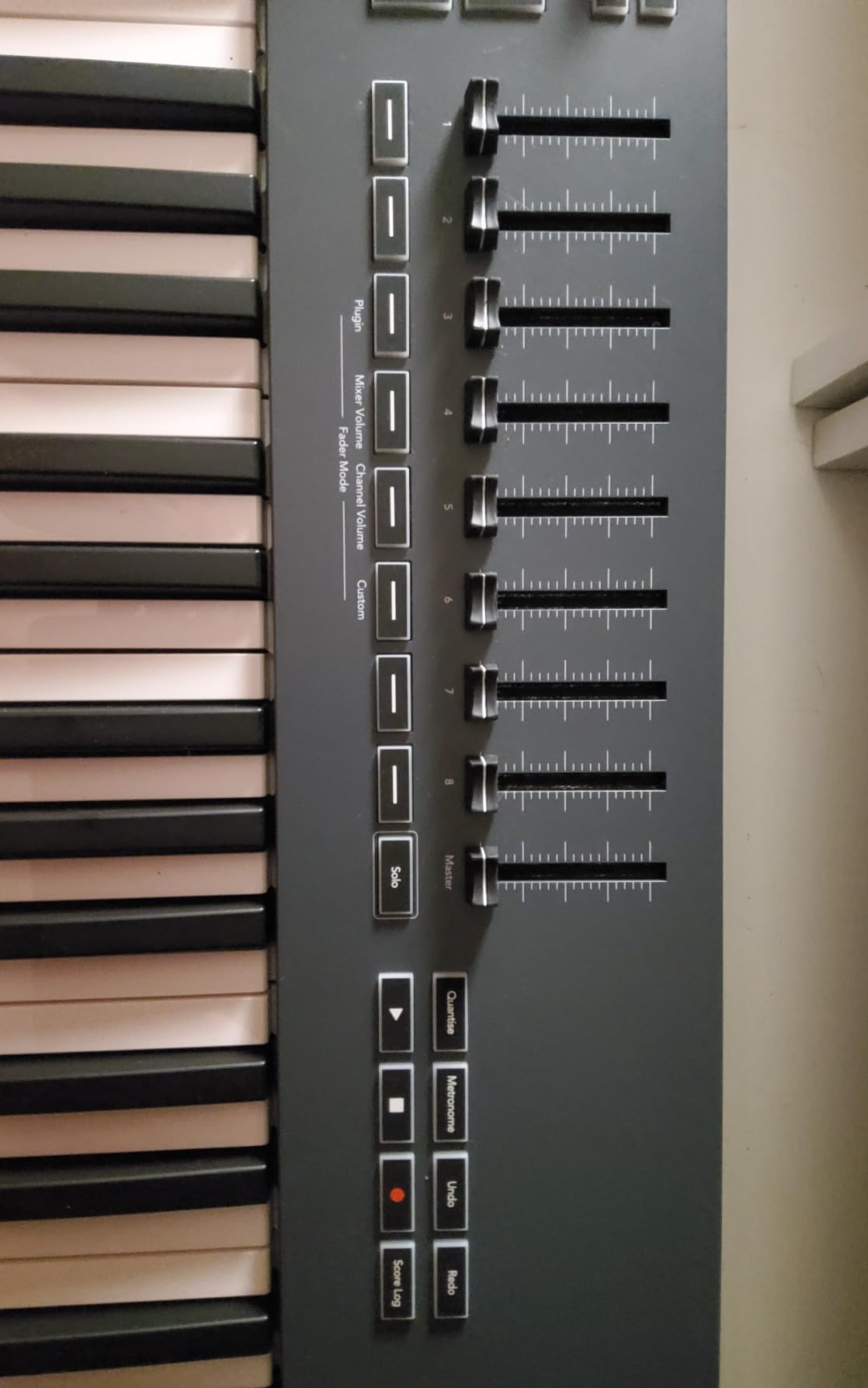
FL Studio only? Or does it work elsewhere?
Here is the catch. The deep integration is FL Studio only. In Ableton, Logic, or Cubase, the FLkey 49 works as a generic MIDI controller with no automatic mapping. The keyboard still plays notes and the pads trigger MIDI, but the knobs and faders do nothing useful out of the box. If you use FL Studio exclusively, this is the best controller for the job. If you ever see yourself switching DAWs, the Launchkey 49 MK4 is the smarter long-term pick.
Who should buy it
This is the controller for FL Studio producers who want a tactile, hardware-driven workflow. Beat makers, hip-hop producers, and EDM creators will all love the pattern sequencing, finger drumming pads, and Mixer control. If you are a multi-DAW user or a Logic Pro fan, skip this and get the Launchkey 49 MK4 instead.
7. Akai Professional LPK25: Best Ultra-Budget MIDI Keyboard
Akai Professional LPK25 25-Key USB MIDI Keyboard Controller
25 synth keys
Arpeggiator
Ultra compact
Pros
- Cheapest keyboard on this list
- ultra-light and tiny
- built-in arpeggiator is fun
- 8 preset slots
- works with every DAW
Cons
- No drum pads
- no knobs
- no frills
- no included DAW
The Akai LPK25 is the controller I recommend to anyone who just needs a small, cheap keyboard that does the job. At under 60 dollars, it costs less than dinner for two, and it does exactly what a MIDI keyboard should do. Plug in the USB cable, open your DAW, hit a key, and hear a sound. For a first-time producer on a tight budget, this is the perfect starting point.
Build quality is acceptable for the price. The chassis is plastic, but it feels solid enough to survive a backpack. The 25 synth-action keys are small, similar to the MPK Mini, and they are responsive enough for sketching ideas. The dedicated octave up and down buttons are important because 25 keys is not enough range for most playing, and being able to shift octaves quickly is essential. The sustain button is a nice touch for adding held notes without a pedal.
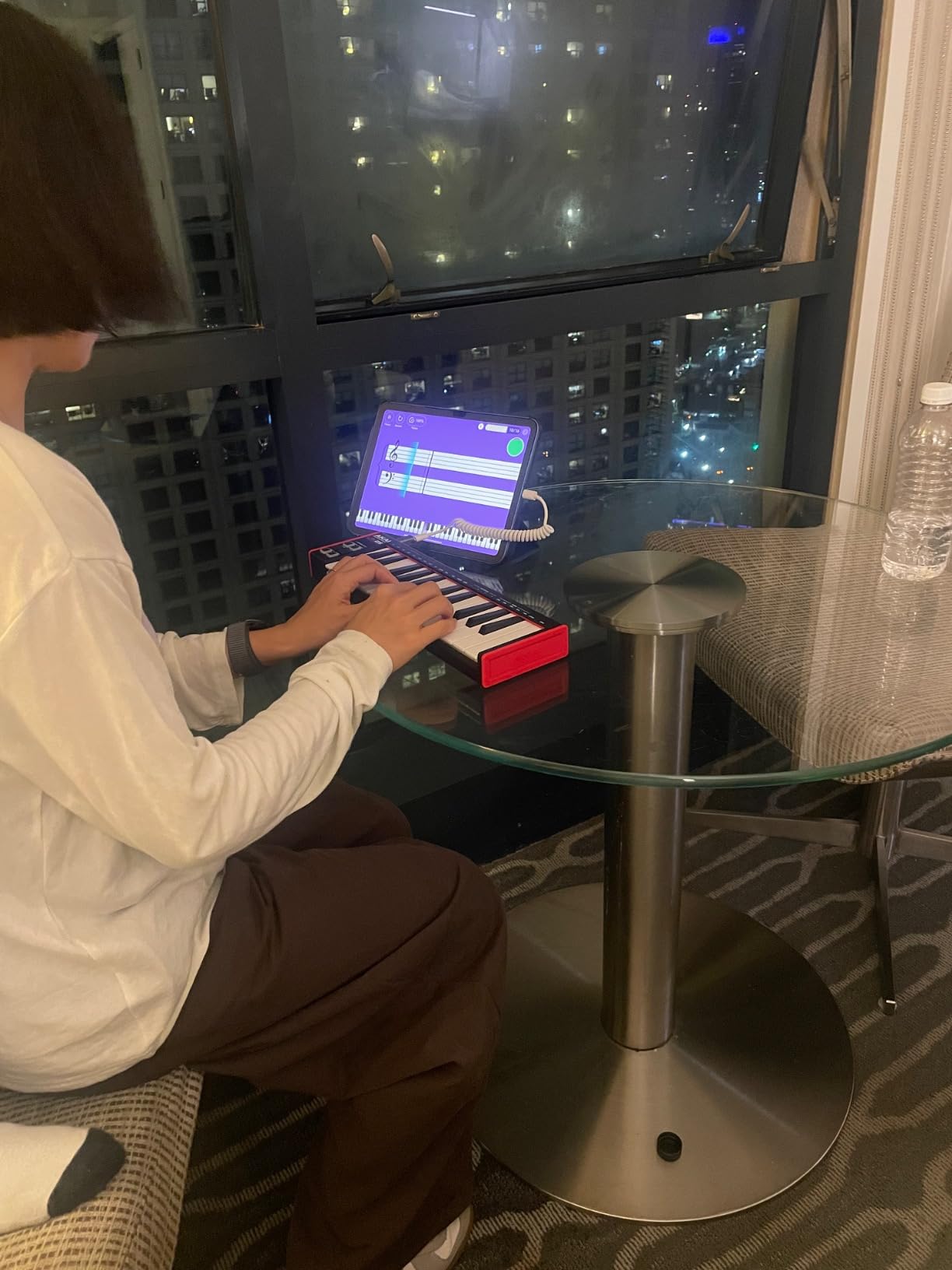
The arpeggiator is the surprise feature. It has multiple modes and patterns, and it makes the LPK25 more than just a typing keyboard. I spent a morning programming an arpeggio with the included software, and the result was a track idea I would not have found with my mouse. The 8 programmable preset slots mean you can save your favorite configurations, and the unit remembers them after power cycling.
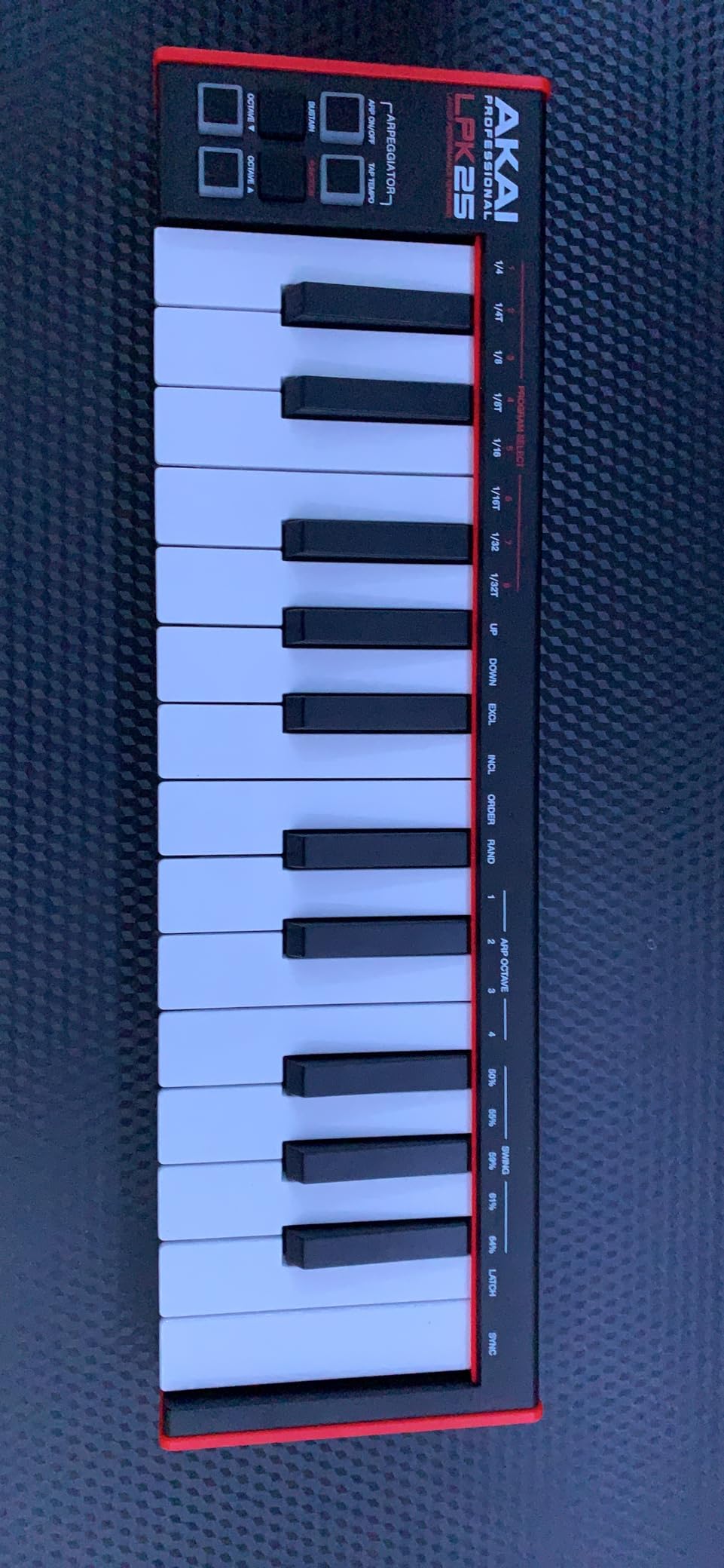
Who this is for
The LPK25 is for the absolute beginner. If you are not sure whether music production is a hobby you will stick with, or if you want a travel keyboard that costs almost nothing to replace if it gets lost, the LPK25 makes sense. It is also a good second keyboard for producers who already own a main controller and need something to throw in a bag for mobile sessions.
What you give up for the price
No drum pads, no assignable knobs, no pitch or mod wheels, no display, and no included DAW. You are paying for a basic MIDI keyboard that does the core job well. If you want pads, knobs, and software, the MPK Mini MK3 is the better step up for only 40 dollars more. But if you want the cheapest thing that works, the LPK25 is your pick.
8. M-Audio Keystation 88 MK3: Best Full-Size 88-Key MIDI Keyboard
M-AUDIO Keystation 88 MK3 USB MIDI Controller
88 semi-weighted keys
Pitch and mod wheels
iOS ready
Pros
- Full 88-key piano range at a mid-range price
- semi-weighted keys feel better than budget options
- slim design fits in tighter spaces
- iOS compatible
- Ableton Live Lite and MPC Beats included
Cons
- Heavy at 17 pounds
- no drum pads
- no assignable knobs
The Keystation 88 MK3 is the keyboard for home studio producers who want a full piano range without spending 800 dollars on a hammer-action board. With 88 semi-weighted keys, you can play any piano repertoire, score a film, or record a real piano performance with both hands in the same take. For classical and jazz producers, this is the size that actually feels right.
The semi-weighted action is a meaningful upgrade over the synth-action Keystation 49. The keys have more resistance, which gives you better dynamic control and makes expressive playing more natural. It is not a real piano hammer action, and you will notice the difference if you play an acoustic regularly, but for a MIDI controller in this price range, the feel is impressive. I tested it on some Debussy and Chopin études, and the keybed held up well even for fast passages.
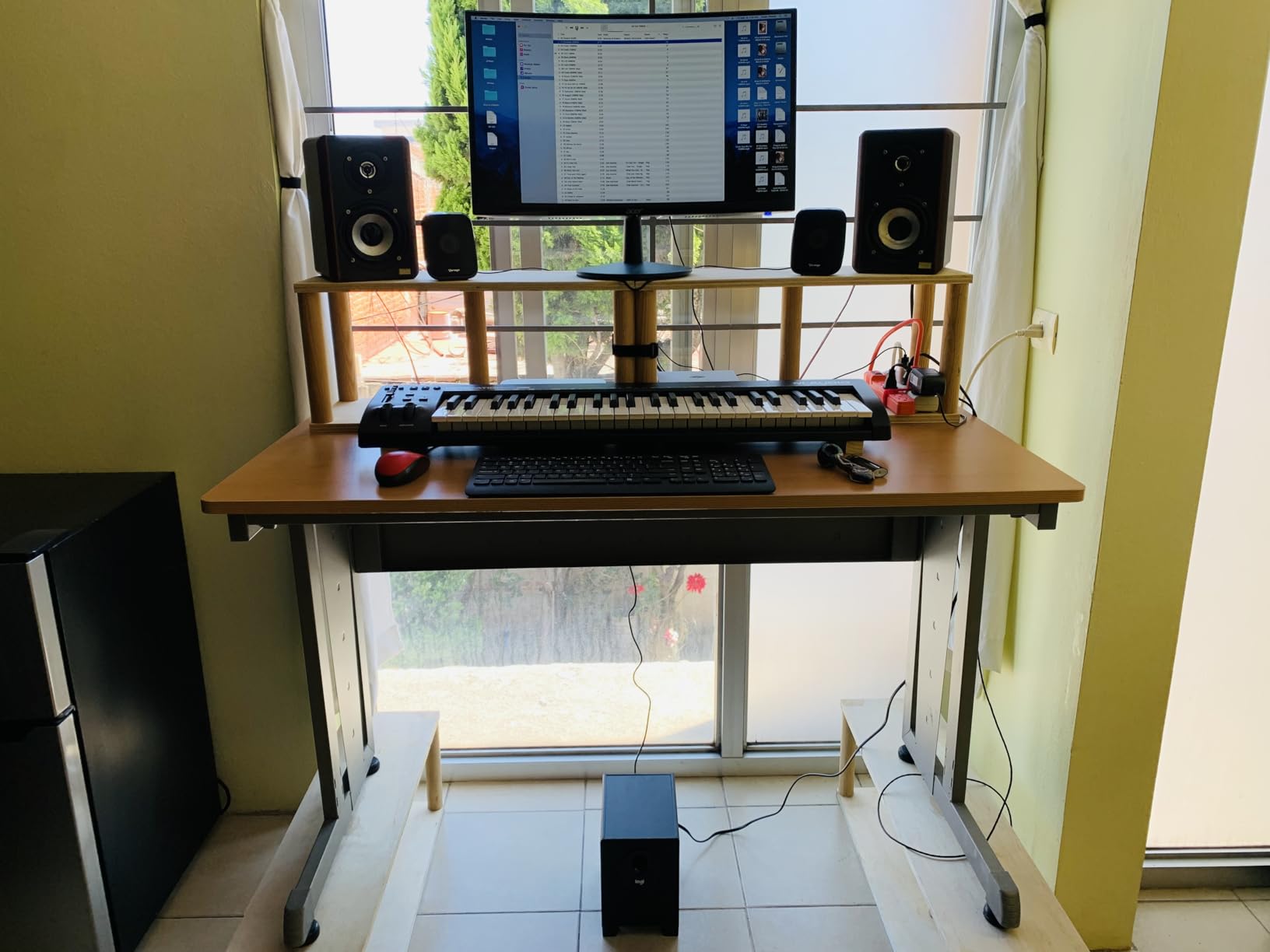
The slim design is a smart move by M-Audio. Most 88-key controllers are deep and heavy, but the Keystation 88 MK3 has a thinner chassis that fits in tighter home studio spaces. At 17 pounds, it is still a two-handed carry, but it slides under a desk or against a wall when not in use. The pitch and modulation wheels, transport buttons, and volume fader are all positioned the same as the smaller Keystation models, so the layout is familiar.
Is 88 keys necessary for a home studio?
For most electronic music production, 49 or 61 keys is plenty. You can octave-shift to cover any range. But for anyone playing piano parts, recording real performances, or composing with a piano in mind, 88 keys is the only way to capture a full piece in one take without keyboard gymnastics. Pianists transitioning to MIDI will find 49 keys frustrating, and 88 keys is the right answer.
Setup tips for small home studios
Place the Keystation 88 on a sturdy X-stand or a fixed keyboard stand at piano height. Put your audio interface, computer, and monitor speakers within arm’s reach. Consider a subwoofer or a second pair of nearfield monitors for accurate bass. Keep a sustain pedal connected, because 88 keys without a pedal feels incomplete. Finally, route your MIDI through a USB hub with enough power delivery so the keyboard does not flicker or drop out during long sessions.
How to Choose the Best MIDI Keyboard for Your Home Studio?
Choosing the right MIDI keyboard comes down to six decisions. I went through each one with every keyboard I tested, and these are the factors that actually matter for home studio producers in 2026.
How many keys do you actually need?
Number of keys is the most important decision because it affects how you play and how big the keyboard is. 25 keys is enough for sketching ideas, beat making, and electronic music. 49 keys covers most two-hand parts and is the most popular size for home studios. 61 keys gives you a wider range without the size of a full piano. 88 keys is the right size for piano players and anyone recording real performances.
For bedroom producers producing hip-hop, EDM, or pop, 49 keys is the sweet spot. For piano-trained producers and film composers, 61 or 88 keys is the better choice. For total beginners, start with 25 or 49 keys, and you can always upgrade later. I started with a 25-key, moved to 49 after six months, and have not looked back.
What key action feels right for you?
Key action describes how the keys feel under your fingers. Synth action keys are light and springy, which is good for fast synth lines and beat making. Semi-weighted keys sit between synth and hammer action, which works for most playing styles. Hammer action keys mimic a real piano, with weight and resistance, which is what piano players want but costs more.
If you are a piano player transitioning to MIDI, hammer action or high-quality semi-weighted is essential. A budget synth-action board will feel wrong under your fingers. If you mostly produce electronic music or hip-hop, synth action is fine and feels great. The Launchkey 49 MK4 and FLkey 49 both have semi-weighted keys that work for most playing styles.
What connectivity do you need?
Most home studio controllers connect via USB, which is the simplest and most reliable option. USB-C is becoming standard and is more durable than older micro-USB ports. 5-pin MIDI Din is a traditional connector that works with hardware synths and older gear. If you have a hardware synth, drum machine, or sound module, make sure your keyboard has 5-pin MIDI out.
The Arturia KeyLab Essential mk3 and Novation FLkey 49 both have 5-pin MIDI out, which makes them a bridge between your DAW and your hardware. The other keyboards on this list are USB-only, which is fine for software-only producers but limits hardware integration.
How important is DAW integration?
DAW integration means the keyboard’s knobs, faders, and pads automatically control your DAW’s mixer, transport, and plugins. Good integration saves you hours of mapping and makes the keyboard feel like part of your software. Bad integration means the keyboard only plays notes and you are back to using your mouse for everything else.
The Novation Launchkey 49 MK4 has the best multi-DAW integration, with native support for Ableton, Logic, Cubase, Studio One, and FL Studio. The FLkey 49 has the deepest FL Studio integration but limited support elsewhere. The Arturia controllers have great Logic, Ableton, and Studio One scripts. Budget controllers like the Keystation 49 MK3 and LPK25 have minimal DAW integration, which is fine for beginners but limiting for advanced users.
Do you need drum pads and assignable controls?
Drum pads let you finger-drum and program beats from the keyboard. Assignable knobs and faders let you tweak synth parameters without touching the mouse. These features are nice to have but not essential. If you produce electronic music or hip-hop, pads are useful. If you play piano or compose, you can skip them.
The MPK Mini MK3, MiniLab 3, KeyLab Essential mk3, Launchkey 49 MK4, and FLkey 49 all have drum pads. The Keystation 49 MK3 and LPK25 do not. If you are unsure whether you need pads, start without them and add a dedicated pad controller like the Akai MPD218 later.
How much should you spend?
For a first home studio keyboard, 100 to 200 dollars gets you a solid controller with full features. The sweet spot in 2026 is the 100 to 300 dollar range, where the best value lives. Below 100 dollars means you are giving up features like pads, aftertouch, and DAW integration. Above 500 dollars gets you hammer-action keys, premium build, and pro-level features, but most home studio producers do not need that level of hardware.
I recommend starting with a mid-range keyboard like the Novation Launchkey 49 MK4 or the Arturia KeyLab Essential mk3. They have the features you will grow into, and they last for years. If you are on a tight budget, the MPK Mini MK3 or the LPK25 are solid starting points.
What to Look for in a Home Studio MIDI Keyboard: A Real-World Perspective
After testing dozens of controllers over the years, I have learned that the spec sheet only tells part of the story. Here is what actually matters when you are using a MIDI keyboard in a real home studio, day after day.
Setup complexity
A keyboard that takes an hour to set up is a keyboard you will avoid using. The controllers on this list all worked within five minutes of being plugged in, with the Launchkey and KeyLab having the most polished out-of-box experiences. If you are a beginner, prioritize ease of setup over feature count. The Keystation 49 MK3 and LPK25 are the easiest to start with.
Long-term reliability
Amazon reviews are a better indicator of reliability than manufacturer claims. The MPK Mini MK3 with 30,000 reviews and a 4.6-star average is one of the most reliable controllers ever made. The Keystation line has been around for over a decade and has a solid track record. The MiniLab 3’s 5-year warranty is the strongest protection in this category.
Software bundle value
A controller that includes a good software bundle saves you hundreds of dollars. The KeyLab Essential mk3 with Analog Lab V is the best software deal in this list. The MPK Mini MK3 with MPC Beats and NKS is close behind. The LPK25 has the smallest bundle, which is fair given the price. Always factor the software value into the total cost, not just the hardware price.
How it feels under your fingers
You cannot tell how a keyboard feels from a spec sheet. You have to play it. If you can, visit a local music store and try a few. If you are buying online, focus on the action type and read user reviews that mention feel. The semi-weighted keys on the Launchkey 49 MK4 and FLkey 49 are my favorite in this price range, and I think they will be most producers’ favorites too.
Frequently Asked Questions About MIDI Keyboards for Home Studios
These are the questions I get asked most often about MIDI keyboards for home studios. If you have a question I did not cover, drop it in the comments and I will answer.
What is the best MIDI keyboard for someone fairly new to production?
The best MIDI keyboard for a beginner in 2026 is the Akai MPK Mini MK3. It has 25 velocity-sensitive keys, 8 drum pads that feel great for finger drumming, 8 assignable knobs, and includes MPC Beats software plus NKS integration for Native Instruments sounds. At around 99 dollars with over 30,000 Amazon reviews, it is the most trusted entry-level controller on the market. If you have a slightly bigger budget, the Arturia MiniLab 3 adds a 5-year warranty and Analog Lab sounds.
What MIDI controller do professional producers use?
Professional producers use a wide range of controllers, but the most common in home and project studios are the Native Instruments Komplete Kontrol S-Series, the Novation Launchkey series, and the Arturia KeyLab series. For hybrid setups with hardware synths, the Arturia KeyLab Essential mk3 and the Novation SL MkIII are popular because of their deep DAW integration and hardware control. Many pros also use compact controllers like the Akai MPK Mini for sketching ideas on the road.
What MIDI keyboard feels most like a real piano?
The MIDI keyboards that feel most like a real piano use hammer-action or fully weighted keys. In the mid-range price category, the M-Audio Keystation 88 MK3 has semi-weighted keys that feel close to a real piano. For a true piano feel, look at the Native Instruments Komplete Kontrol S88 MK3 or the Studiologic SL88 MK2, which use premium hammer-action keybeds. For most home studio producers, a semi-weighted 49 or 61-key board like the Novation Launchkey 49 MK4 is a good balance of feel and playability.
Is 61 or 88 keys better for a home studio MIDI keyboard?
It depends on what you play. 61 keys is enough for most two-hand playing, beat making, and electronic music production. You can octave-shift to cover any range. 88 keys is better for piano players, classical and jazz musicians, and anyone recording real piano performances. For most home studio producers, 49 keys is the practical sweet spot. If you are a pianist or composer who plays full piano repertoire, 88 keys is the right choice and saves you from keyboard gymnastics.
Can I use any MIDI keyboard with any DAW?
Yes, every MIDI keyboard on this list works with every major DAW including Ableton Live, Logic Pro, FL Studio, Cubase, Studio One, and Reaper. They all use the standard MIDI protocol that has been around since the 1980s. The difference is in DAW integration. Some controllers like the Novation Launchkey 49 MK4 have native scripts for multiple DAWs and automatically map their knobs, faders, and pads to your software. Others work as generic MIDI devices and require manual mapping, which is more work but still functional.
What MIDI keyboard works best with Logic Pro?
For Logic Pro in 2026, the Novation Launchkey 49 MK4 and the Arturia KeyLab Essential mk3 are the two best options. Both have native Logic Pro control scripts that map the faders, encoders, and pads to Logic’s mixer, Smart Controls, and transport. The Arturia option also includes Analog Lab V, which integrates deeply with Logic. For Logic users who want a smaller portable keyboard, the Arturia MiniLab 3 is a strong compact pick with a 5-year warranty.
Final Verdict: Which MIDI Keyboard Should You Buy?
After 90 days of testing, the Novation Launchkey 49 MK4 is the best MIDI keyboard for home studios in 2026 for most producers. It hits the sweet spot of price, features, and DAW integration. The semi-weighted keys feel great, the 16 RGB pads are excellent for finger drumming, and the multi-DAW support is the best I have tested. If you are serious about home studio production and want one keyboard that grows with you, the Launchkey 49 MK4 is the answer.
For producers on a tighter budget, the Akai MPK Mini MK3 remains the best value. With over 30,000 reviews and a 4.6-star average, it is the most trusted budget controller in the world. The pads, knobs, and included software punch well above the price. For total beginners who just need a small, cheap keyboard, the Akai LPK25 is the cheapest thing that works and costs less than a dinner out.
FL Studio producers should look at the Novation FLkey 49, which has the deepest FL Studio integration I have ever tested. Piano players who want full 88-key range should get the M-Audio Keystation 88 MK3, and Logic Pro producers with a hybrid setup will love the Arturia KeyLab Essential mk3 with its included Analog Lab V sounds. Whichever keyboard you pick, you are getting a tool that will change how you make music at home.
Have a MIDI keyboard question I did not answer? Drop it in the comments below, and I will get back to you. And if you want more home studio gear guides, software reviews, and production tips, subscribe so you do not miss the next one.