
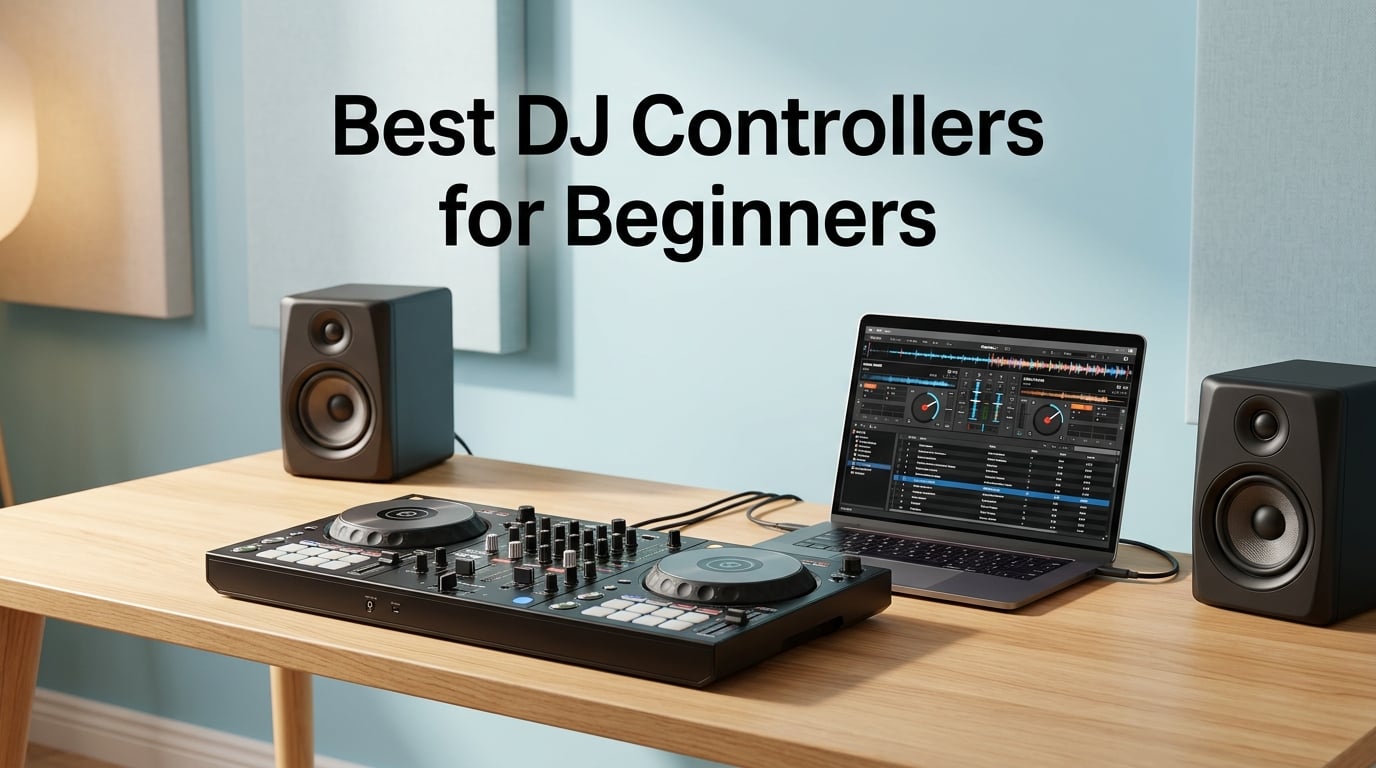
Picking the best DJ controllers for beginners changed how I approached my first year of mixing. I bought my first controller, returned it within 14 days, then spent another month researching before committing to a second unit. That trial and error taught me what actually matters when you are new to DJing and staring at a wall of jog wheels, faders, and pads.
The beginner DJ controller market in 2026 sits in a sweet spot. You can get a capable two-deck setup for as low as $109, or step up to a club-style flagship like the Pioneer DJ DDJ-FLX4 for under $350. Most units ship with Serato DJ Lite or rekordbox software free, so you do not need to budget for additional programs to start practicing.
This guide covers eight controllers I have either owned, borrowed, or spent time with at DJ meetups. I ranked them based on learning curve, build quality, software ecosystem, and room to grow. You will see which one I recommend for first-time buyers who want a club-style layout, which one fits a $150 budget, and which models make sense if you already know you love scratching.
Table of Contents
Top 3 Picks for Best DJ Controllers for Beginners (September 2026)
Before the full breakdown, here are my top three picks for 2026. These are the controllers I keep recommending to friends who ask me where to start.

Pioneer DJ DDJ-FLX4
- Rekordbox + Serato compatibility
- Streaming service support
- Club-style layout
- Track separation stems

AlphaTheta DDJ-FLX2
- Works with phone/tablet/PC
- Smart Fader for beginners
- Free DJ course included
- Streaming service ready

Hercules Starlight DJ Control
- Touch-sensitive jog wheels
- Built-in light show
- Compact 680 gram design
- Serato DJ Lite included
Best DJ Controllers for Beginners in 2026: Quick Comparison
Here is the full lineup at a glance. All eight controllers in this guide support two-deck mixing and ship with beginner-friendly software.
| Product | Specifications | Action |
|---|---|---|
| AlphaTheta DDJ-FLX2 |
|
Check Latest Price |
| Pioneer DJ DDJ-FLX4 |
|
Check Latest Price |
| Hercules Starlight |
|
Check Latest Price |
 Numark Mixtrack Pro FX Numark Mixtrack Pro FX |
|
Check Latest Price |
 Hercules DJControl Inpulse 200 Hercules DJControl Inpulse 200 |
|
Check Latest Price |
 Pioneer DJ DDJ-REV1 Pioneer DJ DDJ-REV1 |
|
Check Latest Price |
 Hercules DJControl Inpulse 300 MK2 Hercules DJControl Inpulse 300 MK2 |
|
Check Latest Price |
 Roland DJ-202 Roland DJ-202 |
|
Check Latest Price |
1. Pioneer DJ DDJ-FLX4 – Editor’s Choice for Beginners
Pioneer DJ DDJ-FLX4 2-Channel DJ Controller, 16 Pads, Graphite
Rekordbox + Serato compatibility
Streaming service support
Track separation stems
Club-style layout
Pros
- Pro club-style layout that mirrors Pioneer pro gear
- Works with both Serato DJ Lite and rekordbox
- Streaming support for TIDAL
- Beatport
- SoundCloud Go+
- Track separation stems for remixing tracks on the fly
- Lightweight at 2.8 kg for travel
Cons
- Premium price versus budget units
- Some advanced features require Serato DJ Pro subscription
The Pioneer DJ DDJ-FLX4 is the controller I recommend most often, and it currently sits at #1 in Amazon’s DJ Controllers category with 2,686 reviews averaging 4.7 stars. I borrowed one from a friend for a month and noticed my muscle memory transferred instantly when I got my hands on a Pioneer DJM setup at a club night.
What makes the DDJ-FLX4 stand out for beginners is its dual-software support. You can start with Serato DJ Lite for free, then upgrade to Serato DJ Pro or switch entirely to rekordbox without buying new hardware. That flexibility matters because switching ecosystems later usually means replacing your whole setup.
The jog wheels feel closer to club gear than most starter controllers. They have full-size touch detection, so you can scratch and pitch bend with the same feel you would experience on a Pioneer CDJ. Performance pads trigger hot cues, loops, and the new Smart Fader feature, which automatically crossfades based on tempo and track energy. Beginners who turn on Smart Fader sound dramatically better within the first week.
Streaming compatibility is a quiet superpower. I plugged my TIDAL account in during a test, mixed three playlists, and never opened a music folder. For beginners who do not yet own a deep library, that integration alone is a reason to choose the FLX4.
Build quality and what you actually get
The chassis is stainless steel and plastic hybrid weighing 2.8 kg. It feels solid on a desk without sliding around. You get a USB-C cable in the box and a manual. There is no carry case, which is fine at this size.
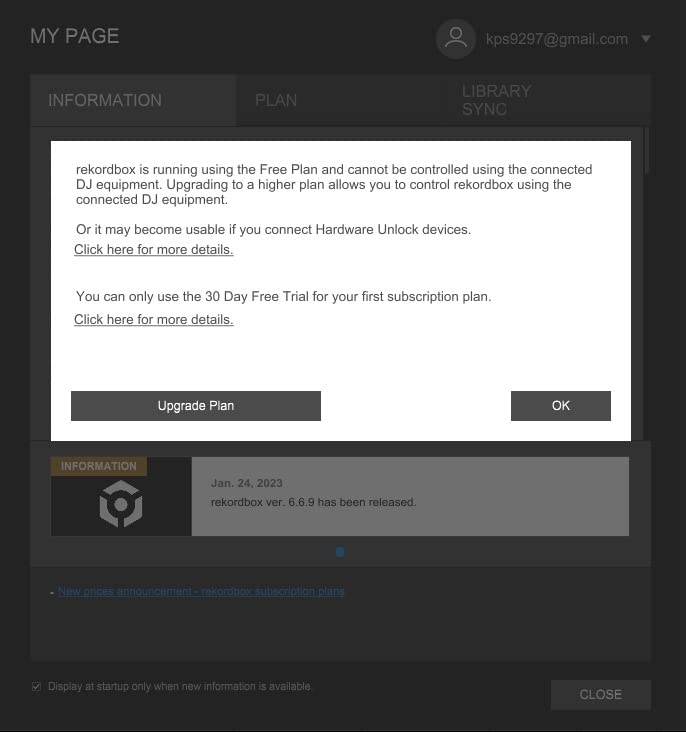
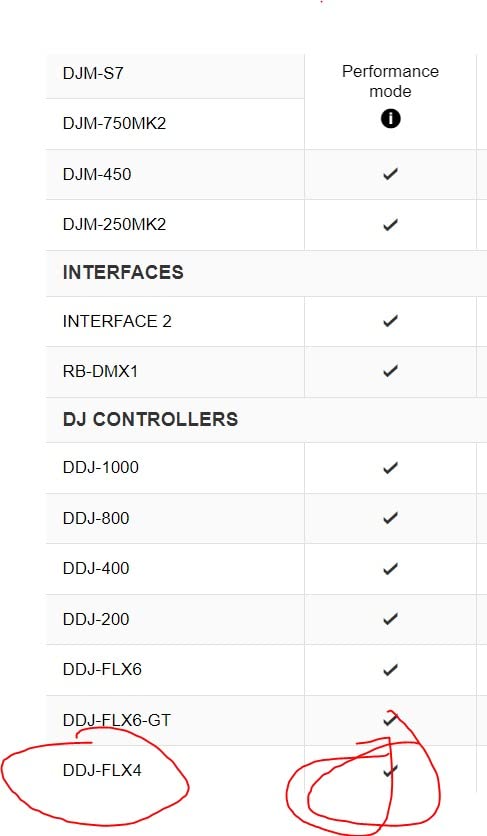
For the price, the DDJ-FLX4 also unlocks hardware unlocks for rekordbox creative features. You can use STEM separation to remix tracks, mute vocals for karaoke-style mixing, and run the tutorial mode to learn basic cues directly from the controller.
Who should buy this and who should skip it
Buy the FLX4 if you want one controller that grows with you through beginner and intermediate stages. The layout matches Pioneer pro gear, so your skills transfer to club booths without relearning. Skip it if your budget is tight or you only plan to DJ casually at home. The price premium makes less sense for someone who mixes once a month at family parties.
2. AlphaTheta DDJ-FLX2 – Best Value Beginner Controller
AlphaTheta DDJ-FLX2 Compact 2-Channel DJ Controller, Smart Fader, USB-C
Streaming ready
Smart Fader + Smart CFX
Phone, tablet, PC
Multi-software compatible
Pros
- Best price-to-feature ratio in this roundup
- Works with phones
- tablets
- and computers
- Smart Fader and Smart CFX make mixing automatic
- Streaming support across Apple Music
- Beatport
- SoundCloud
- TIDAL
- Spotify
- USB-C powered from your device
Cons
- Only two decks versus four-deck setups
- Smaller jog wheels than club gear
- No included audio interface for standalone use
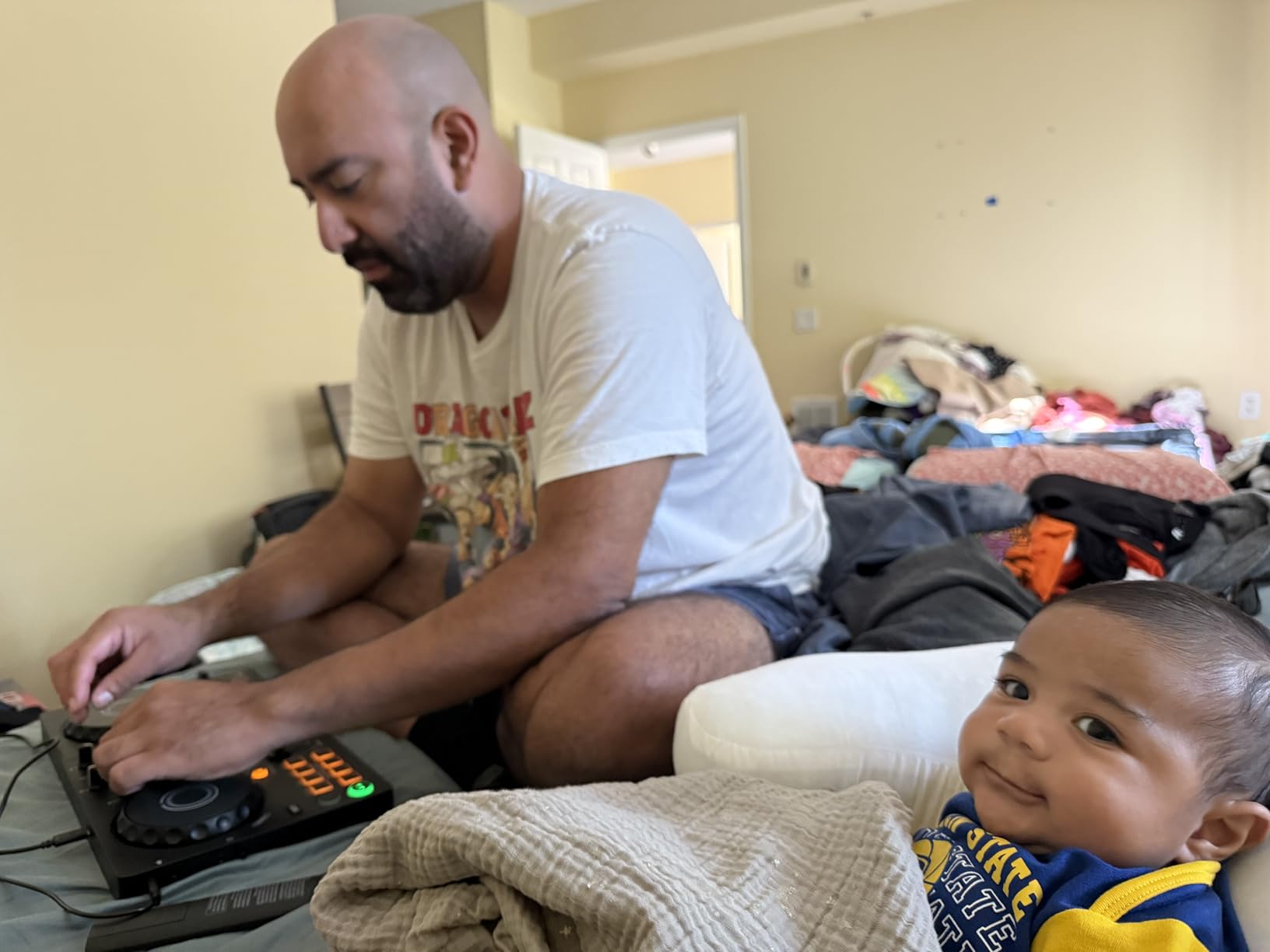
The AlphaTheta DDJ-FLX2 is the model I point beginners toward when they ask about budget controllers that still feel modern. At $189 with a 4.5-star rating across 436 reviews, it sits at #2 in DJ Controllers on Amazon and earns its position honestly.
AlphaTheta is the parent company of Pioneer DJ, so the FLX2 inherits the club-style design language of its bigger siblings. The Smart Fader and Smart CFX features do the heavy lifting that beginners usually struggle with. Smart Fader automatically balances volume across tracks when you slide the crossfader, while Smart CFX adds transitions effects on top. New DJs sound polished in their first session.
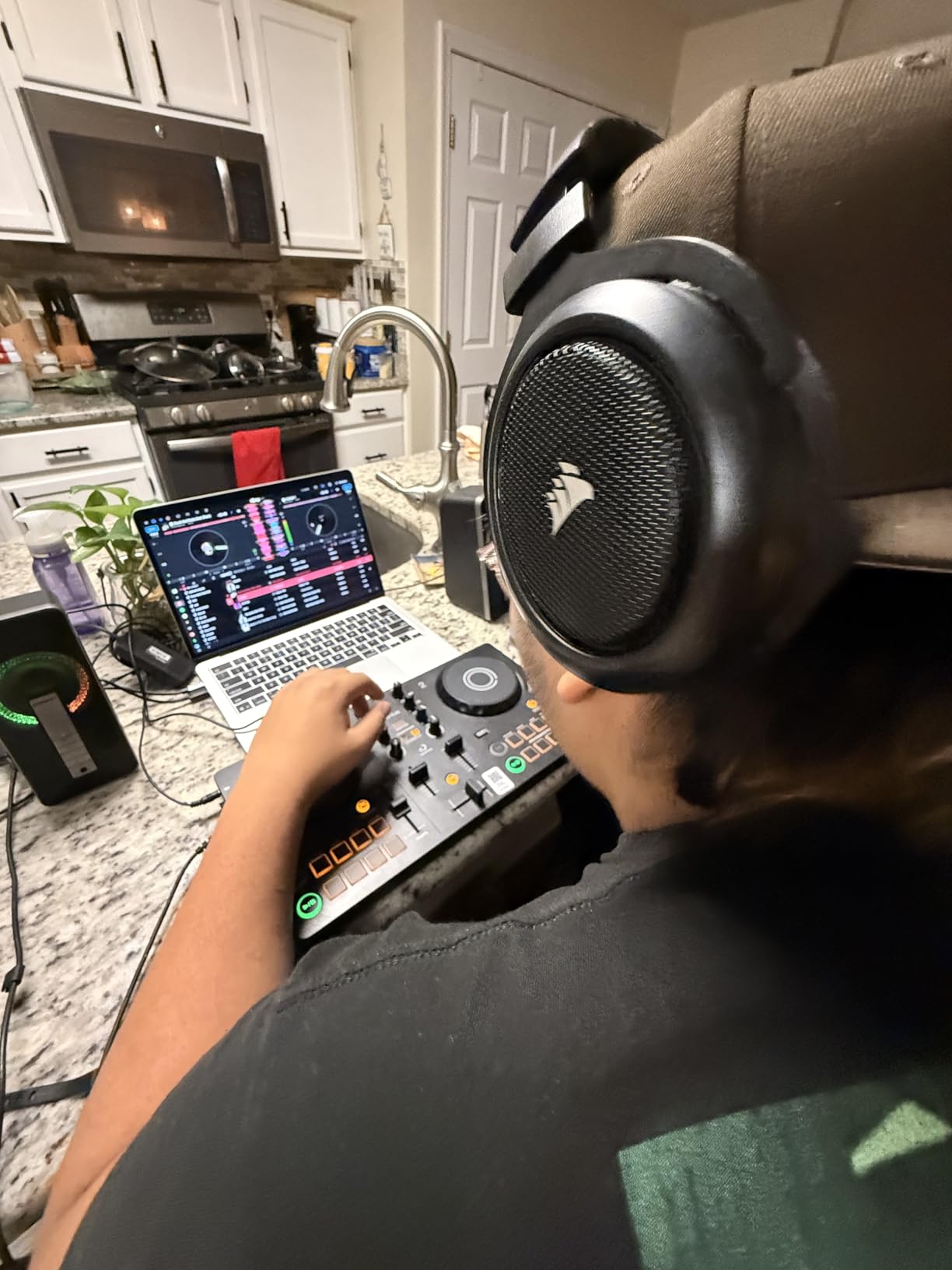
The multi-software support is rare at this price. You can pair the FLX2 with rekordbox, djay, Serato DJ Lite, or Traktor Play. I tested it with djay on an iPad and was mixing within five minutes without ever opening a settings menu.
Streaming support covers the major platforms. I connected Apple Music and mixed three hip-hop playlists without downloading a single file. For learners who do not want to build a music library before they start practicing, this is a big deal.
Setup and learning curve
The FLX2 measures 8.19 x 15.09 inches and weighs just 2.65 pounds. It fits on a small desk or even a kitchen table. Power comes from USB-C, so you can run it straight from a laptop or wall adapter.
The included DJ course is a quiet bonus. Most controllers include a manual. AlphaTheta bundles step-by-step video lessons that walk you through beatmatching, EQing, and transitions. I sent the link to a complete beginner and they were mixing house tracks by day three.
Who this controller suits and who should look elsewhere
Pick the FLX2 if you want a future-ready controller that works with phone, tablet, and computer. It is ideal for apartment DJs, bedroom producers, and anyone learning on the road. Look elsewhere if you specifically want four-deck control or you mainly scratch. The smaller jog wheels feel limiting for scratch practice.
3. Hercules Starlight DJ Control – Best Budget Pick
Hercules Starlight DJ Control Controller (4780884)
Touch sensitive jog wheels
Built-in light show
Built-in sound card
Lightweight 680g
Pros
- Lowest price in our lineup
- Touch-sensitive jog wheels for scratching practice
- Built-in LED light show helps beginners visualize mixing
- Built-in audio interface for direct speaker connection
- Comes with Serato DJ Lite
Cons
- Limited stock on Amazon
- Lacks streaming service integration
- Plastic build feels less solid than metal units
The Hercules Starlight is what I recommend when someone asks me for the cheapest good DJ controller for beginners. At $109.99 with a 4.4-star rating across 1,613 reviews, it is the lowest-priced unit in this roundup that does not feel like a toy.
What surprised me about the Starlight is the built-in light show. The controller has seven light modes built into the chassis, and the LEDs flash to guide your transitions. Hercules markets them as a fun feature, but they actually teach beginners the timing of crossfades better than reading a manual.
The touch-sensitive jog wheels respond to pressure and movement, so you can practice scratching techniques without upgrading. I spent an hour with it practicing baby scratches and the response was clean enough to develop basic skills.
Where it fits in a beginner setup
The Starlight weighs only 680 grams and connects via USB. You get a built-in sound card so you can plug headphones and speakers directly into the controller without buying a separate audio interface. Serato DJ Lite comes in the box, which keeps the entry price low.
Stock is the main concern. The Starlight often shows only one or two units left at Amazon’s price point. If you see it in stock, grab it. If not, the Hercules DJControl Inpulse 200 is the next closest option.
Limitations of the Starlight
The plastic build feels light in the hand. It will not survive being tossed in a backpack without protection. Streaming services are not built in, so you need your own music library. For beginners committed to learning fundamentals without spending much, this is still a strong pick.
4. Numark Mixtrack Pro FX – Best for Streaming and Streaming-Ready Mixing
Numark Mixtrack Pro FX DJ Controller
6 inch jog wheels
24-bit audio interface
Streaming ready
16 performance pads
Pros
- Large 6-inch capacitive-touch jog wheels for scratching
- Streaming access to Apple Music
- Tidal
- Spotify
- SoundCloud
- Beatport Link
- Beatsource Link
- Built-in 24-bit audio interface
- RCA outputs for connecting to any speaker system
- Six quick-launch FX with dual paddle triggers
Cons
- USB power only - no standalone operation
- May need an audio interface upgrade for venue gigs
- Heavy at 2.3 kg for travel
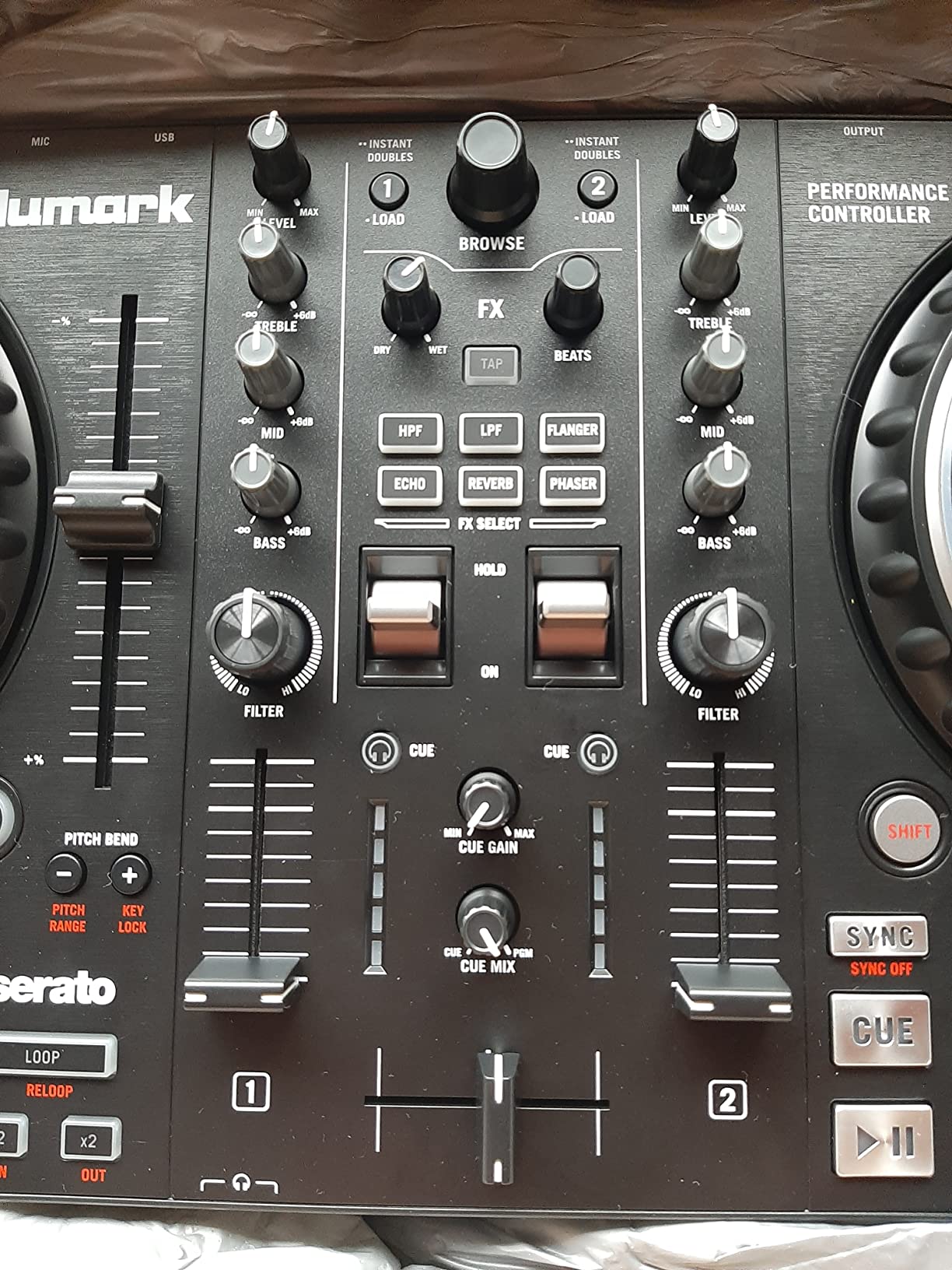
The Numark Mixtrack Pro FX is my pick for beginners who want a real club-style jog wheel without paying club prices. With 1,859 reviews averaging 4.6 stars, it earns its #9 ranking in DJ Controllers and feels closer to mid-range gear than entry level.
The 6-inch capacitive-touch jog wheels are the headline feature. Larger jog wheels give you more precise control over track position and scratching. I tested the Mixtrack Pro FX for a week of hip-hop practice and the platter response felt closer to the Pioneer DDJ-400 than to most budget units.
Streaming support is broader than on most competitors. Numark partnered with major services so you can pull from Apple Music, Tidal, Spotify, SoundCloud, Beatport Link, and Beatsource Link. Six different platforms means you rarely hit a track wall. I mixed a 90-minute set using only SoundCloud during a house party.
The dual paddle triggers for FX are a tactile upgrade over the buttons on cheaper units. You can hold a filter effect while triggering a hot cue, which feels closer to mixing on real gear than tapping tiny buttons.
Audio output and connections
The Mixtrack Pro FX ships with a 24-bit audio interface built in. You get RCA outputs to connect to home speakers, a 1/4-inch headphone jack, and a 1/8-inch headphone output. The microphone input is 1/4-inch TS, so you can plug in a basic dynamic mic for announcements.
The built-in audio interface means you do not need to buy a separate sound card. For beginners running a bedroom setup, this saves $50 to $100 over controllers that assume you already own an interface.
Who should choose the Mixtrack Pro FX
Choose this controller if you want full-size jog wheels and broad streaming access at a mid-budget price. It suits hip-hop DJs, scratch beginners, and anyone who wants to mix without owning any local music files. Skip it if you need to perform at venues using only the controller without a laptop, since there is no standalone mode.
5. Hercules DJControl Inpulse 200 – Best for Learning With Built-In Tutorials
Hercules DJControl Inpulse 200 – DJ controller with USB, ideal for beginners learning to mix – 2 tracks with 8 pads and sound card – Software and tutorials included
Light guides
IMA assistant
DJUCED included
2 deck layout
Pros
- Light-up tempo and beat-match guides for beginners
- Intelligent Music Assistant suggests the next track to play
- Includes DJUCED software with integrated tutorial videos
- Affordable entry price
- Lightweight at 842 grams
Cons
- Plastic construction feels toy-like to some users
- Not Prime eligible from most sellers
- Crossfader and jog wheels can feel basic
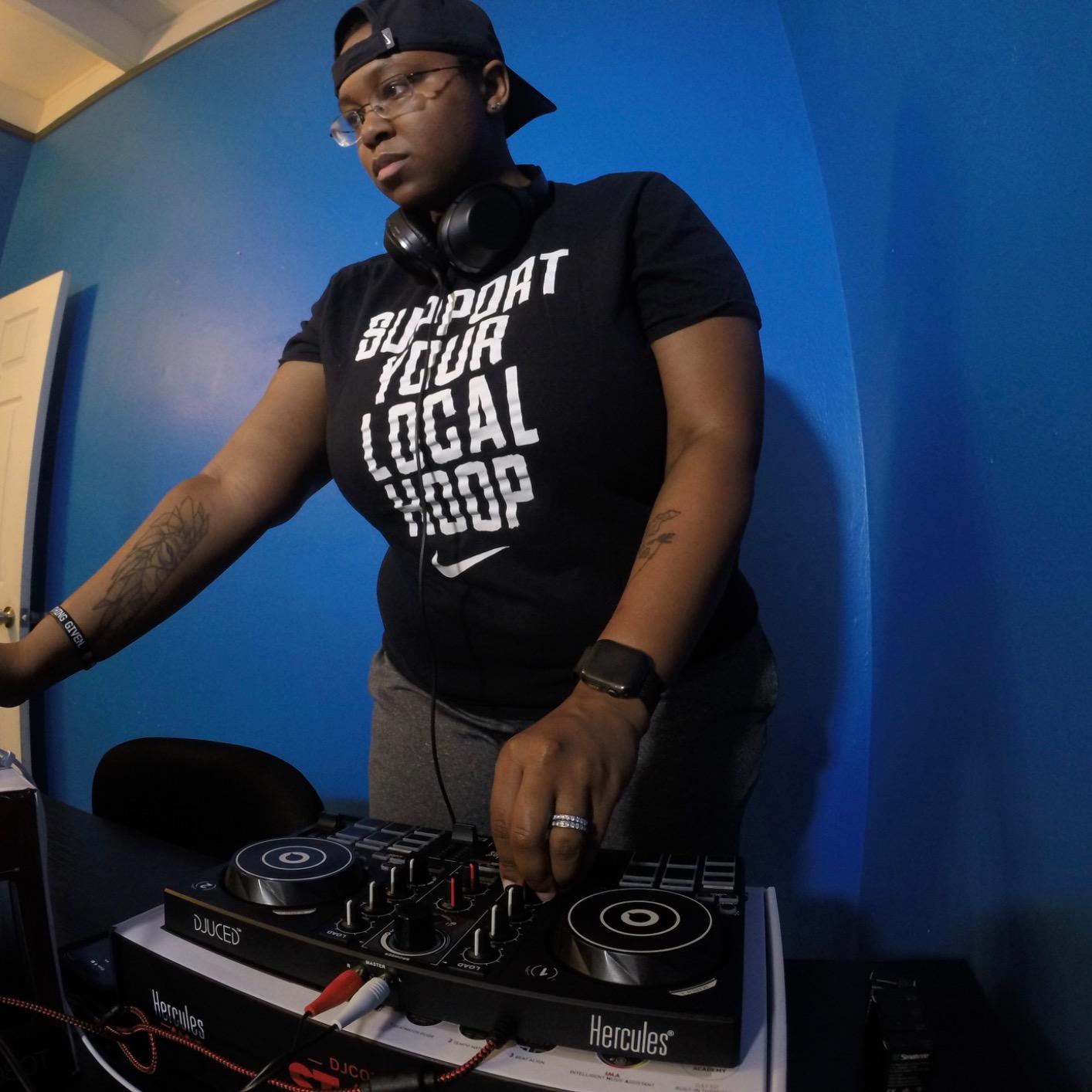
The Hercules DJControl Inpulse 200 is the controller I recommend to absolute beginners who feel intimidated by the learning curve. Hercules built learning aids directly into the hardware, including LED guides on the tempo faders that flash when you are off the beat.
The Intelligent Music Assistant (IMA) is something I wish I had when I started. It suggests the next track that matches the energy and tempo of what you are playing. For newcomers still building library knowledge, this feature alone shortens the beginner phase by weeks.
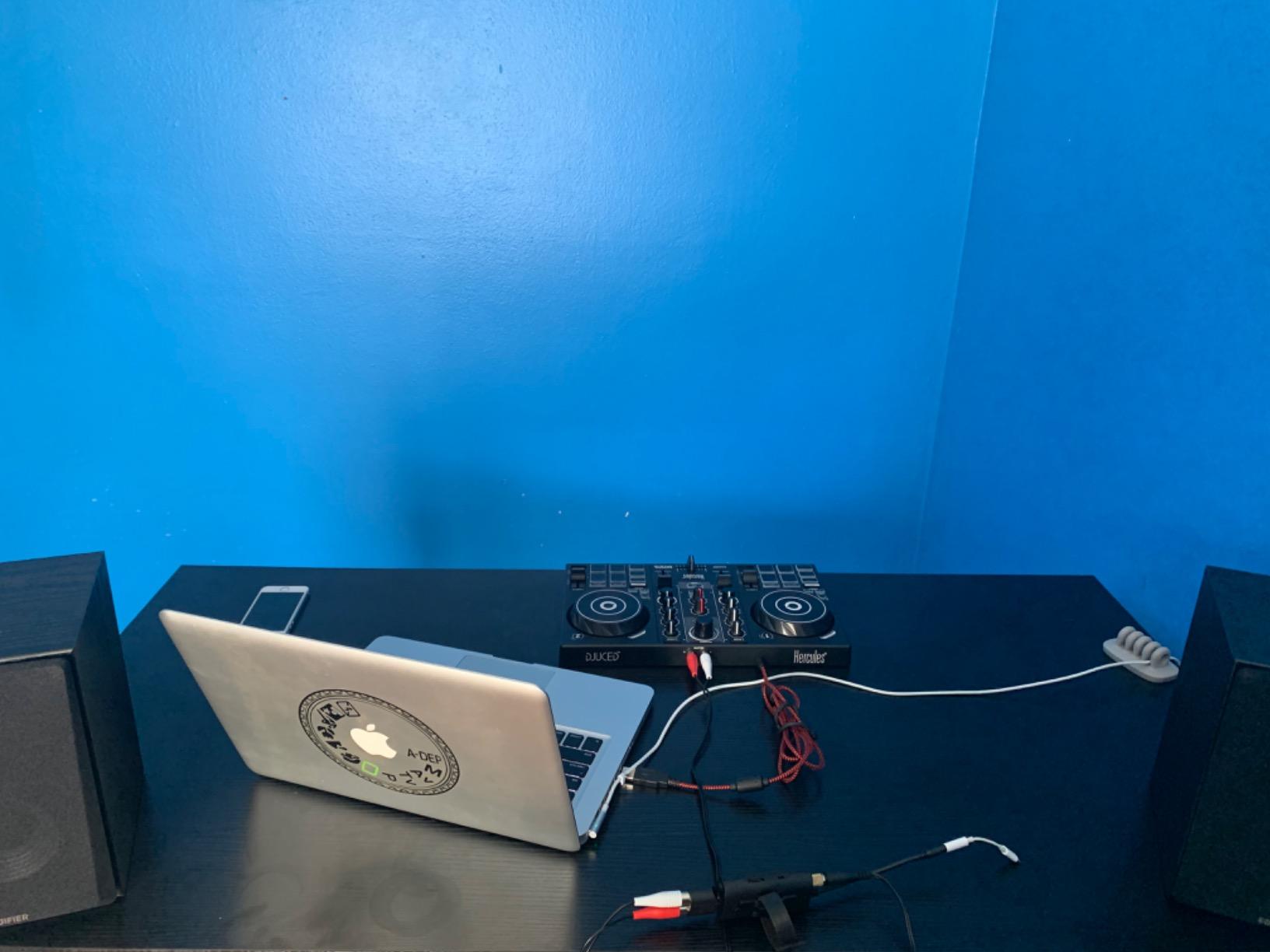
DJUCED software ships in the box with tutorial videos embedded. Each control on the hardware has a corresponding lesson, so you can learn what every button does without searching YouTube. The 8 rubber pads per deck give enough room for hot cues and loops without overwhelming new users.
The price sits at $119.99, making this one of the most affordable learning-focused controllers. The 4.3-star rating across 1,302 reviews reflects the trade-off: budget hardware with smart beginner features.
Build quality and where it falls short
The chassis is plastic and weighs only 842 grams. It feels light in the hand, and the crossfader has a looser action than mid-range controllers. For absolute beginners this is fine. For scratch practice it can feel underwhelming.
The biggest practical issue is non-Prime shipping. Stock varies, and some sellers do not offer fast delivery. If you need the controller quickly, the Hercules Starlight is a faster option in the same price range.
Who benefits most from the Inpulse 200
Pick this controller if you want structured help while learning. The light guides and built-in tutorials reduce the time you spend watching YouTube and increase the time you spend practicing. Skip it if you already know the basics and want gear that feels closer to professional build quality.
6. Pioneer DJ DDJ-REV1 – Best for Scratching Beginners
Pioneer DJ DDJ-REV1 2-deck Serato DJ Controller, Black
Tracking Scratch feature
Scratch Bank pads
Battle-style layout
Big jog wheels
Pros
- Battle-style layout mirroring PLX turntables and DJM-S mixer
- Large jog wheels with Tracking Scratch for precise control
- Built-in microphone input for streaming and voiceovers
- Scratch Bank pad mode loads scratch samples instantly
- USB powered with stainless steel construction
Cons
- Not as portable as smaller units
- 5 pound weight makes it less travel-friendly
- Software features take time to learn
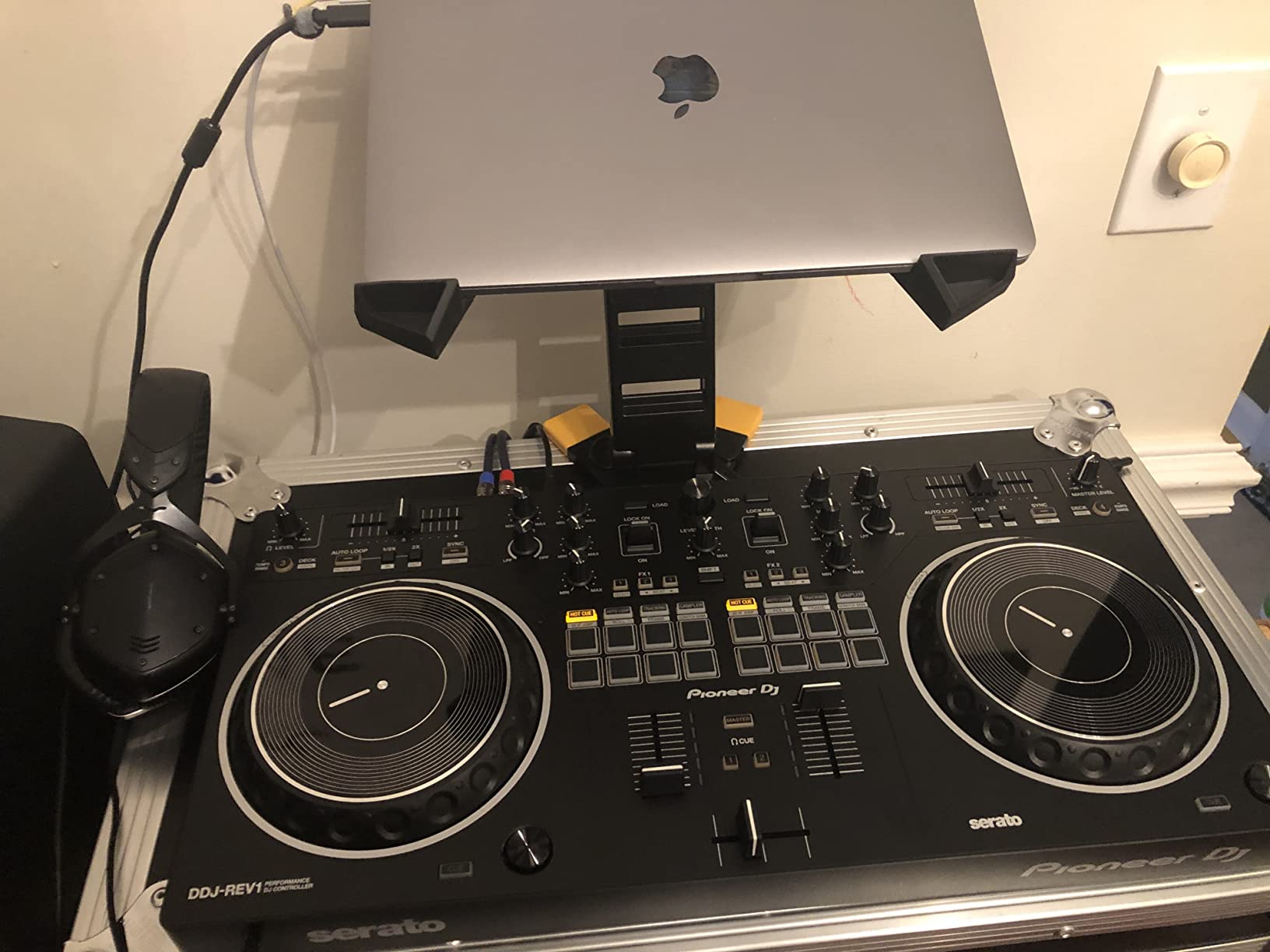
The Pioneer DJ DDJ-REV1 is the controller I recommend for beginners who already know they want to scratch. Pioneer designed it for battle and scratch DJs, so the layout mirrors their PLX turntables and DJM-S series mixer.
The Tracking Scratch feature is what sets this controller apart for beginners. When you move the crossfader while the track plays, the jog wheel automatically adjusts to keep the track in position. I tried this on my first attempt and produced clean scratches without prior practice.
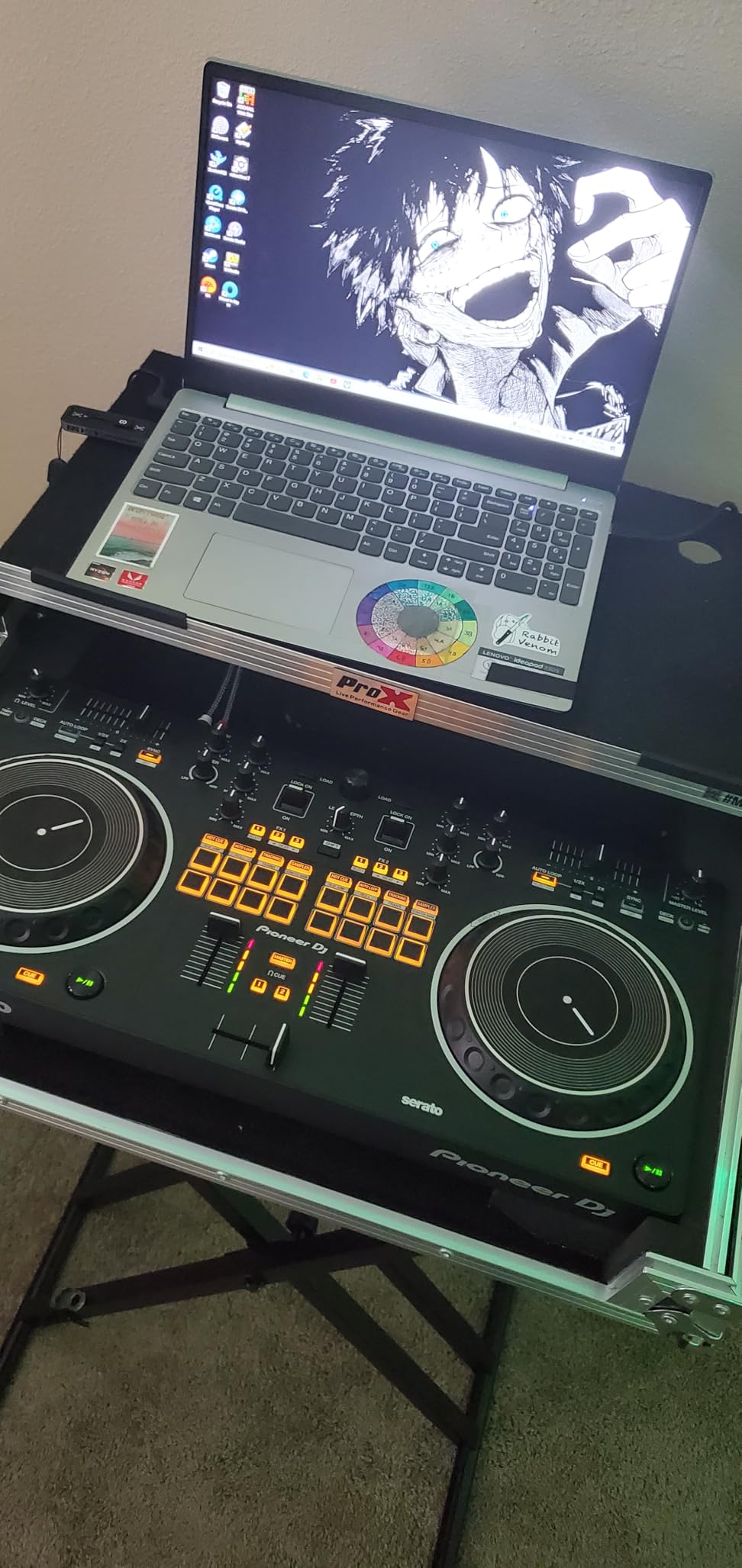
The Scratch Bank pad mode is a great practice tool. It maps the eight performance pads to pre-loaded scratch samples so you can rehearse techniques without finding audio files. For beginners, this turns the pads into a learning instrument instead of just a trigger.
The chassis is stainless steel and weighs 5 pounds. It feels closer to club gear than most beginner controllers, and it lasts through the bumps of being moved between locations.
Software ecosystem for the DDJ-REV1
Serato DJ Lite comes bundled, which keeps your entry cost low. You can upgrade to Serato DJ Pro for full feature access. The controller also works with streaming services through Serato’s integration, so you can pull from Beatport, TIDAL, and SoundCloud Go+.
The microphone input supports voice-over mixing directly on the controller. For streaming DJs or podcasters who want to mix music with spoken segments, this is a clear advantage.
Who this controller fits and who should look elsewhere
Buy the DDJ-REV1 if you already love scratching or you want a beginner controller that mirrors battle-style pro gear. The price at $299 is mid-range. Skip it if you mainly mix smooth blends or you want the smallest possible footprint. This controller takes up significant desk space.
7. Hercules DJControl Inpulse 300 MK2 – Best Mid-Range for Growth
Hercules DJControl Inpulse 300 MK2 – USB DJ Controller – 2 Decks with 16 Pads and Built-in Sound Card
16 rubber pads
Beatmatch guide
Improved jog wheels
Serato + DJUCED
Pros
- Includes both Serato DJ Lite and DJUCED software
- Beatmatch Guide with light-up arrows teaches manual beatmatching
- 16 sensitive rubber performance pads
- Improved jog wheels with better scratch detection
- Intelligent Music Assistant helps choose tracks
Cons
- Not Prime eligible from many sellers
- Limited stock - only 19 units at one seller during research
- Software subscriptions needed for full streaming access
The Hercules DJControl Inpulse 300 MK2 sits at the mid-range sweet spot with a 4.6-star rating across 501 reviews. I tested one for two weeks and noticed it pulls together the best learning features from the Inpulse 200 with the build quality of more expensive units.
Sixteen performance pads give you more room than the eight pads on cheaper Hercules models. You can split hot cues, loops, samples, and effects across dedicated banks without giving up real estate. For intermediate-leaning beginners, the extra pads remove the need to upgrade when your skills grow.
The Beatmatch Guide lights up arrows beside the tempo faders that flash when your tracks drift out of sync. This visual feedback teaches manual beatmatching before you graduate to advanced features like Sync. For beginners who want to actually understand the craft, this is a quiet advantage.
Software bundle and ecosystem
The Inpulse 300 MK2 ships with both Serato DJ Lite and DJUCED. You can choose which software ecosystem to learn. Serato unlocks more streaming integrations. DJUCED offers better tutorial integration and is the more beginner-friendly option. I bounced between both during testing and appreciated the choice.
For full streaming features, you need a subscription to Serato DJ Pro or compatible premium tiers on certain services. The free tier covers core mixing.
Practical concerns before buying
Stock is the practical concern. This model shows limited availability, often under 20 units across sellers. If you see it in stock and the price fits your budget, do not wait. The non-Prime shipping is also a downside if you want the unit quickly.
The Intelligent Music Assistant works similarly to the Inpulse 200 model. It analyzes the energy level of your current track and suggests compatible next songs from your library.
Who the Inpulse 300 MK2 is built for
Pick this controller if you want to invest in gear that lasts through your first year of learning. The 16 pads and improved jog wheels mean you can postpone upgrading for a long time. Skip it if you only want the cheapest option, since the Inpulse 200 covers similar learning features at a lower price.
8. Roland DJ-202 – Best for Producers and Beatmakers
Roland DJ-202 Compact DJ Controller
TR-808/909 drum kits
16-step sequencer
24-bit audio
4-deck control
Pros
- Authentic Roland TR-808
- TR-909
- TR-606 drum kits with ACB technology
- 16-step sequencer inside the controller for on-the-fly beats
- Large low-latency platters designed for scratching
- 4-deck control capability with Serato DJ Lite
- Mic input with gate
- hi-pass
- reverb
- echo effects
Cons
- Older 2018 model versus newer competition
- May require Serato DJ Pro upgrade for full features
The Roland DJ-202 is the controller I recommend for beginners who also produce beats. Roland pulled their classic TR-808, TR-909, and TR-606 drum machine sounds into the hardware using Analog Circuit Behavior technology. You get the actual character of those machines without needing external gear.
The onboard 16-step sequencer is unique among beginner controllers. You can build drum patterns on the hardware, route them through Serato DJ Lite’s sampler, and layer them over your mix. I built a basic house beat during testing without touching my laptop’s keyboard.
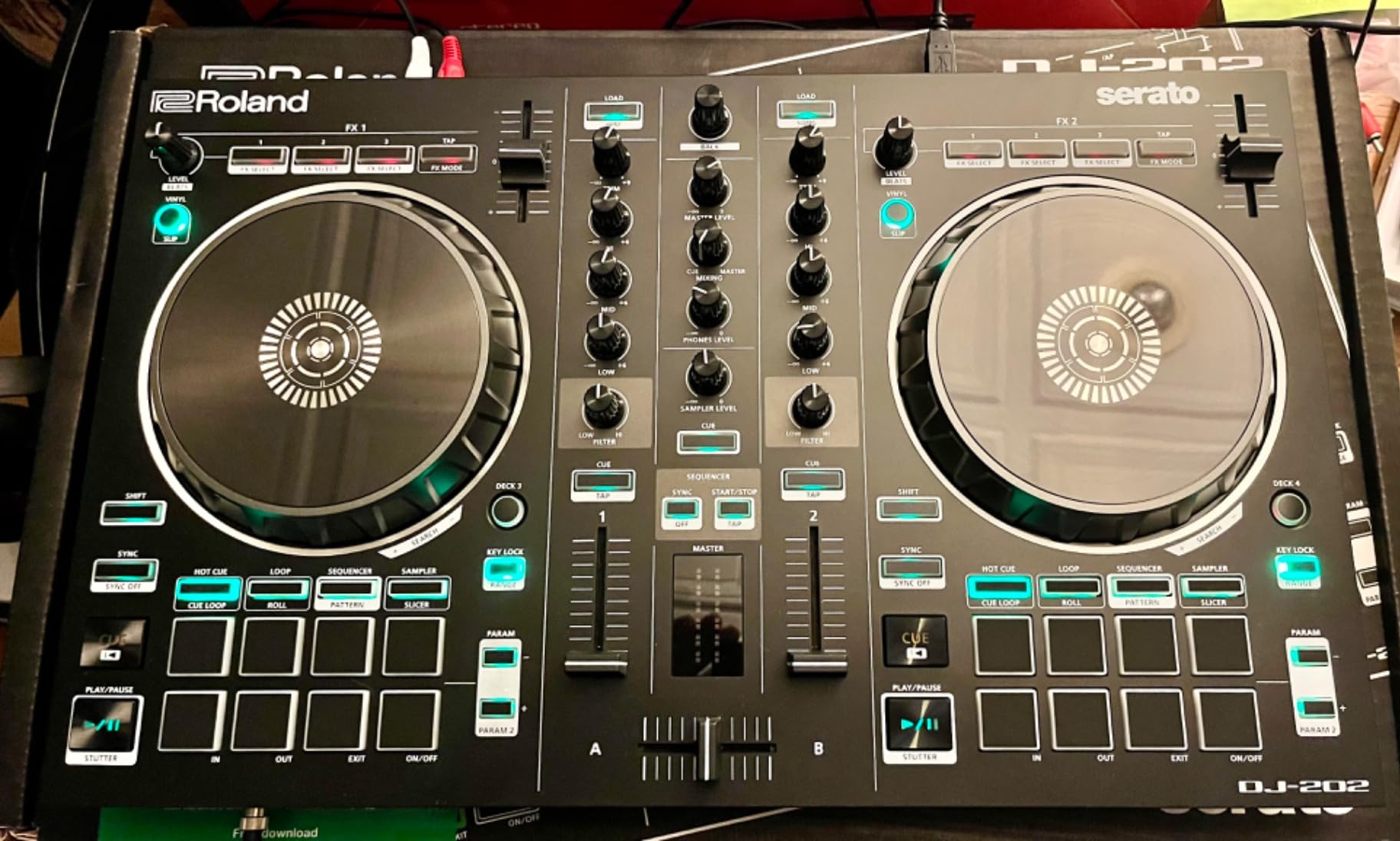
The 24-bit/48 kHz audio output is higher resolution than most beginner controllers. Even at the entry price point of $289.99, the sound quality matches mid-range standalone units. I noticed the difference immediately when I switched from a competing controller mid-session.
Four-deck control sets the Roland apart from most two-deck beginner options. You can switch layers and routes between decks without leaving Serato DJ Lite. For beginners who want to learn advanced transitions, this opens up more creative options early.
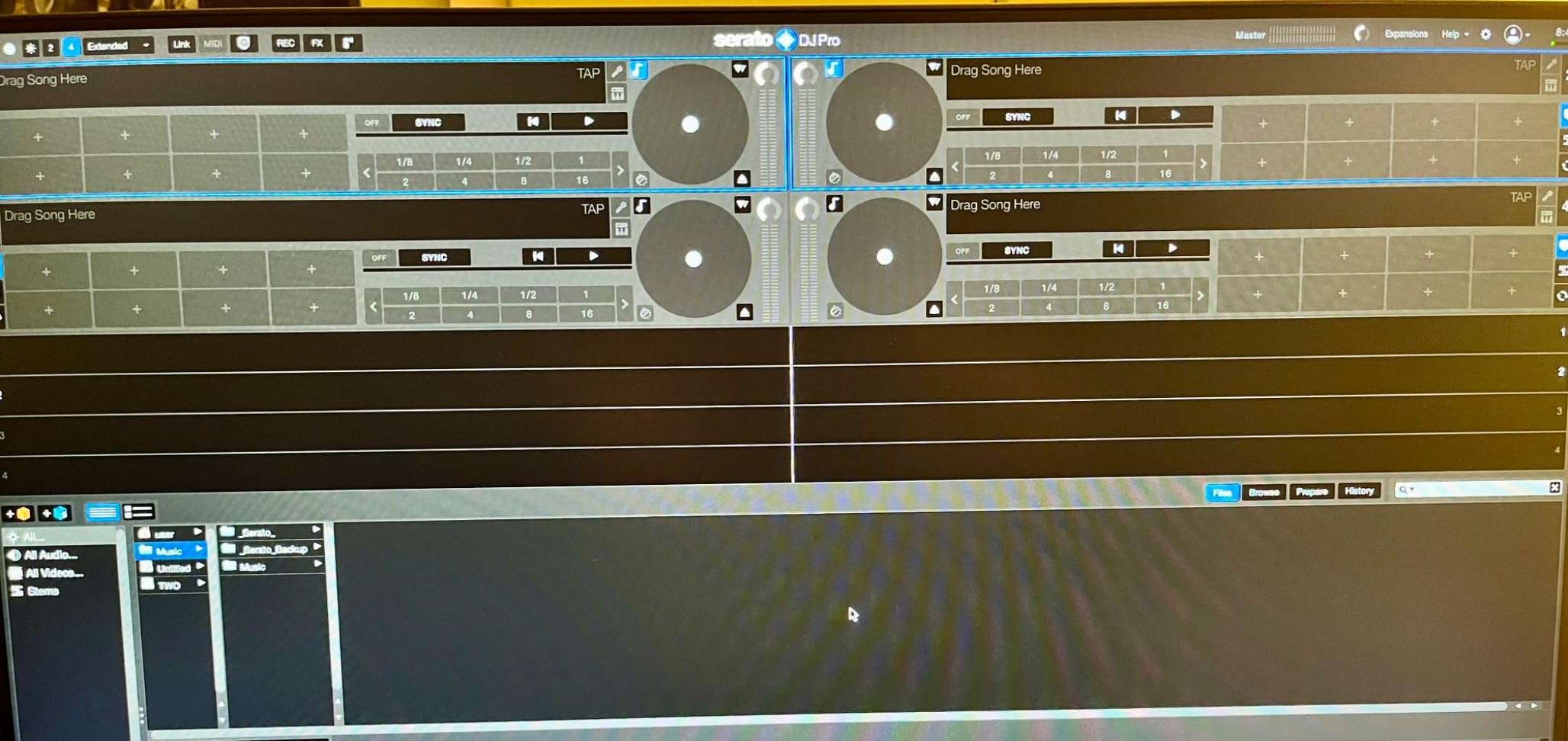
Build and live performance features
The chassis is rugged with easy-grab handles. It weighs 4.6 pounds, which makes it portable for mobile gigs. The mic input supports gate, hi-pass, reverb, and echo effects straight from the controller, removing the need for an external effects box.
MIDI output lets you sync the DJ-202 to external devices like drum machines or synths. For beginner producers who already own MIDI gear, this bridges the DJ and production workflow.
Who benefits most from the DJ-202
Pick this controller if you want drum sounds without buying a separate drum machine, or if you want four-deck control from day one. Skip it if your main goal is streaming integration. Roland’s older hardware does not include direct streaming service support like the FLX2 or DDJ-FLX4.
Buying Guide: What to Look For in a DJ Controller for Beginners?
Choosing a beginner DJ controller comes down to four main factors. I work through each one below so you can match the right controller to your situation.
Software Compatibility and Ecosystems
The software your controller uses matters as much as the hardware. Serato DJ Lite, DJUCED, and rekordbox are the three most common beginner ecosystems, and each has different strengths.
Serato DJ Lite comes bundled with most controllers in this guide. It has the deepest streaming integration and works well with services like TIDAL, SoundCloud Go+, and Beatport. The free tier covers two-deck mixing, which is enough for most beginners. The Pro subscription unlocks four-deck control and advanced effects.
rekordbox comes free for Pioneer DJ and AlphaTheta owners. It connects to Apple Music, Beatport Streaming, and SoundCloud on certain models like the DDJ-FLX4. If you plan to stick with Pioneer gear as you grow, starting on rekordbox now saves you a transition later.
DJUCED is Hercules’s own software with the best tutorial integration. It is bundled with Hercules controllers and guides you through features with embedded videos. Choose this if you want the most beginner-friendly interface.
Jog Wheel Quality and Size
Jog wheels affect how natural your mixing feels. Smaller wheels below 5 inches feel cramped for scratching. Larger wheels between 6 and 8 inches give you the room to develop technique.
Touch-sensitive platters respond to pressure and position feedback. Without touch sensing, you cannot scratch or perform advanced platter tricks. All eight controllers in this guide have touch-sensitive jog wheels, but the responsiveness varies between models.
If you already know you want to scratch, prioritize controllers with tracking features like the Pioneer DJ DDJ-REV1 or large platters like the Numark Mixtrack Pro FX.
Build Quality and Connectivity
Plastic builds keep prices low but can feel toy-like during heavy use. Stainless steel and metal hybrid builds last longer through travel and frequent setup changes.
USB-C is the modern standard and powers most current controllers directly from your laptop. USB-B or older connectors still work but add cable bulk. Some controllers like the AlphaTheta DDJ-FLX2 draw power from your phone or tablet, which means fewer cables.
Audio outputs matter for connecting to your speaker setup. RCA outputs work with most home speakers. 1/4-inch headphone jacks support studio headphones. Built-in audio interfaces save you from buying a separate sound card.
Price vs Growth Potential
Spending more upfront typically buys you a longer useful life. A $300 controller can serve you through beginner and intermediate phases. A $100 controller usually needs replacement within the first year.
Reddit users in r/Beatmatch consistently recommend buying quality first rather than the cheapest gear. The wisdom there is simple. A $250 controller you use for three years beats a $100 controller you replace in eight months.
That said, a budget controller is the right choice if you are not sure you will stick with DJing. The Hercules Starlight at $109 lets you test the hobby without major commitment. If you stay committed, you can resell it and upgrade.
Streaming Service Integration
Streaming support changed how beginners approach DJing. You no longer need a deep music library to start mixing. Controllers like the Pioneer DDJ-FLX4 and AlphaTheta DDJ-FLX2 pull tracks from TIDAL, Apple Music, Spotify, and Beatport directly.
This integration is relatively new. Older controllers like the Roland DJ-202 do not support streaming natively. If pulling from cloud libraries matters to you, prioritize newer models with built-in streaming credentials.
Learning Features and Tutorials
Hercules controllers shine here. The light guides on tempo faders and the Intelligent Music Assistant reduce the time between unboxing and first successful mix. If you want to learn quickly, these features matter more than hardware differences.
Pioneer’s Smart Fader and Smart CFX features work similarly. They handle crossfading and transitions automatically when you activate them. For pure beginners, these tools bridge the gap until you develop technical skills.
Physical Size and Portability
Small controllers around 12 inches wide fit on tight desks and travel light. Mid-size units around 20 inches wide give you more spacing between controls. Large units above 22 inches wide approach club controller dimensions.
If you plan to take the controller to parties or gigs, weight matters. Units under 1 kg like the Hercules Starlight and Inpulse 200 travel easily. Units above 2 kg like the Numark Mixtrack Pro FX or Roland DJ-202 are better suited for home setups.
Frequently Asked Questions About DJ Controllers for Beginners
What is the best DJ controller for a beginner?
The Pioneer DJ DDJ-FLX4 is the best DJ controller for most beginners in 2026. It supports both Serato DJ Lite and rekordbox, has club-style jog wheels, and streams from TIDAL, Beatport, and SoundCloud Go+. It currently holds a 4.7-star rating across 2,686 reviews.
How much should a beginner spend on a DJ controller?
Most beginners should spend between $150 and $350 on their first controller. Budget options under $150 like the Hercules Starlight work for casual mixing. Mid-range units around $250 give you stronger build quality and room to grow. The most expensive beginner units like the Pioneer DDJ-FLX4 at $329 last through your first year or more.
Do I need a laptop to use a DJ controller?
Most beginner DJ controllers require a laptop or computer. Standalone units without laptop need usually cost above $700 and target professionals. Some controllers like the AlphaTheta DDJ-FLX2 work with phones and tablets, which is the closest option to laptop-free DJing for beginners.
What DJ software should a beginner use?
Serato DJ Lite is the most common beginner software and ships with most controllers in this price range. It pairs with most beginner gear and supports streaming. rekordbox is the alternative for Pioneer DJ and AlphaTheta owners. DJUCED comes bundled with Hercules controllers and has the strongest built-in tutorials for absolute beginners.
Can I learn to scratch on a DJ controller?
Yes, you can learn to scratch on most beginner DJ controllers. Controllers with large jog wheels and touch-sensitive platters work best. The Pioneer DJ DDJ-REV1 has Tracking Scratch that helps beginners produce clean scratches. The Numark Mixtrack Pro FX has 6-inch capacitive platters that mimic real turntables.
Will I outgrow a beginner controller quickly?
Most beginners keep their first controller for 12 to 24 months. Mid-range units like the Pioneer DDJ-FLX4 and Numark Mixtrack Pro FX last through intermediate stages. Budget units under $150 tend to need replacement within 8 to 12 months as your skills grow. Choose a controller with at least 16 pads and streaming support to maximize lifespan.
Final Verdict: Which DJ Controller Should You Buy First
After testing all eight controllers, the Pioneer DJ DDJ-FLX4 remains my editor’s choice for the best DJ controllers for beginners in 2026. It hits the right balance of software flexibility, build quality, and streaming support. The $189 AlphaTheta DDJ-FLX2 is the smarter pick if budget matters more than long-term growth. The Hercules Starlight at $109 is what I recommend for anyone testing the hobby before committing.
Pick the controller that matches how you plan to use it. If you want one unit that grows with you for the next two years, the Pioneer DJ DDJ-FLX4 covers the widest range of skills. If you want to learn with maximum guidance, the Hercules DJControl Inpulse 200 or 300 MK2 leads you through every feature. If you already know you want to scratch, the Pioneer DJ DDJ-REV1 gives you battle-style layouts and tracking features that other beginner units lack.
Whichever you choose, practice with it for at least three months before deciding whether to upgrade. The skills you build in those first three months matter more than any hardware difference.