
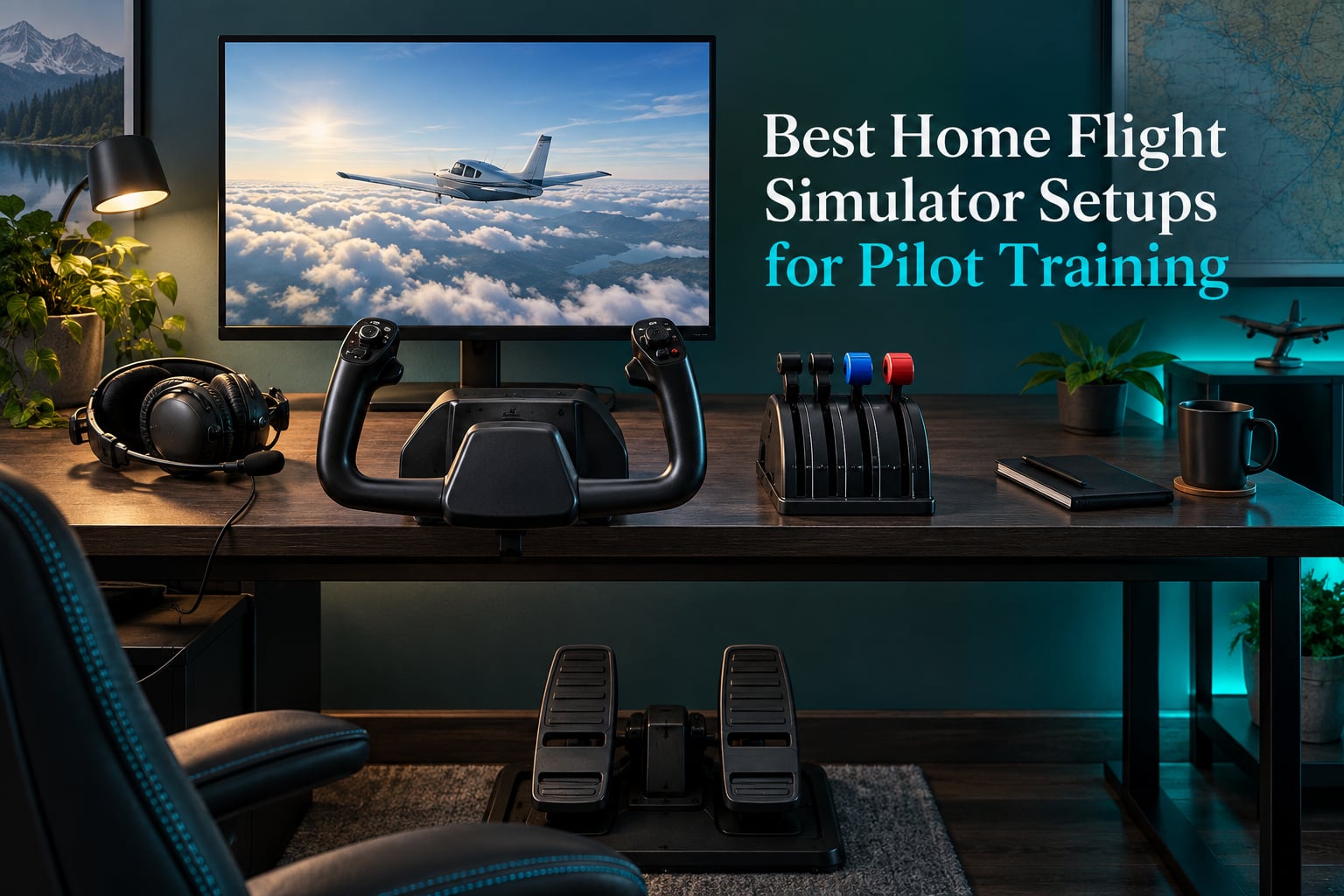
A home flight simulator setup for pilot training is a computer running flight simulator software, joined to three physical control inputs: a yoke or flight stick, a throttle quadrant, and rudder pedals. It lets a student pilot rehearse instrument scans, approaches and procedures at zero operating cost before the same flying happens in a real aircraft.
Here is the honest boundary, stated up front. A home sim is genuinely strong for instrument rating (IR) preparation, currency maintenance and repetitive procedure work, and weak as a substitute for the first hours of primary flight training, where an instructor’s sequencing, outside view of the aircraft and real crosswind feel cannot be replicated by software. Pilots on r/flying put it plainly: it is great for IFR training and currency, and much weaker for initial PPL training. Buy one as a supplement to flying lessons, not instead of them.
We put six complete control packages through the same evaluation for 2026, and every one of them ships the hardware a training rig actually needs. We also tracked the two components buyers forget, rudder pedals and a capable PC, because a brilliant yoke on a slow computer still fails a student pilot. Where reviewers are split, we say so.
If you want the full control-layout view first, our flight stick roundup covers the sidestick and HOTAS end of the market in more depth.
Table of Contents
Top 3 Home Flight Simulator Setups for Pilot Training in 2026

Thrustmaster Warthog A10 HOTAS Set
- All-metal A-10C replica
- 55 programmable buttons
- Hall effect sensors
- Dual metal throttle

Logitech G PRO Flight Yoke System
- Yoke and throttle in one box
- Two desk clamps
- Stainless steel shaft
- Windows only

Honeycomb Alpha Yoke and Switch Panel
- Full 180 degree rotation
- No center detent
- Integrated switch panel
- Dual mounting clamps
All Six Setups Side by Side in 2026
Read the table below as the short version of this whole guide. Every product here is a control package you can build a training rig around; none of them includes rudder pedals, so budget for those separately in every single case.
| Product | Specifications | Action |
|---|---|---|
| Thrustmaster HOTAS Warthog A10 Replica Flight Stick and Throttle |
|
Check Latest Price |
| Logitech G PRO Flight Yoke System |
|
Check Latest Price |
| Honeycomb Aeronautical Alpha Flight Controls Yoke and Switch Panel |
|
Check Latest Price |
 Thrustmaster TCA Yoke and Quadrant Boeing Edition Thrustmaster TCA Yoke and Quadrant Boeing Edition |
|
Check Latest Price |
 Turtle Beach VelocityOne Flight Universal Control System Turtle Beach VelocityOne Flight Universal Control System |
|
Check Latest Price |
 Logitech G X56 H.O.T.A.S. Throttle and Joystick Logitech G X56 H.O.T.A.S. Throttle and Joystick |
|
Check Latest Price |
1. Thrustmaster HOTAS Warthog A10 Replica Flight Stick and Throttle – the Build That Outlasts the Rest
Thrustmaster HOTAS Warthog A10 Replica Flight Stick & Throttle Set – PC
All-metal A-10C replica
Hall effect sensors
55 programmable buttons
Dual metal throttle,13.2 lbs
Pros
- All-metal construction built to outlast plastic competitors
- Hall effect sensors with no dead zone and no drift
- Long throttle throw with no play
- 55 programmable buttons plus hats and toggles
- Detachable stick and USB throttle store separately
Cons
- Firm centering spring needs weeks of break-in
- No twist or Z axis so rudder needs a separate device
- Hard slick grip is not rubberized
- No force feedback
- 13.2 pounds is awkward to move around
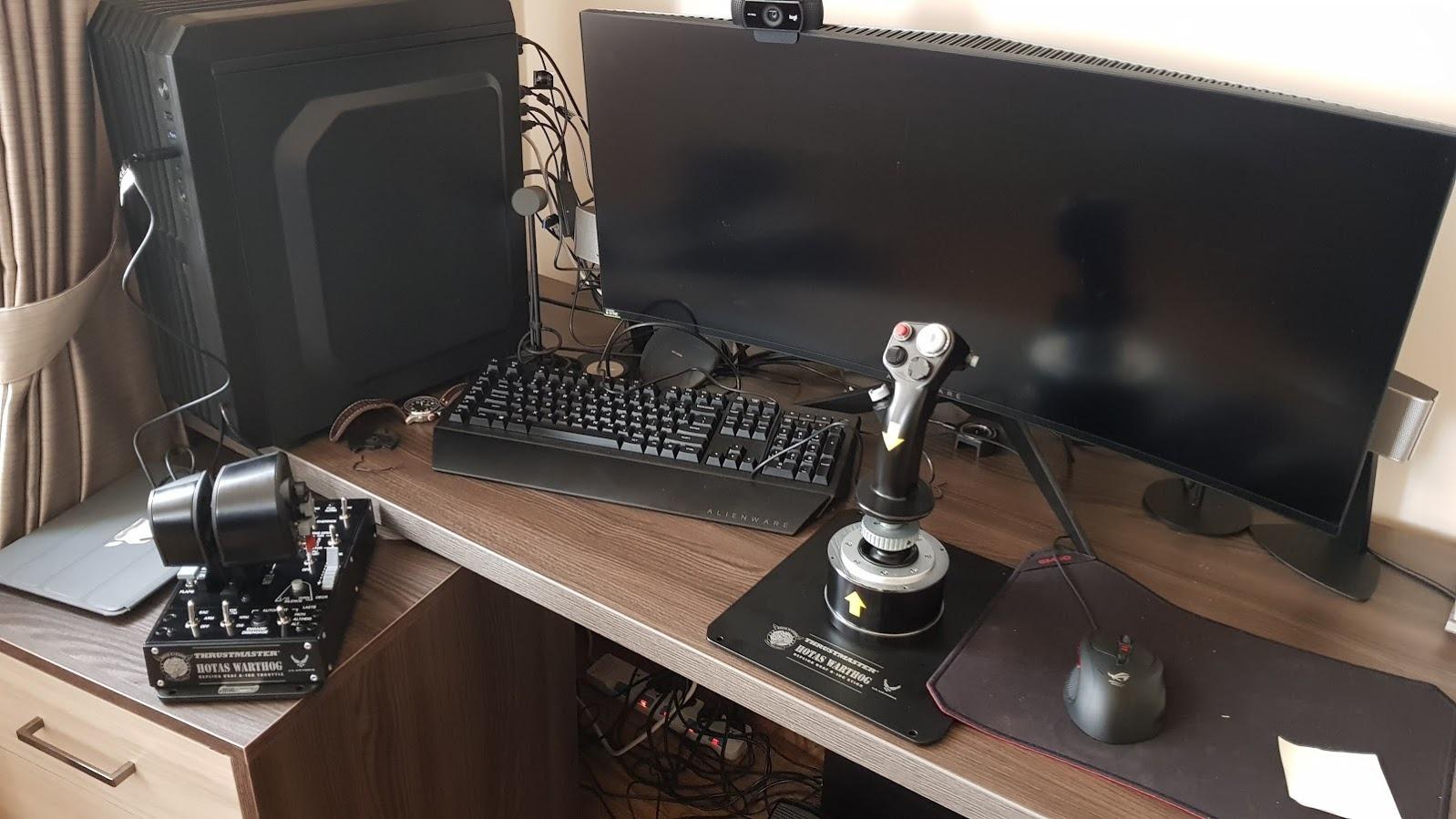
This is the set we keep coming back to. At 4.6 stars across 2736 reviews it is the strongest combination of rating and review volume in the whole group, and the build explains why. Almost everything you touch is metal, including the dual throttle and the stick shaft, which is the opposite of the hollow-plastic feel that makes cheap controls feel vague after an hour of flying.
The H.E.A.R.T sensors are the part that matters most for training feel. Because they read position magnetically rather than through a wiper on a resistive track, there is nothing to wear out and no drift to calibrate away in month six. For a student building aileron and elevator coordination, that consistency is worth more than any cosmetic detail on the desk.
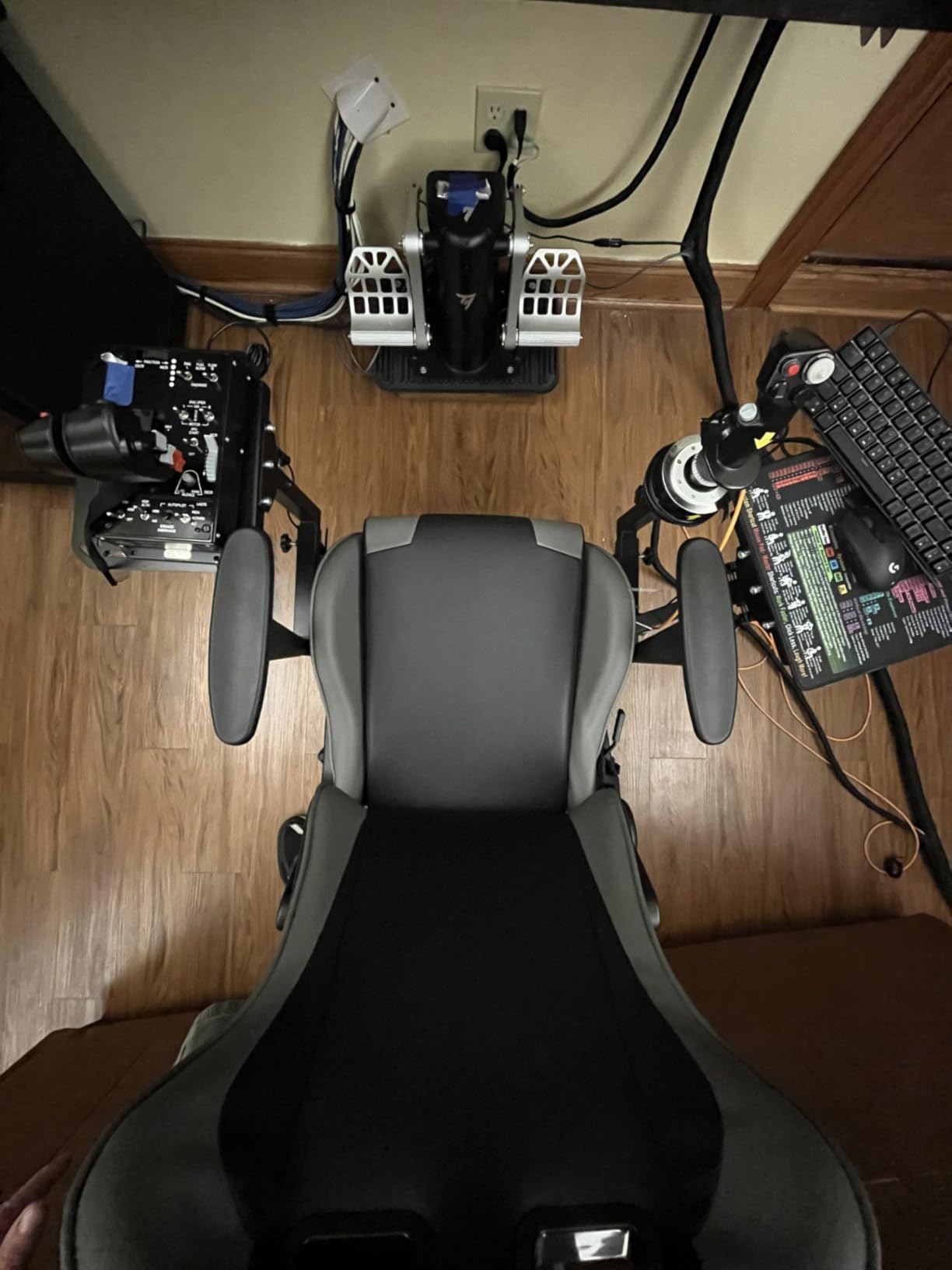
The 55 programmable buttons plus an eight-way point-of-view hat are what make this viable for a Boeing procedure session rather than just a VFR pattern. You can run an ILS from the left seat without hunting for a keyboard, which is closer to how a real cockpit works. The throttle base even has mounting holes for permanent desk installation once you settle on a position.
Long throttle throw is the sleeper feature. When you are managing engine power on a climb, the ability to add a percent without hunting means you are thinking about the aircraft instead of the hardware, which is the whole point of a training rig.
What the Warthog gets right for a student pilot
There is no twist axis, which sounds like a flaw until you pair it with a set of rudder pedals. Splitting pitch, roll and yaw across three inputs is closer to how a real aircraft is controlled, and it forces the coordination habit that keyboard arrow keys quietly let you skip. Owners with long ownership histories describe it as a once-in-a-career purchase that outlasts far cheaper plastic competitors by decades.
Detachability matters in a home setting. The stick unplugs and the throttle is a separate USB device, so a student in a shared apartment can pack the rig away between sessions rather than dedicating a room to it.
Where the Warthog will frustrate you
The centering spring is stiff, and reviewers are candid that it takes weeks of break-in before it relaxes and your arm builds the strength to hold it. Anyone starting a primary training syllabus will feel this in the first three sessions, and instructors should warn students before day one rather than let them assume they are doing something wrong.
The grip is hard and slick rather than rubberized, which is uncomfortable in long sessions and shows up more in a hot room. The stick also sits high, so a low desk will leave your wrist angled badly, and the 13.2-pound weight is genuinely awkward to reposition.
2. Logitech G PRO Flight Yoke System – the Top Rated Start for a Student Pilot
Logitech G PRO Flight Yoke System Professional Simulation – Black
Yoke plus throttle in one box
Stainless steel shaft
2 desk clamps included
14 buttons, Windows only
Pros
- Yoke and throttle bundled in a single box
- Two desk clamps make mounting straightforward
- Stainless steel shaft for consistent control
- Modular so a second USB quadrant can be added
- Onboard software can bind buttons to keyboard commands
Cons
- Yoke shaft can develop a stutter and needs lubrication
- PS/2 throttle quadrant reported failing within months
- Large footprint eats desk space
- Not compatible with macOS despite some listings
- Dead zones and axis drift need careful in-simulator calibration
This is the setup most first-time buyers should actually start with, and it is not close. At 4.3 stars from 2903 reviews it is the most widely owned option in the group, and the logic is simple: a real control wheel, a throttle, and the desk clamps to mount them, in one box, with no second purchase required before you can practise a circuit.
Owners who fly light general aviation aircraft consistently rate it as the best value available, and the reasoning matters for training. The wheel delivers the small, gradual inputs a Cessna or Beechcraft asks for rather than the aggressive snap inputs a combat stick is built for. The stainless steel shaft keeps the motion predictable once you have calibrated out the dead zones.
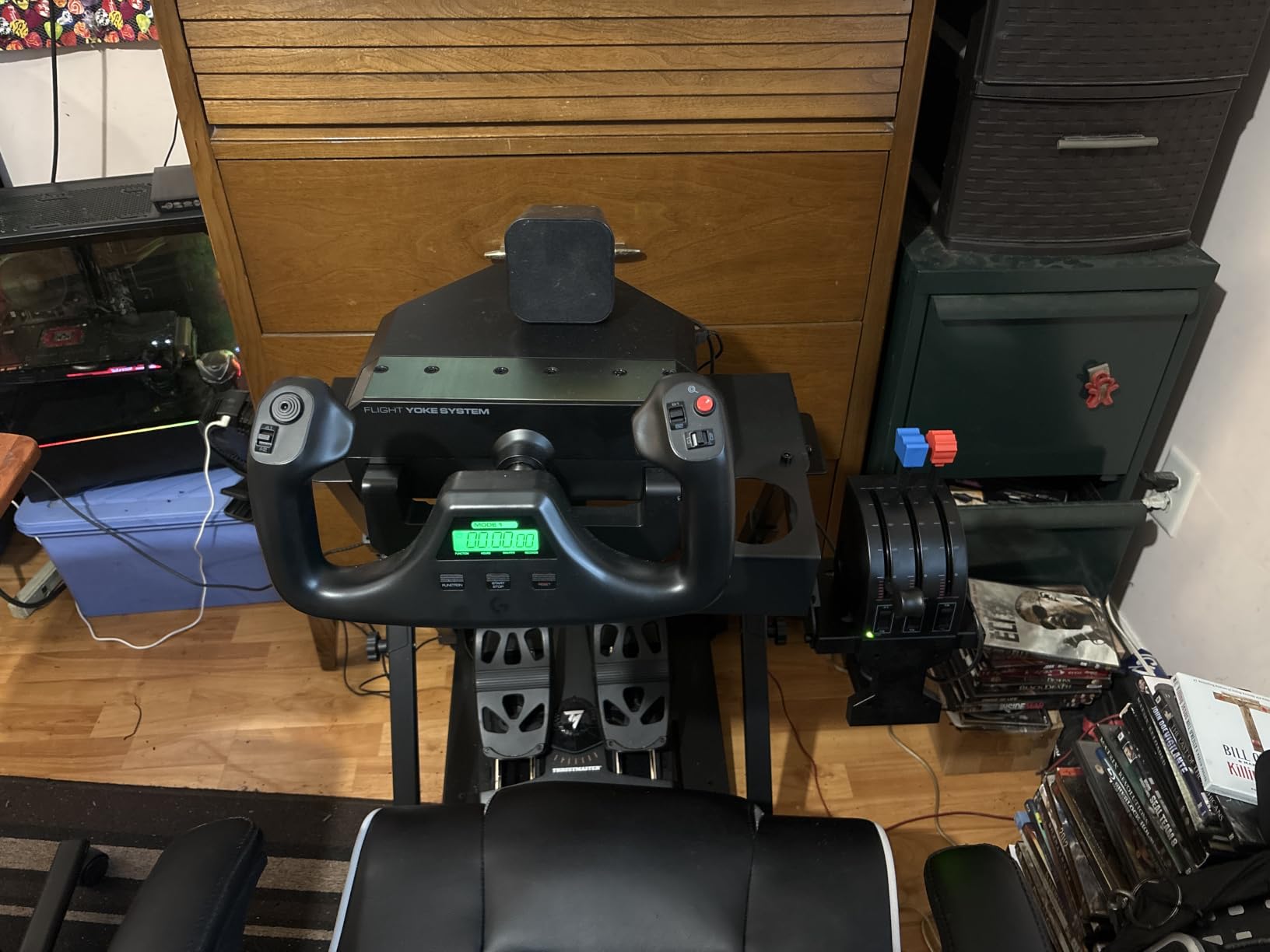
Two things separate this from a bare joystick. The two-position desk clamp handles different desk thicknesses, which is a small detail that decides whether your first afternoon ends in flying or in re-clamping. And the optional software can bind buttons to keyboard commands outside the simulator, so the same box handles your ground school study software too.
Module buyers like that a second USB quadrant can be added later for multi-engine work rather than being locked into one fixed throttle arrangement. That is a sensible upgrade path from an entry rig to something more capable a year in.
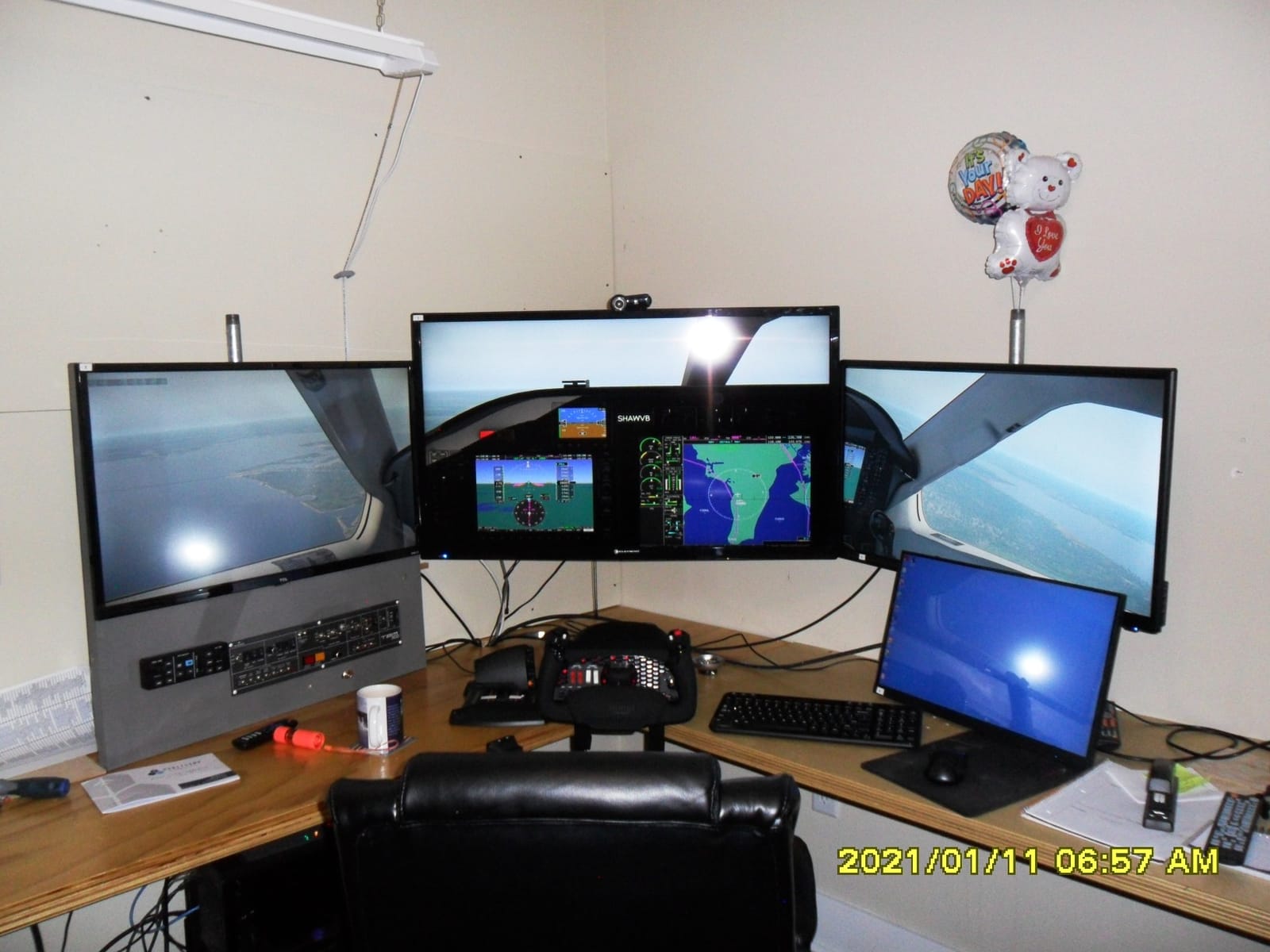
What the Logitech PRO Yoke gets right for a student pilot
It is the most honest starting point in this list, and the price gap to a premium yoke is wide enough that you can buy pedals with the difference. That matters, because a training rig without pedals is a training rig that cannot teach a crosswind landing, and this is the single most common regret we see discussed in beginner hardware threads.
The progressive S-curve calibration in the simulator also deserves credit. Many owners who report soft aileron response on day one find the problem was the sim setting, not the hardware, which is a free fix once you know it exists.
Where the Logitech PRO Yoke will frustrate you
Durability is the honest weak point. A repeated theme in reviews is that the included PS/2 throttle quadrant, or the yoke itself, dies within roughly six months, and several owners switched brands as a result. The yoke shaft can also develop a stutter or bind and needs lubrication over time.
The footprint is large at 18.9 by 15.8 inches, so it takes over a modest desk, and there is no macOS support despite listings that imply otherwise. Plan to calibrate carefully in-simulator or axis drift will teach you sloppy trim technique.
3. Honeycomb Aeronautical Alpha Flight Controls Yoke and Switch Panel – the Yoke Pilots Recommend
Honeycomb Aeronautical Alpha Flight Controls Yoke & Switch Panel
Full 180 degree rotation
Steel shaft, dual ball bearings
No center detent
28 buttons, PC and Mac
Pros
- Full 180 degree rotation gives real control travel
- No center detent so the wheel centres predictably
- Steel shaft and ball bearings for a solid feel
- Switch panel included with master and ignition switches
- Heavy-duty clamps plus a suction pad option
Cons
- Pitch input needs noticeably more force than roll
- Under-desk mounting with supplied screws is awkward
- 8-way hat snaps view rather than panning smoothly
- Handle-to-base cable must be connected or top buttons fail
- Some buyers report reversed axes on macOS with X-Plane
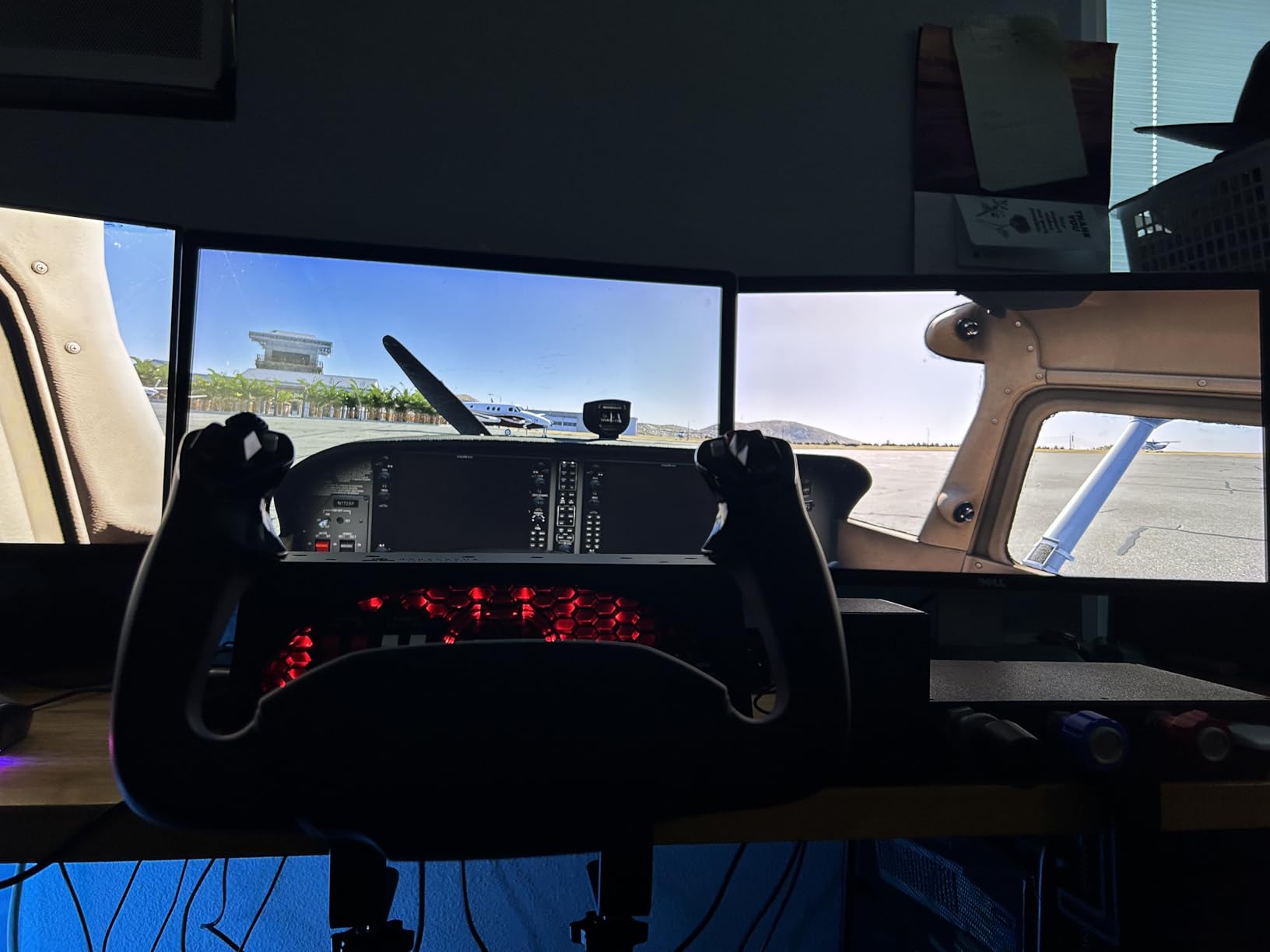
The control travel is the headline number here, and it is the reason this yoke keeps appearing in pilot recommendations. A full 180 degrees of rotation with a solid steel shaft and dual linear ball bearings gives you far more authority in slow flight and during a flare than an entry-level wheel, where you run out of movement and start compensating with the trim wheel instead of the ailerons.
The absence of a center detent is the other detail pilots single out. A detent is a small notch that catches the wheel slightly off centre, and pilots moving up from a Logitech or Saitek wheel credit its absence with noticeably better control of turns in small aircraft. The mechanism is dampened and self-centering, so the wheel behaves the way a real control column does when you relax.
The base carries a full switch panel with master, alternator, avionics and light switches plus a five-position ignition switch. For training that is more valuable than it looks, because starting an aircraft becomes a real start-up sequence rather than a keyboard shortcut, and the handles add an eight-way hat, rocker switches and a push-to-talk button for headset work.
Mounting is handled with two steel heavy-duty clamps and an optional 3M micro-suction pad rated at 40 pounds tensile strength, which solves the desk-edge problem that catches out most clamp-only setups.
What the Honeycomb Alpha gets right for a student pilot
Control travel and centering feel, together. Those are the two inputs that separate training-grade hardware from a game controller, and this yoke has both. Users transitioning from a budget wheel describe a steep but short learning curve that ends with better aileron discipline, which is exactly the transfer you want before solo.
It is also developed for PC and Mac, which matters if you split time between Microsoft Flight Simulator and X-Plane. The included switch panel removes an entire purchase decision from your first build.
Where the Honeycomb Alpha will frustrate you
The pitch axis, fore and aft, needs noticeably more force than the roll axis. That is realistic for a control column, but it means your arm strength will limit sustained flare practice in the first weeks, and an instructor should set that expectation rather than let a student conclude they are weak.
Two smaller frictions recur: the under-desk mounting with the supplied screws is difficult and can leave the back of the unit loose, and the Ethernet-style cable linking the handle to the base must be connected or the top buttons silently do nothing. The eight-way hat also snaps between cockpit positions instead of panning smoothly. Some buyers also report reversed pitch and roll axes on macOS with X-Plane, so check axis directions during first setup.
4. Thrustmaster TCA Yoke and Quadrant Boeing Edition – the Best Console and 787 Rig
Thrustmaster TCA Yoke & Quadrant Boeing Edition Flight Pack – XBOX & PC
Licensed 1:1 Boeing 787 replica
PENDUL_R with 8.3 inch range
Adjustable spring tension
Hall effect, 35 buttons
Pros
- Exceptionally smooth pitch axis with no center detent
- Hall effect sensors remove potentiometer wear
- Best-placed hat switches and buttons on the market
- Long smooth throttle levers for engine management
- Fully programmable in Microsoft Flight Simulator
Cons
- Quadrant buttons and rotary knob feel cheap
- Only three axes so flaps and spoilers cannot move together
- Tablet stand can pull free from the yoke
- Throttle axes can fall out of sync without factory calibration
- Pendular design can press the lower jaw into your stomach
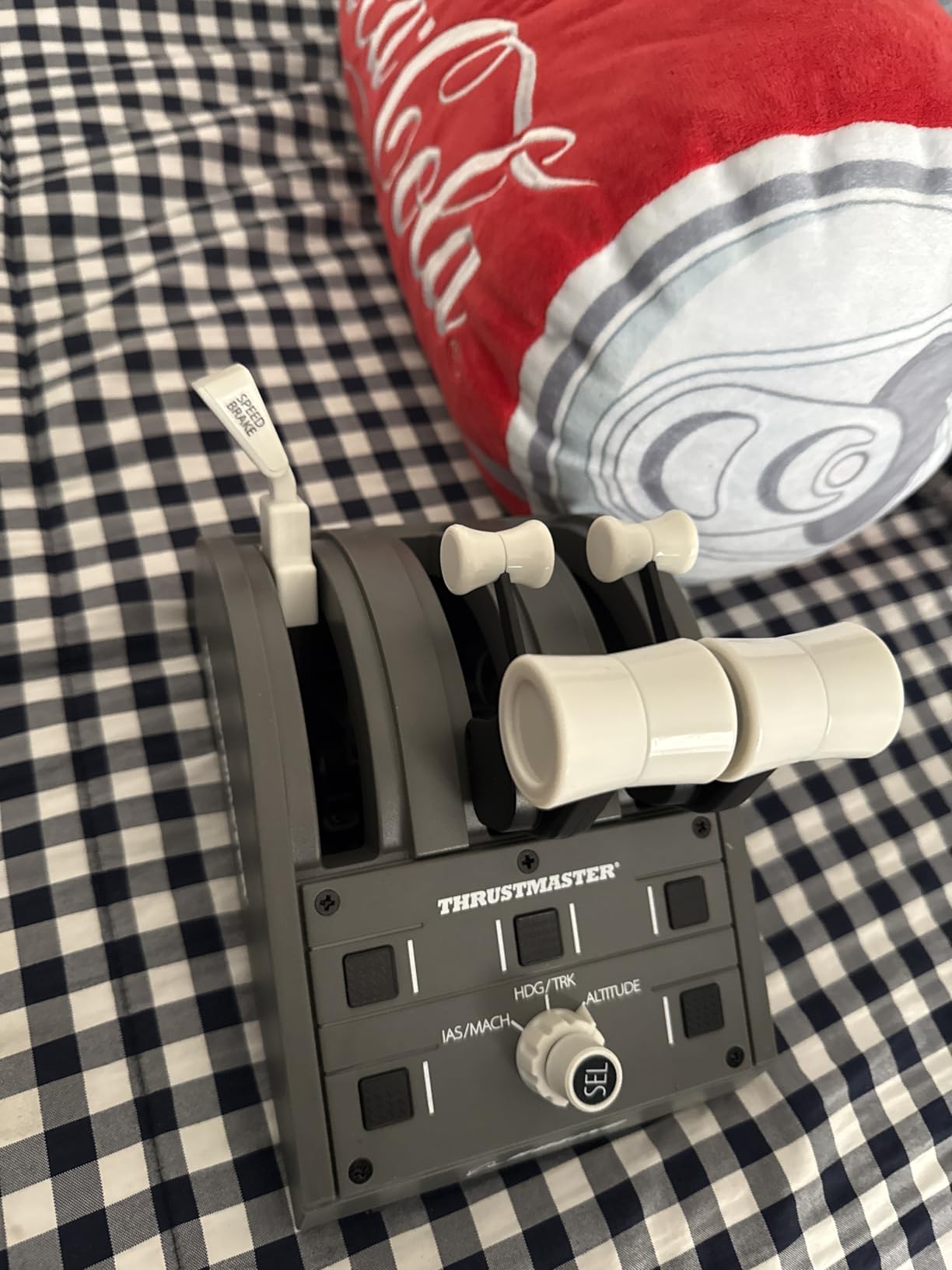
This is the only rig here that serves both a console and a PC, which opens up a specific and useful training path. Xbox Series X and Series S owners get an offensively accurate cockpit layout, and a pilot training toward Boeing procedures gets an officially licensed 1:1 replica of the 787 Dreamliner yoke and throttle quadrant rather than a generic airliner approximation.
The PENDUL_R mechanism is the technical headline. It replicates the pendular movement of the real Dreamliner control column with an 8.3-inch range of motion, and combined with adjustable spring tension and a supplied extra spring, it produces the smoothest pitch axis in this group with no center detent at all.
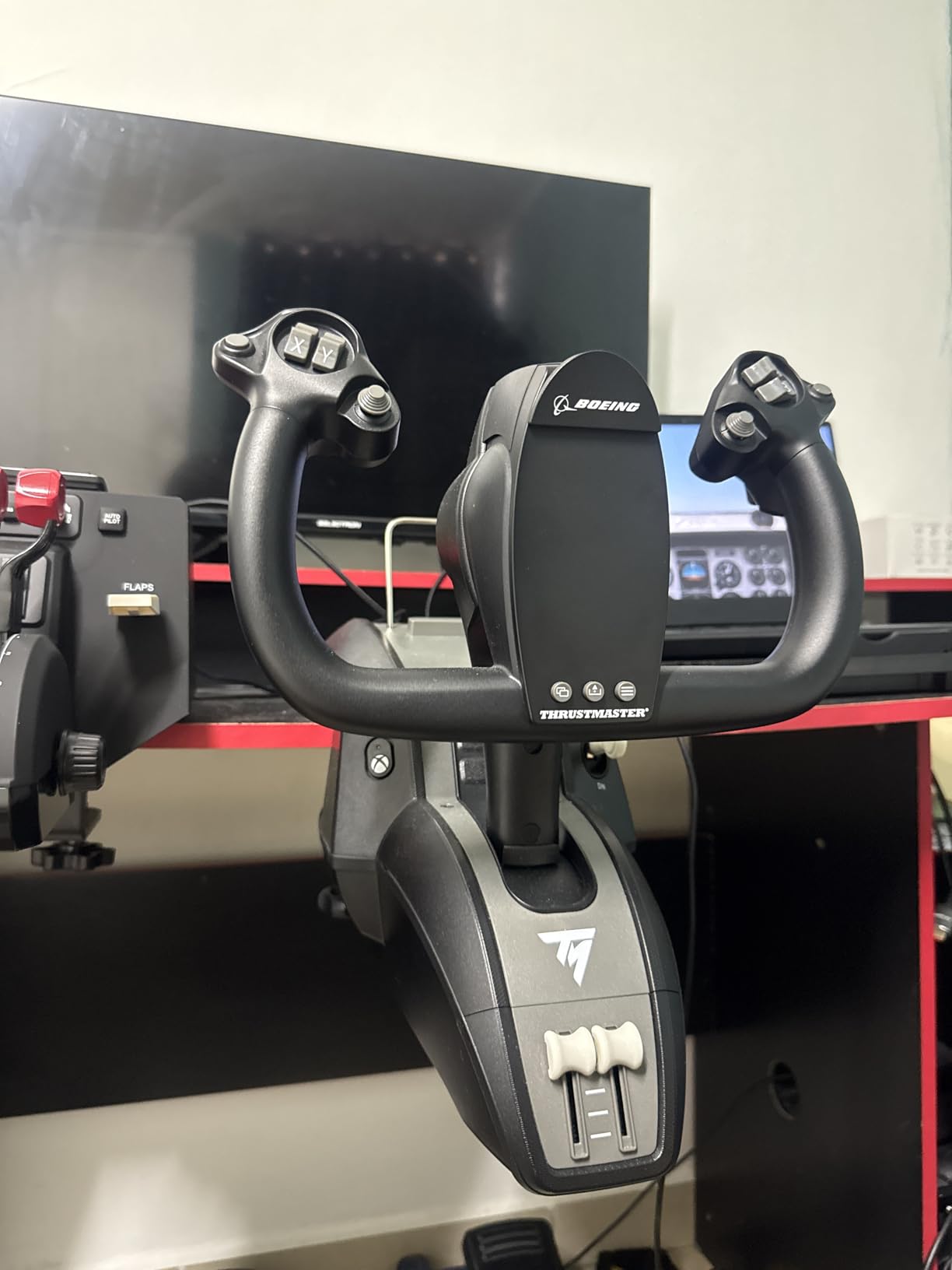
Hall effect sensors mean no potentiometer wear, and reviewers who own multiple yokes say this eliminates the jitter and noise common in cheaper sticks. The button and hat layout is the most faithful on the market, mapped to the real 787 yoke positions, so muscle memory built here transfers to the type. Experienced reviewers repeatedly call it the best value on the Xbox yoke market.
The throttle quadrant includes the Boeing autopilot function controlling altitude, airspeed and heading. For a student practising an ILS to minimums, having real autopilot hardware instead of a keyboard binding is a meaningful upgrade to how the procedure feels.
What the TCA Boeing rig gets right for a student pilot
Long, smooth throttle throw gives good engine management control, and the adjustable spring lets you set the force to your current strength and increase it as you get stronger. That is a small thing that makes a long practice session possible for someone who is not yet at Warthog-level arm strength.
Being fully programmable in Microsoft Flight Simulator means most users stop reaching for a mouse or gamepad entirely, which keeps your eyes out of the corner of the desk and on the instruments where they belong.
Where the TCA Boeing rig will frustrate you
The throttle quadrant is the weak half of the package. Its buttons and rotary knob feel cheap next to the yoke, and the autopilot bug knob is slow and jumpy to adjust, which is frustrating when you are trying to intercept a glidepath smoothly. The quadrant also has only three axes, so flaps and spoilers cannot be controlled at the same time and there are no detents to feel.
Two practical issues: the pendular design can push the lower yoke jaw into your stomach depending on seating distance, so set your chair before you commit, and throttle axes can fall out of sync around half travel unless a factory calibration is performed manually. The tablet stand also does not lock into the yoke and can pull free if lifted by it.
5. Turtle Beach VelocityOne Flight Universal Control System – the One-Box Xbox Setup
Turtle Beach VelocityOne Flight Universal Control System – Xbox Series X & Xbox Series S, Xbox One & Windows 10 & 11 PCs with Yoke Handle, Throttle Quadrant, Trim Wheel & Rudder Controls
Yoke throttle and trim in one box
180 degree hall effect yoke
Integrated rudder and brakes
26 buttons, Xbox and PC
Pros
- All-in-one package needs no separate module purchases
- Dedicated trim wheel cuts keyboard and mouse dependence
- Secure clamping system holds a variety of desks
- Smooth precise feel once calibrated
- Works on Xbox and Windows including MSFS 2024
Cons
- Early reports of dead units and a broken POV hat
- Initial friction and jerkiness on the pitch axis
- On-screen flight display and profiles are unclear on PC
- Throttle levers light and the quadrant cannot be used separately
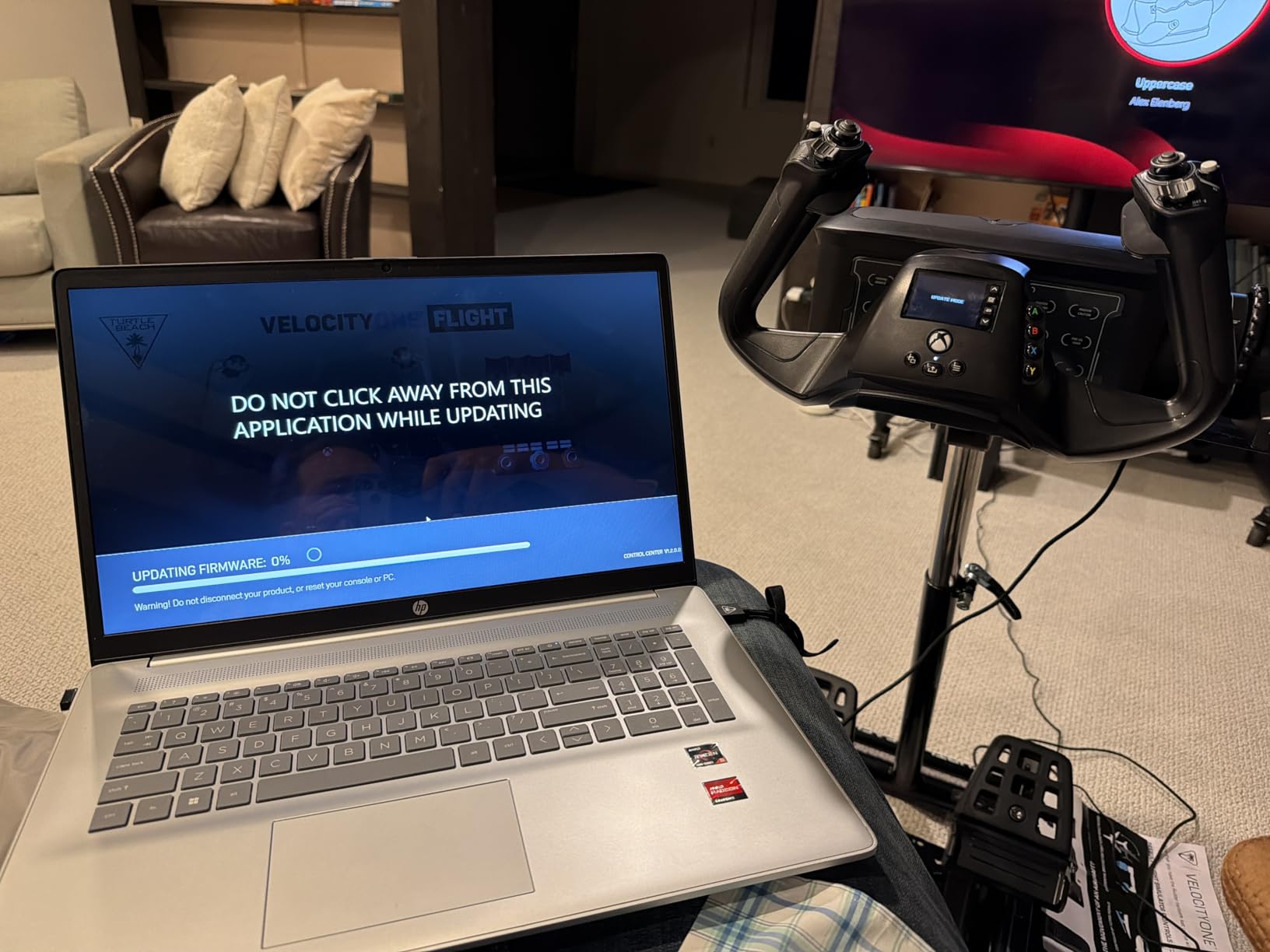
- Firmware and app update needed on Xbox first
This is the answer to the most common first purchase question in beginner hardware threads, which is whether you have to buy a second box to get a throttle. The VelocityOne Flight bundles a yoke, a modular throttle quadrant, a dedicated pitch trim wheel and integrated rudder and brake controls, with a full colour flight management display on the base for configuring the system.
Owners frequently describe it as an ideal first complete flight control package, especially on Xbox where genuine yoke options are limited. The 180-degree yoke rotation uses a non-contact hall effect sensor, and the secure clamping system holds firmly to a variety of desk arrangements, which answers the desk-thickness problem that catches out lighter setups.
Twelve analog axes, two POV switches and two four-way hat switches give a large programming surface, and for general aviation practice that means the trim wheel and switches handle the tasks a keyboard would otherwise interrupt you for. Long-term owners report that after the break-in period the feel smooths out considerably and becomes enjoyable for both airliner and general aviation aircraft.
It also works across Xbox One, Series S and Series X alongside Windows, so the same hardware carries a student from console practice to a PC-based instrument session.
What the VelocityOne Flight gets right for a student pilot
The dedicated pitch trim wheel is the standout for training. Trim is a habit that is very hard to build without a physical control, and having it on the yoke rather than a hotkey means you will actually practise it. The integrated rudder and brake controls also mean a first-time buyer is not stuck taxiing with arrow keys on day one, even if dedicated pedals remain the better answer.
The clamping system is genuinely secure across different desks, which removes the wobble that makes precise control feel imprecise.
Where the VelocityOne Flight will frustrate you
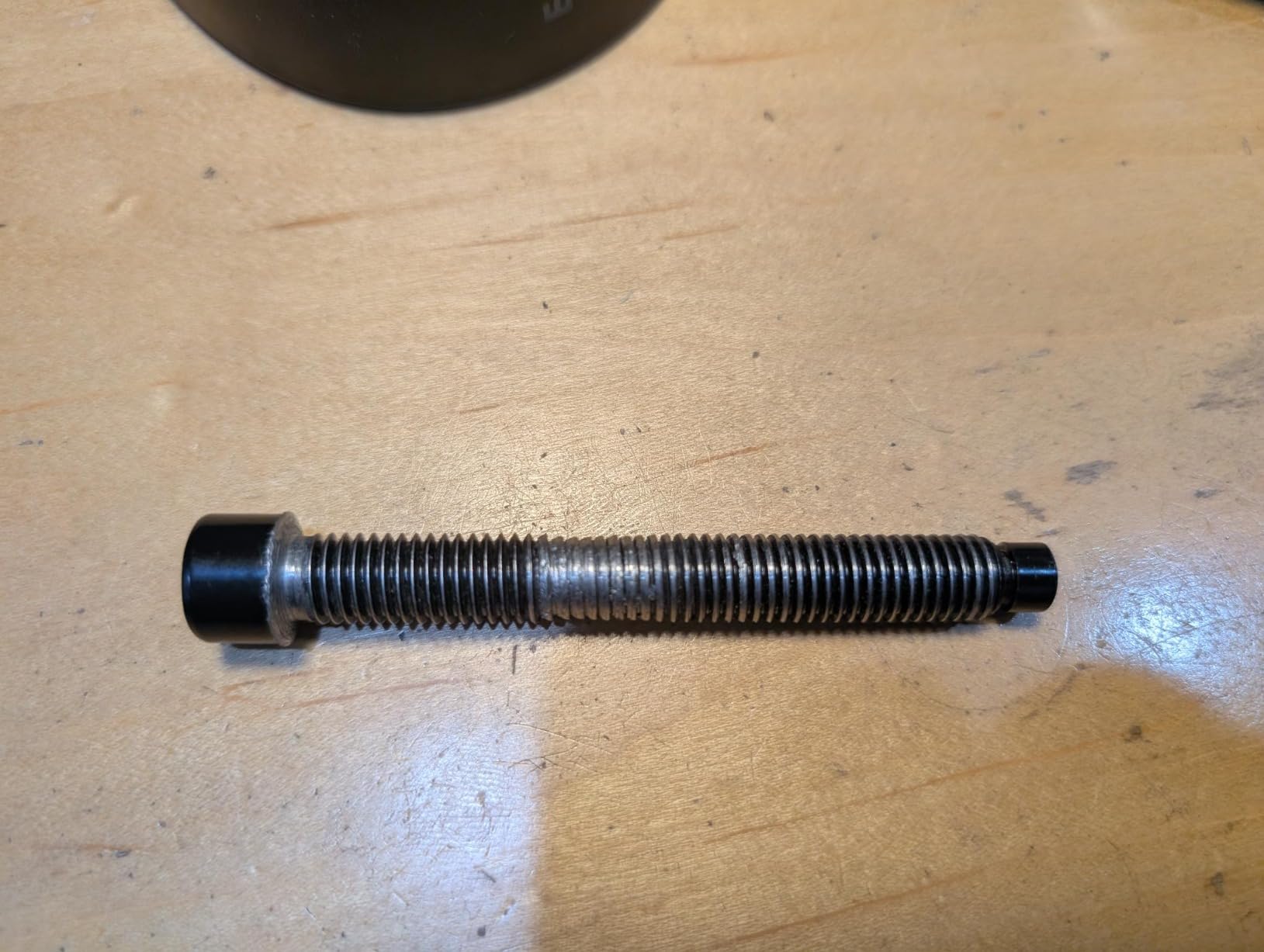
Early hardware reliability is the most serious concern. There are notable early reports of dead units, including a non-responsive pitch axis and a POV hat that broke within days. Anyone considering this should know the return window matters, and should complete the firmware and app update on Xbox before trusting the first session.
The controls also feel rough before they feel good: initial friction and jerkiness on the fore-aft pitch movement that improves with use. The on-screen flight management display and included flight profiles are described as finicky and unclear on PC, the throttle levers are light on the push, and the quadrant cannot be used separately from the yoke. Instructions are also inconsistent, so budget time for setup rather than assuming you will be airborne in ten minutes.
6. Logitech G X56 H.O.T.A.S. Throttle and Joystick – the Widest Control Layout per Dollar Spent
Logitech G X56 H.O.T.A.S Throttle and Joystick Flight Simulator Game Controller, 4 Spring Options, +189 Programmable Controls, RGB Lighting, 2x USB, PC – Black
4-spring force system
Hall effect aileron and elevator
Twin split throttle
Two mini analog sticks, 2 m cable
Pros
- Exceptional number of hats dials toggles and buttons
- Split throttle with friction adjuster and lock works for twins
- Four spring options let you tune force to your strength
- Hall effect sensors with no drift once handle is re-seated
- Two mini analog sticks simplify radar and sensor slewing
Cons
- Throttle grease is extremely thick and needs warming up
- Mini analog sticks drift out of the box and need re-tightening
- Button placement awkward for users with larger hands
- No two-stage trigger and pinky slide does not self-center
- Throttle toggle switches sit under the resting wrist
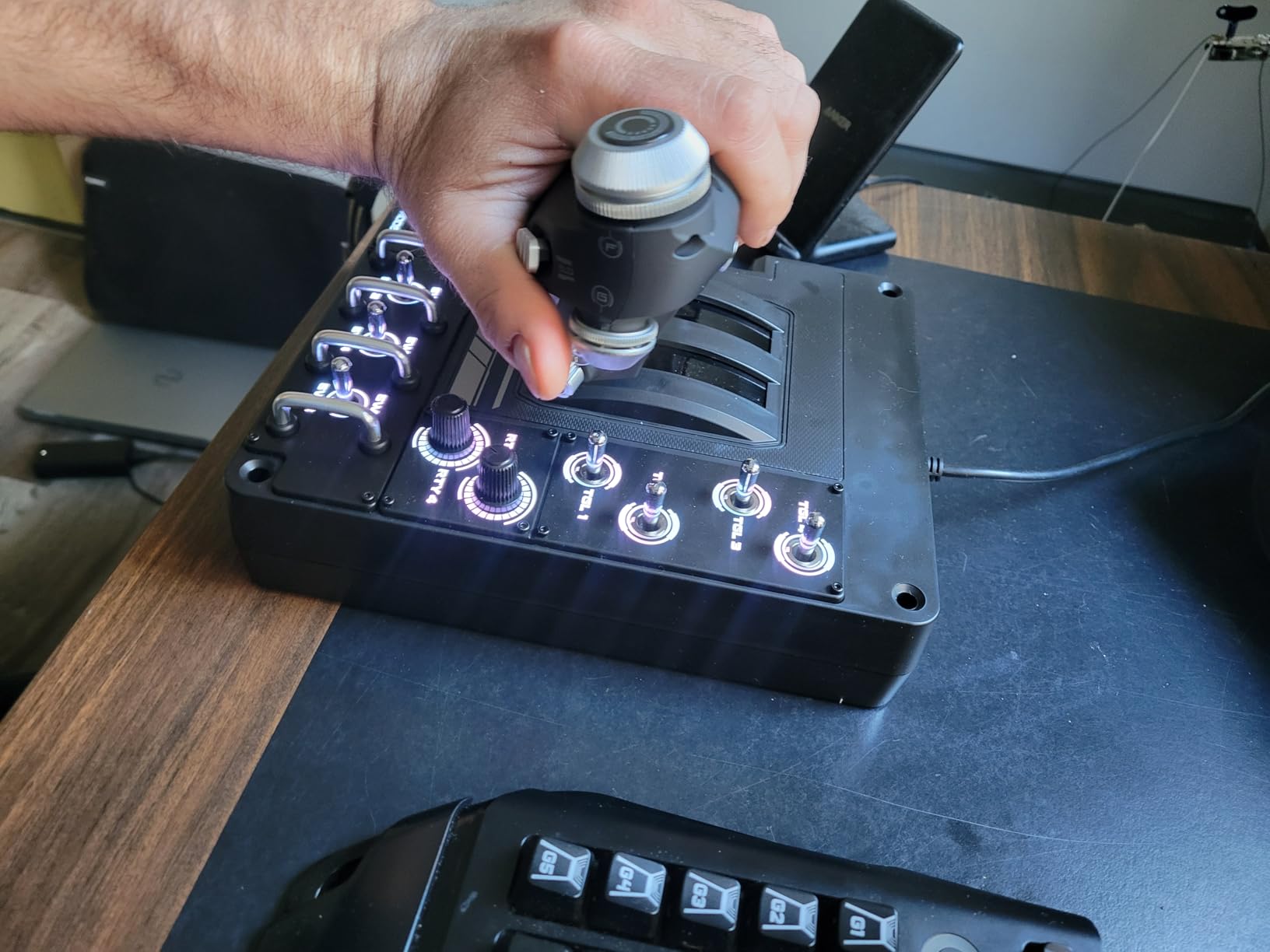
At 4 stars from 2936 reviews this is the lowest-rated product in the group, and the number is worth taking seriously rather than explaining away. But the reason reviews split so sharply is use case, not quality, and for the right pilot it offers more switches and dials per dollar spent than anything else we looked at.
The Advanced 4-Spring System is the feature that matters for training. Three alternate springs ship in the box, so a student starting with almost no arm strength can begin light and progress to a realistic stick force rather than fighting hardware they are not ready for. That progression is genuinely useful, and few cheaper sticks offer it.
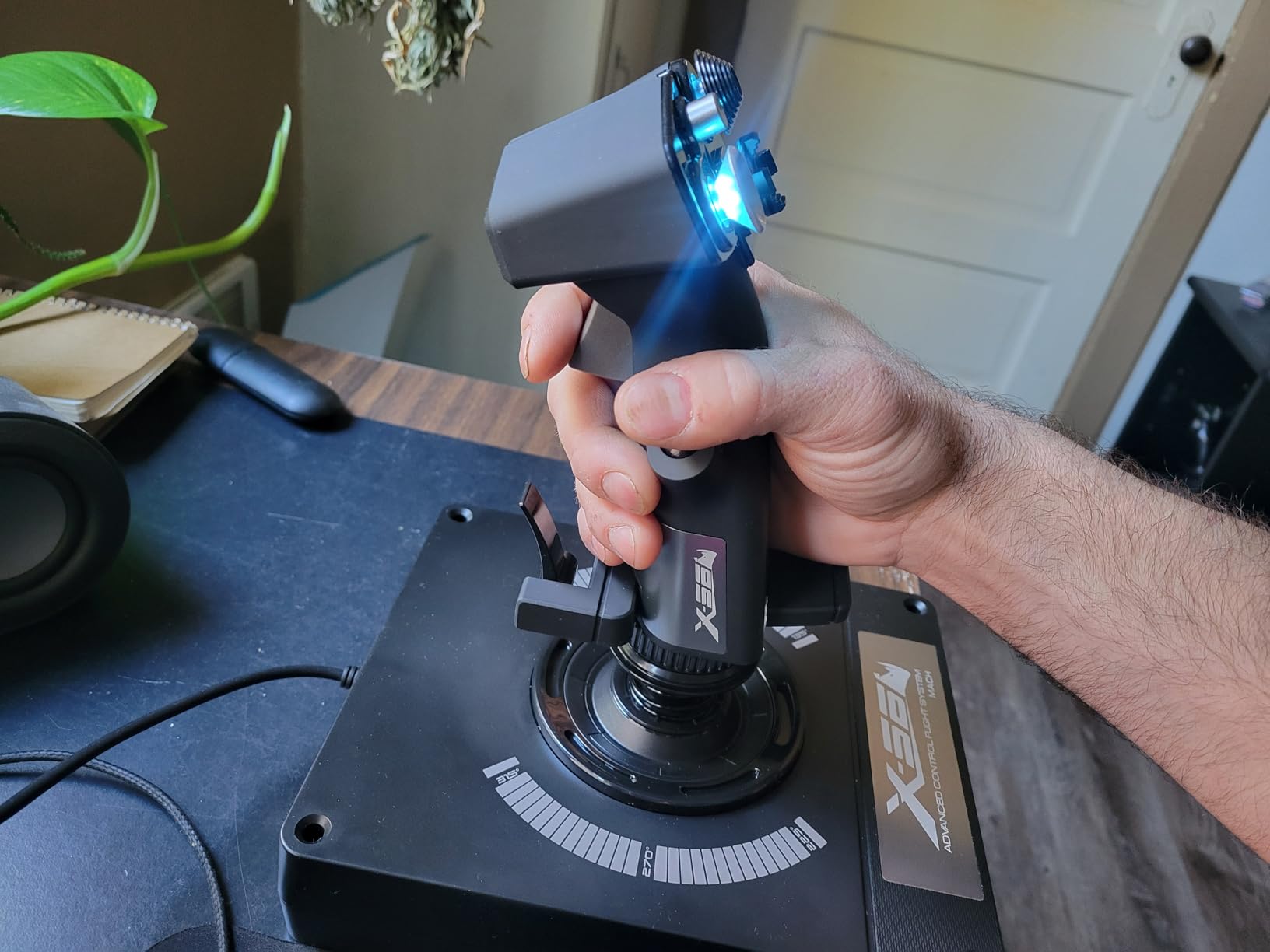
The twin throttles split for multi-engine aircraft and include a friction adjuster and throttle lock, which means twin-engine practice does not need a second purchase. The 16-bit aileron and elevator axis uses hall-effect sensors, and owners report no measurable drift once the handle is firmly re-seated.
Two mini analog sticks, usable independently of the main craft axes, let you slew radar and sensors as a hands-on control rather than a keybind. Controls sit under the fingers by design, which is also why the package is listed as VR-compatible and suitable for PlayStation VR use.
What the X56 gets right for a student pilot
Spring adjustability, plain and simple. A student who finds a rigid stick demoralising can soften it immediately rather than quitting, and a stronger pilot can add tension as technique improves. That flexibility is a better answer to a training arc than a single fixed feel.
It is also a stick rather than a yoke, which we only recommend when the training goal justifies it. Forum consensus is strong that a yoke is right for students working toward Cessna and Beechcraft ratings, and a HOTAS is the wrong input for that goal even when it feels good for airliner procedures. If your syllabus is single-engine piston, look at the two yokes above instead.
Where the X56 will frustrate you
The throttle grease is the deal breaker for some people and not others, so know which camp you are in. It is extremely thick, making the levers very stiff to move until warmed up and genuinely hard to slam for takeoff power. Airliner and space sim owners love the layout; combat sim pilots find it effectively unusable for fast power changes.
A very common first-week experience is mini-stick drift, which owners fix themselves by unscrewing and re-tightening the stick handle. Button placement also puts several controls out of reach for users with larger hands, and the mini stick sits exactly where the thumb naturally rests. There is no two-stage trigger compared with the older X52, the pinky slide does not reliably self-center, and throttle toggle switches one through six sit under the resting wrist where they are easy to bump. Several buyers report the throttle or stick failing entirely within weeks, and some recommend buying the throttle alone and pairing it with a different stick.
What a Home Flight Simulator Can and Cannot Replace in Real Pilot Training
This is the question that decides whether your money was well spent, and it deserves a straight answer rather than a marketing one. A home flight simulator setup is excellent at procedural repetition, instrument scan discipline, systems familiarity, and staying current. It is a poor substitute for the feel of a real control column, real airflow over the airframe, and an instructor watching from the right seat.
Where the sim genuinely earns its place: instrument rating preparation, because you can fly the same approach ten times without burning fuel or paying for a slot, and currency maintenance, where repetitive practice keeps a rusty pilot’s scan alive. Pilots describe the handling model as unsuited to aural and visual development in some titles, but still valuable for procedure work flown on the autopilot.
Where it falls short: initial primary flight training. The recurring forum view is that self-taught sim practice is not a substitute for an instructor’s sequencing, and the same consensus notes that a home sim does not build the aural, visual and tactile judgement that comes from sitting in the aircraft. Nothing fully replaces practice approaches in the real airplane, and muscle memory transfers only partly.
On logging time, here are the anchors. Simulated time counts toward a private pilot logbook only when the simulator is FAA-certified as a Basic Aviation Training Device, and the entry is recorded under FAR 61.51(b)(2)(v) rather than as actual flight time. Recency and currency requirements sit under FAR 61.57, with simulated instrument time addressed in FAR 61.57(c)(2). A home setup on a desk is not a B-ATD, so treat this as practice and check with your instructor and your certificate holder before you log anything.
Is IFR harder than PPL? Generally yes, in scope rather than difficulty. The PPL is about controlling an aircraft; the IR adds a whole second task of managing a plan while the aircraft does not cooperate. A home sim helps with the second part, which is why IR candidates get real value from it.
How We Evaluated Six Home Flight Simulator Setups
We compared all six packages on the same four criteria, using manufacturer specifications for the numbers and owner reviews for the experience. First, control travel and rotation, because a limited range teaches sloppy technique that has to be unlearned in the aircraft. Second, sensor type, since hall effect sensing removes the drift and jitter that potentiometers develop. Third, what is in the box, because a package without a throttle forces a second purchase before you can practise. Fourth, ownership complaints at one to two years, which is where durability and support problems surface.
We also weighted training fit heavily. A control that feels excellent for an airliner is a poor choice for a student working toward a private certificate, and we have said so where it applies. Ratings and review counts are reproduced exactly as published. We earn a commission if you buy through our links, at no additional cost to you, and it does not change the order of these picks.
Home Flight Simulator Buying Guide: Yoke, Throttle, Pedals and PC
Yoke, sidestick or HOTAS comes down to the aircraft your syllabus actually uses. A yoke is the right answer for Cessna, Beechcraft and most single-engine piston training, because the small gradual inputs and the two-handed grip match what you will find in the left seat. A sidestick suits a Cirrus SR20 or SR22, where the real aircraft has one. A HOTAS is a combat and airliner control, superb for procedure work and wrong for a first piston rating.
Rudder pedals are not optional. This is the most-missed training input in every beginner hardware thread we reviewed. Without them you cannot learn coordinated turns, proper crosswind technique, rudder use in the flare, or differential braking on the ground, and keyboard arrow keys actively teach you the wrong habit. Buy them in your first order, not your second. Pedals also slide around on hard floors, so a non-slip mat is the most common first accessory purchase and a genuinely useful one.
On throttles, the question is whether it suits multi-engine work. A single fixed lever is fine for a single-engine syllabus. A split throttle with a friction adjuster, like the Warthog and the X56, means you can practise twin-engine technique without another purchase. Vernier push and pull levers mirror the Cessna arrangement, which helps transfer for a student used to that cockpit.
Your computer is the real first question, and it is the one most guides skip. Flight simulators are CPU and GPU bound long before they are storage bound, and the difference between adequate and painfully slow is night and day for a practice session. Aim for a modern six or eight core processor and a graphics card with at least 12 GB of video memory, with 32 GB of system RAM if you plan to fly heavy add-on aircraft, and store the software on an SSD. Microsoft Flight Simulator 2024 and X-Plane 12 are the heaviest of the major titles, with Prepar3D running comfortably on less. If your machine is marginal, fly at lower settings first, because a simulator that stutters teaches you nothing.
Software choice should follow your training goal. Microsoft Flight Simulator 2024 is the broadest and the most beginner-friendly, with a large free aircraft library and strong Xbox support. X-Plane 12 rewards a deeper setup with a steeper learning curve and excellent flight modelling. Prepar3D sits between them with a strong Windows ecosystem. Buy the hardware that suits the software you will actually open, and check compatibility before you commit, because the Logitech PRO Yoke is Windows-only despite some listings that suggest otherwise.
On what to buy first, the advice repeated across forums is consistent: start with pedals, throttle and a yoke, then add a computer or a panel later. The same forums warn against a thousand-dollar rig as a first purchase for a total beginner, and they are right, because the first thing a new pilot needs is hours in the air, not hardware. A used or refurbished control package is a reasonable second route, and a shared club simulator is an excellent third if one runs at a nearby field.
One last piece nobody mentions: work with a real instructor. Remote instruction over the internet, or a shared-cockpit session where an instructor flies your rig, adds the sequencing and outside view that self-teaching cannot. Your hardware will be better than their guidance, not a replacement for it.
Frequently Asked Questions
What is the best flight simulator hardware for pilot training?
For primary training the Logitech G PRO Flight Yoke System offers the best balance of a real control wheel, a bundled throttle and desk clamps in one box. If you already own a basic setup, the Honeycomb Alpha adds the 180 degree rotation and lack of a center detent that make slow flight and flare practice much more realistic.
Do I need rudder pedals for a home flight simulator?
Yes, for any real training value. Rudder pedals supply the yaw input needed for coordinated turns, rudder use in the flare, differential braking and crosswind technique. Keyboard arrow keys are the single most-missed training input and they actively teach the wrong habit. Buy pedals in your first order.
Can you log flight time in a home flight simulator?
Only if the device is FAA-certified as a Basic Aviation Training Device. Simulated time is recorded under FAR 61.51(b)(2)(v) rather than as actual flight time, and simulated instrument time for recency sits under FAR 61.57(c)(2). A desk-mounted home setup is not a B-ATD, so confirm your logbook entry with your instructor and certificate holder first.
Is a home flight simulator better than a B-ATD?
A B-ATD is designed around a training syllabus with an instructor, while a home setup is built around a computer and a desk. A B-ATD is a better tool for structured training because the instructor controls the sequence and sees the aircraft. A home setup is better for the thing it is uniquely good at: unlimited IFR procedure practice and staying current at no operating cost.
Should I buy a yoke or a joystick for flight training?
Buy a yoke if your syllabus uses a Cessna, Beechcraft or similar single-engine piston aircraft. A real control wheel with gradual inputs matches what you will fly. A joystick or HOTAS is better for airliner and combat procedure work, but it is the wrong input for a first private pilot rating even when it feels more comfortable.
Is flight simulator worth the money for pilot training?
For instrument rating preparation and staying current, most pilots say yes, because you can rehearse approaches and procedures at no operating cost. For initial primary training, the evidence is weaker, since an instructor’s sequencing and the feel of a real aircraft cannot be reproduced at a desk. Treat it as a supplement to flying lessons.
Conclusion: Which Home Flight Simulator Setup to Buy First
The best home flight simulator setups for pilot training in 2026 all share one answer: buy a real control input, buy rudder pedals in the same order, and make sure the computer can run the software. Our top pick overall is the Thrustmaster HOTAS Warthog A10 Replica, the hardware that will still be there in ten years. If your budget is tighter right now, start with the Logitech G PRO Flight Yoke System for the most complete first box and the lowest risk, or the Honeycomb Alpha if you want control travel that will not need replacing in a year.
Then fly it, and keep flying lessons in the schedule. The sim is where you build procedure discipline for free; the aircraft is where you become a pilot.