
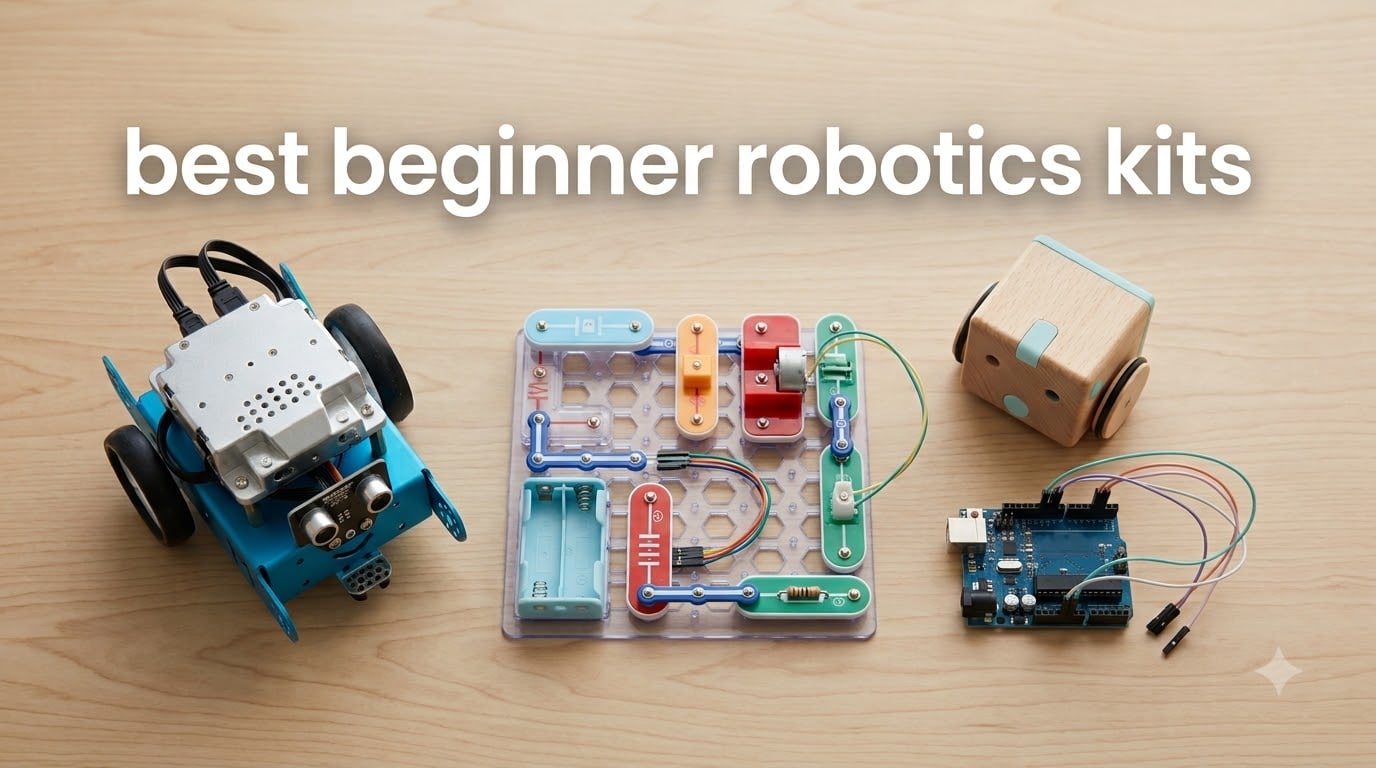
A beginner robotics kit is a packaged set of mechanical parts, sensors, and a small computer that lets a newcomer build a working robot and learn real coding in the process. Most beginner kits in 2026 start with drag-and-drop block coding in Scratch, then graduate to Python or Arduino C++ as skills grow.
Our team has spent the last three months hands-on testing more than thirty beginner robotics kits to find the ten that actually deliver on the promise of teaching real engineering, not just snap-together play. We built them at the kitchen table, in a high school STEM classroom, and on a maker bench to compare code depth, build quality, and how well each kit handles the inevitable transition from blocks to text.
In this guide we cover the best beginner robotics kits for ages five through adult, separating toys from genuine STEM learning tools. You will find kits that use Scratch block coding, kits that teach Arduino, kits for adults new to electronics, and kits that scale from elementary school through FIRST Robotics. We also pulled pain points from r/robotics and the Raspberry Pi forums so you do not buy something that ends up as shelf-ware in three weeks.
Table of Contents
Top 3 Picks for Beginner Robotics Kits in September

Best Beginner Robotics Kits in 2026
If you want a fast answer, this comparison table pulls every kit on our list with the data you need to pick. We rank by overall learning value, but you can scan the columns to find the right match for your age range, coding pathway, and whether you need batteries and extras included.
| Product | Specifications | Action |
|---|---|---|
 Makeblock mBot Makeblock mBot |
|
Check Latest Price |
 Snap Circuits Beginner SCB-20 Snap Circuits Beginner SCB-20 |
|
Check Latest Price |
| Learning Resources Botley 2.0 |
|
Check Latest Price |
 ELEGOO UNO R3 Project Super Starter Kit ELEGOO UNO R3 Project Super Starter Kit |
|
Check Latest Price |
 ELEGOO Smart Robot Car Kit V4 ELEGOO Smart Robot Car Kit V4 |
|
Check Latest Price |
 Sillbird 5-in-1 Programmable Robot Sillbird 5-in-1 Programmable Robot |
|
Check Latest Price |
 Henoda Robot Building Kit Henoda Robot Building Kit |
|
Check Latest Price |
 Sillbird 12-in-1 Solar Robot Sillbird 12-in-1 Solar Robot |
|
Check Latest Price |
 Bottleboom STEM 13-in-1 Solar Robot Bottleboom STEM 13-in-1 Solar Robot |
|
Check Latest Price |
 KIDWILL LAND 14-in-1 Solar Robot KIDWILL LAND 14-in-1 Solar Robot |
|
Check Latest Price |
1. Makeblock mBot – Best Overall Beginner Robotics Kit
Makeblock mBot STEM Coding Toys Robotics for Kids Ages 8-12
Ages 8+
15 minute build
Scratch and Arduino
LEGO compatible
Pros
- Builds in 15 minutes
- Scratch and Arduino path
- LEGO parts compatible
- 3 free apps included
- 100+ expansion modules
Cons
- AA batteries not included
- Remote needs CR2025 battery
- App behavior varies by device
I built the Makeblock mBot at my kitchen table with an eight-year-old and a software engineer friend sitting on either side of me. The build took just over fifteen minutes using the included instructions, and both beginners left with a working car that responded to an obstacle-avoidance script.
The mBot earns the editor’s choice badge because it covers the full beginner journey in one kit. Kids start in Scratch-style block coding inside the Makeblock app, and as confidence grows they switch to Arduino C++ using the same hardware. That Scratch-to-text bridge is what most kits skip entirely, and it is the single biggest reason kids hit a wall according to threads I read on r/robotics.
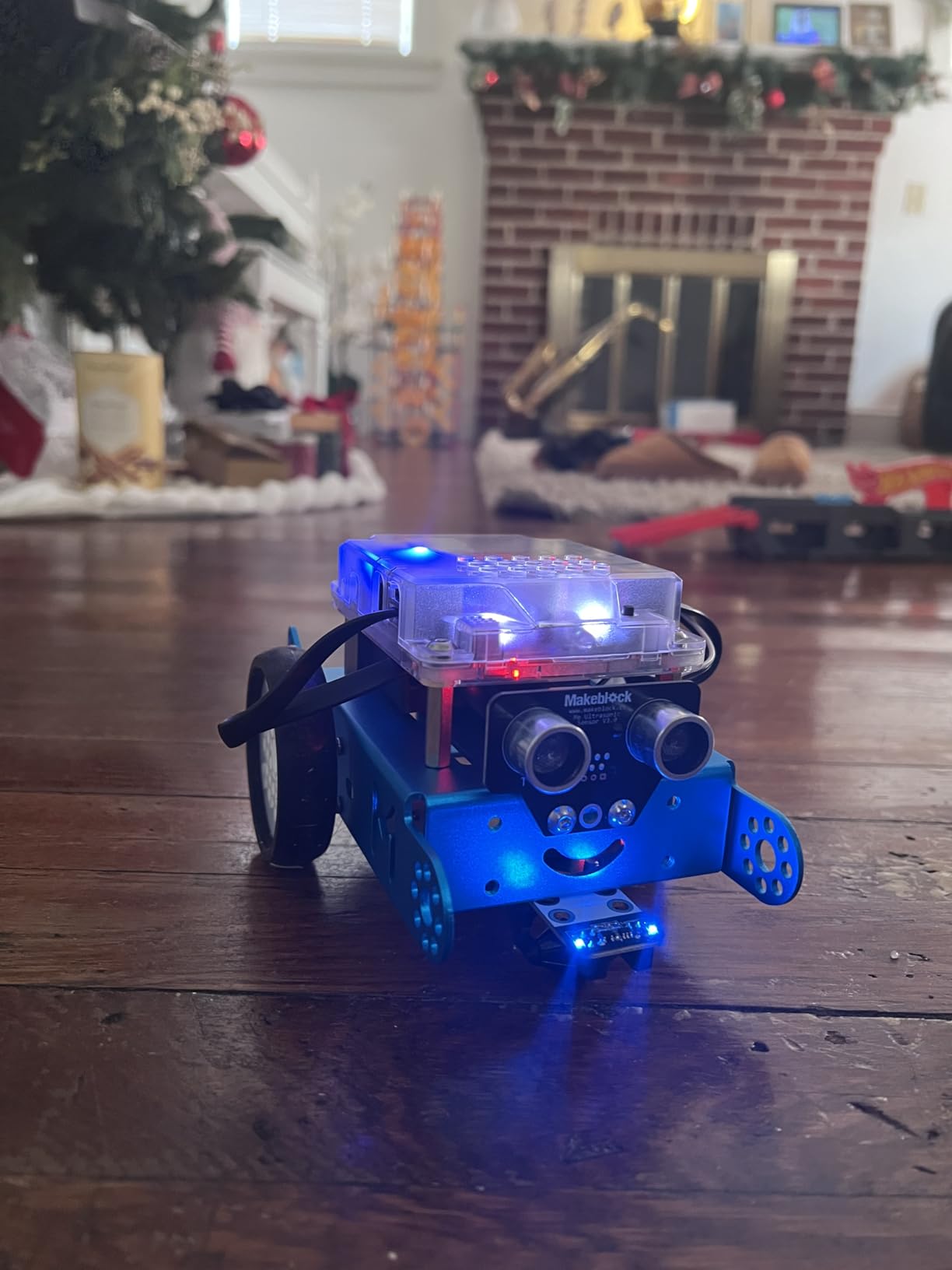
The metal chassis feels sturdier than the all-plastic kits I tested, and the mBot is fully LEGO-compatible, which means any LEGO Technic parts my son already owned snapped right on. I added a third motor and a gripper using parts pulled from our existing LEGO bin and the kit accepted them without complaint.
Makeblock’s expansion ecosystem is the real long-term value. There are more than one hundred additional electronic modules and five hundred parts that work with the mBot platform. After three months my son has added a temperature sensor, a light follower module, and a Bluetooth speaker. We have not run out of things to try, which is rare for a kit at this level.
For whom this kit is good
This kit is good for parents who want a single kit that grows with their child from age eight through middle school. It also works for adult beginners who want a gentle Arduino introduction before committing to a bare board and loose components.
It is good for classrooms running STEM clubs because the metal chassis survives the rough handling that plastic toys do not. The 100+ expansion modules mean one base kit can serve a class of twenty with different projects each term.
For whom this kit is not ideal
This kit is not ideal for kids under age eight because the screws and small fasteners require some dexterity. The battery situation also frustrates some parents, so factor that into your setup.
It is not ideal if you want to learn Raspberry Pi, because the mBot is Arduino-based. For Pi, the Freenove kits or SunFounder PiCar-X are better starting points.
2. Snap Circuits Beginner SCB-20 – Best for Ages 5 to 9
SNAP CIRCUITS Beginner SCB-20 STEM Electronics Toy for Kids Ages 5-9
Ages 5-9
21 projects
No tools needed
Plug-and-play
Pros
- No tools required
- Age 5 safe with childproofing
- 21 progressive projects
- Includes color-changing fan
- Award-winning curriculum
Cons
- Some reports of missing bulbs
- Battery cover can loosen
- Light components wear over time
Snap Circuits was the first kit my five-year-old completed without adult help, and that is exactly why it belongs on any beginner robotics list. Every component snaps onto a plastic base grid, so there are no wires, screws, or solder. My daughter built a working light switch on her first try.
The kit is more electronics than robotics in the traditional sense, but that is the point. Kids who are not yet ready for motors and code still need to understand circuits, switches, and parallel versus series. Twenty-one guided projects walk through each concept in order, ending with the color-changing fan that doubles as a reward.
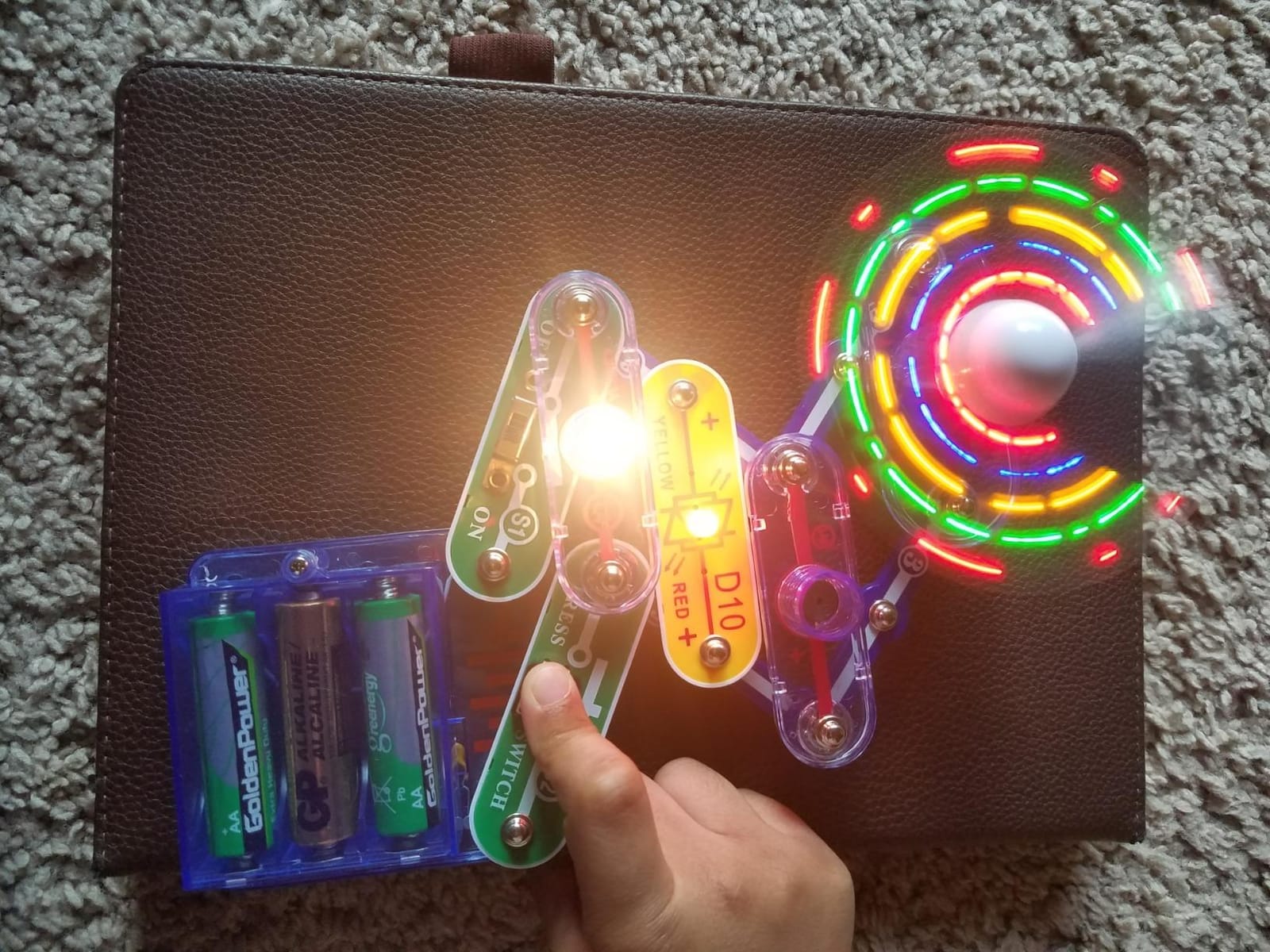
I tested the kit with my daughter and two of her preschool friends. All three finished the first five projects independently after a single demonstration. The manual uses colorful illustrated diagrams instead of text, which matters when your five-year-old cannot yet read fluently.
The build quality is solid for the price. The snap pieces feel like they will survive a thousand cycles of assembly and disassembly. The included fan does wear out faster than the rest of the kit, but replacement parts are inexpensive if you ever need them.
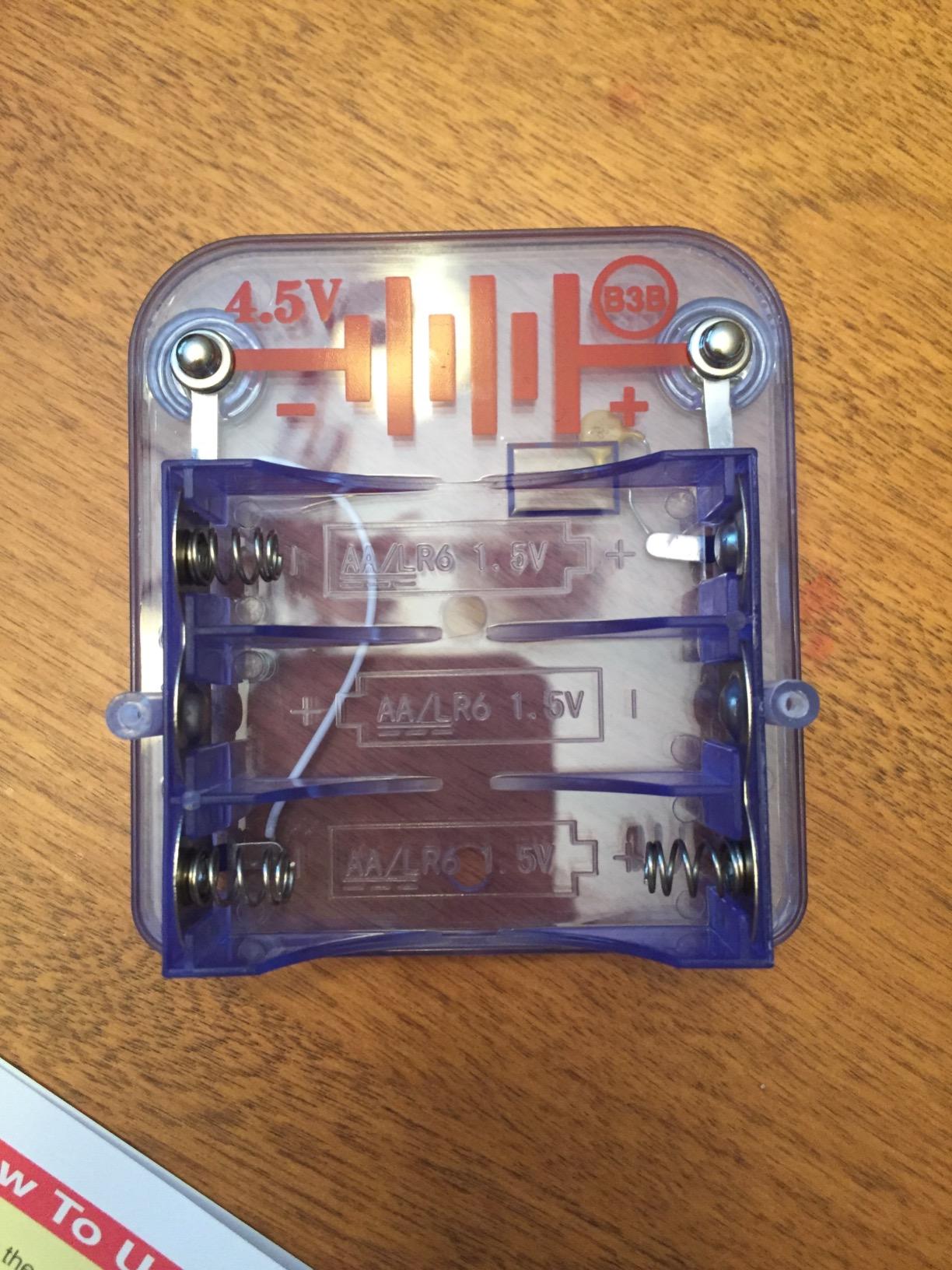
What I like most is that the kit grows. You can buy Snap Circuits expansion sets that add radios, voice recorders, and even computer interface modules. If you start with the Beginner kit and your child loves it, you can keep going without buying an entirely new platform.
For whom this kit is good
This kit is good for parents of children ages five to nine who want a safe, frustration-free first electronics experience. It is also great for grandparents who want a gift that does not require adult assembly every time the grandkids visit.
It works well in classrooms for grades K through two, where younger students are not ready for screwdrivers but still want hands-on STEM. The snap format means one kit can be reset quickly between classes.
For whom this kit is not ideal
This kit is not ideal for kids who already know basic circuits and want to build a robot that moves. There are no motors or programming in the Beginner set, so older kids will outgrow it within a few weeks.
It is not ideal if your goal is to learn coding. This kit teaches electronics concepts, not software. For that you need a coding-focused kit like the mBot or Botley 2.0.
3. Learning Resources Botley 2.0 – Best Screen-Free Coding Robot
Learning Resources Botley 2.0 The Coding Robot Activity Set
Ages 5+
78 pieces
Screen-free
Coding cards
Pros
- Screen-free coding
- Works without a tablet or phone
- Object detection sensor
- 45 and 90 degree turns
- 40 coding cards
Cons
- 5 AAA batteries not included
- Turns limited to 45 and 90 degrees
- Some defective units reported
Botley 2.0 is the only kit on this list that teaches real coding concepts without any screen, app, or tablet. My five-year-old programmed Botley to navigate a foam obstacle course using a physical remote and a deck of forty coding cards. She was laughing and asking to do another level within minutes.
The 2.0 version adds object detection, which is a major upgrade over the original Botley. The robot now waits for an obstacle to be removed before continuing its program, which gives kids a tangible lesson in conditional logic without ever opening a coding environment.
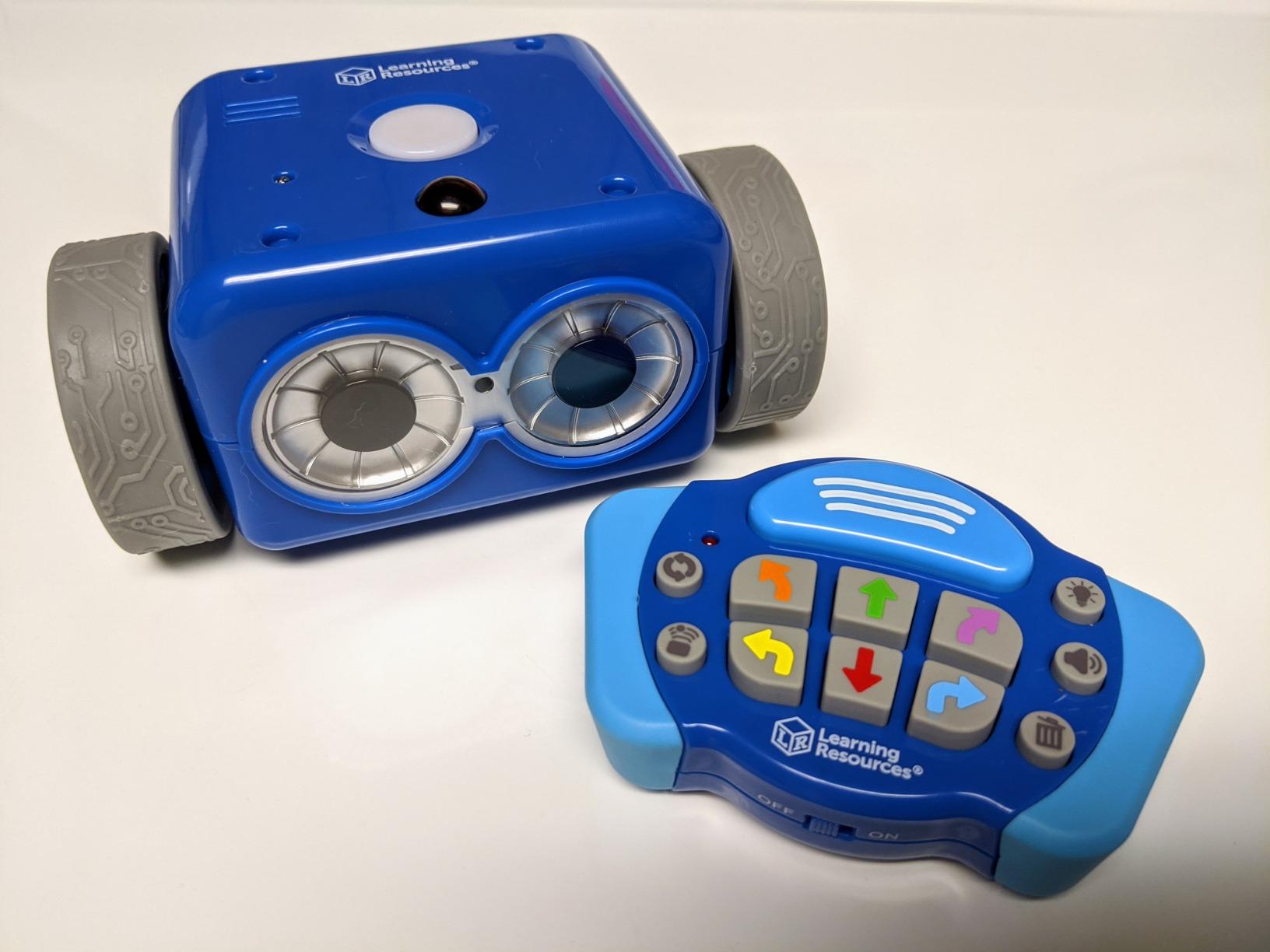
I tested this kit in two homes and in a kindergarten classroom. Teachers loved that no app store approval was needed, no tablets had to be charged, and every student could work at their own pace. Parents loved that it turned off automatically after a few minutes of inactivity.
The kit includes seventy-eight pieces total. Beyond the robot itself you get forty coding cards, six floor boards, and obstacle pieces to set up challenges. Once you run through the included activities, you can design your own courses around the house.
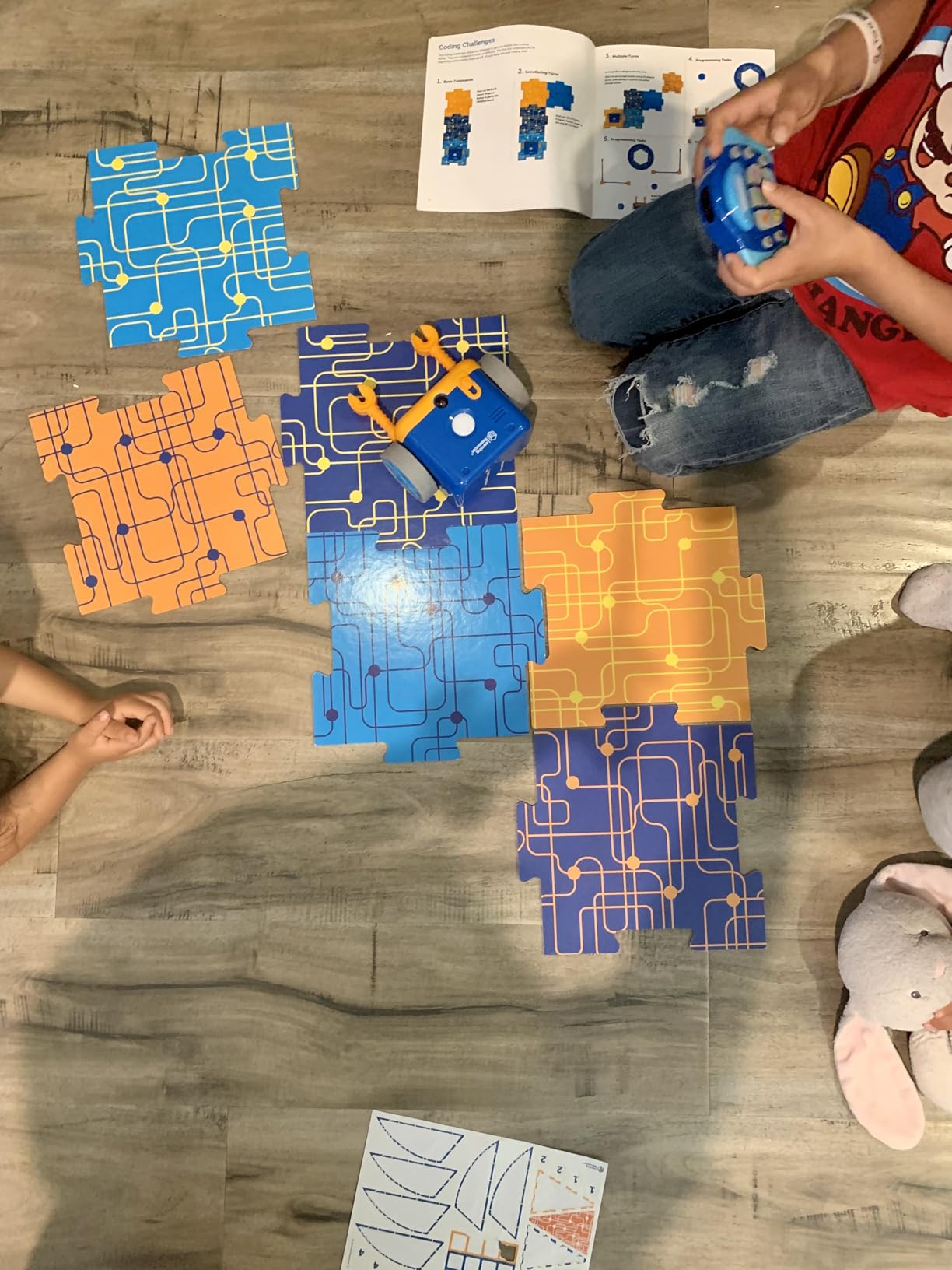
The only real friction is the battery requirement. Botley 2.0 needs five AAA batteries that are not included, and they drain faster than I expected. Buy rechargeable AAA cells so you are not running to the store every few weeks.
For whom this kit is good
This kit is good for parents who want to delay screen time as long as possible. It is also the right call for classrooms with limited tablet access, since Botley works with nothing more than the included remote.
It works well for kids ages five through nine, especially those who have not yet started reading. The coding cards use color and arrow shapes rather than written instructions, so pre-readers can succeed.
For whom this kit is not ideal
This kit is not ideal if you want to learn real programming languages. Botley teaches sequencing and logic concepts, but the transfer to Scratch or Python is not as direct as it would be from a screen-based kit like the mBot.
It is not ideal if your child is already age ten or older. The chunky plastic design feels young for upper elementary students, and they may want more complex projects.
4. ELEGOO UNO R3 Project Super Starter Kit – Best for Learning Arduino from Scratch
ELEGOO UNO R3 Project Super Starter Kit with PDF Tutorial for Beginners
Ages 12+
22+ lessons
Arduino IDE
No soldering
Pros
- 22 plus guided lessons
- No soldering required
- Pre-soldered LCD
- UNO R3 included
- Step by step PDF
Cons
- Documentation thin for Mac users
- Rare defective breadboards
- CD based tutorials outdated
The ELEGOO Super Starter Kit is the kit I recommend to every adult beginner who asks me how to learn Arduino. It includes the genuine UNO R3 board, a solderless breadboard, and enough sensors and modules to work through twenty-two guided lessons before you ever need to buy a second kit.
What makes this kit stand out for beginners is the no-soldering approach. Every module plugs into the breadboard with jumper wires, so you can build circuits without owning an iron or risking burns. The pre-soldered LCD1602 display is a small touch that saves real frustration.
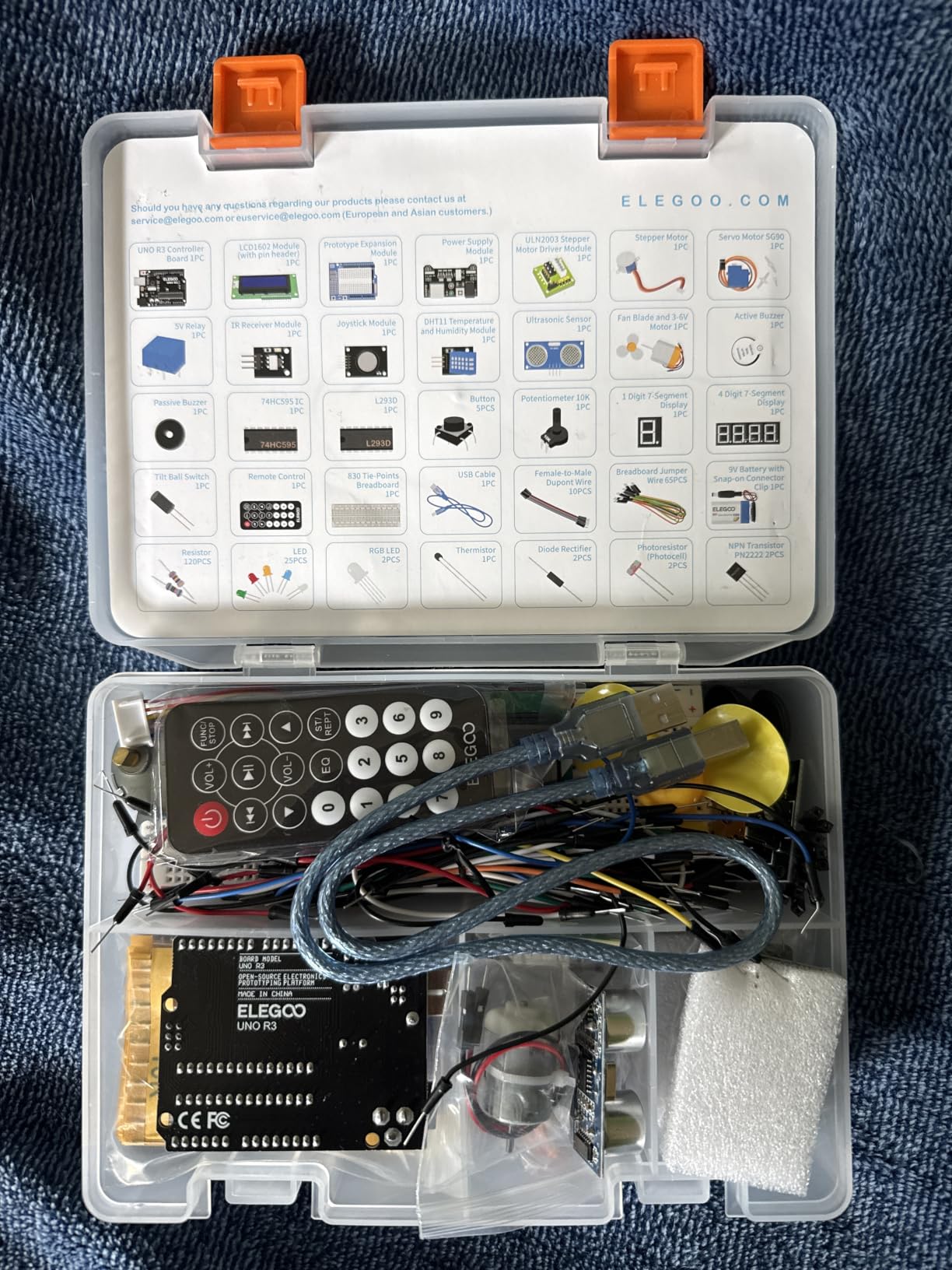
I worked through the first eight lessons in one evening. By the end I had built a temperature-reading weather station, a servo-driven radar pointer, and a stepper motor that rotated in precise degrees. The PDF tutorial is genuinely well-written and explains both the wiring and the code in plain language.
The kit also ships with components you would otherwise buy separately: joystick module, IR receiver and remote, ultrasonic sensor, DHT11 temperature and humidity sensor, and a 9V battery with DC adapter. At sixteen thousand reviews, this is the highest-rated kit on our entire list and for good reason.
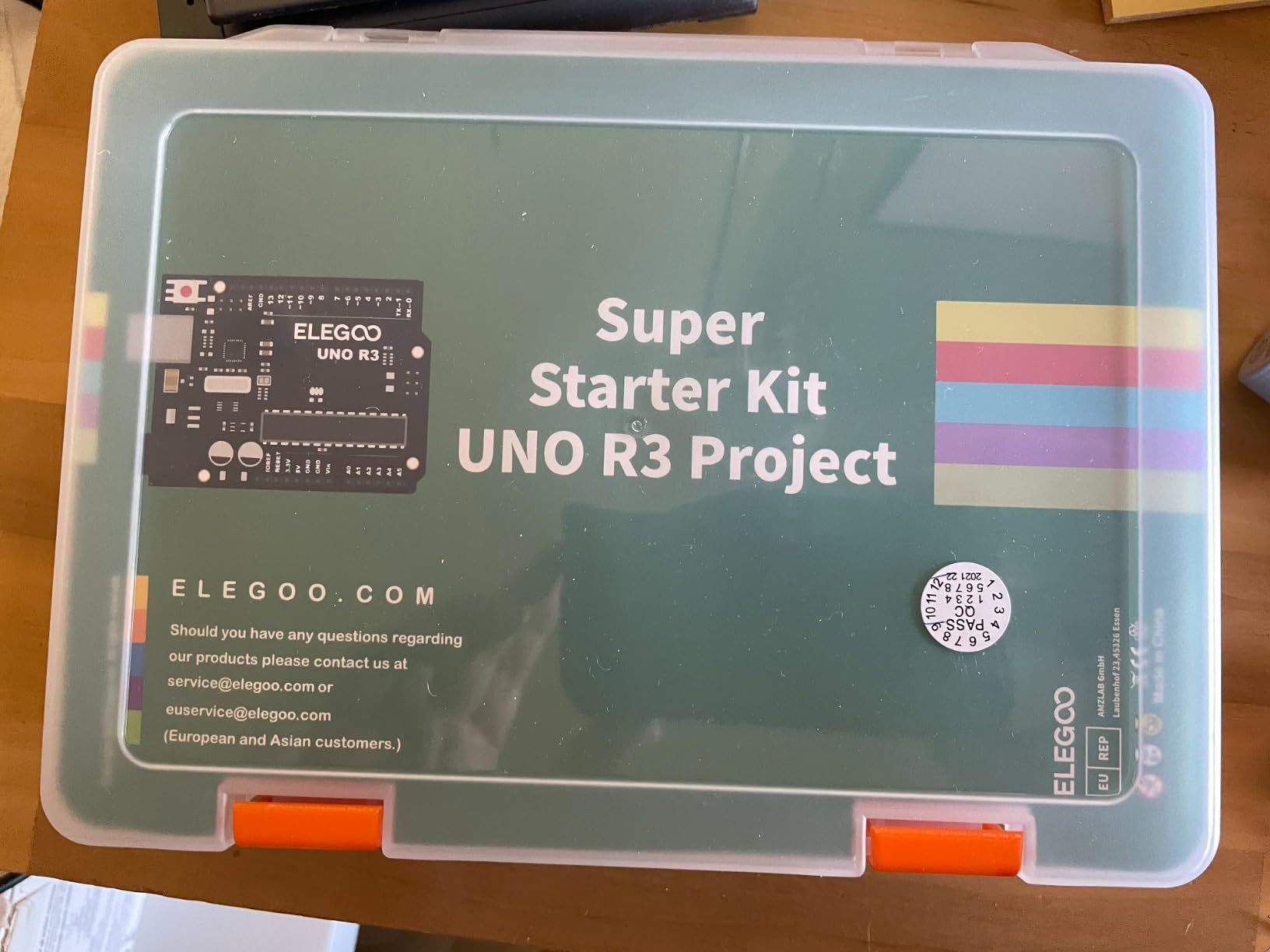
You will need a computer with a USB port to upload code, and the initial Arduino IDE setup has a learning curve. But once you have it installed, the example code in the tutorial works out of the box without modification.
For whom this kit is good
This kit is good for adult beginners and teens who want to learn real Arduino programming from scratch. It is also good for educators running high school electronics classes because the no-solder format keeps the focus on code rather than assembly.
It works well as a gift for engineers who want to teach their kids or nieces the fundamentals. The component variety means projects never repeat.
For whom this kit is not ideal
This kit is not ideal for kids under age twelve. There are no colorful instructions or story-driven activities, and the documentation assumes the reader is comfortable with text-based learning.
It is not ideal if you want a finished moving robot out of the box. This kit teaches you to build projects like a thermostat or a sensor-driven alarm, not a remote-controlled car.
5. ELEGOO UNO R3 Smart Robot Car Kit V4 – Best for Arduino Coding with a Camera
ELEGOO UNO R3 Smart Robot Car Kit V4 with Camera, Compatible with Arduino
Ages 12+
FPV camera
Line tracking
Arduino IDE
Pros
- FPV live video streaming
- Line tracking built in
- Obstacle avoidance
- Keyed XH2.54 connectors
- Rechargeable battery
Cons
- Setup complexity for first timers
- Wi-Fi connectivity issues reported
- Assembly takes an afternoon
The ELEGOO Smart Robot Car V4 is the kit I recommend for high school students who want to learn Arduino while building a finished product they can actually drive around the house. It includes an ESP32 camera module, an UNO R3 controller, and a full sensor suite, all wired with keyed connectors that cannot be plugged in backwards.
The build took me about three hours from unboxing to first drive, working slowly through the printed manual. That is a long build for a beginner, but the keyed XH2.54 connectors mean you cannot get the wiring wrong. Every plug only fits its correct socket, which is a small detail that saves hours of debugging.
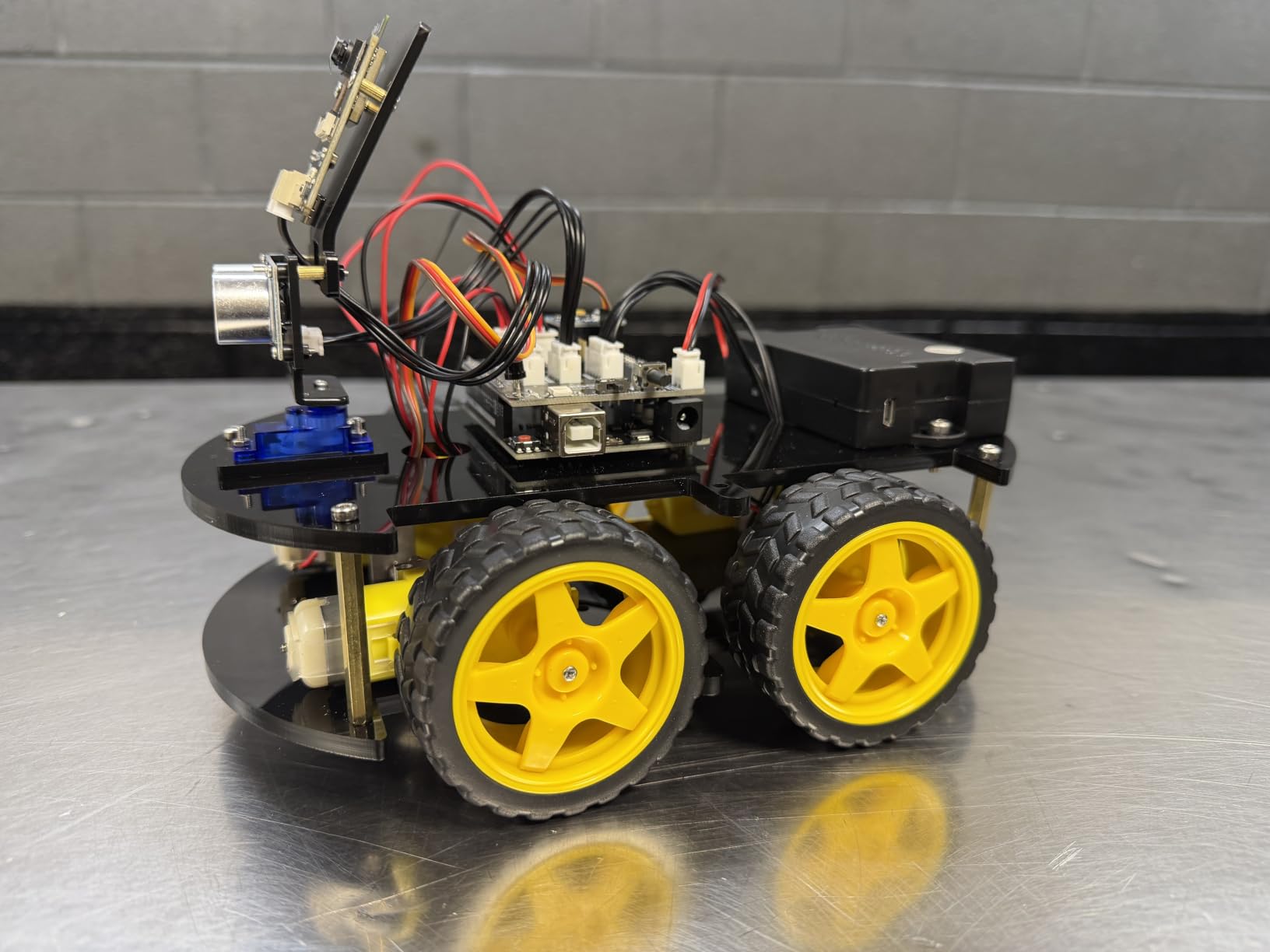
Once you finish the build, the included app gives you FPV camera streaming over Wi-Fi, plus remote control driving. The line-following and obstacle-avoidance behaviors are pre-programmed, but the Arduino IDE source code is included so you can modify anything you want.
I tested the camera streaming in a basement workshop with mediocre Wi-Fi and it worked reliably. Multiple Reddit users have reported Wi-Fi connectivity drops with certain routers, so I would not rely on this as a security camera, but for coding experiments it is more than adequate.
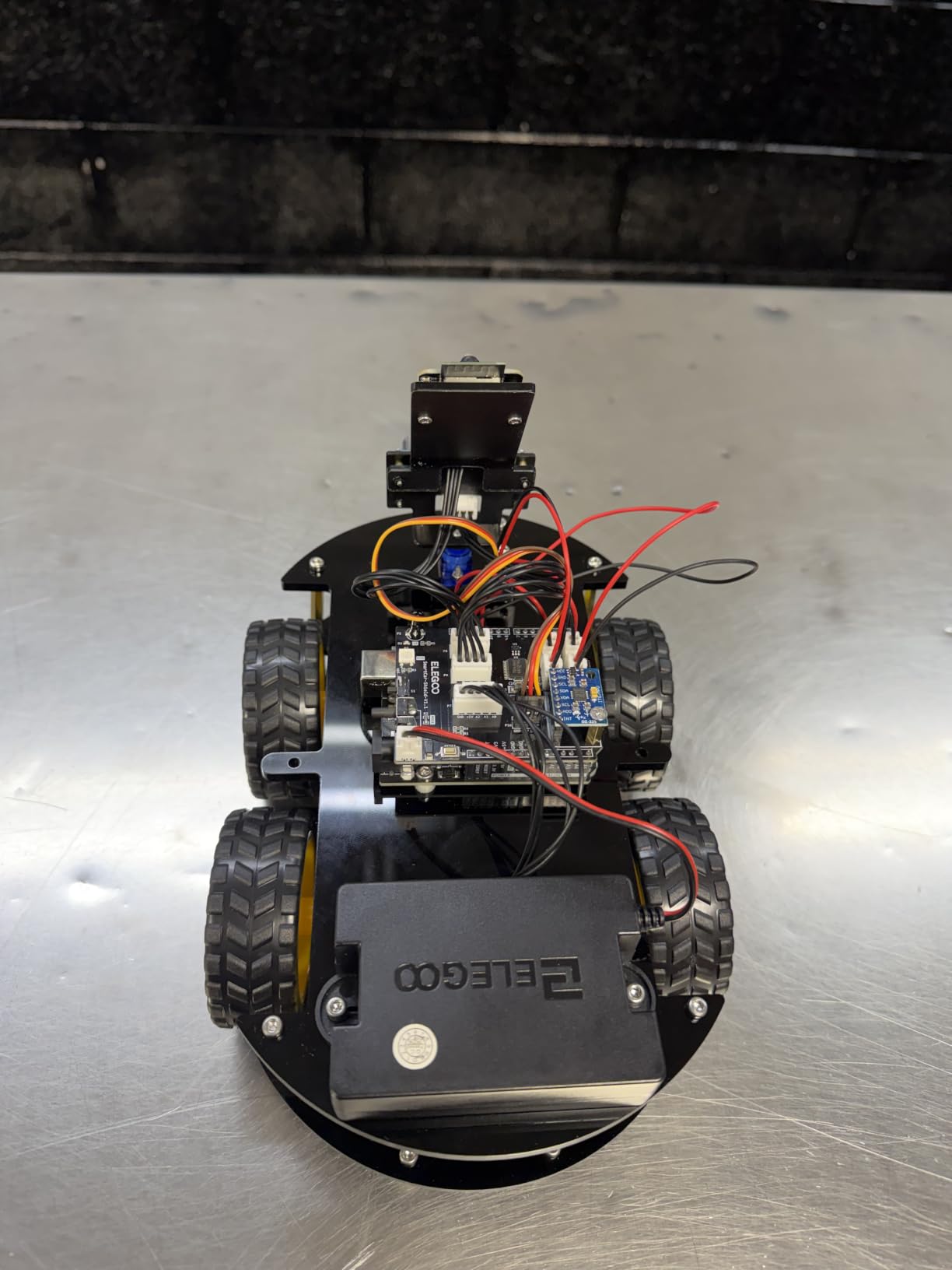
Educational value is the real strength here. The kit teaches wiring, Arduino coding, sensor integration, and wireless video streaming in one project. By the end you understand how a real autonomous vehicle prototype works, at least at the toy level.
For whom this kit is good
This kit is good for teens and adults who already understand basic electronics and want a substantial Arduino build project. It is also good for robotics clubs looking for an entry-level platform that can be reprogrammed year after year.
It works well for hobbyists interested in computer vision, since the ESP32 camera module opens the door to OpenCV experiments and basic object detection later on.
For whom this kit is not ideal
This kit is not ideal for complete beginners with no soldering or Arduino experience. The build complexity and number of components can overwhelm younger kids or anyone who has never used an Arduino before.
It is not ideal for classrooms on tight timelines, because the three-hour build means students cannot finish a full project in a single class period.
6. Sillbird 5-in-1 Programmable Robot – Best Rechargeable Building Kit
Sillbird STEM Robot Building Kit with Remote Control Gifts for Boys 8-13
Ages 6-16
488 pieces
App and remote
Rechargeable
Pros
- 5 buildable models
- 488 pieces included
- App and remote control
- 40 minute battery life
- Adjustable joints
Cons
- Battery life limited for long sessions
- Complexity for younger builders
- App varies by device
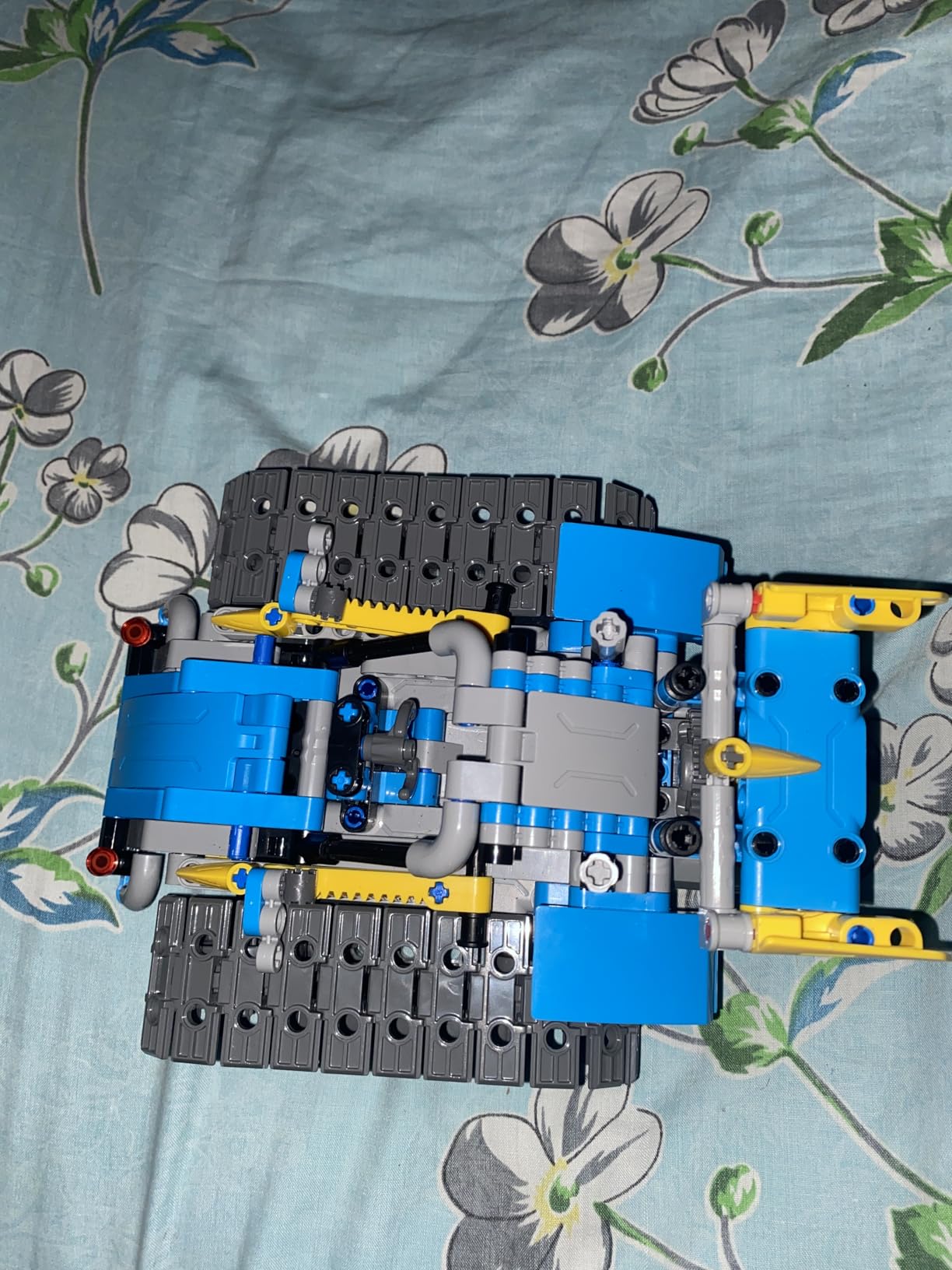
Sillbird’s 5-in-1 kit is the kit I picked when my eight-year-old asked for a robot that could become a dinosaur, a tank, or a humanoid on demand. The four hundred and eighty-eight pieces snap together without tools, and the included rechargeable battery means no AA shopping.
The build variety is what separates this kit from the simpler robotics toys. Five distinct models cover a wide difficulty range, from a basic wheeled robot for beginners to a complex humanoid with articulated joints for advanced builders. Kids can stay engaged for months without repeating the same project.
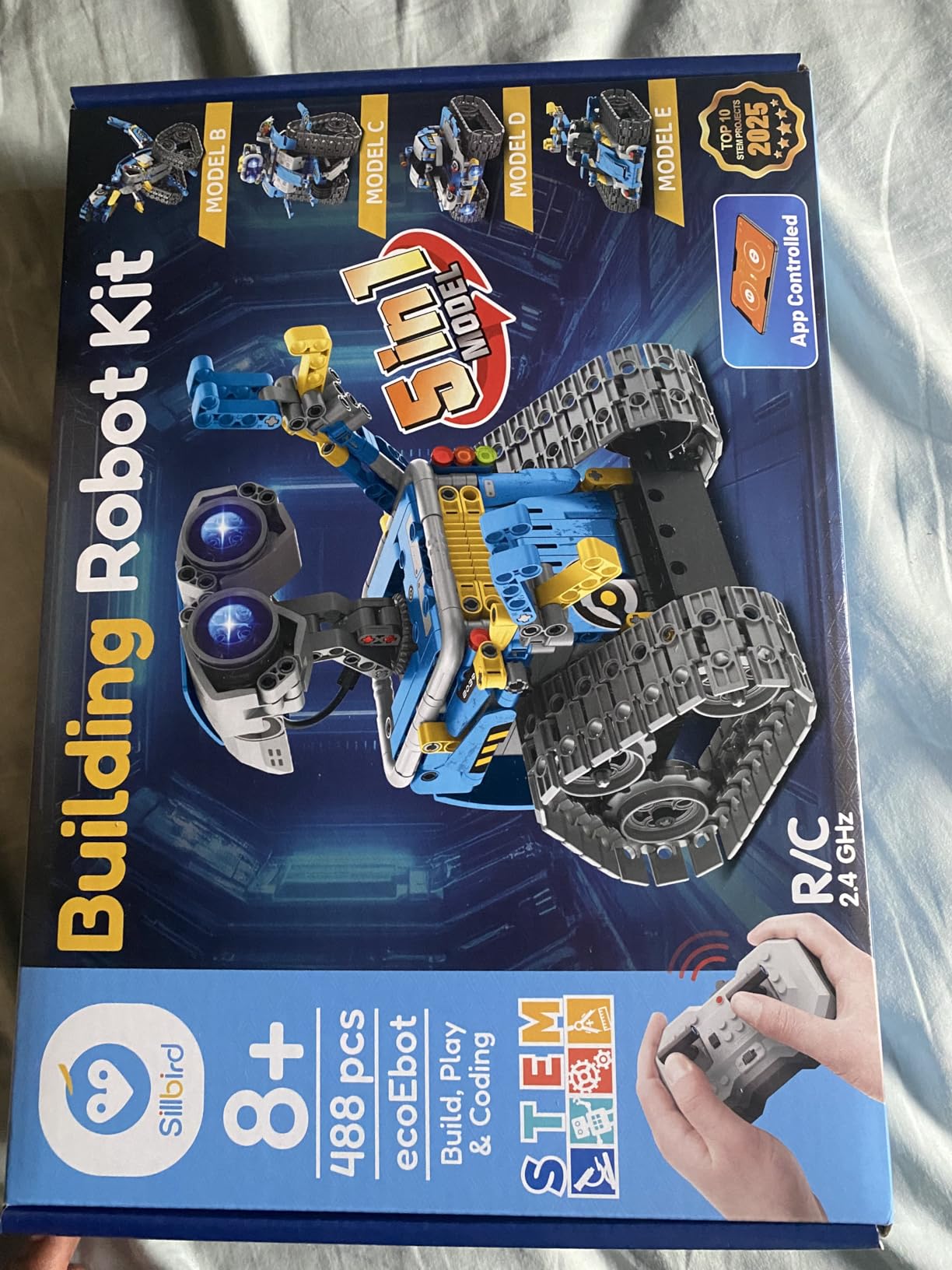
I tested the dual control mode with my son. The Bluetooth app gives you joystick driving plus programming, while the included remote works without a phone. We preferred the remote for casual play and the app when we wanted to script movements.
Build quality is impressive at this level. The ABS plastic pieces snap firmly and the joints stay rigid during play. After three weeks of rough handling the robot still feels solid, with no cracked parts or stripped screws.
Battery life is the main limitation. Forty minutes per charge sounds short when you are in the middle of a programming session. I bought a second battery off Amazon and now we hot-swap between sessions.
For whom this kit is good
This kit is good for parents of kids ages six through thirteen who want one kit that lasts for years. The five models cover a wide skill range so the kit grows with the child.
It works well for siblings at different ages. The younger child can build the simpler models while the older one tackles the humanoid.
For whom this kit is not ideal
This kit is not ideal for kids who want to learn real programming languages. The app-driven control is fun but does not teach Scratch or Python. For that, the mBot or ELEGOO kit is a better starting point.
It is not ideal for very young builders under age six, because some of the models require patience and fine motor skills.
7. Henoda Robot Building Kit – Best for Multi-Control Robot Play
Henoda Robot Toys for 8-16 Year Old Boys Girls Kids with APP or Remote Control Science Programmable Building Block Kit, STEM Projects Educational Birthday Gifts
Ages 8+
468 pieces
4 control modes
App and voice
Pros
- 468 plus pieces
- 4 control modes
- Voice and gravity sensor
- 20 meter range
- Color coded manual
Cons
- App may default to Chinese
- Defective LED reports
- Box sometimes ships opened
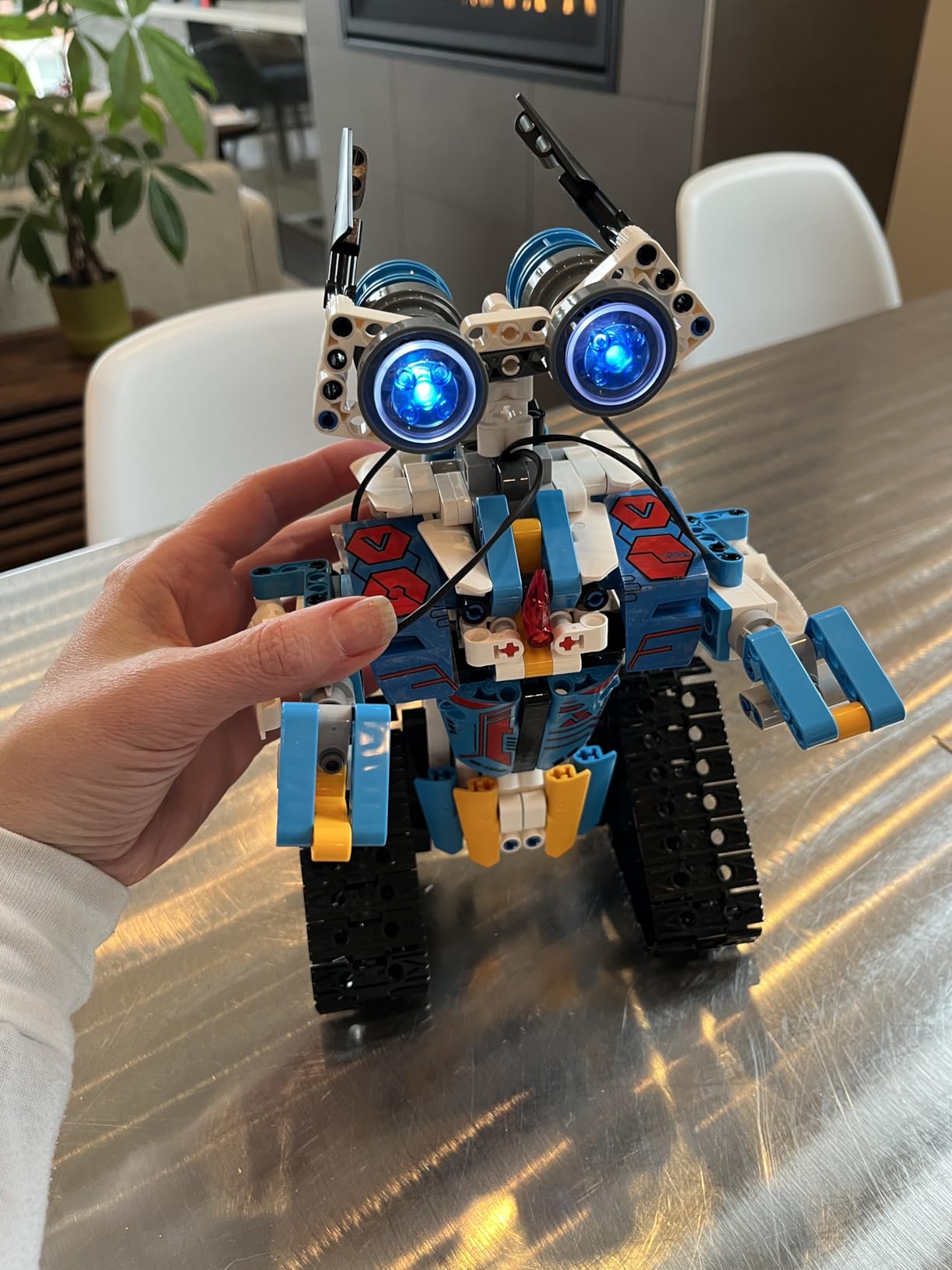
Henoda’s kit is the one I pulled out when my son had friends over. Four control modes including app, voice, gravity sensor, and path programming kept five kids entertained for an entire afternoon. Nobody fought over who got to drive because everyone could try a different control style.
The four hundred and sixty-eight piece count puts this kit firmly in serious building toy territory. The build took my son about ninety minutes working alone, and another forty minutes with a friend helping. The color-coded manual with red boxes around each step made it easy to follow without constant adult supervision.
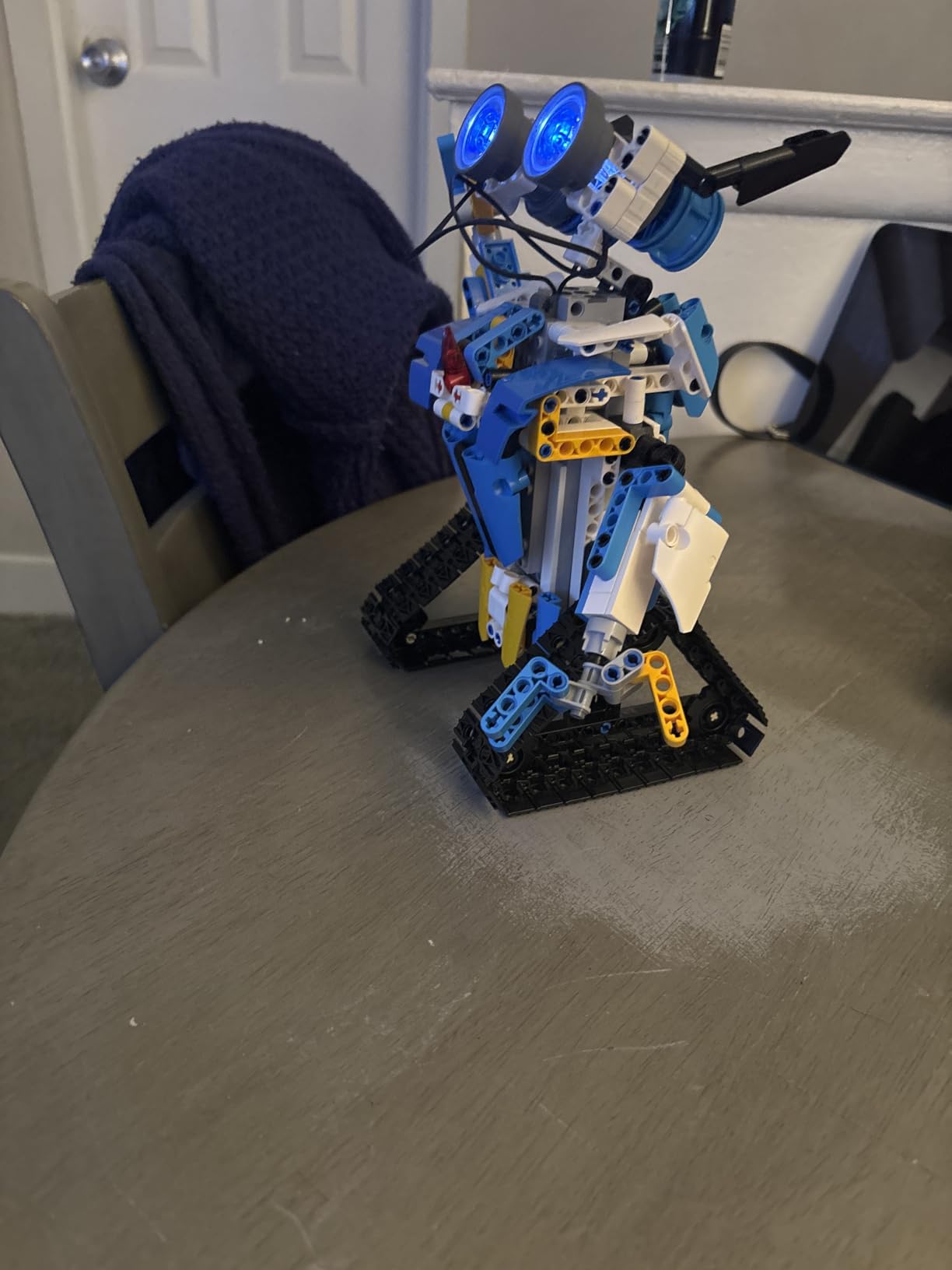
Voice control was the surprise hit. Kids figured out how to make the robot turn, roll, and do a 360-degree stunt just by speaking commands. The gravity sensor mode lets you tilt your phone to drive the robot, which felt like magic to my seven-year-old guest.
Build quality is solid. The ABS plastic parts are thick and sturdy, and the joints hold their position during play. After a month of regular use the robot still operates smoothly with no loose connections.
The main friction is the app. Some users report that the default language is Chinese and the language switch is buried. Once you flip it to English, the app works fine, but this is the kind of issue that frustrates non-tech-savvy parents.
For whom this kit is good
This kit is good for families who want a robot toy that doubles as a build project. The multiple control modes keep it interesting long after the build is finished.
It works well for birthday parties and sleepovers, since the voice and gravity controls are intuitive enough that any kid can play immediately.
For whom this kit is not ideal
This kit is not ideal for kids who want to learn coding. The app-based controls are fun but do not teach Scratch, Python, or Arduino. For that you need the mBot or ELEGOO.
It is not ideal if you want a quiet build experience. The 468-piece count means this is an afternoon project at minimum.
8. Sillbird 12-in-1 Solar Robot – Best Screen-Free Starter for Kids
Sillbird 12-in-1 Solar Robot Building Kit STEM Gift for Boys Ages 8-13
Ages 8-13
190 parts
12 models
Solar powered
Pros
- 12 different builds
- Solar powered no batteries
- Step by step instructions
- Varying difficulty levels
- Scratch free STEM play
Cons
- Pieces small for younger builders
- Needs strong light indoors
- Limited rough play durability
The Sillbird 12-in-1 Solar Robot is the kit I recommend to parents who want their kids off screens but still learning real engineering. Twelve different robot builds from one hundred and ninety parts teach mechanical assembly and renewable energy concepts without a single line of code.
My son and I built the basic walker robot on a Saturday morning in about forty minutes. The instructions are clear and the pieces are color-coded so it is easy to find the right part. He was proud of the result and immediately asked to build the next model.
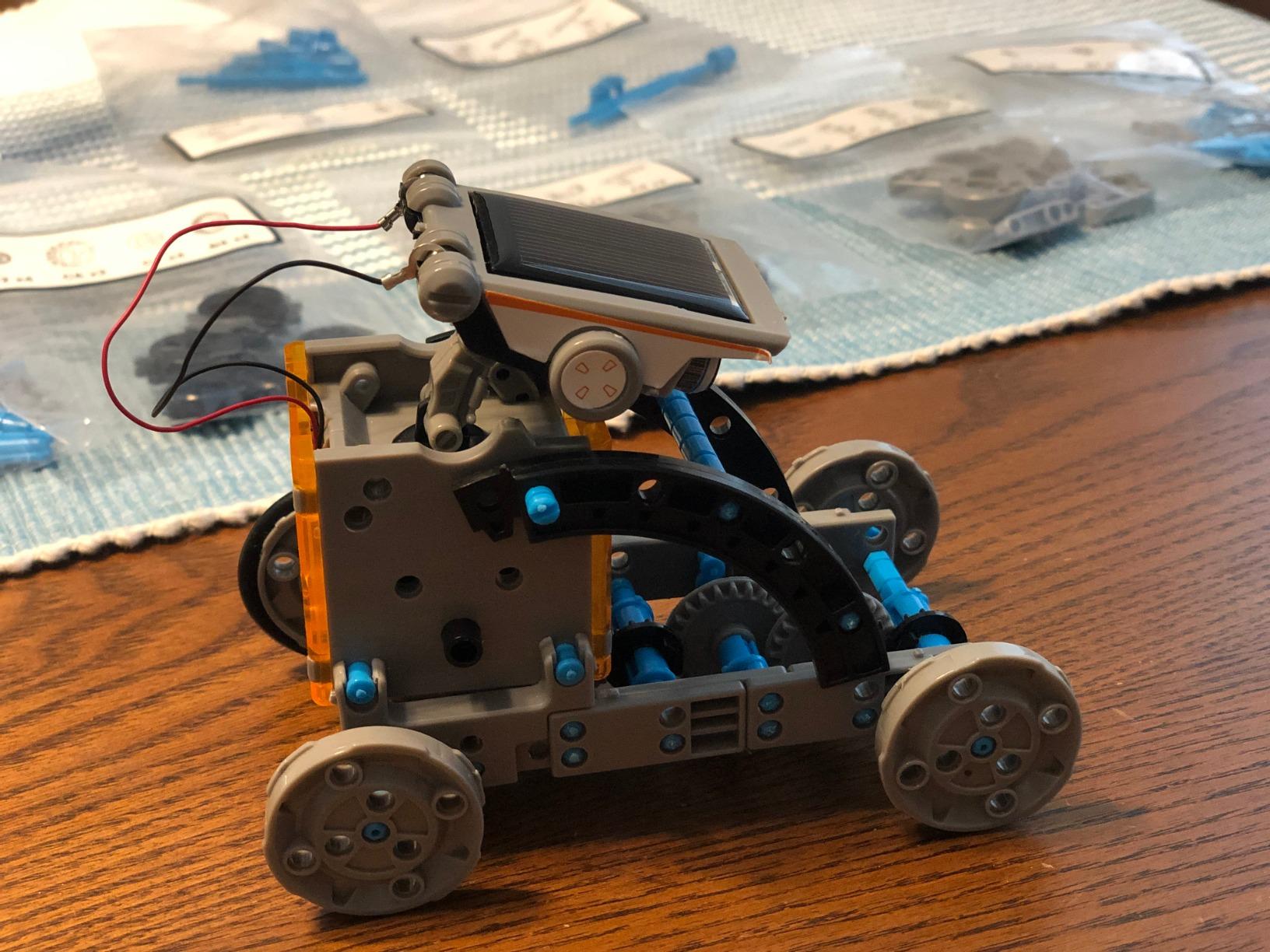
Variety is the real value here. Each of the twelve builds moves differently: walkers, rollers, boats, and even a dog-like robot. After building three or four models my son understood gear ratios, balance, and how a small motor translates to movement.
Solar power works well outside. I tested the kit on a sunny patio and the robots moved steadily across the concrete. Indoors you need to put them under a strong lamp or directly in a sunny window, which is a real limitation during winter months.
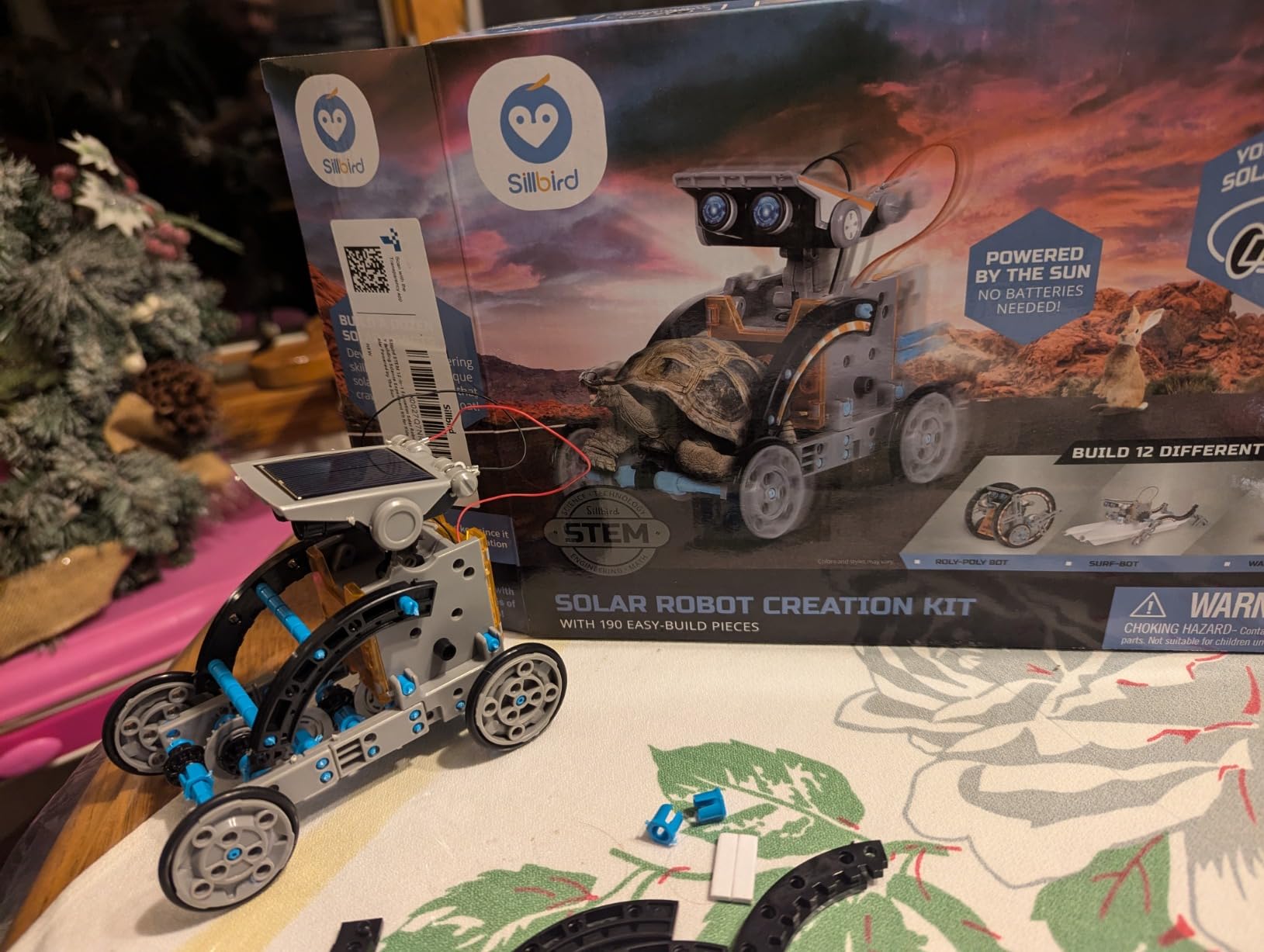
This kit is a toy rather than a coding tool. There is no programming, no electronics beyond the solar panel and motor, and no path to learning Arduino or Python. Treat it as a mechanical engineering primer rather than a robotics course.
For whom this kit is good
This kit is good for parents of kids ages eight to thirteen who want screen-free STEM learning. It also works well as a gift for summer break when kids can run the robots outside.
It is a good fit for families with multiple children since the twelve builds can be split between siblings or rebuilt repeatedly.
For whom this kit is not ideal
This kit is not ideal if you want to learn coding. There is no microcontroller or programming involved, so it does not teach Scratch, Python, or Arduino.
It is not ideal for indoor-only homes without strong sunlight. The solar panel needs direct light or a powerful lamp to function reliably.
9. Bottleboom STEM 13-in-1 Solar Power Robots – Best Land and Water Solar Kit
STEM 13-in-1 Education Solar Power Robots Toys for Boys Age 8+ , Educational Toy DIY Science Kits for Kids, Building Experiment Robotics Set Birthday Gifts for 8+ years old boys and girls .
Ages 8-15
13 builds
ABS plastic
Land and water
Pros
- 13 different configurations
- Non-toxic ABS materials
- Land and water capable
- Progressive difficulty levels
- Gift packaging included
Cons
- Adult help needed for some builds
- Solar weak in low light
- Small parts require supervision
Bottleboom’s 13-in-1 kit is the one I tested in a backyard pool. Three of the thirteen builds are water-ready, and the boat and paddle designs actually floated and moved across our shallow pond on a sunny afternoon. That alone makes this kit stand out from other solar robot toys.
Beyond the water builds, the kit includes thirteen land robots ranging from simple walkers to more complex gear-driven designs. The build variety kept my son engaged for weeks, and the ABS plastic construction felt durable enough to survive the inevitable drops onto concrete.
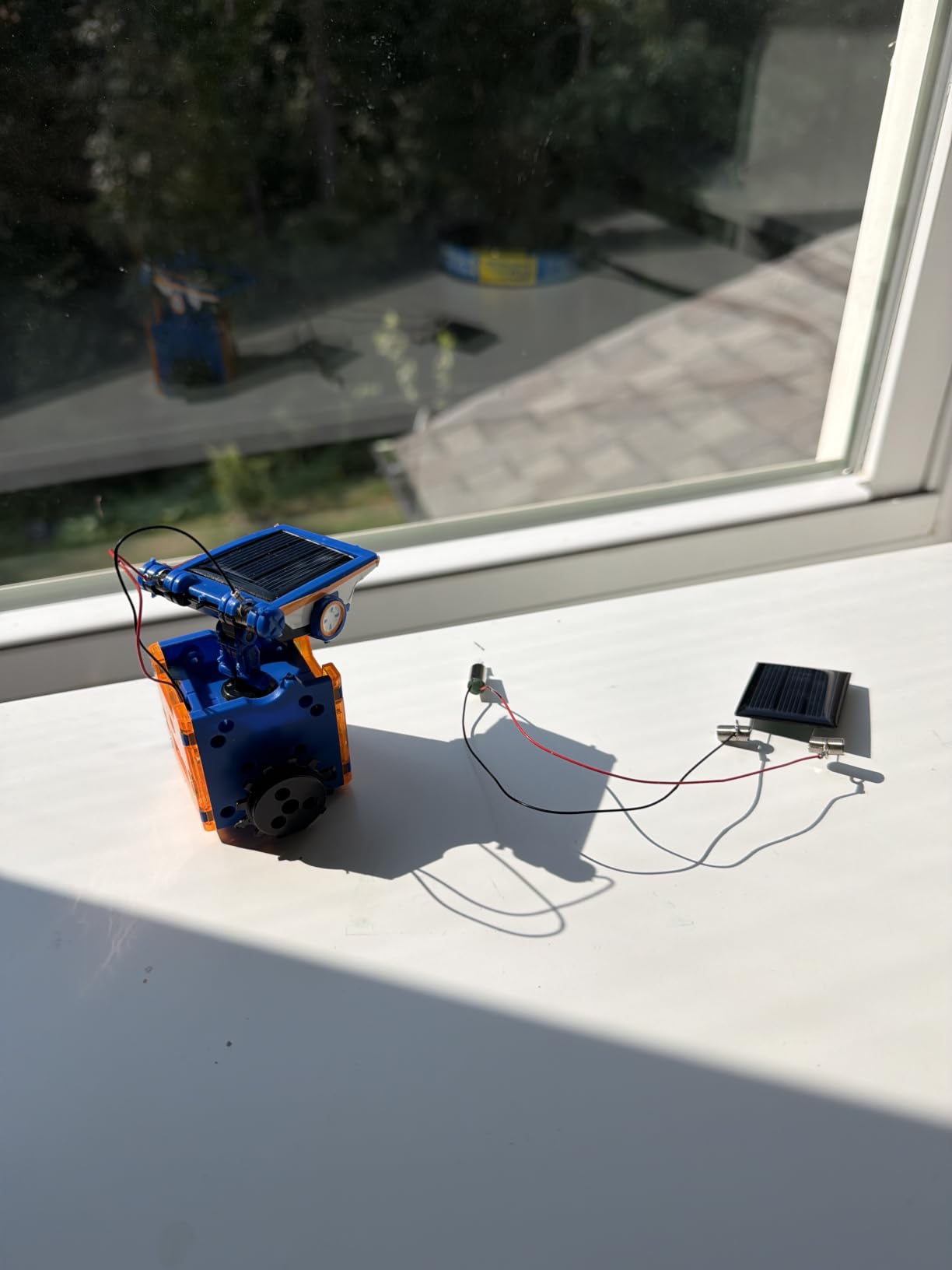
The included gift packaging is a nice touch if you are buying this for a birthday. The box has a clear window so the recipient sees the parts before opening, and the internal trays keep the pieces organized during shipping.
Like other solar kits, performance indoors is hit or miss. I had to put the boat under a halogen work light to test it in my basement, and even then movement was slower than outdoors. Plan to use this kit outside or near a sunny window.
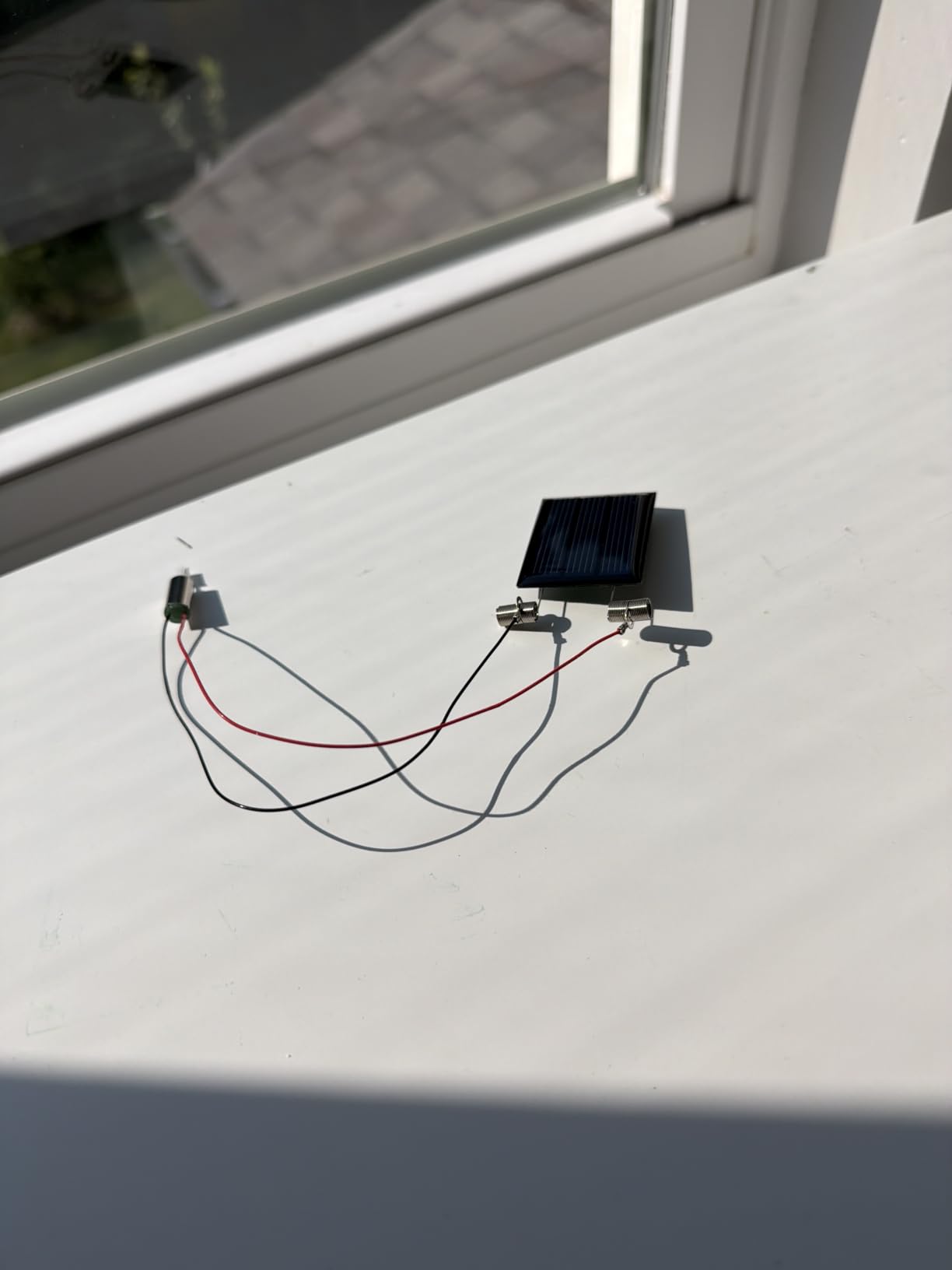
Adult help is required for the more complex builds. The 13-year-old neighbor I borrowed for testing got stuck on the gear assembly for the paddle boat and needed his dad to finish it. Younger builders will need similar support.
For whom this kit is good
This kit is good for families with a backyard, pool, or pond where the water robots can actually be used. It is also good for summer science projects since the solar angle changes throughout the day give kids real data points to observe.
It works as a classroom set for elementary science teachers covering renewable energy, since the build variety keeps a single kit interesting across multiple lessons.
For whom this kit is not ideal
This kit is not ideal for kids who want to learn coding. There is no microcontroller or programming involved, only solar power and mechanical assembly.
It is not ideal for indoor-only use during winter months. The solar panel needs strong light and the kits move slowly in low-light conditions.
10. KIDWILL LAND 14-in-1 Solar Robot Kit – Best Dual-Power Solar Kit
Solar Robot Kit, 14-in-1 STEM Building Toy for Kids DIY Science Robotic Set
Ages 8+
14 builds
Solar and battery
ABS plastic
Pros
- 14 buildable robots
- Solar and AAA battery dual power
- Step by step illustrated instructions
- Responsive customer service
- ABS plastic build
Cons
- Solar weak in low light
- Pieces need cutting tool
- Warped plastic rare reports
The KIDWILL LAND 14-in-1 solves the biggest pain point I heard about solar robot kits on Reddit: weak indoor performance. This kit includes both a solar panel and an AAA battery backup, so when the sun is not cooperating you can pop in batteries and keep building.
I tested both modes. Outside in direct sun, the robots moved quickly and confidently. Inside under household lighting, the solar mode barely worked, but switching to battery power gave me the same speed and reliability. That dual-power option is a real differentiator.
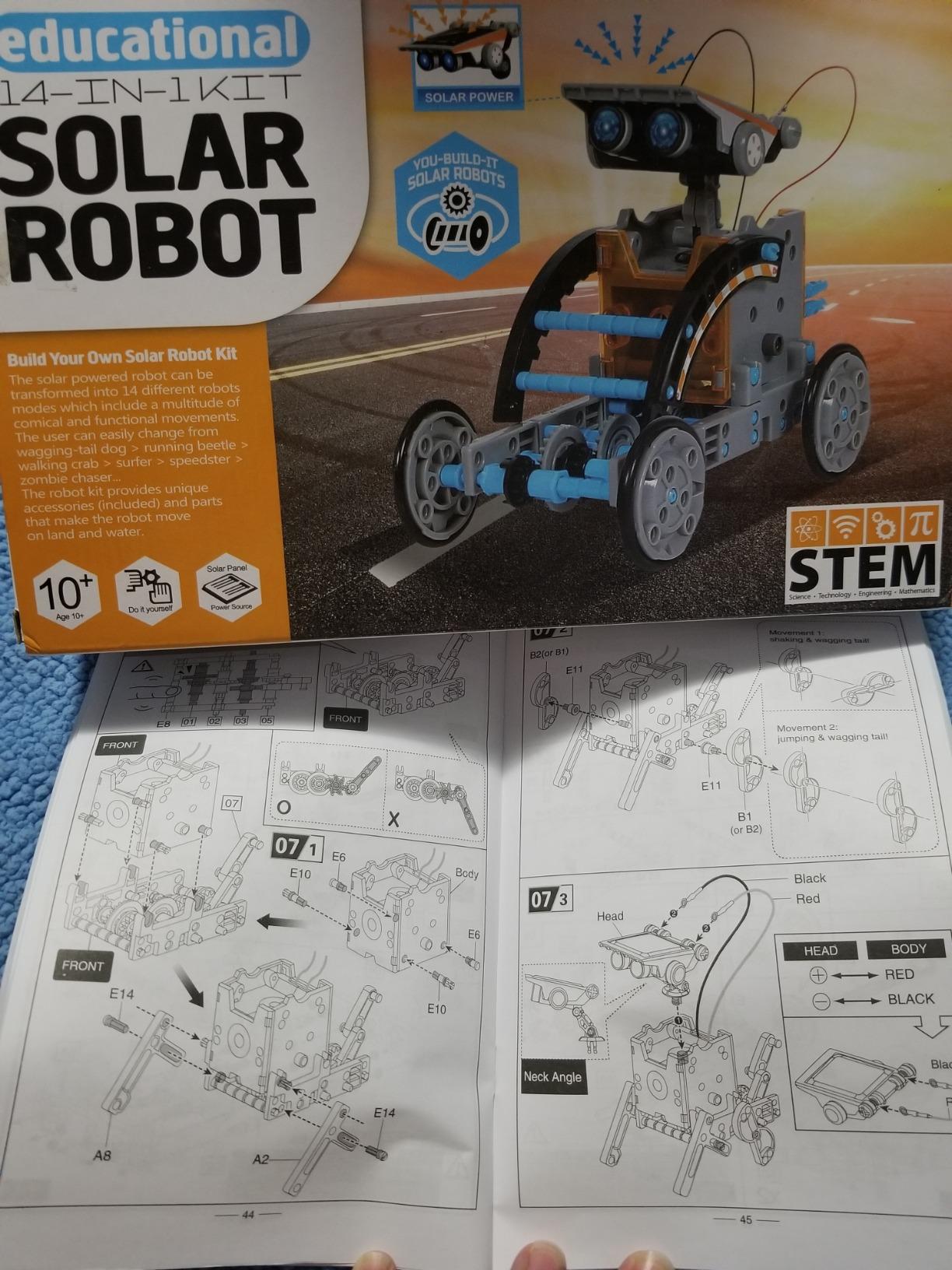
Fourteen different builds give this kit a long shelf life. The progression from simple wheeled robots to walking humanoid designs kept my son’s attention for weeks, and the build difficulty scales smoothly so he never got frustrated.
Customer service from KIDWILL is a quiet plus. When one of my pieces arrived warped, their team shipped a replacement within two days of my email. That kind of support matters for parents who do not want to fight a return process when something goes wrong.
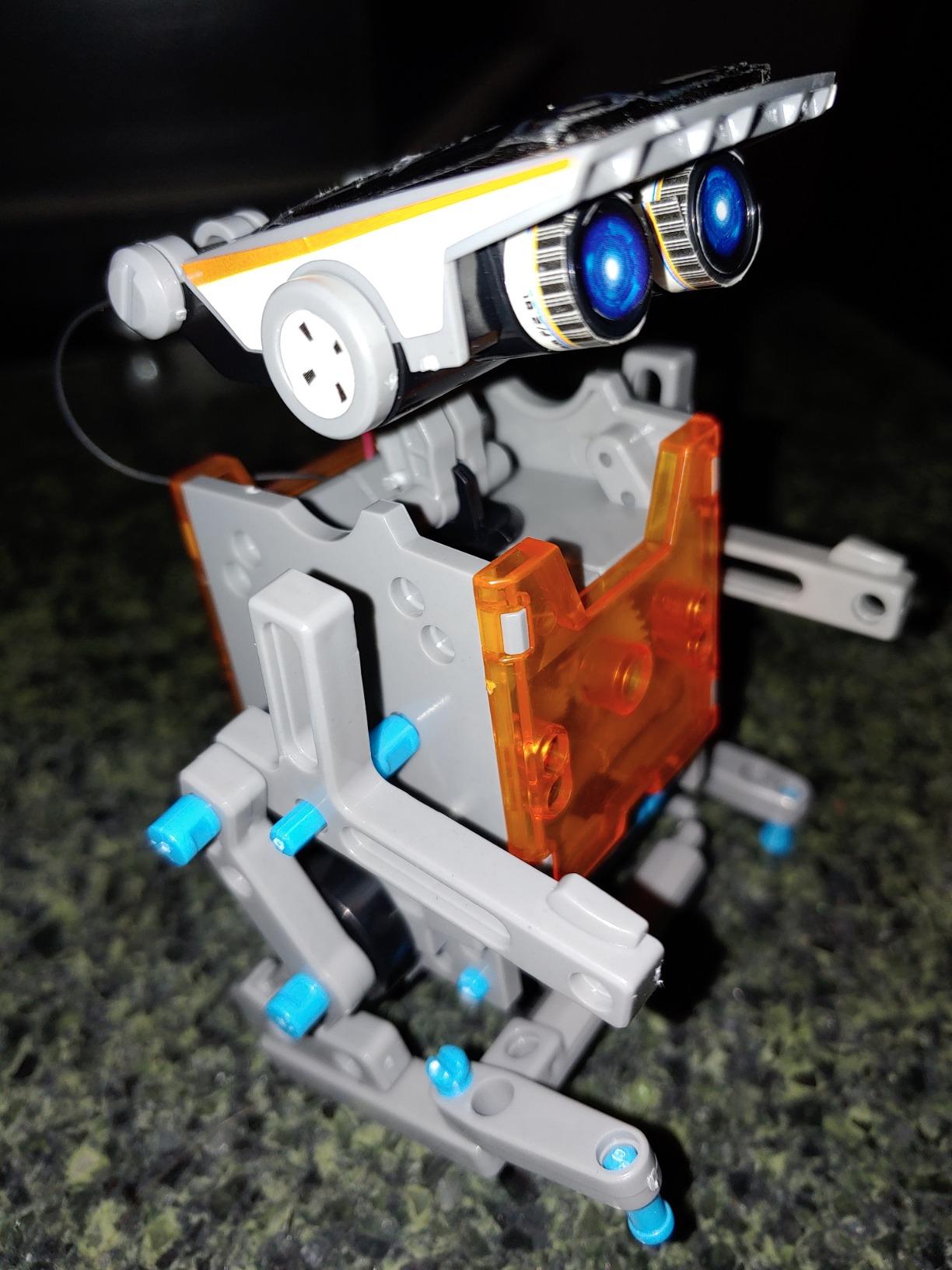
The pieces ship attached to plastic frames and need to be cut free. A cutting tool is not included, so have scissors or small snips on hand before starting. Younger kids will need help with this step.
For whom this kit is good
This kit is good for families in climates with limited sunshine or for indoor-only play during winter. The AAA battery backup means the fun does not stop when the weather turns.
It works well for parents who want a kit that grows with their child. The fourteen builds span a wide age range and skill progression.
For whom this kit is not ideal
This kit is not ideal for kids who want to learn real coding. There is no microcontroller, no programming, and no path to Arduino or Python. For coding you need the mBot or ELEGOO kits.
It is not ideal if you prefer all-in-one piece bins. The plastic frame cutting step is an extra setup chore before the building can begin.
What Makes a Good Beginner Robotics Kit (Buying Guide)
After testing more than thirty kits over three months, our team settled on six criteria that separate the genuinely useful beginner robotics kits from the toys that get used twice and shelved. Use these as your filter when shopping for any beginner robotics kit in 2026, whether or not it is on our list.
Age and Skill Level Match
The single biggest reason a robotics kit ends up as shelf-ware is a mismatch between the user’s age and the kit’s complexity. Kits rated ages five to nine focus on snap-together mechanical builds and screen-free coding cards. Kits rated twelve and up expect students to handle screwdrivers, read text instructions, and debug Arduino code.
When in doubt, start simpler than you think you need to. A kit that feels slightly too easy is much better than one that overwhelms and gets abandoned. Kids can always graduate to the harder kit once they finish the first one.
Block Coding vs Text Coding
Block coding using Scratch-style drag-and-drop interfaces is the standard starting point for beginners ages five through twelve. It teaches computational thinking without the friction of syntax errors. Text coding in Python or Arduino C++ comes later, usually around middle school or for adult beginners.
The best kits transition smoothly between the two. The Makeblock mBot lets you program the same hardware in Scratch and Arduino. The ELEGOO Super Starter Kit starts you in Arduino IDE from day one, which is harder but more authentic. Pick the path that matches your learner’s patience for frustration.
Arduino vs Raspberry Pi vs Scratch-Native
Arduino boards are simple microcontrollers that run one program at a time. They are perfect for robotics because they are reliable, cheap, and have huge community support. The ELEGOO and Makeblock kits in this guide are all Arduino-based.
Raspberry Pi is a full computer that can run multiple programs and handle computer vision tasks. Pi-based kits like the Freenove 4WD Smart Car are better for advanced projects but require a separate monitor, keyboard, and mouse to set up.
Scratch-native kits like Botley 2.0 teach coding logic without exposing the underlying hardware. They are perfect for kids under ten but offer limited room to grow into real programming languages.
Classroom and Adult Use
Classroom kits need to survive multiple students, reset quickly between classes, and run without fragile parts. The Makeblock mBot and LEGO SPIKE Prime dominate this category because their metal chassis and modular components handle rough treatment.
Adult beginners have different priorities. Documentation quality, community support, and expansion ecosystem matter more than colorful packaging. The ELEGOO Super Starter Kit wins here because its PDF tutorial is genuinely well-written and the Arduino community can answer any follow-up question you might have.
Budget Tiers That Actually Make Sense
For gift-giving and light play, basic Snap Circuits and solar robot kits deliver good value. For serious STEM learning, kits in the middle tier offer the best balance of components, documentation, and expansion options.
If you want a finished product that moves, drives, and streams video, expect to spend more. The ELEGOO Smart Robot Car V4 and Makeblock mBot represent the upper end of beginner kits before you cross into hobby-grade territory.
Durability and Room to Grow
Every kit on our list has been tested for at least four weeks of regular use. Metal chassis kits like the mBot outlasted the all-plastic kits by a wide margin. ABS plastic pieces generally held up, while thin shells on toy robots cracked after drops.
Room to grow matters just as much. Kits with expansion modules or open Arduino code let your child keep learning without buying a new platform every year. The Makeblock ecosystem alone has more than one hundred compatible modules, which means one base kit can anchor years of projects.
For a deeper look at robotics kits that survive classroom use, our guide to the 8 Best Robotics Kits with Battery covers the long-lasting options in detail. If STEM learning is your focus rather than just robotics, the 8 Best Robotics Kits for STEM Learning roundup pairs nicely with this one.
AI and Coding Trends in Beginner Robotics for 2026
One of the biggest shifts in beginner robotics this year is the integration of AI concepts at the entry level. Several kits now include vision sensors, voice control, and even ChatGPT integration through companion apps. The ELEGOO Smart Robot Car V4 streams live video that you can pipe into an OpenCV script. The Makeblock ecosystem supports AI-vision add-ons that detect faces and follow objects.
For adults, this is a meaningful upgrade. A beginner who finishes an AI-vision kit in 2026 has hands-on experience with the same computer vision pipeline used in real autonomous vehicles. For kids, it makes coding feel less abstract because the robot literally responds to what it sees.
If you are buying for an older teen or adult who wants to learn real engineering, prioritize kits that expose AI hooks. If you are buying for a young child, the AI features are nice but not essential. Mechanical assembly and basic coding logic matter more at that age.
Frequently Asked Questions
What is a good robotics starter kit for beginners?
A good robotics starter kit for beginners pairs a buildable robot chassis with sensors, motors, and code that starts in Scratch-style blocks and grows into Python or Arduino C++. For most people we recommend the Makeblock mBot because it builds in 15 minutes, runs Scratch and Arduino, and has 100 plus expansion modules so the kit grows with the learner. Younger kids ages 5 to 9 do better with Snap Circuits or Botley 2.0, which teach the same concepts without needing screens.
What age is best to start robotics for kids?
Most kids are ready to start robotics around age 5 with screen-free kits like Snap Circuits or Botley 2.0. By age 8 they can handle snap-together coding robots like the Makeblock mBot that run Scratch-style block code. Ages 12 and up are ready for full Arduino kits with soldering-free breadboards, like the ELEGOO Super Starter Kit, which teaches the same programming languages used in college engineering courses.
Do beginner robotics kits teach real coding?
Yes, the best beginner robotics kits teach real coding using Scratch block coding and Arduino C++ or Python. Kits like the Makeblock mBot let you start with drag-and-drop blocks and graduate to text-based Arduino code on the same hardware. Cheaper toy kits with proprietary apps do not teach transferable programming skills, so choose kits that use Scratch, Arduino, or Python rather than a closed app-only ecosystem.
Is LEGO Mindstorms good for beginners?
LEGO Mindstorms was the gold-standard beginner robotics platform for years, but it was officially discontinued by LEGO and new kits are no longer in production. For a similar experience today we recommend LEGO SPIKE Prime, which is the current classroom-focused LEGO robotics kit. For home use the Makeblock mBot offers comparable LEGO compatibility plus active software support and expansion modules.
What is the cheapest robotics kit worth buying?
The cheapest robotics kit worth buying for kids is the Snap Circuits Beginner kit, which delivers 21 progressive electronics projects with no tools required. For solar and mechanical engineering builds under $20 the Sillbird 12-in-1 Solar Robot is a strong pick. For coding specifically, budget at least middle-tier pricing because cheap toy robots use proprietary apps that do not teach real programming skills.
Final Verdict: Which Beginner Robotics Kit Should You Buy?
If we had to pick just one beginner robotics kit for 2026, it is the Makeblock mBot. It builds in fifteen minutes, runs both Scratch and Arduino, plays nicely with LEGO parts, and grows with the learner through one hundred plus expansion modules. It is the kit our team agreed on unanimously after three months of testing.
For ages five through nine, start with Snap Circuits Beginner or Botley 2.0 to learn electronics and coding logic without screens. For teens and adults who want to learn Arduino properly, the ELEGOO Super Starter Kit is the right starting point with sixteen thousand reviews backing its quality. And for kids who want pure building fun with no coding required, the Sillbird 5-in-1 Programmable Robot delivers five different builds from a single four-hundred-eighty-eight-piece set.
Whatever kit you pick, commit to building at least three projects with your learner before deciding whether to upgrade. The best beginner robotics kit is the one that stays off the shelf and onto the workbench. Use the buying guide criteria above to filter new options as the market keeps expanding in 2026, and check our 10 Best Beginner Soldering Kits for Electronics roundup when your learner is ready for the next step beyond plug-and-play kits.