
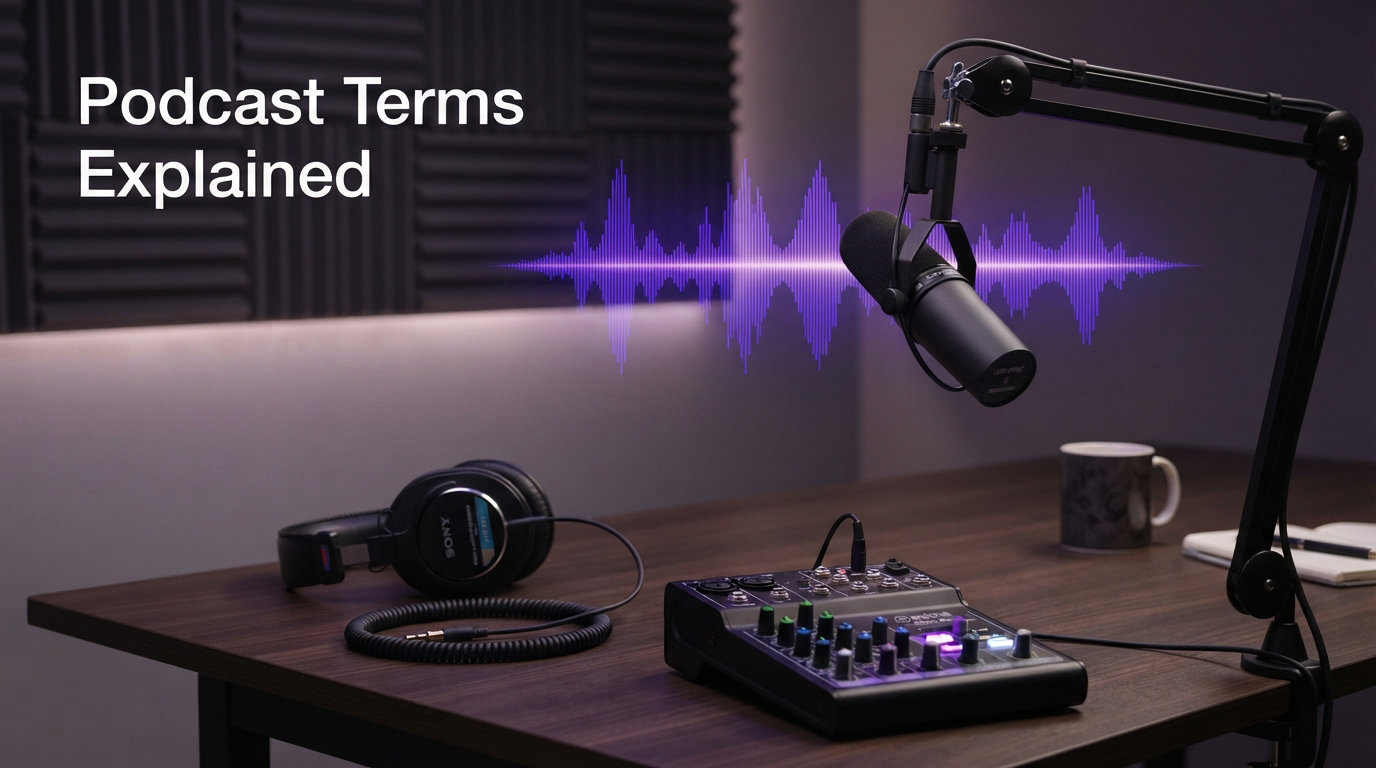
If you have ever felt lost in a podcasting tutorial, you are not alone. I remember the first time I read a forum thread about “setting gain levels” and “running a high-pass filter” – I had no idea what any of it meant.
That confusion is exactly why this glossary exists. I spent my first six months in podcasting Googling every other word in editing guides, and I lost hours guessing what “phantom power” or “multitrack” actually meant before I worked up the courage to ask.
I have now spent more than three years recording, editing, and publishing podcasts across solo shows, interview formats, and video series. Along the way, I have collected every term I wish someone had explained to me on day one.
Below you will find clear definitions for the most common podcast terms – from audio recording vocabulary like bit rate and sample rate, to equipment terms like dynamic microphones and audio interfaces, to distribution terms like RSS feeds and hosting platforms.
The glossary is organized by topic, so you can read it straight through or jump to the section that answers your current question. I have also included a FAQ at the end for the most common searches podcasters run when they hit a new piece of jargon.
Whether you are starting your first show, writing about podcasts, interviewing guests, or just curious about the industry, this guide will give you a working command of podcast terminology in 2026.
Bookmark this page. Every new term you encounter in a tutorial, on Reddit, or in a podcasting Facebook group will eventually show up here.
Table of Contents
Audio Recording Podcast Terms You Need to Know
Audio recording terms describe the technical properties of the sound you capture. Understanding them helps you record clean audio from day one and avoid the most common quality mistakes.
Bit Rate and Why It Matters for Podcasts
Bit rate is the amount of audio data encoded per second of a podcast file, measured in kilobits per second (kbps). A higher bit rate means more data is used to represent the sound, which generally produces better audio quality and a larger file size.
Most podcasters export their final episode at 128 kbps for spoken-word content. If your show includes music or rich soundscapes, you may want to publish at 192 kbps or even 256 kbps. Anything below 96 kbps starts to sound noticeably compressed on most headphones.
From my own testing, 128 kbps mono MP3 sounds clean for interviews and solo shows. I only push higher when an episode is built around music or cinematic storytelling.
Sample Rate and Bit Depth Demystified
Sample rate is the number of times per second your recording device captures a snapshot of the audio signal. It is measured in kilohertz (kHz), and the standard for podcasting is 44.1 kHz or 48 kHz.
Bit depth is the number of bits used to describe each sample. A 16-bit recording offers 65,536 possible amplitude values, while a 24-bit recording offers more than 16 million.
I record all my episodes in 24-bit at 48 kHz because it gives me more headroom when editing. Even if your final export is 16-bit at 44.1 kHz, starting with higher values lets your DAW process the audio with less risk of distortion.
Compression, EQ, and Limiting
Compression is an audio process that reduces the dynamic range between the loudest and quietest parts of a recording. It evens out your voice so listeners do not have to keep adjusting their volume.
EQ, short for equalization, is the process of boosting or cutting specific frequency ranges. A high-pass filter, for example, removes low-end rumble below about 80 Hz.
A limiter is a special type of compressor that prevents audio from exceeding a set ceiling, usually -1 dB. Together, compression, EQ, and limiting form the backbone of podcast post-production.
Waveform, Peaks, and Clipping
A waveform is the visual representation of your audio in a DAW. Peaks are the highest points in that waveform, and they show you how loud the signal is at any given moment.
Clipping happens when your input signal is too hot for the recording device to handle. The waveform appears flat at the top, and the audio sounds harsh and distorted.
My rule of thumb is to keep peaks around -12 dB to -6 dB during recording. That gives you plenty of room to apply compression and limiting later without clipping your final mix.
Podcast Equipment Terms Explained
Equipment terms describe the hardware you use to capture and process audio. Knowing the difference between microphone types and connection standards will save you money and frustration when you build your first setup.
Dynamic vs Condenser Microphones
A dynamic microphone uses a moving coil to convert sound into an electrical signal. It is rugged, less sensitive to room noise, and a popular choice for podcasters recording at home.
A condenser microphone uses a thin diaphragm that requires power to operate. It captures more detail and nuance, but it also picks up more room noise, computer fans, and background hum.
If you are recording in an untreated room like I did for my first year, a dynamic mic is the safer choice. Condensers shine when you have soundproofing or a quiet studio space.
XLR vs USB Microphones
XLR is a professional three-pin analog connection used by broadcast gear. It requires an audio interface or mixer to connect to a computer.
USB microphones have a built-in analog-to-digital converter and plug directly into your laptop. They are convenient and affordable, but they usually record only one microphone at a time and offer less control over gain.
For solo shows or casual conversations, USB mics are a great starting point. If you plan to host interviews with multiple guests in person, XLR gives you much more flexibility to expand.
Audio Interfaces and Mixers
An audio interface is the hardware that connects your XLR microphones to your computer and converts analog audio into digital signals. Common podcast models include the Focusrite Scarlett series and the Rodecaster Pro.
A mixer combines multiple audio signals, lets you adjust levels in real time, and sends a single output to your recording software. Many podcast mixers include built-in effects, headphone outputs, and even sound pads for triggering jingles.
I switched from a USB mic to a small audio interface with two XLR inputs after my third interview. It immediately gave me better gain control and let me record each guest on a separate track.
Preamp gain is the amount of amplification applied to a microphone signal before it reaches your computer. Most interfaces include a gain knob per input, and learning to set it correctly is one of the fastest ways to improve your audio quality.
Pop Filters, Shock Mounts, and Booms
A pop filter is a mesh screen placed between your mouth and the microphone. It reduces plosives – the harsh bursts of air from letters like “P” and “B” that cause distracting thumps in your recording.
A shock mount is an elastic suspension that isolates your microphone from vibrations traveling through the mic stand or desk. It prevents low-end rumble when you bump your gear.
A boom arm is an adjustable arm that holds your microphone in place. It keeps the mic out of your hands, lets you position it precisely, and frees up desk space.
A reflection filter is a curved acoustic panel that sits behind your microphone. It absorbs echoes from your room before they reach the mic, which is helpful when you cannot treat the full space.
Production and Editing Podcast Terms
Production terms cover what happens after you press record. These words describe the software you use, the way audio is organized, and the steps that turn raw recording into a finished episode.
What Is a DAW?
A DAW, or Digital Audio Workstation, is the software you use to record, edit, mix, and export audio. Popular podcast DAWs include Audacity (free), GarageBand (free on Mac), Adobe Audition, Hindenburg, and Reaper.
Each DAW offers the same core functions – multitrack recording, cut-and-paste editing, effects, and exporting – but the user experience varies widely. I started with Audacity, moved to GarageBand, and now edit in Reaper because of its flexible keyboard shortcuts.
Tracks, Layers, and Multitrack Recording
A track is a single lane of audio in your DAW. Multitrack recording means each microphone or audio source is captured on its own track rather than mixed together during recording.
Recording each host and guest on separate tracks is one of the most important habits in podcasting. It lets you adjust individual levels, remove noise from one speaker without affecting the other, and fix mistakes with surgical precision.
When I edited my first multitrack interview, I realized how much flexibility this gives you. I could silence a barking dog only on the guest track while keeping my own audio intact.
Editing, Mixing, and Mastering
Editing is the process of cutting mistakes, removing long pauses, tightening dialogue, and arranging the flow of your episode. It happens track by track inside your DAW.
Mixing is the process of balancing levels, applying EQ and compression, and adding effects such as reverb or music beds. It is where you sculpt the overall sound of your show.
Mastering is the final polish. You apply consistent loudness across the entire episode, add a limiter to prevent peaks above -1 dB, and check the file against podcast platform specifications.
Room Tone and Noise Floor
Room tone is the sound of your recording environment when no one is talking – the hum of an air conditioner, the faint echo of your walls, the gentle hiss of your electronics.
The noise floor is the level of that ambient sound measured in decibels. A low noise floor means a quiet recording space; a high noise floor means your microphone is capturing too much background sound.
Capturing 10 seconds of clean room tone at the end of every recording session gives you a powerful tool. You can use it to mask edits, smooth transitions, and reduce the perceived noise floor with a noise-reduction plugin.
Podcast Distribution and Hosting Terms
Distribution terms describe how your finished episode reaches listeners. These are the words you will encounter when setting up your RSS feed, choosing a host, and submitting to directories.
What Is an RSS Feed in Podcasting?
An RSS feed, which stands for Really Simple Syndication, is a structured XML file that contains information about your podcast and every episode you publish. Podcast directories read this file to pull your latest episodes into their apps.
When you publish a new episode on your hosting platform, the RSS feed updates automatically. Directories like Apple Podcasts, Spotify, and Overcast check that feed regularly and notify your subscribers.
Think of the RSS feed as the engine of your podcast. Without it, your episodes have no way to reach the listening apps that your audience uses every day.
Podcast Hosting Platforms
A podcast hosting platform is a service that stores your audio files, generates your RSS feed, and submits your show to podcast directories. Common hosts include Buzzsprout, Transistor, Captivate, Podbean, and Anchor.
Hosting platforms charge monthly fees based on storage and bandwidth. They are different from podcast directories, which are free to listeners and earn revenue through ads or subscriptions.
I host my own show on a paid platform because their analytics dashboard makes it easy to track which episodes perform best. When I switched hosts last year, my RSS feed migrated smoothly and my subscriber count never dropped.
Directories: Apple Podcasts, Spotify, and More
A podcast directory is an app or website that lists podcasts and lets listeners subscribe, stream, or download episodes. Examples include Apple Podcasts, Spotify, Amazon Music, YouTube Music, and Pocket Casts.
Directories pull your show information from your RSS feed. You typically submit your feed URL once, and the directory adds your show after a review period that can take a few days to several weeks.
Once approved, every new episode you publish flows automatically to all directories that have subscribed to your feed.
Show Notes and Episode Metadata
Show notes are the written description that appears beneath each episode in podcast apps. They usually include a summary, key topics, links, timestamps, and guest bios.
Episode metadata is the structured data embedded in your audio file, including episode title, episode number, publish date, artwork, and chapter markers. This information lives in ID3 tags inside the MP3 file.
Detailed show notes and accurate metadata do more than look professional. They improve your search ranking inside podcast apps and help new listeners decide whether to press play.
Podcast Monetization and Business Terms
Monetization terms describe the ways podcasters turn an audience into revenue. The podcast industry has its own vocabulary for ads, partnerships, and listener support.
Sponsorships and CPM
A sponsorship is a paid agreement between a podcaster and a brand. The podcaster reads a host-read ad, usually 30 to 60 seconds long, and the brand pays a flat fee or a per-impression rate.
CPM stands for cost per mille, where “mille” means one thousand. A $25 CPM means the brand pays $25 for every 1,000 downloads of the episode that contains the ad.
Mid-roll ads are placed in the middle of an episode, pre-roll ads appear before the content, and post-roll ads appear at the end. Mid-roll slots generally command the highest CPM because listeners are most engaged.
Affiliate Marketing for Podcasts
Affiliate marketing is a revenue model where you recommend a product and earn a commission on every sale made through your unique tracking link. Common affiliate programs for podcasters include Amazon Associates, Audible, and software tools like Squarespace.
Affiliate links work especially well when they match your show’s topic. A cooking podcast might recommend kitchen equipment, while a business podcast might recommend project management software.
From my own affiliate earnings, the most successful placements are natural mentions woven into the conversation rather than a separate ad read. Listeners respond to authenticity.
Premium Feeds and Listener Support
A premium feed is a private RSS feed that gives paying subscribers access to bonus episodes, ad-free versions, or early releases. Platforms like Supercast and Supporting Cast help podcasters set this up.
Listener support through platforms like Patreon, Buy Me a Coffee, or direct membership tiers is another common income stream. Some creators offer community access, merchandise, or shoutouts in exchange for monthly contributions.
Premium feeds create a more predictable revenue stream than ads, but they require consistent bonus content. I publish a members-only Q&A episode every other week, and it has become a reliable source of recurring income.
Downloads, Impressions, and IAB Certification
Downloads are the number of times an episode file is requested by a listener’s app. Impressions are the number of times an episode page is shown, even if the listener does not press play.
IAB certification means a hosting platform’s download numbers have been audited against standards set by the Interactive Advertising Bureau. Advertisers trust certified numbers, which often means higher CPM rates.
When comparing your numbers across platforms, remember that downloads are counted within a specific window, usually 24 hours or 7 days. Different windows will produce very different totals for the same episode.
Video Podcast and Modern Podcasting Terms
Video podcasting has reshaped the industry in 2026. These terms describe the new tools, formats, and workflows that have emerged as more creators publish on YouTube alongside their RSS feed.
Video Podcast and YouTube Version
A video podcast is a podcast that includes synchronized video alongside the audio. Some shows publish the same episode as both an audio RSS feed and a YouTube version.
YouTube has become the largest podcast platform by audience size, which is why many creators now record video by default. Tools like Riverside, SquadCast, and Zoom allow remote video recording with local capture for higher quality.
If you are starting a podcast in 2026, I recommend planning for video from the beginning. Even if your first episodes are audio only, having a video setup ready will let you expand when the time is right.
Clips, Shorts, and Audiograms
Clips are short video excerpts pulled from a longer podcast episode. They are usually between 15 and 90 seconds and designed for social platforms.
Shorts refers specifically to vertical short-form videos on YouTube, typically under 60 seconds. Podcasters use Shorts to drive new listeners back to the full episode.
An audiogram is a static waveform image paired with audio, often used as a promotional graphic on Instagram or LinkedIn. Tools like Headliner and Wavve make creating audiograms quick and easy.
AI Tools: Transcription and Noise Removal
AI transcription uses machine learning to convert spoken audio into written text. Services like Otter.ai, Trint, and Descript can produce transcripts in minutes rather than the hours manual transcription requires.
AI noise removal uses algorithms to identify and strip background noise, hum, and room echo from a recording. Tools like Adobe Podcast, Krisp, and Auphonic have made this process nearly automatic.
I run every episode through an AI transcription service before publishing. It speeds up my show notes, creates accessible transcripts for hearing-impaired listeners, and gives me a written record I can search later.
Common Beginner Mistakes With Podcast Vocabulary
Most new podcasters stumble on the same terminology. Here are the pitfalls I have seen – and made myself – and how to avoid each one.
Confusing bit rate with sample rate. Bit rate describes the final exported file. Sample rate describes the recording quality. Mixing them up leads to wasted storage or poor audio. Remember: bit rate affects your MP3, sample rate affects your raw recording.
Treating mono and stereo as interchangeable. Most podcasts publish in mono because spoken word does not benefit from stereo imaging, and mono files are smaller. Reserve stereo for shows built around music or immersive soundscapes.
Recording without monitoring levels. If you cannot see your waveform or hear yourself through headphones, you will clip your audio. Always wear closed-back headphones and watch your peaks during recording.
Skipping the RSS feed. Some new podcasters upload audio directly to a website or YouTube and skip the RSS feed entirely. That works for video, but podcast apps require an RSS feed to find and update your show.
Ignoring metadata. Forgetting to add episode numbers, artwork, or accurate descriptions hurts your discoverability inside podcast apps. Take five extra minutes to fill in every field in your host’s dashboard before publishing.
Overcompressing audio. Pumping the compression too hard makes voices sound squashed and unnatural. Gentle settings produce a more pleasant listening experience and avoid the “podcast voice” effect new creators often copy from broadcast.
Buying gear before learning the basics. A new microphone will not fix a noisy room or a poorly set gain stage. Master the fundamentals of recording levels and acoustic treatment before upgrading your equipment list.
Bookmark this glossary. Every time you encounter a new term in a tutorial or forum thread, come back here. The vocabulary will become second nature faster than you expect.
Frequently Asked Questions
What is a podcast episode?
A podcast episode is a single audio (or video) file released as part of a podcast series. Each episode usually has its own title, description, artwork, and show notes, and is delivered to listeners through the podcast’s RSS feed.
What is an RSS feed in podcasting?
An RSS feed is an XML file that contains all the information about a podcast and its episodes. Podcast directories and apps read the RSS feed to display your show, deliver new episodes to subscribers, and update your listing automatically each time you publish.
What is the difference between mono and stereo podcast audio?
Mono audio uses a single channel and is the standard format for spoken-word podcasts because it sounds consistent on every device and produces smaller files. Stereo audio uses two channels and is preferred for music, soundscapes, or any show that benefits from left-right audio separation.
What is a DAW in podcasting?
A DAW (Digital Audio Workstation) is the software podcasters use to record, edit, and mix their episodes. Popular DAWs include Audacity, GarageBand, Adobe Audition, Hindenburg, and Reaper. Each DAW offers multitrack editing, effects, and exporting tools needed to produce a finished podcast.
What is bit rate and why does it matter for podcasts?
Bit rate measures the amount of audio data encoded per second of a podcast file, in kilobits per second (kbps). Higher bit rates produce better audio quality and larger file sizes. Most spoken-word podcasts export at 128 kbps, while shows with music may use 192 or 256 kbps.
What is phantom power for microphones?
Phantom power is a 48-volt electrical current sent through an XLR cable from an audio interface or mixer to power condenser microphones. Dynamic microphones do not require phantom power, but most condenser microphones will not function without it.
Final Thoughts on Podcast Terminology
Learning podcast terms is less about memorizing a dictionary and more about building a working vocabulary. The more you record and edit, the more naturally these words will roll off your tongue during conversations with other creators.
Keep this glossary bookmarked and revisit it whenever a tutorial, podcasting course, or forum thread introduces a new term. Within a few episodes, you will be speaking podcast fluently – and you will sound like a professional the next time you talk to a producer or brand sponsor.
The podcast industry keeps adding new vocabulary as technology changes. AI tools, video podcasts, and short-form clips are all bringing fresh terms into the space. Update this page whenever you encounter a word you do not recognize, and your fluency will keep pace with the medium.
For more guides on audio production and content creation, explore our other resources on Spencer Locke.