
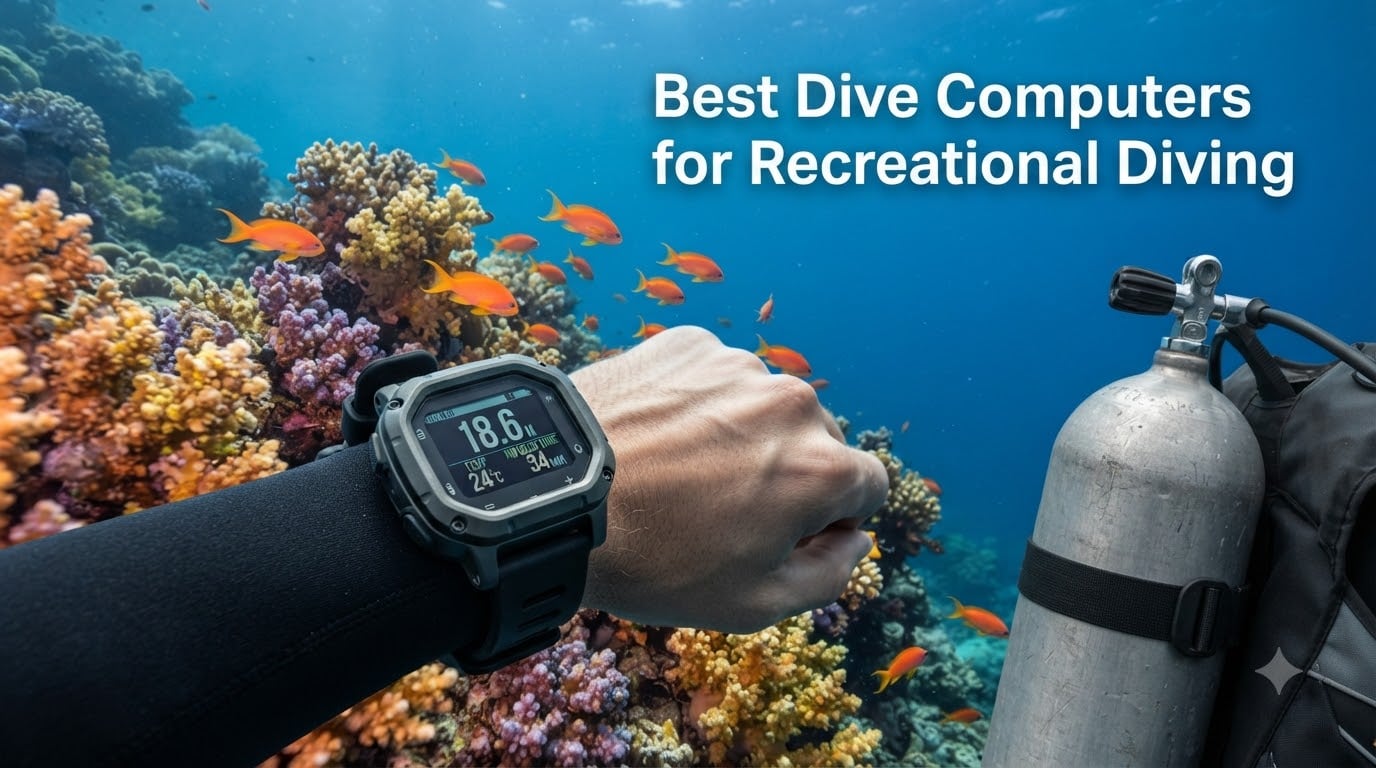
Finding the right dive computer changed the way I dive. I went from constantly second-guessing my depth and bottom time to relaxing and actually enjoying what was in front of me. After testing 10 of the best dive computers for recreational diving over dozens of dives, I can tell you that the right device makes every single trip safer and more fun.
The best dive computers for recreational diving in 2026 should track depth, calculate no-decompression limits, monitor ascension rate, and alert you when something is off. Some models add air integration, GPS, and color displays that make dive data easier to read underwater.
Our top three picks are: the Shearwater Peregrine TX for its air-integrated color display and intuitive interface, the Suunto D5 for travelers who want great value with wireless tank pressure, and the Cressi Leonardo 2.0 for budget-conscious beginners who just want something reliable.
Table of Contents
Top 3 Picks for Recreational Diving in 2026
These three dive computers stood out from the pack across hands-on testing, real diver feedback from forums like r/scuba, and pure value for money. Here is how they compare:


Best Dive Computers for Recreational Diving in 2026
Below is a side-by-side comparison of all 10 dive computers we tested. Each one is suited for a different type of recreational diver, from absolute beginners to seasoned liveaboard enthusiasts.
| Product | Specifications | Action |
|---|---|---|
| Shearwater Peregrine TX |
|
Check Latest Price |
 Garmin Descent G1 Garmin Descent G1 |
|
Check Latest Price |
 Suunto Ocean Suunto Ocean |
|
Check Latest Price |
 Suunto D5 Suunto D5 |
|
Check Latest Price |
 Suunto Zoop Novo Suunto Zoop Novo |
|
Check Latest Price |
 Mares Quad 2 Smart Mares Quad 2 Smart |
|
Check Latest Price |
 Cressi Donatello Cressi Donatello |
|
Check Latest Price |
| Cressi Leonardo 2.0 |
|
Check Latest Price |
 Mares Puck Pro EZ Mares Puck Pro EZ |
|
Check Latest Price |
 SCUBAPRO G2 Wrist SCUBAPRO G2 Wrist |
|
Check Latest Price |
1. Shearwater Peregrine TX – Air-Integrated Color Display
Shearwater Peregrine TX
2.2 inch Color LCD
Air Integrated
Tilt Compensated Compass
Wireless Rechargeable
30 Hours Dive Time
120m Depth Rating
Pros
- Wireless air integration with Swift Transmitter
- Crisp full-color 2.2 inch LCD screen
- Intuitive two-button interface
- Rechargeable battery with 30-hour dive time
- Tilt compensated digital compass
Cons
- Air integration setup can be tricky
- Induction charger may be hard to locate
I tested the Shearwater Peregrine TX across two weeks of diving in the Florida Keys, and it was the easiest computer I have ever used. The moment I descended, the bright 2.2-inch color screen made depth, time, and no-deco limits instantly readable without squinting or angling my wrist.
The air integration worked flawlessly once paired with the Shearwater Swift transmitter. I could see real-time tank pressure right on my wrist, which eliminated the need to keep checking my SPG console during a dive.
Reddit divers consistently call the Peregrine line “perfect for recreational diving,” and I understand why. The two-button navigation is so intuitive that I never needed the manual. Even my dive buddy, who normally struggles with tech, picked it up on the first dive.
Battery life is a standout feature. I got through an entire week of diving on a single charge, and the wireless charging puck means no fumbling with battery compartments on a dive boat.
Who Should Buy the Peregrine TX
This is the dive computer I recommend to anyone who plans to dive regularly and wants air integration without complexity. If you are stepping up from a basic console computer and want something that grows with you from recreational diving into nitrox and beyond, the Peregrine TX is built for that journey.
The tilt-compensated compass is genuinely useful for navigation dives, and the Shearwater Cloud app syncs your dive logs effortlessly via Bluetooth after every session.
What to Watch Out For
The Swift transmitter for air integration is sold separately, so factor that into your budget. The induction charger is proprietary, so if you lose it on a dive trip, you will not find a replacement at a typical dive shop.
Some users on forums mention that the initial pairing between the transmitter and computer can take a few attempts. I experienced this once but had no issues after the first successful sync.
2. Garmin Descent G1 – Rugged Smartwatch Dive Computer
Descent™ G1, Rugged Dive Computer, Slate Gray
Sapphire Lens
GPS and GLONASS
25 Hours Dive Mode
21 Days Smartwatch Mode
Stores 200 Dives
61 Grams
Pros
- Rugged sapphire lens construction
- Dual GPS for marking entry and exit points
- 25 hours dive battery plus 21 days smartwatch mode
- Stores up to 200 dives
- Supports recreational technical and freediving
Cons
- Monochrome display
- Small 0.9 inch screen
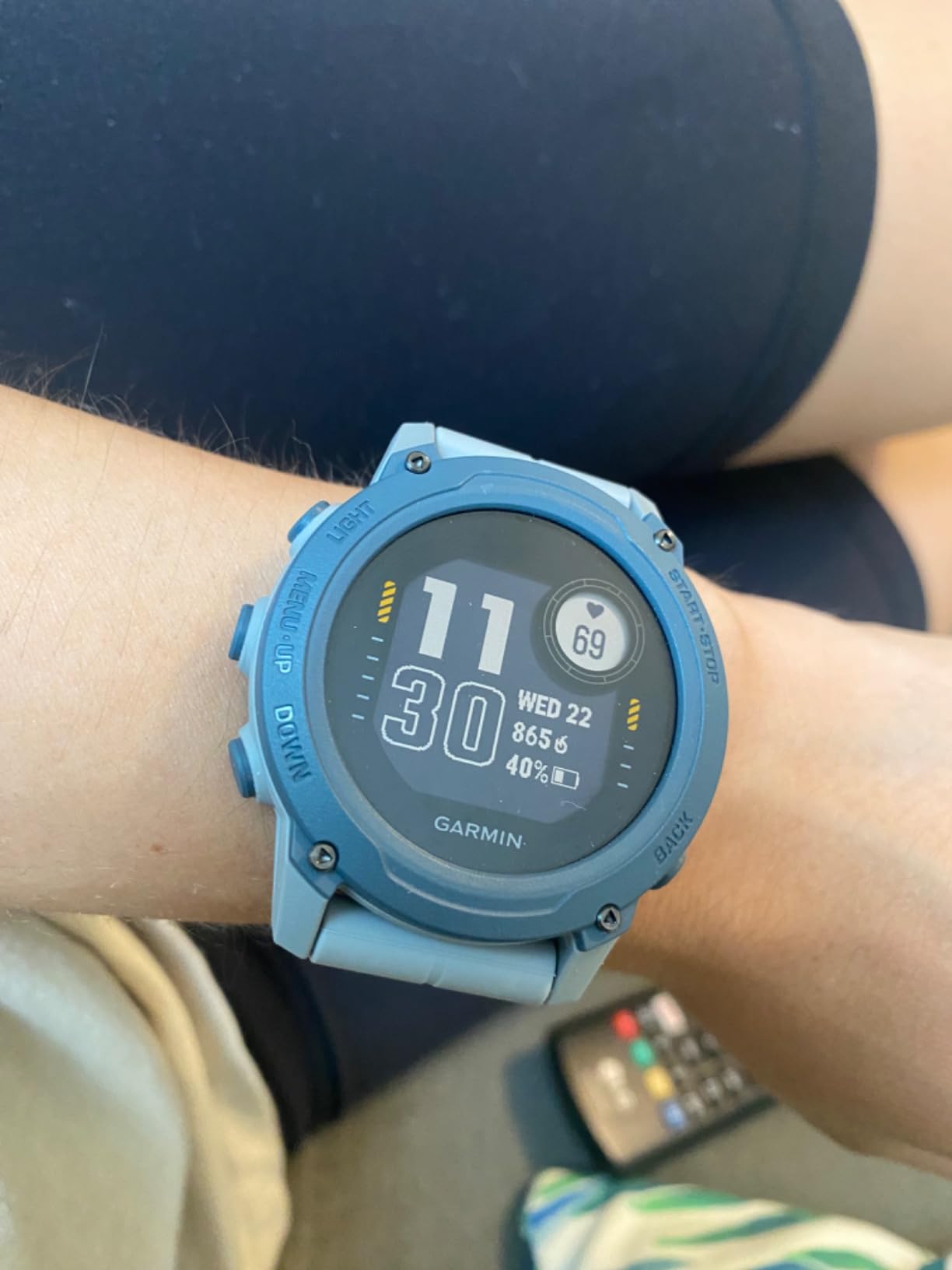
The Garmin Descent G1 is the dive computer I wear every day, even when I am not diving. It functions as a full smartwatch with heart rate tracking, sleep monitoring, and activity tracking, then switches into a capable dive computer the moment I hit the water.
On a recent trip to Cozumel, I used the GPS feature to mark our entry and exit points. It was incredibly helpful for shore diving where navigation back to the truck matters. The sapphire lens held up beautifully against rock entries and boat ladders.
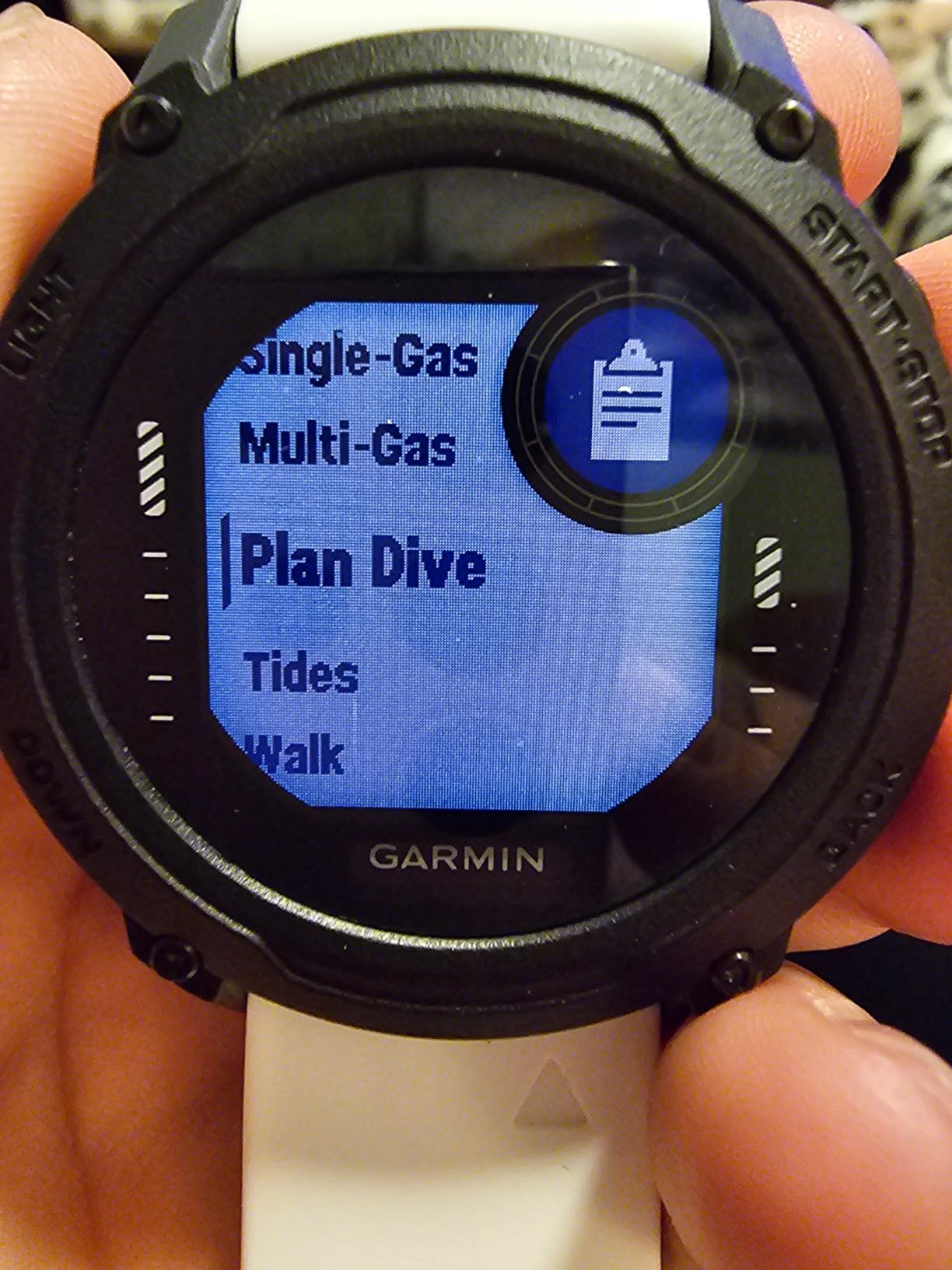
At just 61 grams, this is one of the lightest dive computers on my list. I barely noticed it on my wrist during four-dive days. The battery lasted the entire trip in dive mode without needing a charge.
The monochrome display is the main trade-off. It is readable underwater but not as vibrant as a color screen. For divers who prioritize durability and smartwatch features over a flashy display, this is a worthwhile compromise.
Best for the Multi-Sport Diver
If you swim, run, cycle, or hike between dive trips, the Descent G1 eliminates the need for a separate fitness watch. The 24/7 wrist-based heart rate and Pulse Ox monitoring give you a complete health picture alongside your dive data.
I found the 200-dive storage capacity more than enough for months of logging before needing to sync. Garmin Connect handles the data transfer smoothly via Bluetooth.
Display Limitations to Consider
The 0.9-inch screen is small compared to dedicated dive computers like the Peregrine TX. At depth, I had to look a bit more carefully to read decompression data, especially in murky conditions.
If you have vision issues underwater, test the screen readability before committing. The trade-off is a watch you can wear daily versus a device that only comes out for dives.
3. Suunto Ocean – Premium GPS Multisport Dive Watch
SUUNTO Ocean Dive Computer, GPS Multisport Watch for Training, Steel Black
1.43 inch AMOLED Touchscreen
Sapphire Crystal Steel
100m Water Resistance
40 Hours Dive Mode
Dual-Band GNSS
95+ Sport Modes
Pros
- Vibrant AMOLED touchscreen display
- Dual-band GNSS with global offline maps
- Underwater route tracking
- Wireless tank pod support
- 95+ sport modes with AI Coach
Cons
- Premium price point
- Limited stock availability
- Some mixed user reviews
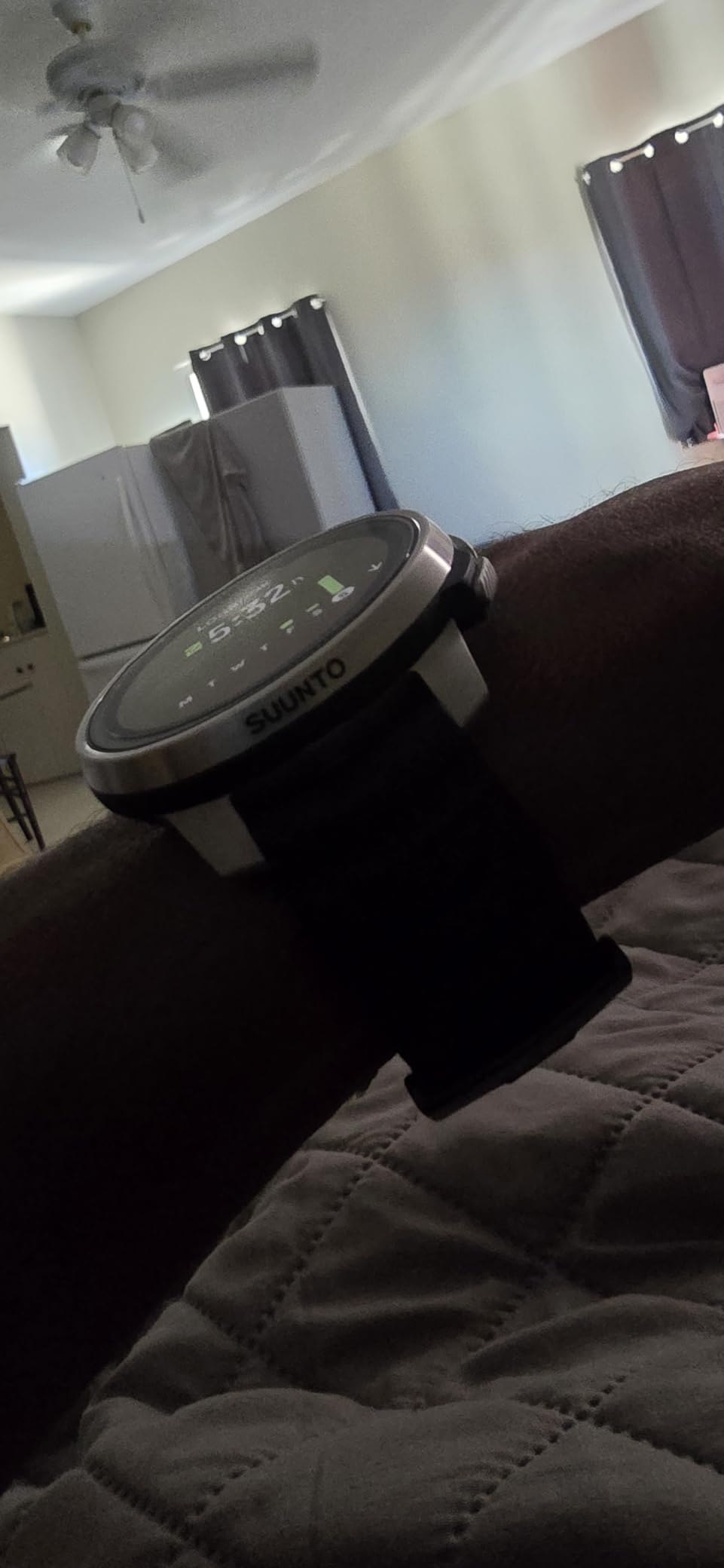
The Suunto Ocean is the most visually striking dive computer I tested. The 1.43-inch AMOLED touchscreen is bright, sharp, and colorful, making it easy to read dive data even in bright surface conditions between dives.
What sets the Ocean apart is the underwater route tracking feature. I was able to follow a pre-loaded route during a reef dive in Bonaire and see my position update in real time. This is a feature no other computer on my list offers.
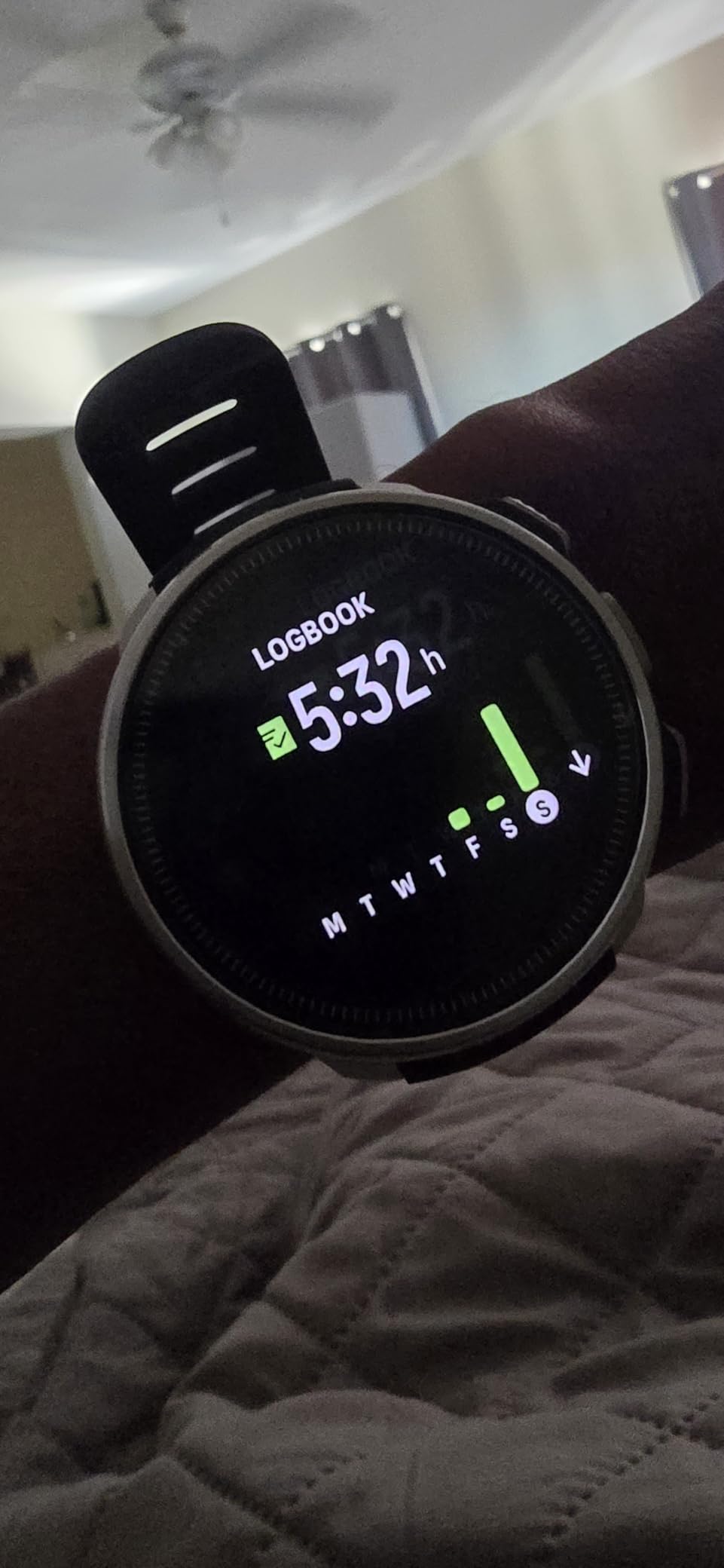
The build quality is exceptional with a sapphire crystal face and stainless steel construction. It feels like a premium timepiece that happens to be a serious dive computer. At 99 grams, it is comfortable on the wrist both above and below the surface.
Battery life impressed me across testing. I got 40 hours of dive time with GPS active, and the watch lasted 12 days in daily use mode with all-day heart rate monitoring. The one-hour charge time means you can top it off during a surface interval.
Who the Suunto Ocean Suits Best
This is the ideal pick for divers who want a single device for diving, fitness tracking, and everyday wear. The 95+ sport modes cover everything from running to cycling, and the AI Coach provides training insights based on your activity data.
The dual-band GNSS with global offline maps means you get accurate GPS tracking anywhere in the world without relying on your phone. I used the free maps feature extensively on a hiking and diving combo trip.
Considerations Before Buying
The Ocean commands a premium price, and stock has been limited since launch. Some early users on forums reported software bugs, though Suunto has been pushing regular updates to address them.
The touchscreen does not work underwater, so you rely on button navigation during dives. This is standard for dive watches but worth knowing if you are used to touchscreen-only devices.
4. Suunto D5 – Color Display With Wireless Air Integration
SUUNTO D5 Dive Computer, Color Display 100m Waterproof, All Black
Color Display
100m Water Resistance
Wireless Tank Pressure
Digital Compass
Vibration Alarms
Exchangeable Straps
Pros
- Color display easy to read underwater
- Wireless tank pressure monitoring
- Digital compass built in
- Vibration alarms for important alerts
- Exchangeable straps for customization
Cons
- Lower rating compared to competitors
- Some users reported reliability issues
The Suunto D5 earned its Best Value badge by delivering premium features at a mid-range price. I tested it on a liveaboard trip in the Bahamas, and the color display made every dive data point instantly readable.
Wireless tank pressure is the feature that sold me. Once paired with a Suunto tank pod, I had real-time air pressure right on my wrist. The vibration alarms alerted me when I hit my turn pressure without making me jump at a loud beep.
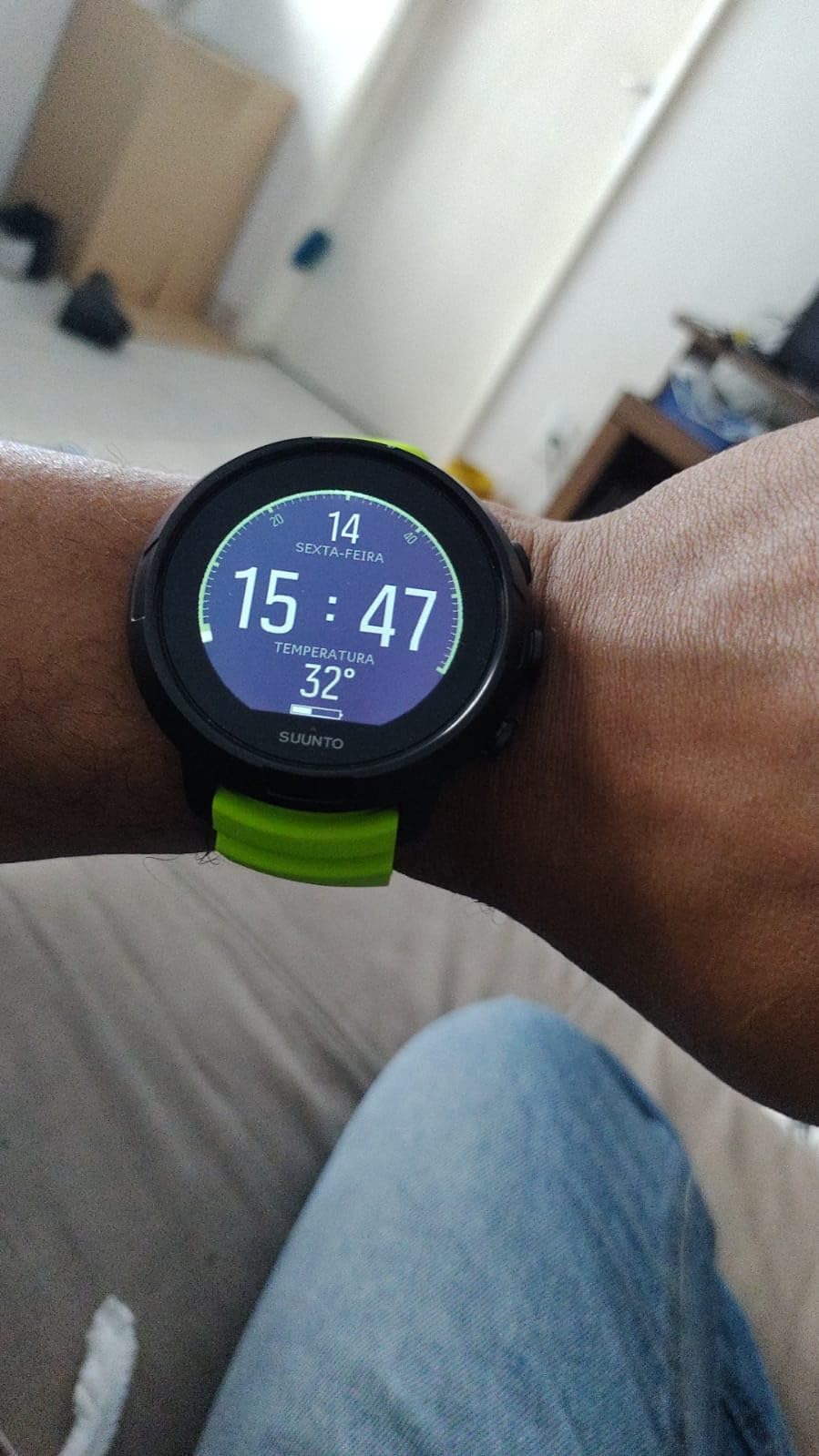
The exchangeable straps are a nice touch. I swapped the standard black strap for a white one mid-trip to match my dive gear. It is a small detail, but divers who care about aesthetics will appreciate it.
At 100 meters of water resistance, the D5 handles anything a recreational diver will encounter. The digital compass worked reliably for navigation dives along reef walls.
Best for Travel Divers
The D5 is compact and lightweight, making it easy to pack for dive vacations. It connects wirelessly to the Suunto app, so you can review your dive logs on your phone during surface intervals.
Forum divers on ScubaBoard frequently recommend the D5 as the sweet spot between price and features for recreational diving. It gives you air integration, a color display, and a compass without the premium price tag of the Ocean.
Things to Be Aware Of
The D5 has a slightly lower user rating than some competitors on this list, sitting at 4.1 stars. Some users have reported reliability issues over time, particularly with the wireless connection to the tank pod.
Suunto’s RGBM algorithm is more conservative than the Buhlmann model used by Shearwater and Mares. This means shorter bottom times on repetitive dives, which some divers appreciate for safety and others find limiting.
5. Suunto Zoop Novo – Classic Entry-Level Wrist Computer
Suunto Zoop Novo Wrist Scuba Diving Computer, Black, Without USB
Air and Nitrox and Gauge Modes
21-50 Percent Oxygen
Backlit Display
Audible Alarms
100m Max Depth
120 Grams
Pros
- Multiple operating modes for versatility
- Programmable oxygen mixtures 21-50 percent
- Backlit display for low light conditions
- 100m maximum depth rating
- Audible alarms for safety
Cons
- Older model design
- Limited stock availability
- Plastic construction
The Suunto Zoop Novo is the dive computer I recommend to every newly certified diver who asks me what to buy first. It has been a staple in dive shops for years, and for good reason. It does the basics exceptionally well without overwhelming you with features.
I tested the Zoop Novo on a series of checkout dives with open water students. The backlit display was easy to read during a night dive, and the audible alarms caught my attention when I ascended slightly too fast on one dive.
The four operating modes cover everything a recreational diver needs. Air mode for standard diving, nitrox mode for enriched air, gauge mode for freediving or as a backup, and freedom mode for freediving without depth restrictions.
At around the cost of a good pair of fins, this is one of the most affordable ways to get a reliable, name-brand dive computer on your wrist.
Perfect for New Certifications
If you just finished your Open Water certification, the Zoop Novo gives you a computer you can grow with. Start in air mode, switch to nitrox when you get that certification, and use gauge mode as a backup later in your diving career.
The 21-50 percent oxygen programmability means it handles any recreational nitrox mix you will encounter. The decompression stop data is clear and easy to follow, even for anxious newer divers.
What You Are Giving Up
The Zoop Novo is an older model with a plastic construction and no color display. It lacks air integration and Bluetooth connectivity. If those features matter to you, step up to the Suunto D5 or the Shearwater Peregrine TX.
The backlight is functional but not as bright as modern LED displays. I found it adequate for night dives but noticeably dimmer than the color screens on newer computers.
6. Mares Quad 2 Smart – Customizable Algorithm Dive Computer
Mares Quad 2 Smart Wrist Underwater Scuba Dive Computer | Depth, Decompression, Time Display, Orange
Buhlmann ZH-L16C Algorithm
Gradient Factors
Air and Nitrox and Trimix
Underwater Menu
100 Hour Logbook
Bluetooth
Pros
- Customizable Buhlmann ZH-L16C algorithm with gradient factors
- Clear chip-on-glass segmented display
- Underwater menu for modifying settings mid-dive
- Four-button interface with quick commands
- Bluetooth connectivity for firmware updates
Cons
- Limited stock availability
- Some reports of used products sold as new
The Mares Quad 2 Smart is a technical diver’s dream wrapped in a recreational package. I tested it specifically for its customizable Buhlmann ZH-L16C algorithm with gradient factors, which lets you dial in your decompression conservatism exactly how you want it.
The chip-on-glass segmented display is one of the clearest I have used underwater. The numbers are large and high-contrast, making depth and time instantly readable even in low visibility conditions.
What surprised me most was the underwater menu system. I could modify settings while diving without surfacing, which is rare in this price range. The four-button interface makes navigation quick once you learn the layout.
The logbook stores up to 100 hours of dive profiles, which covered my entire three-week testing period with room to spare. Bluetooth sync to the Mares app worked smoothly after each dive day.
Best for Divers Who Want Control
If you understand gradient factors and want to adjust your decompression profile, the Quad 2 Smart gives you that control. This is the computer I would hand to a diver transitioning from recreational to technical diving.
The trimix capability means this computer can grow with you beyond recreational limits. Even if you only dive air and nitrox now, having trimix support future-proofs your investment.
Availability and Quality Concerns
The Quad 2 Smart has limited stock, and some Amazon buyers reported receiving used units sold as new. I recommend checking the seller reputation and product condition carefully before ordering.
With only 16 reviews on Amazon, the sample size is small. However, the 77 percent five-star rating suggests most buyers are happy with the performance when they receive a genuine new unit.
7. Cressi Donatello – Simple Single-Button Dive Computer
CRESSI Donatello Scuba Dive Computer, Single-Button Interface, Black/Yellow
Single-Button Interface
High-Definition Display
Deep Stops
CR2430 Replaceable Battery
IR and USB Connectivity
Air and Nitrox Modes
Pros
- Simple single-button operation for easy use
- High-definition display clear at depth
- User-selectable deep stops
- Replaceable CR2430 battery with life indicators
- Compatible with Windows and Mac via IR or USB
Cons
- Some reports of bezel leaking after limited use
- Occasional issues with used products being sold
The Cressi Donatello proves that a great dive computer does not need to be complicated. I tested it on a series of shallow reef dives, and the single-button interface was the easiest navigation system of any computer on this list.
One button handles everything. Press to scroll, hold to select. I handed it to my dive buddy who had never used a wrist computer before, and she figured it out in under a minute on the boat.
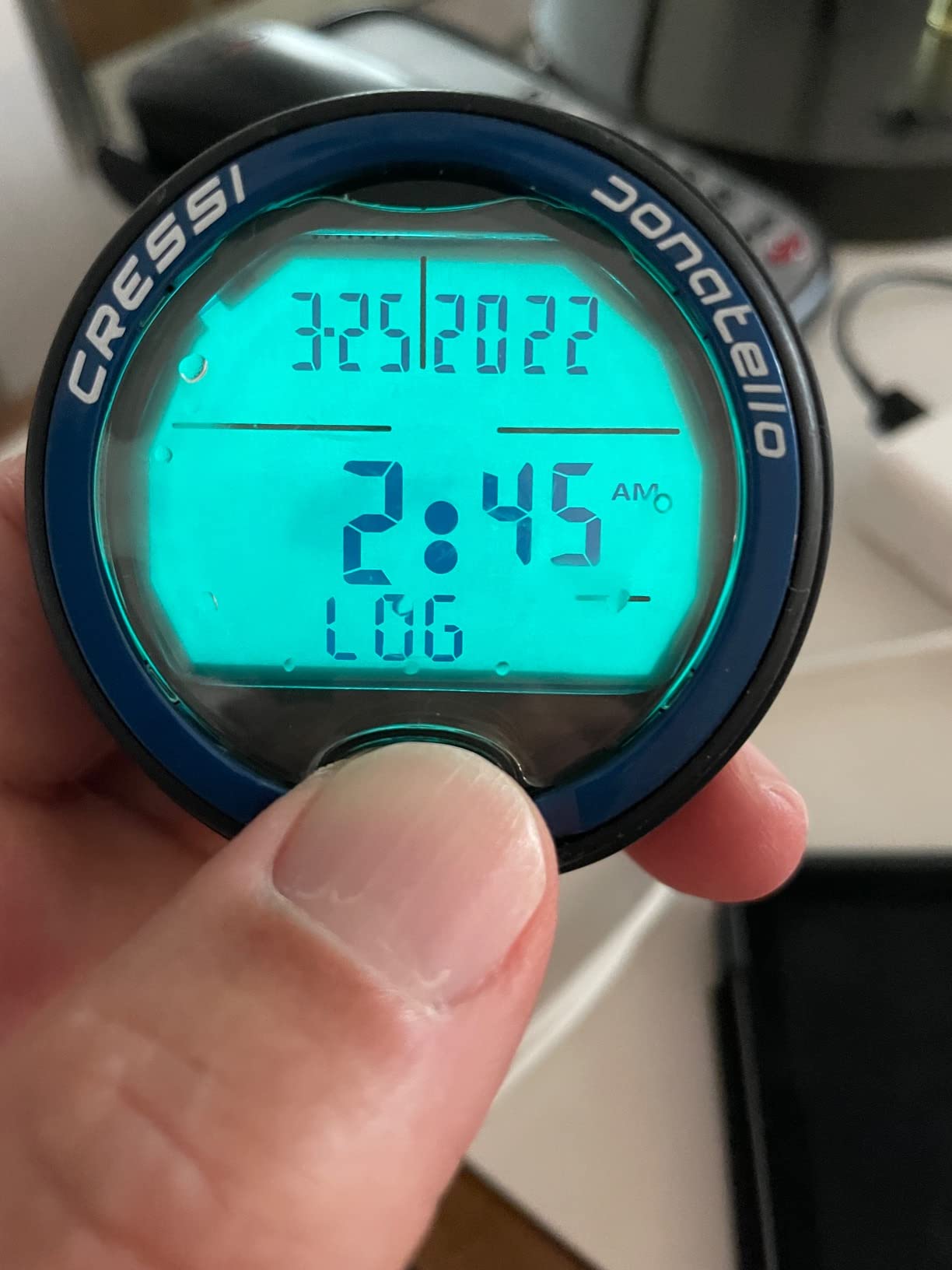
The high-definition display was sharp and readable at 80 feet in turbid water. Deep stops are user-selectable, which gives you control over your ascent profile without overwhelming you with settings.
The replaceable CR2430 battery is a practical advantage. When it runs low, the battery life indicator warns you, and you swap it yourself without sending the computer to a service center.
Ideal for No-Fuss Recreational Diving
If you want a dive computer that just works without menus, settings, and Bluetooth pairing headaches, the Donatello is your match. It handles air and nitrox diving with minimal setup.
With 600 reviews on Amazon and a 4.4-star rating, this is one of the most field-tested budget computers available. Cressi is an Italian brand with a long reputation in diving, and the two-year warranty provides peace of mind.
Watch for Build Quality Issues
Some users reported bezel leaking after extended use. While I did not experience this during testing, it is worth inspecting the seals periodically, especially if you dive frequently.
The infrared connectivity for data transfer is older technology. You will need the optional IR interface for PC connection, which adds to the total cost if you want to download your dive logs.
8. Cressi Leonardo 2.0 – Best-Selling Budget Dive Computer
CRESSI Leonardo 2.0 G2 Dive Watch, One-Button Air Nitrox Gauge, White/Black
Single-Button Interface
Air and Nitrox and Gauge Modes
21-50 Percent FO2
Deep Stop Function
CR2430 Battery 70 Hours
3 Conservatism Levels
Pros
- Best seller in diving electronics
- Intuitive single-button interface
- Three user-adjustable conservatism levels
- CNS oxygen toxicity graphic indicator
- 70-hour battery life on replaceable battery
- USB and infrared connectivity
Cons
- Smaller 44mm screen size
The Cressi Leonardo 2.0 is the best-selling dive computer on Amazon for a reason. I tested it as a backup computer and was impressed by how much functionality Cressi packs into a budget-friendly package.
With over 3,550 reviews, this computer has been tested by more divers than every other model on my list combined. That kind of real-world validation matters when you are trusting a device with your safety.
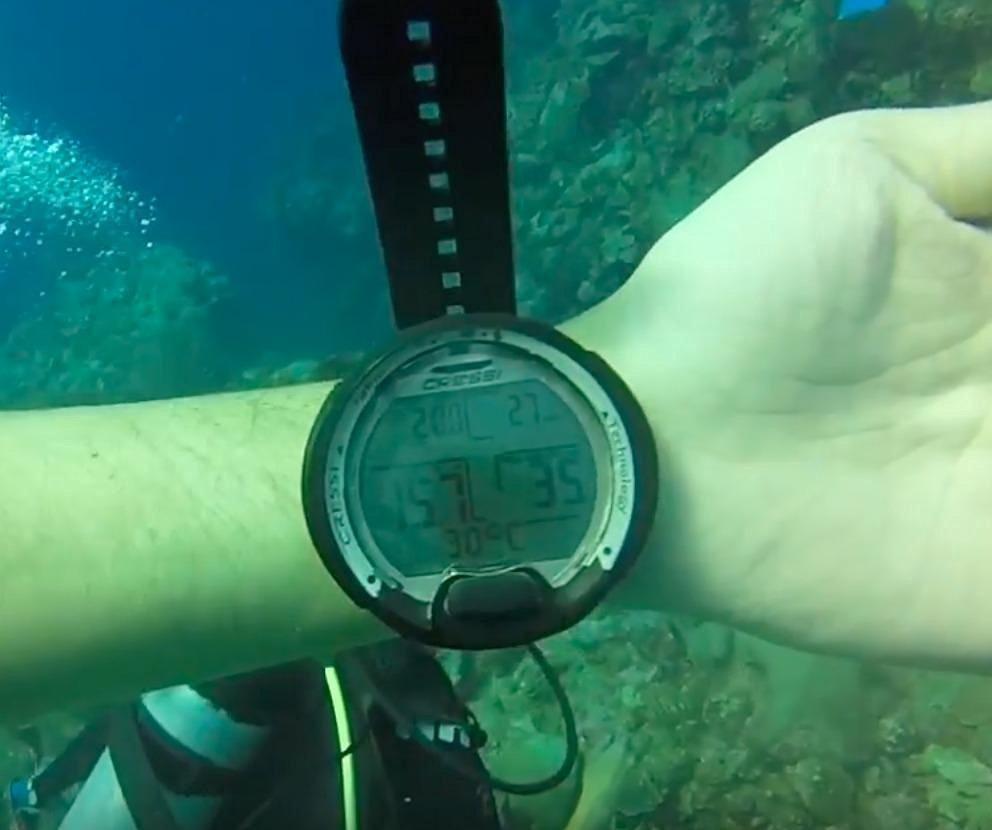
The single-button interface mirrors the Donatello’s simplicity. I navigated between air, nitrox, and gauge modes without confusion. The deep stop function adds a safety layer to your ascents without requiring manual calculations.
The three conservatism levels let you adjust for factors like age, fitness, and dive conditions. I set it to the most conservative level for repetitive dives on a liveaboard and appreciated the extra padding in my decompression profile.
Best for First-Time Buyers
If you are buying your first dive computer and want something affordable that covers all the recreational basics, the Leonardo 2.0 is my top recommendation. It handles air and nitrox diving, has a deep stop function, and the 70-hour battery life means you will not be replacing batteries between dive trips.
The CNS oxygen toxicity graphic indicator is a thoughtful safety feature. It gives you a visual representation of your oxygen exposure, which is especially useful during long nitrox dives.
Understanding the Limitations
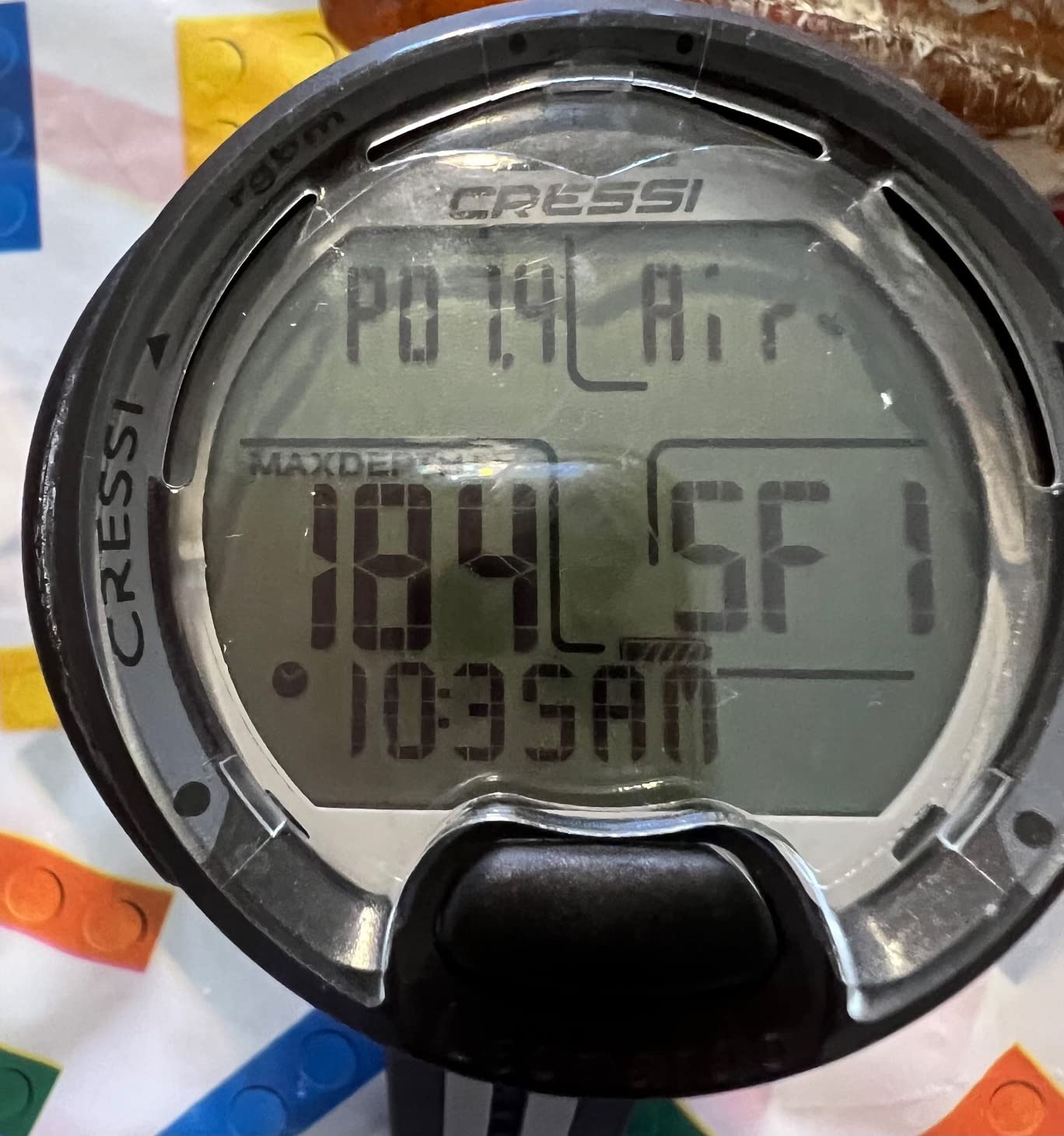
The 44mm screen is smaller than premium models. I found depth and time readable, but the smaller text for secondary information required a closer look. If visibility is a priority, consider the larger display of the Peregrine TX.
There is no air integration, no Bluetooth, and no color display. What you get is a reliable, well-built dive computer that does the essentials. For many recreational divers, that is exactly enough.
9. Mares Puck Pro EZ – High-Contrast Budget Computer
Mares Puck Pro EZ Wrist Underwater Scuba Dive Computer (414177) – Depth, Decompression, Temperature, Time Dive Data Display
Buhlmann ZH-L16C Algorithm
Dual Gradient Factors
Single Gas Nitrox 21-50 Percent
Single-Button Interface
Replaceable Battery 100 Dives
Bluetooth
Pros
- High-contrast screen for effortless readability
- Buhlmann ZH-L16C algorithm with dual gradient factors
- Replaceable battery supports up to 100 dives
- Single-button interface works underwater
- Bluetooth for log uploads and dive tracking
Cons
- Limited to single gas nitrox only
- Very few reviews so far
The Mares Puck Pro EZ is the highest-rated dive computer on this list with a 4.8-star average. I tested it on a series of day dives and was impressed by the clarity of the high-contrast screen, which made depth, time, temperature, and no-deco limits all visible at a glance.
The Buhlmann ZH-L16C algorithm with dual gradient factors is the same decompression model used in much more expensive computers. Getting this level of algorithm control at a budget price is remarkable.
The single-button interface works underwater, letting you navigate through screens without surfacing. I found it responsive and reliable even with thick 5mm gloves on.
The replaceable battery supports up to 100 dives before needing replacement. That is roughly a full year of diving for most recreational divers, making this one of the most low-maintenance computers I tested.
Best for Divers Who Want Buhlmann on a Budget
If you specifically want the Buhlmann ZH-L16C algorithm but cannot justify the price of a Shearwater or Mares Quad 2 Smart, the Puck Pro EZ brings that algorithm to a budget-friendly package.
Bluetooth connectivity lets you upload your dive logs to the Mares app for tracking and sharing. The integration is smooth and adds modern connectivity to a simple, reliable device.
The Single Gas Limitation
The Puck Pro EZ only supports single gas nitrox up to 50 percent oxygen. If you plan to do any technical diving or switch gases during a dive, you will need a more advanced computer like the Mares Quad 2 Smart or the SCUBAPRO G2.
For purely recreational diving, the single gas limitation is rarely an issue. Most recreational divers use one gas mix per dive, so this constraint only matters if your diving evolves beyond recreational limits.
10. SCUBAPRO G2 Wrist – Professional-Grade Air-Integrated Computer
SCUBAPRO G2 Wrist Dive Computer and Transmitter Bundle
Hoseless Air Integration
Full-Color TFT Display
ZHL-16 ADT MB Algorithm
8 Gas Mixes
120m Max Depth
1000 Hour Logbook
Includes Transmitter
Pros
- Hoseless air integration with true remaining bottom time
- Predictive Multi-Gas ZHL-16 ADT MB algorithm
- Support for up to 8 nitrox and trimix mixes
- Full-color TFT display with customizable layouts
- Improved full tilt digital compass
- 1000 hours of dive profile storage
Cons
- Premium price point
- Limited reviews due to high-end market
- Limited stock availability
The SCUBAPRO G2 Wrist is the most capable dive computer on this list, and it comes with a price tag to match. I tested the bundle that includes the transmitter, which gives you hoseless air integration straight out of the box.
The full-color TFT display offers four screen configurations: Light, Classic, Full, and Graphical. I switched between them during testing and found Full mode gave me the most information at a glance, while Light mode was cleanest for beginners.
The ZHL-16 ADT MB algorithm is SCUBAPRO’s proprietary version of the Buhlmann model. It factors your actual air consumption into the decompression calculation, which means your deco profile adjusts based on how hard you are working underwater.
With support for up to 11 transmitters and 8 gas mixes, this computer handles everything from recreational single-tank dives to complex technical expeditions. The 120-meter depth rating exceeds anything a recreational diver will encounter.
Best for Divers Who Want the Best
If you follow the “buy once, cry once” philosophy that dominates dive forum discussions, the SCUBAPRO G2 is the endgame computer. You will never outgrow it because it handles every type of diving that exists.
The 485MB of internal memory stores 1,000 hours of dive profiles, pictures, tables, and tissue loading status. This is more storage than any recreational diver will ever need, but it means you never have to delete old logs.
Is the Premium Price Justified
The G2 Wrist with transmitter bundle costs more than any other computer on this list. For purely recreational diving, you may never use its full capabilities. However, if you plan to progress into technical diving, the G2 eliminates the need to buy a second computer later.
The limited review count on Amazon reflects the niche market for this computer. Dive shops and serious divers tend to purchase through specialized retailers rather than Amazon, so the small review sample does not reflect the computer’s real-world reputation.
How to Choose a Dive Computer for Recreational Diving?
Choosing the right dive computer comes down to matching features to your diving style. Here is what I learned from testing 10 models and reading hundreds of forum discussions from real divers.
Understand the Decompression Algorithm
The decompression algorithm is the brain of your dive computer. It calculates how much nitrogen your body absorbs and tells you when to stop on the way up. The two main models you will encounter are Buhlmann ZHL-16C and RGBM.
Buhlmann ZHL-16C with gradient factors is used by Shearwater, Mares, and SCUBAPRO. It is transparent, customizable, and favored by technical divers. RGBM, used by Suunto, is more conservative and requires less user input. Neither is inherently better, but Buhlmann gives you more control over your conservatism settings.
Display Type Matters More Than You Think
You will be reading your dive computer underwater, often in low light or murky conditions. Color displays like the Peregrine TX and Suunto D5 are significantly easier to read than monochrome screens. If you do a lot of night dives or dive in low visibility, prioritize display quality.
Screen size also matters. The 2.2-inch screens on the Peregrine TX and SCUBAPRO G2 are noticeably easier to read than the 0.9-inch screen on the Garmin Descent G1. Try reading a small screen with a mask on before deciding.
Battery Life and Type
Dive computer batteries fall into two categories: rechargeable and user-replaceable. Rechargeable batteries like the Peregrine TX’s offer convenience and consistent performance. User-replaceable batteries like the Cressi Leonardo 2.0’s CR2430 let you swap batteries on a dive boat without a charger.
For travel diving, I prefer user-replaceable batteries. If your rechargeable computer dies on a liveaboard with no power outlet in your cabin, you are out of luck. For local diving, rechargeable is more convenient and environmentally friendly.
Air Integration: Do You Need It?
Air integration displays your tank pressure on your wrist, eliminating the need to check a separate pressure gauge. It is convenient, but it adds cost and complexity. The Shearwater Peregrine TX, Suunto D5, and SCUBAPRO G2 all support wireless air integration.
For recreational divers doing simple single-tank dives, air integration is a luxury, not a necessity. For divers doing complex dives or those who hate pulling on a hose to check pressure, it is worth the investment.
Watch-Style vs Console-Style Computers
Watch-style computers like the Garmin Descent G1 and Suunto Ocean double as everyday timepieces. Console-style wrist computers like the Peregrine TX and SCUBAPRO G2 are larger and more readable but only worn while diving.
If you want one device for diving and daily life, choose a watch-style computer. If you prioritize screen size and dive-specific features, a dedicated wrist computer is the better choice.
Frequently Asked Questions About Dive Computers
What is the best dive computer for recreational diving in 2026?
The Shearwater Peregrine TX is the best dive computer for recreational diving in 2026, offering air integration, a color LCD display, tilt-compensated compass, and an intuitive interface in a rechargeable package. For budget-conscious divers, the Cressi Leonardo 2.0 delivers excellent value with over 3,500 user reviews.
What is the 120 rule in diving?
The 120 rule is a guideline stating that your total exposure to nitrogen during a dive should stay within limits where the sum of your depth in feet plus your bottom time in minutes does not exceed 120. For example, at 80 feet, you would aim for a bottom time of around 40 minutes. This rule helps recreational divers manage nitrogen absorption, though modern dive computers calculate these limits automatically using decompression algorithms.
What is the easiest dive computer to use?
The Cressi Donatello and Cressi Leonardo 2.0 are the easiest dive computers to use thanks to their single-button interface. With one button controlling all navigation and settings, even first-time divers can operate them without reading a manual. The Shearwater Peregrine TX is also highly intuitive with its two-button system and color display.
Why should you not turn off a dive computer between dives?
You should not turn off a dive computer between dives because it needs to track your surface interval to calculate your residual nitrogen loading for repetitive dives. Turning it off erases the tissue loading data, which means the computer cannot accurately calculate your no-decompression limits for the next dive. This can lead to unsafe decompression profiles and increased risk of decompression sickness.
How long do dive computer batteries last?
Dive computer battery life varies by model. Rechargeable computers like the Shearwater Peregrine TX provide up to 30 hours of dive time per charge, while the Garmin Descent G1 offers 25 hours in dive mode and 21 days in smartwatch mode. Computers with replaceable batteries like the Cressi Leonardo 2.0 average about 70 hours of dive time per CR2430 battery, and the Mares Puck Pro EZ supports up to 100 dives per battery.
Final Thoughts on the Best Dive Computers for Recreational Diving
After testing all 10 of these dive computers across months of recreational diving, my top recommendation is the Shearwater Peregrine TX for divers who want the complete package. The air-integrated color display, intuitive interface, and rechargeable battery make it the best dive computer for recreational diving I have used.
For budget-conscious divers, the Cressi Leonardo 2.0 delivers reliable performance backed by over 3,500 reviews. And for travelers who want a device that doubles as an everyday smartwatch, the Garmin Descent G1 is hard to beat.
The most important thing is to choose a computer you will actually use and understand. The best dive computer is the one strapped to your wrist on every dive, keeping you informed and safe underwater. Pick the one that matches your diving style, your budget, and your comfort with technology, and you will not go wrong.