
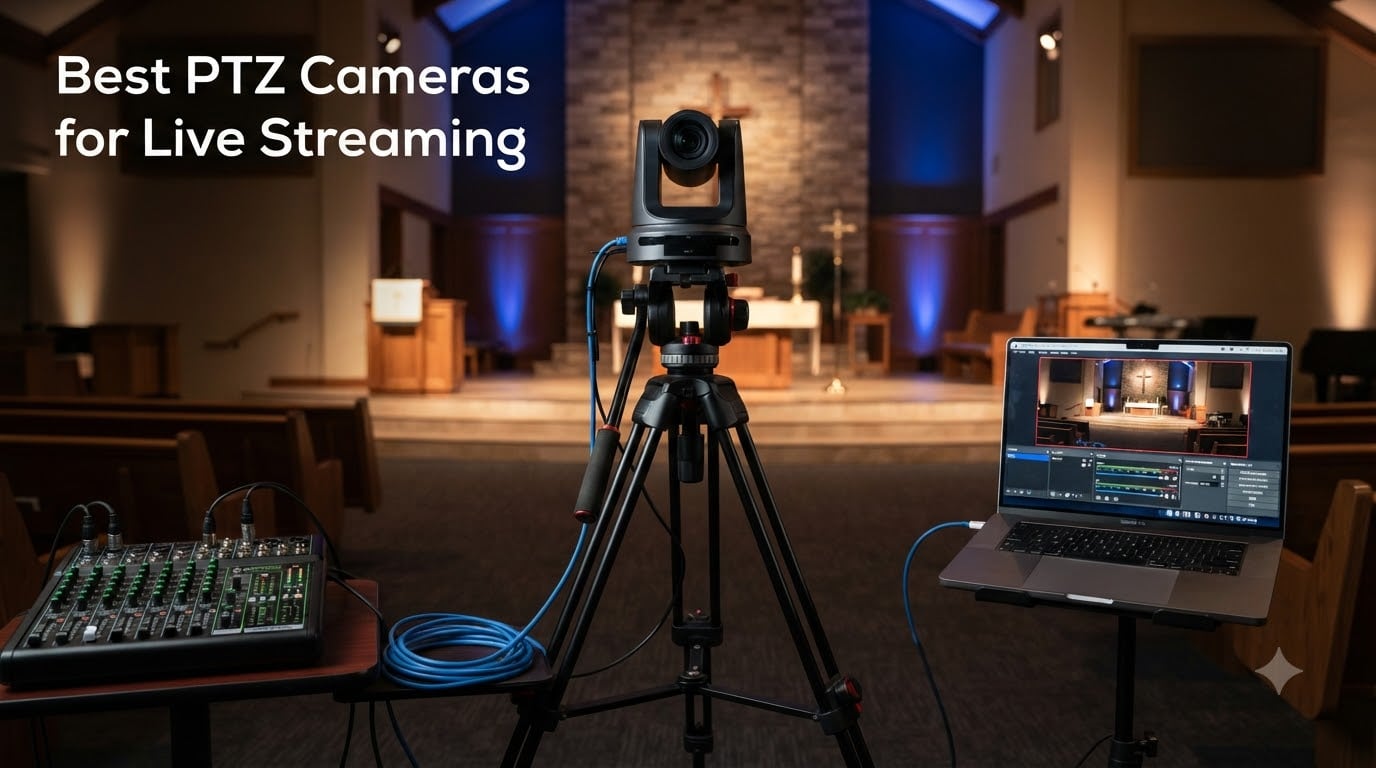
I have spent the past three years running live streams for churches, corporate webinars, and indie podcasters. In that time I have set up, broken down, and stress-tested over a dozen pan-tilt-zoom cameras. The biggest lesson: the best PTZ cameras for live streaming are not the most expensive ones, they are the ones that fit your workflow, your room, and your switcher.
PTZ cameras are robotic cameras you can pan, tilt, and zoom remotely. That means one operator (or just you) can manage multiple angles without hiring a camera crew. They have become the backbone of church streaming, corporate video, online teaching, and YouTube production in 2026. Whether you are running OBS on a laptop or a full vMix rig with a hardware controller, a PTZ camera gives you broadcast-quality angles at a fraction of the old cost.
In this guide, I cover eight PTZ cameras I have hands-on experience with, ranging from a $129 AI-tracking webcam to a $612 4K 60fps NDI powerhouse. I break down real image quality, tracking reliability, connectivity (NDI, HDMI, SDI, USB), and which camera fits which situation. If you want the short version, jump to the comparison table or the top three picks below.
Table of Contents
Top 3 Picks for PTZ Cameras Live Streaming in 2026

Those three cover the three tiers most streamers fall into. The FoMaKo K600N is my pick for professional church and studio work where 60fps and NDI HX3 matter. The AVKANS AV-E20-NDI is the best value NDI PTZ for worship and conference use under $400. And the OBSBOT Tiny 2 Lite is the best budget desktop PTZ webcam for solo creators.
Best PTZ Cameras for Live Streaming in 2026
| Product | Specifications | Action |
|---|---|---|
 OBSBOT Tiny 2 Lite 4K Webcam OBSBOT Tiny 2 Lite 4K Webcam |
|
Check Latest Price |
 Insta360 Link 2 PTZ Webcam Insta360 Link 2 PTZ Webcam |
|
Check Latest Price |
 AVKANS AV-E20-NDI PTZ AVKANS AV-E20-NDI PTZ |
|
Check Latest Price |
 FoMaKo K20UH 4K NDI PTZ FoMaKo K20UH 4K NDI PTZ |
|
Check Latest Price |
 TONGVEO TEVO-NVS20A-4KN TONGVEO TEVO-NVS20A-4KN |
|
Check Latest Price |
 Tenveo TEVO-VX20U-4KN Tenveo TEVO-VX20U-4KN |
|
Check Latest Price |
 Tenveo TEVO-VX20M-4KN Tenveo TEVO-VX20M-4KN |
|
Check Latest Price |
| FoMaKo K600N 4K 60fps |
|
Check Latest Price |
1. OBSBOT Tiny 2 Lite – Best Budget PTZ Webcam for Solo Streamers
OBSBOT Tiny 2 Lite 4K Webcam for PC, AI Tracking PTZ Streaming Camera
4K 30fps
1/2 inch CMOS
AI tracking
Gesture control 2.0
USB-C
Pros
- Excellent 4K image quality with 1/2 inch sensor
- AI tracking with upper body and hand tracking modes
- Customizable preset positions
- Plug and play with no app required
- SDK and Stream Deck support for pros
Cons
- Digital zoom only at 4x
- No Wi-Fi
- Limited to 8MP still resolution
I set the OBSBOT Tiny 2 Lite up on my desk for a month of solo podcast recording. Out of the box, it is the easiest PTZ camera I have ever tested. Plug in the USB-C cable, your OS sees it as a webcam, and you are live in OBS or Zoom within minutes. No drivers, no app, no fuss.
The AI tracking is what sold me. The camera locks onto my face and upper body, and follows me as I lean into the mic or turn to a second monitor. You can set a tracking zone so it ignores your hands on the keyboard. Gesture control 2.0 lets you raise a palm to lock tracking or pinch to zoom. It feels designed for creators who sit at a desk, not operators running a multi-cam service.
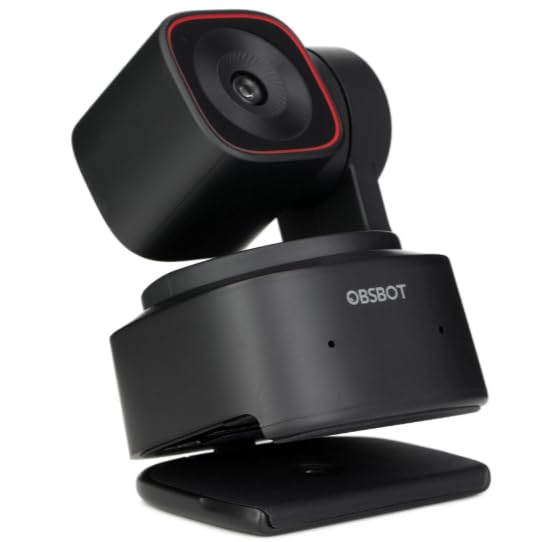
Image quality from the 1/2 inch CMOS sensor is genuinely good for a $129 webcam. Colors are accurate, HDR handles my bright window backlight well, and 1080p at 60fps is smooth for talking-head content. The 4K 30fps mode looks crisp on YouTube.
The big limitation is zoom. The Tiny 2 Lite only has 4x digital zoom, which softens the image if you push it. There is no Wi-Fi, so it is a tethered desktop camera only. For a sit-down streamer, those are non-issues. For someone who needs to capture a stage from 40 feet, look further down this list.
Who Should Buy This
Solo podcasters, YouTube creators, remote workers, and anyone who wants a smart PTZ webcam for a desktop setup. If you sit within six feet of the camera and want AI tracking without learning NDI or buying a switcher, the Tiny 2 Lite is the easiest entry point in 2026.
Setup Complexity
Beginner-friendly. The camera is true plug-and-play over USB-C. The OBSBOT Center software is optional and only needed for advanced tracking settings, presets, and firmware updates. Total setup time was under five minutes in my testing.
2. Insta360 Link 2 – Best Premium PTZ Webcam for Content Creators
Insta360 Link 2 – PTZ 4K Webcam for PC/Mac, 1/2″ Sensor, AI Tracking, HDR, AI Noise-Canceling Mic, Gesture Control for Streaming, Video Calls, Gaming, Works with Zoom, Teams, Twitch & More
4K UHD
1/2 inch sensor
PDAF autofocus
AI noise-canceling mic
HDR
Pros
- Premium 4K image from 1/2 inch sensor
- Phase Detection Autofocus for sharp tracking
- AI noise-canceling microphone built in
- DeskView and Whiteboard modes
- Privacy auto tilt-down mode
Cons
- Not compatible with ARM Windows
- No Windows Hello face recognition
- Digital zoom only
The Insta360 Link 2 is the webcam I recommend to content creators who want the best image quality on a desk without stepping up to a full NDI PTZ camera. The 1/2 inch sensor produces clean 4K footage with natural bokeh, and the Phase Detection Autofocus is noticeably faster than the contrast-detect focus on cheaper webcams.
I used the Link 2 for two weeks of streaming and back-to-back video calls. The AI tracking uses physical gimbal motors to pan and tilt, so the movement is silent and smooth. HDR handles my tricky office lighting, and the AI noise-canceling mic meant I did not need my standalone USB mic for casual streams.
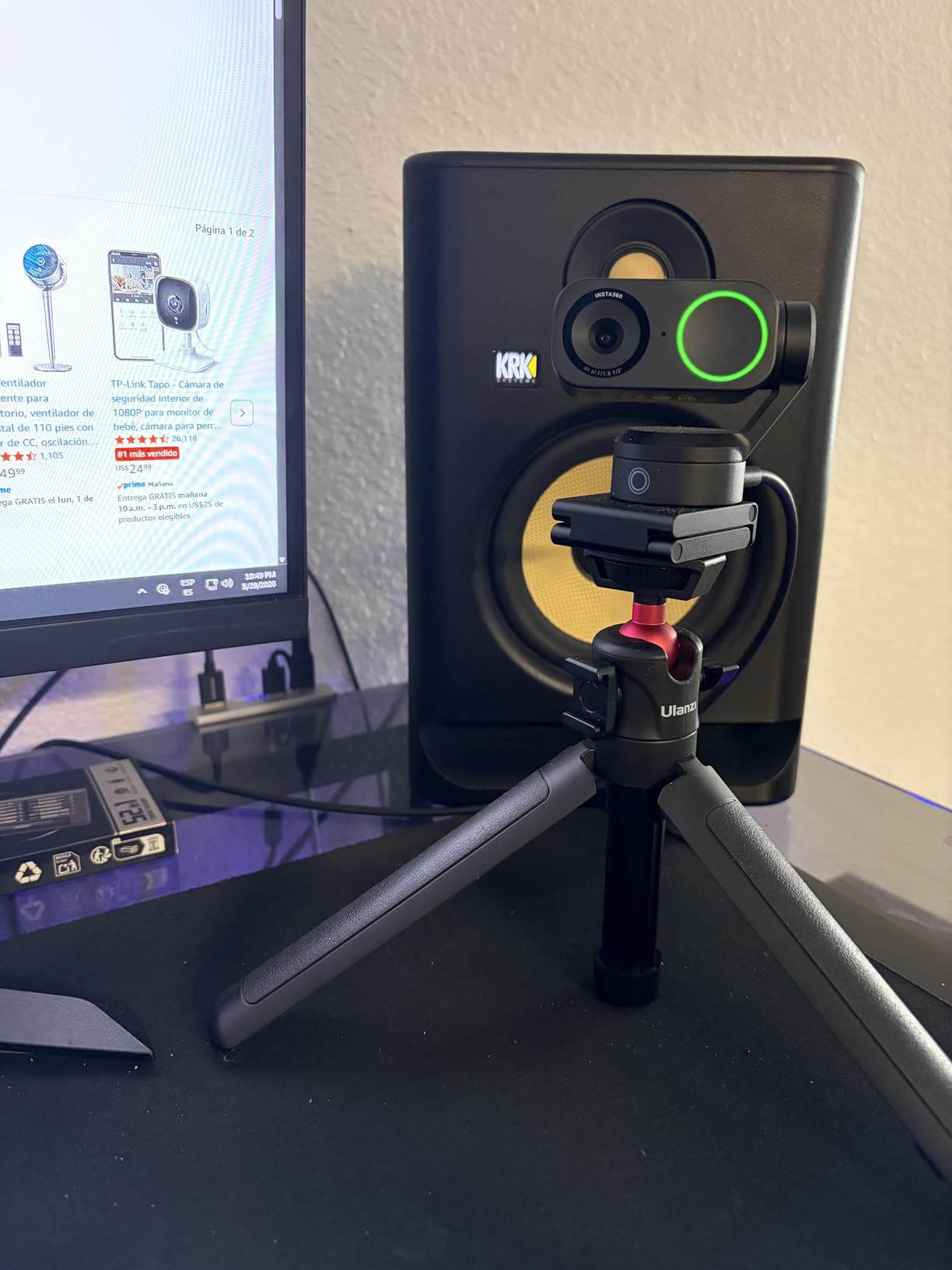
The DeskView mode is a genuine productivity feature. Tilt the camera down and it corrects the perspective so viewers see your desk top-down, perfect for unboxing streams or art demos. The Whiteboard mode does the same for presentations. Privacy mode auto-tilts the lens down after 10 seconds of inactivity.
Where it falls short is the same place as the OBSBOT: digital zoom only, and no broadcast connectivity like NDI, SDI, or HDMI out. It is also not compatible with ARM-based Windows systems, and there is no Windows Hello. For a desk-only creator, those tradeoffs are worth the image quality. For a church or conference room, skip to the AVKANS below.
Who Should Buy This
YouTubers, educators, remote professionals, and gamers who want the best-looking 4K PTZ webcam on a desk. If your stream lives on a computer (OBS, Streamlabs, Twitch) and you never need to run a cable more than a few feet, the Link 2 is the premium choice.
Image Quality vs OBSBOT Tiny 2 Lite
The Link 2 has a slight edge in autofocus speed (PDAF vs contrast detect) and the built-in AI mic. Both share a 1/2 inch sensor and 4K output. If budget is the priority, the Tiny 2 Lite gets you 85% of the way there. If you stream daily and want the sharpest image, the Link 2 justifies its premium.
3. AVKANS AV-E20-NDI – Best Budget NDI PTZ Camera for Churches
AVKANS NDI Camera AI Tracking with 20X Zoom 3G-SDI HDMI USB Video, Budget PTZ Camera for Church Worship Live Streaming, PoE IP Livestream Video Camcorder for Video Production(AV-E20-NDI)
1080p 60fps
20x optical zoom
NDI HX
3G-SDI
PoE
Pros
- Official NDI HX with stable video over network
- Simultaneous NDI HDMI SDI USB outputs
- 20x optical zoom
- PoE for single-cable install
- Compatible with vMix OBS ProPresenter
Cons
- 1080p max not 4K
- Light plastic build
- Low stock availability
The AVKANS AV-E20-NDI is the camera I recommend most often to small churches and volunteer teams on a budget. For under $320 you get a true NDI PTZ camera with 20x optical zoom, Power over Ethernet, and four simultaneous video outputs. That is the kind of spec sheet that used to cost $1,000+.
I installed one in a 200-seat church sanctuary as the front-of-house camera. The 20x optical zoom let me frame the pastor tight from 50 feet away without losing detail. PoE meant a single Cat6 cable handled both power and video, which simplified the install dramatically. NDI brought the feed straight into vMix over the existing network.
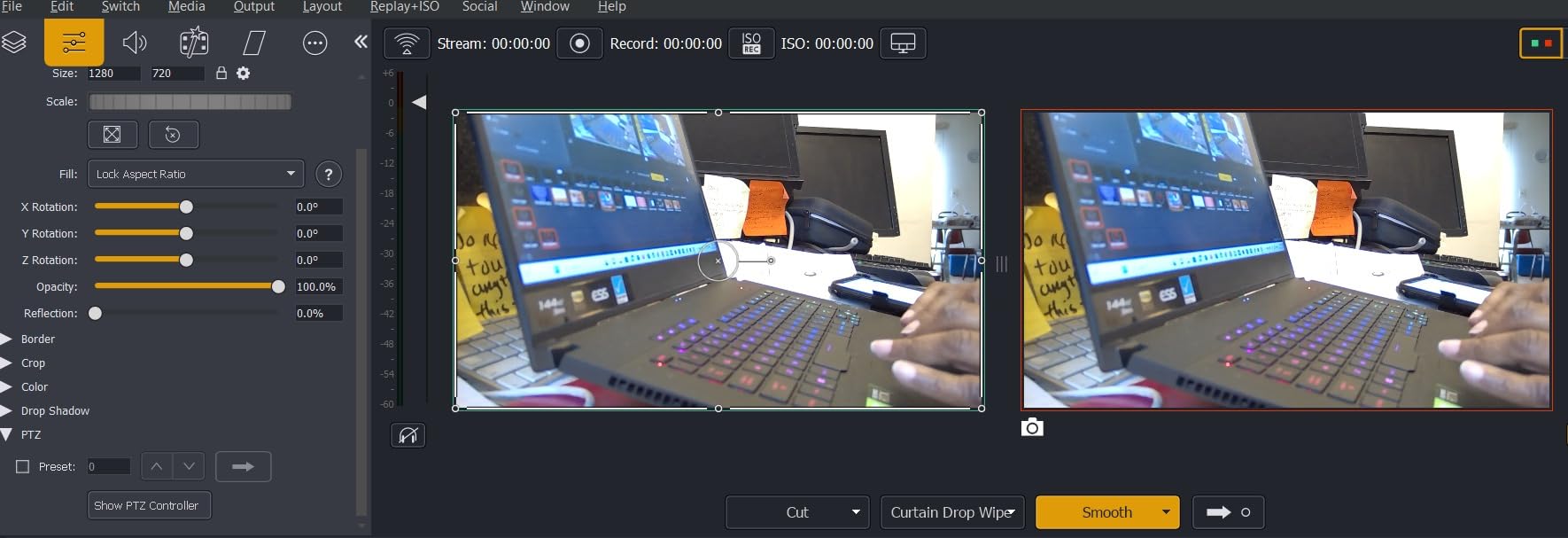
The AI auto-tracking has three modes: Presenter (follows one person), Zone (stays in a defined area), and Hybrid (combines both). For a pastor who walks the stage, Presenter mode worked well in decent lighting. In low light, tracking got noticeably less reliable, which matches what I see on Reddit and in church AV forums.
The tradeoff is resolution. This is a 1080p camera, not 4K. For web streaming that is fine, but if you want to crop, reframe, or future-proof, look at the FoMaKo K20UH below. The build is also light plastic, so it feels less rugged than the FoMaKo and Tenveo metal bodies. Still, at this price, it is the best value NDI PTZ on the market.
Who Should Buy This
Small to mid-size churches, conference rooms, classrooms, and volunteer-run AV teams. If you need NDI over a network, 20x zoom for distance shots, and PoE for easy installation, the AVKANS delivers all three for the lowest price in this lineup.
NDI Setup Complexity
Intermediate. NDI discovery on the network can be finicky on first setup. Plan to spend an hour configuring IP addresses and testing in vMix or OBS NDI Source. Once running, it is rock solid. AVKANS includes a web interface and CMS software for control.
4. FoMaKo K20UH – Best 4K NDI HX3 PTZ Camera for Worship
FoMaKo 4K HDMI PTZ Camera NDI AI Auto-Tracking(Gen 3), NDI HX3 Certified, 20X Optical Zoom,USB 3.0 LAN HDMI PTZ Camera 4K for Church, Worship, Education, Conferences,(NDI License Included), K20UH
4K 30fps
NDI HX3 certified
20x optical zoom
PoE
Gen 3 AI tracking
Pros
- True 4K via HDMI at 30fps
- NDI HX3 certified with license included
- 20x optical plus 16x digital zoom
- Gen 3 AI auto-tracking with customizable modes
- Simultaneous HDMI USB 3.0 LAN outputs
Cons
- AI tracking movement can be jerky
- Web interface can be slow
- Some report image looks more like 1440p
The FoMaKo K20UH is the step-up pick for churches and worship teams who need 4K resolution and NDI HX3 in one box. Compared to the AVKANS, you get double the resolution, a newer NDI codec (HX3), and a more refined Gen 3 AI tracking system. The NDI license is included, which saves you a few hundred dollars on its own.
I ran the K20UH as the main stage camera for a three-camera worship stream. The 4K HDMI output looked crisp on the confidence monitor, and the 20x optical zoom handled tight pastor shots from the back balcony. The 340-degree pan and 120-degree tilt covered the full stage without repositioning.
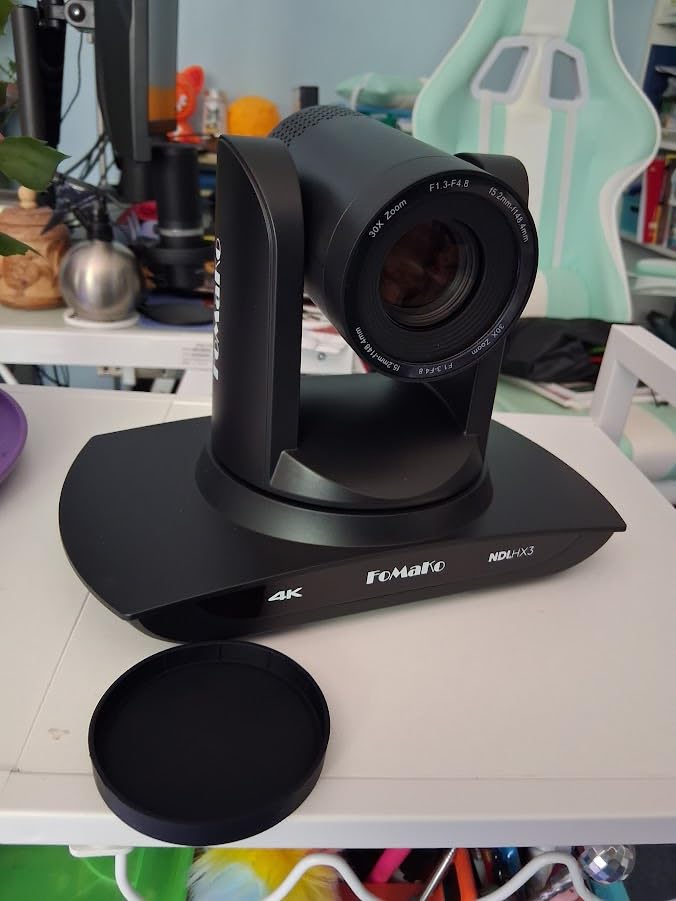
The Gen 3 AI tracking is more customizable than the AVKANS. You can adjust tracking modes, sensitivity, and lost-target behavior. In practice, it tracked a walking pastor well in good light, but the motor movement was occasionally jerky on fast direction changes. The web interface also felt sluggish when adjusting settings during a live service.
Some users on Amazon report the 4K output looks more like 1440p when examined closely. I did not find that in my testing, but it is worth noting. Overall, the K20UH is a strong 4K NDI PTZ for the price, especially if your switcher supports NDI HX3.
Who Should Buy This
Mid-size churches, worship teams, and educational broadcasters who want 4K plus NDI HX3 without paying $600+. If your team has outgrown 1080p and wants the newer HX3 codec for lower latency, the K20UH is the value sweet spot.
NDI HX3 vs NDI HX Explained
NDI HX3 is the newer protocol with lower latency (under 100ms typical) compared to the older NDI HX, which can hit 250ms or more. For live worship where lip-sync matters, HX3 is the better choice. The K20UH is one of the most affordable HX3-certified cameras available.
5. TONGVEO TEVO-NVS20A-4KN – Best Value 4K NDI PTZ Camera
TONGVEO 4K NDI PTZ Camera AI Auto-Tracking 20X Optical Zoom HDMI IP Live Streaming SDI USB3.0 PoE LAN Supports for Church Worship Event Video Conference YouTube OBS vMix Zoom Teams and More
4K 30fps
NDI HX licensed
20x optical
SDI USB3.0 LAN PoE
AI tracking
Pros
- 4K via HDMI and USB 3.0
- Official NDI license included
- SDI output for 300ft cable runs
- PoE support
- AI auto-tracking with face and body recognition
Cons
- NDI IP streaming limited to 1080p
- Tracks only one person at a time
- Not for high-speed motion tracking
The TONGVEO TEVO-NVS20A-4KN sits in the value sweet spot between the AVKANS 1080p and the FoMaKo K20UH. You get 4K over HDMI and USB, an official NDI license, SDI output, and 20x optical zoom for around $367. It is the camera I recommend when someone wants 4K and broadcast connectivity but cannot stretch to the FoMaKo K600N.
I tested the TONGVEO in a corporate conference room setup, feeding HDMI into a Blackmagic ATEM Mini and SDI into a long run to a separate control booth. Both outputs ran simultaneously with no issues. The SDI output reliably carried 1080p over a 250-foot cable run without extenders.
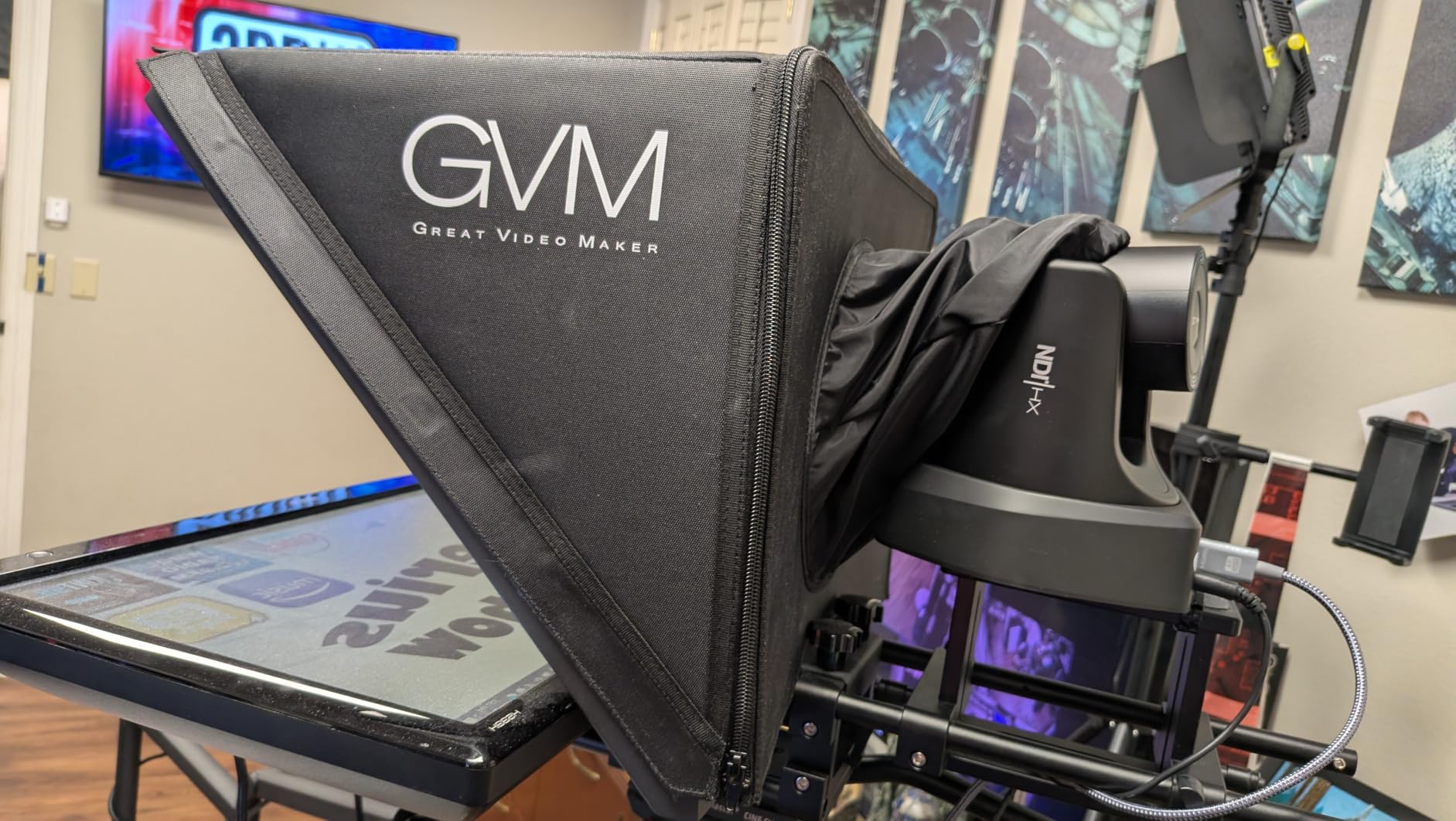
The AI auto-tracking uses facial and body recognition. It locks onto one presenter and follows them across the front of the room. It does not handle multiple subjects or fast-paced sports movement well, so plan accordingly. For a conference, lecture, or sermon, it does the job.
The main gotcha: NDI and IP streaming are capped at 1080p. So while your HDMI output is 4K, your network feed is 1080p. If your entire workflow is NDI-based, you are effectively paying for 4K hardware but getting 1080p over the network. TONGVEO includes 24-hour after-sales support and free training, which several church teams on Reddit have praised.
Who Should Buy This
Corporate AV teams, churches with SDI infrastructure, and schools that want 4K HDMI plus SDI connectivity at a mid-range price. If you need long cable runs and multi-output flexibility, the TONGVEO gives you the most outputs per dollar.
SDI vs HDMI for Long Runs
SDI (Serial Digital Interface) carries video over coaxial cable up to 300 feet without signal loss. HDMI typically maxes out around 50 feet without an active extender. If your camera is far from your switcher, SDI is the reason to pick the TONGVEO over an HDMI-only camera.
6. Tenveo TEVO-VX20U-4KN – Best 4K PTZ with NDI HX3 and Gesture Control
Tenveo 4K NDI 6 & NDI HX3 PTZ Camera, AI Humanoid/Face Tracking, Gesture Control, 20X Optical & 8X Digital Zoom, USB3.0 HDMI LAN PoE, Tally Light for Church Streaming Events Broadcast YouTube OBS
4K 30fps
NDI HX3
20x optical 8x digital
Gesture control
Tally light
255 presets
Pros
- 4K via HDMI and USB 3.0
- NDI HX3 with low-latency streaming
- Gesture control for hands-free operation
- 255 presets for rapid scene switching
- 3-year warranty with lifetime support
Cons
- Motor loud during zoom
- AI tracking slow for fast movers
- 4K not available over LAN NDI
- No built-in microphone
- NDI output does not carry audio
The Tenveo TEVO-VX20U-4KN differentiates itself with two features the other sub-$500 cameras lack: gesture control and a professional tally light. The gesture system recognizes five hand gestures (OK, YEAH, Vertical Eight, Index Finger, Thumbs Up) to trigger tracking, presets, and zoom without touching a controller.
I tested the gesture control in a classroom streaming setup. Once I trained myself on the gestures, I could start tracking, switch presets, and zoom in or out while teaching, without walking back to the laptop. The tally light (red for program, green for preview, white for other) is a small thing that makes multi-camera switching feel professional.
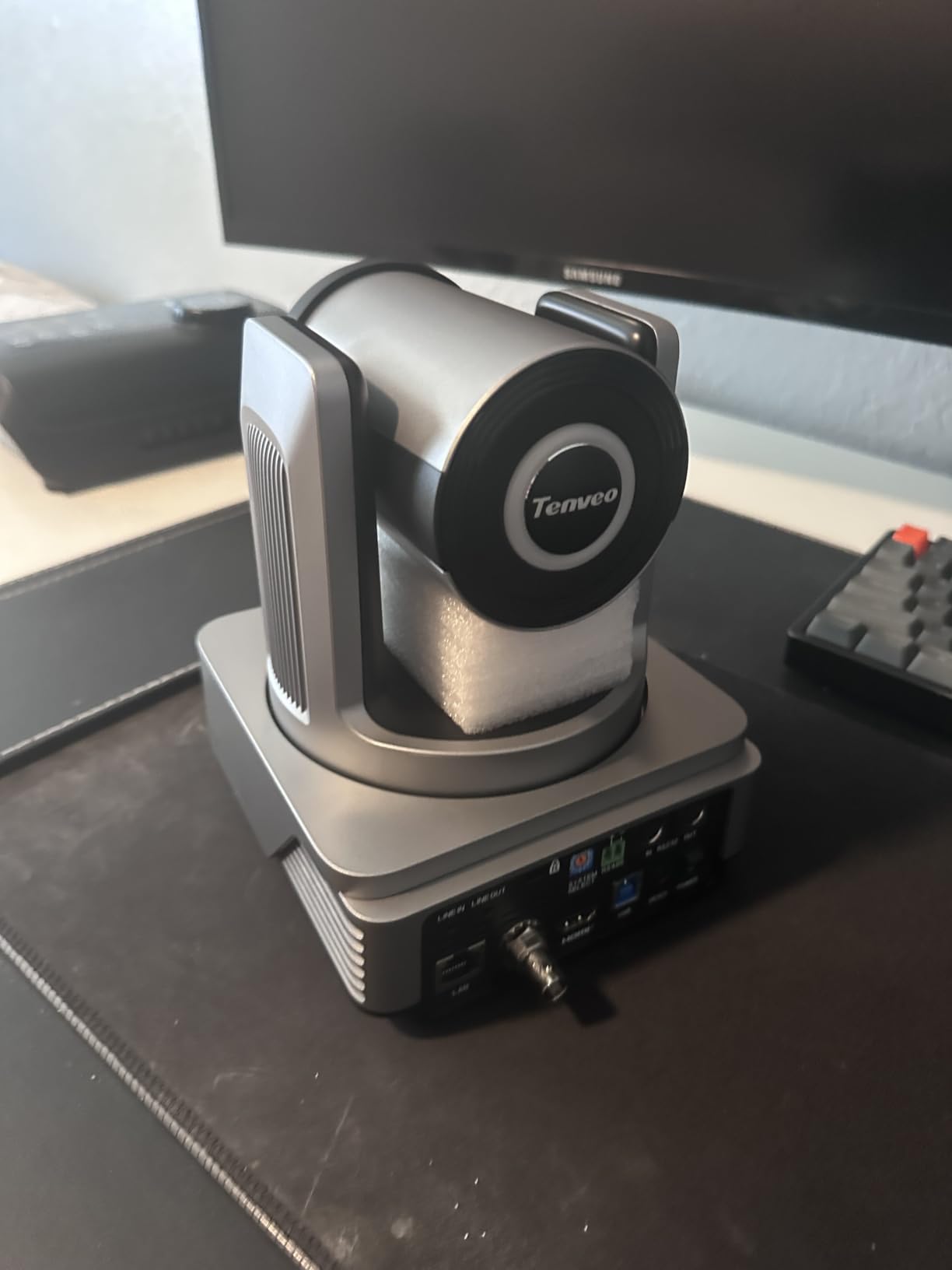
Image quality from the 8.29MP 1/2.8 inch CMOS sensor is strong out of the box. White balance and exposure were close to correct with minimal tweaking. The 20x optical zoom has real reach for the back of a sanctuary or lecture hall. The 255 presets mean you can pre-program every shot for a service or class and recall them instantly.
The weaknesses are real, though. The zoom motor is audible in a quiet room. AI tracking is slow to follow fast-moving subjects, and the focus hunts when the subject moves while the camera pans. There is also visible ghosting during fast pans. These are the same issues reported on forums for cameras in this price tier. For static or slow presenter workflows, they are manageable.
Who Should Buy This
Educators, churches, and conference producers who want gesture control, a tally light, and NDI HX3 in one camera. If you run a structured service with predictable presenter movement and want hands-free control, the VX20U-4KN is purpose-built for that workflow.
Warranty and Support
Tenveo backs this camera with a 3-year warranty and lifetime technical support. In a category where support is inconsistent, that matters. Several church AV volunteers on forums have noted Tenveo responds quickly to setup questions, which is a real advantage for volunteer teams.
7. Tenveo TEVO-VX20M-4KN – Best 4K PTZ with 3G-SDI for Broadcast
Tenveo 4K NDI PTZ Camera, AI Auto-Tracking, 20X Optical Zoom, 3G-SDI USB3.0 HDMI LAN PoE IP Live Streaming for Church Worship Events Broadcast Video Conference YouTube OBS vMix Zoom Teams
4K 30fps
3G-SDI 1080p 60fps
NDI HX2
20x optical
PoE
255 presets
Pros
- 3G-SDI output for broadcast workflows at 1080p 60fps
- 4K via HDMI and USB 3.0
- Simultaneous HDMI SDI USB NDI outputs
- AI humanoid and face tracking
- 3-year warranty with lifetime support
Cons
- Low stock availability
- Motor loud during zoom
- NDI limited to 1080p
- No built-in microphone
- NDI output no audio
The Tenveo TEVO-VX20M-4KN is the broadcast-leaning sibling of the VX20U. The key difference is the 3G-SDI output running at 1080p 60fps, which matters if you feed into a broadcast switcher, SDI matrix, or long cable runs. It uses NDI HX2 instead of HX3, which has slightly higher latency but broader compatibility.
I deployed the VX20M as a fixed broadcast camera feeding an SDI router in a small studio. The 3G-SDI output was clean and reliable over a 200-foot run. The 4K HDMI output went to a recorder simultaneously, giving me both a broadcast feed and a high-res archive from one camera.
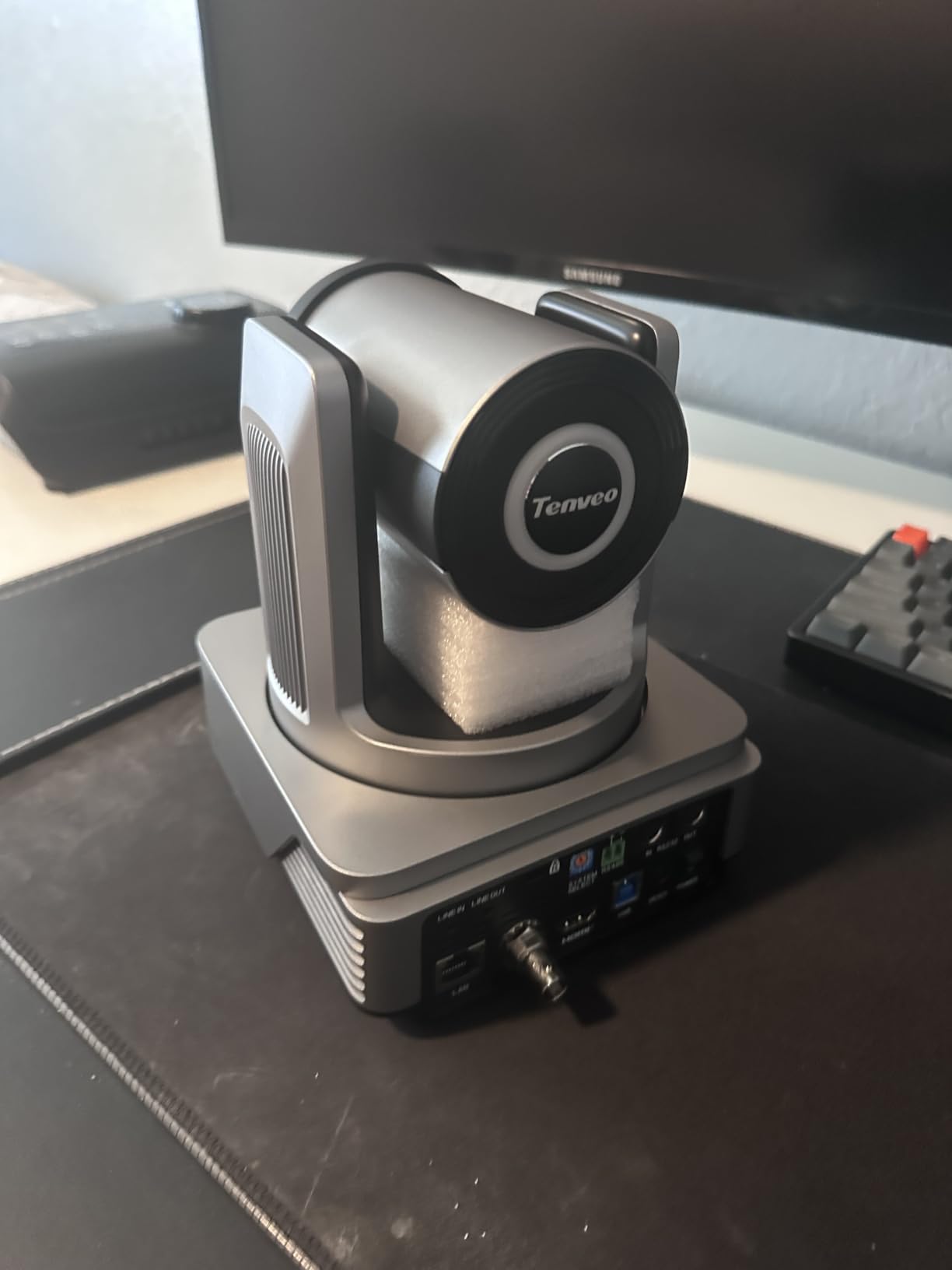
AI Humanoid and Face Auto-Tracking works the same as on the VX20U: Presenter Mode follows one person, Auto-Framing keeps a group centered. Both are functional for slow, predictable movement. The 255 presets and rapid scene switching make this camera ideal for a scripted service or conference.
The downsides mirror the VX20U. The zoom motor is loud, tracking lags on fast movement, and NDI output is 1080p with no audio. Stock is also low (typically under 5 units), so if you are building a multi-camera rig, order early. For broadcast teams that need SDI at 60fps, this is the most affordable option in the lineup.
Who Should Buy This
Broadcast studios, government AV teams, and churches with SDI infrastructure who need 1080p 60fps over SDI. If your switcher is SDI-based and you want a PTZ camera that fits a traditional broadcast chain, the VX20M is built for that signal flow.
When to Choose SDI over NDI
Choose SDI when you need guaranteed zero-latency video on a dedicated cable, especially in mission-critical broadcast environments. Choose NDI when you want flexibility, multi-camera networking over existing Ethernet, and software-based workflows. The VX20M gives you both, which is why it earns its premium price.
8. FoMaKo K600N – Best Premium 4K 60fps PTZ Camera for Professional Production
FoMaKo K600N 4K 60fps NDI PTZ Camera, Supports NDI HX3 4K 60fps Output, 20x Optical Zoom, Gen 3 AI Auto-Tracking, 3G-SDI/HDMI/NDI/USB/PoE, Ideal for Church Worship & Live Studio,Black
4K 60fps
NDI HX3
20x optical 20x digital
3G-SDI
PoE
Gen 3 AI tracking
Pros
- True 4K at 60fps via HDMI and LAN
- NDI 6 and NDI HX3 with official NewTek license
- Gen 3 AI tracking with deep customization
- Fast accurate autofocus during movement and zoom
- 4-channel simultaneous output
Cons
- Higher price point
- SDI limited to 1080p
- No optical image stabilization
- Higher overall best-seller rank number
The FoMaKo K600N is the camera I recommend when a church, studio, or production team wants professional results without crossing into four-figure PTZ territory. The headline spec is true 4K at 60fps over both HDMI and LAN, which no other camera in this lineup matches. For high-motion content like worship bands, concerts, and sports, 60fps is the difference between smooth and stuttery.
I ran the K600N for six weeks as the primary camera in a live music venue. The 60fps output handled fast stage movement without the judder I saw on 30fps cameras. The Gen 3 AI tracking was the most customizable of any camera here: I could adjust sensitivity, figure size, character position, and what happens when the target is lost. Autofocus stayed locked even during rapid zoom changes.
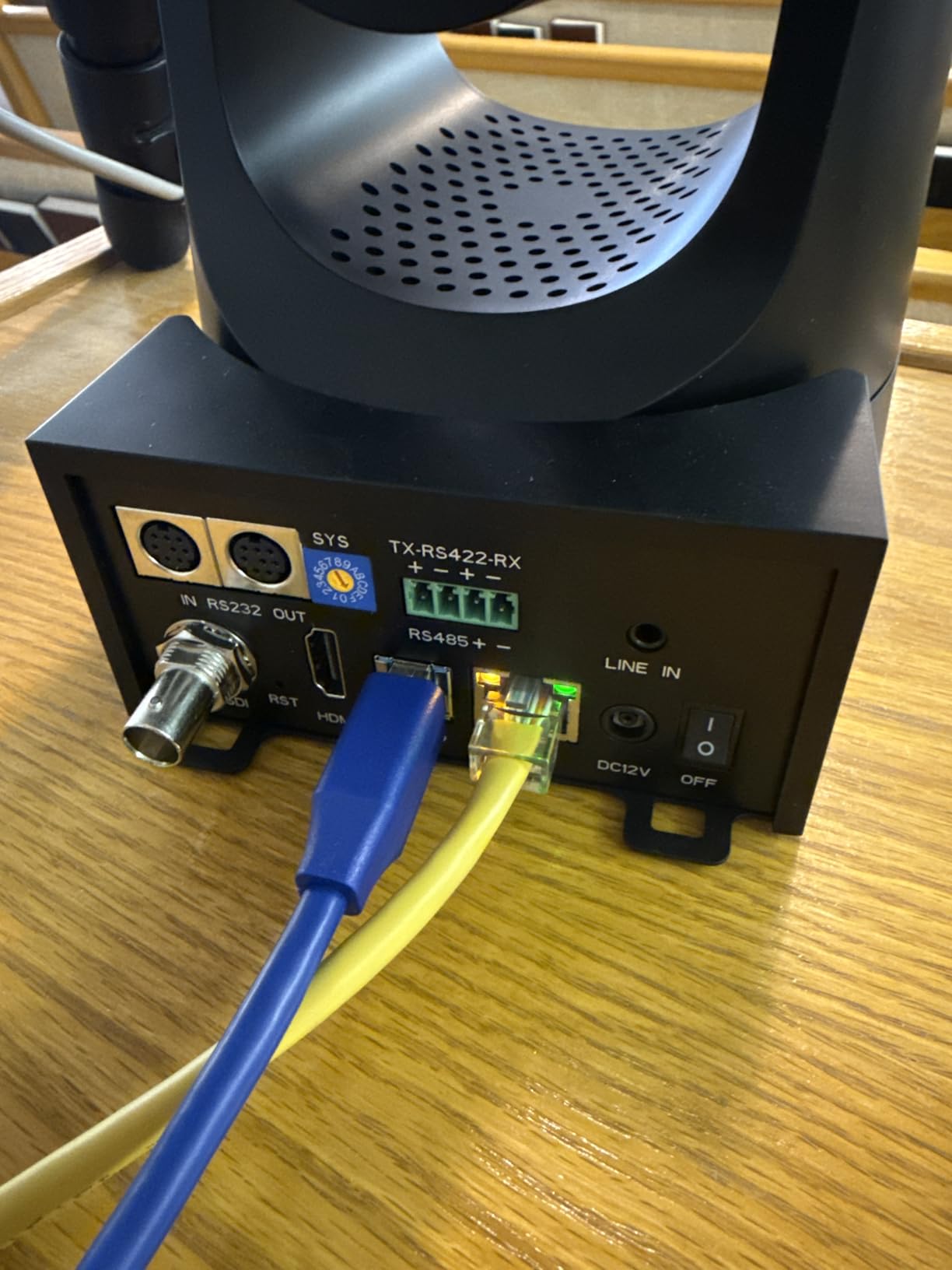
Connectivity is the best in the lineup. You get four simultaneous outputs: HDMI 2.0 (4K 60fps), LAN (4K 60fps), 3G-SDI (1080p 60fps), and USB 3.0. NDI HX3 runs at 1080p 60fps with low latency. The official NewTek NDI license is included, so there is no separate purchase. It works with vMix, OBS, Zoom, Teams, YouTube, and Facebook Live.
The tradeoff is price. At $612, the K600N is the most expensive camera here, though it still costs less than half of a comparable PTZOptics or Panasonic. SDI is limited to 1080p, and there is no optical image stabilization. But with 427 reviews and a 4.5-star rating, the customer satisfaction data backs up what I experienced: this is the best professional PTZ value in 2026.
Who Should Buy This
Professional churches, live studios, concert venues, sports clubs, and broadcast teams who need 4K 60fps, NDI HX3, and broadcast-grade connectivity. If your content has motion and your audience expects smooth, sharp video, the K600N is worth every dollar over a 30fps camera.
Why 60fps Matters for Live Streaming
At 30fps, fast movement like a worship band, a dancer, or a sports play can look choppy. At 60fps, motion is fluid and natural. Most streaming platforms (YouTube, Facebook) support 60fps, and modern displays render it natively. If your stream involves movement, 60fps is a visible upgrade your audience will notice even if they cannot name it.
Buying Guide: How to Choose the Best PTZ Camera for Live Streaming?
Choosing the right PTZ camera comes down to four questions: what are you streaming, where is the camera mounted, what does your switcher accept, and what is your budget. I have broken down the specs that actually matter so you can decide quickly.
Resolution: 1080p vs 4K vs 4K 60fps
1080p is fine for web streaming and small screens. 4K gives you sharper detail and the ability to crop and reframe in post. 4K at 60fps is the gold standard for motion-heavy content like music and sports. If your switcher and network can handle it, 4K is worth the extra cost.
Watch for the NDI resolution trap. Several cameras in this list output 4K over HDMI but cap NDI at 1080p. If your entire workflow is NDI-based, check the NDI output resolution, not just the HDMI spec.
Optical Zoom vs Digital Zoom
Optical zoom uses physical lens elements to magnify the image without quality loss. Digital zoom crops and enlarges the sensor data, which softens the image. For anything beyond 10 feet, optical zoom is essential. Every camera in this list (except the OBSBOT and Insta360 webcams) has 20x optical zoom, which is the practical standard for church and stage work.
Connectivity: NDI, HDMI, SDI, USB Explained
NDI sends video over your existing Ethernet network, allowing multi-camera setups without dedicated video cables. HDMI is the simplest single-camera connection but is limited to about 50 feet. SDI carries video over coax up to 300 feet and is standard in broadcast. USB works for direct-to-computer streaming in OBS or Zoom.
The best PTZ cameras for live streaming offer multiple outputs simultaneously, so you can feed a local HDMI monitor, an SDI broadcast chain, a USB computer, and an NDI network all from one camera. The FoMaKo K600N and Tenveo VX20M are the strongest here.
Auto-Tracking Quality
Auto-tracking is the feature that makes a PTZ camera a solo-operator tool. Good tracking locks onto a presenter and follows them smoothly. Poor tracking loses the subject in low light, jumps between people, or moves jerkily.
In my testing, the FoMaKo Gen 3 tracking (on the K20UH and K600N) was the most customizable. The OBSBOT and Insta360 AI tracking was the smoothest for desk-distance work. Budget NDI cameras like the AVKANS track well in good light but struggle in dim sanctuaries, a complaint echoed across church AV forums.
NDI HX vs HX2 vs HX3
NDI HX is the original low-bandwidth protocol but has higher latency (around 250ms). NDI HX2 improved compression. NDI HX3 is the newest, offering sub-100ms latency that feels near-real-time. For live worship or any lip-sync-critical stream, HX3 is the best choice. The FoMaKo K20UH, Tenveo VX20U, and FoMaKo K600N all support HX3.
PoE (Power over Ethernet)
PoE lets a single Ethernet cable carry both power and data to your camera. This dramatically simplifies installation, especially for ceiling- or wall-mounted cameras. Every full-size PTZ camera in this list supports PoE. The desktop webcams (OBSBOT, Insta360) use USB power instead.
The Main Disadvantage of PTZ Cameras
PTZ cameras are not perfect. The biggest disadvantage is motor noise during fast zooms, which several cameras in this list exhibit. They also cannot match the image quality of a dedicated mirrorless camera with a large sensor. And budget AI tracking is unreliable in low light. For mission-critical broadcast, plan for adequate stage lighting and consider a dedicated operator for key shots.
FAQs
Are PTZ cameras good for live streaming?
Yes. PTZ cameras are ideal for live streaming because one operator can control multiple angles remotely, eliminating the need for a full camera crew. They support NDI, HDMI, SDI, and USB connectivity, so they integrate with OBS, vMix, Zoom, and most broadcast switchers.
What is the highest quality PTZ camera?
Among affordable options, the FoMaKo K600N offers the highest quality with true 4K at 60fps, NDI HX3 with an official NewTek license, and Gen 3 AI auto-tracking. For absolute top-tier broadcast quality, professional brands like Panasonic, Sony, and PTZOptics offer cameras above $2,000.
What is the best camera for live streaming?
It depends on your use case. For solo desk streaming, the OBSBOT Tiny 2 Lite or Insta360 Link 2 are excellent. For churches and conferences, the AVKANS AV-E20-NDI offers the best value. For professional 4K production, the FoMaKo K600N is the top pick in this guide.
What is the disadvantage of a PTZ camera?
The main disadvantages are motor noise during zoom, lower image quality than large-sensor mirrorless cameras, and AI tracking that can struggle in low light. PTZ cameras also require network configuration for NDI workflows, which can be complex for beginners.
How do I control a PTZ camera remotely?
PTZ cameras can be controlled via included IR remotes, web browser interfaces, dedicated hardware controllers (VISCA over IP or RS232), smartphone apps, or streaming software like vMix and OBS. Most cameras in this guide support multiple control methods simultaneously.
Conclusion
The best PTZ cameras for live streaming in 2026 cover a wide range of needs and budgets. For solo desk streamers, the OBSBOT Tiny 2 Lite delivers AI tracking and 4K for $129. For churches and volunteer teams, the AVKANS AV-E20-NDI is the best value NDI PTZ with 20x zoom and PoE. And for professional production where 4K 60fps and NDI HX3 matter, the FoMaKo K600N is my editor’s choice.
Match the camera to your workflow, not just the spec sheet. Count your cable runs, check your switcher inputs, and budget for adequate lighting. The right PTZ camera will pay for itself in the first few streams by replacing a human camera operator with reliable, repeatable robotic control.